
University of British Columbia CPSC 314 Computer Graphics
University of British Columbia CPSC 314 Computer Graphics Jan-Apr 2010 Tamara Munzner Nonspatial/Information Visualization II Week 13, Wed Apr 14 • http: //www. ugrad. cs. ubc. ca/~cs 314/Vjan 2010
Assignments • project • P 4 due today 5 pm (plus grace/late days) • project 4 demo signup sheet, for last time • I will scan and post so you can check your time • you must contact me by Fri to schedule if you weren't in class to sign up • otherwise 2% huntdown penalty • email me in advance if you need to change • otherwise 2% noshow penalty • homework • H 4 solutions released Friday • homeworks not accepted after Thu 5 pm • again: if you hand in late, do include time/date at top • H 4 will be graded before exam • stay tuned, I'll announce on discussion group when they're ready to pick up 2
Office Hours • extra TA office hours in lab 005 for P 4/H 4 • Wed 4/14 2 -4, 5 -7 (Shailen) • Thu 4/15 3 -5 (Kai) • Fri 4/16 11 -4 (Garrett) • my office hours for rest of term • Fri 4/16 4 pm • by appointment - send me email to book • (I'm out of town 4/24 -4/27, right after exam) 3
Graded Work • still have some marked work not picked up, come grab it! • homeworks, midterms • some extra handouts in lab • or print out yourself, everything posted on web site • don't forget to check ugrad account for grading updates • find out what you got • also cross-check our records against yours 4
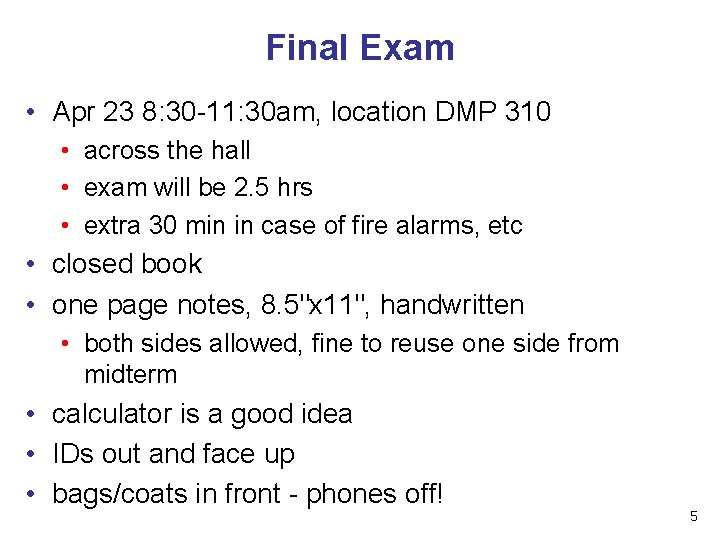
Final Exam • Apr 23 8: 30 -11: 30 am, location DMP 310 • across the hall • exam will be 2. 5 hrs • extra 30 min in case of fire alarms, etc • closed book • one page notes, 8. 5"x 11", handwritten • both sides allowed, fine to reuse one side from midterm • calculator is a good idea • IDs out and face up • bags/coats in front - phones off! 5
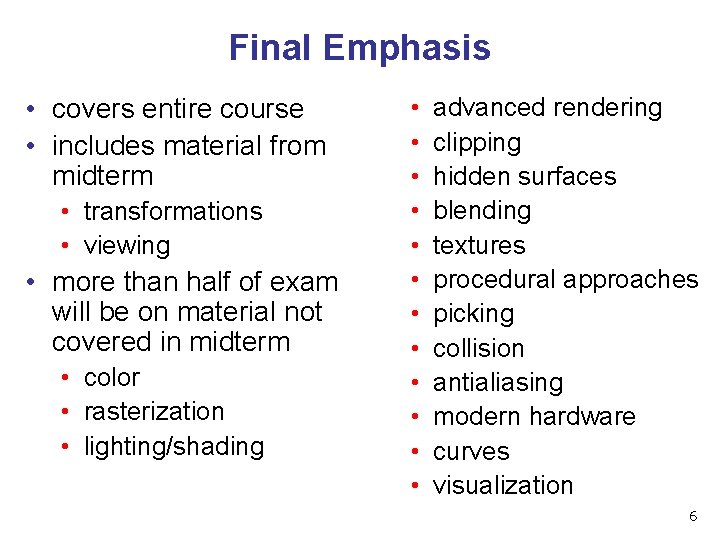
Final Emphasis • covers entire course • includes material from midterm • transformations • viewing • more than half of exam will be on material not covered in midterm • color • rasterization • lighting/shading • • • advanced rendering clipping hidden surfaces blending textures procedural approaches picking collision antialiasing modern hardware curves visualization 6

Exam Prep • another sample final just posted • from Jan 2007 • homeworks are good practice • especially old homeworks from when I taught the course 7
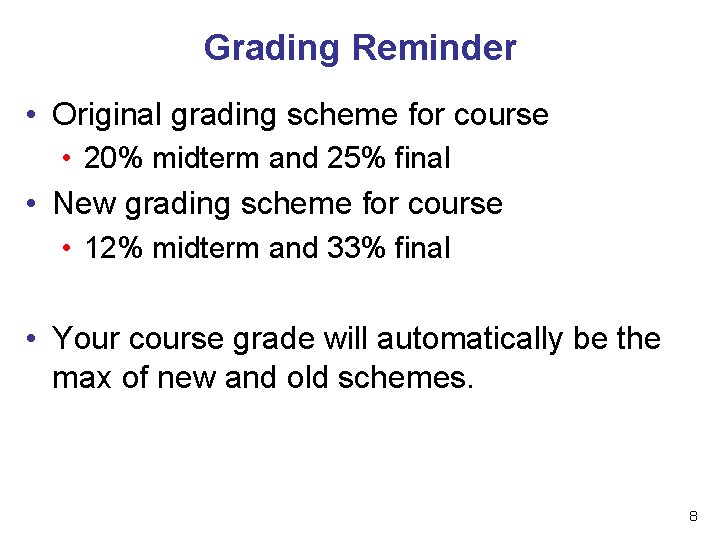
Grading Reminder • Original grading scheme for course • 20% midterm and 25% final • New grading scheme for course • 12% midterm and 33% final • Your course grade will automatically be the max of new and old schemes. 8
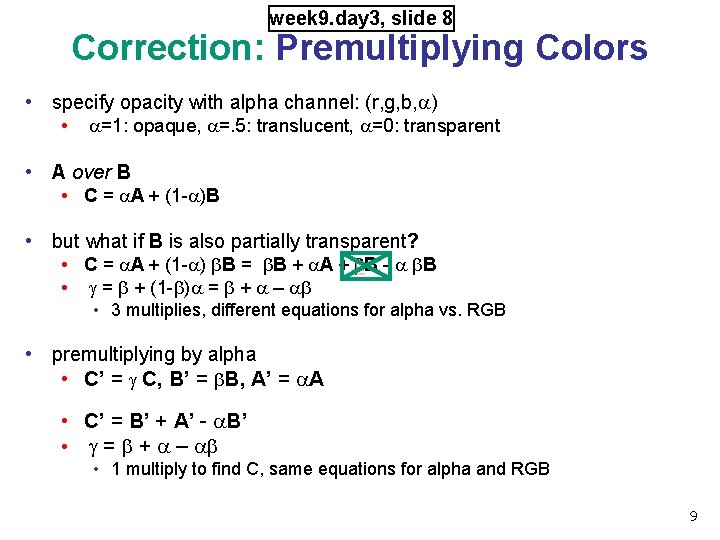
week 9. day 3, slide 8 Correction: Premultiplying Colors • specify opacity with alpha channel: (r, g, b, a) • a=1: opaque, a=. 5: translucent, a=0: transparent • A over B • C = a. A + (1 -a)B • but what if B is also partially transparent? • C = a. A + (1 -a) b. B = b. B + a. A + b. B - a b. B • g = b + (1 -b)a = b + a – ab • 3 multiplies, different equations for alpha vs. RGB • premultiplying by alpha • C’ = g C, B’ = b. B, A’ = a. A • C’ = B’ + A’ - a. B’ • g = b + a – ab • 1 multiply to find C, same equations for alpha and RGB 9
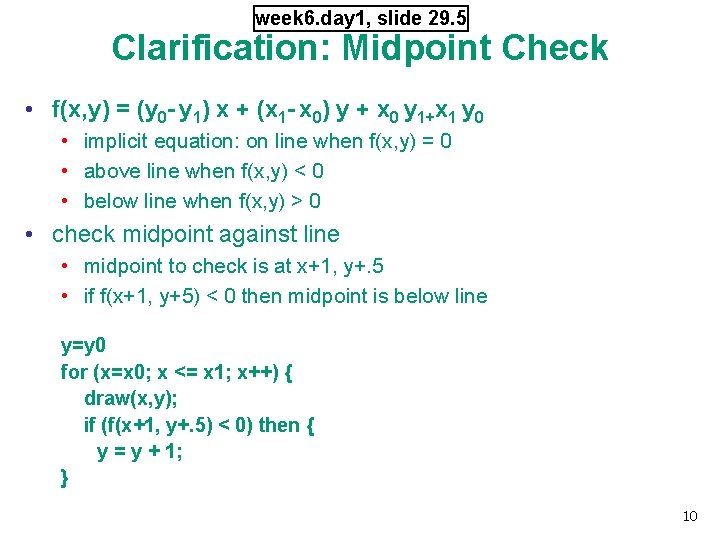
week 6. day 1, slide 29. 5 Clarification: Midpoint Check • f(x, y) = (y 0 - y 1) x + (x 1 - x 0) y + x 0 y 1+x 1 y 0 • implicit equation: on line when f(x, y) = 0 • above line when f(x, y) < 0 • below line when f(x, y) > 0 • check midpoint against line • midpoint to check is at x+1, y+. 5 • if f(x+1, y+5) < 0 then midpoint is below line y=y 0 for (x=x 0; x <= x 1; x++) { draw(x, y); if (f(x+1, y+. 5) < 0) then { y = y + 1; } 10
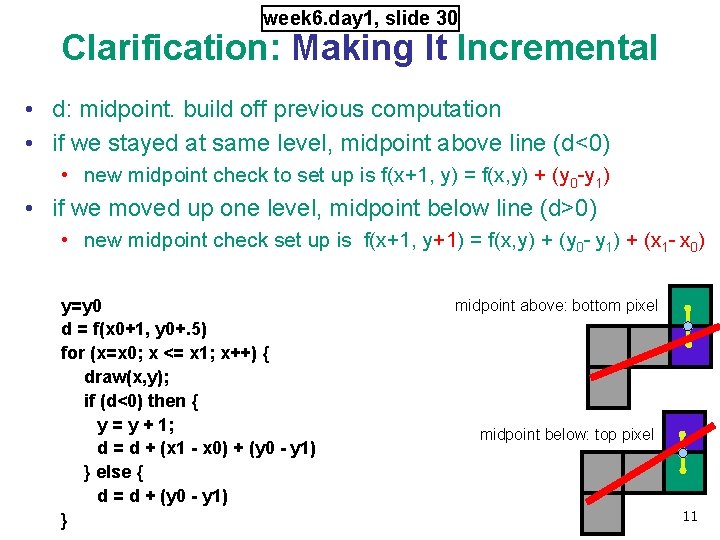
week 6. day 1, slide 30 Clarification: Making It Incremental • d: midpoint. build off previous computation • if we stayed at same level, midpoint above line (d<0) • new midpoint check to set up is f(x+1, y) = f(x, y) + (y 0 -y 1) • if we moved up one level, midpoint below line (d>0) • new midpoint check set up is f(x+1, y+1) = f(x, y) + (y 0 - y 1) + (x 1 - x 0) y=y 0 d = f(x 0+1, y 0+. 5) for (x=x 0; x <= x 1; x++) { draw(x, y); if (d<0) then { y = y + 1; d = d + (x 1 - x 0) + (y 0 - y 1) } else { d = d + (y 0 - y 1) } midpoint above: bottom pixel midpoint below: top pixel 11

week 6. day 1, slide 31 Clarification/Correction: Integer Only • avoid dealing with non-integer values by doubling both sides • from f(x, y) = 0 to 2 f(x, y) = 0 • f(x, y) = (y 0 - y 1) x + (x 1 - x 0) y + x 0 y 1+x 1 y 0 y=y 0 d = f(x 0+1, y 0+. 5) for (x=x 0; x <= x 1; x++) { draw(x, y); if (d<0) then { y = y + 1; d = d + (x 1 - x 0) + (y 0 - y 1) } else { d = d + (y 0 - y 1) } y=y 0 2 d = 2*(y 0 -y 1)(x 0+1) + (x 1 -x 0)(2*y 0+1) + 2*x 0 y 1 - 2*x 1 y 0 for (x=x 0; x <= x 1; x++) { draw(x, y); if (d<0) then { y = y + 1; d = d + 2(x 1 - x 0) + 2(y 0 - y 1) } else { d = d + 2(y 0 - y 1) } 12

Evaluations - Right Now • official TA evaluations • still on paper, not online yet • unofficial course evaluations - my custom form • much more specific questions than the official ones • I do not look at these until after official ones returned, long after grades are out • if you missed class, blanks will be in extra handouts container in lab, can turn in anonymously to the front desk on 2 nd floor • your feedback helps me improve the course in later years • please also fill out official teaching surveys for instructor (me!) at the Cours. Eval website https: //eval. olt. ubc. ca/science 13
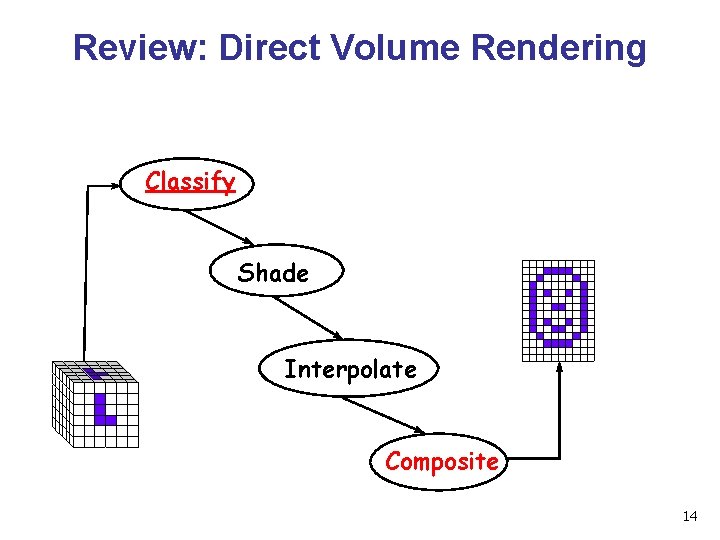
Review: Direct Volume Rendering Classify Shade Interpolate Composite 14
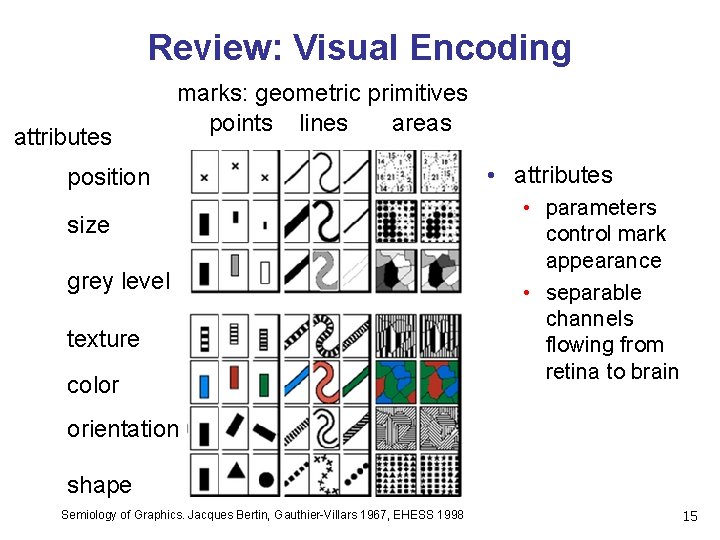
Review: Visual Encoding attributes marks: geometric primitives points lines areas position size grey level texture color • attributes • parameters control mark appearance • separable channels flowing from retina to brain orientation shape Semiology of Graphics. Jacques Bertin, Gauthier-Villars 1967, EHESS 1998 15
Review: Channel Ranking By Data Type [Mackinlay, Automating the Design of Graphical Presentations of Relational Information, ACM TOG 16 5: 2, 1986]
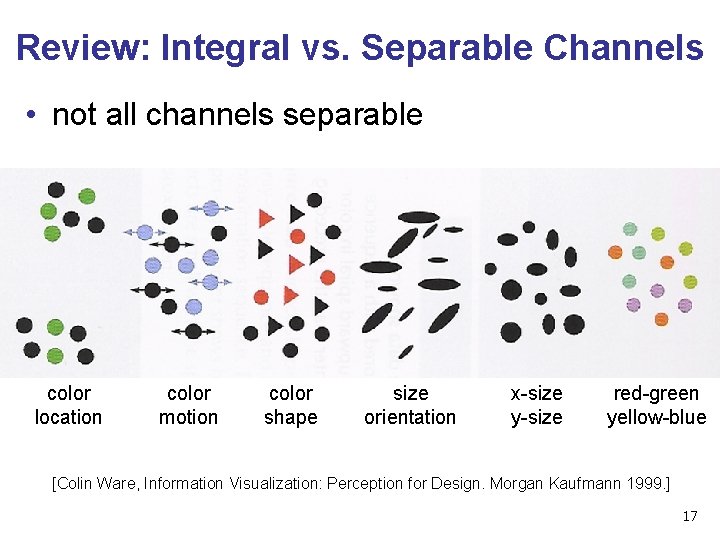
Review: Integral vs. Separable Channels • not all channels separable color location color motion color shape size orientation x-size y-size red-green yellow-blue [Colin Ware, Information Visualization: Perception for Design. Morgan Kaufmann 1999. ] 17
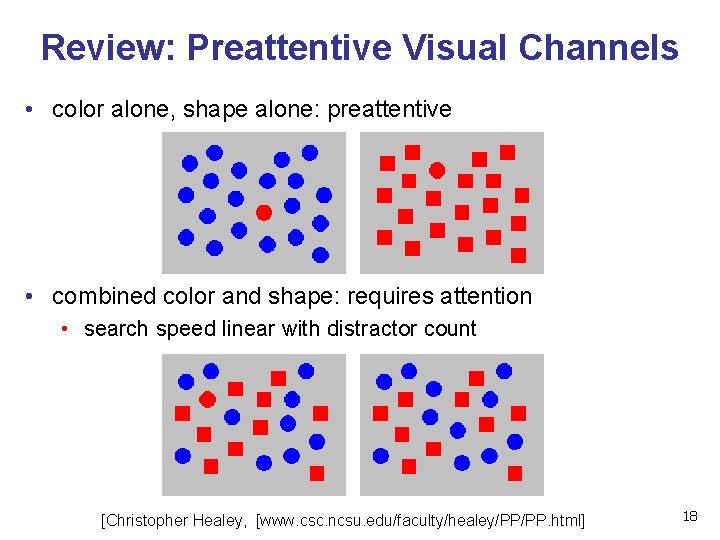
Review: Preattentive Visual Channels • color alone, shape alone: preattentive • combined color and shape: requires attention • search speed linear with distractor count [Christopher Healey, [www. csc. ncsu. edu/faculty/healey/PP/PP. html] 18
Nonspatial/Information Visualization II 19
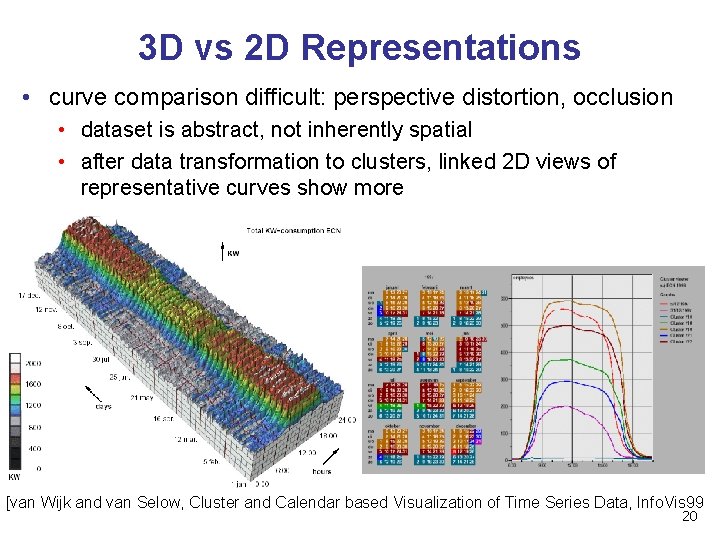
3 D vs 2 D Representations • curve comparison difficult: perspective distortion, occlusion • dataset is abstract, not inherently spatial • after data transformation to clusters, linked 2 D views of representative curves show more [van Wijk and van Selow, Cluster and Calendar based Visualization of Time Series Data, Info. Vis 99 20
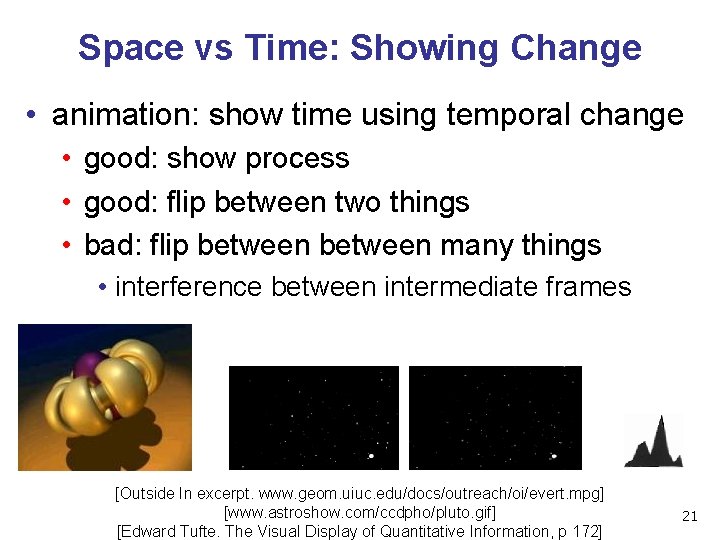
Space vs Time: Showing Change • animation: show time using temporal change • good: show process • good: flip between two things • bad: flip between many things • interference between intermediate frames [Outside In excerpt. www. geom. uiuc. edu/docs/outreach/oi/evert. mpg] [www. astroshow. com/ccdpho/pluto. gif] [Edward Tufte. The Visual Display of Quantitative Information, p 172] 21
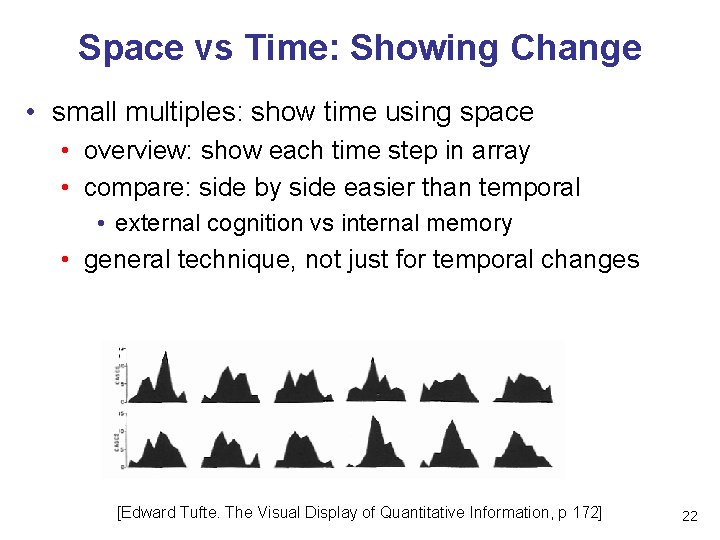
Space vs Time: Showing Change • small multiples: show time using space • overview: show each time step in array • compare: side by side easier than temporal • external cognition vs internal memory • general technique, not just for temporal changes [Edward Tufte. The Visual Display of Quantitative Information, p 172] 22
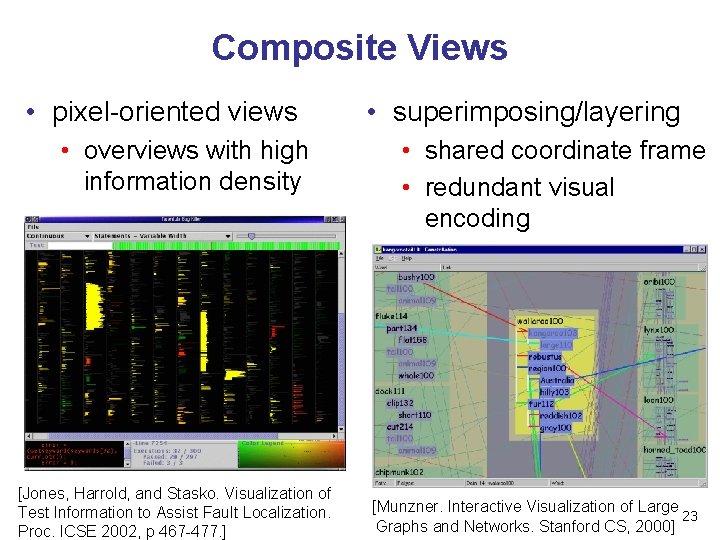
Composite Views • pixel-oriented views • overviews with high information density [Jones, Harrold, and Stasko. Visualization of Test Information to Assist Fault Localization. Proc. ICSE 2002, p 467 -477. ] • superimposing/layering • shared coordinate frame • redundant visual encoding [Munzner. Interactive Visualization of Large 23 Graphs and Networks. Stanford CS, 2000]
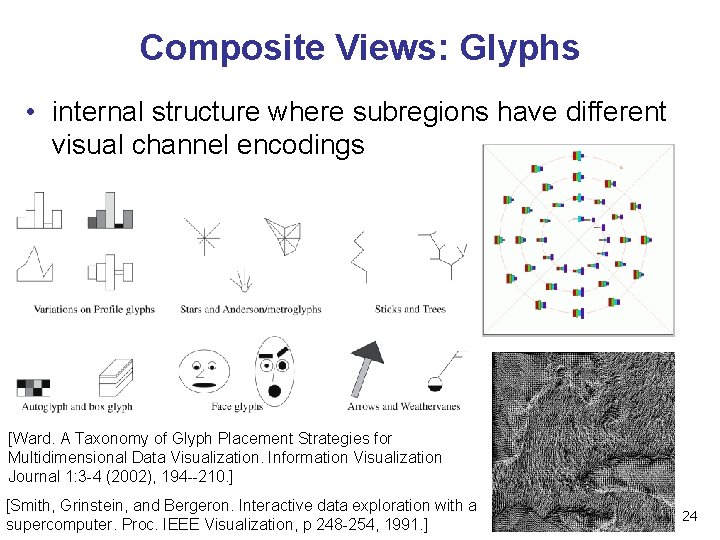
Composite Views: Glyphs • internal structure where subregions have different visual channel encodings [Ward. A Taxonomy of Glyph Placement Strategies for Multidimensional Data Visualization. Information Visualization Journal 1: 3 -4 (2002), 194 --210. ] [Smith, Grinstein, and Bergeron. Interactive data exploration with a supercomputer. Proc. IEEE Visualization, p 248 -254, 1991. ] 24
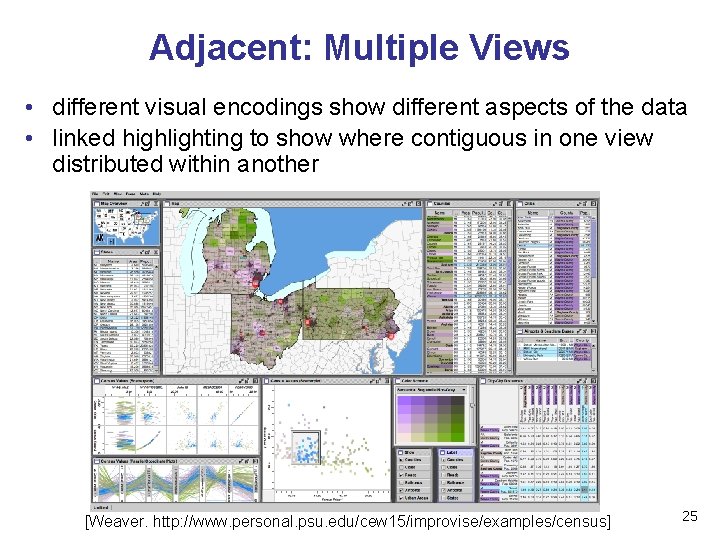
Adjacent: Multiple Views • different visual encodings show different aspects of the data • linked highlighting to show where contiguous in one view distributed within another [Weaver. http: //www. personal. psu. edu/cew 15/improvise/examples/census] 25
Adjacent Views • overview and detail • same visual encoding, different resolutions • small multiples • same visual encoding, different data 26

Data Reduction • overviews as aggregation • focus+context • show details embedded within context • distortion: Tree. Juxtaposer video • filtering: Space. Tree demo [Munzner et al. Tree. Juxtaposer: Scalable Tree Comparison using Focus+Context with Guaranteed Visibility. Proc SIGGRAPH 2003, p 453 -462] [Plaisant, Grosjean, and Bederson. Space. Tree: Supporting Exploration in Large Node Link Tree, Design Evolution and Empirical Evaluation. Proc. Info. Vis 2002 27
Dimensionality Reduction • mapping from high-dimensional space into space of fewer dimensions • generate new synthetic dimensions • why is lower-dimensional approximation useful? • assume true/intrinsic dimensionality of dataset is (much) lower than measured dimensionality! • only indirect measurement possible? • fisheries: want spawn rates. have water color, air temp, catch rates. . . • sparse data in verbose space? • documents: word occurrence vectors. 10 K+ dimensions, want dozens of topic clusters 2828
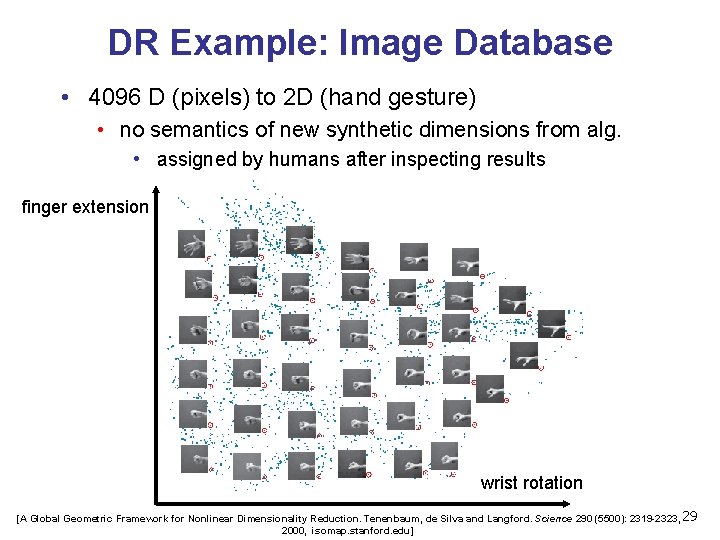
DR Example: Image Database • 4096 D (pixels) to 2 D (hand gesture) • no semantics of new synthetic dimensions from alg. • assigned by humans after inspecting results finger extension wrist rotation [A Global Geometric Framework for Nonlinear Dimensionality Reduction. Tenenbaum, de Silva and Langford. Science 290 (5500): 2319 -2323, 29 2000, isomap. stanford. edu]
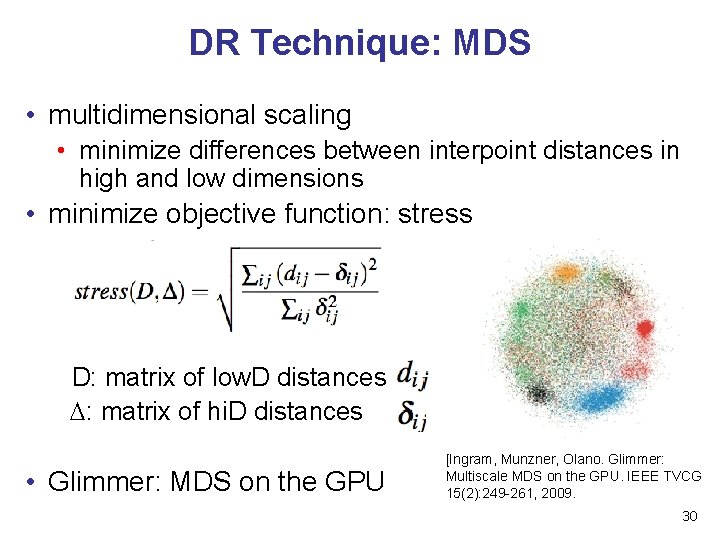
DR Technique: MDS • multidimensional scaling • minimize differences between interpoint distances in high and low dimensions • minimize objective function: stress D: matrix of low. D distances : matrix of hi. D distances • Glimmer: MDS on the GPU [Ingram, Munzner, Olano. Glimmer: Multiscale MDS on the GPU. IEEE TVCG 15(2): 249 -261, 2009. 30
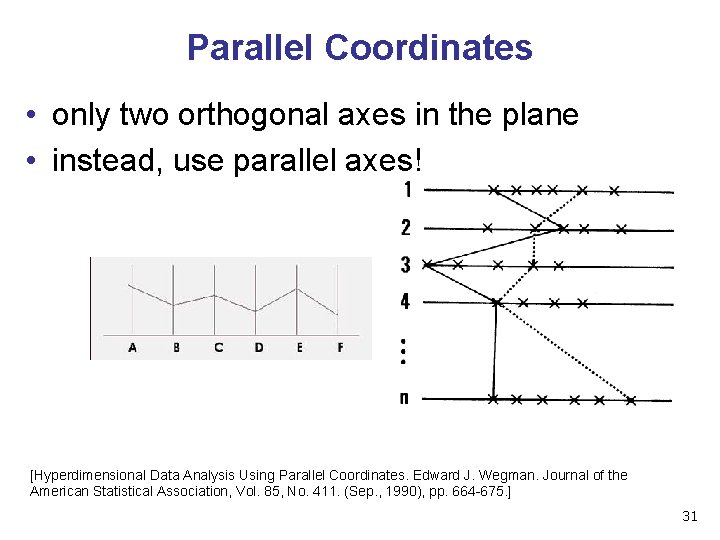
Parallel Coordinates • only two orthogonal axes in the plane • instead, use parallel axes! [Hyperdimensional Data Analysis Using Parallel Coordinates. Edward J. Wegman. Journal of the American Statistical Association, Vol. 85, No. 411. (Sep. , 1990), pp. 664 -675. ] 31
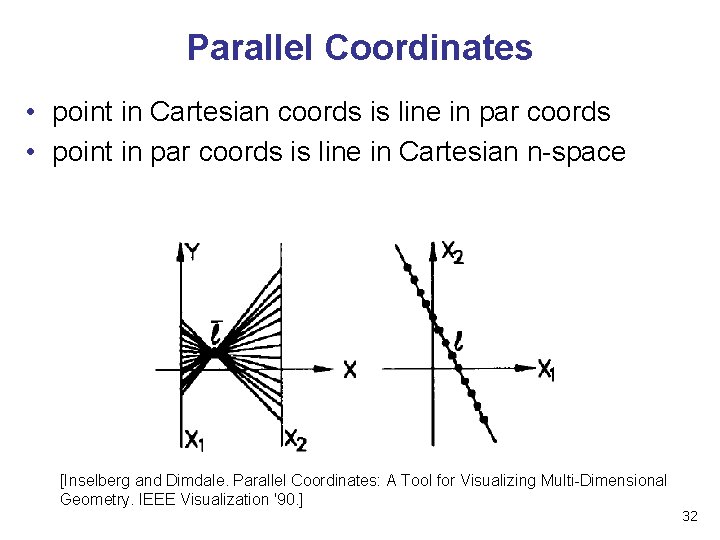
Parallel Coordinates • point in Cartesian coords is line in par coords • point in par coords is line in Cartesian n-space [Inselberg and Dimdale. Parallel Coordinates: A Tool for Visualizing Multi-Dimensional Geometry. IEEE Visualization '90. ] 32
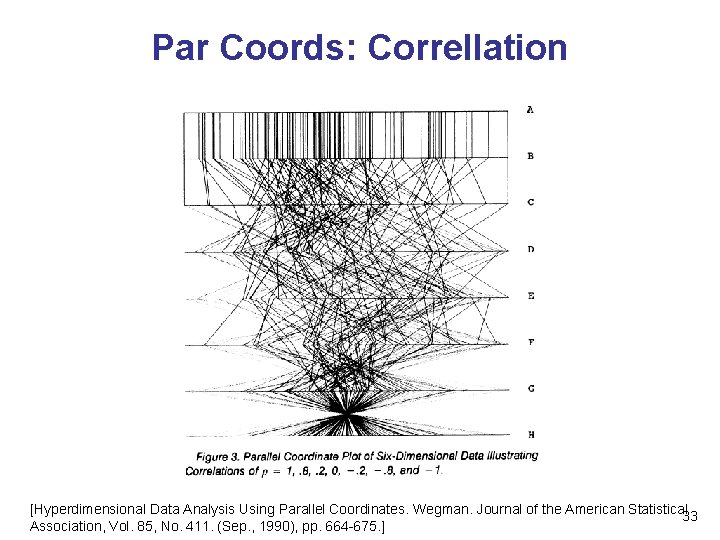
Par Coords: Correllation [Hyperdimensional Data Analysis Using Parallel Coordinates. Wegman. Journal of the American Statistical 33 Association, Vol. 85, No. 411. (Sep. , 1990), pp. 664 -675. ]
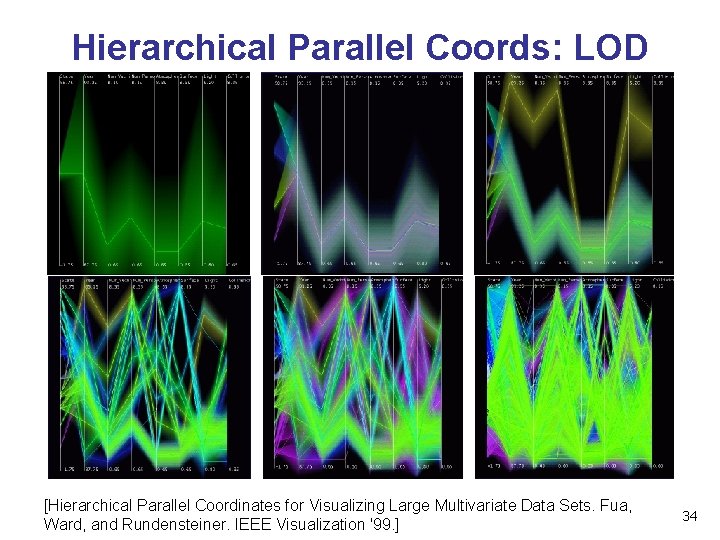
Hierarchical Parallel Coords: LOD [Hierarchical Parallel Coordinates for Visualizing Large Multivariate Data Sets. Fua, Ward, and Rundensteiner. IEEE Visualization '99. ] 34
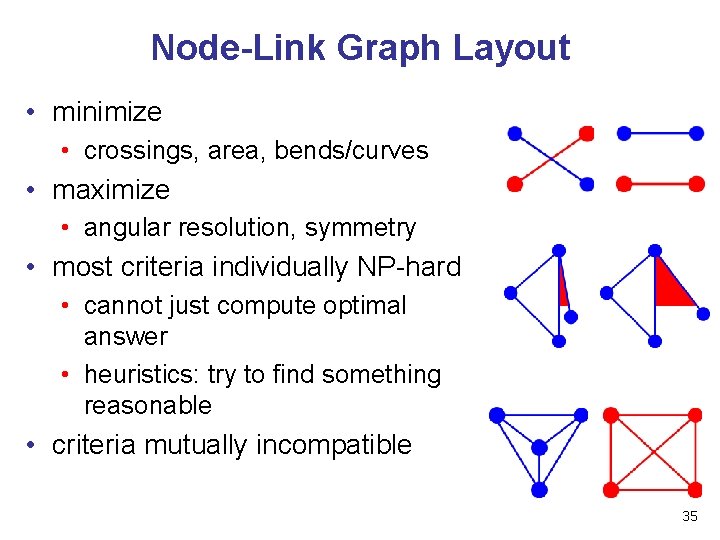
Node-Link Graph Layout • minimize • crossings, area, bends/curves • maximize • angular resolution, symmetry • most criteria individually NP-hard • cannot just compute optimal answer • heuristics: try to find something reasonable • criteria mutually incompatible 35
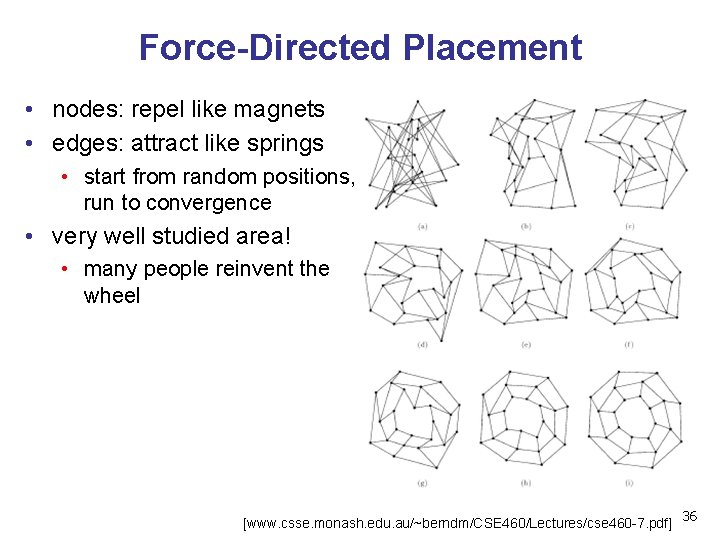
Force-Directed Placement • nodes: repel like magnets • edges: attract like springs • start from random positions, run to convergence • very well studied area! • many people reinvent the wheel [www. csse. monash. edu. au/~berndm/CSE 460/Lectures/cse 460 -7. pdf] 36
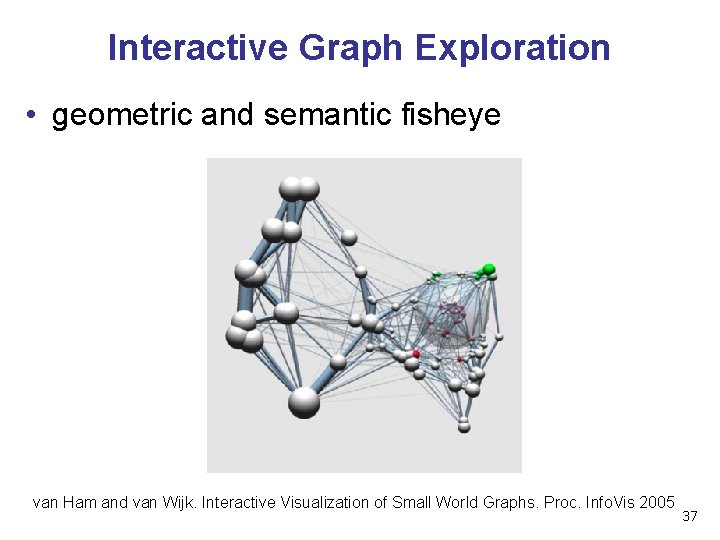
Interactive Graph Exploration • geometric and semantic fisheye van Ham and van Wijk. Interactive Visualization of Small World Graphs. Proc. Info. Vis 2005 37
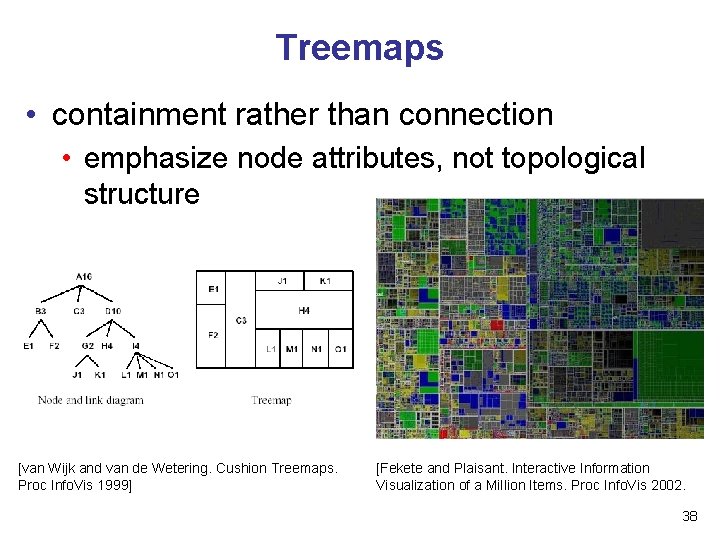
Treemaps • containment rather than connection • emphasize node attributes, not topological structure [van Wijk and van de Wetering. Cushion Treemaps. Proc Info. Vis 1999] [Fekete and Plaisant. Interactive Information Visualization of a Million Items. Proc Info. Vis 2002. 38
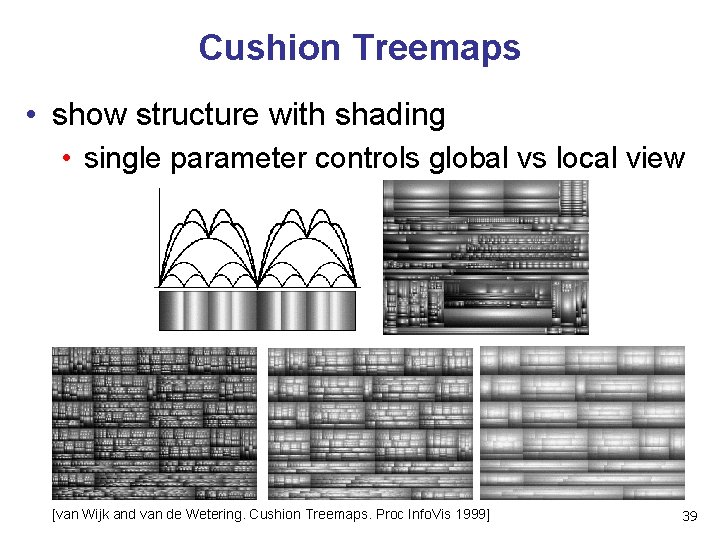
Cushion Treemaps • show structure with shading • single parameter controls global vs local view [van Wijk and van de Wetering. Cushion Treemaps. Proc Info. Vis 1999] 39

Now What? 40
Beyond 314: Other Graphics Courses • 424: Geometric Modelling • will be offered next year • 426: Computer Animation • was offered this year • • • 514: Image-Based Rendering - Heidrich 526: Algorithmic Animation - van de Panne 533 A: Digital Geometry - Sheffer 533 B: Animation Physics - Bridson 533 C: Information Visualization - Munzner 41
Beyond UBC CS • SIGGRAPH conference in Vancouver next year! • August 7 - August 11 2011 • ~20 K people: incredible combination of research, entertainment, art • Electronic Theater, Exhibit, ETech, . . . • pricey: but student rate, student volunteer program • local SIGGRAPH chapter • talk series, SPARK FX festival, . . . � • http: //siggraph. ca 42
- Slides: 42