
Universita degli Studi di Bologna Facolta di Ingegneria
Universita’ degli Studi di Bologna Facolta’ di Ingegneria Anno Accademico 2007 -2008 Laboratorio di Tecnologie Web Sviluppo di applicazioni web HTML, CSS e Javascript http: //www lia. deis. unibo. it/Courses/Tecnologie. Web 0708/ |Tecnologie Web L-A
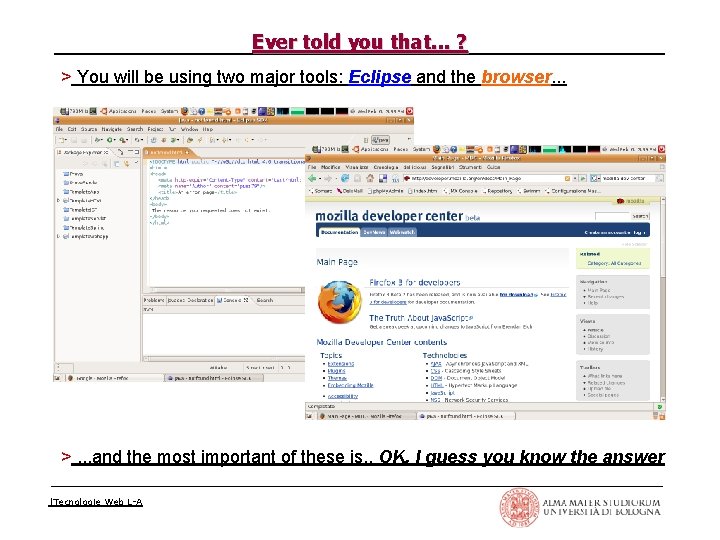
Ever told you that. . . ? > You will be using two major tools: Eclipse and the browser. . . >. . . and the most important of these is. . OK, I guess you know the answer |Tecnologie Web L-A
HTML, CSS and Javascript > All technologies meant to run client side: • users access your web application through their bowser application window > Understand the interaction paradigm • HTTP it's all about request / response • results conveyed via static resources (HTML pages, CSS styles) • presentation layer (client side) is separate from the biz logic (server side) • But browsers can perform operations too! • reacting to events (such as mouse movements) by dynamically changing pages (DOM and style modifications) without sending new requests • supporting scripting techniques (Javascript) • Up to breaking the synchronous request / response interaction paradigm • Advanced techniques (e. g. , Applet, AJAX) make user intervention unnecessary: browsers autonomously perform 'background' requests |Tecnologie Web L-A
styles and HTML: getting started > Styles enable associating formatting properties and document elements • definitions within the style attribute of HTML tags. . . <h 1 style=”display: block”>. . </h 1> • . . . within the document head element <style type=”text/css”>. . . </style> • . . . or in external stylesheet files <link rel=”stylesheet” tyle=”text/css” href=”style. css” /> > Cascading: several layers of style definitions can apply to any document • user agent settings (the browser default behaviour) → linked style sheets → document head styles → tag hard coded styles • inner layers override outer ones in case of conflicts |Tecnologie Web L-A
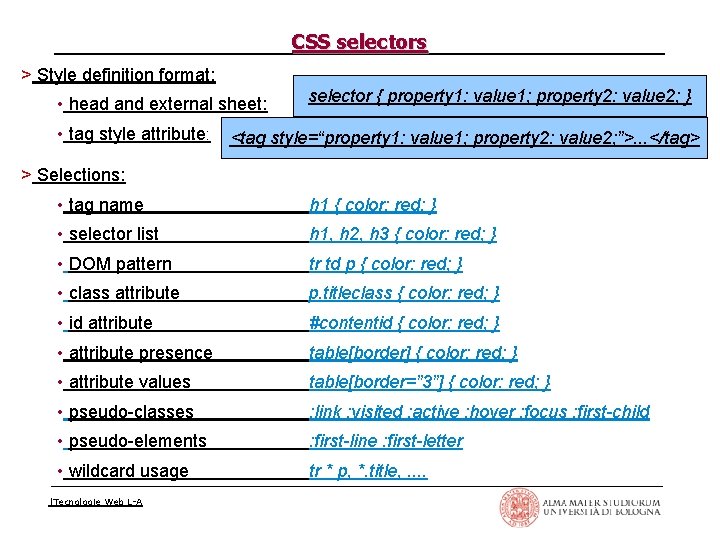
CSS selectors > Style definition format: • head and external sheet: • tag style attribute: selector { property 1: value 1; property 2: value 2; } <tag style=“property 1: value 1; property 2: value 2; ”>. . . </tag> > Selections: • tag name h 1 { color: red; } • selector list h 1, h 2, h 3 { color: red; } • DOM pattern tr td p { color: red; } • class attribute p. titleclass { color: red; } • id attribute #contentid { color: red; } • attribute presence table[border] { color: red; } • attribute values table[border=” 3”] { color: red; } • pseudo classes : link : visited : active : hover : focus : first-child • pseudo elements : first-line : first-letter • wildcard usage tr * p, *. title, . . |Tecnologie Web L-A
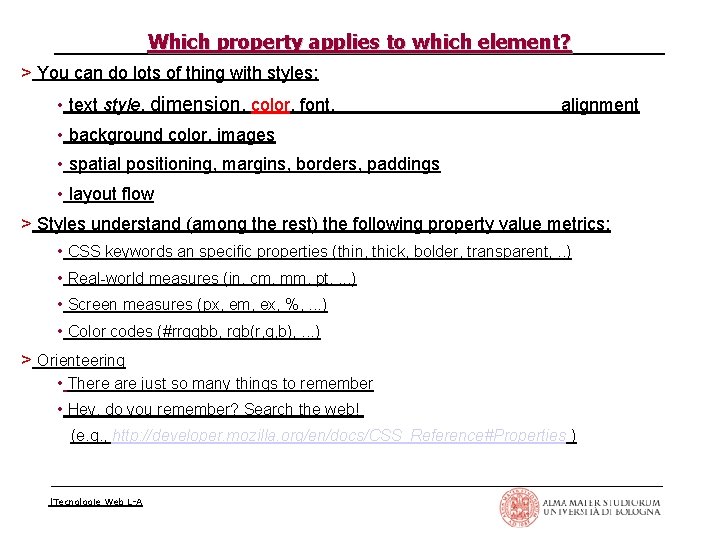
Which property applies to which element? > You can do lots of thing with styles: • text style, dimension, color, font, alignment • background color, images • spatial positioning, margins, borders, paddings • layout flow > Styles understand (among the rest) the following property value metrics: • CSS keywords an specific properties (thin, thick, bolder, transparent, . . ) • Real world measures (in, cm, mm, pt, . . . ) • Screen measures (px, em, ex, %, . . . ) • Color codes (#rrggbb, rgb(r, g, b), . . . ) > Orienteering • There are just so many things to remember • Hey, do you remember? Search the web! (e. g. , http: //developer. mozilla. org/en/docs/CSS_Reference#Properties ) |Tecnologie Web L-A
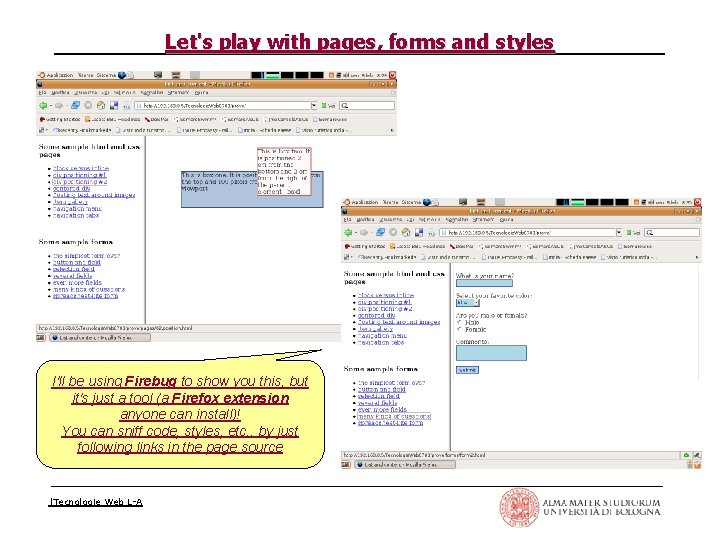
Let's play with pages, forms and styles I'll be using Firebug to show you this, but it's just a tool (a Firefox extension anyone can install)! You can sniff code, styles, etc. . by just following links in the page source |Tecnologie Web L-A
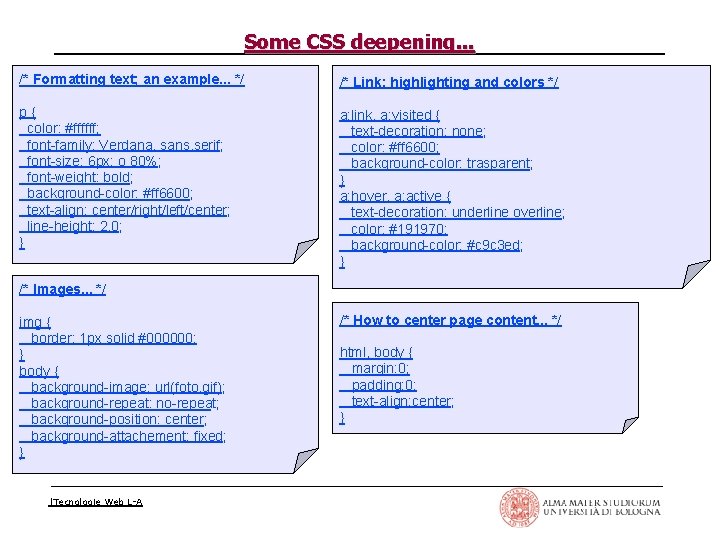
Some CSS deepening. . . /* Formatting text; an example. . . */ /* Link; highlighting and colors */ p{ color: #ffffff; font family: Verdana, sans. serif; font size: 6 px; o 80%; font weight: bold; background color: #ff 6600; text align: center/right/left/center; line height: 2. 0; } a: link, a: visited { text decoration: none; color: #ff 6600; background color: trasparent; } a: hover, a: active { text decoration: underline overline; color: #191970; background color: #c 9 c 3 ed; } /* Images. . . */ img { border: 1 px solid #000000; } body { background image: url(foto. gif); background repeat: no repeat; background position: center; background attachement: fixed; } |Tecnologie Web L-A /* How to center page content. . . */ html, body { margin: 0; padding: 0; text align: center; }
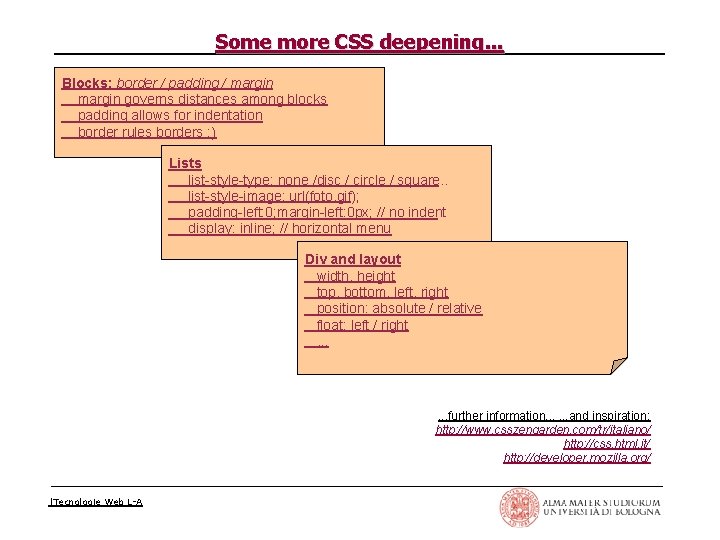
Some more CSS deepening. . . Blocks: border / padding / margin governs distances among blocks padding allows for indentation border rules borders : ) Lists list style type: none /disc / circle / square. . list style image: url(foto. gif); padding left: 0; margin left: 0 px; // no indent display: inline; // horizontal menu Div and layout width, height top, bottom, left, right position: absolute / relative float: left / right. . . further information. . . and inspiration: http: //www. csszengarden. com/tr/italiano/ http: //css. html. it/ http: //developer. mozilla. org/ |Tecnologie Web L-A
Javascript > Java. Script is an object oriented scripting language • it is not Java (although syntax is somewhat similar) • interpreted, not compiled • nowadays, the vast majority of Web scripting relies on Javascript > Developers keep up with standards and recommendations at different rates • Javascript was introduced by Netscape • VBScript is an extension of Visual Basic created by Microsoft as a competitor • Internet Explorer provides support for Java. Script (calling it Jscript) too • Netscape but could not control Javascript features any longer as it became widely adopted • ECMA (European Computer Manufacturers Association) defined a standardized version of Java. Script, called ECMAScript. as long as there is more than one browser, there will be more than one way of doing things |Tecnologie Web L-A
What you can do with Javascript > Manipulate variables and objects in a document (i. e. , in a web page) • change the value of all the properties of all the objects in the page • DOM (Document Object Model) requires browsers to redraw pages in response to events, without further requests to the server > For instance. . . • dynamic forms, displaying fields based on information already provided • . . . if you said yes to this question than provide input for other fields. . . • reward screen interactions by providing graphical effects • . . . a congratulatory animation if all questions were answered right. . . • . . . animate buttons and links as the mouse moves over them. . . • order page items based on user provided criteria without reloading server data • . . . sort the results of a database table based on the requested sort order. . . • etcetera. . . • . . . dynamically changing the course web site stylesheet! |Tecnologie Web L-A
What you cannot do with Javascript > Java. Script is limited to its own sandbox within the browser: • you cannot manipulate files on the client computer (i. e. , creating, writing, or deleting them) • you cannot execute any operations outside of the browser (e. g. , launching an installer, initiating a download, . . . ) > Java Applet and Active. X controls can do more! • . . . yes, but many visitors disable browsers support for them, as they fear malicious programs |Tecnologie Web L-A
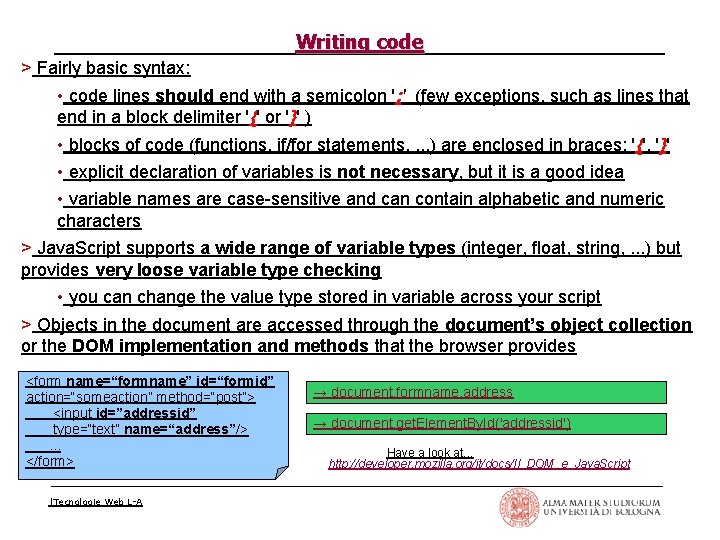
Writing code > Fairly basic syntax: • code lines should end with a semicolon '; ' (few exceptions, such as lines that end in a block delimiter '{' or '}' ) • blocks of code (functions, if/for statements, . . . ) are enclosed in braces: '{', '}' • explicit declaration of variables is not necessary, but it is a good idea • variable names are case sensitive and can contain alphabetic and numeric characters > Java. Script supports a wide range of variable types (integer, float, string, . . . ) but provides very loose variable type checking • you can change the value type stored in variable across your script > Objects in the document are accessed through the document’s object collection or the DOM implementation and methods that the browser provides <form name=“formname” id=“formid” action=“someaction” method=“post”> <input id=”addressid” type=“text” name=“address”/>. . . </form> |Tecnologie Web L-A → document. formname. address → document. get. Element. By. Id('addressid') Have a look at. . . http: //developer. mozilla. org/it/docs/Il_DOM_e_Java. Script
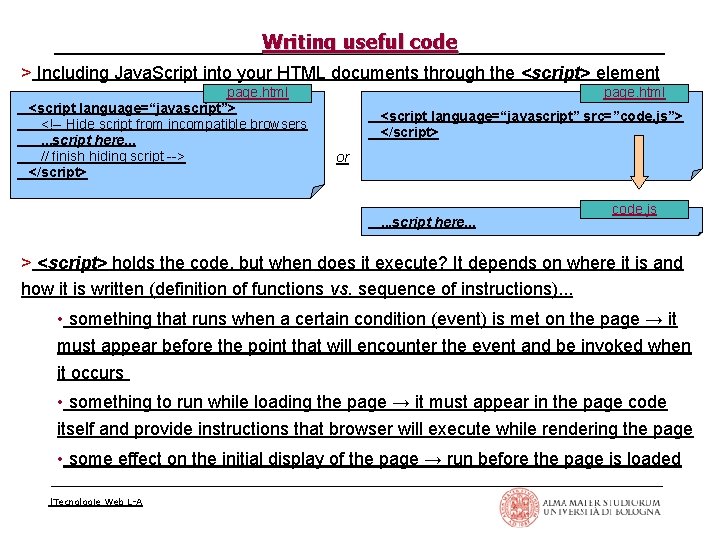
Writing useful code > Including Java. Script into your HTML documents through the <script> element page. html <script language=“javascript”> <! Hide script from incompatible browsers. . . script here. . . // finish hiding script > </script> page. html <script language=“javascript” src=”code. js”> </script> or . . . script here. . . code. js > <script> holds the code, but when does it execute? It depends on where it is and how it is written (definition of functions vs. sequence of instructions). . . • something that runs when a certain condition (event) is met on the page → it must appear before the point that will encounter the event and be invoked when it occurs • something to run while loading the page → it must appear in the page code itself and provide instructions that browser will execute while rendering the page • some effect on the initial display of the page → run before the page is loaded |Tecnologie Web L-A
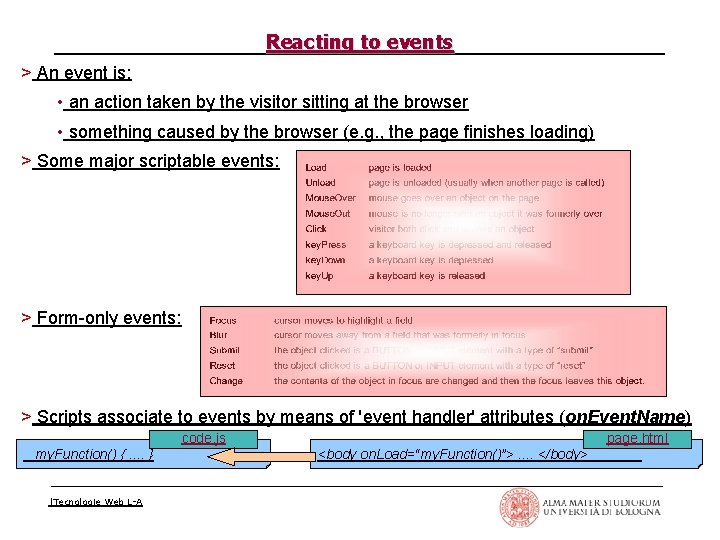
Reacting to events > An event is: • an action taken by the visitor sitting at the browser • something caused by the browser (e. g. , the page finishes loading) > Some major scriptable events: > Form only events: > Scripts associate to events by means of 'event handler' attributes (on. Event. Name) code. js my. Function() {. . } |Tecnologie Web L-A page. html <body on. Load=“my. Function()”>. . </body>
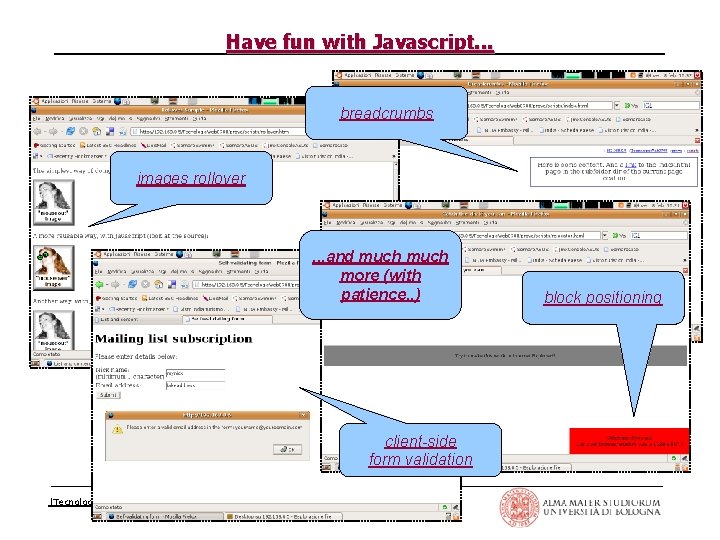
Have fun with Javascript. . . breadcrumbs images rollover . . . and much more (with patience. . ) client-side form validation |Tecnologie Web L-A block positioning
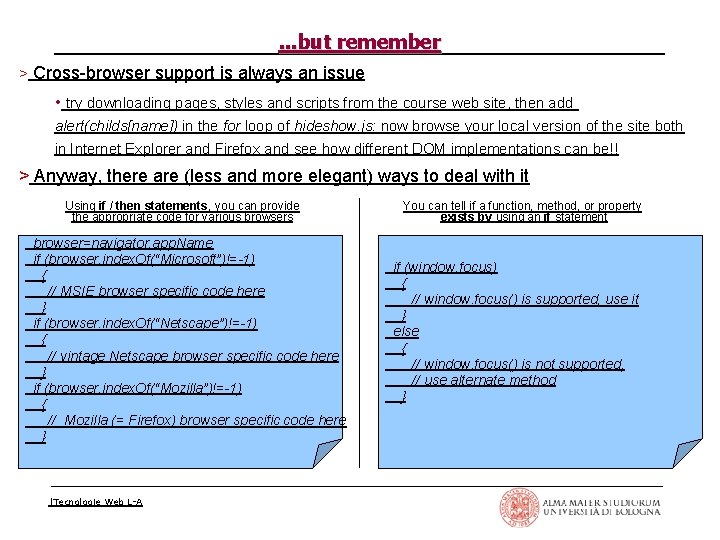
. . . but remember > Cross browser support is always an issue • try downloading pages, styles and scripts from the course web site, then add alert(childs[name]) in the for loop of hideshow. js: now browse your local version of the site both in Internet Explorer and Firefox and see how different DOM implementations can be!! > Anyway, there are (less and more elegant) ways to deal with it Using if / then statements, you can provide the appropriate code for various browser=navigator. app. Name if (browser. index. Of(“Microsoft”)!=-1) { // MSIE browser specific code here } if (browser. index. Of(“Netscape”)!=-1) { // vintage Netscape browser specific code here } if (browser. index. Of(“Mozilla”)!=-1) { // Mozilla (= Firefox) browser specific code here } |Tecnologie Web L-A You can tell if a function, method, or property exists by using an if statement if (window. focus) { // window. focus() is supported, use it } else { // window. focus() is not supported, // use alternate method }
- Slides: 17