
Universal Design for Learning and Accessibility MiniJam June
Universal Design for Learning and Accessibility Mini-Jam – June 2016 Dr. Tina Daigle Jennifer Gamez, M. A.
Connection to TAACCCT Grant requires any content submitted to adhere to: Ø Universal Design for Learning – UDL Ø American Disabilities Act – ADA Ø Rehabilitation Act of 1973 Sections 504 and 508 Ø Web Content Accessibility Guidelines (WCAG) 2. 0 Level AA The grant is a pilot for these initiatives with the intent of sustaining the practices of UDL and Accessibility and hopes of expanding.
Legal Connections ADA – implemented prior to internet – current proposal to define ADA and the web accessibility with Notice of Proposed Rulemaking (NPRM) scheduled numerous times since 2013 – still not published Title I – Employment Title II – State & Local Gov’t Title III – Public and Commercial Facilities ADA 504 • States that "no otherwise qualified individual with a disability in the United States shall be excluded from, denied the benefits of, or be subjected to discrimination under" any program or activity that either receives Federal financial assistance. ” ADA 508 is being updated with WCAG standards for web content • Establishes requirements for electronic and information technology developed, maintained, procured, or used by the Federal government. Section 508 requires Federal electronic and information technology to be accessible to people with disabilities, including employees and members of the public. U. S. Department of Justice • “There is no doubt that the internet sites of state and local government entities are covered by Title II of the ADA. Similarly, there is no doubt that the websites of recipients of federal financial assistance are covered by Section 504 of the Rehabilitation Act. ”
Connections and Implementation Universal Design for Learning and Accessibility support each other Implementation Takes Time Ø Some changes minor and relatively easy, others may take more thought Ø Some things you may be doing already Ongoing-Iterative process Will never be 100%
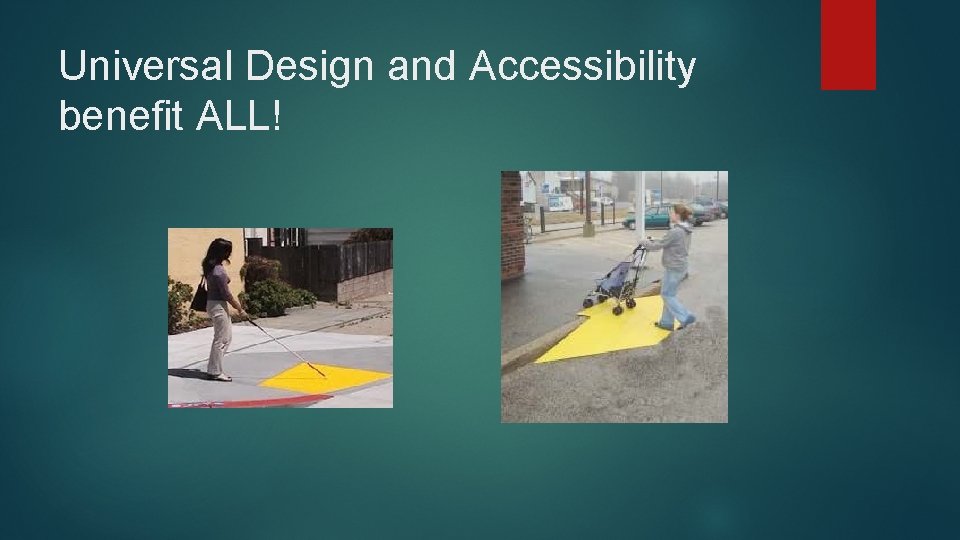
Universal Design and Accessibility benefit ALL!
What is UDL? • • • Educational Framework focusing on cognitive science To meet the learning needs of ALL students Intentionally designed – not adapted as needed Proactive rather than reactive Components of goals, methods, materials, and assessments Based on the guidelines of Providing Multiple Means of: Engagement Representation Action and Expression UDL at A Glance video Essential for some~ Universal for All
CAST – Center for Applied Special Technology • Started in 1984 • Based in Wakefield MA • Educational research and development organization that works to expand learning opportunities for all through Universal Design for Learning • Involved in curriculum planning, software development, state and national policy, teacher preparation and support, and education research with UDL-based solutions “Until learning has no limits” www. cast. org
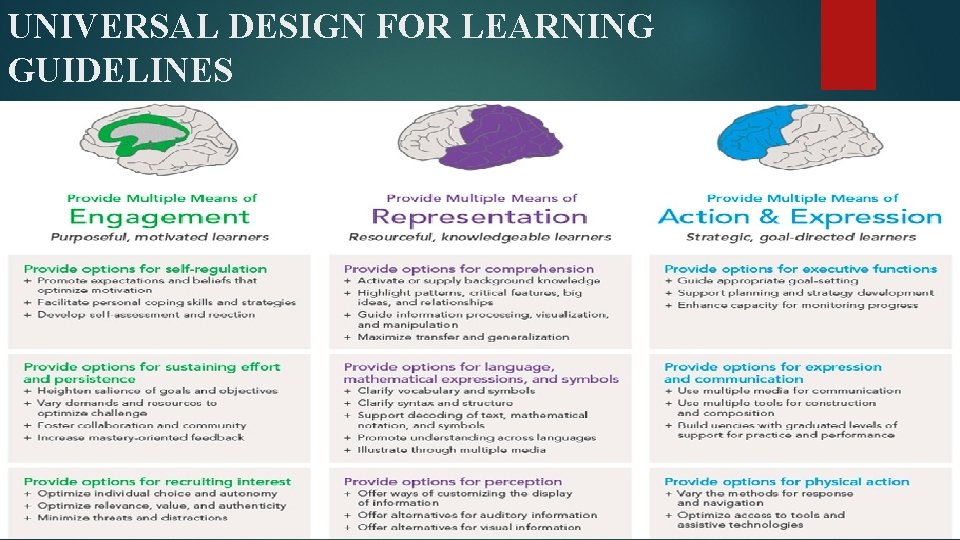
UNIVERSAL DESIGN FOR LEARNING GUIDELINES

UDL Guidelines at a Glance Engagement – Why of learning…stimulate interest and motivation Representation – What of learning…. present information and content in various ways for multiple methods of recognition Action and Expression – How of learning…making sense of “it”…. acting and expression of knowledge – differentiate ways students can express what they know
The Importance of Goals to UDL Clear goals of expectations Separate the desired outcome identify ways to obtain that outcome • Different pathways to same goal Clearly communicate goals so students know: • WHY it is important? - Engagement • WHAT they are doing? - Representation • HOW they might do it? – Action and Expression
UDL Specific to Higher Ed. A Brief Introduction to UDL in Higher Education What does UDL mean for instructors? Instructors are not expected to change their way of teaching or lecturing. Favorite methods and activities can still be utilized. Incorporating UDL offers more options for students to receive, learn, and express content in more than one way. Keep your style. Offer content in a variety of channels. Offer various options for demonstration of knowledge. UDL does NOT make the assignments easier. Course requirements and expectations are the same. UDL does offer various ways to demonstrate knowledge. Handout – 14 Common Elements of Universal Design for Learning (UDL) in the College Classroom
UDL Pedagogy 1. Assume a wide range of Language skills (spell acronyms, avoid/define jargon) • Technology skills (Provide training, point to tutorials) • Interests and backgrounds (provide relevant examples) • Consider gender, age, race, ethnicity, background, etc. • 2. Provide multiple ways to Gain knowledge (text, videos, collaboration, etc. ) • Communicate and collaborate (email, discussions, lecture, etc. ) • Demonstrate learning (different types of tests, discussions, essays, presentations, etc. ) • 3. 4. 5. 6. 7. 8. Provide clear and consistent organization and layout Provide outline and other scaffolding tools Provide specific feedback on project parts and offer opportunities for correction Allow adequate time for practice, activities, projects, tests, etc. Make instructions and expectations clear for activities, project, readings, etc. Make examples and assignments relevant to learners with a wide variety of characteristics

You might already be utilizing UDL…. (this is just a brief list) Course Syllabus Specific Provide syllabus in various formats Share examples Include pictures/Images Allow opportunities for collaboration Multiple means of contact/office hours Provide clear goals Accessibility/Disability Statements Provide rubrics Clearning objectives Support risk taking Clear course requirements Vary instruction Clear due dates Involve student in the learning process Grading Rubrics Provide online resources Text info & Additional resources Alternative assignment options Handout – Syllabus Rubric and CAST Top 10 UDL Tips
Syllabus Examples Syllabus Traditional UDL Syllabus Sample Traditional Syllabus Sample UDL Syllabus
Universal Design for Learning and Accessibility – The Connection Universal Design for Learning identifies that products and services should be accessible to as many people as possible. This is regardless of disability, language barriers, or other obstacles to use.
UDL and Accessibility in Higher Education Today’s student population is growing more diverse. The following attributes are becoming more common among students: § English language learners § Different socio economic status § Sexual orientation § Race/culture/age/sex § Physical abilities § Communication skills § Learning styles and abilities § Disabilities § Family support § Various religious beliefs § Sensory abilities § Access to resources Half of the disabled population across college campus’ nationwide choose NOT to report their disability due to the stigma associated with having a disability or needing accommodations. Efforts must be made to reach every student.
What is Web Accessibility? “Development of information systems flexible enough to accommodate the needs of the broadest range of users. . . regardless of age or disability. ” Cynthia Waddell - Executive Director of ICDRI (International Center for Disability Resources on the Internet)
The Need The internet has become an integral part of higher education. The web is used by students, staff, and faculty for everything from online learning to critical administrative functions. However, inaccessible websites can inhibit or severely restrict the participation of some users with disabilities in postsecondary settings.
Who is impacted? Individuals who: Are blind/ have low vision Are deaf/ hard of hearing Are unable to use a mouse or keyboard Have learning disabilities While 19% of the US population has a disability (US Census), approximately 8. 5% has a disability that affects computer and internet use. These are our students and employees. The 8. 5% does not include individuals with cognitive and learning disabilities, so the number is actually higher. A Personal Look at Accessibility in Higher Education https: //www. youtube. com/watch? feature=player_detailpage&v=PQGFshz. LPXE
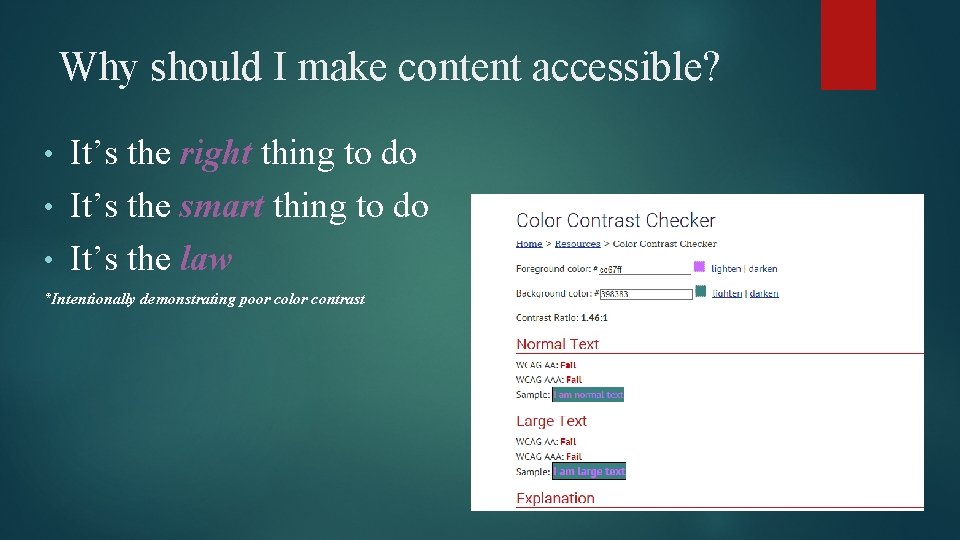
Why should I make content accessible? It’s the right thing to do • It’s the smart thing to do • It’s the law • *Intentionally demonstrating poor color contrast
It’s the law…. and the future! ADA 504 ADA 508 is being updated with WCAG standards for web content U. S. Department of Justice • “There is no doubt that the internet sites of state and local government entities are covered by Title II of the ADA. Similarly, there is no doubt that the websites of recipients of federal financial assistance are covered by Section 504 of the Rehabilitation Act. ”
Nondiscrimination on the Basis of Disability; Accessibility of Web Information and Services of State and Local Government Entities and Public Accommodations Notice of Proposed Rulemaking Billing Code: 4410 -13 DEPARTMENT OF JUSTICE “Many websites of public accommodations and governmental entities, however, render use by individuals with disabilities difficult or impossible due to barriers posed by websites designed without accessible features. ” “Schools at all levels are increasingly offering programs and classroom instruction through websites. Many colleges and universities offer degree programs online; some universities exist exclusively on the Internet. Even if they do not offer degree programs online, most colleges and universities today rely on websites and other Internet-related technologies in the application process for prospective students, for housing eligibility and on-campus living assignments, course registration, assignments and discussion groups, and for a wide variety of administrative and logistical functions in which students and staff must participate. ” “The ADA´s promise to provide an equal opportunity for individuals with disabilities to participate in and benefit from all aspects of American civic and economic life will be achieved in today´s technologically advanced society only if it is clear to State and local governments, businesses, educators, and other public accommodations that their websites must be accessible. Consequently, the Department is considering amending its title II and title III regulations to require public entities and public accommodations that provide products or services to the public through websites on the Internet to make their sites accessible to and usable by individuals with disabilities under the legal framework established by the ADA. ”
Accessible to all students… Department of Justice and Department of Education 2010 “Dear Colleague” letter to College or University Presidents “It is unacceptable for universities to use emerging technology without insisting that this technology be accessible to all students. ” Dear Colleague Letter
An Example of One College’s Strategy Portland Community College - https: //www. youtube. com/watch? v=eks 3 rn. E 9 l. U (11. 13)
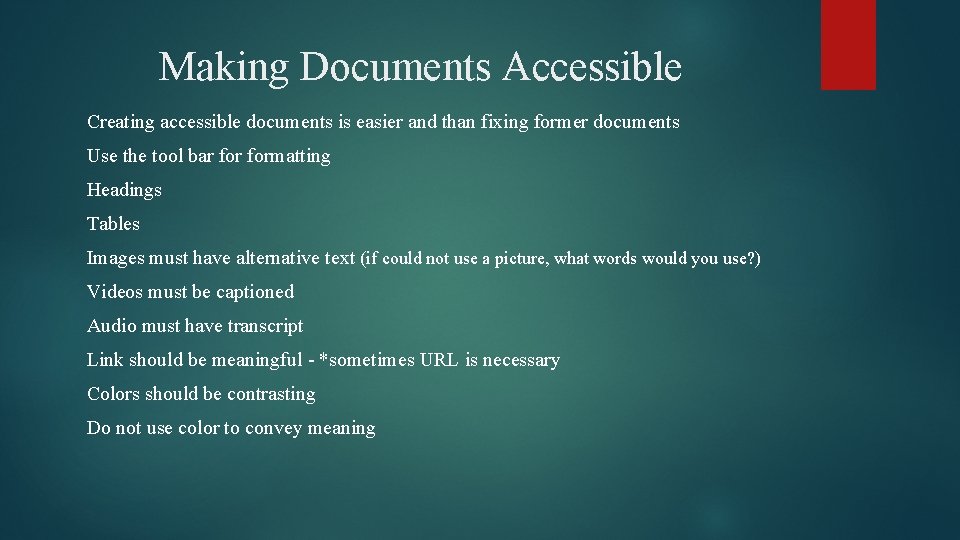
Making Documents Accessible Creating accessible documents is easier and than fixing former documents Use the tool bar formatting Headings Tables Images must have alternative text (if could not use a picture, what words would you use? ) Videos must be captioned Audio must have transcript Link should be meaningful - *sometimes URL is necessary Colors should be contrasting Do not use color to convey meaning
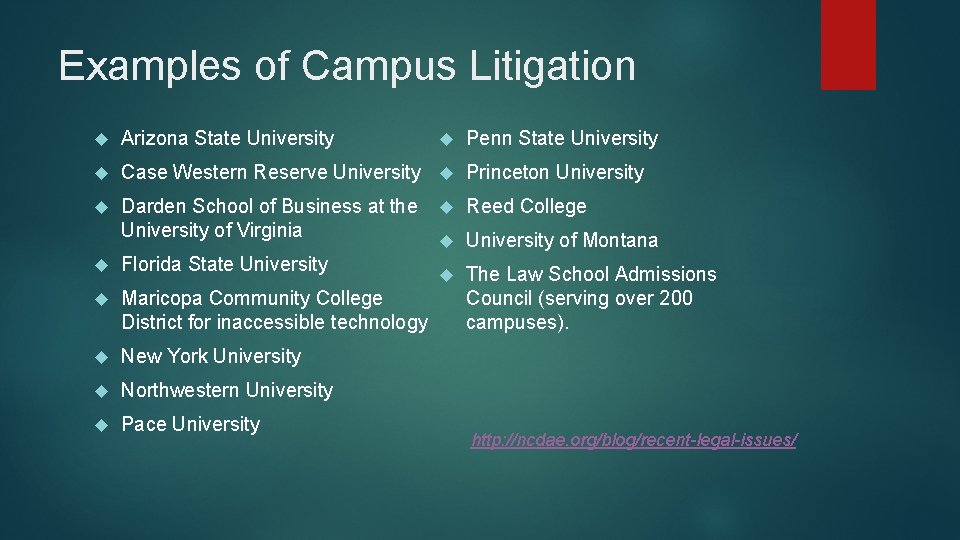
Examples of Campus Litigation Penn State University Arizona State University Case Western Reserve University Princeton University Darden School of Business at the University of Virginia Florida State University Maricopa Community College District for inaccessible technology New York University Northwestern University Pace University Reed College University of Montana The Law School Admissions Council (serving over 200 campuses). http: //ncdae. org/blog/recent-legal-issues/
What are other campuses doing? Excelsior College – Training Plan, Standards Manual, Division of Responsibility To Care & Comply: Accessibility of Online Course Content https: //www. youtube. com/watch? v=eks 3 r-n. E 9 l. U
Resources National Center on Disability and Access to Education http: //ncdae. org/goals/ CAST - http: //www. cast. org/ Web. AIM – www. webaim. org Applications of Universal Design – links to multiple additional resources www. uw. edu/doit/resources/popular-resource-collections/applications-universaldesign W 3 C Accessibility Initiative - The World Wide Web Consortium is engaged in a project to help people to understand accessibility of web pages and to set up some standards on how to judge if pages are accessible and how to make sure the pages that are written are accessible. These guidelines and other information can be found at: http: //www. w 3. org/WAI/
DOL statement and CCBY license
- Slides: 29