
Universal design accessibility fairness Implications for test and
Universal design, accessibility & fairness Implications for test and item development Cynthia G. Parshall, Belinda Brunner, & Dwan Bovell #atpconf
Overview of Session ■ Common test accommodations & types of assistive technology § implications for innovative item types; ■ Accessibility and item interface designs § QTI coding for screen reader software ■ Item and test development procedures for accessibility § Especially for innovative item types. 12/2/2014 #atpconf 2
Common Test Accommodations & Types of Assistive Devices 3/9/2021 #atpconf 3
Exam Sponsor Overview ■ ABIM tests approximately 35, 000 physicians every year ■ 3 separate test administrations § Spring Maintenance of Certification (MOC) only § Summer Initial Certification only § Fall Subspecialty Certification and MOC ■ 18 Subspecialties (Card, Rheum, etc. ) § 36 exam types due to separate Certification and MOC exams 12/2/2014 #atpconf 4
Exam Sponsor Overview ■ Approximately 1 percent of physicians receive any type of accommodation per year § 307 in 2015 ■ Typical process for accommodations § Physician applies for accommodation by application deadline § Application is reviewed by staff and consultants § Application is denied or approved § Exam containing accommodation is created 12/2/2014 #atpconf 5
Exam Sponsor Overview ■ Commonly approved accommodations § Additional testing time; Extra break time; Largefont exam materials; Separate testing room, Trackball mouse; Custom testing schedule; § Anti-glare computer screen; Left-handed mouse set-up; § Permission to have and use diabetic supplies; § Permission to have and use light provisions, including water in a spill-proof bottle and/or a small snack § Portable air supply; Prescribed medication 12/2/2014 #atpconf 6
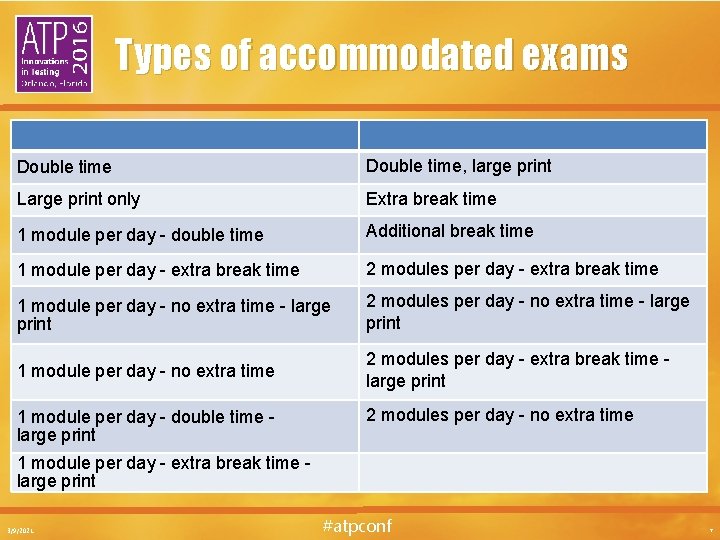
Types of accommodated exams Double time, large print Large print only Extra break time 1 module per day - double time Additional break time 1 module per day - extra break time 2 modules per day - extra break time 1 module per day - no extra time - large print 2 modules per day - no extra time - large print 1 module per day - no extra time 2 modules per day - extra break time large print 1 module per day - double time large print 2 modules per day - no extra time 1 module per day - extra break time large print 3/9/2021 #atpconf 7
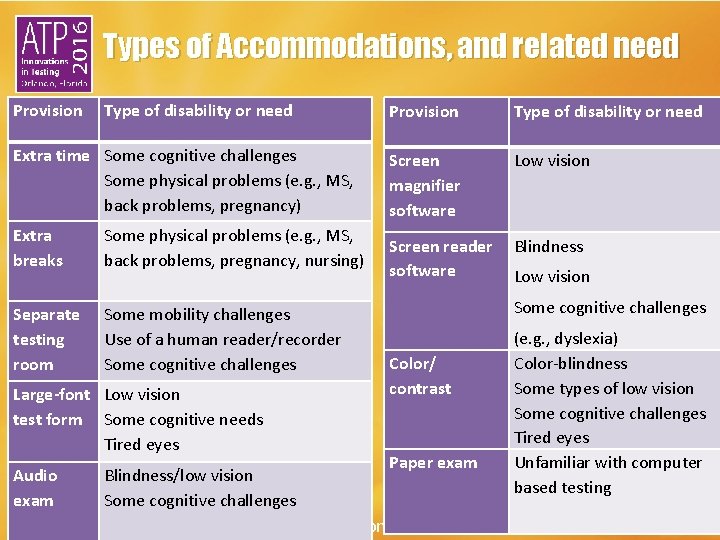
Types of Accommodations, and related need Provision Type of disability or need Extra time Some cognitive challenges Some physical problems (e. g. , MS, back problems, pregnancy) Extra breaks Some physical problems (e. g. , MS, back problems, pregnancy, nursing) Separate testing room Some mobility challenges Use of a human reader/recorder Some cognitive challenges Large-font Low vision test form Some cognitive needs Tired eyes Audio exam Blindness/low vision Some cognitive challenges Provision Type of disability or need Screen magnifier software Low vision Screen reader software Blindness Low vision Some cognitive challenges Color/ contrast Paper exam #atpconf (e. g. , dyslexia) Color-blindness Some types of low vision Some cognitive challenges Tired eyes Unfamiliar with computer based testing

Accommodations, Based on Innovation Type of innovation Type of disability or need Examples of solutions Audio Hearing impairments Test description Video Hearing impairments Captioning Video Visual impairments Use of screen reader (did you mean software or human? ) Possibly, provide a written script, including description of the scene and crucial elements Mobility challenges Hotkeys Caliper #atpconf
Accessibility and Item Interface Design 3/9/2021 #atpconf 10
Goals of this part of the presentation… ■ To describe a universal design perspective for the exam user interface § Build in a maximally useful design, and/or build in user-control § So user interface accommodations are rarely needed ■ To give an 80: 20 set of suggestions § To address about 80% of the accessibility needs, with 20% of the effort § Focusing on just the user interface #atpconf
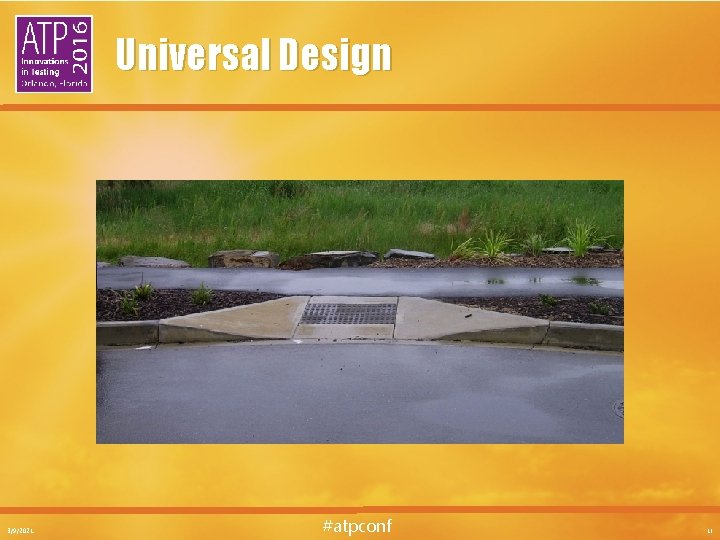
Universal Design 3/9/2021 #atpconf 12
Ways of looking at this 1. By type of accommodation § And which needs might be met through this 2. By types of disability/needs § And what accessibility choices or accommodations might be needed 3. By type of item or test element § And whether it could impact certain needs; and if so, what accessibility choices could help #atpconf

Types of Disability and Accessibility Type of Disability/Need Accessibility Solutions Visual e. g. , blind users, users with low-vision, users with obstructed vision, and users with digital eye strain • Maintain good size and contrast • Use real text vs. image of text • Include alt text for images, etc. Auditory e. g. , deaf users, hearing impaired users, users with auditory processing issues • Provide captioning for video dialogue • Provide text description for non-dialogue sound files • Avoid auto-play of audio or video Motor - users of assistive devices like: specialized keyboards, eye trackers, button switches • Don’t make clickable elements too small or too close together • Don’t rely solely on complex movements such as drag-and-drop • Provide hotkey alternatives Cognitive e. g. , users with dyslexia, autism, ADD, Down’s syndrome, etc. • Provide information in a straightforward, way • Maintain a clean interface #atpconf See http: //www. creativebloq. com/netmag/simple-introduction-web-accessibility-7116888
But first… ■ “Conflicting access needs” § When one user’s need is in conflict with another’s ■ Testing example § Conflicting access is: - Certain color schemes that work well for users with low vision are problematic for users with color-blindness § Possible solution: - Good default color scheme plus user-control over alternatives ■ Special challenge in testing § Some accommodations change the construct ■ When a construct change is needed – § "adaptations [that] change the intended construct to make it accessible. . . while retaining as much of the original construct as possible. " 3/9/2021 #atpconf 15
Recommended actions for all exams ■ Design a user interface that is clear and simple § Minimal use of panels, windows, reference to other pages, etc. § Clear “grouping” of related elements § Minimal scrolling § Helpful to: users of screen readers & screen magnifiers; users with certain learning disabilities #atpconf
Images ■ Images § Include alt-text - For all images, icons, etc. - alt=“chest x-ray” alt=“Exhibit button” alt=“” § QTI code: § Helpful to: users of screen readers #atpconf
Graphs and Illustrations ■ Graphs & Illustrations § Include a second signifier for any color-coding - e. g. , red cross-hatching, green pointillism - This makes them easier to find in braille § Place keys and legends above or to the right of the image § Helpful to: users with color blindness; users of refreshable braille displays #atpconf
Media ■ ■ Audio § Text descriptions § Helpful to: users with hearing disabilities Video § Captioning for video with dialogue § Helpful to: users with hearing disabilities _________ § Brief “scene setting”, to preface recorded dialogue § Helpful to: users with visual disabilities #atpconf
Color and Contrast ■ Color / contrast § Provide user-select color accommodation - To change foreground and background colors - e. g. , bold for text; cross-hatching for image - e. g. , through websites such as: http: //webaim. org/resources/contrastchecker/ § When color is used as a signifier, always include a second signifier § Verify that the contrast is sufficient § Helpful to: users with color blindness or low vision; users with tired eyes #atpconf
Fonts ■ Font § Use an appropriate font type and size - e. g. , Tahoma, 14 -pt - e. g. , italics, underlining, etc. - With sufficient white space and leading (i. e. , amount of vertical space between lines of text) Left-justification Line length of 70 -80 characters maximum - e. g. , user-adjustable font size § Avoid problematic font displays § Consider formatting of text § If possible, provide user-control over sizing § Helpful to: users with low vision; users with tired eyes #atpconf
Mouse Use ■ Mouse § Make buttons and other selectable areas: - Large enough to avoid the need for precise mouse movements Close to the associated text to avoid the need for excessive mousing § Provide keyboard alternatives (hotkeys), whenever possible - "Most assistive technologies for people with motor disabilities either work through the keyboard or emulate the functionality of the keyboard. " http: //webaim. org/articles/motor/assistive § Helpful to: users with motor disabilities; users with repetitive strain injuries #atpconf
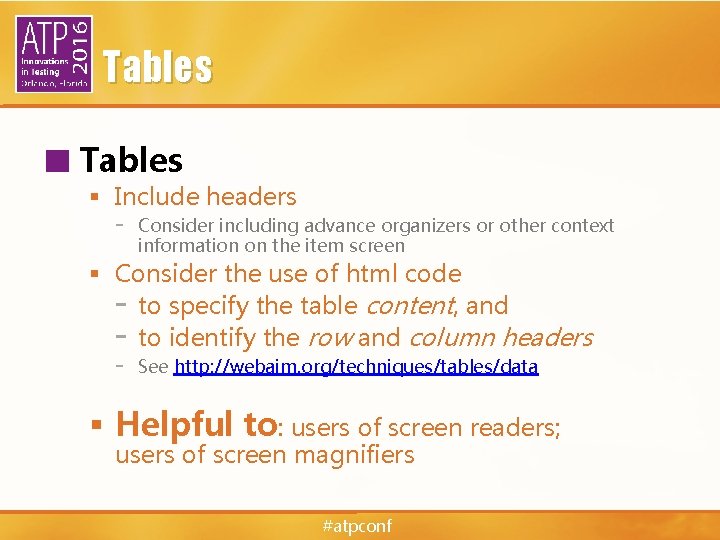
Tables ■ Tables § Include headers - Consider including advance organizers or other context information on the item screen § Consider the use of html code - to specify the table content, and - to identify the row and column headers - See http: //webaim. org/techniques/tables/data § Helpful to: users of screen readers; users of screen magnifiers #atpconf
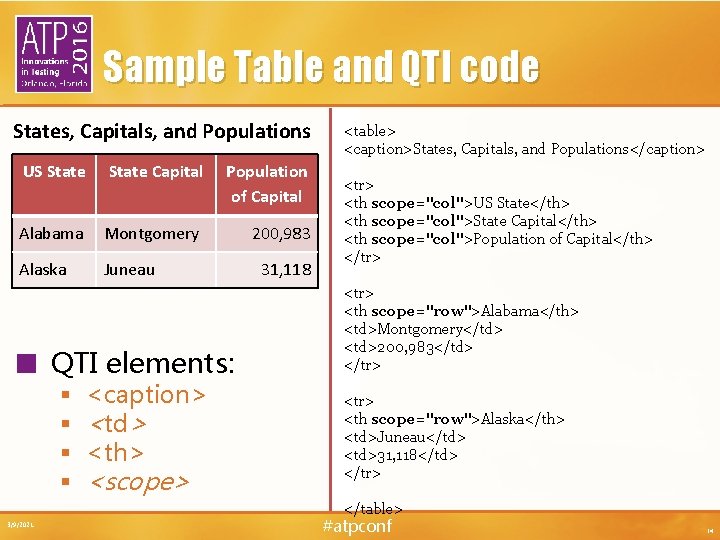
Sample Table and QTI code States, Capitals, and Populations US State Capital Population of Capital Alabama Montgomery 200, 983 Alaska Juneau ■ QTI elements: § § <caption> <td> <th> <scope> 31, 118 <table> <caption>States, Capitals, and Populations</caption> <tr> <th scope="col">US State</th> <th scope="col">State Capital</th> <th scope="col">Population of Capital</th> </tr> <th scope="row">Alabama</th> <td>Montgomery</td> <td>200, 983</td> </tr> <th scope="row">Alaska</th> <td>Juneau</td> <td>31, 118</td> </tr> </table> 3/9/2021 #atpconf 24
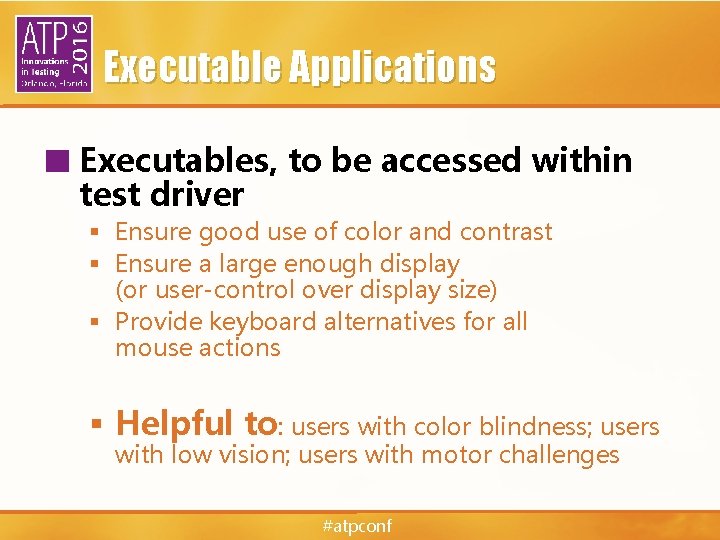
Executable Applications ■ Executables, to be accessed within test driver § Ensure good use of color and contrast § Ensure a large enough display (or user-control over display size) § Provide keyboard alternatives for all mouse actions § Helpful to: users with color blindness; users with low vision; users with motor challenges #atpconf
Item and Test Development for Accessibility 3/9/2021 #atpconf 26

Goals of this part of the presentation… ■ To discuss item and test development according to universal design principles ■ To place this development in the context of construct validity ■ To take a closer at innovative item development, in particular #atpconf
“’Universally designed assessments’ are designed and developed from the beginning to allow participation of the widest possible range of students, and to result in valid inferences about performance for all students who participate in the assessment” ~Thompson, S. J. , Johnstone, C. J. , & Thurlow, M. L. (2002, p. 6). 3/9/2021 #atpconf 28
Elements of universally designed assessments (NCEO) ■ ■ ■ ■ Inclusive assessment population Precisely defined constructs Accessible, non-biased items Amenable to accommodations Simple , clear, & intuitive instructions & procedures Maximum readability & comprehensibility Maximum legibility See http: //www. cehd. umn. edu/nceo/ #atpconf
Developing universally designed assessments (NCEO) ■ Test conceptualization ■ Test construction ■ Field testing ■ Item analysis ■ Item reviews #atpconf
Test conceptualization ■ What is to be assessed? § Precisely defined test constructs ■ How will it be assessed? § Test design which considers individual needs Key question: After an item is written, is the item reflective of the desired construct? 3/9/2021 #atpconf 31
Construct validity & accessibility Goal: ■ Preserve construct-related validity while increasing access Threat: ■ Construct-irrelevant features interfere with test taker performance on the intended test construct due to test taker characteristics 3/9/2021 #atpconf 32
Construct-Centered Approach for Universally Designed Assessments 1. Develop as complete an understanding as possible of the test construct and assessment intent ■What do you want to measure? §Targeted/focal KSAs ■ What else affects successful performance? §Ancillary/non-focal KSAs 3/9/2021 #atpconf 33
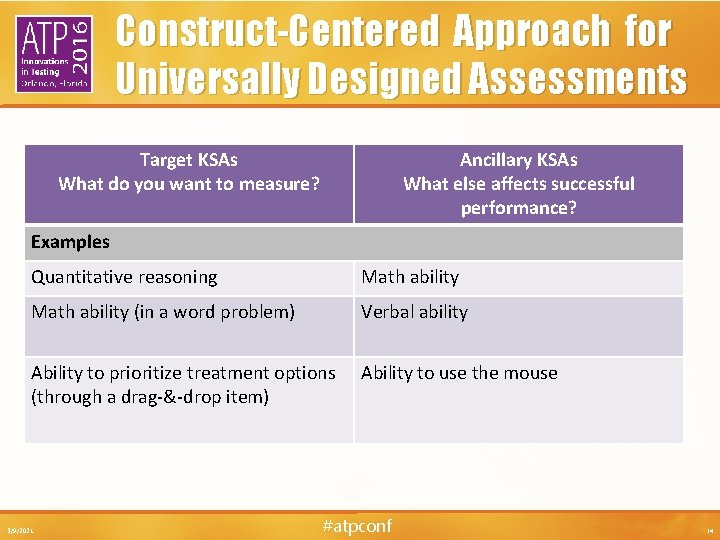
Construct-Centered Approach for Universally Designed Assessments Target KSAs What do you want to measure? Ancillary KSAs What else affects successful performance? Examples Quantitative reasoning Math ability (in a word problem) Verbal ability Ability to prioritize treatment options (through a drag-&-drop item) Ability to use the mouse 3/9/2021 #atpconf 34
Construct-Centered Approach for Universally Designed Assessments 2. Determine how test taker performance can be supported on the ancillary KSAs Examples: ■ Formula sheets ■ Vocabulary lists ■ Alternative ways to move objects 3/9/2021 #atpconf 35
Item development for universally designed assessments ■ Introduce item authors/reviewers to universal design concept ■ Provide style guidelines that consider the elements of universal design ■ Include bias/sensitivity review as part of the item review process 3/9/2021 #atpconf 36
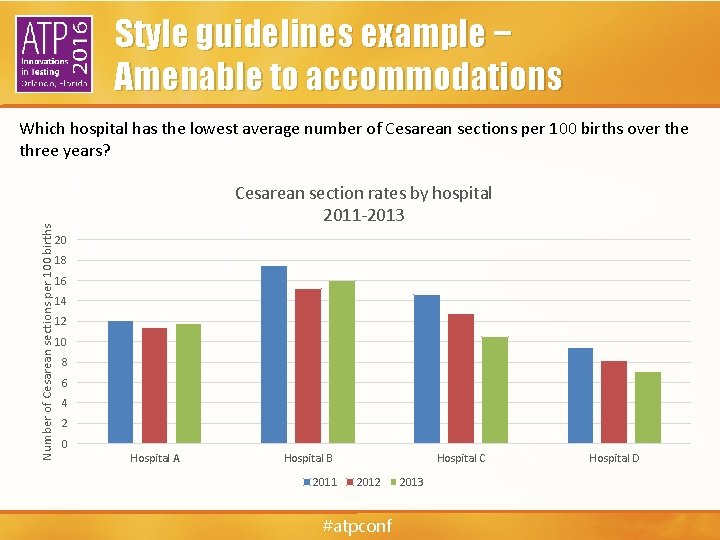
Style guidelines example − Amenable to accommodations Number of Cesarean sections per 100 births Which hospital has the lowest average number of Cesarean sections per 100 births over the three years? Cesarean section rates by hospital 2011 -2013 20 18 16 14 12 10 8 6 4 2 0 Hospital A Hospital B 2011 Hospital C 2012 #atpconf 2013 Hospital D
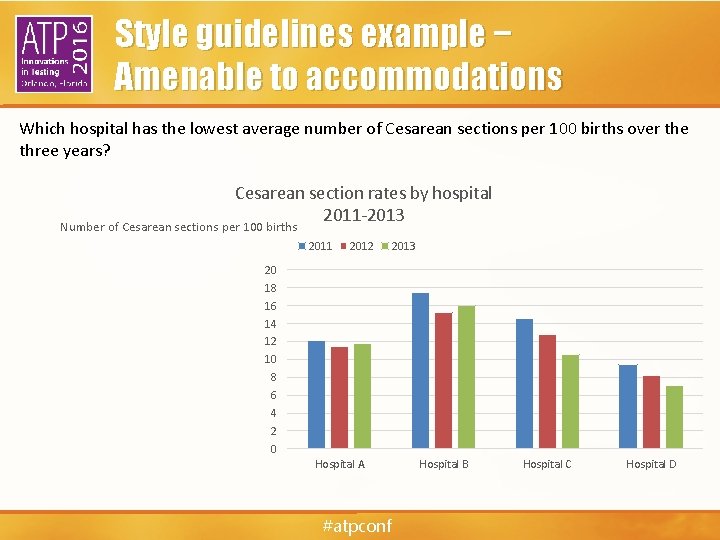
Style guidelines example − Amenable to accommodations Which hospital has the lowest average number of Cesarean sections per 100 births over the three years? Cesarean section rates by hospital 2011 -2013 Number of Cesarean sections per 100 births 2011 2012 2013 20 18 16 14 12 10 8 6 4 2 0 Hospital A #atpconf Hospital B Hospital C Hospital D
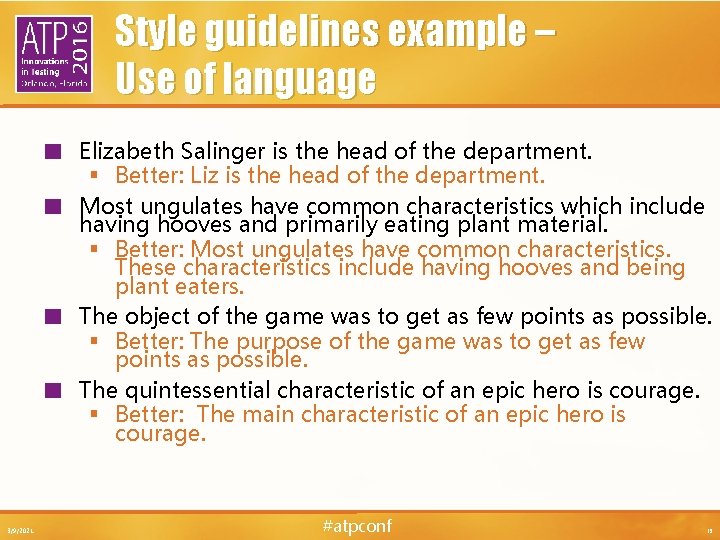
Style guidelines example – Use of language ■ ■ 3/9/2021 Elizabeth Salinger is the head of the department. § Better: Liz is the head of the department. Most ungulates have common characteristics which include having hooves and primarily eating plant material. § Better: Most ungulates have common characteristics. These characteristics include having hooves and being plant eaters. The object of the game was to get as few points as possible. § Better: The purpose of the game was to get as few points as possible. The quintessential characteristic of an epic hero is courage. § Better: The main characteristic of an epic hero is courage. #atpconf 39
Universal design & innovative items 3/9/2021 40
What is an innovative item? ■ An item that goes beyond the “discrete, text-based, multiple-choice format” (Parshall, et al. , 2000) ■ Computer-delivered items that include specialized mechanisms for interacting with and responding to the item 3/9/2021 #atpconf 41
Why use innovative items? ■ To more fully represent the test construct ■ To assess greater depths and a broader spectrum of knowledge, skills & abilities than can be done with traditional item types 3/9/2021 #atpconf 42
Universal design of innovative items (Dolan, 2010) ■ Any item is a collection of components. ■ Innovative items allow for a greater variety of components: § § § § 12/2/2014 Text Tables Graphs Images Audio Video Animations #atpconf 43
Universal design of innovative items (Dolan, 2010) ■ Test takers interact with each component through a variety of processing mechanisms: § § § 12/2/2014 Perceptual Linguistic Cognitive Motoric Executive Affective #atpconf 44
Universal design of innovative items (Dolan, 2010) ■ Variance results from the interplay of item components and test taker processing. ■ Variances related to the target KSAs contribute to valid score interpretation. ■ Variances not related to the target KSAs create construct-irrelevant variance (CIV). 12/2/2014 #atpconf 45
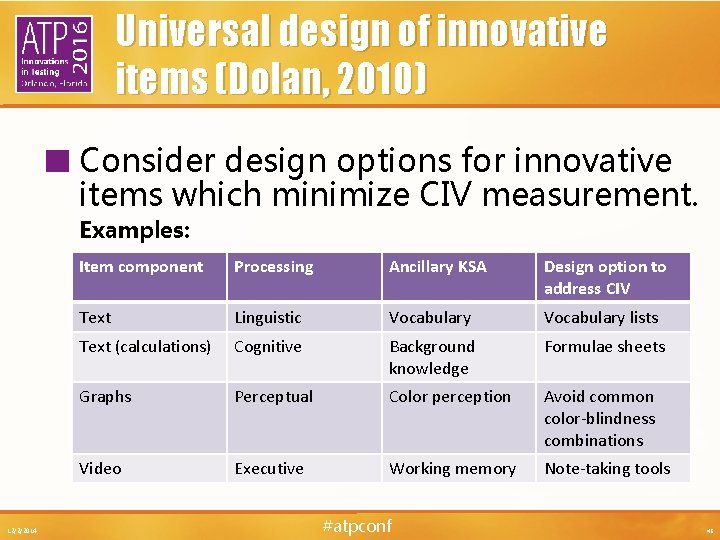
Universal design of innovative items (Dolan, 2010) ■ Consider design options for innovative items which minimize CIV measurement. Examples: 12/2/2014 Item component Processing Ancillary KSA Design option to address CIV Text Linguistic Vocabulary lists Text (calculations) Cognitive Background knowledge Formulae sheets Graphs Perceptual Color perception Avoid common color-blindness combinations Video Executive Working memory Note-taking tools #atpconf 46
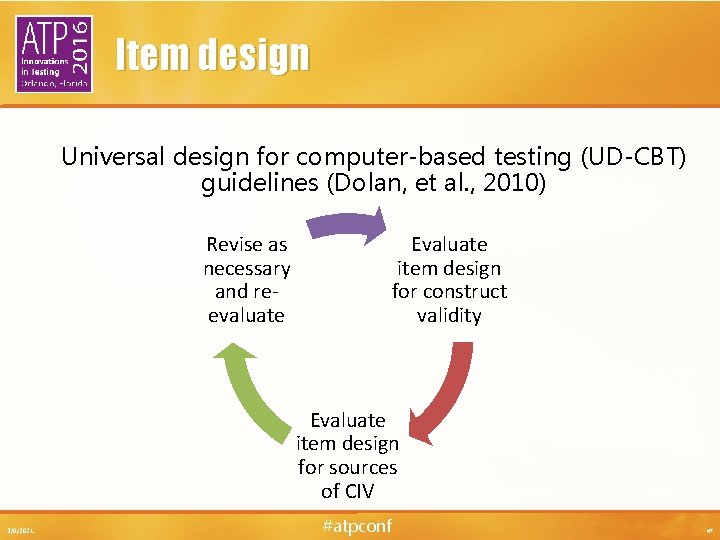
Item design Universal design for computer-based testing (UD-CBT) guidelines (Dolan, et al. , 2010) Revise as necessary and reevaluate Evaluate item design for construct validity Evaluate item design for sources of CIV 3/9/2021 #atpconf 47
Usability studies ■ Think aloud methods/cognitive labs ■ Conduct at different points in the development cycle § Early-stage using lower fidelity prototypes § Late-stage using higher fidelity prototypes ■ Involve subjects that represent the target population, where possible 3/9/2021 #atpconf 48
Item templates ■ Identify static and dynamic item elements ■ Constrain the variability each individual item author can contribute ■ Create a uniform user experience ■ Provide a means for item creation consistent with universal design principles 3/9/2021 #atpconf 49
In the broad context of item writing and test development, ensuring test accessibility is a simple exercise of employing best practice. ~Rodriguez, 2011, p. 202 3/9/2021 #atpconf 50
References ■ ■ ■ 3/9/2021 Dolan, et al. (October, 2010). Universal design for computer-based testing (UD-CBT) guidelines. Retrieved 3 March 2016 from www. pearsonassessments. com/udcbt. Elliott, S. N. , Kettler, R. J. , Beddow, P. A. , Kurz, A. (Eds. )(2011). Handbook of Accessible Achievement Tests for All Students. New York: Springer. Johnstone, C. , Altman, J. , & Thurlow, M. (2006). A State Guide to the Development of Universally Designed Assessments. Minneapolis, MN: University of Minnesota, National Center on Educational Outcomes. Retrieved February 23, 2016 from http: //www. cehd. umn. edu/nceo/Online. Pubs/State. Guide. UD/UDmanual. p df Mislevy, R. J. , Hamel, L. , Fried, R. , Gaffney, T. , Haertel, G. , Hafter, A. , et al. (2003). Design patterns for assessing science inquiry (Principled Assessment Designs for Inquiry [PADI] Technical Rep. No. 1). Menlo Park, CA: SRI International. Thompson, S. J. , Johnstone, C. J. , & Thurlow, M. L. (2002). Universal design applied to large scale assessments (Synthesis Report 44). Minneapolis, MN: University of Minnesota, National Center on Educational Outcomes. #atpconf 51
Thank you! ■ Cynthia G. Parshall, Ph. D § Measurement Consultant, Touchstone Consulting § CParshall@Touchstone. Consulting ■ Belinda Brunner § Test Development Strategist, Pearson VUE § Belinda. Brunner@Pearson. com ■ Dwan Bovell § Director, Exam Administration, ABIM § DBovell@ABIM. ORG #atpconf
- Slides: 52