
UnitIII Design and Implementation Software design and implementation
- Slides: 157
Unit-III Design and Implementation
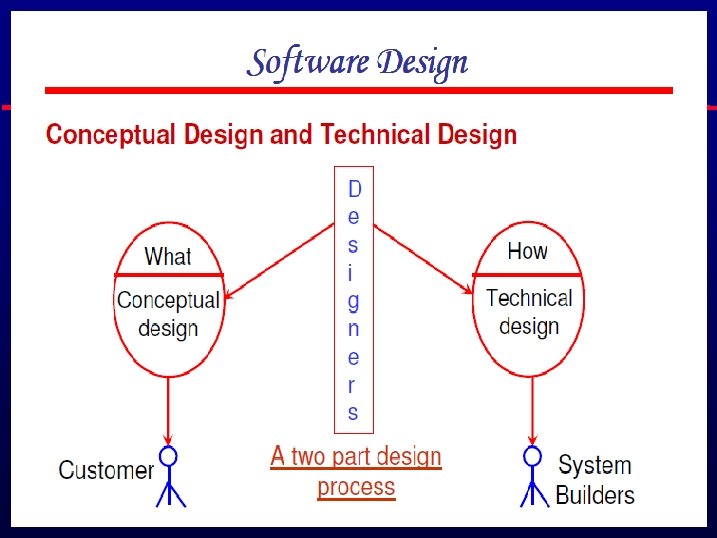
Software design and implementation l l The process of converting the system specification into an executable system. Software design • Design a software structure that realises the specification; Implementation • Translate this structure into an executable program; The activities of design and implementation are closely related and may be inter-leaved.
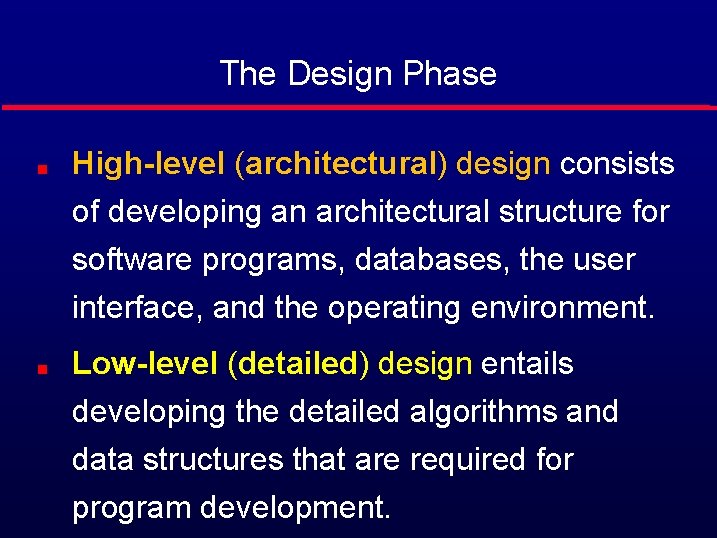
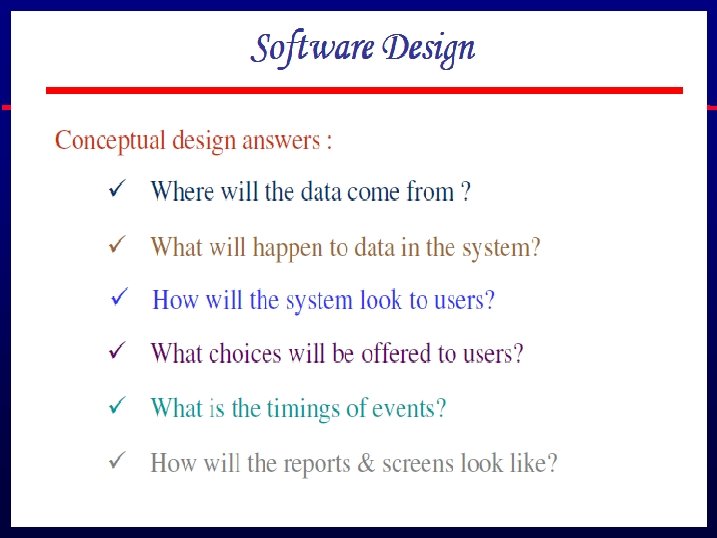
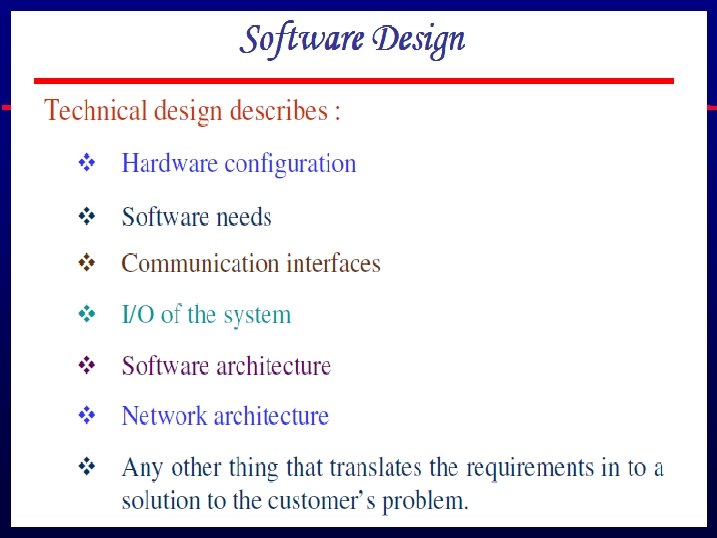
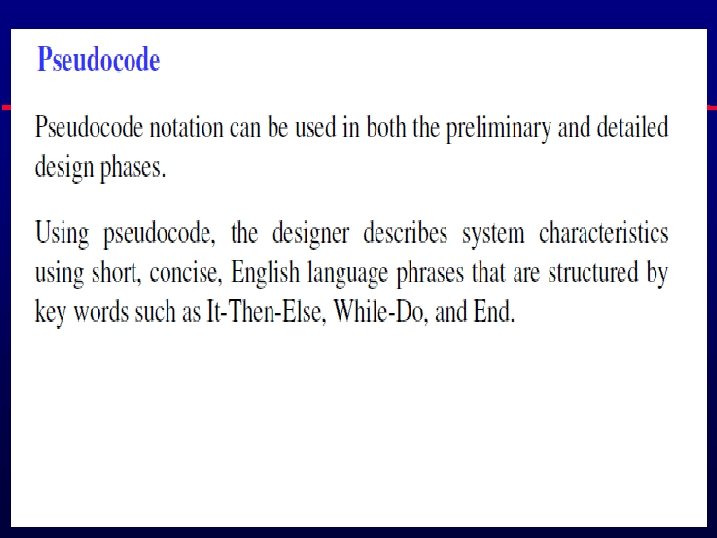
The Design Phase High-level (architectural) design consists of developing an architectural structure for software programs, databases, the user interface, and the operating environment. Low-level (detailed) design entails developing the detailed algorithms and data structures that are required for program development.
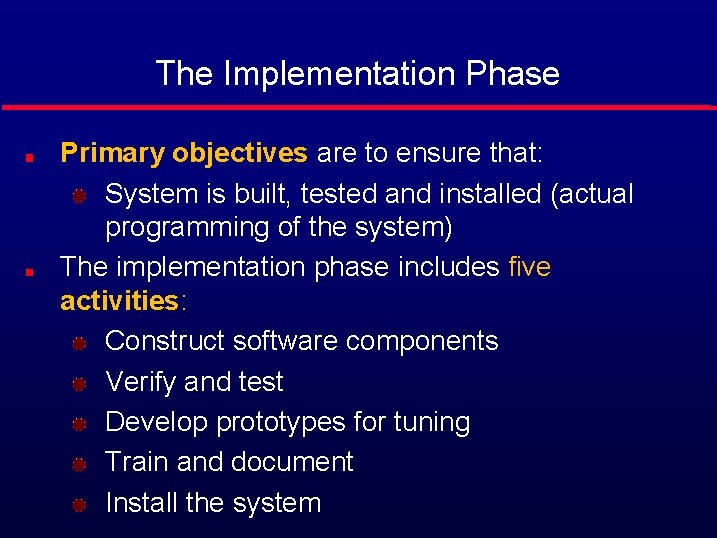
The Implementation Phase Primary objectives are to ensure that: System is built, tested and installed (actual programming of the system) The implementation phase includes five activities: Construct software components Verify and test Develop prototypes for tuning Train and document Install the system
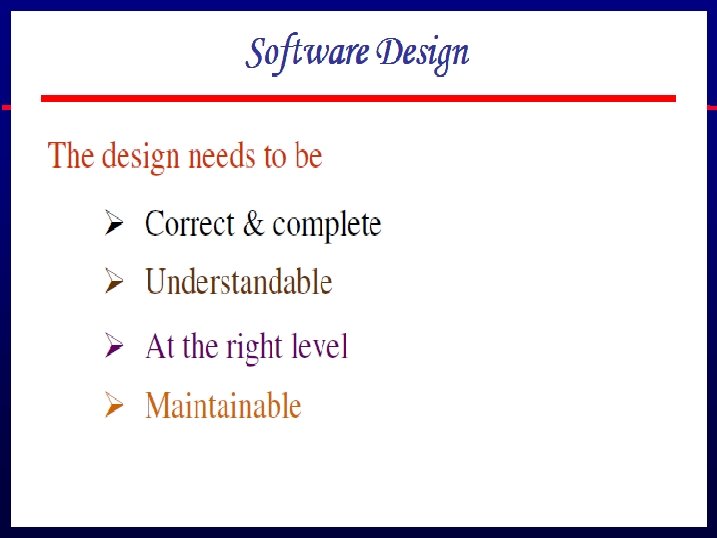
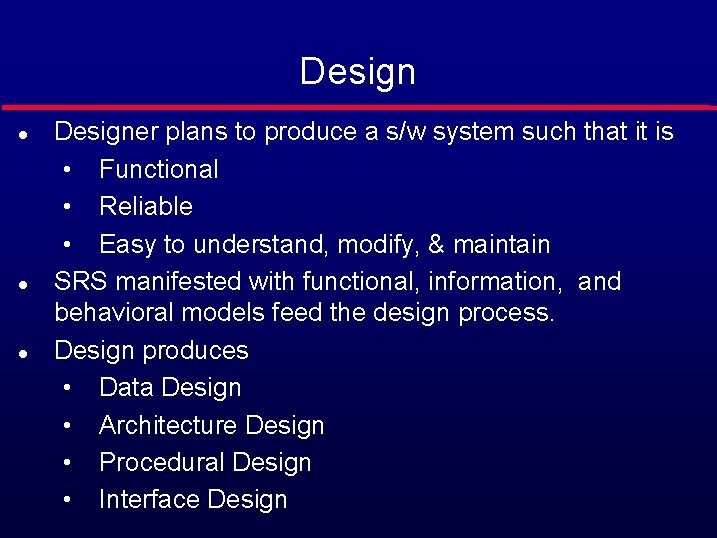
Design l l l Designer plans to produce a s/w system such that it is • Functional • Reliable • Easy to understand, modify, & maintain SRS manifested with functional, information, and behavioral models feed the design process. Design produces • Data Design • Architecture Design • Procedural Design • Interface Design
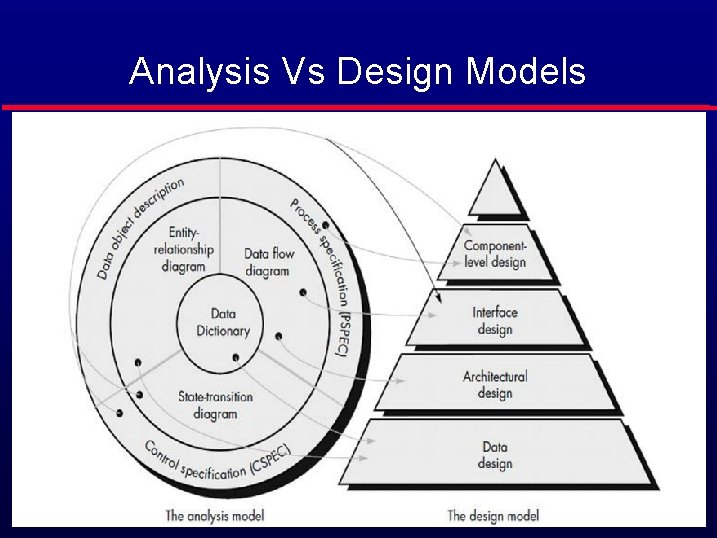
Analysis Vs Design Models
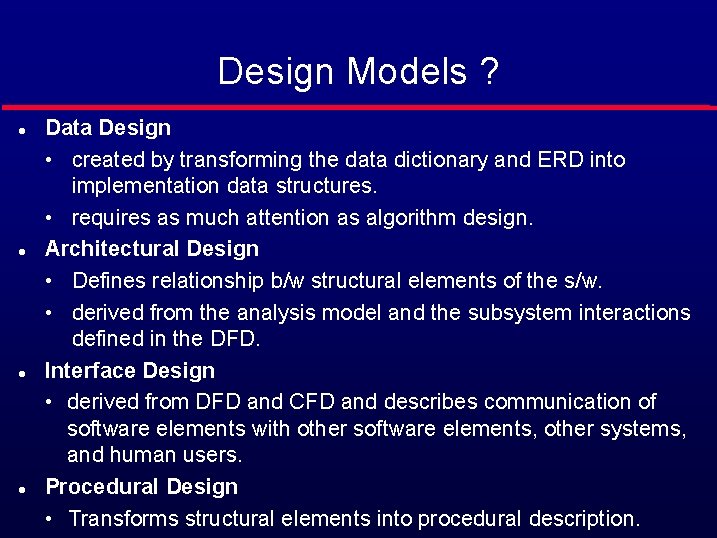
Design Models ? l l Data Design • created by transforming the data dictionary and ERD into implementation data structures. • requires as much attention as algorithm design. Architectural Design • Defines relationship b/w structural elements of the s/w. • derived from the analysis model and the subsystem interactions defined in the DFD. Interface Design • derived from DFD and CFD and describes communication of software elements with other software elements, other systems, and human users. Procedural Design • Transforms structural elements into procedural description.
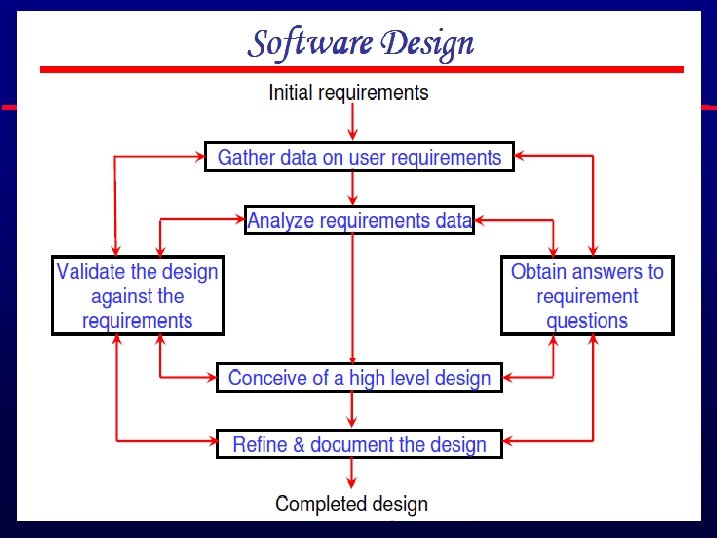
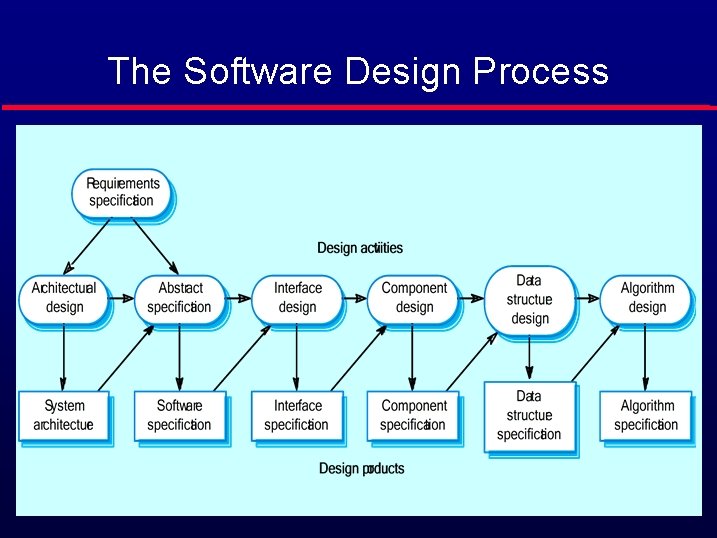
The Software Design Process
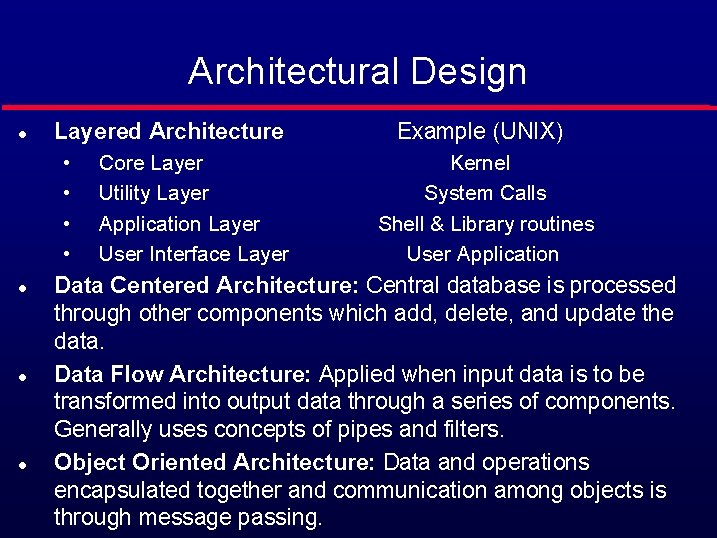
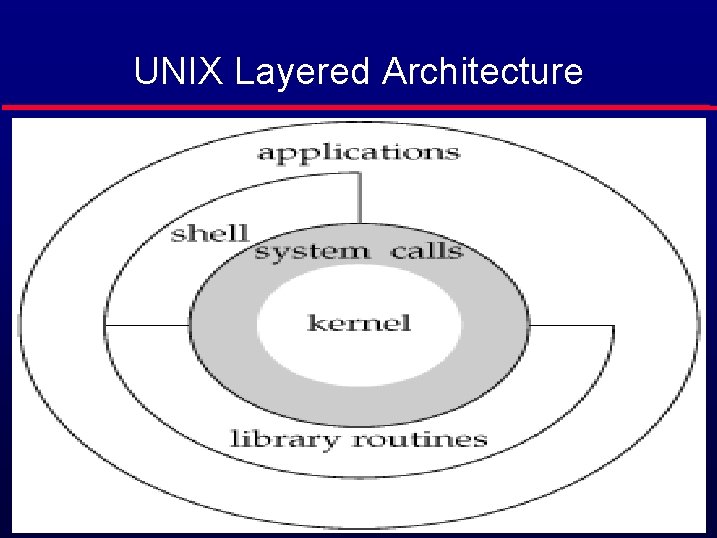
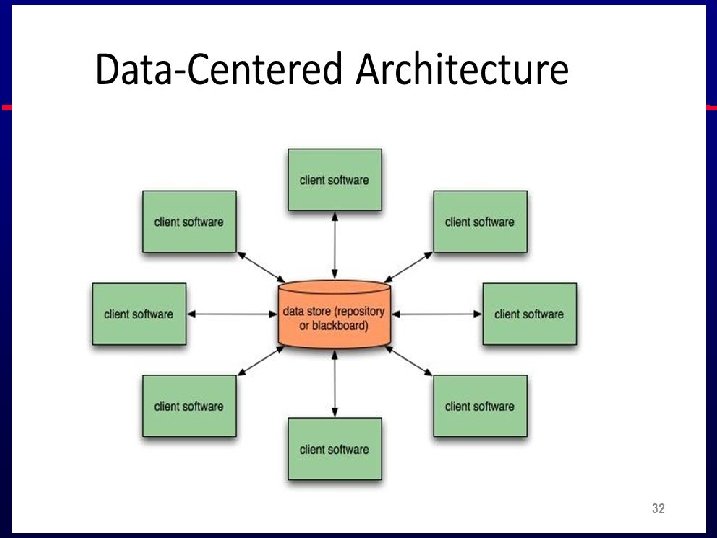
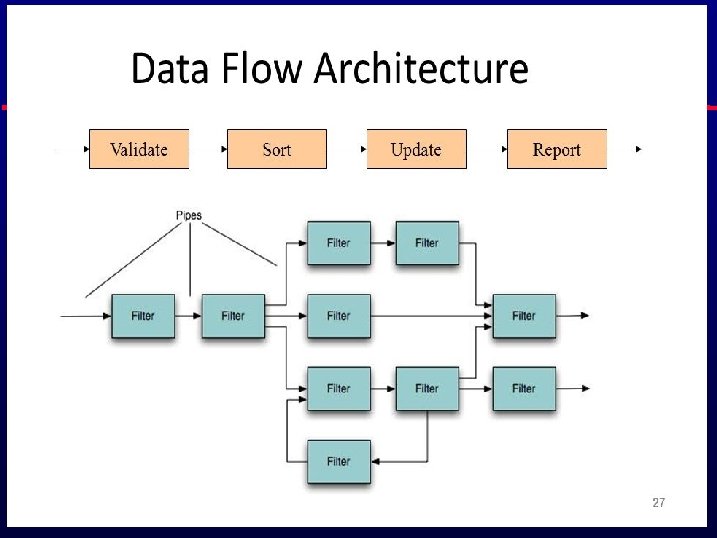
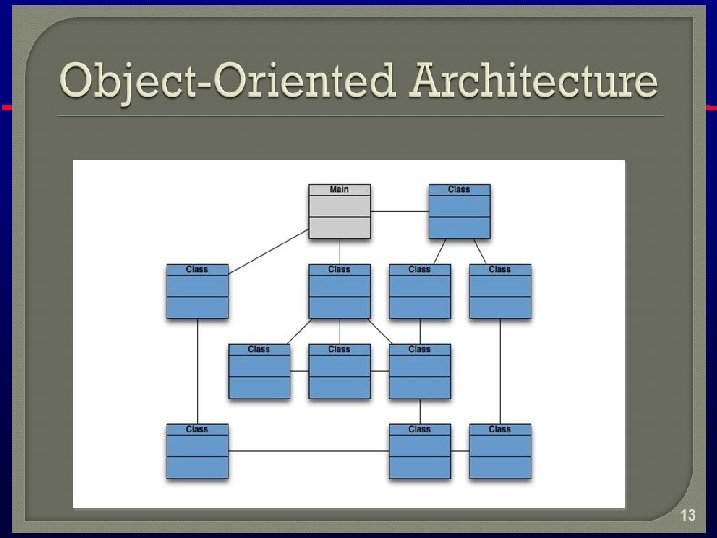
Architectural Design l Layered Architecture • • l l l Core Layer Utility Layer Application Layer User Interface Layer Example (UNIX) Kernel System Calls Shell & Library routines User Application Data Centered Architecture: Central database is processed through other components which add, delete, and update the data. Data Flow Architecture: Applied when input data is to be transformed into output data through a series of components. Generally uses concepts of pipes and filters. Object Oriented Architecture: Data and operations encapsulated together and communication among objects is through message passing.
UNIX Layered Architecture
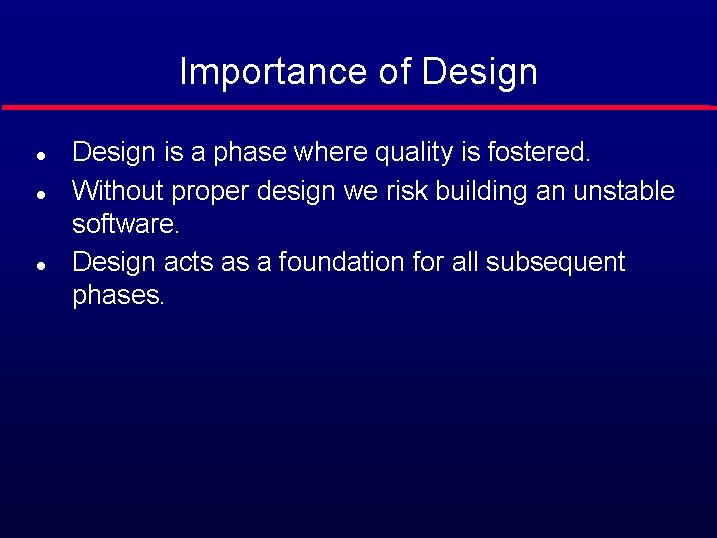
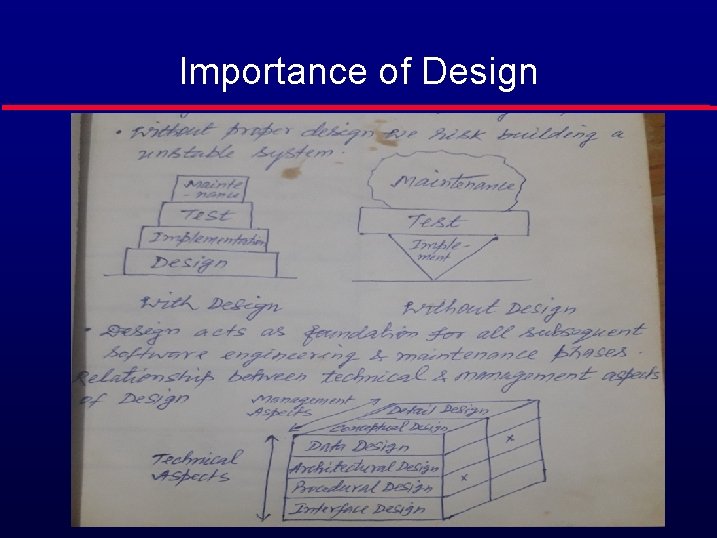
Importance of Design l l l Design is a phase where quality is fostered. Without proper design we risk building an unstable software. Design acts as a foundation for all subsequent phases.
Importance of Design
What is a Module? l A lexically contiguous sequence of program statements, bounded by boundary elements, with an aggregate identifier. • “Lexically contiguous” • Adjoining in the code • “Boundary elements” • {. . . } • begin. . . end • “Aggregate identifier” • A name for the entire module
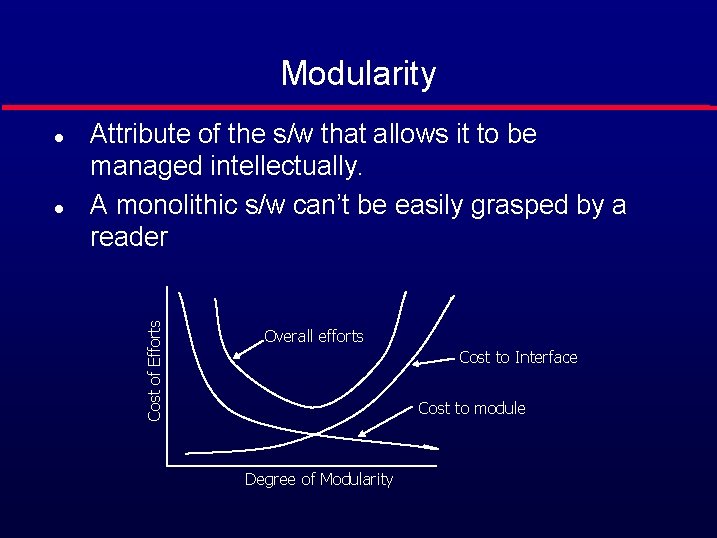
Modularity l Attribute of the s/w that allows it to be managed intellectually. A monolithic s/w can’t be easily grasped by a reader Cost of Efforts l Overall efforts Cost to Interface Cost to module Degree of Modularity
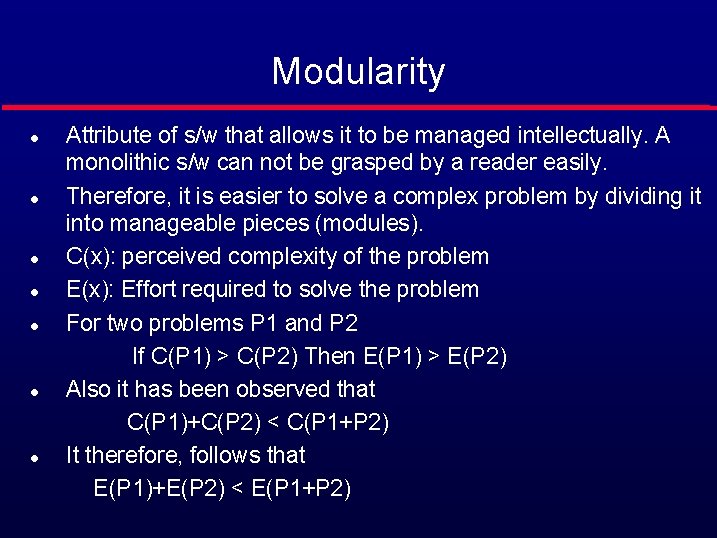
Modularity Attribute of s/w that allows it to be managed intellectually. A monolithic s/w can not be grasped by a reader easily. l Therefore, it is easier to solve a complex problem by dividing it into manageable pieces (modules). l C(x): perceived complexity of the problem l E(x): Effort required to solve the problem l For two problems P 1 and P 2 If C(P 1) > C(P 2) Then E(P 1) > E(P 2) l Also it has been observed that C(P 1)+C(P 2) < C(P 1+P 2) l It therefore, follows that E(P 1)+E(P 2) < E(P 1+P 2) l
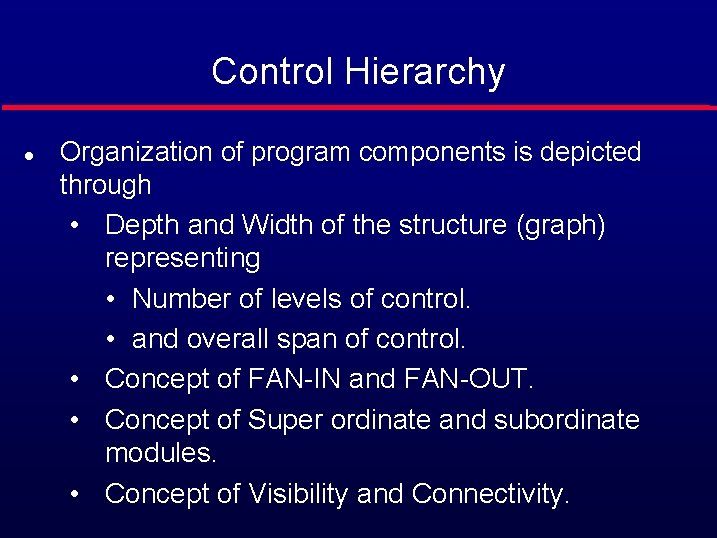
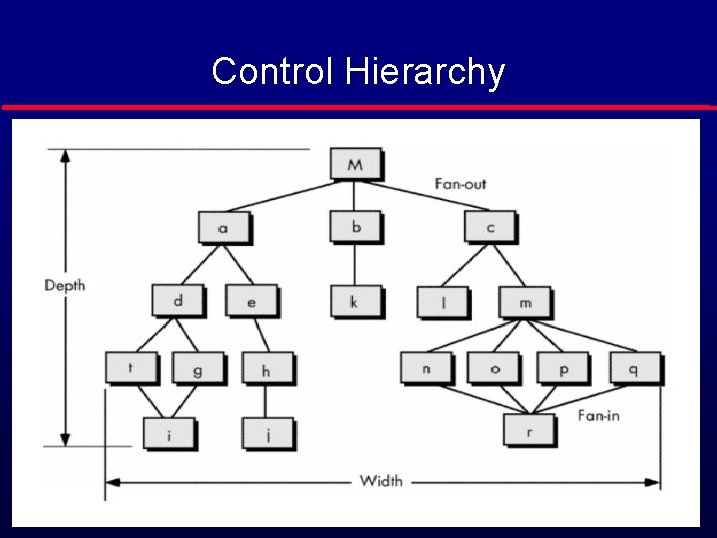
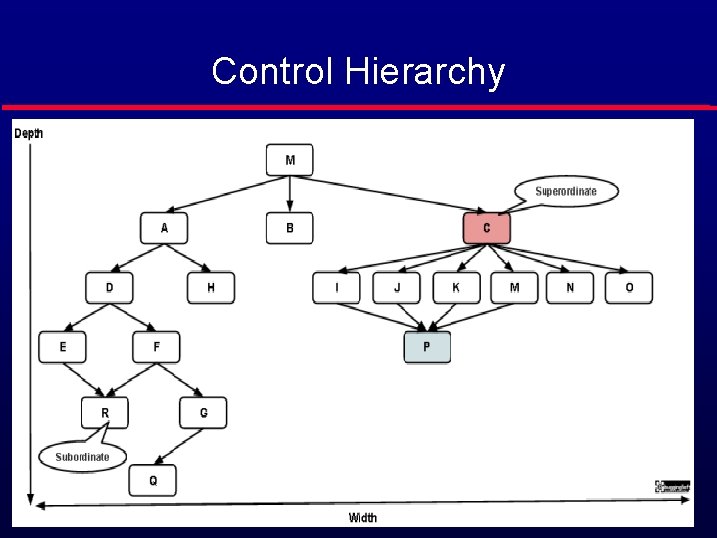
Control Hierarchy l Organization of program components is depicted through • Depth and Width of the structure (graph) representing • Number of levels of control. • and overall span of control. • Concept of FAN-IN and FAN-OUT. • Concept of Super ordinate and subordinate modules. • Concept of Visibility and Connectivity.
Control Hierarchy
Control Hierarchy
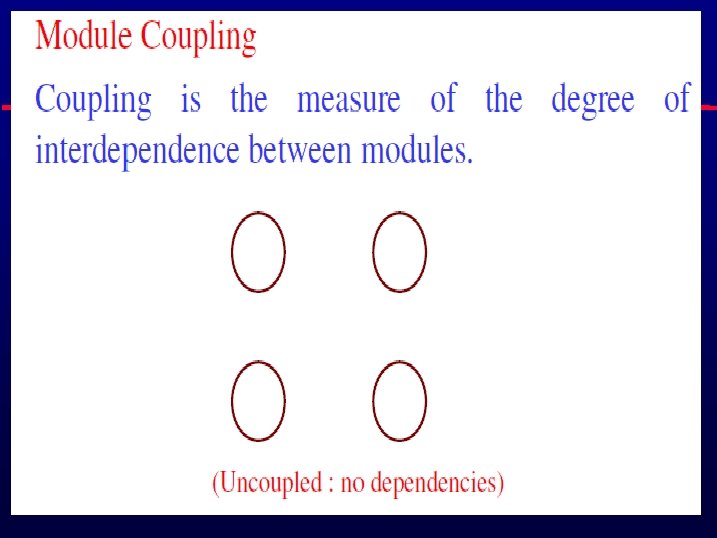
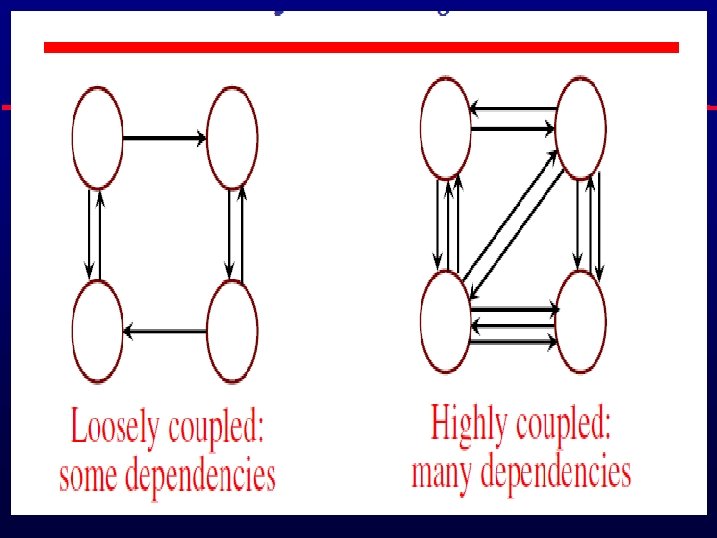
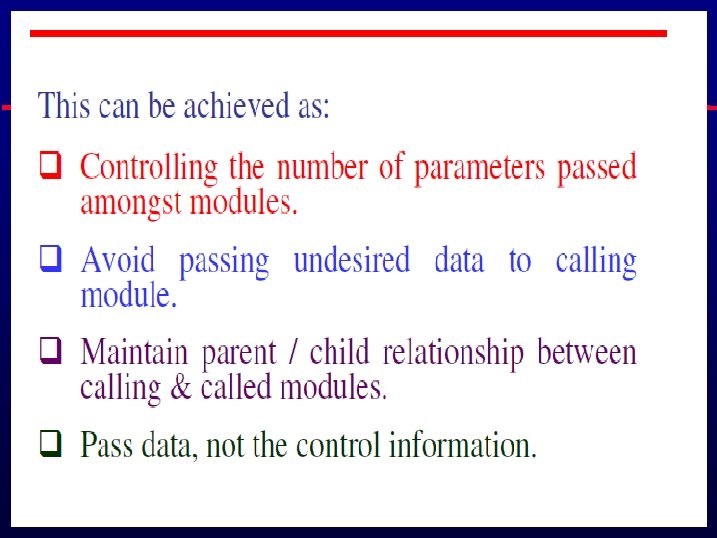
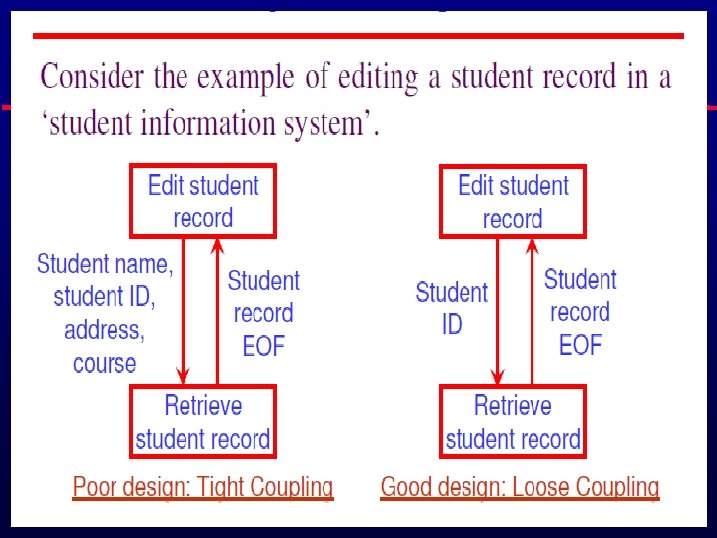
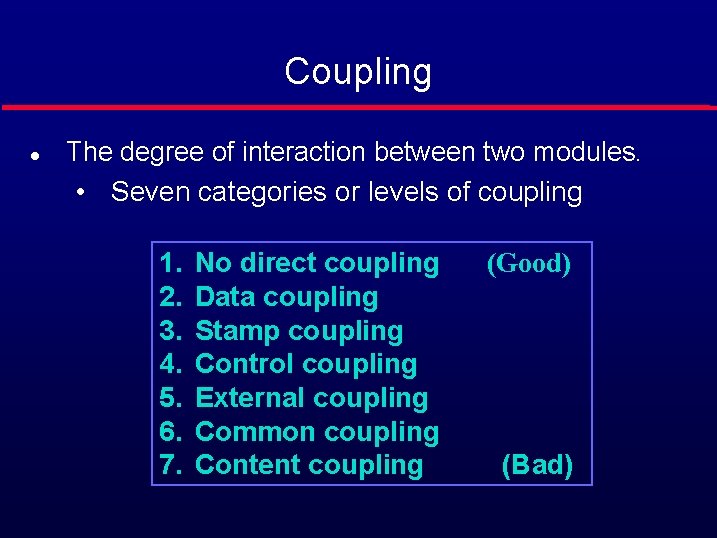
Coupling l The degree of interaction between two modules. • Seven categories or levels of coupling 1. 2. 3. 4. 5. 6. 7. No direct coupling Data coupling Stamp coupling Control coupling External coupling Common coupling Content coupling (Good) (Bad)
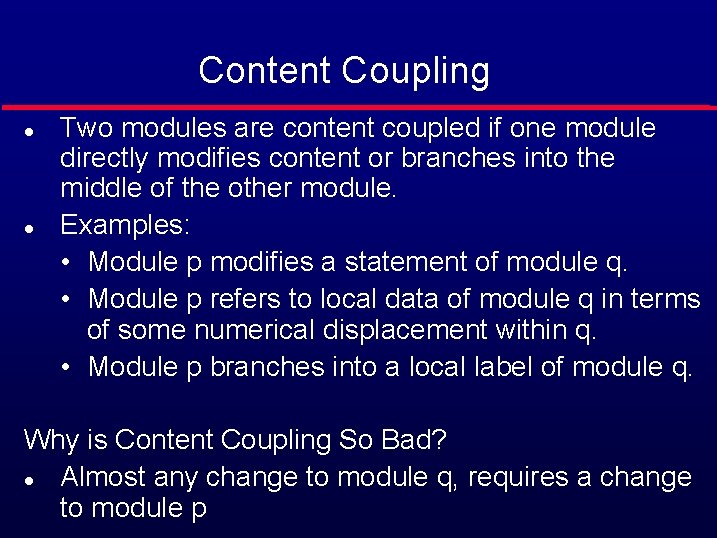
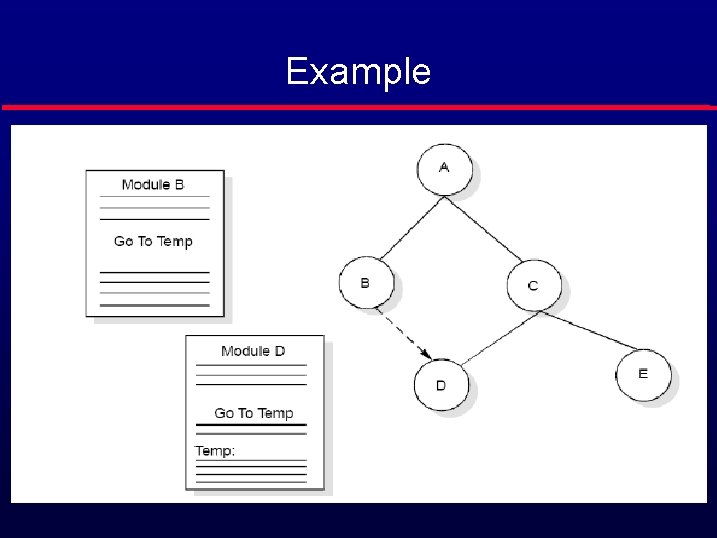
Content Coupling l l Two modules are content coupled if one module directly modifies content or branches into the middle of the other module. Examples: • Module p modifies a statement of module q. • Module p refers to local data of module q in terms of some numerical displacement within q. • Module p branches into a local label of module q. Why is Content Coupling So Bad? l Almost any change to module q, requires a change to module p
Example
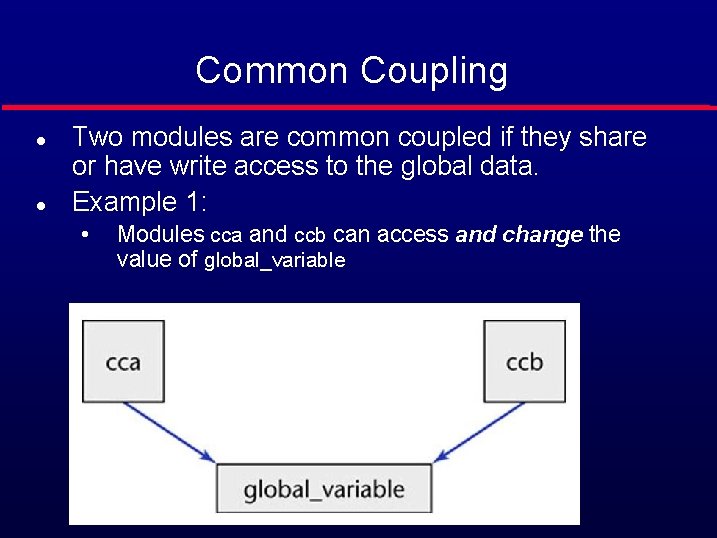
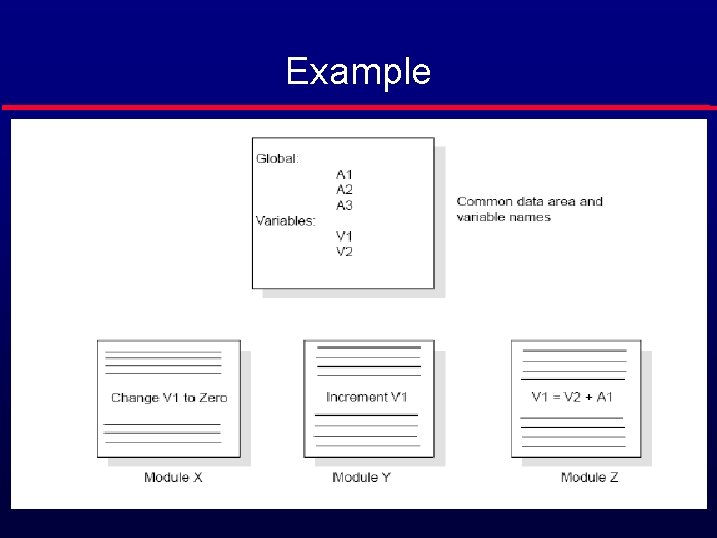
Common Coupling l l Two modules are common coupled if they share or have write access to the global data. Example 1: • Modules cca and ccb can access and change the value of global_variable
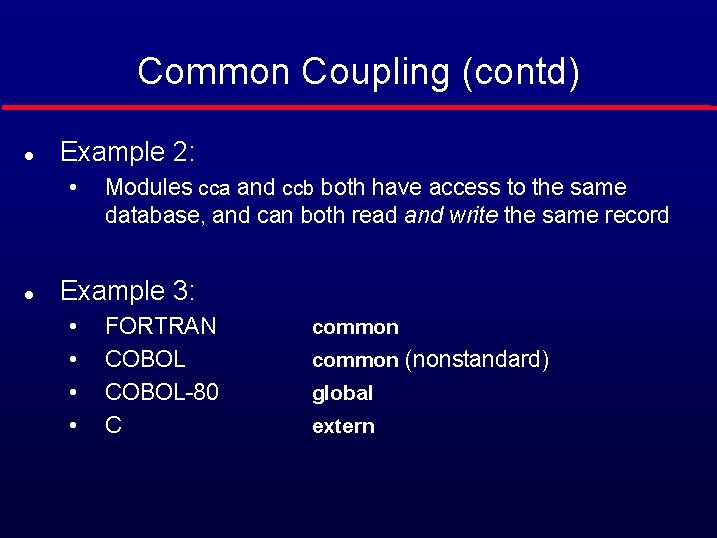
Common Coupling (contd) l Example 2: • l Modules cca and ccb both have access to the same database, and can both read and write the same record Example 3: • • FORTRAN COBOL-80 C common (nonstandard) global extern
Example
External Coupling l l l Two modules are externally related by a common data structure or device format etc. A form of coupling in which a module has a dependency to other module, external to the software being developed or to a particular type of hardware. This is basically related to the communication to external tools and devices.
Control Coupling l l Two modules are control coupled if one module controls the other by passing control flag as parameter to the other. Example: • A control switch passed as an argument.
Stamp Coupling l l l Some languages allow only simple variables as parameters • part_number • satellite_altitude • degree_of_multiprogramming Many languages also support the passing of data structures • part_record • satellite_coordinates • segment_table Two modules are stamp coupled if a data structure is passed as a parameter, but the called module operates on some but not all of the individual components of the data structure.
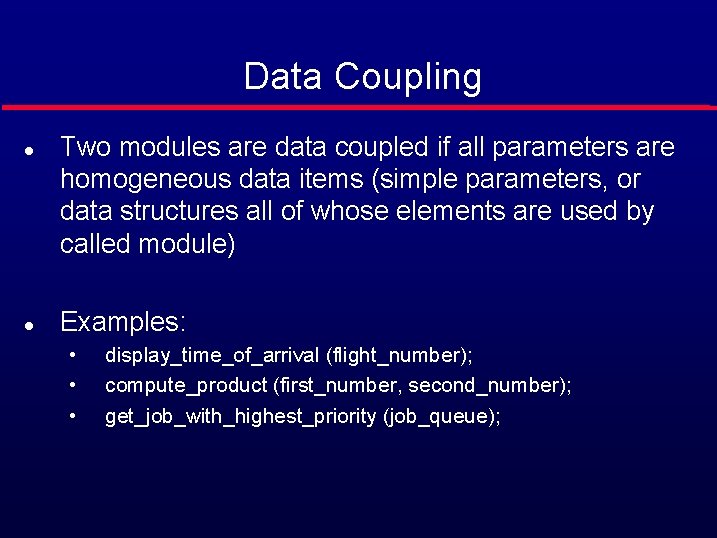
Data Coupling l l Two modules are data coupled if all parameters are homogeneous data items (simple parameters, or data structures all of whose elements are used by called module) Examples: • • • display_time_of_arrival (flight_number); compute_product (first_number, second_number); get_job_with_highest_priority (job_queue);
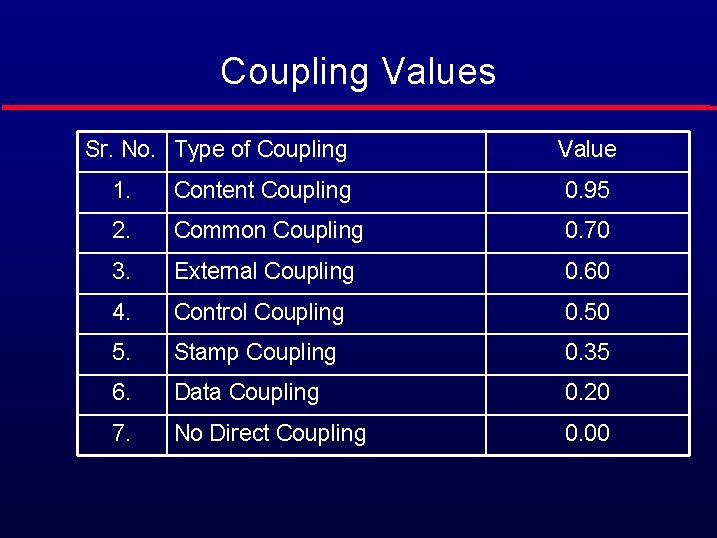
Coupling Values Sr. No. Type of Coupling Value 1. Content Coupling 0. 95 2. Common Coupling 0. 70 3. External Coupling 0. 60 4. Control Coupling 0. 50 5. Stamp Coupling 0. 35 6. Data Coupling 0. 20 7. No Direct Coupling 0. 00
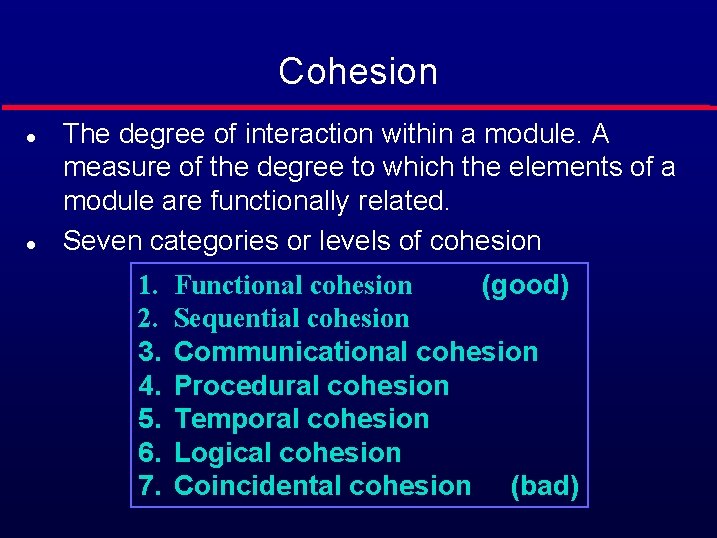
Cohesion l l The degree of interaction within a module. A measure of the degree to which the elements of a module are functionally related. Seven categories or levels of cohesion 1. 2. 3. 4. 5. 6. 7. Functional cohesion (good) Sequential cohesion Communicational cohesion Procedural cohesion Temporal cohesion Logical cohesion Coincidental cohesion (bad)
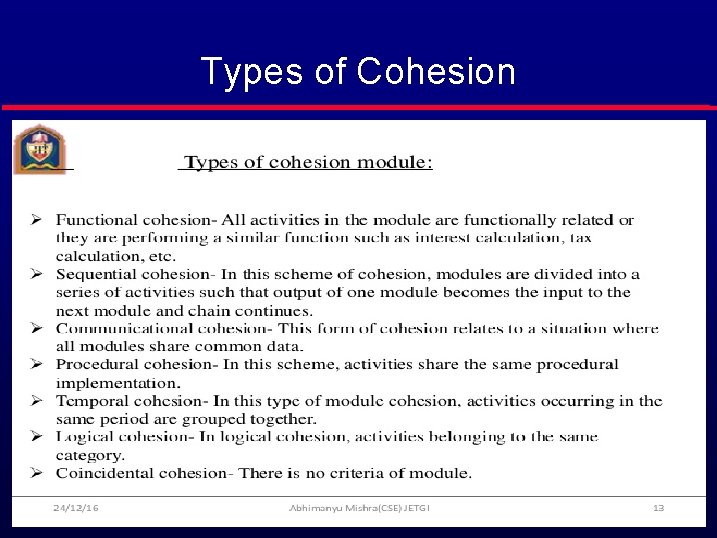
Types of Cohesion
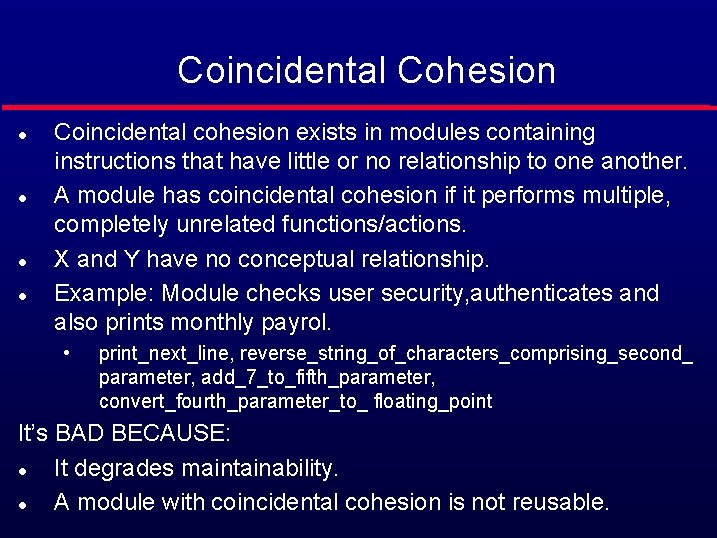
Coincidental Cohesion l l Coincidental cohesion exists in modules containing instructions that have little or no relationship to one another. A module has coincidental cohesion if it performs multiple, completely unrelated functions/actions. X and Y have no conceptual relationship. Example: Module checks user security, authenticates and also prints monthly payrol. • print_next_line, reverse_string_of_characters_comprising_second_ parameter, add_7_to_fifth_parameter, convert_fourth_parameter_to_ floating_point It’s BAD BECAUSE: l It degrades maintainability. l A module with coincidental cohesion is not reusable.
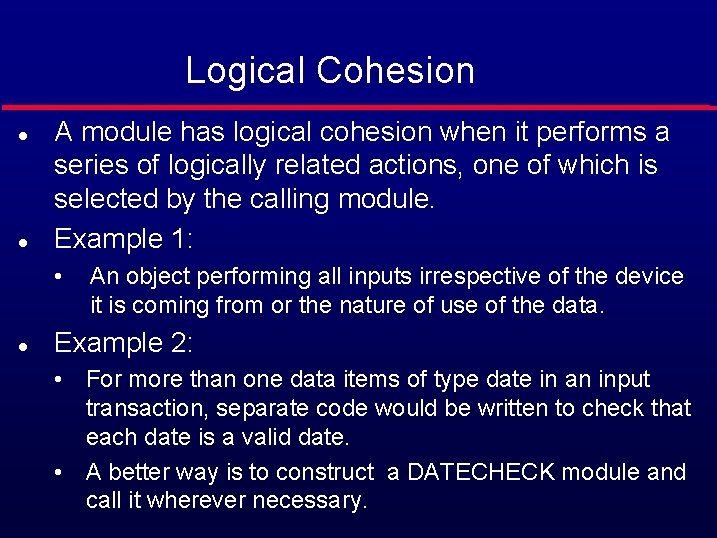
Logical Cohesion l l A module has logical cohesion when it performs a series of logically related actions, one of which is selected by the calling module. Example 1: • l An object performing all inputs irrespective of the device it is coming from or the nature of use of the data. Example 2: • For more than one data items of type date in an input transaction, separate code would be written to check that each date is a valid date. • A better way is to construct a DATECHECK module and call it wherever necessary.
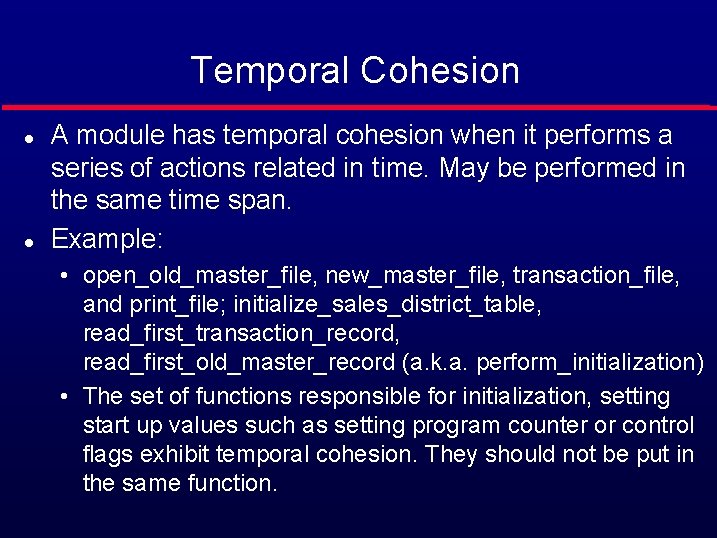
Temporal Cohesion l l A module has temporal cohesion when it performs a series of actions related in time. May be performed in the same time span. Example: • open_old_master_file, new_master_file, transaction_file, and print_file; initialize_sales_district_table, read_first_transaction_record, read_first_old_master_record (a. k. a. perform_initialization) • The set of functions responsible for initialization, setting start up values such as setting program counter or control flags exhibit temporal cohesion. They should not be put in the same function.
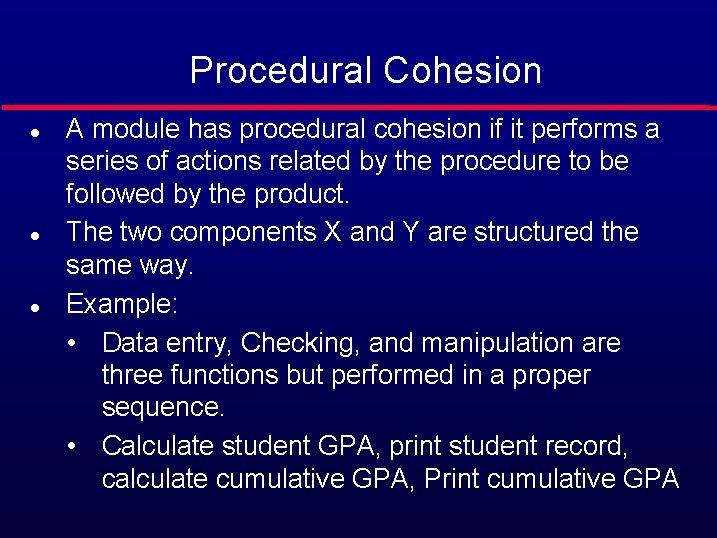
Procedural Cohesion l l l A module has procedural cohesion if it performs a series of actions related by the procedure to be followed by the product. The two components X and Y are structured the same way. Example: • Data entry, Checking, and manipulation are three functions but performed in a proper sequence. • Calculate student GPA, print student record, calculate cumulative GPA, Print cumulative GPA
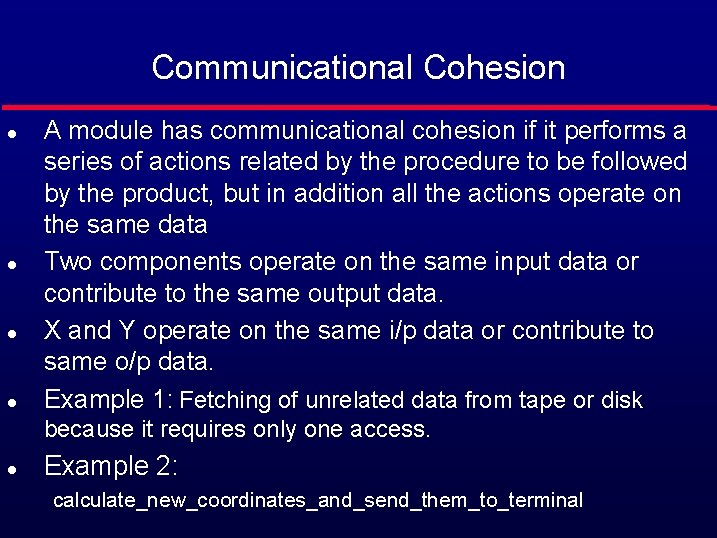
Communicational Cohesion l l A module has communicational cohesion if it performs a series of actions related by the procedure to be followed by the product, but in addition all the actions operate on the same data Two components operate on the same input data or contribute to the same output data. X and Y operate on the same i/p data or contribute to same o/p data. Example 1: Fetching of unrelated data from tape or disk because it requires only one access. l Example 2: calculate_new_coordinates_and_send_them_to_terminal
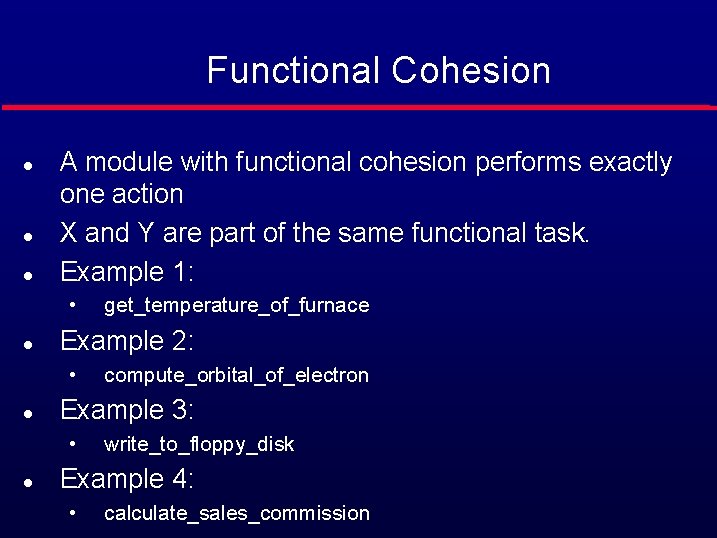
Functional Cohesion l l l A module with functional cohesion performs exactly one action X and Y are part of the same functional task. Example 1: • l Example 2: • l compute_orbital_of_electron Example 3: • l get_temperature_of_furnace write_to_floppy_disk Example 4: • calculate_sales_commission
Sequential Cohesion l l More than one functions performed by the module occur in an order prescribed by the specifications. X outputs some data which forms the input to Y.
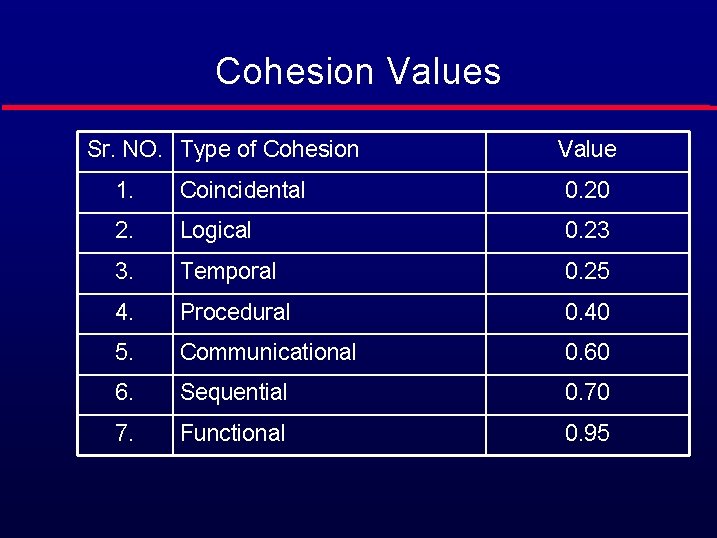
Cohesion Values Sr. NO. Type of Cohesion Value 1. Coincidental 0. 20 2. Logical 0. 23 3. Temporal 0. 25 4. Procedural 0. 40 5. Communicational 0. 60 6. Sequential 0. 70 7. Functional 0. 95
Design Strength l Dependence Matrix • Depicts quantitative measure of dependence of modules. • Used to find strength of design. • Primarily affected by the coupling and cohesion. • Gives the probability of having to change module i given that module j is changed. • First order dependence and complete dependence matrix are found.
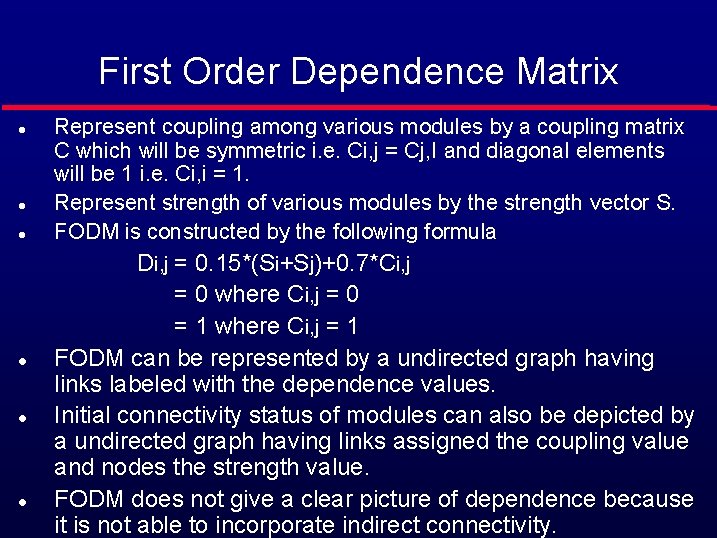
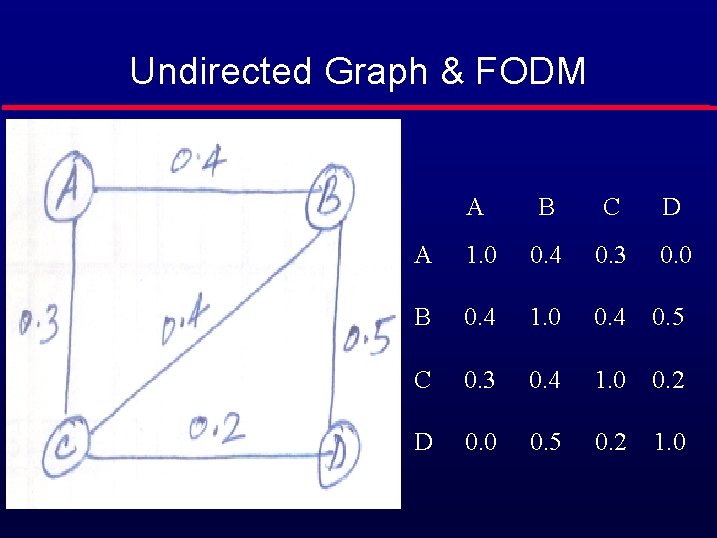
First Order Dependence Matrix l l l Represent coupling among various modules by a coupling matrix C which will be symmetric i. e. Ci, j = Cj, I and diagonal elements will be 1 i. e. Ci, i = 1. Represent strength of various modules by the strength vector S. FODM is constructed by the following formula Di, j = 0. 15*(Si+Sj)+0. 7*Ci, j = 0 where Ci, j = 0 = 1 where Ci, j = 1 FODM can be represented by a undirected graph having links labeled with the dependence values. Initial connectivity status of modules can also be depicted by a undirected graph having links assigned the coupling value and nodes the strength value. FODM does not give a clear picture of dependence because it is not able to incorporate indirect connectivity. l l l
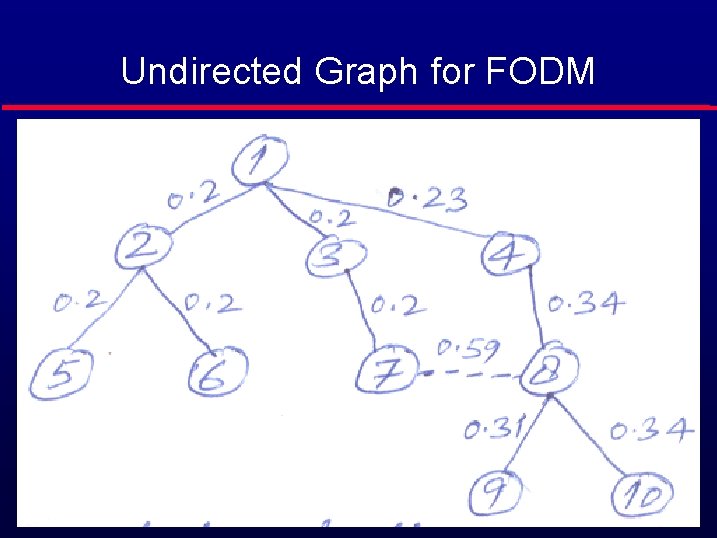
Undirected Graph for FODM
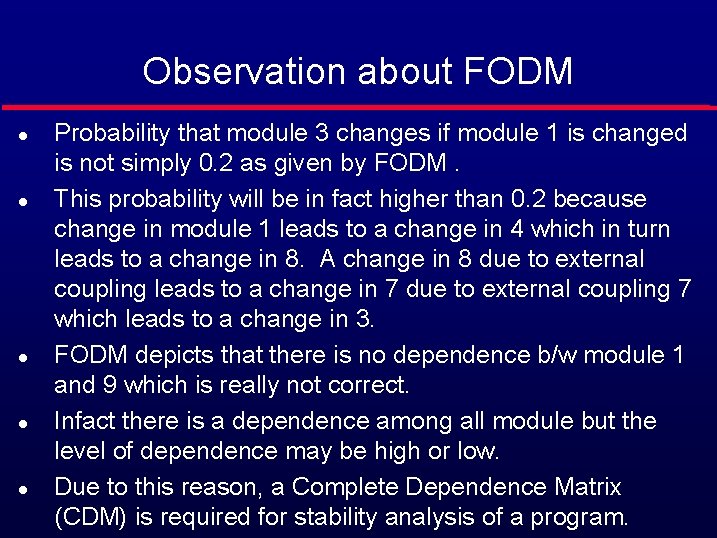
Observation about FODM l l l Probability that module 3 changes if module 1 is changed is not simply 0. 2 as given by FODM. This probability will be in fact higher than 0. 2 because change in module 1 leads to a change in 4 which in turn leads to a change in 8. A change in 8 due to external coupling leads to a change in 7 due to external coupling 7 which leads to a change in 3. FODM depicts that there is no dependence b/w module 1 and 9 which is really not correct. Infact there is a dependence among all module but the level of dependence may be high or low. Due to this reason, a Complete Dependence Matrix (CDM) is required for stability analysis of a program.
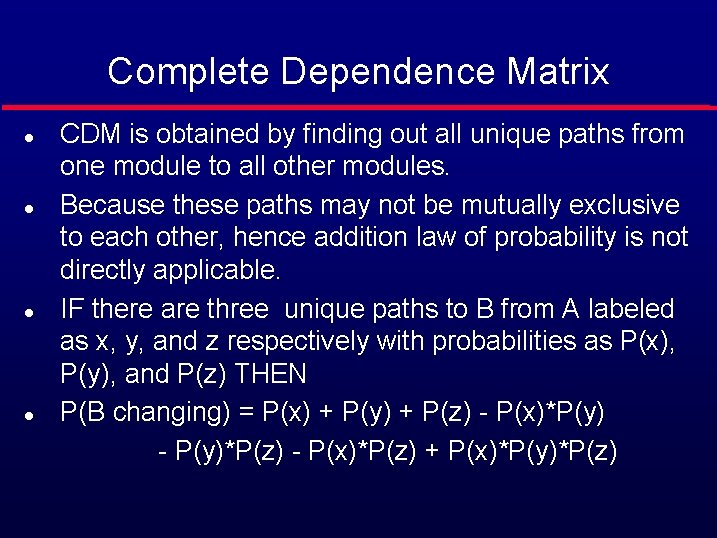
Complete Dependence Matrix CDM is obtained by finding out all unique paths from one module to all other modules. l Because these paths may not be mutually exclusive to each other, hence addition law of probability is not directly applicable. l IF there are three unique paths to B from A labeled as x, y, and z respectively with probabilities as P(x), P(y), and P(z) THEN l P(B changing) = P(x) + P(y) + P(z) - P(x)*P(y) - P(y)*P(z) - P(x)*P(z) + P(x)*P(y)*P(z) l
Undirected Graph & FODM A B C D A 1. 0 0. 4 0. 3 0. 0 B 0. 4 1. 0 0. 4 0. 5 C 0. 3 0. 4 1. 0 0. 2 D 0. 0 0. 5 0. 2 1. 0
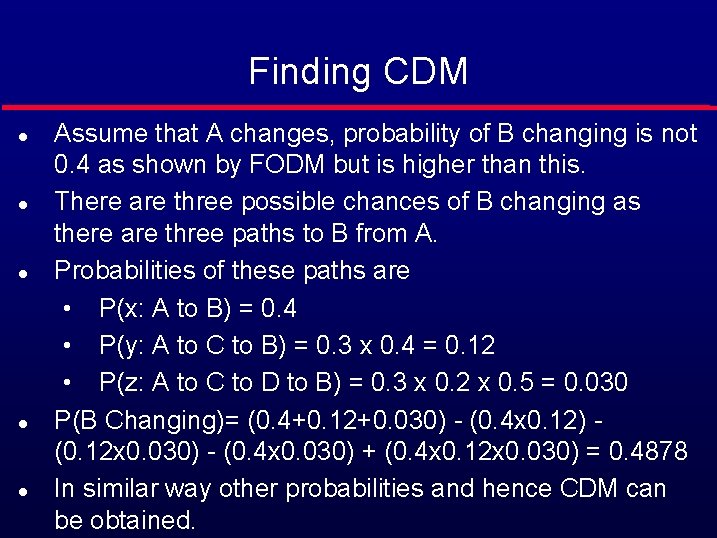
Finding CDM l l l Assume that A changes, probability of B changing is not 0. 4 as shown by FODM but is higher than this. There are three possible chances of B changing as there are three paths to B from A. Probabilities of these paths are • P(x: A to B) = 0. 4 • P(y: A to C to B) = 0. 3 x 0. 4 = 0. 12 • P(z: A to C to D to B) = 0. 3 x 0. 2 x 0. 5 = 0. 030 P(B Changing)= (0. 4+0. 12+0. 030) - (0. 4 x 0. 12) (0. 12 x 0. 030) - (0. 4 x 0. 030) + (0. 4 x 0. 12 x 0. 030) = 0. 4878 In similar way other probabilities and hence CDM can be obtained.
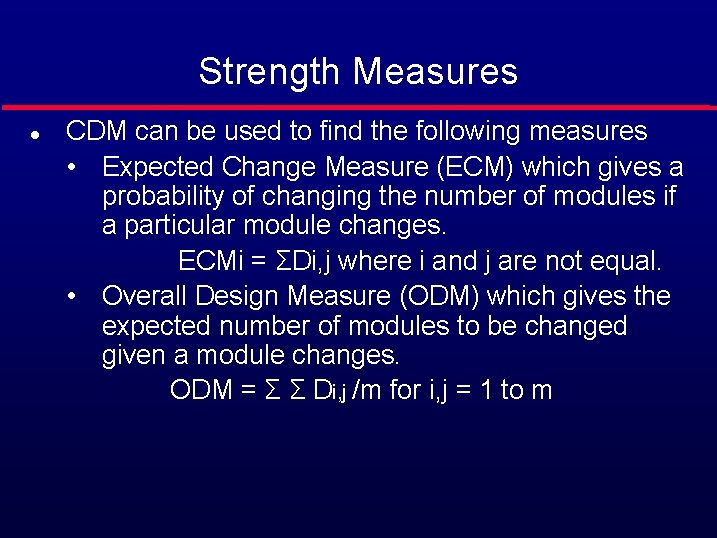
Strength Measures l CDM can be used to find the following measures • Expected Change Measure (ECM) which gives a probability of changing the number of modules if a particular module changes. ECMi = ΣDi, j where i and j are not equal. • Overall Design Measure (ODM) which gives the expected number of modules to be changed given a module changes. ODM = Σ Σ Di, j /m for i, j = 1 to m
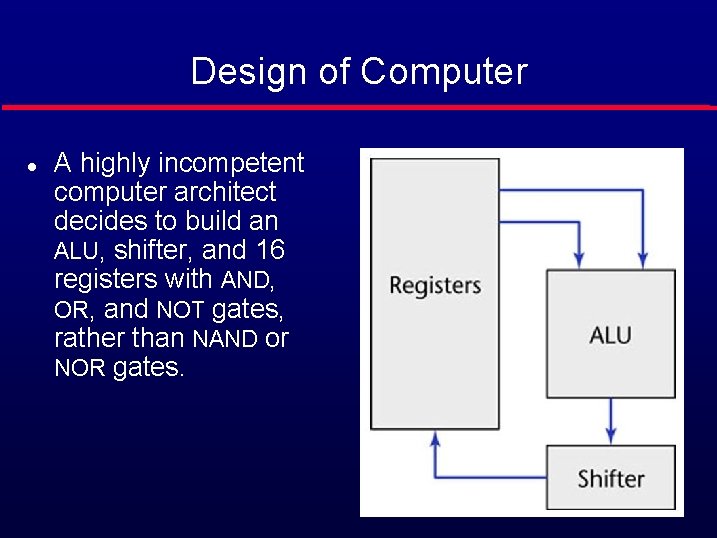
Design of Computer l A highly incompetent computer architect decides to build an ALU, shifter, and 16 registers with AND, OR, and NOT gates, rather than NAND or NOR gates. Figure 7. 1
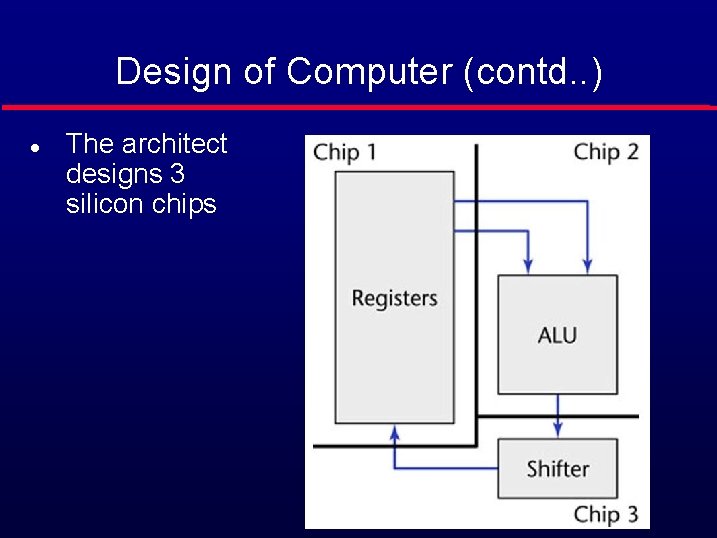
Design of Computer (contd. . ) l The architect designs 3 silicon chips Figure 7. 2
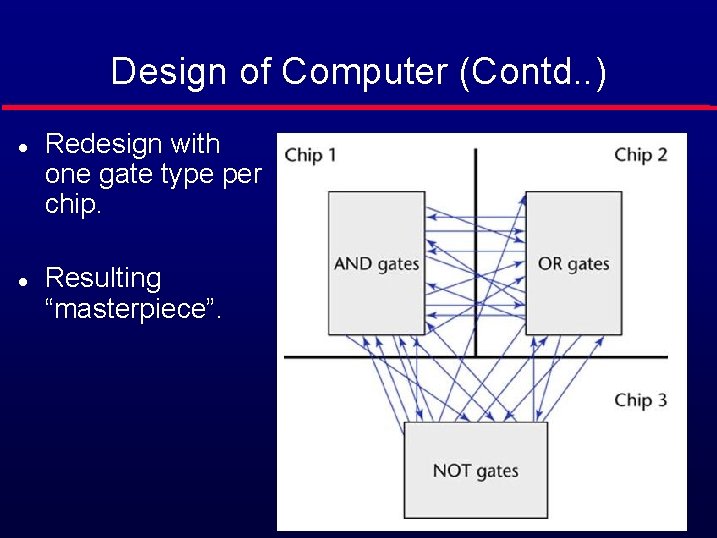
Design of Computer (Contd. . ) l l Redesign with one gate type per chip. Resulting “masterpiece”. Figure 7. 3
Computer Design (contd) l l The two designs are functionally equivalent but the second design is • Hard to understand. • Hard to locate faults. • Difficult to extend or enhance. • Cannot be reused in another product. Modules must be like the first design • Maximal relationships within modules, and • Minimal relationships between modules.
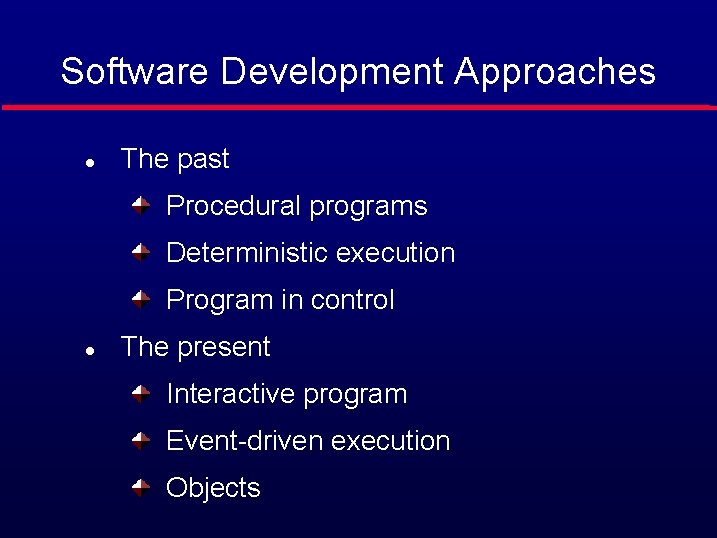
Software Development Approaches l The past Procedural programs Deterministic execution Program in control l The present Interactive program Event-driven execution Objects
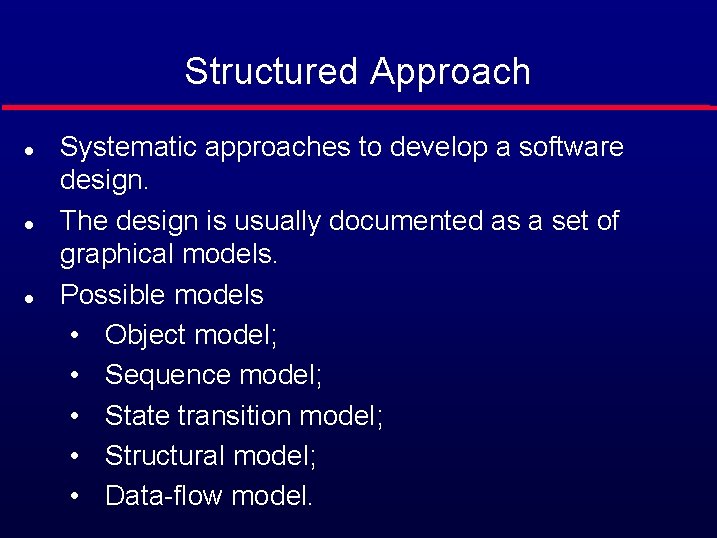
Structured Approach l l l Systematic approaches to develop a software design. The design is usually documented as a set of graphical models. Possible models • Object model; • Sequence model; • State transition model; • Structural model; • Data-flow model.
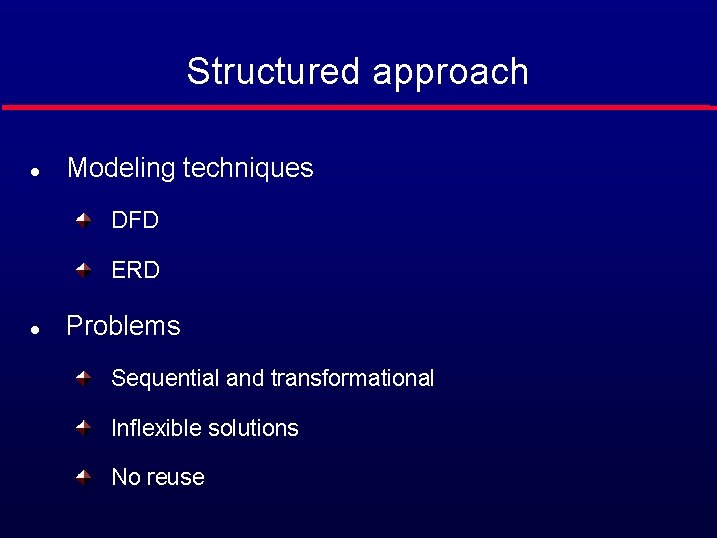
Structured approach l Modeling techniques DFD ERD l Problems Sequential and transformational Inflexible solutions No reuse
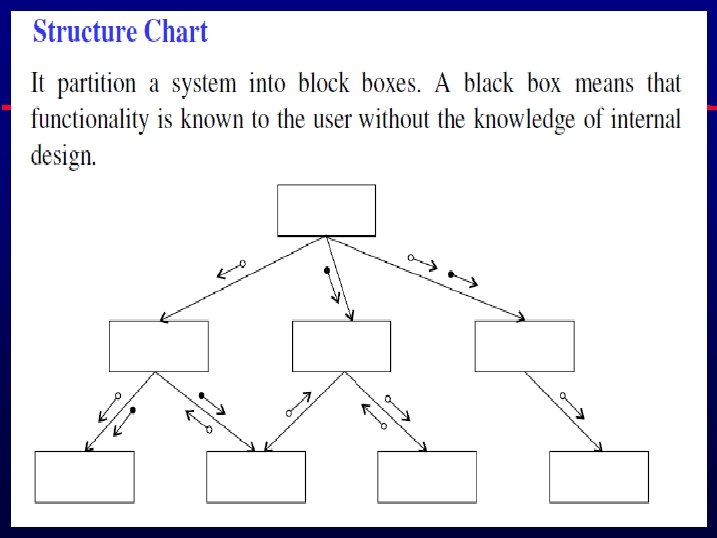
Structured Approach l l l The structured paradigm was successful initially but started to fail with larger products (> 50, 000 LOC) Post delivery maintenance problems (today, 70 to 80 percent of total effort) Reason: Structured methods are • Action oriented (e. g. , finite state machines, data flow diagrams); or • Data oriented (e. g. , entity-relationship diagrams); • But not both
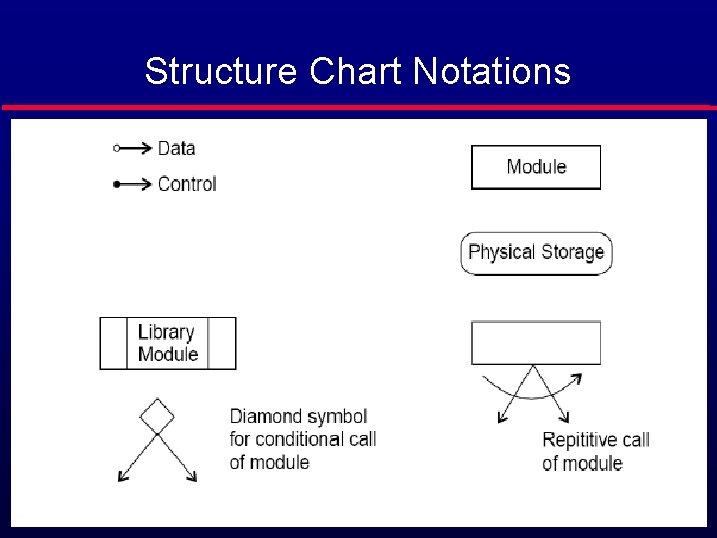
Structure Chart Notations
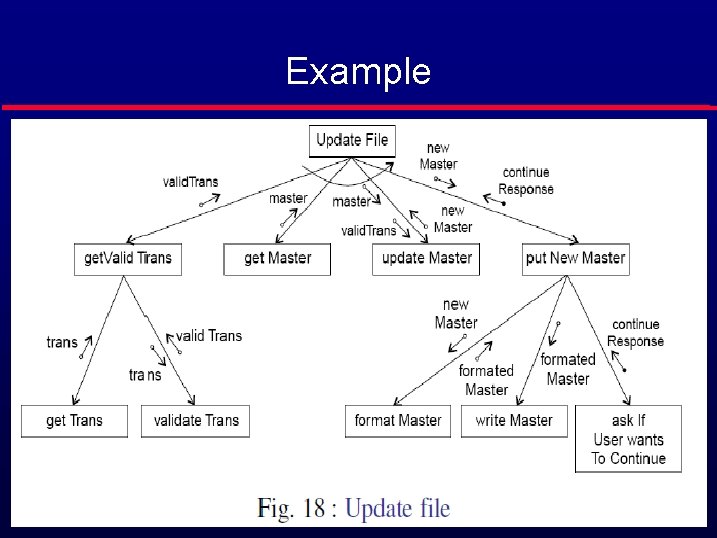
Example
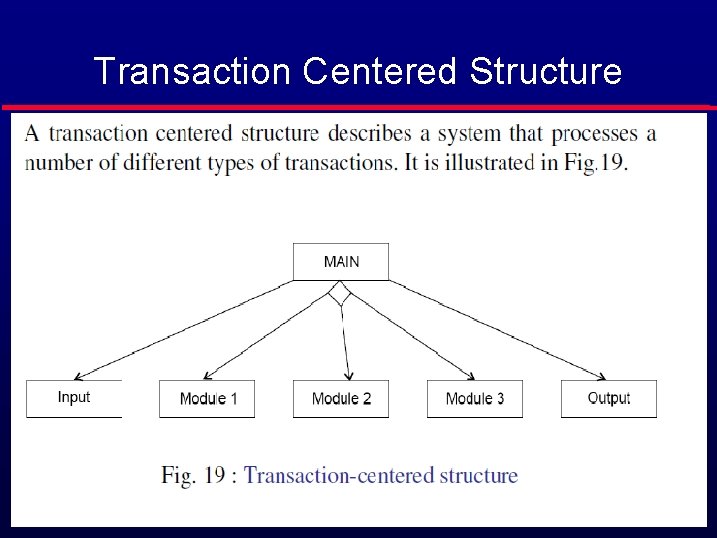
Transaction Centered Structure
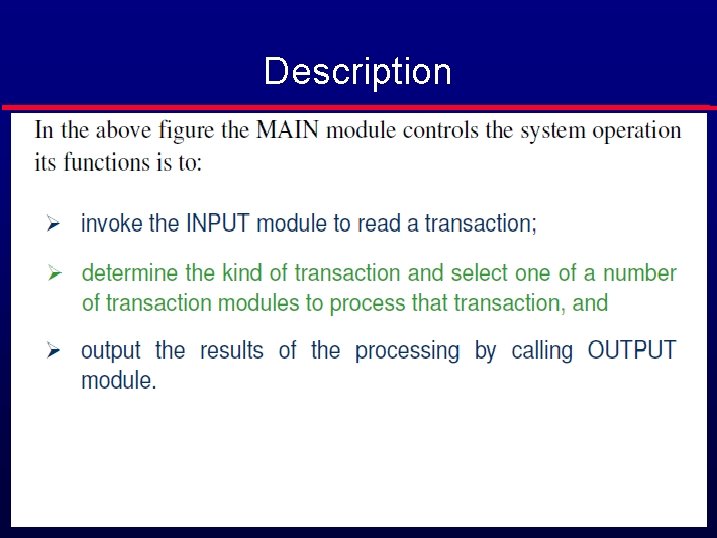
Description
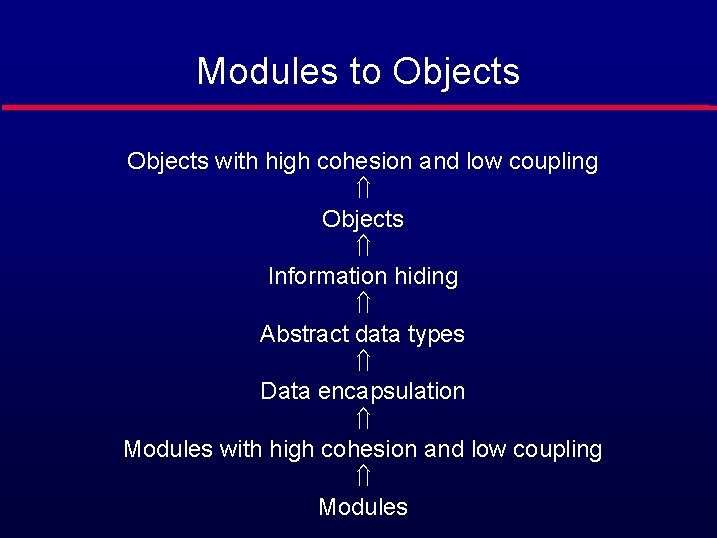
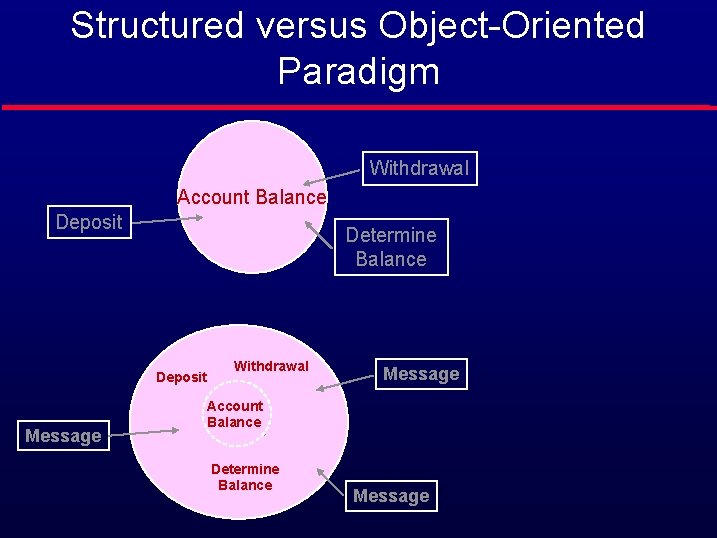
Modules to Objects with high cohesion and low coupling Ý Objects Ý Information hiding Ý Abstract data types Ý Data encapsulation Ý Modules with high cohesion and low coupling Ý Modules
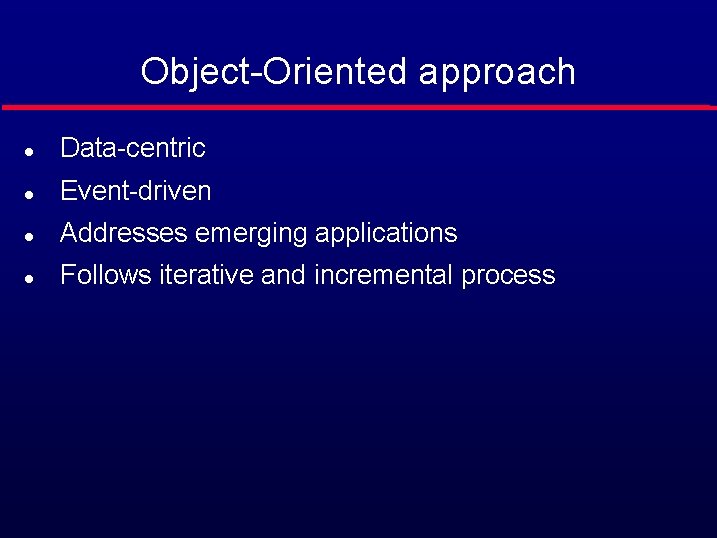
Object-Oriented approach l Data-centric l Event-driven l Addresses emerging applications l Follows iterative and incremental process
Structured versus Object-Oriented Paradigm Withdrawal Account Balance Deposit Determine Balance Deposit Message Withdrawal Message Account Balance Determine Balance Message
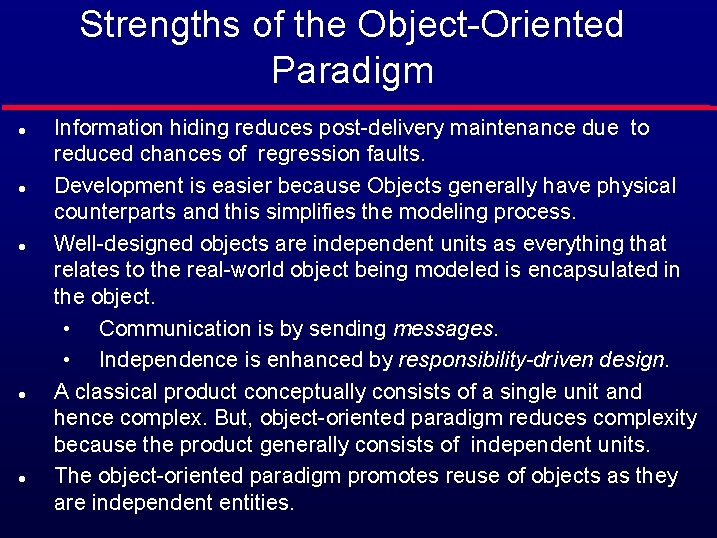
Strengths of the Object-Oriented Paradigm l l l Information hiding reduces post-delivery maintenance due to reduced chances of regression faults. Development is easier because Objects generally have physical counterparts and this simplifies the modeling process. Well-designed objects are independent units as everything that relates to the real-world object being modeled is encapsulated in the object. • Communication is by sending messages. • Independence is enhanced by responsibility-driven design. A classical product conceptually consists of a single unit and hence complex. But, object-oriented paradigm reduces complexity because the product generally consists of independent units. The object-oriented paradigm promotes reuse of objects as they are independent entities.
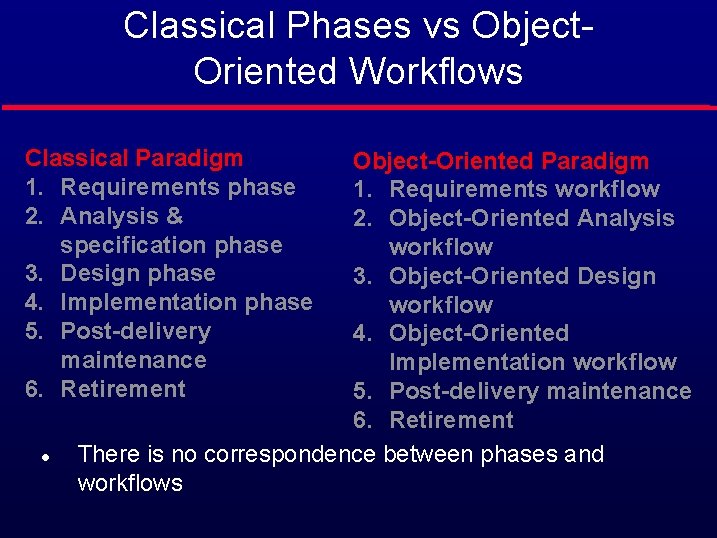
Classical Phases vs Object. Oriented Workflows Classical Paradigm 1. Requirements phase 2. Analysis & specification phase 3. Design phase 4. Implementation phase 5. Post-delivery maintenance 6. Retirement l Object-Oriented Paradigm 1. Requirements workflow 2. Object-Oriented Analysis workflow 3. Object-Oriented Design workflow 4. Object-Oriented Implementation workflow 5. Post-delivery maintenance 6. Retirement There is no correspondence between phases and workflows
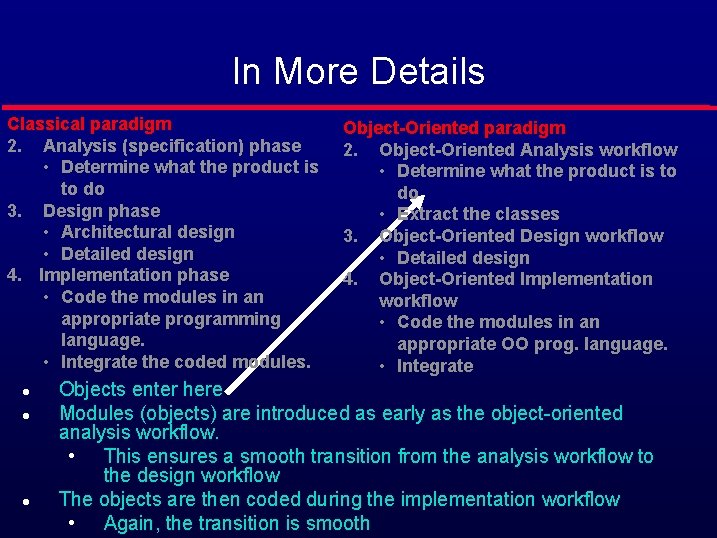
In More Details Classical paradigm 2. Analysis (specification) phase • Determine what the product is to do 3. Design phase • Architectural design • Detailed design 4. Implementation phase • Code the modules in an appropriate programming language. • Integrate the coded modules. l l l Object-Oriented paradigm 2. Object-Oriented Analysis workflow • Determine what the product is to do • Extract the classes 3. Object-Oriented Design workflow • Detailed design 4. Object-Oriented Implementation workflow • Code the modules in an appropriate OO prog. language. • Integrate Objects enter here Modules (objects) are introduced as early as the object-oriented analysis workflow. • This ensures a smooth transition from the analysis workflow to the design workflow The objects are then coded during the implementation workflow • Again, the transition is smooth
Modeling Primitives l l Objects • an entity that has state, attributes and services. • Interested in problem-domain objects for requirements analysis. Classes • Provide a way of grouping objects with similar attributes or services. • Classes form an abstraction hierarchy though ‘is_a’ relationships. Attributes • Together represent an object’s state. • May specify type, visibility and modifiability of each attribute. Relationships • ‘is_a’ classification relations. • ‘part_of’ assembly relationships. • ‘associations’ between classes.
Modeling Primitives l l l Methods (services, functions) • These are the operations that all objects in a class can do when called on to do so by other objects • E. g. Constructors/Destructors (if objects are created dynamically) • E. g. Set/Get (access to the object’s state) Message Passing • How objects invoke services of other objects. Use Cases/Scenarios • Sequences of message passing between objects. • Represent specific interactions.
Key Principles l l l Classification (using inheritance) • Classes capture commonalities of a number of objects. • Each subclass inherits attributes and methods from its parent. • Forms an ‘is_a’ hierarchy Child class may ‘specialize’ the parent class. • by adding additional attributes & methods. • by replacing an inherited attribute or method with another. Multiple inheritance is possible where a class is subclass of several different super classes.
Key Principles l Information Hiding • • l internal state of an object need not be visible to external viewers. Objects can encapsulate other objects, and keep their services internal. Aggregation • Can describe relationships between parts and the whole objects.
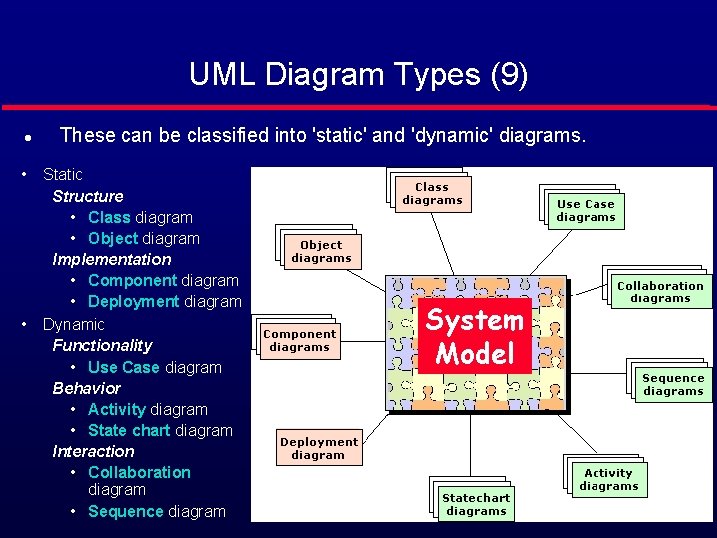
UML Diagram Types (9) l • • These can be classified into 'static' and 'dynamic' diagrams. Static Structure • Class diagram • Object diagram Implementation • Component diagram • Deployment diagram Dynamic Functionality • Use Case diagram Behavior • Activity diagram • State chart diagram Interaction • Collaboration diagram • Sequence diagram System Model
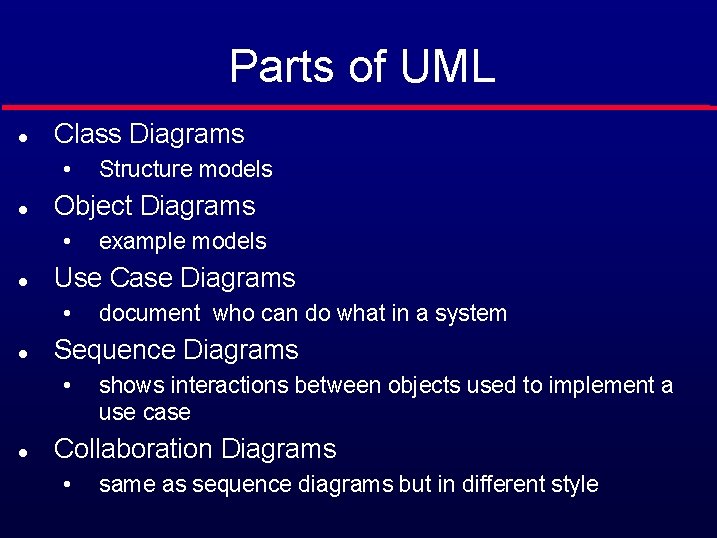
Parts of UML l Class Diagrams • l Object Diagrams • l document who can do what in a system Sequence Diagrams • l example models Use Case Diagrams • l Structure models shows interactions between objects used to implement a use case Collaboration Diagrams • same as sequence diagrams but in different style
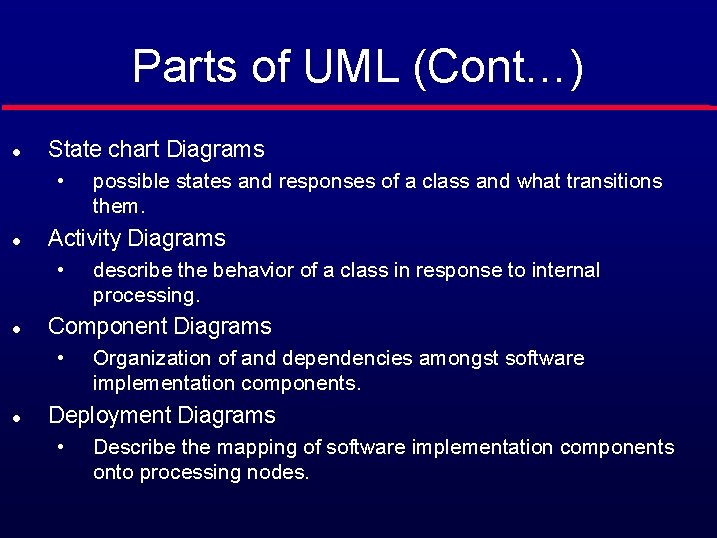
Parts of UML (Cont…) l State chart Diagrams • l Activity Diagrams • l describe the behavior of a class in response to internal processing. Component Diagrams • l possible states and responses of a class and what transitions them. Organization of and dependencies amongst software implementation components. Deployment Diagrams • Describe the mapping of software implementation components onto processing nodes.
Object • A concept, abstraction, or thing with crisp boundaries and meaning for the problem at hand • promote understanding of the real world • provide a practical basis for computer implementation
Problem Decomposition l Decomposition of a problem into objects depends on • Judgment • The nature of the problem being solved • Not only the domain: two analyses of the same domain will turn out differently depending upon the kind of programs we wish to produce.
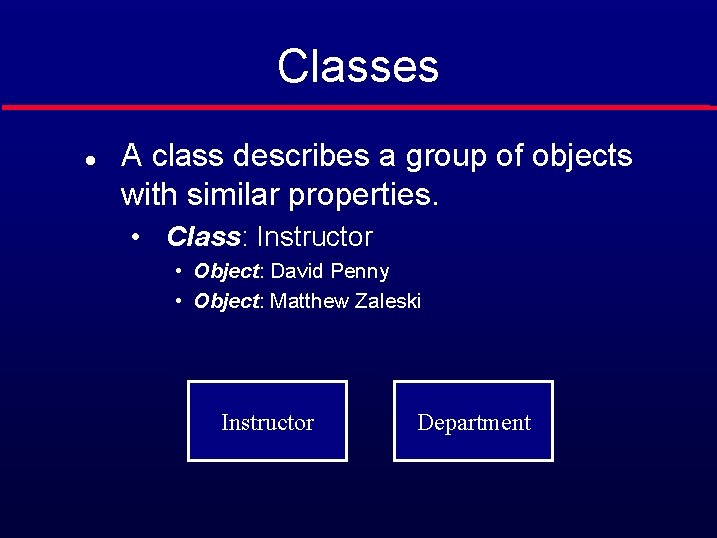
Classes l A class describes a group of objects with similar properties. • Class: Instructor • Object: David Penny • Object: Matthew Zaleski Instructor Department
Example • Class: Department • Object: Department of Computer Science • Object: Department of Electrical Engineering
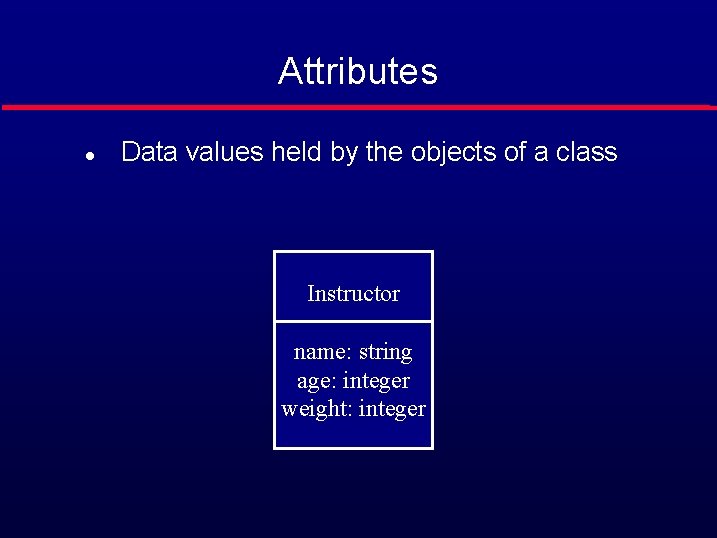
Attributes l Data values held by the objects of a class Instructor name: string age: integer weight: integer
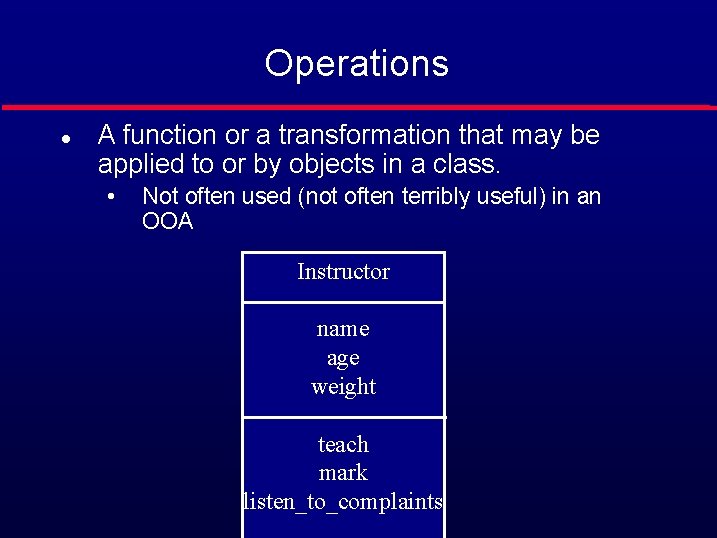
Operations l A function or a transformation that may be applied to or by objects in a class. • Not often used (not often terribly useful) in an OOA Instructor name age weight teach mark listen_to_complaints
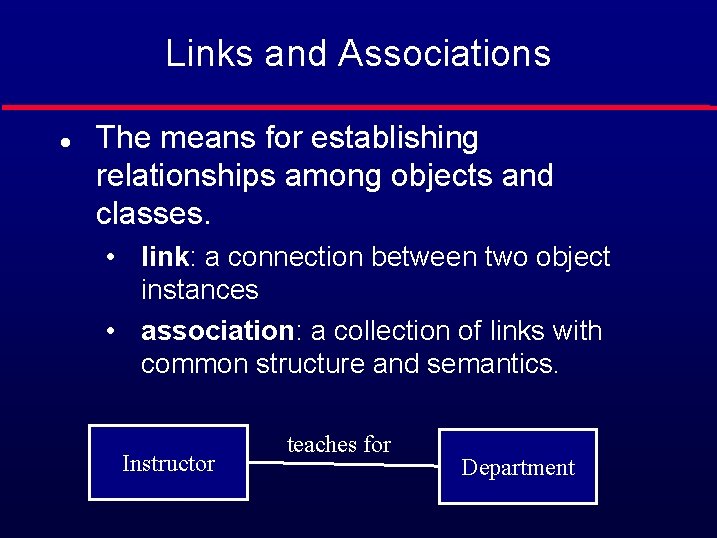
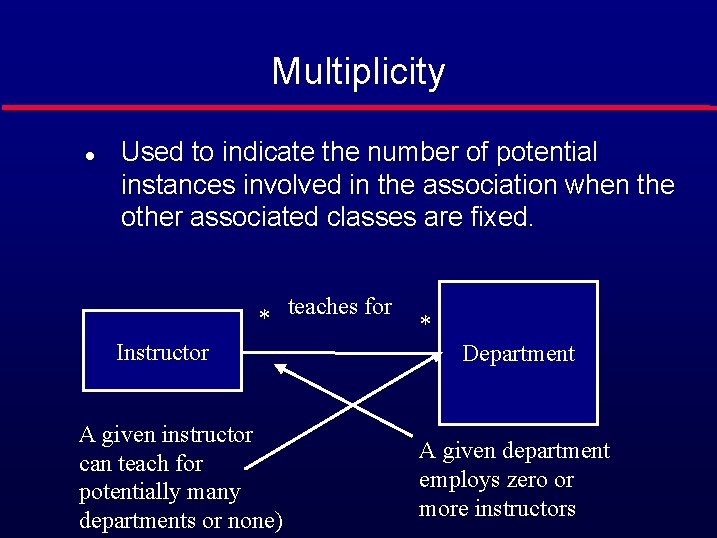
Links and Associations l The means for establishing relationships among objects and classes. • link: a connection between two object instances • association: a collection of links with common structure and semantics. Instructor teaches for Department
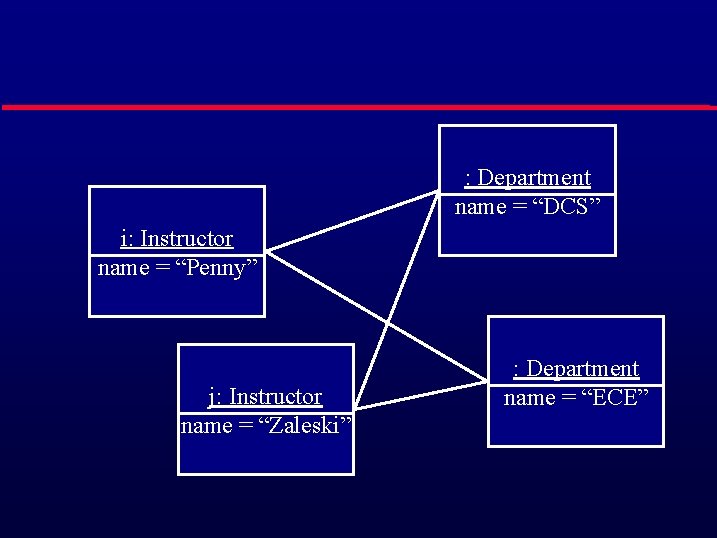
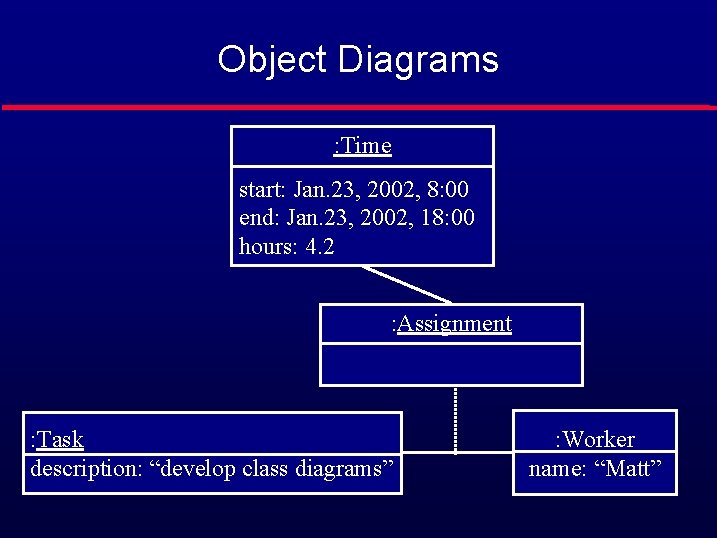
Object Diagrams l l Models instances of things contained in class diagrams. Shows a set of objects and their links at a point in time Useful preparatory to deciding on class structures. Useful in order to better explain more complex class diagrams by giving instance examples.
: Department name = “DCS” i: Instructor name = “Penny” j: Instructor name = “Zaleski” : Department name = “ECE”
Multiplicity l Used to indicate the number of potential instances involved in the association when the other associated classes are fixed. * teaches for Instructor A given instructor can teach for potentially many departments or none) * Department A given department employs zero or more instructors
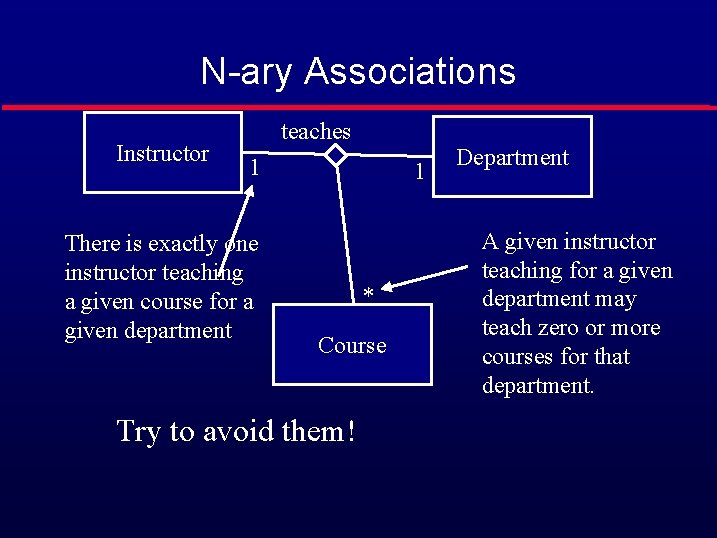
N-ary Associations Instructor teaches 1 There is exactly one instructor teaching a given course for a given department 1 * Course Try to avoid them! Department A given instructor teaching for a given department may teach zero or more courses for that department.
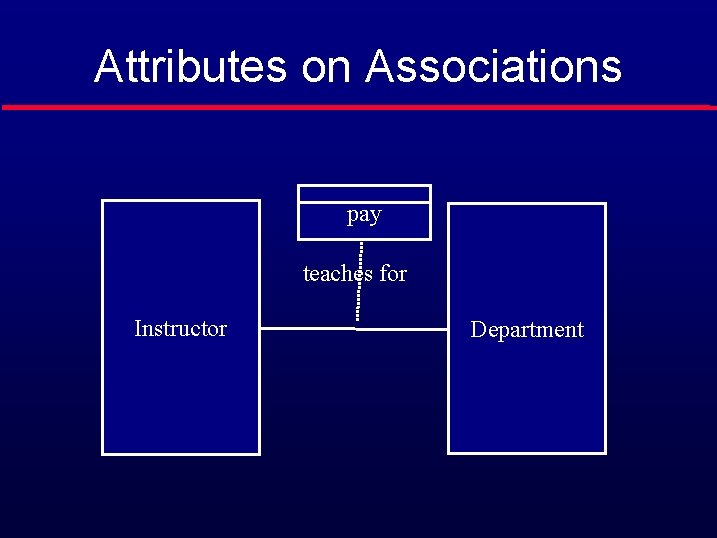
Attributes on Associations pay teaches for Instructor Department
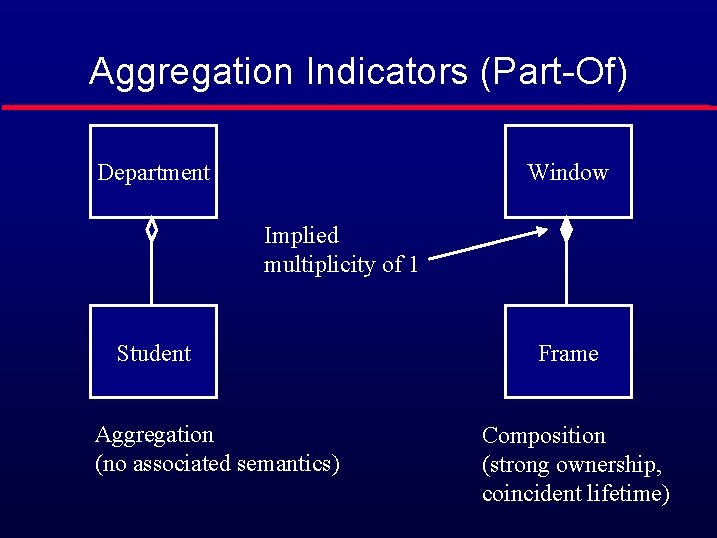
Aggregation Indicators (Part-Of) Department Window Implied multiplicity of 1 Student Aggregation (no associated semantics) Frame Composition (strong ownership, coincident lifetime)
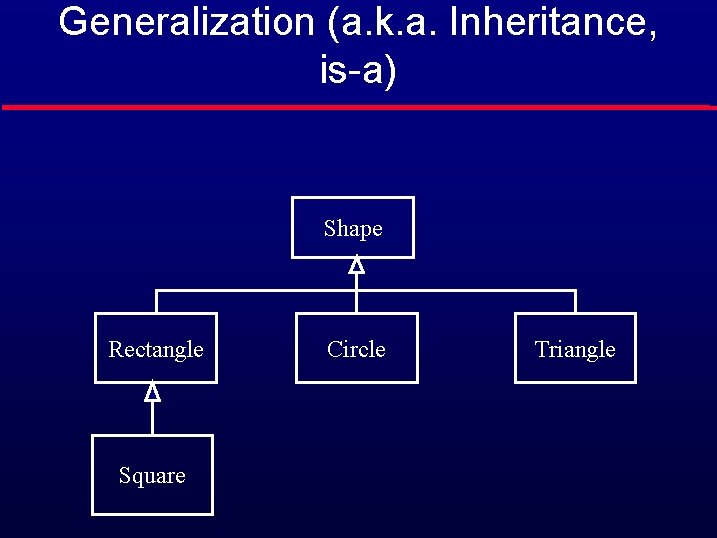
Generalization (a. k. a. Inheritance, is-a) Shape Rectangle Square Circle Triangle
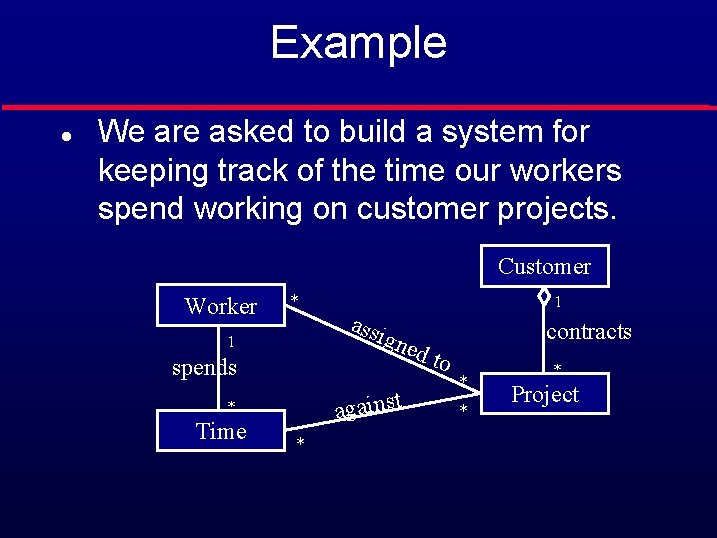
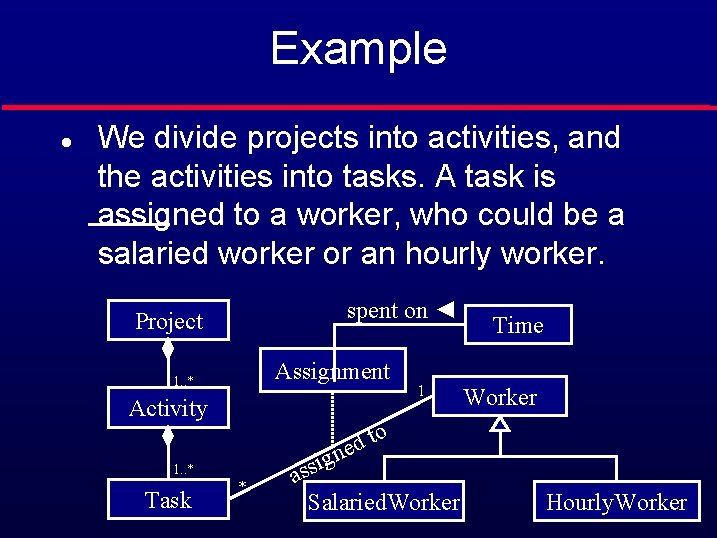
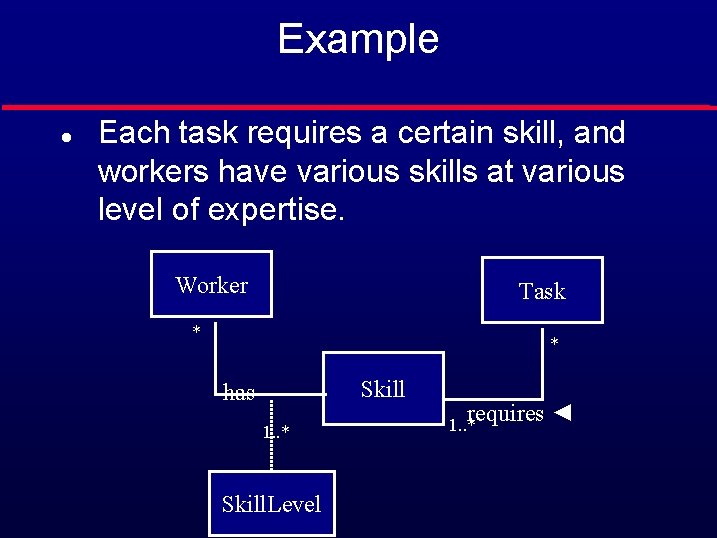
Example l l l We are asked to build a system for keeping track of the time our workers spend working on customer projects. We divide projects into activities, and the activities into tasks. A task is assigned to a worker, who could be a salaried worker or an hourly worker. Each task requires a certain skill, and resources have various skills at various level of expertise.
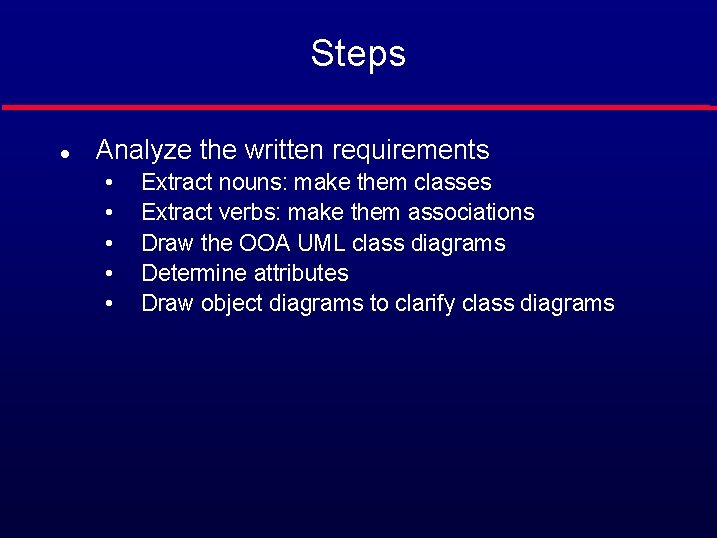
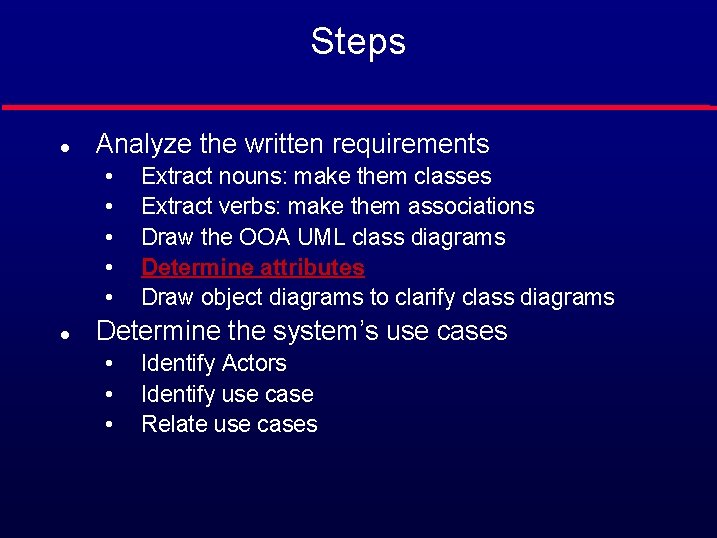
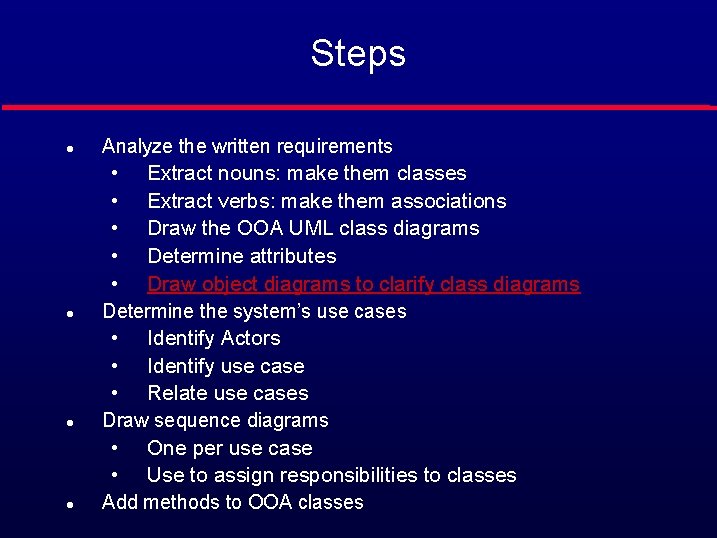
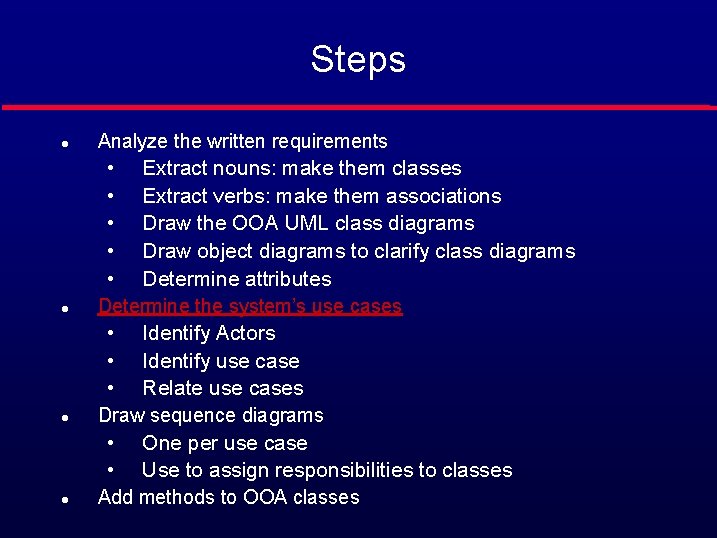
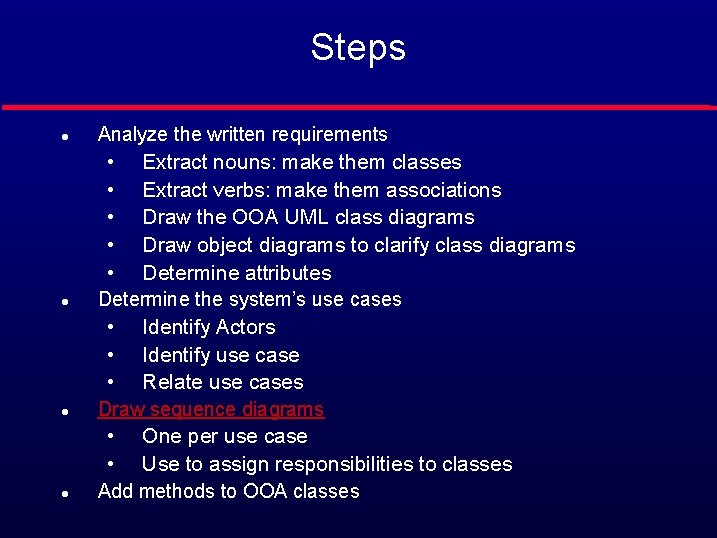
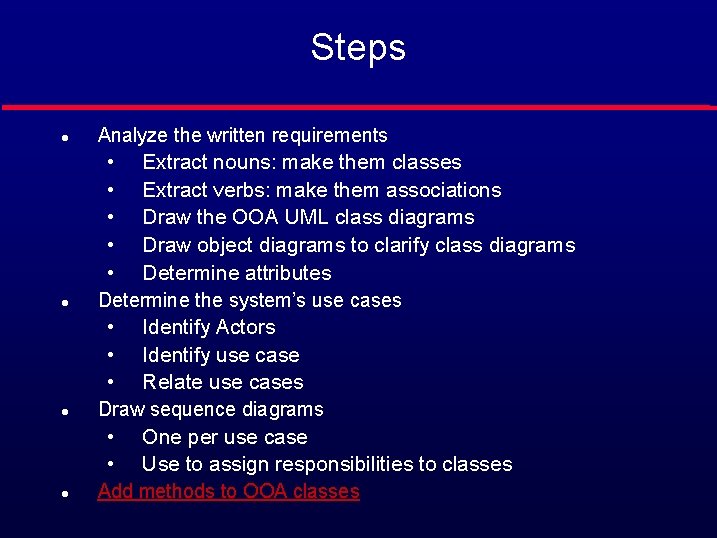
Steps l Analyze the written requirements • • • Extract nouns: make them classes Extract verbs: make them associations Draw the OOA UML class diagrams Determine attributes Draw object diagrams to clarify class diagrams
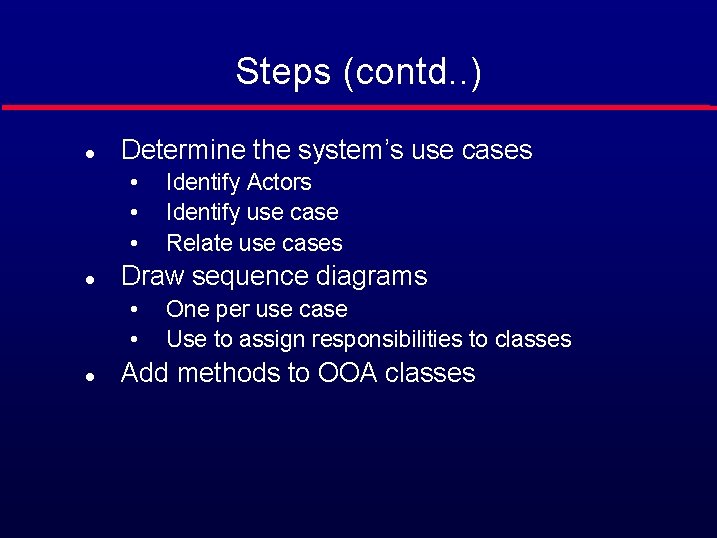
Steps (contd. . ) l Determine the system’s use cases • • • l Draw sequence diagrams • • l Identify Actors Identify use case Relate use cases One per use case Use to assign responsibilities to classes Add methods to OOA classes
Example l We are asked to build a system for keeping track of the time our workers spend working on customer projects. Customer Worker * 1 spends * contracts gne d against * Time assi 1 to * * * Project
Example l We divide projects into activities, and the activities into tasks. A task is assigned to a worker, who could be a salaried worker or an hourly worker. spent on ◄ Project Assignment 1. . * Activity Worker to d gne 1. . * Task 1 Time * i ass Salaried. Worker Hourly. Worker
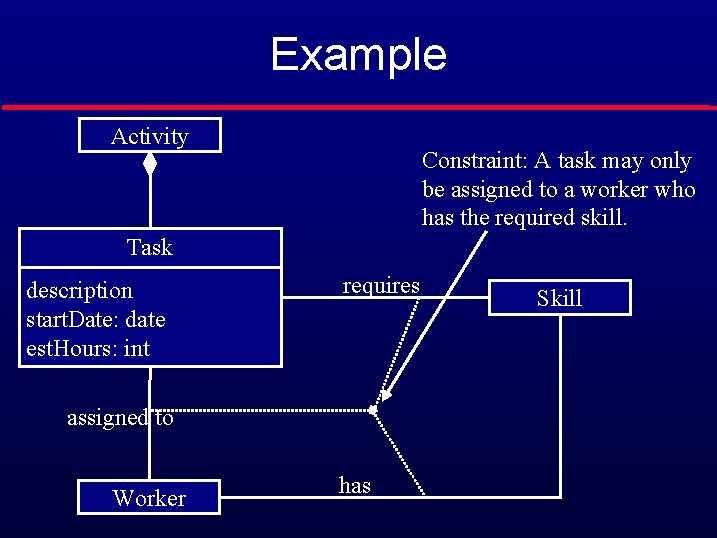
Example l Each task requires a certain skill, and workers have various skills at various level of expertise. Worker Task * * Skill has 1. . * Skill. Level requires ◄ 1. . *
Steps l Analyze the written requirements • • • l Extract nouns: make them classes Extract verbs: make them associations Draw the OOA UML class diagrams Determine attributes Draw object diagrams to clarify class diagrams Determine the system’s use cases • • • Identify Actors Identify use case Relate use cases
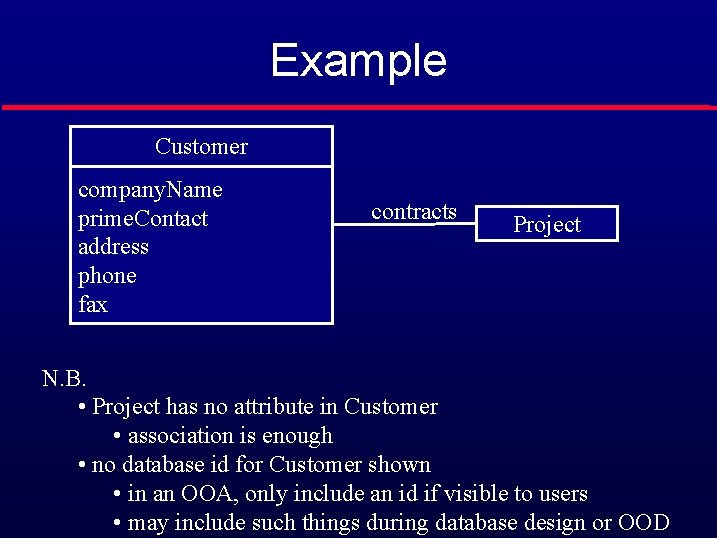
Example Customer company. Name prime. Contact address phone fax contracts Project N. B. • Project has no attribute in Customer • association is enough • no database id for Customer shown • in an OOA, only include an id if visible to users • may include such things during database design or OOD
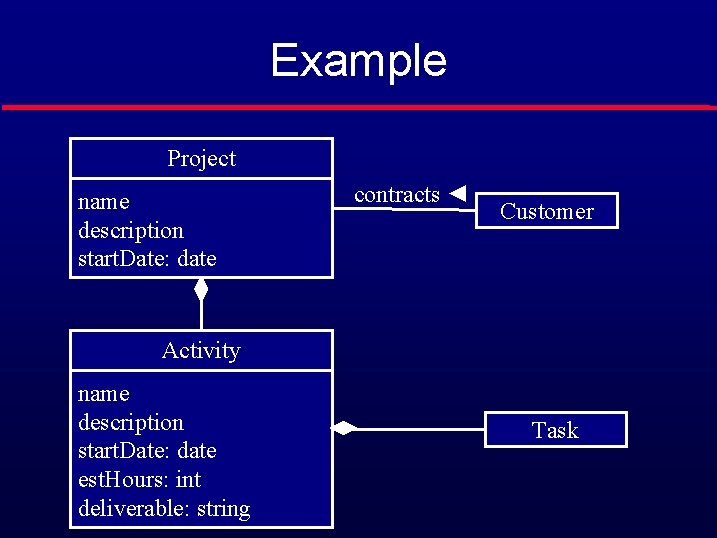
Example Project name description start. Date: date contracts ◄ Customer Activity name description start. Date: date est. Hours: int deliverable: string Task
Example Activity Constraint: A task may only be assigned to a worker who has the required skill. Task description start. Date: date est. Hours: int requires assigned to Worker has Skill
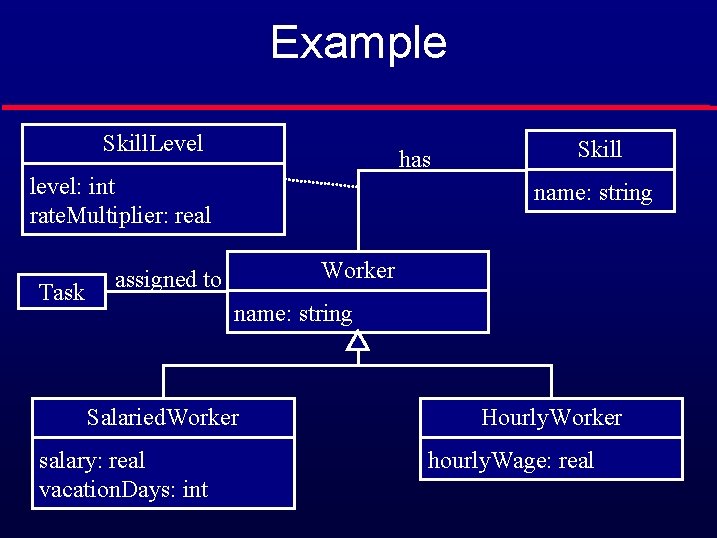
Example Skill. Level has level: int rate. Multiplier: real Task Skill name: string Worker assigned to name: string Salaried. Worker salary: real vacation. Days: int Hourly. Worker hourly. Wage: real
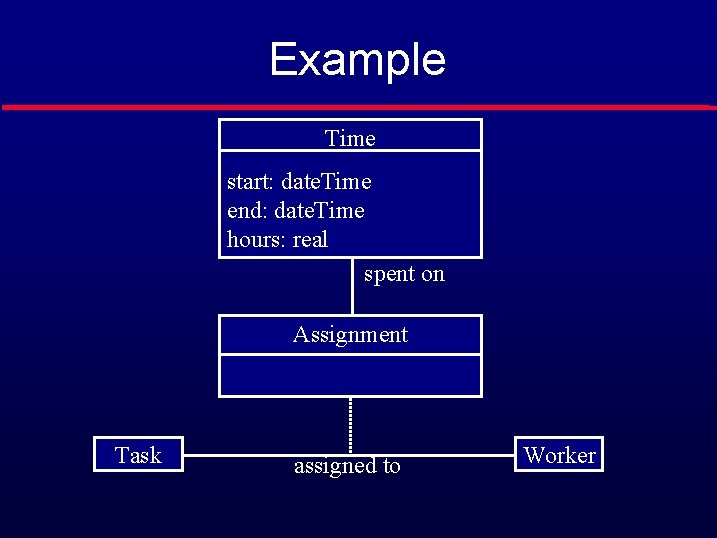
Example Time start: date. Time end: date. Time hours: real spent on Assignment Task assigned to Worker
Steps l Analyze the written requirements • • • l l l Extract nouns: make them classes Extract verbs: make them associations Draw the OOA UML class diagrams Determine attributes Draw object diagrams to clarify class diagrams Determine the system’s use cases • Identify Actors • Identify use case • Relate use cases Draw sequence diagrams • One per use case • Use to assign responsibilities to classes Add methods to OOA classes
Object Diagrams : Time start: Jan. 23, 2002, 8: 00 end: Jan. 23, 2002, 18: 00 hours: 4. 2 : Assignment : Task description: “develop class diagrams” : Worker name: “Matt”
Steps l Analyze the written requirements • • • l l l Extract nouns: make them classes Extract verbs: make them associations Draw the OOA UML class diagrams Draw object diagrams to clarify class diagrams Determine attributes Determine the system’s use cases • Identify Actors • Identify use case • Relate use cases Draw sequence diagrams • One per use case • Use to assign responsibilities to classes Add methods to OOA classes
Use Cases l Actors: • Represent users of a system • human users • other systems l Use cases • Represent functionality or services provided by a system to its users
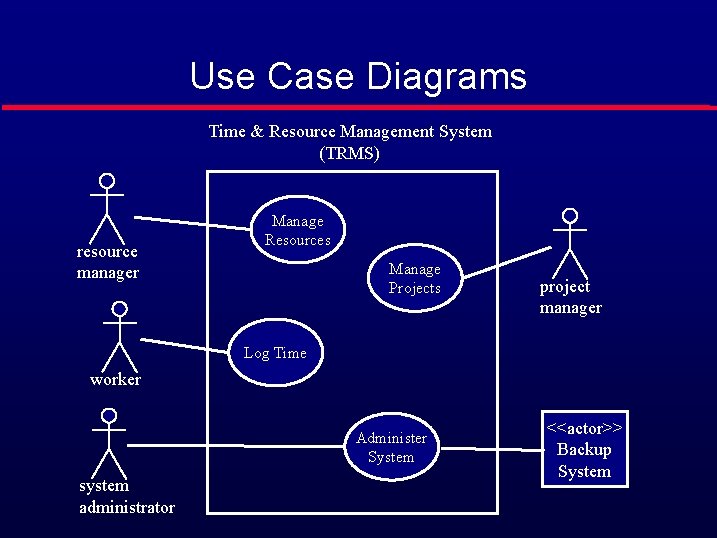
Use Case Diagrams Time & Resource Management System (TRMS) resource manager Manage Resources Manage Projects project manager Log Time worker Administer System system administrator <<actor>> Backup System
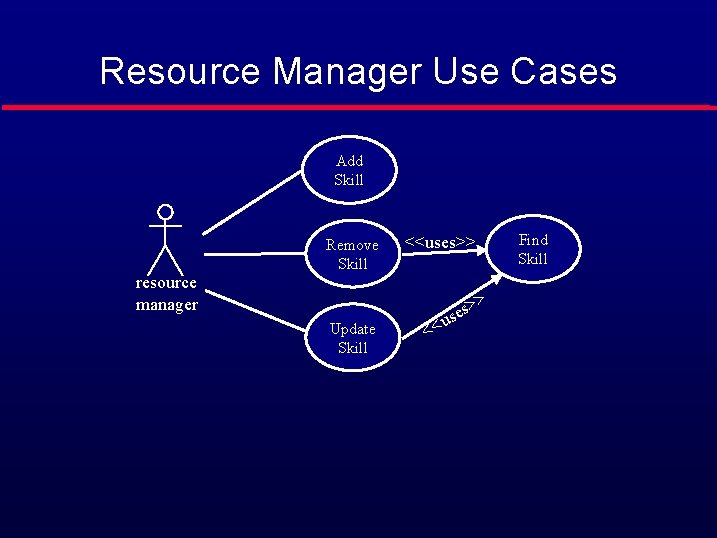
Resource Manager Use Cases Add Skill resource manager Remove Skill Find Skill <<uses>> > Update Skill << s> e s u
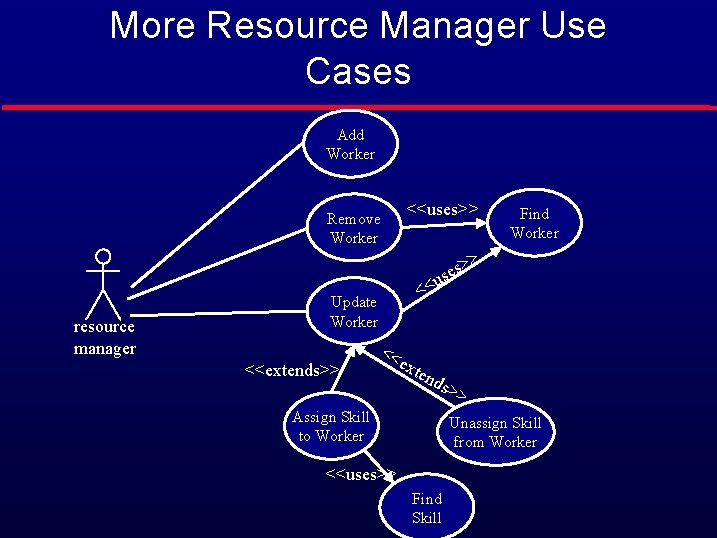
More Resource Manager Use Cases Add Worker <<uses>> Remove Worker Find Worker > s> e s u resource manager << Update Worker <<extends>> << ext end s>> Assign Skill to Worker Unassign Skill from Worker <<uses>> Find Skill
Steps l Analyze the written requirements • • • l l l Extract nouns: make them classes Extract verbs: make them associations Draw the OOA UML class diagrams Draw object diagrams to clarify class diagrams Determine attributes Determine the system’s use cases • Identify Actors • Identify use case • Relate use cases Draw sequence diagrams • One per use case • Use to assign responsibilities to classes Add methods to OOA classes
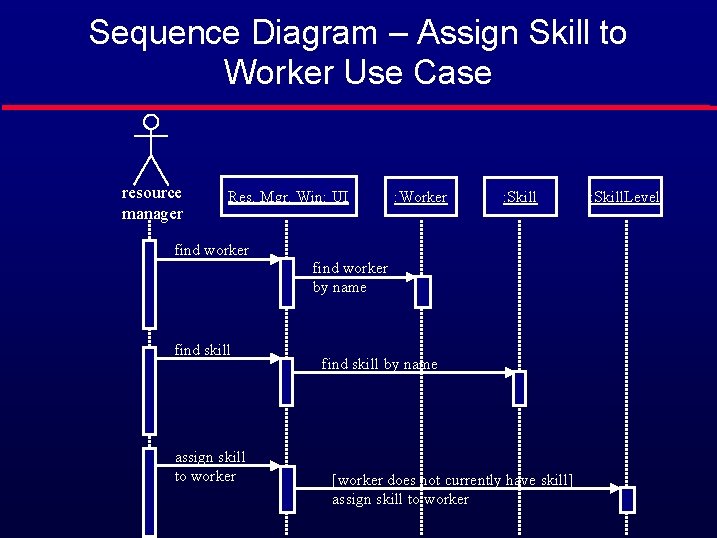
Sequence Diagram – Assign Skill to Worker Use Case resource manager Res. Mgr. Win: UI : Worker : Skill find worker by name find skill assign skill to worker find skill by name [worker does not currently have skill] assign skill to worker : Skill. Level
Steps l Analyze the written requirements • • • l l l Extract nouns: make them classes Extract verbs: make them associations Draw the OOA UML class diagrams Draw object diagrams to clarify class diagrams Determine attributes Determine the system’s use cases • Identify Actors • Identify use case • Relate use cases Draw sequence diagrams • One per use case • Use to assign responsibilities to classes Add methods to OOA classes
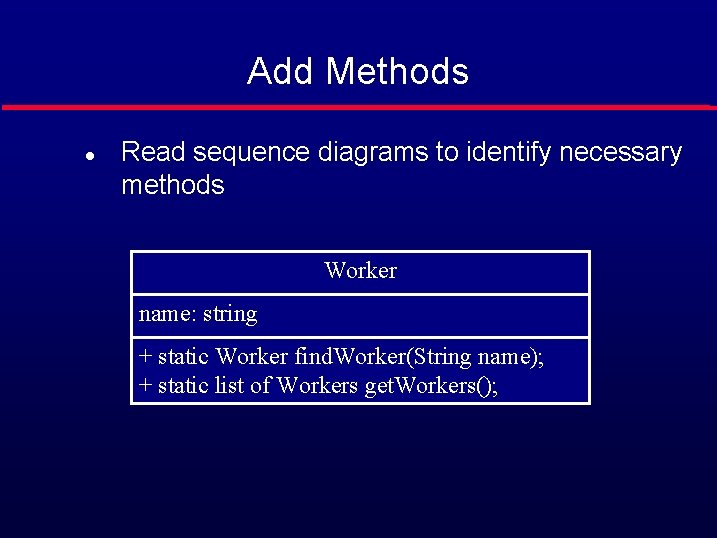
Add Methods l Read sequence diagrams to identify necessary methods Worker name: string + static Worker find. Worker(String name); + static list of Workers get. Workers();
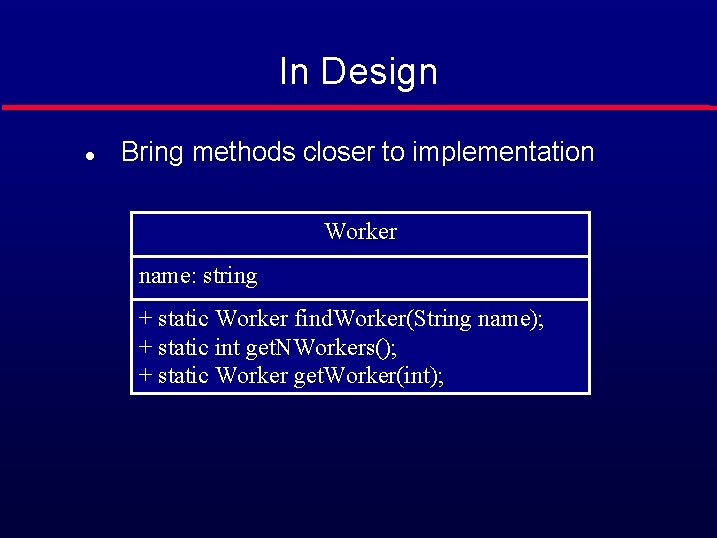
In Design l Bring methods closer to implementation Worker name: string + static Worker find. Worker(String name); + static int get. NWorkers(); + static Worker get. Worker(int);
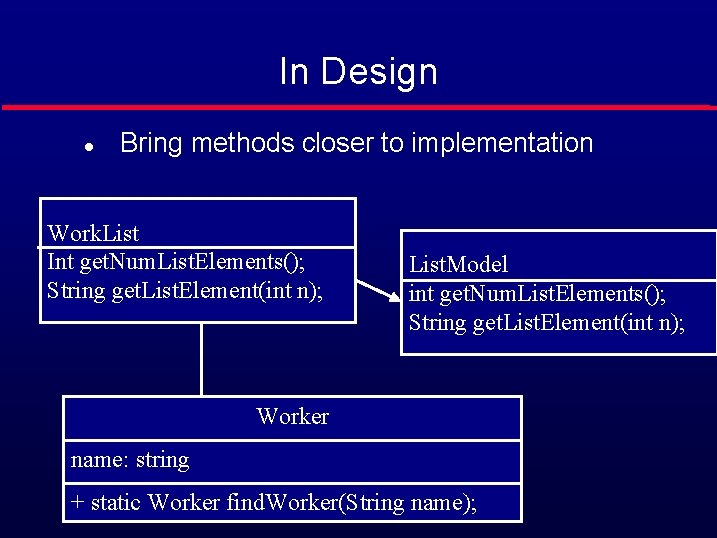
In Design l Bring methods closer to implementation Work. List Int get. Num. List. Elements(); String get. List. Element(int n); List. Model int get. Num. List. Elements(); String get. List. Element(int n); Worker name: string + static Worker find. Worker(String name);
Software Measurement Ø Software Measurement: Quantitative determination of an attribute of the software. Ø Why to Measure the Software ? § To gain insight by providing mechanisms for objective evaluation. § To improve understanding of particular entities and attributes.
Software Measurement Ø Developers measure software to check whether § Requirements are consistent and complete. § Design is of high quality. § Code is ready to be tested. Ø Project Managers measure software to § Decide about delivery date (Schedule). § Check the Budget. § Evaluate Attributes of process and product. Ø Customers measure software to check § Whether Requirements are met ? § Quality of the product. § Attributes of the final product. Ø Maintainers measure software to decide § What to be up-graded and improved ? § Aspects of adaptability.
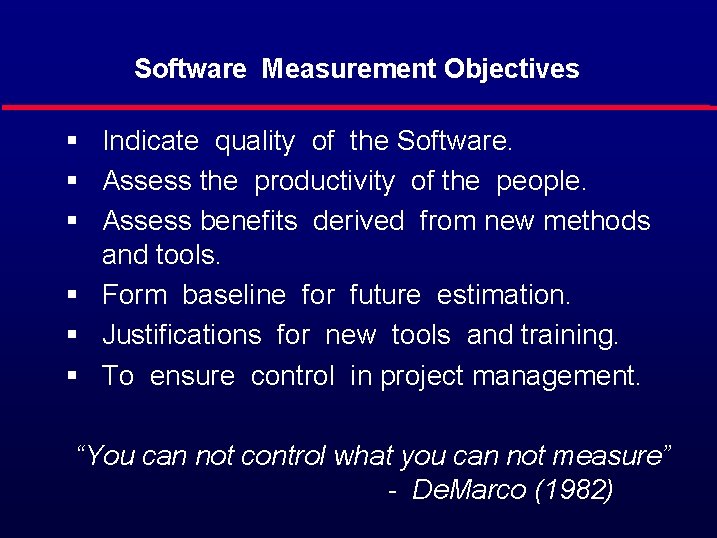
Software Measurement Objectives § Indicate quality of the Software. § Assess the productivity of the people. § Assess benefits derived from new methods and tools. § Form baseline for future estimation. § Justifications for new tools and training. § To ensure control in project management. “You can not control what you can not measure” - De. Marco (1982)
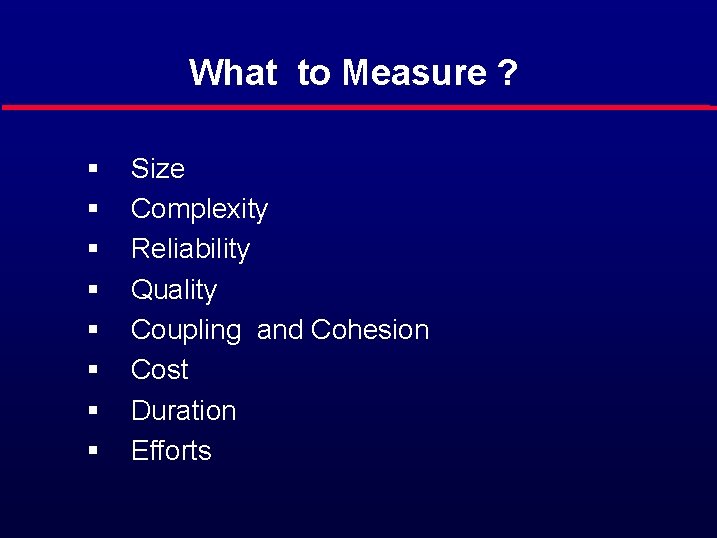
What to Measure ? § § § § Size Complexity Reliability Quality Coupling and Cohesion Cost Duration Efforts
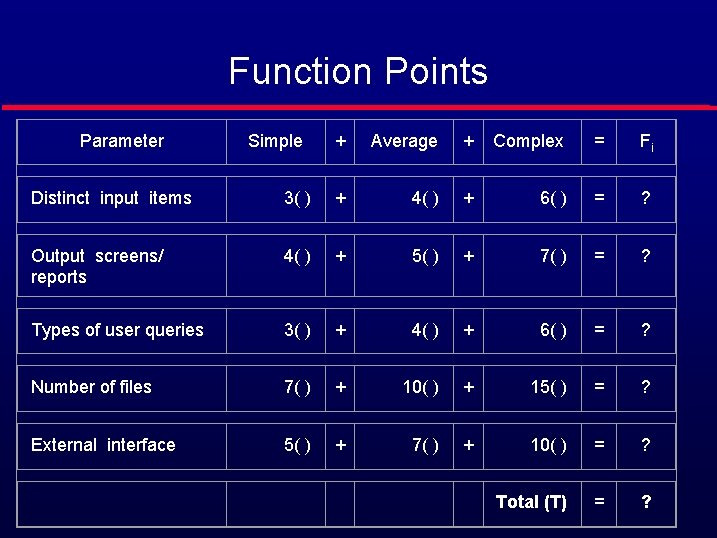
Function Points Parameter Simple + Average + Complex = Fi Distinct input items 3( ) + 4( ) + 6( ) = ? Output screens/ reports 4( ) + 5( ) + 7( ) = ? Types of user queries 3( ) + 4( ) + 6( ) = ? Number of files 7( ) + 10( ) + 15( ) = ? External interface 5( ) + 7( ) + 10( ) = ? Total (T) = ?
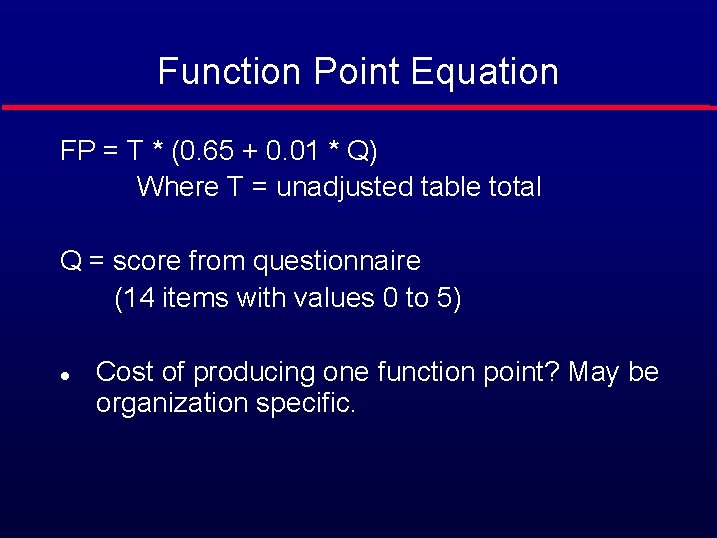
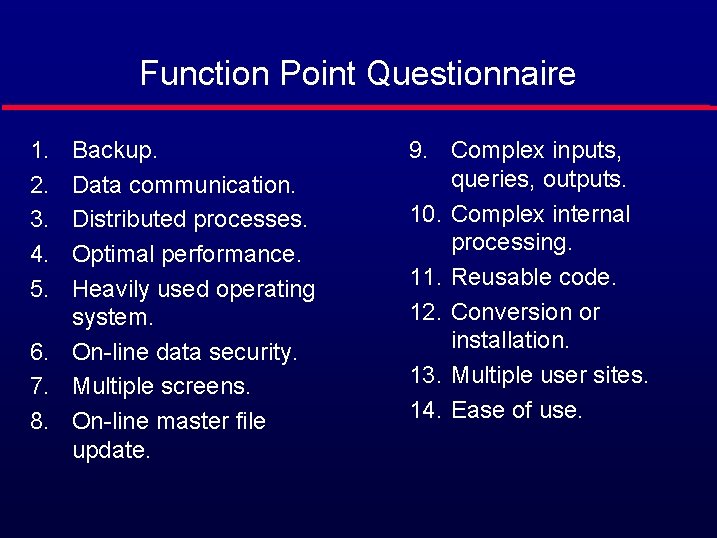
Function Point Equation FP = T * (0. 65 + 0. 01 * Q) Where T = unadjusted table total Q = score from questionnaire (14 items with values 0 to 5) l Cost of producing one function point? May be organization specific.
Function Point Questionnaire 1. 2. 3. 4. 5. Backup. Data communication. Distributed processes. Optimal performance. Heavily used operating system. 6. On-line data security. 7. Multiple screens. 8. On-line master file update. 9. Complex inputs, queries, outputs. 10. Complex internal processing. 11. Reusable code. 12. Conversion or installation. 13. Multiple user sites. 14. Ease of use.
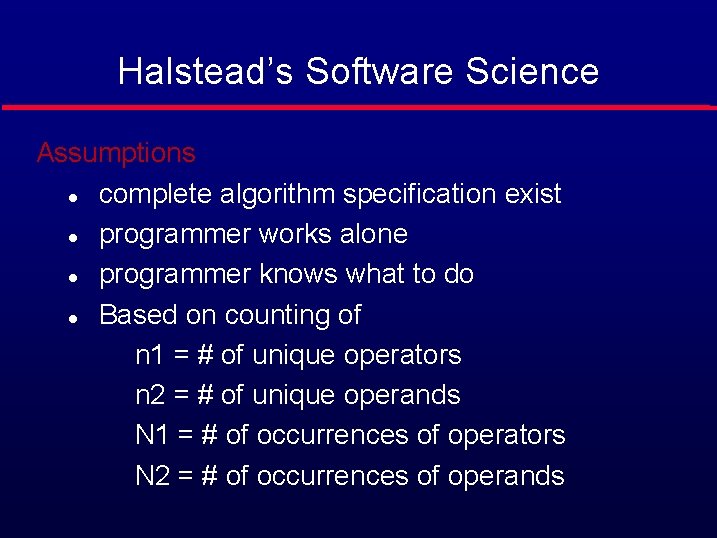
Halstead’s Software Science Assumptions l complete algorithm specification exist l programmer works alone l programmer knows what to do l Based on counting of n 1 = # of unique operators n 2 = # of unique operands N 1 = # of occurrences of operators N 2 = # of occurrences of operands
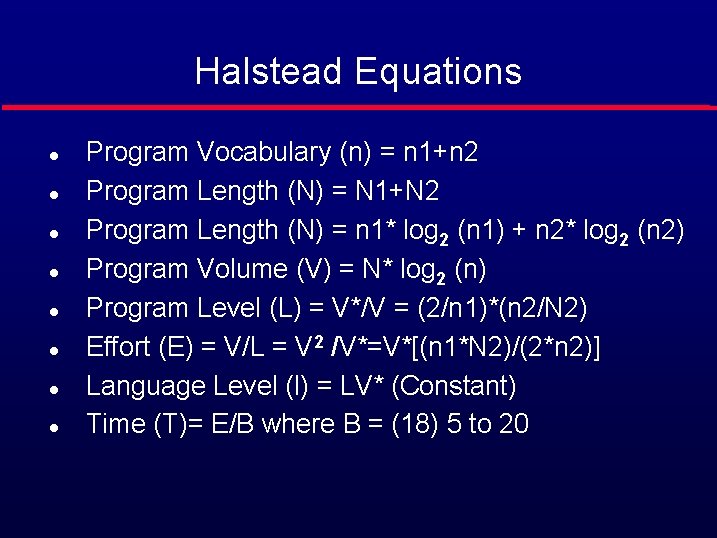
Halstead Equations l l l l Program Vocabulary (n) = n 1+n 2 Program Length (N) = N 1+N 2 Program Length (N) = n 1* log 2 (n 1) + n 2* log 2 (n 2) Program Volume (V) = N* log 2 (n) Program Level (L) = V*/V = (2/n 1)*(n 2/N 2) Effort (E) = V/L = V 2 /V*=V*[(n 1*N 2)/(2*n 2)] Language Level (l) = LV* (Constant) Time (T)= E/B where B = (18) 5 to 20
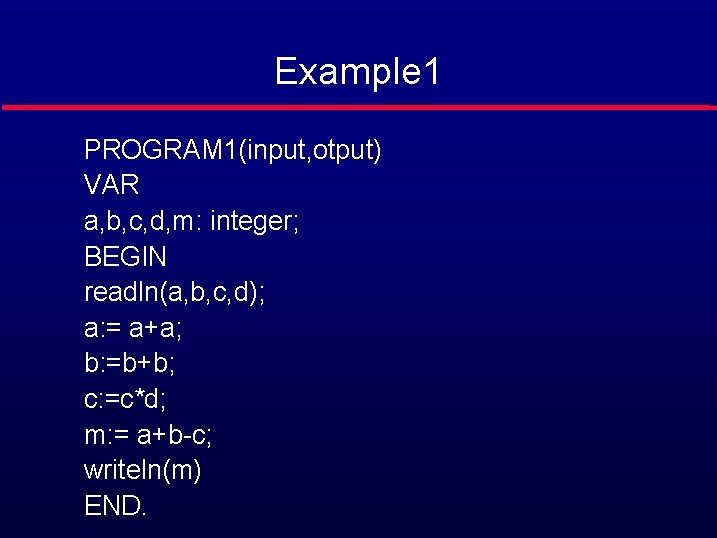
Example 1 PROGRAM 1(input, otput) VAR a, b, c, d, m: integer; BEGIN readln(a, b, c, d); a: = a+a; b: =b+b; c: =c*d; m: = a+b-c; writeln(m) END.
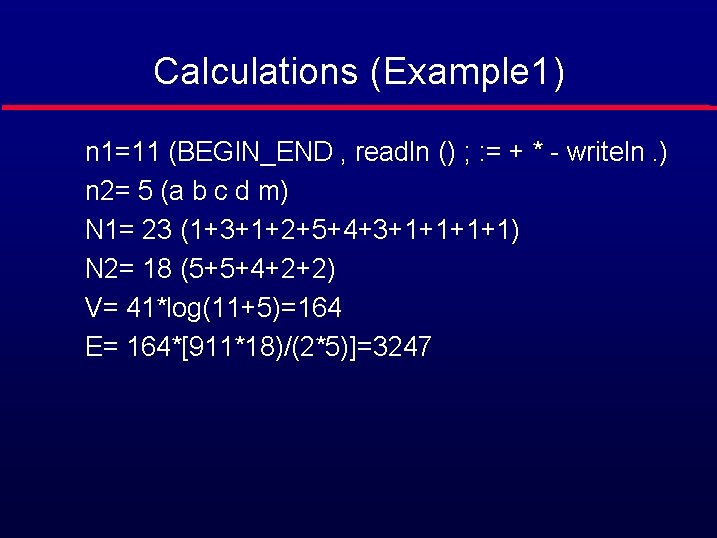
Calculations (Example 1) n 1=11 (BEGIN_END , readln () ; : = + * - writeln. ) n 2= 5 (a b c d m) N 1= 23 (1+3+1+2+5+4+3+1+1) N 2= 18 (5+5+4+2+2) V= 41*log(11+5)=164 E= 164*[911*18)/(2*5)]=3247
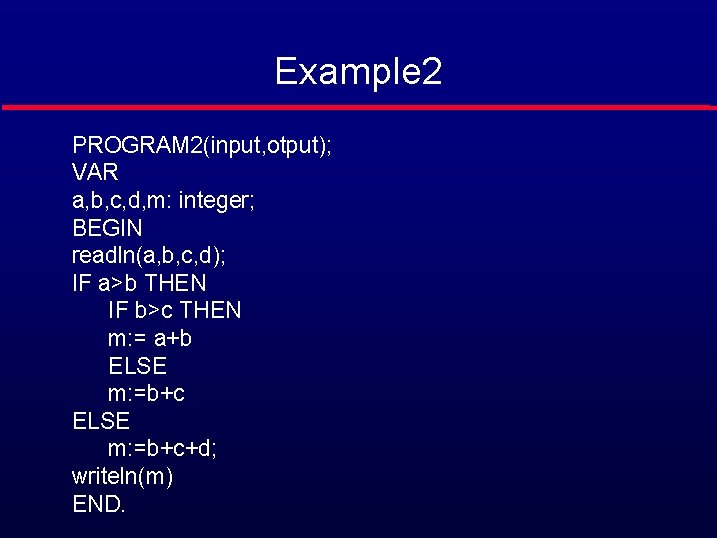
Example 2 PROGRAM 2(input, otput); VAR a, b, c, d, m: integer; BEGIN readln(a, b, c, d); IF a>b THEN IF b>c THEN m: = a+b ELSE m: =b+c+d; writeln(m) END.
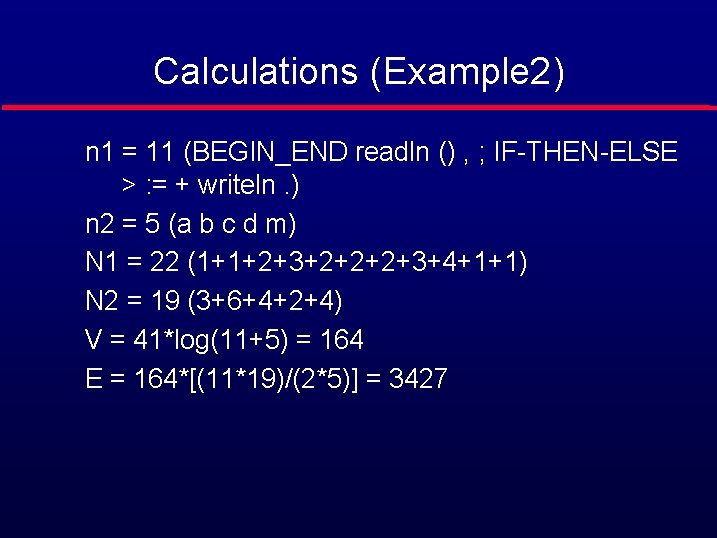
Calculations (Example 2) n 1 = 11 (BEGIN_END readln () , ; IF-THEN-ELSE > : = + writeln. ) n 2 = 5 (a b c d m) N 1 = 22 (1+1+2+3+2+2+2+3+4+1+1) N 2 = 19 (3+6+4+2+4) V = 41*log(11+5) = 164 E = 164*[(11*19)/(2*5)] = 3427
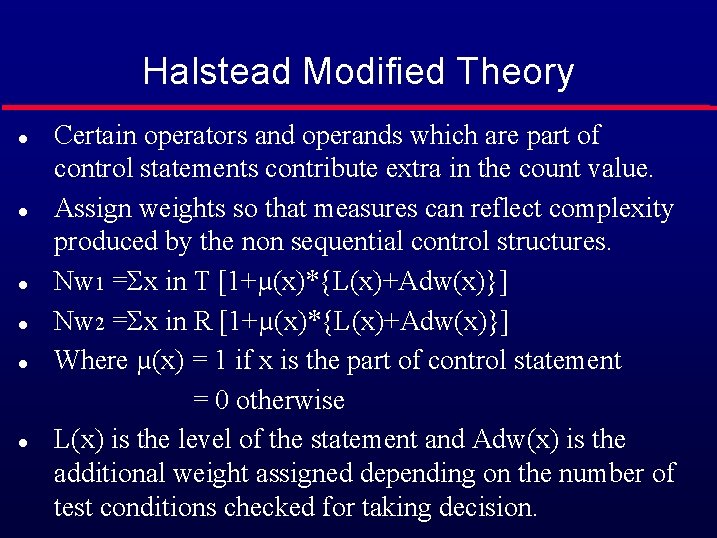
Halstead Modified Theory Certain operators and operands which are part of control statements contribute extra in the count value. l Assign weights so that measures can reflect complexity produced by the non sequential control structures. l Nw 1 =Σx in T [1+µ(x)*{L(x)+Adw(x)}] l Nw 2 =Σx in R [1+µ(x)*{L(x)+Adw(x)}] l Where µ(x) = 1 if x is the part of control statement = 0 otherwise l L(x) is the level of the statement and Adw(x) is the additional weight assigned depending on the number of test conditions checked for taking decision. l
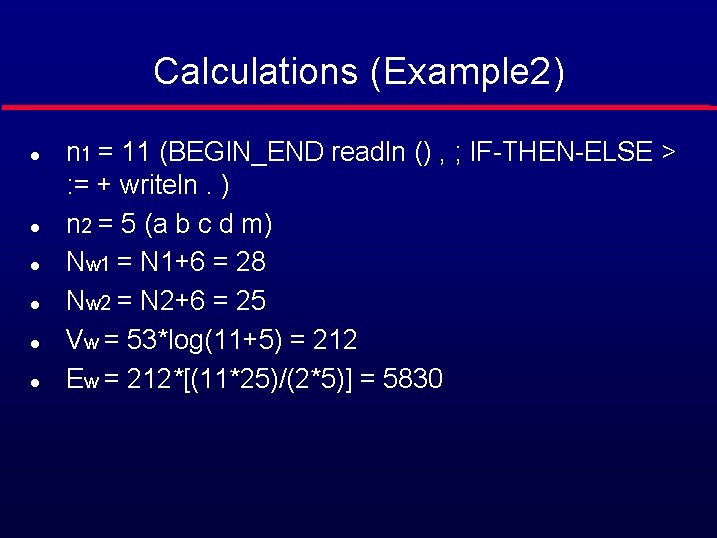
Calculations (Example 2) l l l n 1 = 11 (BEGIN_END readln () , ; IF-THEN-ELSE > : = + writeln. ) n 2 = 5 (a b c d m) Nw 1 = N 1+6 = 28 Nw 2 = N 2+6 = 25 Vw = 53*log(11+5) = 212 Ew = 212*[(11*25)/(2*5)] = 5830
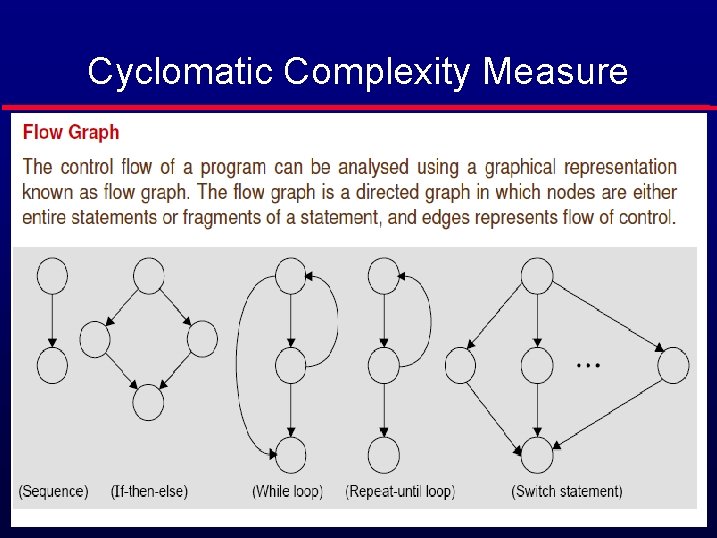
Cyclomatic Complexity Measure
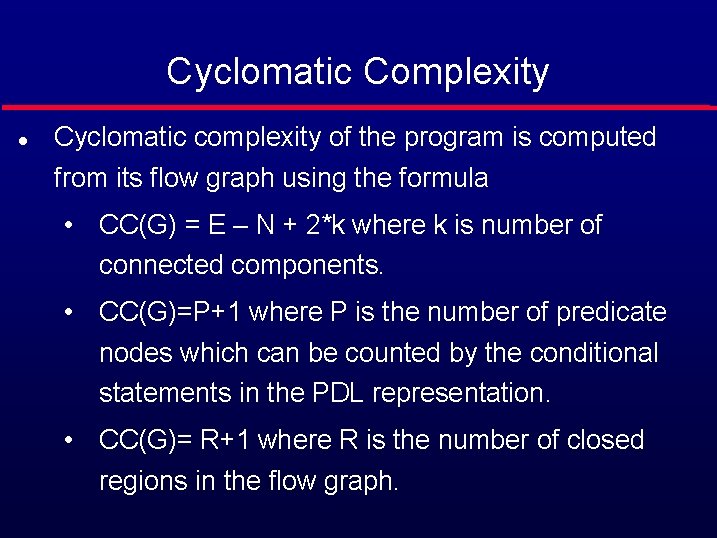
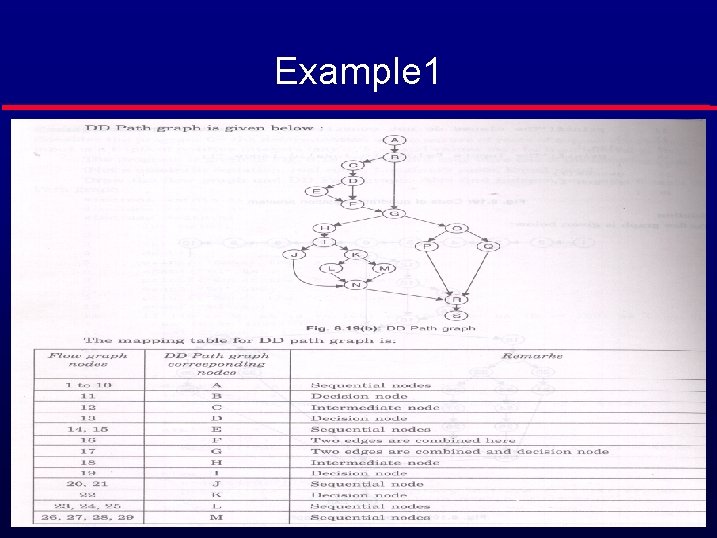
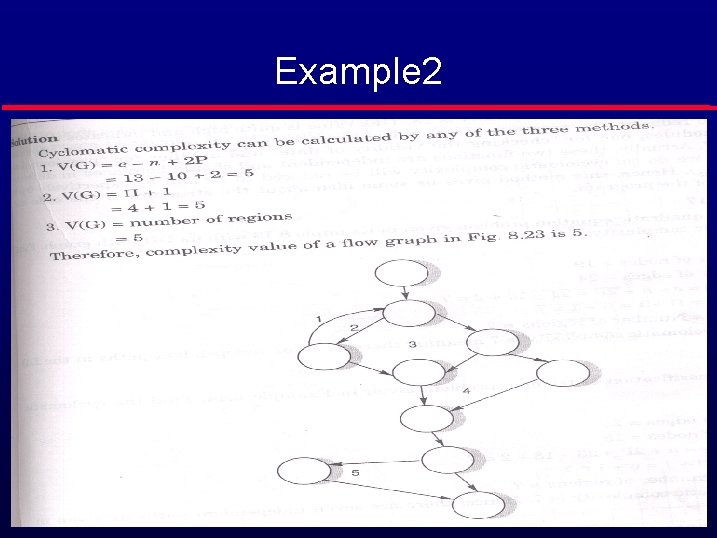
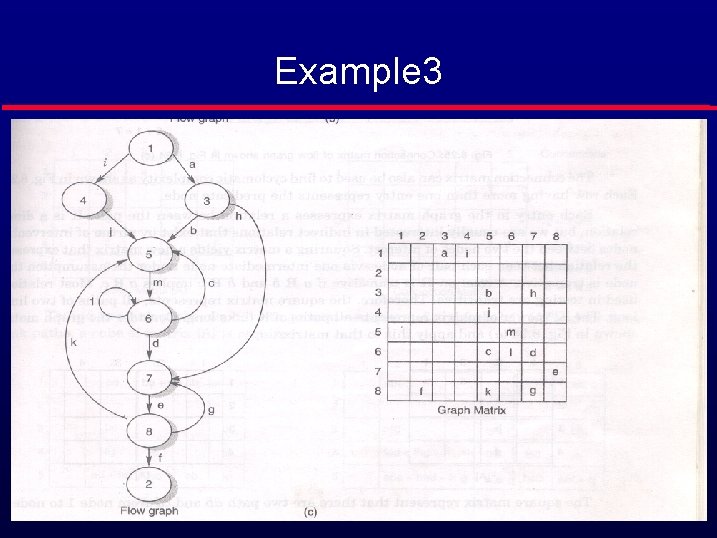
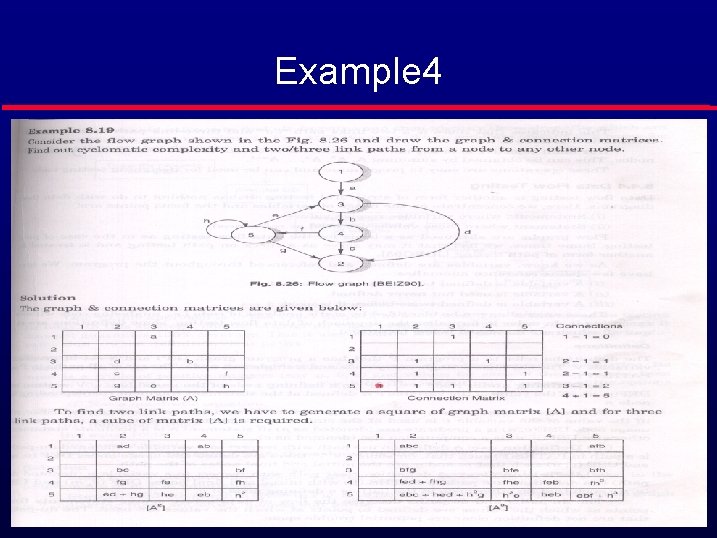
Cyclomatic Complexity l Cyclomatic complexity of the program is computed from its flow graph using the formula • CC(G) = E – N + 2*k where k is number of connected components. • CC(G)=P+1 where P is the number of predicate nodes which can be counted by the conditional statements in the PDL representation. • CC(G)= R+1 where R is the number of closed regions in the flow graph.
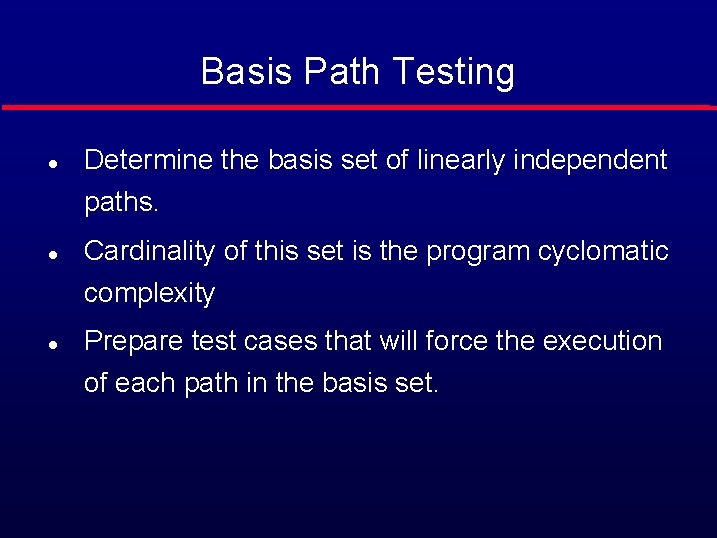
Basis Path Testing l Determine the basis set of linearly independent paths. l l Cardinality of this set is the program cyclomatic complexity Prepare test cases that will force the execution of each path in the basis set.
Example 1
Example 2
Example 3
Example 4
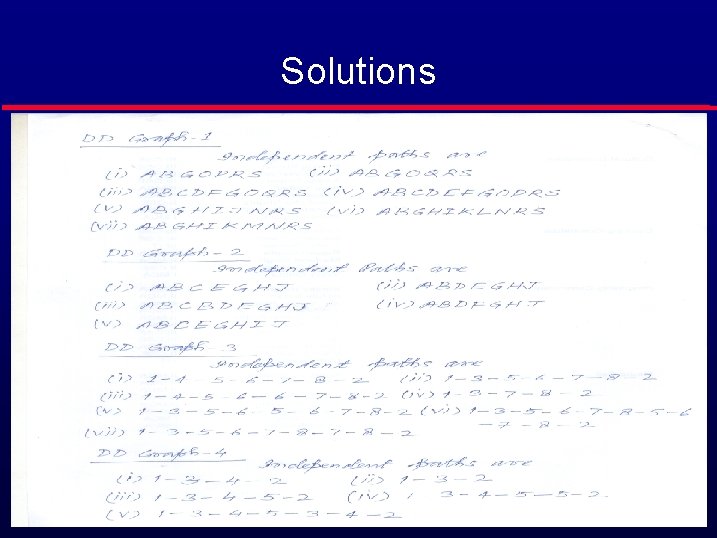
Solutions