
Unit5 Memory Management Memory Management Definition Second major

![Locality of reference • Example: int vals[N] =. . . , sum=0, i; for(i](https://slidetodoc.com/presentation_image_h/0e8d8eae9e11842652338eded20c339d/image-92.jpg "Locality of reference • Example: int vals[N] =. . . , sum=0, i; for(i")
- Slides: 131
Unit-5 Memory Management
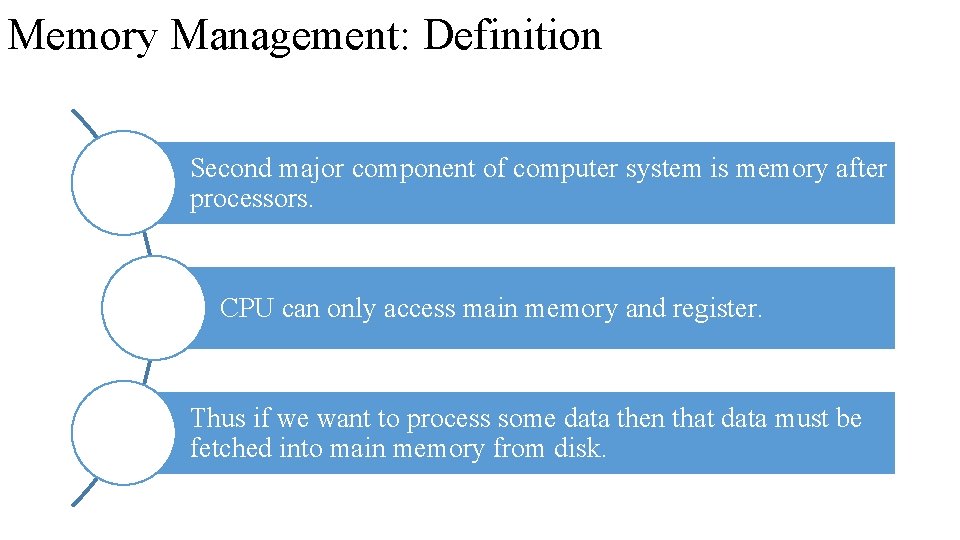
Memory Management: Definition Second major component of computer system is memory after processors. CPU can only access main memory and register. Thus if we want to process some data then that data must be fetched into main memory from disk.
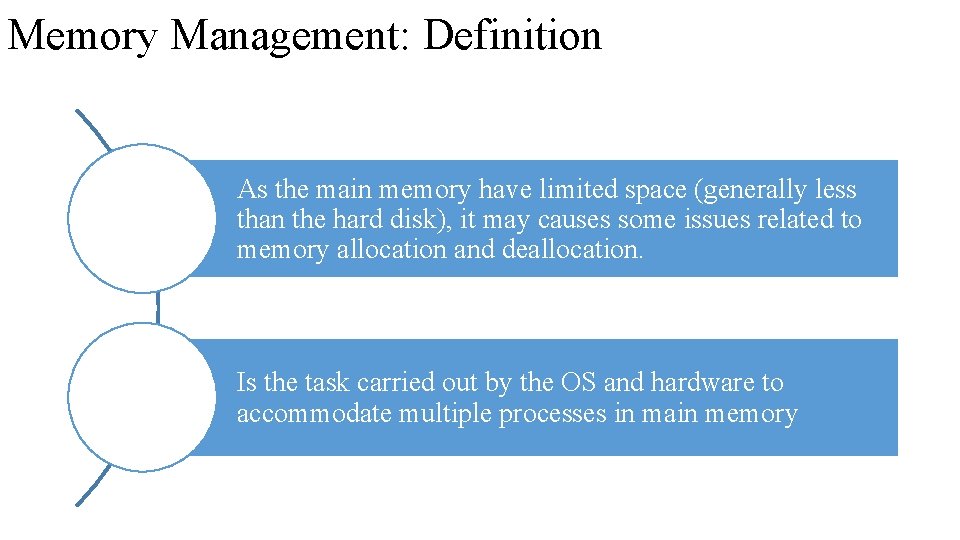
Memory Management: Definition As the main memory have limited space (generally less than the hard disk), it may causes some issues related to memory allocation and deallocation. Is the task carried out by the OS and hardware to accommodate multiple processes in main memory
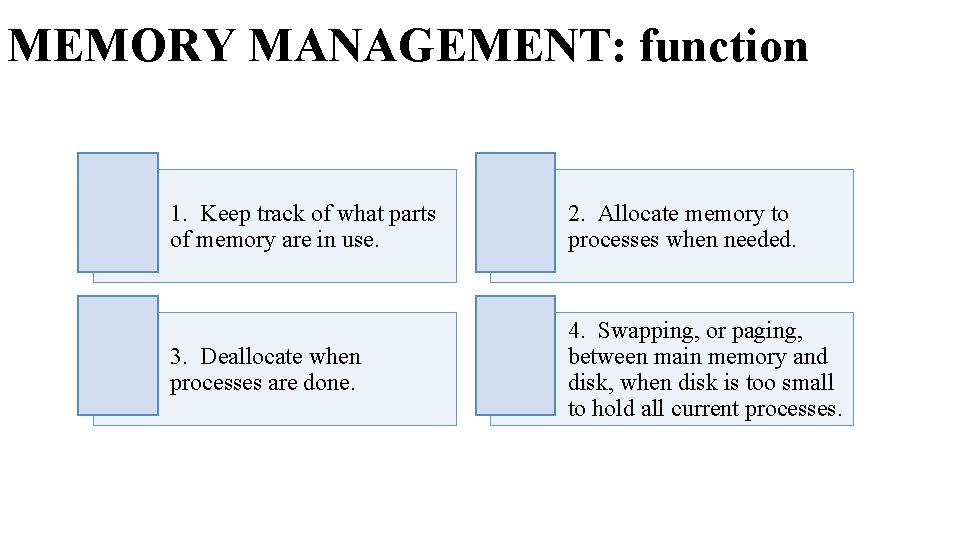
MEMORY MANAGEMENT: function 1. Keep track of what parts of memory are in use. 2. Allocate memory to processes when needed. 3. Deallocate when processes are done. 4. Swapping, or paging, between main memory and disk, when disk is too small to hold all current processes.
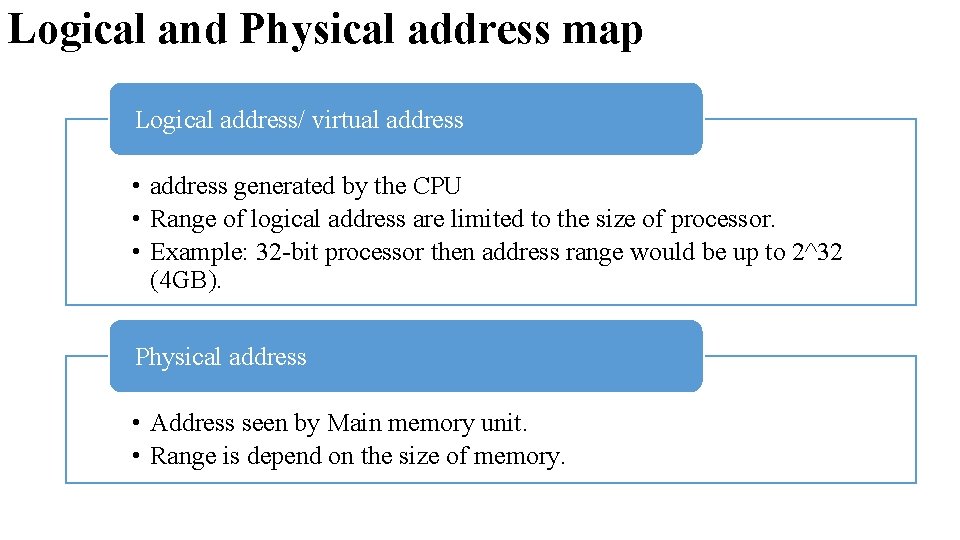
Logical and Physical address map Logical address/ virtual address • address generated by the CPU • Range of logical address are limited to the size of processor. • Example: 32 -bit processor then address range would be up to 2^32 (4 GB). Physical address • Address seen by Main memory unit. • Range is depend on the size of memory.
Logical and Physical address map • The basic difference between Logical and physical address is that Logical address is generated by CPU in perspective of a program. On the other hand, the physical address is a location that exists in the memory unit.
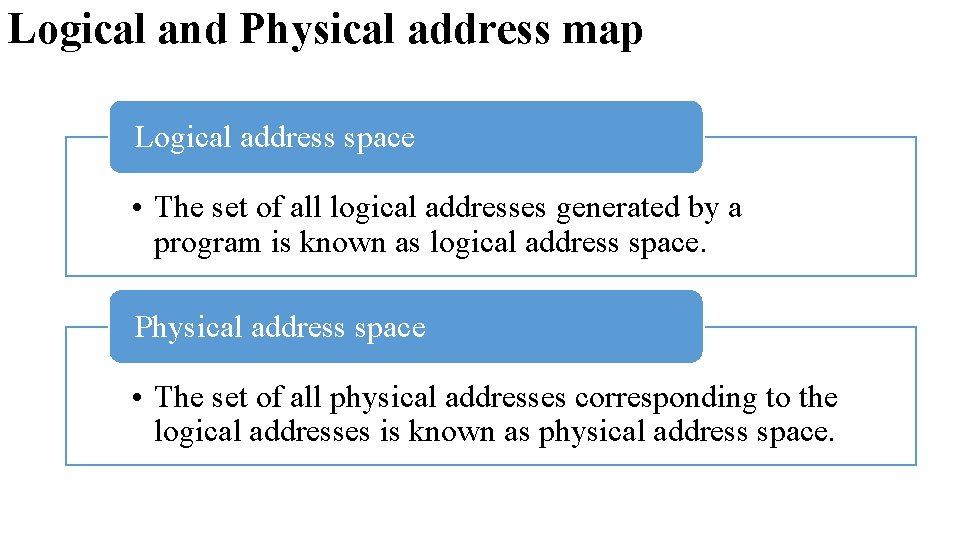
Logical and Physical address map Logical address space • The set of all logical addresses generated by a program is known as logical address space. Physical address space • The set of all physical addresses corresponding to the logical addresses is known as physical address space.
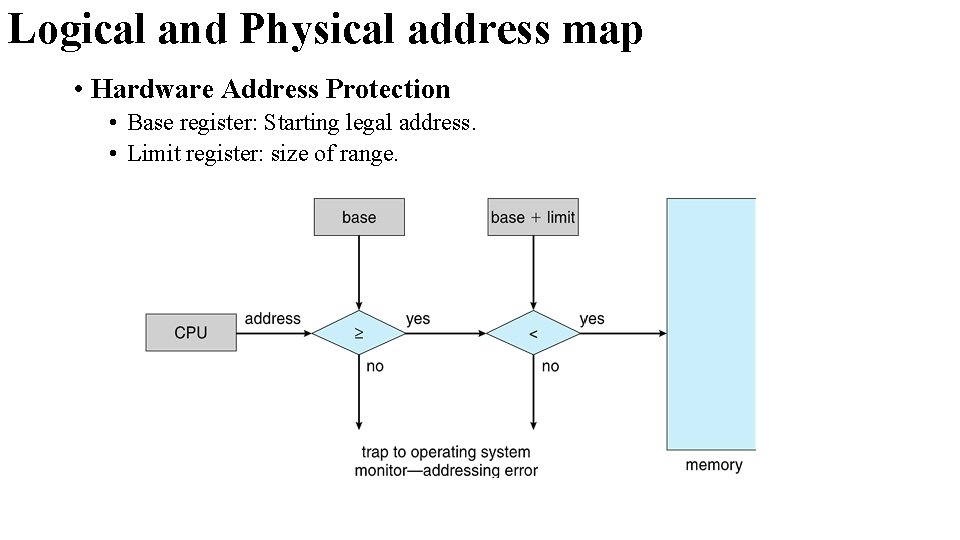
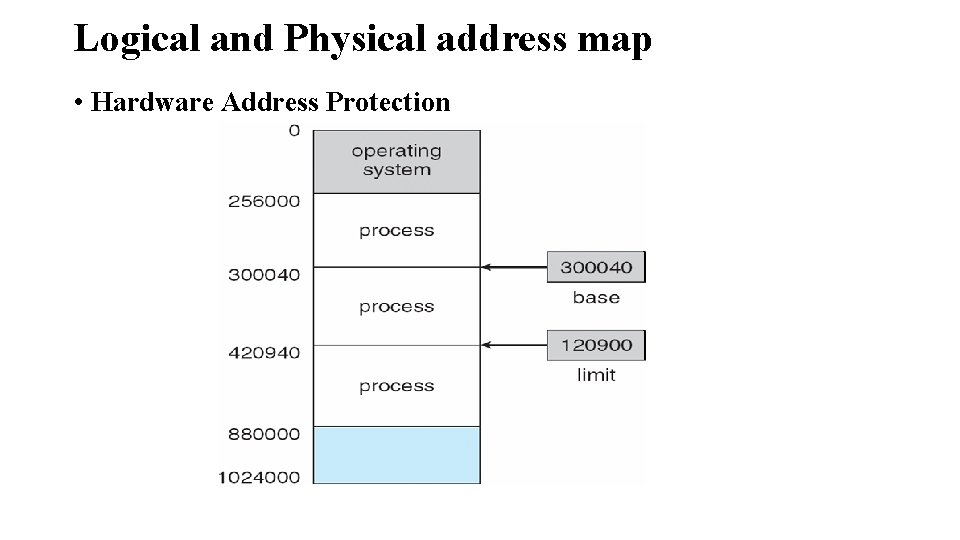
Logical and Physical address map • Hardware Address Protection • Base register: Starting legal address. • Limit register: size of range.
Logical and Physical address map • Hardware Address Protection
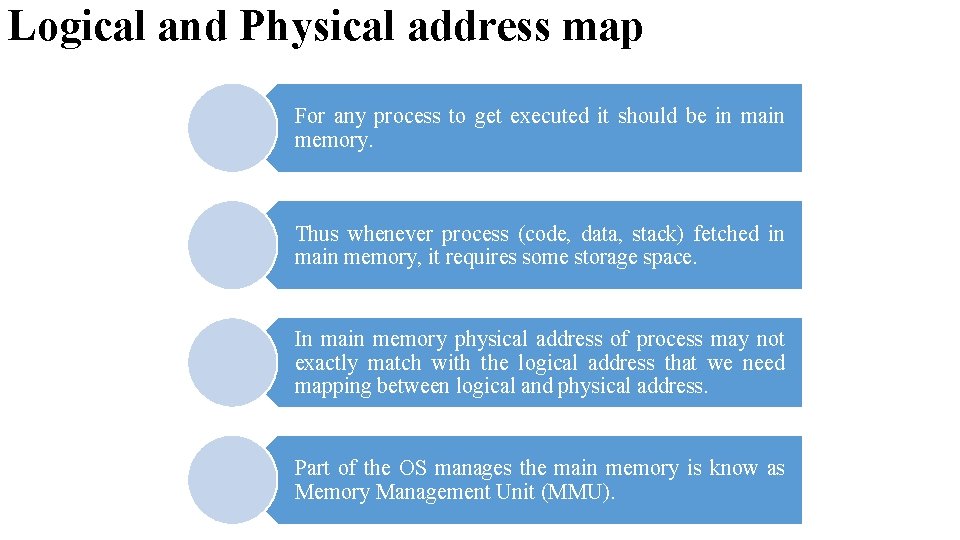
Logical and Physical address map For any process to get executed it should be in main memory. Thus whenever process (code, data, stack) fetched in main memory, it requires some storage space. In main memory physical address of process may not exactly match with the logical address that we need mapping between logical and physical address. Part of the OS manages the main memory is know as Memory Management Unit (MMU).
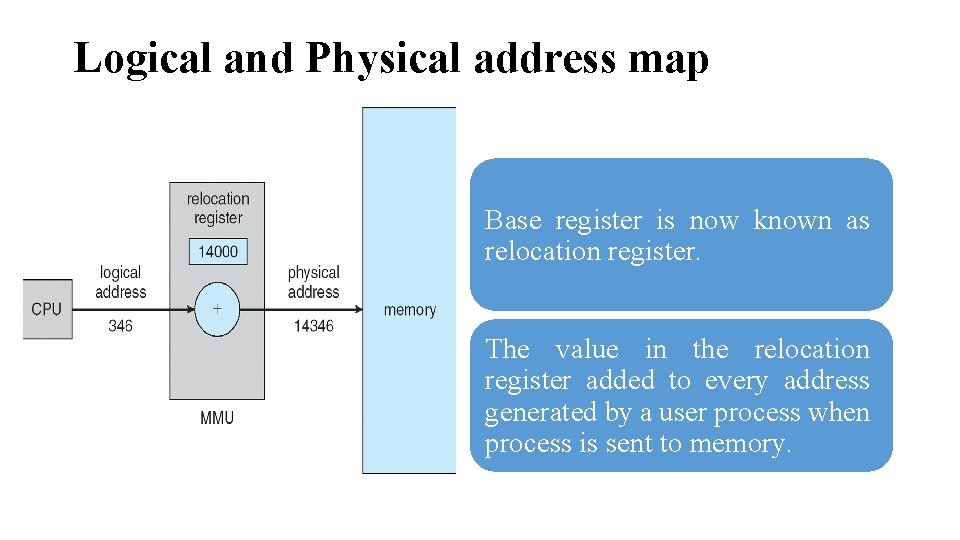
Logical and Physical address map Base register is now known as relocation register. The value in the relocation register added to every address generated by a user process when process is sent to memory.
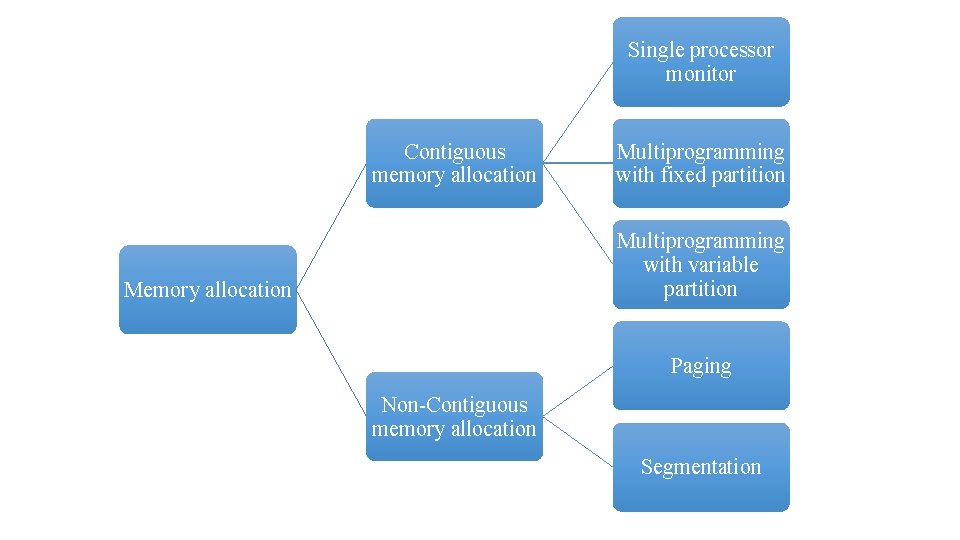
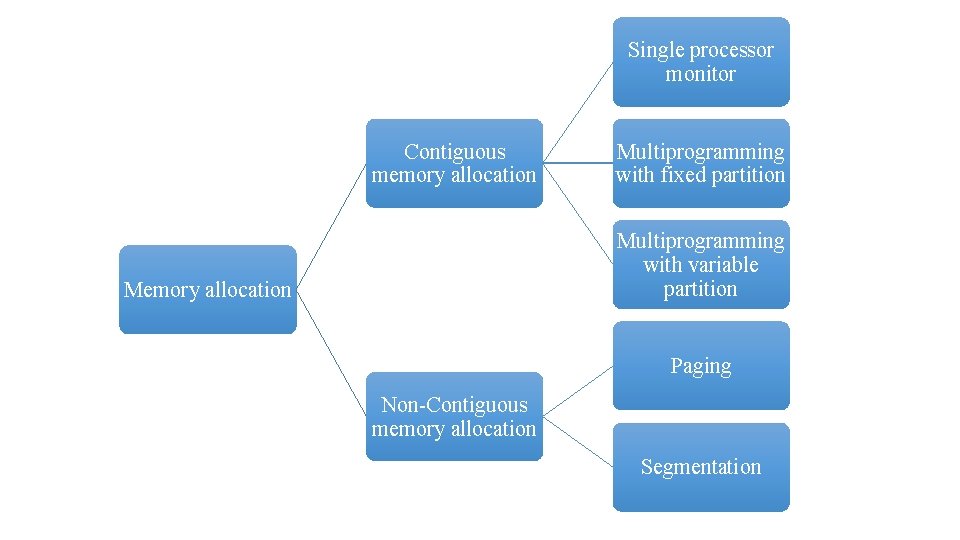
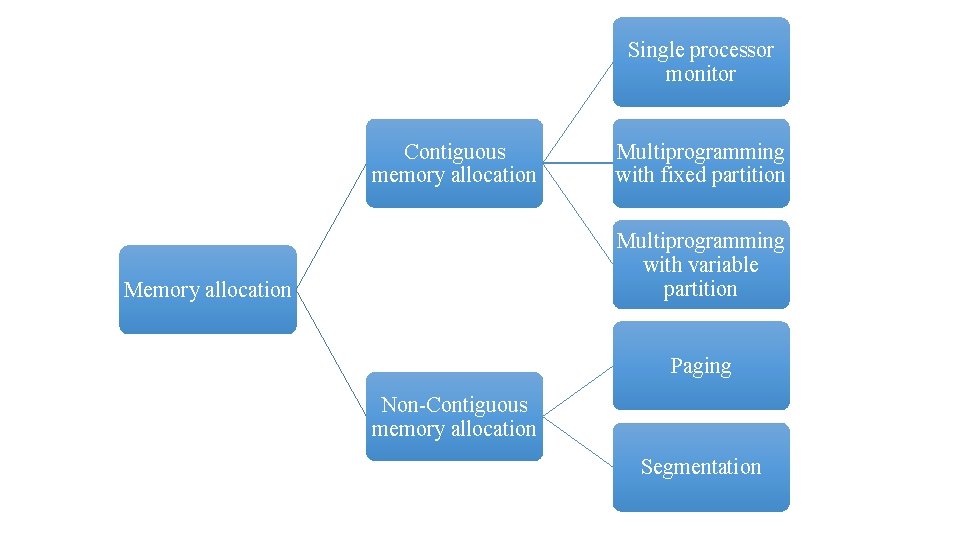
Single processor monitor Contiguous memory allocation Multiprogramming with fixed partition Multiprogramming with variable partition Memory allocation Paging Non-Contiguous memory allocation Segmentation
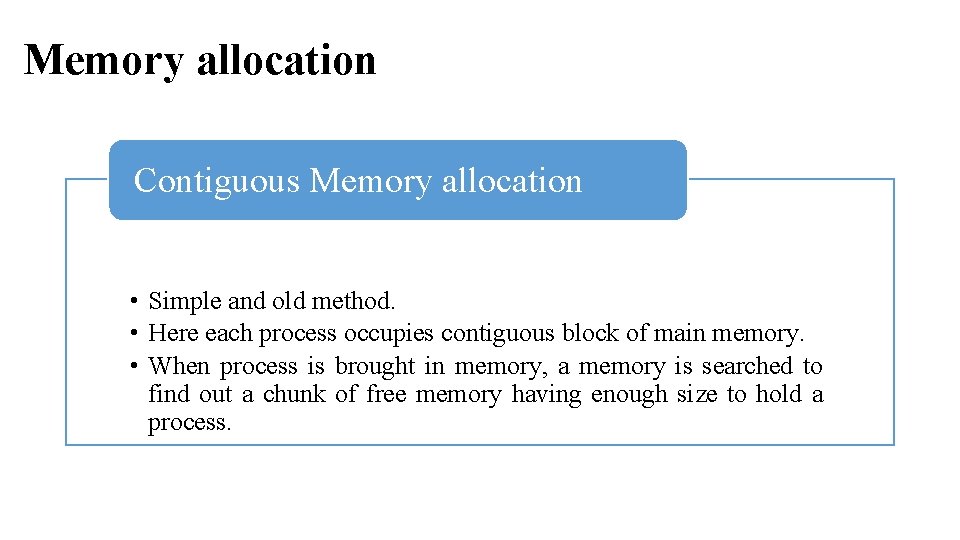
Memory allocation Contiguous Memory allocation • Simple and old method. • Here each process occupies contiguous block of main memory. • When process is brought in memory, a memory is searched to find out a chunk of free memory having enough size to hold a process.
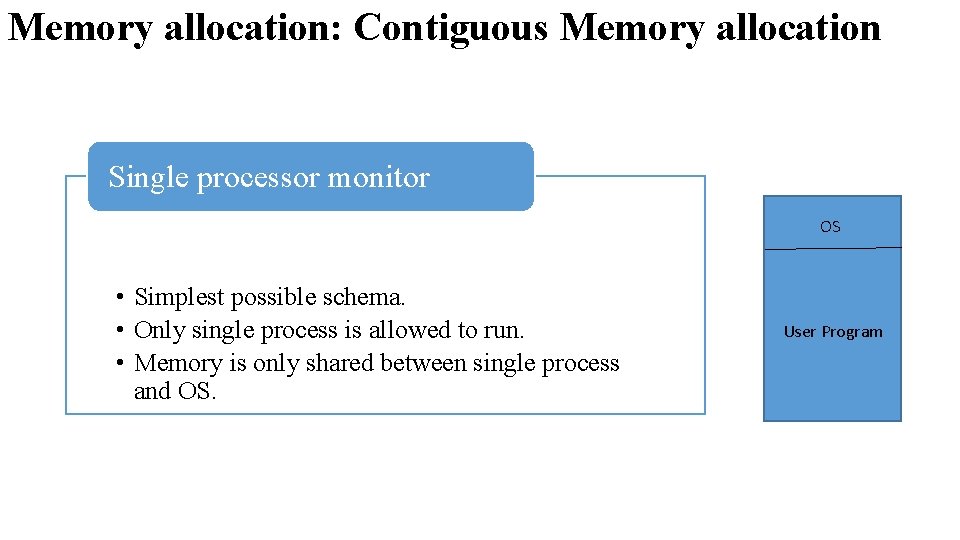
Memory allocation: Contiguous Memory allocation Single processor monitor OS • Simplest possible schema. • Only single process is allowed to run. • Memory is only shared between single process and OS. User Program
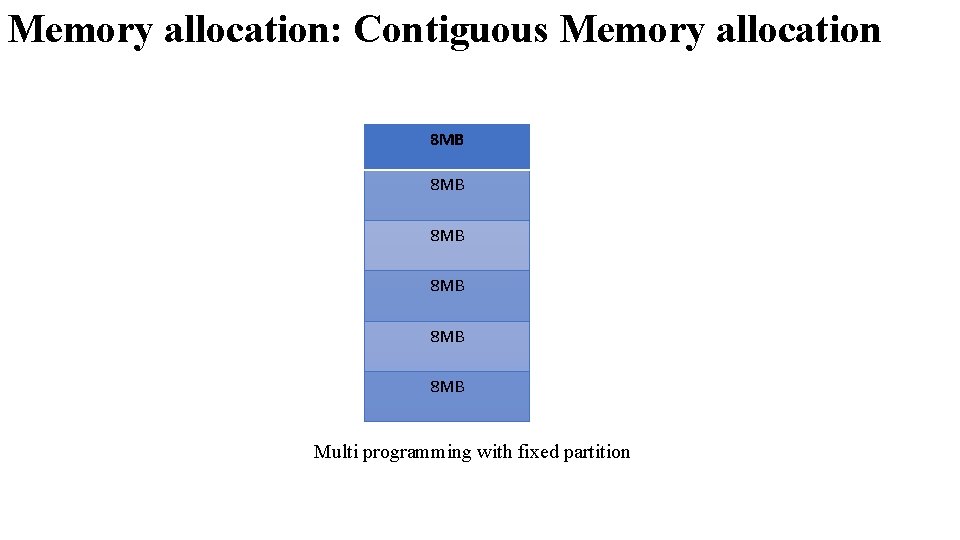
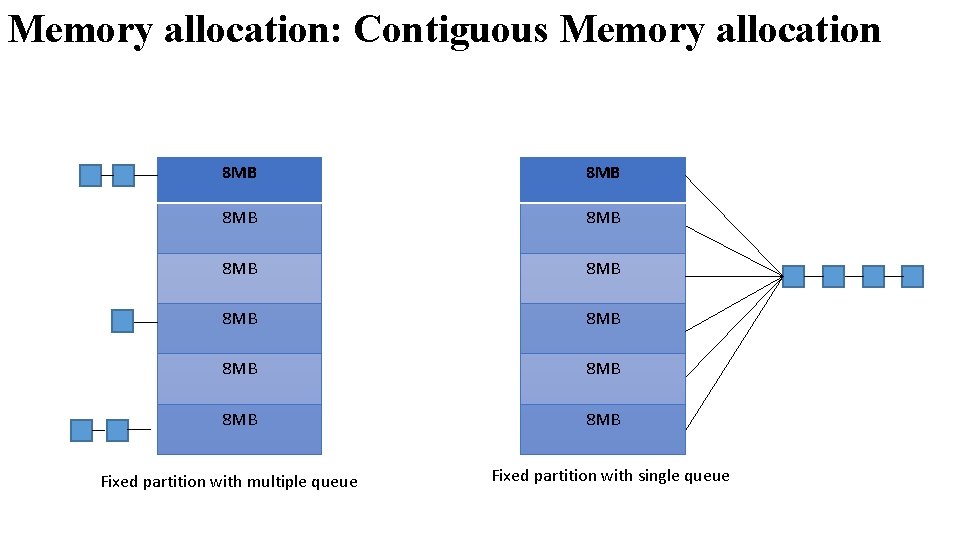
Memory allocation: Contiguous Memory allocation Multi programming with fixed partition • • Allows to execute multiple process simultaneously. Here, memory is divided into fixed size partition. Each partition may contain exactly one process. When a partition is free, process is selected from the input queue and it is loaded into free partition.
Memory allocation: Contiguous Memory allocation 8 MB 8 MB 8 MB Multi programming with fixed partition
Memory allocation: Contiguous Memory allocation 8 MB 8 MB 8 MB Fixed partition with multiple queue Fixed partition with single queue
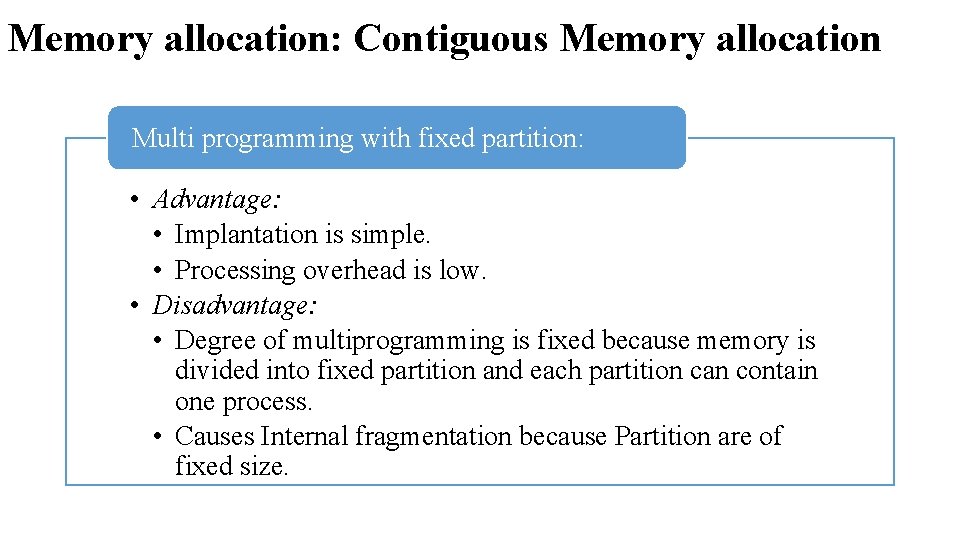
Memory allocation: Contiguous Memory allocation Multi programming with fixed partition: • Advantage: • Implantation is simple. • Processing overhead is low. • Disadvantage: • Degree of multiprogramming is fixed because memory is divided into fixed partition and each partition can contain one process. • Causes Internal fragmentation because Partition are of fixed size.
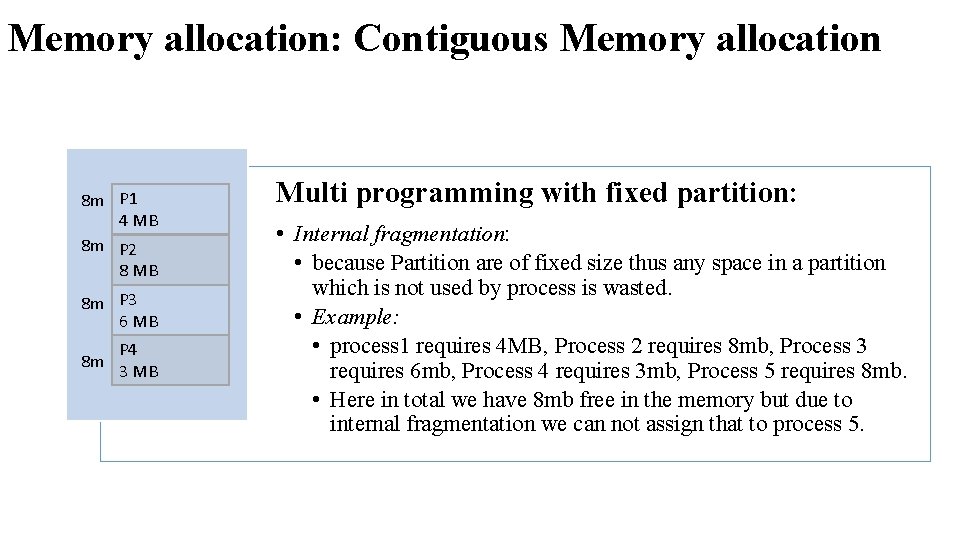
Memory allocation: Contiguous Memory allocation 8 m P 1 4 MB 8 m P 2 8 MB 8 m P 3 6 MB 8 m P 4 3 MB Multi programming with fixed partition: • Internal fragmentation: • because Partition are of fixed size thus any space in a partition which is not used by process is wasted. • Example: • process 1 requires 4 MB, Process 2 requires 8 mb, Process 3 requires 6 mb, Process 4 requires 3 mb, Process 5 requires 8 mb. • Here in total we have 8 mb free in the memory but due to internal fragmentation we can not assign that to process 5.
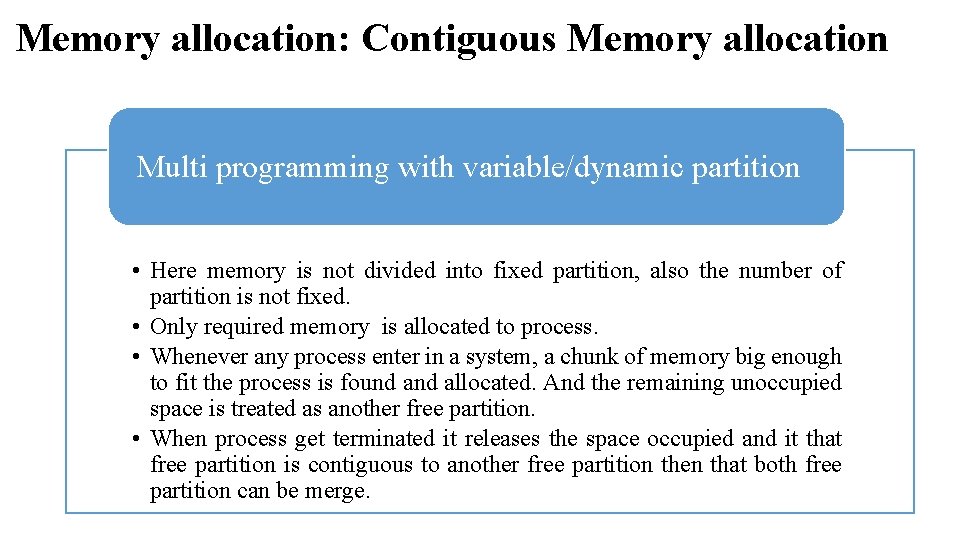
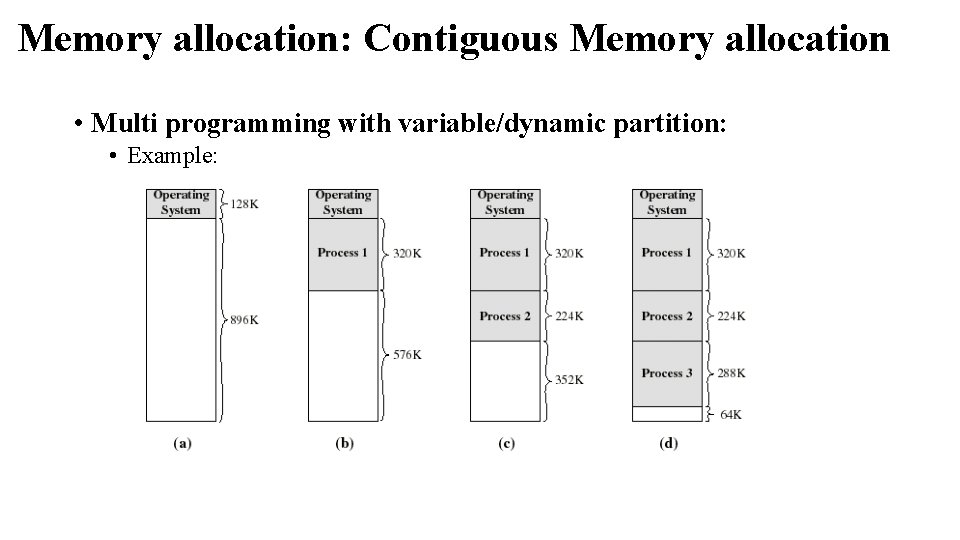
Memory allocation: Contiguous Memory allocation Multi programming with variable/dynamic partition • Here memory is not divided into fixed partition, also the number of partition is not fixed. • Only required memory is allocated to process. • Whenever any process enter in a system, a chunk of memory big enough to fit the process is found allocated. And the remaining unoccupied space is treated as another free partition. • When process get terminated it releases the space occupied and it that free partition is contiguous to another free partition then that both free partition can be merge.
Memory allocation: Contiguous Memory allocation • Multi programming with variable/dynamic partition: • Example:
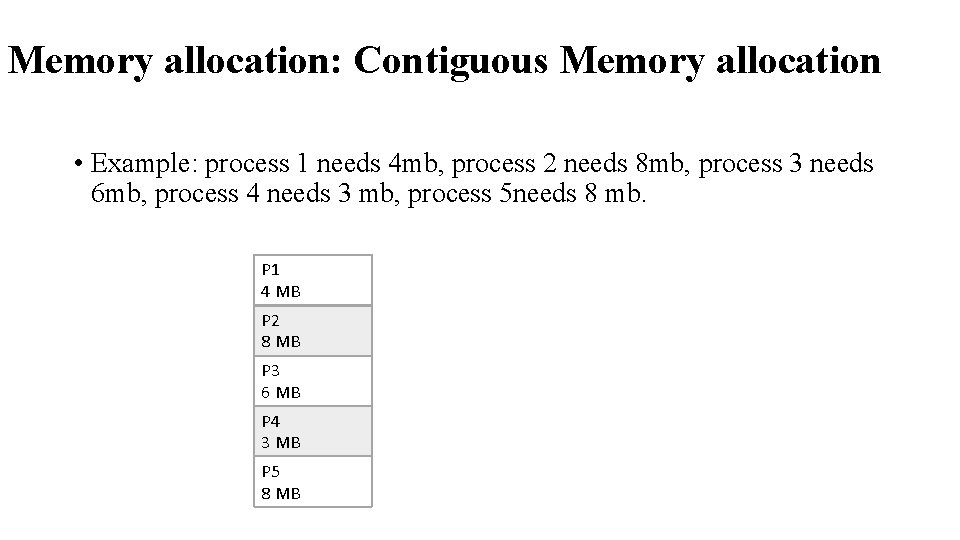
Memory allocation: Contiguous Memory allocation • Example: process 1 needs 4 mb, process 2 needs 8 mb, process 3 needs 6 mb, process 4 needs 3 mb, process 5 needs 8 mb. P 1 4 MB P 2 8 MB P 3 6 MB P 4 3 MB P 5 8 MB
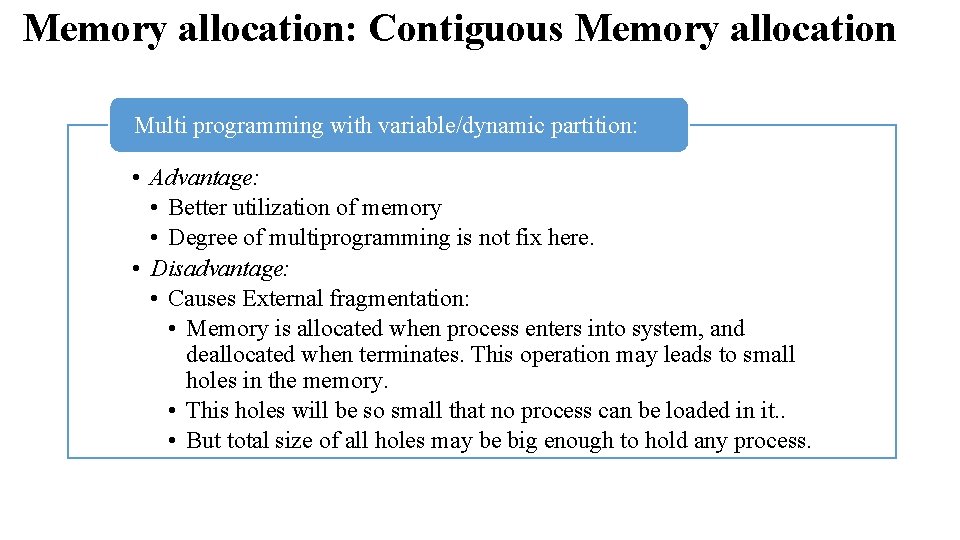
Memory allocation: Contiguous Memory allocation Multi programming with variable/dynamic partition: • Advantage: • Better utilization of memory • Degree of multiprogramming is not fix here. • Disadvantage: • Causes External fragmentation: • Memory is allocated when process enters into system, and deallocated when terminates. This operation may leads to small holes in the memory. • This holes will be so small that no process can be loaded in it. . • But total size of all holes may be big enough to hold any process.
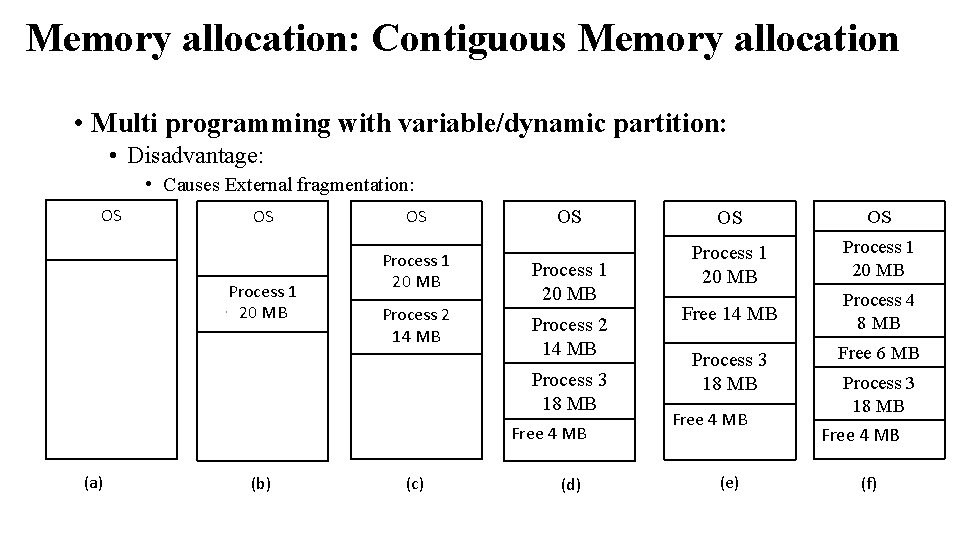
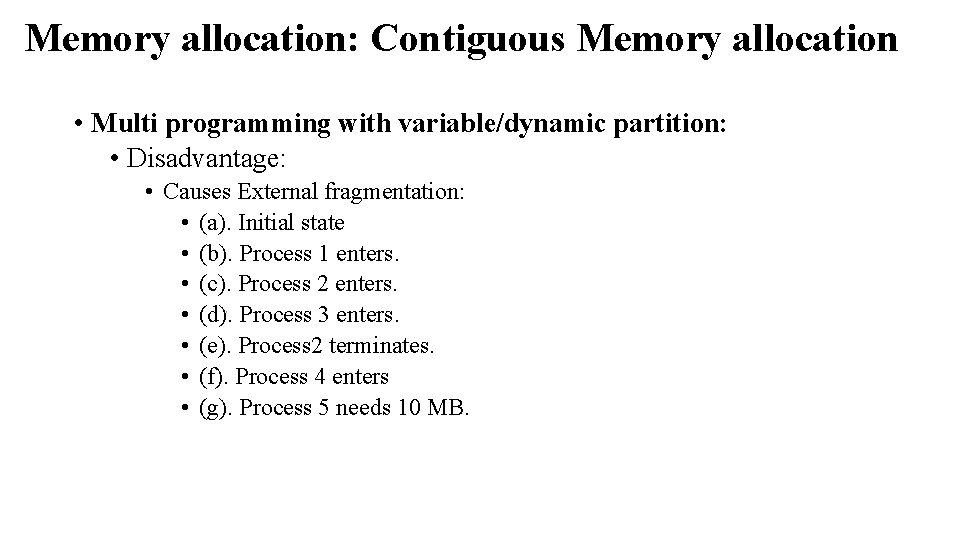
Memory allocation: Contiguous Memory allocation • Multi programming with variable/dynamic partition: • Disadvantage: • Causes External fragmentation: OS OS Process 1 20 MB Process 2 14 MB Process 3 18 MB Free 4 MB (a) (b) (c) (d) OS OS Process 1 20 MB Free 14 MB Process 4 8 MB Process 3 18 MB Free 4 MB (e) Free 6 MB Process 3 18 MB Free 4 MB (f)
Memory allocation: Contiguous Memory allocation • Multi programming with variable/dynamic partition: • Disadvantage: • Causes External fragmentation: • (a). Initial state • (b). Process 1 enters. • (c). Process 2 enters. • (d). Process 3 enters. • (e). Process 2 terminates. • (f). Process 4 enters • (g). Process 5 needs 10 MB.
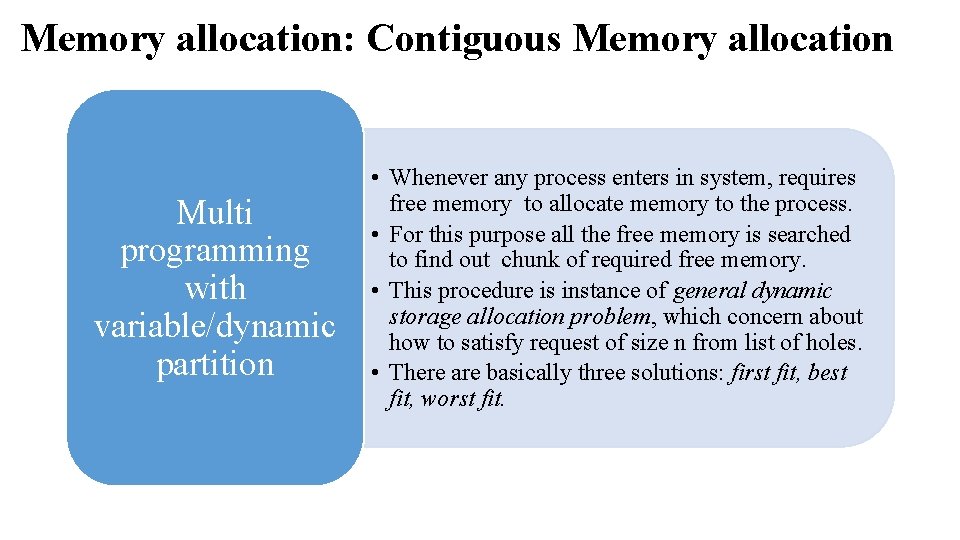
Memory allocation: Contiguous Memory allocation Multi programming with variable/dynamic partition • Whenever any process enters in system, requires free memory to allocate memory to the process. • For this purpose all the free memory is searched to find out chunk of required free memory. • This procedure is instance of general dynamic storage allocation problem, which concern about how to satisfy request of size n from list of holes. • There are basically three solutions: first fit, best fit, worst fit.
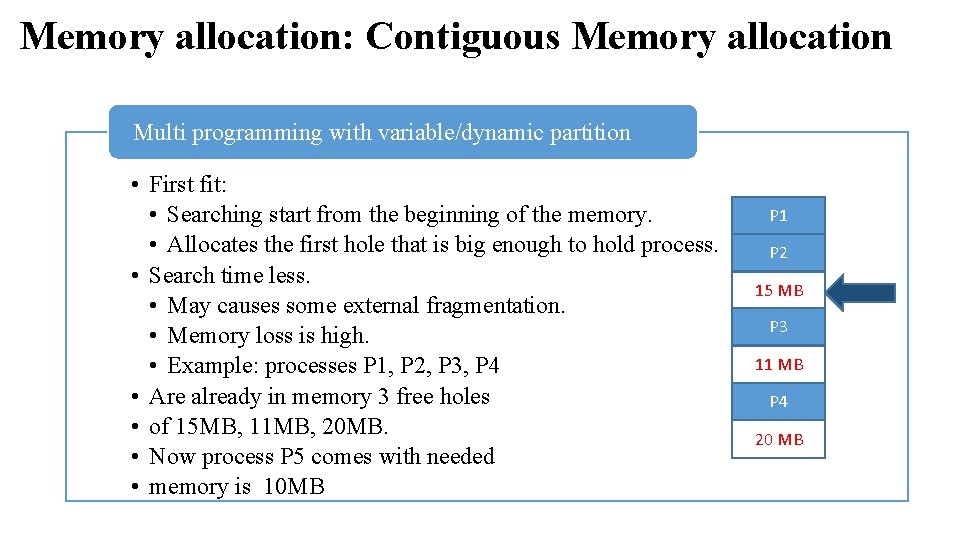
Memory allocation: Contiguous Memory allocation Multi programming with variable/dynamic partition • First fit: • Searching start from the beginning of the memory. • Allocates the first hole that is big enough to hold process. • Search time less. • May causes some external fragmentation. • Memory loss is high. • Example: processes P 1, P 2, P 3, P 4 • Are already in memory 3 free holes • of 15 MB, 11 MB, 20 MB. • Now process P 5 comes with needed • memory is 10 MB P 1 P 2 15 MB P 3 11 MB P 4 20 MB
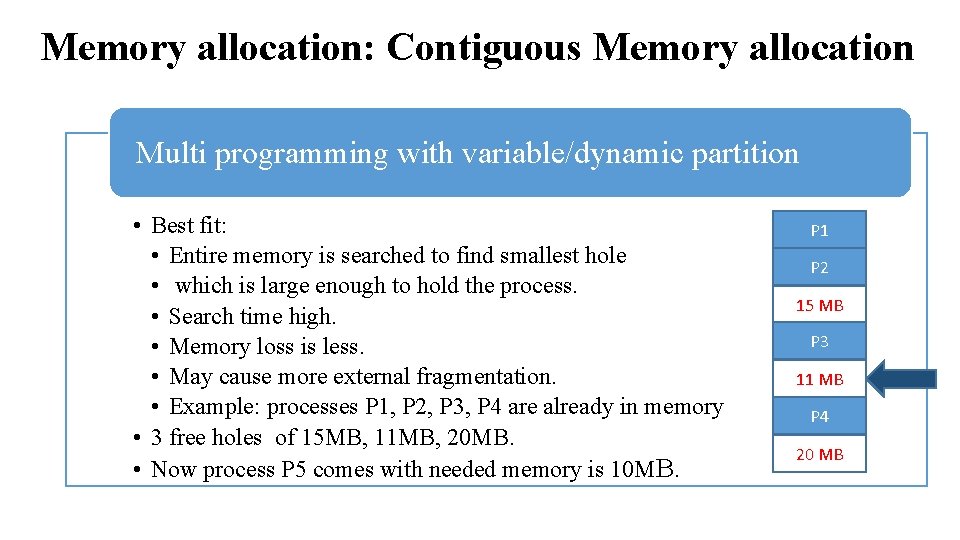
Memory allocation: Contiguous Memory allocation Multi programming with variable/dynamic partition • Best fit: • Entire memory is searched to find smallest hole • which is large enough to hold the process. • Search time high. • Memory loss is less. • May cause more external fragmentation. • Example: processes P 1, P 2, P 3, P 4 are already in memory • 3 free holes of 15 MB, 11 MB, 20 MB. • Now process P 5 comes with needed memory is 10 MB. P 1 P 2 15 MB P 3 11 MB P 4 20 MB
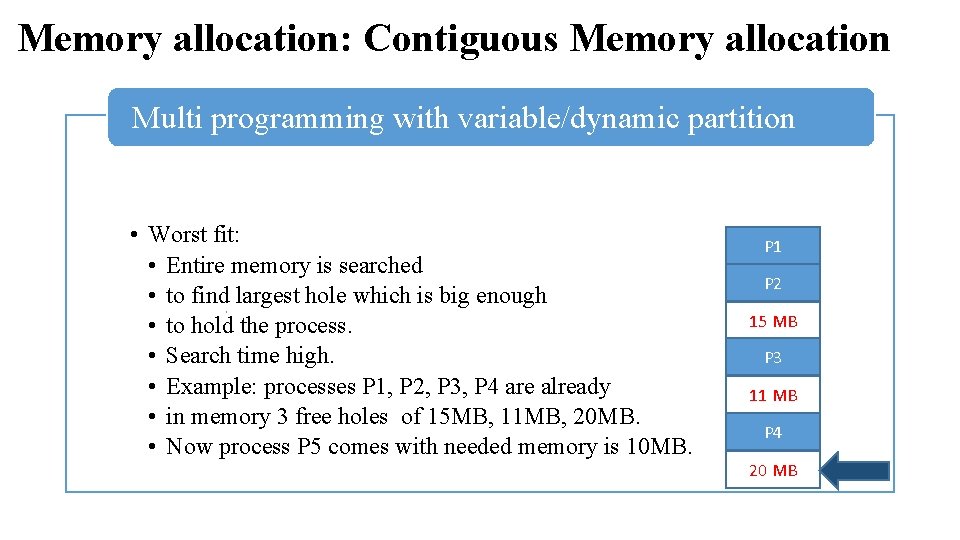
Memory allocation: Contiguous Memory allocation Multi programming with variable/dynamic partition • Worst fit: • Entire memory is searched • to find largest hole which is big enough • to hold the process. • Search time high. • Example: processes P 1, P 2, P 3, P 4 are already • in memory 3 free holes of 15 MB, 11 MB, 20 MB. • Now process P 5 comes with needed memory is 10 MB. P 1 P 2 15 MB P 3 11 MB P 4 20 MB
Memory allocation: Contiguous Memory allocation Solution of external fragmentation • One of the solution can be define as compaction: • Shuffle memory contents to place all free memory together in one large block. • Compaction is possible only if using relocatable logical addresses. • Other solution of fragmentation is paging and segmentation.
Single processor monitor Contiguous memory allocation Multiprogramming with fixed partition Multiprogramming with variable partition Memory allocation Paging Non-Contiguous memory allocation Segmentation
Non-Contiguous Memory allocation This methods is used by most modern OS. Here logical address space of process is divided into partition. Physical address space will not be contiguous. • Two methods: • Paging and Segmentation
Non-Contiguous Memory allocation : Paging Principle of operation • • Physical memory is divided into fixed sized block called frames. Logical address space is divided into blocks of fixed size called pages. Page and frame will be of same size. Whenever a process needs to get execute on CPU, its pages are moved from hard disk to available frame in main memory.
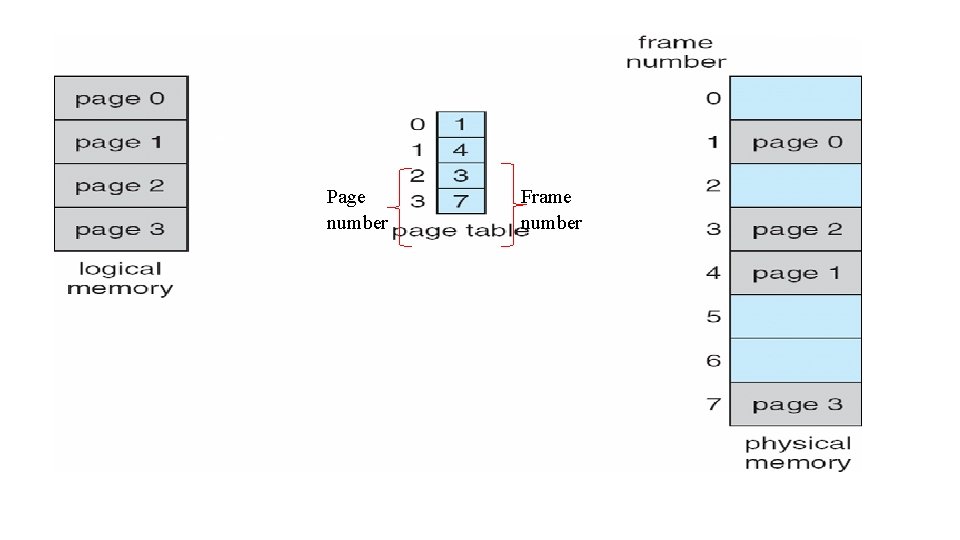
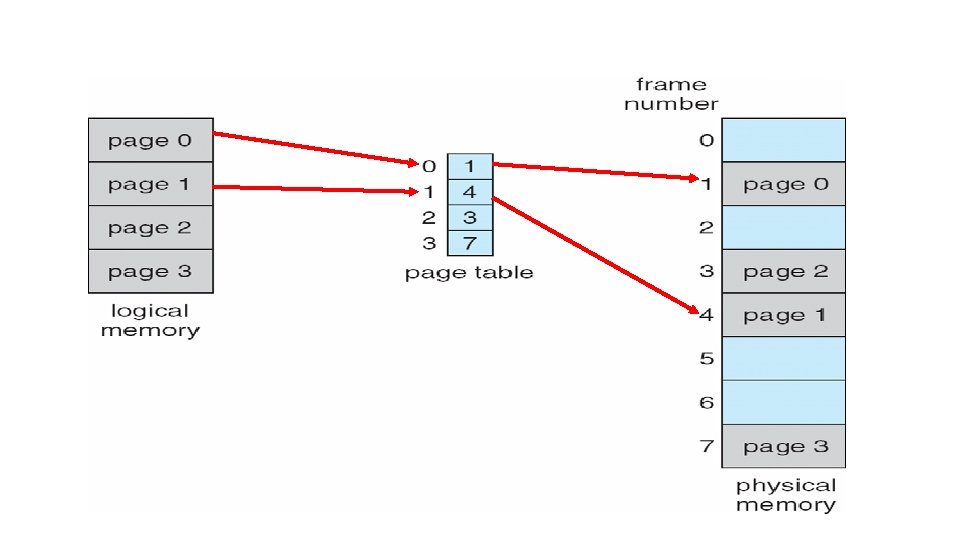
Non-Contiguous Memory allocation : Paging Principle of operation • Thus here memory management task is: • to find free frame in main memory, • allocate appropriate frame to the page, • keeping track of which page belong to which frame. • OS maintains a table called page table, for each process. • Page table is index by page number and stores the information about frame number.
Page number Frame number
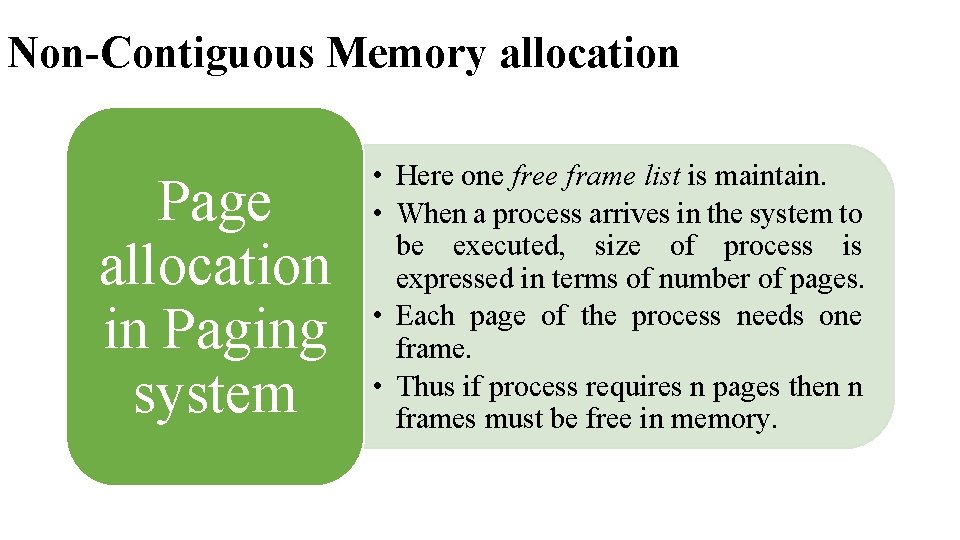
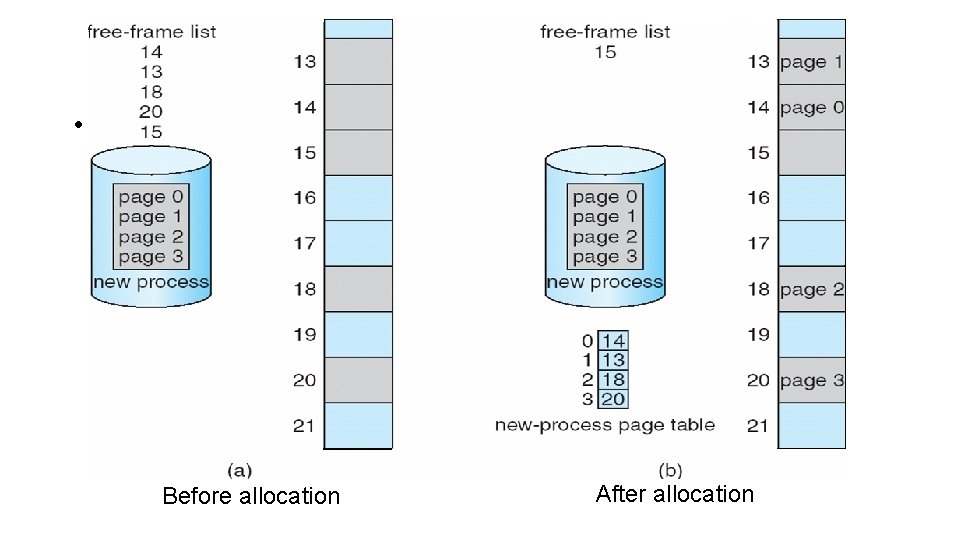
Non-Contiguous Memory allocation Page allocation in Paging system • Here one free frame list is maintain. • When a process arrives in the system to be executed, size of process is expressed in terms of number of pages. • Each page of the process needs one frame. • Thus if process requires n pages then n frames must be free in memory.
• Memory allocation in Paging system: Before allocation After allocation
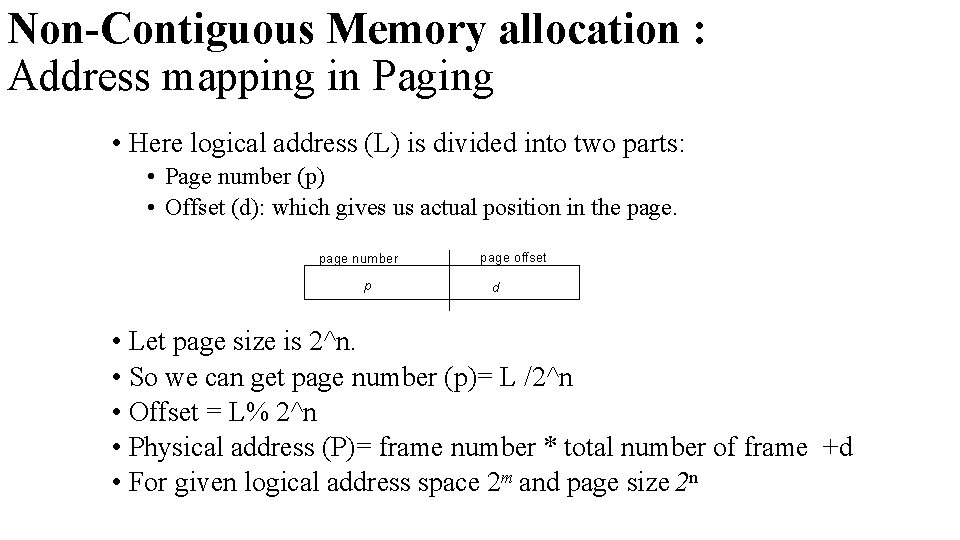
Non-Contiguous Memory allocation : Address mapping in Paging • Here logical address (L) is divided into two parts: • Page number (p) • Offset (d): which gives us actual position in the page number p page offset d • Let page size is 2^n. • So we can get page number (p)= L /2^n • Offset = L% 2^n • Physical address (P)= frame number * total number of frame +d • For given logical address space 2 m and page size 2 n
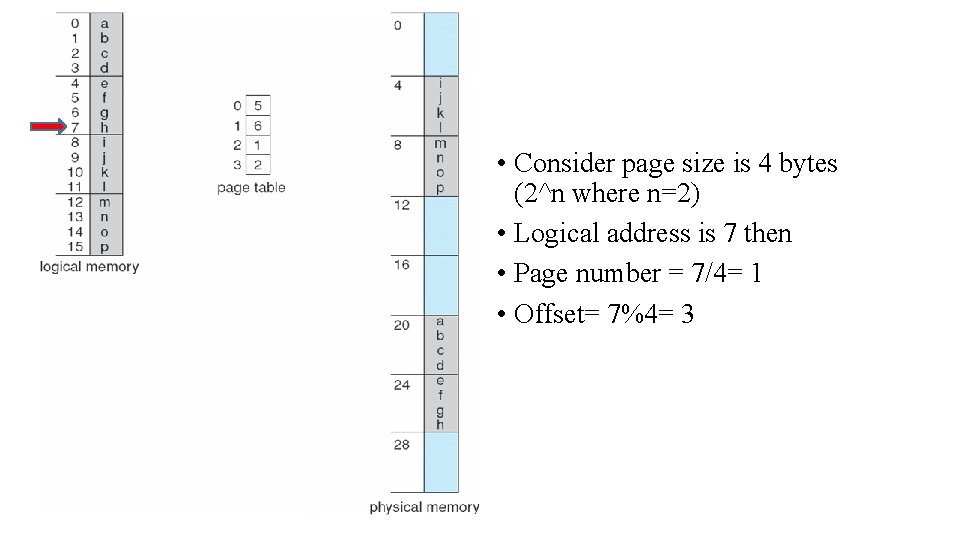
• Consider page size is 4 bytes (2^n where n=2) • Logical address is 7 then • Page number = 7/4= 1 • Offset= 7%4= 3
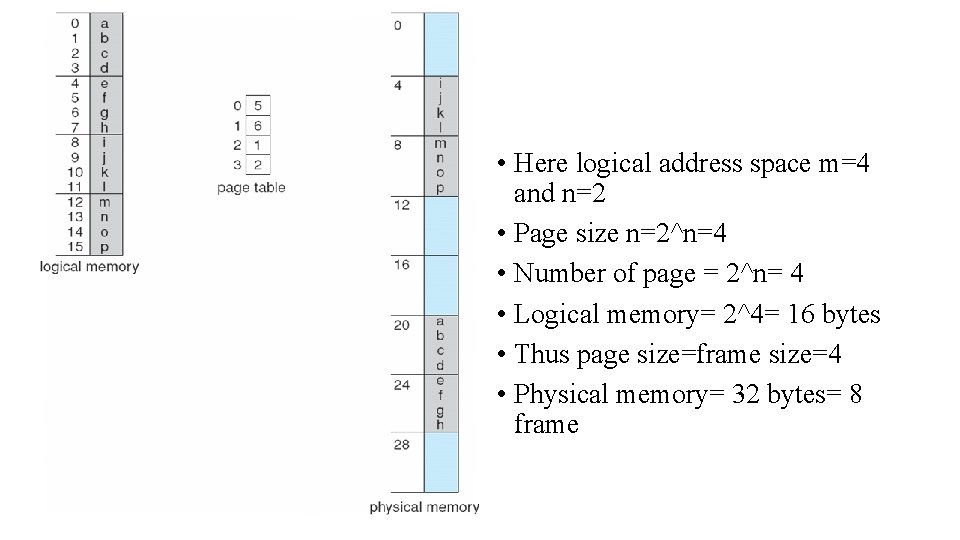
• Here logical address space m=4 and n=2 • Page size n=2^n=4 • Number of page = 2^n= 4 • Logical memory= 2^4= 16 bytes • Thus page size=frame size=4 • Physical memory= 32 bytes= 8 frame
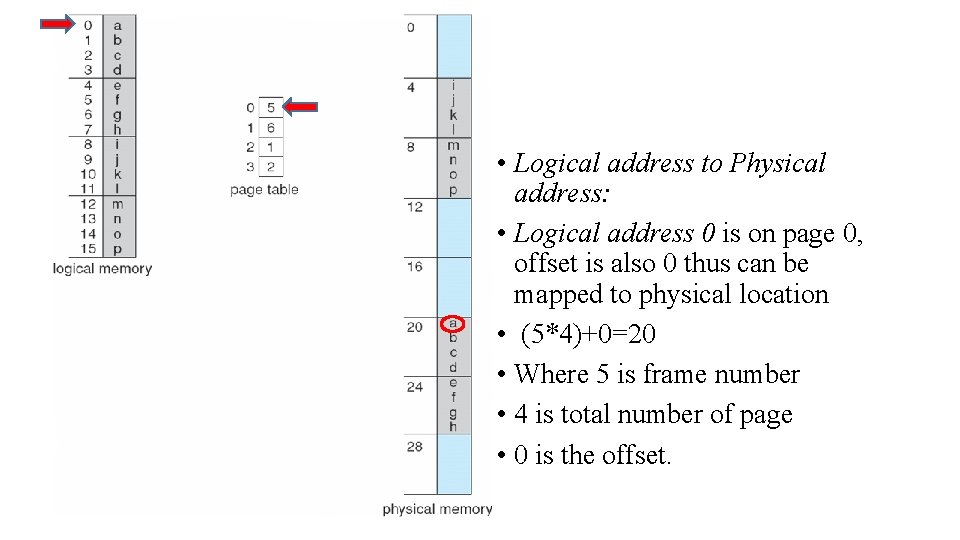
• Logical address to Physical address: • Logical address 0 is on page 0, offset is also 0 thus can be mapped to physical location • (5*4)+0=20 • Where 5 is frame number • 4 is total number of page • 0 is the offset.
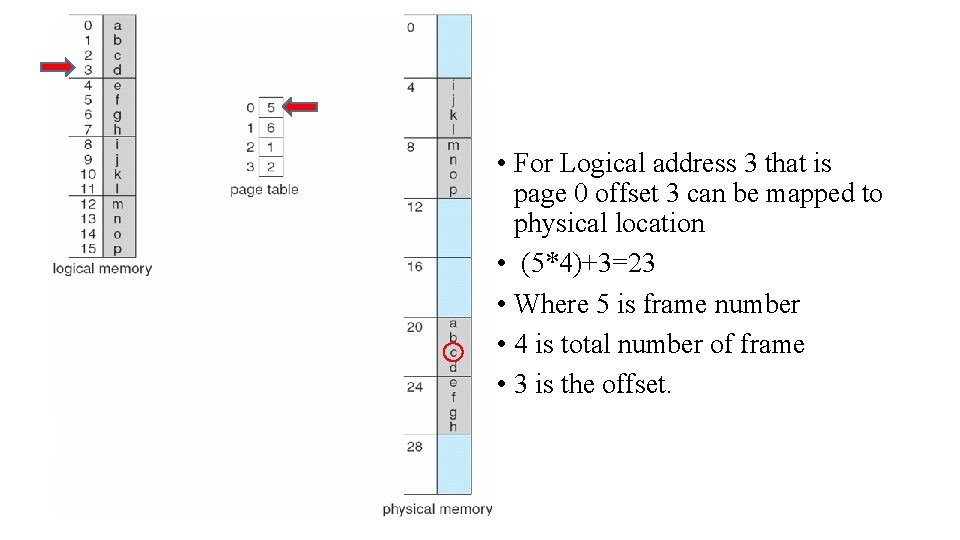
• For Logical address 3 that is page 0 offset 3 can be mapped to physical location • (5*4)+3=23 • Where 5 is frame number • 4 is total number of frame • 3 is the offset.
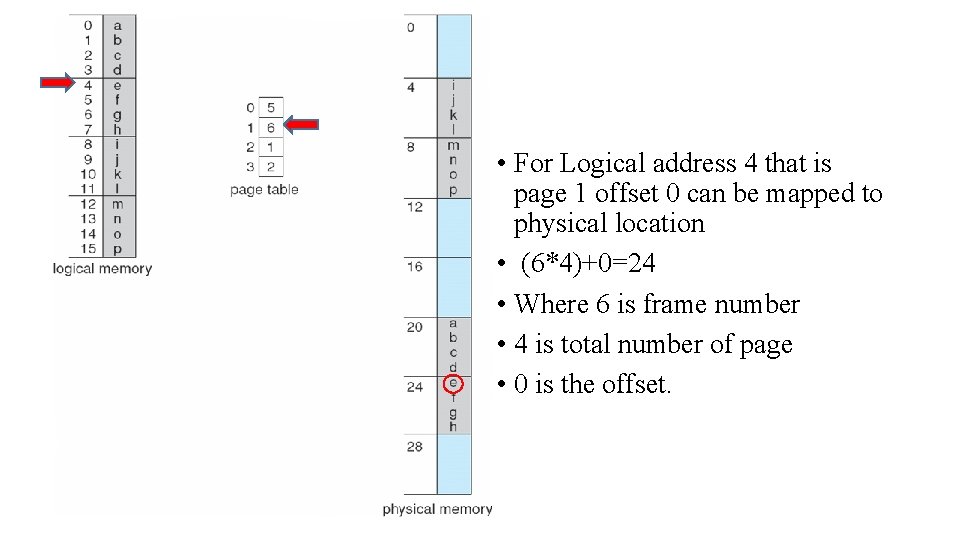
• For Logical address 4 that is page 1 offset 0 can be mapped to physical location • (6*4)+0=24 • Where 6 is frame number • 4 is total number of page • 0 is the offset.
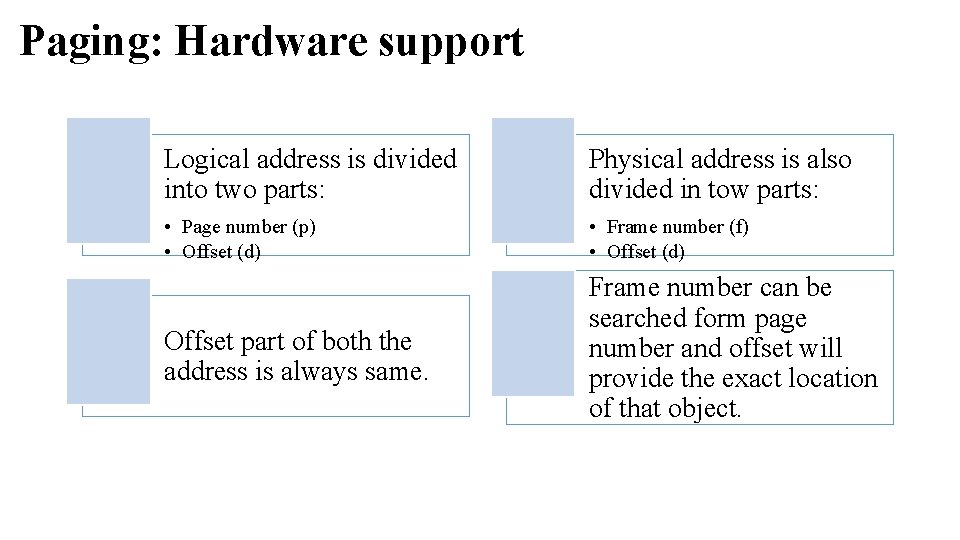
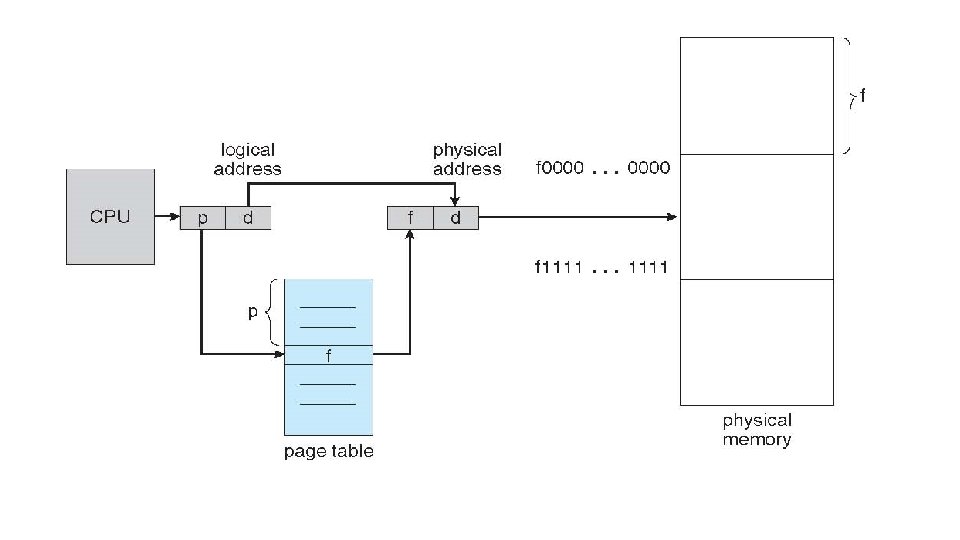
Paging: Hardware support Logical address is divided into two parts: Physical address is also divided in tow parts: • Page number (p) • Offset (d) • Frame number (f) • Offset (d) Offset part of both the address is always same. Frame number can be searched form page number and offset will provide the exact location of that object.
• Hardware support
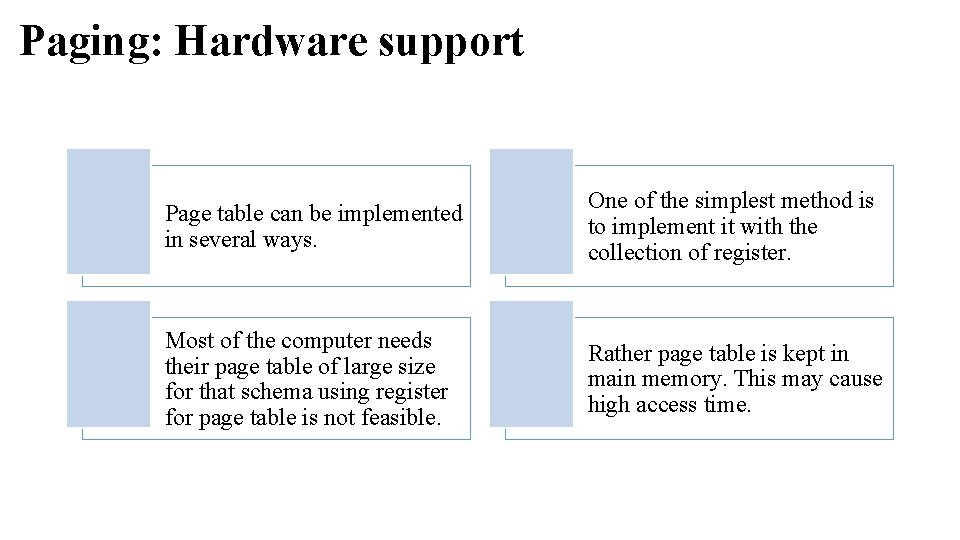
Paging: Hardware support Page table can be implemented in several ways. One of the simplest method is to implement it with the collection of register. Most of the computer needs their page table of large size for that schema using register for page table is not feasible. Rather page table is kept in main memory. This may cause high access time.
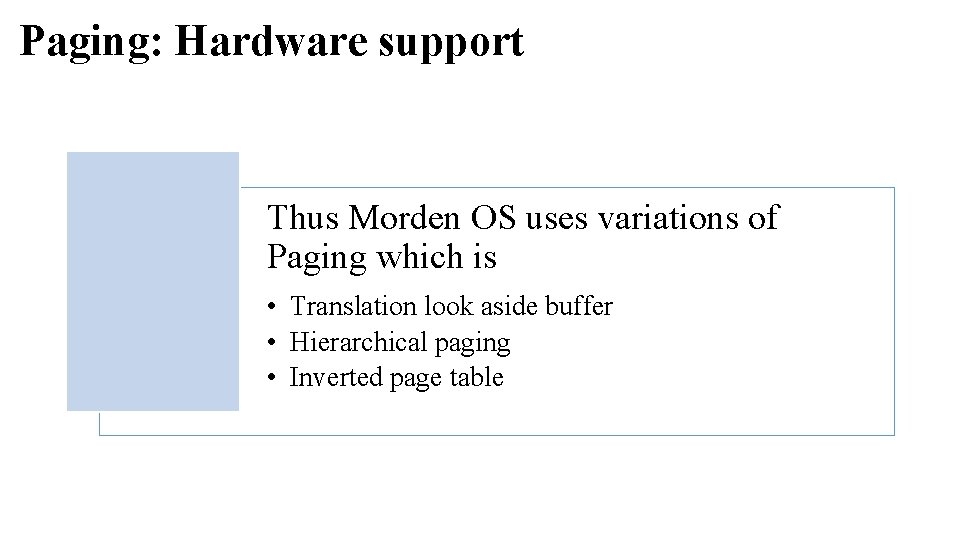
Paging: Hardware support Thus Morden OS uses variations of Paging which is • Translation look aside buffer • Hierarchical paging • Inverted page table
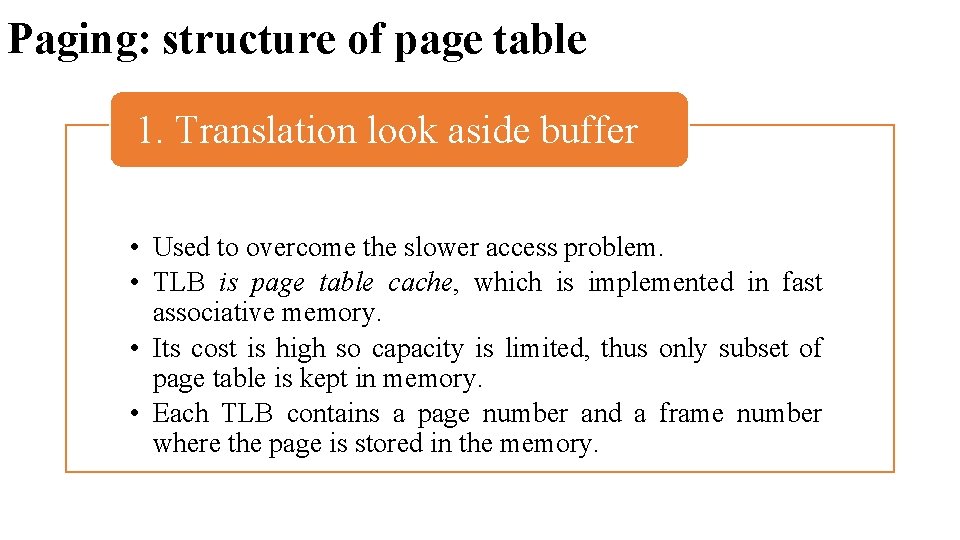
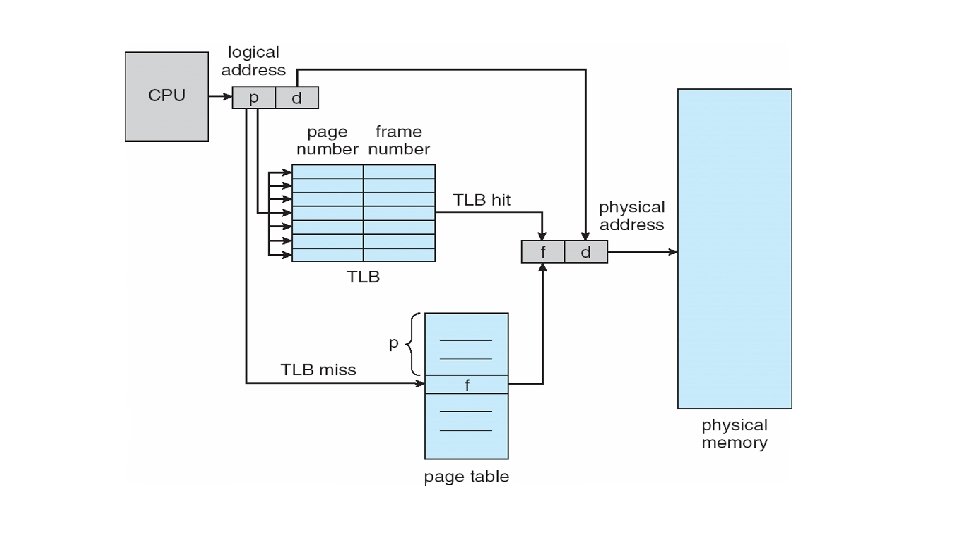
Paging: structure of page table 1. Translation look aside buffer • Used to overcome the slower access problem. • TLB is page table cache, which is implemented in fast associative memory. • Its cost is high so capacity is limited, thus only subset of page table is kept in memory. • Each TLB contains a page number and a frame number where the page is stored in the memory.
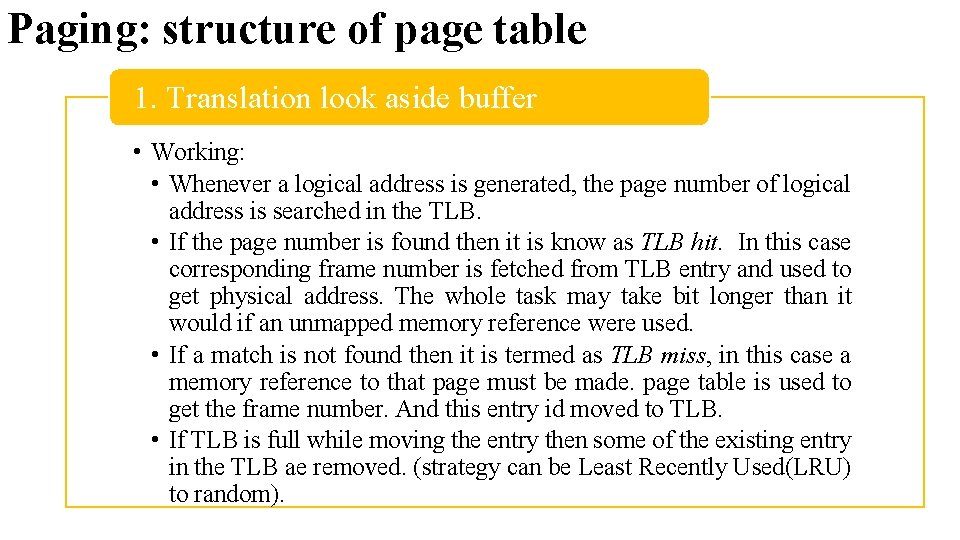
Paging: structure of page table 1. Translation look aside buffer • Working: • Whenever a logical address is generated, the page number of logical address is searched in the TLB. • If the page number is found then it is know as TLB hit. In this case corresponding frame number is fetched from TLB entry and used to get physical address. The whole task may take bit longer than it would if an unmapped memory reference were used. • If a match is not found then it is termed as TLB miss, in this case a memory reference to that page must be made. page table is used to get the frame number. And this entry id moved to TLB. • If TLB is full while moving the entry then some of the existing entry in the TLB ae removed. (strategy can be Least Recently Used(LRU) to random).
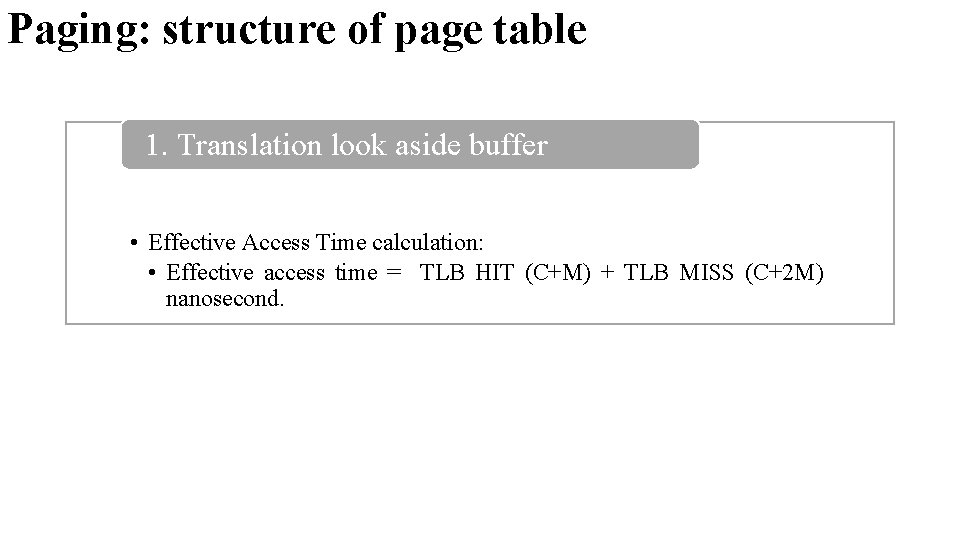
Paging: structure of page table 1. Translation look aside buffer • Effective Access Time calculation: • Effective access time = TLB HIT (C+M) + TLB MISS (C+2 M) nanosecond.
Paging: structure of page table 2. Hierarchical Paging • Most modern OS supports large logical address space. In such case the page table itself become excessive large to store in contiguous space. • Example system with 32 -bit (2^32) logical address space, if the page size if 4 kb (4096=2^12), Then page table size would be 1 million entry. • One of the solution is to use two level paging algorithm, in which page table itself is also page.
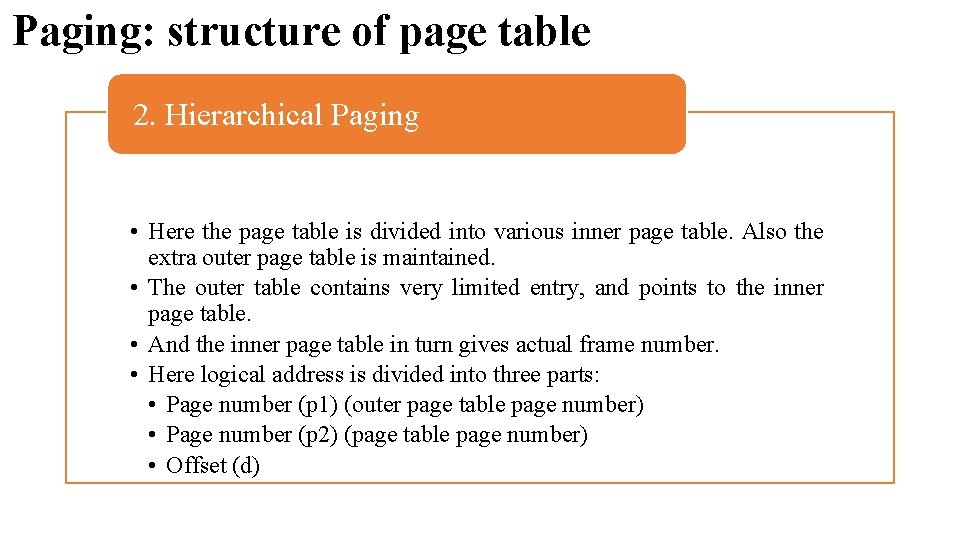
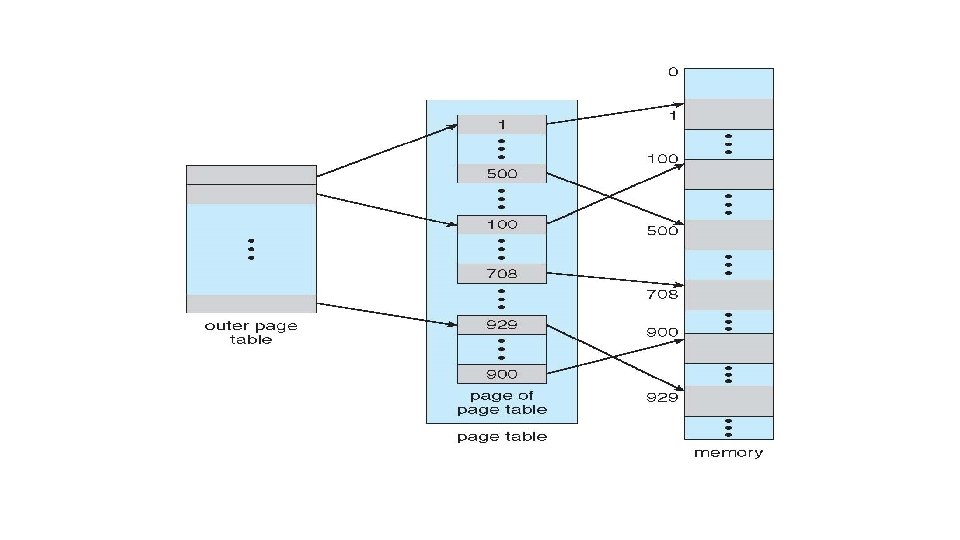
Paging: structure of page table 2. Hierarchical Paging • Here the page table is divided into various inner page table. Also the extra outer page table is maintained. • The outer table contains very limited entry, and points to the inner page table. • And the inner page table in turn gives actual frame number. • Here logical address is divided into three parts: • Page number (p 1) (outer page table page number) • Page number (p 2) (page table page number) • Offset (d)
Paging: structure of page table 2. Hierarchical Paging • Advantage: • All the inner pages need not be in memory simultaneously, thus reduce memory overhead. • Disadvantage: • Extra memory access is required in each level of paging. Here total three memory access is required to get data.
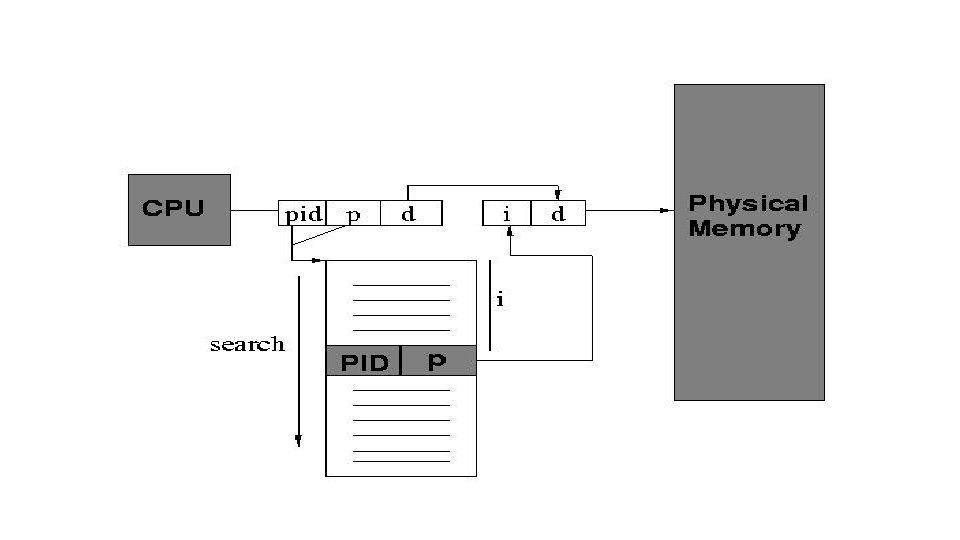
Paging: structure of page table 3. Inverted Page Table • Is also used to overcome the problem of memory overhead due to large size of page table. • In the previous approaches every process has a individual page table. If the size of process is high then the number of entry in page table increases. Thus it become difficult to store more than one entry for single process. • Inverted page table solve this problem: there is one entry per frame of physical memory in table, rather than one entry per page of logical address space. • So the size of page table is depends on the size of physical memory. • It will create one system wide table.
Paging: structure of page table 3. Inverted Page Table • We organize the inverted page table as a hash table. • We use hash function for given (process id, page number), we will apply hash function and look for match of process id and page number. • If we have a match, translate the address. If not, use collision resolution technique (rehash, search, linear probing) and search again.
Paging: structure of page table 3. Inverted Page Table • There is just one page table in the entire system, • implying that additional information needs to be stored in the page table to identify page table entries corresponding to each process(i. e. PID).
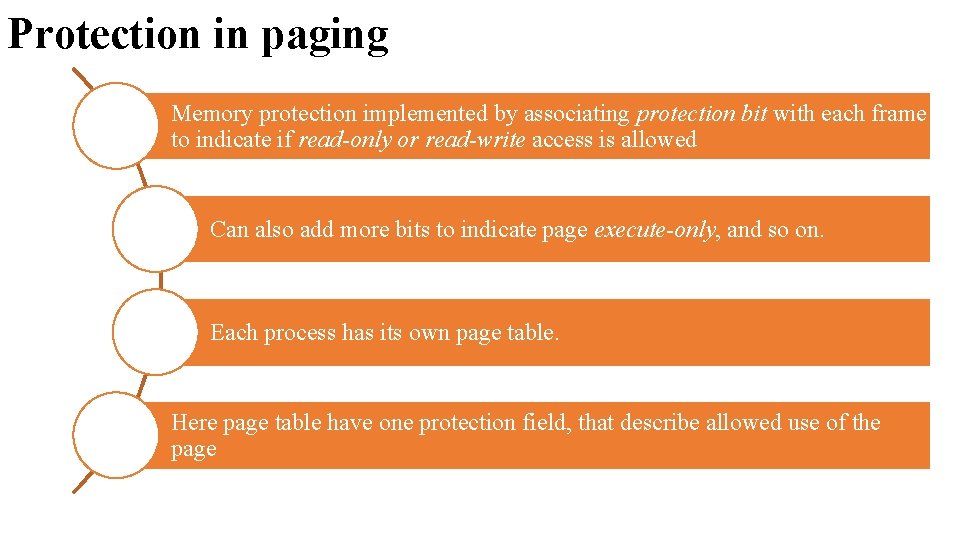
Protection in paging Memory protection implemented by associating protection bit with each frame to indicate if read-only or read-write access is allowed Can also add more bits to indicate page execute-only, and so on. Each process has its own page table. Here page table have one protection field, that describe allowed use of the page
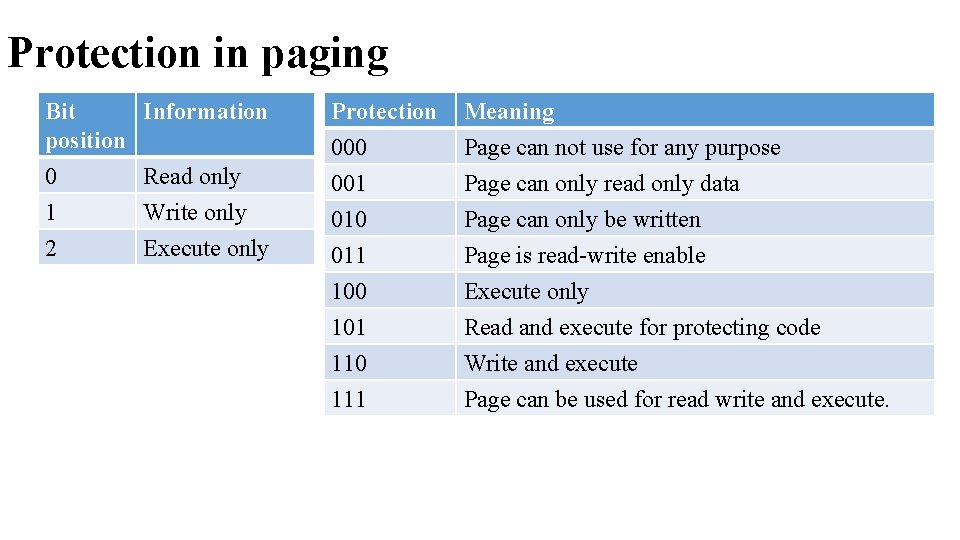
Protection in paging Bit • Information position 0 1 2 Read only Write only Execute only Protection 000 001 010 Meaning Page can not use for any purpose Page can only read only data Page can only be written 011 100 101 110 111 Page is read-write enable Execute only Read and execute for protecting code Write and execute Page can be used for read write and execute.
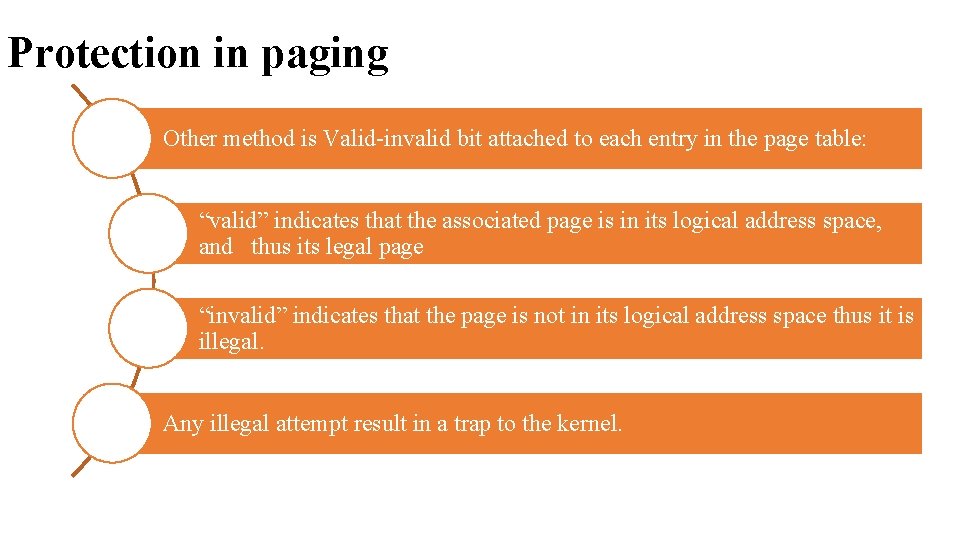
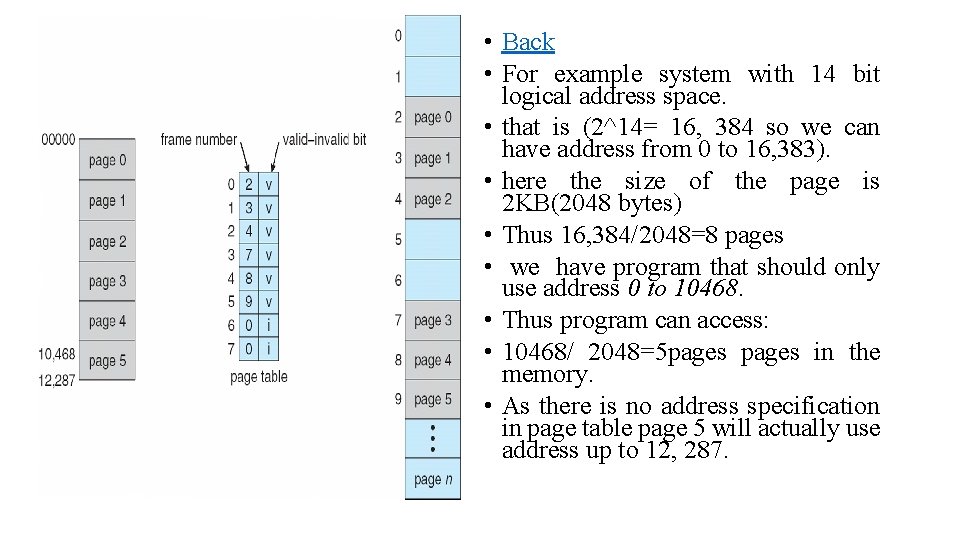
Protection in paging Other method is Valid-invalid bit attached to each entry in the page table: “valid” indicates that the associated page is in its logical address space, and thus its legal page “invalid” indicates that the page is not in its logical address space thus it is illegal. Any illegal attempt result in a trap to the kernel.
• Back • For example system with 14 bit logical address space. • that is (2^14= 16, 384 so we can have address from 0 to 16, 383). • here the size of the page is 2 KB(2048 bytes) • Thus 16, 384/2048=8 pages • we have program that should only use address 0 to 10468. • Thus program can access: • 10468/ 2048=5 pages in the memory. • As there is no address specification in page table page 5 will actually use address up to 12, 287.
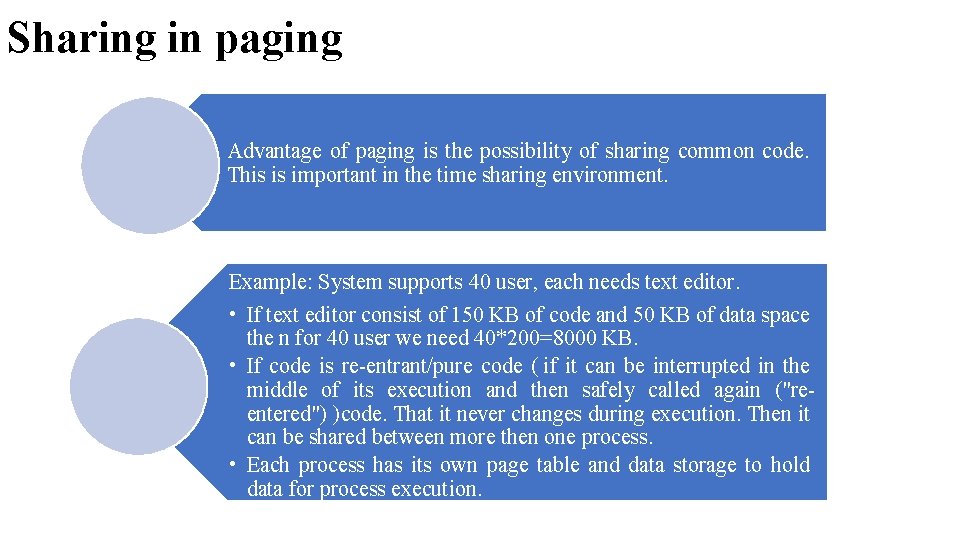
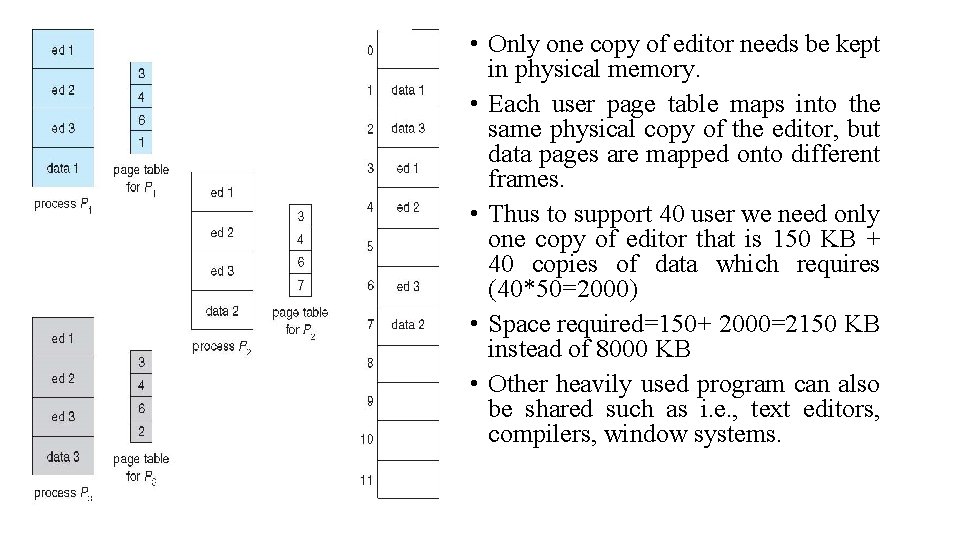
Sharing in paging Advantage of paging is the possibility of sharing common code. This is important in the time sharing environment. Example: System supports 40 user, each needs text editor. • If text editor consist of 150 KB of code and 50 KB of data space the n for 40 user we need 40*200=8000 KB. • If code is re-entrant/pure code ( if it can be interrupted in the middle of its execution and then safely called again ("reentered") )code. That it never changes during execution. Then it can be shared between more then one process. • Each process has its own page table and data storage to hold data for process execution.
• Only one copy of editor needs be kept in physical memory. • Each user page table maps into the same physical copy of the editor, but data pages are mapped onto different frames. • Thus to support 40 user we need only one copy of editor that is 150 KB + 40 copies of data which requires (40*50=2000) • Space required=150+ 2000=2150 KB instead of 8000 KB • Other heavily used program can also be shared such as i. e. , text editors, compilers, window systems.
Memory Management • Basic Memory Management: • Definition • Logical and Physical address map • Memory allocation : • • Contiguous Memory allocation Fixed and variable partition Internal and External fragmentation Compaction • Paging : • Principle of operation • Page allocation • Hardware support for paging • Protection and sharing • Disadvantages of paging.
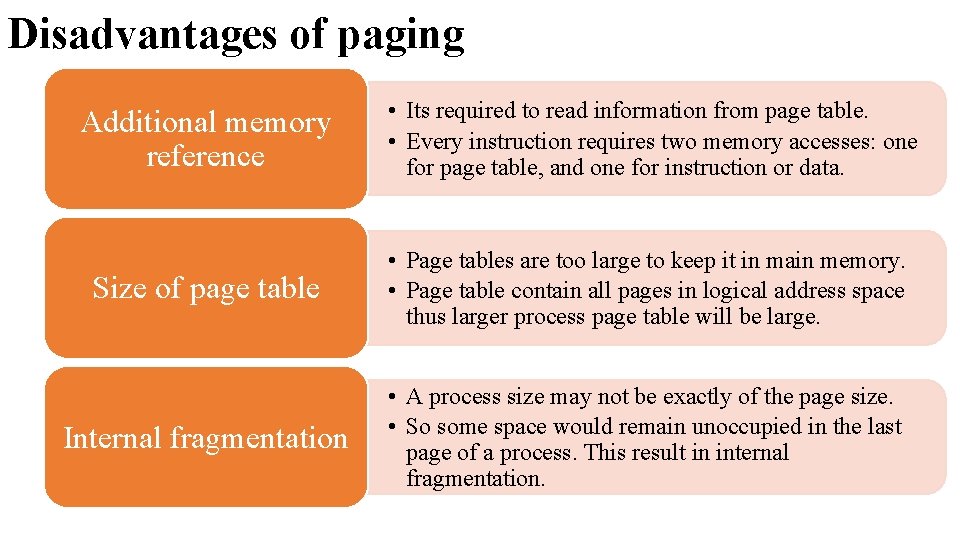
Disadvantages of paging Additional memory reference • Its required to read information from page table. • Every instruction requires two memory accesses: one for page table, and one for instruction or data. Size of page table • Page tables are too large to keep it in main memory. • Page table contain all pages in logical address space thus larger process page table will be large. Internal fragmentation • A process size may not be exactly of the page size. • So some space would remain unoccupied in the last page of a process. This result in internal fragmentation.
Single processor monitor Contiguous memory allocation Multiprogramming with fixed partition Multiprogramming with variable partition Memory allocation Paging Non-Contiguous memory allocation Segmentation
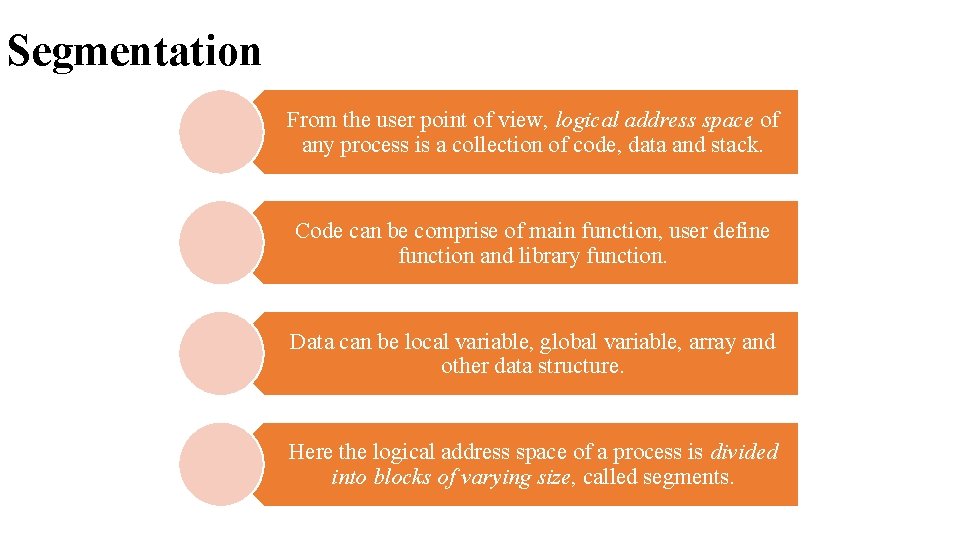
Segmentation From the user point of view, logical address space of any process is a collection of code, data and stack. Code can be comprise of main function, user define function and library function. Data can be local variable, global variable, array and other data structure. Here the logical address space of a process is divided into blocks of varying size, called segments.
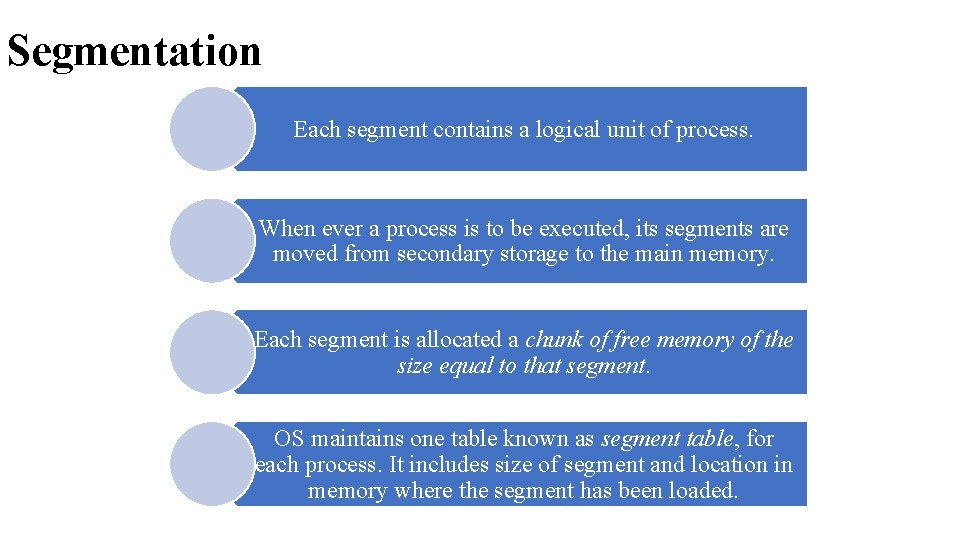
Segmentation Each segment contains a logical unit of process. When ever a process is to be executed, its segments are moved from secondary storage to the main memory. Each segment is allocated a chunk of free memory of the size equal to that segment. OS maintains one table known as segment table, for each process. It includes size of segment and location in memory where the segment has been loaded.
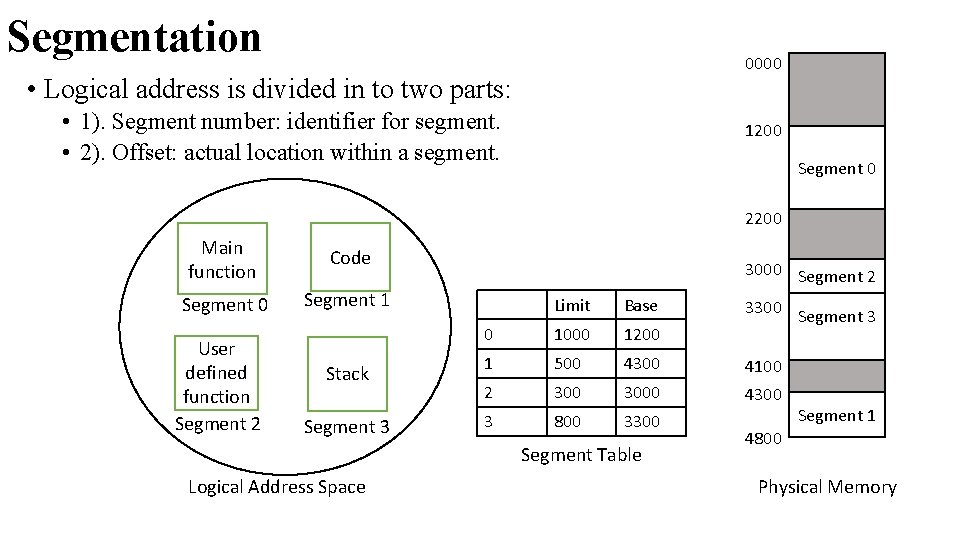
Segmentation 0000 • Logical address is divided in to two parts: • 1). Segment number: identifier for segment. • 2). Offset: actual location within a segment. 1200 Segment 0 2200 Main function Code Segment 0 Segment 1 User defined function Segment 2 Stack Segment 3 3000 Segment 2 Limit Base 0 1000 1200 1 500 4300 4100 2 3000 4300 3 800 3300 Segment Table Logical Address Space 3300 Segment 3 Segment 1 4800 Physical Memory
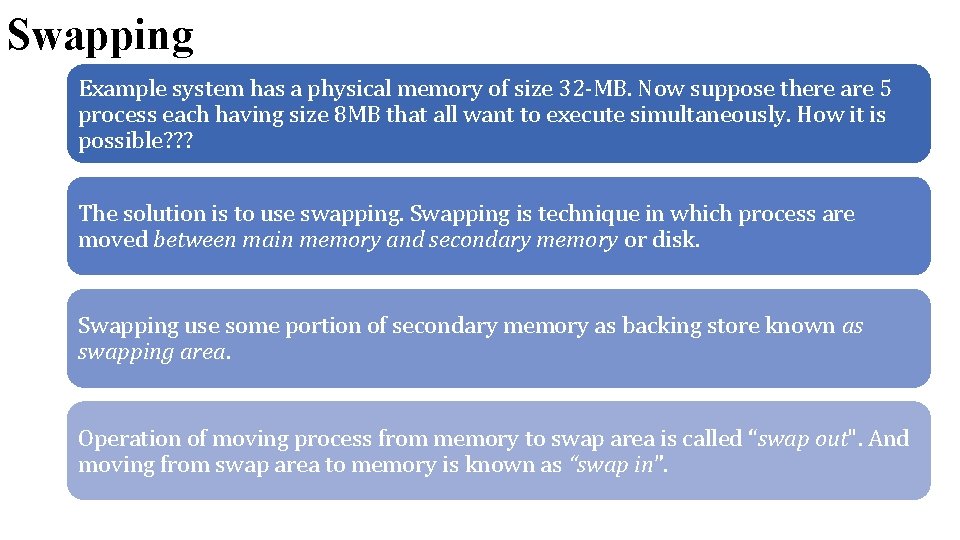
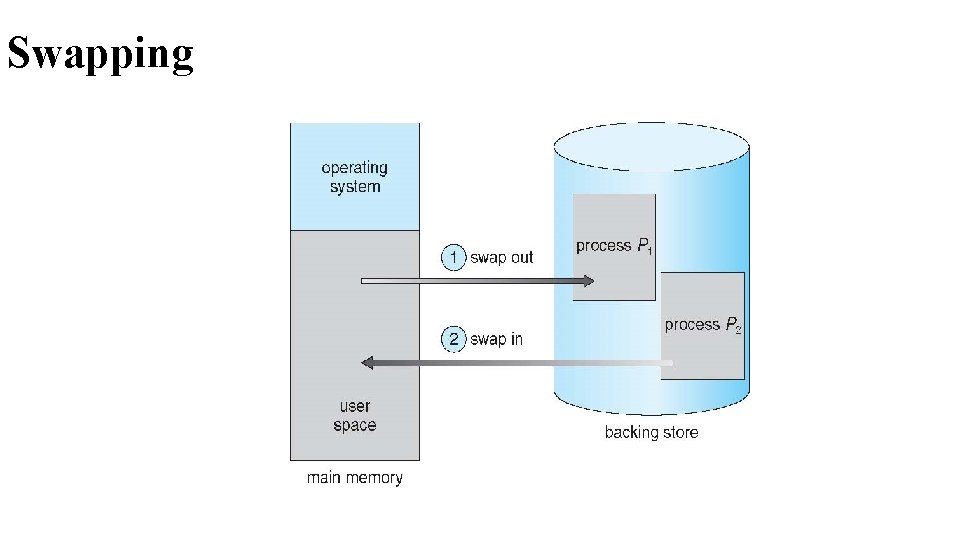
Swapping Example system has a physical memory of size 32 -MB. Now suppose there are 5 process each having size 8 MB that all want to execute simultaneously. How it is possible? ? ? The solution is to use swapping. Swapping is technique in which process are moved between main memory and secondary memory or disk. Swapping use some portion of secondary memory as backing store known as swapping area. Operation of moving process from memory to swap area is called “swap out". And moving from swap area to memory is known as “swap in”.
Swapping
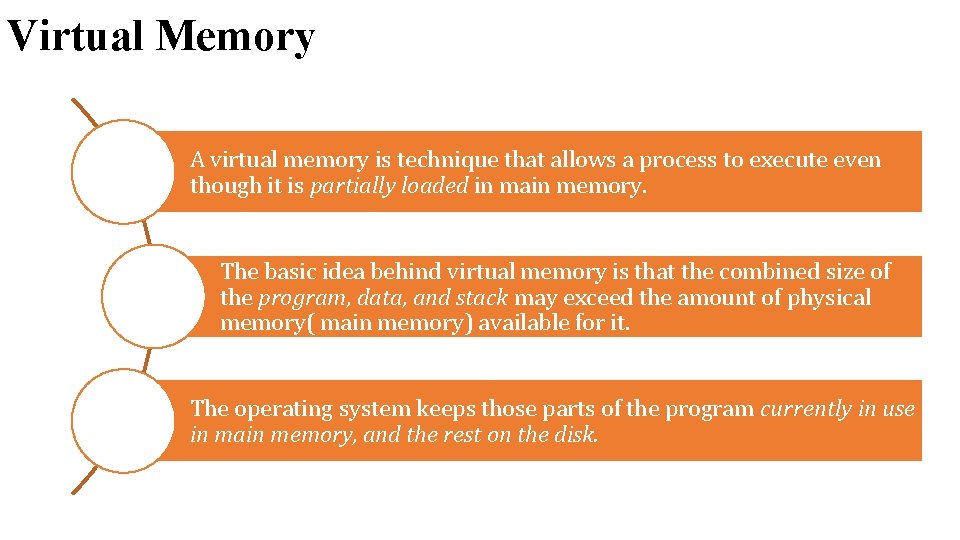
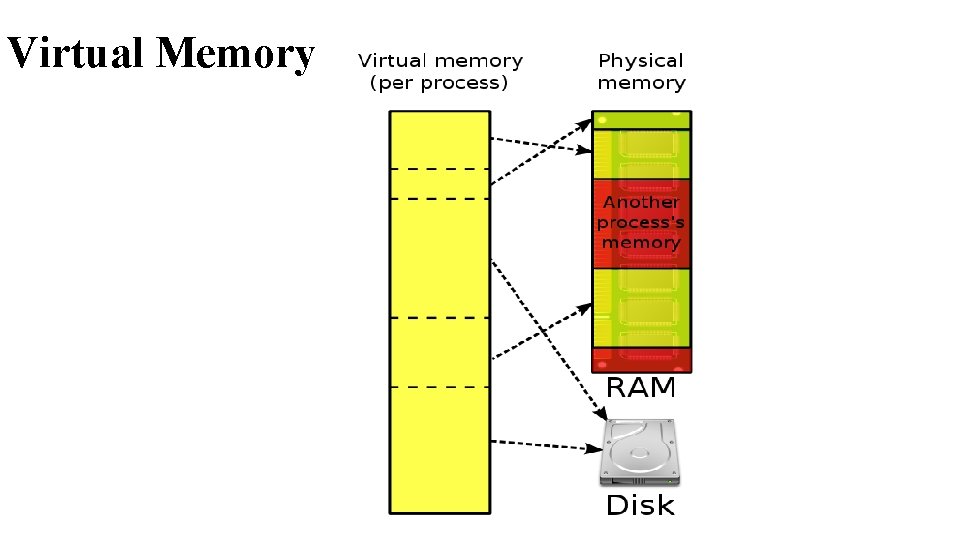
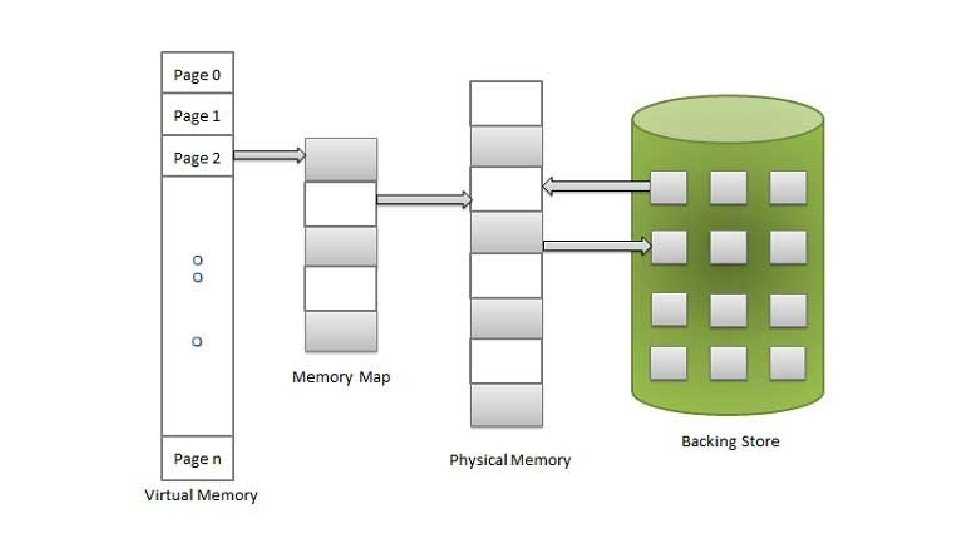
Virtual Memory A virtual memory is technique that allows a process to execute even though it is partially loaded in main memory. The basic idea behind virtual memory is that the combined size of the program, data, and stack may exceed the amount of physical memory( main memory) available for it. The operating system keeps those parts of the program currently in use in main memory, and the rest on the disk.
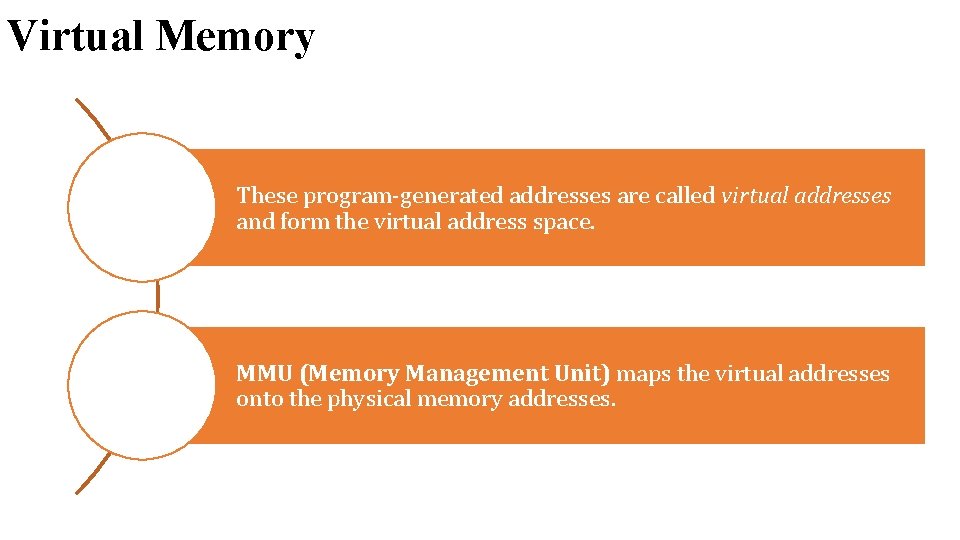
Virtual Memory These program-generated addresses are called virtual addresses and form the virtual address space. MMU (Memory Management Unit) maps the virtual addresses onto the physical memory addresses.
Virtual Memory
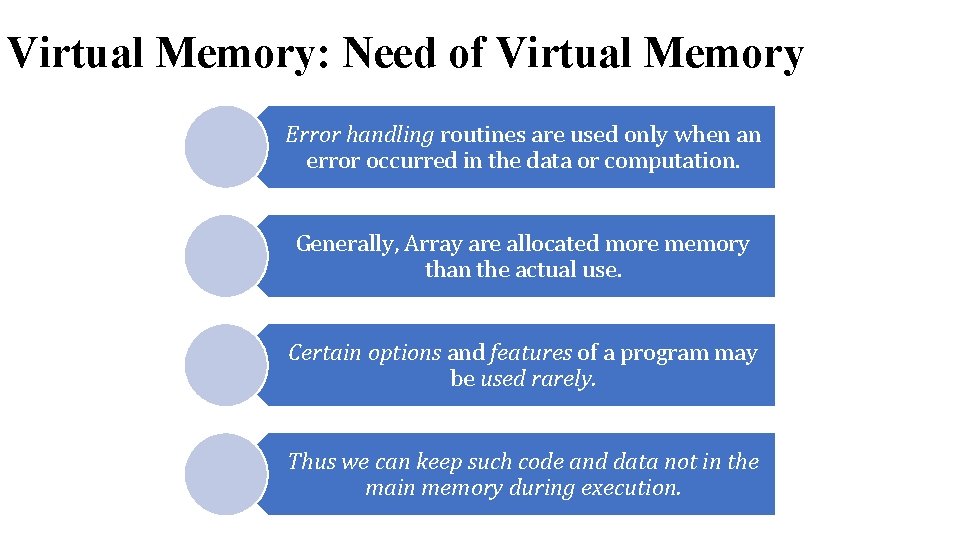
Virtual Memory: Need of Virtual Memory Error handling routines are used only when an error occurred in the data or computation. Generally, Array are allocated more memory than the actual use. Certain options and features of a program may be used rarely. Thus we can keep such code and data not in the main memory during execution.
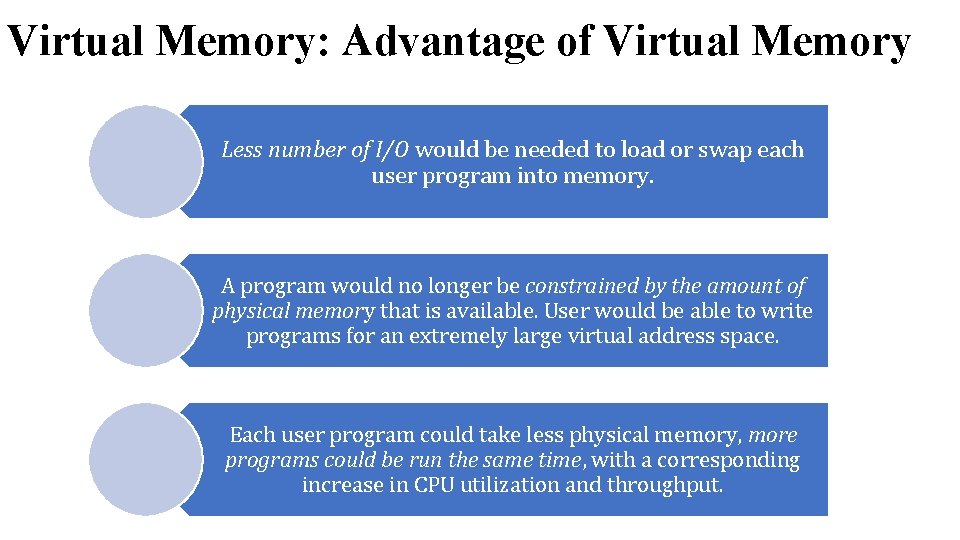
Virtual Memory: Advantage of Virtual Memory Less number of I/O would be needed to load or swap each user program into memory. A program would no longer be constrained by the amount of physical memory that is available. User would be able to write programs for an extremely large virtual address space. Each user program could take less physical memory, more programs could be run the same time, with a corresponding increase in CPU utilization and throughput.
Virtual Memory: Hardware and control structures Virtual memory involves the separation of logical memory perceived(aware) by user from physical memory. This separation allows extremely large virtual memory to be provided for programmers when only smaller amount of physical memory is available. Thus programmer need not to worry about the amount of memory available.
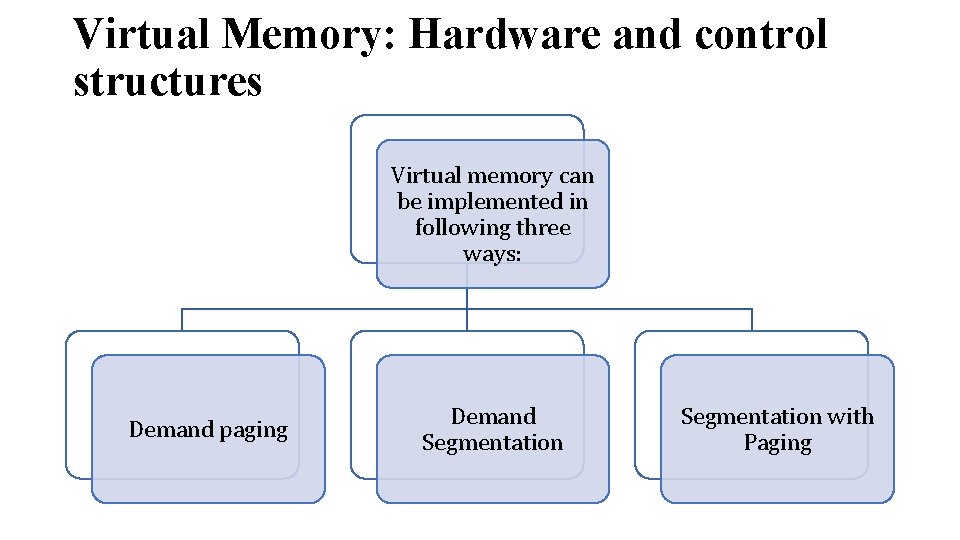
Virtual Memory: Hardware and control structures Virtual memory can be implemented in following three ways: Demand paging Demand Segmentation with Paging
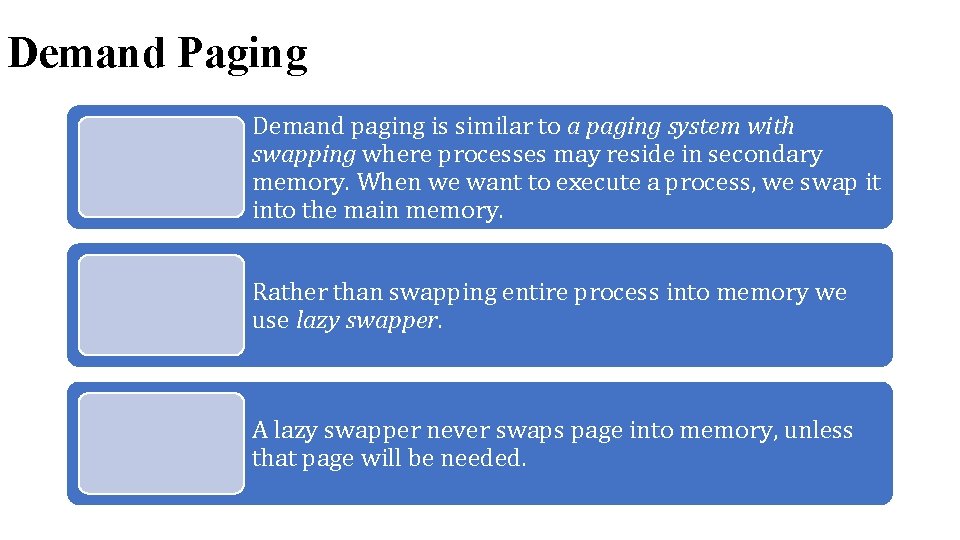
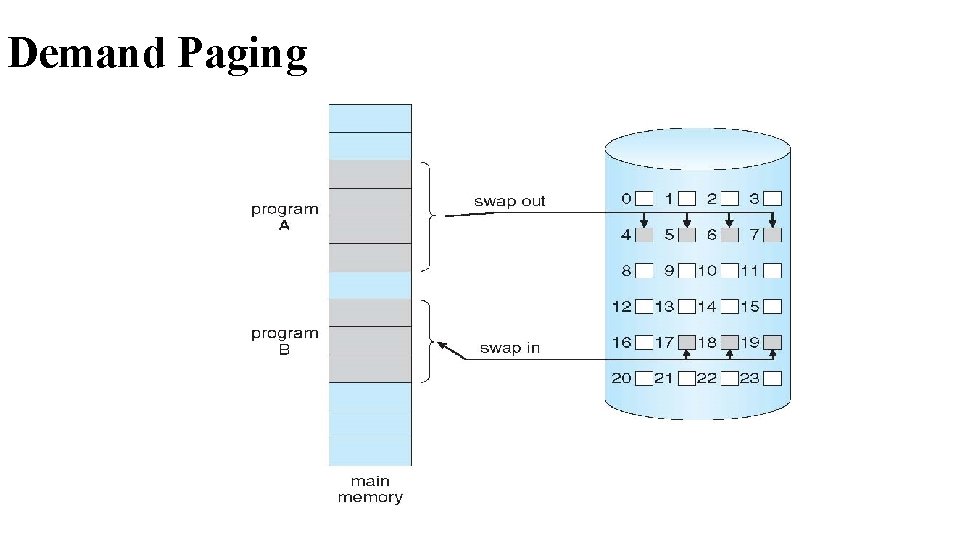
Demand Paging Demand paging is similar to a paging system with swapping where processes may reside in secondary memory. When we want to execute a process, we swap it into the main memory. Rather than swapping entire process into memory we use lazy swapper. A lazy swapper never swaps page into memory, unless that page will be needed.
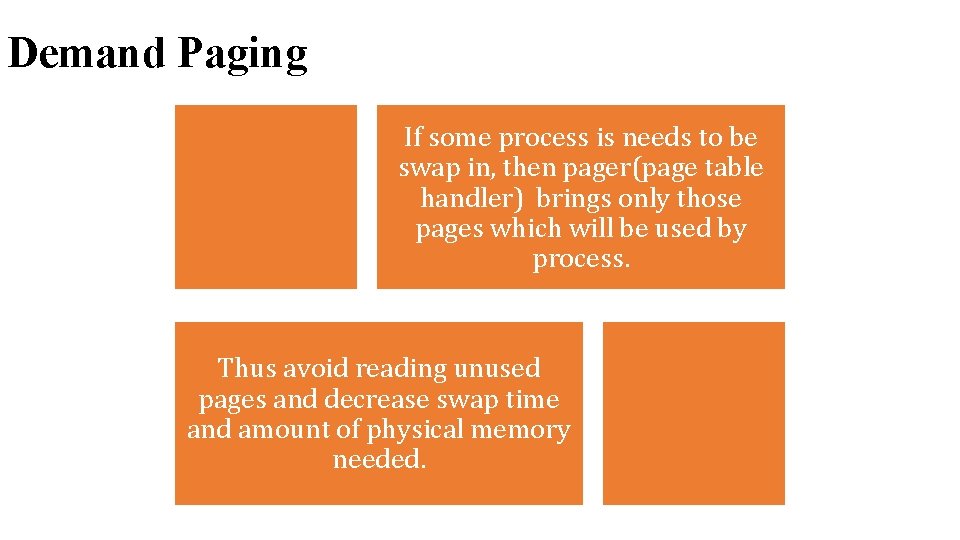
Demand Paging If some process is needs to be swap in, then pager(page table handler) brings only those pages which will be used by process. Thus avoid reading unused pages and decrease swap time and amount of physical memory needed.
Demand Paging
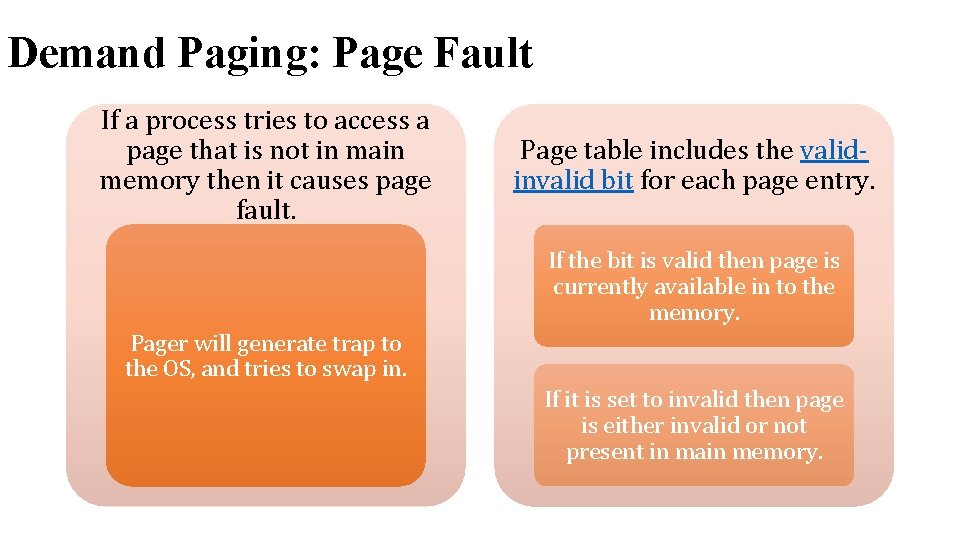
Demand Paging: Page Fault If a process tries to access a page that is not in main memory then it causes page fault. Page table includes the validinvalid bit for each page entry. If the bit is valid then page is currently available in to the memory. Pager will generate trap to the OS, and tries to swap in. If it is set to invalid then page is either invalid or not present in main memory.
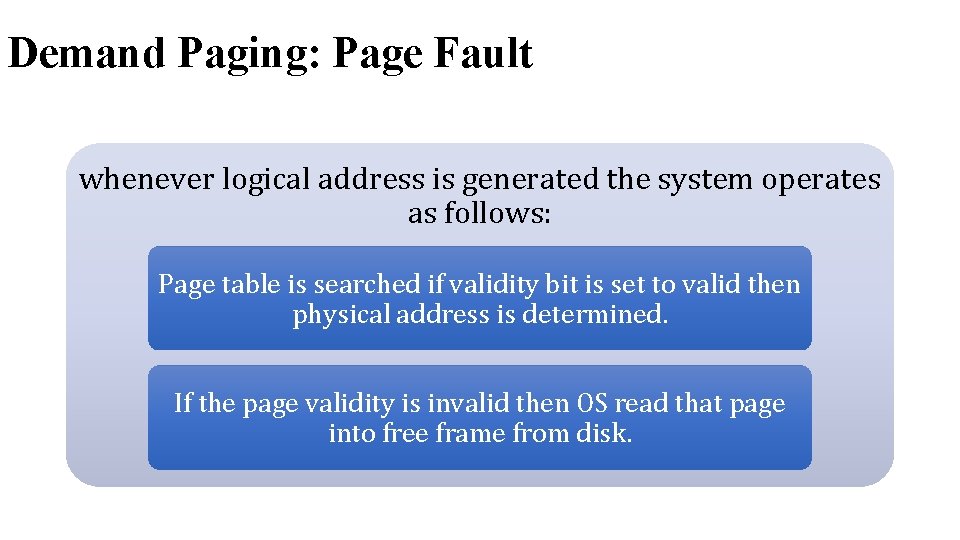
Demand Paging: Page Fault whenever logical address is generated the system operates as follows: Page table is searched if validity bit is set to valid then physical address is determined. If the page validity is invalid then OS read that page into free frame from disk.
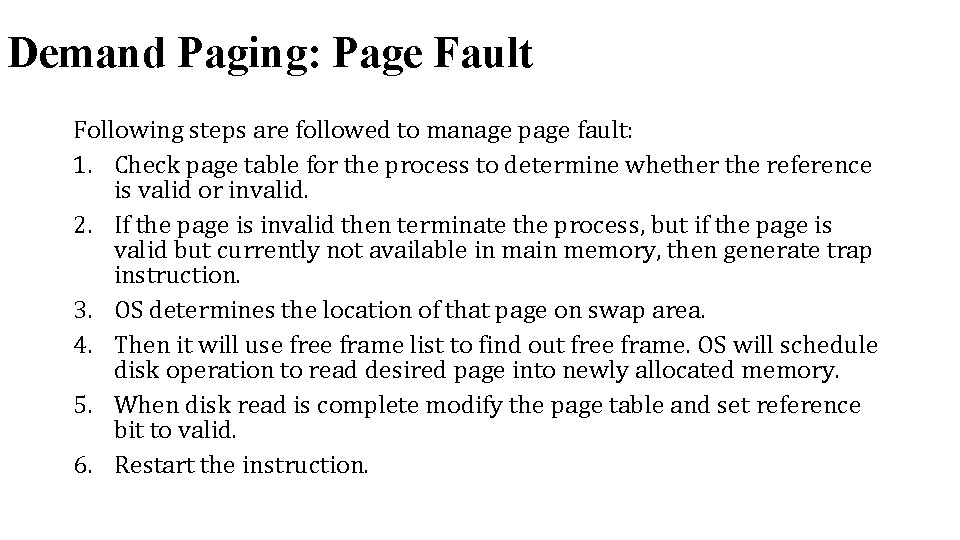
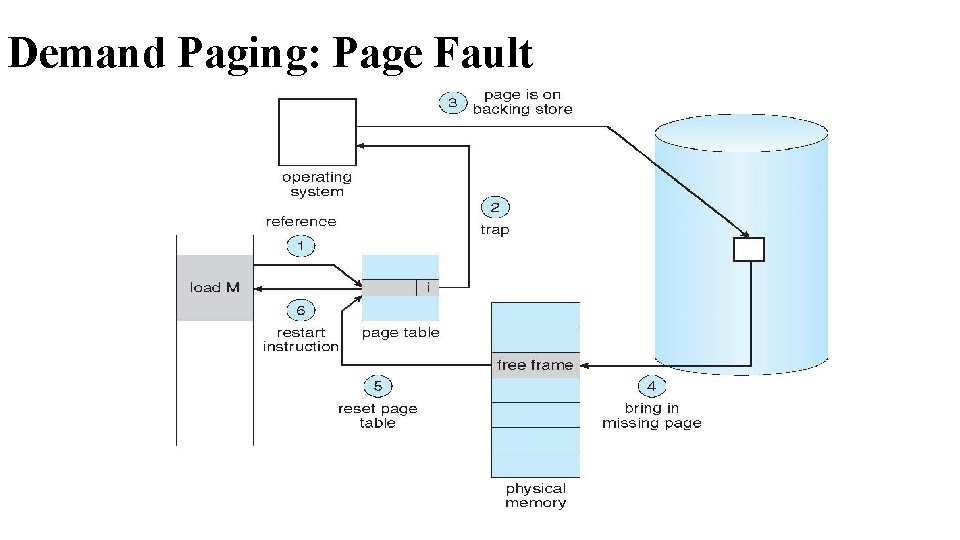
Demand Paging: Page Fault Following steps are followed to manage page fault: 1. Check page table for the process to determine whether the reference is valid or invalid. 2. If the page is invalid then terminate the process, but if the page is valid but currently not available in main memory, then generate trap instruction. 3. OS determines the location of that page on swap area. 4. Then it will use free frame list to find out free frame. OS will schedule disk operation to read desired page into newly allocated memory. 5. When disk read is complete modify the page table and set reference bit to valid. 6. Restart the instruction.
Demand Paging: Page Fault
Locality of reference Locality is set of pages that are actively used together. A program generally composed of different localities. Example, when function is called it defines new locality, and we exit the function the process leaves its locality. Process may return to this locality later. Locality of reference (often abbreviated simply as locality) is an extremely important concept in systems. The basic idea is that programs don’t just access memory randomly, a program tends to use small amount of data for a while and then move on to another small chunk of data.
Locality of reference There are two main kinds of locality: Temporal Locality: Temporal locality is the tendency for accesses to a particular data to be clustered in time. e. g. if you used it a little while ago, you’re probably going to use it again soon. Spatial Locality: Spatial locality is the tendency for related bits of data to be keep near each other in memory. For example, in an array it is common to access element n, then element n+1, then n+2, etc. Therefore, these elements should be located near each other in memory.
Locality of reference • Example: int vals[N] =. . . , sum=0, i; for(i = 0 ; i < N ; i++) { sum += vals[i]; } int average = sum / N; • how much of it is actually needed at any given time? Consider the for loop. On each iteration: the loop: 1. Compares i with N 2. Adds vals[i] to sum 3. Increments i Each loop iteration reads/modifies i, sum and N. • This is an example of temporal locality. • Note that average is only touched after the loop and is therefore not worth caching during loop execution.
Locality of reference Now consider the loops behavior over vals. Each element in vals is only read once, but they are read in-order. There is a regular, exploitable pattern here. This is an example of spatial locality, where things accessed nearby in time are located nearby in memory. Now consider the code itself. Remember code is also located in memory. This code is basically instructions executed one after another until the loop (spatial locality). The loop itself keeps executing the same instructions over and over again (temporal locality). In fact, code tends to exhibit extremely good locality.
Dirty page/Dirty bit: one bit for each page frame, set by hardware whenever the page is modified. If a dirty page is replaced, it must be written to disk before its page frame is reused. It is cheaper to pick a clean page for replacement than a dirty page: • the clean page can be simply discarded when it is replaced, whereas the dirty page must be written back to disk. • Therefore, the page replacement policy will prefer to replace a clean pages over a dirty page.
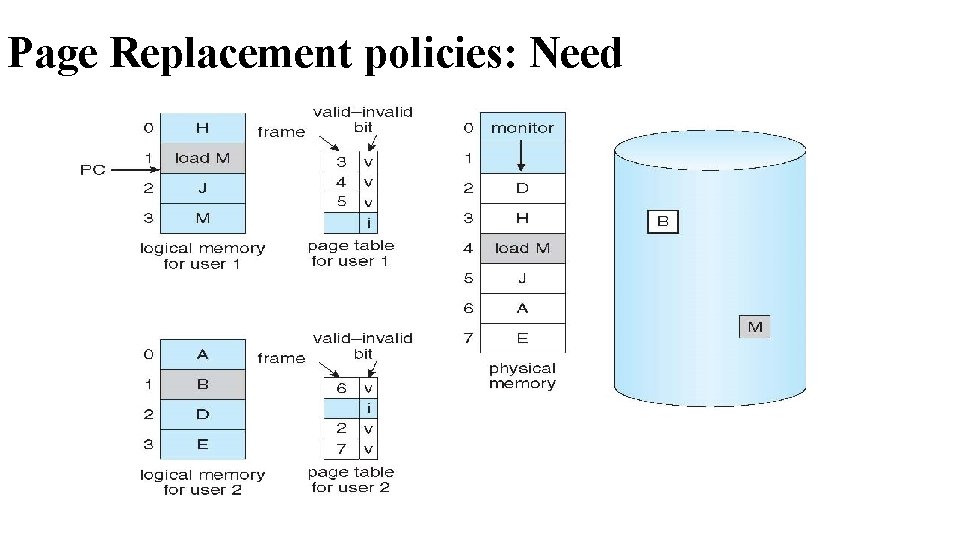
Page Replacement policies: Need
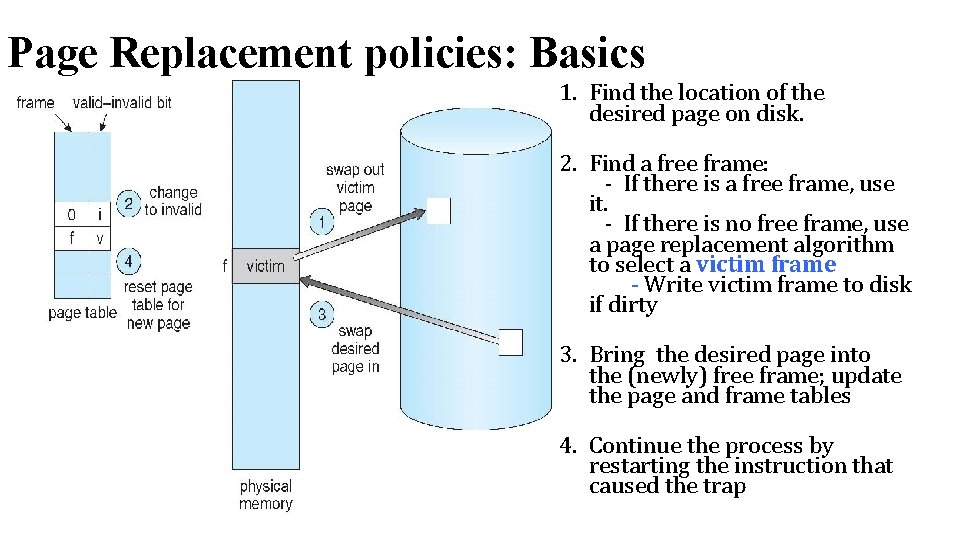
Page Replacement policies: Basics 1. Find the location of the desired page on disk. 2. Find a free frame: - If there is a free frame, use it. - If there is no free frame, use a page replacement algorithm to select a victim frame - Write victim frame to disk if dirty 3. Bring the desired page into the (newly) free frame; update the page and frame tables 4. Continue the process by restarting the instruction that caused the trap
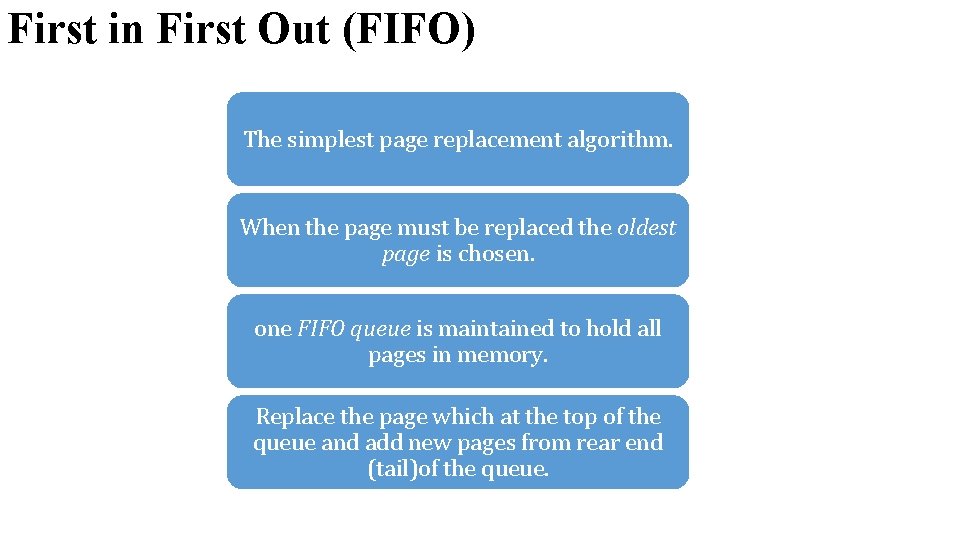
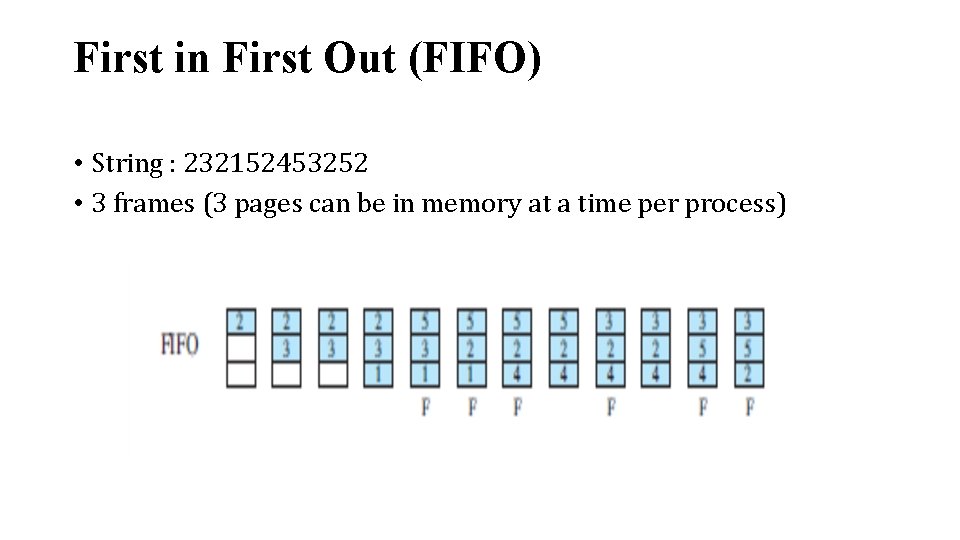
First in First Out (FIFO) The simplest page replacement algorithm. When the page must be replaced the oldest page is chosen. one FIFO queue is maintained to hold all pages in memory. Replace the page which at the top of the queue and add new pages from rear end (tail)of the queue.
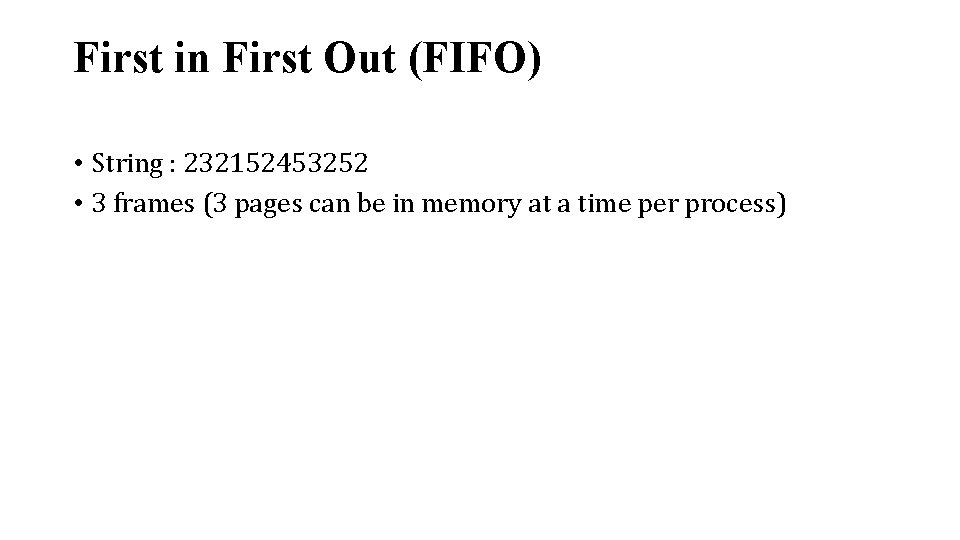
First in First Out (FIFO) • String : 232152453252 • 3 frames (3 pages can be in memory at a time per process)
First in First Out (FIFO) • String : 232152453252 • 3 frames (3 pages can be in memory at a time per process)
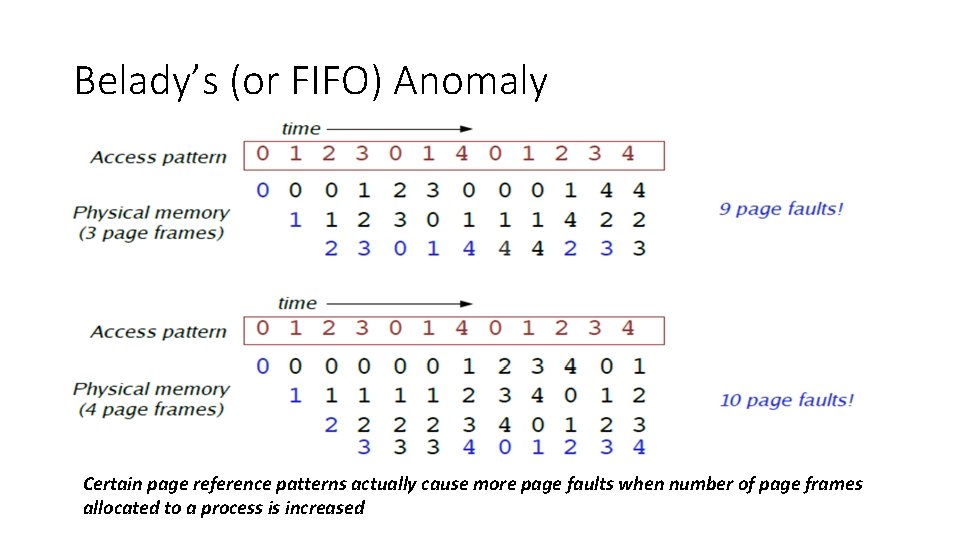
Belady’s (or FIFO) Anomaly Certain page reference patterns actually cause more page faults when number of page frames allocated to a process is increased
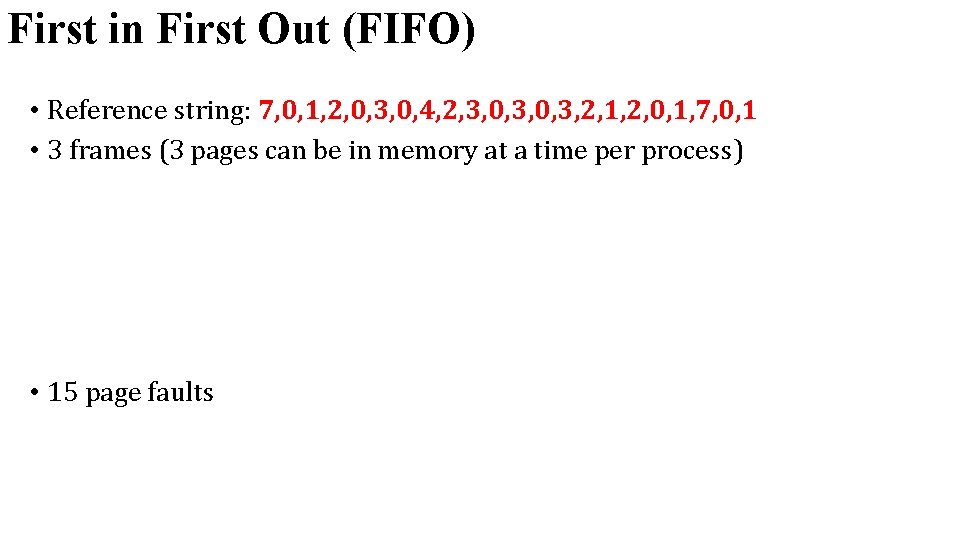
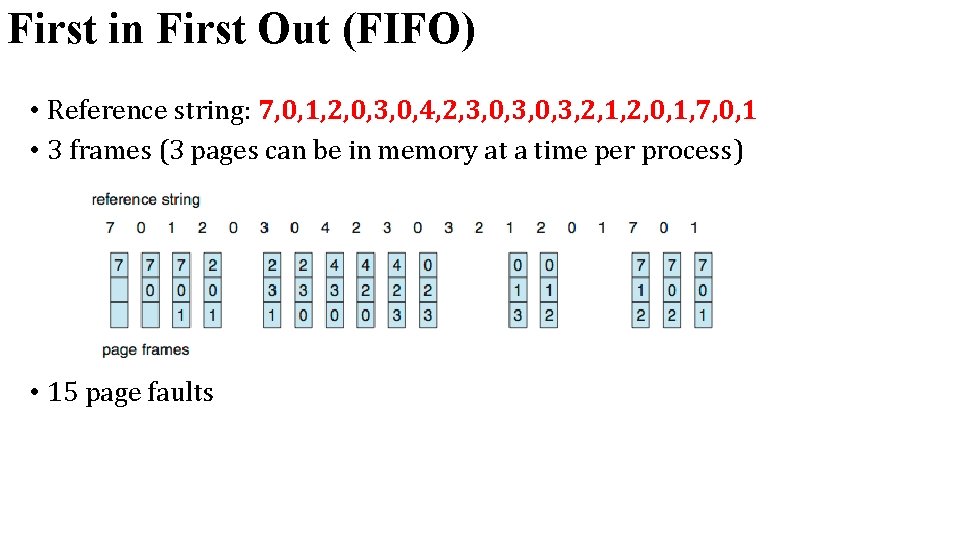
First in First Out (FIFO) • Reference string: 7, 0, 1, 2, 0, 3, 0, 4, 2, 3, 0, 3, 2, 1, 2, 0, 1, 7, 0, 1 • 3 frames (3 pages can be in memory at a time per process) • 15 page faults
First in First Out (FIFO) • Reference string: 7, 0, 1, 2, 0, 3, 0, 4, 2, 3, 0, 3, 2, 1, 2, 0, 1, 7, 0, 1 • 3 frames (3 pages can be in memory at a time per process) • 15 page faults
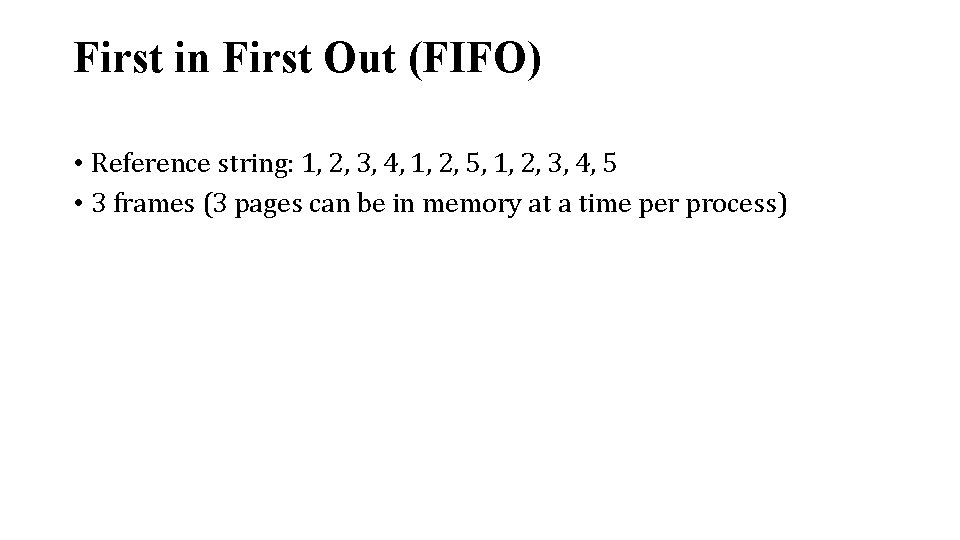
First in First Out (FIFO) • Reference string: 1, 2, 3, 4, 1, 2, 5, 1, 2, 3, 4, 5 • 3 frames (3 pages can be in memory at a time per process)
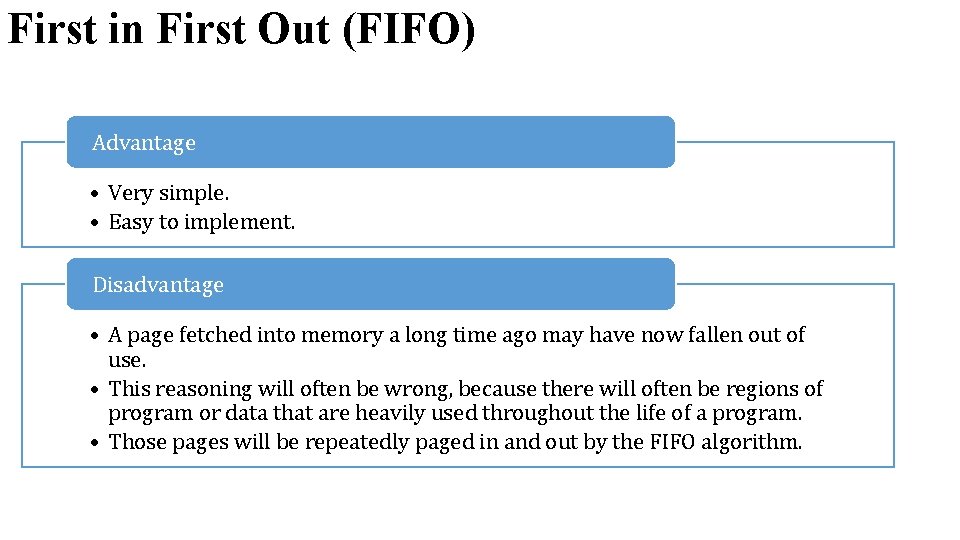
First in First Out (FIFO) Advantage • Very simple. • Easy to implement. Disadvantage • A page fetched into memory a long time ago may have now fallen out of use. • This reasoning will often be wrong, because there will often be regions of program or data that are heavily used throughout the life of a program. • Those pages will be repeatedly paged in and out by the FIFO algorithm.
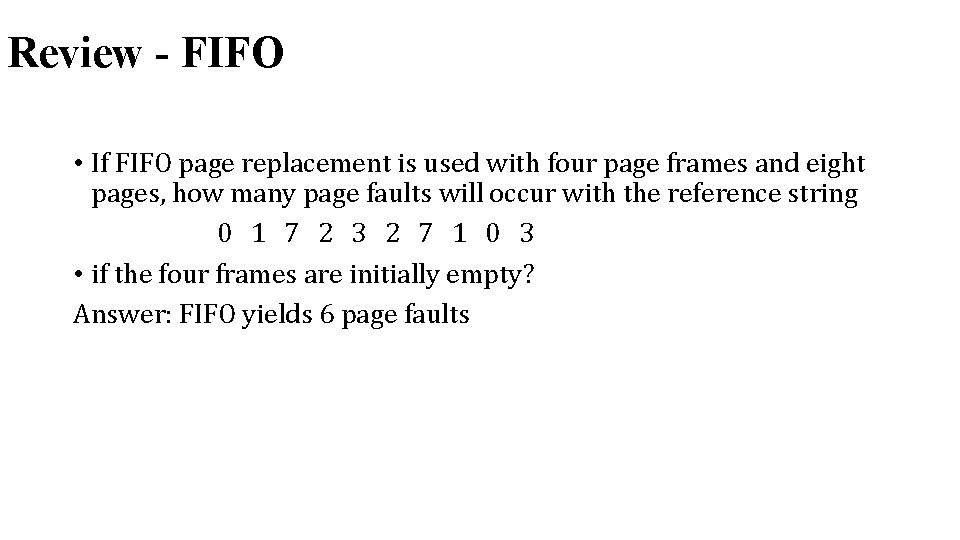
Review - FIFO • If FIFO page replacement is used with four page frames and eight pages, how many page faults will occur with the reference string 0 1 7 2 3 2 7 1 0 3 • if the four frames are initially empty? Answer: FIFO yields 6 page faults
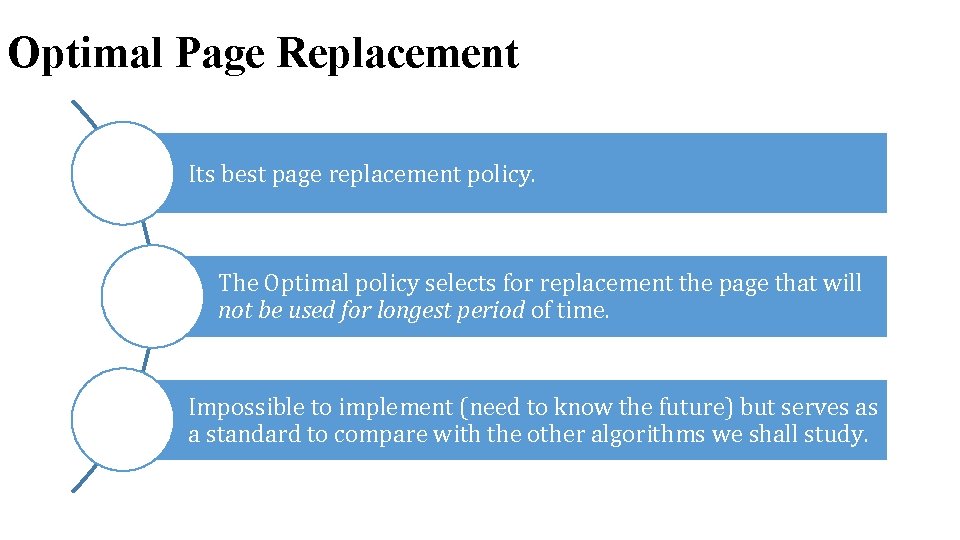
Optimal Page Replacement Its best page replacement policy. The Optimal policy selects for replacement the page that will not be used for longest period of time. Impossible to implement (need to know the future) but serves as a standard to compare with the other algorithms we shall study.
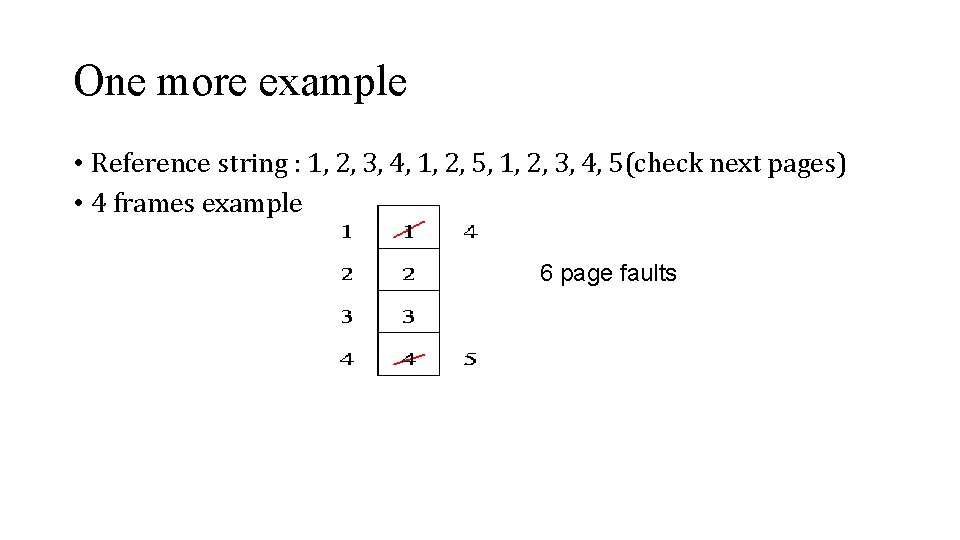
One more example • Reference string : 1, 2, 3, 4, 1, 2, 5, 1, 2, 3, 4, 5(check next pages) • 4 frames example 6 page faults
Optimal Page Replacement • Reference string: 1, 2, 3, 4, 1, 2, 5, 1, 2, 3, 4, 5 • 3 frames (3 pages can be in memory at a time per process)
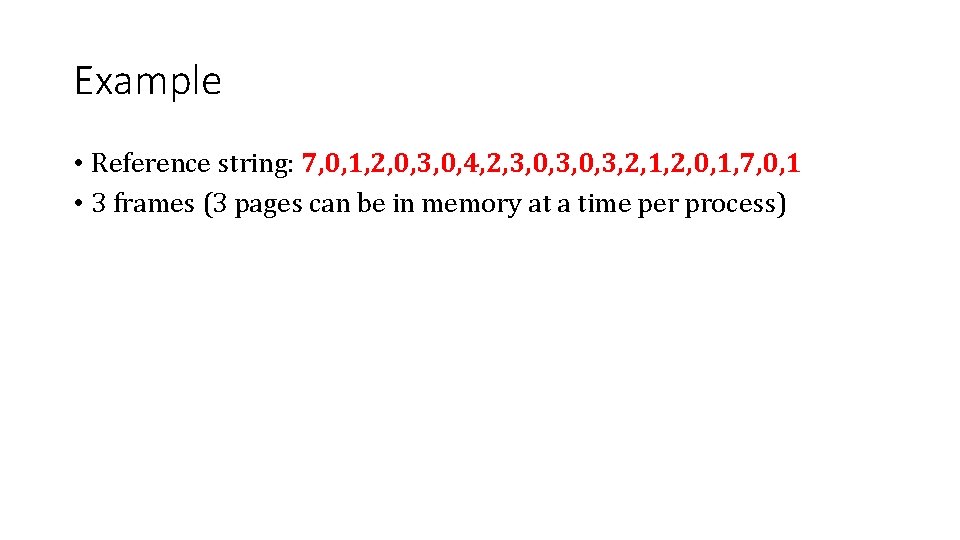
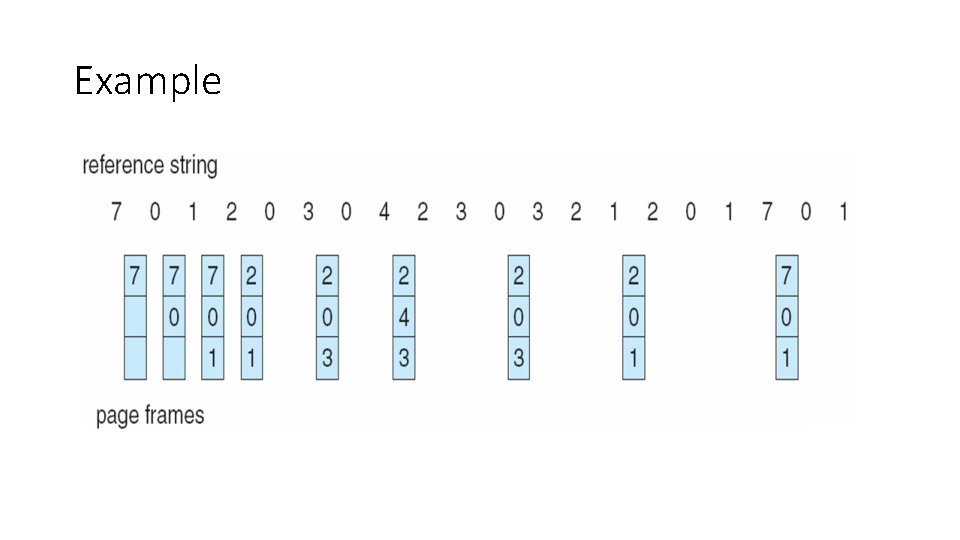
Example • Reference string: 7, 0, 1, 2, 0, 3, 0, 4, 2, 3, 0, 3, 2, 1, 2, 0, 1, 7, 0, 1 • 3 frames (3 pages can be in memory at a time per process)
Example
Optimal Page Replacement : How can we do better? Need an approximation of how likely each frame is to be accessed in the future If we base this on past behavior we got a way to track future behavior Tracking memory accesses requires hardware support to be efficient
Optimal Page Replacement Advantage: • Lowest page faults. • Can Improves performance of system as it reduces number of page faults so requires less swapping. Disadvantage: • Very difficult to implement.
Not recently used page replacement Two more bits added in to page table reference and dirty bits • Each page table entry (and TLB entry!) has a • Referenced bit - page is in used(recent access) • Dirty / modified bit - set when page is written Idea: use the information contained in these bits to drive the page replacement algorithm
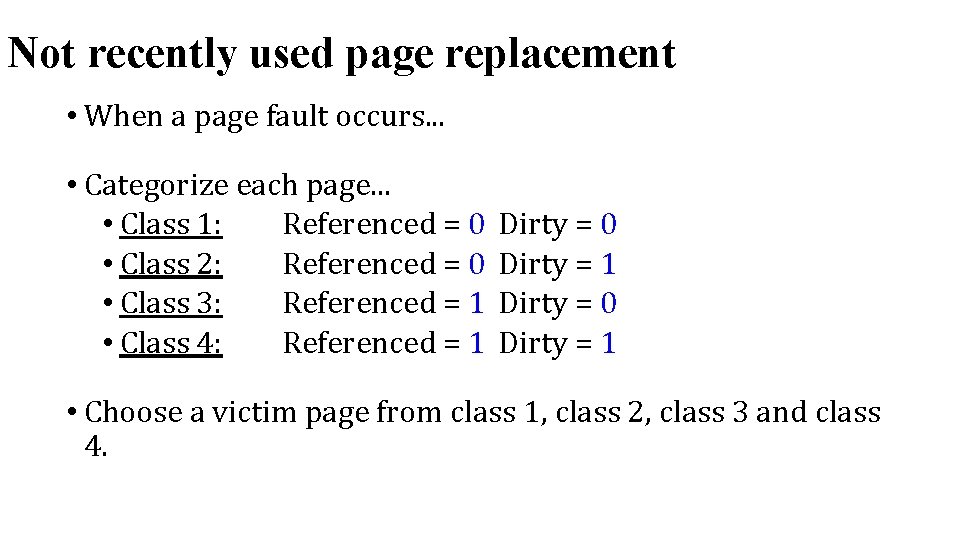
Not recently used page replacement • When a page fault occurs. . . • Categorize each page. . . • Class 1: Referenced = 0 • Class 2: Referenced = 0 • Class 3: Referenced = 1 • Class 4: Referenced = 1 Dirty = 0 Dirty = 1 • Choose a victim page from class 1, class 2, class 3 and class 4.
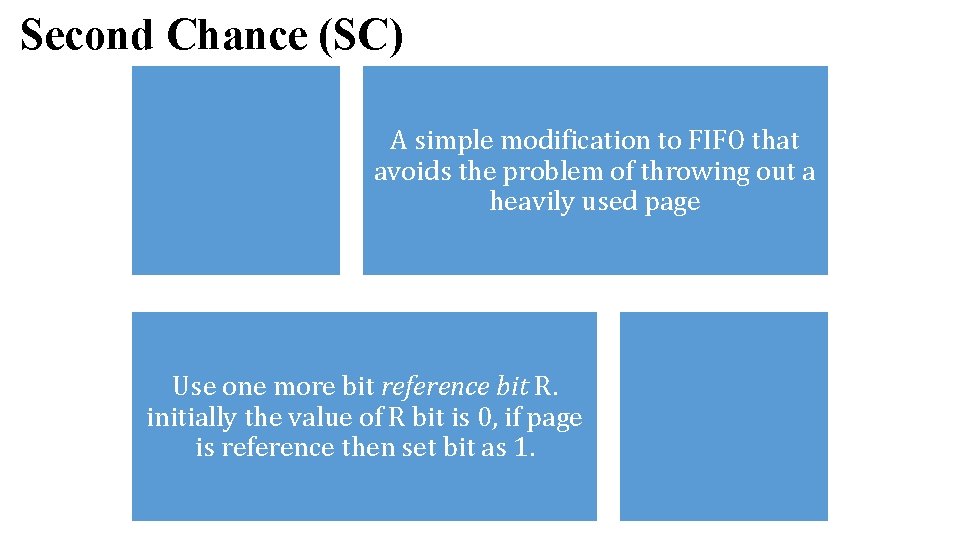
Second Chance (SC) A simple modification to FIFO that avoids the problem of throwing out a heavily used page Use one more bit reference bit R. initially the value of R bit is 0, if page is reference then set bit as 1.
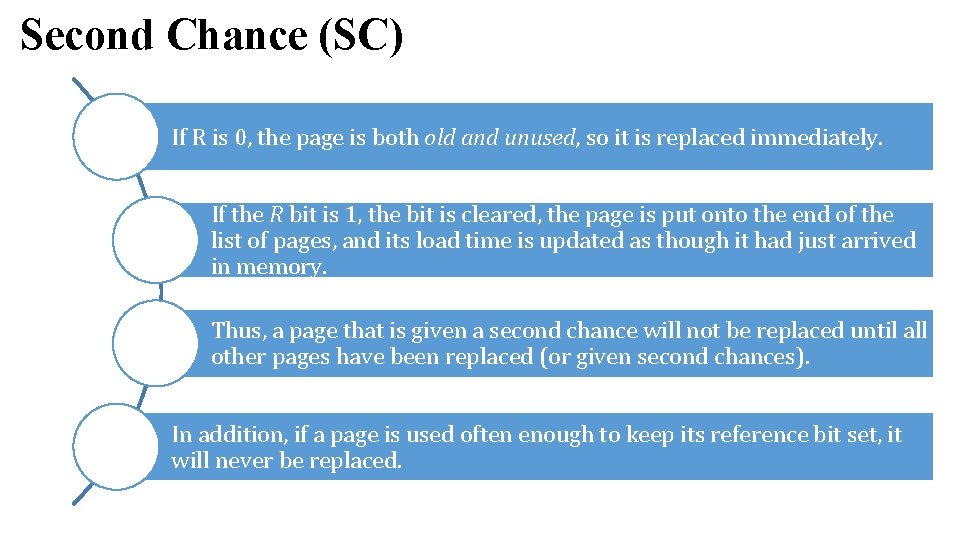
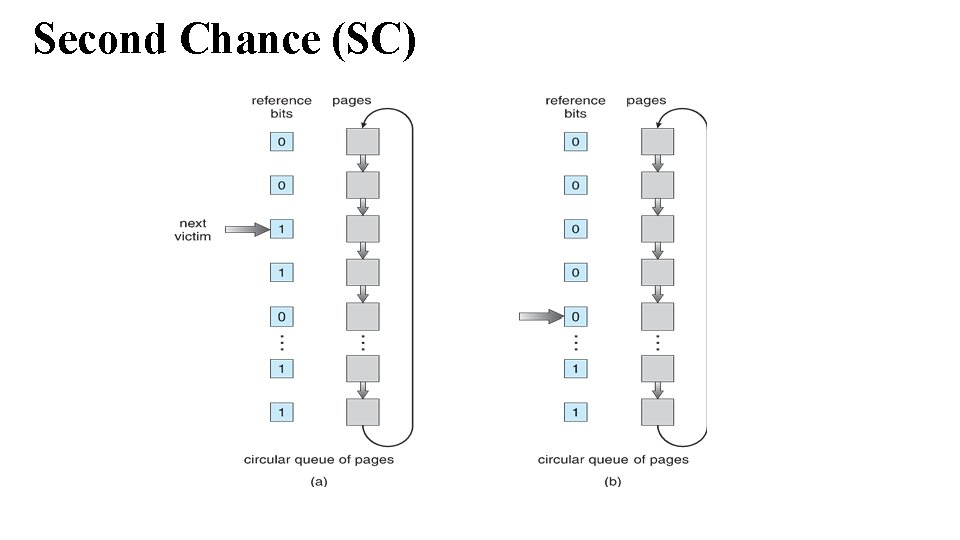
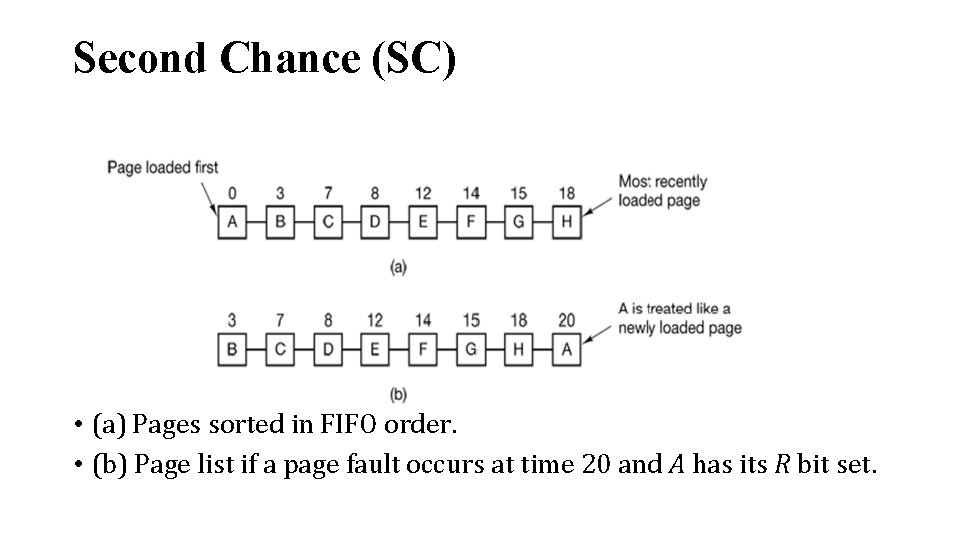
Second Chance (SC) If R is 0, the page is both old and unused, so it is replaced immediately. If the R bit is 1, the bit is cleared, the page is put onto the end of the list of pages, and its load time is updated as though it had just arrived in memory. Thus, a page that is given a second chance will not be replaced until all other pages have been replaced (or given second chances). In addition, if a page is used often enough to keep its reference bit set, it will never be replaced.
Second Chance (SC)
Second Chance (SC) • (a) Pages sorted in FIFO order. • (b) Page list if a page fault occurs at time 20 and A has its R bit set.
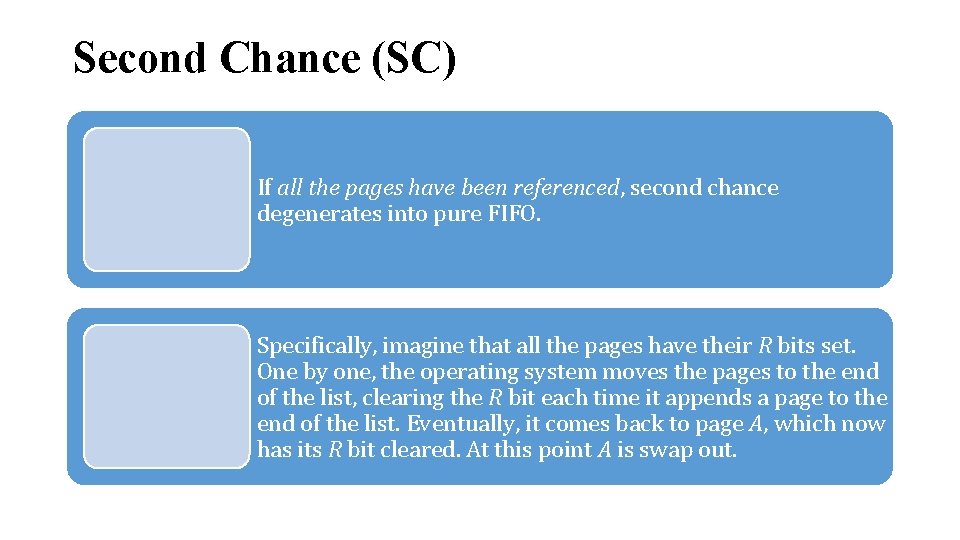
Second Chance (SC) If all the pages have been referenced, second chance degenerates into pure FIFO. Specifically, imagine that all the pages have their R bits set. One by one, the operating system moves the pages to the end of the list, clearing the R bit each time it appends a page to the end of the list. Eventually, it comes back to page A, which now has its R bit cleared. At this point A is swap out.
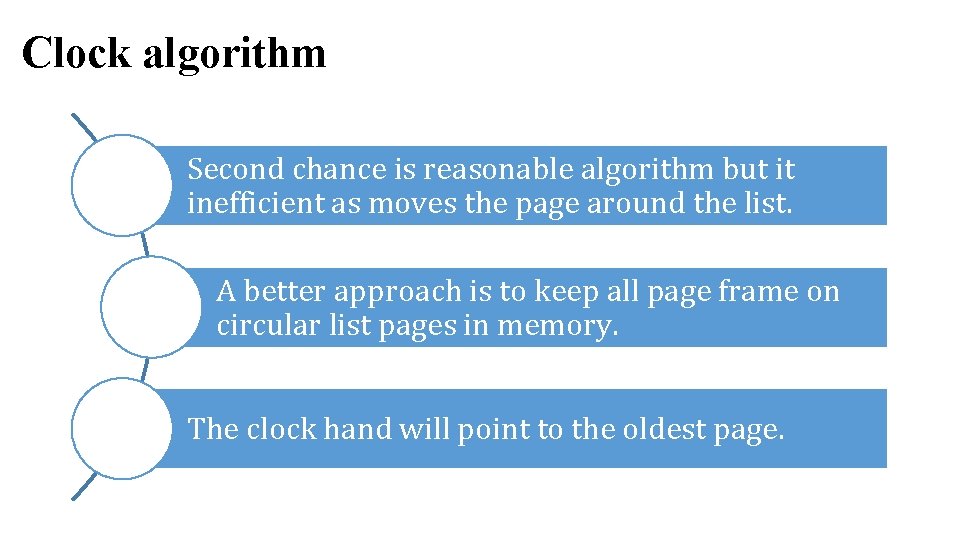
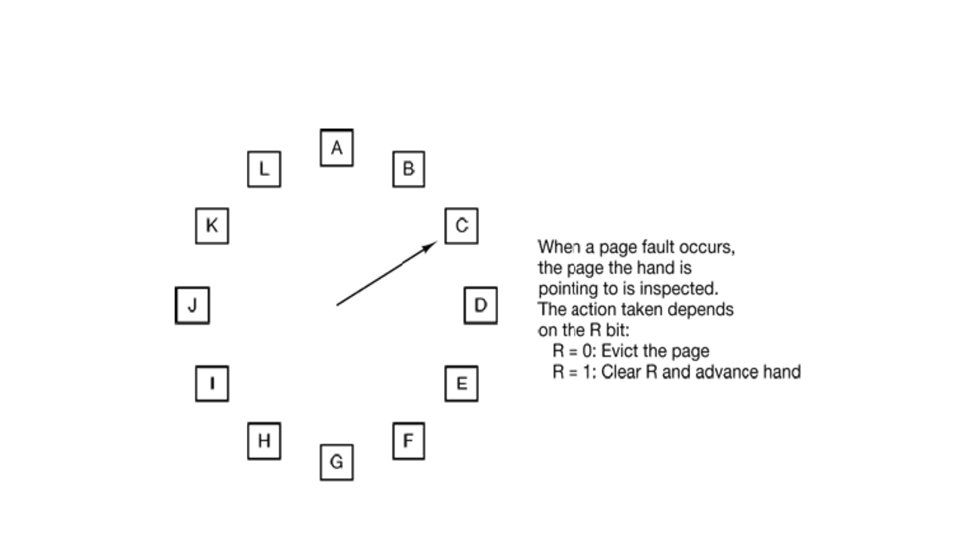
Clock algorithm Second chance is reasonable algorithm but it inefficient as moves the page around the list. A better approach is to keep all page frame on circular list pages in memory. The clock hand will point to the oldest page.
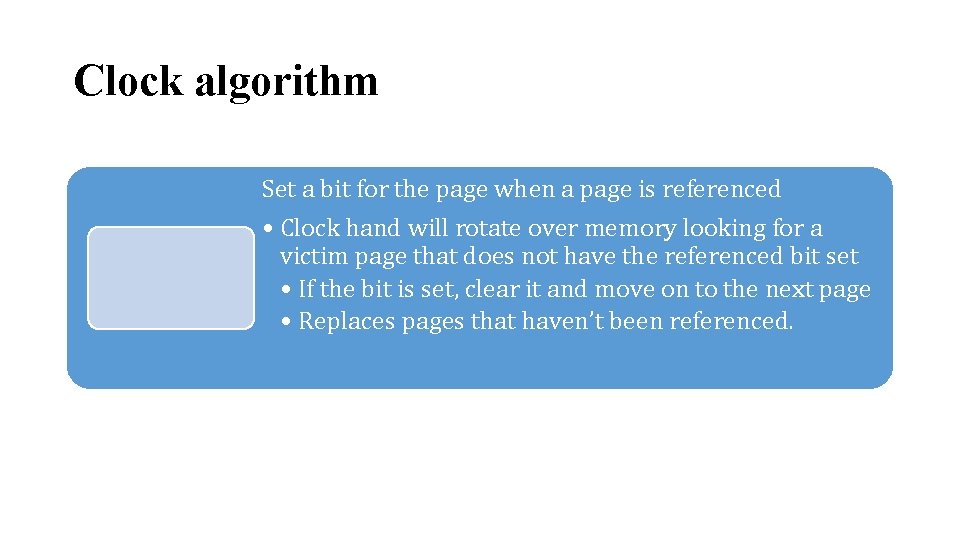
Clock algorithm Set a bit for the page when a page is referenced • Clock hand will rotate over memory looking for a victim page that does not have the referenced bit set • If the bit is set, clear it and move on to the next page • Replaces pages that haven’t been referenced.
Least Recently used (LRU) It is based on the observation that if pages that have been heavily used in the last few instructions will probably be heavily used again in the next few. Conversely, pages that have not been used for ages will probably remain unused for a long time. This idea suggests a realizable algorithm: when a page fault occurs, throw out the page that has been unused for the longest time.
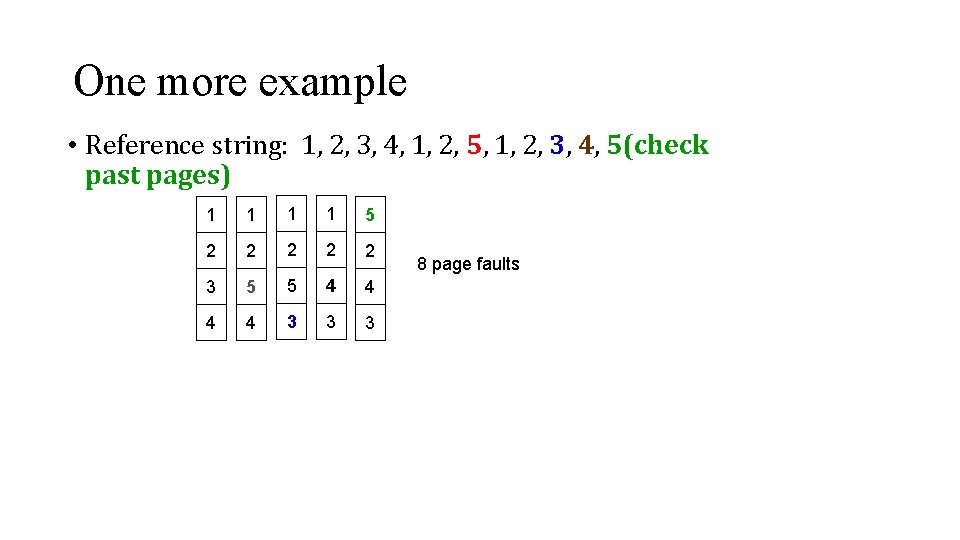
One more example • Reference string: 1, 2, 3, 4, 1, 2, 5, 1, 2, 3, 4, 5(check past pages) 1 1 5 2 2 2 3 5 5 4 4 3 3 3 8 page faults
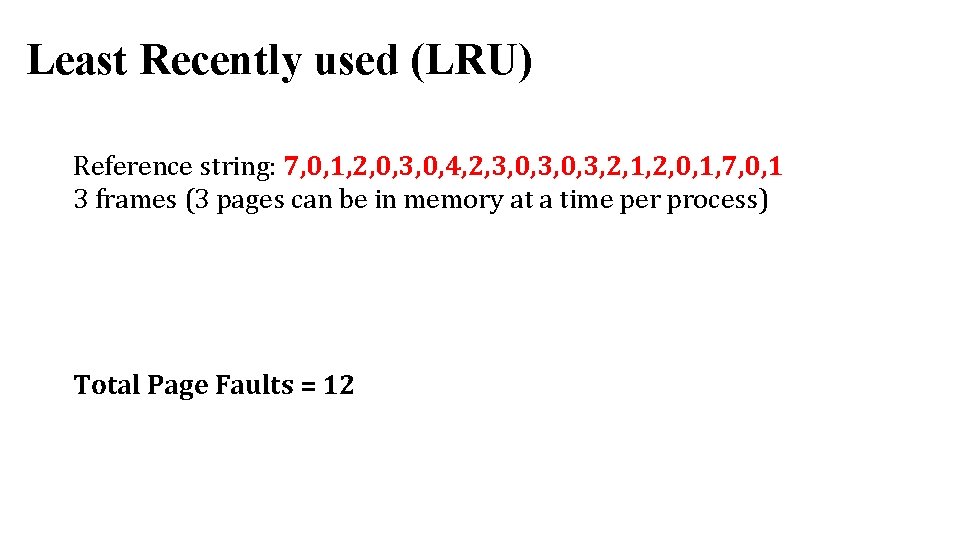
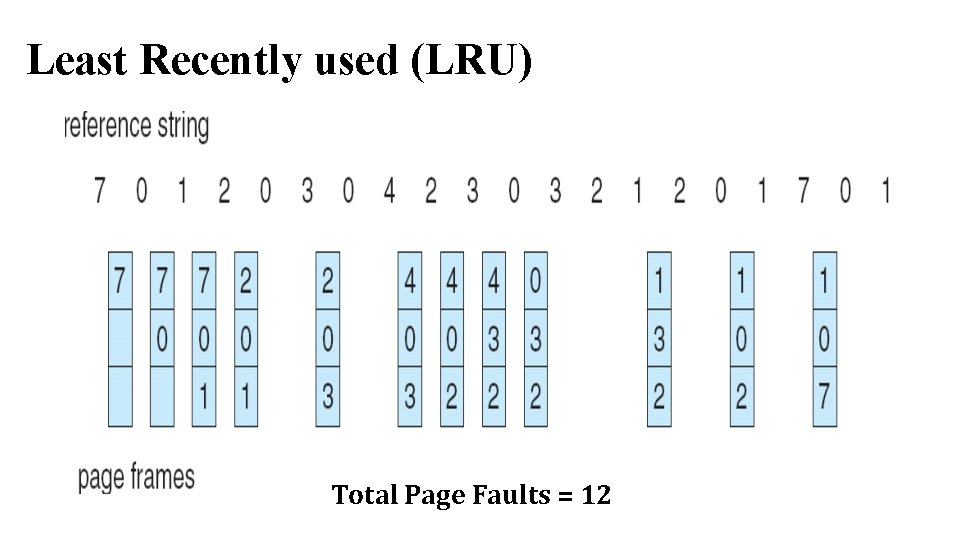
Least Recently used (LRU) Reference string: 7, 0, 1, 2, 0, 3, 0, 4, 2, 3, 0, 3, 2, 1, 2, 0, 1, 7, 0, 1 3 frames (3 pages can be in memory at a time per process) Total Page Faults = 12
Least Recently used (LRU) Total Page Faults = 12
Least Recently used (LRU) Implementation • Every time a page is accessed, record a timestamp of the access time • When choosing a page to evict, scan over all pages and throw out page with oldest timestamp
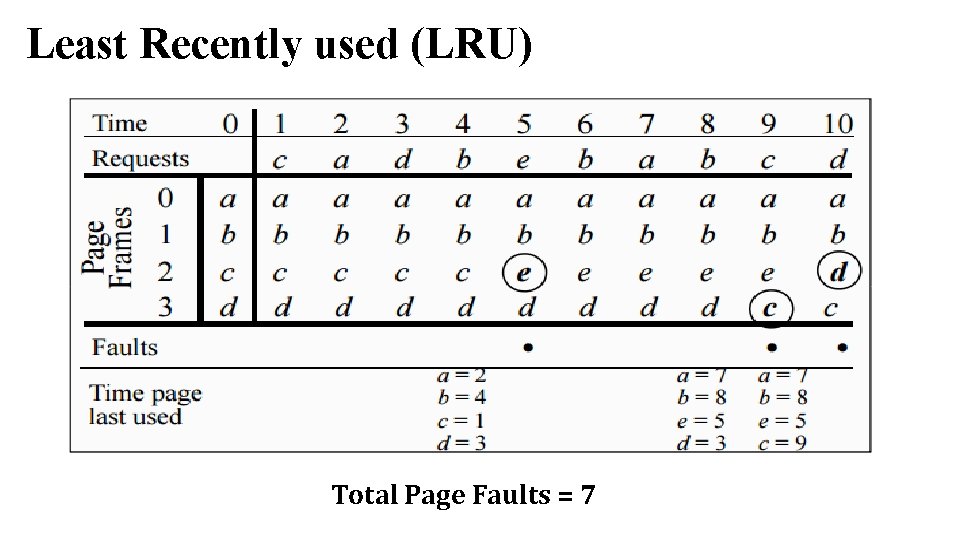
Least Recently used (LRU) Total Page Faults = 7
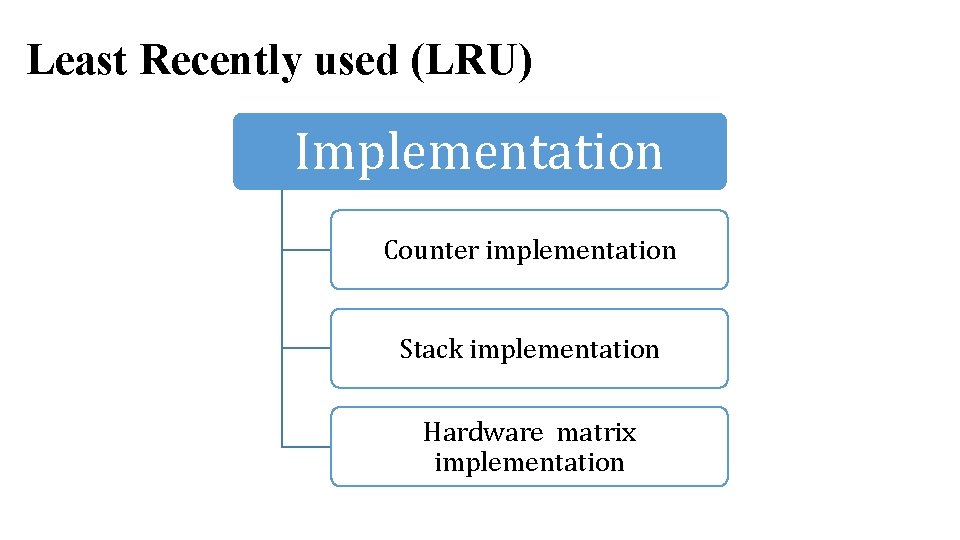
Least Recently used (LRU) Implementation Counter implementation Stack implementation Hardware matrix implementation
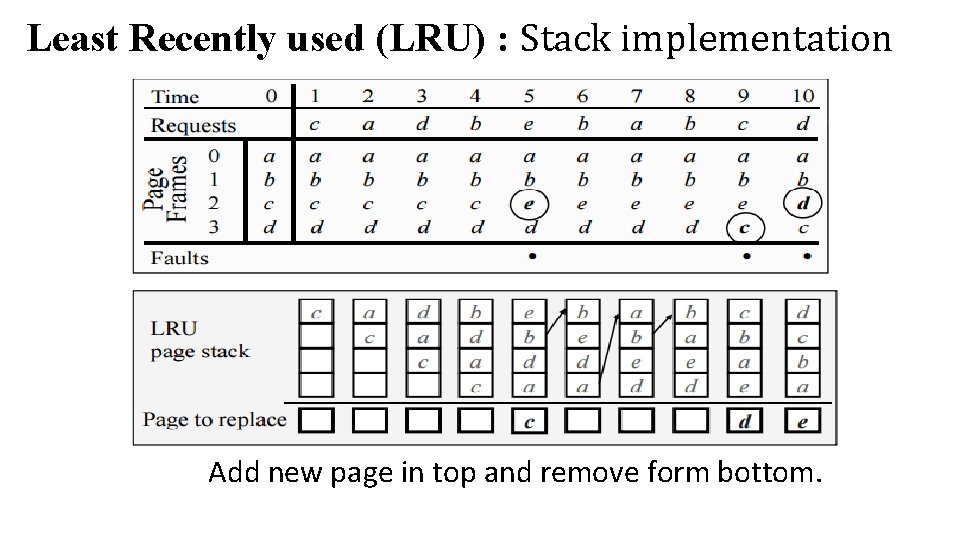
Least Recently used (LRU) : Stack implementation Add new page in top and remove form bottom.
Least Recently used (LRU) Advantage • Feasible to implement. • Not as simple as FIFO but not that much complex to implement. Disadvantage • It requires additional data structure.