
UNIT1 Introduction to System Programming Introduction Components of
![Unit-1 B. Statement Format: [Label] <opcode> <operand 1> [ <operand 2>. . ] Label-Optional](https://slidetodoc.com/presentation_image_h2/53e71cf409c0f5cd0a4fdae78c2eed74/image-36.jpg "Unit-1 B. Statement Format: [Label] <opcode> <operand 1> [ <operand 2>. . ] Label-Optional")
![Unit-1 3. Assembler Directive… END [<OPERAND SPECIFICATION>] Optional, indicates address of the instruction where](https://slidetodoc.com/presentation_image_h2/53e71cf409c0f5cd0a4fdae78c2eed74/image-48.jpg "Unit-1 3. Assembler Directive… END [<OPERAND SPECIFICATION>] Optional, indicates address of the instruction where")
- Slides: 96
UNIT-1 Introduction to System Programming § Introduction: Components of System Software, Language Processing Activities, Fundamentals of Language Processing §Assemblers: Elements of Assembly Language Programming, A simple Assembly Scheme, Pass structure of Assemblers, Design of Two Pass Assembler, Single pass assembler §Macro Processor: Macro Definition and call, Macro Expansion, Nested Macro Calls and definition, Advanced Macro Facilities, Design of Macro Processor
Unit-1 § § Introduction: Components of System Software, Language Processing Activities, Fundamentals of Language Processing
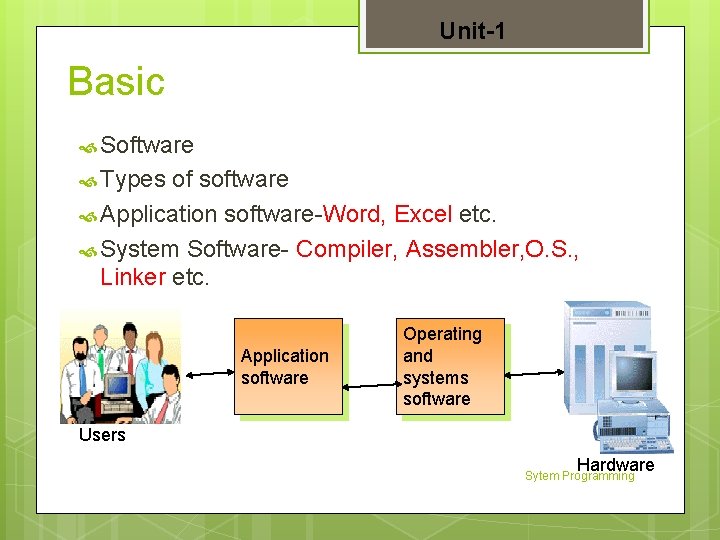
Unit-1 Basic Software Types of software Application software-Word, Excel etc. System Software- Compiler, Assembler, O. S. , Linker etc. Application software Operating and systems software Users Hardware Sytem Programming
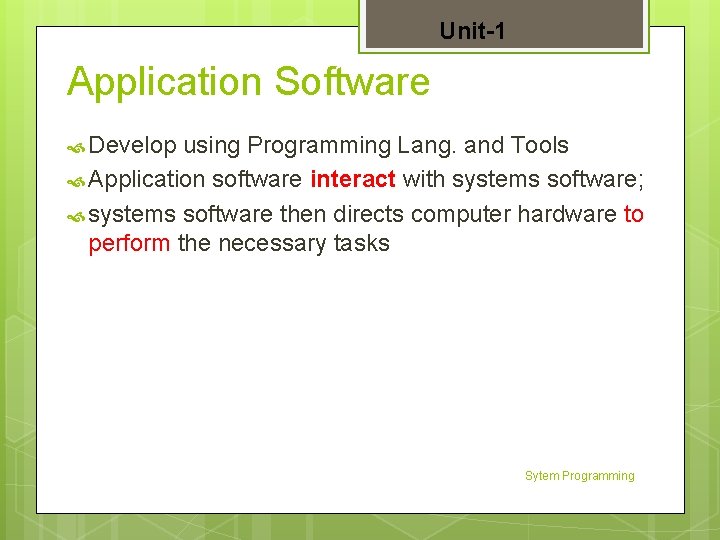
Unit-1 Application Software Develop using Programming Lang. and Tools Application software interact with systems software; systems software then directs computer hardware to perform the necessary tasks Sytem Programming
Unit-1 System Software Needed for program development. Controls operations of computer hardware Definition: System Software Consist of a variety of program that support the operation of a computer. Sytem Programming
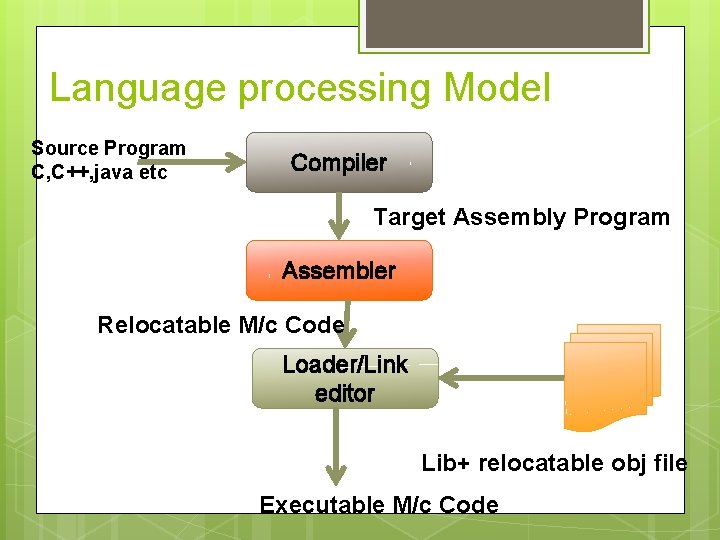
Language processing Model Source Program C, C++, java etc Compiler Target Assembly Program Assembler Relocatable M/c Code Loader/Link editor Lib+ relocatable obj file Executable M/c Code
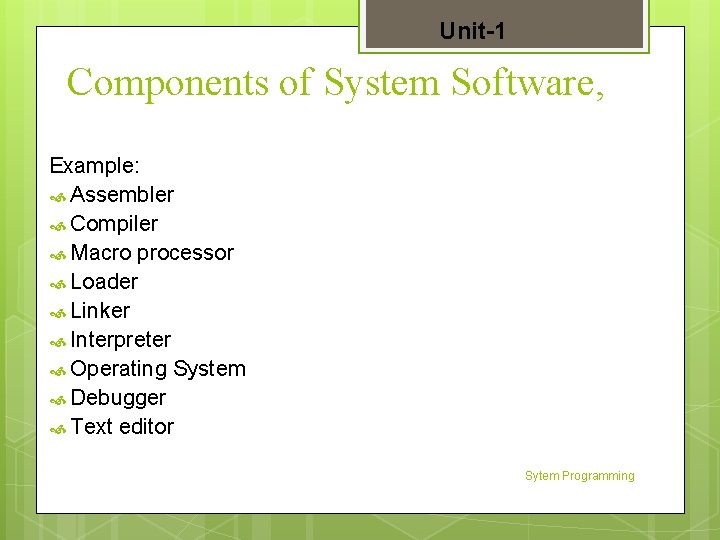
Unit-1 Components of System Software, Example: Assembler Compiler Macro processor Loader Linker Interpreter Operating System Debugger Text editor Sytem Programming
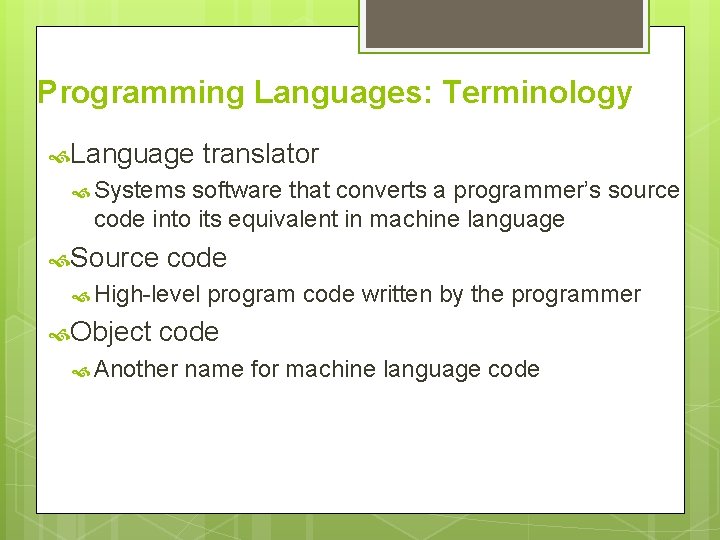
Programming Languages: Terminology Language translator Systems software that converts a programmer’s source code into its equivalent in machine language Source code High-level Object program code written by the programmer code Another name for machine language code
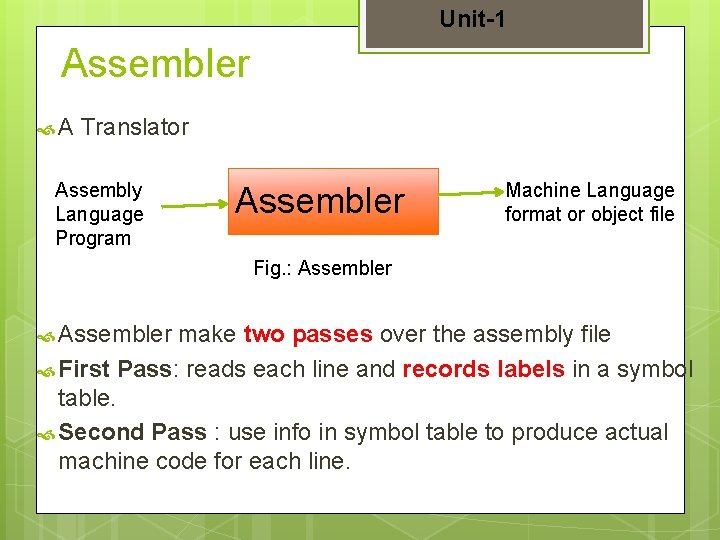
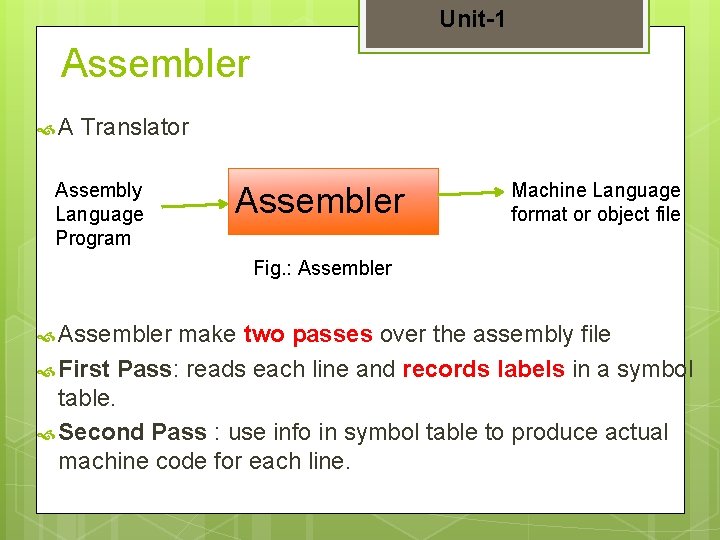
Unit-1 Assembler A Translator Assembly Language Program Assembler Machine Language format or object file Fig. : Assembler make two passes over the assembly file First Pass: reads each line and records labels in a symbol table. Second Pass : use info in symbol table to produce actual machine code for each line.
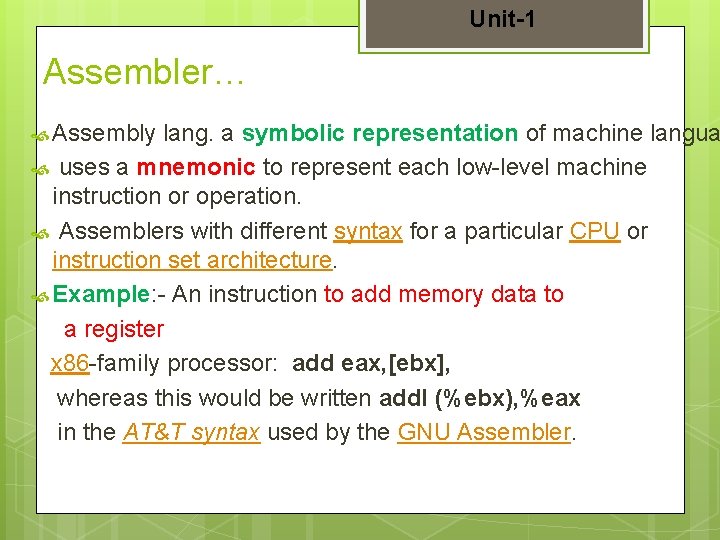
Unit-1 Assembler… Assembly lang. a symbolic representation of machine langua uses a mnemonic to represent each low-level machine instruction or operation. Assemblers with different syntax for a particular CPU or instruction set architecture. Example: - An instruction to add memory data to a register x 86 -family processor: add eax, [ebx], whereas this would be written addl (%ebx), %eax in the AT&T syntax used by the GNU Assembler.
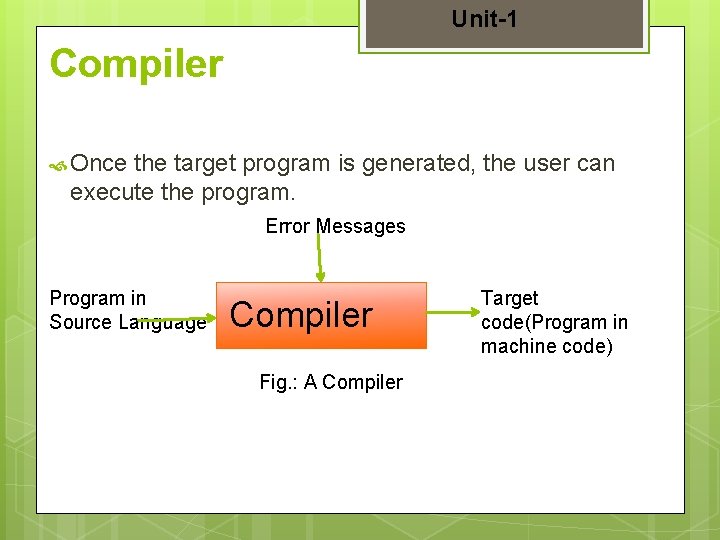
Unit-1 Compiler Once the target program is generated, the user can execute the program. Error Messages Program in Source Language Compiler Fig. : A Compiler Target code(Program in machine code)
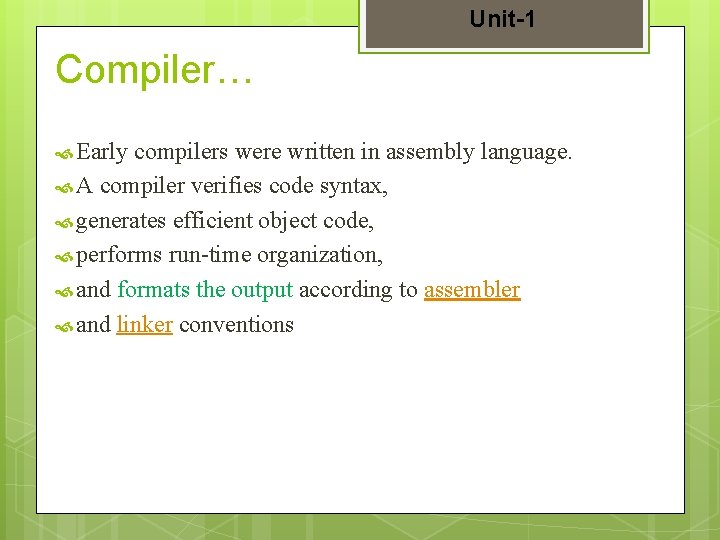
Unit-1 Compiler… Early compilers were written in assembly language. A compiler verifies code syntax, generates efficient object code, performs run-time organization, and formats the output according to assembler and linker conventions
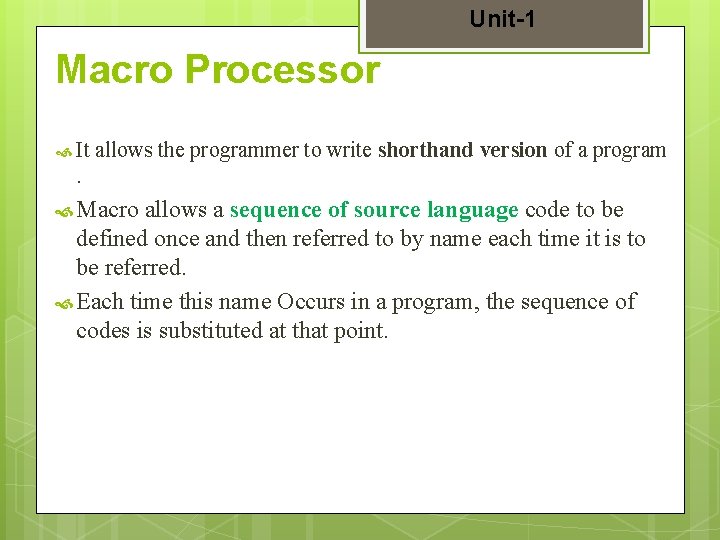
Unit-1 Macro Processor It allows the programmer to write shorthand version of a program . Macro allows a sequence of source language code to be defined once and then referred to by name each time it is to be referred. Each time this name Occurs in a program, the sequence of codes is substituted at that point.
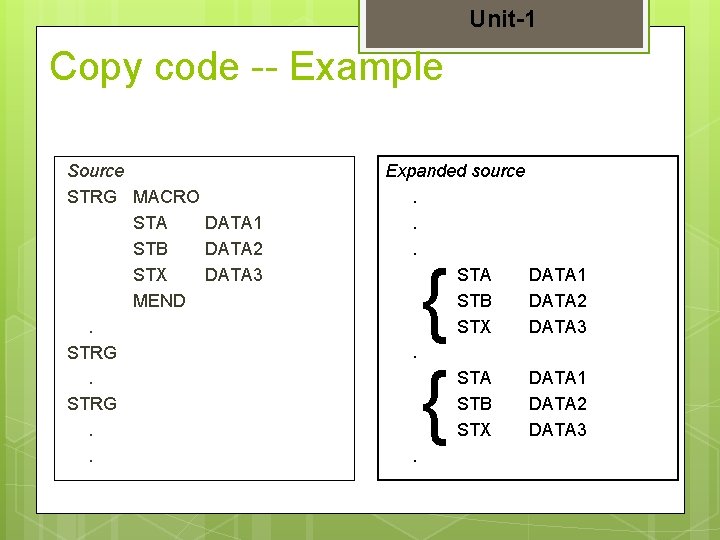
Unit-1 Copy code -- Example Source STRG MACRO STA DATA 1 STB DATA 2 STX DATA 3 MEND. STRG. . Expanded source. . . STA DATA 1 STB DATA 2 STX DATA 3. { {
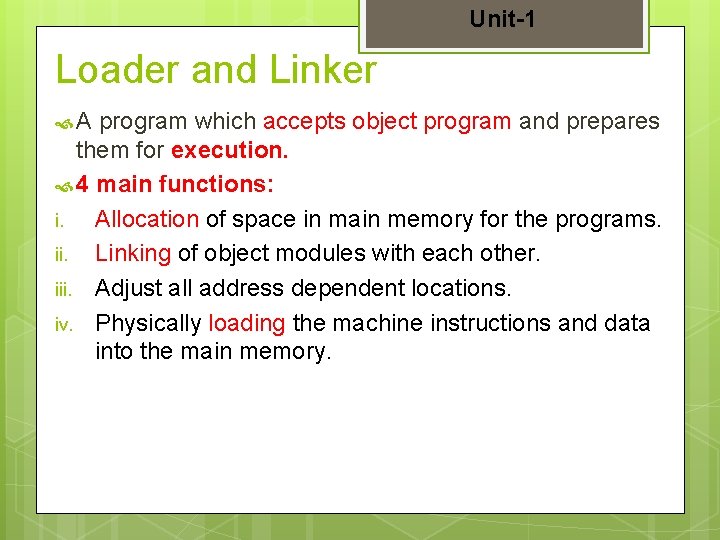
Unit-1 Loader and Linker A program which accepts object program and prepares them for execution. 4 main functions: i. Allocation of space in main memory for the programs. ii. Linking of object modules with each other. iii. Adjust all address dependent locations. iv. Physically loading the machine instructions and data into the main memory.
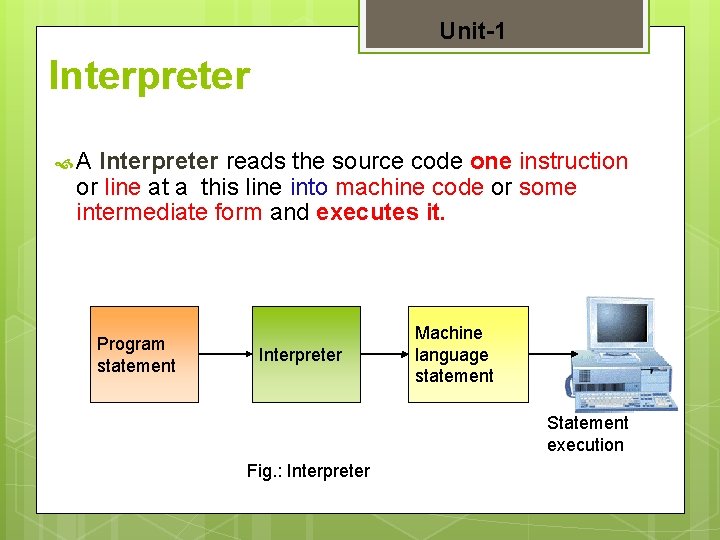
Unit-1 Interpreter A Interpreter reads the source code one instruction or line at a this line into machine code or some intermediate form and executes it. Program statement Interpreter Machine language statement Statement execution Fig. : Interpreter
Unit-1 Operating System- Interface between users and the hardware of a computer system. Debugger Text helps to detect error in the program. editor- used to create and modify the program.
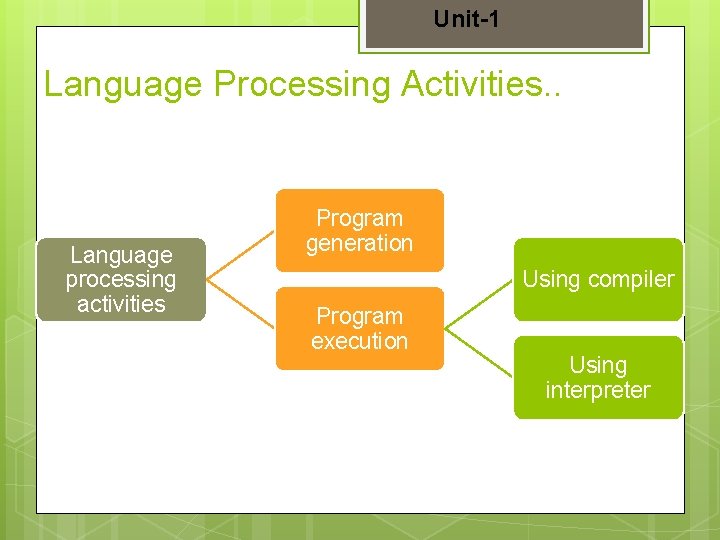
Unit-1 Language Processing Activities It Involves translation of a program written in a high level language into machine code It 1. 2. can be divided into two groups: Program generation activities Program execution activities
Unit-1 Language Processing Activities. . Language processing activities Program generation Using compiler Program execution Using interpreter
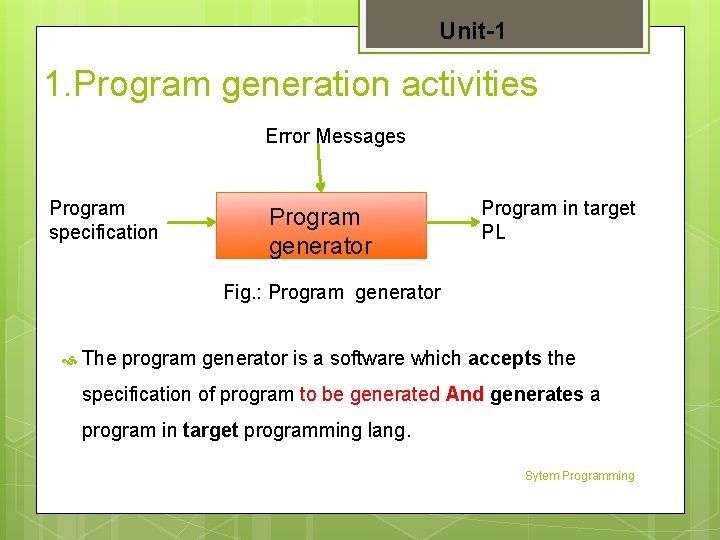
Unit-1 1. Program generation activities Error Messages Program specification Program generator Program in target PL Fig. : Program generator The program generator is a software which accepts the specification of program to be generated And generates a program in target programming lang. Sytem Programming
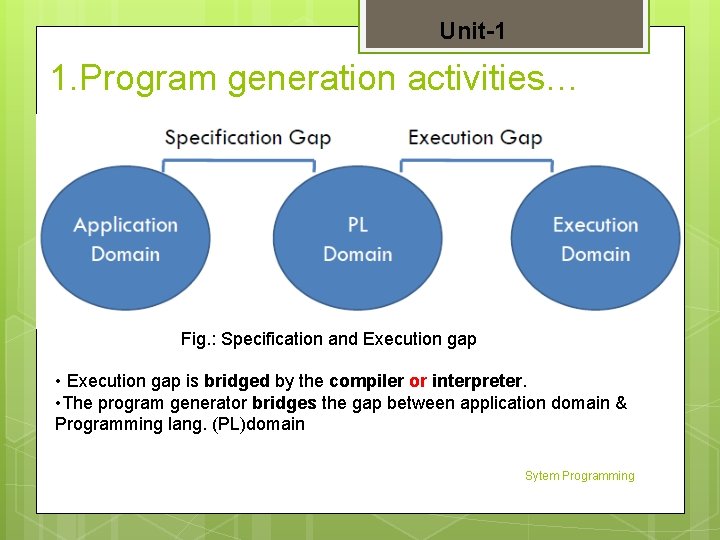
Unit-1 1. Program generation activities… Fig. : Specification and Execution gap • Execution gap is bridged by the compiler or interpreter. • The program generator bridges the gap between application domain & Programming lang. (PL)domain Sytem Programming
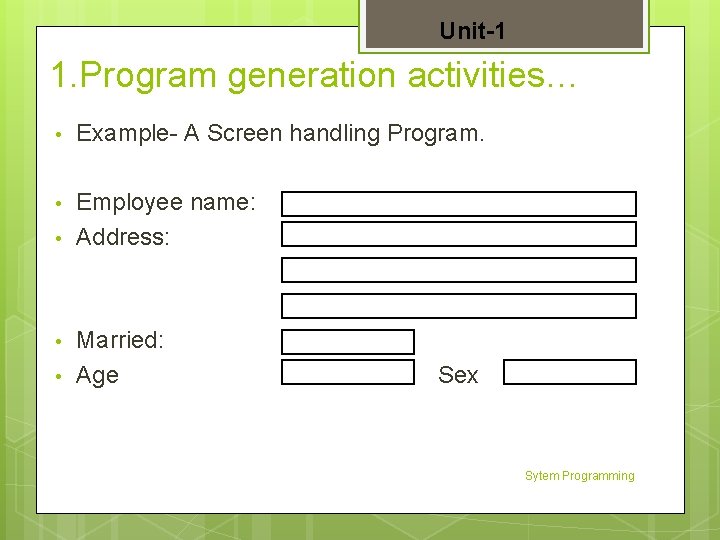
Unit-1 1. Program generation activities… • Example- A Screen handling Program. • Employee name: Address: • • • Married: Age Sex Sytem Programming
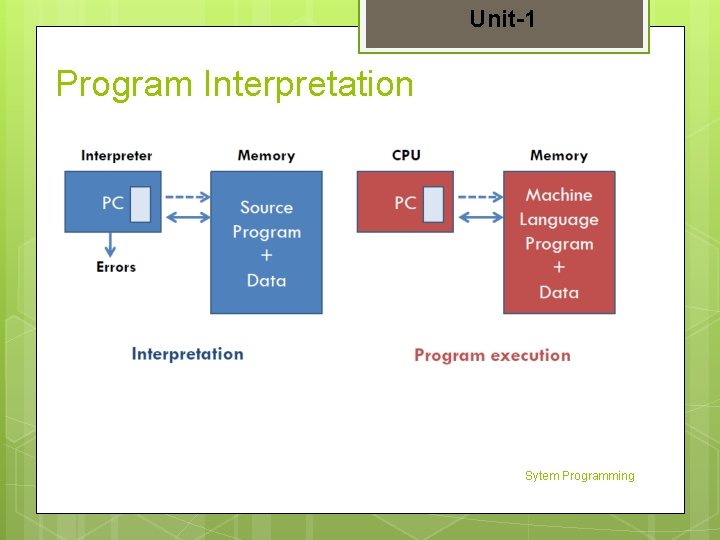
Unit-1 2. Program Execution activities 2 Models for Program Execution: 1. Translation 2. Interpretion A program must be translated before it can be executed. The translated program may be saved in a file. The saved program may be executed repeatedly.
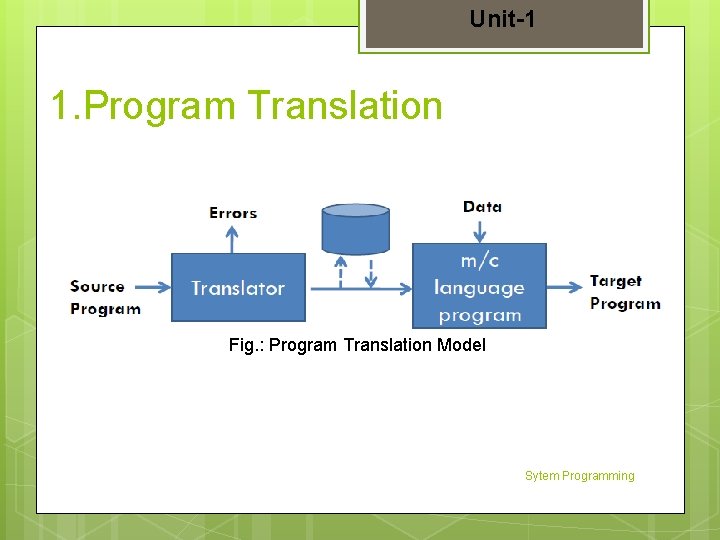
Unit-1 1. Program Translation Fig. : Program Translation Model Sytem Programming
Unit-1 Program Interpretation Sytem Programming
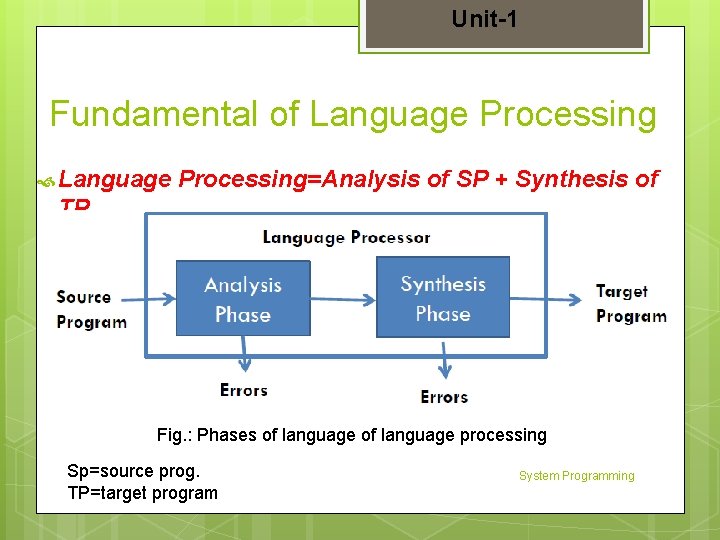
Unit-1 Fundamental of Language Processing=Analysis of SP + Synthesis of TP Fig. : Phases of language processing Sp=source prog. TP=target program System Programming
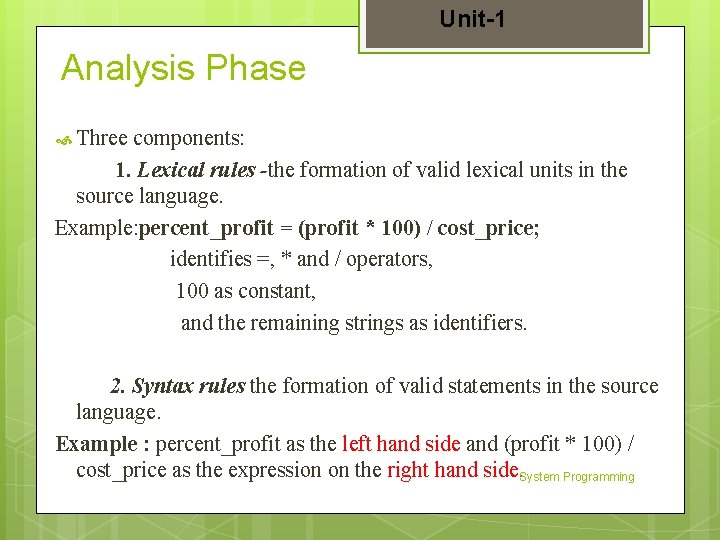
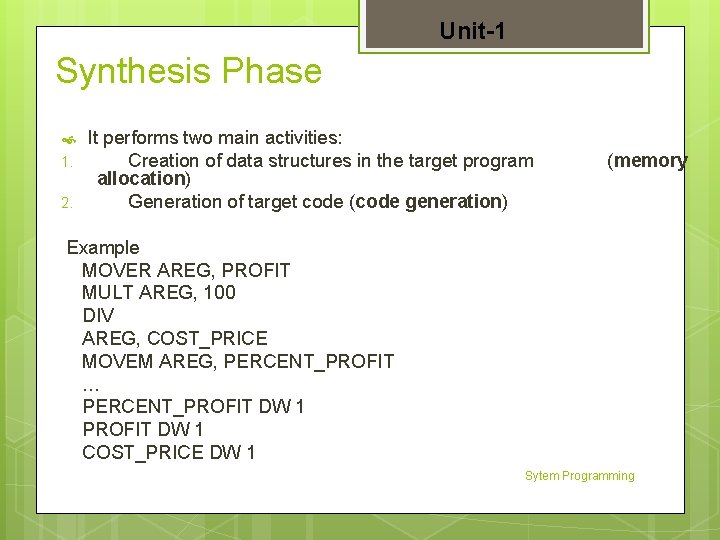
Unit-1 Analysis Phase Three components: 1. Lexical rules -the formation of valid lexical units in the source language. Example: percent_profit = (profit * 100) / cost_price; identifies =, * and / operators, 100 as constant, and the remaining strings as identifiers. 2. Syntax rules the formation of valid statements in the source language. Example : percent_profit as the left hand side and (profit * 100) / cost_price as the expression on the right hand side. System Programming
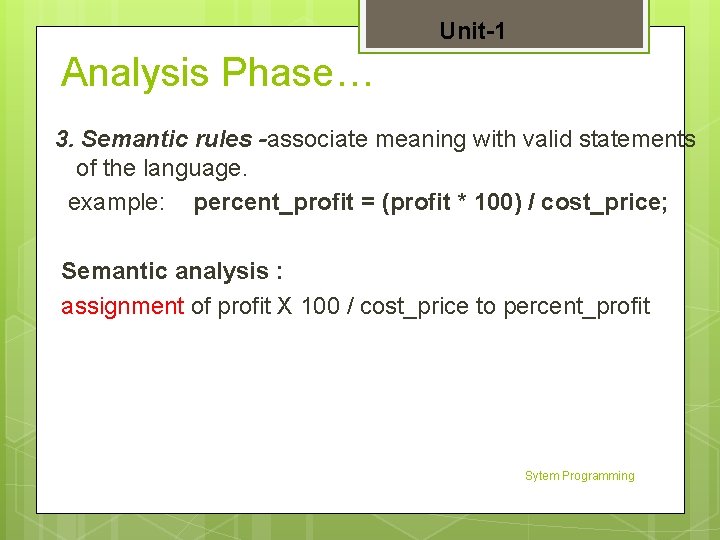
Unit-1 Analysis Phase… 3. Semantic rules -associate meaning with valid statements of the language. example: percent_profit = (profit * 100) / cost_price; Semantic analysis : assignment of profit X 100 / cost_price to percent_profit Sytem Programming
Unit-1 Synthesis Phase 1. 2. It performs two main activities: Creation of data structures in the target program allocation) Generation of target code (code generation) (memory Example MOVER AREG, PROFIT MULT AREG, 100 DIV AREG, COST_PRICE MOVEM AREG, PERCENT_PROFIT … PERCENT_PROFIT DW 1 COST_PRICE DW 1 Sytem Programming
Unit-1 § § § Assemblers: Elements of Assembly Language Programming, A simple Assembly Scheme, Pass structure of Assemblers, Design of Two Pass Assembler, Single pass assembler
Unit-1 Assembler A Translator Assembly Language Program Assembler Machine Language format or object file Fig. : Assembler make two passes over the assembly file First Pass: reads each line and records labels in a symbol table. Second Pass : use info in symbol table to produce actual machine code for each line.
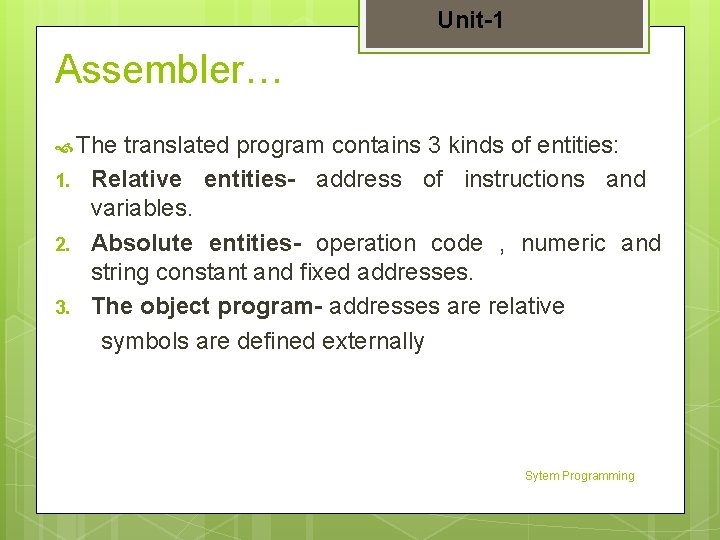
Unit-1 Assembler… The 1. 2. 3. translated program contains 3 kinds of entities: Relative entities- address of instructions and variables. Absolute entities- operation code , numeric and string constant and fixed addresses. The object program- addresses are relative symbols are defined externally Sytem Programming
Unit-1 Assembler… Assembly lang. a symbolic representation of machine language uses a mnemonic to represent each low-level machine instruction or operation. Assemblers with different syntax for a particular CPU or instruction set architecture. Example: - An instruction to add memory data to a register x 86 -family processor: add eax, [ebx], whereas this would be written addl (%ebx), %eax in the AT&T syntax used by the GNU Assembler.
Unit-1 Assembler Elements of assembly language programs: A. Basic features B. Statement format C. Operation code Sytem Programming
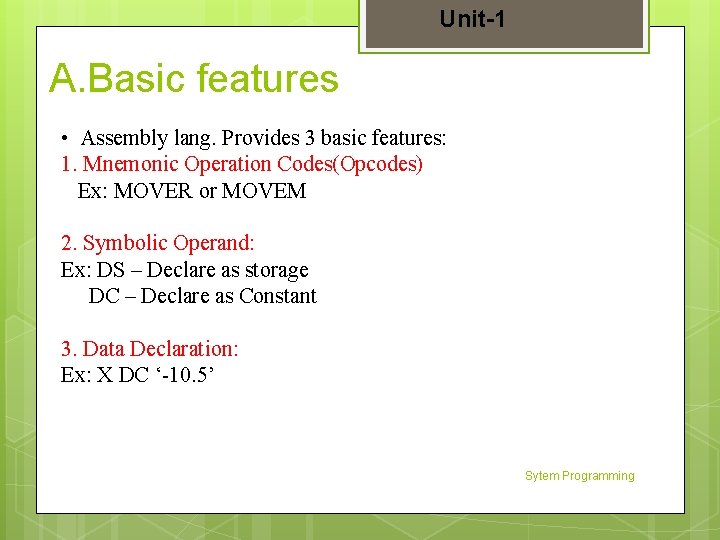
Unit-1 A. Basic features • Assembly lang. Provides 3 basic features: 1. Mnemonic Operation Codes(Opcodes) Ex: MOVER or MOVEM 2. Symbolic Operand: Ex: DS – Declare as storage DC – Declare as Constant 3. Data Declaration: Ex: X DC ‘-10. 5’ Sytem Programming
Unit-1 B. Statement Format: [Label] <opcode> <operand 1> [ <operand 2>. . ] Label-Optional Opcode-it contain symbolic operation code Operand- Operand can also be a CPU register: AREG, BREG, CREG. Example. LOOP : MOVER AREG, ‘=5’
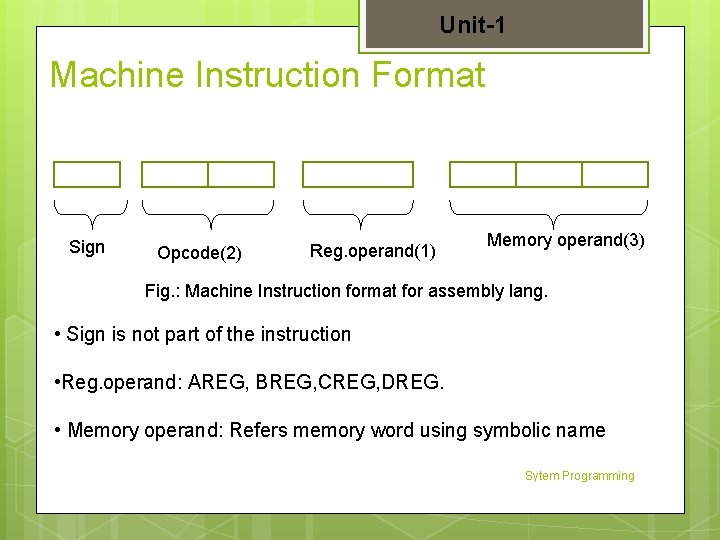
Unit-1 Machine Instruction Format Sign Opcode(2) Reg. operand(1) Memory operand(3) Fig. : Machine Instruction format for assembly lang. • Sign is not part of the instruction • Reg. operand: AREG, BREG, CREG, DREG. • Memory operand: Refers memory word using symbolic name Sytem Programming
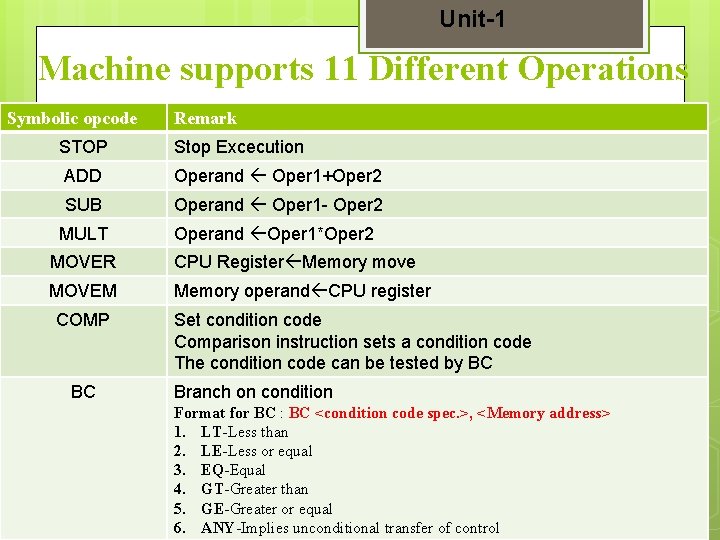
Unit-1 Machine supports 11 Different Operations Symbolic opcode STOP Remark Stop Excecution ADD Operand Oper 1+Oper 2 SUB Operand Oper 1 - Oper 2 MULT Operand Oper 1*Oper 2 MOVER CPU Register Memory move MOVEM Memory operand CPU register COMP BC Set condition code Comparison instruction sets a condition code The condition code can be tested by BC Branch on condition Format for BC : BC <condition code spec. >, <Memory address> 1. LT-Less than 2. LE-Less or equal 3. EQ-Equal 4. GT-Greater than 5. GE-Greater or equal 6. ANY-Implies unconditional transfer of control
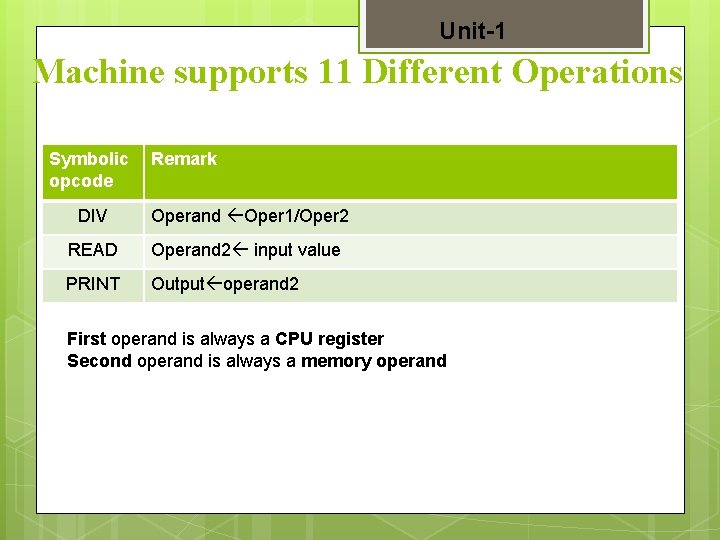
Unit-1 Machine supports 11 Different Operations Symbolic opcode Remark DIV Operand Oper 1/Oper 2 READ Operand 2 input value PRINT Output operand 2 First operand is always a CPU register Second operand is always a memory operand
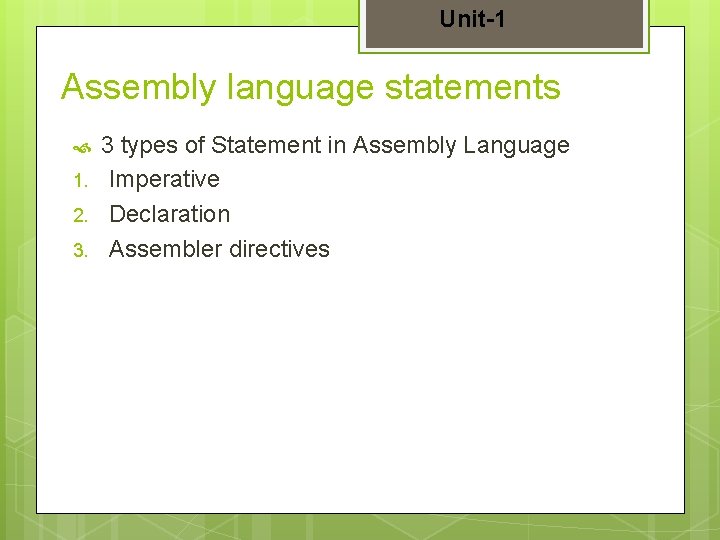
Unit-1 Assembly language statements 1. 2. 3. 3 types of Statement in Assembly Language Imperative Declaration Assembler directives
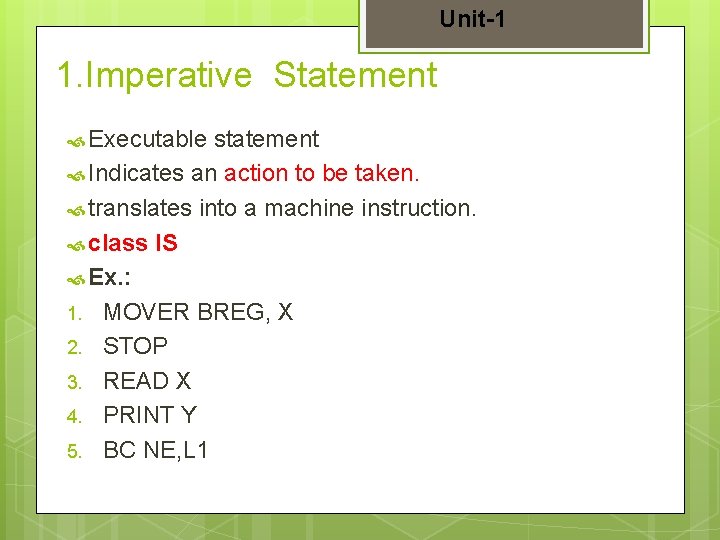
Unit-1 1. Imperative Statement Executable statement Indicates an action to be taken. translates into a machine instruction. class IS Ex. : 1. MOVER BREG, X 2. STOP 3. READ X 4. PRINT Y 5. BC NE, L 1
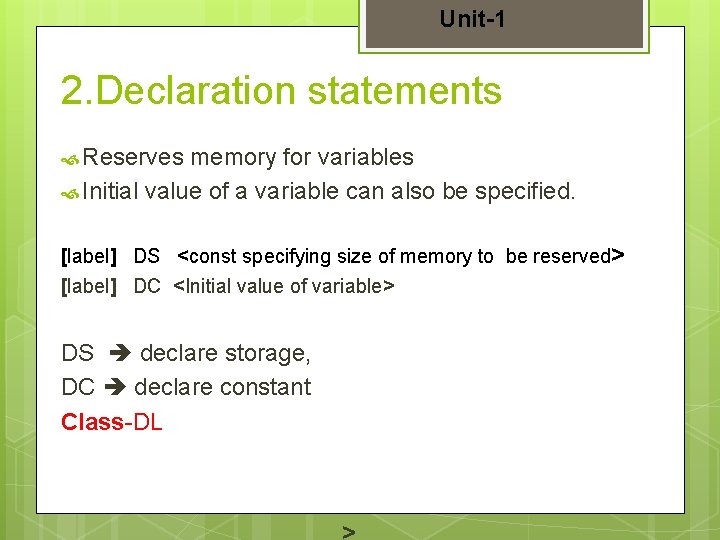
Unit-1 2. Declaration statements Reserves memory for variables Initial value of a variable can also be specified. [label] DS <const specifying size of memory to be reserved> [label] DC <Initial value of variable> DS declare storage, DC declare constant Class-DL
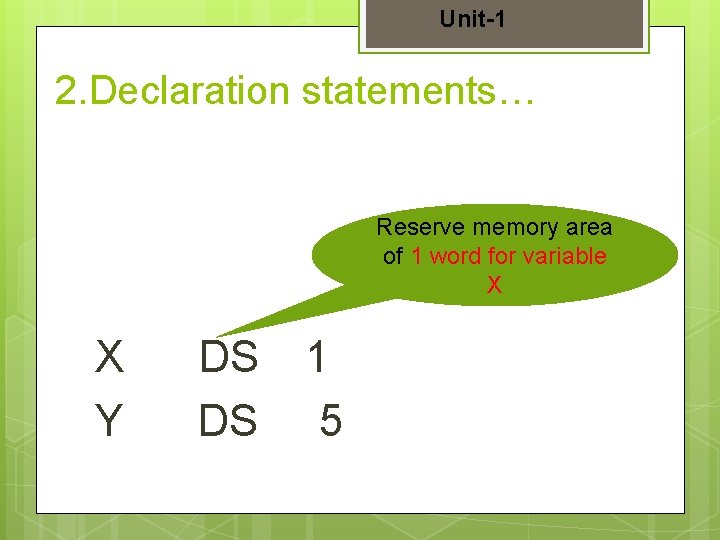
Unit-1 2. Declaration statements… Reserve memory area of 1 word for variable X X Y DS DS 1 5
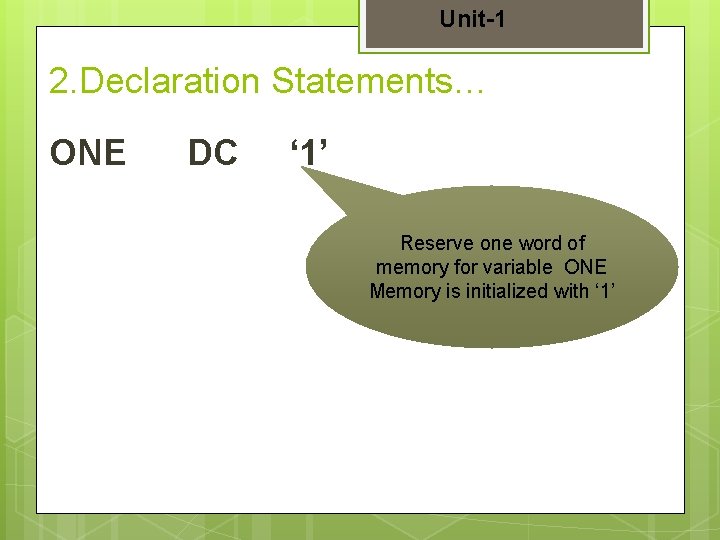
Unit-1 2. Declaration Statements… ONE DC ‘ 1’ Reserve one word of memory for variable ONE Memory is initialized with ‘ 1’
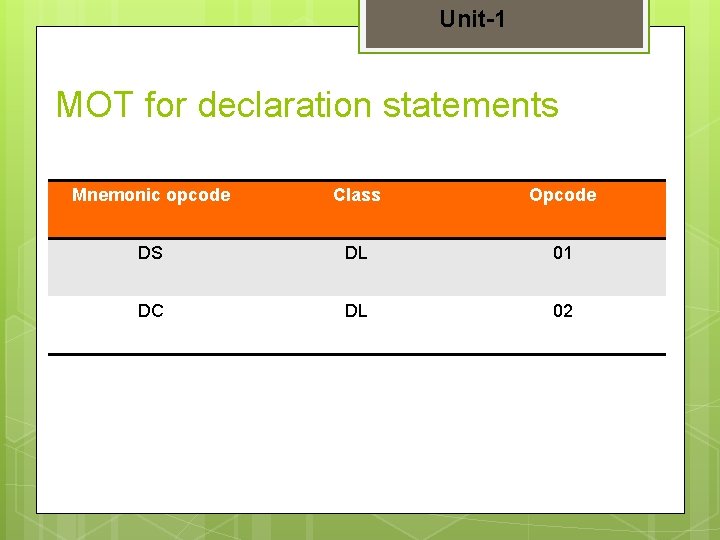
Unit-1 MOT for declaration statements Mnemonic opcode Class Opcode DS DL 01 DC DL 02
Unit-1 3. Assembler Directive Instructs the assembler to perform certain actions during assembly of a program. A directive is a direction for the assembler A directive is also known as pseudo instruction machine code is not generated for AD.
Unit-1 3. Assembler Directive… START <Constant> It indicates that the first word of the m/c code should be placed in the memory word with the address <CONSTANT>
Unit-1 3. Assembler Directive… END [<OPERAND SPECIFICATION>] Optional, indicates address of the instruction where the address of program should begin. By default, execution begins from the first instruction. It indicates the end of the source program. Class: AD
Advanced Assembler Directives These 1. 2. 3. directive include: ORIGIN Symbol LTORG
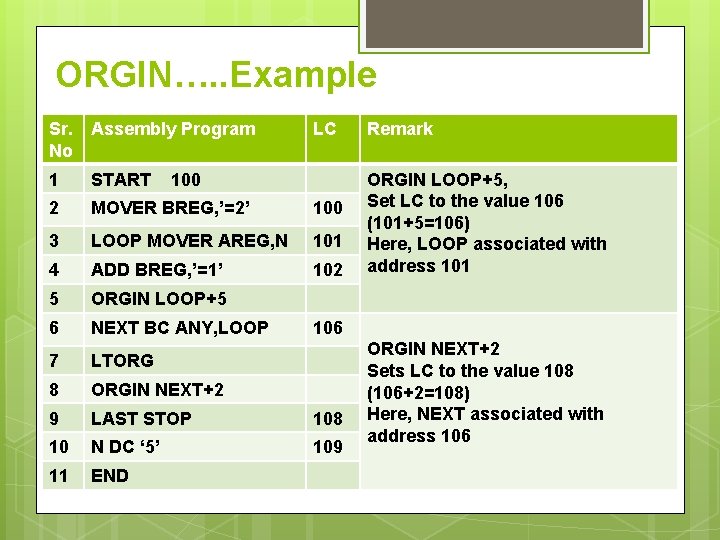
ORIGIN Useful when m/c code is not stored in consecutive memory location. ORIGIN <address specification> Operand or constant or expression containing an operand a constant. Sets LC to the address given by <address specification> LC processing in a relative rather than absolute manner
ORGIN…. . Example Sr. No Assembly Program LC 1 START 2 MOVER BREG, ’=2’ 100 3 LOOP MOVER AREG, N 101 4 ADD BREG, ’=1’ 102 5 ORGIN LOOP+5 6 NEXT BC ANY, LOOP 7 LTORG 8 ORGIN NEXT+2 9 LAST STOP 108 10 N DC ‘ 5’ 109 11 END 100 Remark ORGIN LOOP+5, Set LC to the value 106 (101+5=106) Here, LOOP associated with address 101 106 ORGIN NEXT+2 Sets LC to the value 108 (106+2=108) Here, NEXT associated with address 106
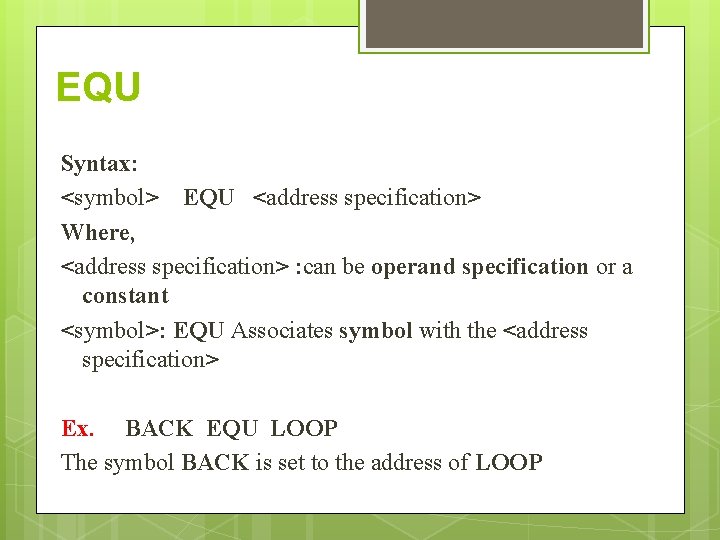
EQU Syntax: <symbol> EQU <address specification> Where, <address specification> : can be operand specification or a constant <symbol>: EQU Associates symbol with the <address specification> Ex. BACK EQU LOOP The symbol BACK is set to the address of LOOP
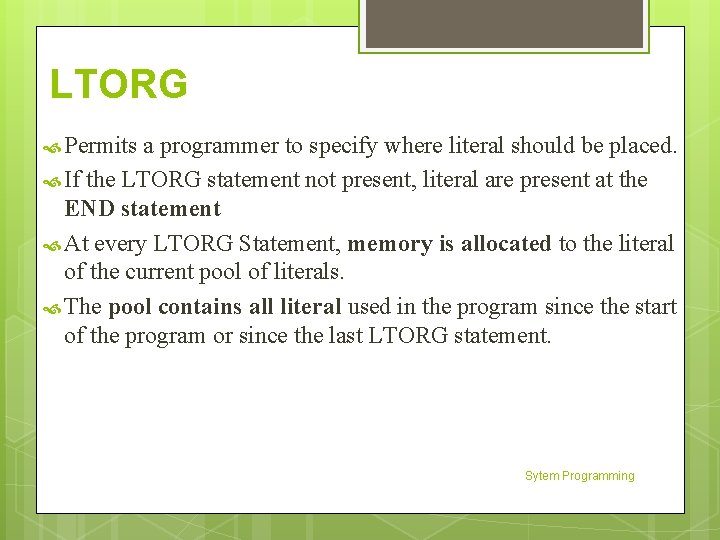
LTORG Permits a programmer to specify where literal should be placed. If the LTORG statement not present, literal are present at the END statement At every LTORG Statement, memory is allocated to the literal of the current pool of literals. The pool contains all literal used in the program since the start of the program or since the last LTORG statement. Sytem Programming
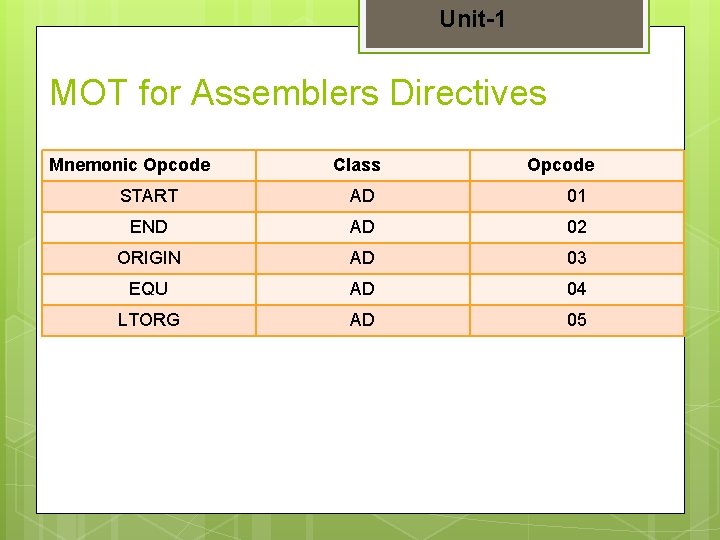
Unit-1 MOT for Assemblers Directives Mnemonic Opcode Class Opcode START AD 01 END AD 02 ORIGIN AD 03 EQU AD 04 LTORG AD 05
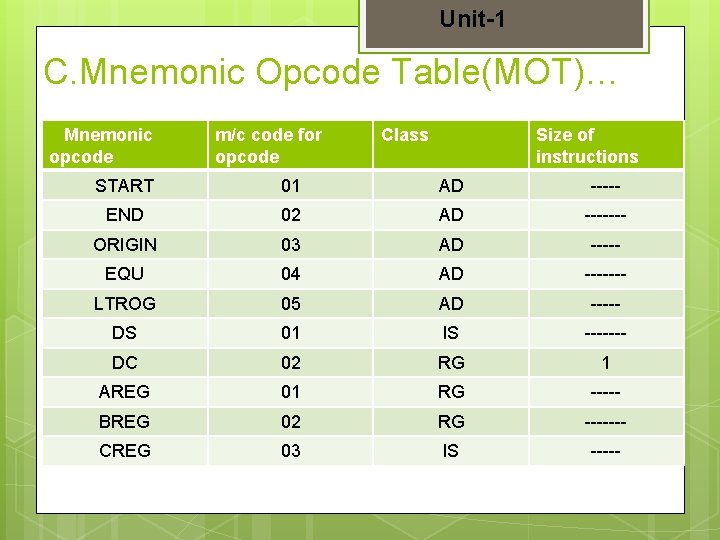
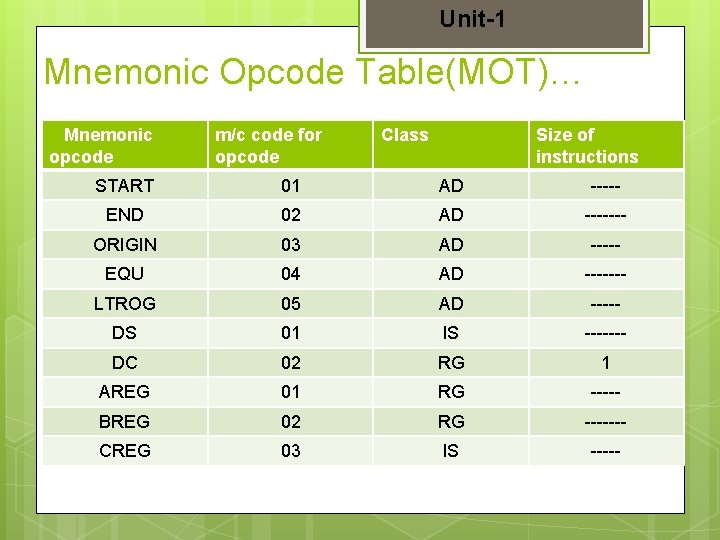
Unit-1 C. Mnemonic Opcode Table(MOT)… Mnemonic opcode m/c code for opcode Class Size of instructions START 01 AD ----- END 02 AD ------- ORIGIN 03 AD ----- EQU 04 AD ------- LTROG 05 AD ----- DS 01 IS ------- DC 02 RG 1 AREG 01 RG ----- BREG 02 RG ------- CREG 03 IS -----
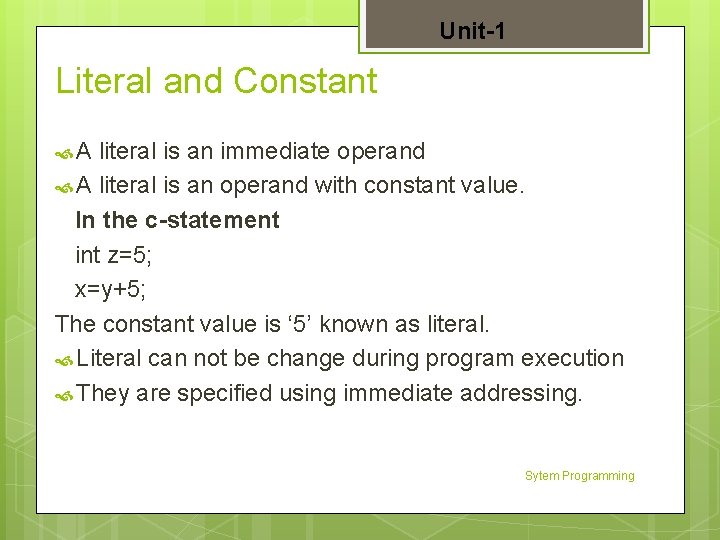
Unit-1 Literal and Constant A literal is an immediate operand A literal is an operand with constant value. In the c-statement int z=5; x=y+5; The constant value is ‘ 5’ known as literal. Literal can not be change during program execution They are specified using immediate addressing. Sytem Programming
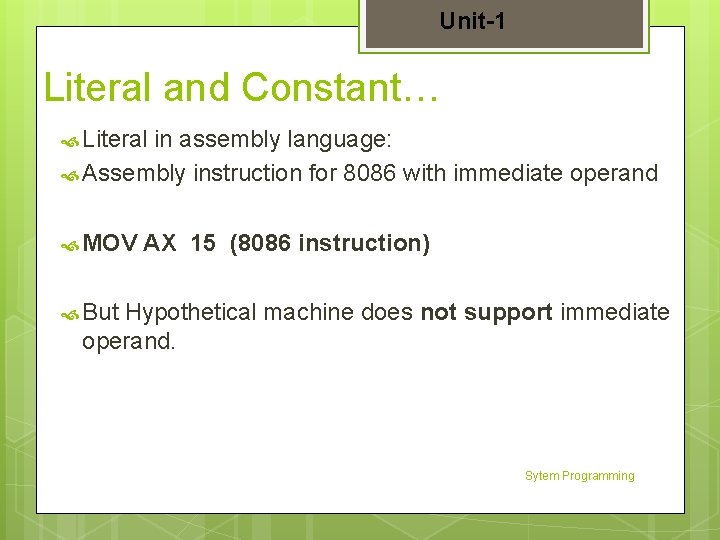
Unit-1 Literal and Constant… Literal in assembly language: Assembly instruction for 8086 with immediate operand MOV AX 15 (8086 instruction) But Hypothetical machine does not support immediate operand. Sytem Programming
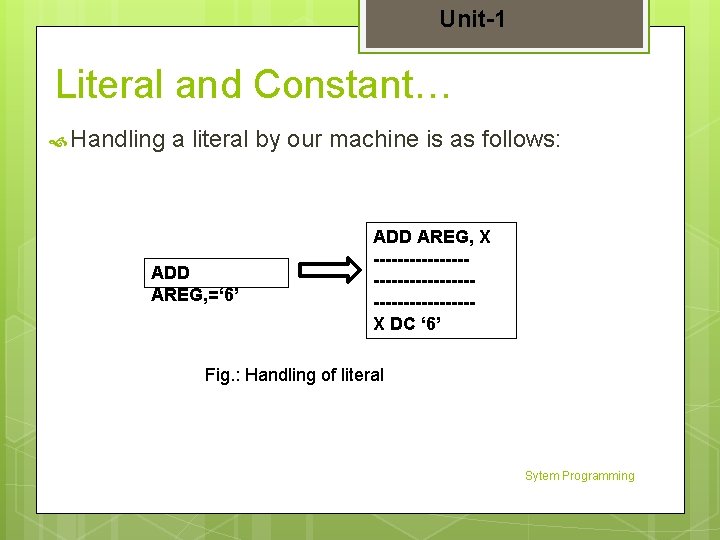
Unit-1 Literal and Constant… Handling a literal by our machine is as follows: ADD AREG, =‘ 6’ ADD AREG, X ------------------------X DC ‘ 6’ Fig. : Handling of literal Sytem Programming
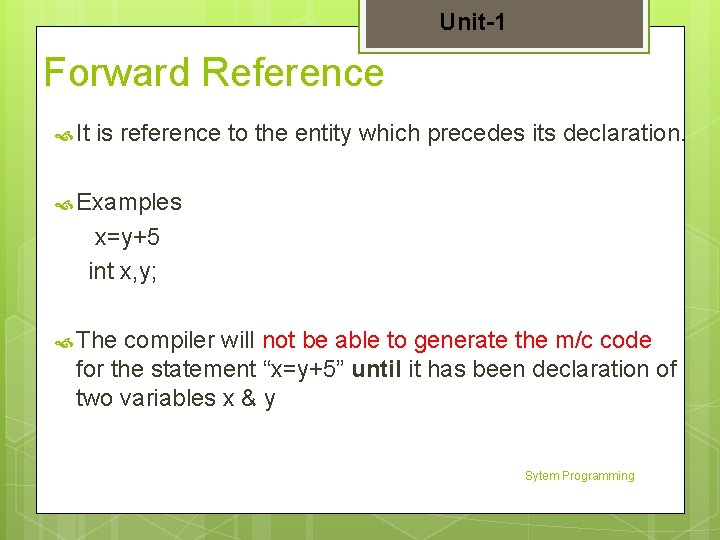
Unit-1 Forward Reference It is reference to the entity which precedes its declaration. Examples x=y+5 int x, y; The compiler will not be able to generate the m/c code for the statement “x=y+5” until it has been declaration of two variables x & y Sytem Programming
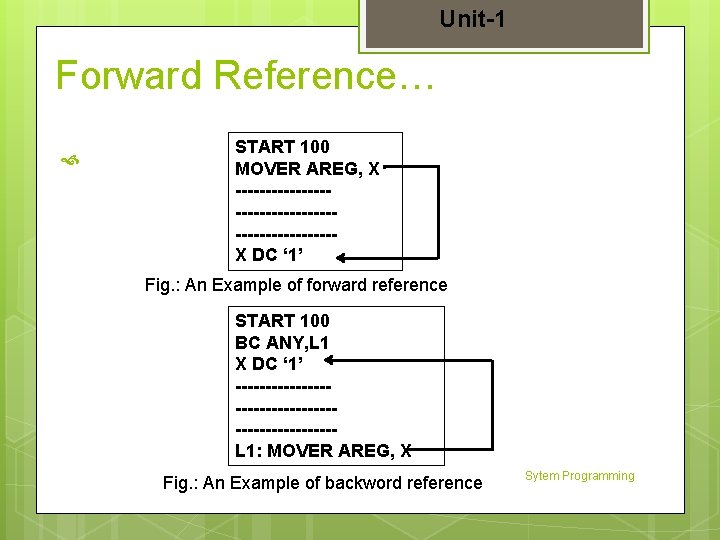
Unit-1 Forward Reference… START 100 MOVER AREG, X ------------------------X DC ‘ 1’ Fig. : An Example of forward reference START 100 BC ANY, L 1 X DC ‘ 1’ ------------------------L 1: MOVER AREG, X Fig. : An Example of backword reference Sytem Programming
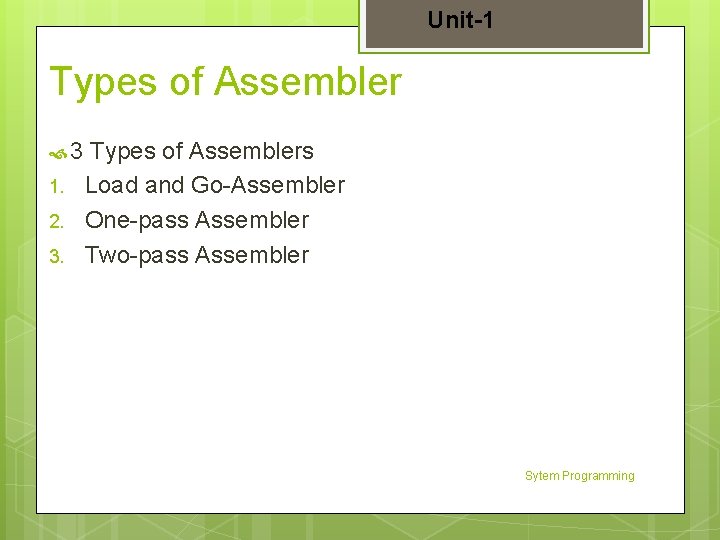
Unit-1 Types of Assembler 3 1. 2. 3. Types of Assemblers Load and Go-Assembler One-pass Assembler Two-pass Assembler Sytem Programming
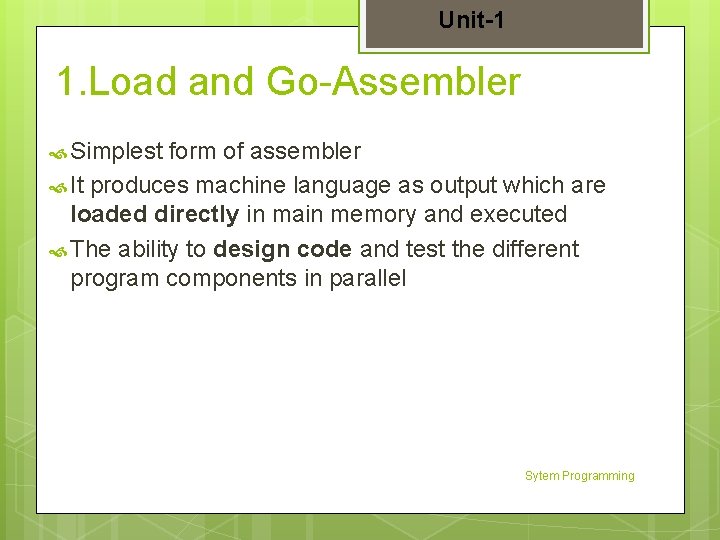
Unit-1 1. Load and Go-Assembler Simplest form of assembler It produces machine language as output which are loaded directly in main memory and executed The ability to design code and test the different program components in parallel Sytem Programming
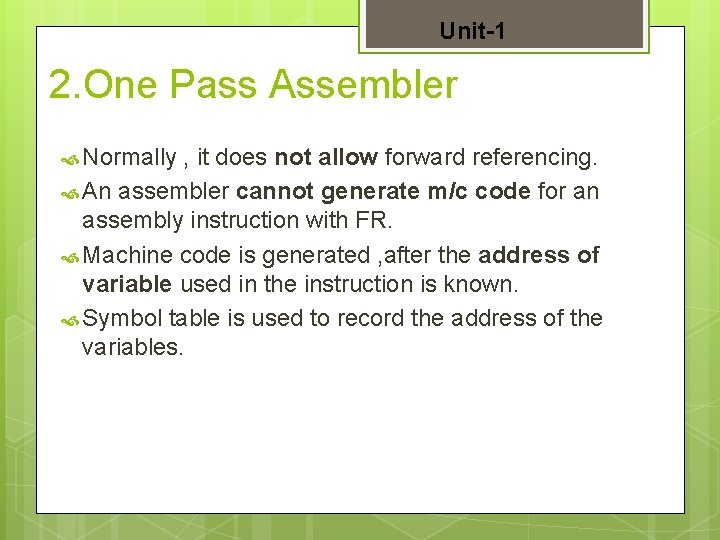
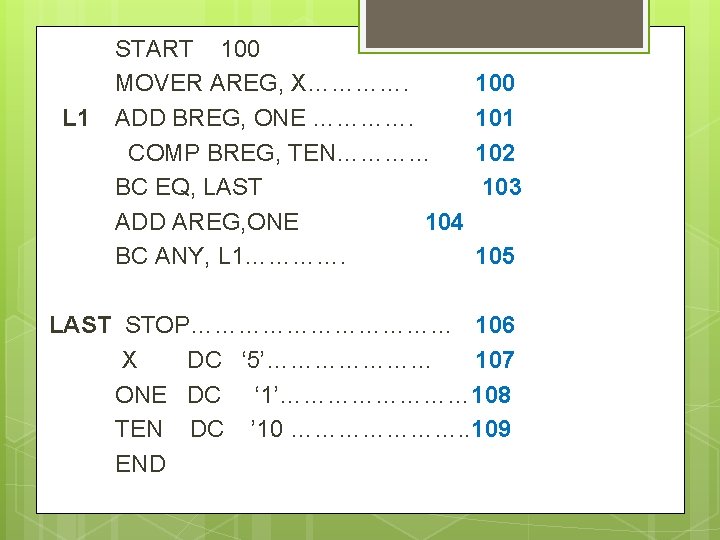
Unit-1 2. One Pass Assembler Normally , it does not allow forward referencing. An assembler cannot generate m/c code for an assembly instruction with FR. Machine code is generated , after the address of variable used in the instruction is known. Symbol table is used to record the address of the variables.
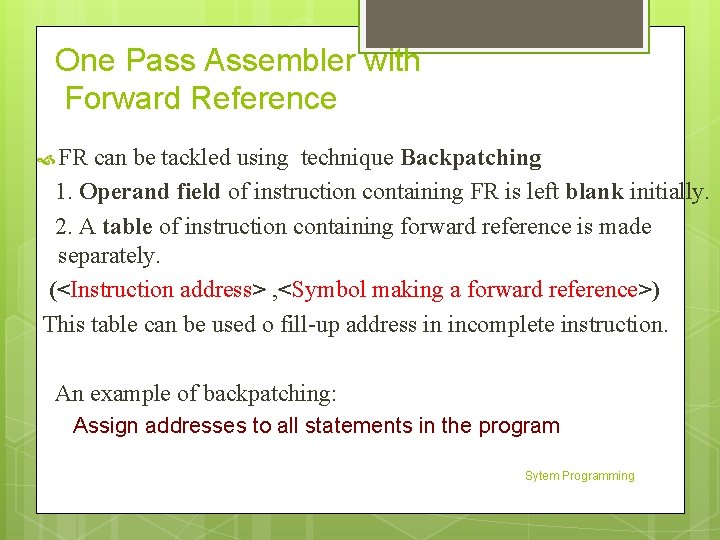
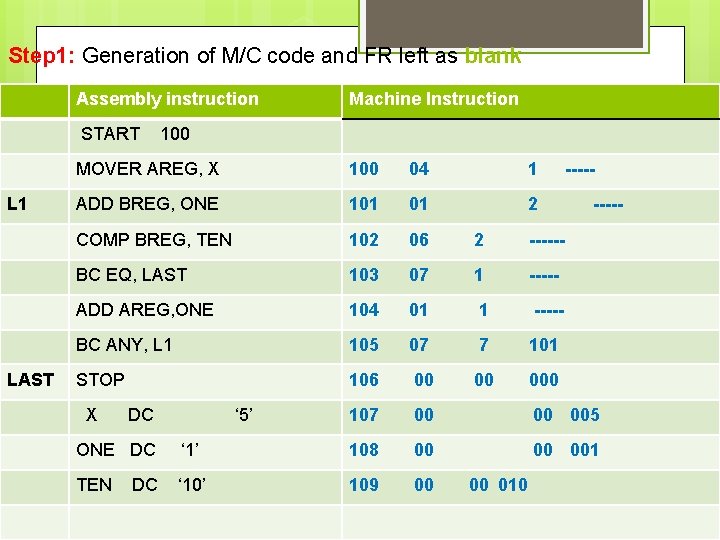
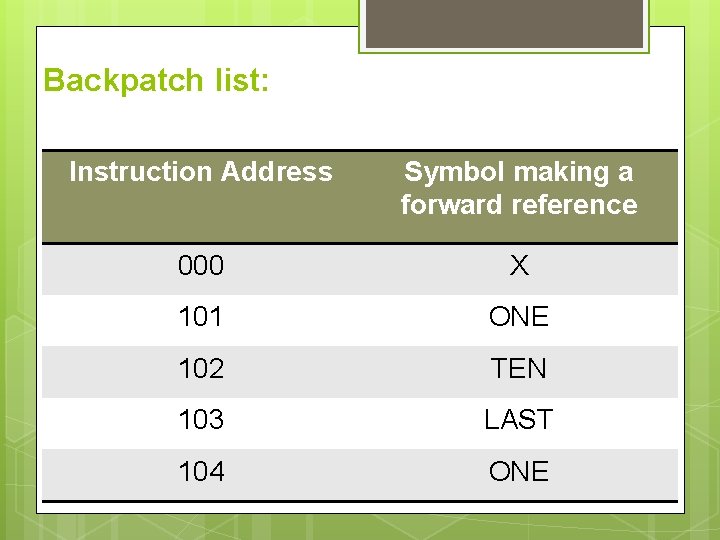
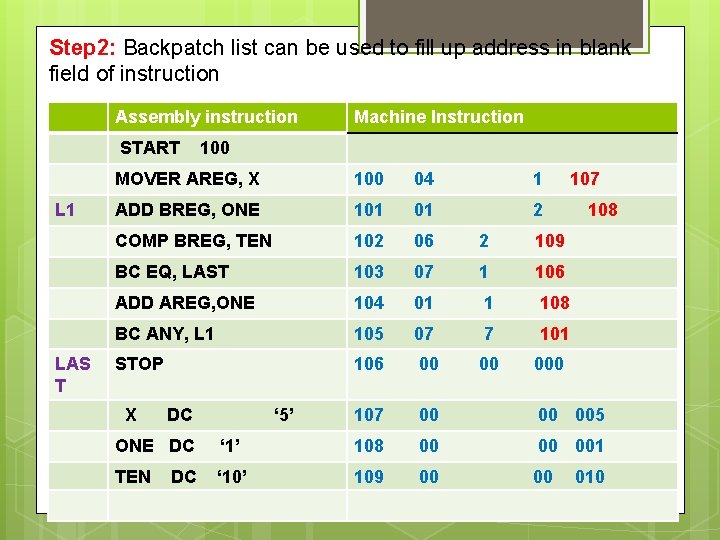
One Pass Assembler with Forward Reference FR can be tackled using technique Backpatching 1. Operand field of instruction containing FR is left blank initially. 2. A table of instruction containing forward reference is made separately. (<Instruction address> , <Symbol making a forward reference>) This table can be used o fill-up address in incomplete instruction. An example of backpatching: Assign addresses to all statements in the program Sytem Programming
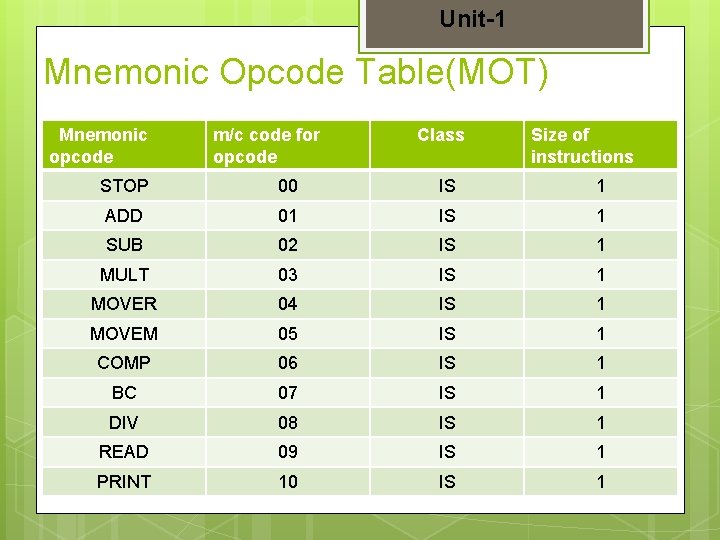
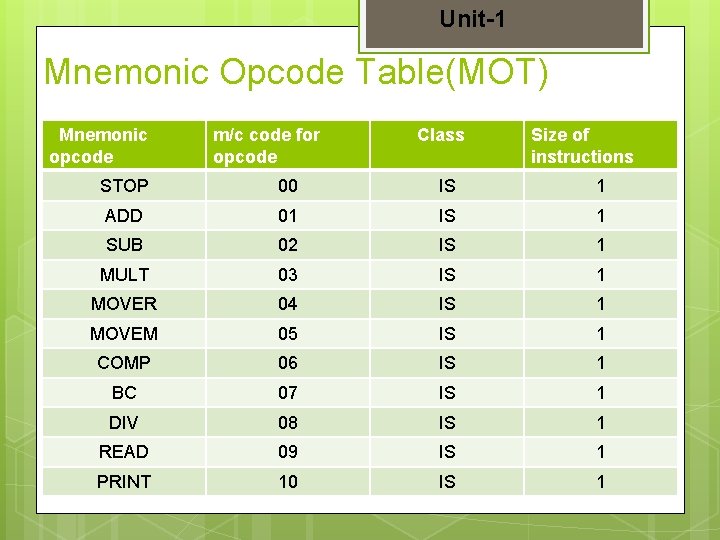
Unit-1 Mnemonic Opcode Table(MOT) Mnemonic opcode m/c code for opcode Class Size of instructions STOP 00 IS 1 ADD 01 IS 1 SUB 02 IS 1 MULT 03 IS 1 MOVER 04 IS 1 MOVEM 05 IS 1 COMP 06 IS 1 BC 07 IS 1 DIV 08 IS 1 READ 09 IS 1 PRINT 10 IS 1
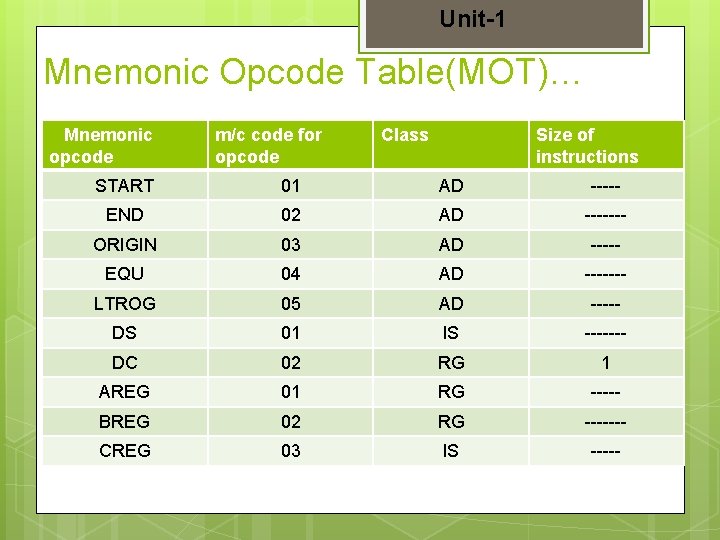
Unit-1 Mnemonic Opcode Table(MOT)… Mnemonic opcode m/c code for opcode Class Size of instructions START 01 AD ----- END 02 AD ------- ORIGIN 03 AD ----- EQU 04 AD ------- LTROG 05 AD ----- DS 01 IS ------- DC 02 RG 1 AREG 01 RG ----- BREG 02 RG ------- CREG 03 IS -----
L 1 START 100 MOVER AREG, X…………. ADD BREG, ONE …………. COMP BREG, TEN………… BC EQ, LAST ADD AREG, ONE 104 BC ANY, L 1…………. 100 101 102 103 105 LAST STOP……………… 106 X DC ‘ 5’………………… 107 ONE DC ‘ 1’………… 108 TEN DC ’ 10 …………………. . 109 END
Step 1: Generation of M/C code and FR left as blank Assembly instruction START L 1 LAST Machine Instruction 100 MOVER AREG, X 100 04 1 ADD BREG, ONE 101 01 2 COMP BREG, TEN 102 06 2 ------ BC EQ, LAST 103 07 1 ----- ADD AREG, ONE 104 01 1 ----- BC ANY, L 1 105 07 7 101 STOP 106 00 00 000 107 00 00 005 00 001 X DC ‘ 5’ ONE DC ‘ 1’ 108 00 TEN ‘ 10’ 109 00 DC ----- Sytem Programming 00 010
Backpatch list: Instruction Address Symbol making a forward reference 000 X 101 ONE 102 TEN 103 LAST 104 ONE
Step 2: Backpatch list can be used to fill up address in blank field of instruction Assembly instruction START L 1 LAS T Machine Instruction 100 MOVER AREG, X 100 04 1 ADD BREG, ONE 101 01 2 COMP BREG, TEN 102 06 2 109 BC EQ, LAST 103 07 1 106 ADD AREG, ONE 104 01 1 108 BC ANY, L 1 105 07 7 101 STOP 106 00 00 000 107 00 00 005 00 001 X DC ‘ 5’ ONE DC ‘ 1’ 108 00 TEN ‘ 10’ 109 00 DC 107 108 Sytem 00 Programming 010
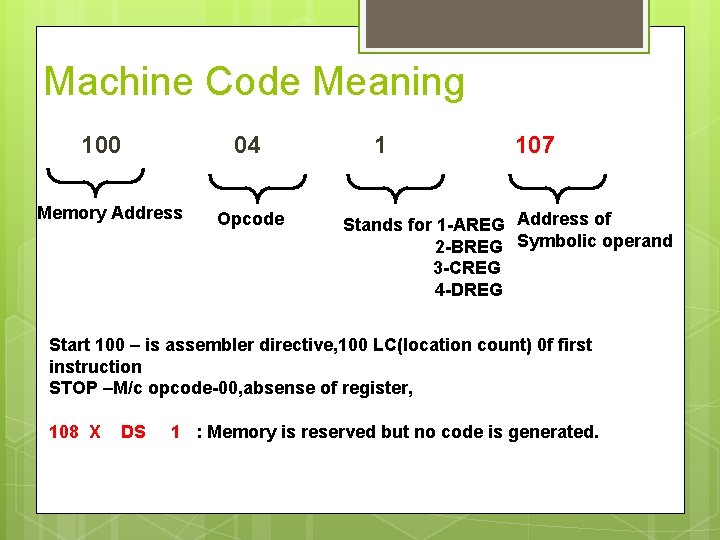
Machine Code Meaning 100 04 Memory Address Opcode 1 107 Stands for 1 -AREG Address of 2 -BREG Symbolic operand 3 -CREG 4 -DREG Start 100 – is assembler directive, 100 LC(location count) 0 f first instruction STOP –M/c opcode-00, absense of register, 108 X DS 1 : Memory is reserved but no code is generated.
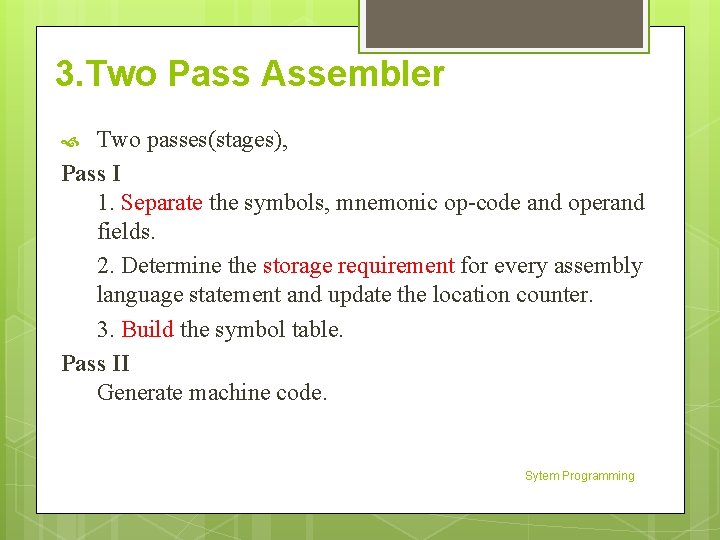
3. Two Pass Assembler Two passes(stages), Pass I 1. Separate the symbols, mnemonic op-code and operand fields. 2. Determine the storage requirement for every assembly language statement and update the location counter. 3. Build the symbol table. Pass II Generate machine code. Sytem Programming
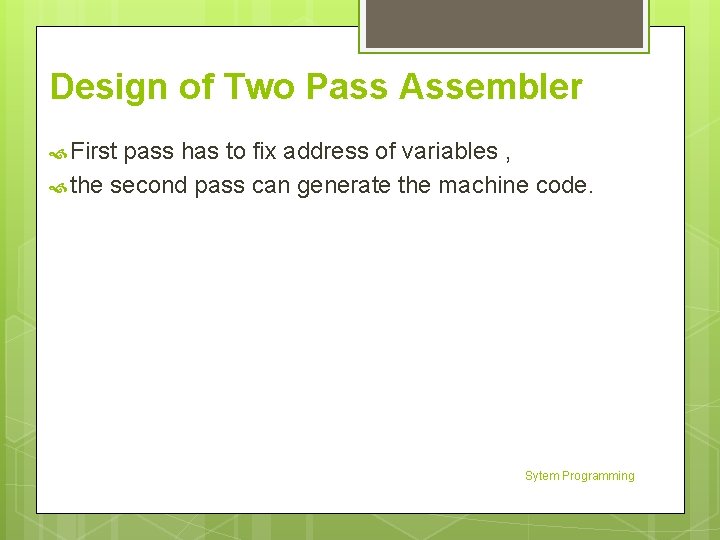
Design of Two Pass Assembler First pass has to fix address of variables , the second pass can generate the machine code. Sytem Programming
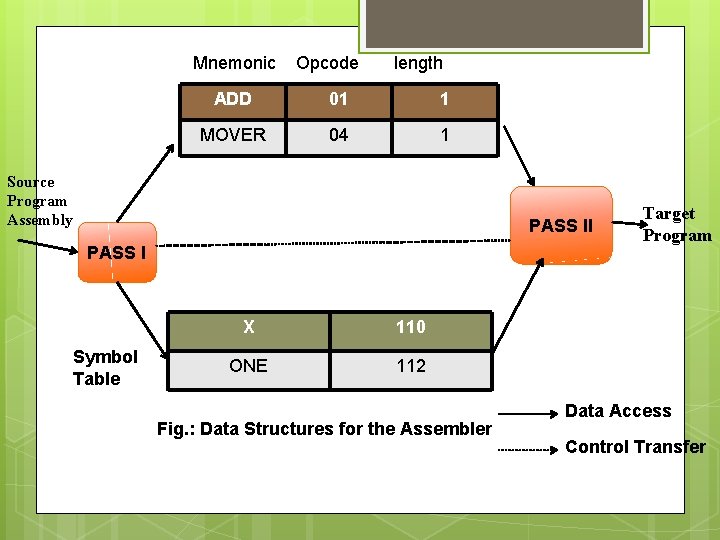
Mnemonic Opcode length ADD 01 1 MOVER 04 1 Source Program Assembly PASS II PASS I Symbol Table X 110 ONE 112 Fig. : Data Structures for the Assembler Target Program Data Access Control Transfer
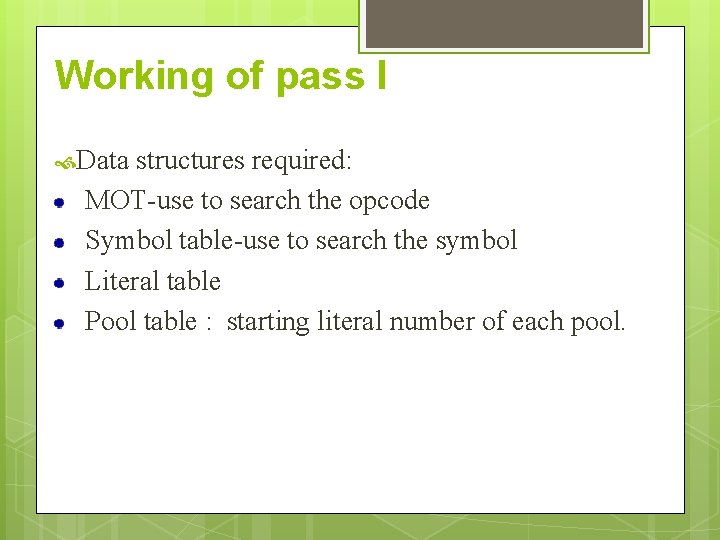
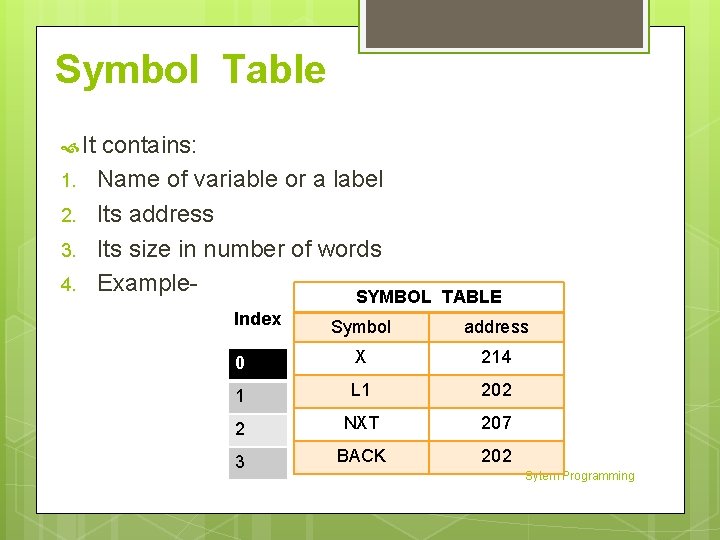
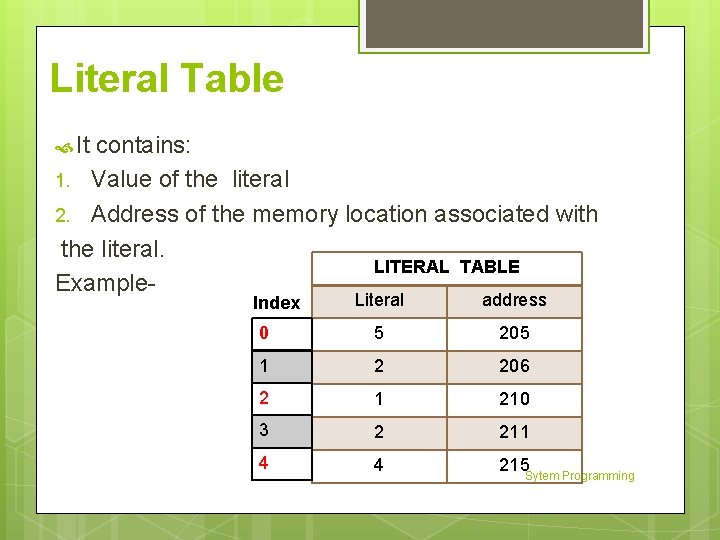
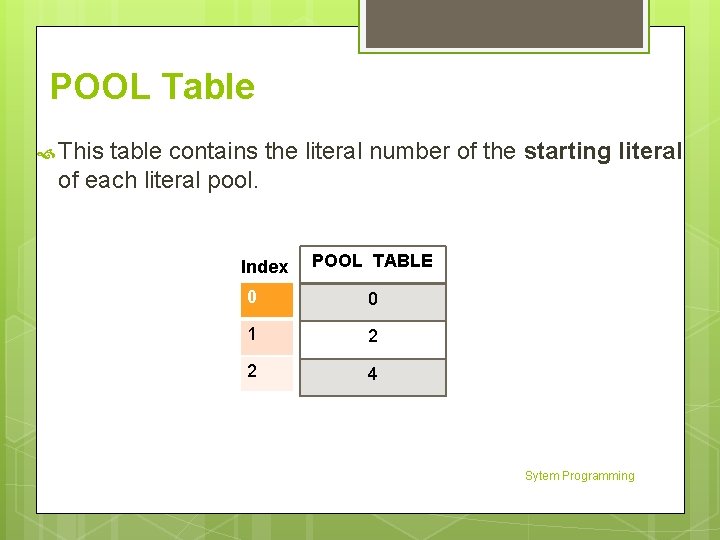
Working of pass I Data structures required: MOT-use to search the opcode Symbol table-use to search the symbol Literal table Pool table : starting literal number of each pool.
Unit-1 Mnemonic Opcode Table(MOT) Mnemonic opcode m/c code for opcode Class Size of instructions STOP 00 IS 1 ADD 01 IS 1 SUB 02 IS 1 MULT 03 IS 1 MOVER 04 IS 1 MOVEM 05 IS 1 COMP 06 IS 1 BC 07 IS 1 DIV 08 IS 1 READ 09 IS 1 PRINT 10 IS 1
Unit-1 Mnemonic Opcode Table(MOT)… Mnemonic opcode m/c code for opcode Class Size of instructions START 01 AD ----- END 02 AD ------- ORIGIN 03 AD ----- EQU 04 AD ------- LTROG 05 AD ----- DS 01 IS ------- DC 02 RG 1 AREG 01 RG ----- BREG 02 RG ------- CREG 03 IS -----
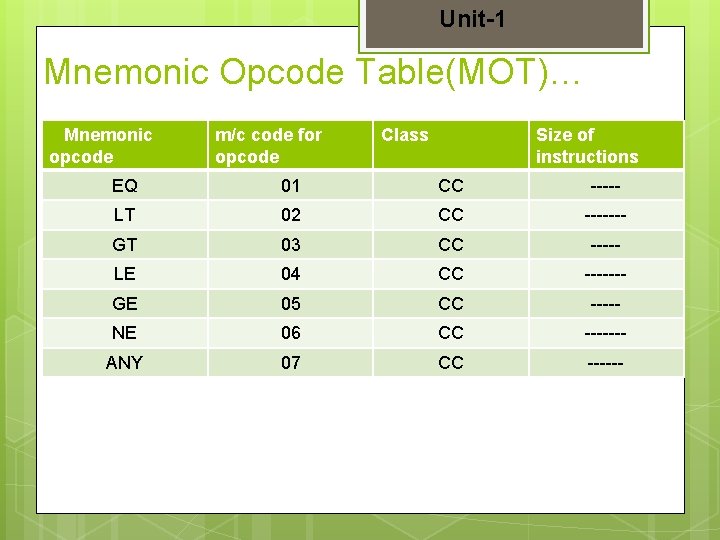
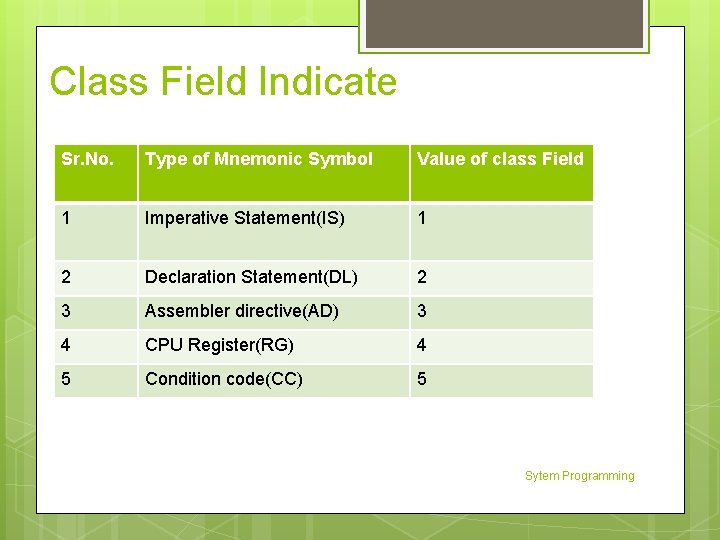
Unit-1 Mnemonic Opcode Table(MOT)… Mnemonic opcode m/c code for opcode Class Size of instructions EQ 01 CC ----- LT 02 CC ------- GT 03 CC ----- LE 04 CC ------- GE 05 CC ----- NE 06 CC ------- ANY 07 CC ------
Class Field Indicate Sr. No. Type of Mnemonic Symbol Value of class Field 1 Imperative Statement(IS) 1 2 Declaration Statement(DL) 2 3 Assembler directive(AD) 3 4 CPU Register(RG) 4 5 Condition code(CC) 5 Sytem Programming
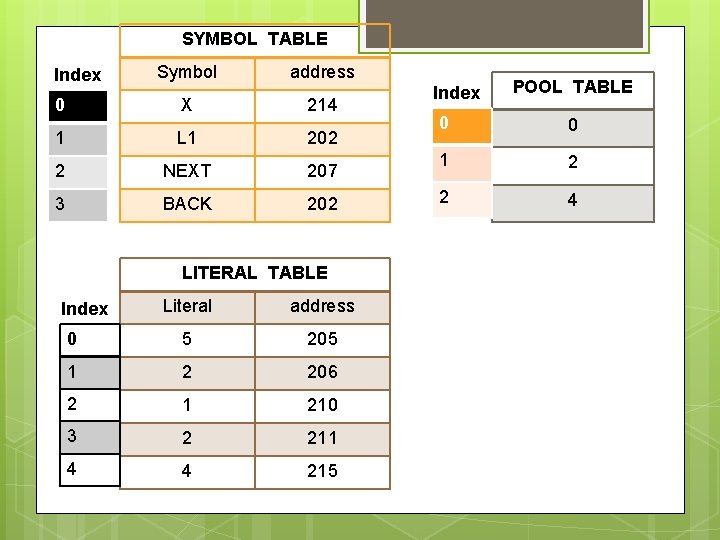
Symbol Table It 1. 2. 3. 4. contains: Name of variable or a label Its address Its size in number of words Example. SYMBOL Index TABLE Symbol address 0 X 214 1 L 1 202 2 NXT 207 3 BACK 202 Sytem Programming
Literal Table It contains: 1. Value of the literal 2. Address of the memory location associated with the literal. LITERAL TABLE Example. Literal address 0 5 205 1 2 206 2 1 210 3 2 211 4 4 215 Sytem Programming Index
POOL Table This table contains the literal number of the starting literal of each literal pool. Index POOL TABLE 0 0 1 2 2 4 Sytem Programming
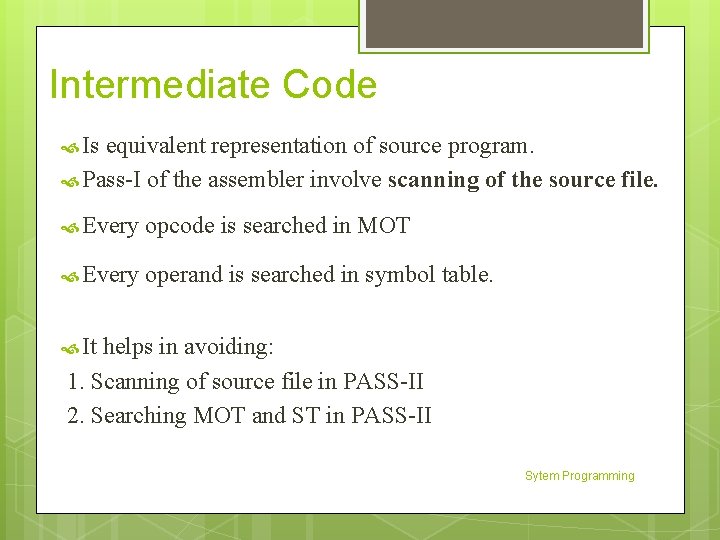
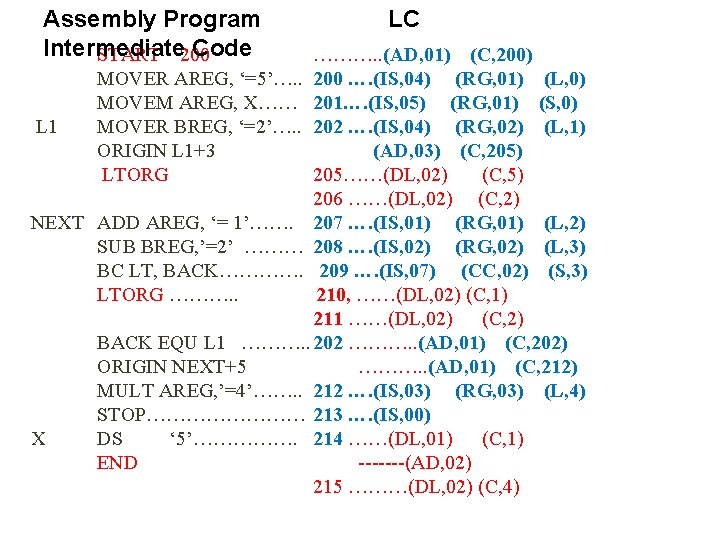
Intermediate Code Is equivalent representation of source program. Pass-I of the assembler involve scanning of the source file. Every opcode is searched in MOT Every operand is searched in symbol table. It helps in avoiding: 1. Scanning of source file in PASS-II 2. Searching MOT and ST in PASS-II Sytem Programming
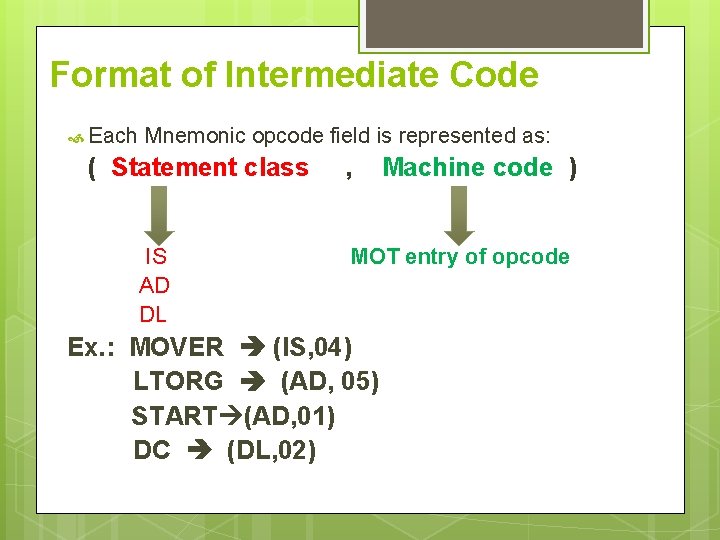
Format of Intermediate Code Each Mnemonic opcode field is represented as: ( Statement class IS AD DL , Machine code ) MOT entry of opcode Ex. : MOVER (IS, 04) LTORG (AD, 05) START (AD, 01) DC (DL, 02)
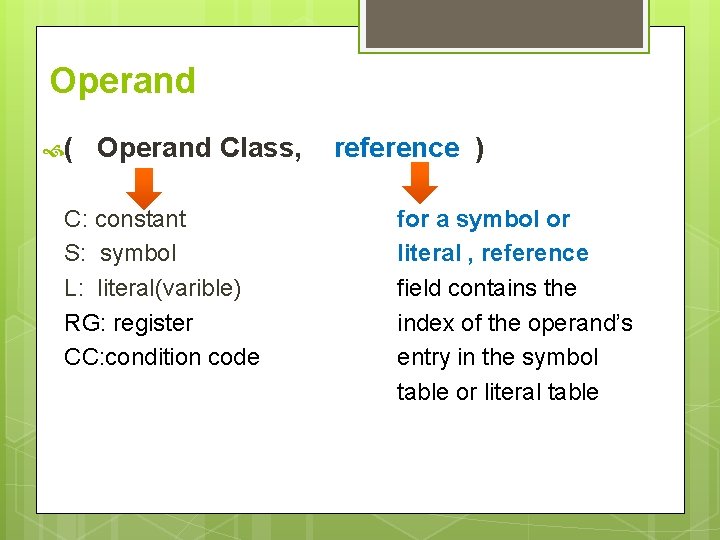
Operand ( Operand Class, C: constant S: symbol L: literal(varible) RG: register CC: condition code reference ) for a symbol or literal , reference field contains the index of the operand’s entry in the symbol table or literal table
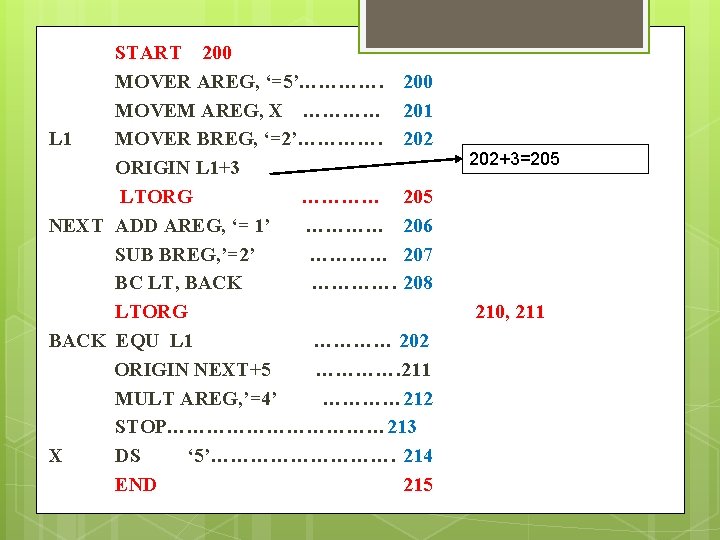
START 200 MOVER AREG, ‘=5’…………. 200 MOVEM AREG, X ………… 201 L 1 MOVER BREG, ‘=2’…………. 202 ORIGIN L 1+3 LTORG ………… 205 NEXT ADD AREG, ‘= 1’ ………… 206 SUB BREG, ’=2’ ………… 207 BC LT, BACK …………. 208 LTORG BACK EQU L 1 ………… 202 ORIGIN NEXT+5 …………. 211 MULT AREG, ’=4’ ………… 212 STOP……………… 213 X DS ‘ 5’……………. 214 END 215 202+3=205 210, 211
SYMBOL TABLE Index Symbol address 0 X 214 1 L 1 202 2 NEXT 207 3 BACK 202 LITERAL TABLE Literal address 0 5 205 1 2 206 2 1 210 3 2 211 4 4 215 Index POOL TABLE 0 0 1 2 2 4
Assembly Program Intermediate Code START 200 LC ………. . (AD, 01) (C, 200) MOVER AREG, ‘=5’…. . 200 …. (IS, 04) (RG, 01) (L, 0) MOVEM AREG, X…… 201…. (IS, 05) (RG, 01) (S, 0) L 1 MOVER BREG, ‘=2’…. . 202 …. (IS, 04) (RG, 02) (L, 1) ORIGIN L 1+3 (AD, 03) (C, 205) LTORG 205……(DL, 02) (C, 5) 206 ……(DL, 02) (C, 2) NEXT ADD AREG, ‘= 1’……. 207 …. (IS, 01) (RG, 01) (L, 2) SUB BREG, ’=2’ ……… 208 …. (IS, 02) (RG, 02) (L, 3) BC LT, BACK…………. 209 …. (IS, 07) (CC, 02) (S, 3) LTORG ………. . 210, ……(DL, 02) (C, 1) 211 ……(DL, 02) (C, 2) BACK EQU L 1 ………. . 202 ………. . (AD, 01) (C, 202) ORIGIN NEXT+5 ………. . (AD, 01) (C, 212) MULT AREG, ’=4’……. . 212 …. (IS, 03) (RG, 03) (L, 4) STOP………… 213 …. (IS, 00) X DS ‘ 5’……………. 214 ……(DL, 01) (C, 1) END -------(AD, 02) 215 ………(DL, 02) (C, 4)
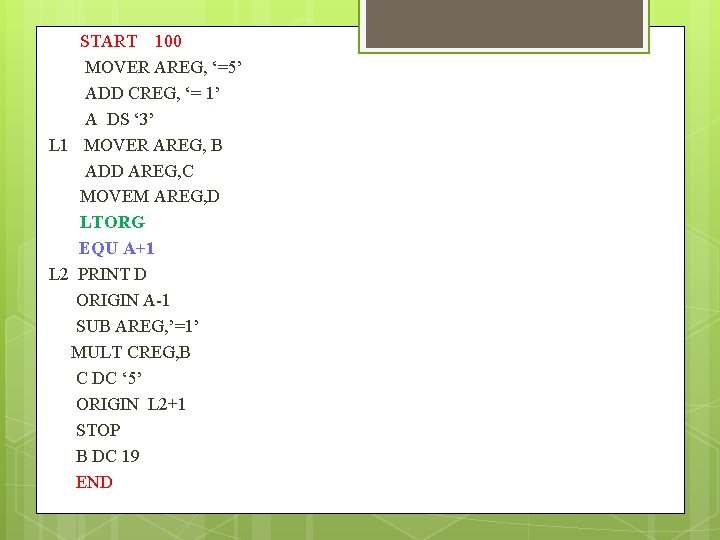
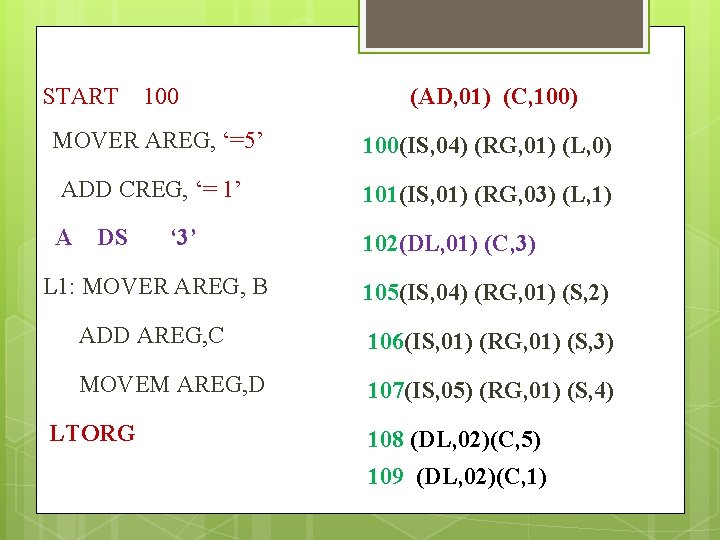
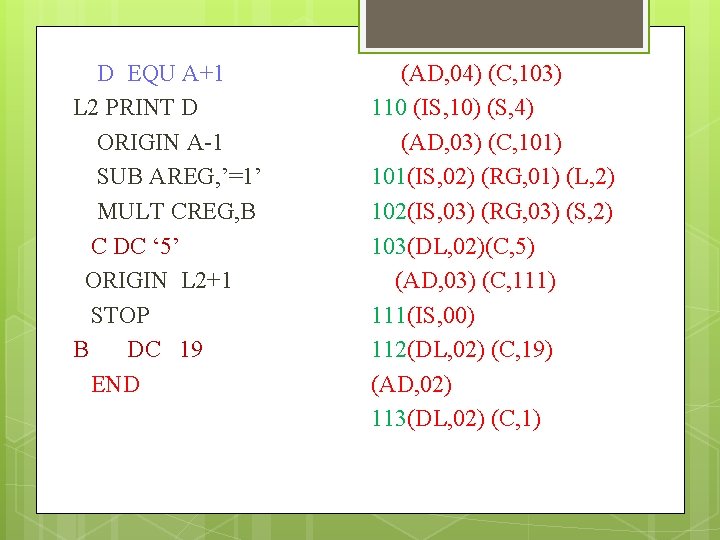
START 100 MOVER AREG, ‘=5’ ADD CREG, ‘= 1’ A DS ‘ 3’ L 1 MOVER AREG, B ADD AREG, C MOVEM AREG, D LTORG EQU A+1 L 2 PRINT D ORIGIN A-1 SUB AREG, ’=1’ MULT CREG, B C DC ‘ 5’ ORIGIN L 2+1 STOP B DC 19 END
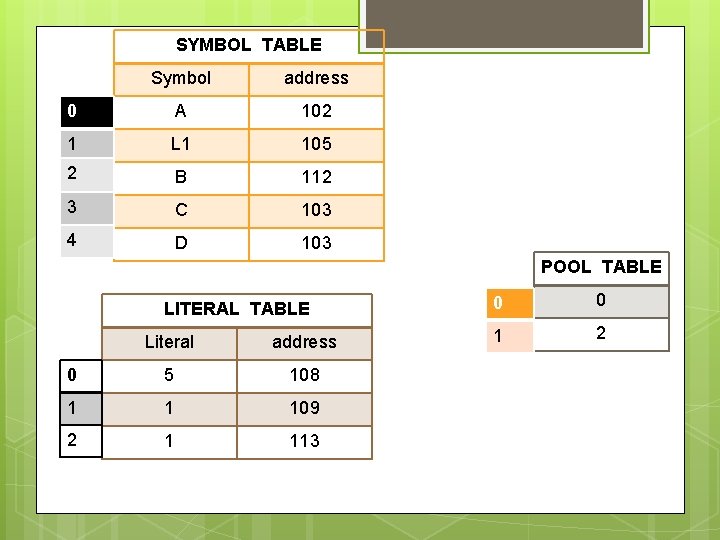
SYMBOL TABLE Symbol address 0 A 102 1 L 1 105 2 B 112 3 C 103 4 D 103 POOL TABLE LITERAL TABLE Literal address 0 5 108 1 1 109 2 1 113 0 0 1 2
100 (AD, 01) (C, 100) MOVER AREG, ‘=5’ 100(IS, 04) (RG, 01) (L, 0) ADD CREG, ‘= 1’ 101(IS, 01) (RG, 03) (L, 1) A 102(DL, 01) (C, 3) START DS ‘ 3’ L 1: MOVER AREG, B 105(IS, 04) (RG, 01) (S, 2) ADD AREG, C 106(IS, 01) (RG, 01) (S, 3) MOVEM AREG, D 107(IS, 05) (RG, 01) (S, 4) LTORG 108 (DL, 02)(C, 5) 109 (DL, 02)(C, 1)
D EQU A+1 L 2 PRINT D ORIGIN A-1 SUB AREG, ’=1’ MULT CREG, B C DC ‘ 5’ ORIGIN L 2+1 STOP B DC 19 END (AD, 04) (C, 103) 110 (IS, 10) (S, 4) (AD, 03) (C, 101) 101(IS, 02) (RG, 01) (L, 2) 102(IS, 03) (RG, 03) (S, 2) 103(DL, 02)(C, 5) (AD, 03) (C, 111) 111(IS, 00) 112(DL, 02) (C, 19) (AD, 02) 113(DL, 02) (C, 1)
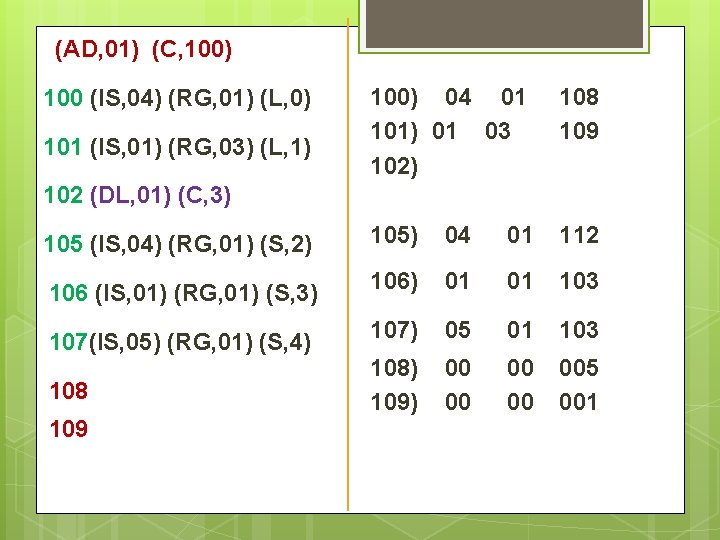
(AD, 01) (C, 100) 04 01 101) 01 03 102) 108 109 105 (IS, 04) (RG, 01) (S, 2) 105) 04 01 112 106 (IS, 01) (RG, 01) (S, 3) 106) 01 01 103 107(IS, 05) (RG, 01) (S, 4) 107) 05 01 103 108) 109) 00 00 005 001 100 (IS, 04) (RG, 01) (L, 0) 101 (IS, 01) (RG, 03) (L, 1) 102 (DL, 01) (C, 3) 108 109
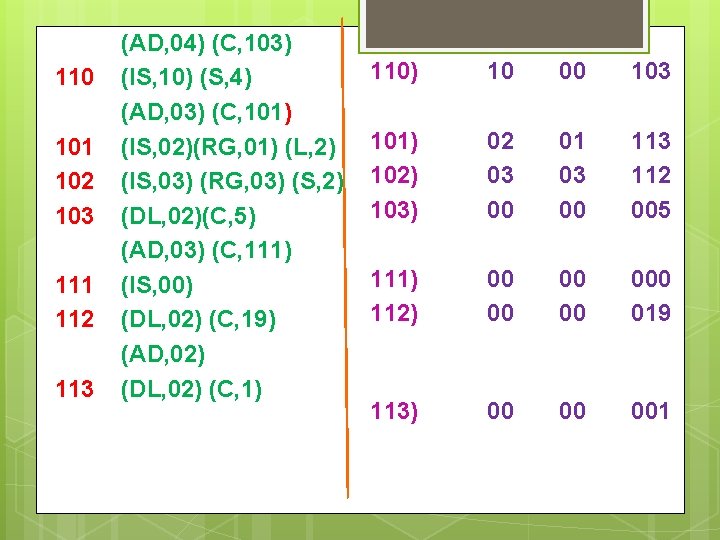
110 101 102 103 111 112 113 (AD, 04) (C, 103) (IS, 10) (S, 4) (AD, 03) (C, 101) (IS, 02)(RG, 01) (L, 2) (IS, 03) (RG, 03) (S, 2) (DL, 02)(C, 5) (AD, 03) (C, 111) (IS, 00) (DL, 02) (C, 19) (AD, 02) (DL, 02) (C, 1) 110) 10 00 103 101) 102) 103) 02 03 00 01 03 00 113 112 005 111) 112) 00 00 000 019 113) 00 00 001
Macro Processor: Macro Definition and call, Macro Expansion, Nested Macro Calls and definition, Advanced Macro Facilities, Design of Macro Processor Sytem Programming
Unit-1 Macro Processor Macro allows a sequence of source language code to be defined once and then referred to by name each time it is to be referred. Each time this name Occurs in a program, the sequence of codes is substituted at that point. It allows the programmer to write shorthand version of a program.