
Unit Testing Biz Talk An Intro to Biz
Unit Testing Biz. Talk An Intro to Biz. Mock
The Value of Test-Driven Development is well-known. However, doing it in Biz. Talk can be difficult: – SOA and ESB solutions are loosely-coupled by design and as a result, difficult to test. – Testing can usually take place only after external solutions are available and online. – Most pieces of a Biz. Talk solution (such as pipelines, orchestrations, . dll’s) perform only narrow and specific tasks with many follow-on dependents. – Most Biz. Talk unit tests simply involve the act of copying a file to one location and picking output up from another.
• Available at http: //bizmock. codeplex. com • Biz. Mock allows us to overcome many of the difficulties in unit -testing Biz. Talk by providing a framework to “mock-up” Biz. Talk endpoints. • Biz. Mock works with Biz. Talk as a special adapter that sends and receives messages into and from the Biz. Talk system • Ports and other artifacts can be dynamically generated and removed at runtime. • Biz. Mock exposes a number of test functions which allow for richer Biz. Talk unit-testing than can be done in the typical “file drop” scenario.
• The number one drawback of using Biz. Mock is that it is very poorly documented. • To understand how it works, you’ll need to spend a great deal of time studying Biz. Mock’s source code, which is available in the Code. Plex download.
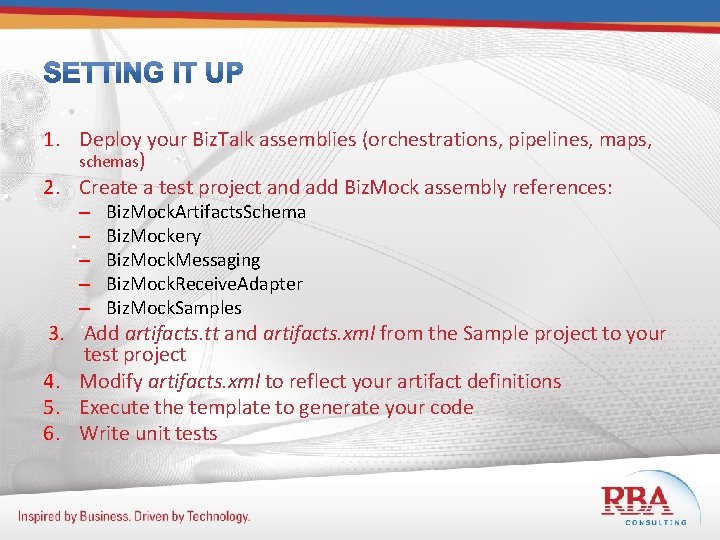
1. Deploy your Biz. Talk assemblies (orchestrations, pipelines, maps, schemas) 2. Create a test project and add Biz. Mock assembly references: – – – Biz. Mock. Artifacts. Schema Biz. Mockery Biz. Mock. Messaging Biz. Mock. Receive. Adapter Biz. Mock. Samples 3. Add artifacts. tt and artifacts. xml from the Sample project to your test project 4. Modify artifacts. xml to reflect your artifact definitions 5. Execute the template to generate your code 6. Write unit tests
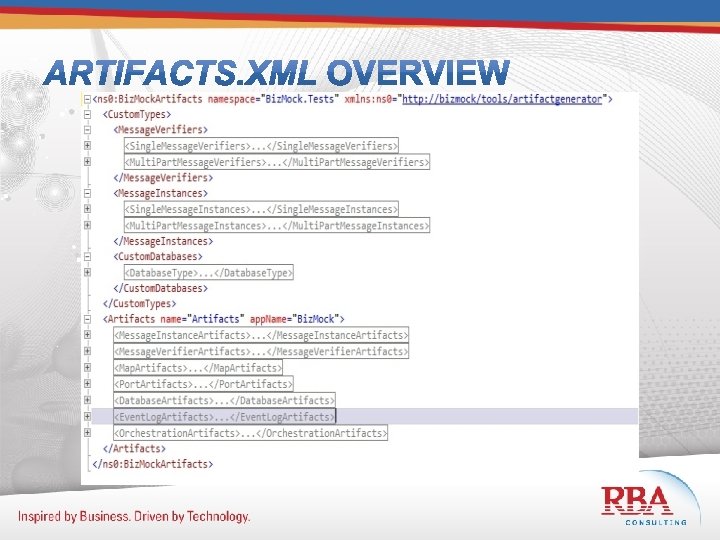
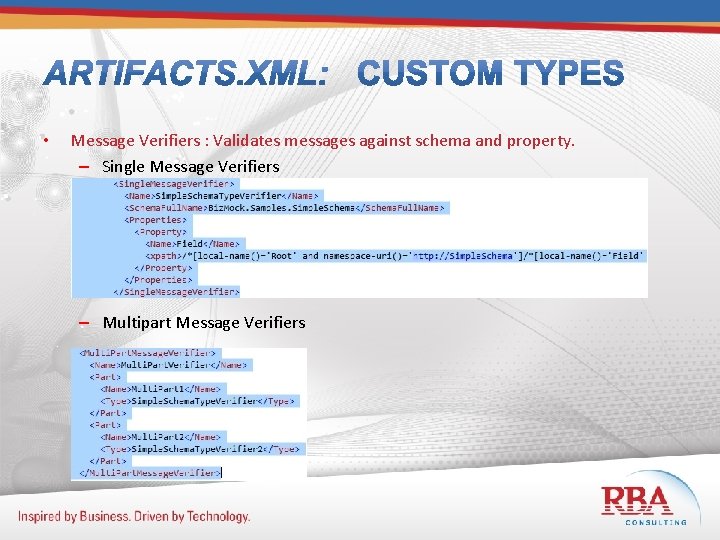
• Message Verifiers : Validates messages against schema and property. – Single Message Verifiers – Multipart Message Verifiers
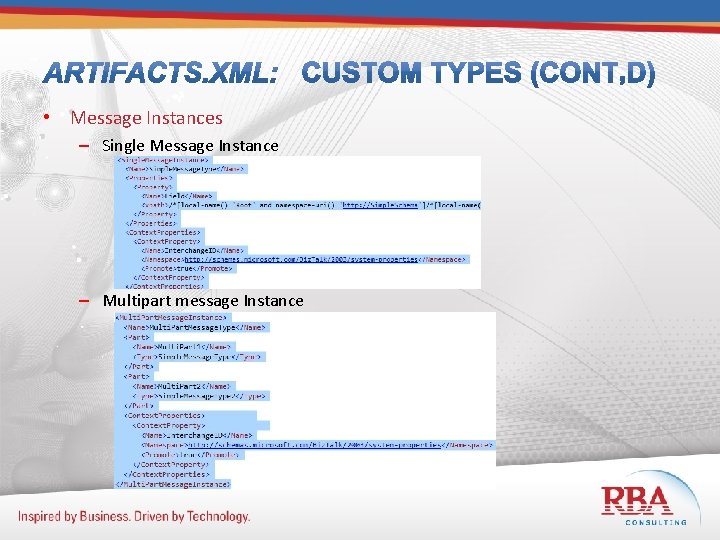
• Message Instances – Single Message Instance – Multipart message Instance
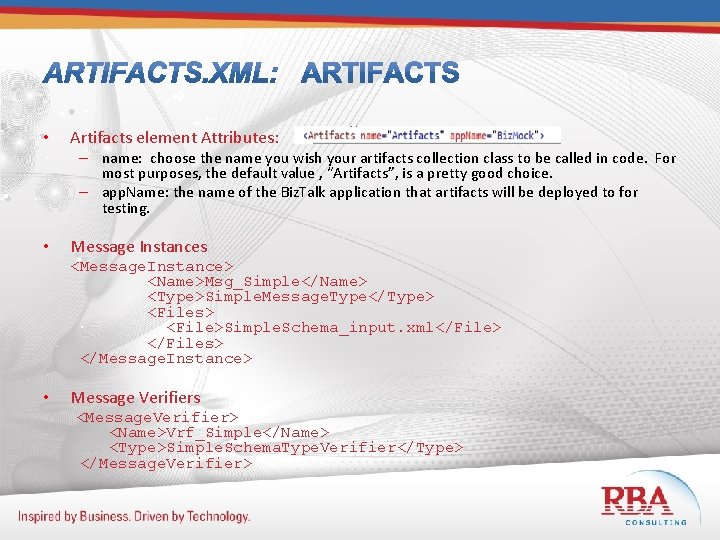
• Artifacts element Attributes: – name: choose the name you wish your artifacts collection class to be called in code. For most purposes, the default value , “Artifacts”, is a pretty good choice. – app. Name: the name of the Biz. Talk application that artifacts will be deployed to for testing. • Message Instances <Message. Instance> <Name>Msg_Simple</Name> <Type>Simple. Message. Type</Type> <Files> <File>Simple. Schema_input. xml</File> </Files> </Message. Instance> • Message Verifiers <Message. Verifier> <Name>Vrf_Simple</Name> <Type>Simple. Schema. Type. Verifier</Type> </Message. Verifier>
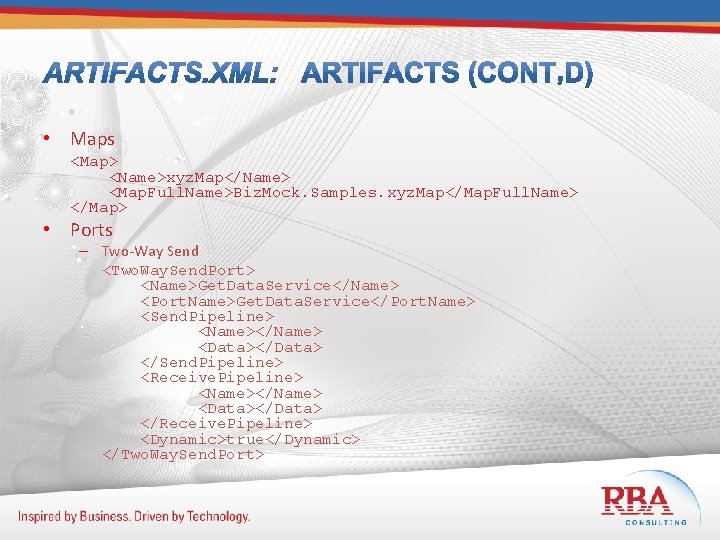
• Maps <Map> <Name>xyz. Map</Name> <Map. Full. Name>Biz. Mock. Samples. xyz. Map</Map. Full. Name> </Map> • Ports – Two-Way Send <Two. Way. Send. Port> <Name>Get. Data. Service</Name> <Port. Name>Get. Data. Service</Port. Name> <Send. Pipeline> <Name></Name> <Data></Data> </Send. Pipeline> <Receive. Pipeline> <Name></Name> <Data></Data> </Receive. Pipeline> <Dynamic>true</Dynamic> </Two. Way. Send. Port>
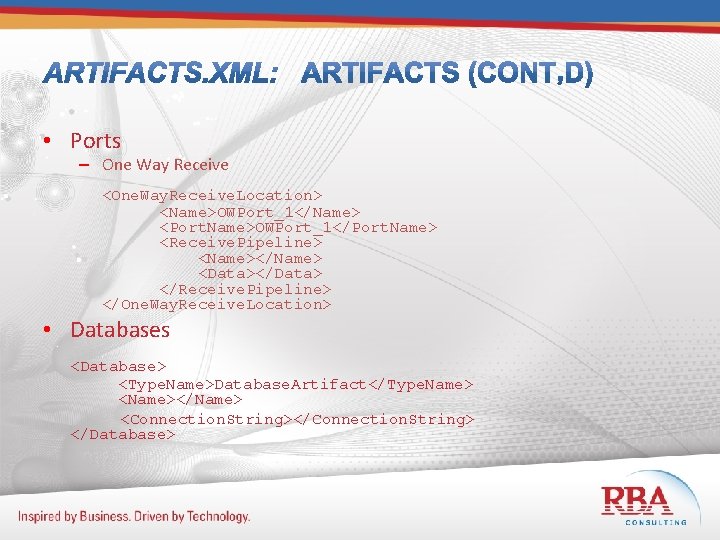
• Ports – One Way Receive <One. Way. Receive. Location> <Name>OWPort_1</Name> <Port. Name>OWPort_1</Port. Name> <Receive. Pipeline> <Name></Name> <Data></Data> </Receive. Pipeline> </One. Way. Receive. Location> • Databases <Database> <Type. Name>Database. Artifact</Type. Name> <Name></Name> <Connection. String></Connection. String> </Database>
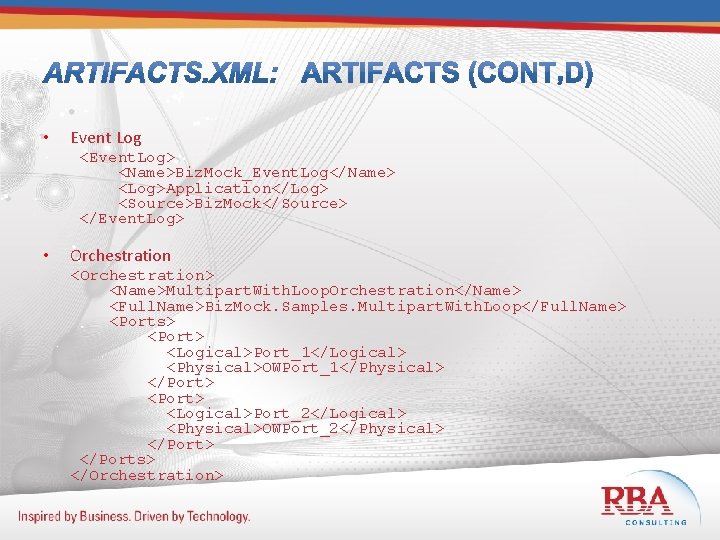
• Event Log <Event. Log> <Name>Biz. Mock_Event. Log</Name> <Log>Application</Log> <Source>Biz. Mock</Source> </Event. Log> • Orchestration <Orchestration> <Name>Multipart. With. Loop. Orchestration</Name> <Full. Name>Biz. Mock. Samples. Multipart. With. Loop</Full. Name> <Ports> <Port> <Logical>Port_1</Logical> <Physical>OWPort_1</Physical> </Port> <Logical>Port_2</Logical> <Physical>OWPort_2</Physical> </Ports> </Orchestration>
• Add test documents to your project • Call the Initialize() method of your artifacts class in the Class. Initialize() or Test. Initialize() method of your testing class • Call Biz. Mockery. Delete. All. Instances() in your Class. Cleanup() method. • In each Test. Method, be sure to add a Deployment. Item for each test document used.
![[Test. Method] [Deployment. Item("Simple. Schema_input. xml")] [Deployment. Item("Simple. Schema 2_input. xml")] [Deployment. Item("Service 1_request.](http://slidetodoc.com/presentation_image_h2/57777c5adbd15f58e2d31cf4022cf845/image-14.jpg "[Test. Method] [Deployment. Item(\"Simple. Schema_input. xml\")] [Deployment. Item(\"Simple. Schema 2_input. xml\")] [Deployment. Item(\"Service 1_request.")
[Test. Method] [Deployment. Item("Simple. Schema_input. xml")] [Deployment. Item("Simple. Schema 2_input. xml")] [Deployment. Item("Service 1_request. xml")] public void Multipart. With. Loop. Test() { artifacts. Multipart. With. Loop. Orchestration. Start(); artifacts. Msg_Multi. Part. Interchange. ID = "X"; //art. Vrf_Multipart. Multi. Part 1. Field = "Y"; //art. Vrf_Multipart. Multi. Part 2. Field = "Y"; Submit. Request(artifacts. Msg_Multi. Part). To( artifacts. OWPort_1); Expect. At. Least(2). Request. At(artifacts. OWPort_2). Verify( artifacts. Vrf_Multipart); }
DEMO
• Ed Jones, MCT, MCPD, MCTS – Email: talentedmonkey@hotmail. com – Blog: Extremely Talented Monkeys http: //talentedmonkeys. wordpress. com

THANK YOU!
- Slides: 17