
UNIT II JAVA PROGRAMMING What is a Constant
![Example variables in java class Simple{ public static void main(String[] args) { int a=10;](https://slidetodoc.com/presentation_image_h2/d3924c760984ac8c44f0d0318477508e/image-5.jpg "Example variables in java class Simple{ public static void main(String[] args) { int a=10;")
- Slides: 26
UNIT II JAVA PROGRAMMING
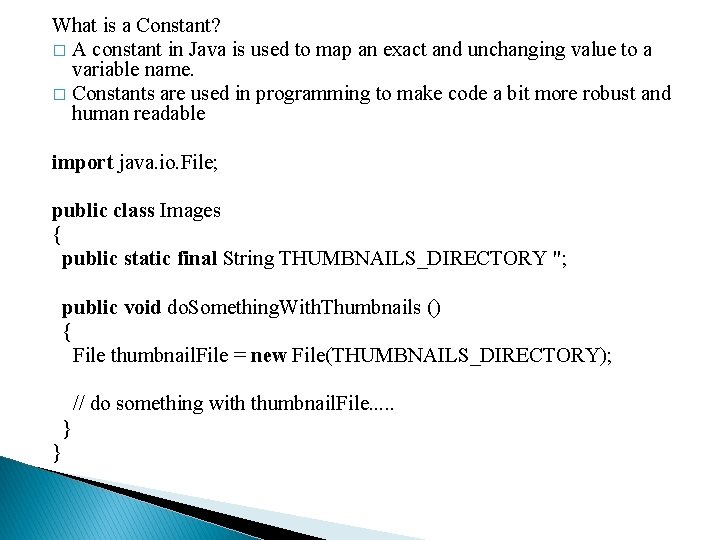
What is a Constant? � A constant in Java is used to map an exact and unchanging value to a variable name. � Constants are used in programming to make code a bit more robust and human readable import java. io. File; public class Images { public static final String THUMBNAILS_DIRECTORY "; public void do. Something. With. Thumbnails () { File thumbnail. File = new File(THUMBNAILS_DIRECTORY); // do something with thumbnail. File. . . } }
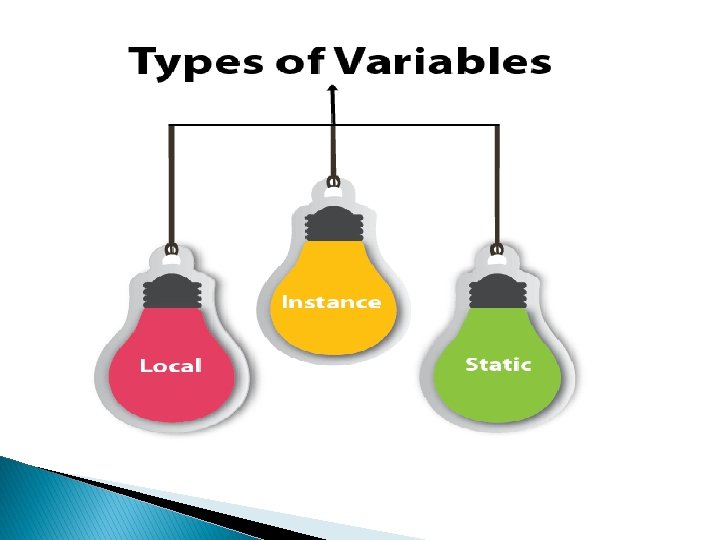
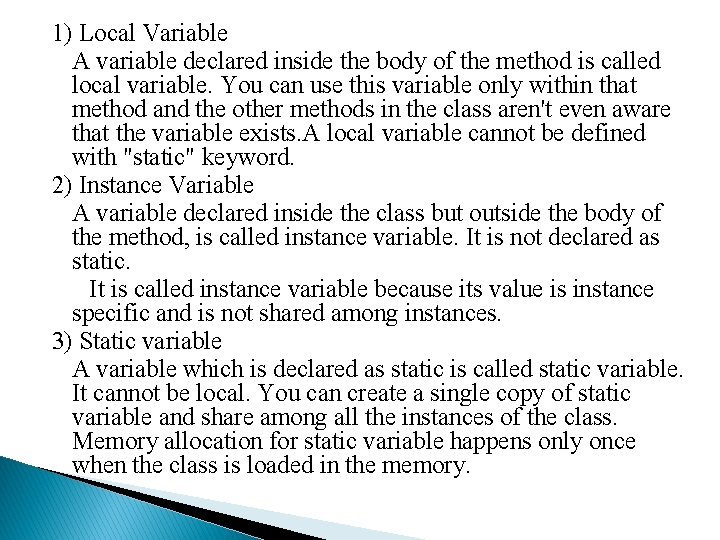
1) Local Variable A variable declared inside the body of the method is called local variable. You can use this variable only within that method and the other methods in the class aren't even aware that the variable exists. A local variable cannot be defined with "static" keyword. 2) Instance Variable A variable declared inside the class but outside the body of the method, is called instance variable. It is not declared as static. It is called instance variable because its value is instance specific and is not shared among instances. 3) Static variable A variable which is declared as static is called static variable. It cannot be local. You can create a single copy of static variable and share among all the instances of the class. Memory allocation for static variable happens only once when the class is loaded in the memory.
Example variables in java class Simple{ public static void main(String[] args) { int a=10; int b=10; int c=a+b; System. out. println(c); } }
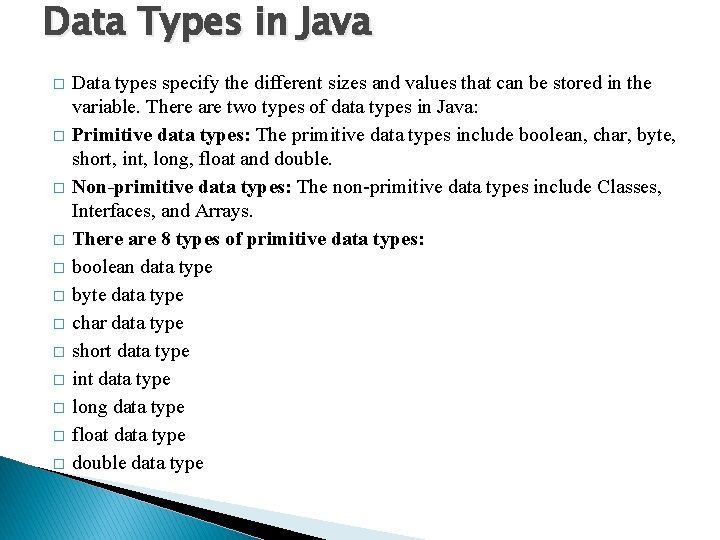
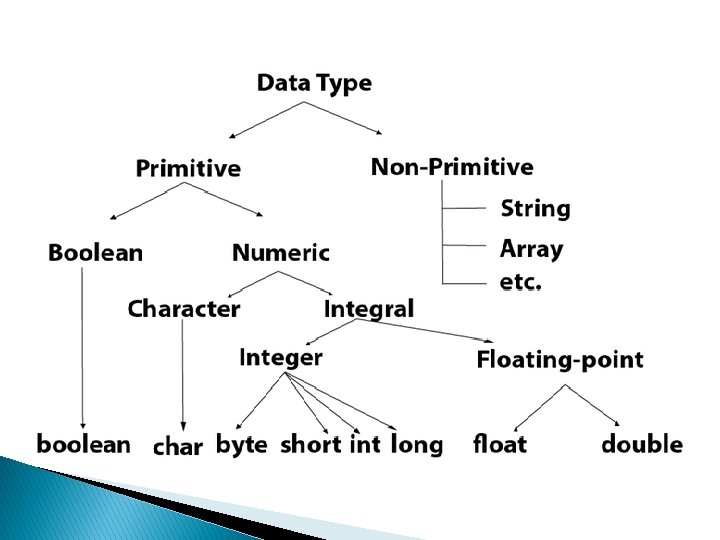
Data Types in Java � � � Data types specify the different sizes and values that can be stored in the variable. There are two types of data types in Java: Primitive data types: The primitive data types include boolean, char, byte, short, int, long, float and double. Non-primitive data types: The non-primitive data types include Classes, Interfaces, and Arrays. There are 8 types of primitive data types: boolean data type byte data type char data type short data type int data type long data type float data type double data type
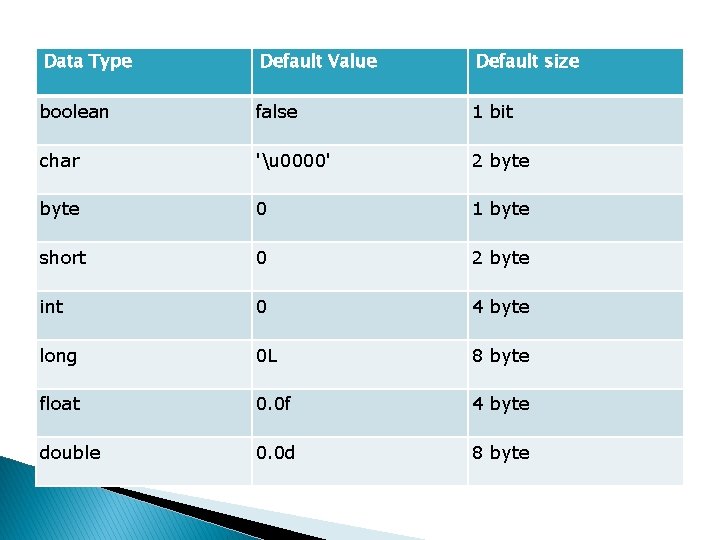
Data Type Default Value Default size boolean false 1 bit char 'u 0000' 2 byte 0 1 byte short 0 2 byte int 0 4 byte long 0 L 8 byte float 0. 0 f 4 byte double 0. 0 d 8 byte
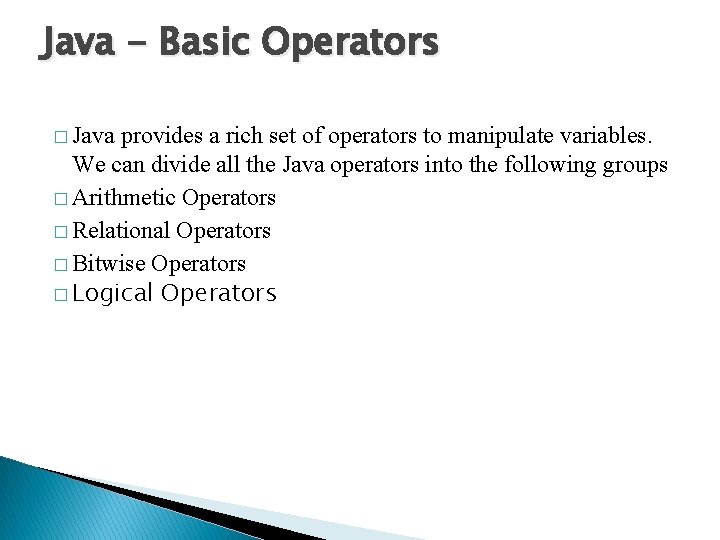
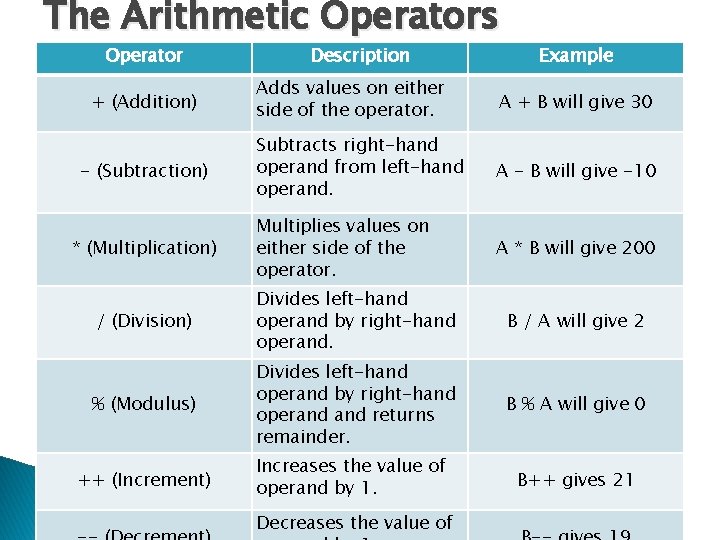
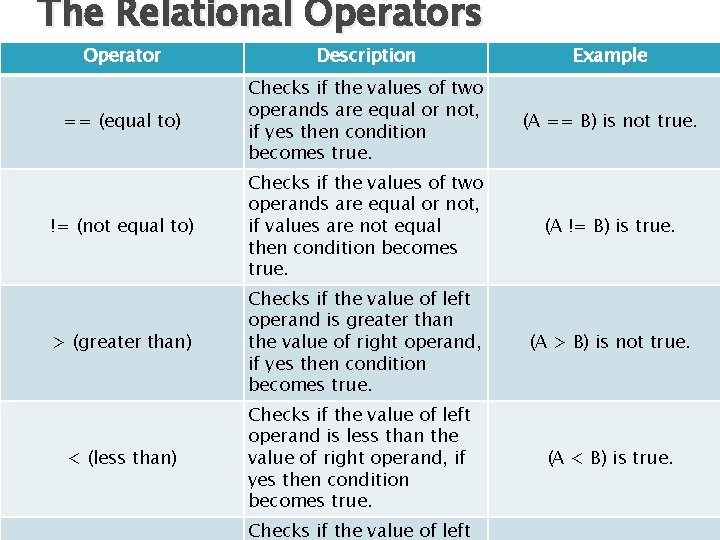
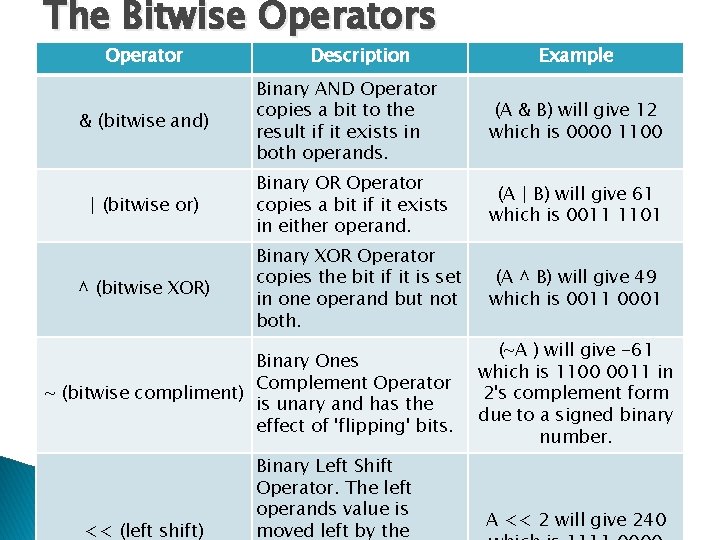
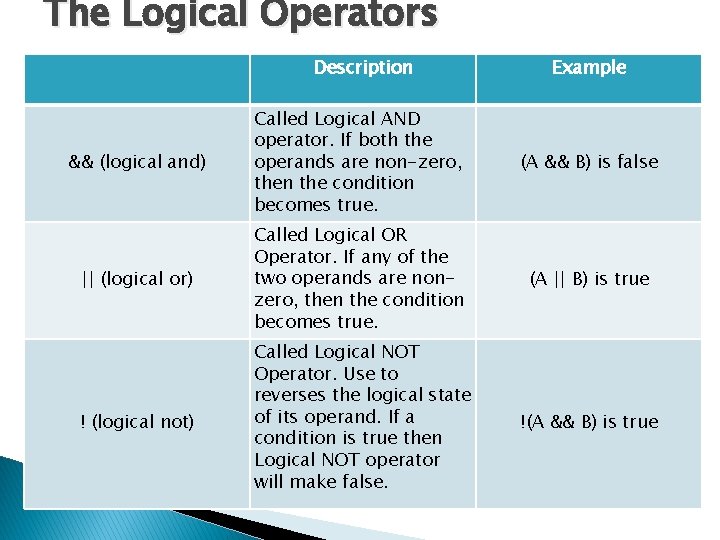
Java - Basic Operators � Java provides a rich set of operators to manipulate variables. We can divide all the Java operators into the following groups � Arithmetic Operators � Relational Operators � Bitwise Operators � Logical Operators
The Arithmetic Operators Operator + (Addition) - (Subtraction) * (Multiplication) Description Example Adds values on either side of the operator. A + B will give 30 Subtracts right-hand operand from left-hand operand. A - B will give -10 Multiplies values on either side of the operator. A * B will give 200 / (Division) Divides left-hand operand by right-hand operand. B / A will give 2 % (Modulus) Divides left-hand operand by right-hand operand returns remainder. B % A will give 0 ++ (Increment) Increases the value of operand by 1. B++ gives 21 Decreases the value of
The Relational Operators Operator Description Example == (equal to) Checks if the values of two operands are equal or not, if yes then condition becomes true. (A == B) is not true. != (not equal to) Checks if the values of two operands are equal or not, if values are not equal then condition becomes true. (A != B) is true. > (greater than) Checks if the value of left operand is greater than the value of right operand, if yes then condition becomes true. (A > B) is not true. < (less than) Checks if the value of left operand is less than the value of right operand, if yes then condition becomes true. Checks if the value of left (A < B) is true.
The Bitwise Operators Operator & (bitwise and) | (bitwise or) ^ (bitwise XOR) Description Binary AND Operator copies a bit to the result if it exists in both operands. (A & B) will give 12 which is 0000 1100 Binary OR Operator copies a bit if it exists in either operand. (A | B) will give 61 which is 0011 1101 Binary XOR Operator copies the bit if it is set in one operand but not both. (A ^ B) will give 49 which is 0011 0001 Binary Ones Complement Operator ~ (bitwise compliment) is unary and has the effect of 'flipping' bits. << (left shift) Example Binary Left Shift Operator. The left operands value is moved left by the (~A ) will give -61 which is 1100 0011 in 2's complement form due to a signed binary number. A << 2 will give 240
The Logical Operators Description Example && (logical and) Called Logical AND operator. If both the operands are non-zero, then the condition becomes true. (A && B) is false || (logical or) Called Logical OR Operator. If any of the two operands are nonzero, then the condition becomes true. (A || B) is true ! (logical not) Called Logical NOT Operator. Use to reverses the logical state of its operand. If a condition is true then Logical NOT operator will make false. !(A && B) is true
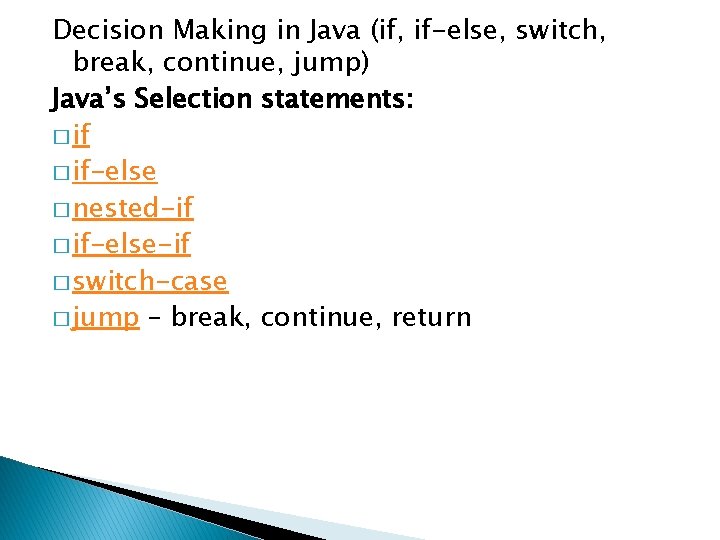
Decision Making in Java (if, if-else, switch, break, continue, jump) Java’s Selection statements: � if-else � nested-if � if-else-if � switch-case � jump – break, continue, return
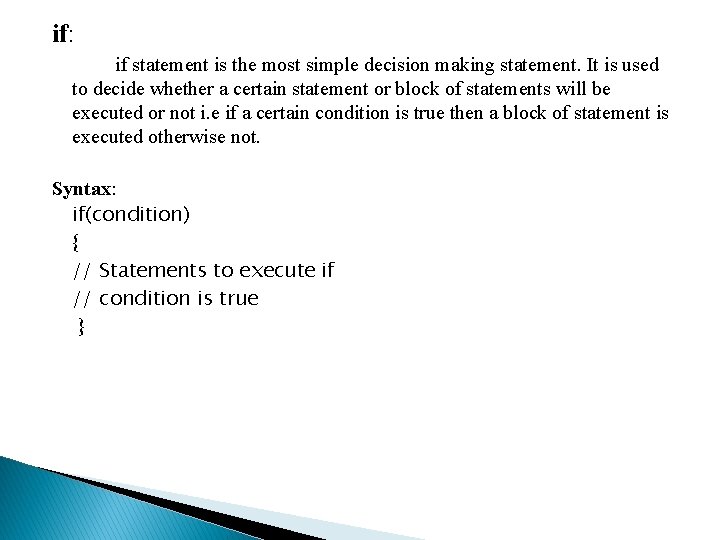
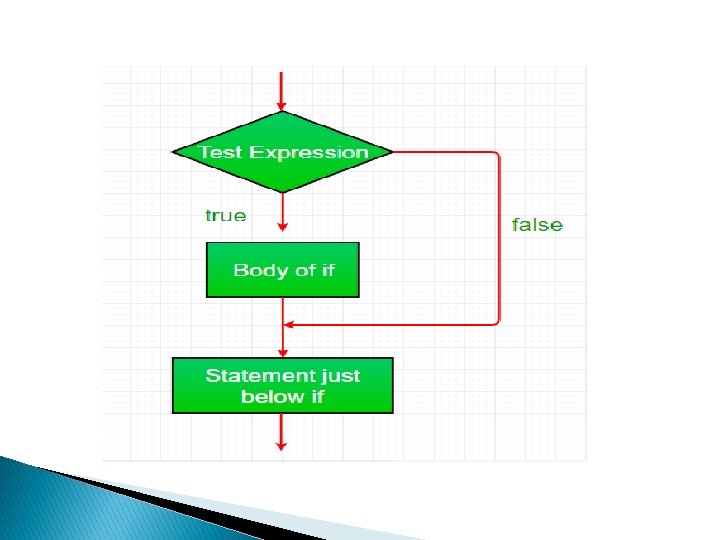
if: if statement is the most simple decision making statement. It is used to decide whether a certain statement or block of statements will be executed or not i. e if a certain condition is true then a block of statement is executed otherwise not. Syntax: if(condition) { // Statements to execute if // condition is true }
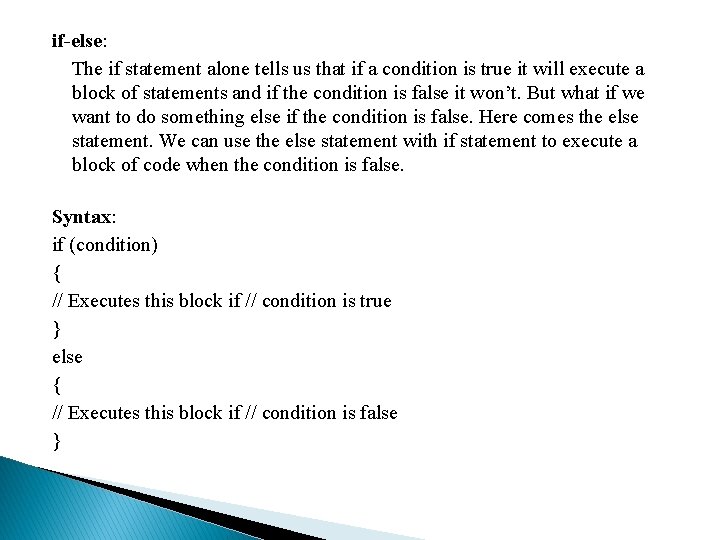
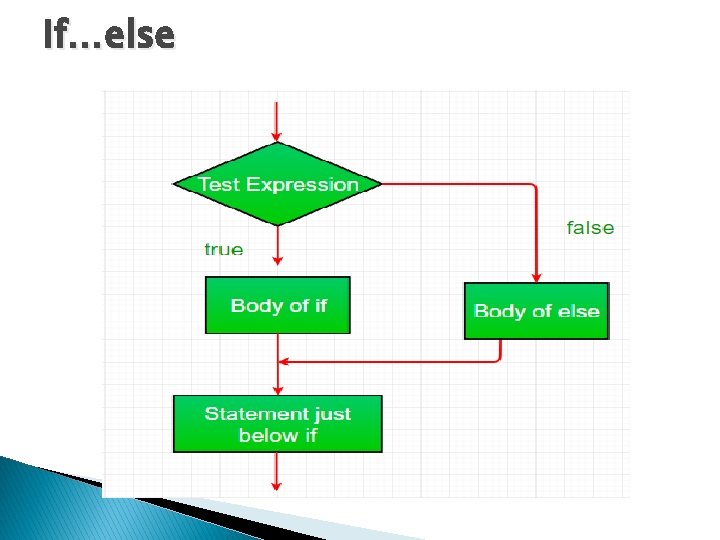
if-else: The if statement alone tells us that if a condition is true it will execute a block of statements and if the condition is false it won’t. But what if we want to do something else if the condition is false. Here comes the else statement. We can use the else statement with if statement to execute a block of code when the condition is false. Syntax: if (condition) { // Executes this block if // condition is true } else { // Executes this block if // condition is false }
If…else
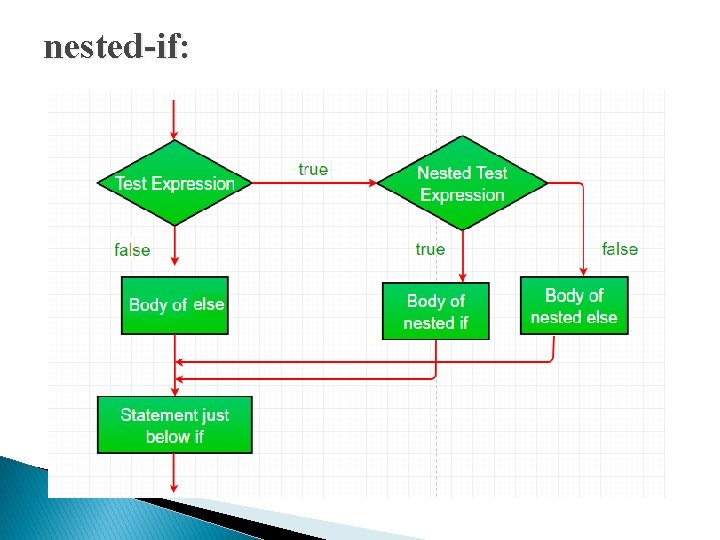
nested-if: A nested if is an if statement that is the target of another if or else. Nested if statements means an if statement inside an if statement. Yes, java allows us to nest if statements within if statements. i. e, we can place an if statement inside another if statement. Syntax: if (condition 1) { // Executes when condition 1 is true if (condition 2) { // Executes when condition 2 is true } }
nested-if:
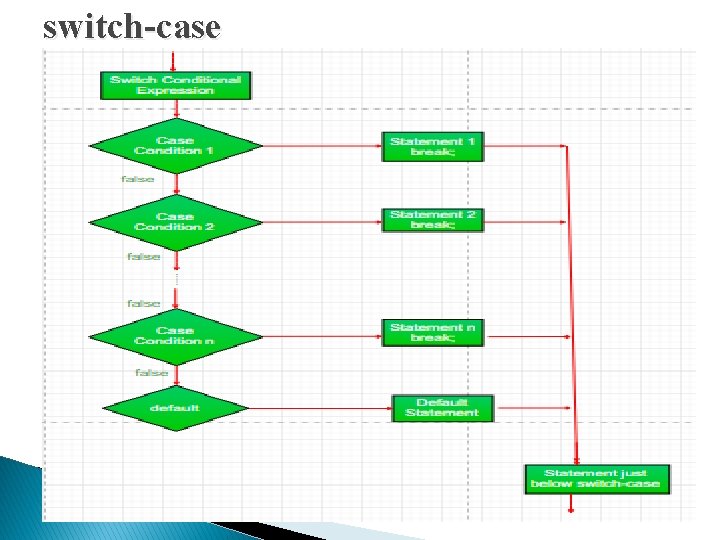
switch-case The switch statement is a multiway branch statement. It provides an easy way to dispatch execution to different parts of code based on the value of the expression. Syntax: switch (expression) { case value 1: statement 1; break; case value 2: statement 2; break; case value. N: statement. N; break; default: statement. Default; }
switch-case
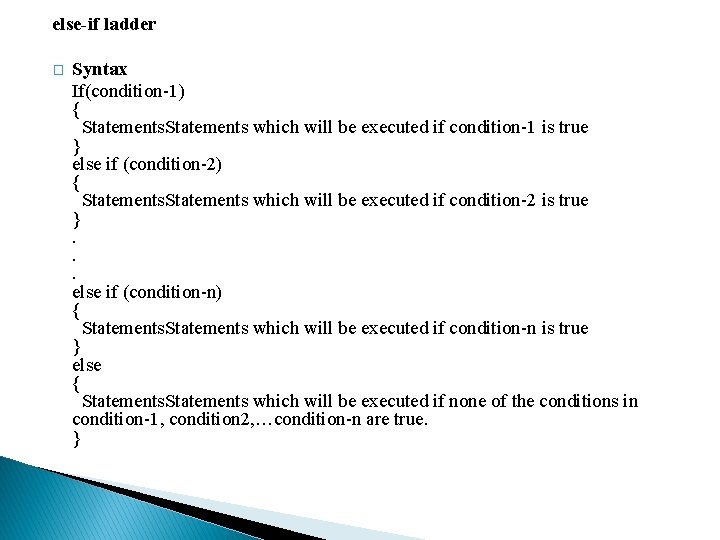
else-if ladder � Syntax If(condition-1) { Statements which will be executed if condition-1 is true } else if (condition-2) { Statements which will be executed if condition-2 is true }. . . else if (condition-n) { Statements which will be executed if condition-n is true } else { Statements which will be executed if none of the conditions in condition-1, condition 2, …condition-n are true. }
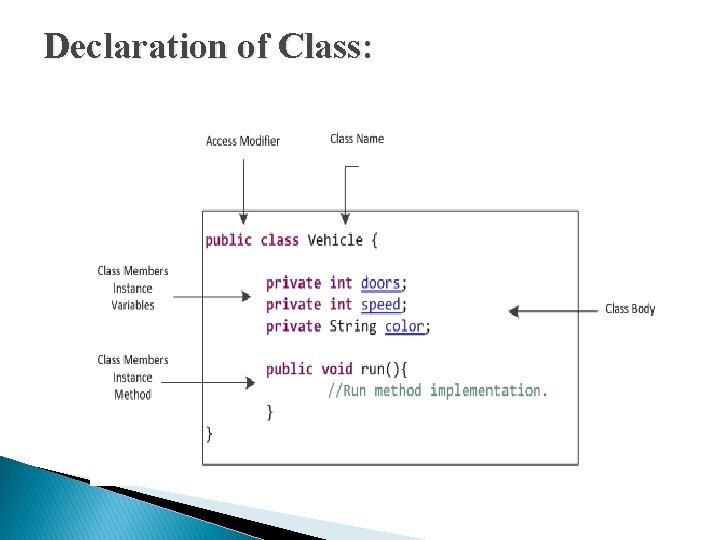
Declaration of Class: �A class is declared by use of the class keyword. The class body is enclosed between curly braces { and }. The data or variables, defined within a class are called instance variables. The code is contained within methods. Collectively, the methods and variables defined within a class are called members of the class.
Declaration of Class:
Object in Java An entity that has state and behavior is known as an object e. g. chair, bike, marker, pen, table, car etc. It can be physical or logical (tangible and intangible). The example of an intangible object is the banking system. � An object has three characteristics: � State: represents the data (value) of an object. � Behavior: represents the behavior (functionality) of an object such as deposit, withdraw, etc. � Identity: An object identity is typically implemented via a unique ID. The value of the ID is not visible to the external user. However, it is used internally by the JVM to identify each object uniquely.