
Unit 8 Mobile App Development ROSANNA BIRKS Introduction
Unit 8 Mobile App Development ROSANNA BIRKS -

Introduction This presentation will discuss the features of two mobile applications. The first app is called lonely planet which is a city guide aimed at tourists and locals who which to find out about the area they are visiting. The second one is called Peak which is an educational brain training learning app. Its audience is for people who which to have fun improving memory, coordination, focus and mental agility cognitive skills.
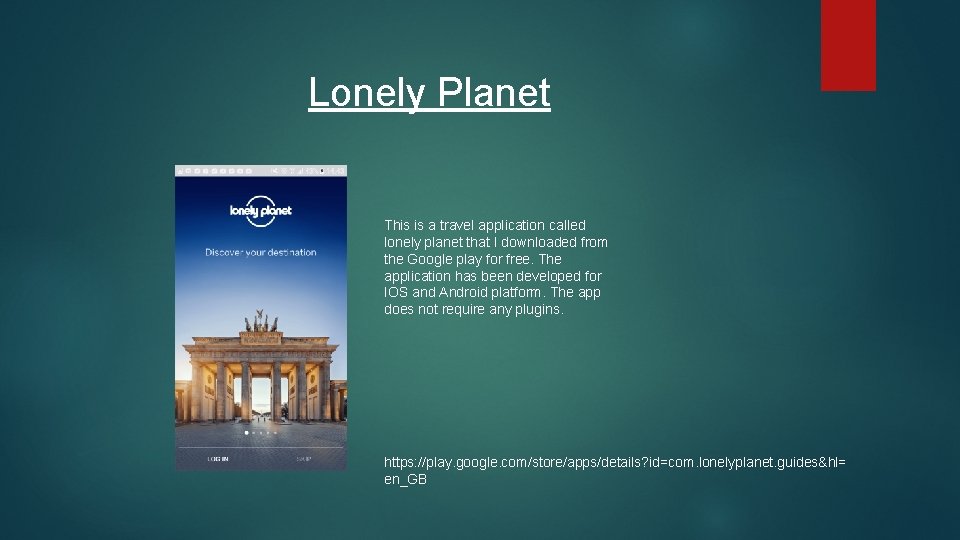
Lonely Planet This is a travel application called lonely planet that I downloaded from the Google play for free. The application has been developed for IOS and Android platform. The app does not require any plugins. https: //play. google. com/store/apps/details? id=com. lonelyplanet. guides&hl= en_GB
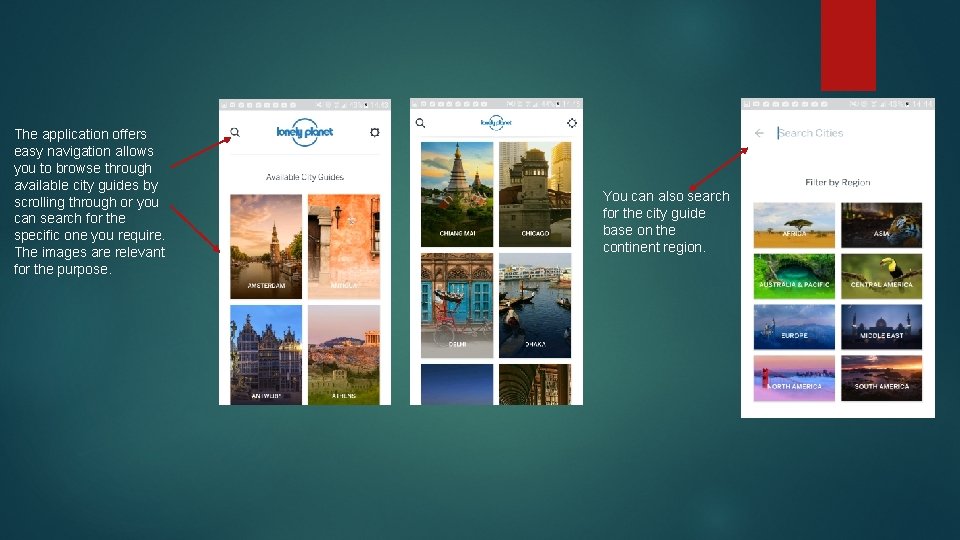
The application offers easy navigation allows you to browse through available city guides by scrolling through or you can search for the specific one you require. The images are relevant for the purpose. You can also search for the city guide base on the continent region.
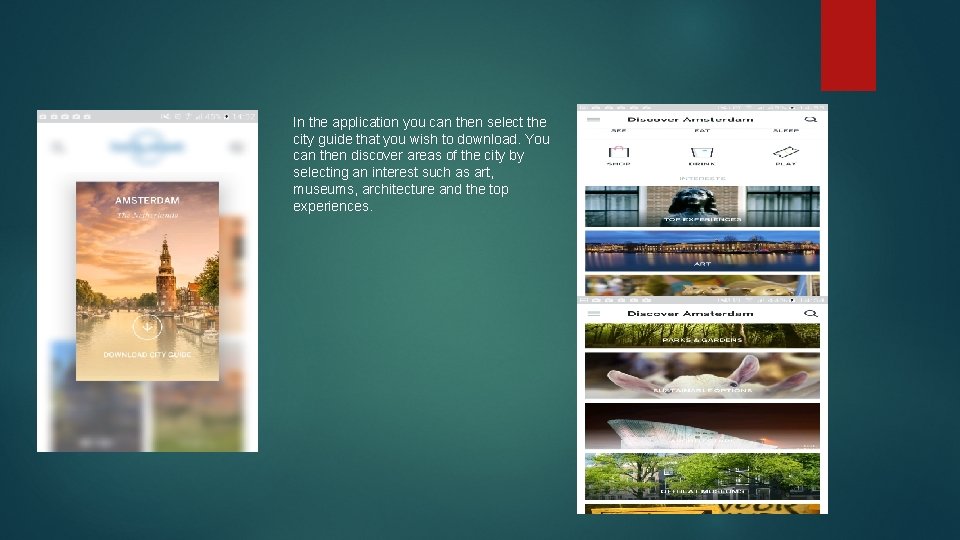
In the application you can then select the city guide that you wish to download. You can then discover areas of the city by selecting an interest such as art, museums, architecture and the top experiences.
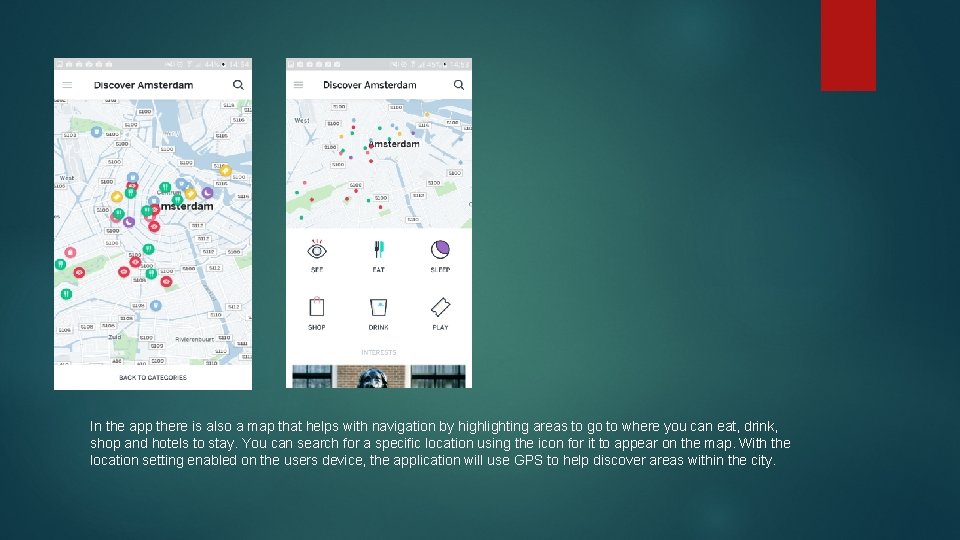
In the app there is also a map that helps with navigation by highlighting areas to go to where you can eat, drink, shop and hotels to stay. You can search for a specific location using the icon for it to appear on the map. With the location setting enabled on the users device, the application will use GPS to help discover areas within the city.
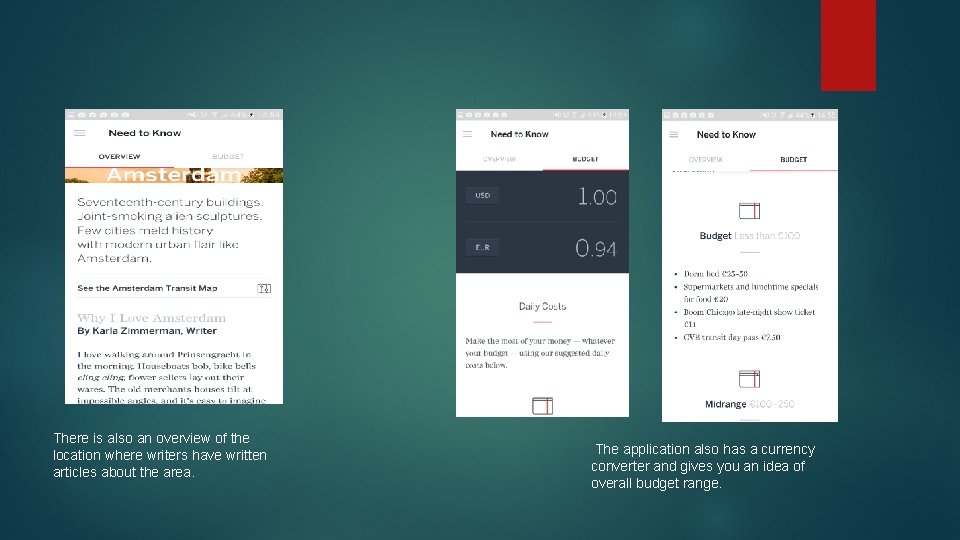
There is also an overview of the location where writers have written articles about the area. The application also has a currency converter and gives you an idea of overall budget range.
Usability and Accessibility The Lonely Planets App offers good usability as it is very clear to read with black font against a white background. The images have clear white text that are visible so you can see the location. The magnifying logo makes it useful to see where to search within the application. There is an option in the setting to change the distance used on the map from metric to imperial and vice versa. The app does not offer any accessibility features as there are no options to change the font size or colours for users with dyslexia or irlens. There is no text to speech option for users who are blind or have poor sight. Having these features available would produce a wider audience for users who have disabilities.
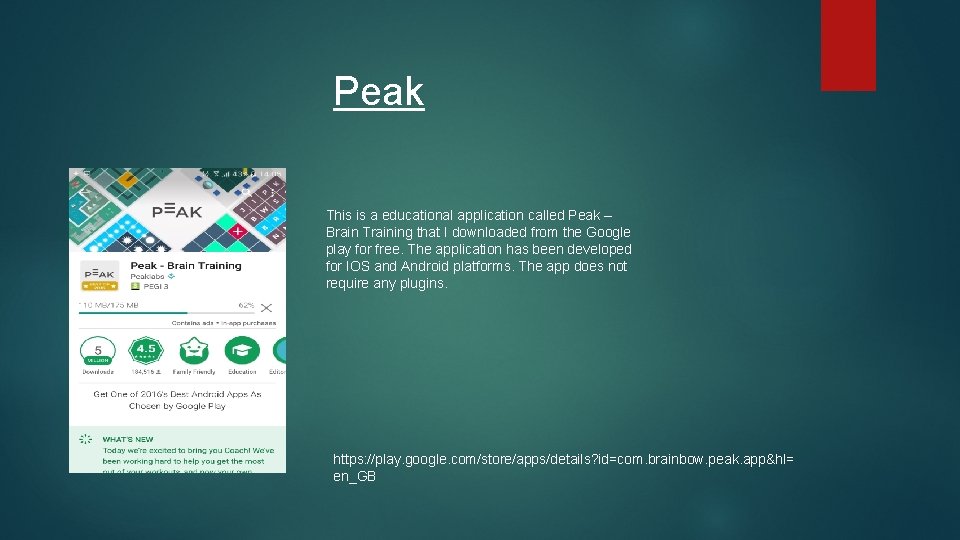
Peak This is a educational application called Peak – Brain Training that I downloaded from the Google play for free. The application has been developed for IOS and Android platforms. The app does not require any plugins. https: //play. google. com/store/apps/details? id=com. brainbow. peak. app&hl= en_GB
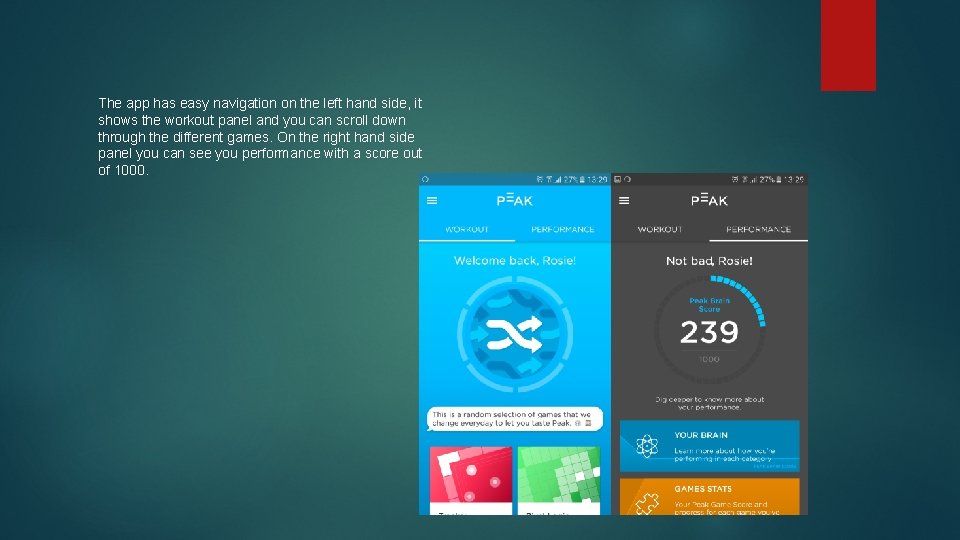
The app has easy navigation on the left hand side, it shows the workout panel and you can scroll down through the different games. On the right hand side panel you can see you performance with a score out of 1000.
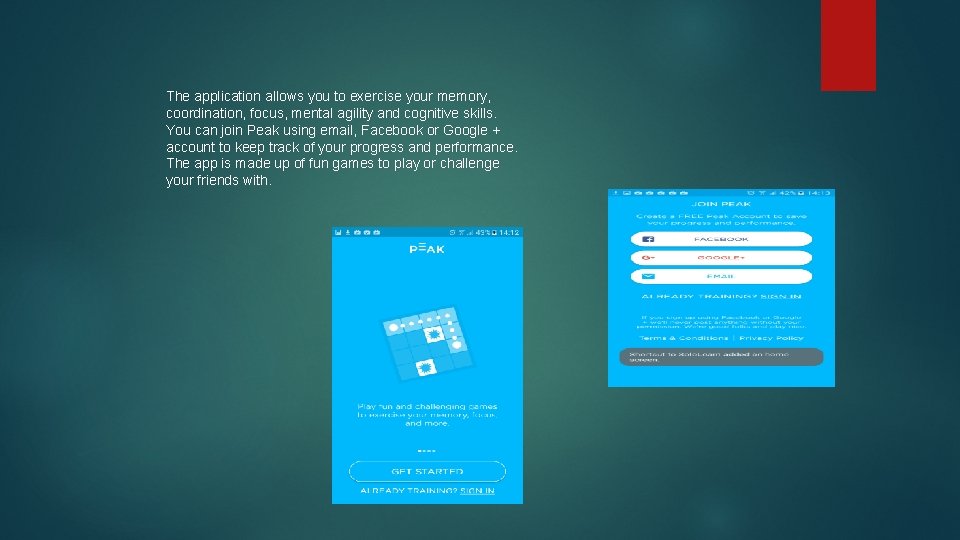
The application allows you to exercise your memory, coordination, focus, mental agility and cognitive skills. You can join Peak using email, Facebook or Google + account to keep track of your progress and performance. The app is made up of fun games to play or challenge your friends with.
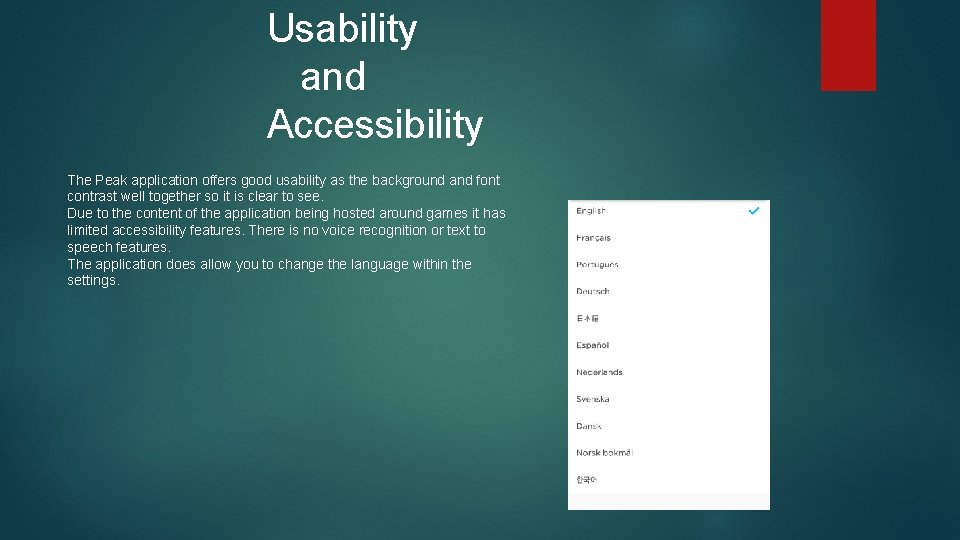
Usability and Accessibility The Peak application offers good usability as the background and font contrast well together so it is clear to see. Due to the content of the application being hosted around games it has limited accessibility features. There is no voice recognition or text to speech features. The application does allow you to change the language within the settings.
- Slides: 12