
Unit 5 Relational Algebra And Calculus v Structure
Unit - 5 Relational Algebra And Calculus
v Structure of Relational Database : Ø Relational database system has a simple logical structure with sound theoretical function. Ø The relational model is based on the core concept of relation. Ø In the relational model, all data is logically structure within relations also called tables. Ø Informally a relation may be viewed as a named two dimensional table represent ting an entity set. Ø A relation has a fixed number of named columns (attributes) and variable number of rows (tuples). Ø Each tuple represent an instance an of an entity set and each attribute contains a single value of some recorded property for the particular instance. All member of the entity set have the same attributes. The number of tuples is called cardinality and number of attributes is called degree.
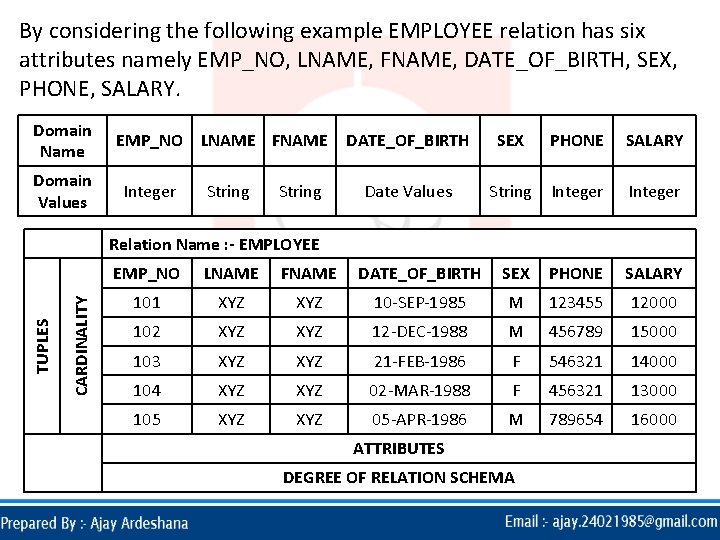
By considering the following example EMPLOYEE relation has six attributes namely EMP_NO, LNAME, FNAME, DATE_OF_BIRTH, SEX, PHONE, SALARY. Domain Name Domain Values EMP_NO LNAME FNAME Integer String DATE_OF_BIRTH SEX PHONE SALARY Date Values String Integer CARDINALITY TUPLES Relation Name : - EMPLOYEE EMP_NO LNAME FNAME DATE_OF_BIRTH SEX PHONE SALARY 101 XYZ 10 -SEP-1985 M 123455 12000 102 XYZ 12 -DEC-1988 M 456789 15000 103 XYZ 21 -FEB-1986 F 546321 14000 104 XYZ 02 -MAR-1988 F 456321 13000 105 XYZ 05 -APR-1986 M 789654 16000 ATTRIBUTES DEGREE OF RELATION SCHEMA
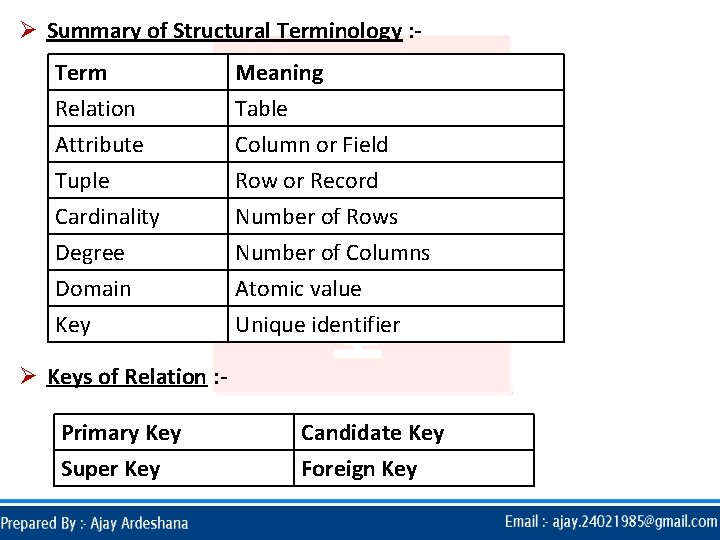
Ø Summary of Structural Terminology : Term Relation Attribute Tuple Meaning Table Column or Field Row or Record Cardinality Degree Domain Key Number of Rows Number of Columns Atomic value Unique identifier Ø Keys of Relation : Primary Key Super Key Candidate Key Foreign Key
v Relational Algebra : Ø Relational algebra is a collection of operations to manipulate or access relations. Ø It is a procedural language with operations that is performed on one or more existing relations to derived result relation without changing the original relation(s). Ø Relational algebra consist of a set of relational operators. Ø Each operator has one or more relations as input and produce a relation as output. Ø Thus, both the operands and result are the relations and so the output from one operation become the input to another operation.
OPERATORS IN RELATIONAL ALGEBRA
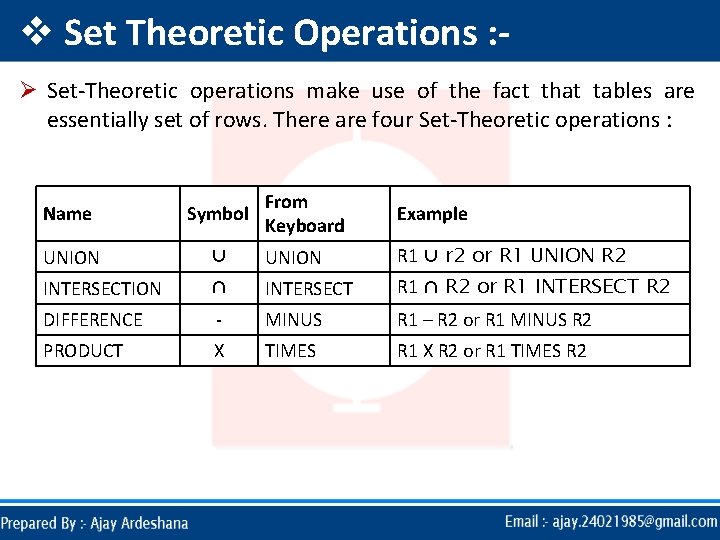
v Set Theoretic Operations : Ø Set-Theoretic operations make use of the fact that tables are essentially set of rows. There are four Set-Theoretic operations : From Keyboard Example ⋃ UNION R 1 ⋃ r 2 or R 1 UNION R 2 INTERSECTION ⋂ INTERSECT R 1 ⋂ R 2 or R 1 INTERSECT R 2 DIFFERENCE - MINUS R 1 – R 2 or R 1 MINUS R 2 PRODUCT X TIMES R 1 X R 2 or R 1 TIMES R 2 Name Symbol UNION

v Native Relational Operations : Ø Native Relation Operations focuses on the structure of the rows. There are four Native Relation Operations : Name PROJECTION SELECTION JOIN DIVISION Symbol R 1[ ] From Keyboard Example R 1 [ ] R 1 where condition ⋈ JOIN DIVIDE BY R 1 where R 2 a 1 = 5 R 1 ⋈ R 2 or R 1 JOIN R 2 R 1 R 2 or R 1 DIVIDE BY R 2
v SELECTION Operation : Ø The SELECTION operation is used to extract (select) entire rows (tuple) from some relation (table). Ø It can be used to extract either just those tuples which satisfied some condition or all tuples in a relation without qualification. Ø The general form of SELECT operation is : SELECT table name (or relation) <where condition(s)> INTO RESULT (output relation) Ø In some variation the SELECTION is also known as RESTRICTION operation and the general form is given as : RESTRICTION relation (or table) name(s) <where condition(s)> INTO RESULT (output relation)
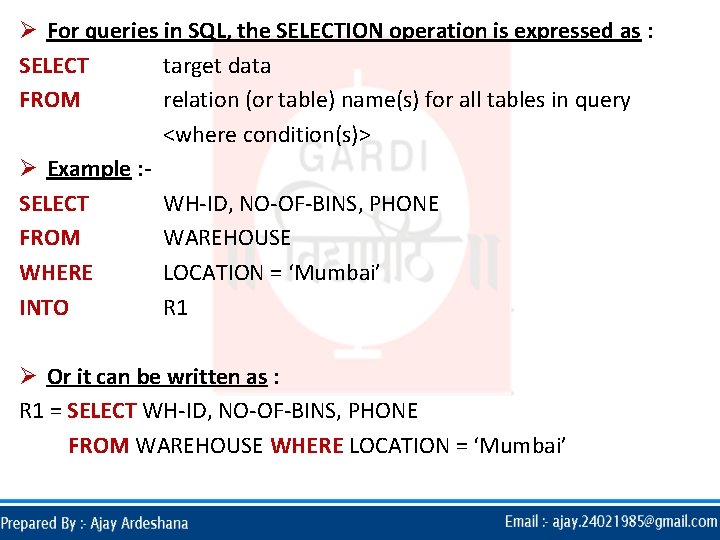
Ø For queries in SQL, the SELECTION operation is expressed as : SELECT target data FROM relation (or table) name(s) for all tables in query <where condition(s)> Ø Example : SELECT WH-ID, NO-OF-BINS, PHONE FROM WAREHOUSE WHERE LOCATION = ‘Mumbai’ INTO R 1 Ø Or it can be written as : R 1 = SELECT WH-ID, NO-OF-BINS, PHONE FROM WAREHOUSE WHERE LOCATION = ‘Mumbai’
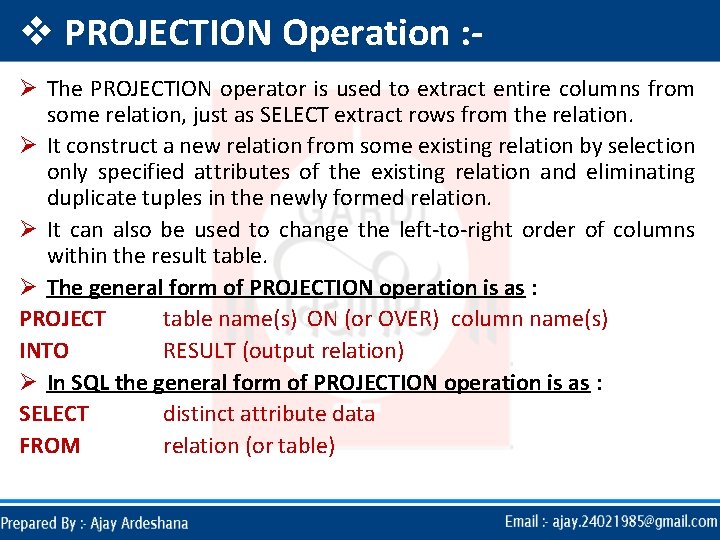
v PROJECTION Operation : Ø The PROJECTION operator is used to extract entire columns from some relation, just as SELECT extract rows from the relation. Ø It construct a new relation from some existing relation by selection only specified attributes of the existing relation and eliminating duplicate tuples in the newly formed relation. Ø It can also be used to change the left-to-right order of columns within the result table. Ø The general form of PROJECTION operation is as : PROJECT table name(s) ON (or OVER) column name(s) INTO RESULT (output relation) Ø In SQL the general form of PROJECTION operation is as : SELECT distinct attribute data FROM relation (or table)
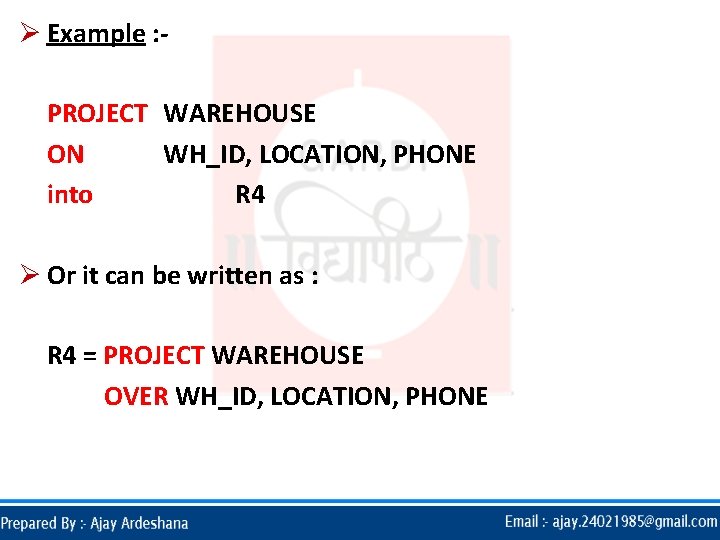
Ø Example : PROJECT WAREHOUSE ON WH_ID, LOCATION, PHONE into R 4 Ø Or it can be written as : R 4 = PROJECT WAREHOUSE OVER WH_ID, LOCATION, PHONE
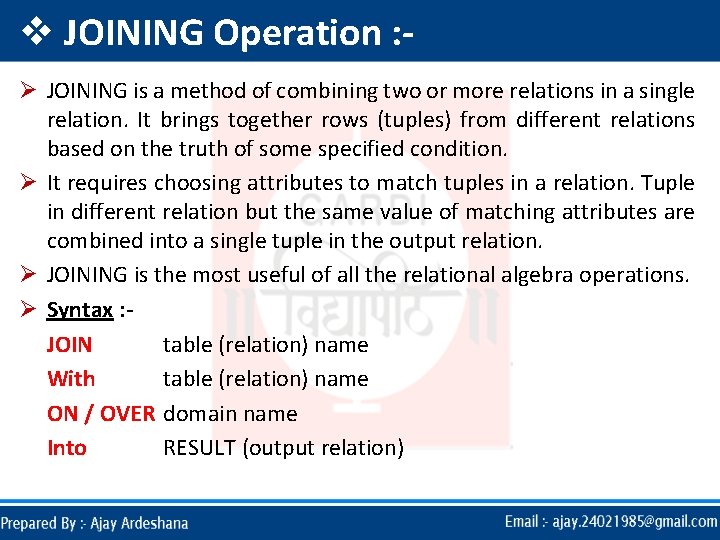
v JOINING Operation : Ø JOINING is a method of combining two or more relations in a single relation. It brings together rows (tuples) from different relations based on the truth of some specified condition. Ø It requires choosing attributes to match tuples in a relation. Tuple in different relation but the same value of matching attributes are combined into a single tuple in the output relation. Ø JOINING is the most useful of all the relational algebra operations. Ø Syntax : JOIN table (relation) name With table (relation) name ON / OVER domain name Into RESULT (output relation)
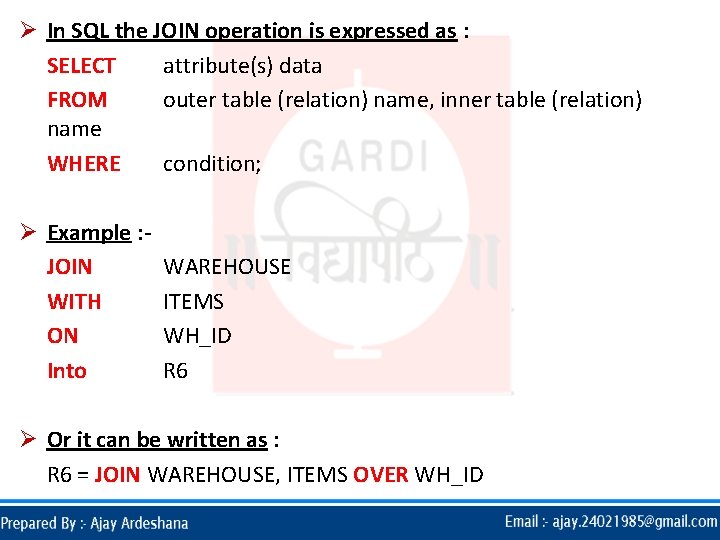
Ø In SQL the JOIN operation is expressed as : SELECT attribute(s) data FROM outer table (relation) name, inner table (relation) name WHERE condition; Ø Example : JOIN WITH ON Into WAREHOUSE ITEMS WH_ID R 6 Ø Or it can be written as : R 6 = JOIN WAREHOUSE, ITEMS OVER WH_ID
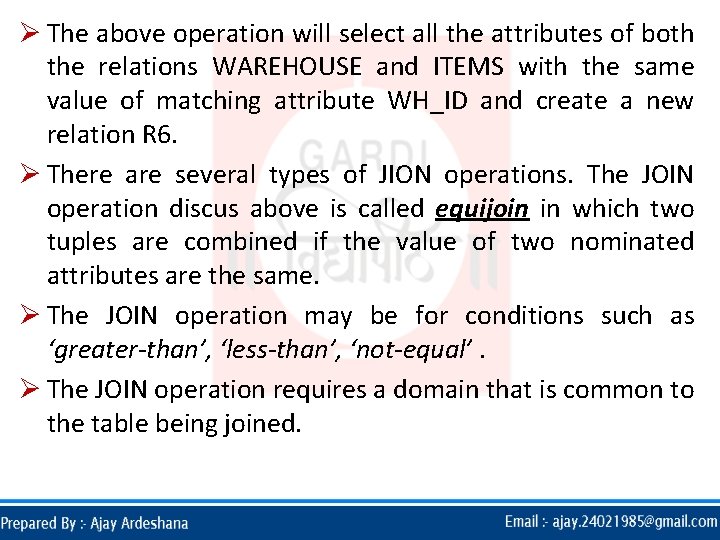
Ø The above operation will select all the attributes of both the relations WAREHOUSE and ITEMS with the same value of matching attribute WH_ID and create a new relation R 6. Ø There are several types of JION operations. The JOIN operation discus above is called equijoin in which two tuples are combined if the value of two nominated attributes are the same. Ø The JOIN operation may be for conditions such as ‘greater-than’, ‘less-than’, ‘not-equal’. Ø The JOIN operation requires a domain that is common to the table being joined.
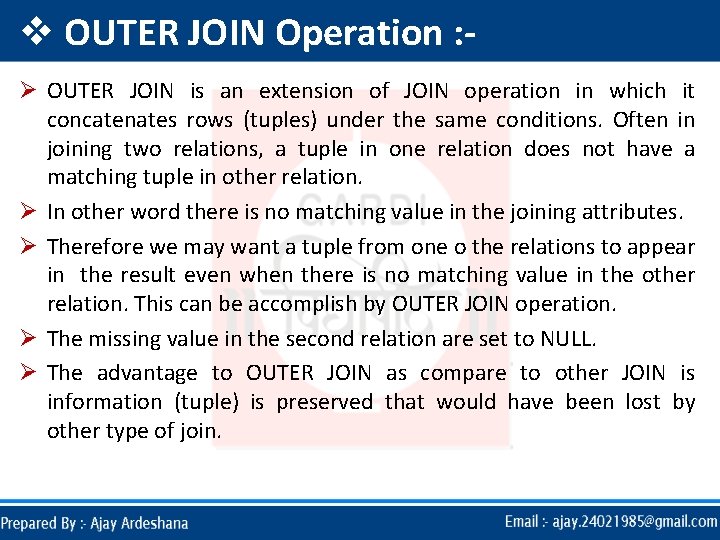
v OUTER JOIN Operation : Ø OUTER JOIN is an extension of JOIN operation in which it concatenates rows (tuples) under the same conditions. Often in joining two relations, a tuple in one relation does not have a matching tuple in other relation. Ø In other word there is no matching value in the joining attributes. Ø Therefore we may want a tuple from one o the relations to appear in the result even when there is no matching value in the other relation. This can be accomplish by OUTER JOIN operation. Ø The missing value in the second relation are set to NULL. Ø The advantage to OUTER JOIN as compare to other JOIN is information (tuple) is preserved that would have been lost by other type of join.
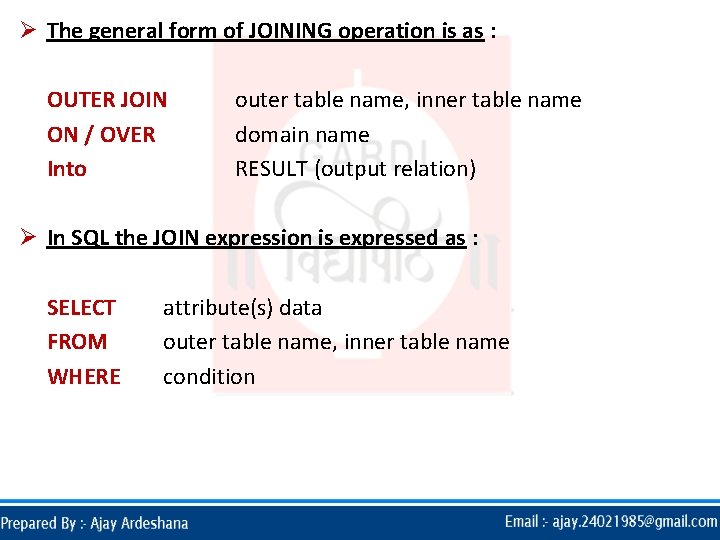
Ø The general form of JOINING operation is as : OUTER JOIN ON / OVER Into outer table name, inner table name domain name RESULT (output relation) Ø In SQL the JOIN expression is expressed as : SELECT FROM WHERE attribute(s) data outer table name, inner table name condition
Ø Example : OUTER JOIN ON Into WAREHOUSE, ITEMS WH_ID R 7 Ø Or it can be written as : R 7 = OUTER JOIN WAREHOUSE, ITEMS OVER WH_ID
v UNION Operation : Ø UNION is directly analogous of the basic mathematical operators on set (tuples). The UNION of two tables is the every rows that appear in both of the tables. Ø In other words, union compares rows in two relations and create new relation that contains some of the rows from each of the input relations. Ø The table on which it appear must contain the same number of columns. Also corresponding columns must be defined on the same domain. Ø If R and S have K and L tuples respectively, UNION is obtain by concatenating them into one relation with maximum of (K+L) tuples.
Ø The general form of UNOIN operation is as : UNION table name 1, table name 2 Into RESULT (output relation) Ø In SQL, the UNION operation is expressed as : SELECT * FROM relation 1 UNION SELECT * FROM relation 2 Ø Example : UNION WAREHOUSE, ITEMS Into R 10 Ø Or it can be written as : R 10 = UNION WAREHOUSE, ITEMS
v DIFFERENCE Operation : Ø DIFFERENCE operation subtract those tuples from the first named relation that appeared in the second named relation and create a new relation. Ø The general form of DIFFERENCE operation is as : DIFFERENCE table name 2, table name 1 Into RESULT (output relation) Ø In SQL, the DIFFERENCE operation may be expressed as : SELECT * FROM relation 1 Example : MINUS DIFFERENCE WAREHOUSE, ITEMS R 13 SELECT * FROM relation 2 Into Or it can be written as : R 13 = DIFFERENCE WAREHOUSE, ITEMS
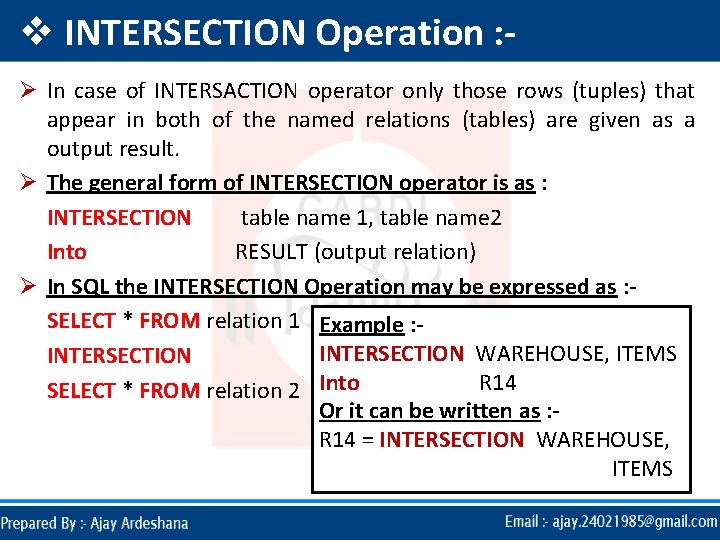
v INTERSECTION Operation : Ø In case of INTERSACTION operator only those rows (tuples) that appear in both of the named relations (tables) are given as a output result. Ø The general form of INTERSECTION operator is as : INTERSECTION table name 1, table name 2 Into RESULT (output relation) Ø In SQL the INTERSECTION Operation may be expressed as : SELECT * FROM relation 1 Example : INTERSECTION WAREHOUSE, ITEMS INTERSECTION R 14 SELECT * FROM relation 2 Into Or it can be written as : R 14 = INTERSECTION WAREHOUSE, ITEMS
v CARTESIAN PRODUCT Operation : Ø In the case of CARTESIAN PRODUCT Operator (also called as cross product), it takes each tuples (rows) from the first named table (relation) and concatenates with every row (tuple) of the second table (relation). Ø CARTESIAN PRODUCT Operation multiples two relations to define another relation consisting of all possible pairs of tuples from the two relations. Ø Therefore if one relation has K tuples and M attributes and the other has L tuples and N attributes, the CARTESIAN PRODUCT Operation will contain (K*L) tuples and (M+N) attributes. Ø It is possible that the two relations may have attributes with the same name. in this case the attribute names are prefixed with relation name to maintain the uniqueness of attribute names within the relation.
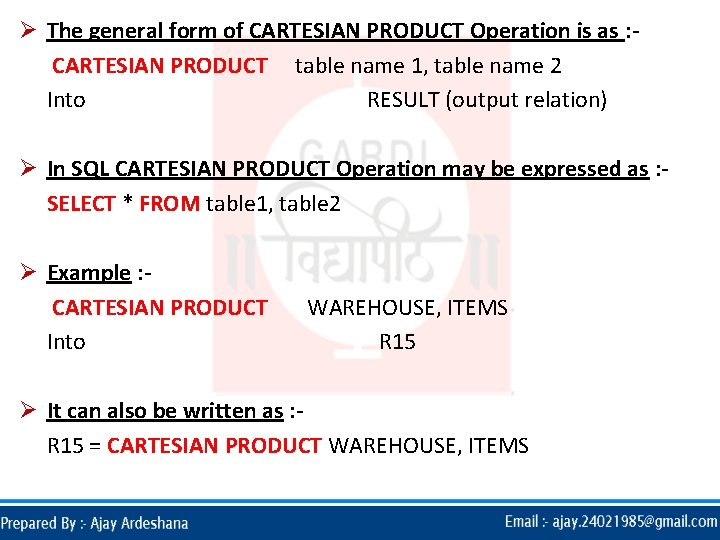
Ø The general form of CARTESIAN PRODUCT Operation is as : CARTESIAN PRODUCT table name 1, table name 2 Into RESULT (output relation) Ø In SQL CARTESIAN PRODUCT Operation may be expressed as : SELECT * FROM table 1, table 2 Ø Example : CARTESIAN PRODUCT Into WAREHOUSE, ITEMS R 15 Ø It can also be written as : R 15 = CARTESIAN PRODUCT WAREHOUSE, ITEMS
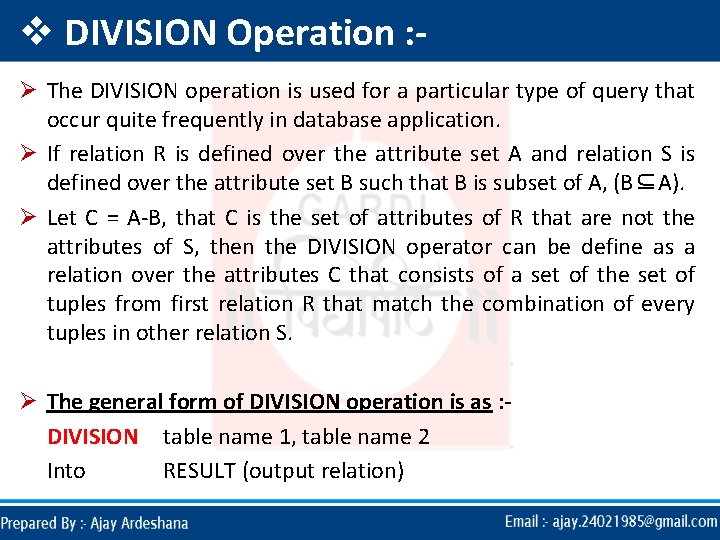
v DIVISION Operation : Ø The DIVISION operation is used for a particular type of query that occur quite frequently in database application. Ø If relation R is defined over the attribute set A and relation S is defined over the attribute set B such that B is subset of A, (B⊆A). Ø Let C = A-B, that C is the set of attributes of R that are not the attributes of S, then the DIVISION operator can be define as a relation over the attributes C that consists of a set of the set of tuples from first relation R that match the combination of every tuples in other relation S. Ø The general form of DIVISION operation is as : DIVISION table name 1, table name 2 Into RESULT (output relation)
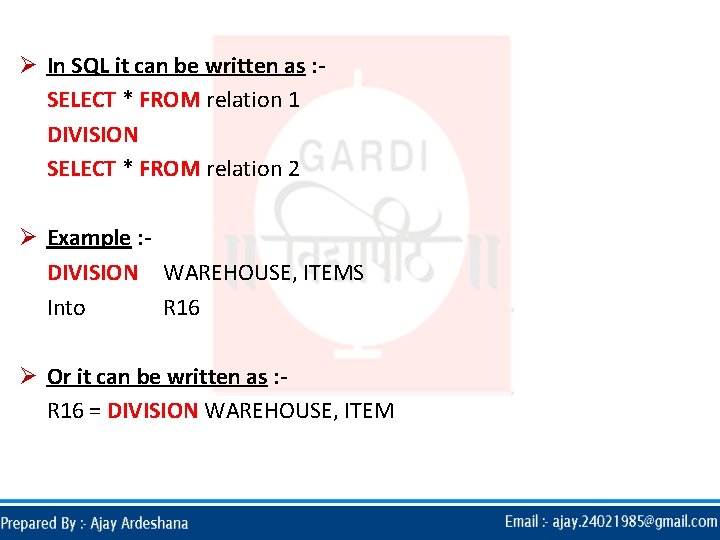
Ø In SQL it can be written as : SELECT * FROM relation 1 DIVISION SELECT * FROM relation 2 Ø Example : DIVISION WAREHOUSE, ITEMS Into R 16 Ø Or it can be written as : R 16 = DIVISION WAREHOUSE, ITEM
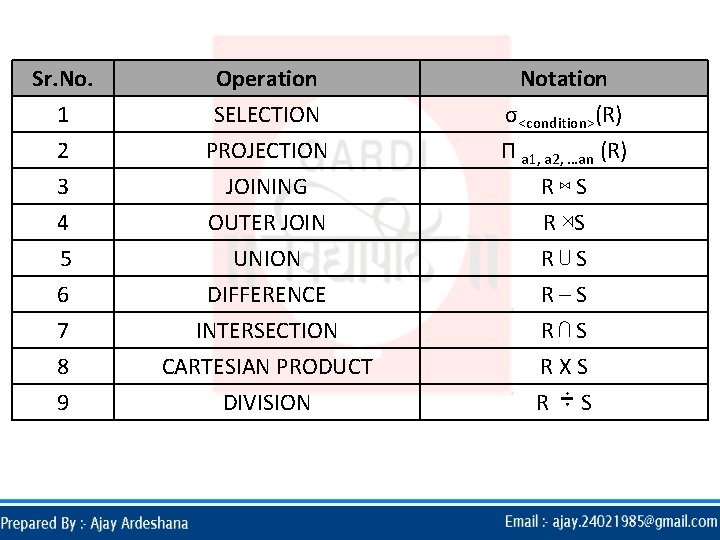
Sr. No. 1 2 3 Operation SELECTION PROJECTION JOINING Notation σ<condition>(R) П a 1, a 2, …an (R) R⋈S 4 5 6 7 8 9 OUTER JOIN UNION DIFFERENCE INTERSECTION CARTESIAN PRODUCT DIVISION R ⋊S R⋃S R–S R⋂S RXS R S
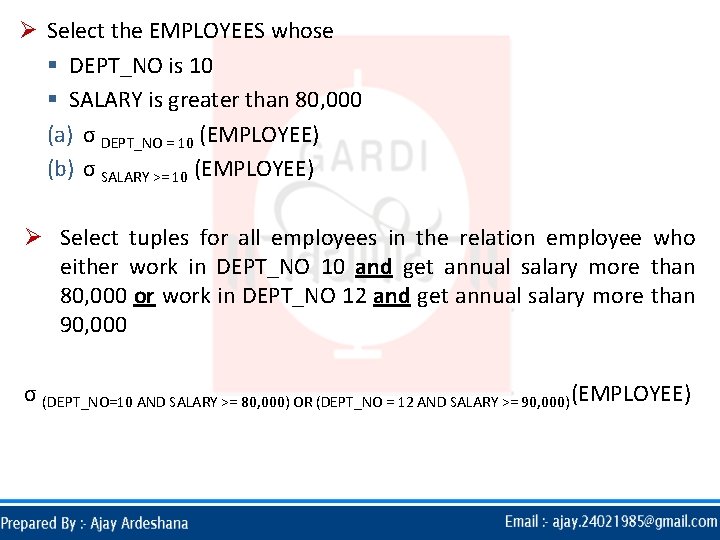
Ø Select the EMPLOYEES whose § DEPT_NO is 10 § SALARY is greater than 80, 000 (a) σ DEPT_NO = 10 (EMPLOYEE) (b) σ SALARY >= 10 (EMPLOYEE) Ø Select tuples for all employees in the relation employee who either work in DEPT_NO 10 and get annual salary more than 80, 000 or work in DEPT_NO 12 and get annual salary more than 90, 000 σ (DEPT_NO=10 AND SALARY >= 80, 000) OR (DEPT_NO = 12 AND SALARY >= 90, 000)(EMPLOYEE)
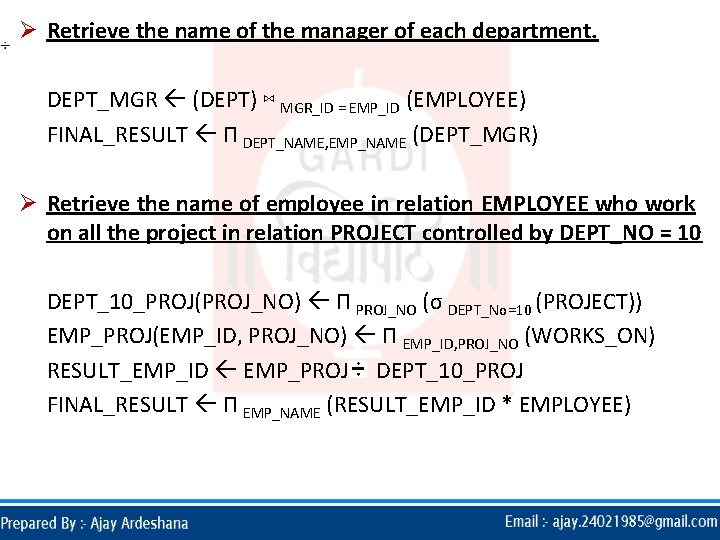
Ø Retrieve the name of the manager of each department. DEPT_MGR (DEPT) ⋈ MGR_ID = EMP_ID (EMPLOYEE) FINAL_RESULT П DEPT_NAME, EMP_NAME (DEPT_MGR) Ø Retrieve the name of employee in relation EMPLOYEE who work on all the project in relation PROJECT controlled by DEPT_NO = 10 DEPT_10_PROJ(PROJ_NO) П PROJ_NO (σ DEPT_No=10 (PROJECT)) EMP_PROJ(EMP_ID, PROJ_NO) П EMP_ID, PROJ_NO (WORKS_ON) RESULT_EMP_ID EMP_PROJ DEPT_10_PROJ FINAL_RESULT П EMP_NAME (RESULT_EMP_ID * EMPLOYEE)
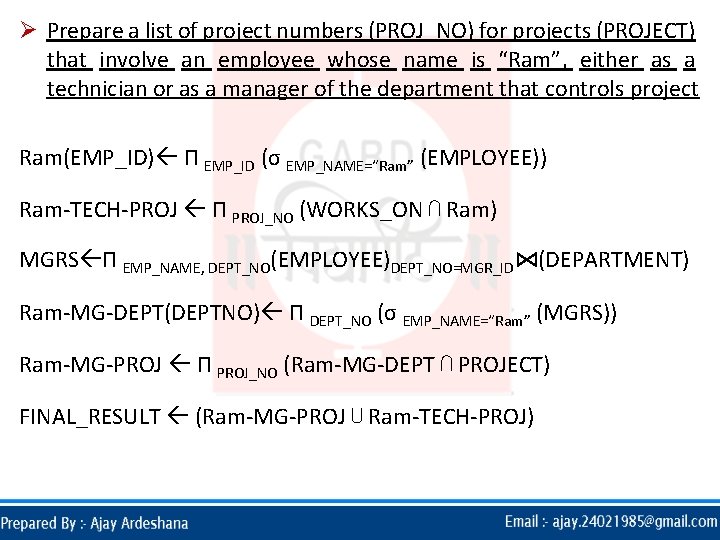
Ø Prepare a list of project numbers (PROJ_NO) for projects (PROJECT) that involve an employee whose name is “Ram”, either as a technician or as a manager of the department that controls project Ram(EMP_ID) П EMP_ID (σ EMP_NAME=“Ram” (EMPLOYEE)) Ram-TECH-PROJ П PROJ_NO (WORKS_ON ⋂ Ram) MGRS П EMP_NAME, DEPT_NO(EMPLOYEE)DEPT_NO=MGR_ID⋈(DEPARTMENT) Ram-MG-DEPT(DEPTNO) П DEPT_NO (σ EMP_NAME=“Ram” (MGRS)) Ram-MG-PROJ П PROJ_NO (Ram-MG-DEPT ⋂ PROJECT) FINAL_RESULT (Ram-MG-PROJ ⋃ Ram-TECH-PROJ)
RELATIONA L CALCULUS
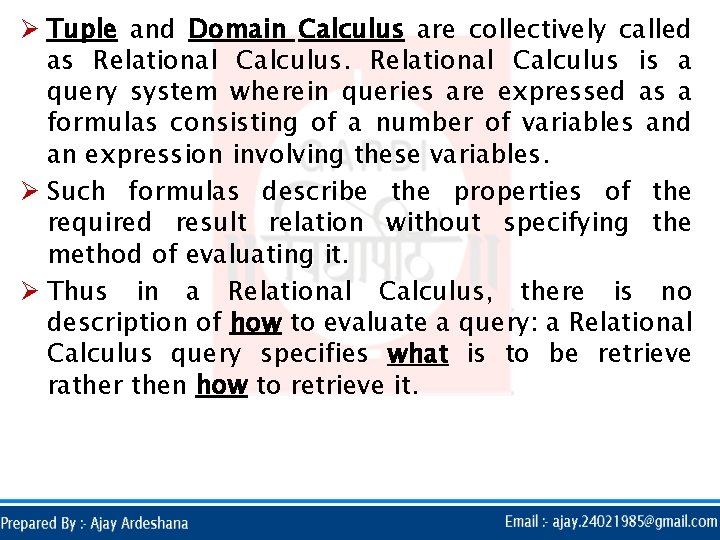
Ø Tuple and Domain Calculus are collectively called as Relational Calculus is a query system wherein queries are expressed as a formulas consisting of a number of variables and an expression involving these variables. Ø Such formulas describe the properties of the required result relation without specifying the method of evaluating it. Ø Thus in a Relational Calculus, there is no description of how to evaluate a query: a Relational Calculus query specifies what is to be retrieve rather then how to retrieve it.
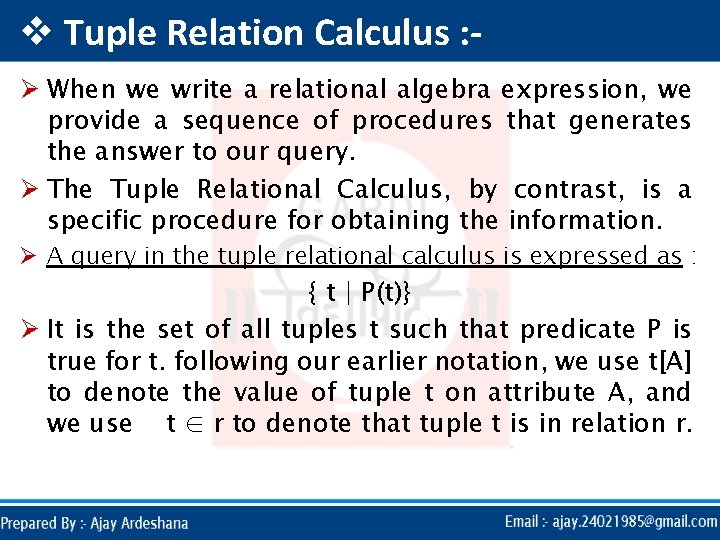
v Tuple Relation Calculus : Ø When we write a relational algebra expression, we provide a sequence of procedures that generates the answer to our query. Ø The Tuple Relational Calculus, by contrast, is a specific procedure for obtaining the information. Ø A query in the tuple relational calculus is expressed as : { t | P(t)} Ø It is the set of all tuples t such that predicate P is true for t. following our earlier notation, we use t[A] to denote the value of tuple t on attribute A, and we use t ∈ r to denote that tuple t is in relation r.
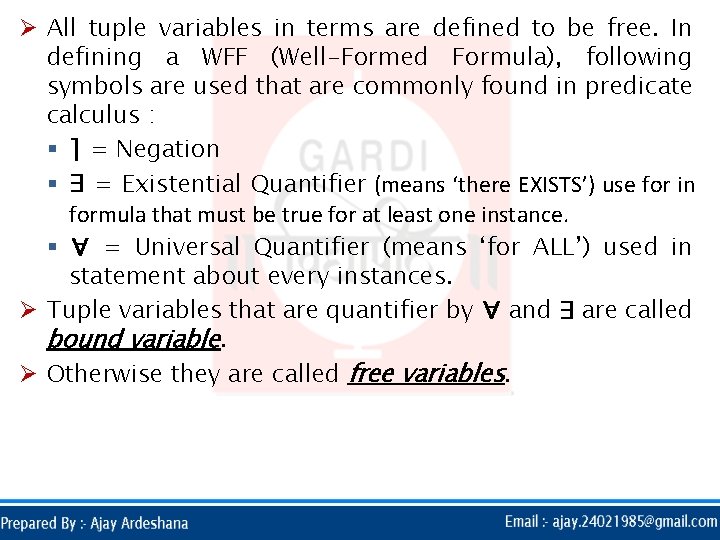
Ø All tuple variables in terms are defined to be free. In defining a WFF (Well-Formed Formula), following symbols are used that are commonly found in predicate calculus : § ⌉ = Negation § ∃ = Existential Quantifier (means ‘there EXISTS’) use for in formula that must be true for at least one instance. § ∀ = Universal Quantifier (means ‘for ALL’) used in statement about every instances. Ø Tuple variables that are quantifier by ∀ and ∃ are called bound variable. Ø Otherwise they are called free variables.
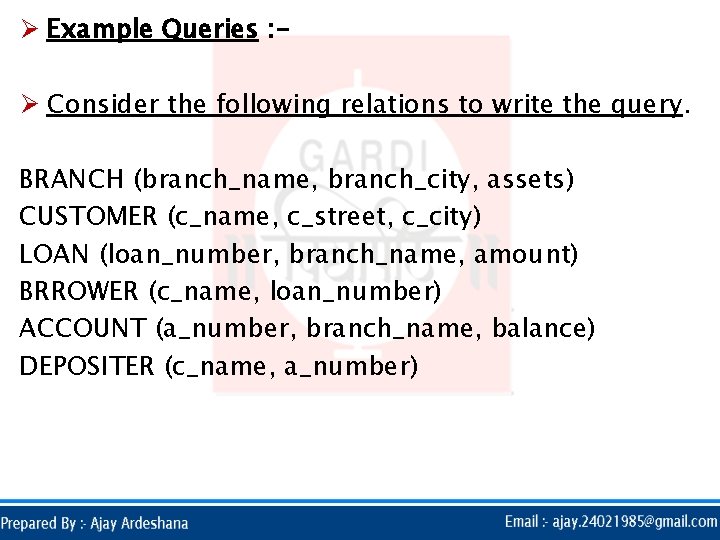
Ø Example Queries : Ø Consider the following relations to write the query. BRANCH (branch_name, branch_city, assets) CUSTOMER (c_name, c_street, c_city) LOAN (loan_number, branch_name, amount) BRROWER (c_name, loan_number) ACCOUNT (a_number, branch_name, balance) DEPOSITER (c_name, a_number)
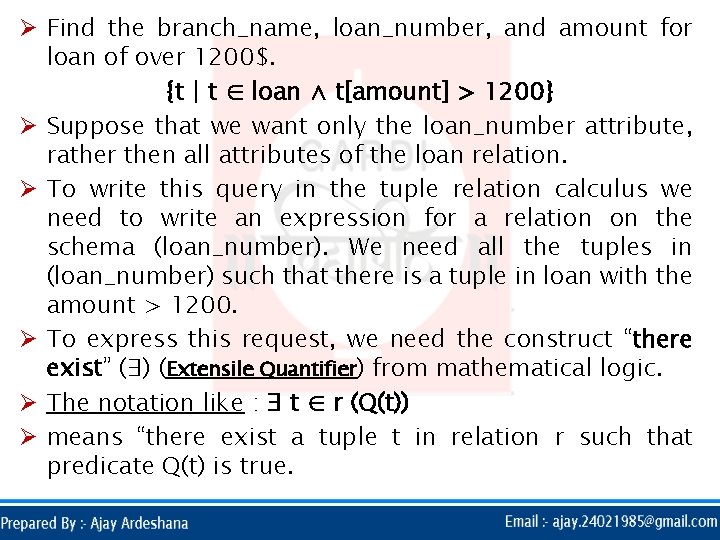
Ø Find the branch_name, loan_number, and amount for loan of over 1200$. {t | t ∈ loan ∧ t[amount] > 1200} Ø Suppose that we want only the loan_number attribute, rather then all attributes of the loan relation. Ø To write this query in the tuple relation calculus we need to write an expression for a relation on the schema (loan_number). We need all the tuples in (loan_number) such that there is a tuple in loan with the amount > 1200. Ø To express this request, we need the construct “there exist” (∃) (Extensile Quantifier) from mathematical logic. Ø The notation like : ∃ t ∈ r (Q(t)) Ø means “there exist a tuple t in relation r such that predicate Q(t) is true.
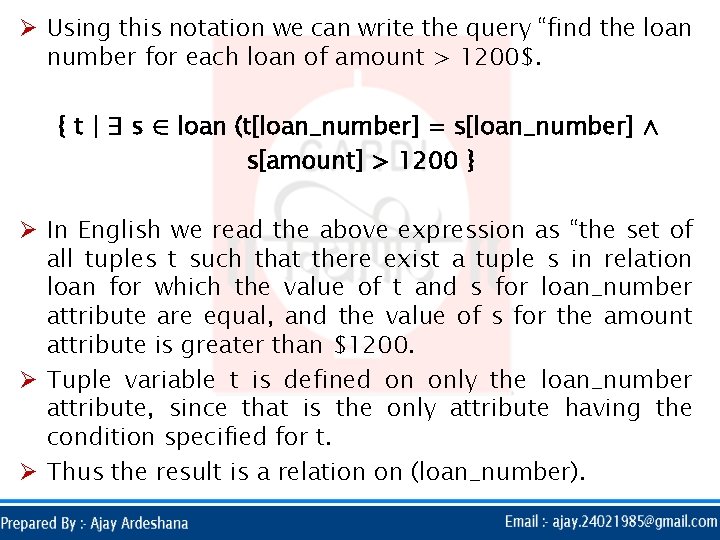
Ø Using this notation we can write the query “find the loan number for each loan of amount > 1200$. { t | ∃ s ∈ loan (t[loan_number] = s[loan_number] ∧ s[amount] > 1200 } Ø In English we read the above expression as “the set of all tuples t such that there exist a tuple s in relation loan for which the value of t and s for loan_number attribute are equal, and the value of s for the amount attribute is greater than $1200. Ø Tuple variable t is defined on only the loan_number attribute, since that is the only attribute having the condition specified for t. Ø Thus the result is a relation on (loan_number).
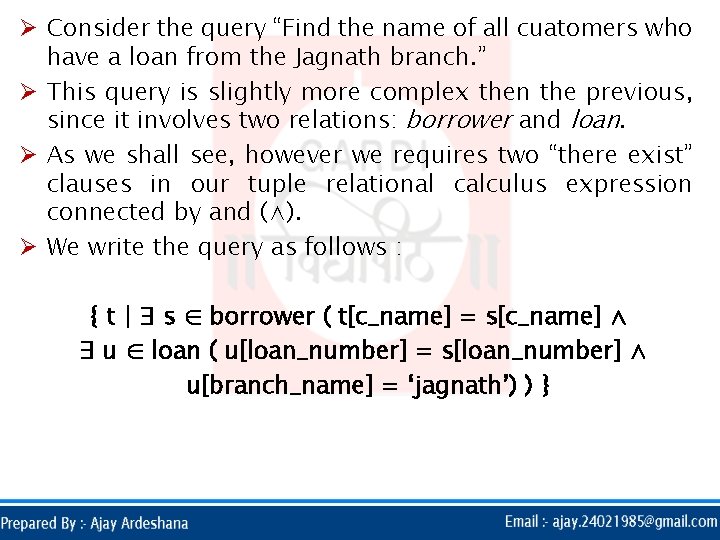
Ø Consider the query “Find the name of all cuatomers who have a loan from the Jagnath branch. ” Ø This query is slightly more complex then the previous, since it involves two relations: borrower and loan. Ø As we shall see, however we requires two “there exist” clauses in our tuple relational calculus expression connected by and (∧). Ø We write the query as follows : { t | ∃ s ∈ borrower ( t[c_name] = s[c_name] ∧ ∃ u ∈ loan ( u[loan_number] = s[loan_number] ∧ u[branch_name] = ‘jagnath’) ) }
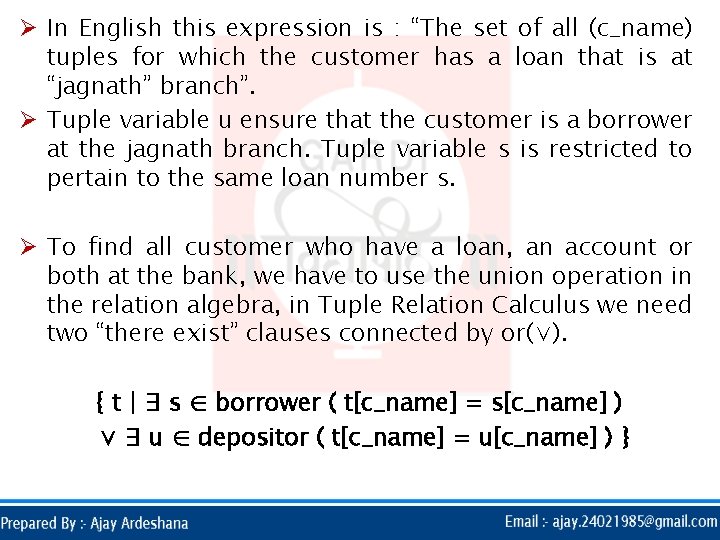
Ø In English this expression is : “The set of all (c_name) tuples for which the customer has a loan that is at “jagnath” branch”. Ø Tuple variable u ensure that the customer is a borrower at the jagnath branch. Tuple variable s is restricted to pertain to the same loan number s. Ø To find all customer who have a loan, an account or both at the bank, we have to use the union operation in the relation algebra, in Tuple Relation Calculus we need two “there exist” clauses connected by or(∨). { t | ∃ s ∈ borrower ( t[c_name] = s[c_name] ) ∨ ∃ u ∈ depositor ( t[c_name] = u[c_name] ) }
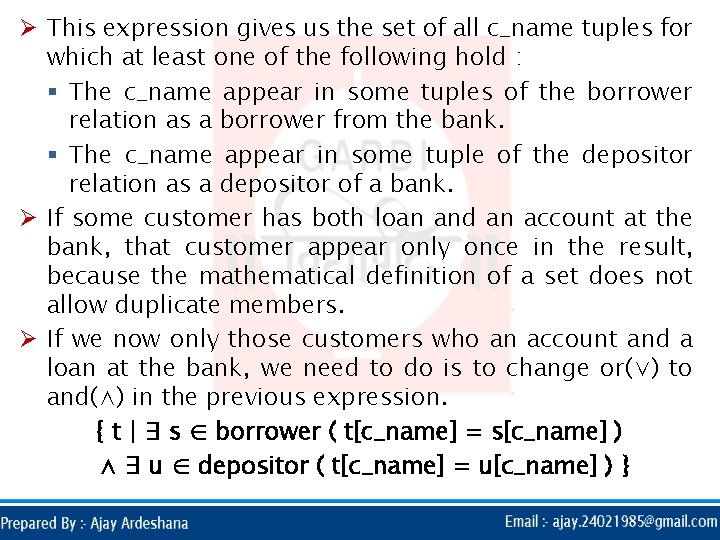
Ø This expression gives us the set of all c_name tuples for which at least one of the following hold : § The c_name appear in some tuples of the borrower relation as a borrower from the bank. § The c_name appear in some tuple of the depositor relation as a depositor of a bank. Ø If some customer has both loan and an account at the bank, that customer appear only once in the result, because the mathematical definition of a set does not allow duplicate members. Ø If we now only those customers who an account and a loan at the bank, we need to do is to change or(∨) to and(∧) in the previous expression. { t | ∃ s ∈ borrower ( t[c_name] = s[c_name] ) ∧ ∃ u ∈ depositor ( t[c_name] = u[c_name] ) }
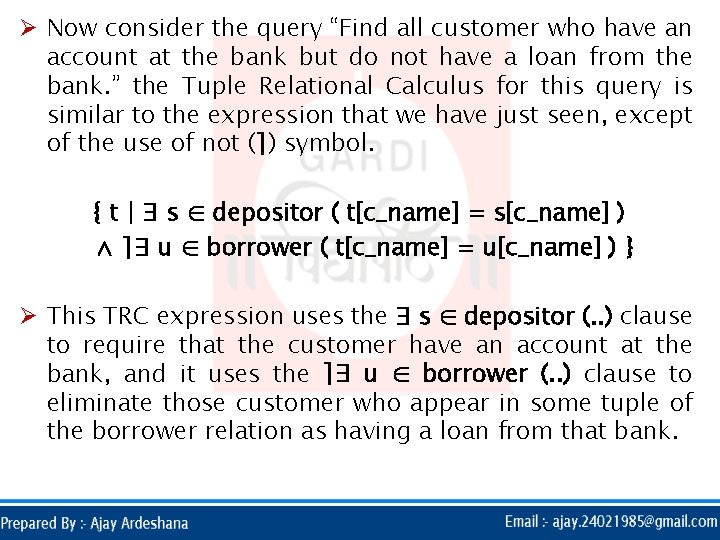
Ø Now consider the query “Find all customer who have an account at the bank but do not have a loan from the bank. ” the Tuple Relational Calculus for this query is similar to the expression that we have just seen, except of the use of not (⌉) symbol. { t | ∃ s ∈ depositor ( t[c_name] = s[c_name] ) ∧ ⌉∃ u ∈ borrower ( t[c_name] = u[c_name] ) } Ø This TRC expression uses the ∃ s ∈ depositor (. . ) clause to require that the customer have an account at the bank, and it uses the ⌉∃ u ∈ borrower (. . ) clause to eliminate those customer who appear in some tuple of the borrower relation as having a loan from that bank.
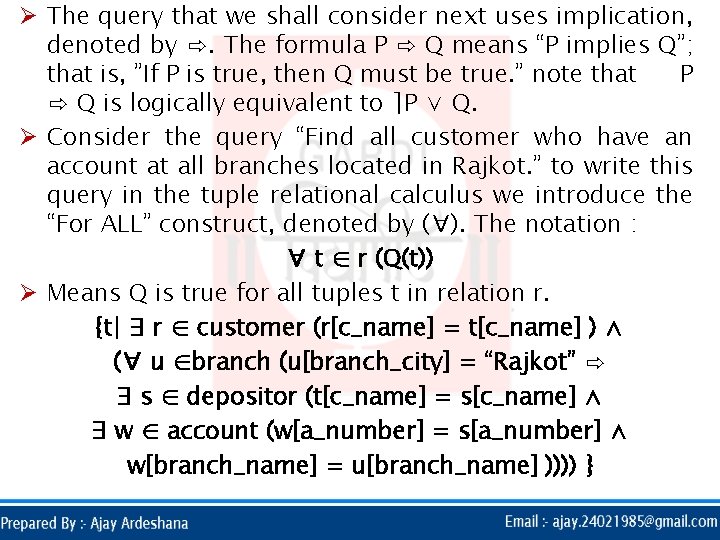
Ø The query that we shall consider next uses implication, denoted by ⇨. The formula P ⇨ Q means “P implies Q”; that is, ”If P is true, then Q must be true. ” note that P ⇨ Q is logically equivalent to ⌉P ∨ Q. Ø Consider the query “Find all customer who have an account at all branches located in Rajkot. ” to write this query in the tuple relational calculus we introduce the “For ALL” construct, denoted by (∀). The notation : ∀ t ∈ r (Q(t)) Ø Means Q is true for all tuples t in relation r. {t| ∃ r ∈ customer (r[c_name] = t[c_name] ) ∧ (∀ u ∈branch (u[branch_city] = “Rajkot” ⇨ ∃ s ∈ depositor (t[c_name] = s[c_name] ∧ ∃ w ∈ account (w[a_number] = s[a_number] ∧ w[branch_name] = u[branch_name] )))) }
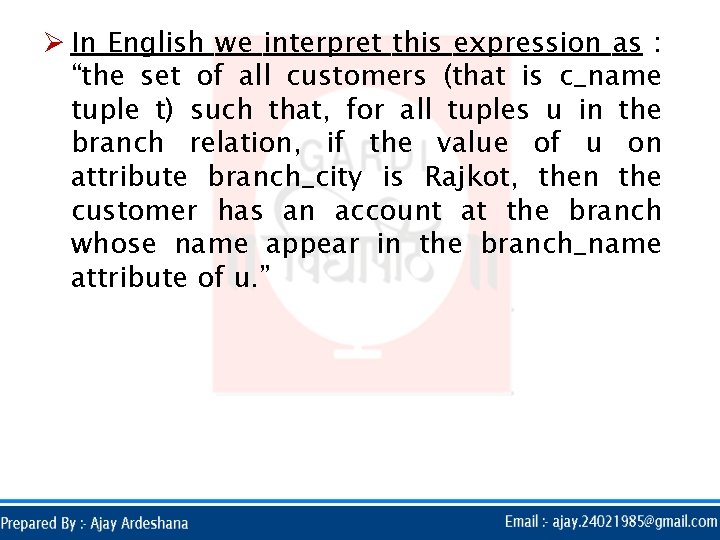
Ø In English we interpret this expression as : “the set of all customers (that is c_name tuple t) such that, for all tuples u in the branch relation, if the value of u on attribute branch_city is Rajkot, then the customer has an account at the branch whose name appear in the branch_name attribute of u. ”

v Formal Definition of TRC : Ø A TRC expression is of the form { t | P(t) }. Ø Where P is the formula. Several tuple variables may appear in the formula. Ø A tuple variable is said to be a free variable unless it is quantified by a ∃ or ∀. Thus in : t ∈ loan ∧ ∃ s ∈ customer (t[branch_name]= s[branch_name]) Ø t is a free variable. Tuple variable s is said to be a bound variable.
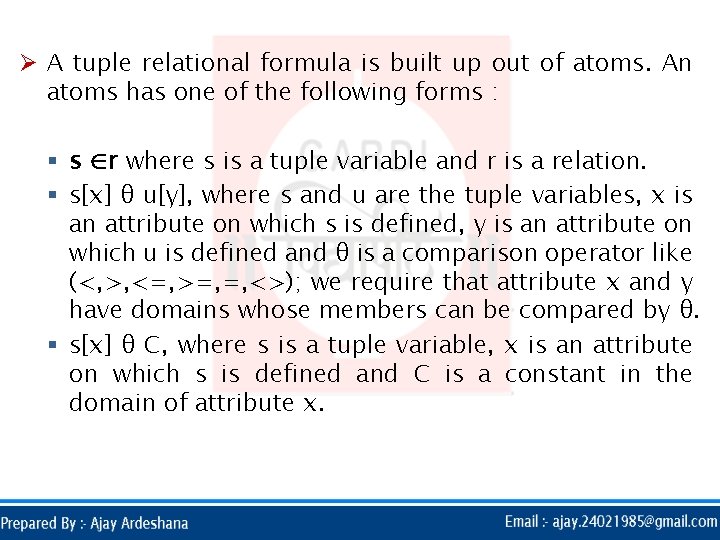
Ø A tuple relational formula is built up out of atoms. An atoms has one of the following forms : § s ∈r where s is a tuple variable and r is a relation. § s[x] θ u[y], where s and u are the tuple variables, x is an attribute on which s is defined, y is an attribute on which u is defined and θ is a comparison operator like (<, >, <=, >=, =, <>); we require that attribute x and y have domains whose members can be compared by θ. § s[x] θ C, where s is a tuple variable, x is an attribute on which s is defined and C is a constant in the domain of attribute x.
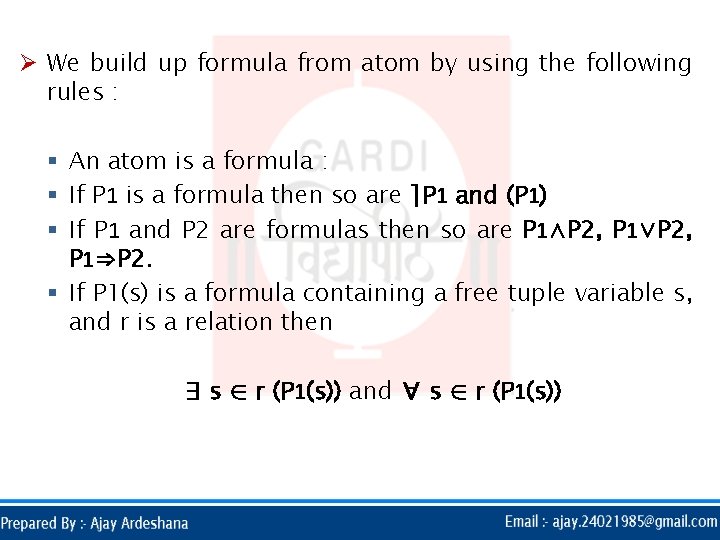
Ø We build up formula from atom by using the following rules : § An atom is a formula : § If P 1 is a formula then so are ⌉P 1 and (P 1) § If P 1 and P 2 are formulas then so are P 1∧P 2, P 1∨P 2, P 1⇒P 2. § If P 1(s) is a formula containing a free tuple variable s, and r is a relation then ∃ s ∈ r (P 1(s)) and ∀ s ∈ r (P 1(s))
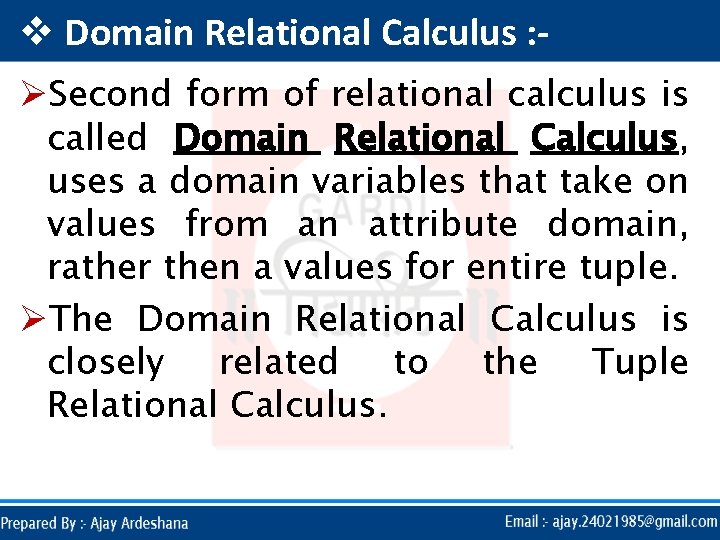
v Domain Relational Calculus : ØSecond form of relational calculus is called Domain Relational Calculus, uses a domain variables that take on values from an attribute domain, rather then a values for entire tuple. ØThe Domain Relational Calculus is closely related to the Tuple Relational Calculus.
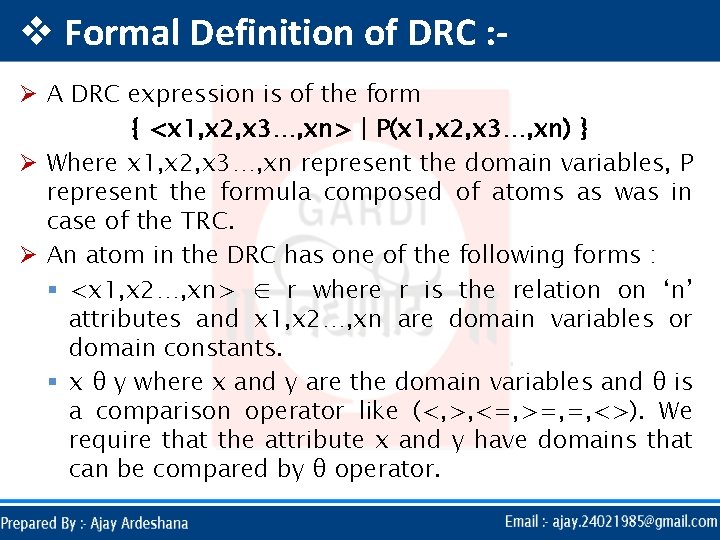
v Formal Definition of DRC : Ø A DRC expression is of the form { <x 1, x 2, x 3…, xn> | P(x 1, x 2, x 3…, xn) } Ø Where x 1, x 2, x 3…, xn represent the domain variables, P represent the formula composed of atoms as was in case of the TRC. Ø An atom in the DRC has one of the following forms : § <x 1, x 2…, xn> ∈ r where r is the relation on ‘n’ attributes and x 1, x 2…, xn are domain variables or domain constants. § x θ y where x and y are the domain variables and θ is a comparison operator like (<, >, <=, >=, =, <>). We require that the attribute x and y have domains that can be compared by θ operator.
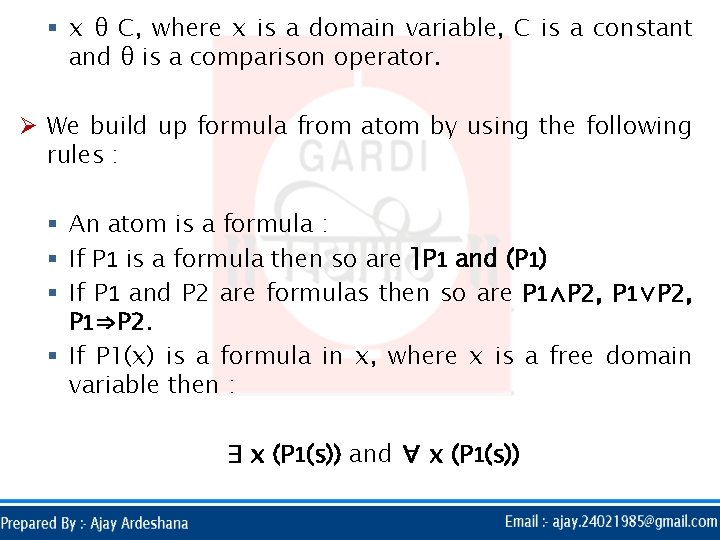
§ x θ C, where x is a domain variable, C is a constant and θ is a comparison operator. Ø We build up formula from atom by using the following rules : § An atom is a formula : § If P 1 is a formula then so are ⌉P 1 and (P 1) § If P 1 and P 2 are formulas then so are P 1∧P 2, P 1∨P 2, P 1⇒P 2. § If P 1(x) is a formula in x, where x is a free domain variable then : ∃ x (P 1(s)) and ∀ x (P 1(s))
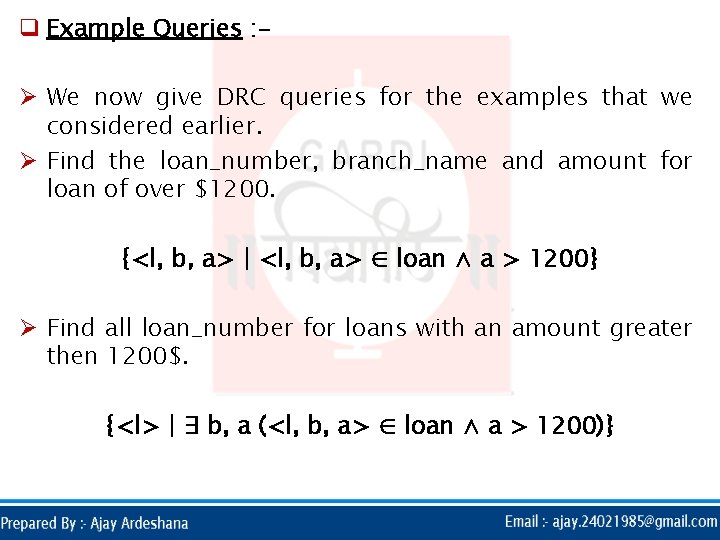
q Example Queries : Ø We now give DRC queries for the examples that we considered earlier. Ø Find the loan_number, branch_name and amount for loan of over $1200. {<l, b, a> | <l, b, a> ∈ loan ∧ a > 1200} Ø Find all loan_number for loans with an amount greater then 1200$. {<l> | ∃ b, a (<l, b, a> ∈ loan ∧ a > 1200)}
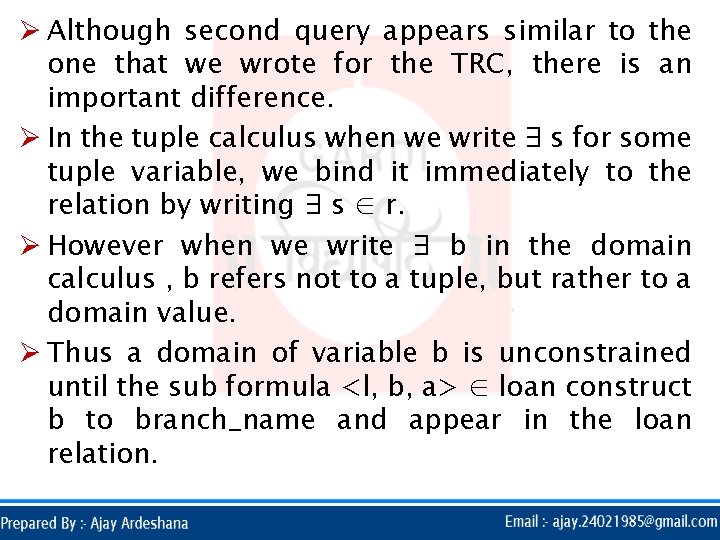
Ø Although second query appears similar to the one that we wrote for the TRC, there is an important difference. Ø In the tuple calculus when we write ∃ s for some tuple variable, we bind it immediately to the relation by writing ∃ s ∈ r. Ø However when we write ∃ b in the domain calculus , b refers not to a tuple, but rather to a domain value. Ø Thus a domain of variable b is unconstrained until the sub formula <l, b, a> ∈ loan construct b to branch_name and appear in the loan relation.
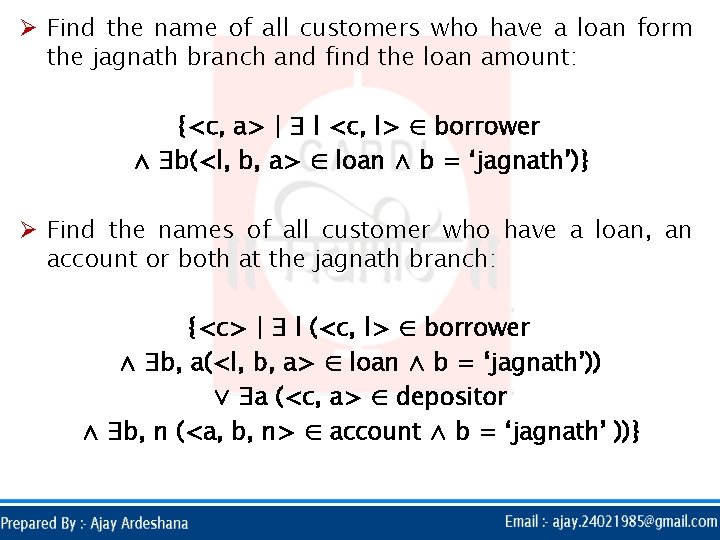
Ø Find the name of all customers who have a loan form the jagnath branch and find the loan amount: {<c, a> | ∃ l <c, l> ∈ borrower ∧ ∃b(<l, b, a> ∈ loan ∧ b = ‘jagnath’)} Ø Find the names of all customer who have a loan, an account or both at the jagnath branch: {<c> | ∃ l (<c, l> ∈ borrower ∧ ∃b, a(<l, b, a> ∈ loan ∧ b = ‘jagnath’)) ∨ ∃a (<c, a> ∈ depositor ∧ ∃b, n (<a, b, n> ∈ account ∧ b = ‘jagnath’ ))}
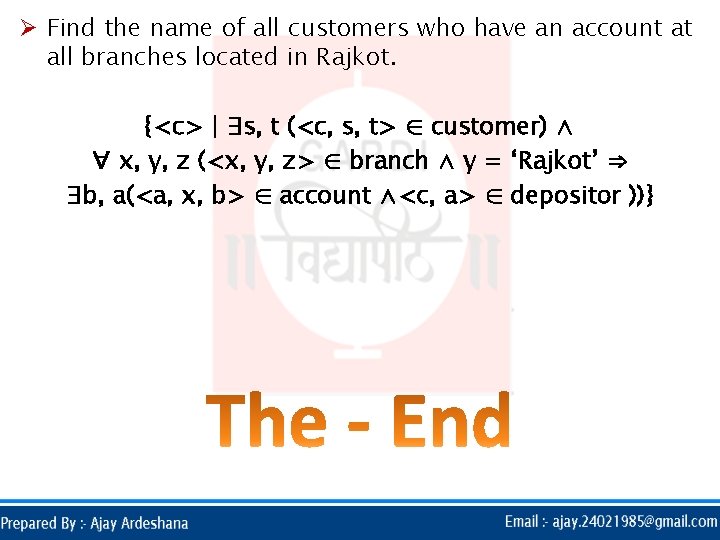
Ø Find the name of all customers who have an account at all branches located in Rajkot. {<c> | ∃s, t (<c, s, t> ∈ customer) ∧ ∀ x, y, z (<x, y, z> ∈ branch ∧ y = ‘Rajkot’ ⇒ ∃b, a(<a, x, b> ∈ account ∧<c, a> ∈ depositor ))}
- Slides: 53