
UNIT 5 INTERNET List Ways to Connect to
- Slides: 18
UNIT 5: INTERNET List Ways to Connect to the Internet Describe Common Uses of the Internet
Definition—Internet • A “network of networks” that consists of millions of smaller domestic, academic, business, and government networks − Carry various info and services • Email • File transfer • Interlinked web pages and other resources of the World Wide Web (WWW)
Definition—Email • Is sending electronic text messages between parties in a way similar to mailing letters or memos
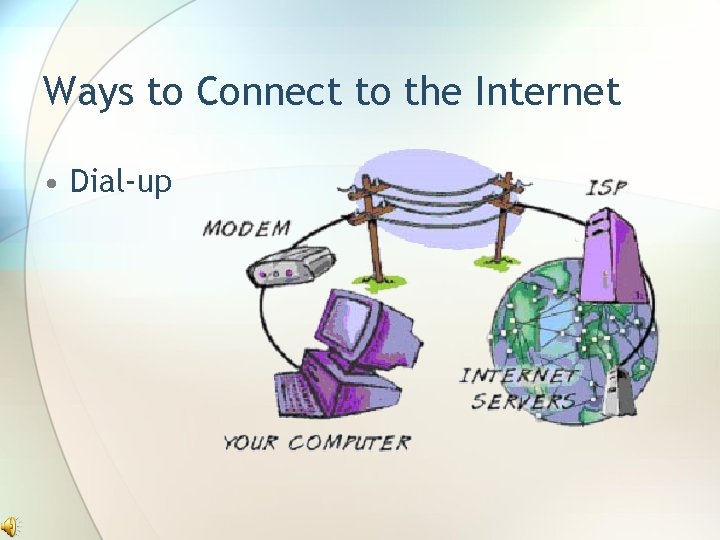
Ways to Connect to the Internet • Dial-up
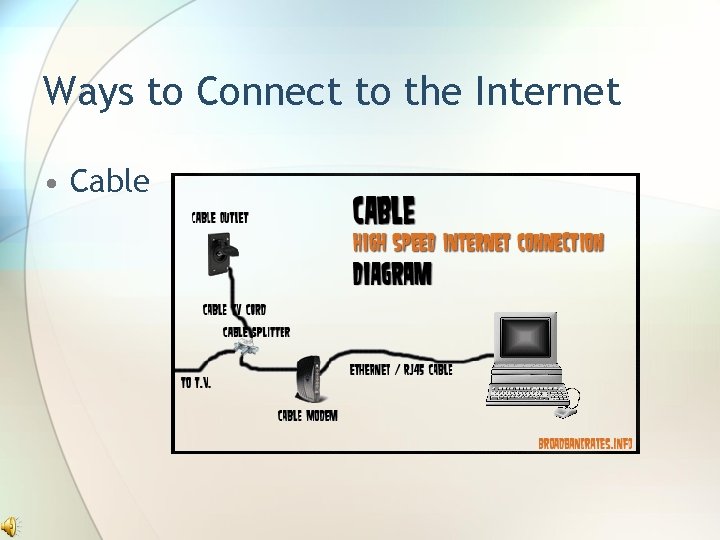
Ways to Connect to the Internet • Cable
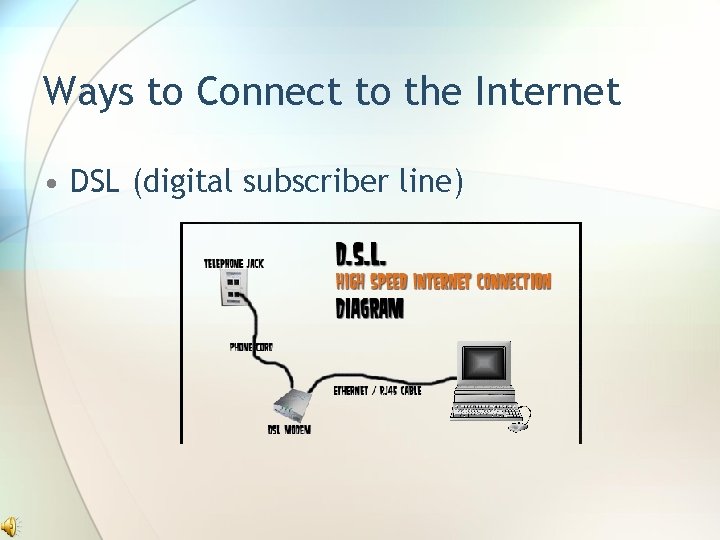
Ways to Connect to the Internet • DSL (digital subscriber line)
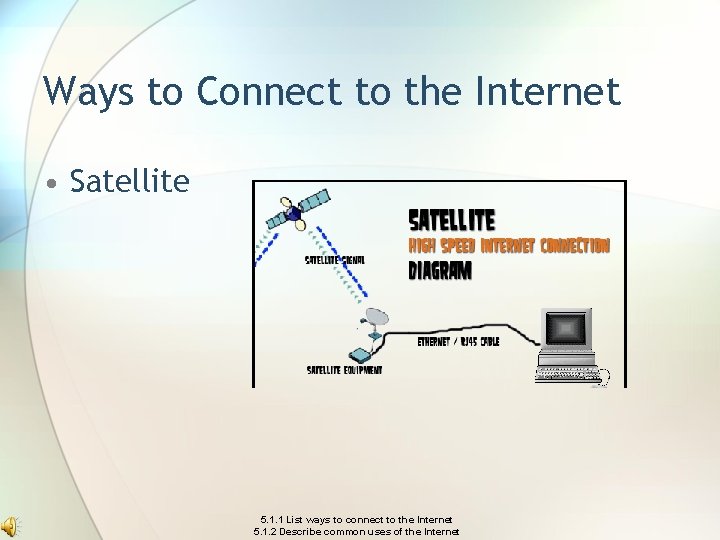
Ways to Connect to the Internet • Satellite 5. 1. 1 List ways to connect to the Internet 5. 1. 2 Describe common uses of the Internet
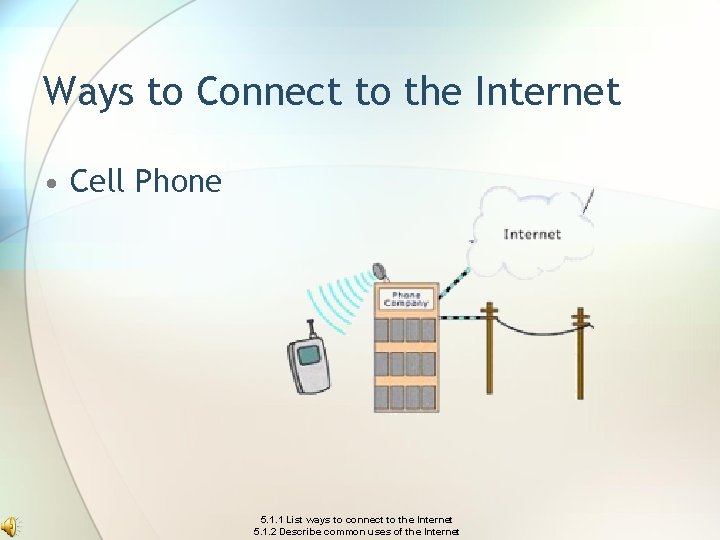
Ways to Connect to the Internet • Cell Phone 5. 1. 1 List ways to connect to the Internet 5. 1. 2 Describe common uses of the Internet
Common Internet Uses • Email—composing, sending, receiving and storing messages over electronic communication systems • File sharing—provide (upload) files and receive files (download). • Downloading files or media— receive files from a source and place in on your storage device • Shopping, news, watching TV shows 5. 1. 1 List ways to connect to the Internet 5. 1. 2 Describe common uses of the Internet
UNIT 5 Identify Internet Safety and Security Concerns Examine Precaution and Protection Measures Regarding the Internet
Definition—Internet Safety • The methods used to keep your computer and yourself safe when surfing on the Web
Definition—Internet Security • Techniques for ensuring that data stored in a computer cannot be read or compromised by any individuals without authorization
Computer Viruses • Infection of a computer by a malicious program
Safety and Security Concern • Harassment and stalking on the computer • Theft of computer data to obtain money or possessions dishonestly • Hacking someone’s personal information for gain or personal satisfaction • Identity theft
Software Piracy • Illegal copying or use of computer programs
Using Passwords • Should be changed frequently • Mixture of upper/lowercase letters • Using numbers as well as letters • Adding punctuation • Easy to remember but difficult to figure out 5. 2. 1 Identify Internet Safety and Security Concerns 5. 2. 2 Examine precaution and protection measures regarding the Internet
Firewalls • Special hardware and software that allow people inside of an organization to reach computers outside of the organization but do not allow people outside to reach the computers inside the organization 5. 2. 1 Identify Internet Safety and Security Concerns 5. 2. 2 Examine precaution and protection measures regarding the Internet
Precaution and Protection Measures • Antivirus software • Keep credit card numbers secure • Only order from Internet sites that you know are trustworthy 5. 2. 1 Identify Internet Safety and Security Concerns 5. 2. 2 Examine precaution and protection measures regarding the Internet