
Unit 4 Networks Computer Networks A computer network


- Slides: 66
Unit 4 Networks
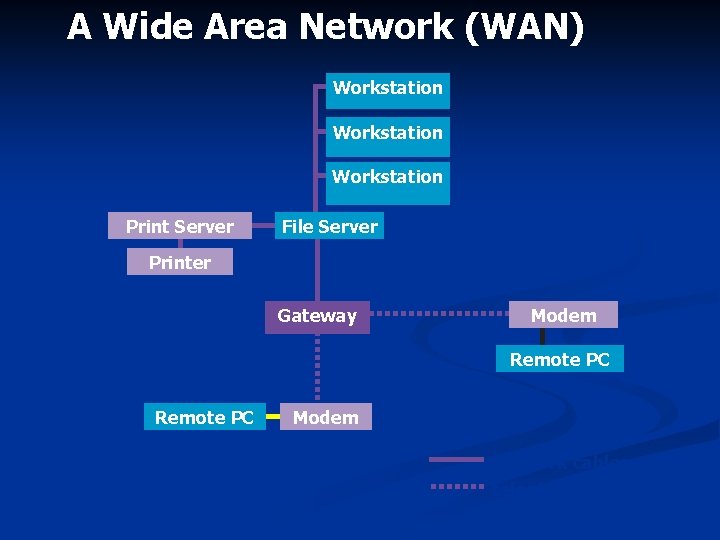
Computer Networks • A computer network is a collection of computers linked together so that they can communicate with each other • A computer that is not connected to a network is called a standalone computer • There are two different sorts of computer network: • ‘Local Area Network’ or ‘LAN’ - the computers are all in the same building or in different buildings on one site permanently connected to each other with special cables. • ‘Wide Area Network’ or ‘WAN’ - the computers are spread over a large geographical area not permanently connected to each other communicate using telephone lines, radio transmitters or satellite links. Connected by gateways
Factors to consider when choosing a network Cost of the network n Initial purchasing of equipment n Installation and training n Maintenance costs n Size of the available budget will determine what can be done e. g. fibre optic cable is faster but is also more expensive. Wireless systems are flexible but need more maintenance.
Size of the organisation n. Needs can range from a small LAN to a global WAN. n. Some communications media are limited to the distance they have to travel. n. Amount of data processing required must also be considered.
How the system will be used What type of applications do users require? n Will they need large data storage? n From where will they operate the network e. g. at home in office or remote access from different locations n
Existing systems to integrate More often networks are not developed from scratch but need to fit in with existing systems. Sometimes an extension is required e. g. when a new branch office opens. n Therefore any new network must fit in with the operating systems and protocols of the existing. n It must support any peripherals already in use e. g. bar code readers, printers etc. . n
Performance and speed required Performance in terms of ; reliability n user friendliness n capacity n speed of processing. n Different parts of the organisation may have different performance requirements. E. g. a realtime ecommerce system may require greater speeds and capacity and security than the in house payroll system
Security issues Different organisations may have different priorities e. g. n A large business organisation may be primarily concerned with Prevention of hacking n Avoid viruses n Secure payment site n n A school may be equally concerned with blocking the downloading of illicit material
Clients (Terminals) Thin clients (‘Dumb terminal’) • Has no built in hard drive, expansion slots and only has enough RAM and processing capacity to run applications and output to a monitor • Suitable for client server networks. Fat clients (‘Intelligent terminal’) • This is a workstation with full stand alone capacity. It has its own hard drive for storage and a CPU. • Stations have a processor so can share the processing. There are many different ways to do this e. g. a station could act as a printer server etc. A station could store programs on its disc and load them while data files are stored elsewhere perhaps upon a central fileserver. • Suitable for peer to peer networks
Both LANs and WANs may be either Client/Server or Peer-to-Peer networks.
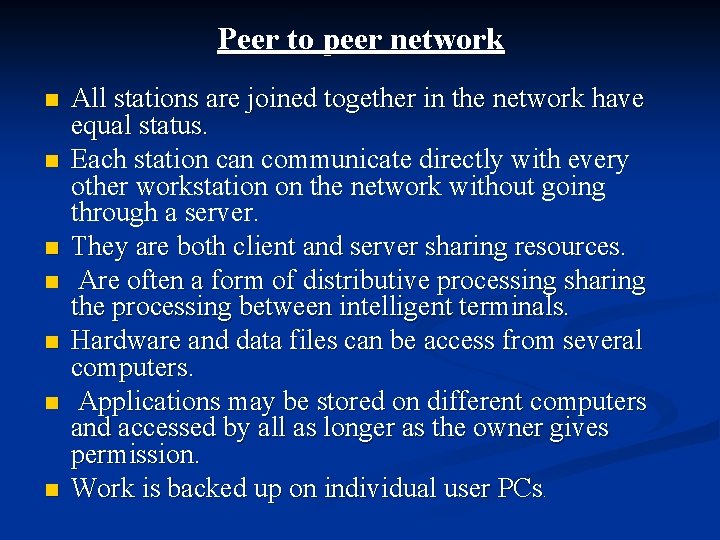
Peer to peer network n n n n All stations are joined together in the network have equal status. Each station can communicate directly with every other workstation on the network without going through a server. They are both client and server sharing resources. Are often a form of distributive processing sharing the processing between intelligent terminals. Hardware and data files can be access from several computers. Applications may be stored on different computers and accessed by all as longer as the owner gives permission. Work is backed up on individual user PCs.
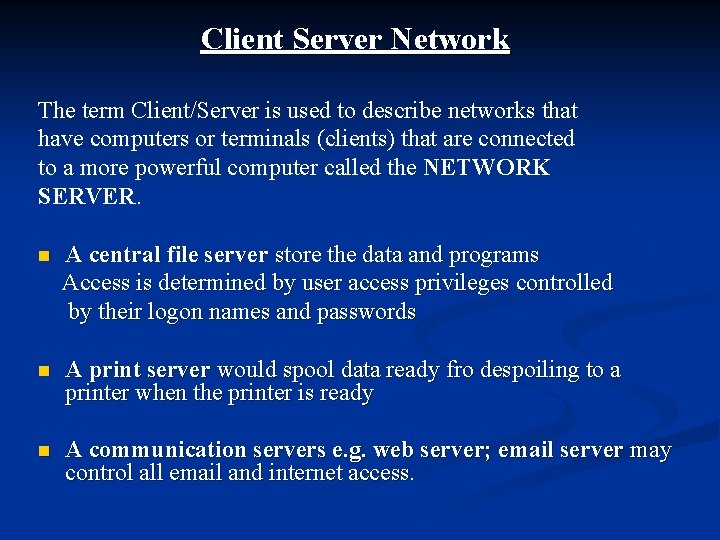
Client Server Network The term Client/Server is used to describe networks that have computers or terminals (clients) that are connected to a more powerful computer called the NETWORK SERVER. n A central file server store the data and programs Access is determined by user access privileges controlled by their logon names and passwords n A print server would spool data ready fro despoiling to a printer when the printer is ready n A communication servers e. g. web server; email server may control all email and internet access.
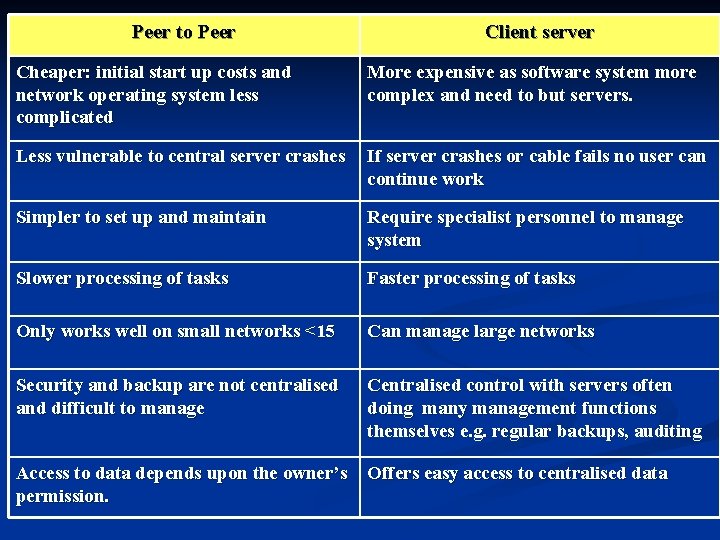
Peer to Peer Client server Cheaper: initial start up costs and network operating system less complicated More expensive as software system more complex and need to but servers. Less vulnerable to central server crashes If server crashes or cable fails no user can continue work Simpler to set up and maintain Require specialist personnel to manage system Slower processing of tasks Faster processing of tasks Only works well on small networks <15 Can manage large networks Security and backup are not centralised and difficult to manage Centralised control with servers often doing many management functions themselves e. g. regular backups, auditing Access to data depends upon the owner’s permission. Offers easy access to centralised data
Networks Advantages and Disadvantages Advantages • Printers can be shared. • Programs can be shared. • Data can be shared. • Users can communicate with each other. • You don’t have to use the same computer. Disadvantages • Networks are expensive to purchase and maintain. • If a network breaks down everybody is affected. • Special security measures are needed to stop users from using programs and data that they shouldn’t have access to.
Network Topology Network topology refers to the layout used to connect the computers together. There are three common topologies: • Bus • Ring • Star Any of these topologies can be used regardless of whether a network is local or wide area, server based or peer-to-peer.
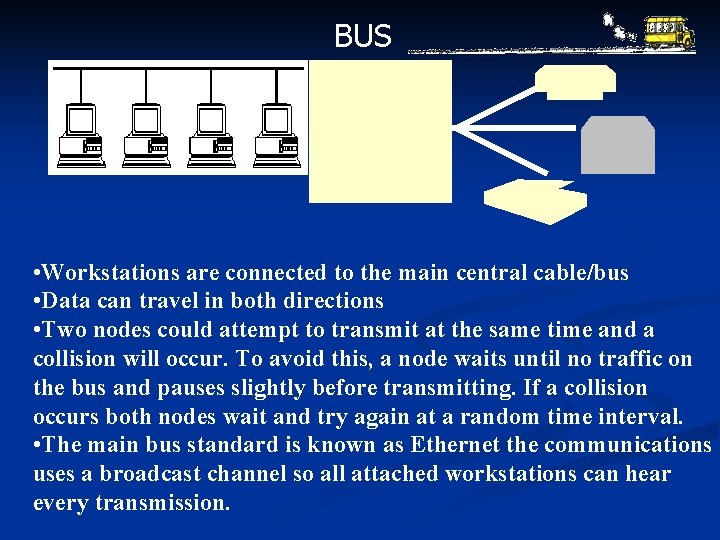
BUS • Workstations are connected to the main central cable/bus • Data can travel in both directions • Two nodes could attempt to transmit at the same time and a collision To avoid this, topology a node waits until no traffic on 2. This iswill theoccur. cheapest network as the smallest bus and pauses before transmitting. If a collision amountslightly of cabling is required occurs both nodes wait and try again at a random time interval. • The main bus standard is known as Ethernet the communications uses a broadcast channel so all attached workstations can hear every transmission.
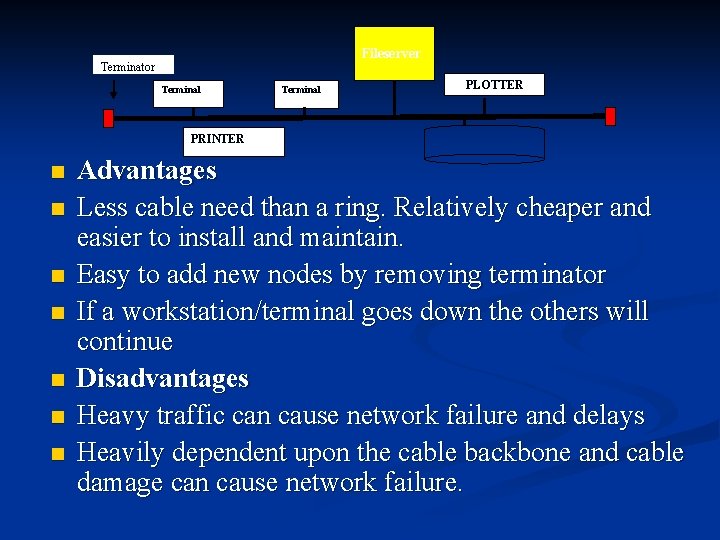
Fileserver Terminator Terminal PLOTTER PRINTER n n n n Advantages Less cable need than a ring. Relatively cheaper and easier to install and maintain. Easy to add new nodes by removing terminator If a workstation/terminal goes down the others will continue Disadvantages Heavy traffic can cause network failure and delays Heavily dependent upon the cable backbone and cable damage can cause network failure.
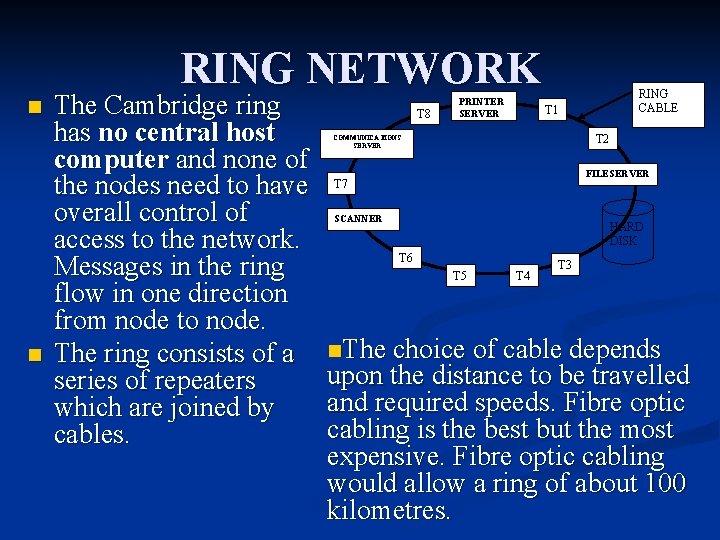
RING NETWORK n n The Cambridge ring has no central host computer and none of the nodes need to have overall control of access to the network. Messages in the ring flow in one direction from node to node. The ring consists of a series of repeaters which are joined by cables. T 8 PRINTER SERVER RING CABLE T 1 T 2 COMMUNICATIONS SERVER FILESERVER T 7 SCANNER HARD DISK T 6 T 5 T 4 T 3 n. The choice of cable depends upon the distance to be travelled and required speeds. Fibre optic cabling is the best but the most expensive. Fibre optic cabling would allow a ring of about 100 kilometres.
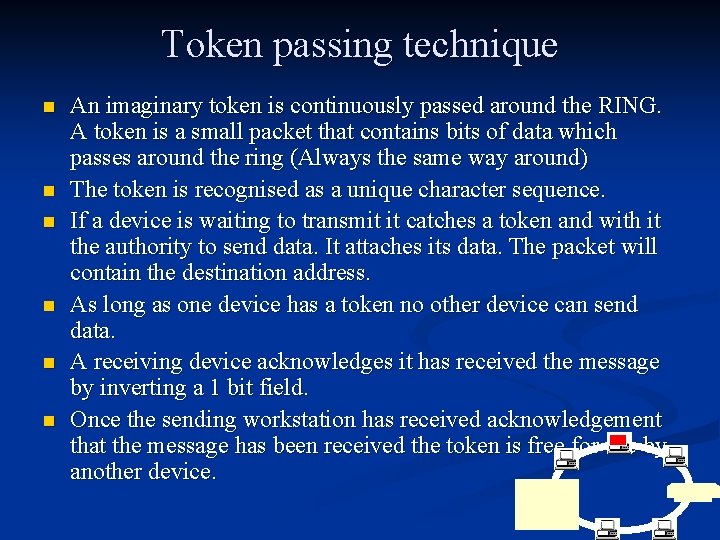
Token passing technique n n n An imaginary token is continuously passed around the RING. A token is a small packet that contains bits of data which passes around the ring (Always the same way around) The token is recognised as a unique character sequence. If a device is waiting to transmit it catches a token and with it the authority to send data. It attaches its data. The packet will contain the destination address. As long as one device has a token no other device can send data. A receiving device acknowledges it has received the message by inverting a 1 bit field. Once the sending workstation has received acknowledgement that the message has been received the token is free for use by another device.
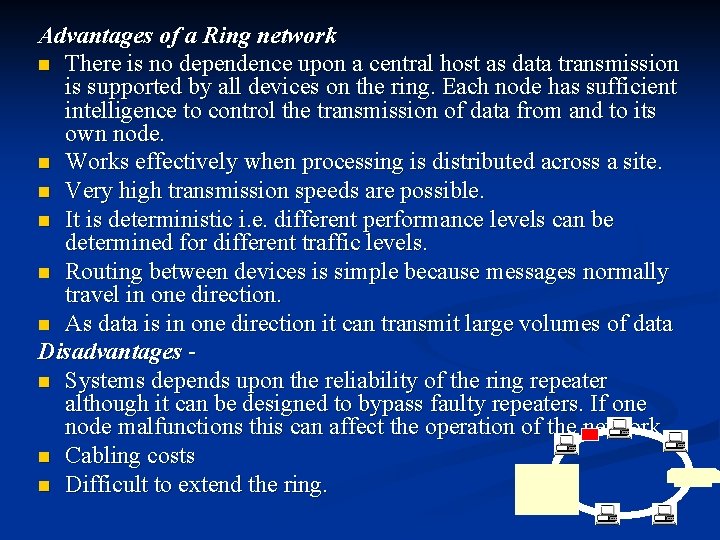
Advantages of a Ring network n There is no dependence upon a central host as data transmission is supported by all devices on the ring. Each node has sufficient intelligence to control the transmission of data from and to its own node. n Works effectively when processing is distributed across a site. n Very high transmission speeds are possible. n It is deterministic i. e. different performance levels can be determined for different traffic levels. n Routing between devices is simple because messages normally travel in one direction. n As data is in one direction it can transmit large volumes of data Disadvantages n Systems depends upon the reliability of the ring repeater although it can be designed to bypass faulty repeaters. If one node malfunctions this can affect the operation of the network. n Cabling costs n Difficult to extend the ring.
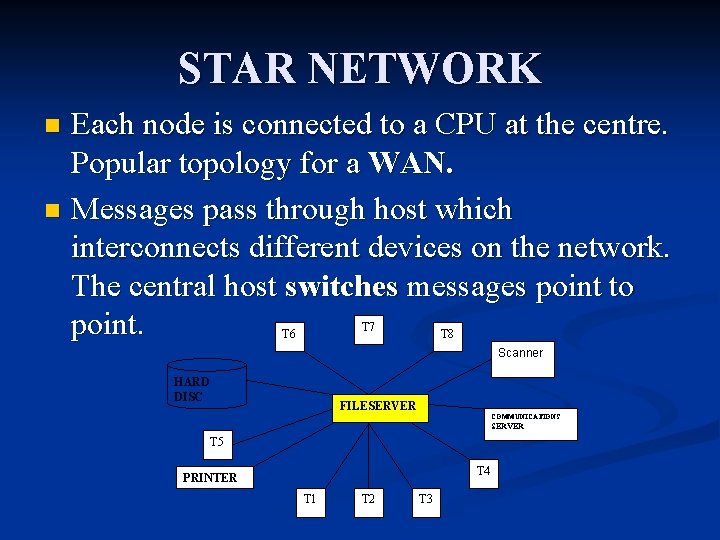
STAR NETWORK Each node is connected to a CPU at the centre. Popular topology for a WAN. n Messages pass through host which interconnects different devices on the network. The central host switches messages point to point. n T 7 T 6 T 8 Scanner HARD DISC FILESERVER COMMUNICATIONS SERVER T 5 T 4 PRINTER T 1 T 2 T 3
Advantages of a Star network n Suitable for WANs where large organisations rely on a central computer for the bulk of data processing tasks n Central control of message switching allow a high degree of security n Each spoke is dependent upon the rest. If one spoke breaks down the others can continue and the central CPU can identify any faults n Data transmission speeds can vary from spoke to spoke so one can use a high-speed device and another a low speed e. g. . disc drive. n Saves cabling. Disadvantages n Network is vulnerable to central hub failures. n As a distributed system, some processing is still possible at the nodes but internode connection is lost. n If servicing a WAN a mini or mainframe system is needed for control of messaging. So hardware and software is expensive.
A Wide Area Network (WAN) Workstation Print Server File Server Printer Gateway Modem Remote PC Modem network cables telephone lines
Connecting and extending LAN‘s Repeaters n A repeater re amplifies a signal and resets it time so a signal is not lost or distorted therefore longer distance can be travelled. Bridge n This is used to connect two LAN‘S of the same type eg two token ring lan‘s two ethernet LAN, s Packets crossing such links are forwarded to the bridge device and only the data needed to be passed is passed to the receiving LAN. Gateway or router n Used to connect two different networks LAN's or WANs eg an ethernet LAN to a token ring LAN or LAN's may be remotely connected to WAN's using Gateways. n Routers are more intelligent than bridges because it makes decisions about the route the packet can be made to take in order to find the most efficient path.
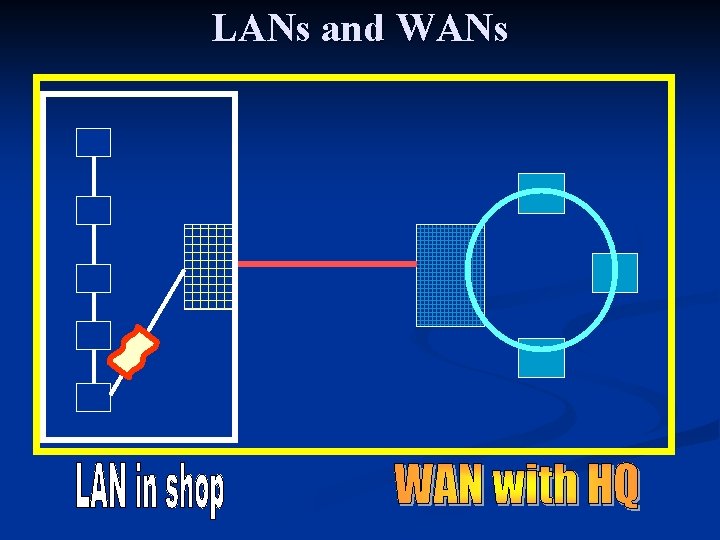
LANs and WANs
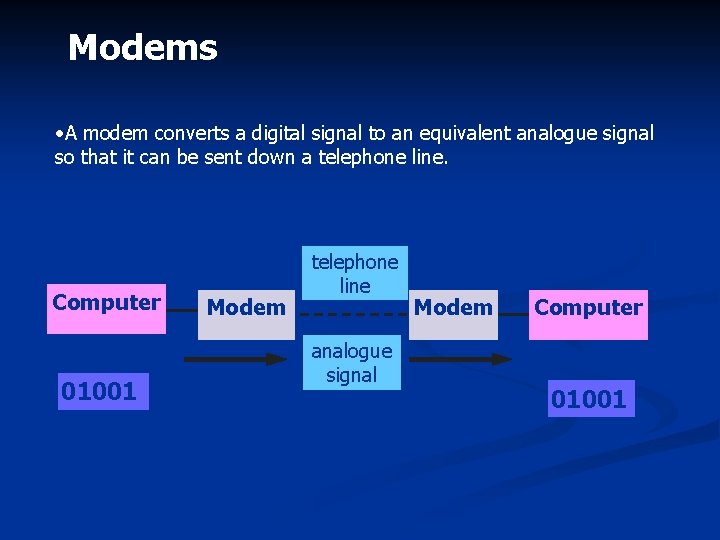
Modems • A modem converts a digital signal to an equivalent analogue signal so that it can be sent down a telephone line. Computer digital signal 01001 Modem telephone line analogue signal Modem Computer digital signal 01001
Collisions When two messages are sent at the same time on the one medium n n Collision detection - If a collision does occur transmission will cease and each device involved is made to wait a slightly different length of time before trying again. If a number of retries is unsuccessful error will be reported. Collision avoidance - allows a device to place a packet onto the network path as soon as its network card detects it as being free. The card must test twice to see if the network is free. This is to avoid collision with other messages being put on milliseconds after the first test which could still cause a collision
Front End Processor Is a more sophisticated device for communications control usually it is a mini computer whose task is to handle all communications traffic going to and from the mainframe. leaving the mainframe to concentrate on other processing tasks. It’s main tasks are *parity checking * stripping of overhead characters eg start and stop bits and synchronisation characters. *conversion from serial to parallel and vice versa *network control and accounting n
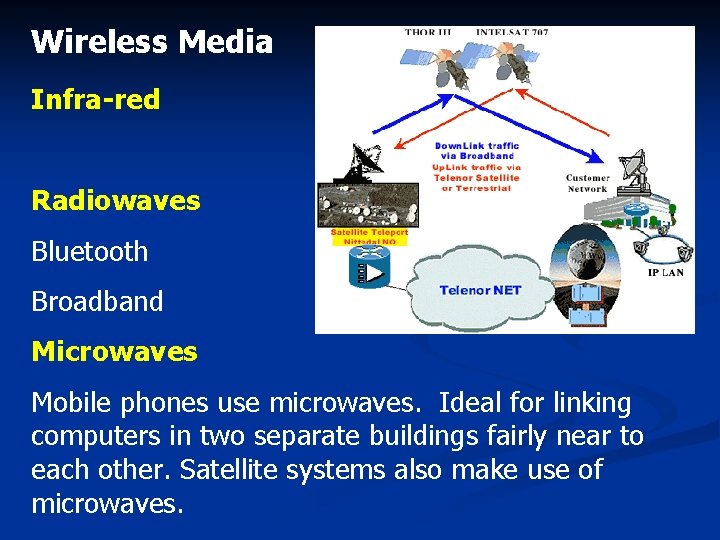
Wireless Media Infra-red Radiowaves Bluetooth Broadband Microwaves Mobile phones use microwaves. Ideal for linking computers in two separate buildings fairly near to each other. Satellite systems also make use of microwaves.
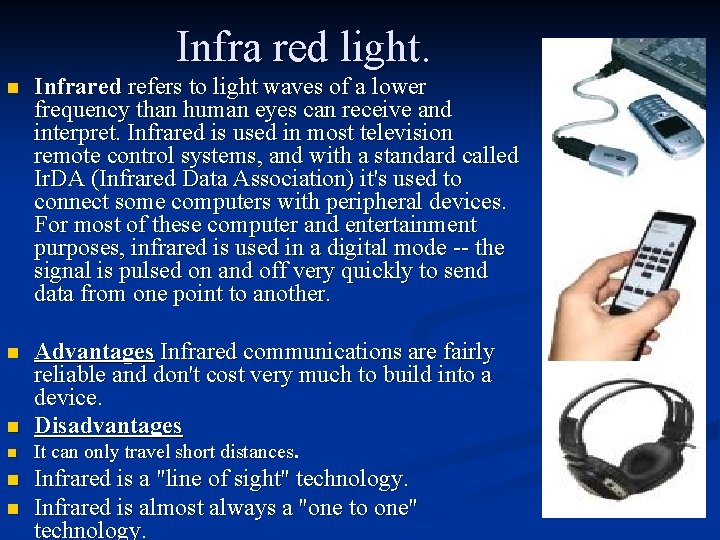
Infra red light. n Infrared refers to light waves of a lower frequency than human eyes can receive and interpret. Infrared is used in most television remote control systems, and with a standard called Ir. DA (Infrared Data Association) it's used to connect some computers with peripheral devices. For most of these computer and entertainment purposes, infrared is used in a digital mode -- the signal is pulsed on and off very quickly to send data from one point to another. n n Advantages Infrared communications are fairly reliable and don't cost very much to build into a device. Disadvantages n It can only travel short distances. n Infrared is a "line of sight" technology. Infrared is almost always a "one to one" technology. n
Wireless networking- cableless connectivity Radio Transmission n Devices have radio transmission facilities and radio receivers. These radio receivers constantly scan the airways for incoming signals. When it detects the signal it recognises it captures it and converts it to digital form. The digital signal can be transmitted to the CPU either by cable or wireless routers are now used. n People now need to be mobile and still access their networks, email accounts etc. e. g. doctors at the scene of an accident accessing patient records. n Wireless networks may be used as part of a LAN e. g. a mobile bar code reader in a warehouse n Part of a WAN or Virtual Private Network e. g. a delivery driver using a hand held device to confirm deliveries with a central database
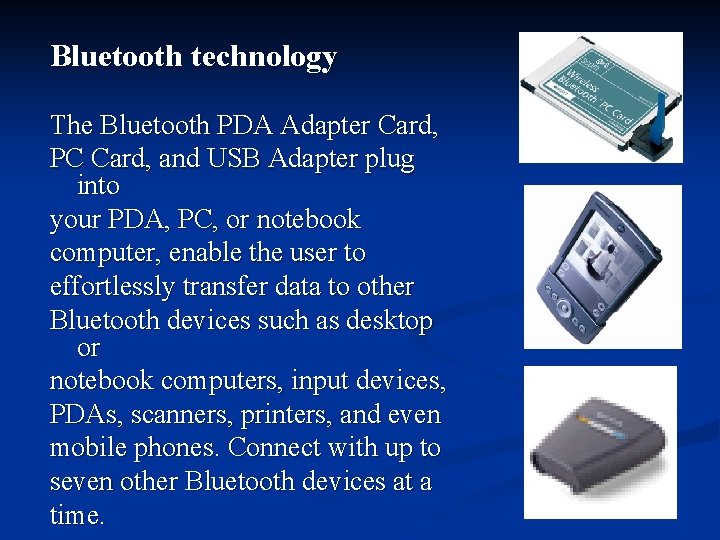
Bluetooth technology The Bluetooth PDA Adapter Card, PC Card, and USB Adapter plug into your PDA, PC, or notebook computer, enable the user to effortlessly transfer data to other Bluetooth devices such as desktop or notebook computers, input devices, PDAs, scanners, printers, and even mobile phones. Connect with up to seven other Bluetooth devices at a time.
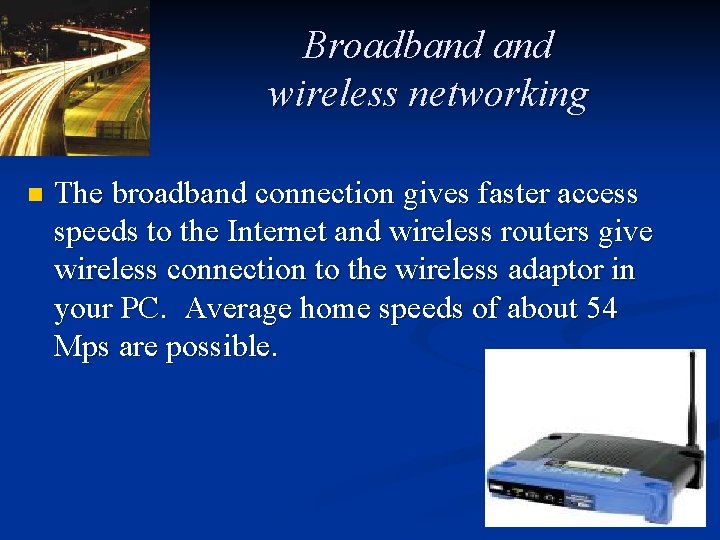
Broadband wireless networking n The broadband connection gives faster access speeds to the Internet and wireless routers give wireless connection to the wireless adaptor in your PC. Average home speeds of about 54 Mps are possible.
Advantages of Broadband n n n n Faster connection when you want to be online Savings on telephone bills Faster downloading of programs, email, attachments songs, graphics-rich sites, animations and video clips Play interactive games at top speed against gamers around the globe Use telephone and be on the Internet Realtime services such as web cams, radio better quality Work from home with high speed access to corporate networks
Disadvanatges Higher subscription costs n Local exchanges may not be capable of very high speed digital transmission n
Software components
User Accounts and Logs n n n Each user must have an account with a user name and password. The account will have permissions i. e. access rights to files and data such as read only, right only, read and write, and there will be restrictions of programs or data they can access. e. g. a member of the Personnel Department may be able to write, add and delete files of workers but a worker may only be able to read their personnel file. The resources; disk space, printers they can use etc will be allocated to their account.
Auditing software keeps a record of who has logged on, when, how long, what programs and data was used and what was amended. Therefore any illicit use of the system can be tracked and evidenced.
Remote Management Networks can now be managed remotely from other rooms, buildings or across many sites by network management companies. n e. g. n A workstation left unattended can be logged off. n Network managers can observe what users are doing. n Remote technicians can find and fix software problems with the network n
Configuration management Factors to be considered when making configuration choices n Applications Software choices n Operating systems and network management software n Hardware n Range of User needs n Future proofing
Security strategies Threats; n Hacking n Spreading viruses n Deliberate or accidental destruction of data n Data integrity n White collar crime
Prevention of deliberate crimes or misuse 1. Hacking – unauthorised access Define security status and access rights for users All authorised users should be given user names and passwords. This will limit unauthorised access to the network. n Hierarchy of Passwords n Identification User Name n Authentification Password n Authorisation What files you can see and what your allowed to do n
1. Hacking – unauthorised access n Enforce a strict password regime. n Passwords must be kept secret; n never written down at least 8 characters long; a mixture of upper and lower case numbers and letters; n not allowed to reuse old passwords; n do not use familiar names which are easy to guess. n Users should change their passwords frequently
1. Hacking – unauthorised access n Restrict physical access to files e. g. smart cards to control entrance to rooms. Secured areas to hold servers. Alarms – Protect computer room with burglar servers alarms. Doors & windows – Locked when room not in use n Biometric scans such as voice or hand prints; retina scans; Security of document filing systems. Access Security limits a persons use of the network n
1. Hacking – unauthorised access n n Firewalls A dedicated gateway machine with special security precautions on it, used to monitor network, especially Internet, connections. The idea is to protect a network segment and its files from hackers. An iron / sandbox is a special environment set up to trap a hacker logging in over remote connections. May include a modified shell restricting the hacker's movements in unobvious ways, and "bait" files designed to keep him interested and logged on until he can be traced. This prevents intrusion from an Internet access Point. It can be firewall software or a dedicated ‘ iron /sandbox’. It authenticates messages coming into the network and verifies the legitimacy of the user to enter the network. If a packet of data cannot be authenticated then it is removed and not let through. This is used to try to control hacking and malicious spreading of a virus
1. Hacking – unauthorised access n n Proxy servers This device tries to stop intruders from identifying the IP (Internet Protocol) address of a user workstation accessing the Internet. The IP address of any user wanting to use the Internet sends a request to the proxy server who notes this IP address. The proxy server sends the request out to the Internet and it gets the return response which then sends it to the user IP address. Outsiders only see the IP address of the proxy server and not of the user workstation. This is of little use to a hacker.
1. Hacking – unauthorised access n n Call Back procedures Some companies operate a dial-back system. A user logs on to a computer which immediately disconnects the line and dials the user back. This would stop a user logging on with someone else's password. If data is transmitted through a network there needs to be measures to ensure the data is secure. If users are sending their credit card details over the Internet then it is important that hackers cannot access them
1. Hacking – unauthorised access Encryption n Data transmitted over a network is coded before transmission. This means that anybody intercepting the transmitted data would not be able to understand it. The data needs to be decoded by the proper recipient. n
2. Spreading a computer virus These are programs introduced into computer systems which destroy or alter files by rewriting over data or by copying themselves over and over again until computer system is full and cannot continue. n n n n Firewalls Don’t’ download unknown programs from the Internet straight to hard disc. Only use reputable sources. Write protect media so can’t be written onto Don’t copy illegal software Use a virus scanning software and virus eradication program. Make sure this is kept up to date with the latest virus definitions – available from the Internet. Use diskless workstations on networks Control access to portable media and do not let users use own disk etc on the organisations system.
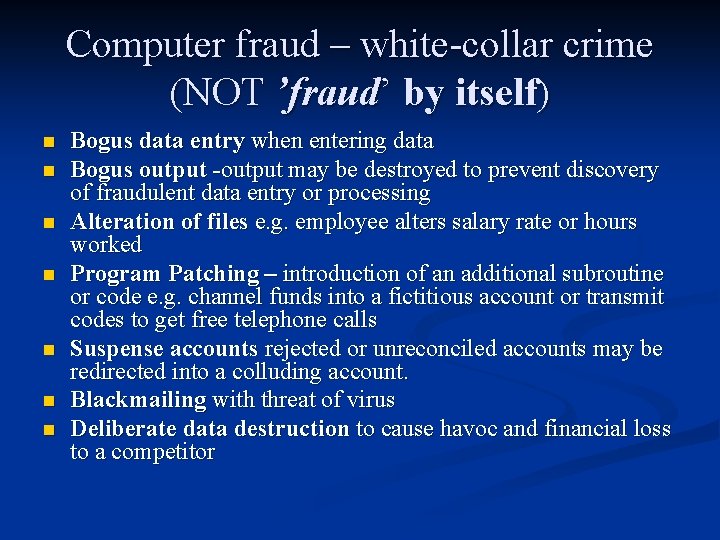
Computer fraud – white-collar crime (NOT ’fraud’ by itself) n n n n Bogus data entry when entering data Bogus output -output may be destroyed to prevent discovery of fraudulent data entry or processing Alteration of files e. g. employee alters salary rate or hours worked Program Patching – introduction of an additional subroutine or code e. g. channel funds into a fictitious account or transmit codes to get free telephone calls Suspense accounts rejected or unreconciled accounts may be redirected into a colluding account. Blackmailing with threat of virus Deliberate data destruction to cause havoc and financial loss to a competitor
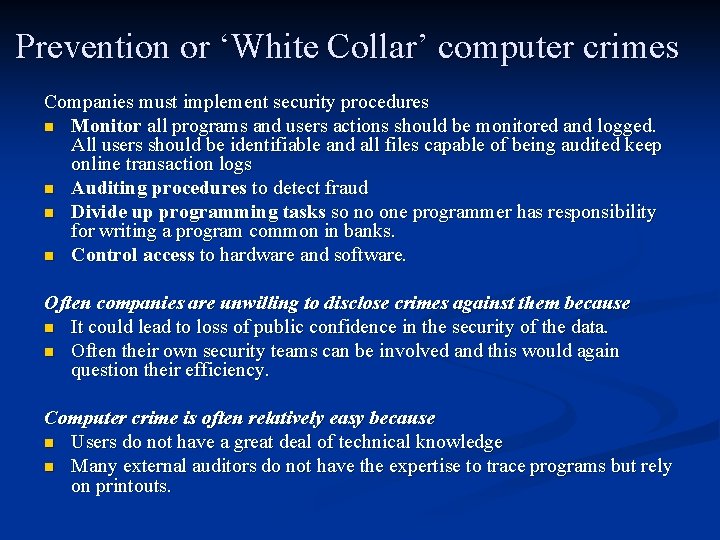
Prevention or ‘White Collar’ computer crimes Companies must implement security procedures n Monitor all programs and users actions should be monitored and logged. All users should be identifiable and all files capable of being audited keep online transaction logs n Auditing procedures to detect fraud n Divide up programming tasks so no one programmer has responsibility for writing a program common in banks. n Control access to hardware and software. Often companies are unwilling to disclose crimes against them because n It could lead to loss of public confidence in the security of the data. n Often their own security teams can be involved and this would again question their efficiency. Computer crime is often relatively easy because n Users do not have a great deal of technical knowledge n Many external auditors do not have the expertise to trace programs but rely on printouts.
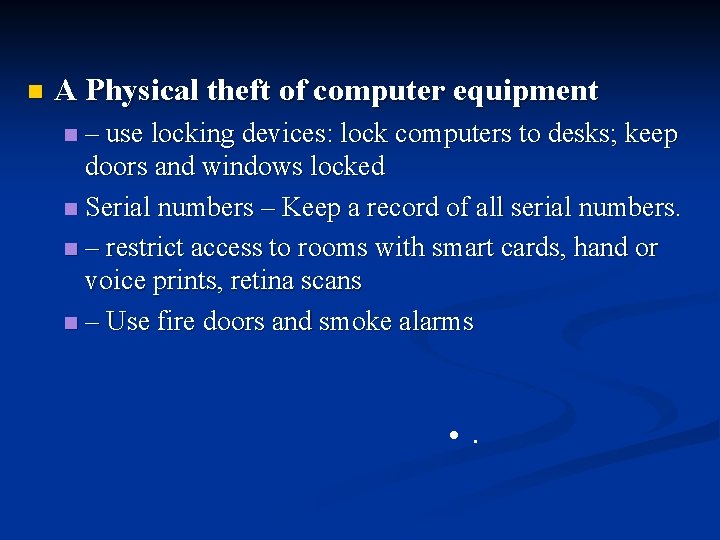
n A Physical theft of computer equipment – use locking devices: lock computers to desks; keep doors and windows locked n Serial numbers – Keep a record of all serial numbers. n – restrict access to rooms with smart cards, hand or voice prints, retina scans n – Use fire doors and smoke alarms n • .
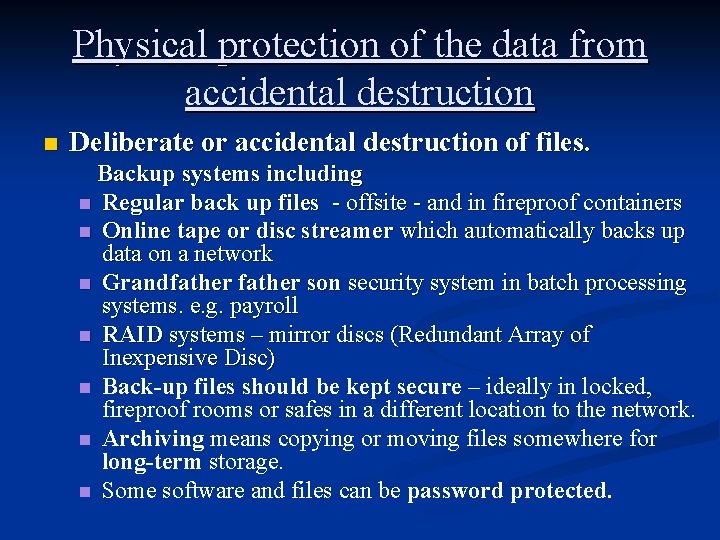
Physical protection of the data from accidental destruction n Deliberate or accidental destruction of files. Backup systems including n Regular back up files - offsite - and in fireproof containers n Online tape or disc streamer which automatically backs up data on a network n Grandfather son security system in batch processing systems. e. g. payroll n RAID systems – mirror discs (Redundant Array of Inexpensive Disc) n Back-up files should be kept secure – ideally in locked, fireproof rooms or safes in a different location to the network. n Archiving means copying or moving files somewhere for long-term storage. n Some software and files can be password protected.
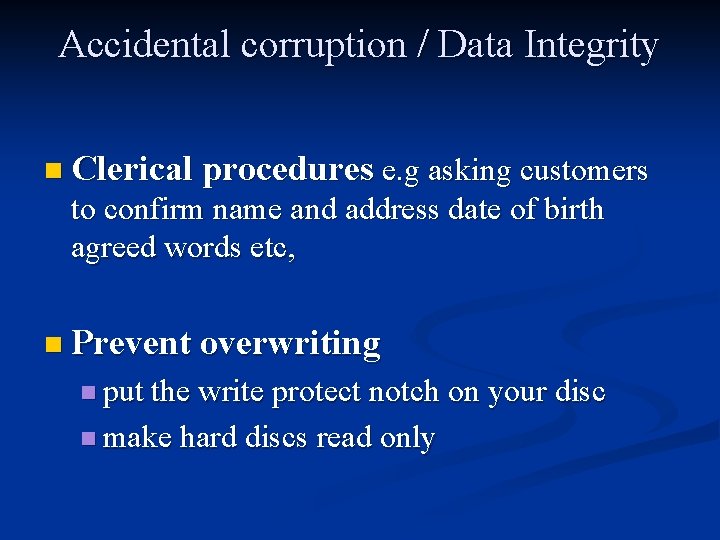
Accidental corruption / Data Integrity n Clerical procedures e. g asking customers to confirm name and address date of birth agreed words etc, n Prevent overwriting n put the write protect notch on your disc n make hard discs read only
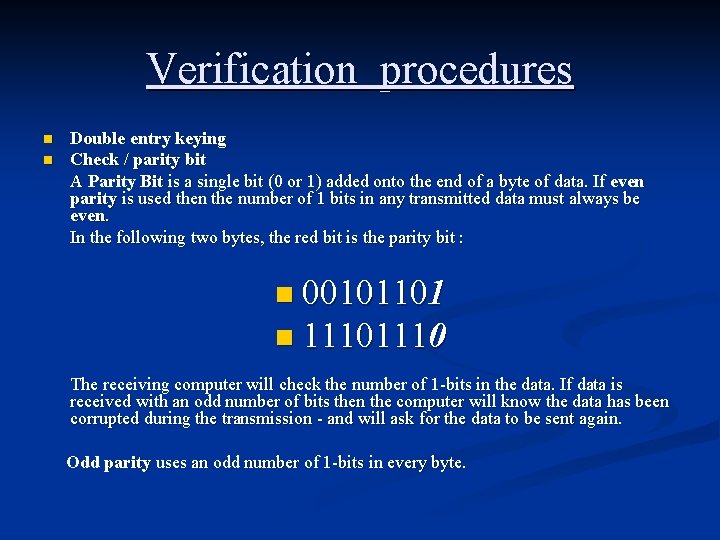
Verification procedures n n Double entry keying Check / parity bit A Parity Bit is a single bit (0 or 1) added onto the end of a byte of data. If even parity is used then the number of 1 bits in any transmitted data must always be even. In the following two bytes, the red bit is the parity bit : n 00101101 n 1110 The receiving computer will check the number of 1 -bits in the data. If data is received with an odd number of bits then the computer will know the data has been corrupted during the transmission - and will ask for the data to be sent again. Odd parity uses an odd number of 1 -bits in every byte.
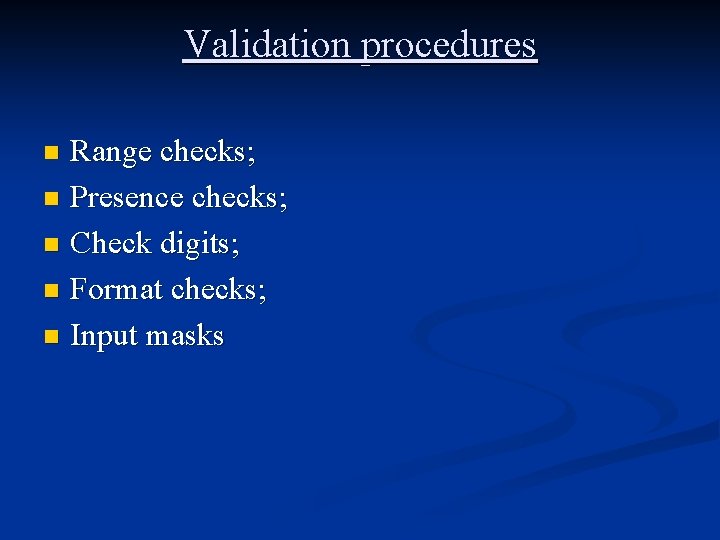
Validation procedures Range checks; n Presence checks; n Check digits; n Format checks; n Input masks n
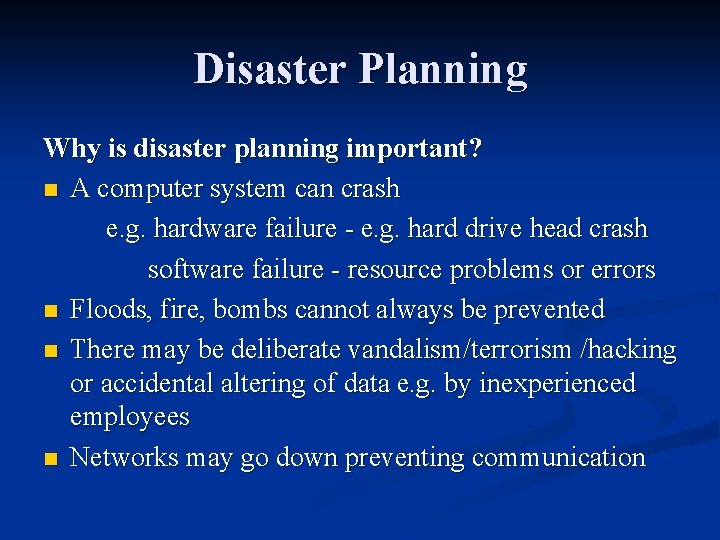
Disaster Planning Why is disaster planning important? n A computer system can crash e. g. hardware failure - e. g. hard drive head crash software failure - resource problems or errors n Floods, fire, bombs cannot always be prevented n There may be deliberate vandalism/terrorism /hacking or accidental altering of data e. g. by inexperienced employees n Networks may go down preventing communication
Companies must n n Ensure data, hardware and software is not lost or damaged. Restore communication systems as quickly as possible. Consequences n Loss of business and income n Loss of reputation n Legal action
The factors to take into account when designing security policies n n n n n Physical security Prevention of misuse Availability of an alternative computer system and back up power supply Audit trails for detection Continuous investigation of irregularities System Access - establishing procedures for accessing data such as log on procedures, firewalls Operational procedures Disaster recovery planning and dealing with threats from viruses Personnel administration n Staff code of conduct and responsibilities; staff training n Policy and maintenance staff available. n Disciplinary procedures.
Operational Procedures n n n n Disciplinary procedures. Screening potential employees Routines for distributing updated virus information and virus scanning procedures Define procedures for downloading from the Internet, use of floppy discs, personal backup procedures Establish security rights for updating web pages Establish a disaster recovery programme Set up auditing procedures (Audit trails) to detect misuse.
Factors determining how much a company spends to develop control, minimising risk.
1. What to do before? Do a risk analysis of potential threats Identify potential risks n Likelihood of risk occurring n Short and long term consequences of threat n How well equipped is the company to deal with threat n
Put preventive measures in place. Establish physical protection system (firewalls etc. ) n Establish security rights for file access and updating web pages n Establish a disaster recovery programme n Set up auditing procedures (Audit trails) to detect misuse n
Staff training in operational procedures. Screening potential employees n Routines for distributing updated virus information and virus scanning procedures n Define procedures for downloading from the Internet, use of floppy discs, personal backup procedures n Define staff code of conduct for using computer systems e. g. no abusive emails. No illicit use etc. n
2. What to do during? n What response should staff make when the disaster occurs?
3. What to do after? Implement recovery measures n Hardware can be replaced. n Software can be re-installed. (or de-bugged by the programming department). n The real problem is the data. No business can afford to lose its data. n Backups of all data should be regularly made. This means that the worst case scenario is that the business has to go back to the situation of the last backup and carry on from there. Backups may take a long time - often tape-streamed at night. n Alternative communication /computer systems may be arranged in case a network goes down or alternative power supply.