
Unit 4 COMPUTERS IN BANKING Skills focus Reading
Unit 4 COMPUTERS IN BANKING
Skills focus Reading • identifying topic development within a paragraph • using the Internet effectively • evaluating Internet search results Writing • reporting research findings Vocabulary focus • computer jargon • abbreviations and acronyms • discourse and stance markers • verb and noun suffixes
4. 1 Vocabulary 4. 2 Reading 4. 3 Extending skills 4. 4 Extending skills
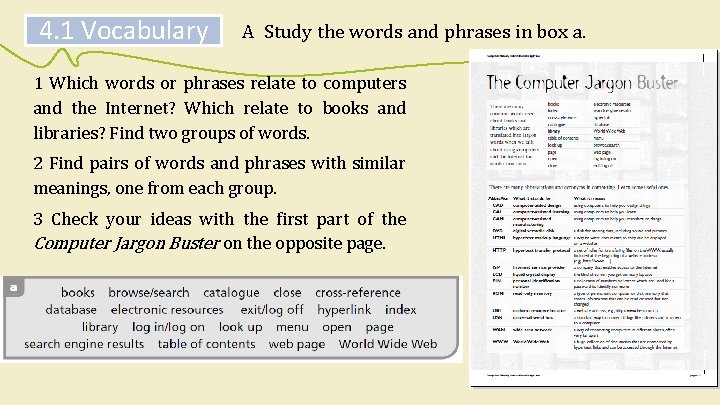
4. 1 Vocabulary A Study the words and phrases in box a. 1 Which words or phrases relate to computers and the Internet? Which relate to books and libraries? Find two groups of words. 2 Find pairs of words and phrases with similar meanings, one from each group. 3 Check your ideas with the first part of the Computer Jargon Buster on the opposite page.

4. 1 Vocabulary A Study the words and phrases in box a. Common word or phrase for books and libraries Word or phrase for Internet and electronic information books electronic resources index search engine cross-conference hyperlink catalogue database library World Wide Web table of contents menu look up browse/search page web page open log in/log on close exit/log off
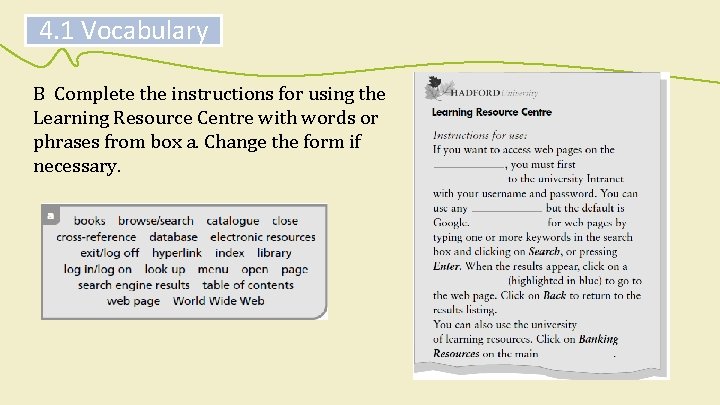
4. 1 Vocabulary B Complete the instructions for using the Learning Resource Centre with words or phrases from box a. Change the form if necessary.
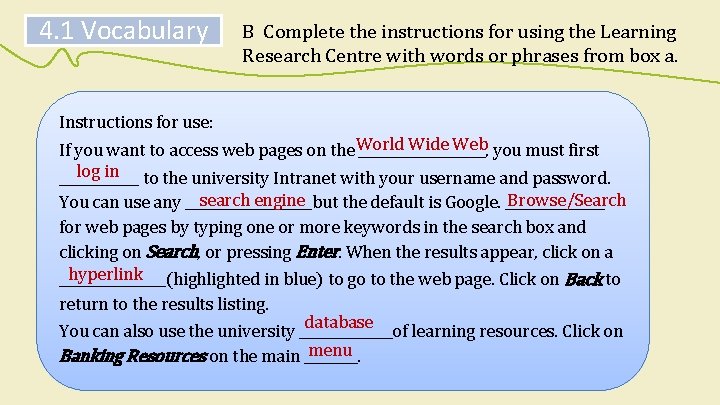
4. 1 Vocabulary B Complete the instructions for using the Learning Research Centre with words or phrases from box a. Instructions for use: Wide Web you must first If you want to access web pages on the World __________, log in to the university Intranet with your username and password. ______ search engine Browse/Search You can use any __________but the default is Google. ________ for web pages by typing one or more keywords in the search box and clicking on Search, or pressing Enter. When the results appear, click on a hyperlink ________(highlighted in blue) to go to the web page. Click on Back to return to the results listing. database You can also use the university _______of learning resources. Click on menu Banking Resources on the main ____.
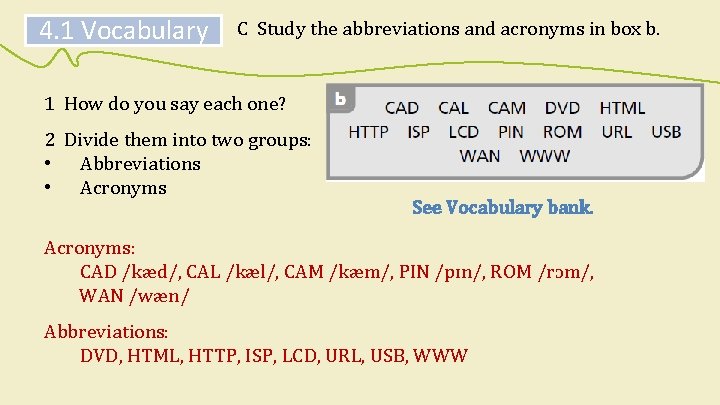
4. 1 Vocabulary C Study the abbreviations and acronyms in box b. 1 How do you say each one? 2 Divide them into two groups: • Abbreviations • Acronyms See Vocabulary bank. Acronyms: CAD /kæd/, CAL /kæl/, CAM /kæm/, PIN /pɪn/, ROM /rɔm/, WAN /wæn/ Abbreviations: DVD, HTML, HTTP, ISP, LCD, URL, USB, WWW
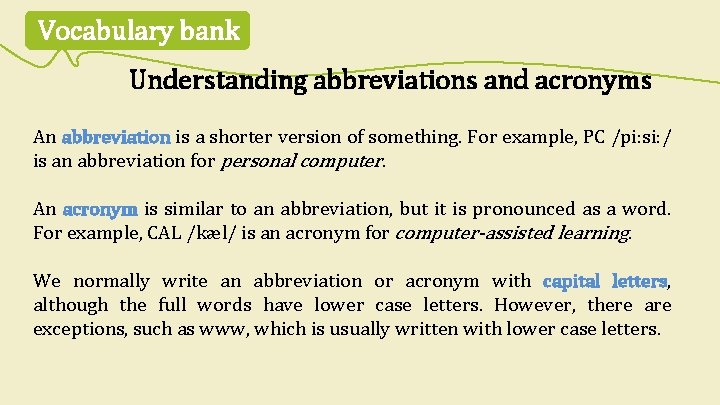
Vocabulary bank Understanding abbreviations and acronyms An abbreviation is a shorter version of something. For example, PC /pi: si: / is an abbreviation for personal computer. An acronym is similar to an abbreviation, but it is pronounced as a word. For example, CAL /kæl/ is an acronym for computer-assisted learning. We normally write an abbreviation or acronym with capital letters, although the full words have lower case letters. However, there are exceptions, such as www, which is usually written with lower case letters.
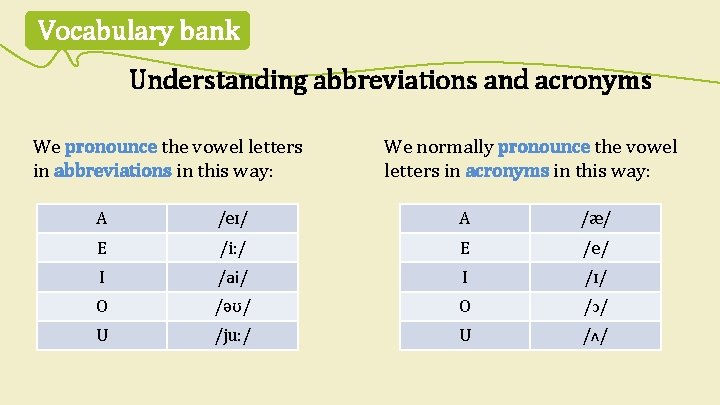
Vocabulary bank Understanding abbreviations and acronyms We pronounce the vowel letters in abbreviations in this way: We normally pronounce the vowel letters in acronyms in this way: A /eɪ/ A /æ/ E /i: / E /e/ I /ai/ I /ɪ/ O /əʊ/ O /ɔ/ U /ju: / U /ʌ/
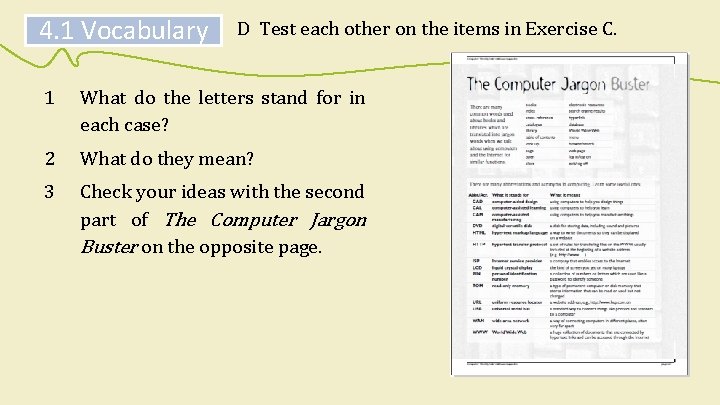
4. 1 Vocabulary D Test each other on the items in Exercise C. 1 What do the letters stand for in each case? 2 What do they mean? 3 Check your ideas with the second part of The Computer Jargon Buster on the opposite page.
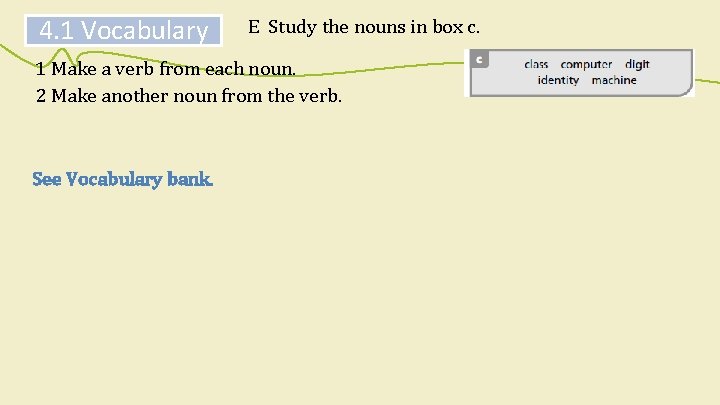
4. 1 Vocabulary E Study the nouns in box c. 1 Make a verb from each noun. 2 Make another noun from the verb. See Vocabulary bank.
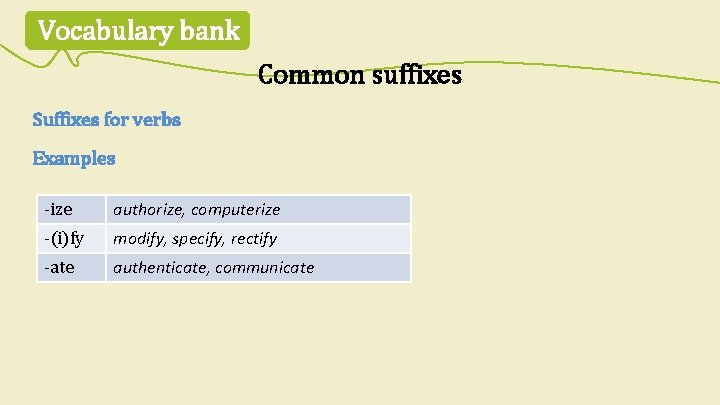
Vocabulary bank Common suffixes Suffixes for verbs Examples -ize authorize, computerize -(i)fy modify, specify, rectify -ate authenticate, communicate

Vocabulary bank Common suffixes Suffixes for nouns There are many suffixes for nouns. But verbs ending in ~ize, ~ify and ~ate form nouns with ~ation. Examples Verb Noun ~ize ~ization authorization, computerization ~ify ~ification modification, specification ~ate ~ation authentication, communication
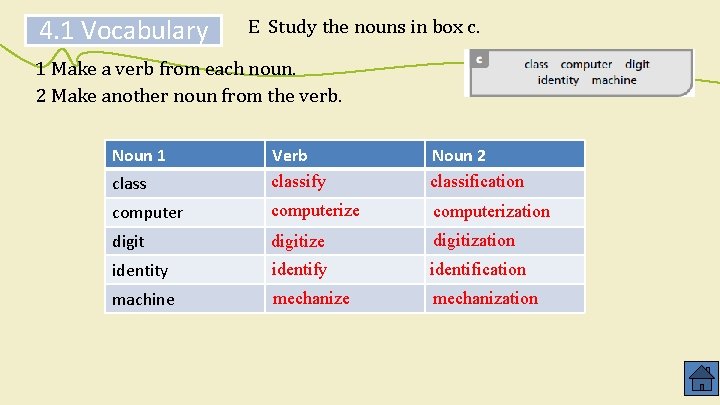
4. 1 Vocabulary E Study the nouns in box c. 1 Make a verb from each noun. 2 Make another noun from the verb. Noun 1 class Verb classify Noun 2 classification computerize computerization digitize digitization identity identification machine mechanization

4. 2 Reading A Discuss these questions. 1 How are computers used in banking today? In all departments: to keep records, access accounts, transact business, obtain financial information, etc. 2 How has their use in banking changed since the 1970 s? In the 1970 s, mainframe computers were used within banks only. Now PCs provide customers with access to a greater range of services. 3 How have computers helped banks process and dispense payments? ATMs provide customers with access to their accounts 24 hours a day, 7 days a week; debit cards have reduced the cost of processing payments.
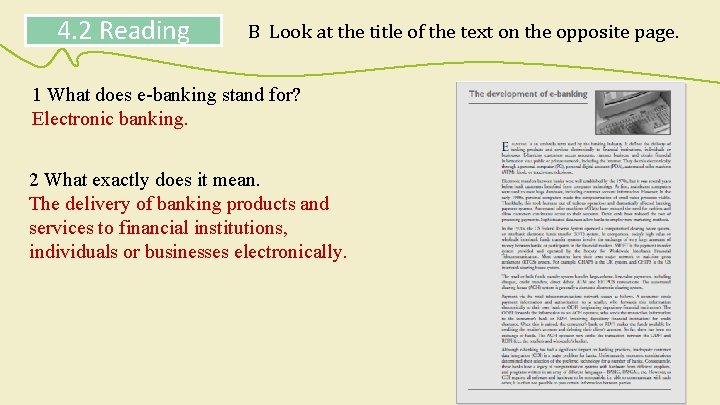
4. 2 Reading B Look at the title of the text on the opposite page. 1 What does e-banking stand for? Electronic banking. 2 What exactly does it mean. The delivery of banking products and services to financial institutions, individuals or businesses electronically.
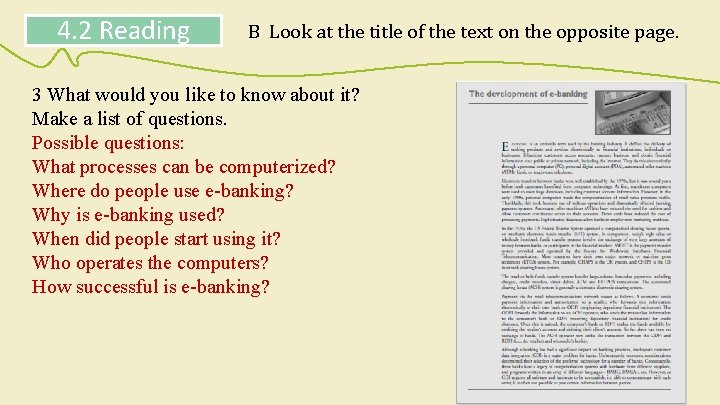
4. 2 Reading B Look at the title of the text on the opposite page. 3 What would you like to know about it? Make a list of questions. Possible questions: What processes can be computerized? Where do people use e-banking? Why is e-banking used? When did people start using it? Who operates the computers? How successful is e-banking?
4. 2 Reading C One student wrote some ideas about e-banking before reading the text on the opposite page. 1 Write A (I agree), D (I disagree) or ? (I’m not sure) next to the ideas on the right. 2 Add any other ideas you have. E-banking customers can only access their accounts through the Internet. In the 1970 s, bank customers did not benefit directly from the computerization of banks. Debit cards have made the processing of payments cheaper. Interbank electronic transfers of funds are computerized. Wholesale funds transfer systems are computerized. All banks use compatible computer hardware and software.
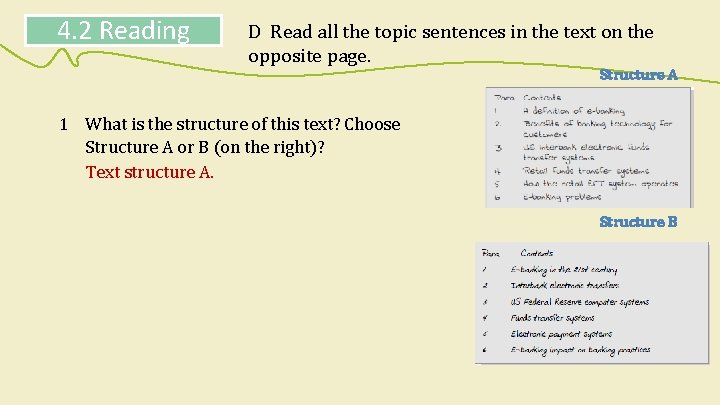
4. 2 Reading D Read all the topic sentences in the text on the opposite page. Structure A 1 What is the structure of this text? Choose Structure A or B (on the right)? Text structure A. Structure B
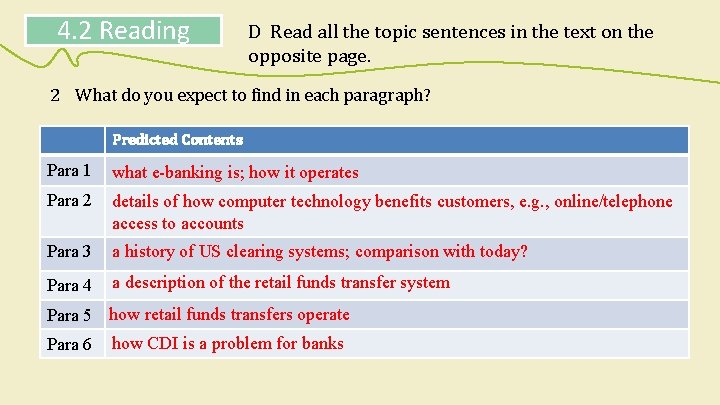
4. 2 Reading D Read all the topic sentences in the text on the opposite page. 2 What do you expect to find in each paragraph? Predicted Contents Para 1 what e-banking is; how it operates Para 2 details of how computer technology benefits customers, e. g. , online/telephone access to accounts Para 3 a history of US clearing systems; comparison with today? Para 4 a description of the retail funds transfer system Para 5 how retail funds transfers operate Para 6 how CDI is a problem for banks
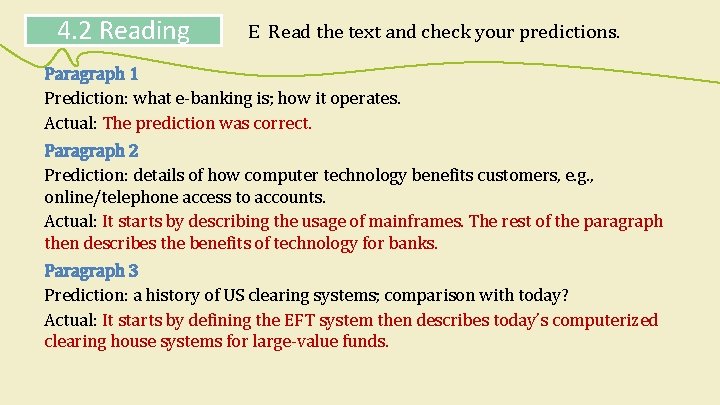
4. 2 Reading E Read the text and check your predictions. Paragraph 1 Prediction: what e-banking is; how it operates. Actual: The prediction was correct. Paragraph 2 Prediction: details of how computer technology benefits customers, e. g. , online/telephone access to accounts. Actual: It starts by describing the usage of mainframes. The rest of the paragraph then describes the benefits of technology for banks. Paragraph 3 Prediction: a history of US clearing systems; comparison with today? Actual: It starts by defining the EFT system then describes today’s computerized clearing house systems for large-value funds.
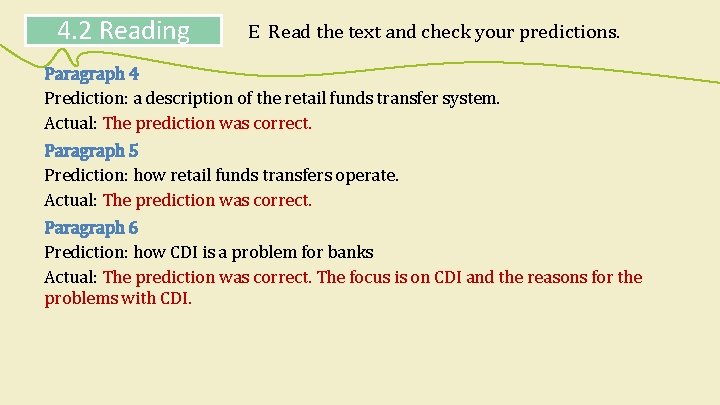
4. 2 Reading E Read the text and check your predictions. Paragraph 4 Prediction: a description of the retail funds transfer system. Actual: The prediction was correct. Paragraph 5 Prediction: how retail funds transfers operate. Actual: The prediction was correct. Paragraph 6 Prediction: how CDI is a problem for banks Actual: The prediction was correct. The focus is on CDI and the reasons for the problems with CDI.
4. 2 Reading F Answer these questions. 1 What exactly is ACH? ACH (automated clearing house) is a domestic retail funds transfer system that handles large volumes of relatively low-value payments, including cheques, credit transfers, direct debits, ATM and EFTPOS transactions. 2 How are CHAPS and CHIPS different? CHAPS (clearing house automated payment system) is the UK system; CHIPS (clearing house interbank payments system) is the system used in the US. 3 Why don’t all financial institutions use ACH? Most banks and financial institutions are using incompatible computer products. It is very expensive to replace them with a single integrated system.
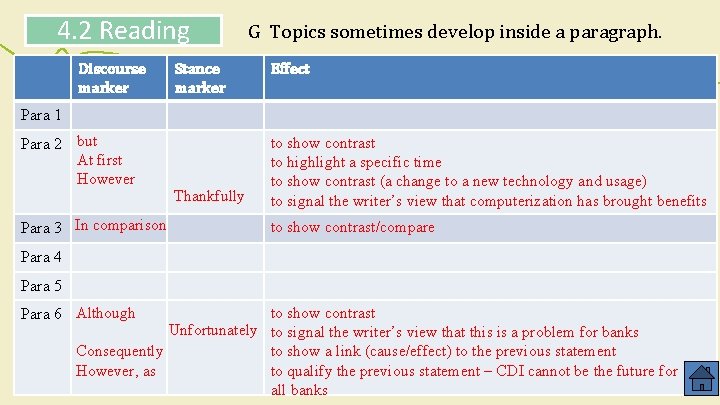
4. 2 Reading G Topics sometimes develop inside a paragraph. 1 Does the topic develop in each paragraph of the text? If so, underline the word or words which introduce the change. 2 What is the effect of the word or words on the development of the topic? See Skills bank.
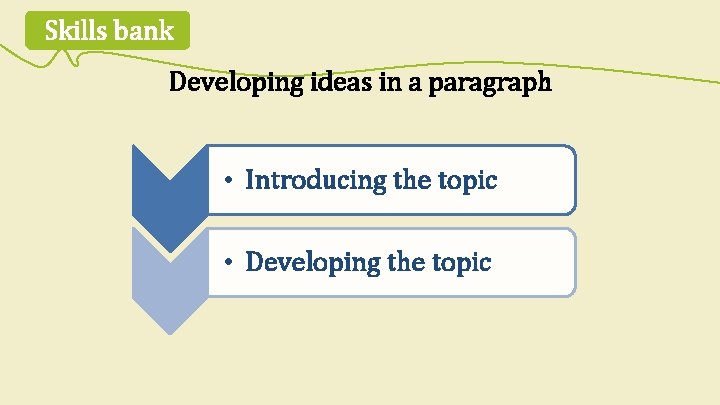
Skills bank Developing ideas in a paragraph • Introducing the topic • Developing the topic
Skills bank Developing ideas in a paragraph Introducing the topic In a text, a new paragraph indicates the start of a new topic. The topic is given in the topic sentence, which is at or near the beginning of the paragraph. The topic sentence gives the topic, and also makes a comment about the topic.
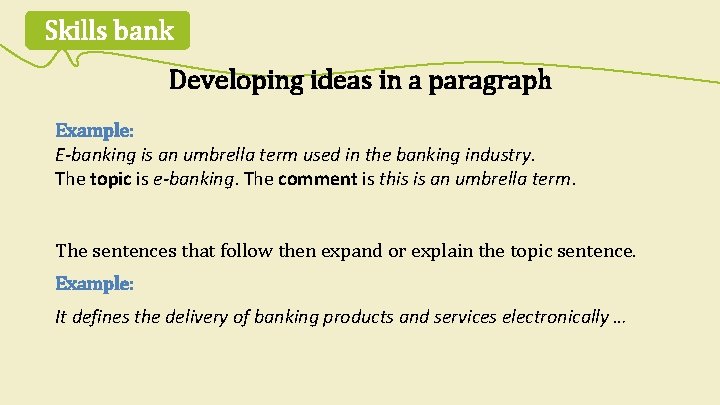
Skills bank Developing ideas in a paragraph Example: E-banking is an umbrella term used in the banking industry. The topic is e-banking. The comment is this is an umbrella term. The sentences that follow then expand or explain the topic sentence. Example: It defines the delivery of banking products and services electronically …
Skills bank Developing ideas in a paragraph Developing the topic A paragraph is normally about the same basic topic (the ‘unity principle’). However, within a paragraph, ideas often develop beyond the comment. This development is often shown by • a discourse marker: but, although, etc. • a stance marker: thankfully, unfortunately, etc.
Skills bank Developing ideas in a paragraph Discourse markers generally make a connection between the previous information and what comes next. They mainly introduce contrasts or additional information. Example: Electronic transfers between banks were well established by the 1970 s. . . However, in the early 1980 s, personal computers made the computerization of small value processes viable.
Skills bank Developing ideas in a paragraph Stance markers show the writer’s point of view or attitude to the information, i. e. , whether he/she is surprised, pleased, unhappy, etc. about the information. Example: Thankfully, this took humans out of tedious operations …
4. 2 Reading Discourse marker Stance marker G Topics sometimes develop inside a paragraph. Effect Para 1 Para 2 but At first However Para 3 In comparison Thankfully to show contrast to highlight a specific time to show contrast (a change to a new technology and usage) to signal the writer’s view that computerization has brought benefits to show contrast/compare Para 4 Para 5 Para 6 Although to show contrast Unfortunately to signal the writer’s view that this is a problem for banks Consequently to show a link (cause/effect) to the previous statement However, as to qualify the previous statement – CDI cannot be the future for all banks
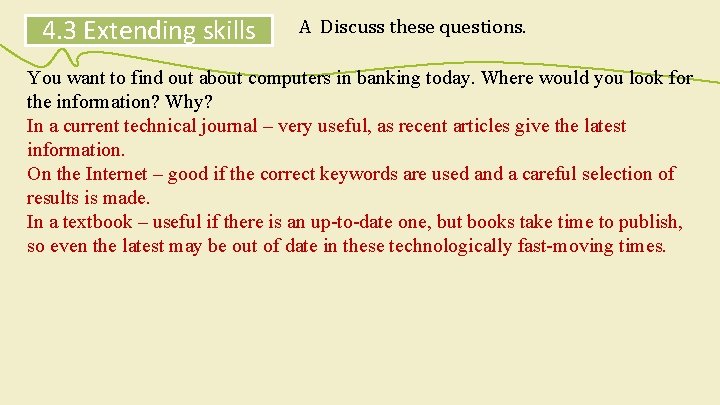
4. 3 Extending skills A Discuss these questions. You want to find out about computers in banking today. Where would you look for the information? Why? In a current technical journal – very useful, as recent articles give the latest information. On the Internet – good if the correct keywords are used and a careful selection of results is made. In a textbook – useful if there is an up-to-date one, but books take time to publish, so even the latest may be out of date in these technologically fast-moving times.
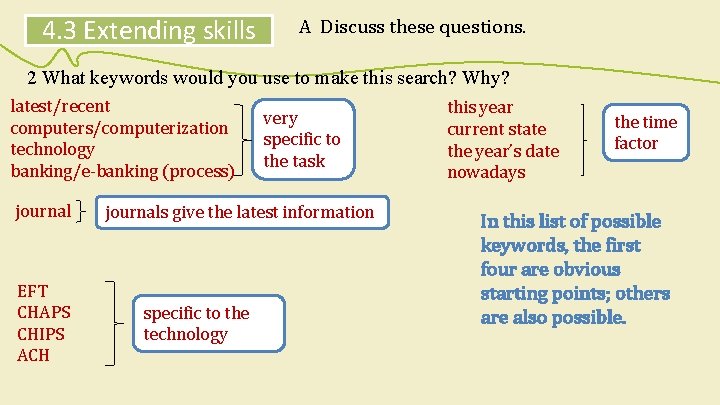
4. 3 Extending skills A Discuss these questions. 2 What keywords would you use to make this search? Why? latest/recent computers/computerization technology banking/e-banking (process) journal EFT CHAPS CHIPS ACH very specific to the task journals give the latest information specific to the technology this year current state the year’s date nowadays the time factor In this list of possible keywords, the first four are obvious starting points; others are also possible.
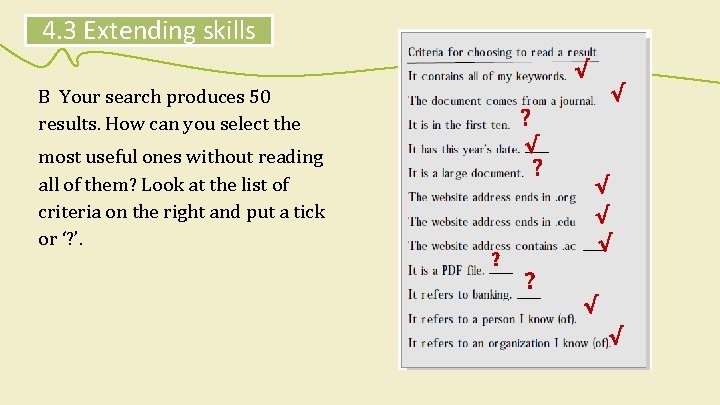
4. 3 Extending skills √ √ B Your search produces 50 results. How can you select the ? √ most useful ones without reading all of them? Look at the list of criteria on the right and put a tick or ‘? ’. ? ? √ √ √ ? √ √
4. 3 Extending skills C You have some more research tasks (below). Choose up to three keywords or phrases for each search. 1 What are the issues surrounding wireless technology in banking? 2 How do I calculate the repayments for a £ 200 mortgage for a term of 20 years? 3 Has the euro or the GBP appreciated the most against the USD over the last calendar year?
4. 3 Extending skills D Go to a computer and try out your chosen keywords.
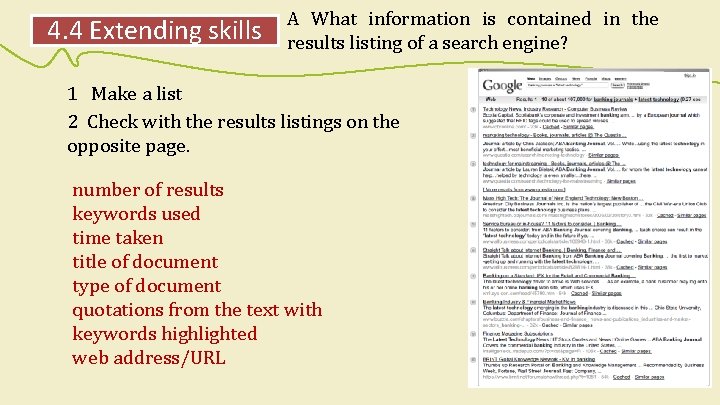
4. 4 Extending skills A What information is contained in the results listing of a search engine? 1 Make a list 2 Check with the results listings on the opposite page. number of results keywords used time taken title of document type of document quotations from the text with keywords highlighted web address/URL
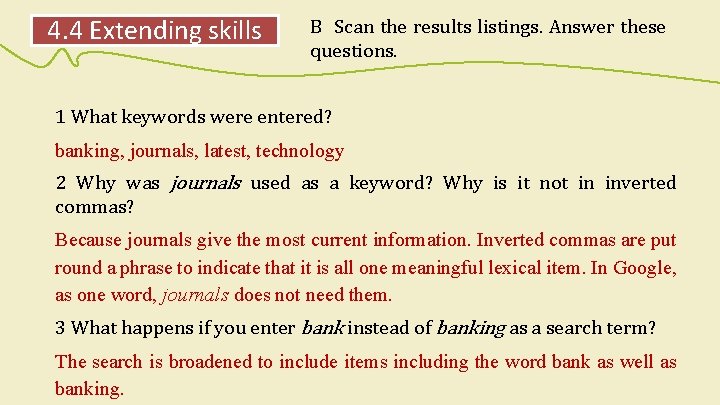
4. 4 Extending skills B Scan the results listings. Answer these questions. 1 What keywords were entered? banking, journals, latest, technology 2 Why was journals used as a keyword? Why is it not in inverted commas? Because journals give the most current information. Inverted commas are put round a phrase to indicate that it is all one meaningful lexical item. In Google, as one word, journals does not need them. 3 What happens if you enter bank instead of banking as a search term? The search is broadened to include items including the word bank as well as banking.
4. 4 Extending skills C Answer these questions. 1 Which results contain abbreviations or acronyms? Result 1: RFID, www, com, k Result 2: @, ABA, Vol. , www, com Result 3: @, ABA, Vol. , www, com Result 4: Tech, Inc. , com, html, k Result 5: ABA, www, com, html, k Result 6: ABA, www, com, html, k Result 7: IFX, xml, sys, com, htm, k Result 8: &, www, com, k Result 9: IT, ABA, edu, com, k Result 10: BRINT, KM, https (hypertext transfer protocol secure sockets), www, net, php (hypertext preprocessor), k
4. 4 Extending skills C Answer these questions. 2 Where is each website address? At the end. 3 Where is the size of each document? At the end (if it is given), e. g. , 23 k. 4 Which results have all the keywords? Results 2, 3, 5, 6, 8, 9. 5 Which results refer to journals? All except result 7.
4. 4 Extending skills C Answer these questions. 6 Which results come from commercial sites? All sites are commercial sites. 7 What does similar pages mean? There were other very similar results, so the search engine ignored them. They are available if you click on the words. 8 What does cached mean? It is a more efficient way of storing information.
4. 4 Extending skills D Continue your research on computers in banking today by entering the keywords into a search engine and accessing three of the results. Compare your findings with other students. E Choose the most interesting result. Write a paragraph about the information you discovered. Develop the topic within the paragraph with discourse markers and stance markers. See Skills bank.
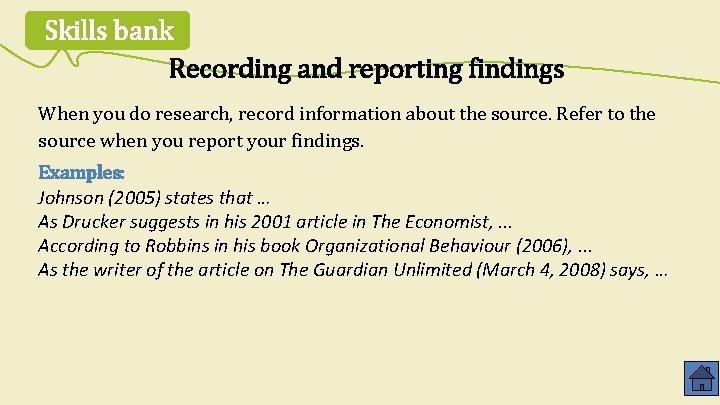
Skills bank Recording and reporting findings When you do research, record information about the source. Refer to the source when you report your findings. Examples: Johnson (2005) states that … As Drucker suggests in his 2001 article in The Economist, . . . According to Robbins in his book Organizational Behaviour (2006), . . . As the writer of the article on The Guardian Unlimited (March 4, 2008) says, …

- Slides: 46