
Unit 3 Classes and Objects Content A B
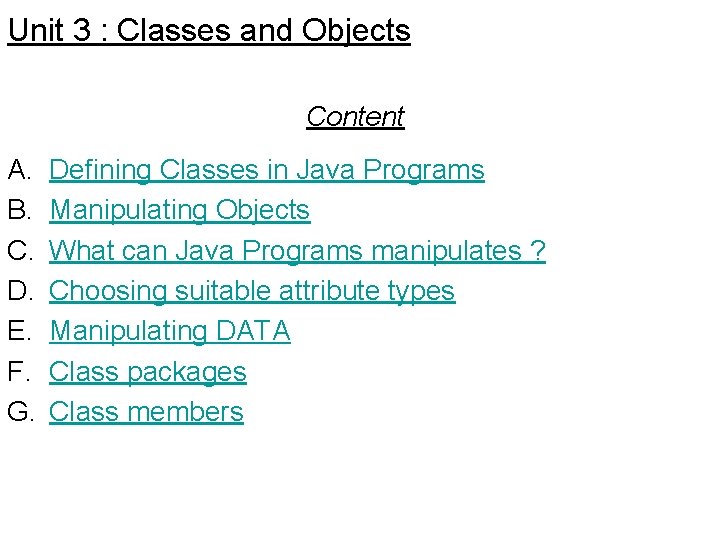
Unit 3 : Classes and Objects Content A. B. C. D. E. F. G. Defining Classes in Java Programs Manipulating Objects What can Java Programs manipulates ? Choosing suitable attribute types Manipulating DATA Class packages Class members
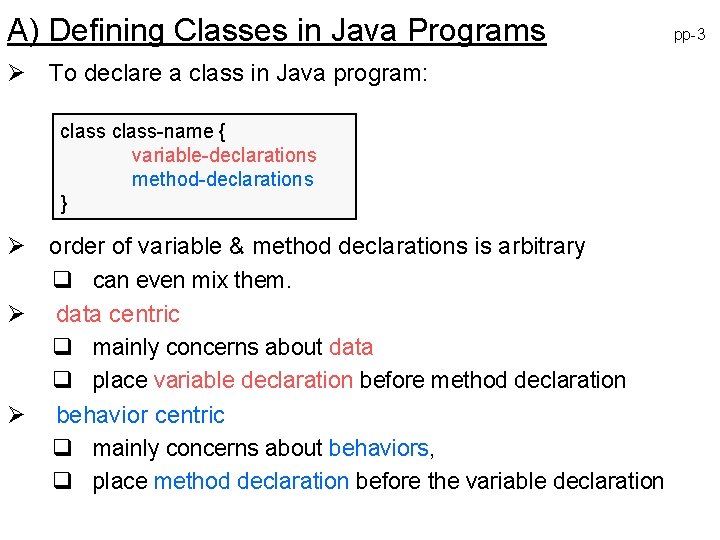
A) Defining Classes in Java Programs Ø To declare a class in Java program: class-name { variable-declarations method-declarations } Ø order of variable & method declarations is arbitrary q can even mix them. Ø data centric q mainly concerns about data q place variable declaration before method declaration Ø behavior centric q mainly concerns about behaviors, q place method declaration before the variable declaration pp-3
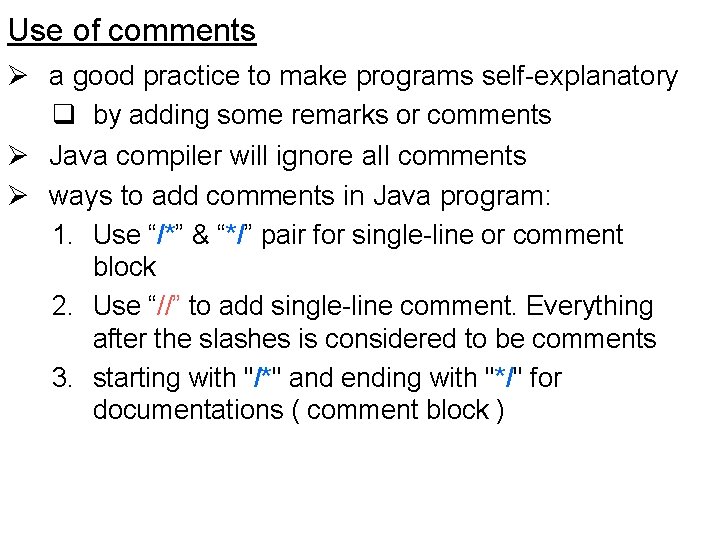
Use of comments Ø a good practice to make programs self-explanatory q by adding some remarks or comments Ø Java compiler will ignore all comments Ø ways to add comments in Java program: 1. Use “/*” & “*/” pair for single-line or comment block 2. Use “//” to add single-line comment. Everything after the slashes is considered to be comments 3. starting with "/*" and ending with "*/" for documentations ( comment block )
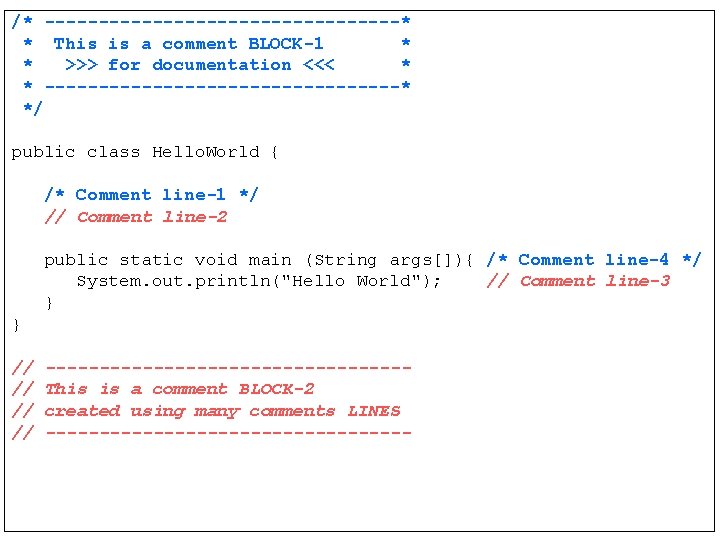
/* -----------------* * This is a comment BLOCK-1 * * >>> for documentation <<< * * -----------------* */ public class Hello. World { /* Comment line-1 */ // Comment line-2 public static void main (String args[]){ /* Comment line-4 */ System. out. println("Hello World"); // Comment line-3 } } // // -----------------This is a comment BLOCK-2 created using many comments LINES -----------------
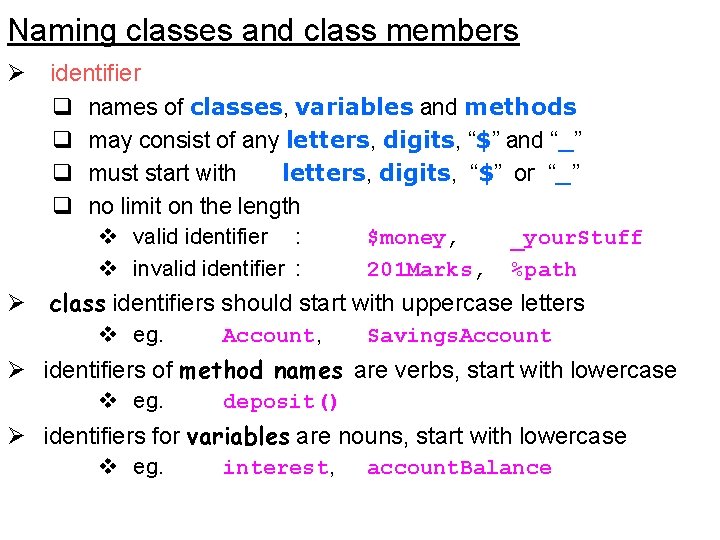
Naming classes and class members Ø identifier q names of classes, variables and methods q may consist of any letters, digits, “$” and “_” q must start with letters, digits, “$” or “_” q no limit on the length v valid identifier : v invalid identifier : $money, 201 Marks, _your. Stuff %path Ø class identifiers should start with uppercase letters v eg. Account, Savings. Account Ø identifiers of method names are verbs, start with lowercase v eg. deposit() Ø identifiers for variables are nouns, start with lowercase v eg. interest, account. Balance
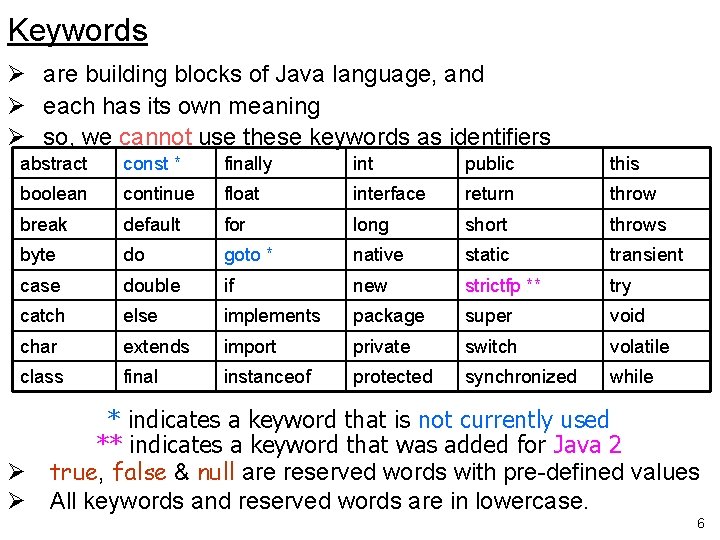
Keywords Ø are building blocks of Java language, and Ø each has its own meaning Ø so, we cannot use these keywords as identifiers abstract const * finally int public this boolean continue float interface return throw break default for long short throws byte do goto * native static transient case double if new strictfp ** try catch else implements package super void char extends import private switch volatile class final instanceof protected synchronized while * indicates a keyword that is not currently used ** indicates a keyword that was added for Java 2 Ø true, false & null are reserved words with pre-defined values Ø All keywords and reserved words are in lowercase. 6
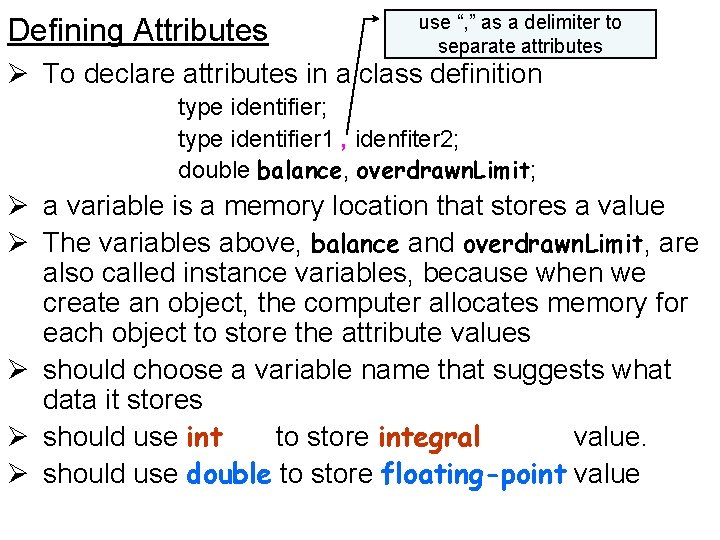
Defining Attributes use “, ” as a delimiter to separate attributes Ø To declare attributes in a class definition type identifier; type identifier 1 , idenfiter 2; double balance, overdrawn. Limit; Ø a variable is a memory location that stores a value Ø The variables above, balance and overdrawn. Limit, are also called instance variables, because when we create an object, the computer allocates memory for each object to store the attribute values Ø should choose a variable name that suggests what data it stores Ø should use int to store integral value. Ø should use double to store floating-point value
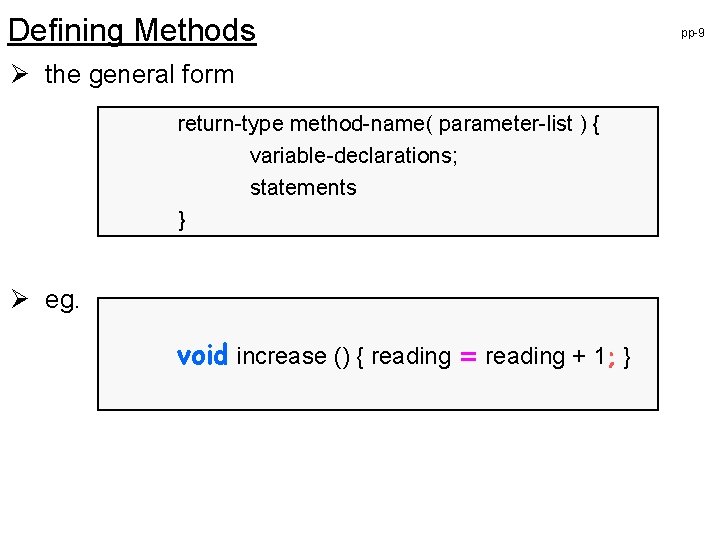
Defining Methods Ø the general form return-type method-name( parameter-list ) { variable-declarations; statements } Ø eg. void increase () { reading = reading + 1; } pp-9
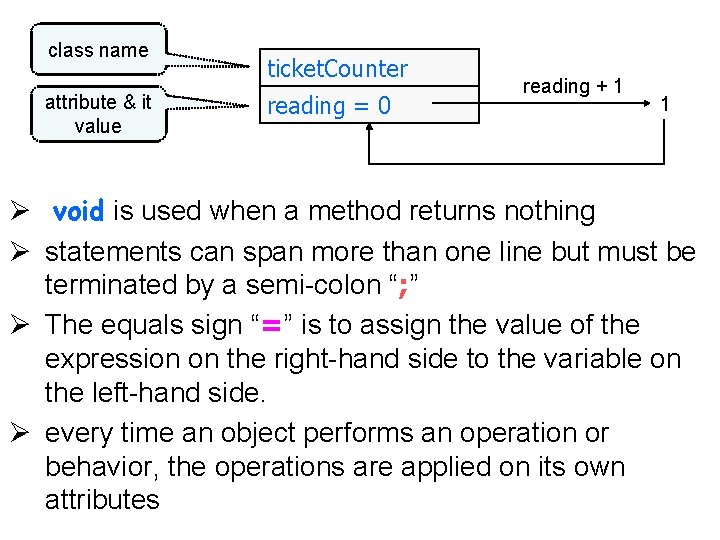
class name attribute & it value ticket. Counter reading = 0 reading + 1 1 Ø void is used when a method returns nothing Ø statements can span more than one line but must be terminated by a semi-colon “; ” Ø The equals sign “=” is to assign the value of the expression on the right-hand side to the variable on the left-hand side. Ø every time an object performs an operation or behavior, the operations are applied on its own attributes
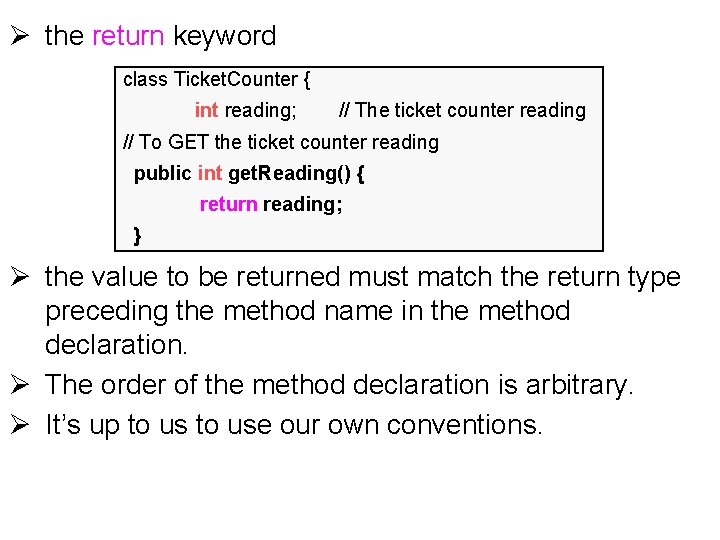
Ø the return keyword class Ticket. Counter { int reading; // The ticket counter reading // To GET the ticket counter reading public int get. Reading() { return reading; } Ø the value to be returned must match the return type preceding the method name in the method declaration. Ø The order of the method declaration is arbitrary. Ø It’s up to use our own conventions.
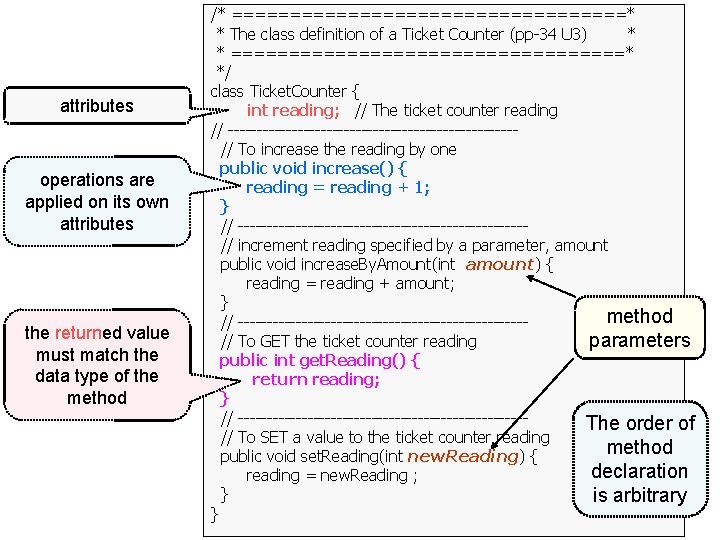
attributes operations are applied on its own attributes the returned value must match the data type of the method /* =================* * The class definition of a Ticket Counter (pp-34 U 3) * * =================* */ class Ticket. Counter { int reading; // The ticket counter reading // -------------------------// To increase the reading by one public void increase() { reading = reading + 1; } // -------------------------// increment reading specified by a parameter, amount public void increase. By. Amount(int amount) { reading = reading + amount; } method // -------------------------// To GET the ticket counter reading parameters public int get. Reading() { return reading; } // -------------------------The order of // To SET a value to the ticket counter reading method public void set. Reading(int new. Reading) { declaration reading = new. Reading ; } is arbitrary }
local variable vs. instance variable Ø local variable is declared in a method q same syntax as declaring instance variable Ø local variable declaration is placed within a method definition, whereas an instance variable definition is placed within a class definition outside of all method definitions. Ø local variables are created when the method is executed. When the computer completes the method execution, it automatically removes these variables. By contrast, instance variables last as long as the object that contains them.
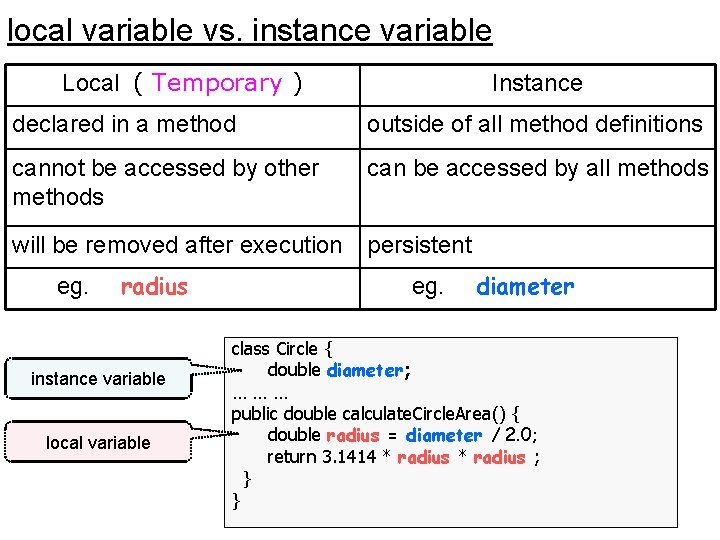
local variable vs. instance variable Local ( Temporary ) Instance declared in a method outside of all method definitions cannot be accessed by other methods can be accessed by all methods will be removed after execution persistent eg. radius instance variable local variable eg. diameter class Circle { double diameter; ……… public double calculate. Circle. Area() { double radius = diameter / 2. 0; return 3. 1414 * radius ; } }
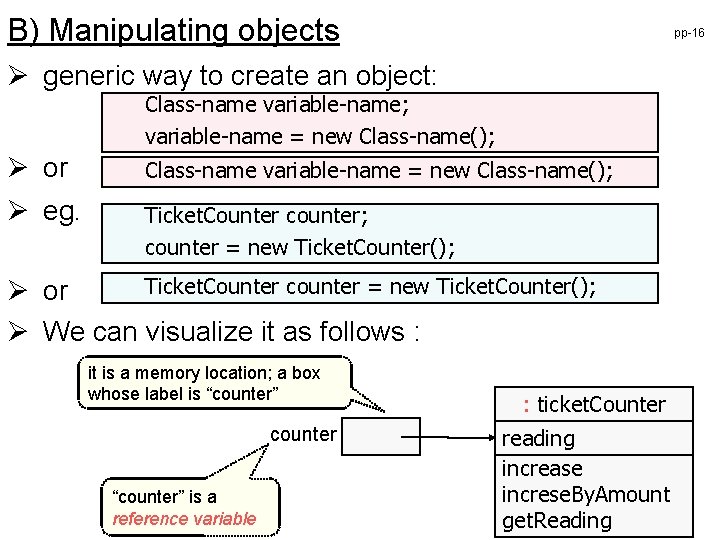
B) Manipulating objects pp-16 Ø generic way to create an object: Class-name variable-name; variable-name = new Class-name(); Ø or Class-name variable-name = new Class-name(); Ø eg. Ticket. Counter counter; counter = new Ticket. Counter(); Ticket. Counter counter = new Ticket. Counter(); Ø or Ø We can visualize it as follows : it is a memory location; a box whose label is “counter” counter “counter” is a reference variable : ticket. Counter reading increase increse. By. Amount get. Reading
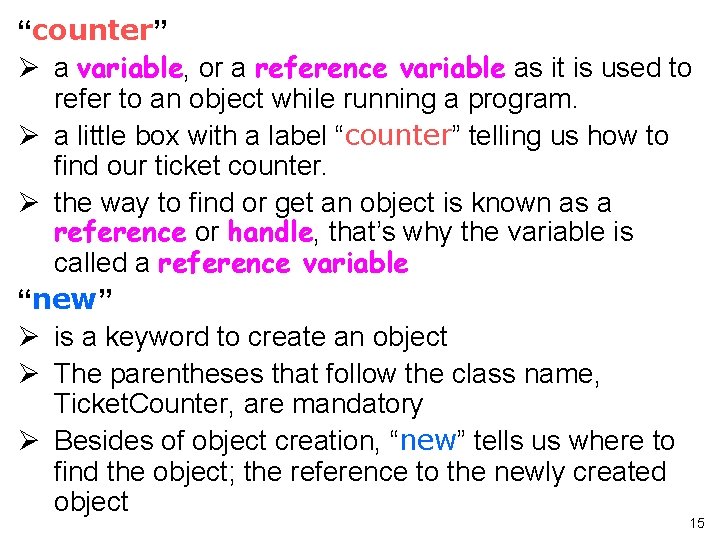
“counter” Ø a variable, or a reference variable as it is used to refer to an object while running a program. Ø a little box with a label “counter” telling us how to find our ticket counter. Ø the way to find or get an object is known as a reference or handle, that’s why the variable is called a reference variable “new” Ø is a keyword to create an object Ø The parentheses that follow the class name, Ticket. Counter, are mandatory Ø Besides of object creation, “new” tells us where to find the object; the reference to the newly created object 15
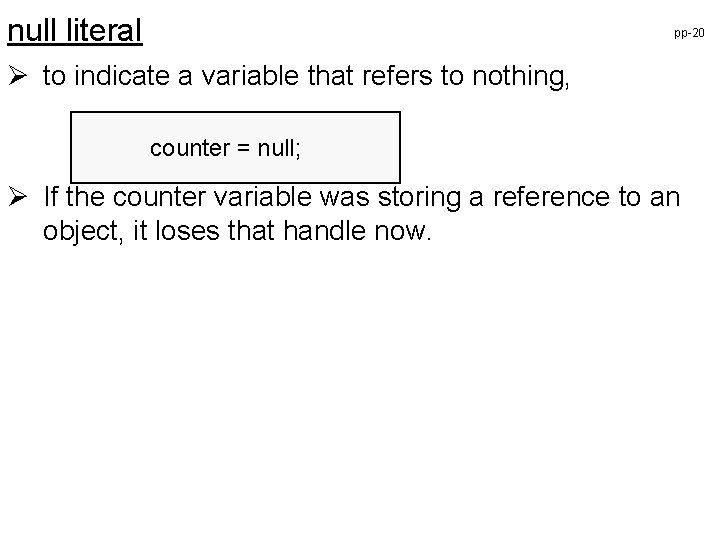
null literal pp-20 Ø to indicate a variable that refers to nothing, counter = null; Ø If the counter variable was storing a reference to an object, it loses that handle now.
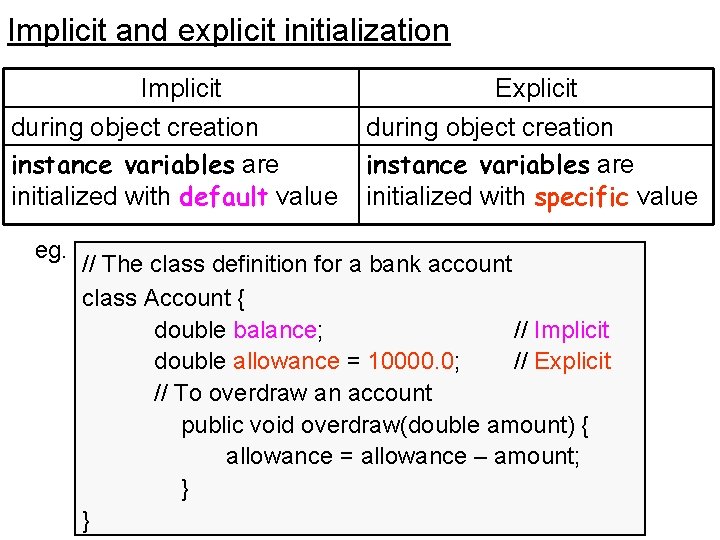
Implicit and explicit initialization Implicit during object creation instance variables are initialized with default value eg. Explicit during object creation instance variables are initialized with specific value // The class definition for a bank account class Account { double balance; // Implicit double allowance = 10000. 0; // Explicit // To overdraw an account public void overdraw(double amount) { allowance = allowance – amount; } }
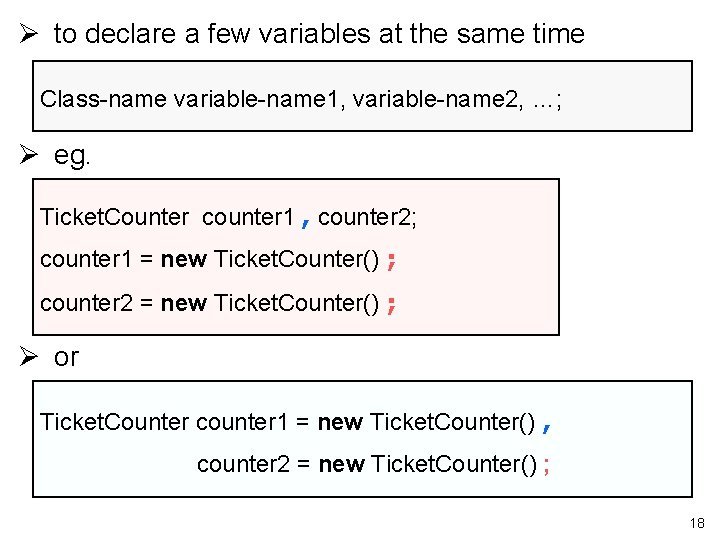
Ø to declare a few variables at the same time Class-name variable-name 1, variable-name 2, …; Ø eg. Ticket. Counter counter 1 , counter 2; counter 1 = new Ticket. Counter() ; counter 2 = new Ticket. Counter() ; Ø or Ticket. Counter counter 1 = new Ticket. Counter() , counter 2 = new Ticket. Counter() ; 18
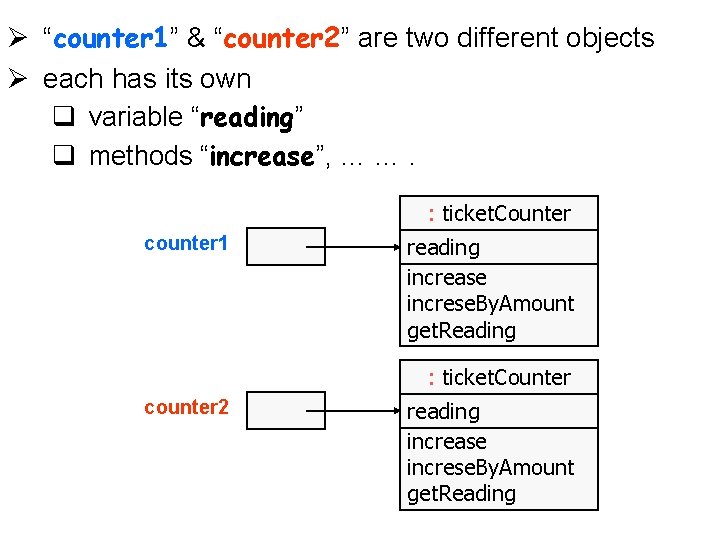
Ø “counter 1” & “counter 2” are two different objects Ø each has its own q variable “reading” q methods “increase”, … …. : ticket. Counter counter 1 reading increase increse. By. Amount get. Reading : ticket. Counter counter 2 reading increase increse. By. Amount get. Reading
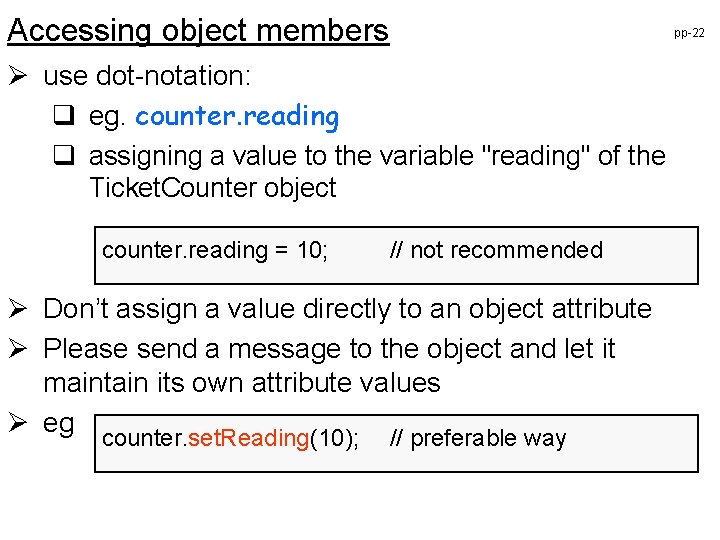
Accessing object members pp-22 Ø use dot-notation: q eg. counter. reading q assigning a value to the variable "reading" of the Ticket. Counter object counter. reading = 10; // not recommended Ø Don’t assign a value directly to an object attribute Ø Please send a message to the object and let it maintain its own attribute values Ø eg counter. set. Reading(10); // preferable way
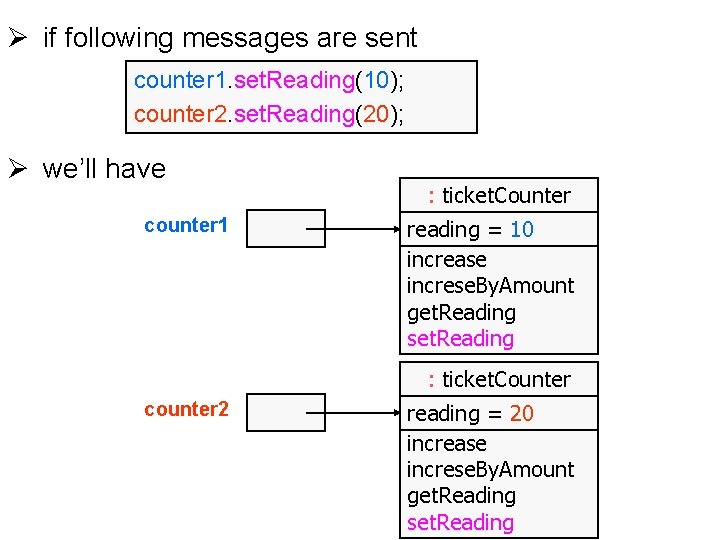
Ø if following messages are sent counter 1. set. Reading(10); counter 2. set. Reading(20); Ø we’ll have counter 1 : ticket. Counter reading = 10 increase increse. By. Amount get. Reading set. Reading : ticket. Counter counter 2 reading = 20 increase increse. By. Amount get. Reading set. Reading
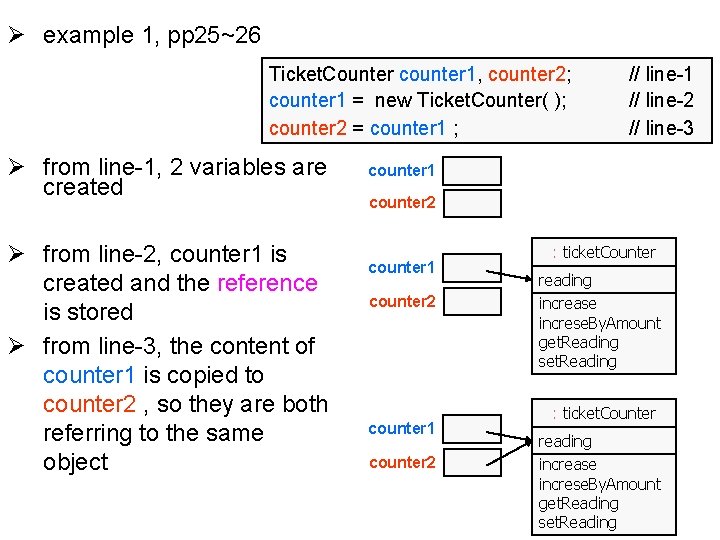
Ø example 1, pp 25~26 Ticket. Counter counter 1, counter 2; counter 1 = new Ticket. Counter( ); counter 2 = counter 1 ; Ø from line-1, 2 variables are created Ø from line-2, counter 1 is created and the reference is stored Ø from line-3, the content of counter 1 is copied to counter 2 , so they are both referring to the same object // line-1 // line-2 // line-3 counter 1 counter 2 : ticket. Counter reading increase increse. By. Amount get. Reading set. Reading
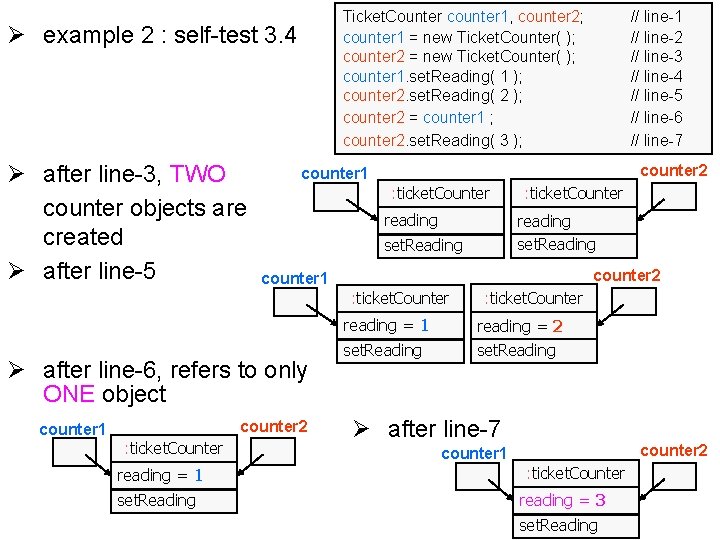
Ticket. Counter counter 1, counter 2; counter 1 = new Ticket. Counter( ); counter 2 = new Ticket. Counter( ); counter 1. set. Reading( 1 ); counter 2. set. Reading( 2 ); counter 2 = counter 1 ; counter 2. set. Reading( 3 ); Ø example 2 : self-test 3. 4 Ø after line-3, TWO counter objects are created Ø after line-5 counter 2 counter 1 : ticket. Counter reading counter 2 counter 1 reading = 1 Ø after line-6, refers to only ONE object counter 2 : ticket. Counter reading = 1 set. Reading : ticket. Counter reading set. Reading : ticket. Counter counter 1 // line-2 // line-3 // line-4 // line-5 // line-6 // line-7 set. Reading : ticket. Counter reading = 2 set. Reading Ø after line-7 counter 2 counter 1 : ticket. Counter reading = 3 set. Reading
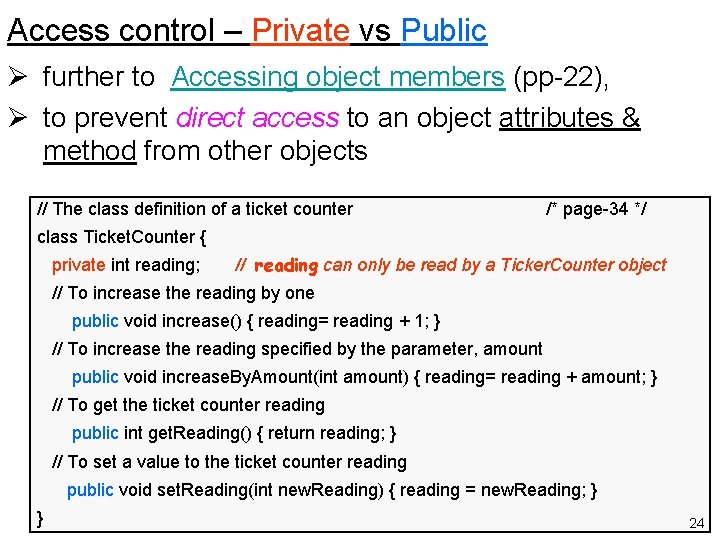
Access control – Private vs Public Ø further to Accessing object members (pp-22), Ø to prevent direct access to an object attributes & method from other objects // The class definition of a ticket counter /* page-34 */ class Ticket. Counter { private int reading; // reading can only be read by a Ticker. Counter object // To increase the reading by one public void increase() { reading= reading + 1; } // To increase the reading specified by the parameter, amount public void increase. By. Amount(int amount) { reading= reading + amount; } // To get the ticket counter reading public int get. Reading() { return reading; } // To set a value to the ticket counter reading public void set. Reading(int new. Reading) { reading = new. Reading; } } 24
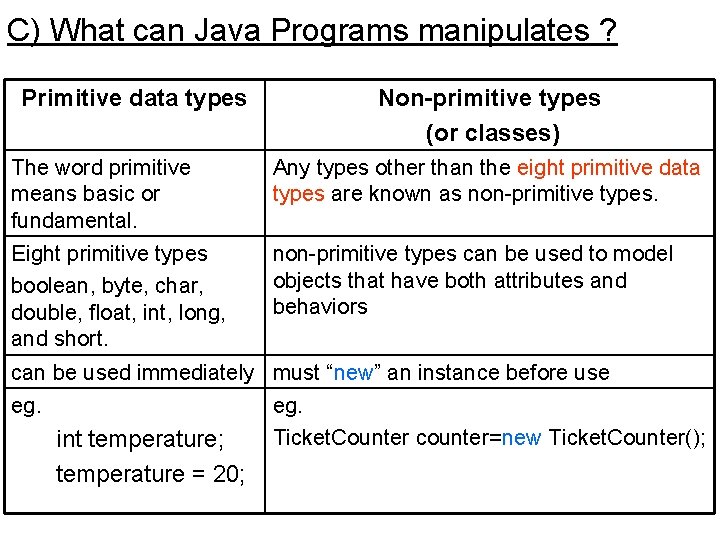
C) What can Java Programs manipulates ? Primitive data types Non-primitive types (or classes) The word primitive means basic or fundamental. Any types other than the eight primitive data types are known as non-primitive types. Eight primitive types boolean, byte, char, double, float, int, long, and short. non-primitive types can be used to model objects that have both attributes and behaviors can be used immediately must “new” an instance before use eg. int temperature; temperature = 20; eg. Ticket. Counter counter=new Ticket. Counter();
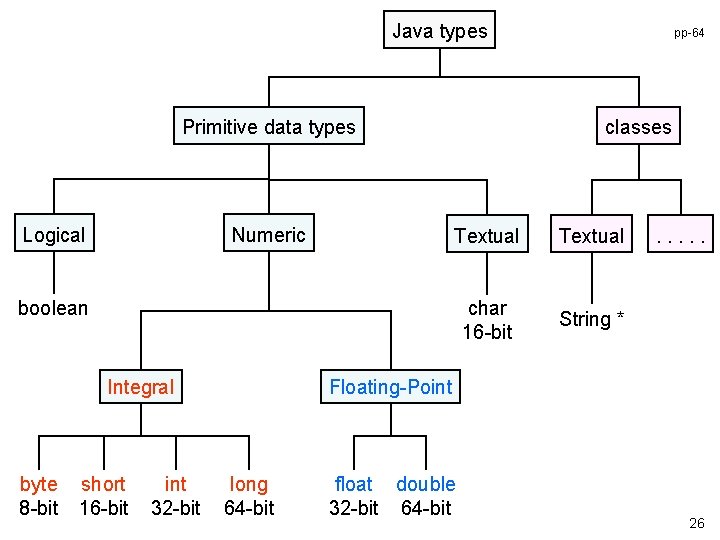
Java types Primitive data types Logical Numeric classes Textual char 16 -bit String * boolean Integral byte 8 -bit short 16 -bit int 32 -bit pp-64 . . . Floating-Point long 64 -bit float double 32 -bit 64 -bit 26
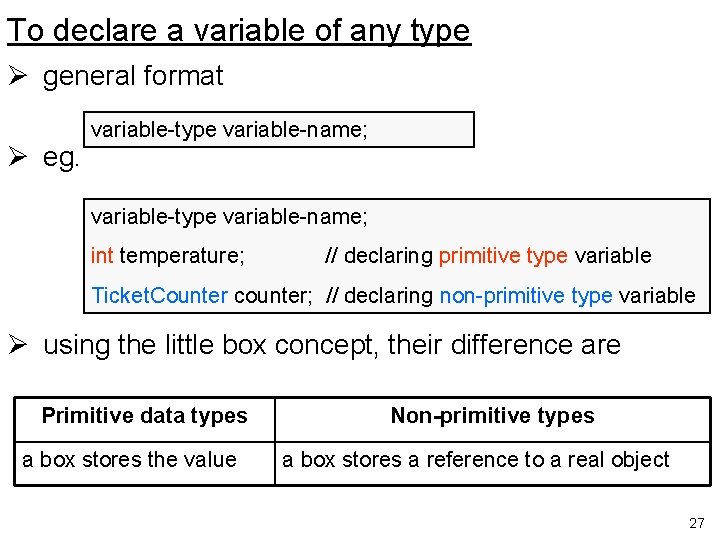
To declare a variable of any type Ø general format Ø eg. variable-type variable-name; int temperature; // declaring primitive type variable Ticket. Counter counter; // declaring non-primitive type variable Ø using the little box concept, their difference are Primitive data types a box stores the value Non-primitive types a box stores a reference to a real object 27
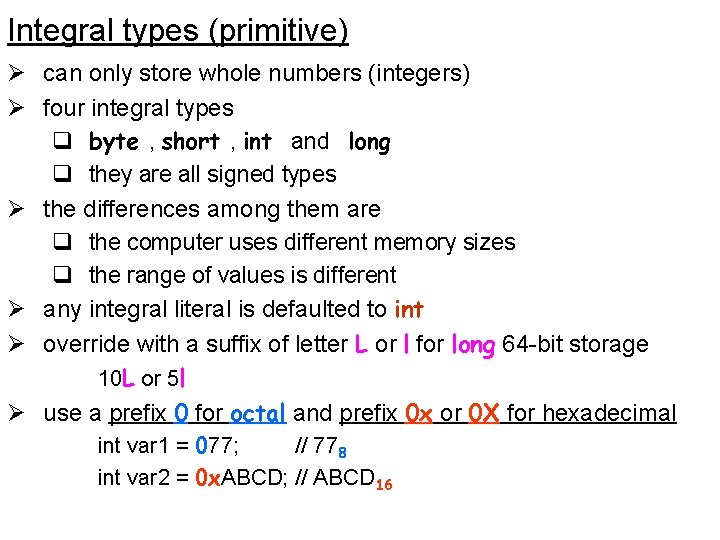
Integral types (primitive) Ø can only store whole numbers (integers) Ø four integral types q byte , short , int and long q they are all signed types Ø the differences among them are q the computer uses different memory sizes q the range of values is different Ø any integral literal is defaulted to int Ø override with a suffix of letter L or l for long 64 -bit storage 10 L or 5 l Ø use a prefix 0 for octal and prefix 0 x or 0 X for hexadecimal int var 1 = 077; // 778 int var 2 = 0 x. ABCD; // ABCD 16
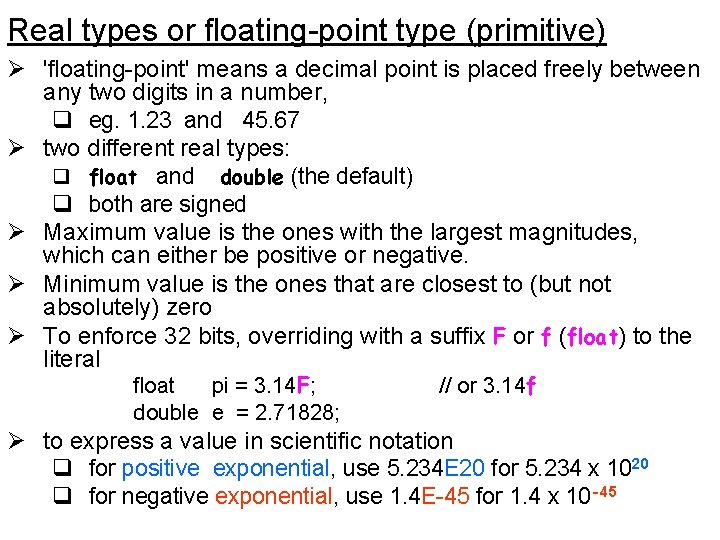
Real types or floating-point type (primitive) Ø 'floating-point' means a decimal point is placed freely between any two digits in a number, q eg. 1. 23 and 45. 67 Ø two different real types: q float and double (the default) q both are signed Ø Maximum value is the ones with the largest magnitudes, which can either be positive or negative. Ø Minimum value is the ones that are closest to (but not absolutely) zero Ø To enforce 32 bits, overriding with a suffix F or f (float) to the literal float pi = 3. 14 F; double e = 2. 71828; // or 3. 14 f Ø to express a value in scientific notation q for positive exponential, use 5. 234 E 20 for 5. 234 x 1020 q for negative exponential, use 1. 4 E-45 for 1. 4 x 10 -45
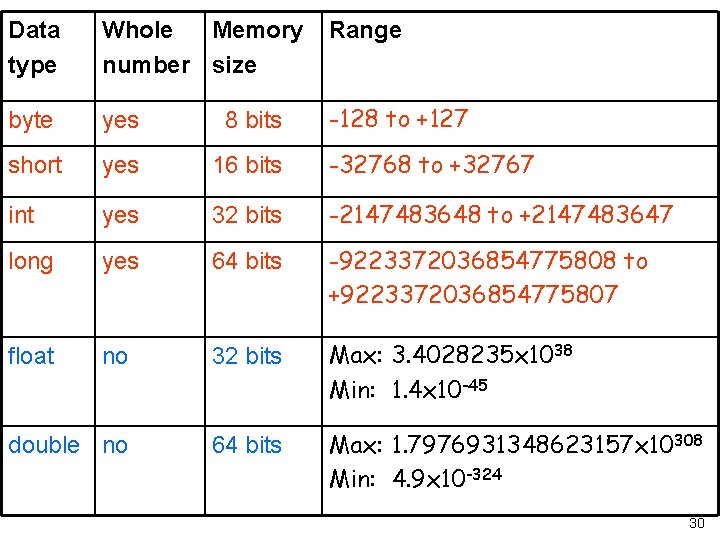
Data type Whole Memory number size Range byte yes 8 bits -128 to +127 short yes 16 bits -32768 to +32767 int yes 32 bits -2147483648 to +2147483647 long yes 64 bits -9223372036854775808 to +9223372036854775807 float no 32 bits Max: 3. 4028235 x 1038 Min: 1. 4 x 10 -45 double no 64 bits Max: 1. 7976931348623157 x 10308 Min: 4. 9 x 10 -324 30
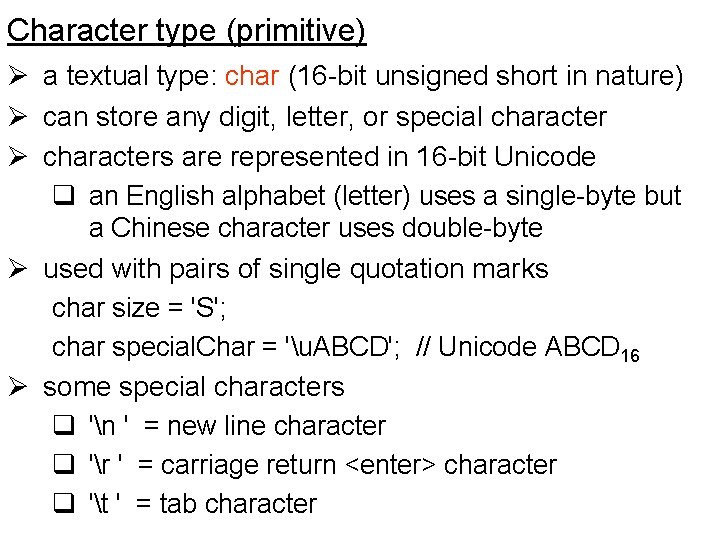
Character type (primitive) Ø a textual type: char (16 -bit unsigned short in nature) Ø can store any digit, letter, or special character Ø characters are represented in 16 -bit Unicode q an English alphabet (letter) uses a single-byte but a Chinese character uses double-byte Ø used with pairs of single quotation marks char size = 'S'; char special. Char = 'u. ABCD'; // Unicode ABCD 16 Ø some special characters q 'n ' = new line character q 'r ' = carriage return <enter> character q 't ' = tab character
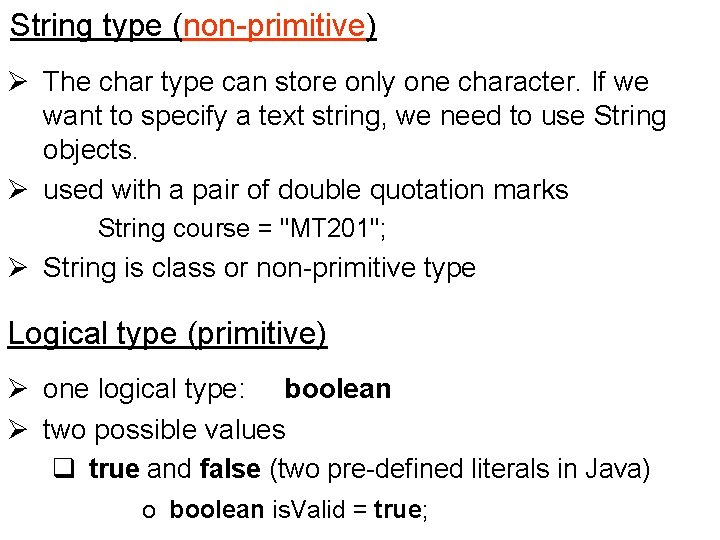
String type (non-primitive) Ø The char type can store only one character. If we want to specify a text string, we need to use String objects. Ø used with a pair of double quotation marks String course = "MT 201"; Ø String is class or non-primitive type Logical type (primitive) Ø one logical type: boolean Ø two possible values q true and false (two pre-defined literals in Java) o boolean is. Valid = true;
Primitive type vs. Non-primitive type pp-40 Primitive type Ø Declaring a primitive type variable allocates a memory location that can store any acceptable value Ø Don’t use dot-notation with a primitive variable, which refers to a datum that has no behavior and no attribute, . Ø They are pre-defined, and we cannot build and use our own primitive types Non-primitive type Ø Variables of non-primitive types are reference types. Ø Declaring a non-primitive type variable allocates a memory block that just stores the handle (or reference) to an object in the memory, but no object is created. Ø usually store their references in non-primitive variables of compatible types
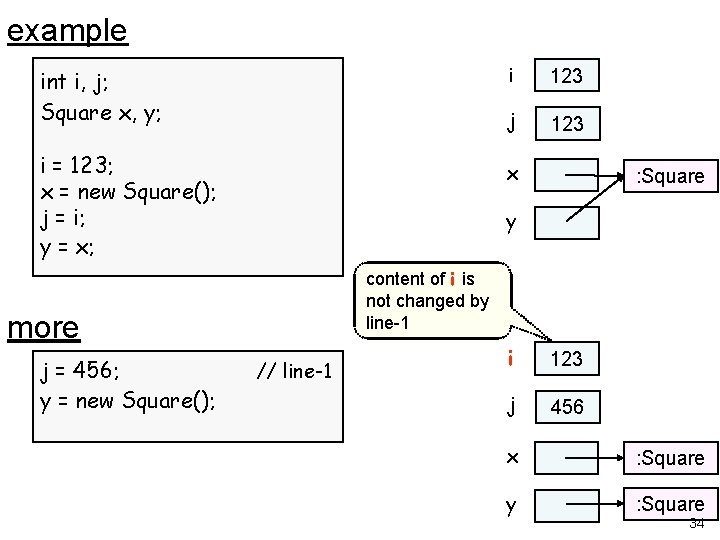
example int i, j; Square x, y; i = 123; x = new Square(); j = i; y = x; 123 j 123 x : Square y content of i is not changed by line-1 more j = 456; y = new Square(); i // line-1 i 123 j 456 x : Square y : Square 34
D) Choosing suitable attribute types Ø to classify all attributes into different primitive type, such as numeric, textual and logical. Numeric types Ø attribute value is numeric & may involve calculations Ø usually concerned with its value rather than the format q ie. the way to present it. So leading zeroes can be ignored q eg. account balance, interest rate, day of birth, month of birth, year of birth, day of account opening, month of account opening, year of account opening. Textual types Ø can include non-numeric characters. Ø Its values are not used in numerical calculations but for pattern matching (like account number). Ø has to consider Its storage format. Numbers with leading zeros are considered as a textual type. q account name, owner identity number, account type, account number, gender and address
Logical types Ø for an attribute that can contain only two values, such as positive/negative, yes/no, true/false Ø active account (either active or inactive) more textual types Ø if the textual attribute value has only one character, we can assign char type to that attribute q Otherwise, use a String type. Ø char: q account. Type (‘S’=savings & ‘C’=current account), q gender (‘F’ for female and ‘M’ for male) Ø String: q account. Name , address, student. Number 36
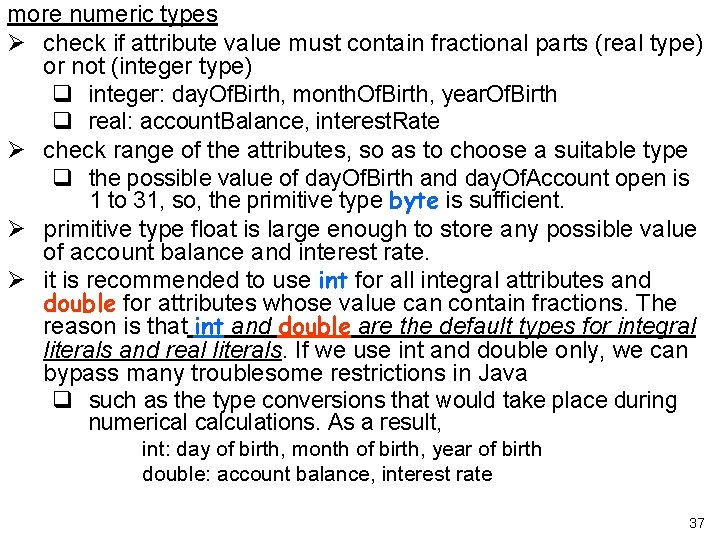
more numeric types Ø check if attribute value must contain fractional parts (real type) or not (integer type) q integer: day. Of. Birth, month. Of. Birth, year. Of. Birth q real: account. Balance, interest. Rate Ø check range of the attributes, so as to choose a suitable type q the possible value of day. Of. Birth and day. Of. Account open is 1 to 31, so, the primitive type byte is sufficient. Ø primitive type float is large enough to store any possible value of account balance and interest rate. Ø it is recommended to use int for all integral attributes and double for attributes whose value can contain fractions. The reason is that int and double are the default types for integral literals and real literals. If we use int and double only, we can bypass many troublesome restrictions in Java q such as the type conversions that would take place during numerical calculations. As a result, int: day of birth, month of birth, year of birth double: account balance, interest rate 37
Ø A variable of float or double type can store a value with a fraction. Ø They can store integral values; why don’t we simply declare all numeric types as real types? Ø The reason is q Real numbers are stored by approximation, while integral numbers are stored exactly. q Therefore, whenever it is possible to use an integer type, we should use it so that we do not face the risk of losing precision. 38
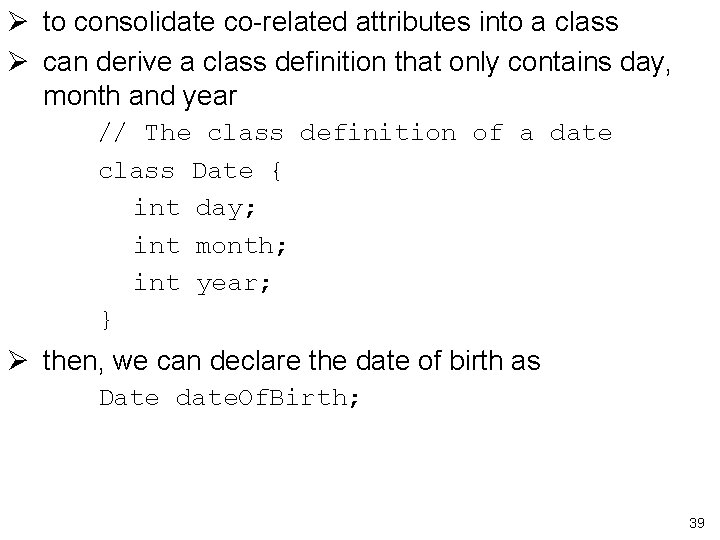
Ø to consolidate co-related attributes into a class Ø can derive a class definition that only contains day, month and year // The class definition of a date class Date { int day; int month; int year; } Ø then, we can declare the date of birth as Date date. Of. Birth; 39
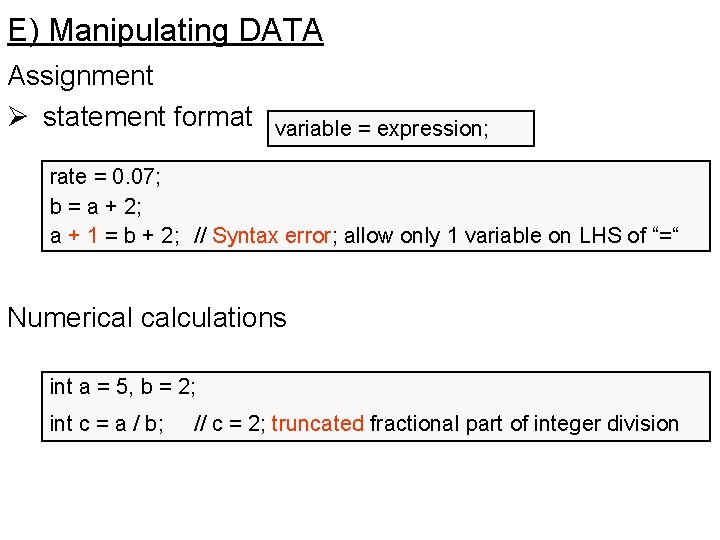
E) Manipulating DATA Assignment Ø statement format variable = expression; rate = 0. 07; b = a + 2; a + 1 = b + 2; // Syntax error; allow only 1 variable on LHS of “=“ Numerical calculations int a = 5, b = 2; int c = a / b; // c = 2; truncated fractional part of integer division
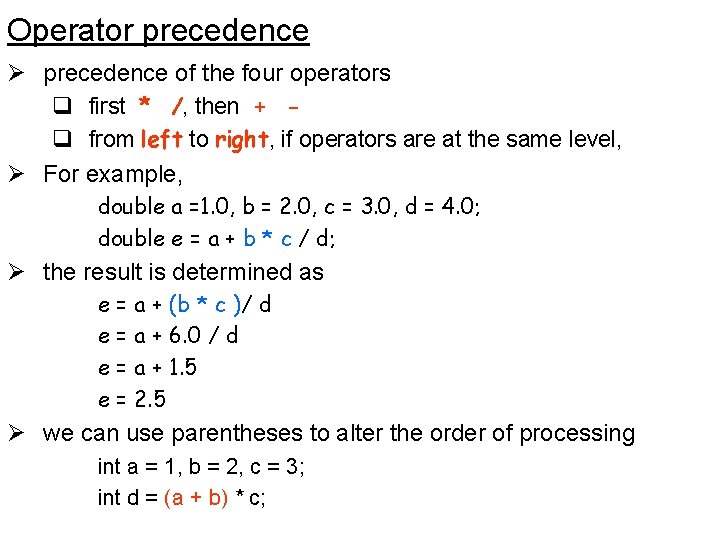
Operator precedence Ø precedence of the four operators q first * /, then + q from left to right, if operators are at the same level, Ø For example, double a =1. 0, b = 2. 0, c = 3. 0, d = 4. 0; double e = a + b * c / d; Ø the result is determined as e = a + (b * c )/ d e = a + 6. 0 / d e = a + 1. 5 e = 2. 5 Ø we can use parentheses to alter the order of processing int a = 1, b = 2, c = 3; int d = (a + b) * c;
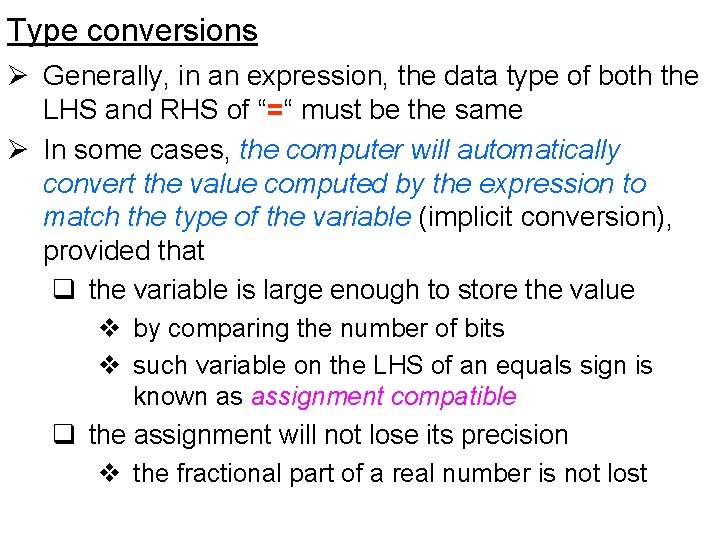
Type conversions Ø Generally, in an expression, the data type of both the LHS and RHS of “=“ must be the same Ø In some cases, the computer will automatically convert the value computed by the expression to match the type of the variable (implicit conversion), provided that q the variable is large enough to store the value v by comparing the number of bits v such variable on the LHS of an equals sign is known as assignment compatible q the assignment will not lose its precision v the fractional part of a real number is not lost
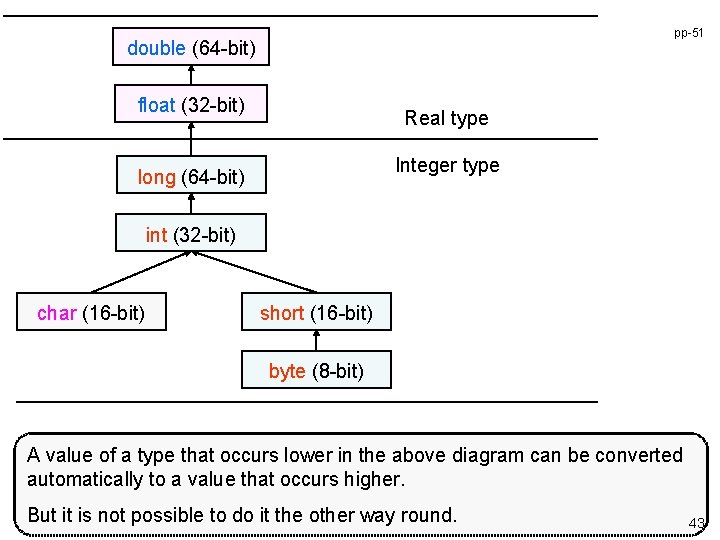
pp-51 double (64 -bit) float (32 -bit) Real type Integer type long (64 -bit) int (32 -bit) char (16 -bit) short (16 -bit) byte (8 -bit) A value of a type that occurs lower in the above diagram can be converted automatically to a value that occurs higher. But it is not possible to do it the other way round. 43
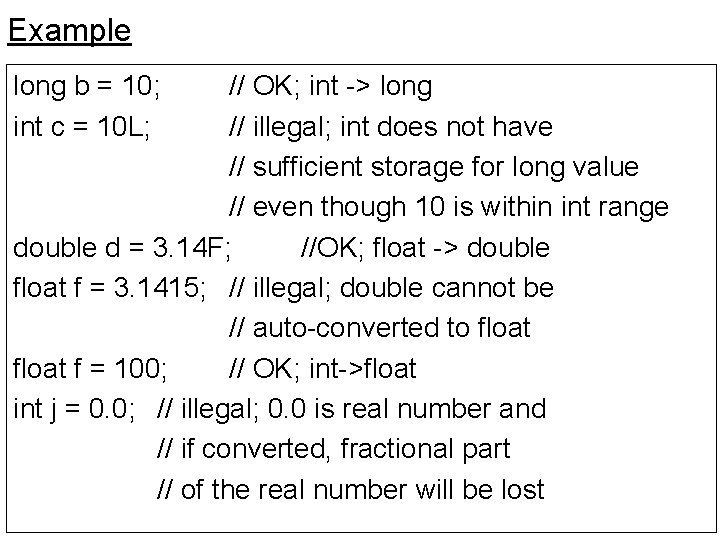
Example long b = 10; int c = 10 L; // OK; int -> long // illegal; int does not have // sufficient storage for long value // even though 10 is within int range double d = 3. 14 F; //OK; float -> double float f = 3. 1415; // illegal; double cannot be // auto-converted to float f = 100; // OK; int->float int j = 0. 0; // illegal; 0. 0 is real number and // if converted, fractional part // of the real number will be lost
Remarks: Ø In Java, char type can be considered integer type. Ø Both char and short are 16 -bit data types and the difference is their ranges. Ø but char can only store positive values (0 to 65535), while short can store both negative and positive values(-32768 to 32767). Ø Because of this difference, they cannot be implicitly converted to each other without losing information
Casting (explicit conversion ) pp-52 Ø Value of any data type can be assigned to a variable of another data type Ø when assignment is not acceptable, we tell the computer that the assignment OK, even though the data precision is lost (variable-type) expression // general format for casting int k = (int) 1. 5; // k = 1; fractional part truncated char c = 'A'; short s = (short) c; // assigning a char type value to a short // variable or vice versa needs casting. char c = (char) -1; // c = 65535; Ø Note that 11112 is -1 for signed integral type (in two's complement notation, the leftmost bit is a sign bit) which is 6553510 for unsigned integral type short s= (short) 100000; // s = -31072 // 10000010 = 1 1000 0110 1010 00002 // the high bit is dropped
F) Class packages Ø provides a more systematic way to organize class names Ø instead of having several class definitions for different staff types, like HRStaff, EDPStaff, Account. Staff, etc. , we can have one Staff class to belong to hr, edp and account packages. Ø The fully qualified names for the staff classes will then be hr. Staff, edp. Staff and account. Staff. Ø In each Java source file (. java file), use package declaration to indicate the package to which the class definition belongs q at most one package declaration q must be the first statement in the source file package hr; class Staff {. . . } Ø the file names of the above hr. Staff, edp. Staff and account. Staff are all Staff. java.
Ø So, we create subdirectories hr, edp and account and store the Java source files in them accordingly Ø to create an object based on the class account. Staff staff = new account. Staff(); Ø If our program refers to the account. Staff class frequently, writing such a long class name can be tedious. Ø To prevent our program from requiring lengthy class names, we can place an import declaration in our source file as: import account. Staff; // or import account. *; Ø Then, anywhere in our program, wherever we refer to the class name, Staff, it is the account. Staff s = new Staff(); Ø As a summary, the layout of a Java program must be: package-declaration import-declarations class-definitions 48
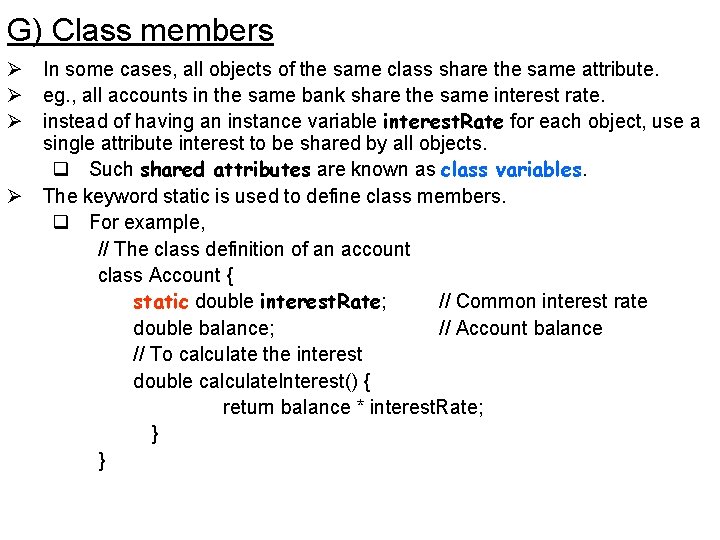
G) Class members Ø In some cases, all objects of the same class share the same attribute. Ø eg. , all accounts in the same bank share the same interest rate. Ø instead of having an instance variable interest. Rate for each object, use a single attribute interest to be shared by all objects. q Such shared attributes are known as class variables. Ø The keyword static is used to define class members. q For example, // The class definition of an account class Account { static double interest. Rate; // Common interest rate double balance; // Account balance // To calculate the interest double calculate. Interest() { return balance * interest. Rate; } }
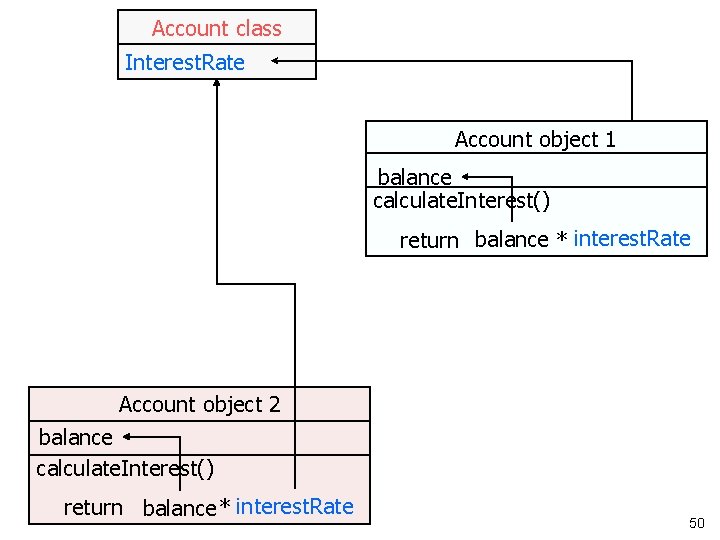
Account class Interest. Rate Account object 1 balance calculate. Interest() return balance * interest. Rate Account object 2 balance calculate. Interest() return balance * interest. Rate 50
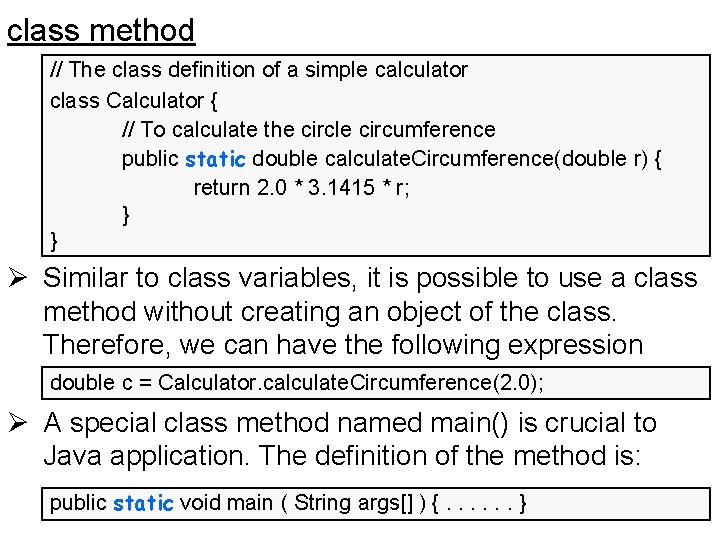
class method // The class definition of a simple calculator class Calculator { // To calculate the circle circumference public static double calculate. Circumference(double r) { return 2. 0 * 3. 1415 * r; } } Ø Similar to class variables, it is possible to use a class method without creating an object of the class. Therefore, we can have the following expression double c = Calculator. calculate. Circumference(2. 0); Ø A special class method named main() is crucial to Java application. The definition of the method is: public static void main ( String args[] ) {. . . }
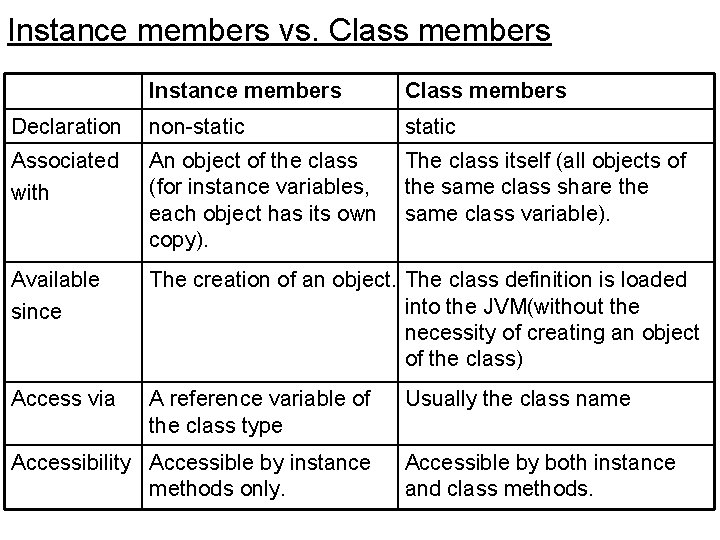
Instance members vs. Class members Instance members Class members Declaration non-static Associated with An object of the class (for instance variables, each object has its own copy). The class itself (all objects of the same class share the same class variable). Available since The creation of an object. The class definition is loaded into the JVM(without the necessity of creating an object of the class) Access via A reference variable of the class type Accessibility Accessible by instance methods only. Usually the class name Accessible by both instance and class methods.
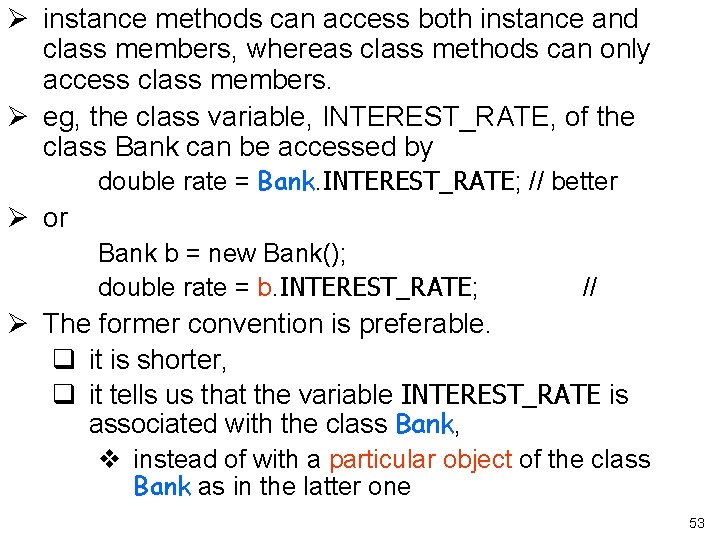
Ø instance methods can access both instance and class members, whereas class methods can only access class members. Ø eg, the class variable, INTEREST_RATE, of the class Bank can be accessed by double rate = Bank. INTEREST_RATE; // better Ø or Bank b = new Bank(); double rate = b. INTEREST_RATE; // Ø The former convention is preferable. q it is shorter, q it tells us that the variable INTEREST_RATE is associated with the class Bank, v instead of with a particular object of the class Bank as in the latter one 53
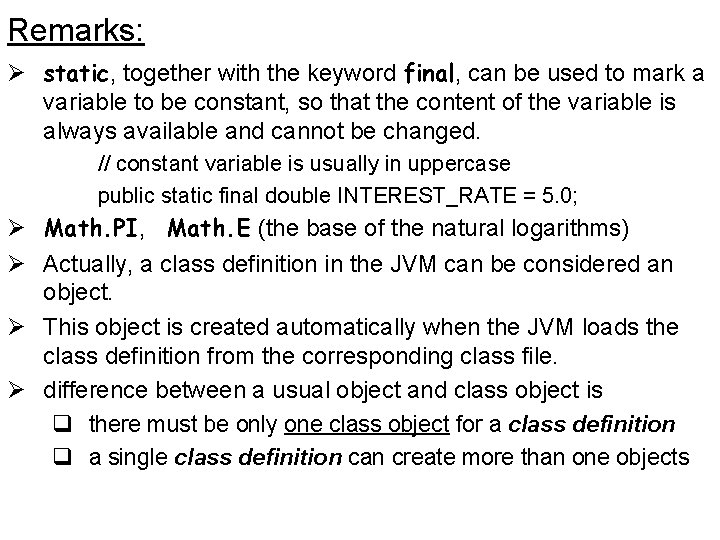
Remarks: Ø static, together with the keyword final, can be used to mark a variable to be constant, so that the content of the variable is always available and cannot be changed. // constant variable is usually in uppercase public static final double INTEREST_RATE = 5. 0; Ø Math. PI, Math. E (the base of the natural logarithms) Ø Actually, a class definition in the JVM can be considered an object. Ø This object is created automatically when the JVM loads the class definition from the corresponding class file. Ø difference between a usual object and class object is q there must be only one class object for a class definition q a single class definition can create more than one objects
- Slides: 54