
Unit 2 Process Mapping Theory and Rationale Slides


![References [1] QI Tools to Diagnose HPV Vaccine Delivery Concerns in Your Practice, www.](https://slidetodoc.com/presentation_image_h2/60f901c0d8cc52e9934df3bc7cbdc23b/image-44.jpg "References [1] QI Tools to Diagnose HPV Vaccine Delivery Concerns in Your Practice, www.")
- Slides: 44
Unit 2 Process Mapping Theory and Rationale Slides Compiled by Drs. Zhang and Shahriar
Unit 2 Topic Outline • • • Purpose of graphic process representation Process diagram vocabulary Identifying process steps Basic flowchart symbols and types Creating a basic flowchart 2
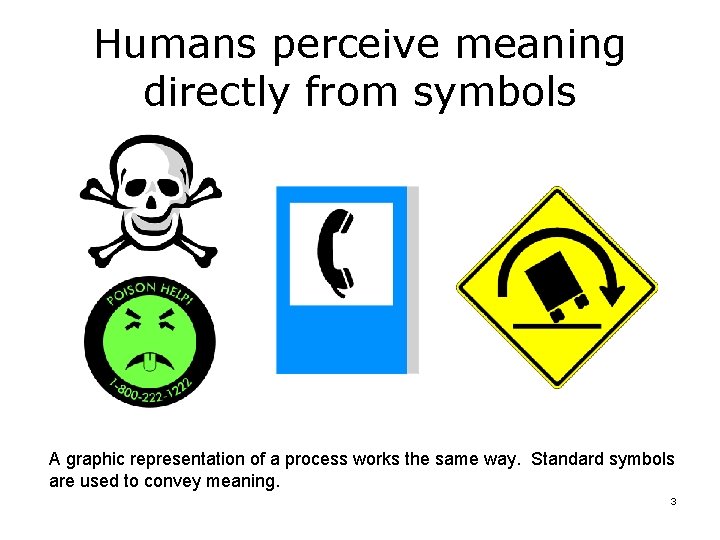
Humans perceive meaning directly from symbols A graphic representation of a process works the same way. Standard symbols are used to convey meaning. 3
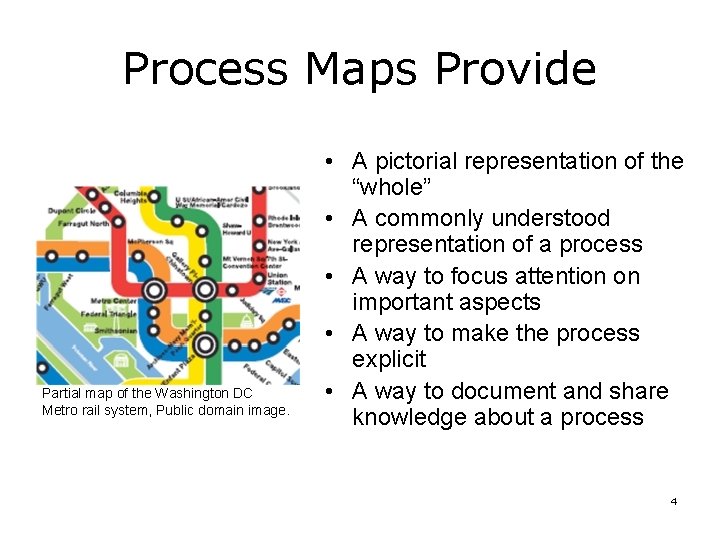
Process Maps Provide Partial map of the Washington DC Metro rail system, Public domain image. • A pictorial representation of the “whole” • A commonly understood representation of a process • A way to focus attention on important aspects • A way to make the process explicit • A way to document and share knowledge about a process 4
Example: Process Perspectives • Looking up a restaurant phone number in the yellow pages • This process can be described at different detail levels – “Obtain phone number” • Versus – Open search engine – Find electronic yellow pages – Type text name of restaurant and zip code – Visually inspect returned results – Select the one you were looking for 5
Process Vocabulary • • Process map, process diagram Task Workflow Data flow Flowchart Notation Symbols 6
Process • A process is a series of steps and decisions involved in the way work is accomplished 2. • Everything we do in our lives involves processes. • The health care system is an interconnected web of many processes. • Gall: “A complex system that works is made up of simple systems that work. ” 7
Process Map • A visual representation of a process that shows – The boundaries, i. e. where the process begins and ends – The steps or tasks in the process – The sequence or order of the steps • Use standard symbols so that a process map created by one person can be understood and used by others • Different approaches use different symbol sets • Also called process diagrams and flowcharts 8
Task • A step in a process • Smallest ones called primitive, or atomic tasks – Those that can be decomposed no further • It could be a physical action that a human or machine performs • OR, a mental action that a human performs 9
Example: Process Tasks List the process tasks required to schedule an appointment with your physician using an on-line scheduler. • Pause the slide. • The answer is on the next slide. 10
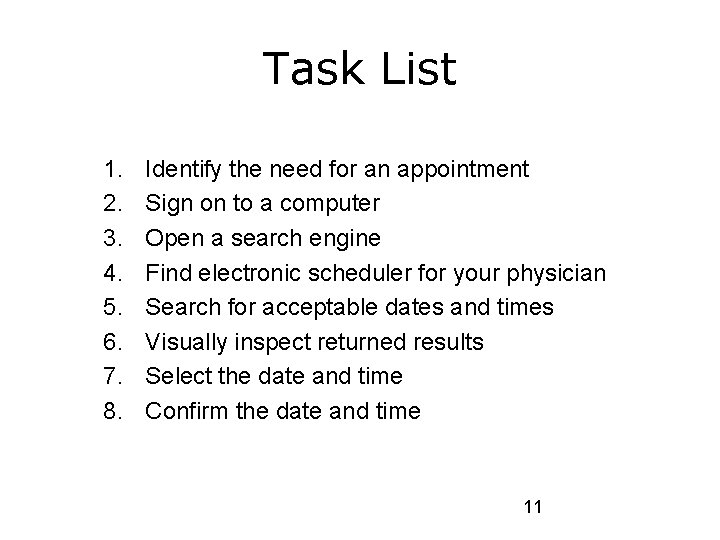
Task List 1. 2. 3. 4. 5. 6. 7. 8. Identify the need for an appointment Sign on to a computer Open a search engine Find electronic scheduler for your physician Search for acceptable dates and times Visually inspect returned results Select the date and time Confirm the date and time 11
Workflow versus Dataflow • Workflow is usually defined as a sequence of connected steps or tasks. • Dataflow involves the transformations (operations) performed on data as it moves within and between systems. • Data and information are often part of workflow, and vice versa. 12
Workflow • We care about the physical and sometimes mental steps that occur • In the phone number example, steps are: – Clicking the mouse to open the browser, – Clicking to open the search engine, – Typing in the search text, – Results being returned, and – Scrolling and assessment of each result. 13
Dataflow • Data and information content • Care about: – The data points that are being communicated (retrieved) or transferred – Where the data is stored – How those data are transformed • In the phone number example, we just care about: – The data values returned by the search – Where the data are stored 14
Workflow versus Dataflow • Emphasis on one or the other can be less • One or both representations can be used • Often, both are important and multiple diagrams are required. 15
Flowchart • Diagram that shows step-by-step progression through a procedure or system especially using connecting lines and a set of conventional symbols. • Used to diagram the logic paths through computer programs – Tasks of work processes. 16
Notation and Symbols • Notation: – Used to refer to the shapes and conventions used to diagram a process – Several different notation formalisms in use today • Symbols: – Shapes used to create a diagram. – For example, a diamond represents a decision point • In most notations 17
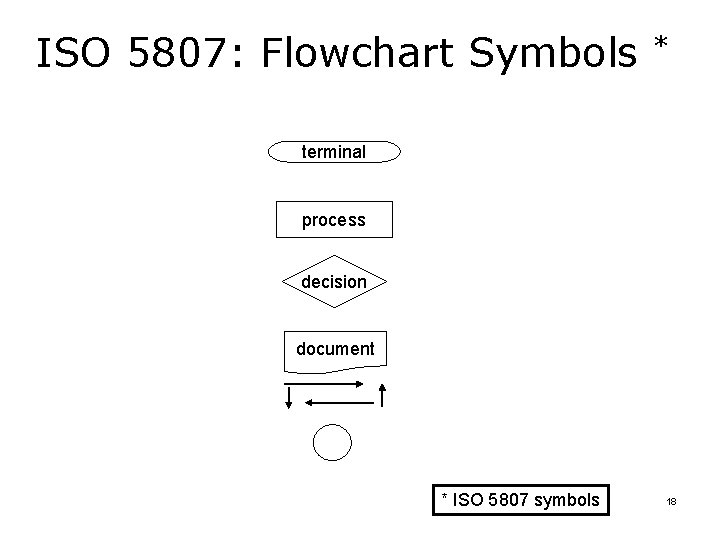
ISO 5807: Flowchart Symbols * terminal process decision document * ISO 5807 symbols 18
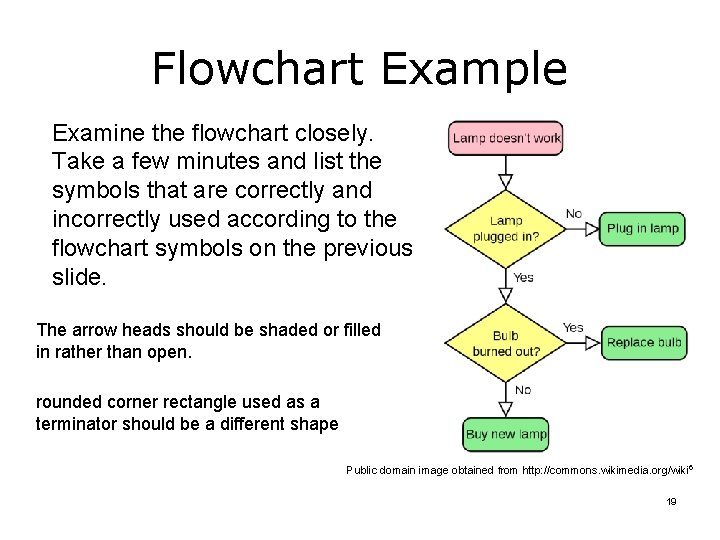
Flowchart Example Examine the flowchart closely. Take a few minutes and list the symbols that are correctly and incorrectly used according to the flowchart symbols on the previous slide. The arrow heads should be shaded or filled in rather than open. rounded corner rectangle used as a terminator should be a different shape Public domain image obtained from http: //commons. wikimedia. org/wiki 6 19
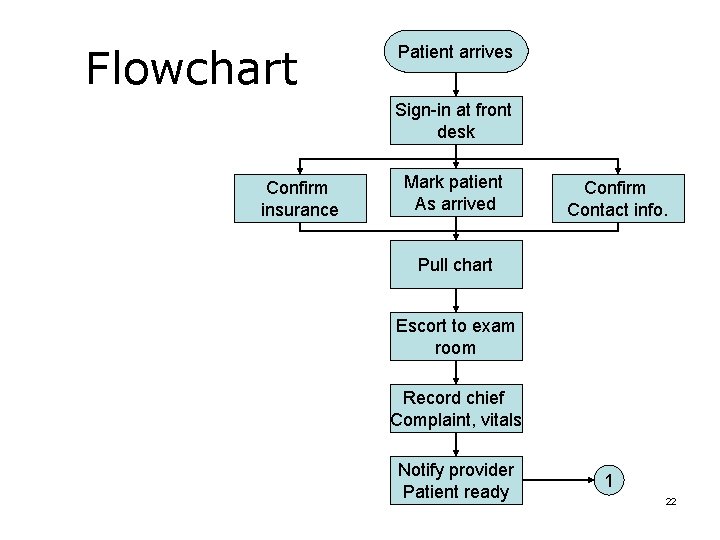
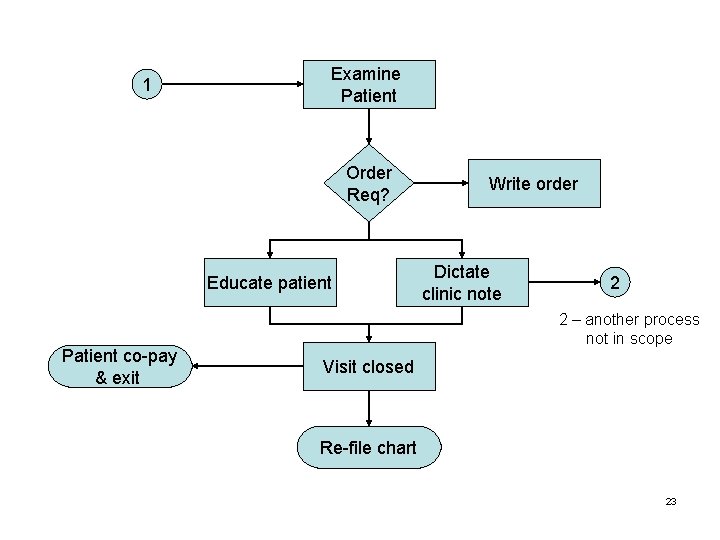
Example: Patient Intake Pause the slides and list the process steps now A patient arrives at the healthcare setting/clinic and is signed in by the receptionist. The receptionist enters the patient into a visit system as present and confirms the contact and insurance information with the patient. At this point the patient is ready to be seen by the nurse who will conduct the initial examination and interview with the patient. The nurse pulls the chart from the filing stacks and calls the patient to the exam area and escorts the patient to the exam room, interviews the patient regarding symptoms and/or complaints and records into the nurses/progress notes, and takes and records vital signs in progress notes. She/he then alerts the Physician that the patient is ready to be seen. Subsequently, the Physician examines the patient and records findings in the progress notes, determines if a prescription, procedure, lab work or a referral is required and completes the necessary paperwork if applicable. The Physician provides any additional instructions to the patient and concludes the visit. Finally, the Physician provides the patient chart to the office staff for refiling and the office staff refiles the patient chart. Also, the patient pays her co -pay and concludes the office visit. 20
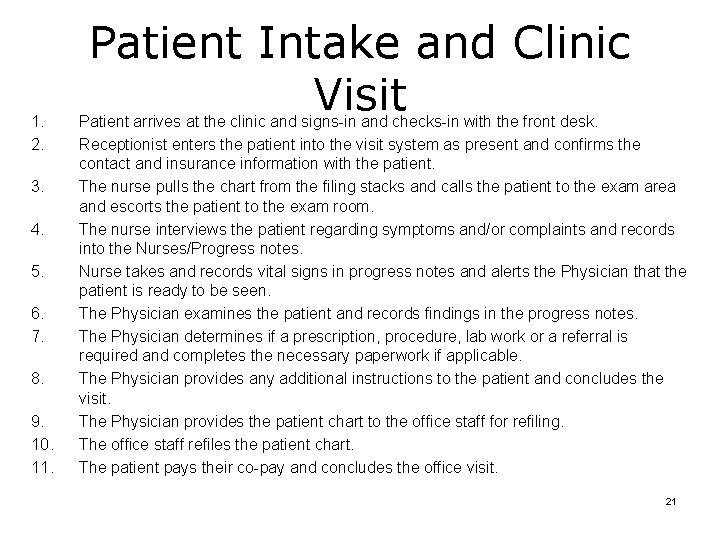
1. 2. 3. 4. 5. 6. 7. 8. 9. 10. 11. Patient Intake and Clinic Visit Patient arrives at the clinic and signs-in and checks-in with the front desk. Receptionist enters the patient into the visit system as present and confirms the contact and insurance information with the patient. The nurse pulls the chart from the filing stacks and calls the patient to the exam area and escorts the patient to the exam room. The nurse interviews the patient regarding symptoms and/or complaints and records into the Nurses/Progress notes. Nurse takes and records vital signs in progress notes and alerts the Physician that the patient is ready to be seen. The Physician examines the patient and records findings in the progress notes. The Physician determines if a prescription, procedure, lab work or a referral is required and completes the necessary paperwork if applicable. The Physician provides any additional instructions to the patient and concludes the visit. The Physician provides the patient chart to the office staff for refiling. The office staff refiles the patient chart. The patient pays their co-pay and concludes the office visit. 21
Flowchart Patient arrives Sign-in at front desk Confirm insurance Mark patient As arrived Confirm Contact info. Pull chart Escort to exam room Record chief Complaint, vitals Notify provider Patient ready 1 22
1 Examine Patient Order Req? Educate patient Patient co-pay & exit Write order Dictate clinic note 2 2 – another process not in scope Visit closed Re-file chart 23
Summary • So far we have – Described the value of process diagrams – Given an example list of the process steps from a healthcare scenario – Described basic flowchart symbols 24
Process Mapping Concepts 25
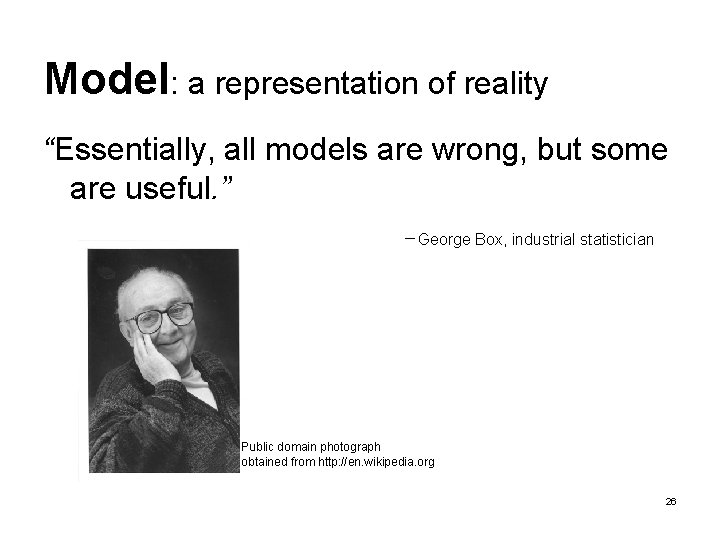
Model: a representation of reality “Essentially, all models are wrong, but some are useful. ” -George Box, industrial statistician Public domain photograph obtained from http: //en. wikipedia. org 26
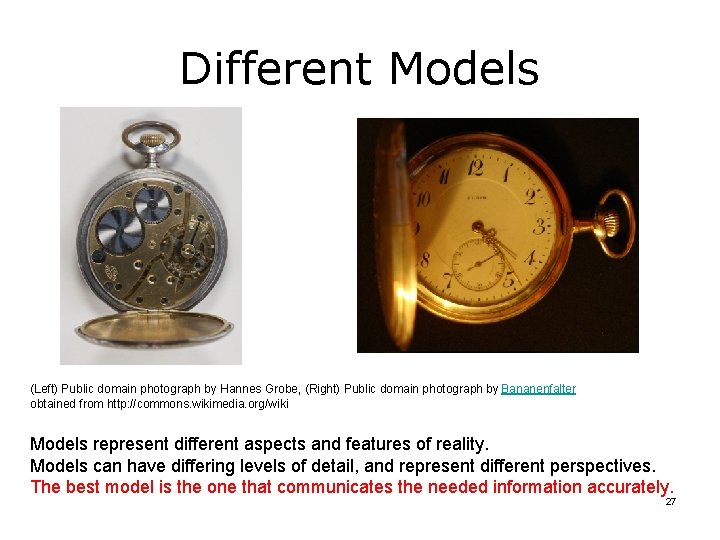
Different Models (Left) Public domain photograph by Hannes Grobe, (Right) Public domain photograph by Bananenfalter obtained from http: //commons. wikimedia. org/wiki Models represent different aspects and features of reality. Models can have differing levels of detail, and represent different perspectives. The best model is the one that communicates the needed information accurately. 27
Process Diagrams as Abstracts and Templates • Some process diagrams are used to visualize the sequence of tasks and to identify tasks that are inefficient – Process diagram used as an abstraction • Some process maps are used as templates, for example – As part of software development – As part of process redesign • Process maps as abstracts and templates document and model the requirements – Serve as “the holder of the knowledge” 28
Diagramming a Process First: Identify the purpose for which the diagram will be used Second: – Get clear about which process aspects need to be visualized, choose diagram type – Decide the required detail level Third: Pick appropriate notation 29
Process Diagramming Methods 30
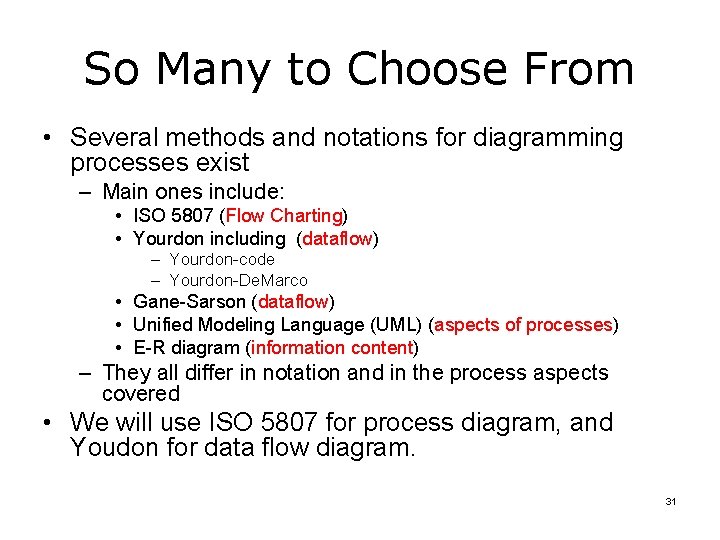
So Many to Choose From • Several methods and notations for diagramming processes exist – Main ones include: • ISO 5807 (Flow Charting) • Yourdon including (dataflow) – Yourdon-code – Yourdon-De. Marco • Gane-Sarson (dataflow) • Unified Modeling Language (UML) (aspects of processes) • E-R diagram (information content) – They all differ in notation and in the process aspects covered • We will use ISO 5807 for process diagram, and Youdon for data flow diagram. 31
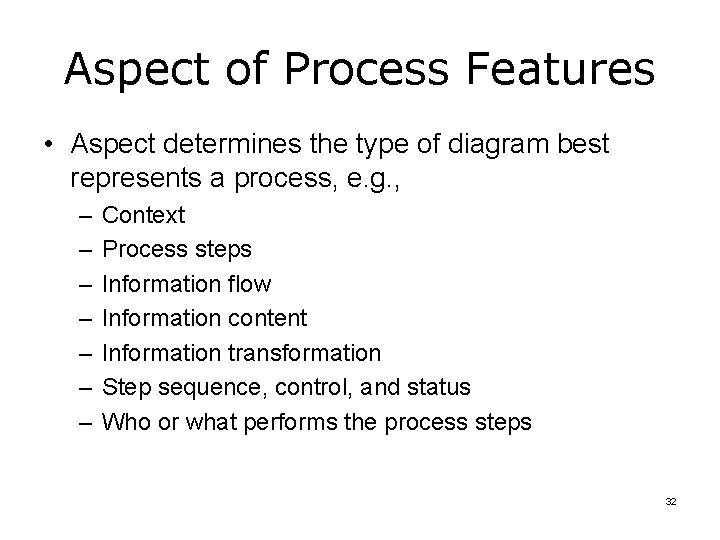
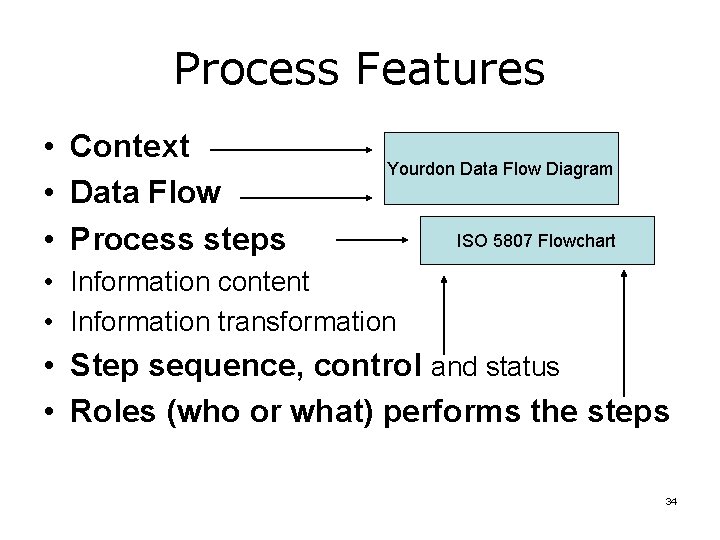
Aspect of Process Features • Aspect determines the type of diagram best represents a process, e. g. , – – – – Context Process steps Information flow Information content Information transformation Step sequence, control, and status Who or what performs the process steps 32
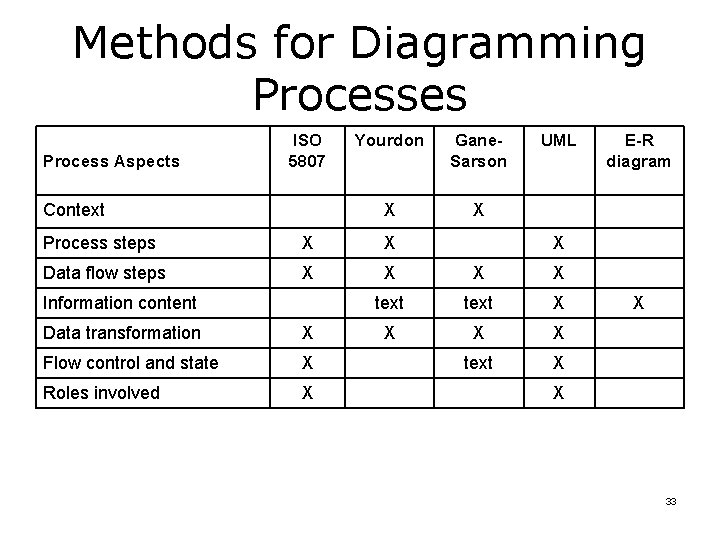
Methods for Diagramming Processes Process Aspects ISO 5807 Context Yourdon Gane. Sarson X X UML Process steps X X Data flow steps X X text X Information content Data transformation X Flow control and state X Roles involved X E-R diagram X X X 33
Process Features • Context • Data Flow • Process steps Yourdon Data Flow Diagram ISO 5807 Flowchart • Information content • Information transformation • Step sequence, control and status • Roles (who or what) performs the steps 34
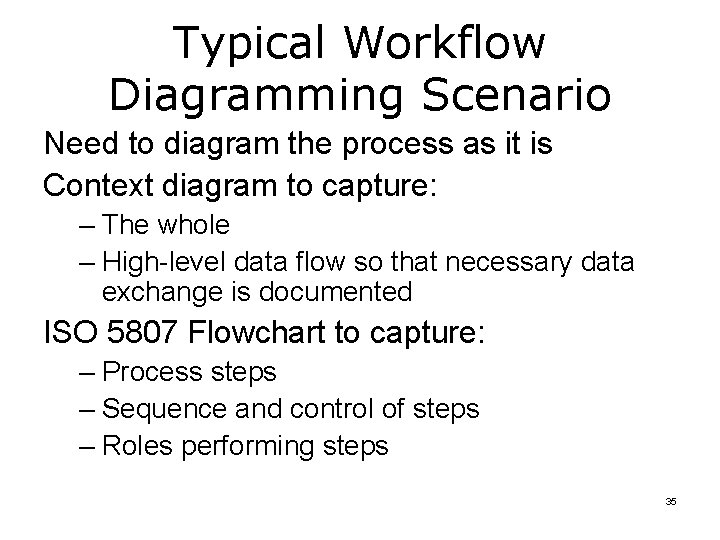
Typical Workflow Diagramming Scenario Need to diagram the process as it is Context diagram to capture: – The whole – High-level data flow so that necessary data exchange is documented ISO 5807 Flowchart to capture: – Process steps – Sequence and control of steps – Roles performing steps 35
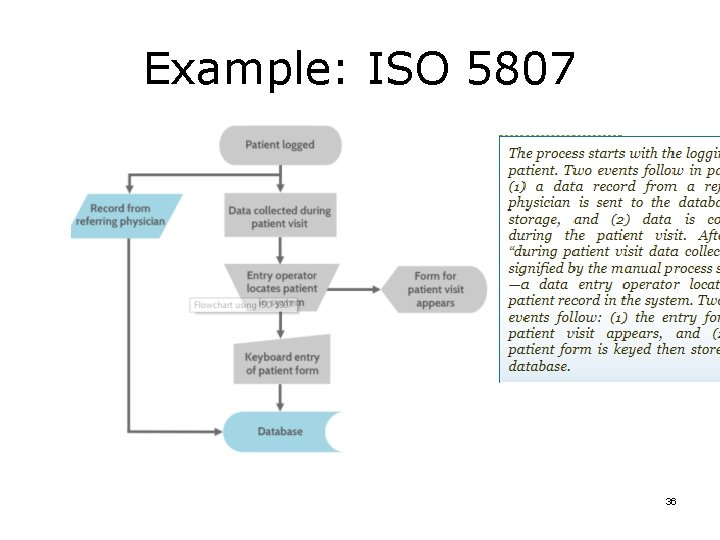
Example: ISO 5807 36
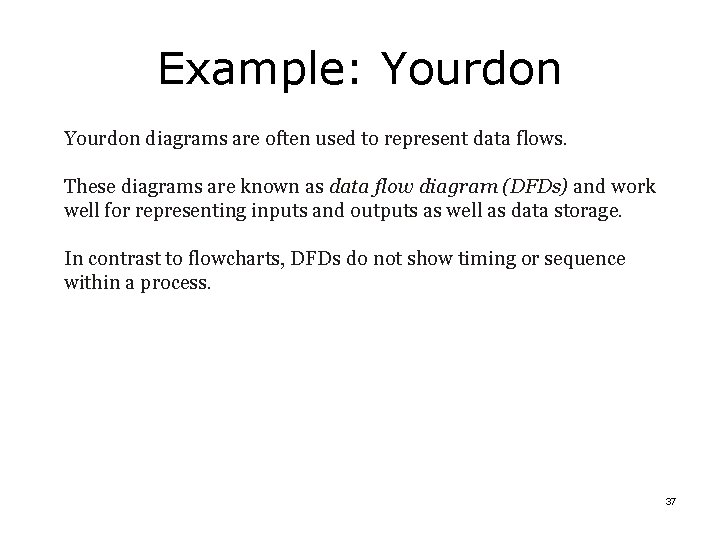
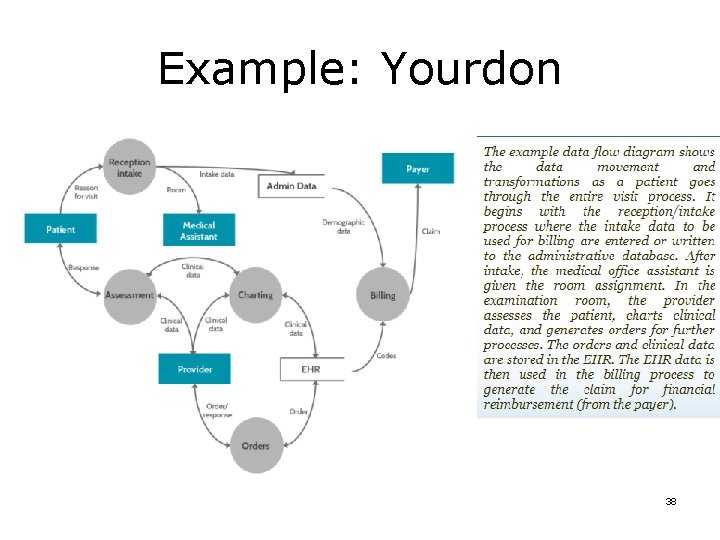
Example: Yourdon diagrams are often used to represent data flows. These diagrams are known as data flow diagram (DFDs) and work well for representing inputs and outputs as well as data storage. In contrast to flowcharts, DFDs do not show timing or sequence within a process. 37
Example: Yourdon 38
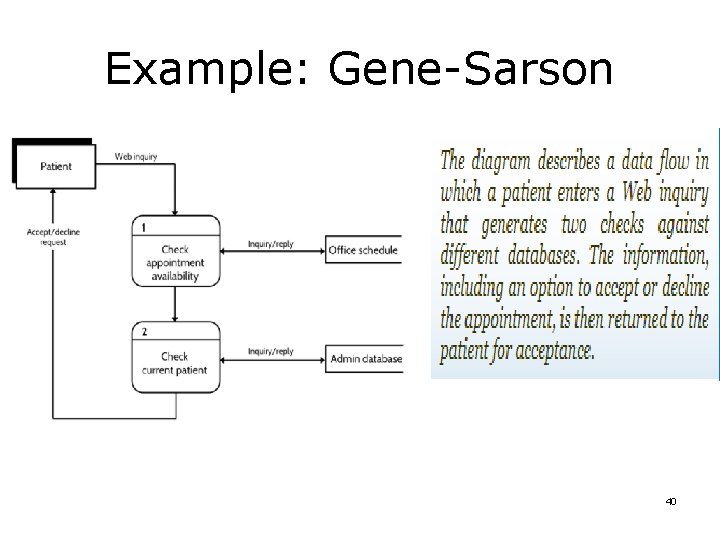
Example: Gene-Sarson A good notation for representing the transformation of data through a process is Gane-Sarson. This notation can also be used to show data exchange and storage as they pertain to a process. Following is an example of a simplified online appointment scheduling process. 39
Example: Gene-Sarson 40
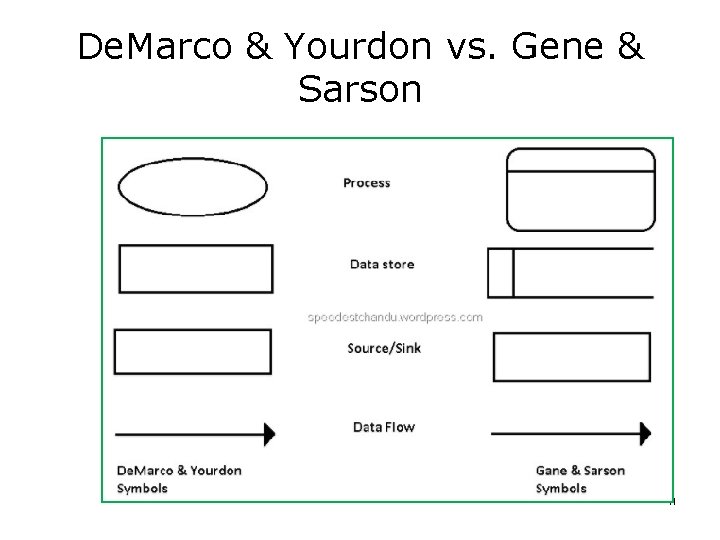
De. Marco & Yourdon vs. Gene & Sarson 41
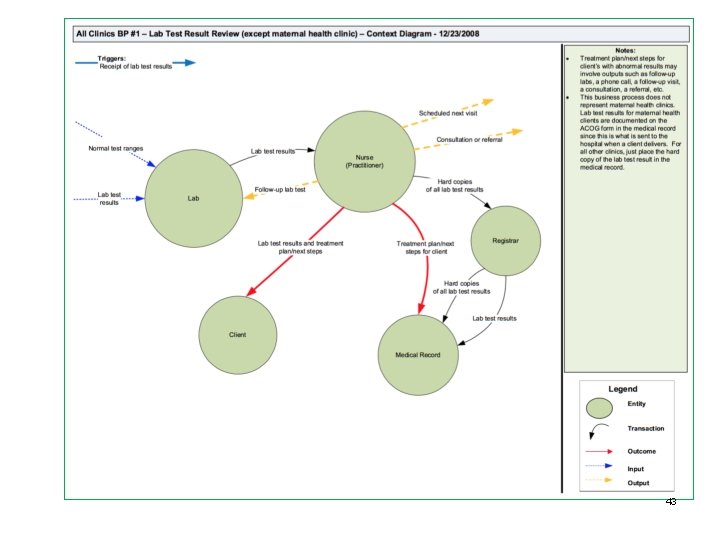
Cabarrus Health Alliance • Robert Woods Johnson Foundation grant • Public Health Informatics Institute • Cabarrus Health Alliance (CBA) process analysis and improvement through information technology introduction. • Excellent case study of using the methods 7 described above to analyze and evaluate improvements in process and informatics for their Public Health Department. • http: //www. cabarrushealth. org/archive. aspx? amid=&type=&adid=157 – Copy the link and paste in a web browser – You will be prompted to save a zip file containing a variety of business processes. – Extract the zip file and you will see a group of folders in which process diagrams can be found – Example process diagrams (context diagram and task flow diagram) are on the next slides. 42
43
References [1] QI Tools to Diagnose HPV Vaccine Delivery Concerns in Your Practice, www. academicpeds. org/nipa/assets/slides/CORNET_LC 1. pptx [2] Creating process maps with open learning, https: //oli. cmu. edu/jcourse/workbook/activity/page? context=e 6 f 7 b 78580020 ca 60085 a 91 1103421 d 2 [3] Edraw Max (Yourdon diagram), https: //www. edrawsoft. com/downloadedrawmax. php 44