
Unit 2 6 Data Representation Lesson 1 Numbers
Unit 2. 6 Data Representation Lesson 1 ‒ Numbers © OCR 2016
Starter Put these units in the correct order of size (smallest->largest): • Bit • Gigabyte • Kilobyte • Byte • Petabyte • Terabyte • Megabyte • Nibble © OCR 2016
© OCR 2016
© OCR 2016

Hexadecimal Numbers Hexadecimals use the base-16 number system. This means that there are 16 possibilities: 0, 1, 2, 3, 4, 5, 6, 7, 8, 9, A, B, C, D, E, F Notice that we use the values A-F to represent 10 -15 © OCR 2016

Convert to base 10 Base 16 is represented by the following place values: 256(162) 16(161) 1(160) Therefore to convert 4 C from Hexadecimal into base 10: 256(162) 16(161) 1(160) 4 C 4*16=64 12*1=1 2 64+12=76 © OCR 2016
Convert to Hexadecimal Using the inverse, we can convert from to Hexadecimal by using the following method: e. g. Convert 167 into Hexadecimal 1. Divide the number by 16: 167/16= 10(A) 2. Record the remainder: Remainder = 7 Therefore the answer = A 7 © OCR 2016
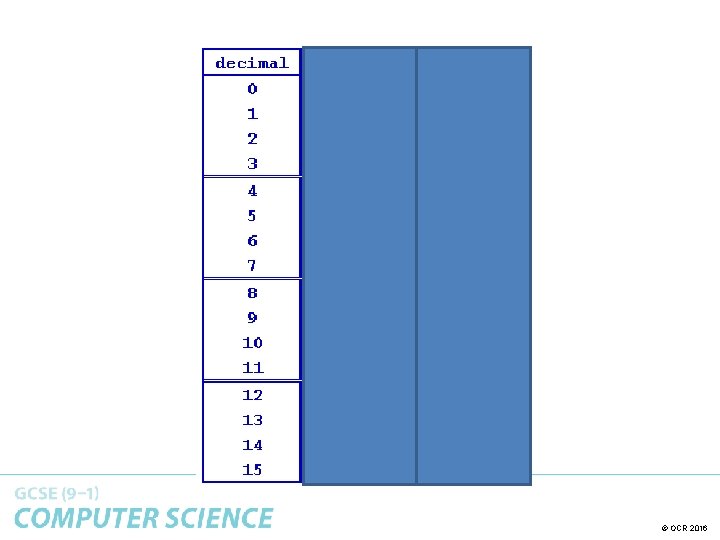
Binary to Hexadecimal Using 4 bits (a nibble) we can hold 16 possible decimal values. 0000 = 0 1111 = 15 This is useful when convert between Binary and Hexadecimal (base 16). To convert 10101011 into Hex, we can use the following steps: 1. Split into 2 nibbles: 1010 1011 2. Convert each nibble into decimal: 1010 = 10(A) 1011 =11(B) 3. Therefore 10101011 in Hex is AB © OCR 2016

Hexadecimal to Binary To convert from Hexadecimal to Binary we can do the opposite, where we convert each digit into a nibble. To convert 3 B into Hex, we can use the following steps: 1. Split into 2 digits: 3 B 2. Convert each digit into 4 bits (a nibble!): 3= 0011 B=1011 3. Therefore 3 B in Binary is 00111011 © OCR 2016

Why use Hexadecimal Numbers? Hexadecimals are used by computer scientists for the following reasons: • Binary produces long strings and can be difficult to work with. Hex is shorter. • Hex can be easily converted to/from binary as there is 1 hex digit per nibble. • Hex is less susceptible to error. © OCR 2016
- Slides: 10