
Unit 15 COMPUTERS Unit 15 COMPUTERS Lesson write

- Slides: 9
Unit 15 COMPUTERS
Unit 15 : COMPUTERS – Lesson : write I. New words : paper input tray (n): khay đựng giấy power button (n): nút nhấn mở, tắt máy icon (n): ký hiệu, biểu tượng output path (n): đường giấy ra remove (v): lấy ra, rút ra flash (v): lóe sáng, hiện ra click (v) nhấp (chuột)
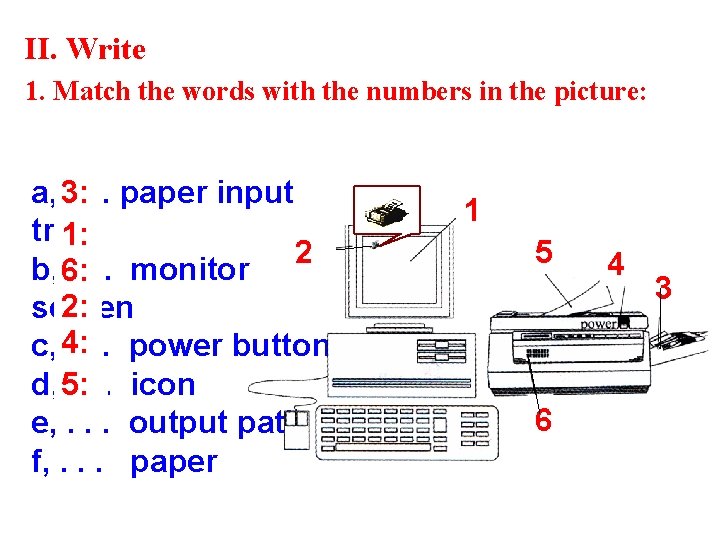
II. Write 1. Match the words with the numbers in the picture: a, 3: . . . paper input tray 1: 2 b, 6: . . . monitor 2: screen c, 4: . . . power button d, 5: . . . icon e, . . . output path f, . . . paper 1 5 6 4 3
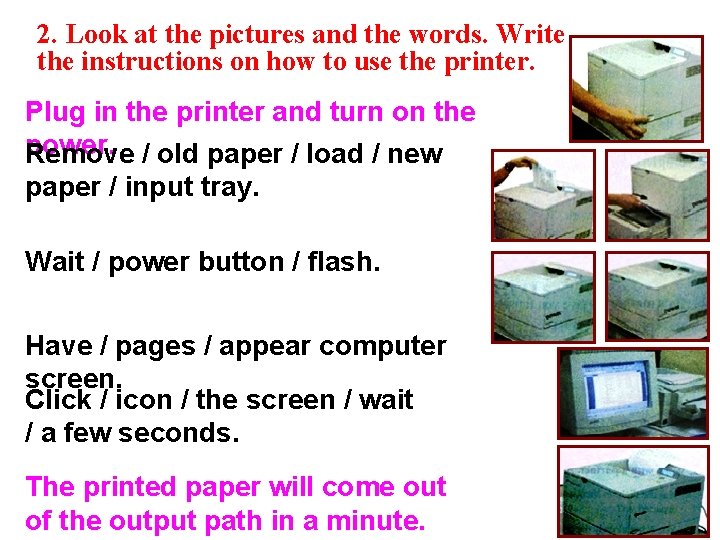
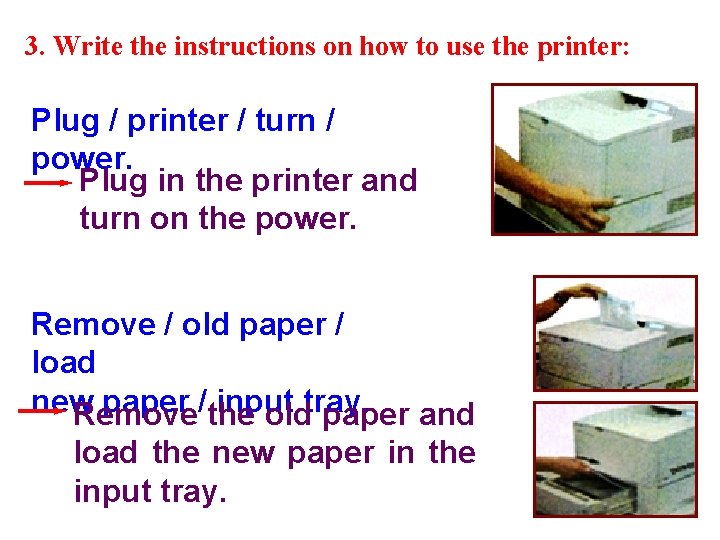
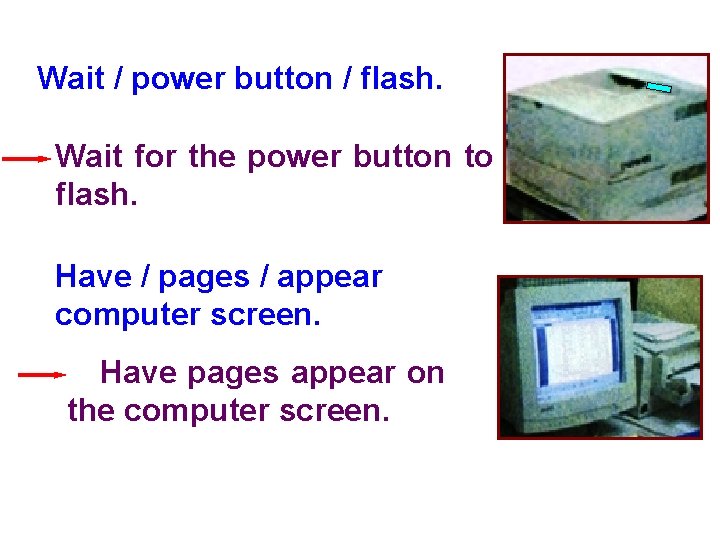
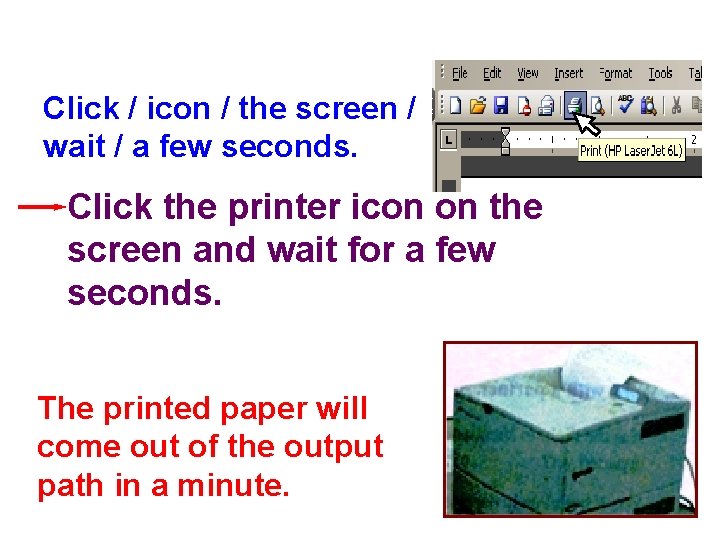
2. Look at the pictures and the words. Write the instructions on how to use the printer. Plug in the printer and turn on the power. / old paper / load / new Remove paper / input tray. Wait / power button / flash. Have / pages / appear computer screen. Click / icon / the screen / wait / a few seconds. The printed paper will come out of the output path in a minute.
3. Write the instructions on how to use the printer: Plug / printer / turn / power. Plug in the printer and turn on the power. Remove / old paper / load new paper / input tray. Remove the old paper and load the new paper in the input tray.
Wait / power button / flash. Wait for the power button to flash. Have / pages / appear computer screen. Have pages appear on the computer screen.
Click / icon / the screen / wait / a few seconds. Click the printer icon on the screen and wait for a few seconds. The printed paper will come out of the output path in a minute.
Unit 15 : COMPUTERS – Lesson : write III. Homework - Learn new words by heart. - Write the instructions on how to copy a file from a folder to floppy dish. - Prepare : LANGUAGE FOCUS 1 -2
THANK YOU FOR YOUR ATTENTION ! Goodbye! Celinne Dion – And so this is Xmax