
Unit 1 How do I write my homework


- Slides: 31
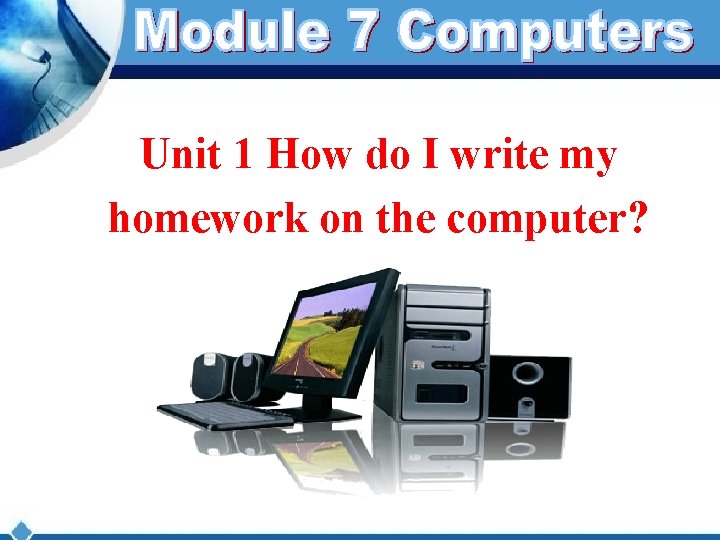
Unit 1 How do I write my homework on the computer?
New words : print 打印 finally 最后 first 首先 document 文件 use 使用 click 点击 next 其次 save 保存 box 方框 then 然后 again 再一次
Answer the questions: 1. Do you have a computer at home? 2. Can you name the parts of the computer? What are they?
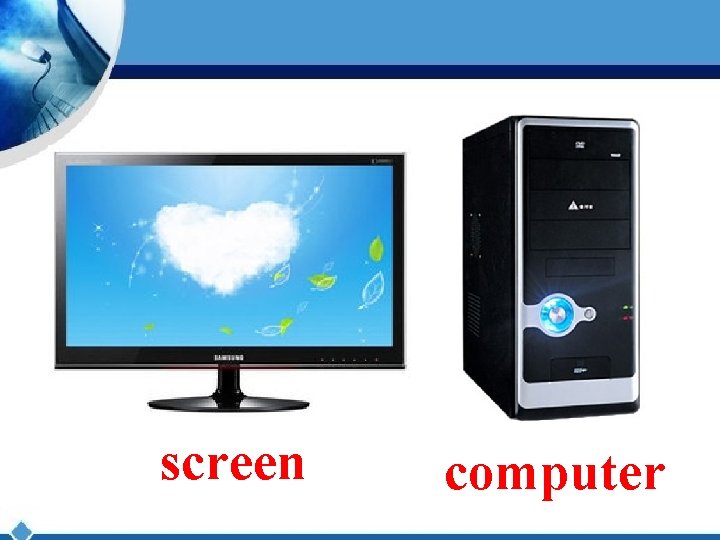
screen computer
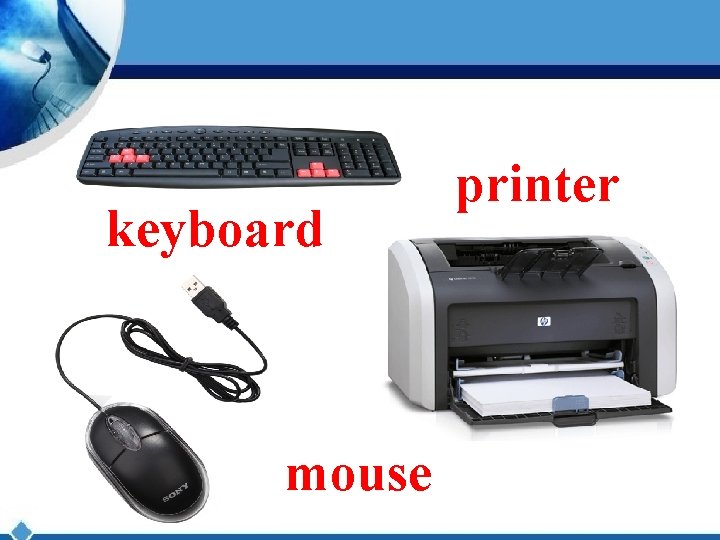
keyboard mouse printer
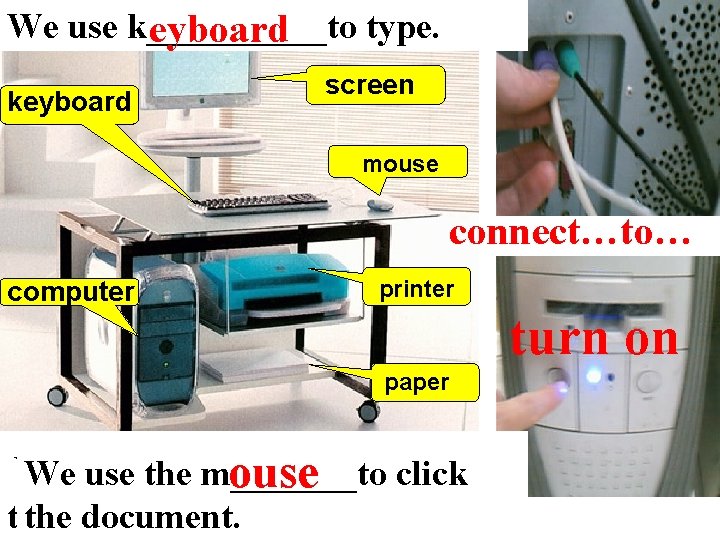
We use k_____to type. eyboard keyboard screen mouse connect…to… computer printer turn on paper If we want to use the computer, We use the p_______ to click print C_____ is very useful. And We we usemust the m_______to s_____ on. omputer rinter ouse witch onnect we must c_____ thecomputer document. first. them.
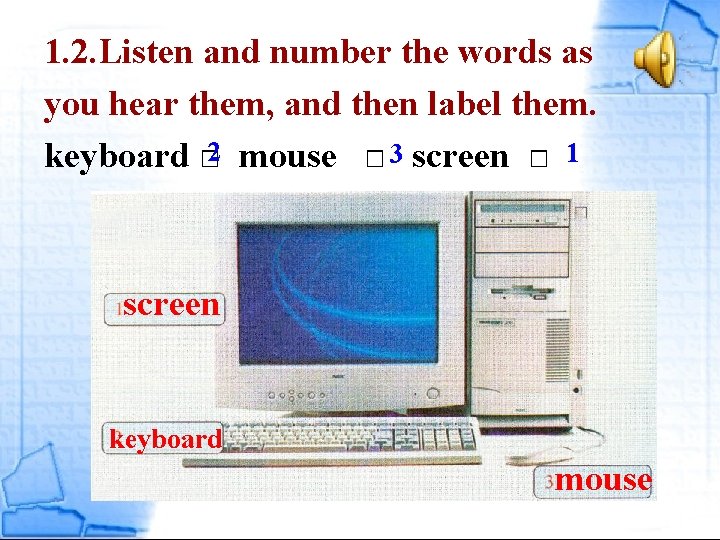
1. 2. Listen and number the words as you hear them, and then label them. keyboard □ 2 mouse □ 3 screen □ 1 screen keyboard mouse
3. Complete the sentences with the word and expression from the box. connect turn on 1. First, ____ connect the screen to the computer. 2. Next, ____ connect the keyboard and the mouse to the computer. 3. Finally, ____ turn on the computer. =switch on
Listen and answer: What does Lingling want to learn? She wants to learn how to write her homework on the computer.
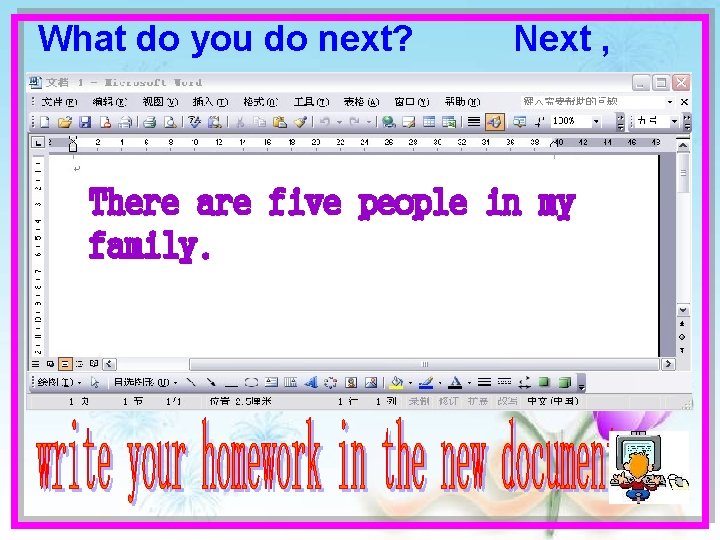
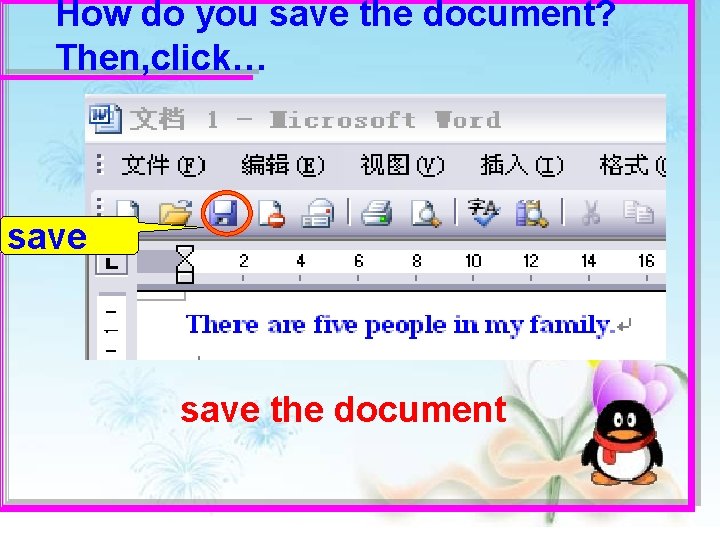
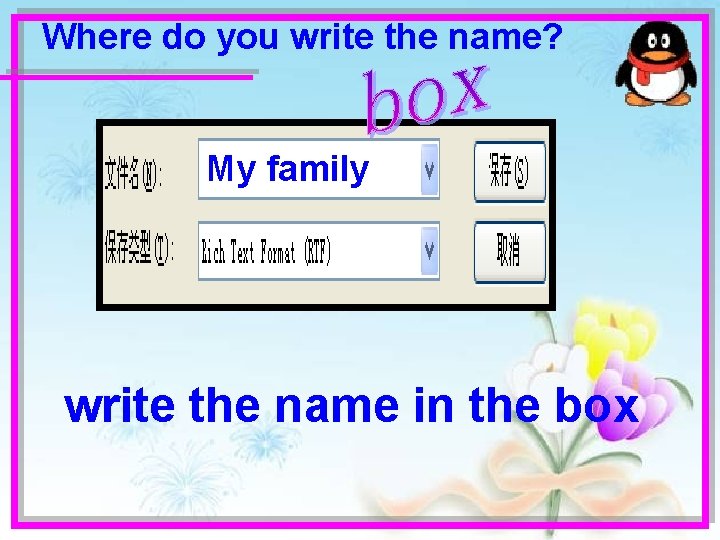
Lingling: How do I write my homework on the computer? Can I learn? Betty: Sure! First, open a new document. Click the mouse on “new document”. Lingling: What’s the mouse? Is this it? Betty: Yes. Lingling: Where do I click on “new document”? Listen and read Betty: On the left of the screen… there! Lingling: OK, what’s next? Betty: Next, you write your homework in the new document. Use the keyboard. Lingling: What do I do next? How do I save the document? Betty: You click “save”, and write a name for it. Lingling: Where do I write the name? Betty: Write it in the box. OK, then click “save” again. Lingling: OK. Finally, how do I print my document? Betty: Click “print” and “OK”. Lingling: What about some paper? Betty: Oh yes, of course! You put the paper in there first!
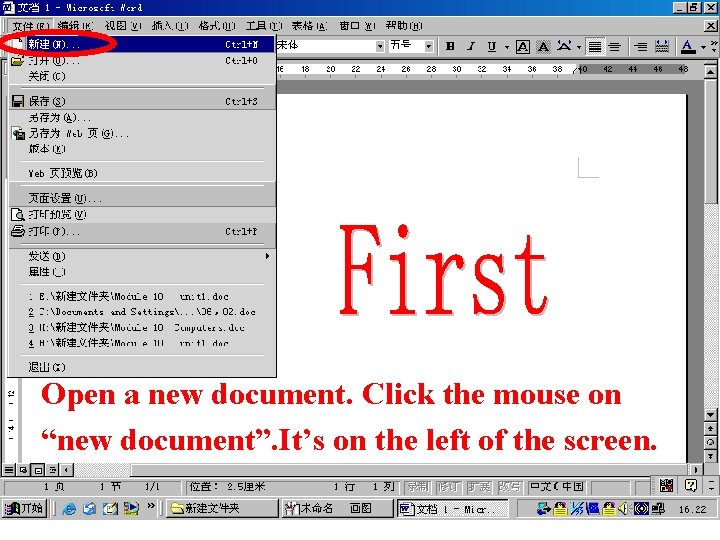
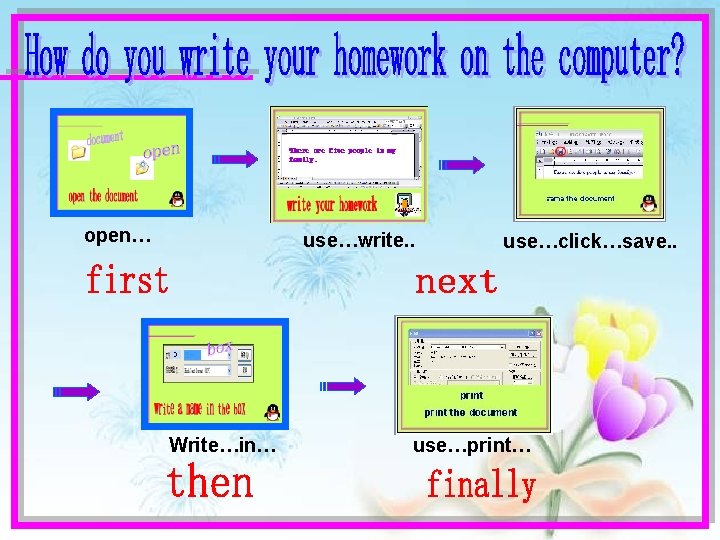
How do you write your homework on the computer? First… 新建
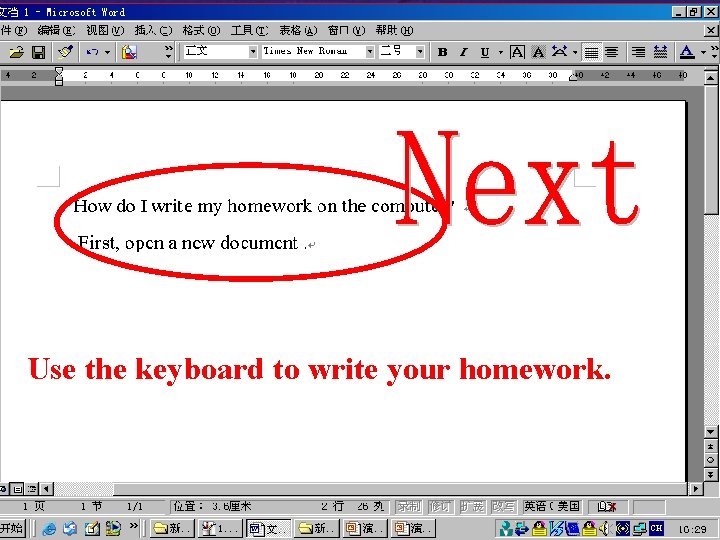
What do you do next? Next , There are five people in my family.
How do you save the document? Then, click… save the document
Where do you write the name? My family write the name in the box
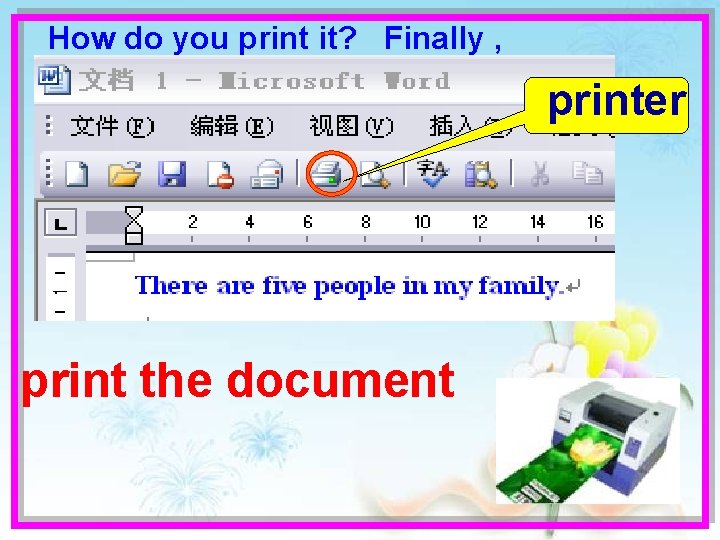
How do you print it? Finally , printer print the document
Try to retell the instructions according to the pictures.
Open a new document. Click the mouse on “new document”. It’s on the left of the screen.
Use the keyboard to write your homework.
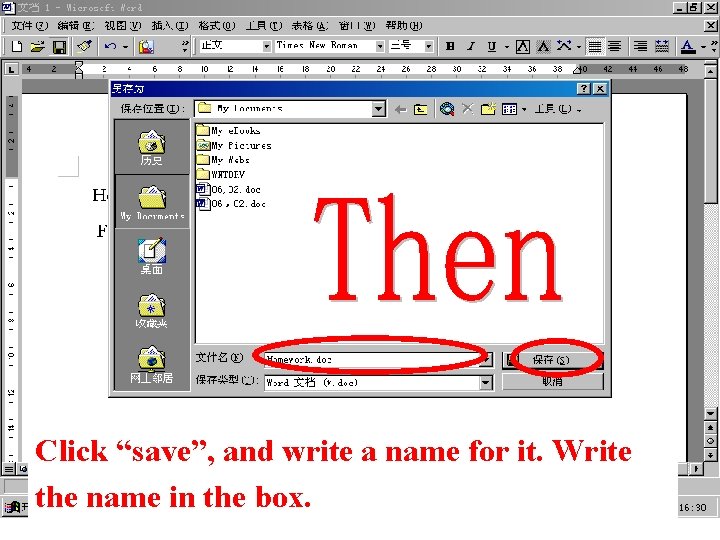
Click “save”, and write a name for it. Write the name in the box.
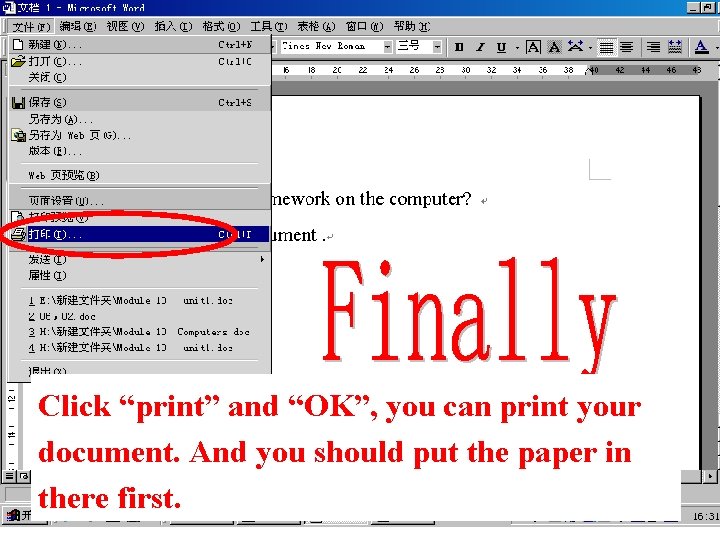
Click “print” and “OK”, you can print your document. And you should put the paper in there first.
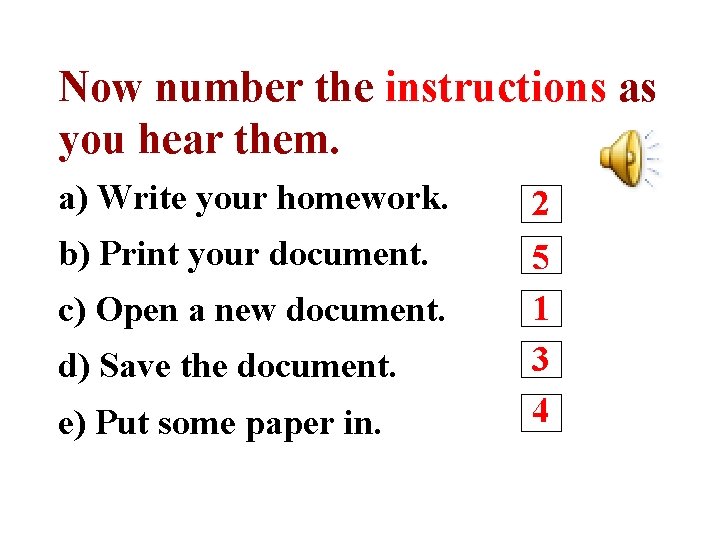
Now number the instructions as you hear them. a) Write your homework. b) Print your document. c) Open a new document. d) Save the document. e) Put some paper in. 2 5 1 3 4
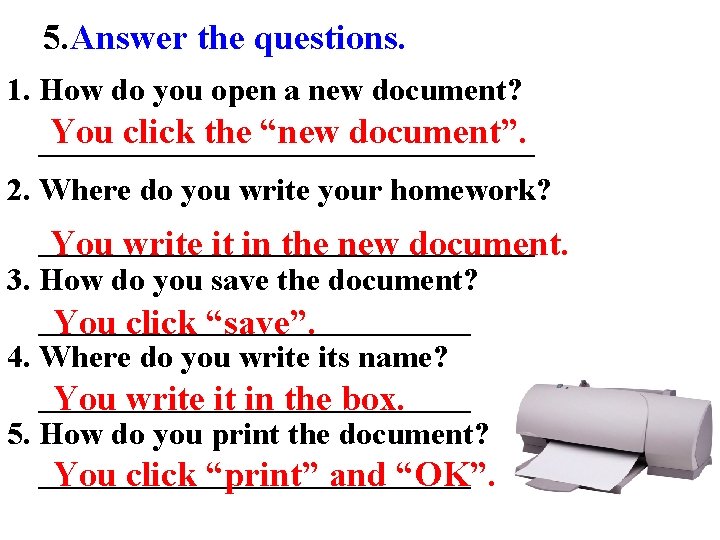
5. Answer the questions. 1. How do you open a new document? You click the “new document”. ________________ 2. Where do you write your homework? ________________ You write it in the new document. 3. How do you save the document? ______________ You click “save”. 4. Where do you write its name? ______________ You write it in the box. 5. How do you print the document? ______________ You click “print” and “OK”.
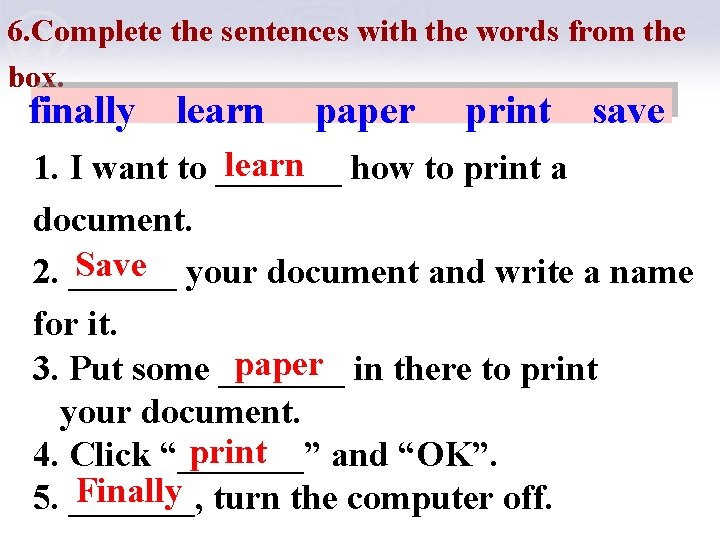
6. Complete the sentences with the words from the box. finally learn paper print save learn how to print a 1. I want to _______ document. Save your document and write a name 2. ______ for it. paper in there to print 3. Put some _______ your document. print 4. Click “_______” and “OK”. Finally turn the computer off. 5. _______,
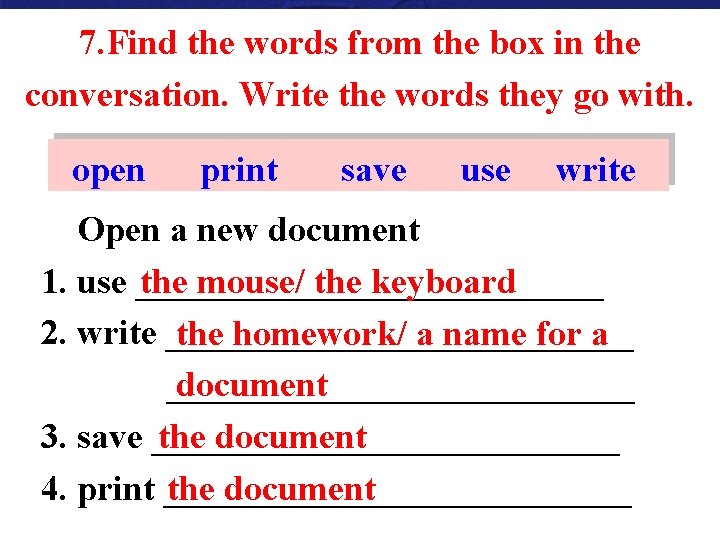
7. Find the words from the box in the conversation. Write the words they go with. open print save use write Open a new document 1. use _____________ the mouse/ the keyboard 2. write _____________ the homework/ a name for a _____________ document 3. save _____________ the document 4. print _____________ the document
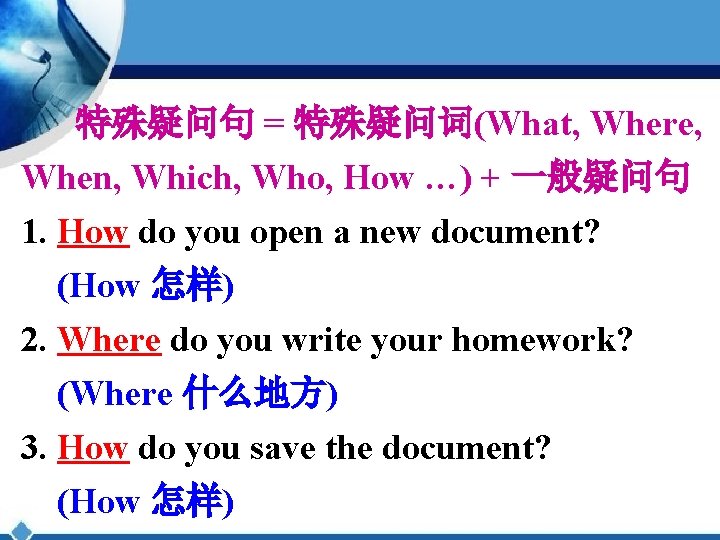
特殊疑问句 = 特殊疑问词(What, Where, When, Which, Who, How …) + 一般疑问句 1. How do you open a new document? (How 怎样) 2. Where do you write your homework? (Where 什么地方) 3. How do you save the document? (How 怎样)
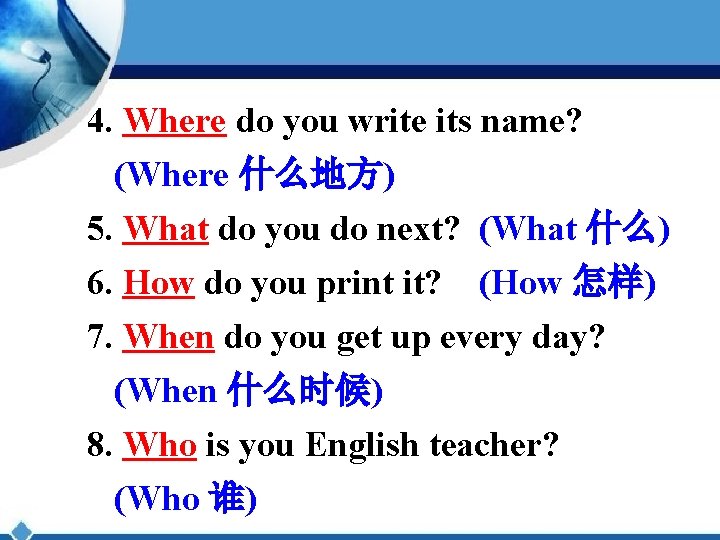
4. Where do you write its name? (Where 什么地方) 5. What do you do next? (What 什么) 6. How do you print it? (How 怎样) 7. When do you get up every day? (When 什么时候) 8. Who is you English teacher? (Who 谁)
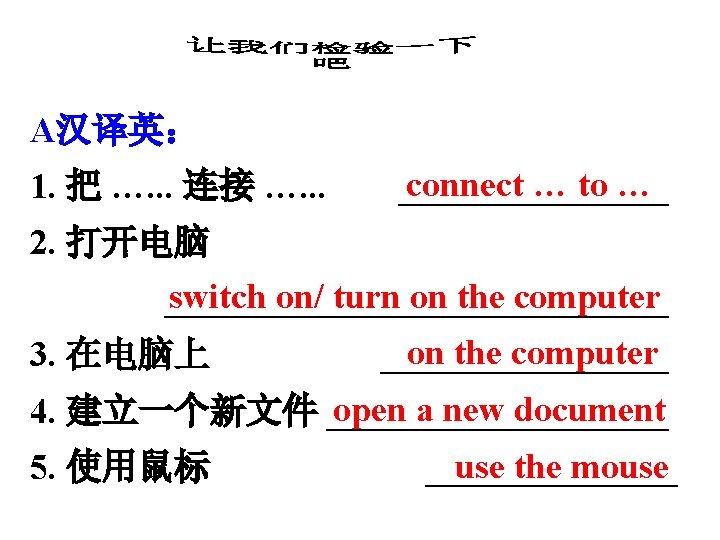
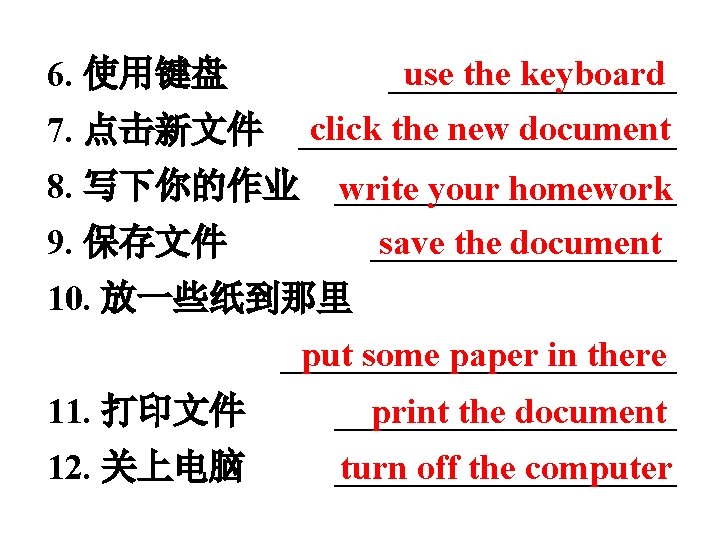
use the keyboard ________ 6. 使用键盘 click the new document 7. 点击新文件 ___________ 8. 写下你的作业 __________ write your homework save the document 9. 保存文件 _________ 10. 放一些纸到那里 put some paper in there ___________ 11. 打印文件 __________ print the document 12. 关上电脑 __________ turn off the computer
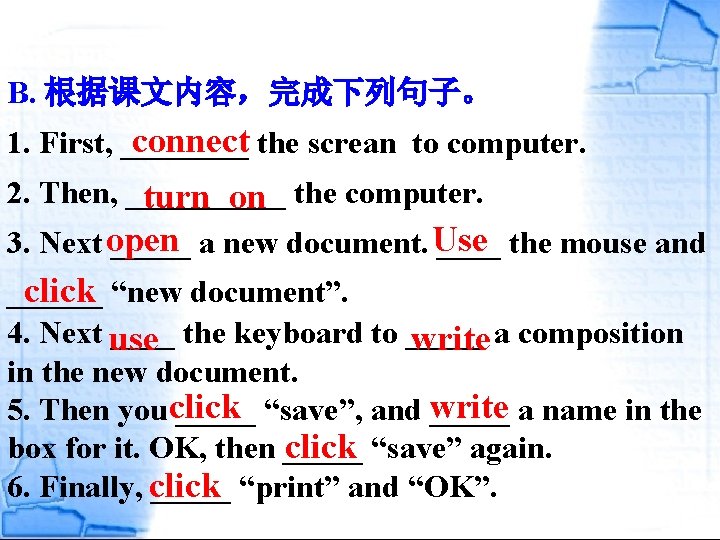
B. 根据课文内容,完成下列句子。 connect the screan to computer. 1. First, ____ 2. Then, _____ turn on the computer. 3. Next open _____ a new document. Use ____ the mouse and click “new document”. ______ 4. Next use ____ the keyboard to _____ write a composition in the new document. 5. Then youclick _____ “save”, and write _____ a name in the click “save” again. box for it. OK, then _____ 6. Finally, click _____ “print” and “OK”.
open… use…write. . Write…in… use…click…save. . use…print…
Homework: First open a new document, then write a passage about how to use the computer, and what do you like to do with the computer, next save it , finally send it tosjtx 2008@qq. com , I will be very glad.