
Unit 1 DB Basic Concepts Chapter 1 DB
Unit 1: DB Basic Concepts Chapter 1: DB and DB Users This material is a modified version of the slides provided by Ramez Elmasri and Shamkant Navathe for their book “Fundamentals of Database Systems”, 5 th edition.
Outline l l l l Examples of Database Applications Basic Definitions Database System Environment Example of a Database (UNIVERSITY) Database Vs File Systems Main Characteristics of the Database Approach Typical DBMS Functionality When Not to Use Database Systems Basic Concepts 2
Examples of Database Applications l l Purchases from the supermarket Purchases using your credit card Booking a holiday at the travel agents Hotel reservation Database Systems © Pearson Education Limited 1995, 2005 Basic Concepts 3
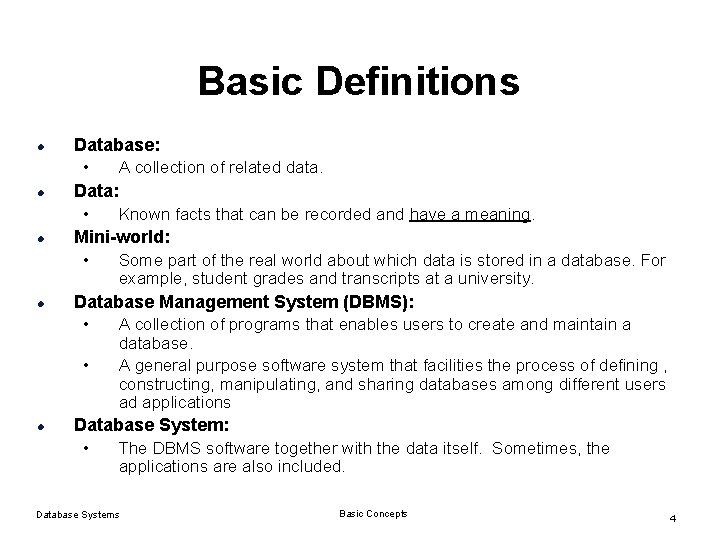
Basic Definitions l l l Database: • A collection of related data. Data: • Known facts that can be recorded and have a meaning. Mini-world: • Some part of the real world about which data is stored in a database. For example, student grades and transcripts at a university. l Database Management System (DBMS): • A collection of programs that enables users to create and maintain a • l database. A general purpose software system that facilities the process of defining , constructing, manipulating, and sharing databases among different users ad applications Database System: • The DBMS software together with the data itself. Sometimes, the applications are also included. Database Systems Basic Concepts 4
Basic Definitions l Application Program: • Access the database by sending queries or requests for data to the DBMS. • Query : causes some data to be retrieved , inserted , deleted or updated . Database Systems Basic Concepts 5
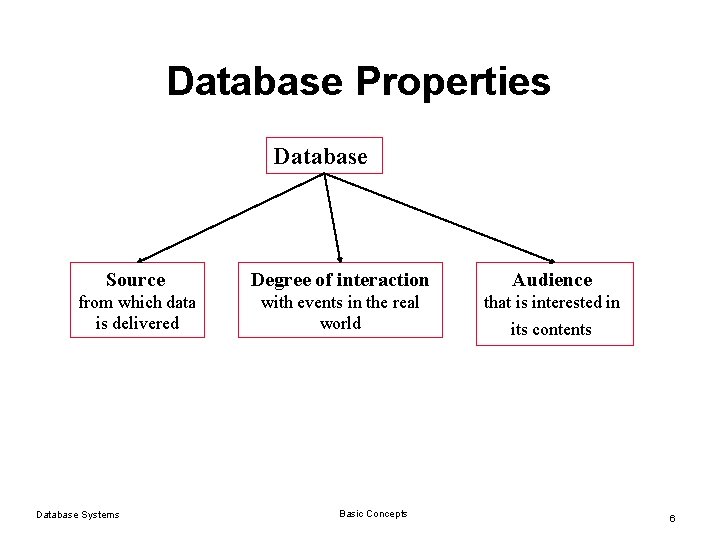
Database Properties Database Source Degree of interaction Audience from which data is delivered with events in the real world that is interested in Database Systems Basic Concepts its contents 6
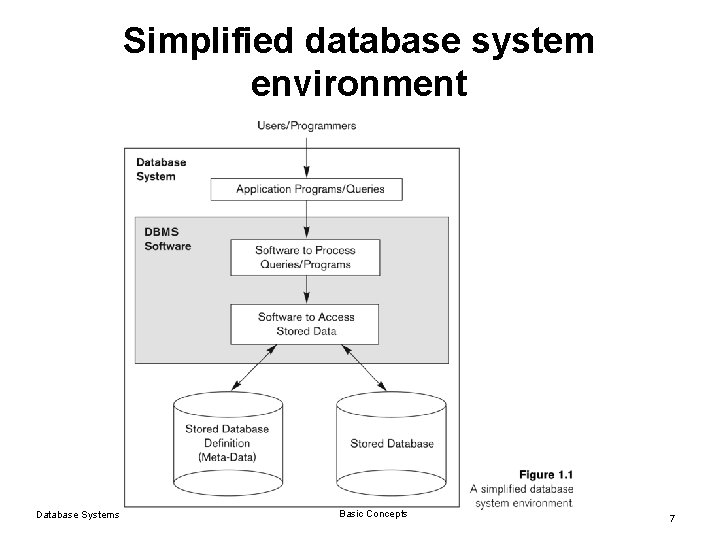
Simplified database system environment Database Systems Basic Concepts 7
Example of a Database l Mini-world for the example: • l Part of a UNIVERSITY environment. Some mini-world entities: • • • STUDENTs COURSEs SECTIONs (of COURSEs) (academic) DEPARTMENTs INSTRUCTORs Database Systems Basic Concepts 8
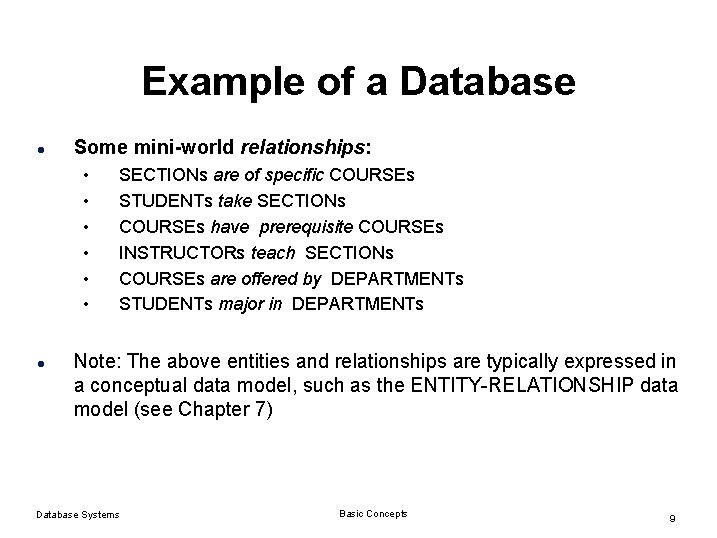
Example of a Database l Some mini-world relationships: • • • l SECTIONs are of specific COURSEs STUDENTs take SECTIONs COURSEs have prerequisite COURSEs INSTRUCTORs teach SECTIONs COURSEs are offered by DEPARTMENTs STUDENTs major in DEPARTMENTs Note: The above entities and relationships are typically expressed in a conceptual data model, such as the ENTITY-RELATIONSHIP data model (see Chapter 7) Database Systems Basic Concepts 9
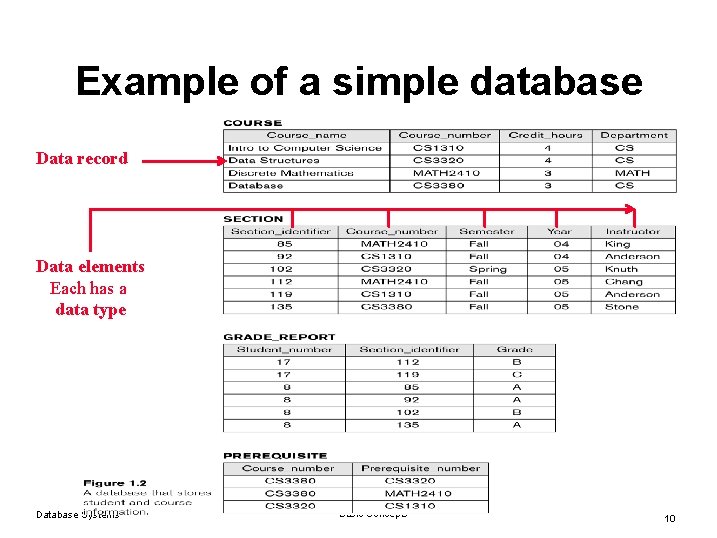
Example of a simple database Data record Data elements Each has a data type Database Systems Basic Concepts 10
File System l l Database Systems Each user define and implement the files needed for a specific software application. Example: l Grade reporting office -> define files related to student data and grades l Accounting office : keep track of students’ fees and their payments Basic Concepts 11
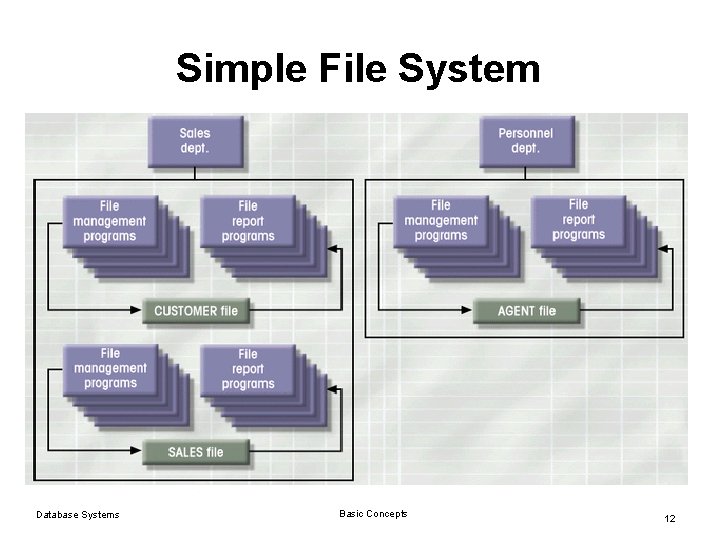
Simple File System Database Systems Basic Concepts 12
File System Critique l l Redundancy in defining and storing data which results in wasted storage space Redundant effort to maintain common up to date data. Any change to the structure of a file may require changing all programs that access that file Data Dependence • Database Systems Change in file’s data characteristics requires modification of data access programs Basic Concepts 13
Database Systems l l Database consists of logically related data stored in a single repository Provides advantages over file system management approach • • Database Systems Eliminates inconsistency, data dependency, and structural dependency problems Stores data structures, relationships Basic Concepts 14
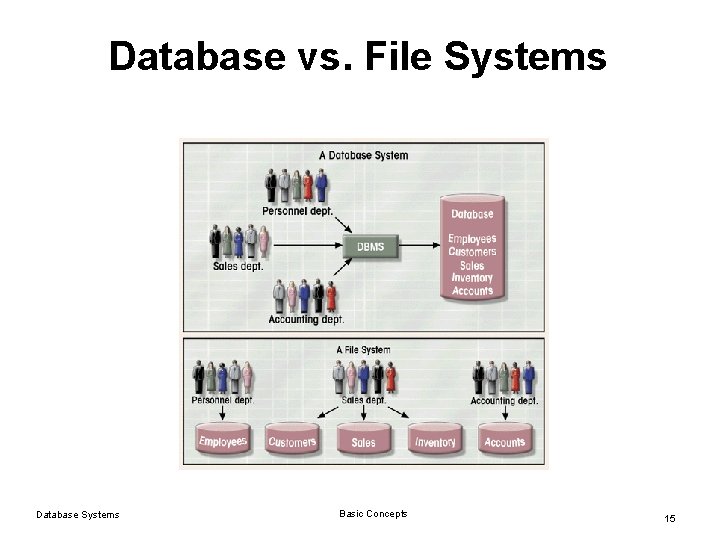
Database vs. File Systems Database Systems Basic Concepts 15
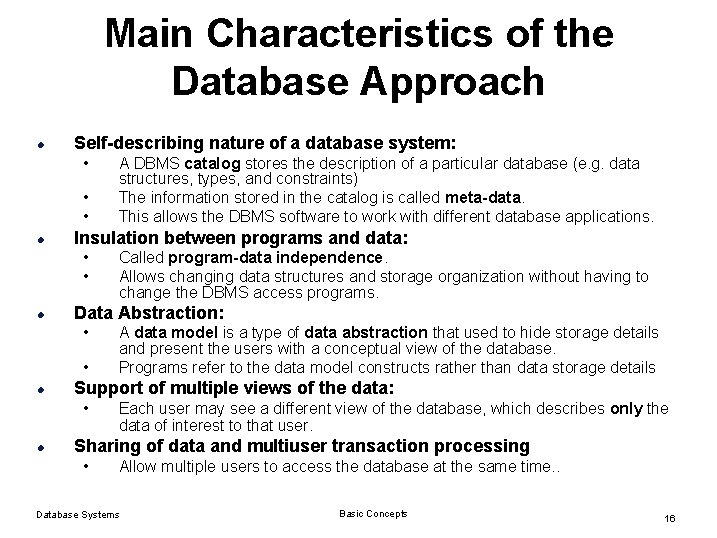
Main Characteristics of the Database Approach l Self-describing nature of a database system: • • • l Insulation between programs and data: • • l • A data model is a type of data abstraction that used to hide storage details and present the users with a conceptual view of the database. Programs refer to the data model constructs rather than data storage details Support of multiple views of the data: • l Called program-data independence. Allows changing data structures and storage organization without having to change the DBMS access programs. Data Abstraction: • l A DBMS catalog stores the description of a particular database (e. g. data structures, types, and constraints) The information stored in the catalog is called meta-data. This allows the DBMS software to work with different database applications. Each user may see a different view of the database, which describes only the data of interest to that user. Sharing of data and multiuser transaction processing • Allow multiple users to access the database at the same time. . Database Systems Basic Concepts 16
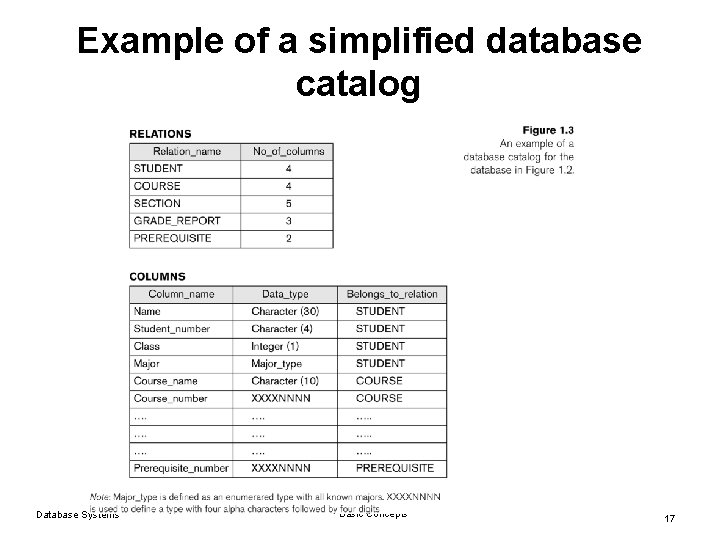
Example of a simplified database catalog Database Systems Basic Concepts 17
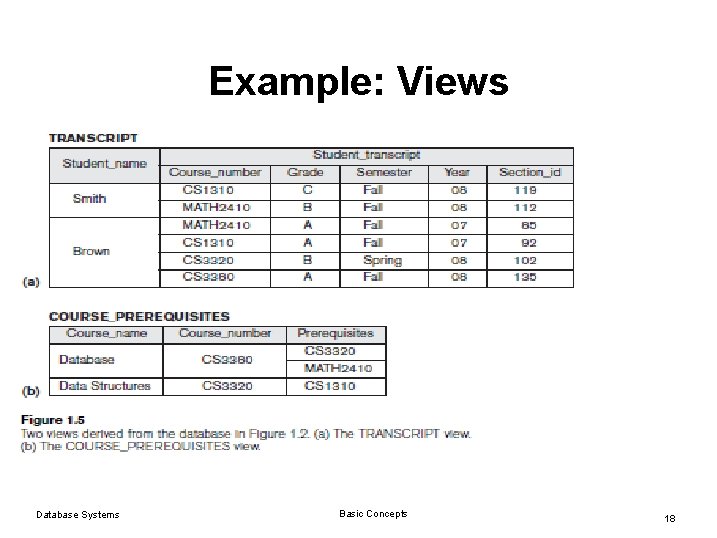
Example: Views Database Systems Basic Concepts 18
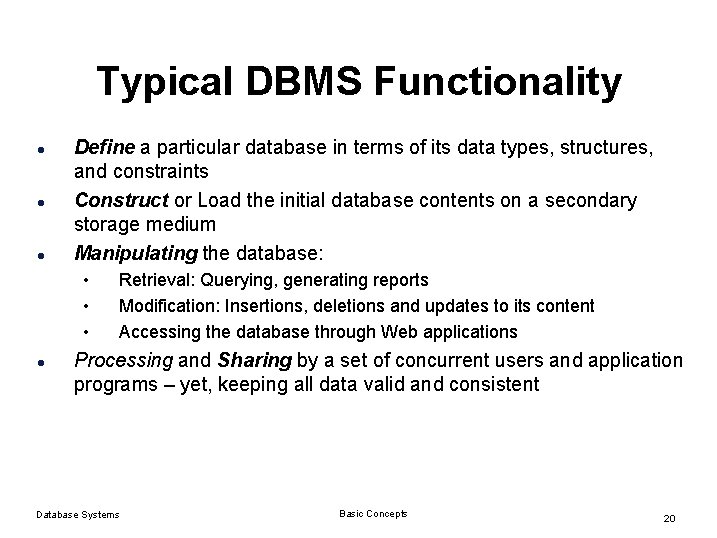
Typical DBMS Functionality l l l Define a particular database in terms of its data types, structures, and constraints Construct or Load the initial database contents on a secondary storage medium Manipulating the database: • • • l Retrieval: Querying, generating reports Modification: Insertions, deletions and updates to its content Accessing the database through Web applications Processing and Sharing by a set of concurrent users and application programs – yet, keeping all data valid and consistent Database Systems Basic Concepts 20
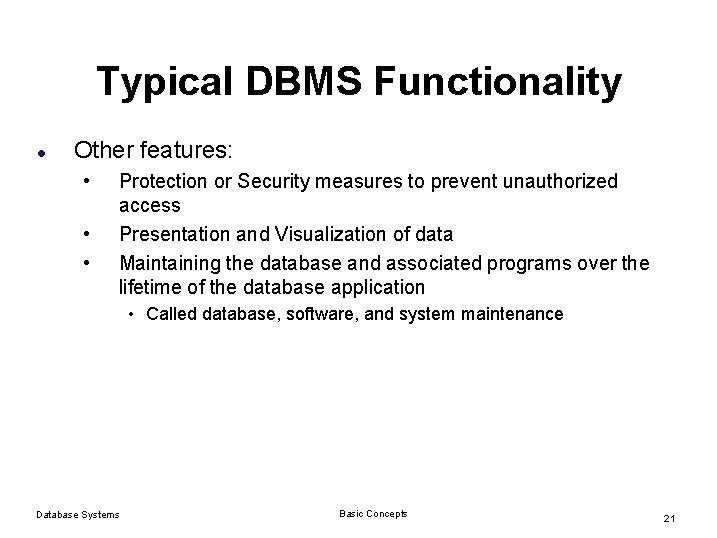
Typical DBMS Functionality l Other features: • • • Protection or Security measures to prevent unauthorized access Presentation and Visualization of data Maintaining the database and associated programs over the lifetime of the database application • Called database, software, and system maintenance Database Systems Basic Concepts 21
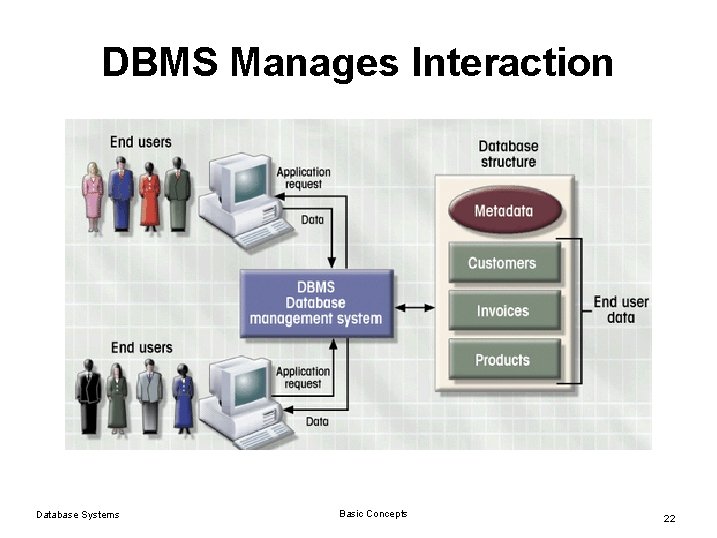
DBMS Manages Interaction Database Systems Basic Concepts 22
Additional Benefits of Database Technology l l l Controlling redundancy in data storage and in development and maintenence efforts. Sharing of data among multiple users. Restricting unauthorized access to data. Providing multiple interfaces to different classes of users. Representing complex relationships among data. Enforcing integrity constraints on the database. Providing backup and recovery services. Potential for enforcing standards. Flexibility to change data structures. Reduced application development time. Availability of up-to-date information. Database Systems Basic Concepts 23
When not to use a DBMS l Main inhibitors (costs) of using a DBMS: • • l High initial investment and possible need for additional hardware. Overhead for providing generality, security, concurrency control, recovery, and integrity functions. When a DBMS may be unnecessary: • • • If the database and applications are simple, well defined, and not expected to change. If there are stringent real-time requirements that may not be met because of DBMS overhead. If access to data by multiple users is not required. Database Systems Basic Concepts 24
Summary l l l l Examples of Database Applications Basic Definitions Database System Environment Example of a Database (UNIVERSITY) Database Vs File Systems Main Characteristics of the Database Approach Typical DBMS Functionality When Not to Use Database Systems Basic Concepts 25
- Slides: 24