
Unit 1 Chapter 2 Data Types Data Types
![Java Variable Example: Add Two Numbers class Simple { public static void main(String[] args)](https://slidetodoc.com/presentation_image_h2/99e02d1ea7fc128e9575d157bf781912/image-4.jpg "Java Variable Example: Add Two Numbers class Simple { public static void main(String[] args)")
![public class Example { public static void main(String args[]) { String str = “world";](https://slidetodoc.com/presentation_image_h2/99e02d1ea7fc128e9575d157bf781912/image-10.jpg "public class Example { public static void main(String args[]) { String str = “world\";")
![Java String value. Of() method public class Test { public static void main(String args[])](https://slidetodoc.com/presentation_image_h2/99e02d1ea7fc128e9575d157bf781912/image-17.jpg "Java String value. Of() method public class Test { public static void main(String args[])")
![Narrowing or Explicit type conversion public class Test { public static void main(String[] args)](https://slidetodoc.com/presentation_image_h2/99e02d1ea7fc128e9575d157bf781912/image-21.jpg "Narrowing or Explicit type conversion public class Test { public static void main(String[] args)")
![Java Arithmetic Operator Example class Operator. Example { public static void main(String args[]) {](https://slidetodoc.com/presentation_image_h2/99e02d1ea7fc128e9575d157bf781912/image-28.jpg "Java Arithmetic Operator Example class Operator. Example { public static void main(String args[]) {")
![public class Test { public static void main(String args[]) { int a = 10;](https://slidetodoc.com/presentation_image_h2/99e02d1ea7fc128e9575d157bf781912/image-30.jpg "public class Test { public static void main(String args[]) { int a = 10;")
![Java Ternary Operator Example class Operator. Example { public static void main(String args[]) {](https://slidetodoc.com/presentation_image_h2/99e02d1ea7fc128e9575d157bf781912/image-37.jpg "Java Ternary Operator Example class Operator. Example { public static void main(String args[]) {")
![class Operator. Example { public static void main(String args[]) { int a=10; int b=5;](https://slidetodoc.com/presentation_image_h2/99e02d1ea7fc128e9575d157bf781912/image-40.jpg "class Operator. Example { public static void main(String args[]) { int a=10; int b=5;")
- Slides: 40
Unit 1 – Chapter 2 Data Types
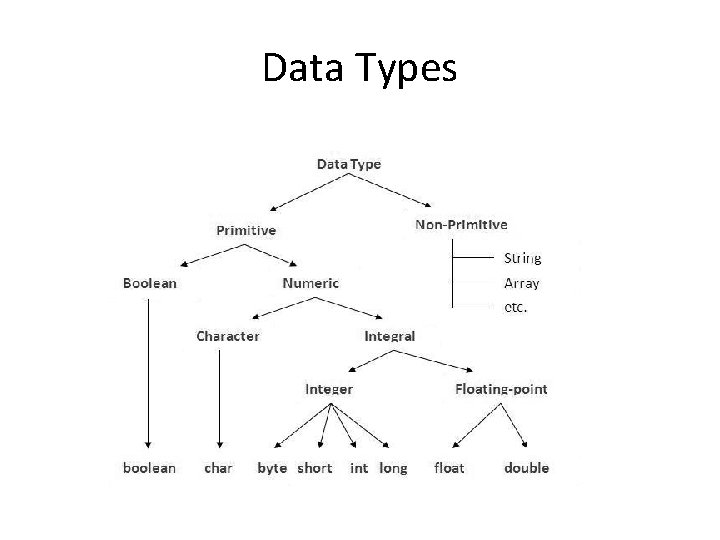
Data Types
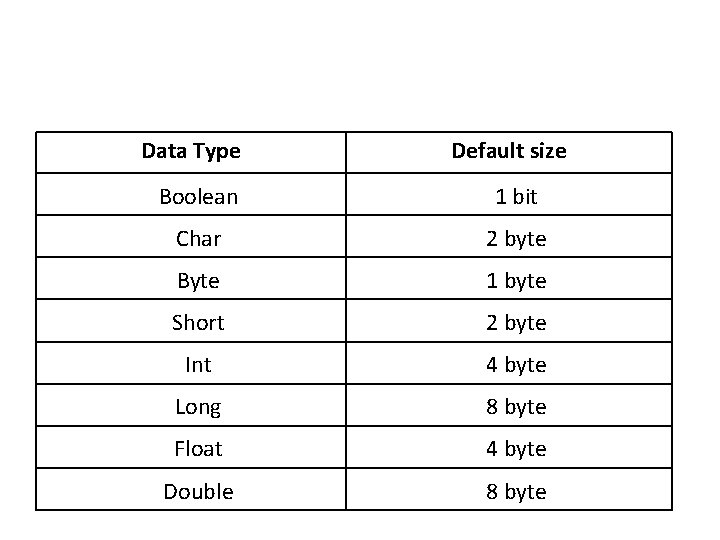
Data Type Default size Boolean 1 bit Char 2 byte Byte 1 byte Short 2 byte Int 4 byte Long 8 byte Float 4 byte Double 8 byte
Java Variable Example: Add Two Numbers class Simple { public static void main(String[] args) { int a=10; int b=10; int c=a+b; System. out. println(c); }} Output: 20
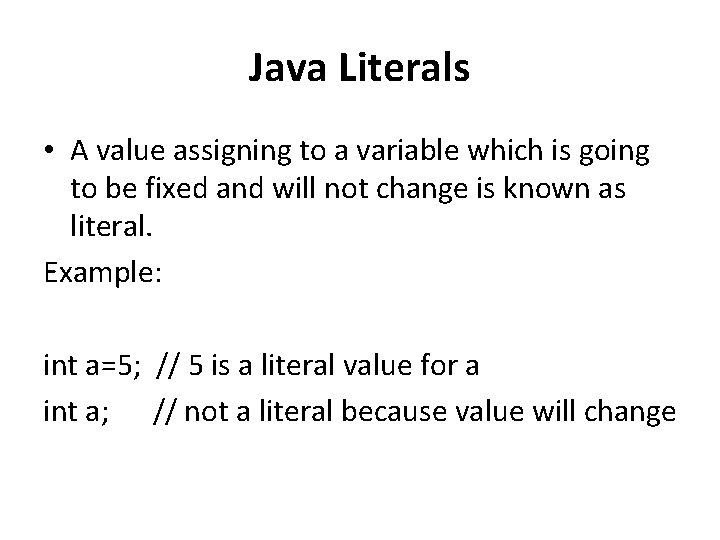
Java Literals • A value assigning to a variable which is going to be fixed and will not change is known as literal. Example: int a=5; // 5 is a literal value for a int a; // not a literal because value will change
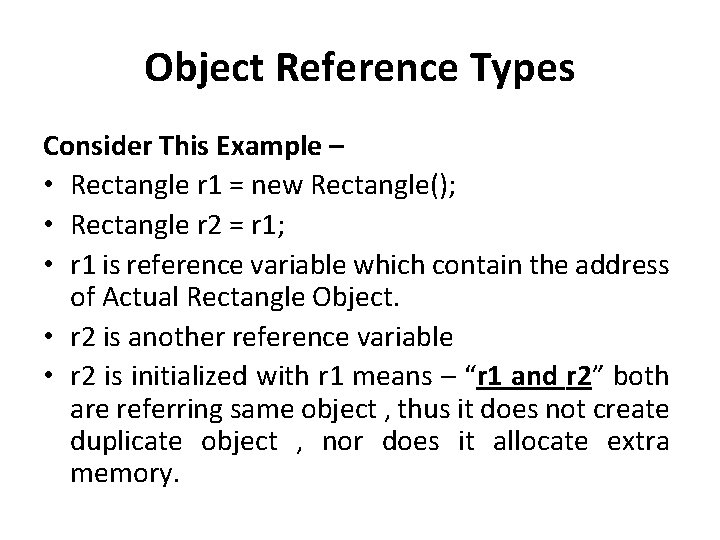
Object Reference Types Consider This Example – • Rectangle r 1 = new Rectangle(); • Rectangle r 2 = r 1; • r 1 is reference variable which contain the address of Actual Rectangle Object. • r 2 is another reference variable • r 2 is initialized with r 1 means – “r 1 and r 2” both are referring same object , thus it does not create duplicate object , nor does it allocate extra memory.
Strings • String is a sequence of characters, for e. g. “Hello” is a string of 5 characters. Creating a String There are two ways to create a String in Java • String literal • Using new keyword
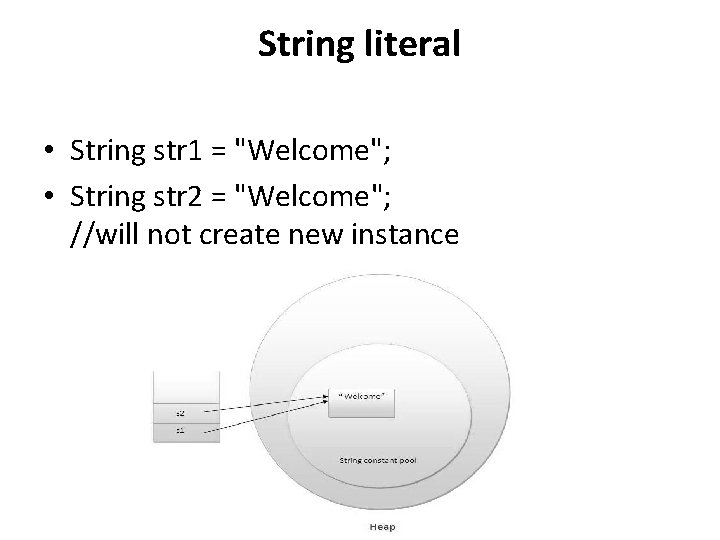
String literal • String str 1 = "Welcome"; • String str 2 = "Welcome"; //will not create new instance
Using New Keyword • String str 1 = new String("Welcome"); • String str 2 = new String("Welcome");
public class Example { public static void main(String args[]) { String str = “world"; //creating a string by java string literal char arrch[]={'h', 'e', 'l', 'o'}; String str 2 = new String(arrch); //converting char array arrch[] to string str 2 String str 3 = new String("Java String Example"); System. out. println(str 2); System. out. println(str 3); }} Output: world hello Java String Example
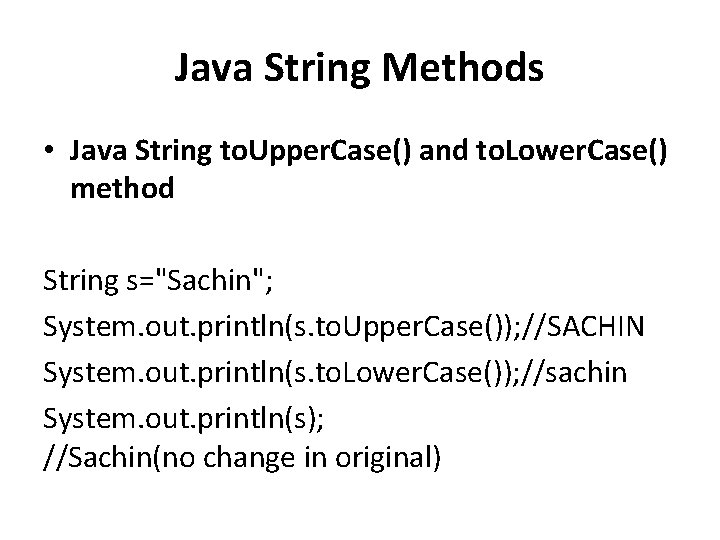
Java String Methods • Java String to. Upper. Case() and to. Lower. Case() method String s="Sachin"; System. out. println(s. to. Upper. Case()); //SACHIN System. out. println(s. to. Lower. Case()); //sachin System. out. println(s); //Sachin(no change in original)
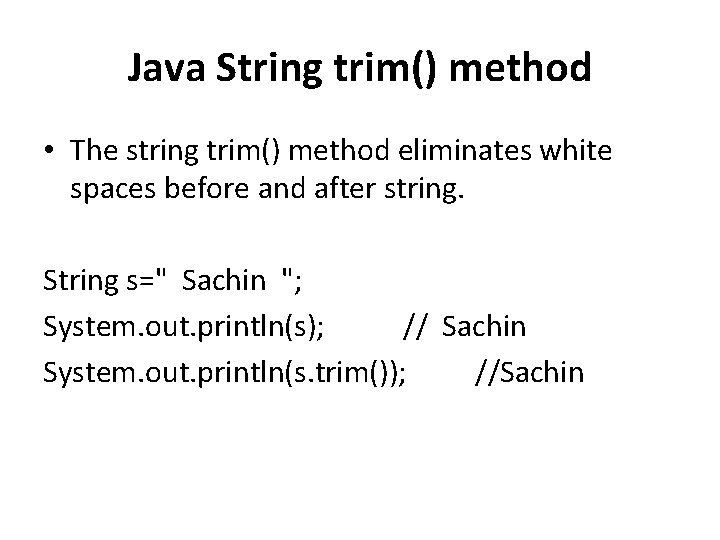
Java String trim() method • The string trim() method eliminates white spaces before and after string. String s=" Sachin "; System. out. println(s); // Sachin System. out. println(s. trim()); //Sachin
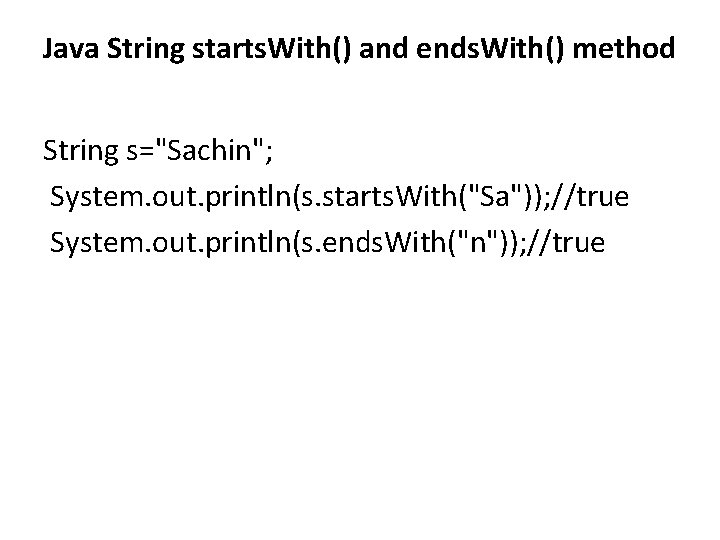
Java String starts. With() and ends. With() method String s="Sachin"; System. out. println(s. starts. With("Sa")); //true System. out. println(s. ends. With("n")); //true
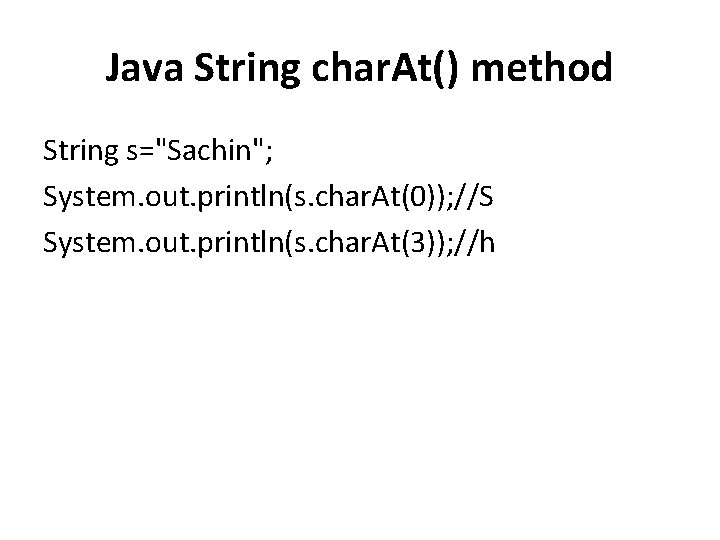
Java String char. At() method String s="Sachin"; System. out. println(s. char. At(0)); //S System. out. println(s. char. At(3)); //h
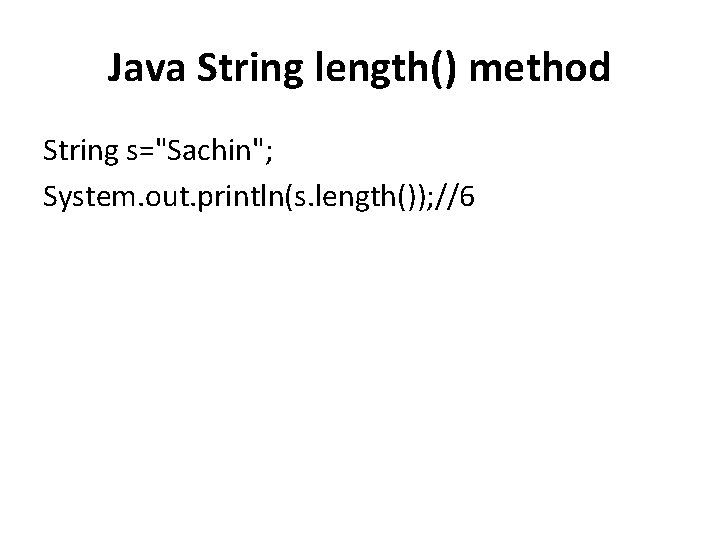
Java String length() method String s="Sachin"; System. out. println(s. length()); //6
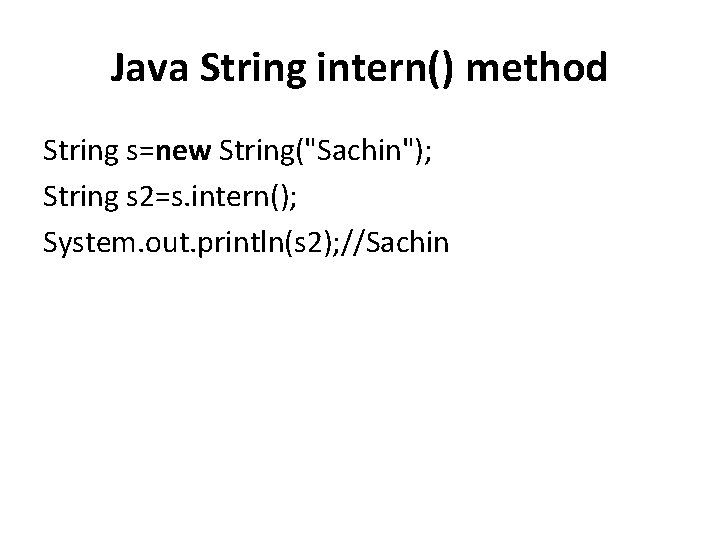
Java String intern() method String s=new String("Sachin"); String s 2=s. intern(); System. out. println(s 2); //Sachin
Java String value. Of() method public class Test { public static void main(String args[]) { Integer x =Integer. value. Of(9); Double c = Double. value. Of(5); Float a = Float. value. Of("80"); System. out. println(x); System. out. println(c); System. out. println(a); }} Output • 9 • 5. 0 • 80. 0
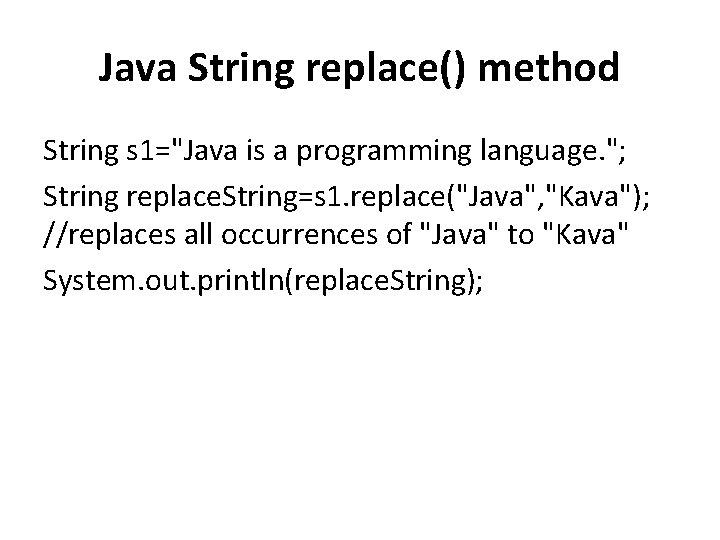
Java String replace() method String s 1="Java is a programming language. "; String replace. String=s 1. replace("Java", "Kava"); //replaces all occurrences of "Java" to "Kava" System. out. println(replace. String);
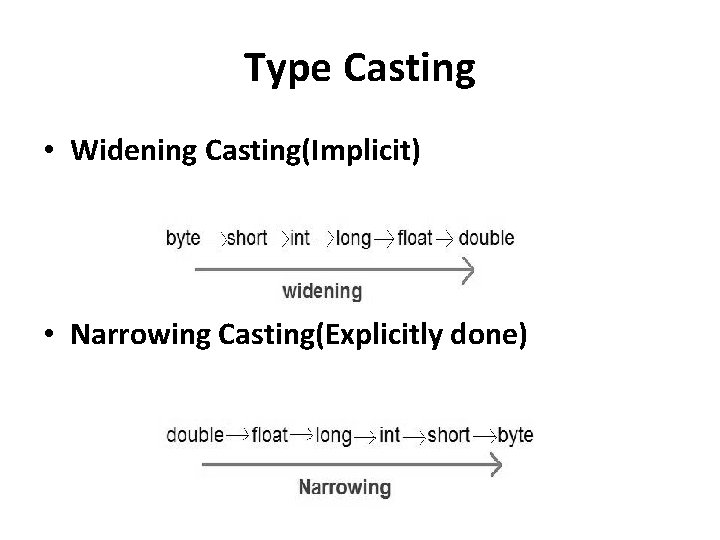
Type Casting • Widening Casting(Implicit) • Narrowing Casting(Explicitly done)
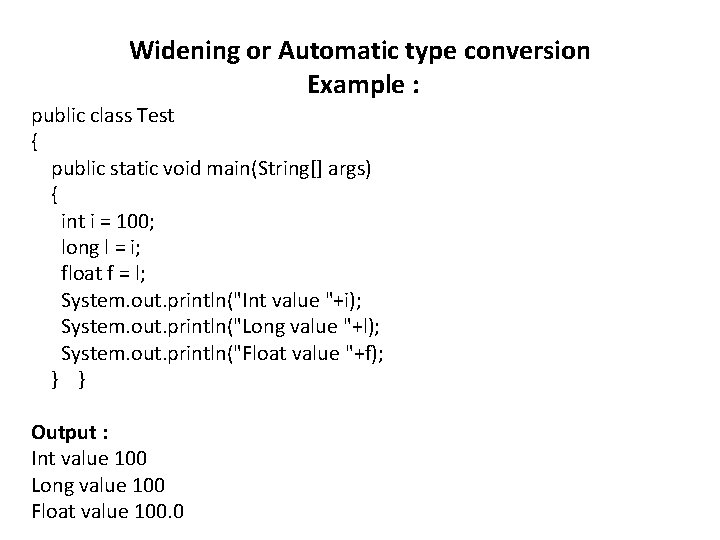
Widening or Automatic type conversion Example : public class Test { public static void main(String[] args) { int i = 100; long l = i; float f = l; System. out. println("Int value "+i); System. out. println("Long value "+l); System. out. println("Float value "+f); } } Output : Int value 100 Long value 100 Float value 100. 0
Narrowing or Explicit type conversion public class Test { public static void main(String[] args) { double d = 100. 04; long l = (long)d; //explicit type casting required int i = (int)l; //explicit type casting required System. out. println("Double value "+d); System. out. println("Long value "+l); System. out. println("Int value "+i); } } Output : Double value 100. 04 Long value 100 Int value 100
Auto Boxing and Unboxing • many data structures in Java operate on objects. So you cannot use primitive data types with those data structures. To handle such type of situations, Java provides type Wrappers which provide classes that encapsulate a primitive type within an object. • The automatic conversion of primitive data types into its equivalent Wrapper type is known as boxing and opposite operation is known as unboxing. This is the new feature of Java 5. So java programmer doesn't need to write the conversion code.
Benefits of Autoboxing / Unboxing • Autoboxing / Unboxing lets us use primitive types and Wrapper class objects interchangeably. • We don't have to perform Explicit typecasting. • It helps prevent errors, but may lead to unexpected results sometimes. Hence must be used with care. • Auto-unboxing also allows you to mix different types of numeric objects in an expression. When the values are unboxed, the standard type conversions can be applied.
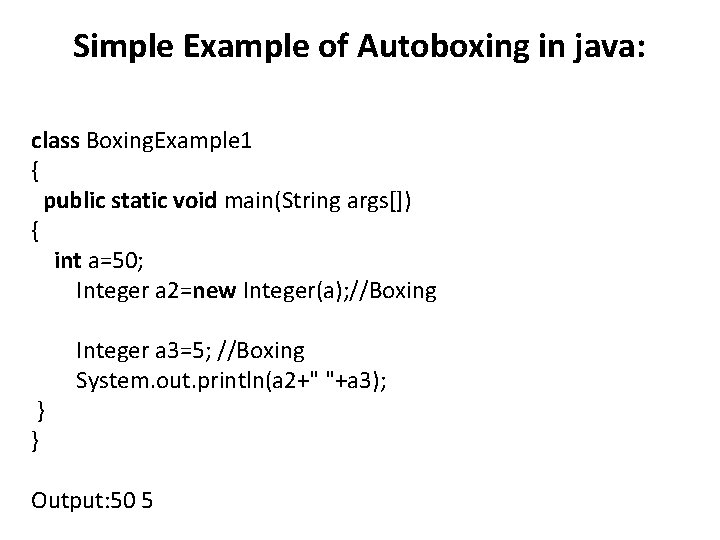
Simple Example of Autoboxing in java: class Boxing. Example 1 { public static void main(String args[]) { int a=50; Integer a 2=new Integer(a); //Boxing } } Integer a 3=5; //Boxing System. out. println(a 2+" "+a 3); Output: 50 5
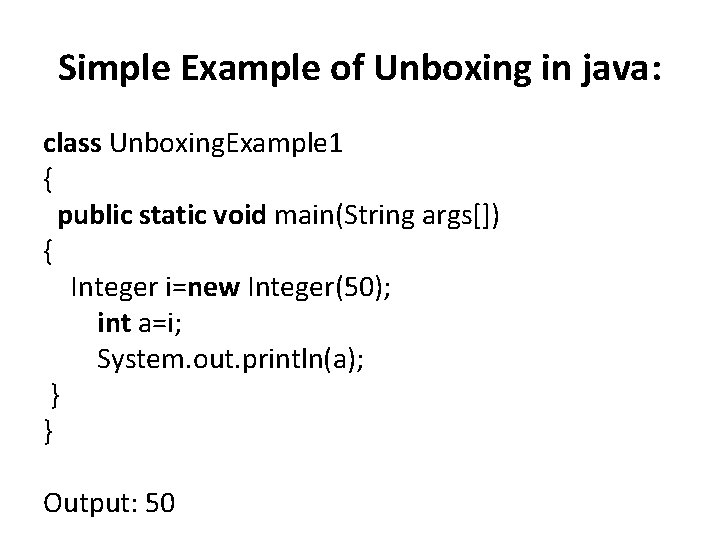
Simple Example of Unboxing in java: class Unboxing. Example 1 { public static void main(String args[]) { Integer i=new Integer(50); int a=i; System. out. println(a); } } Output: 50
Operators • • Arithmetic operators Relation operators Logical operators Bitwise operators Assignment operators Conditional operators Misc operators
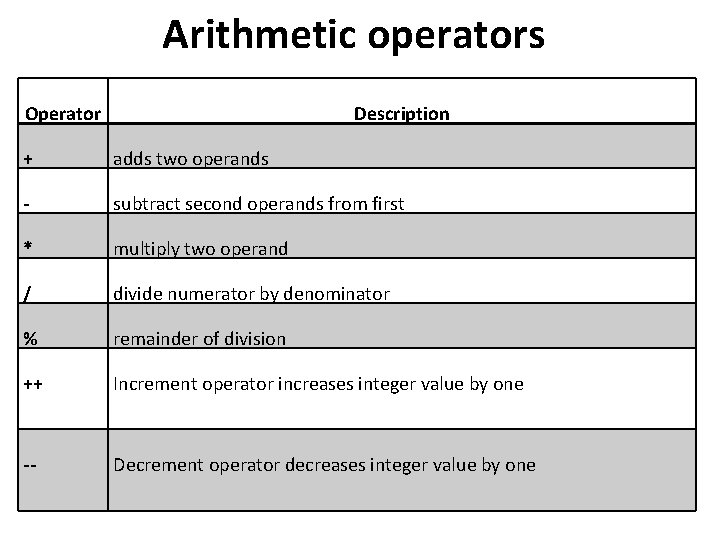
Arithmetic operators Operator Description + adds two operands - subtract second operands from first * multiply two operand / divide numerator by denominator % remainder of division ++ Increment operator increases integer value by one -- Decrement operator decreases integer value by one
Java Arithmetic Operator Example class Operator. Example { public static void main(String args[]) { int a=10; int b=5; System. out. println(a+b); //15 System. out. println(a-b); //5 System. out. println(a*b); //50 System. out. println(a/b); //2 System. out. println(a%b); //0 }} Output: 15 5 50 2 0
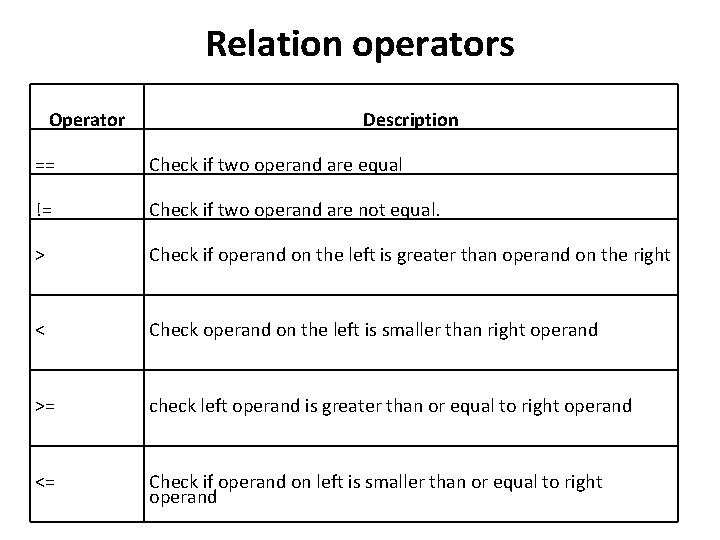
Relation operators Operator Description == Check if two operand are equal != Check if two operand are not equal. > Check if operand on the left is greater than operand on the right < Check operand on the left is smaller than right operand >= check left operand is greater than or equal to right operand <= Check if operand on left is smaller than or equal to right operand
public class Test { public static void main(String args[]) { int a = 10; int b = 20; System. out. println("a == b = " + (a == b) ); System. out. println("a != b = " + (a != b) ); System. out. println("a > b = " + (a > b) ); System. out. println("a < b = " + (a < b) ); System. out. println("b >= a = " + (b >= a) ); System. out. println("b <= a = " + (b <= a) ); }} Output a == b = false a != b = true a > b = false a < b = true b >= a = true b <= a = false
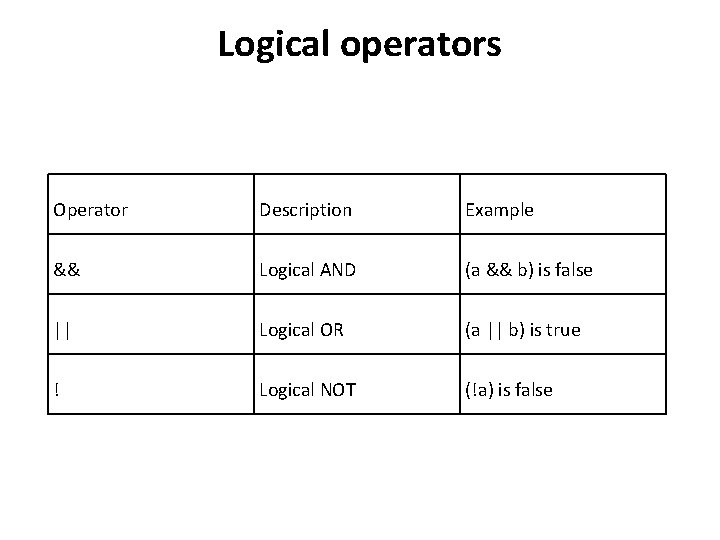
Logical operators Operator Description Example && Logical AND (a && b) is false || Logical OR (a || b) is true ! Logical NOT (!a) is false
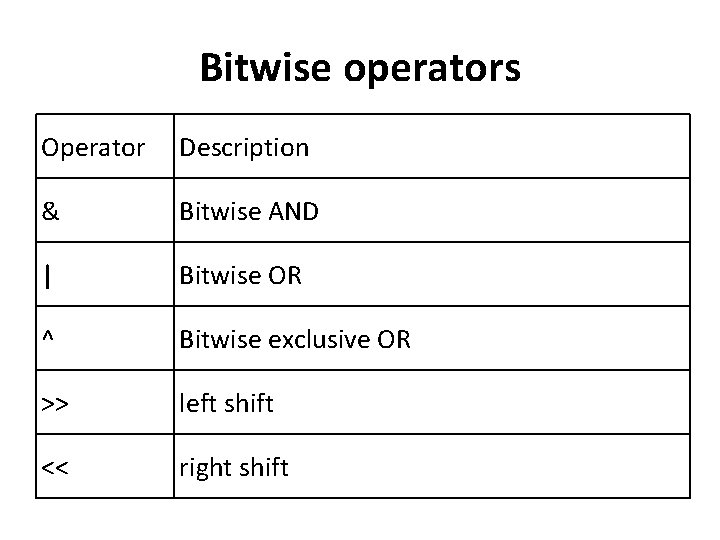
Bitwise operators Operator Description & Bitwise AND | Bitwise OR ^ Bitwise exclusive OR >> left shift << right shift
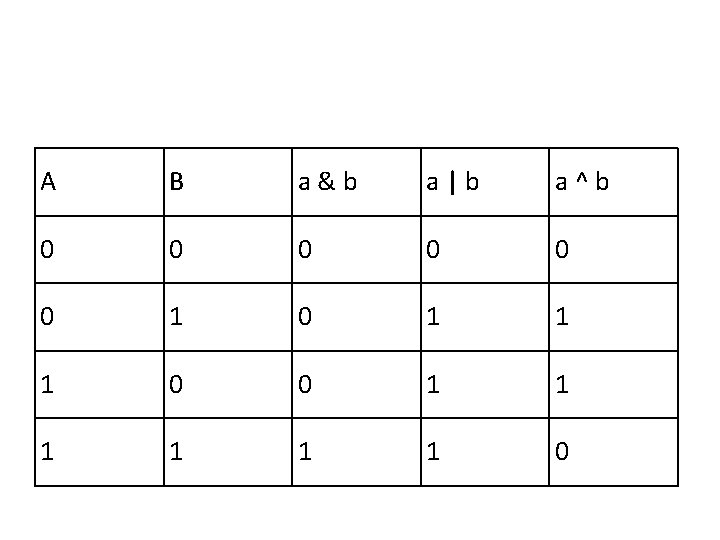
A B a&b a|b a^b 0 0 0 1 0 1 1 1 0
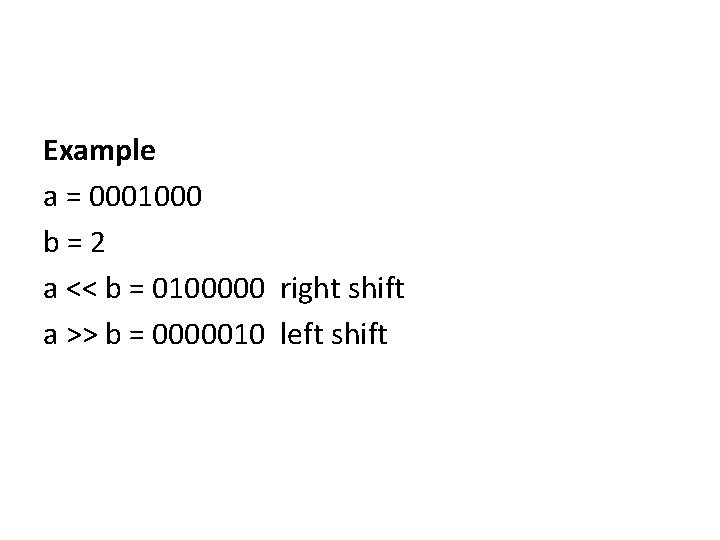
Example a = 0001000 b=2 a << b = 0100000 right shift a >> b = 0000010 left shift
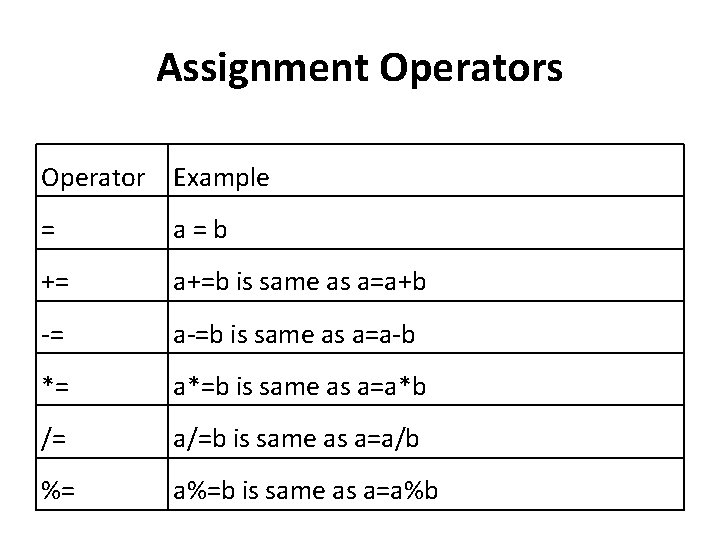
Assignment Operators Operator Example = a=b += a+=b is same as a=a+b -= a-=b is same as a=a-b *= a*=b is same as a=a*b /= a/=b is same as a=a/b %= a%=b is same as a=a%b
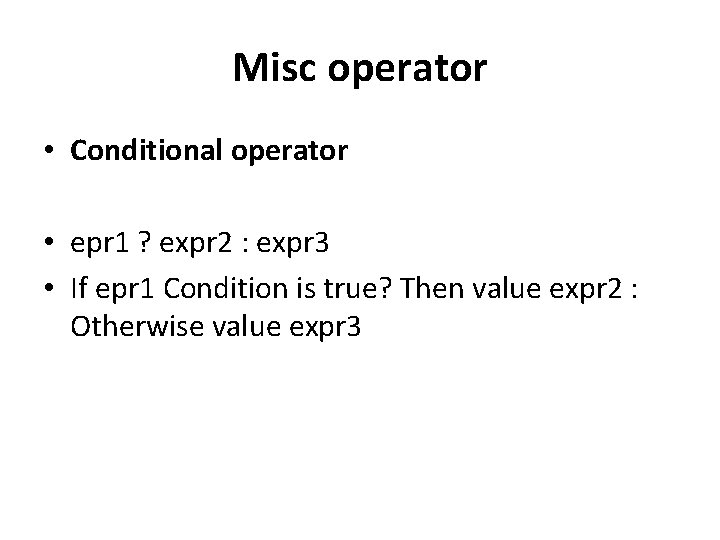
Misc operator • Conditional operator • epr 1 ? expr 2 : expr 3 • If epr 1 Condition is true? Then value expr 2 : Otherwise value expr 3
Java Ternary Operator Example class Operator. Example { public static void main(String args[]) { int a=2; int b=5; int min=(a<b)? a: b; System. out. println(min); }} Output: 2
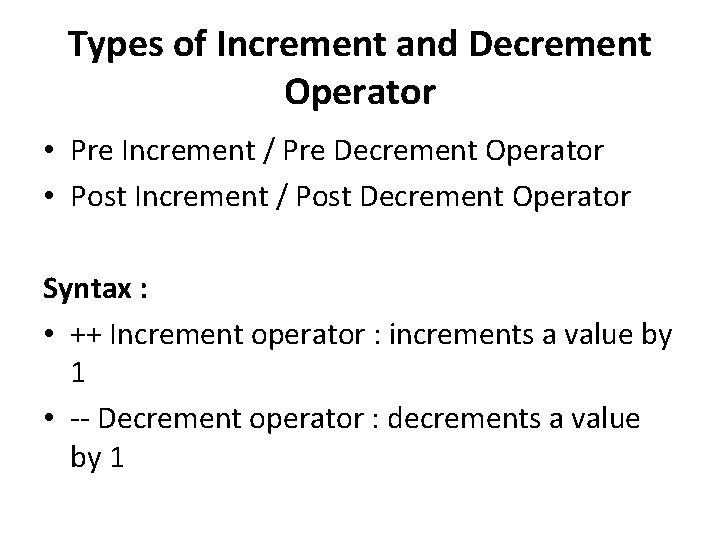
Types of Increment and Decrement Operator • Pre Increment / Pre Decrement Operator • Post Increment / Post Decrement Operator Syntax : • ++ Increment operator : increments a value by 1 • -- Decrement operator : decrements a value by 1
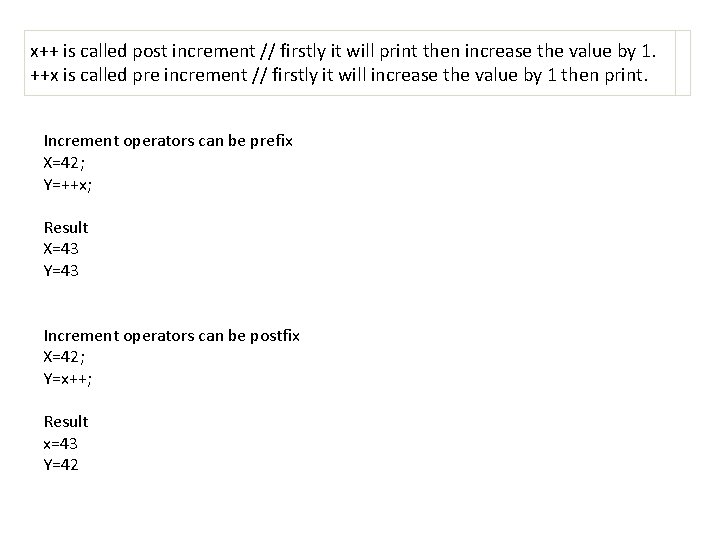
x++ is called post increment // firstly it will print then increase the value by 1. ++x is called pre increment // firstly it will increase the value by 1 then print. Increment operators can be prefix X=42; Y=++x; Result X=43 Y=43 Increment operators can be postfix X=42; Y=x++; Result x=43 Y=42
class Operator. Example { public static void main(String args[]) { int a=10; int b=5; int c=20; System. out. println(a>b||a<c); //true || true = true System. out. println(a>b|a<c); /true | true = true System. out. println(a>b||a++<c); //true || true = true System. out. println(a); //10 System. out. println(a>b|a++<c); //true | true = true System. out. println(a); //11 }}