
UNIT 1 2 Geography Technology Geography of Canada

- Slides: 45
UNIT 1. 2: Geography & Technology Geography of Canada
Geography & Technology 1. 2. 3. 4. Global Positioning System Geographic Information Systems Aerial Photographs Satellite Imagery
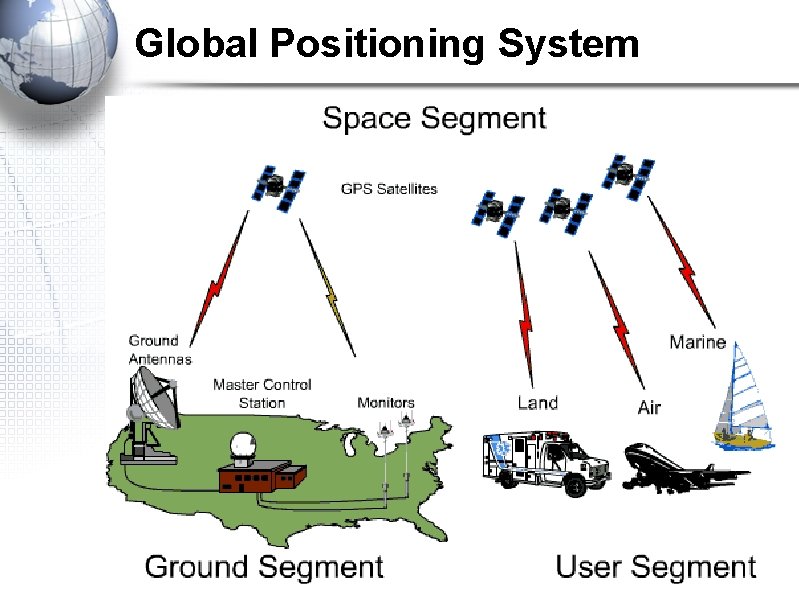
Global Positioning System • The GPS (Global Positioning System) is a "constellation" of 24 well-spaced satellites that orbit the Earth and make it possible for people with ground receivers to pinpoint their location. • The location accuracy is down to 1 metre for most equipment. • In the 1990 s, accuracy could be pinpointed to within one metre with special military-approved equipment. Today that is true on most cellular devices.
GPS Video • What is GPS video • Take notes and write down 5 pieces of information from this video. • https: //www. youtube. com/watch? v=Io. RQi. NFz. T 0 k
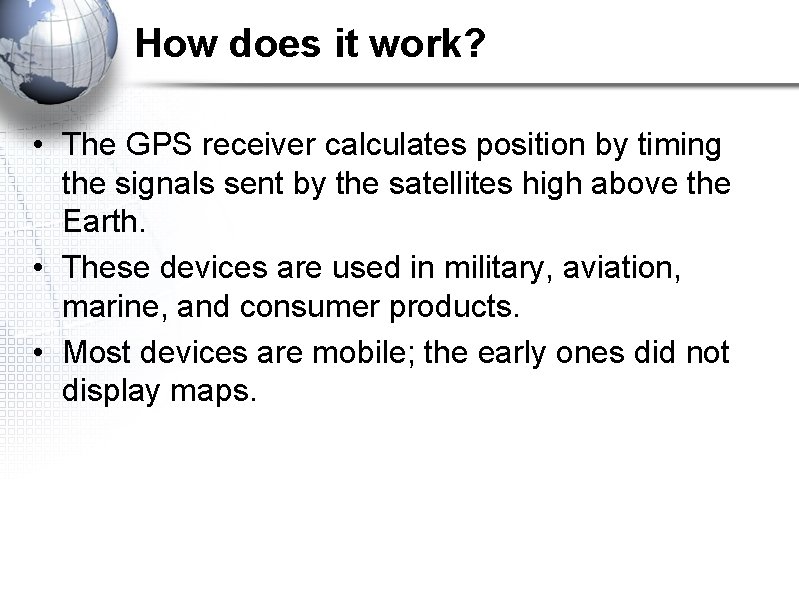
How does it work? • The GPS receiver calculates position by timing the signals sent by the satellites high above the Earth. • These devices are used in military, aviation, marine, and consumer products. • Most devices are mobile; the early ones did not display maps.
Global Positioning System
Real life application • https: //en. wikipedia. org/wiki/United_States_v. _Jo nes_(2012) – U. S vs. Jones 2012 • Get into groups of 4 and answer the following questions: • 1. Should the government be allowed to use GPS to track you? • Should the government be allowed to use GPs to track suspects? • Should the government be allowed to track criminals? • What are the future implications of allowing this to be used?
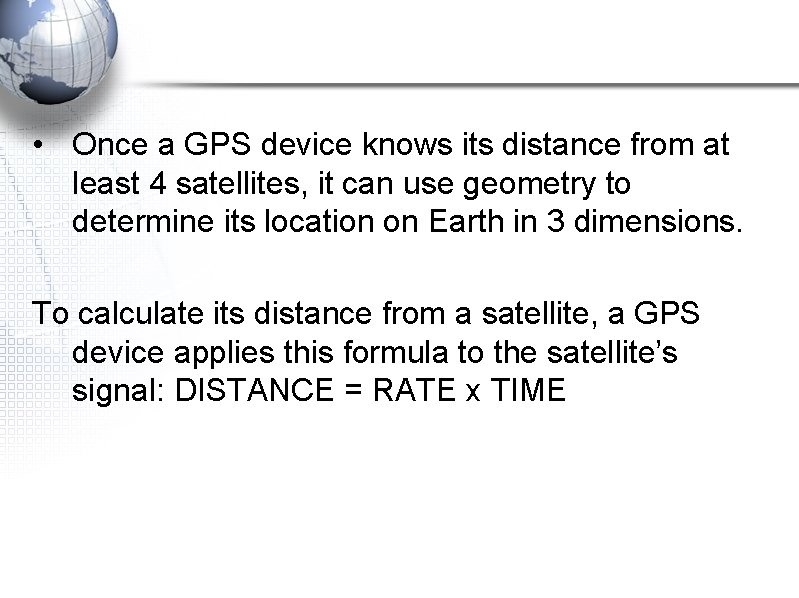
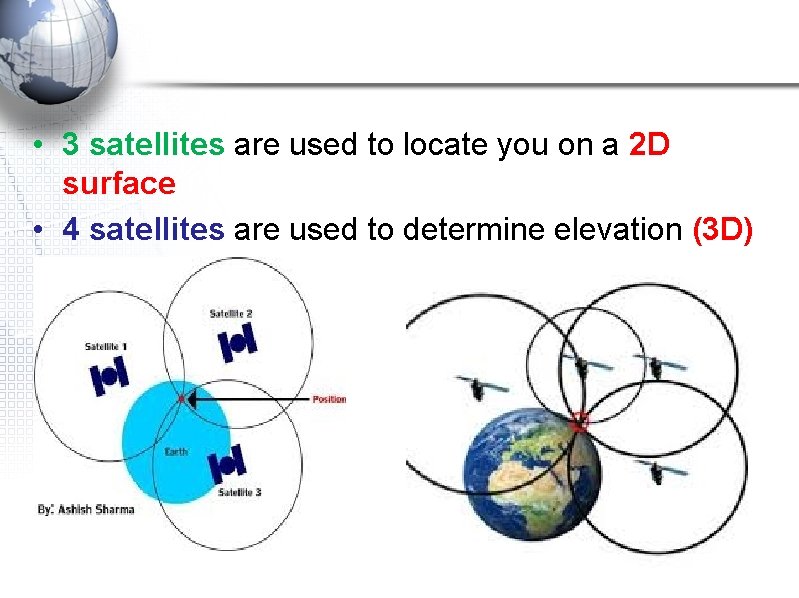
• Once a GPS device knows its distance from at least 4 satellites, it can use geometry to determine its location on Earth in 3 dimensions. To calculate its distance from a satellite, a GPS device applies this formula to the satellite’s signal: DISTANCE = RATE x TIME
• 3 satellites are used to locate you on a 2 D surface • 4 satellites are used to determine elevation (3 D)
Trilateration • A GPS receiver uses trilateration (a more complex version of triangulation) to determine its position on the surface of the earth by timing signals from three satellites in the Global Positioning System • 3 satellites – locates your position but in 2 D • 4 satellites works out your position in 3 D
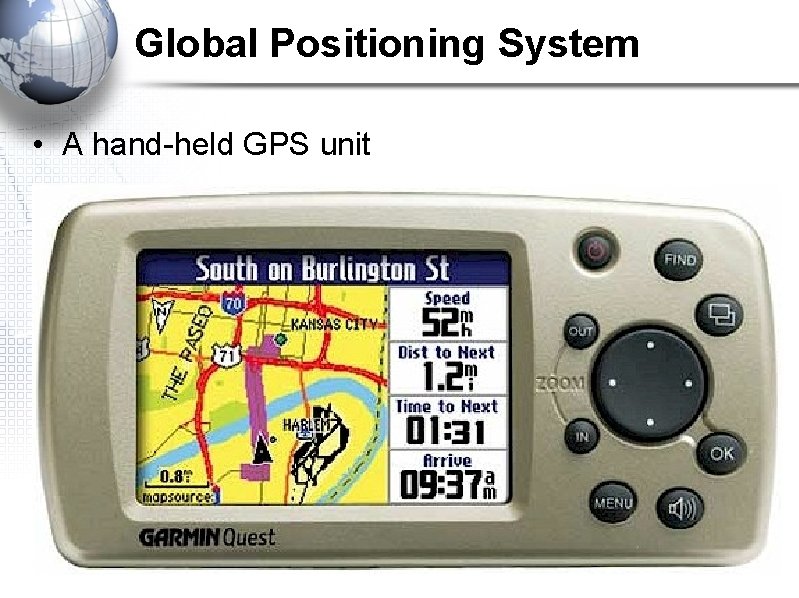
Global Positioning System • A hand-held GPS unit
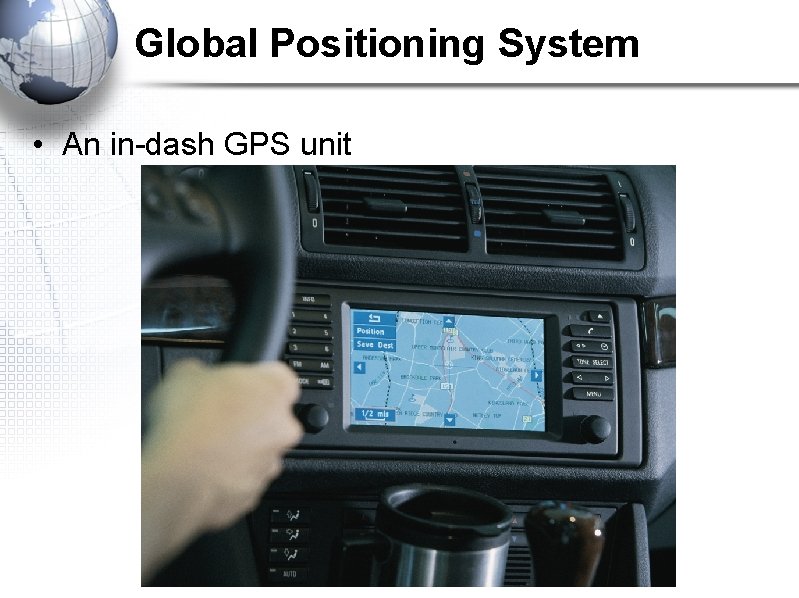
Global Positioning System • An in-dash GPS unit
What is GIS? • https: //www. youtube. com/watch? v=ZFm. AAHBf. OU • With your partner, recap some key ideas from the short video • Write down at least 5 points in your notes • The title of the video is “What is GIS”
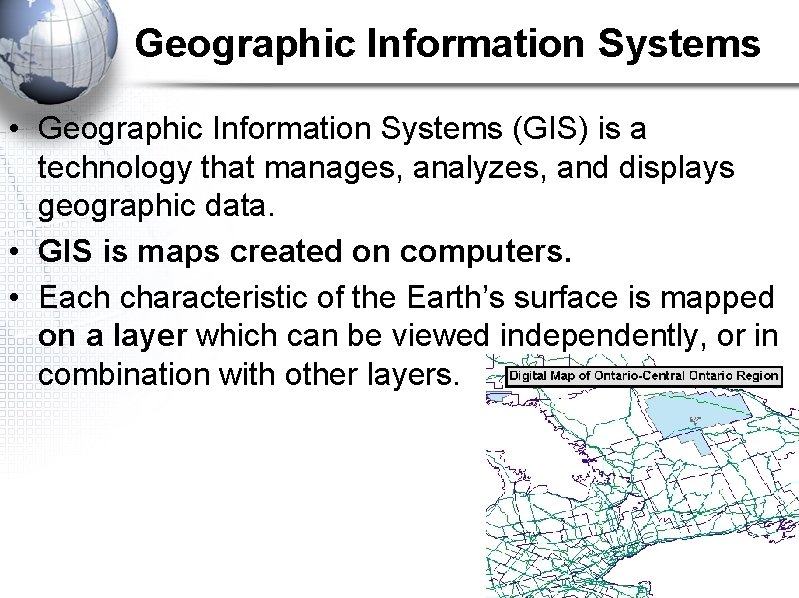
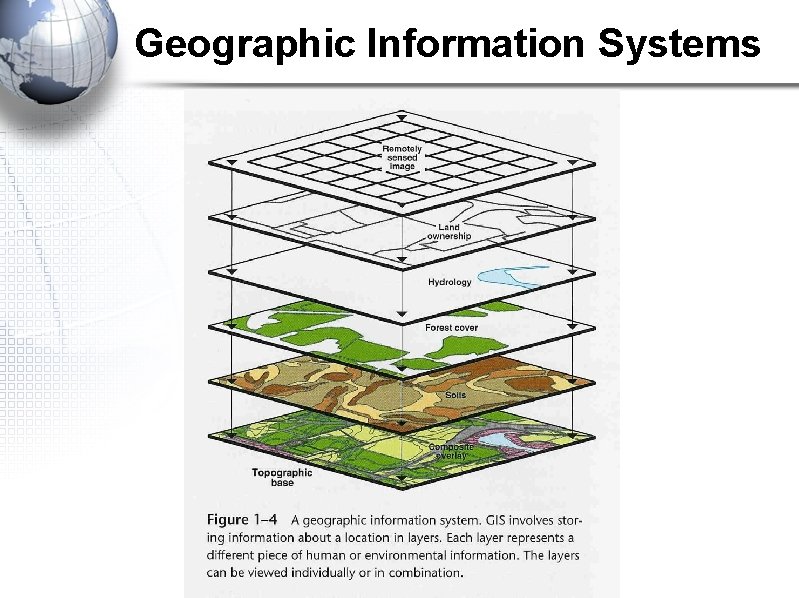
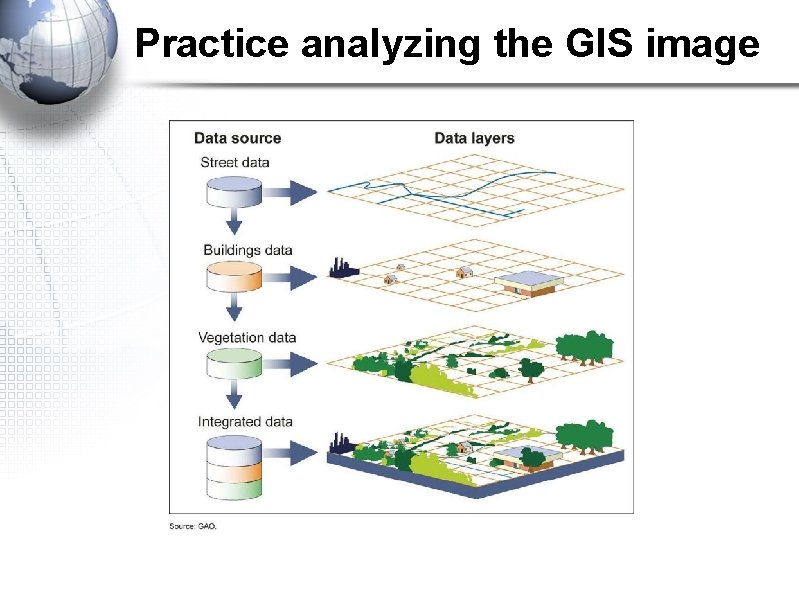
Geographic Information Systems • Geographic Information Systems (GIS) is a technology that manages, analyzes, and displays geographic data. • GIS is maps created on computers. • Each characteristic of the Earth’s surface is mapped on a layer which can be viewed independently, or in combination with other layers.
Geographic Information Systems
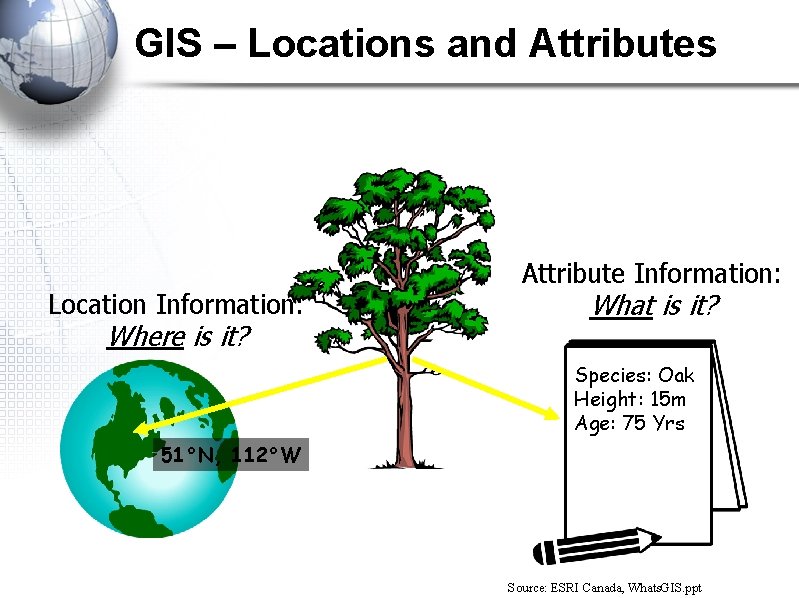
GIS – Locations and Attributes Location Information: Where is it? Attribute Information: What is it? Species: Oak Height: 15 m Age: 75 Yrs 51°N, 112°W Source: ESRI Canada, Whats. GIS. ppt
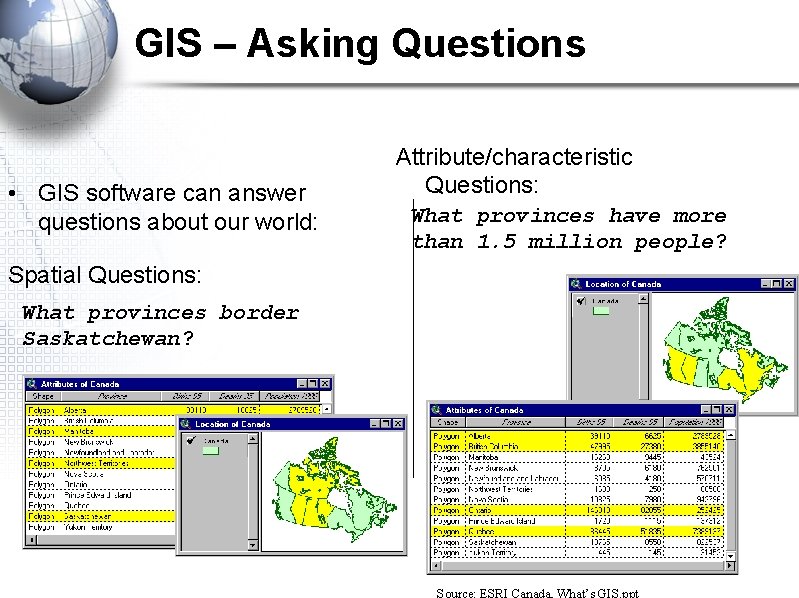
GIS – Asking Questions • GIS software can answer questions about our world: Attribute/characteristic Questions: What provinces have more than 1. 5 million people? Spatial Questions: What provinces border Saskatchewan? Source: ESRI Canada, What’s GIS. ppt
GIS – Why Use It? Support for decision-making based on spatial data: • • Visual representation of data Maintenance, manipulation of data Analyze information of geographic areas To create customized products based on the area you’re in and how you want to use the land
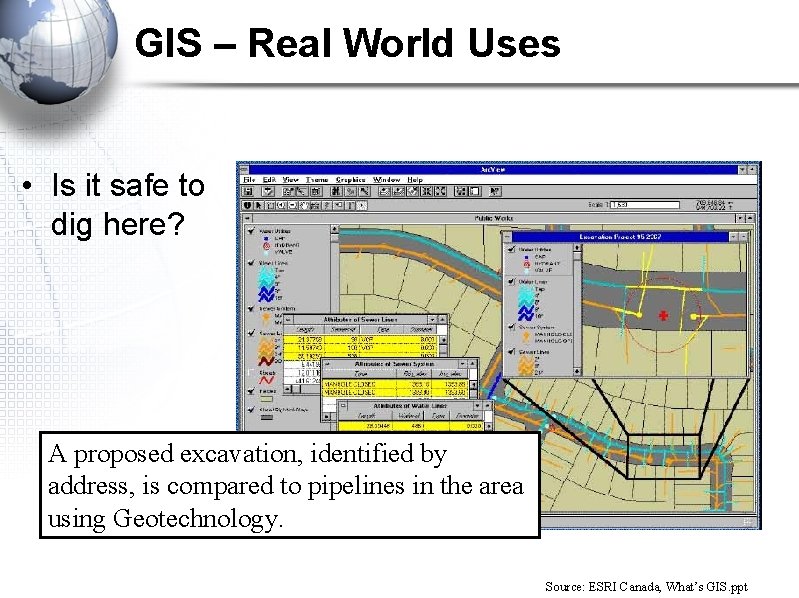
GIS – Real World Uses • Is it safe to dig here? A proposed excavation, identified by address, is compared to pipelines in the area using Geotechnology. Source: ESRI Canada, What’s GIS. ppt
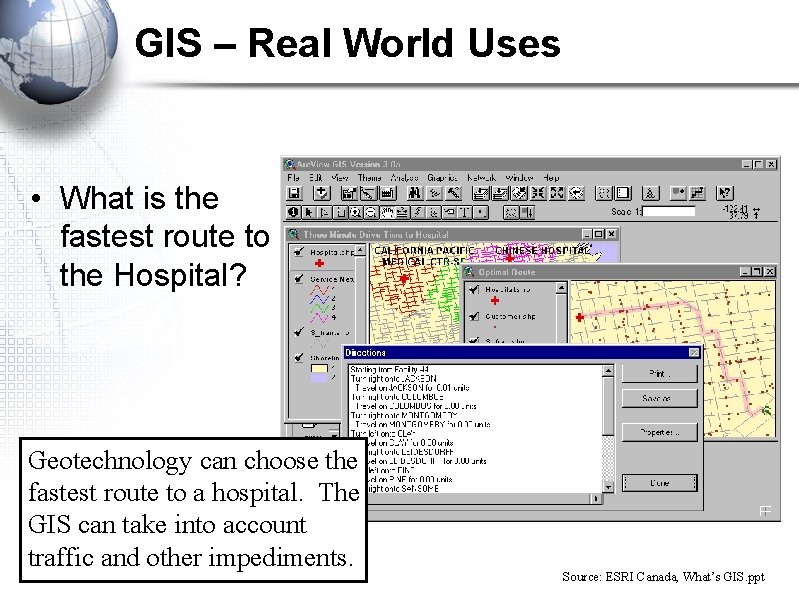
GIS – Real World Uses • What is the fastest route to the Hospital? Geotechnology can choose the fastest route to a hospital. The GIS can take into account traffic and other impediments. Source: ESRI Canada, What’s GIS. ppt
Practice analyzing the GIS image
Planning for a restaurant • Get into groups of 3 or 4 and I’ll assign you one of the following to find a new location for. • Come up with at least 5 different layers that would need to be considered before building your designated feature • Be prepared to present your ideas to the class and justify why those things need to be considered • Topics are on the next slide
1. 2. 3. 4. 5. A new high school A mall A restaurant A new housing development A theme park as big as Canada’s Wonderland
Applying your knowledge Homework 1. Find a GIS map 2. identify the different layers on the map 3. Write a paragraph on how the layers of the map are useful to certain groups of people (identify at least 2 people or groups) 4. Clearly identify who these groups of people are 5. Please type your answer and bring the map in 6. Homework check is at the START of class. Be prepared to hand it in.
Starter sentences to get you going • The map shows. . . • The layers on the map are. . . • These layers are useful for (name person or group of people) because. . . DO THIS ONE 3 TIMES • Please type it • Indent your paragraph • Spelling and grammar count
Aerial Photographs • http: //learn 360. infobase. com/p_View. Video. aspx? x tid=129952&loid=469131&t. Script=0 • Intro video • Write down 3 key points from the video
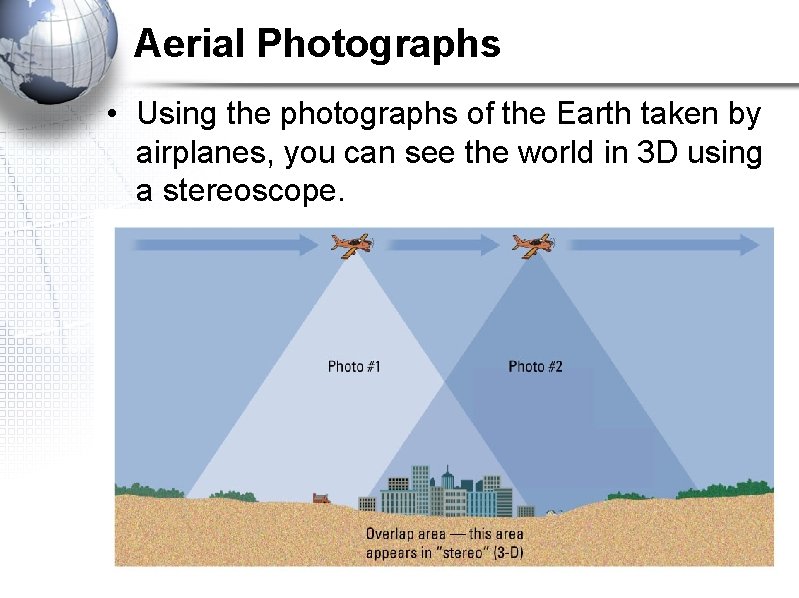
Aerial Photographs • Using the photographs of the Earth taken by airplanes, you can see the world in 3 D using a stereoscope.
Activity • With a partner, get a book and a stereoscope Unfold the stereoscope so that the two legs are standing on the page and you are looking down through the stereoscope • Match the middle of the stereoscope with the line on the page and watch the image pop out at you. • With your group, identify 5 differences you can see between then and now
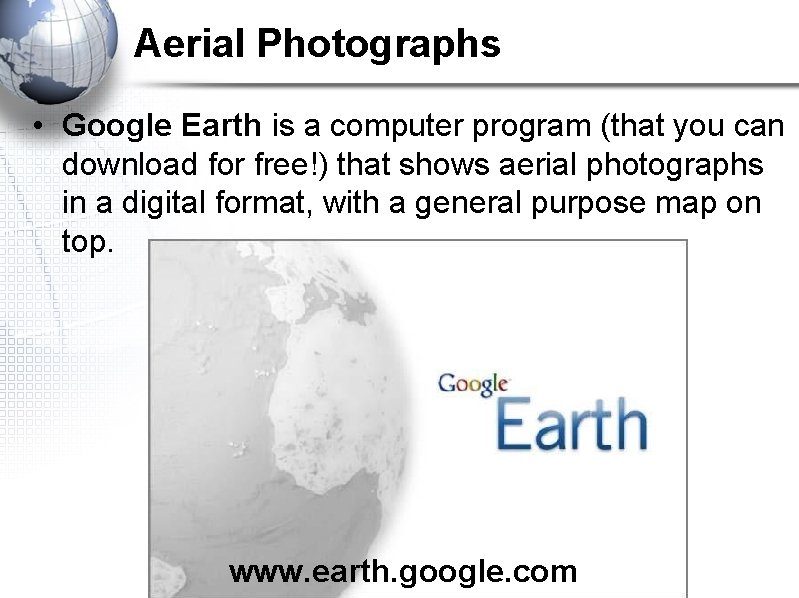
Aerial Photographs • Google Earth is a computer program (that you can download for free!) that shows aerial photographs in a digital format, with a general purpose map on top. www. earth. google. com
Remote Sensing • Using Making Connections (1 st edition) turn to page 61 in your textbook • Define the key terms on page 61 in the “Key Terms” box • Take notes on the following subheadings starting on page 61 – How satellites collect information – Get a copy of The Pearson School Atlas and turn to page 173 and take notes on Remote Sensing
Remote sensing intro video http: //learn 360. infobase. com/p_View. Video. aspx? xti d=80494 Learn 360 video collection Username: elem Password: elem
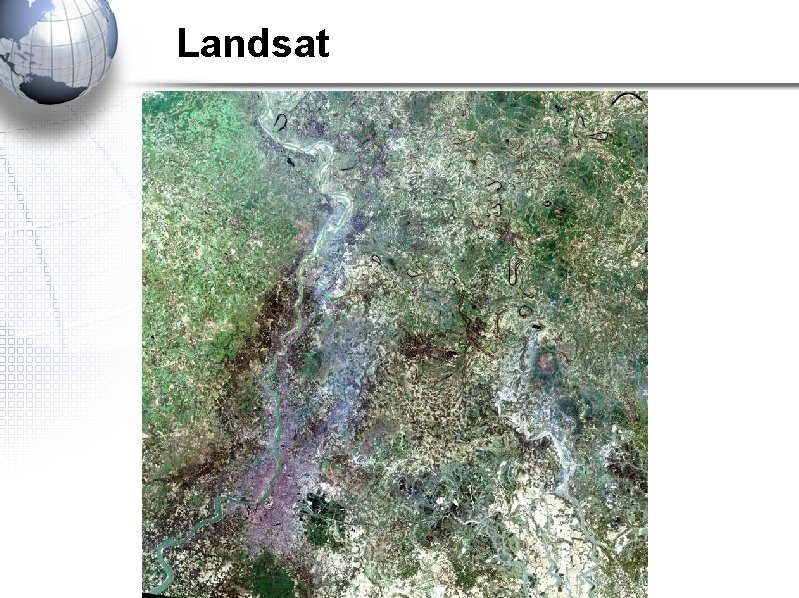
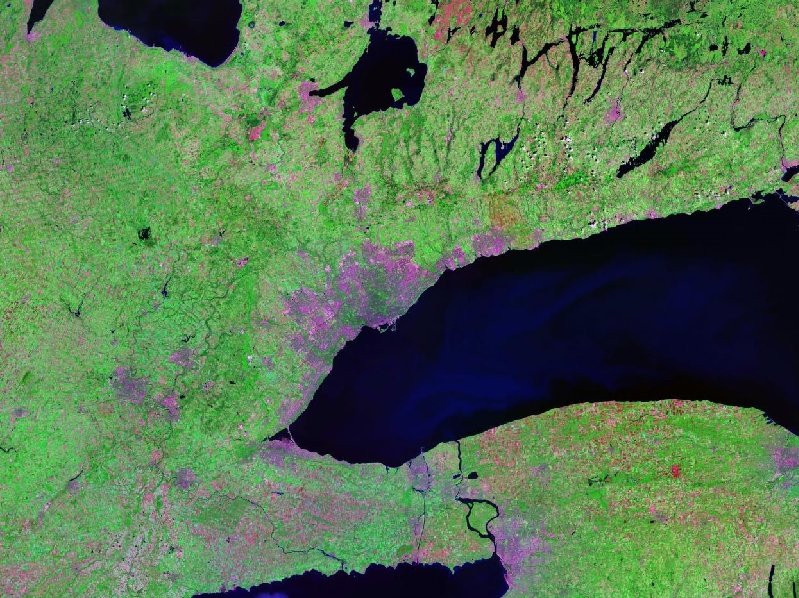
Satellite Imagery • Satellite images are pictures of the Earth taken from high above, but these electronic images (instead of photographs) cover very large areas & show less detail. They are observational and about 1000 km away – Landsat (American) and uses sunlight and heat reflected from the Earth’s surface to create images – turn to page 173 and take notes LEAVE SPACE FOR THE NEXT SLIDE – SPOT (European/france) and similar to Landsat, but it can create 3 D images of the surface. – RADARSAT (Canadian) and uses radar signals (or microwaves) instead of sunlight and heat, so it can be used at any time of day or night. – Turn to page 173 and take notes on Radarsat
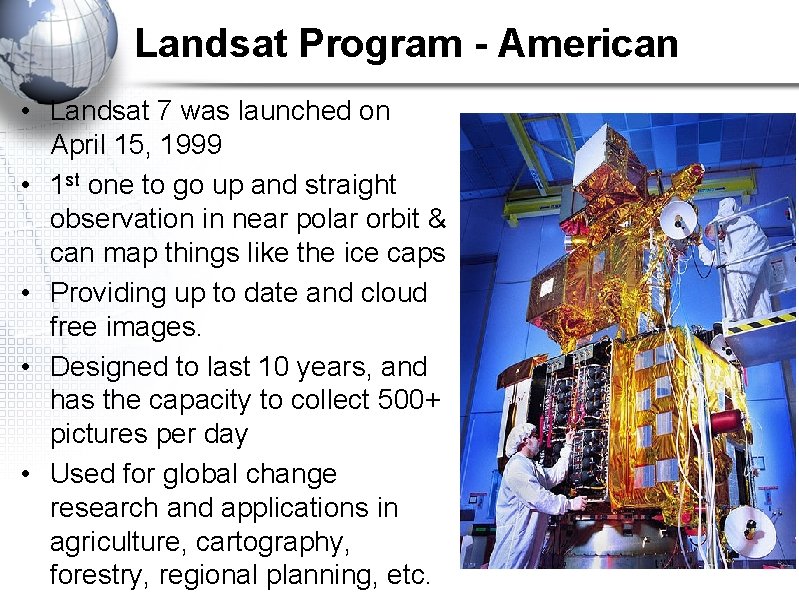
Landsat Program - American • Landsat 7 was launched on April 15, 1999 • 1 st one to go up and straight observation in near polar orbit & can map things like the ice caps • Providing up to date and cloud free images. • Designed to last 10 years, and has the capacity to collect 500+ pictures per day • Used for global change research and applications in agriculture, cartography, forestry, regional planning, etc.
Landsat
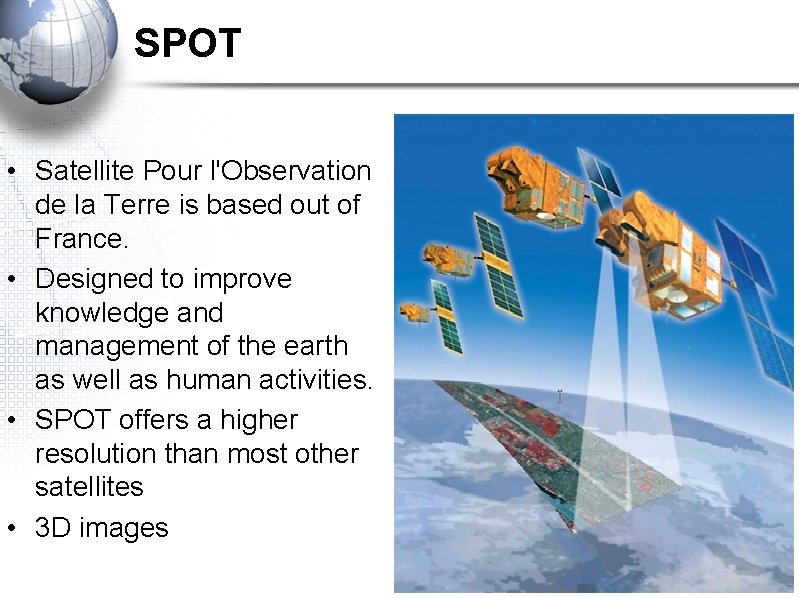
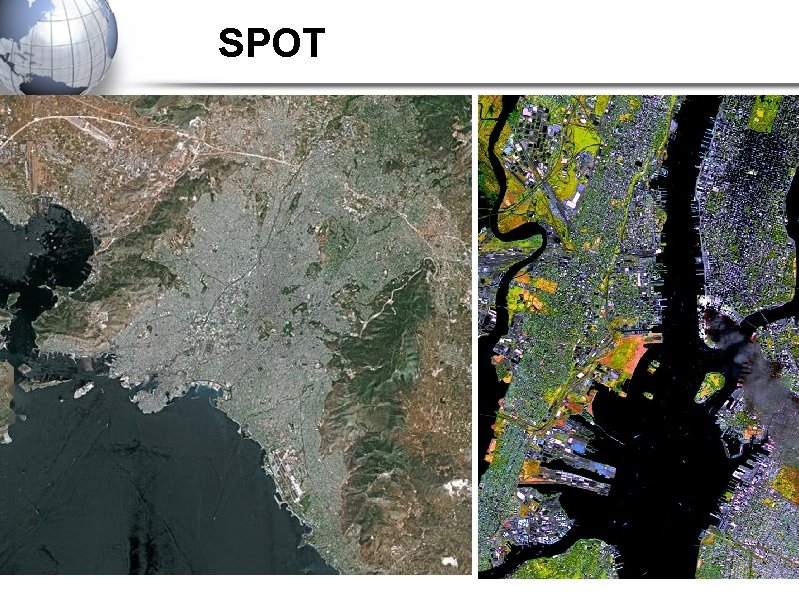
SPOT • Satellite Pour l'Observation de la Terre is based out of France. • Designed to improve knowledge and management of the earth as well as human activities. • SPOT offers a higher resolution than most other satellites • 3 D images
SPOT
Test coming up Get out your agenda’s or phones and write this date down: Mon Sept 30 th • Be on time • Go to the washroom BEFORE THE TEST • No cell phones allowed while in class, even after you’ve finished the test • Bring work in case you finish early • Bring a calculator
Scavenger Hunt • • Pair up with 1(ONE) other person and get an atlas Take out something to write with Take out a piece of paper Take a picture with your phone of what you need to find. . . off you go • Enjoy!!
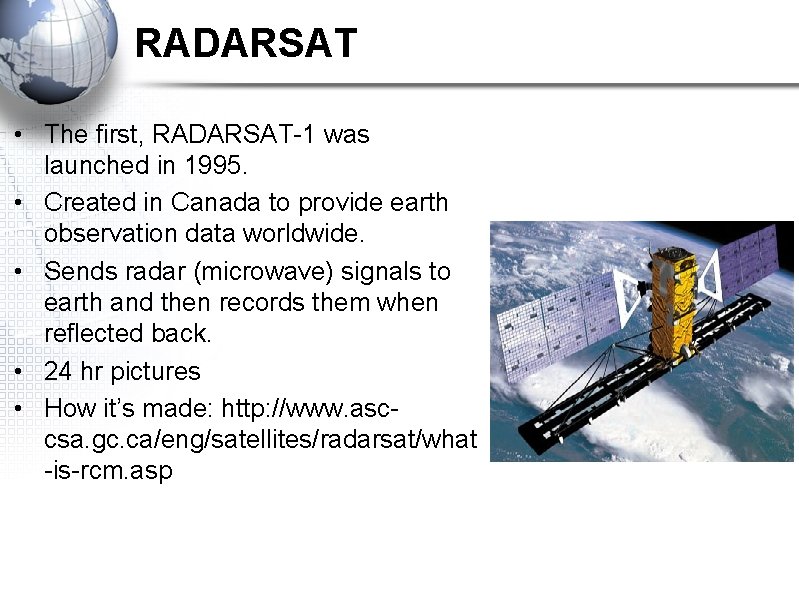
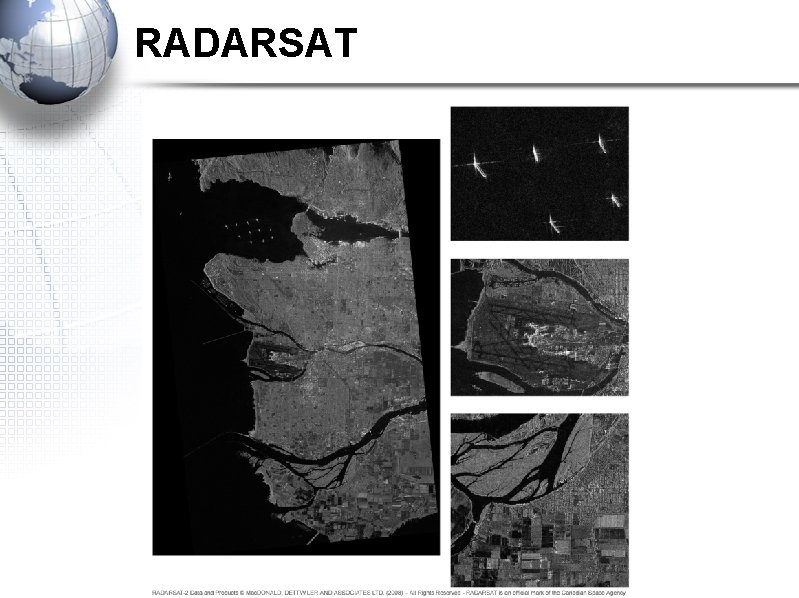
RADARSAT • The first, RADARSAT-1 was launched in 1995. • Created in Canada to provide earth observation data worldwide. • Sends radar (microwave) signals to earth and then records them when reflected back. • 24 hr pictures • How it’s made: http: //www. asccsa. gc. ca/eng/satellites/radarsat/what -is-rcm. asp
RADARSAT
Geostationary Orbit • Geostationary Orbit: A geostationary satellite is an earth-orbiting satellite • placed at an altitude of approximately 35, 800 kilometers (22, 300 miles) directly over the equator • that revolves in the same direction the earth rotates (west to east) • Weather, communication, radio, T. V • 24 hours along the equator, rotates with earth and rotates along the equator
Near Polar Orbit • The polar satellites are the satellites which revolve around the Earth in a north south direction (near the POLES) • 24 hours to rotate around the earth
To RECAP • USA – 1 – First to go up into space with a sattelite • France – 2 – 3 D IMAGES • Canada – 3 – 24 HOUR rotation – Go back to GPS notes (get a new piece of paper)