
Unified Computing System UCS 2 0 New Hardware




- Slides: 60
Unified Computing System (UCS) 2. 0 - New Hardware & Software Features Matthew Wronkowski – Escalation Engineer Jose Martinez – Escalation Engineer
Cisco Support Community – Expert Series Webcast § Today’s featured experts are Cisco Support Escalation Engineers Jose Martinez and Matthew Wronkowski § We also have Expert Panelists Dave Mc. Farland & Mike Timm to help answering technical questions during the live session © 2011 Cisco and/or its affiliates. All rights reserved. 2
Thank You for Joining Us Today’s presentation will include audience polling questions We encourage you to participate! © 2011 Cisco and/or its affiliates. All rights reserved. 3
Thank You for Joining Us Today If you would like a copy of the presentation slides, click the PDF link in the chat box on the right or go to https: //supportforums. cisco. com/community/netpro/datacenter/unified-computing Or, https: //supportforums. cisco. com/docs/DOC-22551 © 2011 Cisco and/or its affiliates. All rights reserved. 4
Polling Question 1 What Cisco UCS Manager (UCSM) software you currently using? a) UCSM 2. 0(1) b) UCSM 1. 4(1) or 1. 4(3) c) UCSM 1. 3(1) d) Don’t have a UCS system at this time e) Other release © 2011 Cisco and/or its affiliates. All rights reserved. 5
Submit Your Questions Now Use the Q&A panel to submit your questions. Experts will start responding those © 2011 Cisco and/or its affiliates. All rights reserved. 6
Unified Computing System (UCS) 2. 0 - New Hardware & Software Features Matthew Wronkowski – Escalation Engineer Jose Martinez – Escalation Engineer
Agenda § UCS 2. 0 Hardware Introduction UCS 6248 Fabric Interconnect UCS 2208 XP I/OM Port-channel support VIC 1280 adapter § UCS 2. 0 Software Introduction i. SCSI boot support Disjointed L 2 support VMDirect. Path with v. Motion Red. Hat KVM with VM-FEX HDD Health Status © 2011 Cisco and/or its affiliates. All rights reserved. 8
UCS 2. 0 Hardware Introduction UCS 6248 UP Fabric Interconnect
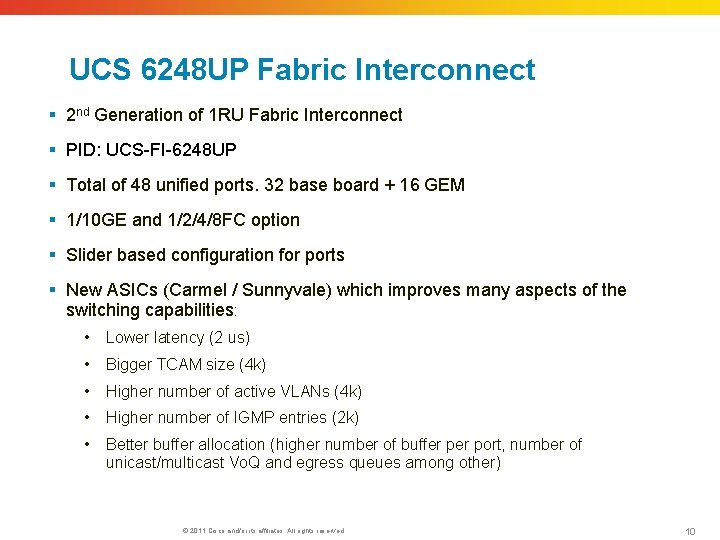
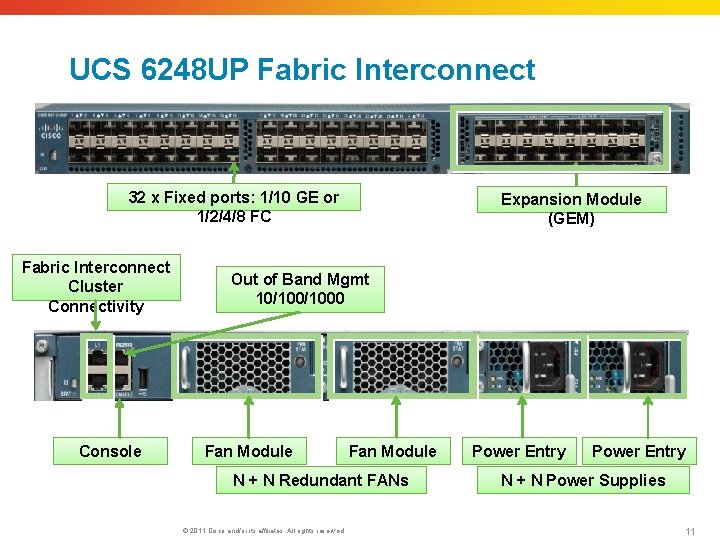
UCS 6248 UP Fabric Interconnect § 2 nd Generation of 1 RU Fabric Interconnect § PID: UCS-FI-6248 UP § Total of 48 unified ports. 32 base board + 16 GEM § 1/10 GE and 1/2/4/8 FC option § Slider based configuration for ports § New ASICs (Carmel / Sunnyvale) which improves many aspects of the switching capabilities: • Lower latency (2 us) • Bigger TCAM size (4 k) • Higher number of active VLANs (4 k) • Higher number of IGMP entries (2 k) • Better buffer allocation (higher number of buffer port, number of unicast/multicast Vo. Q and egress queues among other) © 2011 Cisco and/or its affiliates. All rights reserved. 10
UCS 6248 UP Fabric Interconnect 32 x Fixed ports: 1/10 GE or 1/2/4/8 FC Fabric Interconnect Cluster Connectivity Console Expansion Module (GEM) Out of Band Mgmt 10/1000 Fan Module N + N Redundant FANs © 2011 Cisco and/or its affiliates. All rights reserved. Power Entry N + N Power Supplies 11
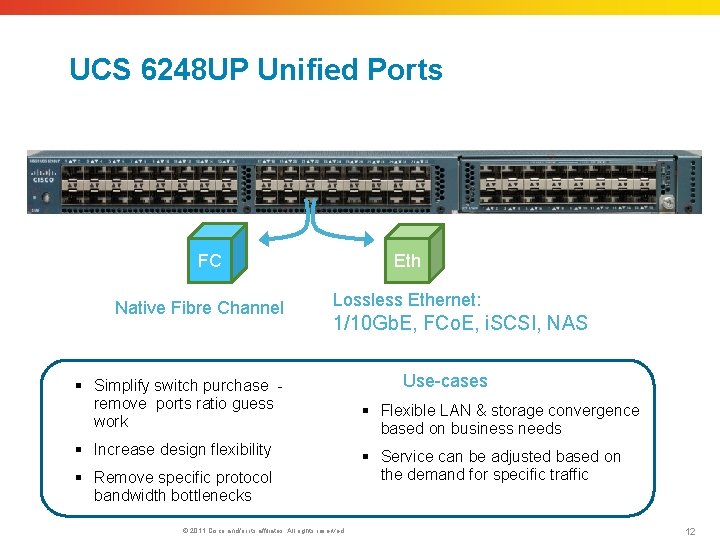
UCS 6248 UP Unified Ports FC Native Fibre Channel Eth Lossless Ethernet: 1/10 Gb. E, FCo. E, i. SCSI, NAS § Simplify switch purchase - remove ports ratio guess work § Increase design flexibility § Remove specific protocol bandwidth bottlenecks © 2011 Cisco and/or its affiliates. All rights reserved. Use-cases § Flexible LAN & storage convergence based on business needs § Service can be adjusted based on the demand for specific traffic 12
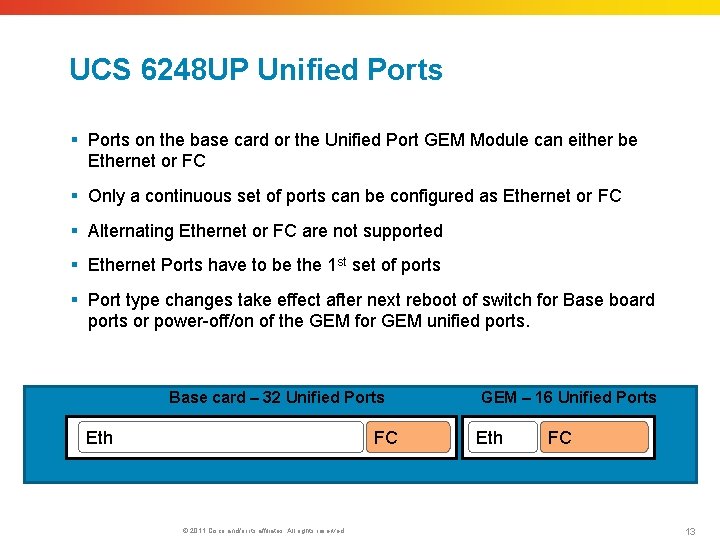
UCS 6248 UP Unified Ports § Ports on the base card or the Unified Port GEM Module can either be Ethernet or FC § Only a continuous set of ports can be configured as Ethernet or FC § Alternating Ethernet or FC are not supported § Ethernet Ports have to be the 1 st set of ports § Port type changes take effect after next reboot of switch for Base board ports or power-off/on of the GEM for GEM unified ports. Base card – 32 Unified Ports Eth FC © 2011 Cisco and/or its affiliates. All rights reserved. GEM – 16 Unified Ports Eth FC 13
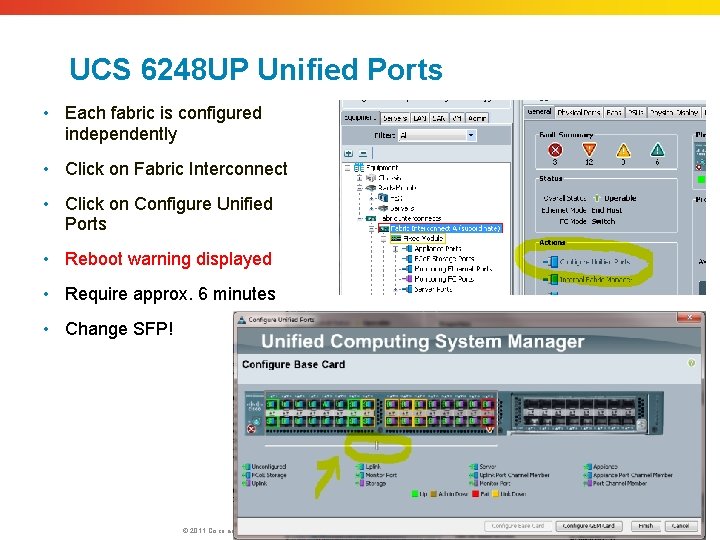
UCS 6248 UP Unified Ports • Each fabric is configured independently • Click on Fabric Interconnect • Click on Configure Unified Ports • Reboot warning displayed • Require approx. 6 minutes • Change SFP! © 2011 Cisco and/or its affiliates. All rights reserved. 14
UCS 2. 0 Hardware Introduction UCS 2208 XP I/OM
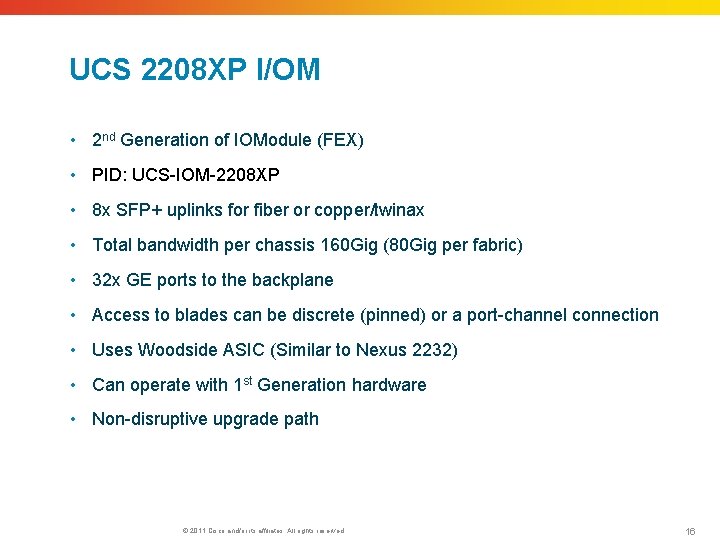
UCS 2208 XP I/OM • 2 nd Generation of IOModule (FEX) • PID: UCS-IOM-2208 XP • 8 x SFP+ uplinks for fiber or copper/twinax • Total bandwidth per chassis 160 Gig (80 Gig per fabric) • 32 x GE ports to the backplane • Access to blades can be discrete (pinned) or a port-channel connection • Uses Woodside ASIC (Similar to Nexus 2232) • Can operate with 1 st Generation hardware • Non-disruptive upgrade path © 2011 Cisco and/or its affiliates. All rights reserved. 16
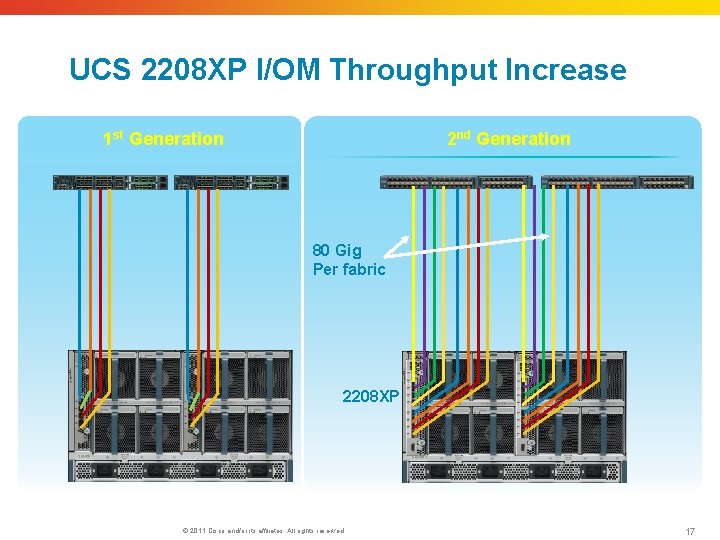
UCS 2208 XP I/OM Throughput Increase 1 st Generation 2 nd Generation 80 Gig Per fabric 2208 XP © 2011 Cisco and/or its affiliates. All rights reserved. 17
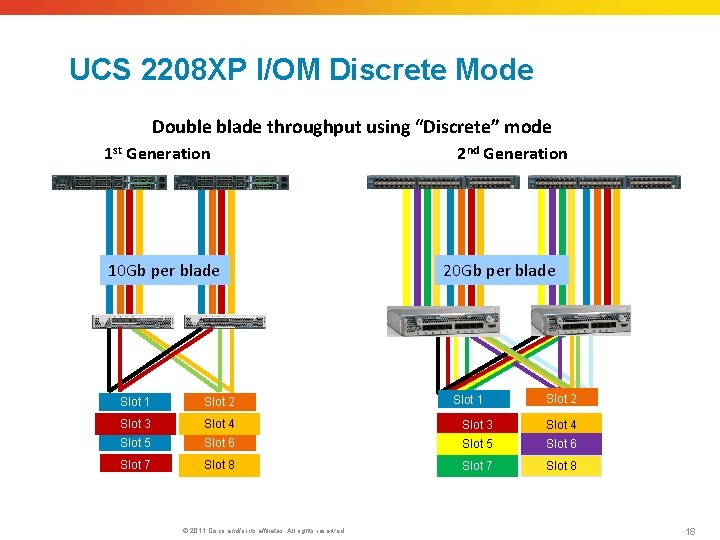
UCS 2208 XP I/OM Discrete Mode Double blade throughput using “Discrete” mode 1 st Generation 10 Gb per blade 2 nd Generation 20 Gb per blade Slot 1 Slot 2 Slot 3 Slot 4 Slot 5 Slot 6 Slot 7 Slot 8 © 2011 Cisco and/or its affiliates. All rights reserved. 18
UCS 2. 0 Hardware Introduction Port-Channel Support
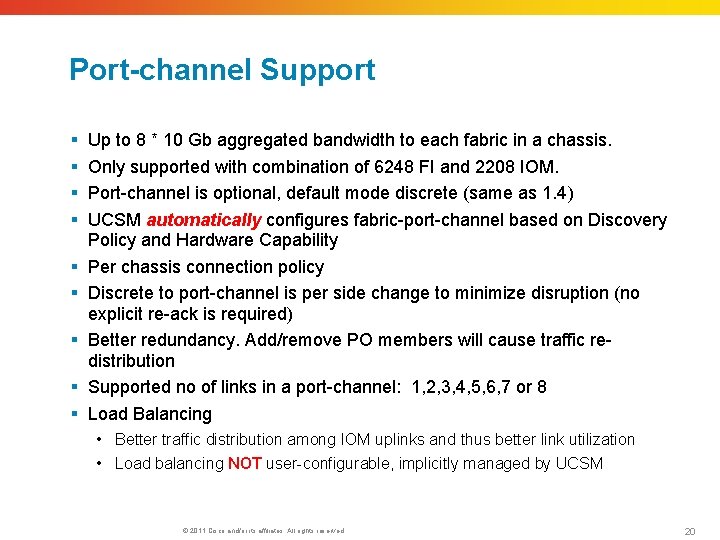
Port-channel Support § § § § § Up to 8 * 10 Gb aggregated bandwidth to each fabric in a chassis. Only supported with combination of 6248 FI and 2208 IOM. Port-channel is optional, default mode discrete (same as 1. 4) UCSM automatically configures fabric-port-channel based on Discovery Policy and Hardware Capability Per chassis connection policy Discrete to port-channel is per side change to minimize disruption (no explicit re-ack is required) Better redundancy. Add/remove PO members will cause traffic redistribution Supported no of links in a port-channel: 1, 2, 3, 4, 5, 6, 7 or 8 Load Balancing • Better traffic distribution among IOM uplinks and thus better link utilization • Load balancing NOT user-configurable, implicitly managed by UCSM © 2011 Cisco and/or its affiliates. All rights reserved. 20
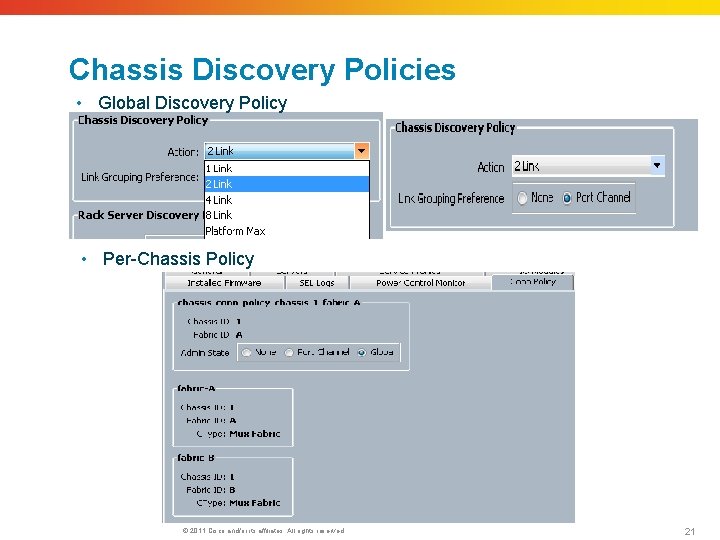
Chassis Discovery Policies • Global Discovery Policy • Per-Chassis Policy © 2011 Cisco and/or its affiliates. All rights reserved. 21
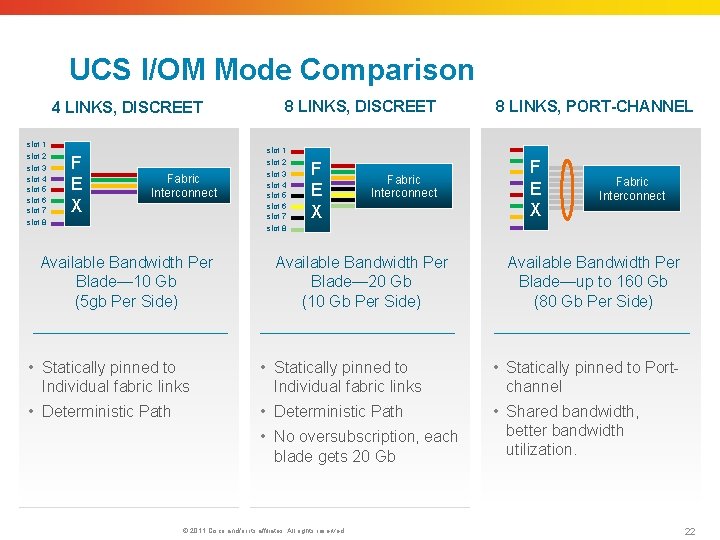
UCS I/OM Mode Comparison 4 LINKS, DISCREET slot 1 slot 2 slot 3 slot 4 slot 5 slot 6 slot 7 slot 8 F E X Fabric Interconnect Available Bandwidth Per Blade— 10 Gb (5 gb Per Side) 8 LINKS, DISCREET slot 1 slot 2 slot 3 slot 4 slot 5 slot 6 slot 7 slot 8 F E X Fabric Interconnect Available Bandwidth Per Blade— 20 Gb (10 Gb Per Side) 8 LINKS, PORT-CHANNEL F E X Fabric Interconnect Available Bandwidth Per Blade—up to 160 Gb (80 Gb Per Side) • Statically pinned to Individual fabric links • Statically pinned to Portchannel • Deterministic Path • Shared bandwidth, better bandwidth utilization. • No oversubscription, each blade gets 20 Gb © 2011 Cisco and/or its affiliates. All rights reserved. 22
UCS 2. 0 Hardware Introduction UCS VIC 1280
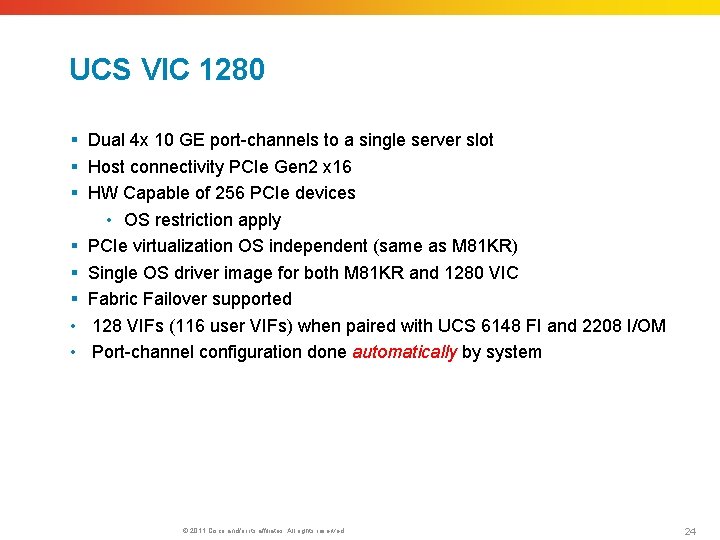
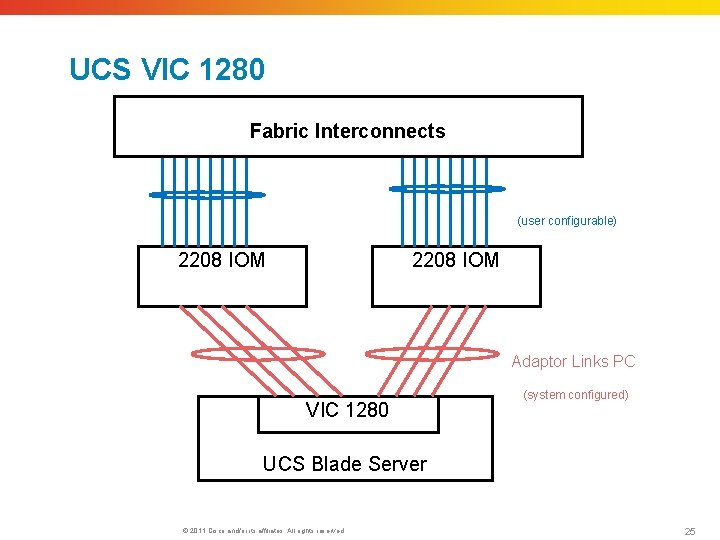
UCS VIC 1280 § Dual 4 x 10 GE port-channels to a single server slot § Host connectivity PCIe Gen 2 x 16 § HW Capable of 256 PCIe devices • OS restriction apply § PCIe virtualization OS independent (same as M 81 KR) § Single OS driver image for both M 81 KR and 1280 VIC § Fabric Failover supported • 128 VIFs (116 user VIFs) when paired with UCS 6148 FI and 2208 I/OM • Port-channel configuration done automatically by system © 2011 Cisco and/or its affiliates. All rights reserved. 24
UCS VIC 1280 Fabric Interconnects (user configurable) 2208 IOM Adaptor Links PC VIC 1280 (system configured) UCS Blade Server © 2011 Cisco and/or its affiliates. All rights reserved. 25
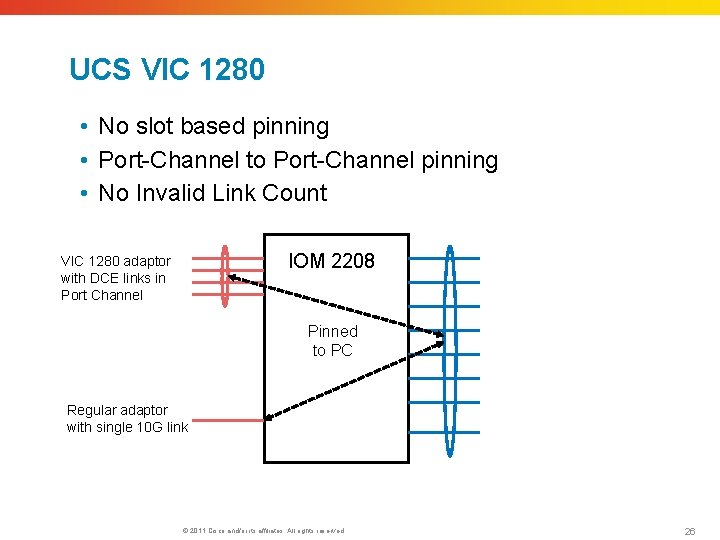
UCS VIC 1280 • No slot based pinning • Port-Channel to Port-Channel pinning • No Invalid Link Count IOM 2208 VIC 1280 adaptor with DCE links in Port Channel Pinned to PC Regular adaptor with single 10 G link © 2011 Cisco and/or its affiliates. All rights reserved. 26
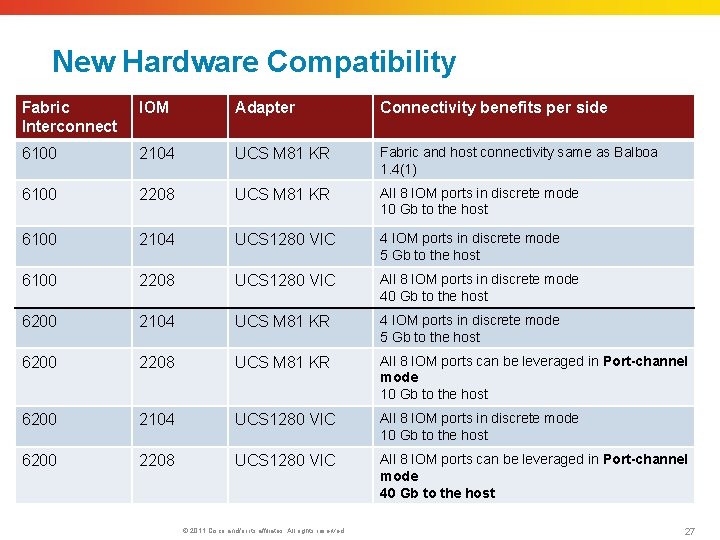
New Hardware Compatibility Fabric Interconnect IOM Adapter Connectivity benefits per side 6100 2104 UCS M 81 KR Fabric and host connectivity same as Balboa 1. 4(1) 6100 2208 UCS M 81 KR All 8 IOM ports in discrete mode 10 Gb to the host 6100 2104 UCS 1280 VIC 4 IOM ports in discrete mode 5 Gb to the host 6100 2208 UCS 1280 VIC All 8 IOM ports in discrete mode 40 Gb to the host 6200 2104 UCS M 81 KR 4 IOM ports in discrete mode 5 Gb to the host 6200 2208 UCS M 81 KR All 8 IOM ports can be leveraged in Port-channel mode 10 Gb to the host 6200 2104 UCS 1280 VIC All 8 IOM ports in discrete mode 10 Gb to the host 6200 2208 UCS 1280 VIC All 8 IOM ports can be leveraged in Port-channel mode 40 Gb to the host © 2011 Cisco and/or its affiliates. All rights reserved. 27
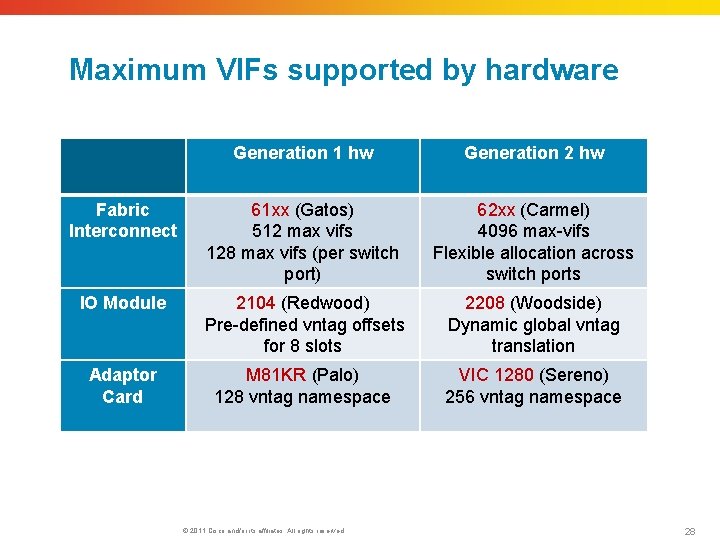
Maximum VIFs supported by hardware Generation 1 hw Generation 2 hw Fabric Interconnect 61 xx (Gatos) 512 max vifs 128 max vifs (per switch port) 62 xx (Carmel) 4096 max-vifs Flexible allocation across switch ports IO Module 2104 (Redwood) Pre-defined vntag offsets for 8 slots 2208 (Woodside) Dynamic global vntag translation Adaptor Card M 81 KR (Palo) 128 vntag namespace VIC 1280 (Sereno) 256 vntag namespace © 2011 Cisco and/or its affiliates. All rights reserved. 28
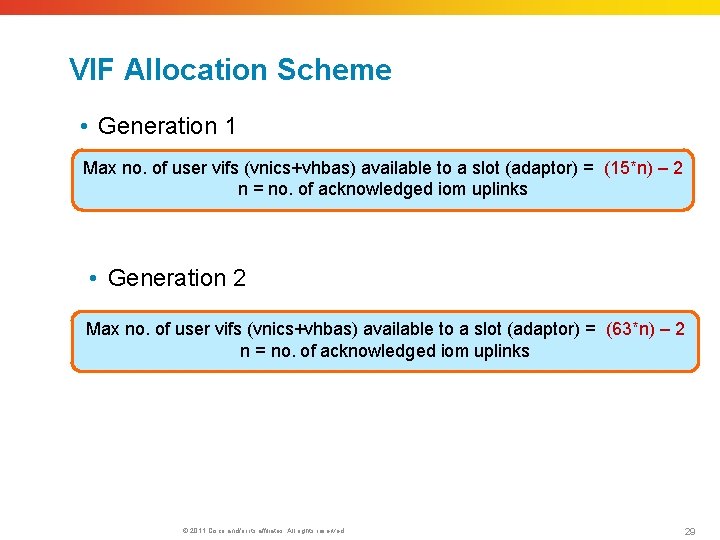
VIF Allocation Scheme • Generation 1 Max no. of user vifs (vnics+vhbas) available to a slot (adaptor) = (15*n) – 2 n = no. of acknowledged iom uplinks • Generation 2 Max no. of user vifs (vnics+vhbas) available to a slot (adaptor) = (63*n) – 2 n = no. of acknowledged iom uplinks © 2011 Cisco and/or its affiliates. All rights reserved. 29
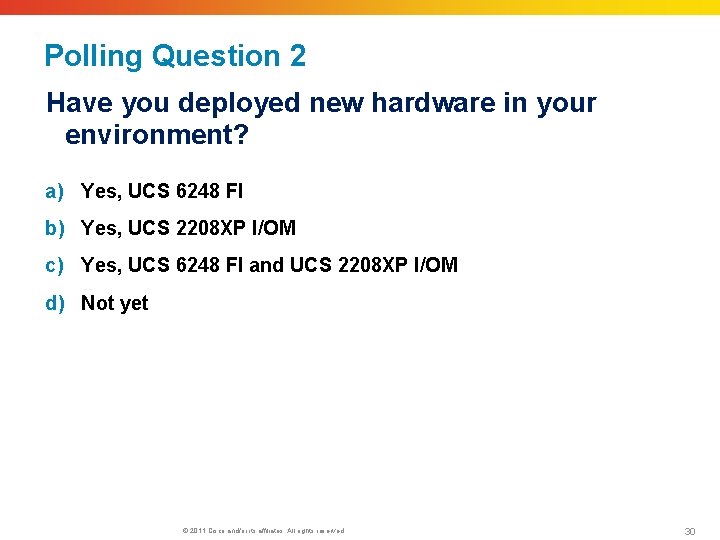
Polling Question 2 Have you deployed new hardware in your environment? a) Yes, UCS 6248 FI b) Yes, UCS 2208 XP I/OM c) Yes, UCS 6248 FI and UCS 2208 XP I/OM d) Not yet © 2011 Cisco and/or its affiliates. All rights reserved. 30
Submit Your Questions Now Use the Q&A panel to submit your questions. Experts will start responding those © 2011 Cisco and/or its affiliates. All rights reserved. 31
UCS 2. 0 Software Introduction i. SCSI Boot Support
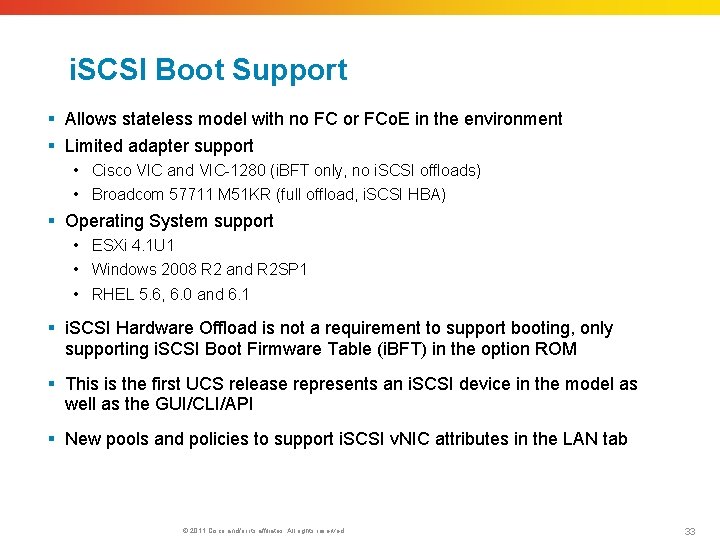
i. SCSI Boot Support § Allows stateless model with no FC or FCo. E in the environment § Limited adapter support • Cisco VIC and VIC-1280 (i. BFT only, no i. SCSI offloads) • Broadcom 57711 M 51 KR (full offload, i. SCSI HBA) § Operating System support • ESXi 4. 1 U 1 • Windows 2008 R 2 and R 2 SP 1 • RHEL 5. 6, 6. 0 and 6. 1 § i. SCSI Hardware Offload is not a requirement to support booting, only supporting i. SCSI Boot Firmware Table (i. BFT) in the option ROM § This is the first UCS release represents an i. SCSI device in the model as well as the GUI/CLI/API § New pools and policies to support i. SCSI v. NIC attributes in the LAN tab © 2011 Cisco and/or its affiliates. All rights reserved. 33
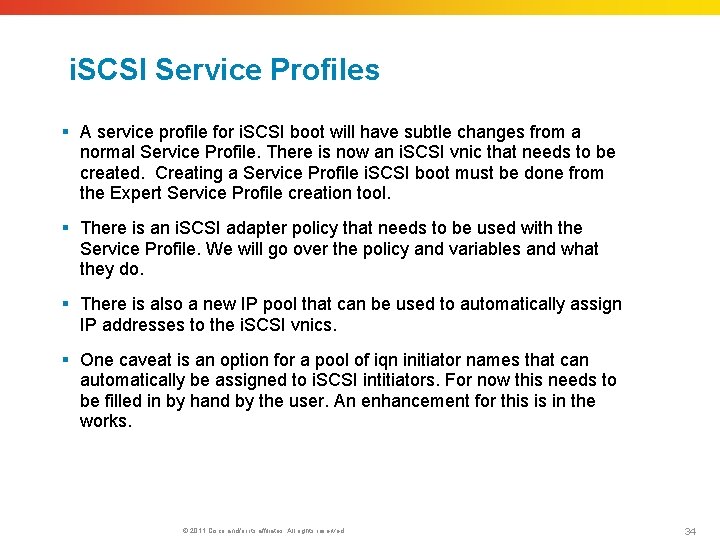
i. SCSI Service Profiles § A service profile for i. SCSI boot will have subtle changes from a normal Service Profile. There is now an i. SCSI vnic that needs to be created. Creating a Service Profile i. SCSI boot must be done from the Expert Service Profile creation tool. § There is an i. SCSI adapter policy that needs to be used with the Service Profile. We will go over the policy and variables and what they do. § There is also a new IP pool that can be used to automatically assign IP addresses to the i. SCSI vnics. § One caveat is an option for a pool of iqn initiator names that can automatically be assigned to i. SCSI intitiators. For now this needs to be filled in by hand by the user. An enhancement for this is in the works. © 2011 Cisco and/or its affiliates. All rights reserved. 34
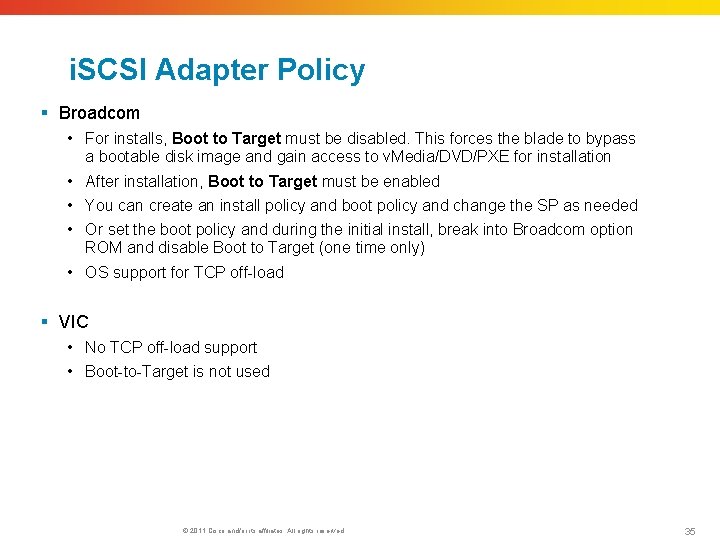
i. SCSI Adapter Policy § Broadcom • For installs, Boot to Target must be disabled. This forces the blade to bypass a bootable disk image and gain access to v. Media/DVD/PXE for installation • After installation, Boot to Target must be enabled • You can create an install policy and boot policy and change the SP as needed • Or set the boot policy and during the initial install, break into Broadcom option ROM and disable Boot to Target (one time only) • OS support for TCP off-load § VIC • No TCP off-load support • Boot-to-Target is not used © 2011 Cisco and/or its affiliates. All rights reserved. 35
UCS 2. 0 Software Introduction Disjointed L 2 Support
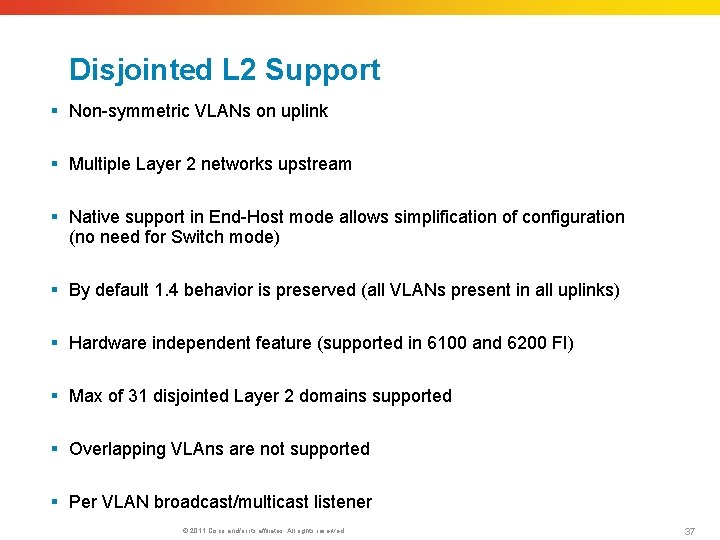
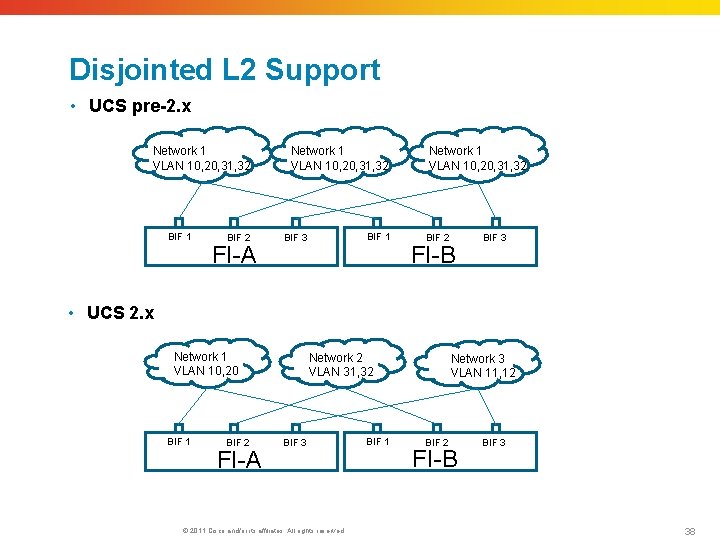
Disjointed L 2 Support § Non-symmetric VLANs on uplink § Multiple Layer 2 networks upstream § Native support in End-Host mode allows simplification of configuration (no need for Switch mode) § By default 1. 4 behavior is preserved (all VLANs present in all uplinks) § Hardware independent feature (supported in 6100 and 6200 FI) § Max of 31 disjointed Layer 2 domains supported § Overlapping VLAns are not supported § Per VLAN broadcast/multicast listener © 2011 Cisco and/or its affiliates. All rights reserved. 37
Disjointed L 2 Support • UCS pre-2. x Network 1 VLAN 10, 20, 31, 32 BIF 1 BIF 2 FI-A Network 1 VLAN 10, 20, 31, 32 BIF 1 BIF 3 Network 1 VLAN 10, 20, 31, 32 BIF 2 FI-B BIF 3 • UCS 2. x Network 1 VLAN 10, 20 BIF 1 BIF 2 FI-A Network 2 VLAN 31, 32 BIF 3 © 2011 Cisco and/or its affiliates. All rights reserved. BIF 1 Network 3 VLAN 11, 12 BIF 2 FI-B BIF 3 38
UCS 2. 0 Software Introduction VMDirect. Path with v. Motion
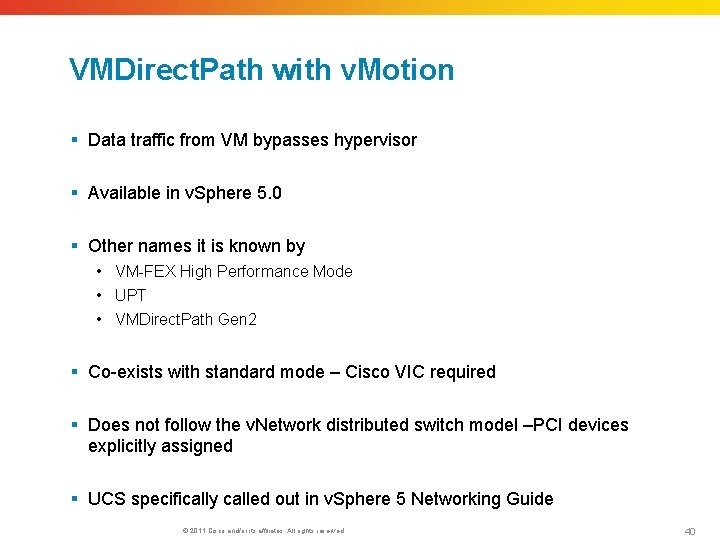
VMDirect. Path with v. Motion § Data traffic from VM bypasses hypervisor § Available in v. Sphere 5. 0 § Other names it is known by • VM-FEX High Performance Mode • UPT • VMDirect. Path Gen 2 § Co-exists with standard mode – Cisco VIC required § Does not follow the v. Network distributed switch model –PCI devices explicitly assigned § UCS specifically called out in v. Sphere 5 Networking Guide © 2011 Cisco and/or its affiliates. All rights reserved. 40
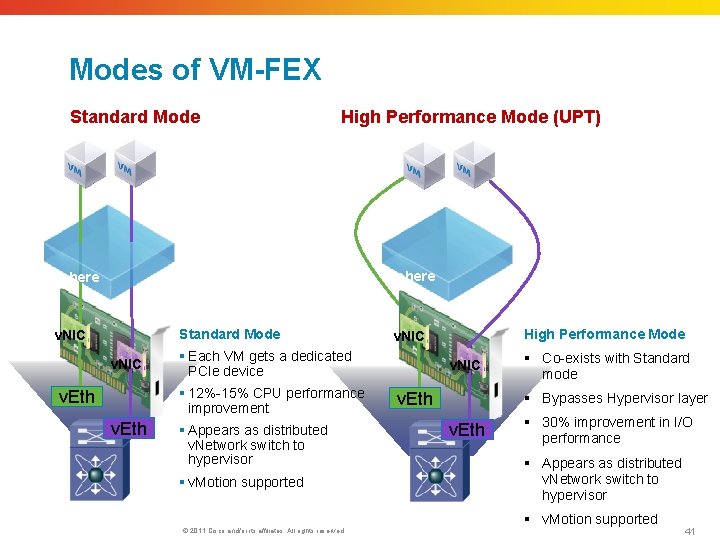
Modes of VM-FEX Standard Mode High Performance Mode (UPT) v. Sphere Standard Mode v. NIC § Each VM gets a dedicated PCIe device § 12%-15% CPU performance improvement v. Eth § Appears as distributed v. Network switch to hypervisor § v. Motion supported © 2011 Cisco and/or its affiliates. All rights reserved. High Performance Mode v. NIC v. Eth § Co-exists with Standard mode § Bypasses Hypervisor layer v. Eth § 30% improvement in I/O performance § Appears as distributed v. Network switch to hypervisor § v. Motion supported 41
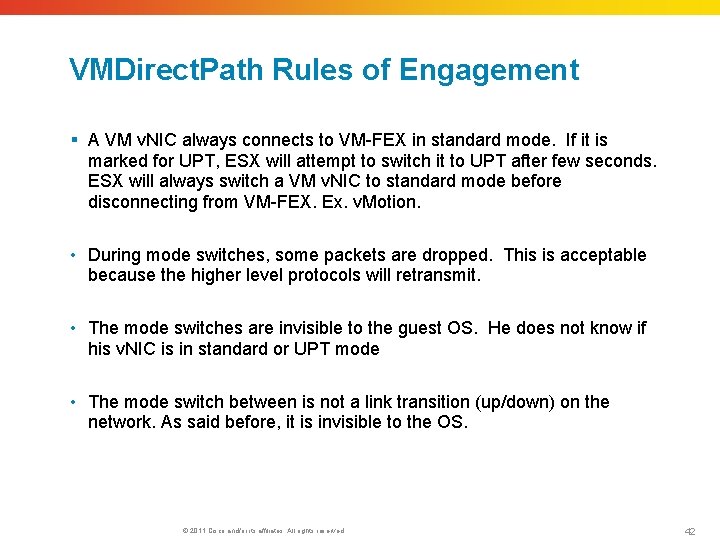
VMDirect. Path Rules of Engagement § A VM v. NIC always connects to VM-FEX in standard mode. If it is marked for UPT, ESX will attempt to switch it to UPT after few seconds. ESX will always switch a VM v. NIC to standard mode before disconnecting from VM-FEX. Ex. v. Motion. • During mode switches, some packets are dropped. This is acceptable because the higher level protocols will retransmit. • The mode switches are invisible to the guest OS. He does not know if his v. NIC is in standard or UPT mode • The mode switch between is not a link transition (up/down) on the network. As said before, it is invisible to the OS. © 2011 Cisco and/or its affiliates. All rights reserved. 42
UCS 2. 0 Software Introduction Red. Hat KVM with VM-Fex
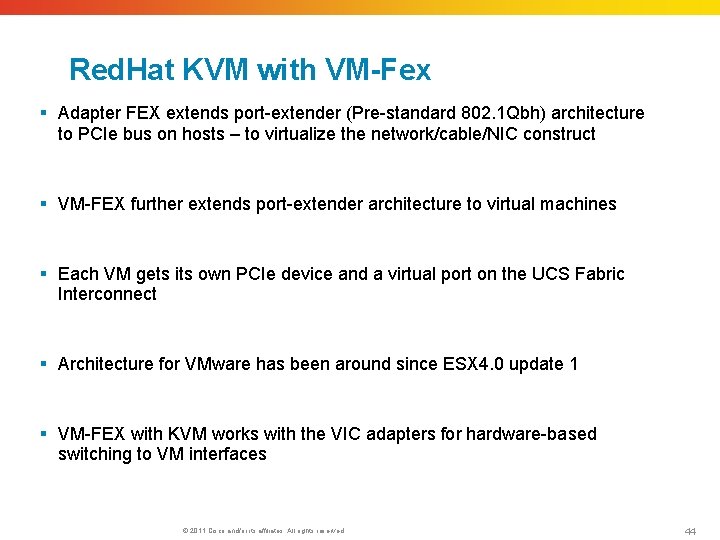
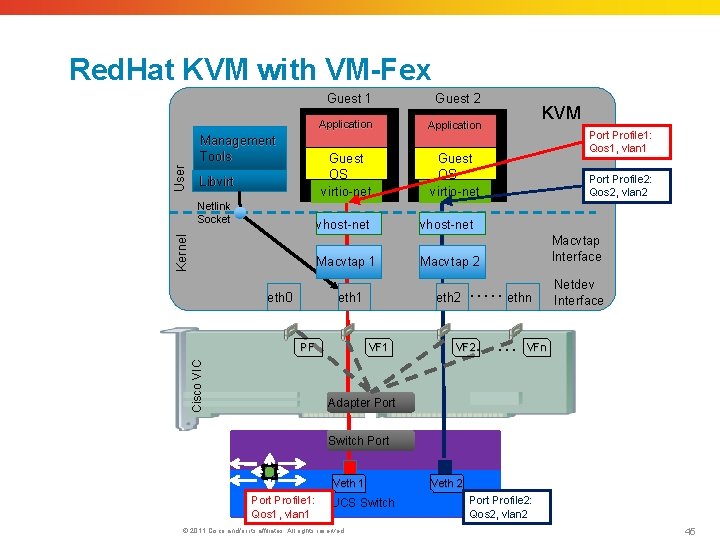
Red. Hat KVM with VM-Fex § Adapter FEX extends port-extender (Pre-standard 802. 1 Qbh) architecture to PCIe bus on hosts – to virtualize the network/cable/NIC construct § VM-FEX further extends port-extender architecture to virtual machines § Each VM gets its own PCIe device and a virtual port on the UCS Fabric Interconnect § Architecture for VMware has been around since ESX 4. 0 update 1 § VM-FEX with KVM works with the VIC adapters for hardware-based switching to VM interfaces © 2011 Cisco and/or its affiliates. All rights reserved. 44
Red. Hat KVM with VM-Fex User Management Tools Libvirt Netlink Socket Guest 1 Guest 2 Application Guest OS virtio-net Kernel vhost-net Macvtap 1 eth 0 eth 1 Cisco VIC PF Port Profile 1: Qos 1, vlan 1 Port Profile 2: Qos 2, vlan 2 vhost-net Macvtap Interface Macvtap 2 eth 2 VF 1 KVM …… ethn …… VF 2 Netdev Interface VFn Adapter Port Switch Port Veth 1 Port Profile 1: Qos 1, vlan 1 UCS Switch © 2011 Cisco and/or its affiliates. All rights reserved. Veth 2 Port Profile 2: Qos 2, vlan 2 45
UCS 2. 0 Software Introduction HDD Health Status
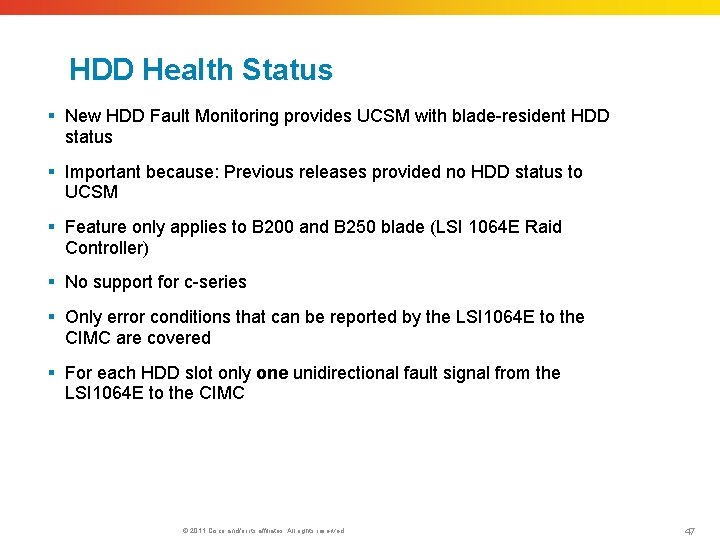
HDD Health Status § New HDD Fault Monitoring provides UCSM with blade-resident HDD status § Important because: Previous releases provided no HDD status to UCSM § Feature only applies to B 200 and B 250 blade (LSI 1064 E Raid Controller) § No support for c-series § Only error conditions that can be reported by the LSI 1064 E to the CIMC are covered § For each HDD slot only one unidirectional fault signal from the LSI 1064 E to the CIMC © 2011 Cisco and/or its affiliates. All rights reserved. 47
References § Cisco Support Community https: //supportforums. cisco. com/ § Unified Computing System Community https: //supportforums. cisco. com/community/netpro/data-center/unified -computing § Cisco. com pages http: //www. cisco. com/en/US/products/ps 10265/index. html § Support pages: http: //www. cisco. com/en/US/partner/products/ps 11544/tsd_products_ support_series_home. html § Designing Secure Multi-Tenancy into Virtualized Data Centers http: //www. cisco. com/en/US/docs/solutions/Enterprise/Data_Center/Vi rtualization/securecldg. html © 2011 Cisco and/or its affiliates. All rights reserved. 48
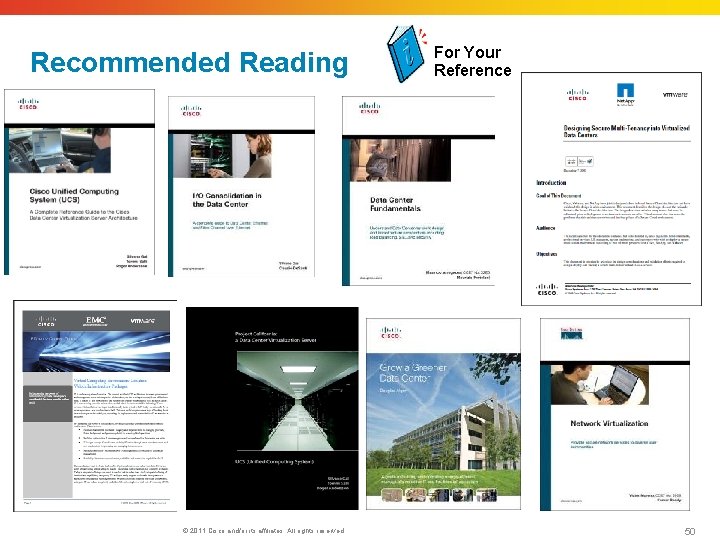
Books § Cisco Unified Computing System (UCS) http: //www. ciscopress. com/bookstore/product. asp? isbn=1587141930 § I/O Consolidation in the Data Center http: //www. ciscopress. com/bookstore/product. asp? isbn=158705888 X § Network Virtualization http: //www. ciscopress. com/bookstore/product. asp? isbn=1587052482 § Data Center Fundamentals http: //www. ciscopress. com/bookstore/product. asp? isbn=1587050234 © 2011 Cisco and/or its affiliates. All rights reserved. 49
Recommended Reading © 2011 Cisco and/or its affiliates. All rights reserved. For Your Reference 50
Polling Question 3 Are you currently doing stateless boot with Internet Small Computer Systems Interface (i. SCSI)? a) Yes b) No, I am using Fibre Channel c) No, but planning to migrate d) No, I have no plans of migrating © 2011 Cisco and/or its affiliates. All rights reserved. 51
Q&A © 2011 Cisco and/or its affiliates. All rights reserved. 52
We Appreciate Your Feedback! We will raffle five gift certificates among those who fill out the Evaluation Survey $20 USD Gift Certificate To complete the evaluation, please click on link provided in the chat or after closing your browser. © 2011 Cisco and/or its affiliates. All rights reserved. 53
If you have additional questions, you can ask them to Expert He will be answering from day February 7 to February 17 th. https: //supportforums. cisco. com/community/netpro/ask-the-expert You can watch the video or read the Q&A 5 business days after the event at https: //supportforums. cisco. com/community/netpro/ask-theexpert/webcasts
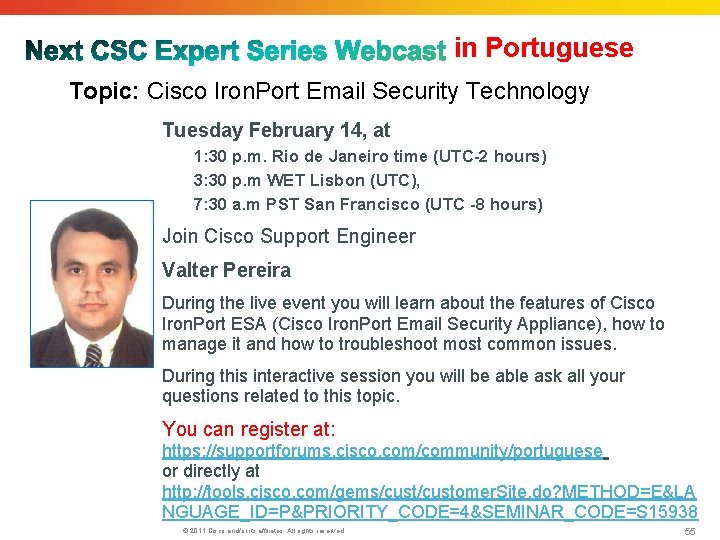
in Portuguese Topic: Cisco Iron. Port Email Security Technology Tuesday February 14, at 1: 30 p. m. Rio de Janeiro time (UTC-2 hours) 3: 30 p. m WET Lisbon (UTC), 7: 30 a. m PST San Francisco (UTC -8 hours) Join Cisco Support Engineer Valter Pereira During the live event you will learn about the features of Cisco Iron. Port ESA (Cisco Iron. Port Email Security Appliance), how to manage it and how to troubleshoot most common issues. During this interactive session you will be able ask all your questions related to this topic. You can register at: https: //supportforums. cisco. com/community/portuguese or directly at http: //tools. cisco. com/gems/customer. Site. do? METHOD=E&LA NGUAGE_ID=P&PRIORITY_CODE=4&SEMINAR_CODE=S 15938 © 2011 Cisco and/or its affiliates. All rights reserved. 55
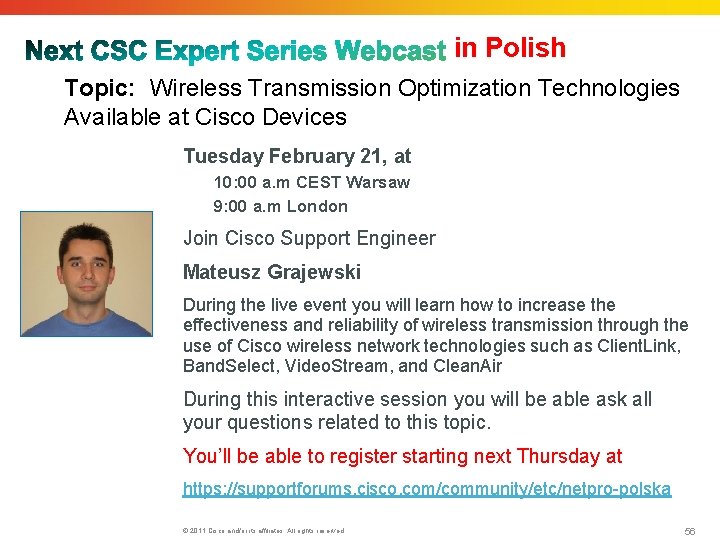
in Polish Topic: Wireless Transmission Optimization Technologies Available at Cisco Devices Tuesday February 21, at 10: 00 a. m CEST Warsaw 9: 00 a. m London Join Cisco Support Engineer Mateusz Grajewski During the live event you will learn how to increase the effectiveness and reliability of wireless transmission through the use of Cisco wireless network technologies such as Client. Link, Band. Select, Video. Stream, and Clean. Air During this interactive session you will be able ask all your questions related to this topic. You’ll be able to register starting next Thursday at https: //supportforums. cisco. com/community/etc/netpro-polska © 2011 Cisco and/or its affiliates. All rights reserved. 56
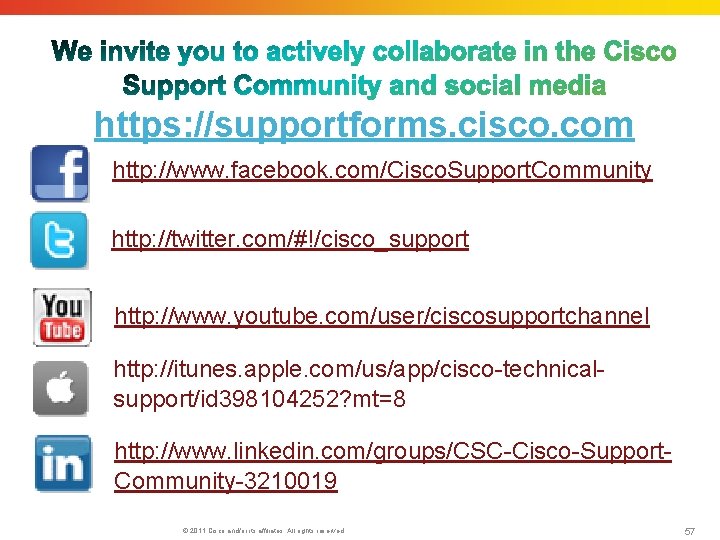
https: //supportforms. cisco. com http: //www. facebook. com/Cisco. Support. Community http: //twitter. com/#!/cisco_support http: //www. youtube. com/user/ciscosupportchannel http: //itunes. apple. com/us/app/cisco-technicalsupport/id 398104252? mt=8 http: //www. linkedin. com/groups/CSC-Cisco-Support. Community-3210019 © 2011 Cisco and/or its affiliates. All rights reserved. 57
If you speak Spanish, Portuguese, Japanese, or Polish, we invite you to ask your questions and collaborate in your language. • Spanish https: //supportforums. cisco. com/community/spanish • Portuguese: https: //supportforums. cisco. com/community/portuguese • Japanese https: //supportforums. cisco. com/community/csc-japan • Polish https: //supportforums. cisco. com/community/etc/netpro-polska We’re also running a pilot for Russian You can register at the following link: • Russian: (Launching in March, 2012) https: //www. ciscofeedback. vovici. com/se. ashx? s=6 A 5348 A 712220 E 19 © 2011 Cisco and/or its affiliates. All rights reserved. 58
Thank You for Your Time Please Take a Moment to Complete the Evaluation