
UNICOS UNIFIED INDUSTRIAL CONTROL SYSTEM CPC CONTINUOUS PROCESS

- Slides: 65
UNICOS: UNIFIED INDUSTRIAL CONTROL SYSTEM CPC (CONTINUOUS PROCESS CONTROL) SCADA Marco Boccioli - EN/ICE 1
Content UNICOS SCADA environment • Device SCADA implementation • 2
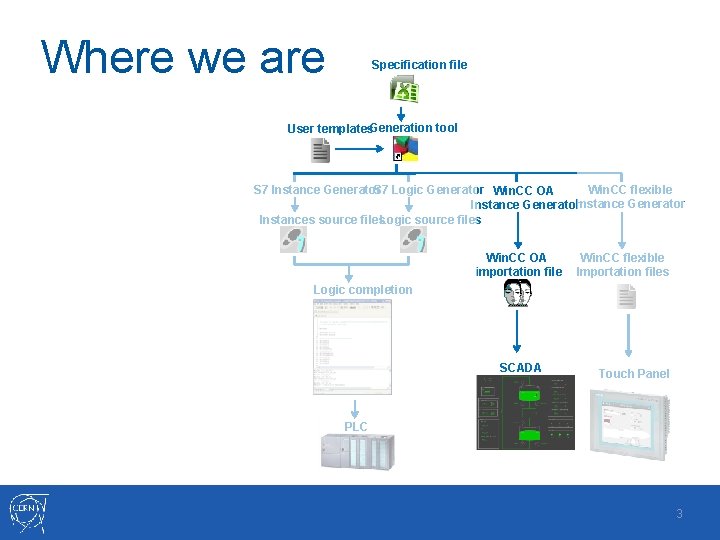
Where we are Specification file User templates. Generation tool Win. CC flexible S 7 Logic Generator Win. CC OA S 7 Instance Generator Instances source files. Logic source files Win. CC OA importation file Win. CC flexible Importation files Logic completion SCADA Touch Panel PLC 3
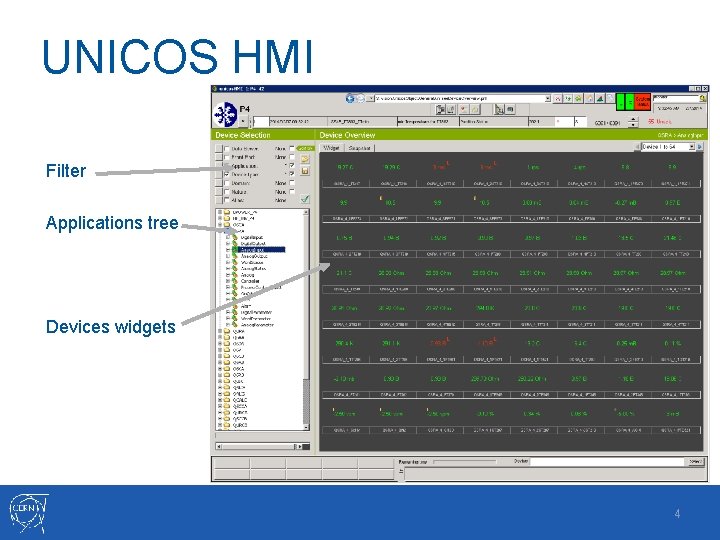
UNICOS HMI Filter Applications tree Devices widgets 4
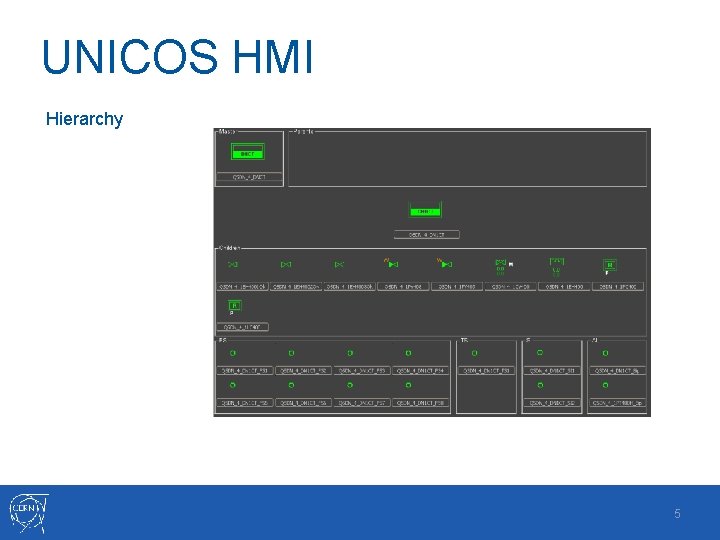
UNICOS HMI Hierarchy 5
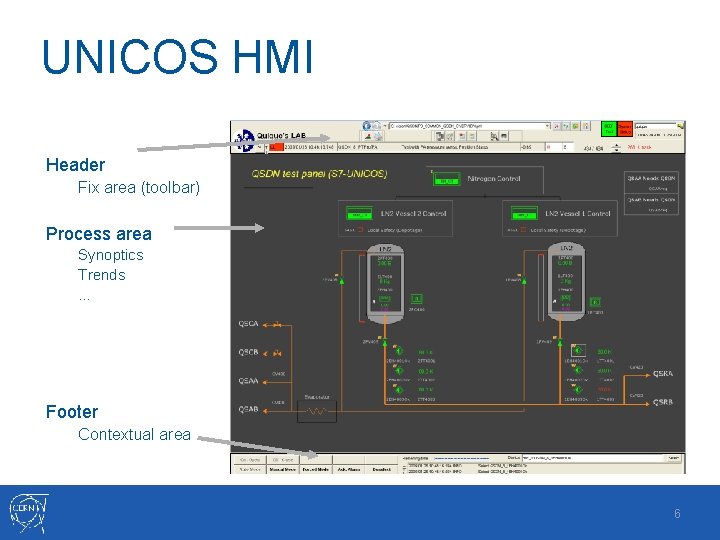
UNICOS HMI Header Fix area (toolbar) Process area Synoptics Trends … Footer Contextual area 6
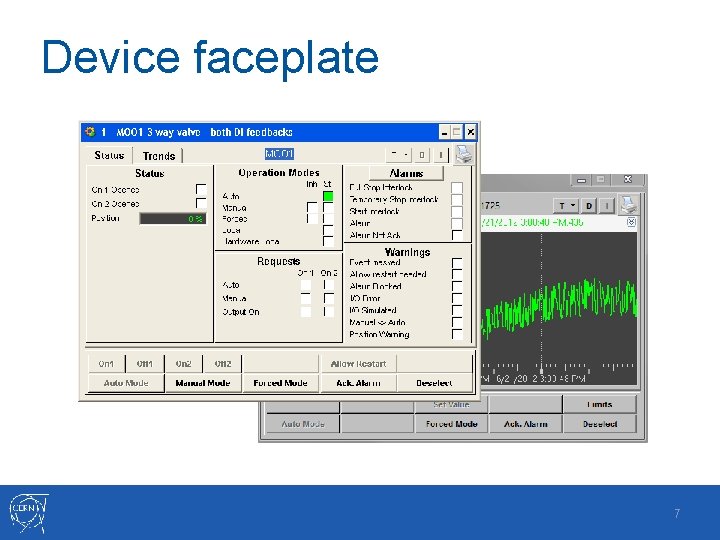
Device faceplate 7
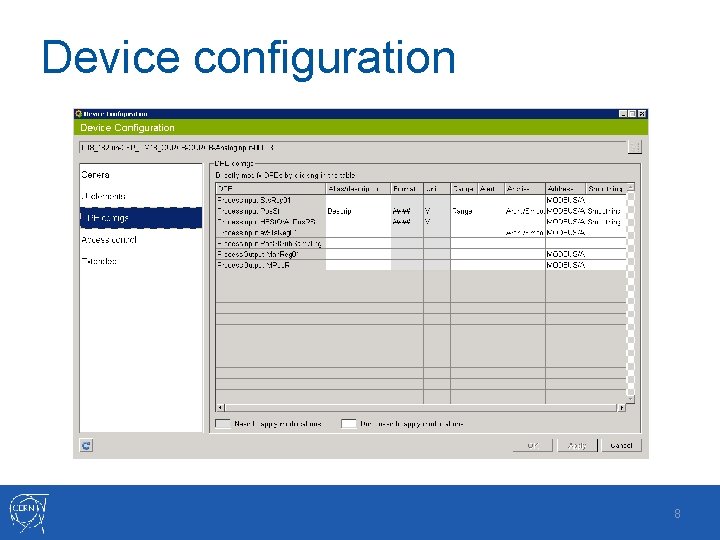
Device configuration 8
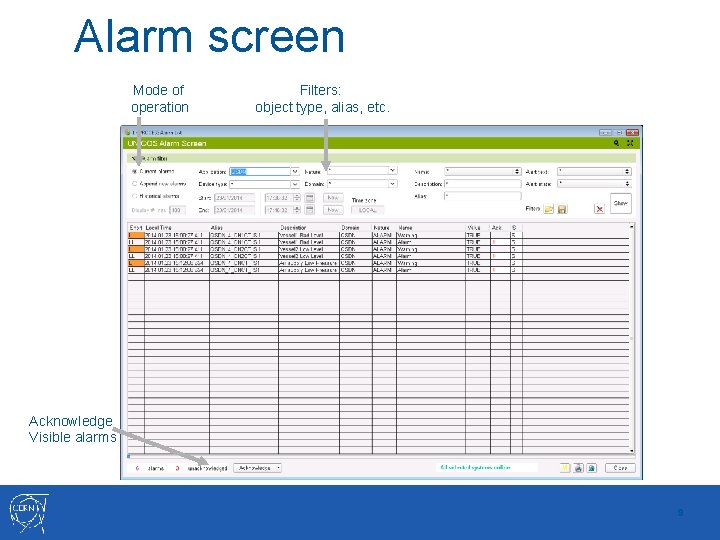
Alarm screen Mode of operation Filters: object type, alias, etc. Acknowledge Visible alarms 9
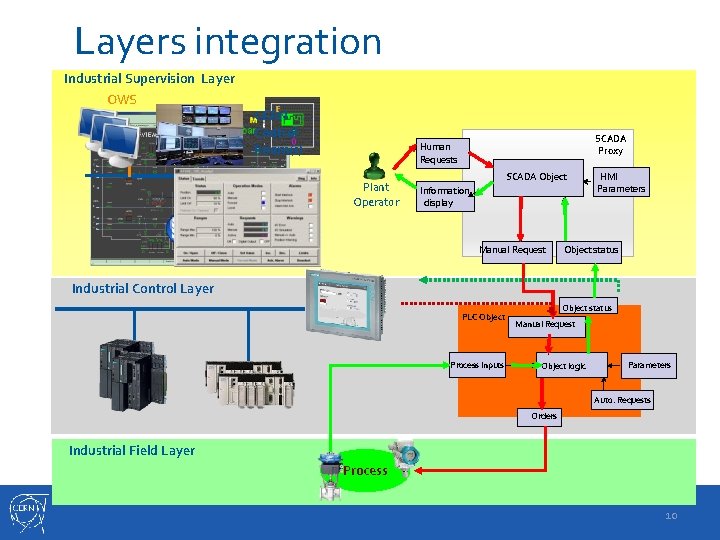
Layers integration Industrial Supervision Layer OWS CERN Control Room(s) SCADA Server(s) SCADA Proxy Human Requests Plant Operator SCADA Object Information display Manual Request HMI Parameters Object status Industrial Control Layer PLC Object Process Inputs Object status Manual Request Object logic Parameters Auto. Requests Orders Industrial Field Layer Process 10
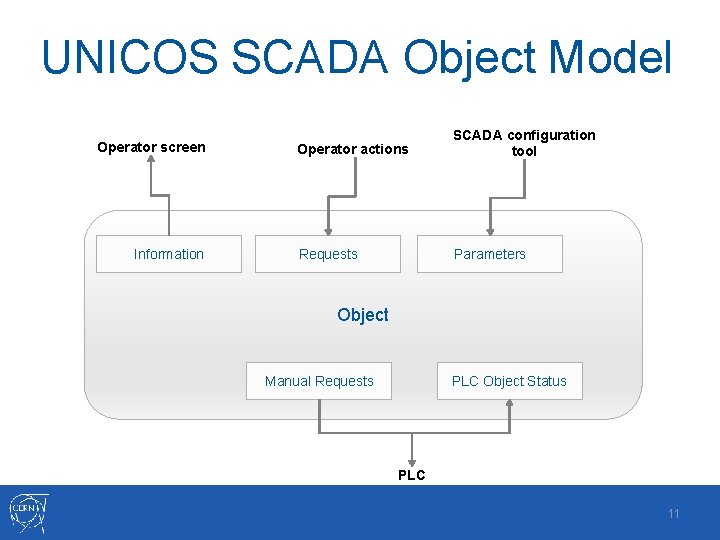
UNICOS SCADA Object Model Operator screen Information Operator actions SCADA configuration tool Requests Parameters Object Manual Requests PLC Object Status PLC 11
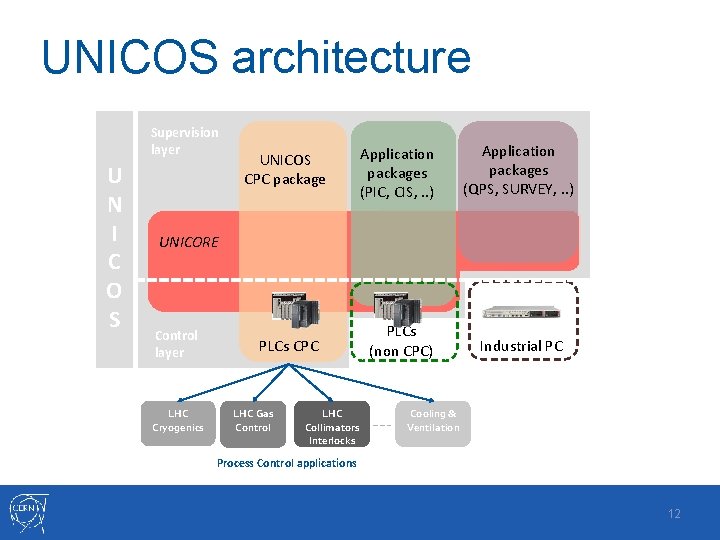
UNICOS architecture Supervision layer U N I C O S UNICOS CPC package Application A packages (PIC, CIS, . . ) Application packages (QPS, SURVEY, . . ) PLCs CPC PLCs (non CPC) Industrial PC UNICORE Control layer LHC Cryogenics LHC Gas Control LHC Collimators Interlocks Cooling & Ventilation Process Control applications 12
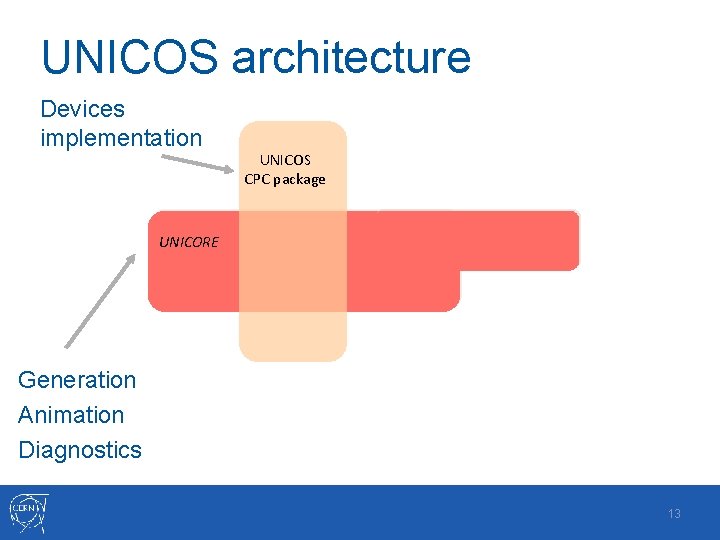
UNICOS architecture Devices implementation UNICOS CPC package UNICORE Generation Animation Diagnostics 13
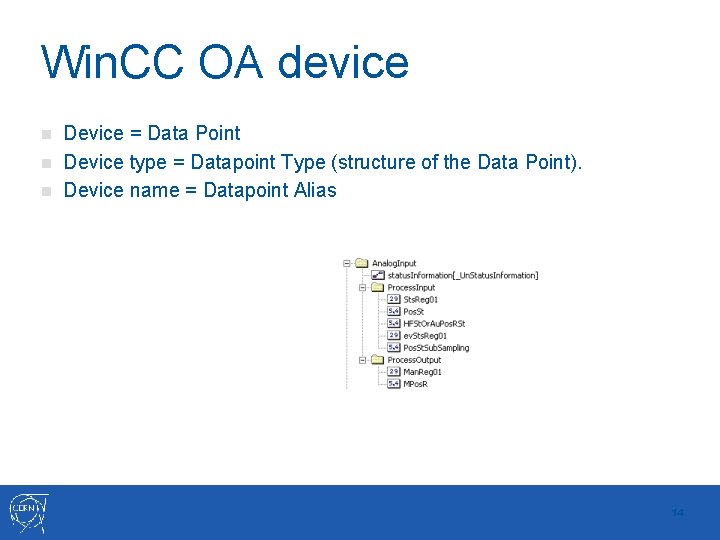
Win. CC OA device n n n Device = Data Point Device type = Datapoint Type (structure of the Data Point). Device name = Datapoint Alias 14
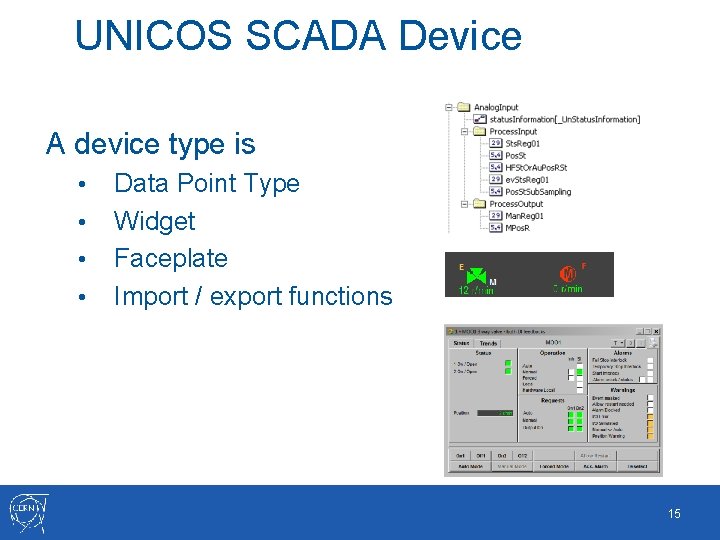
UNICOS SCADA Device A device type is • • Data Point Type Widget Faceplate Import / export functions 15
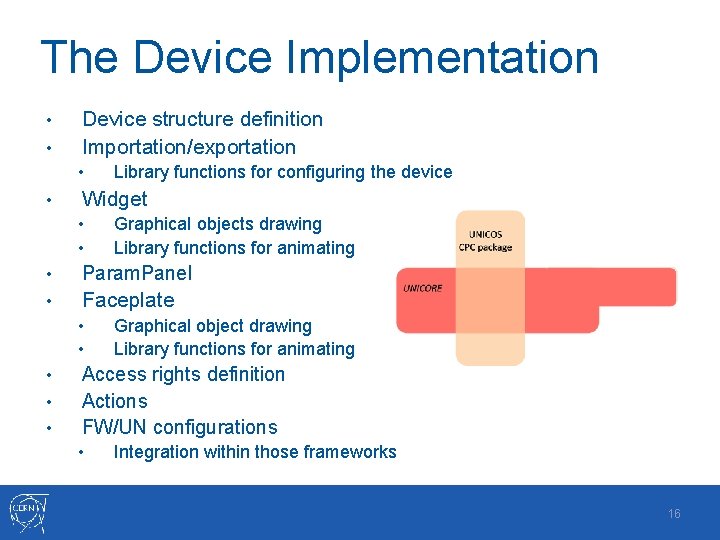
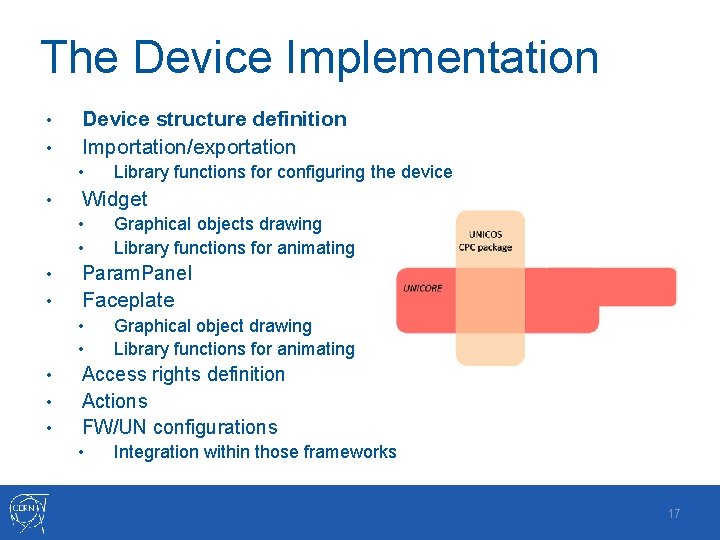
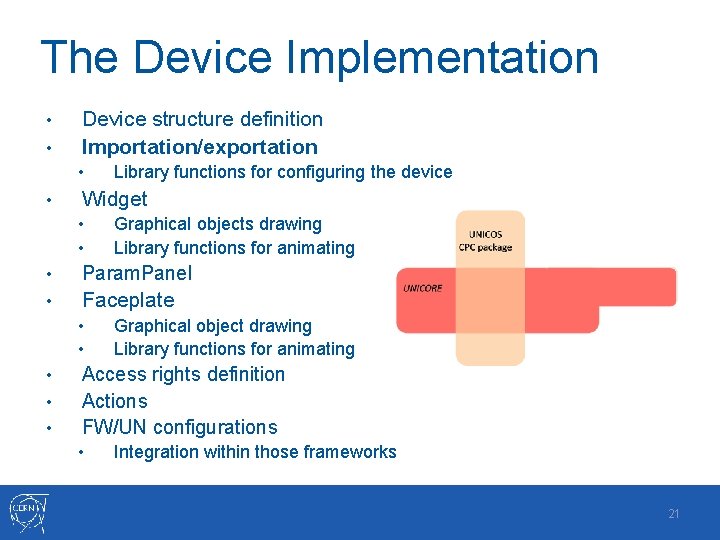
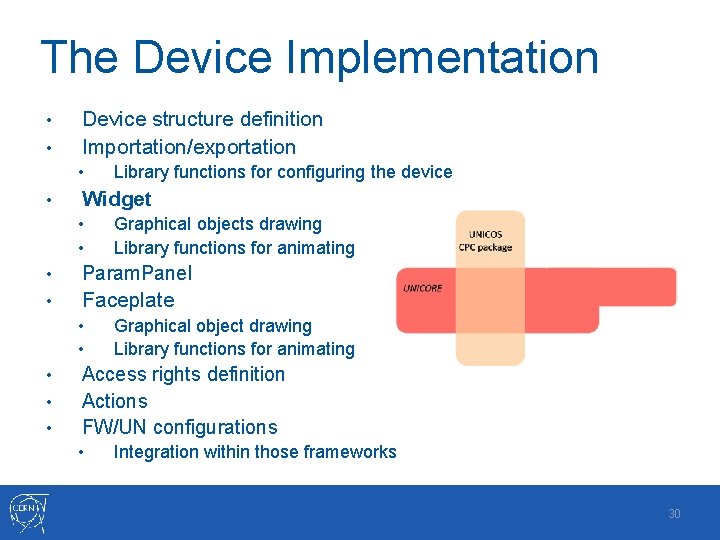
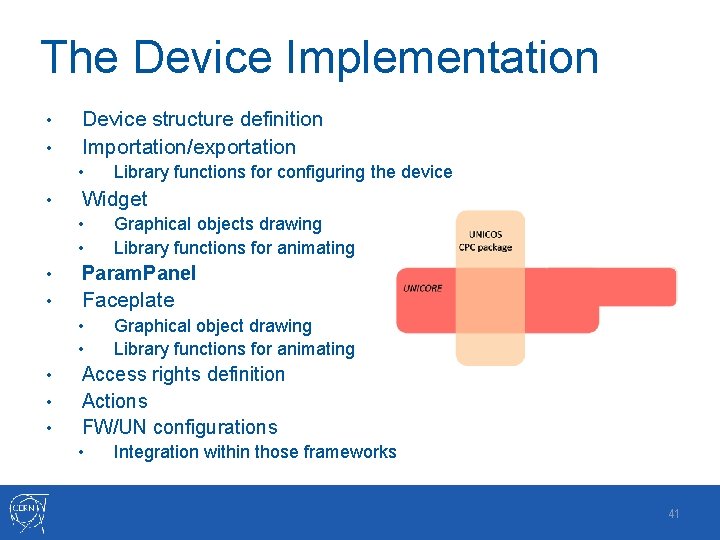
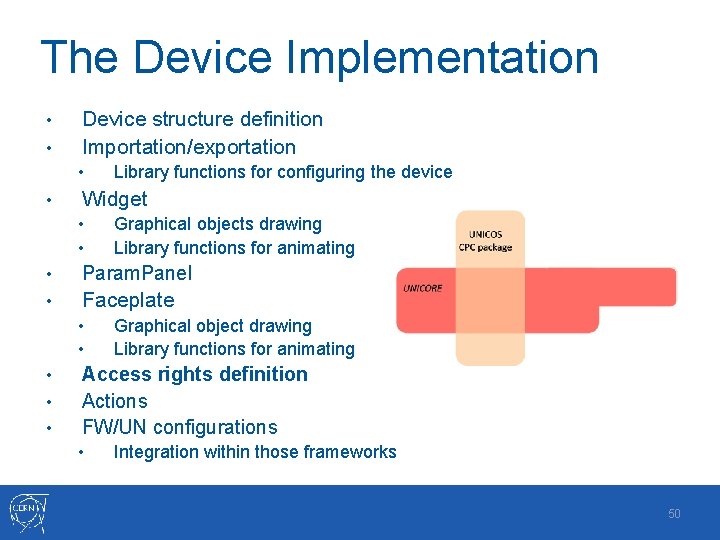
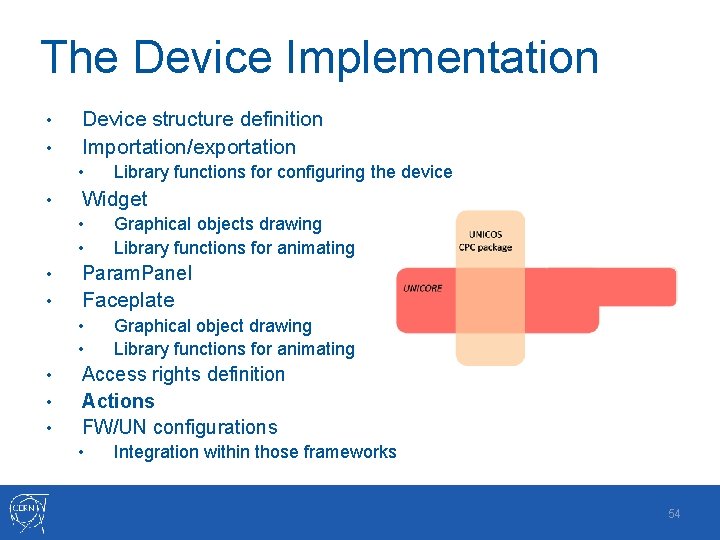
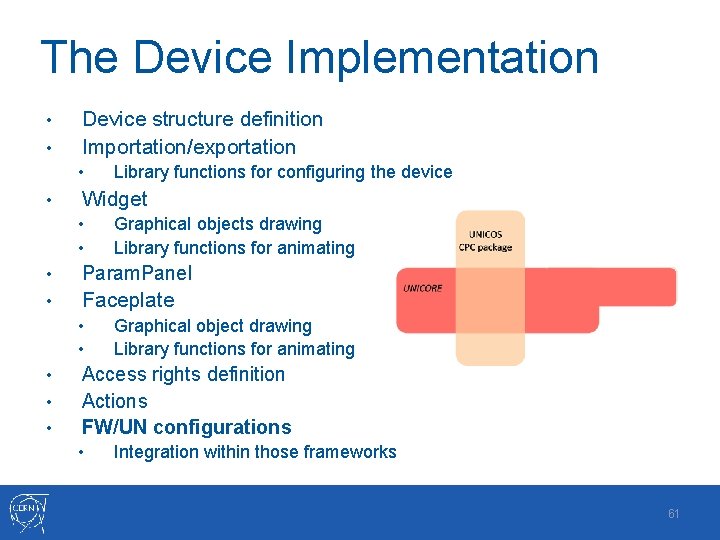
The Device Implementation • • Device structure definition Importation/exportation • • Library functions for configuring the device Widget • • Graphical objects drawing Library functions for animating • Param. Panel • Faceplate • • • Graphical object drawing Library functions for animating Access rights definition Actions FW/UN configurations • Integration within those frameworks 16
The Device Implementation • • Device structure definition Importation/exportation • • Library functions for configuring the device Widget • • Graphical objects drawing Library functions for animating • Param. Panel • Faceplate • • • Graphical object drawing Library functions for animating Access rights definition Actions FW/UN configurations • Integration within those frameworks 17
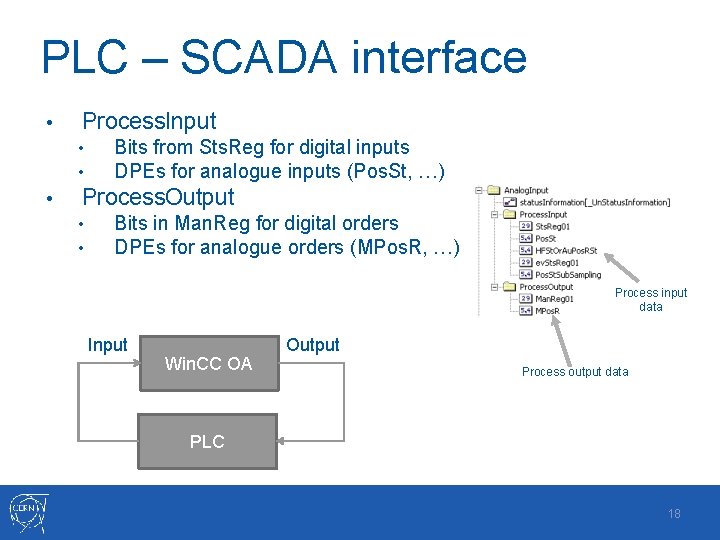
PLC – SCADA interface • Process. Input • • • Bits from Sts. Reg for digital inputs DPEs for analogue inputs (Pos. St, …) Process. Output • • Bits in Man. Reg for digital orders DPEs for analogue orders (MPos. R, …) Process input data Input Win. CC OA Output Process output data PLC 18
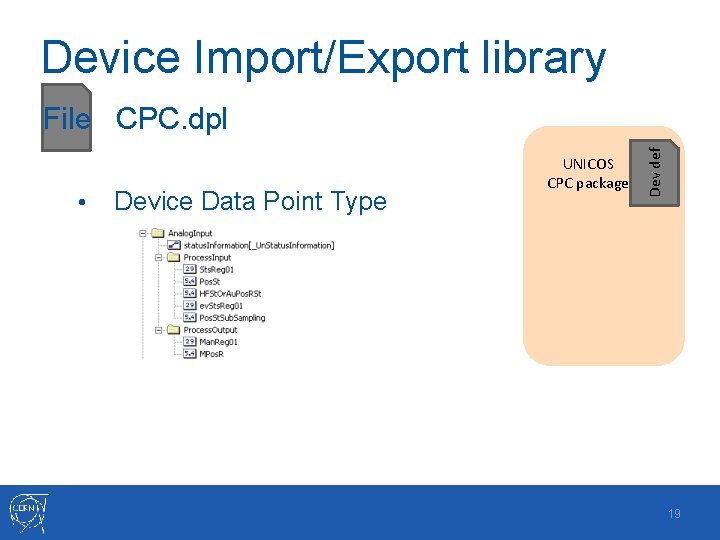
Device Import/Export library • Device Data Point Type UNICOS CPC package Dev def File CPC. dpl 19
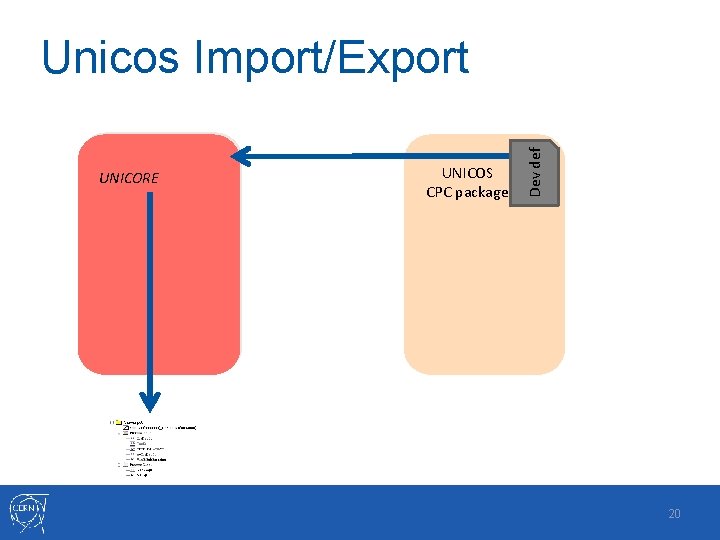
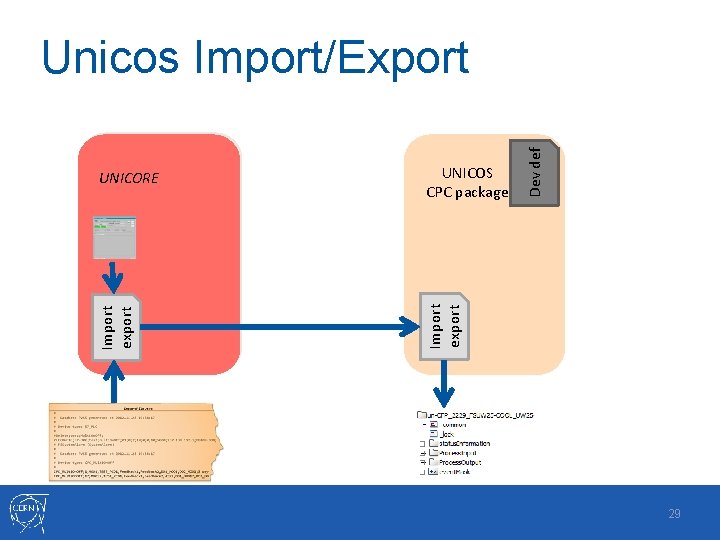
UNICORE UNICOS CPC package Dev def Unicos Import/Export 20
The Device Implementation • • Device structure definition Importation/exportation • • Library functions for configuring the device Widget • • Graphical objects drawing Library functions for animating • Param. Panel • Faceplate • • • Graphical object drawing Library functions for animating Access rights definition Actions FW/UN configurations • Integration within those frameworks 21
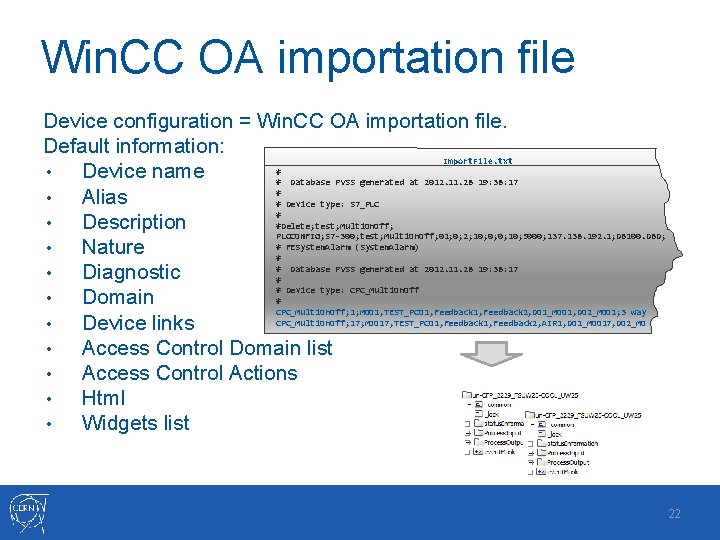
Win. CC OA importation file Device configuration = Win. CC OA importation file. Default information: Import. File. txt # • Device name # Database PVSS generated at 2012. 11. 28 19: 38: 17 # • Alias # Device type: S 7_PLC # #Delete; test; Multi. On. Off; • Description PLCCONFIG; S 7 -300; test; Multi. On. Off; 01; 0; 2; 10; 0; 0; 10; 5000; 137. 138. 192. 1; DB 100. DBD; # FESystem. Alarm (System. Alarm) • Nature # # Database PVSS generated at 2012. 11. 28 19: 38: 17 • Diagnostic # # Device type: CPC_Multi. On. Off # • Domain CPC_Multi. On. Off; 1; MOO 1, TEST_PCO 1, Feedback 2, DO 1_MOO 1, DO 2_MOO 1; 3 way CPC_Multi. On. Off; 17; MOO 17, TEST_PCO 1, Feedback 2, AIR 1, DO 1_MOO 17, DO 2_MO • Device links • Access Control Domain list • Access Control Actions • Html • Widgets list 22
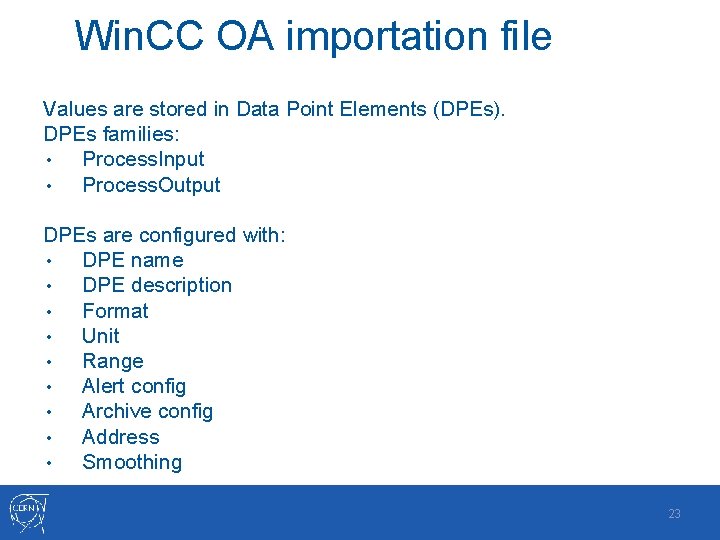
Win. CC OA importation file Values are stored in Data Point Elements (DPEs). DPEs families: • Process. Input • Process. Output DPEs are configured with: • DPE name • DPE description • Format • Unit • Range • Alert config • Archive config • Address • Smoothing 23
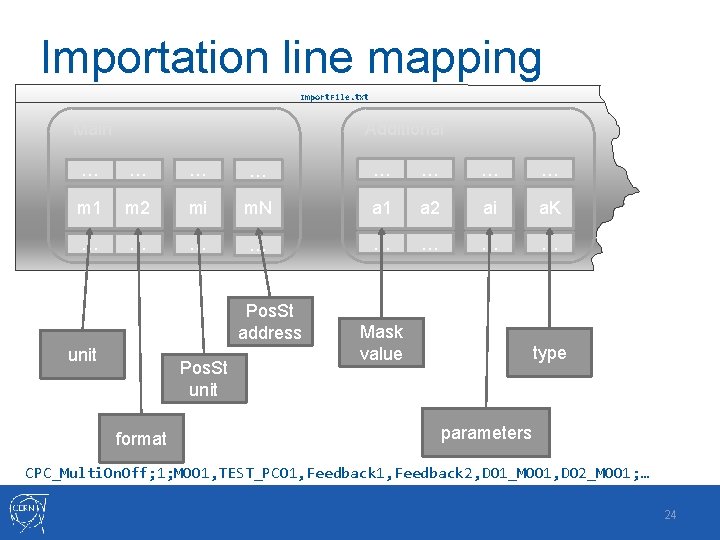
Importation line mapping Import. File. txt Main Additional … … … … m 1 m 2 mi m. N a 1 a 2 ai a. K … … … … Pos. St address unit Pos. St unit format Mask value type parameters CPC_Multi. On. Off; 1; MOO 1, TEST_PCO 1, Feedback 2, DO 1_MOO 1, DO 2_MOO 1; … 24
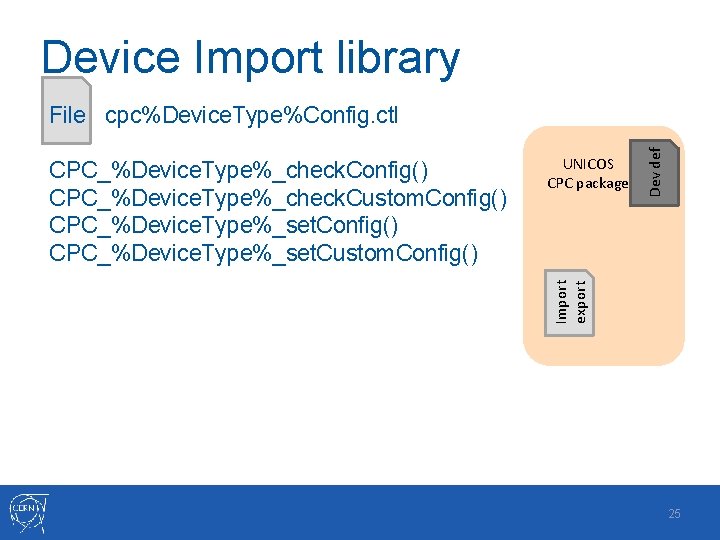
Device Import library UNICOS CPC package Import export CPC_%Device. Type%_check. Config() CPC_%Device. Type%_check. Custom. Config() CPC_%Device. Type%_set. Custom. Config() Dev def File cpc%Device. Type%Config. ctl 25
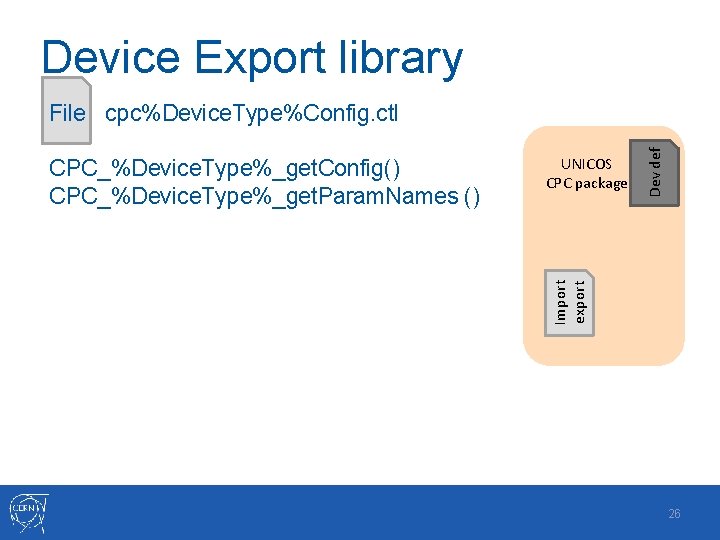
Device Export library UNICOS CPC package Import export CPC_%Device. Type%_get. Config() CPC_%Device. Type%_get. Param. Names () Dev def File cpc%Device. Type%Config. ctl 26
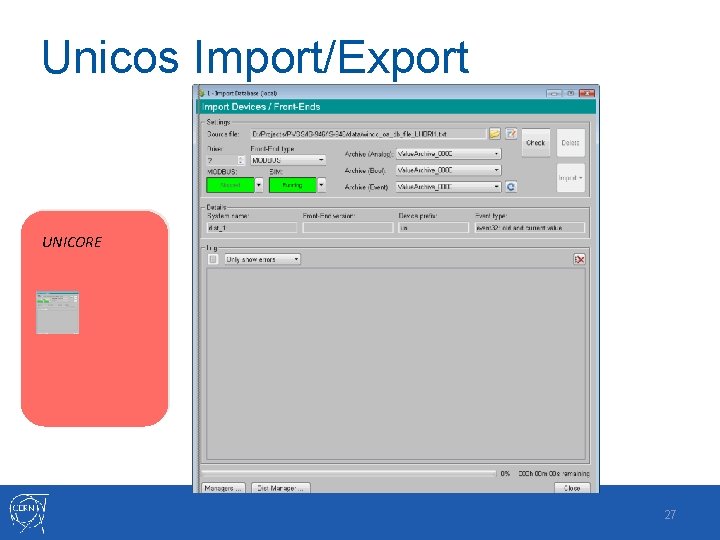
Unicos Import/Export UNICORE 27
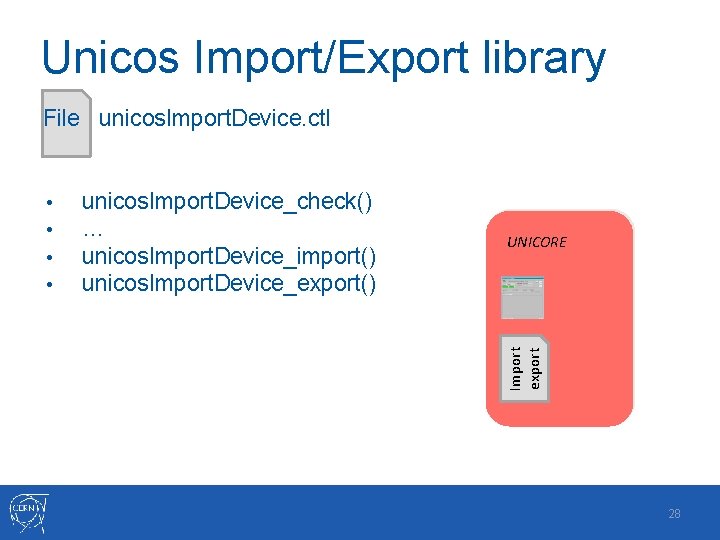
Unicos Import/Export library File unicos. Import. Device. ctl unicos. Import. Device_check() … unicos. Import. Device_import() unicos. Import. Device_export() UNICORE Import export • • 28
UNICOS CPC package Import export Dev def UNICORE Import export Unicos Import/Export 29
The Device Implementation • • Device structure definition Importation/exportation • • Library functions for configuring the device Widget • • Graphical objects drawing Library functions for animating • Param. Panel • Faceplate • • • Graphical object drawing Library functions for animating Access rights definition Actions FW/UN configurations • Integration within those frameworks 30
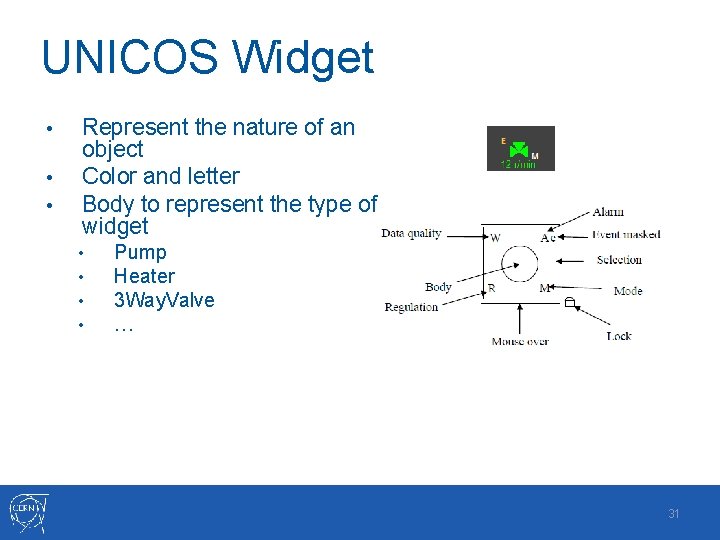
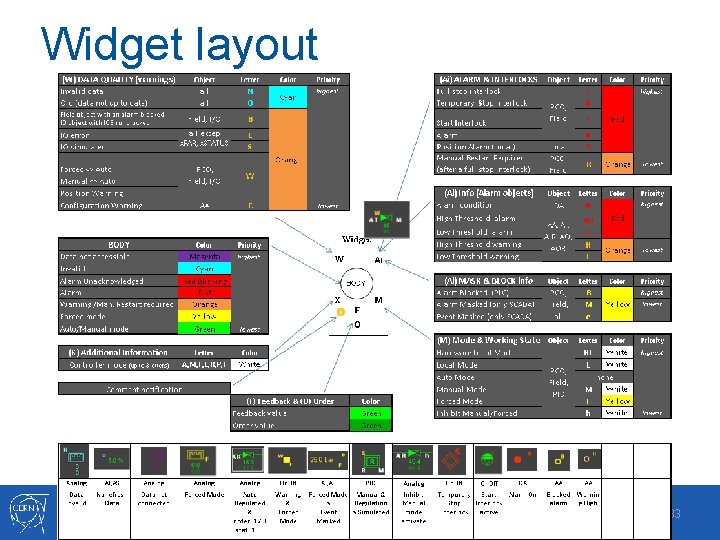
UNICOS Widget • • • Represent the nature of an object Color and letter Body to represent the type of widget • • Pump Heater 3 Way. Valve … 31
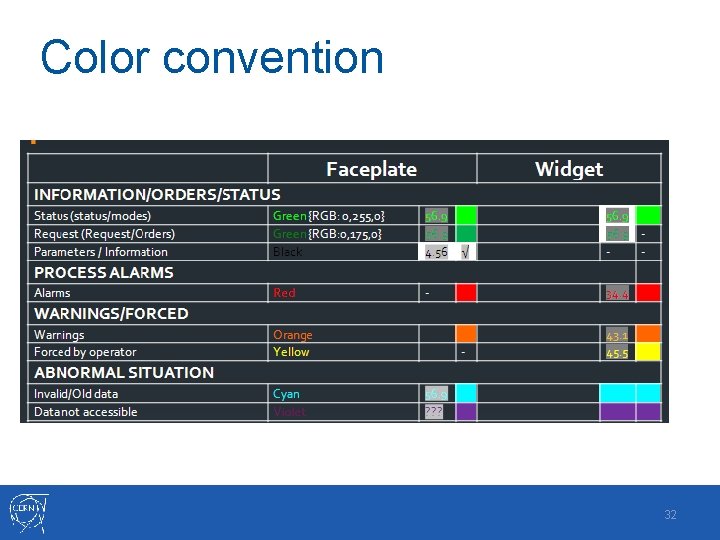
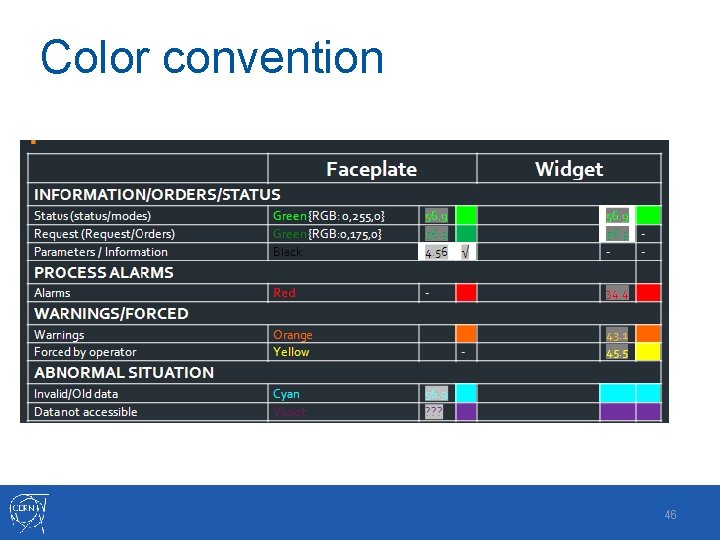
Color convention 32
Widget layout 33
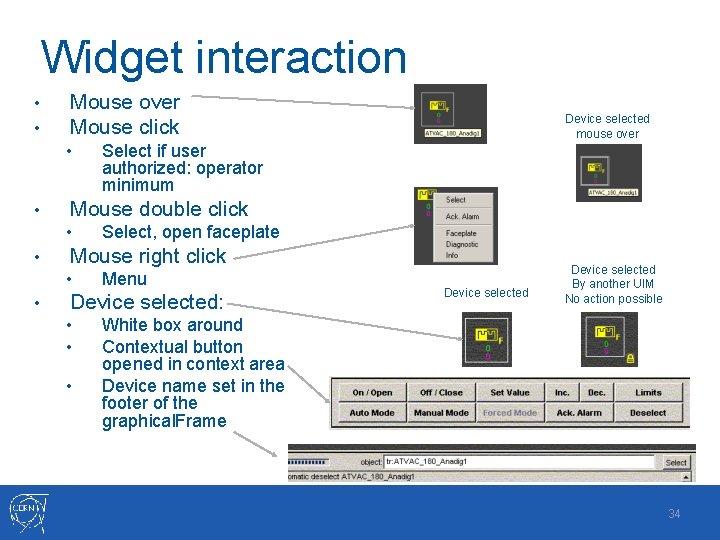
Widget interaction • • Mouse over Mouse click • • Select, open faceplate Mouse right click • • Select if user authorized: operator minimum Mouse double click • • Device selected mouse over Menu Device selected: • • • Device selected By another UIM No action possible White box around Contextual button opened in context area Device name set in the footer of the graphical. Frame 34
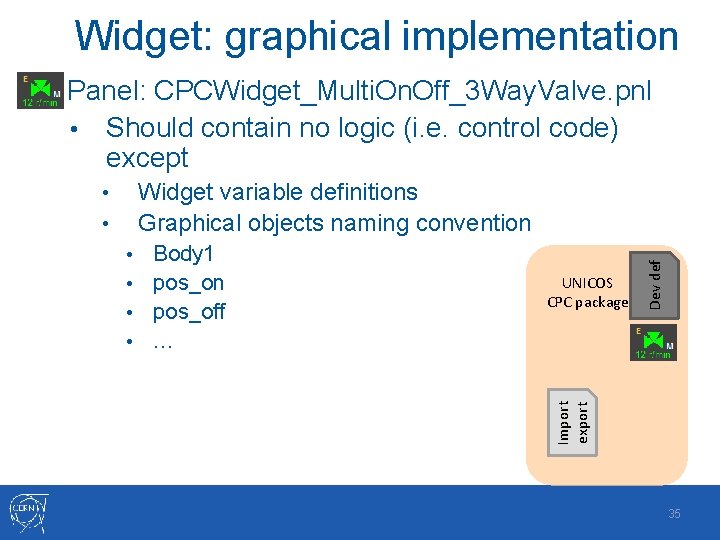
Widget: graphical implementation Panel: CPCWidget_Multi. On. Off_3 Way. Valve. pnl • Should contain no logic (i. e. control code) except Body 1 • pos_on • pos_off • … • Import export UNICOS CPC package Dev def Widget variable definitions Graphical objects naming convention • • 35
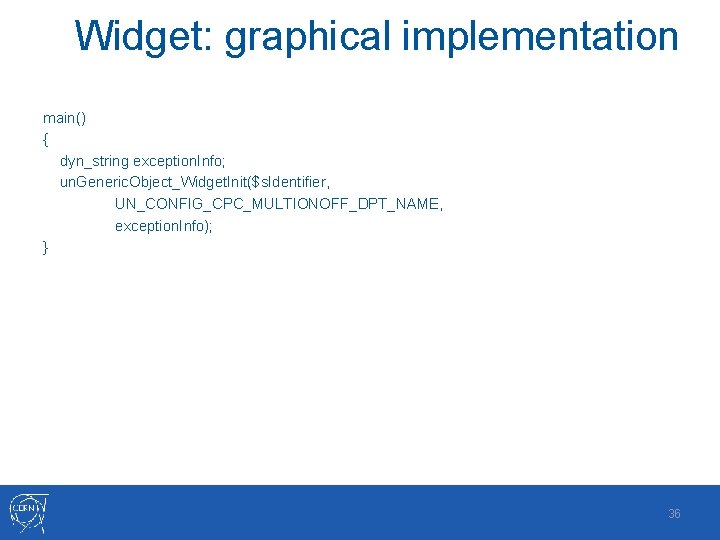
Widget: graphical implementation main() { dyn_string exception. Info; un. Generic. Object_Widget. Init($s. Identifier, UN_CONFIG_CPC_MULTIONOFF_DPT_NAME, exception. Info); } 36
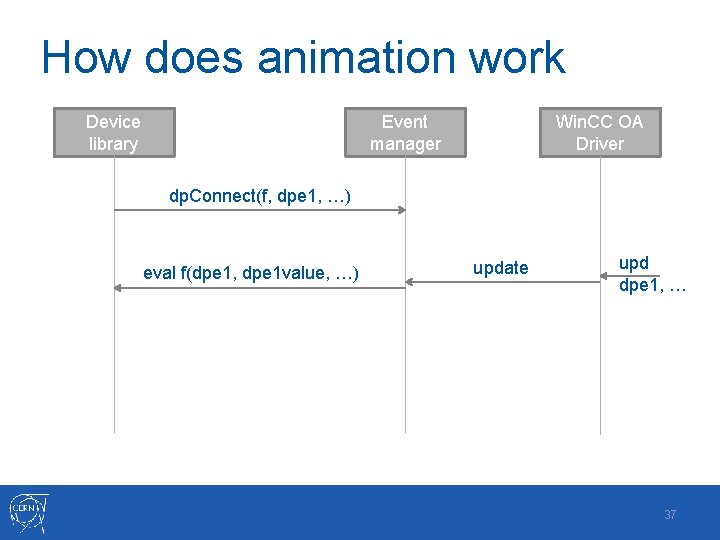
How does animation work Device library Event manager Win. CC OA Driver dp. Connect(f, dpe 1, …) eval f(dpe 1, dpe 1 value, …) update upd dpe 1, … 37
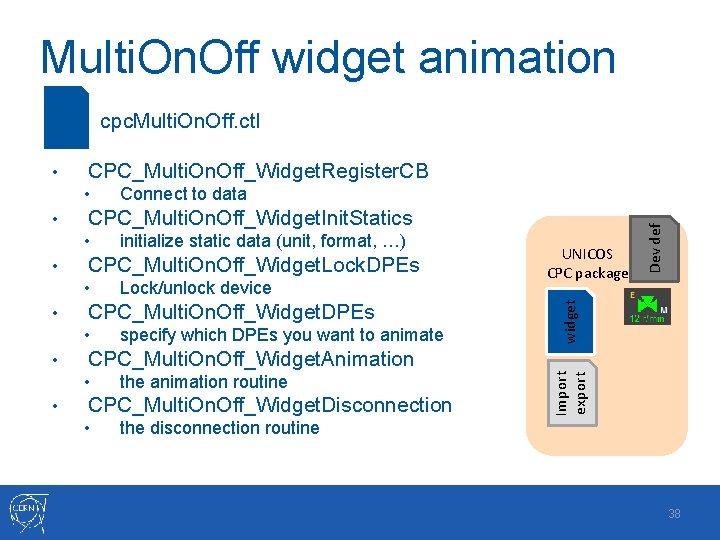
Multi. On. Off widget animation File cpc. Multi. On. Off. ctl CPC_Multi. On. Off_Widget. Register. CB CPC_Multi. On. Off_Widget. Init. Statics • • CPC_Multi. On. Off_Widget. Lock. DPEs • • specify which DPEs you want to animate UNICOS CPC package CPC_Multi. On. Off_Widget. Animation • • Lock/unlock device CPC_Multi. On. Off_Widget. DPEs • • initialize static data (unit, format, …) widget • Connect to data Dev def • the animation routine CPC_Multi. On. Off_Widget. Disconnection • Import export • the disconnection routine 38
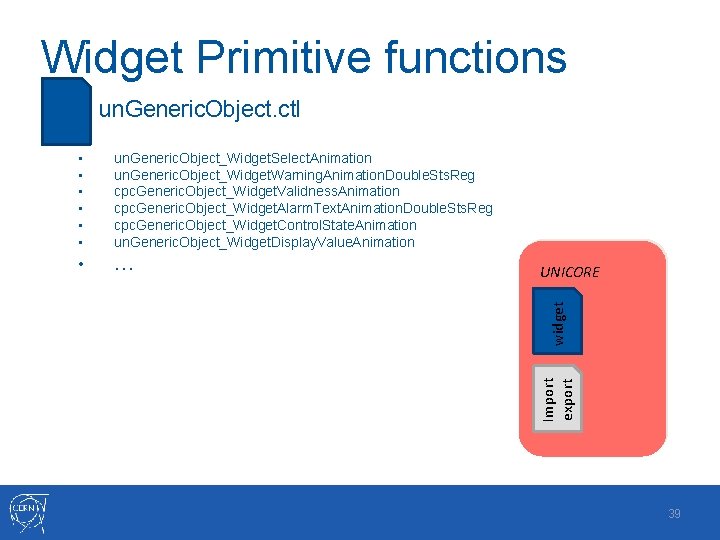
Widget Primitive functions File un. Generic. Object. ctl • … UNICORE widget un. Generic. Object_Widget. Select. Animation un. Generic. Object_Widget. Warning. Animation. Double. Sts. Reg cpc. Generic. Object_Widget. Validness. Animation cpc. Generic. Object_Widget. Alarm. Text. Animation. Double. Sts. Reg cpc. Generic. Object_Widget. Control. State. Animation un. Generic. Object_Widget. Display. Value. Animation Import export • • • 39
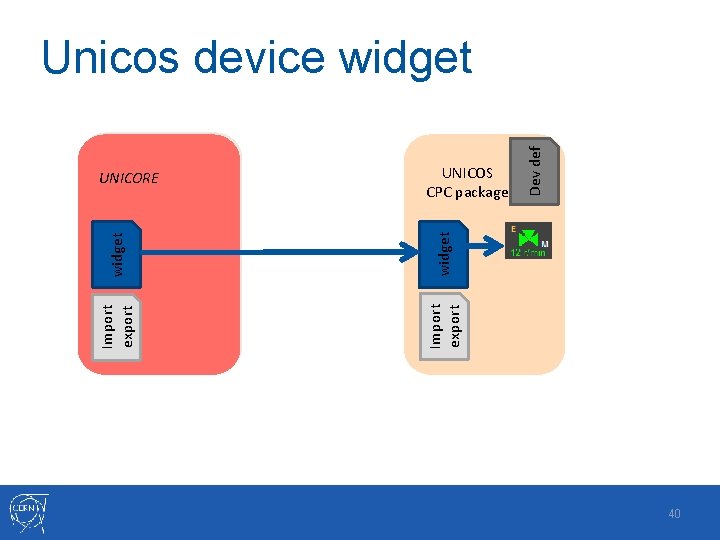
widget Import export UNICOS CPC package Import export UNICORE Dev def Unicos device widget 40
The Device Implementation • • Device structure definition Importation/exportation • • Library functions for configuring the device Widget • • Graphical objects drawing Library functions for animating • Param. Panel • Faceplate • • • Graphical object drawing Library functions for animating Access rights definition Actions FW/UN configurations • Integration within those frameworks 41
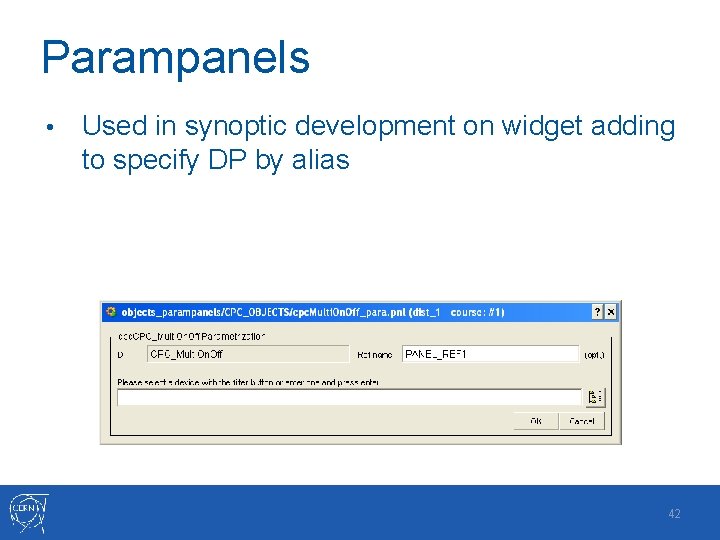
Parampanels • Used in synoptic development on widget adding to specify DP by alias 42
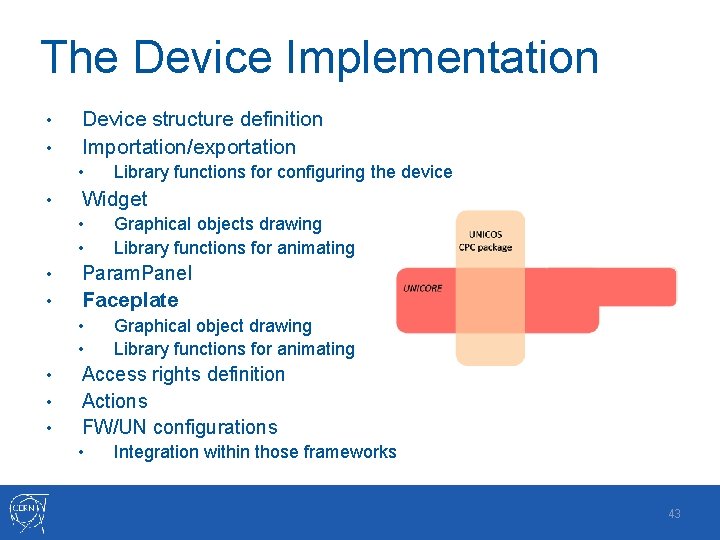
The Device Implementation • • Device structure definition Importation/exportation • • Library functions for configuring the device Widget • • Graphical objects drawing Library functions for animating • Param. Panel • Faceplate • • • Graphical object drawing Library functions for animating Access rights definition Actions FW/UN configurations • Integration within those frameworks 43
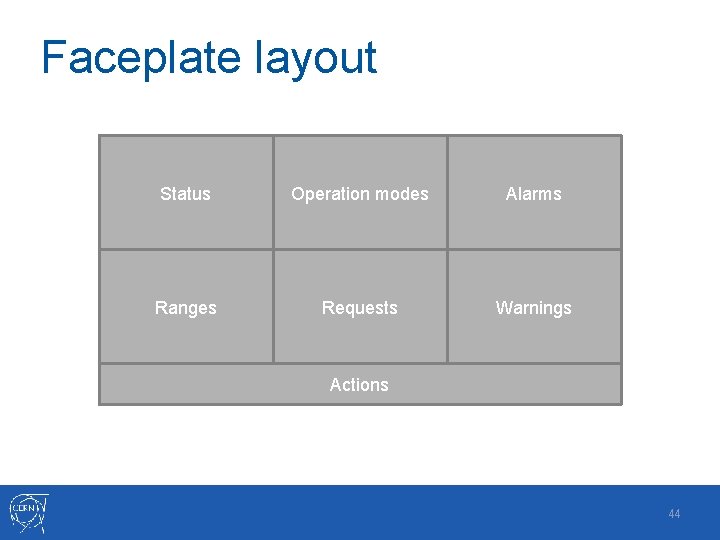
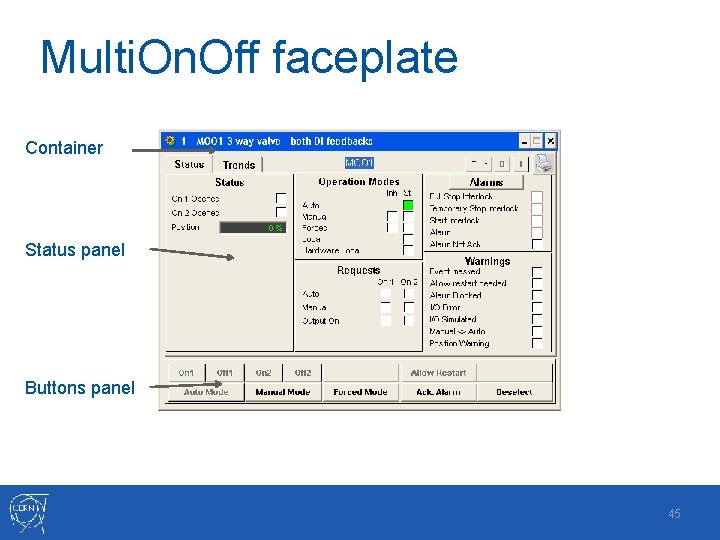
Faceplate layout Status Operation modes Alarms Ranges Requests Warnings Actions 44
Multi. On. Off faceplate Container Status panel Buttons panel 45
Color convention 46
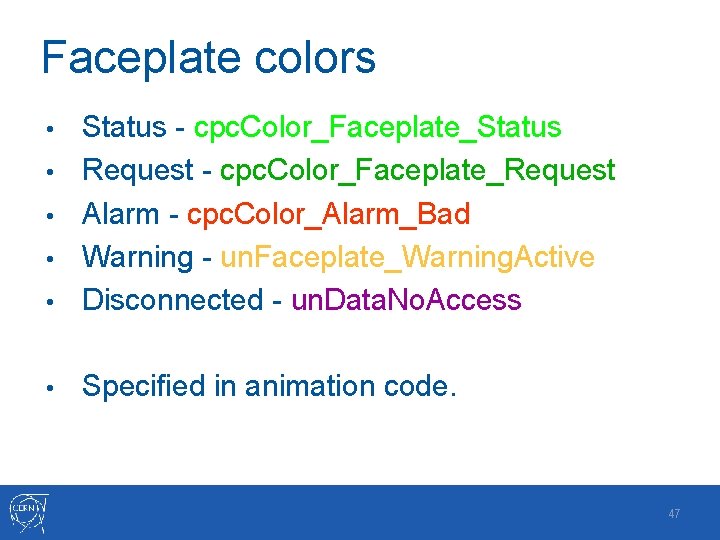
Faceplate colors • Status - cpc. Color_Faceplate_Status Request - cpc. Color_Faceplate_Request Alarm - cpc. Color_Alarm_Bad Warning - un. Faceplate_Warning. Active Disconnected - un. Data. No. Access • Specified in animation code. • • 47
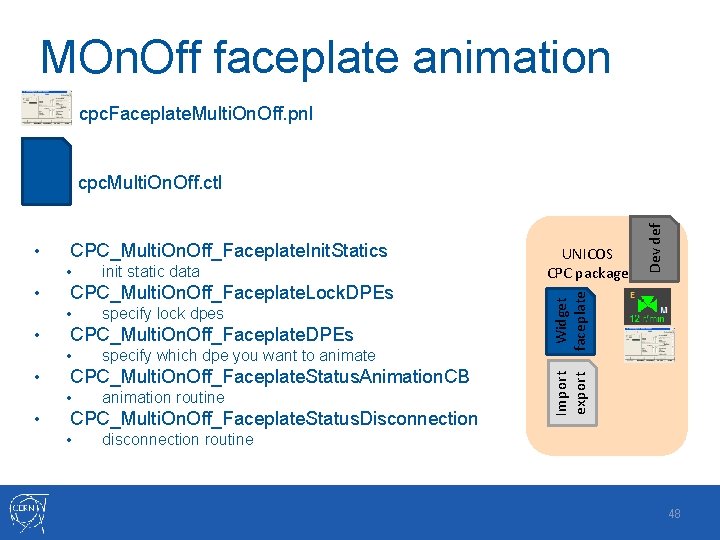
MOn. Off faceplate animation cpc. Faceplate. Multi. On. Off. pnl • • CPC_Multi. On. Off_Faceplate. Lock. DPEs • • specify which dpe you want to animate CPC_Multi. On. Off_Faceplate. Status. Animation. CB • • specify lock dpes CPC_Multi. On. Off_Faceplate. DPEs • • init static data animation routine CPC_Multi. On. Off_Faceplate. Status. Disconnection • UNICOS CPC package Widget faceplate CPC_Multi. On. Off_Faceplate. Init. Statics Import export • Dev def File cpc. Multi. On. Off. ctl disconnection routine 48
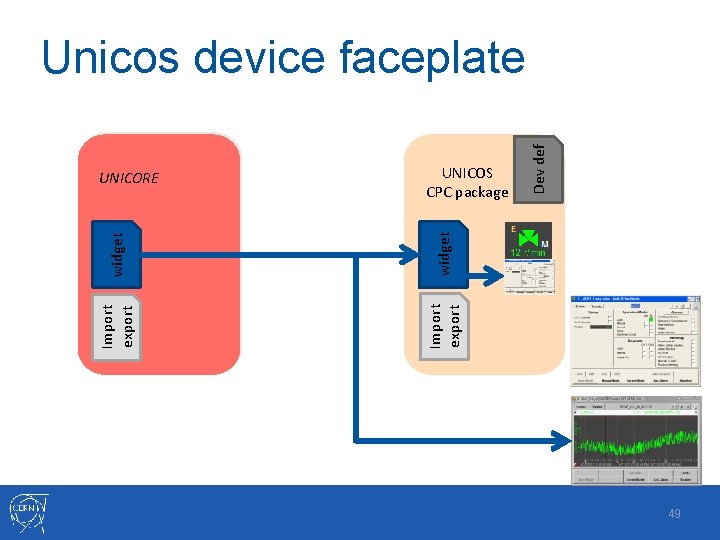
widget Import export UNICOS CPC package Import export UNICORE Dev def Unicos device faceplate 49
The Device Implementation • • Device structure definition Importation/exportation • • Library functions for configuring the device Widget • • Graphical objects drawing Library functions for animating • Param. Panel • Faceplate • • • Graphical object drawing Library functions for animating Access rights definition Actions FW/UN configurations • Integration within those frameworks 50
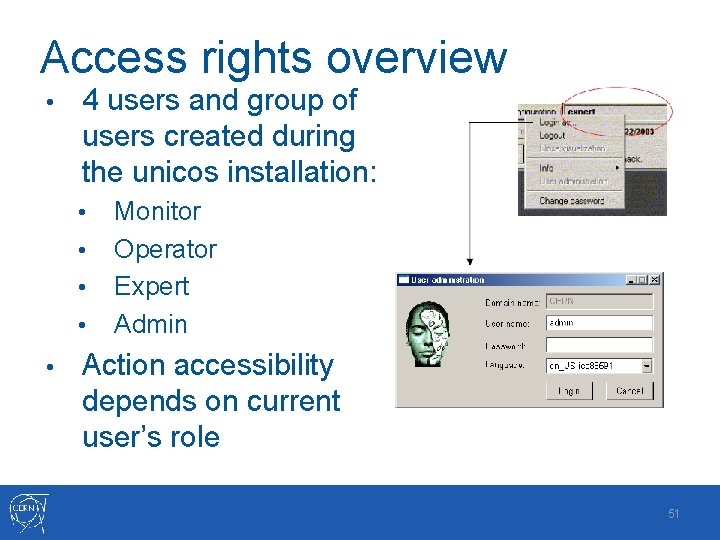
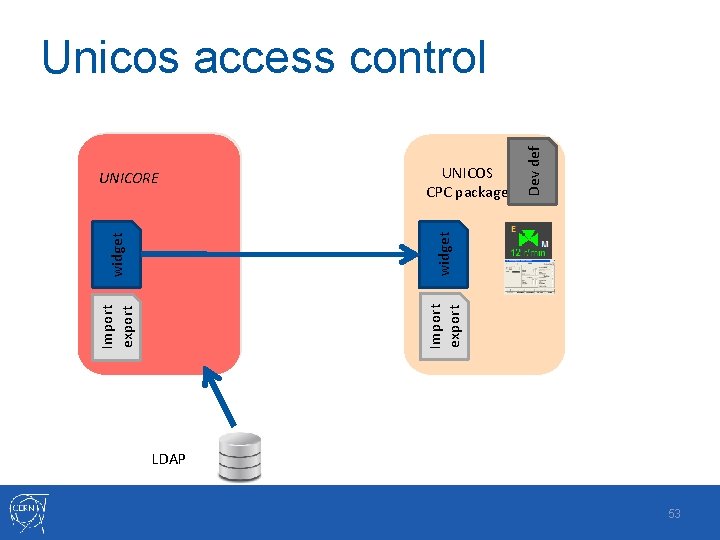
Access rights overview • 4 users and group of users created during the unicos installation: • • • Monitor Operator Expert Admin Action accessibility depends on current user’s role 51
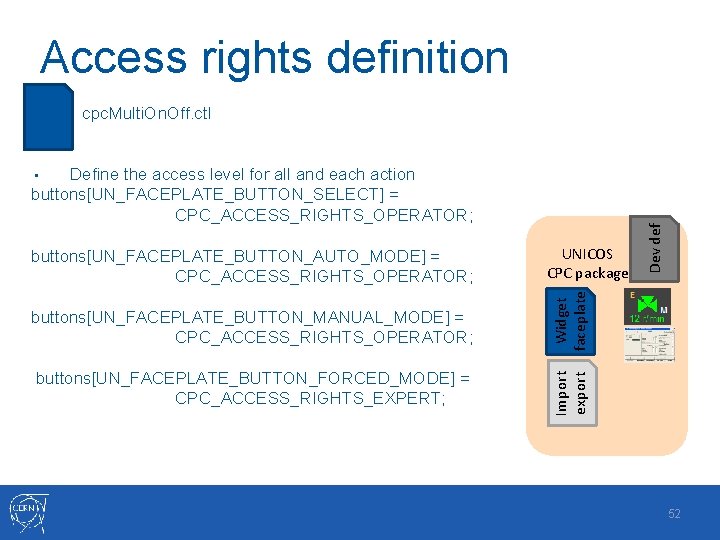
Access rights definition File cpc. Multi. On. Off. ctl Define the access level for all and each action buttons[UN_FACEPLATE_BUTTON_SELECT] = CPC_ACCESS_RIGHTS_OPERATOR; UNICOS CPC package buttons[UN_FACEPLATE_BUTTON_MANUAL_MODE] = CPC_ACCESS_RIGHTS_OPERATOR; Widget faceplate buttons[UN_FACEPLATE_BUTTON_FORCED_MODE] = CPC_ACCESS_RIGHTS_EXPERT; Dev def buttons[UN_FACEPLATE_BUTTON_AUTO_MODE] = CPC_ACCESS_RIGHTS_OPERATOR; Import export • 52
UNICOS CPC package Import export widget UNICORE Dev def Unicos access control LDAP 53
The Device Implementation • • Device structure definition Importation/exportation • • Library functions for configuring the device Widget • • Graphical objects drawing Library functions for animating • Param. Panel • Faceplate • • • Graphical object drawing Library functions for animating Access rights definition Actions FW/UN configurations • Integration within those frameworks 54
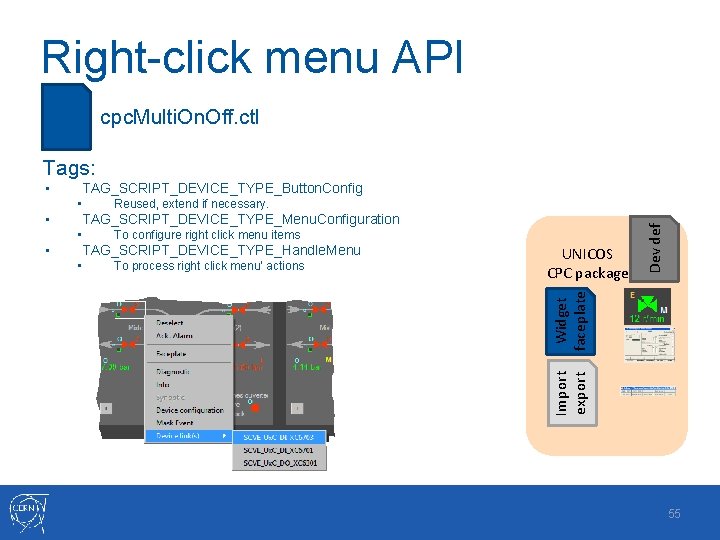
Right-click menu API File cpc. Multi. On. Off. ctl Tags: TAG_SCRIPT_DEVICE_TYPE_Button. Config TAG_SCRIPT_DEVICE_TYPE_Menu. Configuration • • To configure right click menu items TAG_SCRIPT_DEVICE_TYPE_Handle. Menu • To process right click menu’ actions UNICOS CPC package Widget faceplate • Reused, extend if necessary. Dev def • Import export • 55
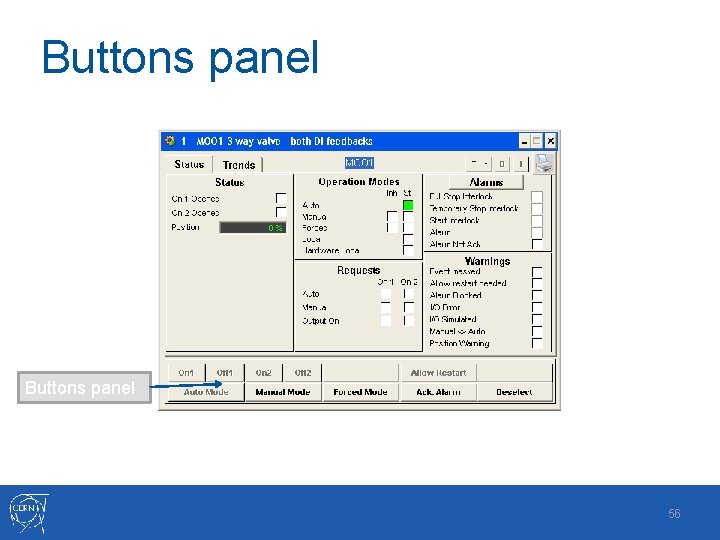
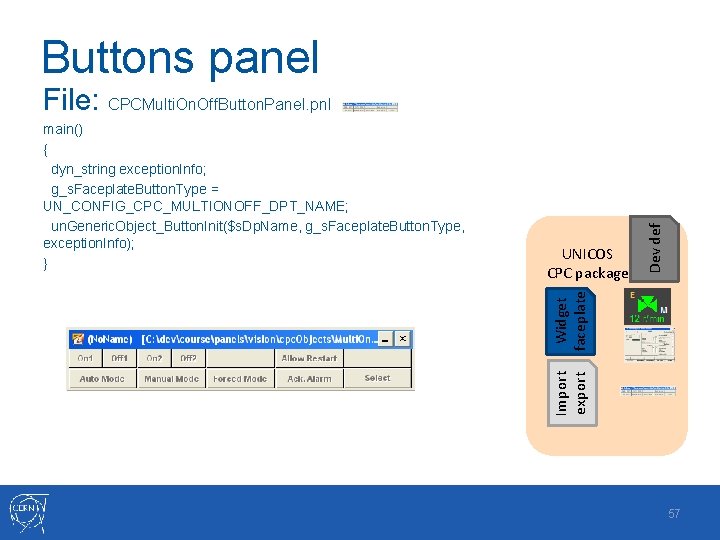
Buttons panel 56
Buttons panel Widget faceplate UNICOS CPC package Import export main() { dyn_string exception. Info; g_s. Faceplate. Button. Type = UN_CONFIG_CPC_MULTIONOFF_DPT_NAME; un. Generic. Object_Button. Init($s. Dp. Name, g_s. Faceplate. Button. Type, exception. Info); } Dev def File: CPCMulti. On. Off. Button. Panel. pnl 57
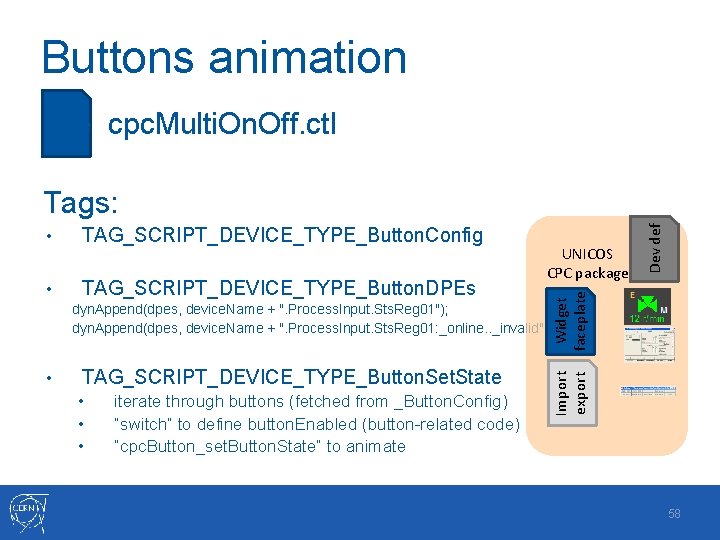
Buttons animation File cpc. Multi. On. Off. ctl TAG_SCRIPT_DEVICE_TYPE_Button. Config • TAG_SCRIPT_DEVICE_TYPE_Button. DPEs UNICOS CPC package Widget faceplate • Dev def Tags: • TAG_SCRIPT_DEVICE_TYPE_Button. Set. State • • • iterate through buttons (fetched from _Button. Config) “switch” to define button. Enabled (button-related code) “cpc. Button_set. Button. State” to animate Import export dyn. Append(dpes, device. Name + ". Process. Input. Sts. Reg 01"); dyn. Append(dpes, device. Name + ". Process. Input. Sts. Reg 01: _online. . _invalid"); 58
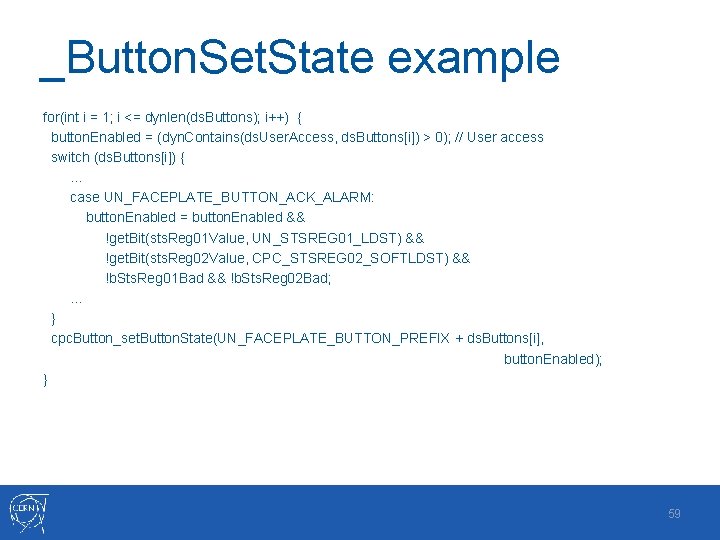
_Button. Set. State example for(int i = 1; i <= dynlen(ds. Buttons); i++) { button. Enabled = (dyn. Contains(ds. User. Access, ds. Buttons[i]) > 0); // User access switch (ds. Buttons[i]) {. . . case UN_FACEPLATE_BUTTON_ACK_ALARM: button. Enabled = button. Enabled && !get. Bit(sts. Reg 01 Value, UN_STSREG 01_LDST) && !get. Bit(sts. Reg 02 Value, CPC_STSREG 02_SOFTLDST) && !b. Sts. Reg 01 Bad && !b. Sts. Reg 02 Bad; . . . } cpc. Button_set. Button. State(UN_FACEPLATE_BUTTON_PREFIX + ds. Buttons[i], button. Enabled); } 59
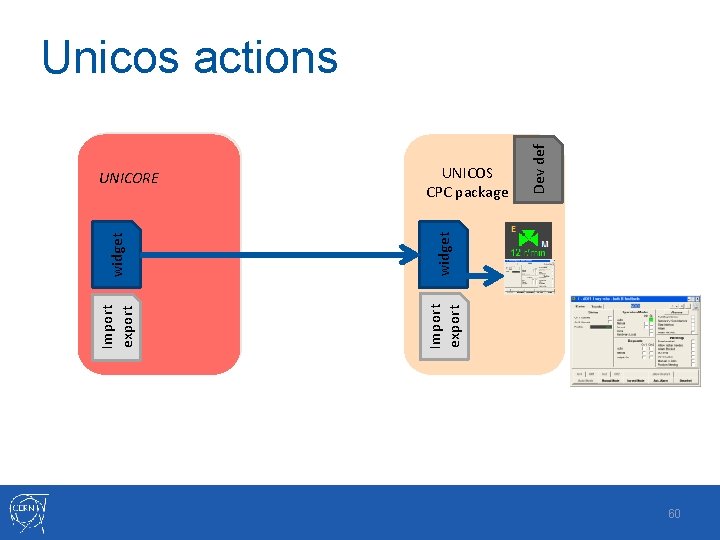
widget Import export UNICORE UNICOS CPC package Dev def Unicos actions 60
The Device Implementation • • Device structure definition Importation/exportation • • Library functions for configuring the device Widget • • Graphical objects drawing Library functions for animating • Param. Panel • Faceplate • • • Graphical object drawing Library functions for animating Access rights definition Actions FW/UN configurations • Integration within those frameworks 61
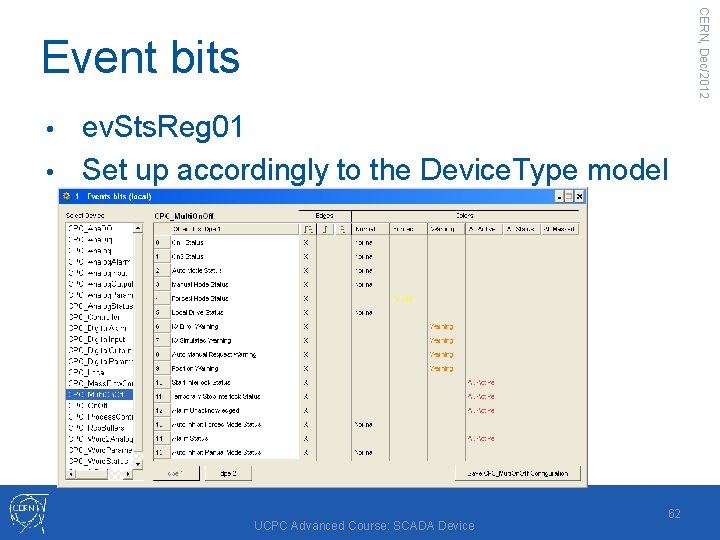
CERN, Dec/2012 Event bits ev. Sts. Reg 01 • Set up accordingly to the Device. Type model • UCPC Advanced Course: SCADA Device 62
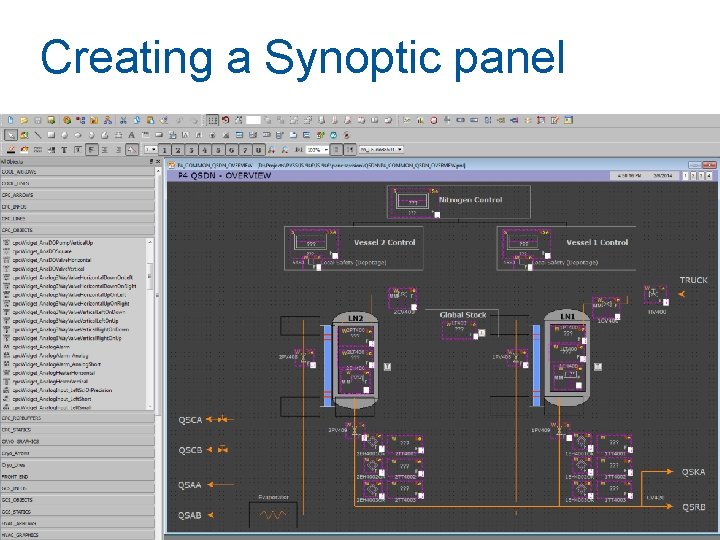
Creating a Synoptic panel 63
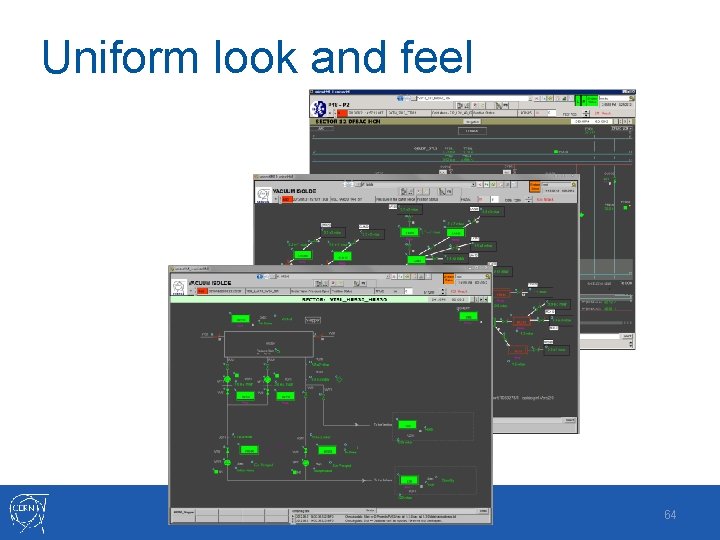
Uniform look and feel 64