
Understanding Organizational Style and Its Impact on Information
- Slides: 58
Understanding Organizational Style and Its Impact on Information Systems Analysis and Design, 7 e Kendall & Kendall © 2008 Pearson Prentice Hall 2
Learning Objectives • Understand that organizations and their members are systems and that analysts need to take a systems perspective • Depict systems graphically using context-level data flow diagrams, and entity-relationship models, use cases and use case scenarios • Recognize that different levels of management require different systems • Comprehend that organizational culture impacts the design of information systems Kendall & Kendall 2 -2
Three Main Forces Interacting to Shape Organizations • Levels of management • Design of organizations • Organizational cultures Kendall & Kendall 2 -3
Organizations Are Composed of Interrelated Subsystems • Influenced by levels of management decision makers that cut horizontally across the organizational system • Operations • Middle management • Strategic management • Influenced by organizational cultures and subcultures Kendall & Kendall 2 -4
Major Topics • Organizations as systems • Depicting systems graphically • Data flow diagram • Entity-relationship model • Use case modeling • Levels of management • Organizational culture Kendall & Kendall 2 -5
Organizations As Systems • Conceptualized as systems designed to accomplish predetermined goals and objectives • Composed of smaller, interrelated systems serving specialized functions • Specialized functions are reintegrated to form an effective organizational whole Kendall & Kendall 2 -6
Interrelatedness and Independence of Systems • All systems and subsystems are interrelated and interdependent • All systems process inputs from their environments • All systems are contained by boundaries separating them from their environments • System feedback for planning and control • An ideal system self-corrects or self-regulates itself Kendall & Kendall 2 -7
Figure 2. 1 System outputs serve as feedback that compares performance with goals Kendall & Kendall 2 -8
Organizational Environments • Community • Physical location • Demographic profile (education, income) • Economic • Market factors • Competition • Political • State and local government Kendall & Kendall 2 -9
Openness and Closedness • Open • Free flow of information • Output from one system becomes input to another • Closed • Restricted access to information • Limited by numerous rules • Information only on a “need to know” basis Kendall & Kendall 2 -10
Virtual Organizations and Virtual Teams • A virtual organization has parts of the organization in different physical locations • Computer networks and communications technology are used to bring virtual teams together to work on projects Kendall & Kendall 2 -11
Benefits of Virtual Organizations and Teams • Possibility of reducing costs of physical facilities • More rapid response to customer needs • Helping virtual employees to fulfill their familial obligations to children or aging parents Kendall & Kendall 2 -12
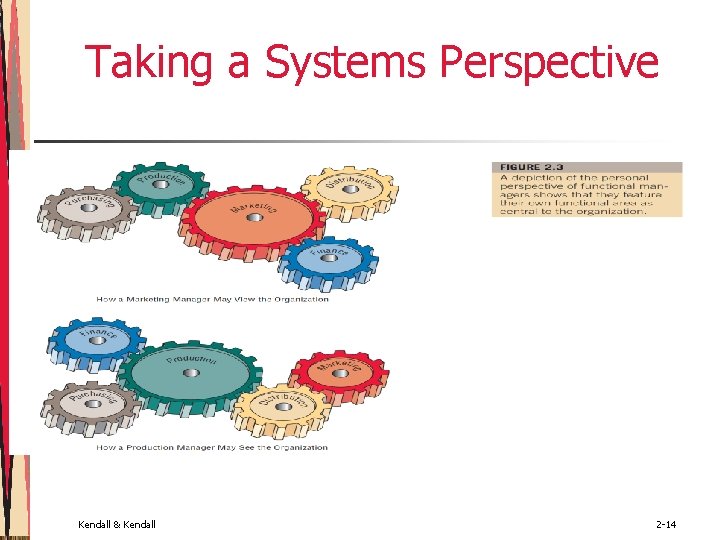
Taking a Systems Perspective • Allows system analyst to understand businesses before they begin their tasks • It is important that members of subsystems realize that they are interrelated with other subsystems • Problems occur when each manager thinks that his/her department is the most important • Bigger problems may occur when that manager rises through the ranks Kendall & Kendall 2 -13
Taking a Systems Perspective Kendall & Kendall 2 -14
Taking a Systems Perspective Kendall & Kendall 2 -15
Enterprise Resource Planning • Enterprise Resource Planning (ERP) describes an integrated organizational information system • Software that helps the flow of information between the functional areas within the organization Kendall & Kendall 2 -16
Depicting Systems Graphically • Context-level data flow diagrams • Entity-relationship model • Use Case Modeling Kendall & Kendall 2 -17
Context-Level Data Flow Diagrams • Focus is on the data flowing into and out of the system and the processing of the data Kendall & Kendall 2 -18
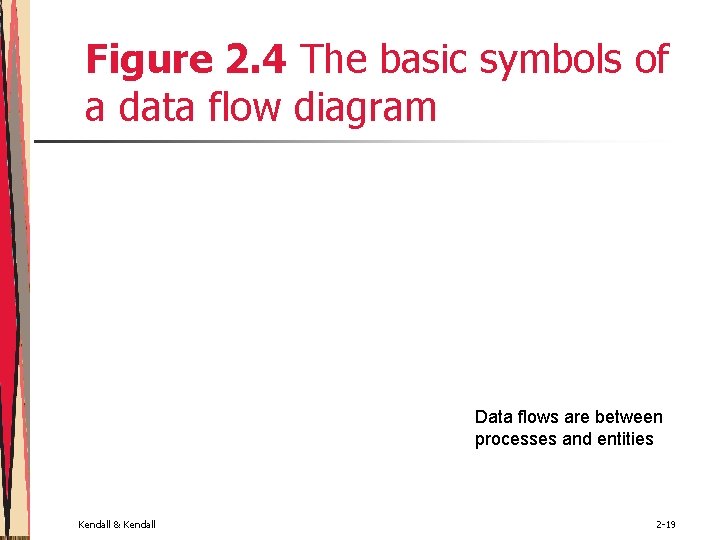
Figure 2. 4 The basic symbols of a data flow diagram Data flows are between processes and entities Kendall & Kendall 2 -19
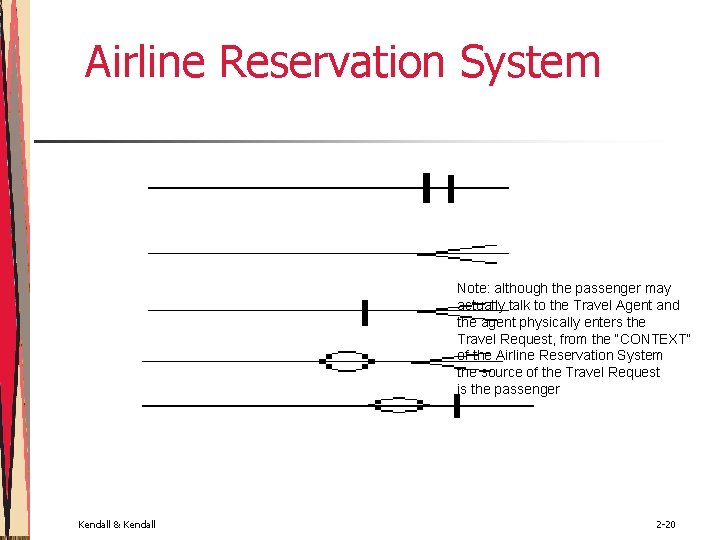
Airline Reservation System Note: although the passenger may actually talk to the Travel Agent and the agent physically enters the Travel Request, from the “CONTEXT” of the Airline Reservation System the source of the Travel Request is the passenger Kendall & Kendall 2 -20
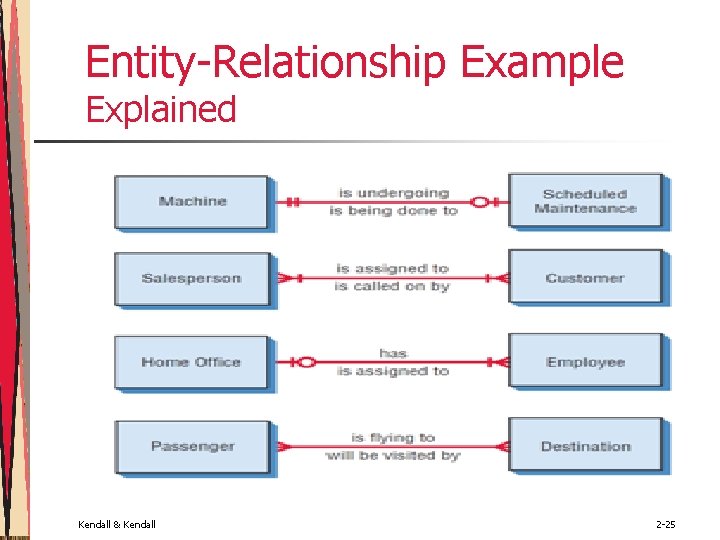
Entity-Relationship Model • Focus is on the entities and their relationships within the organizational system Kendall & Kendall 2 -21
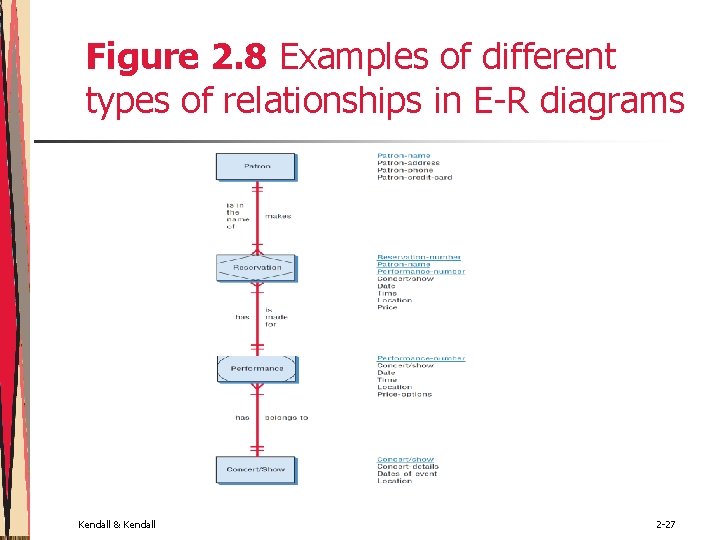
Relationships • Relationships show the entities are connected • Three types of relationships • One-to-one • One-to-many • Many-to-many Kendall & Kendall 2 -22
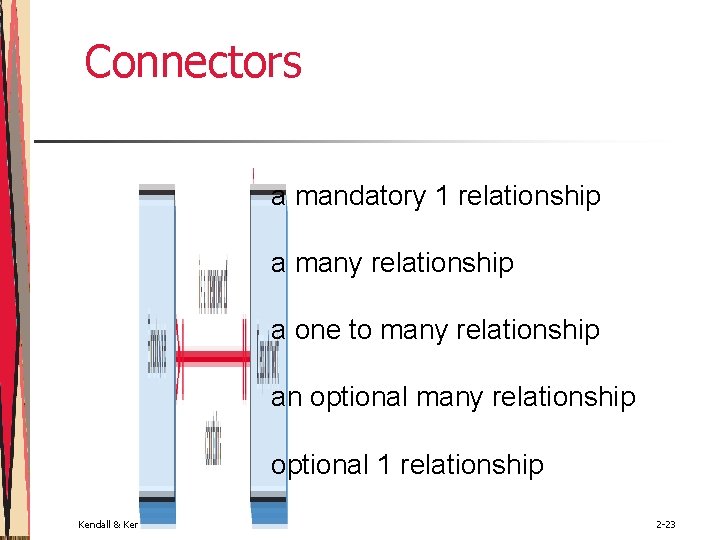
Connectors a mandatory 1 relationship a many relationship a one to many relationship an optional many relationship optional 1 relationship Kendall & Kendall 2 -23
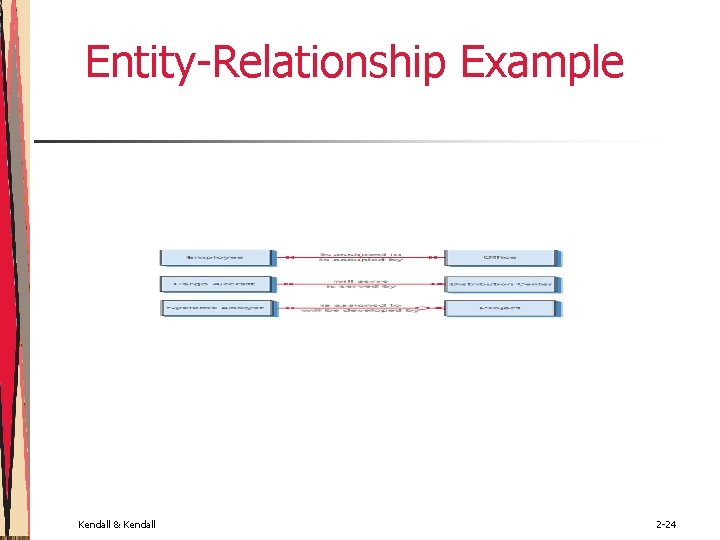
Entity-Relationship Example Kendall & Kendall 2 -24
Entity-Relationship Example Explained Kendall & Kendall 2 -25
Figure 2. 8 Examples of different types of relationships in E-R diagrams Kendall & Kendall 2 -26
Figure 2. 8 Examples of different types of relationships in E-R diagrams Kendall & Kendall 2 -27
Figure 2. 9 Three different types of entities used in E-R diagrams Kendall & Kendall 2 -28
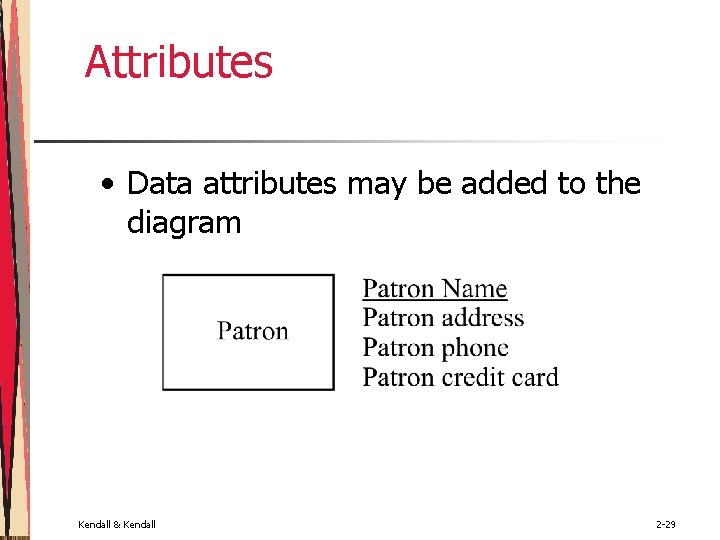
Attributes • Data attributes may be added to the diagram Kendall & Kendall 2 -29
Creating Entity-Relationship Diagrams • List the entities in the organization • Choose key entities to narrow the scope of the problem • Identify what the primary entity should be • Confirm the results of the above through data gathering Kendall & Kendall 2 -30
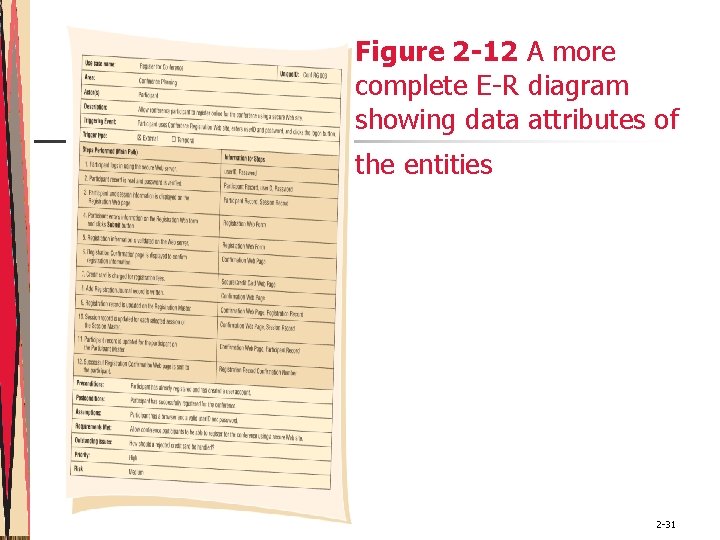
Figure 2 -12 A more complete E-R diagram showing data attributes of the entities Kendall & Kendall 2 -31
Use Case Modeling • Describes what a system does without describing how the system does it; that is, it is a logical model of the system Kendall & Kendall 2 -32
Use Case Diagram • Actor • Refers to a particular role of a user of the system • Similar to external entities; they exist outside of the system • Use case symbols • An oval indicating the task of the use case • Connecting lines • Arrows and lines used to diagram behavioral relationships Kendall & Kendall 2 -33
Actor • Divided into two groups • Primary actors • Supply data or receive information from the system • Provide details on what the use case should do • Supporting actors • Help to keep the system running or provide help • The people who run the help desk, the analysts, programmers, and so on Kendall & Kendall 2 -34
A Use Case Always Provides Three Things • An actor that initiates an event • The event that triggers a use case • The use case that performs the actions triggered by the event Kendall & Kendall 2 -35
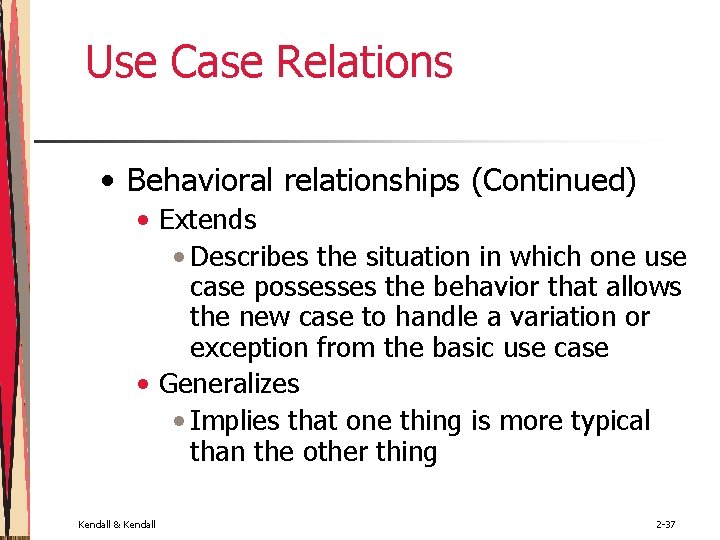
Use Case Relations • Behavioral relationships • Communicates • Used to connect an actor to a use case • Includes • Describes the situation in which a use case contains behavior that is common to more than one use case Kendall & Kendall 2 -36
Use Case Relations • Behavioral relationships (Continued) • Extends • Describes the situation in which one use case possesses the behavior that allows the new case to handle a variation or exception from the basic use case • Generalizes • Implies that one thing is more typical than the other thing Kendall & Kendall 2 -37
Figure 2. 13 Some components of use case diagrams showing actors, use cases, and relationships for a student enrollment example Kendall & Kendall 2 -38
Kendall & Kendall 2 -39 Figure 2. 14 Examples of use cases and behavioral relationships for student enrollment
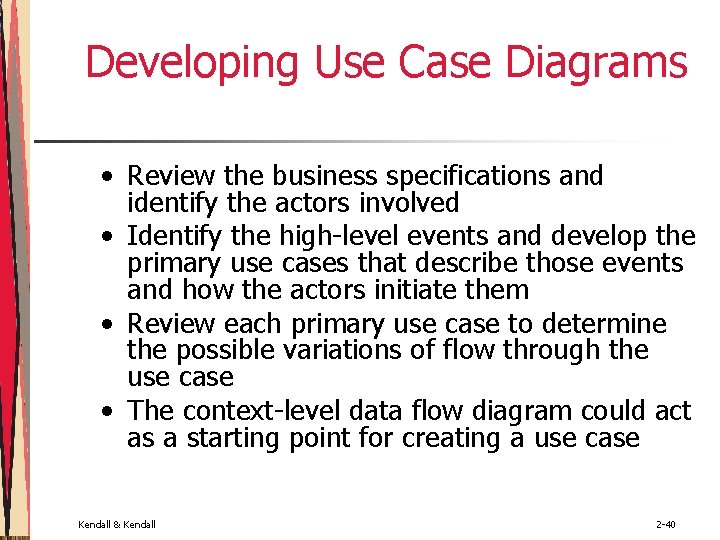
Developing Use Case Diagrams • Review the business specifications and identify the actors involved • Identify the high-level events and develop the primary use cases that describe those events and how the actors initiate them • Review each primary use case to determine the possible variations of flow through the use case • The context-level data flow diagram could act as a starting point for creating a use case Kendall & Kendall 2 -40
Figure 2. 15 A use case diagram representing a system used to plan a conference Kendall & Kendall 2 -41
Developing the Use Case Scenarios • The description of the use case • Three main areas • Use case identifiers and initiators • Steps performed • Conditions, assumptions, and questions Kendall & Kendall 2 -42
Use Case Scenarios • First area • Use case identifiers and initiators: • • • The use case name and a unique ID The application area or system that this use case belongs to The actors involved in the use case A brief description of what the use case accomplishes The triggering event Type of trigger - external or temporal © external – those started by an actor © temporal – triggered or started by time • Kendall & Kendall May list stakeholders 2 -43
Use Case Scenarios • Second area • Includes the steps performed, and the information required for each of the steps. • Third area • • • Kendall & Kendall Preconditions Post conditions Assumptions Outstanding issues optional statement of priority optional statement of risk 2 -44
P. 44 Kendall & Kendall 2 -45 Figure 2. 16 A use case scenario is divided into three sections: identification and initiation; steps performed; and conditions, assumptions, and questions
Why Use Case Diagrams Are Helpful • Identify all the actors in the problem domain • Actions that need to be completed are also clearly shown on the use case diagram • The use case scenario is also worthwhile • Simplicity and lack of technical detail Kendall & Kendall 2 -46
Figure 2. 17 The main reasons for writing use cases are their effectiveness in communicating with users and their capturing of user stories Kendall & Kendall 2 -47
Figure 2. 18 Management in organizations exists on three horizontal levels: operational control, managerial planning and control, and strategic management Kendall & Kendall 2 -48
Operations Control • Make decisions using predetermined rules that have predictable outcomes • Oversee the operating details of the organization Kendall & Kendall 2 -49
Managerial Planning and Control • Make short-term planning and control decisions about resources and organizational objectives • Decisions may be partly operational and partly strategic Kendall & Kendall 2 -50
Strategic Management • Look outward from the organization to the future • Make decisions that will guide middle and operations managers • Work in highly uncertain decisionmaking environment • Define the organization as a whole Kendall & Kendall 2 -51
Managerial Levels • • • Different organization structure Leadership style Technological considerations Organization culture Human interaction All carry implications for the analysis and design of information systems Kendall & Kendall 2 -52
Organizational Culture • Organizations have cultures and subcultures • Learn from verbal and nonverbal symbolism Kendall & Kendall 2 -53
Verbal Symbolism • Myths • Metaphors • Visions • Humor Kendall & Kendall 2 -54
Nonverbal Symbolism • Shared artifacts • Trophies, etc. • Rites and rituals • Promotions • Birthdays, etc. • Clothing worn • Office placement and decorations Kendall & Kendall 2 -55
Kendall & Kendall 2 -56
Summary • Organizational fundamentals • Organizations as systems • Levels of management • Organizational culture • Graphical representation of systems • DFD • ERD • Use case diagrams and scenarios Kendall & Kendall 2 -57
Summary (Continued) • Levels of managerial control • Operational • Middle management • Strategic • Organizational culture Kendall & Kendall 2 -58