
Understanding Golden Gate Julian Dyke Independent Consultant Web
Understanding Golden. Gate Julian Dyke Independent Consultant Web Version © 2013 Julian Dyke juliandyke. com
Agenda u u u 2 © 2013 Julian Dyke Introduction Configuration Redo versus Trail juliandyke. com
Introduction 3 © 2013 Julian Dyke juliandyke. com
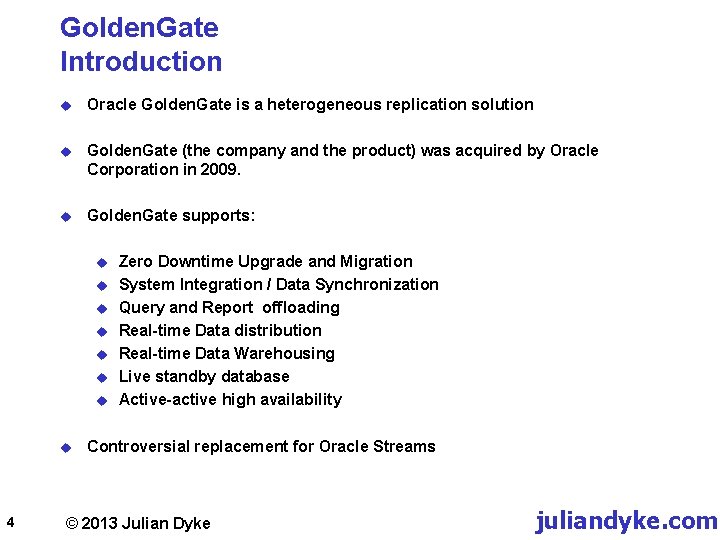
Golden. Gate Introduction u Oracle Golden. Gate is a heterogeneous replication solution u Golden. Gate (the company and the product) was acquired by Oracle Corporation in 2009. u Golden. Gate supports: u u u u 4 Zero Downtime Upgrade and Migration System Integration / Data Synchronization Query and Report offloading Real-time Data distribution Real-time Data Warehousing Live standby database Active-active high availability Controversial replacement for Oracle Streams © 2013 Julian Dyke juliandyke. com
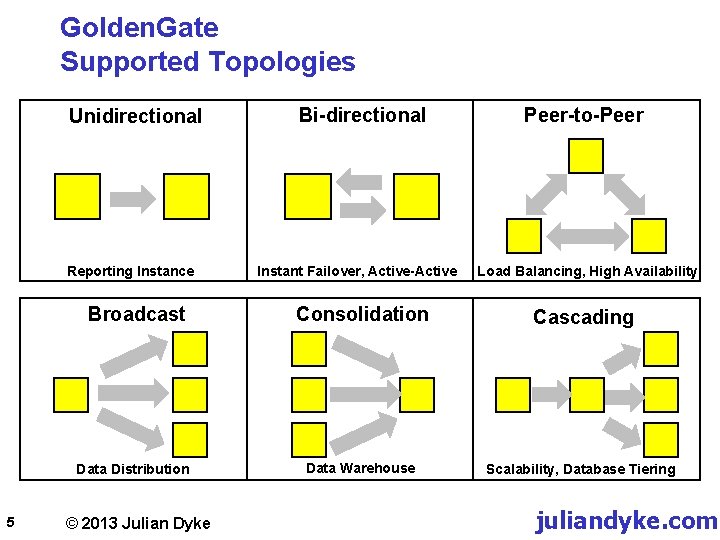
Golden. Gate Supported Topologies Unidirectional Reporting Instance Broadcast Data Distribution 5 © 2013 Julian Dyke Bi-directional Instant Failover, Active-Active Peer-to-Peer Load Balancing, High Availability Consolidation Cascading Data Warehouse Scalability, Database Tiering juliandyke. com

Golden. Gate Supported Databases u Oracle Golden. Gate for Non Oracle Databases u Supported non-oracle databases include: u u u 6 IBM DB 2 on Windows, UNIX and Linux Microsoft SQL Server 2000, 2005, 2008 Sybase on Windows, UNIX and Linux Teradata on Windows, UNIX and Linux My. SQL on Windows, UNIX and Linux Times. Ten on Windows and Linux (delivery only) © 2013 Julian Dyke juliandyke. com
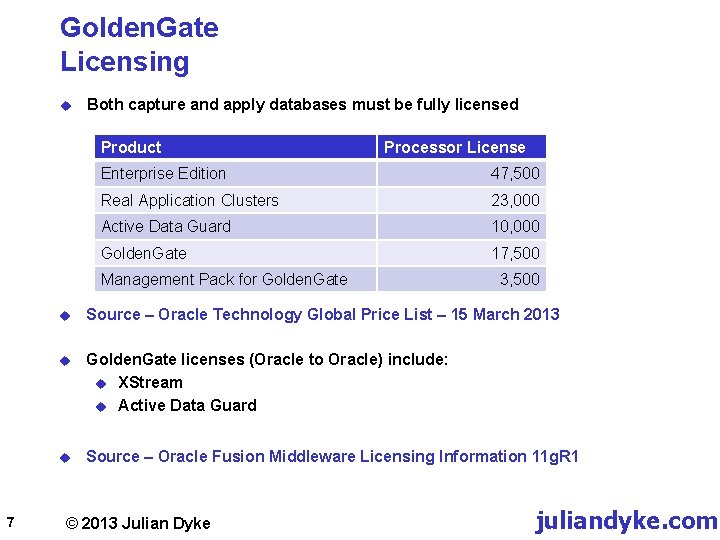
Golden. Gate Licensing u Both capture and apply databases must be fully licensed Product Processor License Enterprise Edition 47, 500 Real Application Clusters 23, 000 Active Data Guard 10, 000 Golden. Gate 17, 500 Management Pack for Golden. Gate 7 3, 500 u Source – Oracle Technology Global Price List – 15 March 2013 u Golden. Gate licenses (Oracle to Oracle) include: u XStream u Active Data Guard u Source – Oracle Fusion Middleware Licensing Information 11 g. R 1 © 2013 Julian Dyke juliandyke. com
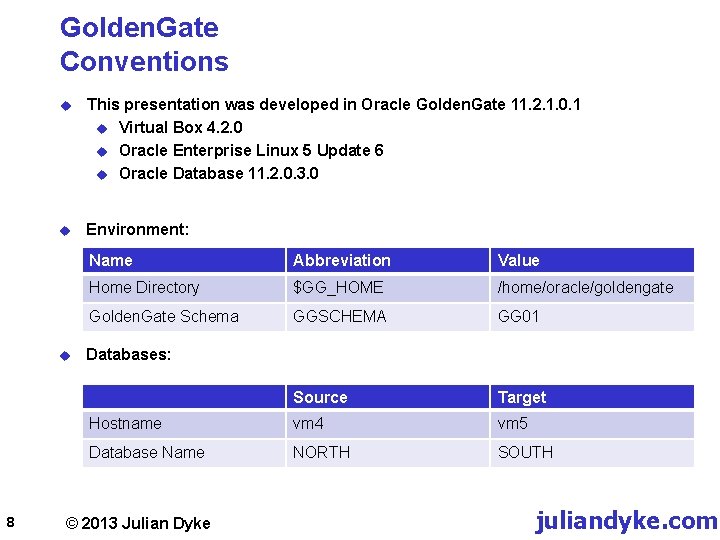
Golden. Gate Conventions u This presentation was developed in Oracle Golden. Gate 11. 2. 1. 0. 1 u Virtual Box 4. 2. 0 u Oracle Enterprise Linux 5 Update 6 u Oracle Database 11. 2. 0. 3. 0 u Environment: u 8 Name Abbreviation Value Home Directory $GG_HOME /home/oracle/goldengate Golden. Gate Schema GGSCHEMA GG 01 Source Target Hostname vm 4 vm 5 Database Name NORTH SOUTH Databases: © 2013 Julian Dyke juliandyke. com

Golden. Gate Streams versus Golden. Gate Oracle Streams Capture Propagate Source Server Apply Target Server Oracle Golden. Gate Extract Data Pump Source Server 9 © 2013 Julian Dyke Replicat Target Server juliandyke. com
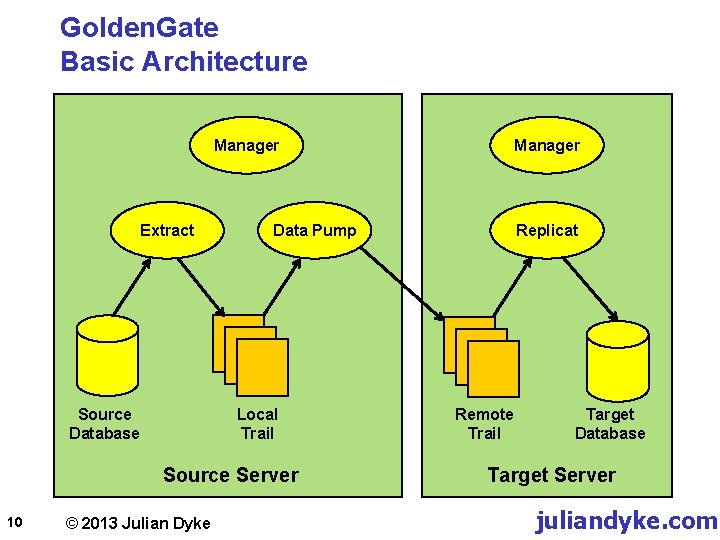
Golden. Gate Basic Architecture Manager Extract Source Database Data Pump Local Trail Source Server 10 © 2013 Julian Dyke Manager Replicat Remote Trail Target Database Target Server juliandyke. com

Golden. Gate Configuration Options Classic Capture Redo Logs + Archive Logs 11 © 2013 Julian Dyke Archive Logs Only Integrated Capture Upstream Capture Downstream Capture juliandyke. com
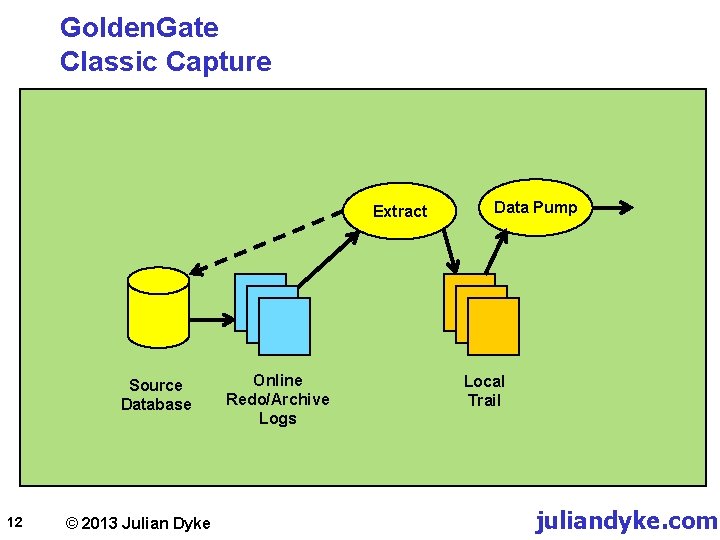
Golden. Gate Classic Capture Extract Source Database 12 © 2013 Julian Dyke Online Redo/Archive Logs Data Pump Local Trail juliandyke. com
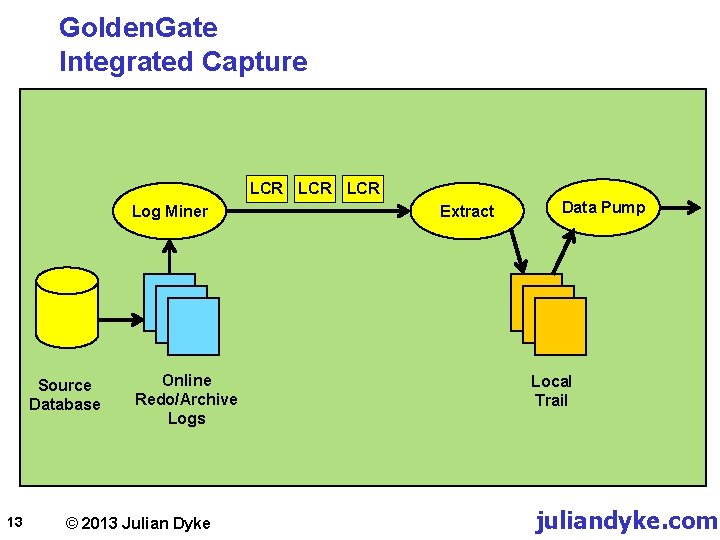
Golden. Gate Integrated Capture LCR LCR Log Miner Source Database 13 Online Redo/Archive Logs © 2013 Julian Dyke Extract Data Pump Local Trail juliandyke. com

Golden. Gate Downstream Capture u Real Time Downstream Mode LCR Online Redo Logs Primary Database Source Server 14 © 2013 Julian Dyke Standby Redo Logs Logical Change Records Capture Integrated Extract Trail File Standby Database Downstream Server juliandyke. com
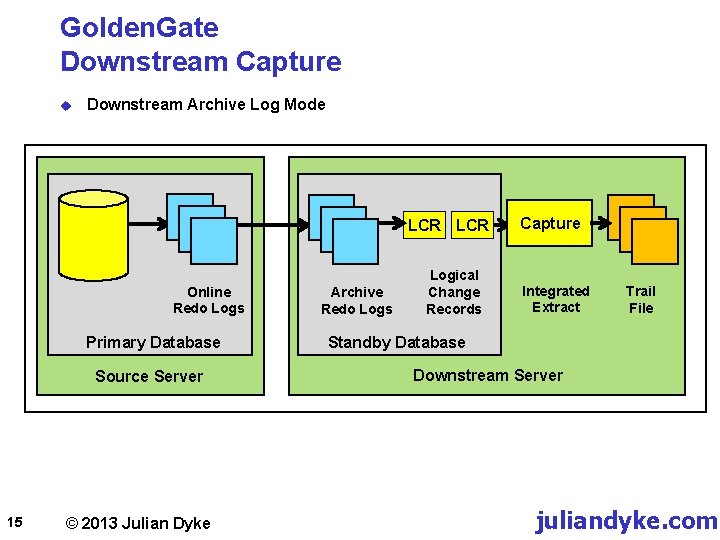
Golden. Gate Downstream Capture u Downstream Archive Log Mode LCR Online Redo Logs Primary Database Source Server 15 © 2013 Julian Dyke Archive Redo Logs Logical Change Records Capture Integrated Extract Trail File Standby Database Downstream Server juliandyke. com
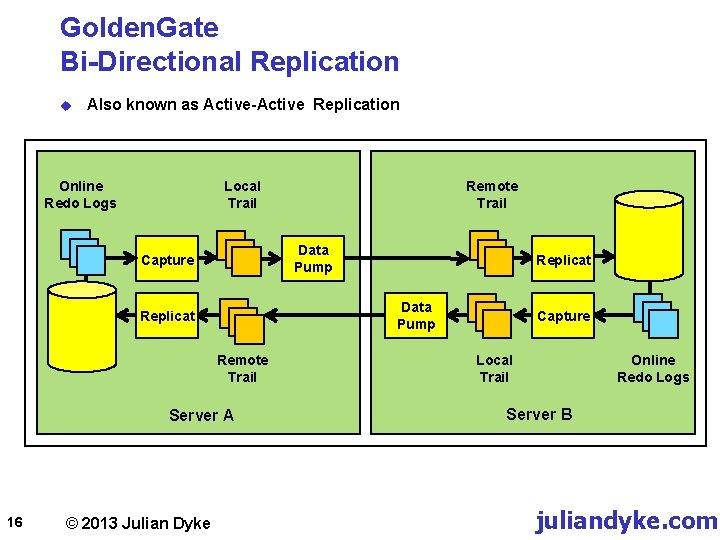
Golden. Gate Bi-Directional Replication u Also known as Active-Active Replication Online Redo Logs Local Trail Data Pump Capture Remote Trail Server A © 2013 Julian Dyke Replicat Data Pump Replicat 16 Remote Trail Capture Local Trail Online Redo Logs Server B juliandyke. com
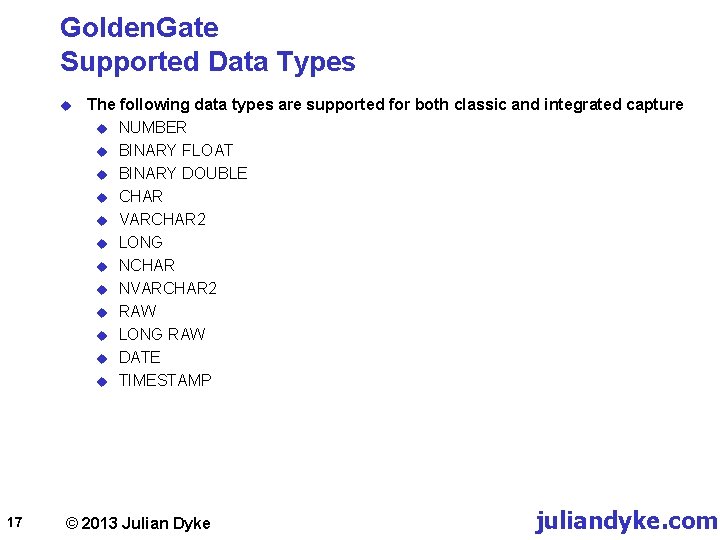
Golden. Gate Supported Data Types u 17 The following data types are supported for both classic and integrated capture u NUMBER u BINARY FLOAT u BINARY DOUBLE u CHAR u VARCHAR 2 u LONG u NCHAR u NVARCHAR 2 u RAW u LONG RAW u DATE u TIMESTAMP © 2013 Julian Dyke juliandyke. com
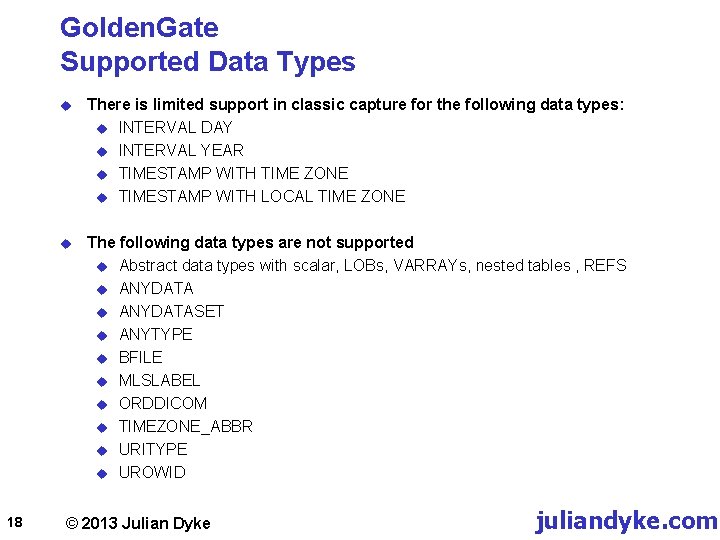
Golden. Gate Supported Data Types 18 u There is limited support in classic capture for the following data types: u INTERVAL DAY u INTERVAL YEAR u TIMESTAMP WITH TIME ZONE u TIMESTAMP WITH LOCAL TIME ZONE u The following data types are not supported u Abstract data types with scalar, LOBs, VARRAYs, nested tables , REFS u ANYDATASET u ANYTYPE u BFILE u MLSLABEL u ORDDICOM u TIMEZONE_ABBR u URITYPE u UROWID © 2013 Julian Dyke juliandyke. com
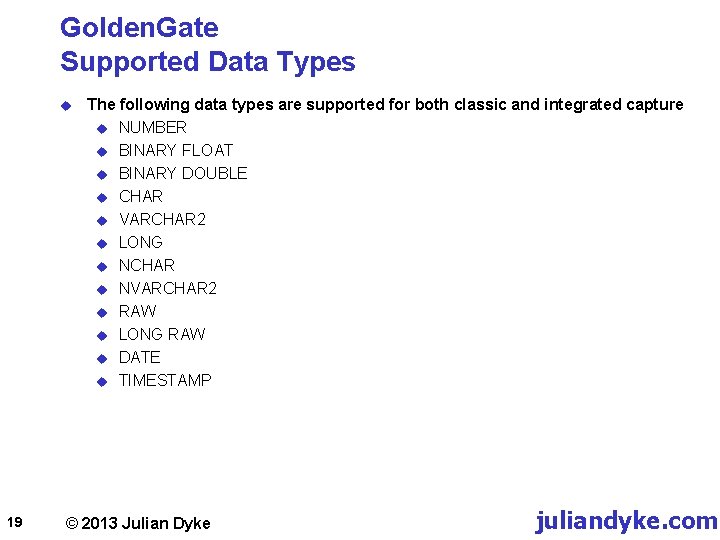
Golden. Gate Supported Data Types u 19 The following data types are supported for both classic and integrated capture u NUMBER u BINARY FLOAT u BINARY DOUBLE u CHAR u VARCHAR 2 u LONG u NCHAR u NVARCHAR 2 u RAW u LONG RAW u DATE u TIMESTAMP © 2013 Julian Dyke juliandyke. com
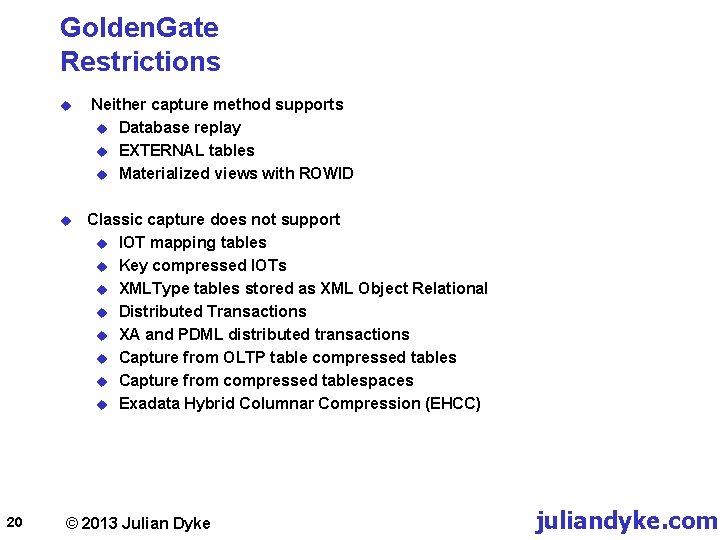
Golden. Gate Restrictions u u 20 Neither capture method supports u Database replay u EXTERNAL tables u Materialized views with ROWID Classic capture does not support u IOT mapping tables u Key compressed IOTs u XMLType tables stored as XML Object Relational u Distributed Transactions u XA and PDML distributed transactions u Capture from OLTP table compressed tables u Capture from compressed tablespaces u Exadata Hybrid Columnar Compression (EHCC) © 2013 Julian Dyke juliandyke. com
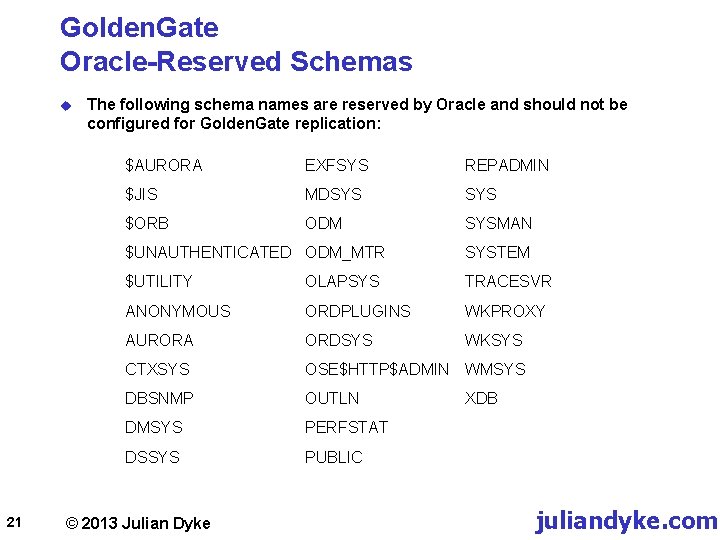
Golden. Gate Oracle-Reserved Schemas u 21 The following schema names are reserved by Oracle and should not be configured for Golden. Gate replication: $AURORA EXFSYS REPADMIN $JIS MDSYS $ORB ODM SYSMAN $UNAUTHENTICATED ODM_MTR SYSTEM $UTILITY OLAPSYS TRACESVR ANONYMOUS ORDPLUGINS WKPROXY AURORA ORDSYS WKSYS CTXSYS OSE$HTTP$ADMIN WMSYS DBSNMP OUTLN DMSYS PERFSTAT DSSYS PUBLIC © 2013 Julian Dyke XDB juliandyke. com
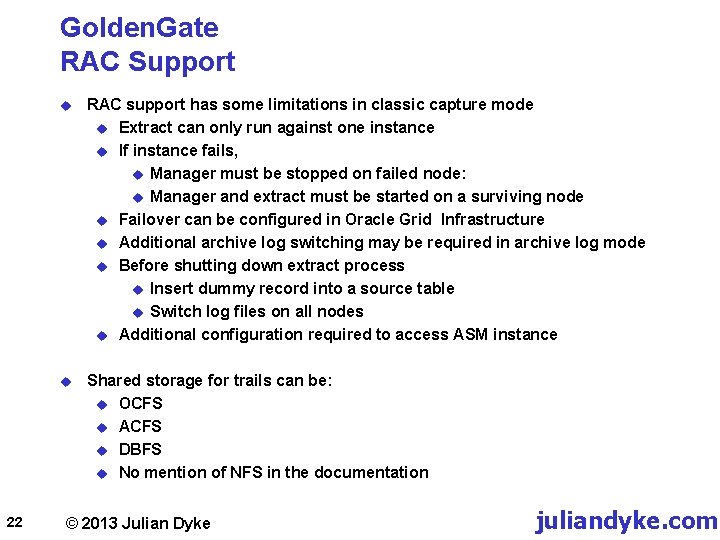
Golden. Gate RAC Support 22 u RAC support has some limitations in classic capture mode u Extract can only run against one instance u If instance fails, u Manager must be stopped on failed node: u Manager and extract must be started on a surviving node u Failover can be configured in Oracle Grid Infrastructure u Additional archive log switching may be required in archive log mode u Before shutting down extract process u Insert dummy record into a source table u Switch log files on all nodes u Additional configuration required to access ASM instance u Shared storage for trails can be: u OCFS u ACFS u DBFS u No mention of NFS in the documentation © 2013 Julian Dyke juliandyke. com
Configuration 23 © 2013 Julian Dyke juliandyke. com
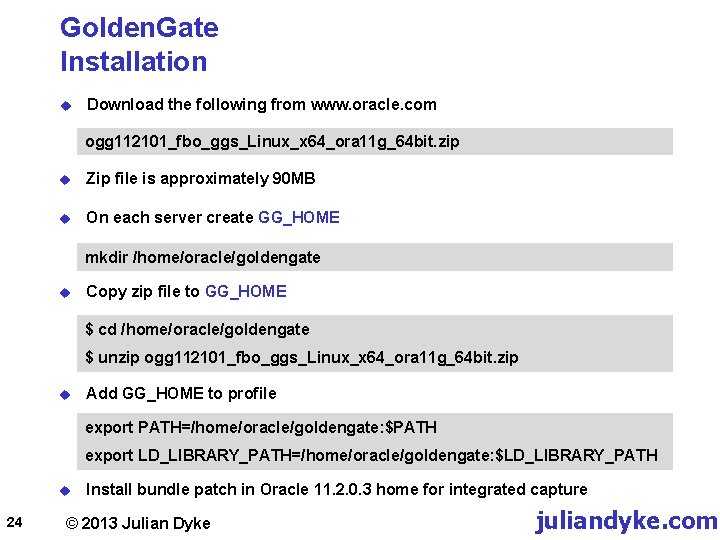
Golden. Gate Installation u Download the following from www. oracle. com ogg 112101_fbo_ggs_Linux_x 64_ora 11 g_64 bit. zip u Zip file is approximately 90 MB u On each server create GG_HOME mkdir /home/oracle/goldengate u Copy zip file to GG_HOME $ cd /home/oracle/goldengate $ unzip ogg 112101_fbo_ggs_Linux_x 64_ora 11 g_64 bit. zip u Add GG_HOME to profile export PATH=/home/oracle/goldengate: $PATH export LD_LIBRARY_PATH=/home/oracle/goldengate: $LD_LIBRARY_PATH u 24 Install bundle patch in Oracle 11. 2. 0. 3 home for integrated capture © 2013 Julian Dyke juliandyke. com
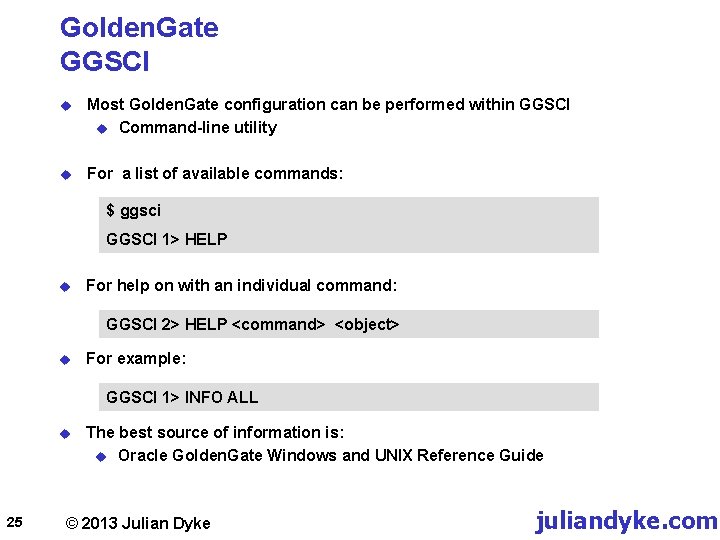
Golden. Gate GGSCI u Most Golden. Gate configuration can be performed within GGSCI u Command-line utility u For a list of available commands: $ ggsci GGSCI 1> HELP u For help on with an individual command: GGSCI 2> HELP <command> <object> u For example: GGSCI 1> INFO ALL u 25 The best source of information is: u Oracle Golden. Gate Windows and UNIX Reference Guide © 2013 Julian Dyke juliandyke. com
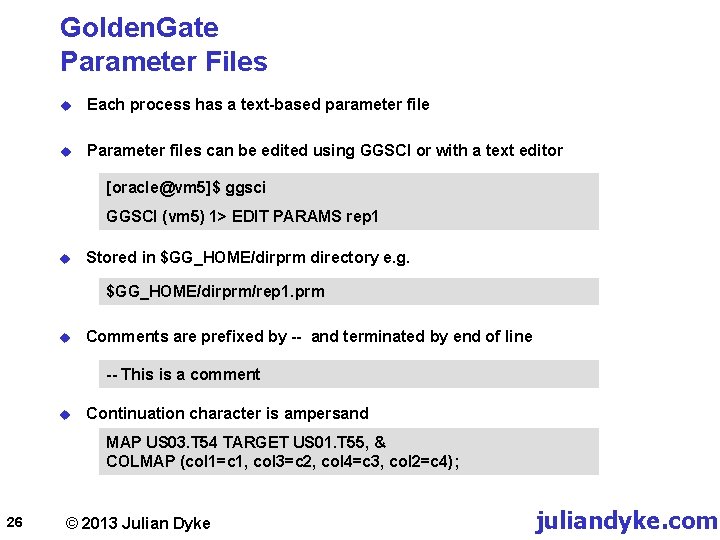
Golden. Gate Parameter Files u Each process has a text-based parameter file u Parameter files can be edited using GGSCI or with a text editor [oracle@vm 5]$ ggsci GGSCI (vm 5) 1> EDIT PARAMS rep 1 u Stored in $GG_HOME/dirprm directory e. g. $GG_HOME/dirprm/rep 1. prm u Comments are prefixed by -- and terminated by end of line -- This is a comment u Continuation character is ampersand MAP US 03. T 54 TARGET US 01. T 55, & COLMAP (col 1=c 1, col 3=c 2, col 4=c 3, col 2=c 4); 26 © 2013 Julian Dyke juliandyke. com
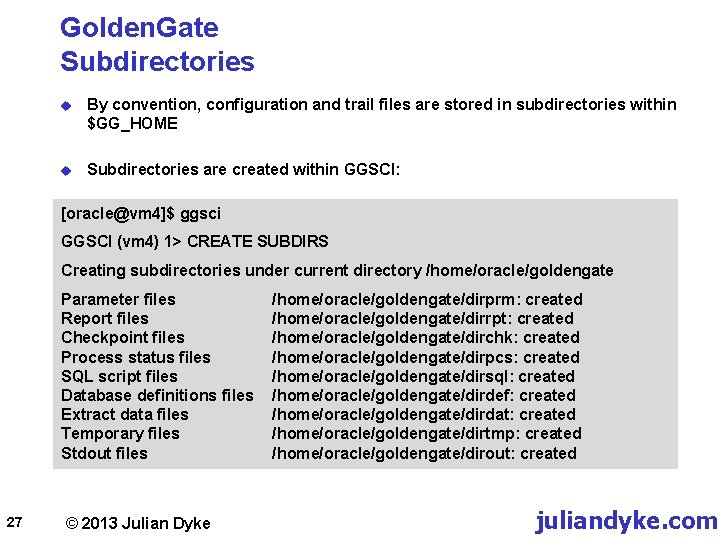
Golden. Gate Subdirectories u By convention, configuration and trail files are stored in subdirectories within $GG_HOME u Subdirectories are created within GGSCI: [oracle@vm 4]$ ggsci GGSCI (vm 4) 1> CREATE SUBDIRS Creating subdirectories under current directory /home/oracle/goldengate Parameter files Report files Checkpoint files Process status files SQL script files Database definitions files Extract data files Temporary files Stdout files 27 © 2013 Julian Dyke /home/oracle/goldengate/dirprm: created /home/oracle/goldengate/dirrpt: created /home/oracle/goldengate/dirchk: created /home/oracle/goldengate/dirpcs: created /home/oracle/goldengate/dirsql: created /home/oracle/goldengate/dirdef: created /home/oracle/goldengate/dirdat: created /home/oracle/goldengate/dirtmp: created /home/oracle/goldengate/dirout: created juliandyke. com
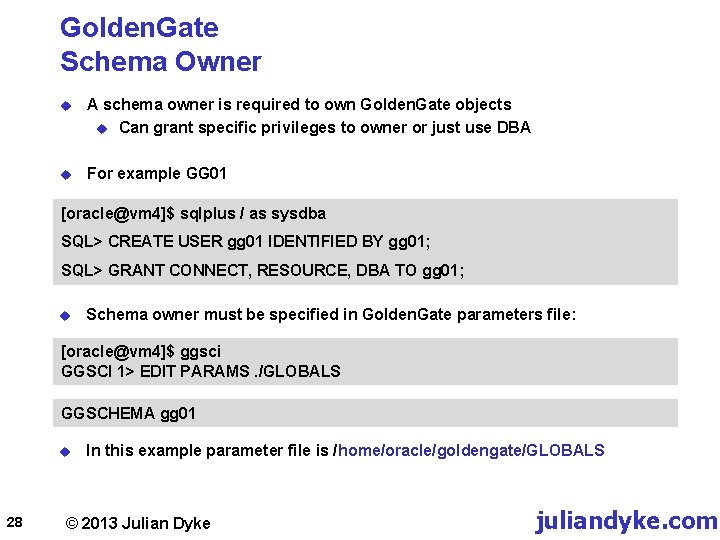
Golden. Gate Schema Owner u A schema owner is required to own Golden. Gate objects u Can grant specific privileges to owner or just use DBA u For example GG 01 [oracle@vm 4]$ sqlplus / as sysdba SQL> CREATE USER gg 01 IDENTIFIED BY gg 01; SQL> GRANT CONNECT, RESOURCE, DBA TO gg 01; u Schema owner must be specified in Golden. Gate parameters file: [oracle@vm 4]$ ggsci GGSCI 1> EDIT PARAMS. /GLOBALS GGSCHEMA gg 01 u 28 In this example parameter file is /home/oracle/goldengate/GLOBALS © 2013 Julian Dyke juliandyke. com
![Golden. Gate Tablespace u Recommended for both source and target servers [oracle@vm 4]$ sqlplus](http://slidetodoc.com/presentation_image/56fcbfe8beead3af24373cde07f33360/image-29.jpg "Golden. Gate Tablespace u Recommended for both source and target servers [oracle@vm 4]$ sqlplus")
Golden. Gate Tablespace u Recommended for both source and target servers [oracle@vm 4]$ sqlplus / as sysdba SQL> CREATE TABLESPACE goldengate DATAFILE '/u 01/app/oradata/NORTH/goldengate 01. dbf‘ SIZE 100 M AUTOEXTEND ON; Tablespace created. SQL> ALTER USER gg 01 DEFAULT TABLESPACE goldengate; User altered. u 29 Ensure AUTOEXTEND is enabled © 2013 Julian Dyke juliandyke. com
![Golden. Gate Role u On source server create GGS_GGSUSER_ROLE [oracle@vm 4]$ cd /home/oracle/goldengate [oracle@vm](http://slidetodoc.com/presentation_image/56fcbfe8beead3af24373cde07f33360/image-30.jpg "Golden. Gate Role u On source server create GGS_GGSUSER_ROLE [oracle@vm 4]$ cd /home/oracle/goldengate [oracle@vm")
Golden. Gate Role u On source server create GGS_GGSUSER_ROLE [oracle@vm 4]$ cd /home/oracle/goldengate [oracle@vm 4]$ sqlplus / as sysdba SQL> @role_setup GGS Role setup script This script will drop and recreate the role GGS_GGSUSER_ROLE Enter Golden. Gate schema name: GG 01 u Grant role to GGSCHEMA user: [oracle@vm 4]$ cd /home/oracle/goldengate [oracle@vm 4]$ sqlplus / as sysdba SQL> GRANT GGS_GGSUSER_ROLE TO gg 01; 30 © 2013 Julian Dyke juliandyke. com
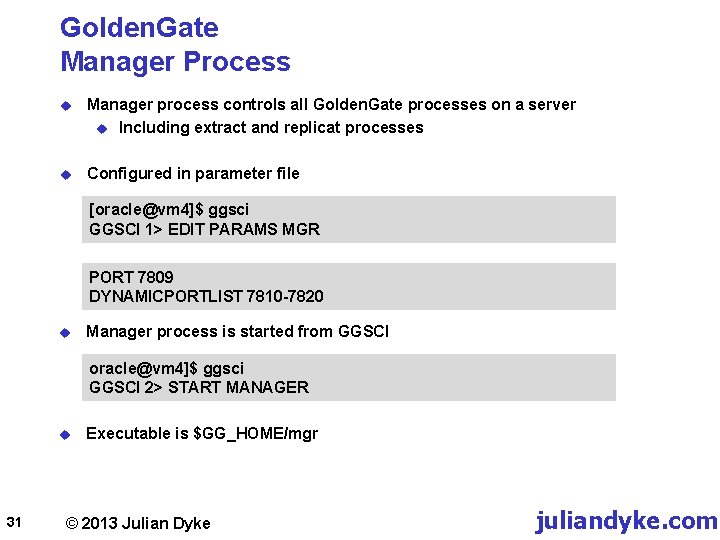
Golden. Gate Manager Process u Manager process controls all Golden. Gate processes on a server u Including extract and replicat processes u Configured in parameter file [oracle@vm 4]$ ggsci GGSCI 1> EDIT PARAMS MGR PORT 7809 DYNAMICPORTLIST 7810 -7820 u Manager process is started from GGSCI oracle@vm 4]$ ggsci GGSCI 2> START MANAGER u 31 Executable is $GG_HOME/mgr © 2013 Julian Dyke juliandyke. com
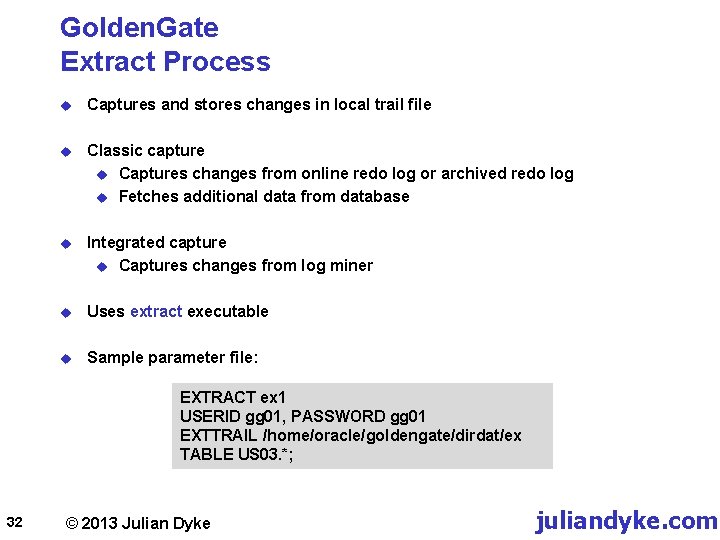
Golden. Gate Extract Process u Captures and stores changes in local trail file u Classic capture u Captures changes from online redo log or archived redo log u Fetches additional data from database u Integrated capture u Captures changes from log miner u Uses extract executable u Sample parameter file: EXTRACT ex 1 USERID gg 01, PASSWORD gg 01 EXTTRAIL /home/oracle/goldengate/dirdat/ex TABLE US 03. *; 32 © 2013 Julian Dyke juliandyke. com
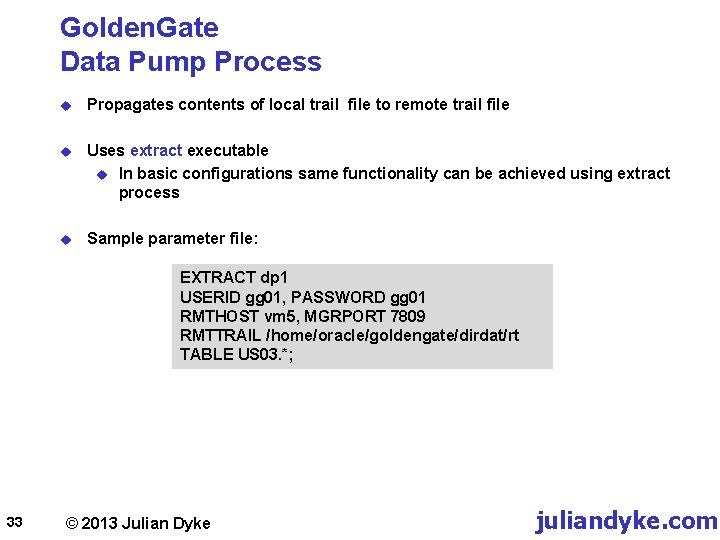
Golden. Gate Data Pump Process u Propagates contents of local trail file to remote trail file u Uses extract executable u In basic configurations same functionality can be achieved using extract process u Sample parameter file: EXTRACT dp 1 USERID gg 01, PASSWORD gg 01 RMTHOST vm 5, MGRPORT 7809 RMTTRAIL /home/oracle/goldengate/dirdat/rt TABLE US 03. *; 33 © 2013 Julian Dyke juliandyke. com
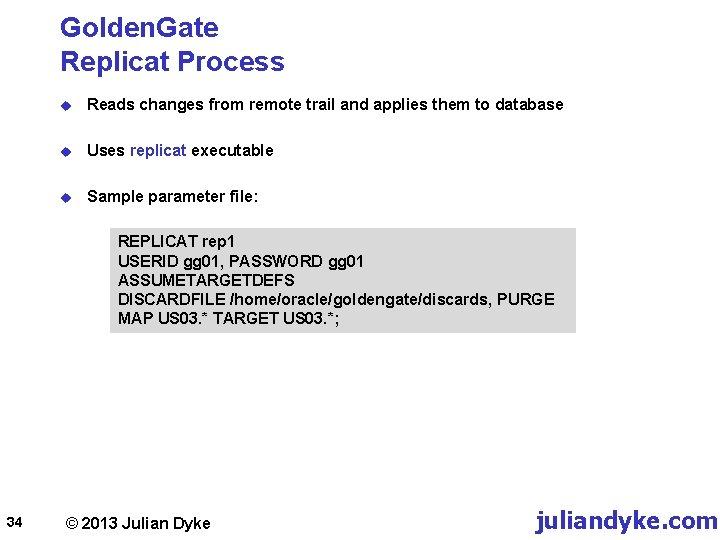
Golden. Gate Replicat Process u Reads changes from remote trail and applies them to database u Uses replicat executable u Sample parameter file: REPLICAT rep 1 USERID gg 01, PASSWORD gg 01 ASSUMETARGETDEFS DISCARDFILE /home/oracle/goldengate/discards, PURGE MAP US 03. * TARGET US 03. *; 34 © 2013 Julian Dyke juliandyke. com
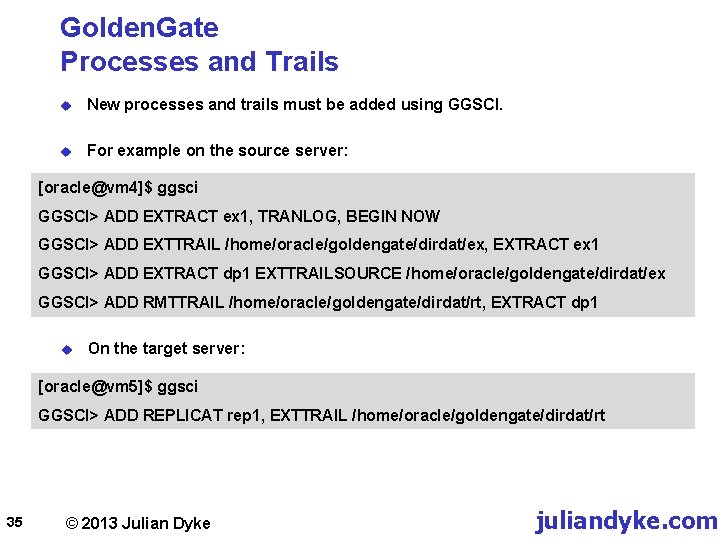
Golden. Gate Processes and Trails u New processes and trails must be added using GGSCI. u For example on the source server: [oracle@vm 4]$ ggsci GGSCI> ADD EXTRACT ex 1, TRANLOG, BEGIN NOW GGSCI> ADD EXTTRAIL /home/oracle/goldengate/dirdat/ex, EXTRACT ex 1 GGSCI> ADD EXTRACT dp 1 EXTTRAILSOURCE /home/oracle/goldengate/dirdat/ex GGSCI> ADD RMTTRAIL /home/oracle/goldengate/dirdat/rt, EXTRACT dp 1 u On the target server: [oracle@vm 5]$ ggsci GGSCI> ADD REPLICAT rep 1, EXTTRAIL /home/oracle/goldengate/dirdat/rt 35 © 2013 Julian Dyke juliandyke. com
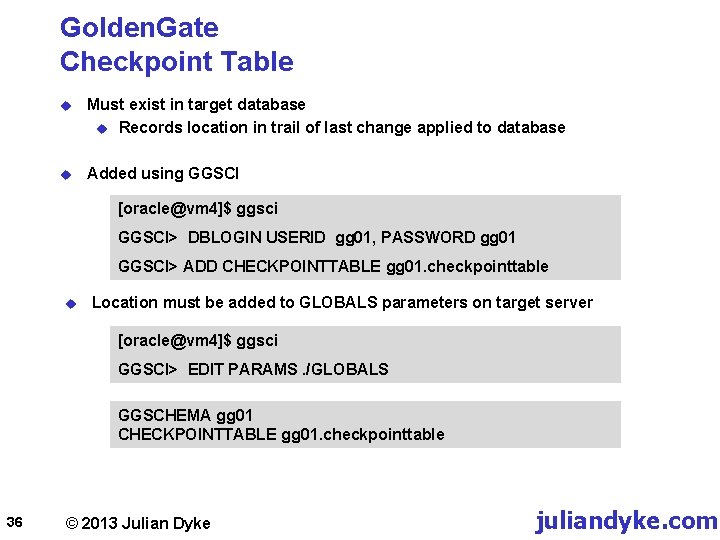
Golden. Gate Checkpoint Table u Must exist in target database u Records location in trail of last change applied to database u Added using GGSCI [oracle@vm 4]$ ggsci GGSCI> DBLOGIN USERID gg 01, PASSWORD gg 01 GGSCI> ADD CHECKPOINTTABLE gg 01. checkpointtable u Location must be added to GLOBALS parameters on target server [oracle@vm 4]$ ggsci GGSCI> EDIT PARAMS. /GLOBALS GGSCHEMA gg 01 CHECKPOINTTABLE gg 01. checkpointtable 36 © 2013 Julian Dyke juliandyke. com
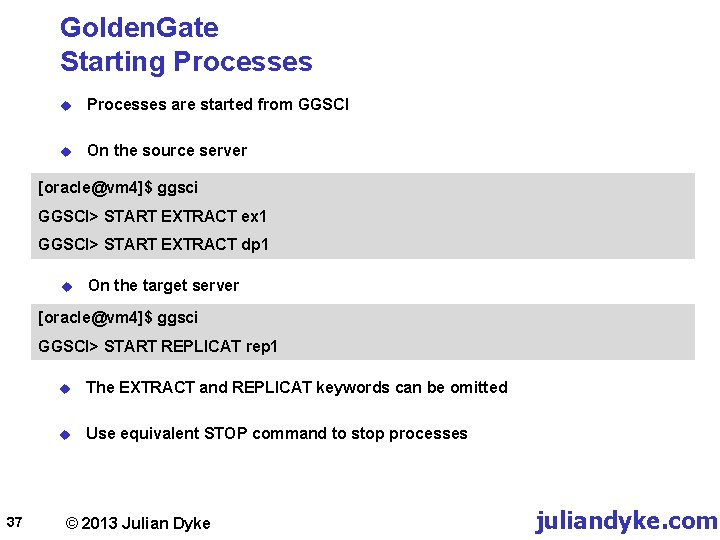
Golden. Gate Starting Processes u Processes are started from GGSCI u On the source server [oracle@vm 4]$ ggsci GGSCI> START EXTRACT ex 1 GGSCI> START EXTRACT dp 1 u On the target server [oracle@vm 4]$ ggsci GGSCI> START REPLICAT rep 1 37 u The EXTRACT and REPLICAT keywords can be omitted u Use equivalent STOP command to stop processes © 2013 Julian Dyke juliandyke. com
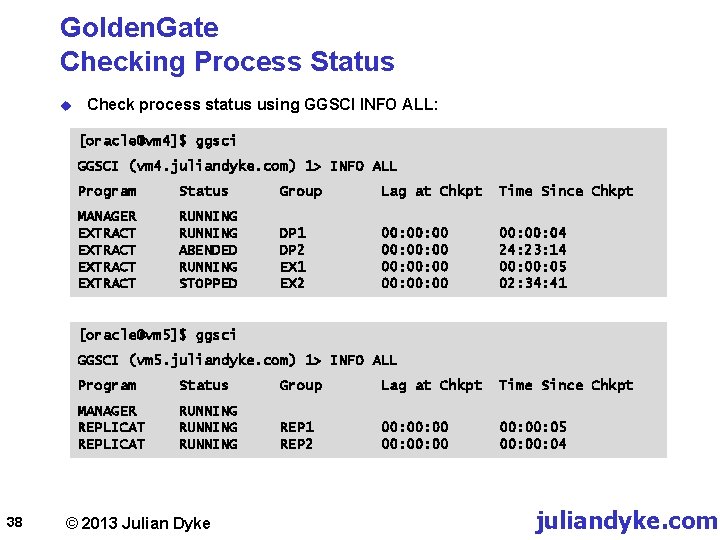
Golden. Gate Checking Process Status u Check process status using GGSCI INFO ALL: [oracle@vm 4]$ ggsci GGSCI (vm 4. juliandyke. com) 1> INFO ALL Program Status Group Lag at Chkpt Time Since Chkpt MANAGER EXTRACT RUNNING ABENDED RUNNING STOPPED DP 1 DP 2 EX 1 EX 2 00: 00: 00 00: 04 24: 23: 14 00: 05 02: 34: 41 [oracle@vm 5]$ ggsci GGSCI (vm 5. juliandyke. com) 1> INFO ALL 38 Program Status Group Lag at Chkpt Time Since Chkpt MANAGER REPLICAT RUNNING REP 1 REP 2 00: 00: 00 00: 05 00: 04 © 2013 Julian Dyke juliandyke. com
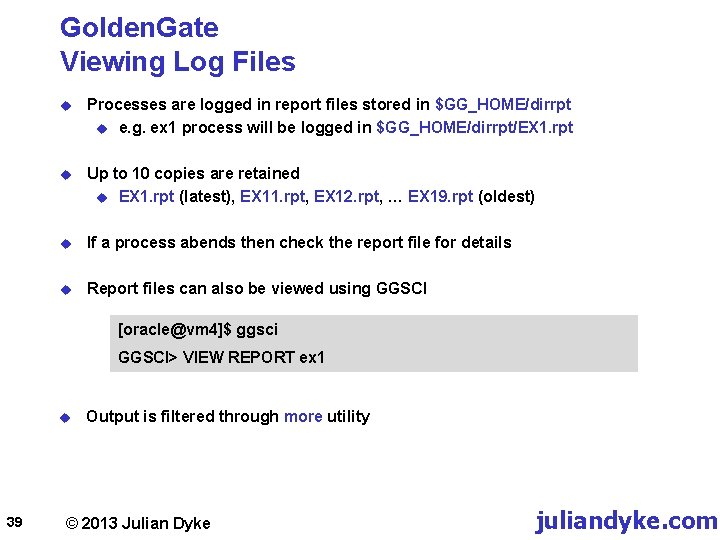
Golden. Gate Viewing Log Files u Processes are logged in report files stored in $GG_HOME/dirrpt u e. g. ex 1 process will be logged in $GG_HOME/dirrpt/EX 1. rpt u Up to 10 copies are retained u EX 1. rpt (latest), EX 11. rpt, EX 12. rpt, … EX 19. rpt (oldest) u If a process abends then check the report file for details u Report files can also be viewed using GGSCI [oracle@vm 4]$ ggsci GGSCI> VIEW REPORT ex 1 u 39 Output is filtered through more utility © 2013 Julian Dyke juliandyke. com
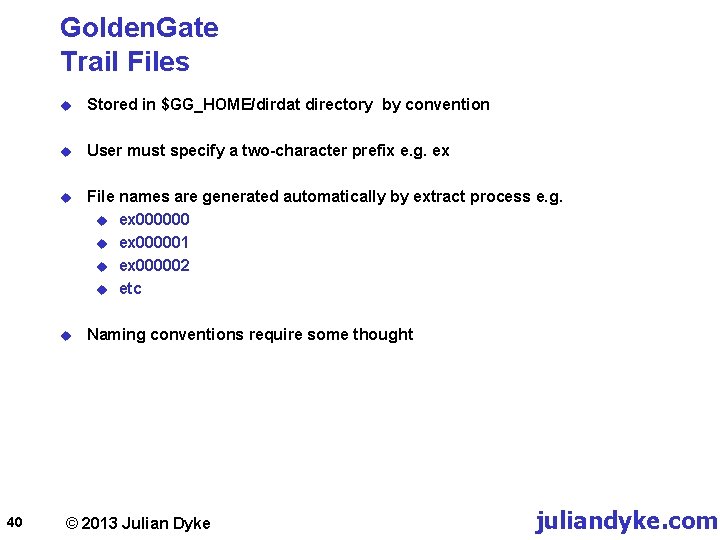
Golden. Gate Trail Files 40 u Stored in $GG_HOME/dirdat directory by convention u User must specify a two-character prefix e. g. ex u File names are generated automatically by extract process e. g. u ex 000000 u ex 000001 u ex 000002 u etc u Naming conventions require some thought © 2013 Julian Dyke juliandyke. com
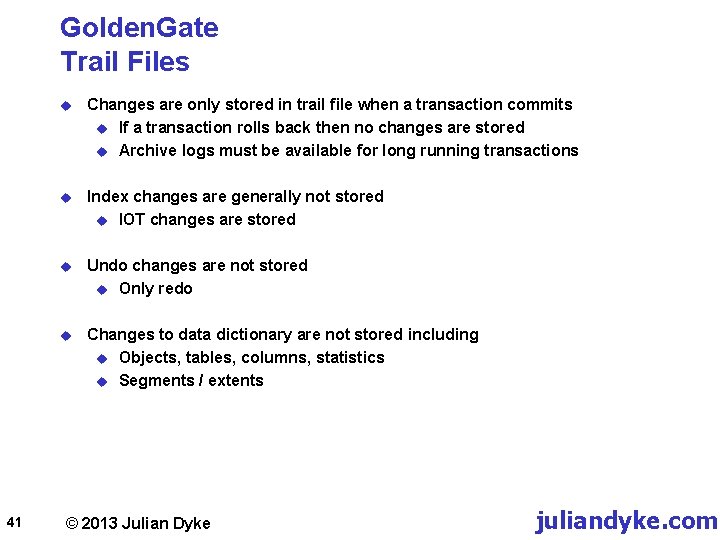
Golden. Gate Trail Files 41 u Changes are only stored in trail file when a transaction commits u If a transaction rolls back then no changes are stored u Archive logs must be available for long running transactions u Index changes are generally not stored u IOT changes are stored u Undo changes are not stored u Only redo u Changes to data dictionary are not stored including u Objects, tables, columns, statistics u Segments / extents © 2013 Julian Dyke juliandyke. com
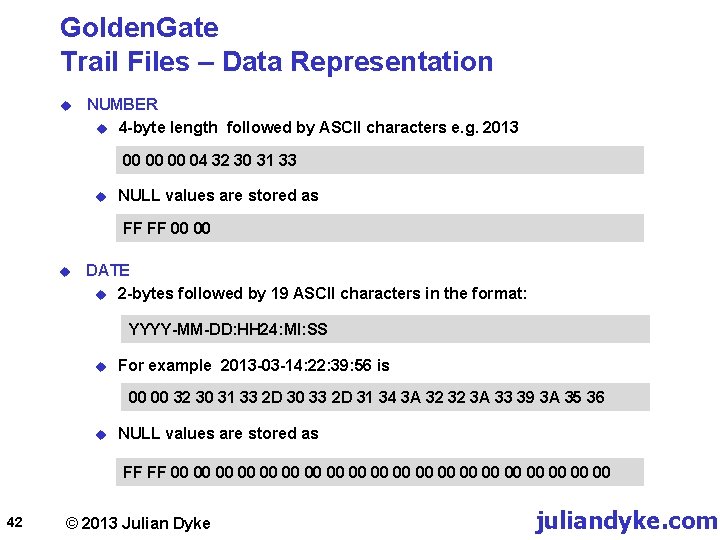
Golden. Gate Trail Files – Data Representation u NUMBER u 4 -byte length followed by ASCII characters e. g. 2013 00 00 00 04 32 30 31 33 u NULL values are stored as FF FF 00 00 u DATE u 2 -bytes followed by 19 ASCII characters in the format: YYYY-MM-DD: HH 24: MI: SS u For example 2013 -03 -14: 22: 39: 56 is 00 00 32 30 31 33 2 D 30 33 2 D 31 34 3 A 32 32 3 A 33 39 3 A 35 36 u NULL values are stored as FF FF 00 00 00 00 00 42 © 2013 Julian Dyke juliandyke. com
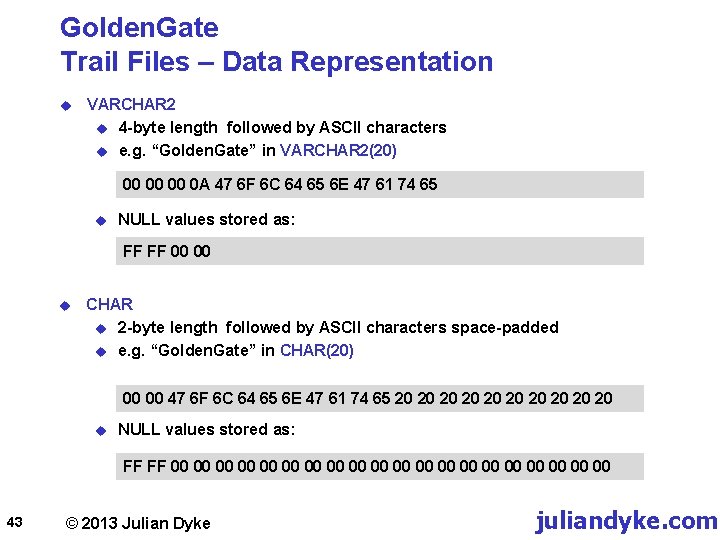
Golden. Gate Trail Files – Data Representation u VARCHAR 2 u 4 -byte length followed by ASCII characters u e. g. “Golden. Gate” in VARCHAR 2(20) 00 00 00 0 A 47 6 F 6 C 64 65 6 E 47 61 74 65 u NULL values stored as: FF FF 00 00 u CHAR u 2 -byte length followed by ASCII characters space-padded u e. g. “Golden. Gate” in CHAR(20) 00 00 47 6 F 6 C 64 65 6 E 47 61 74 65 20 20 20 u NULL values stored as: FF FF 00 00 00 00 00 43 © 2013 Julian Dyke juliandyke. com
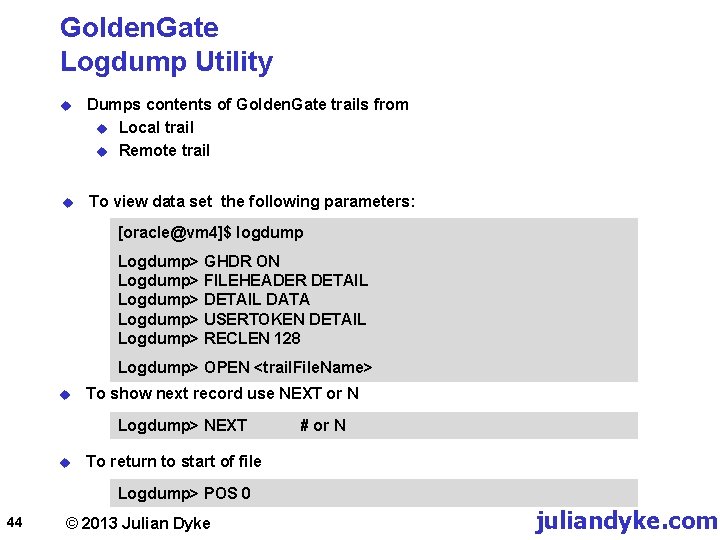
Golden. Gate Logdump Utility u Dumps contents of Golden. Gate trails from u Local trail u Remote trail u To view data set the following parameters: [oracle@vm 4]$ logdump Logdump> GHDR ON Logdump> FILEHEADER DETAIL Logdump> DETAIL DATA Logdump> USERTOKEN DETAIL Logdump> RECLEN 128 Logdump> OPEN <trail. File. Name> u To show next record use NEXT or N Logdump> NEXT u # or N To return to start of file Logdump> POS 0 44 © 2013 Julian Dyke juliandyke. com
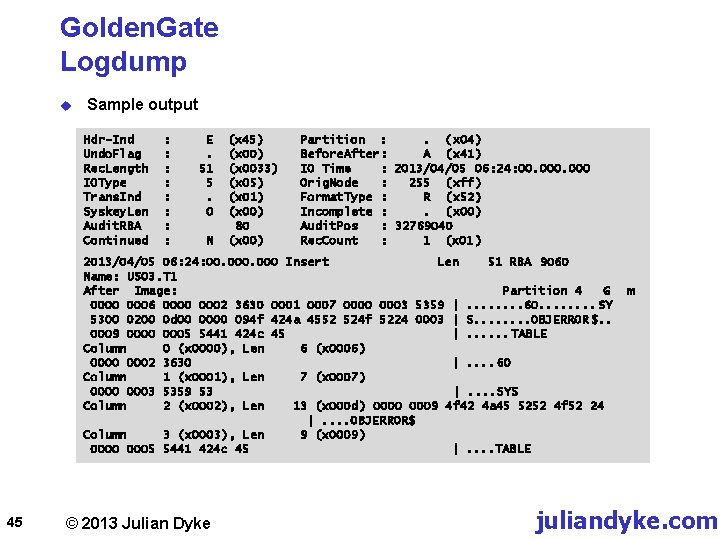
Golden. Gate Logdump u Sample output Hdr-Ind Undo. Flag Rec. Length IOType Trans. Ind Syskey. Len Audit. RBA Continued : : : : E. 51 5. 0 N (x 45) (x 0033) (x 05) (x 01) (x 00) 80 (x 00) Partition : . ( x 04) Before. After: A (x 41) IO Time : 2013/04/05 06: 24: 00. 000 Orig. Node : 255 (xff) Format. Type : R (x 52) Incomplete : . (x 00) Audit. Pos : 32769040 Rec. Count : 1 (x 01) 2013/04/05 06: 24: 00. 000 Insert Len 51 RBA 9060 Name: US 03. T 1 After Image: Partition 4 G 0000 0006 0000 0002 3630 0001 0007 0000 0003 5359 |. . . . 60. . . . SY 5300 0200 0 d 00 0000 094 f 424 a 4552 524 f 5224 0003 | S. . . . OBJERROR $. . 0009 0000 0005 5441 424 c 45 |. . . TABLE Column 0 (x 0000), Len 6 (x 0006) 0000 0002 3630 |. . 60 Column 1 (x 0001), Len 7 (x 0007) 0000 0003 5359 53 |. . SYS Column 2 (x 0002), Len 13 (x 000 d) 0000 0009 4 f 42 4 a 45 5252 4 f 52 24 |. . OBJERROR$ Column 3 (x 0003), Len 9 (x 0009) 0000 0005 5441 424 c 45 |. . TABLE 45 © 2013 Julian Dyke m juliandyke. com
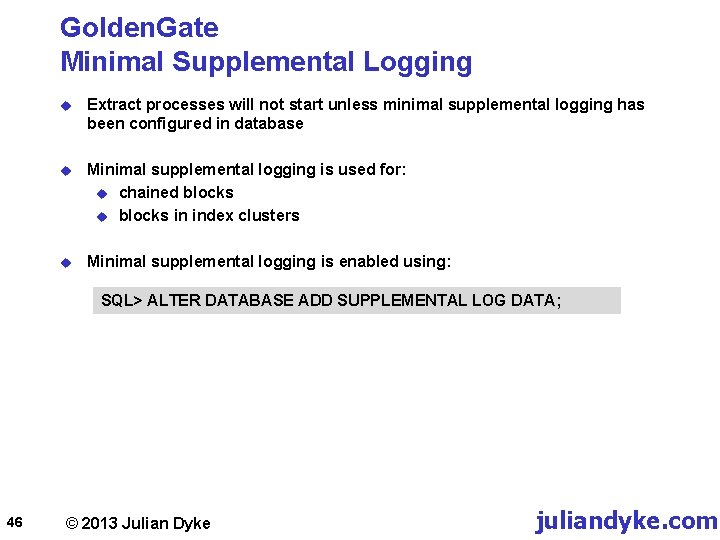
Golden. Gate Minimal Supplemental Logging u Extract processes will not start unless minimal supplemental logging has been configured in database u Minimal supplemental logging is used for: u chained blocks u blocks in index clusters u Minimal supplemental logging is enabled using: SQL> ALTER DATABASE ADD SUPPLEMENTAL LOG DATA; 46 © 2013 Julian Dyke juliandyke. com
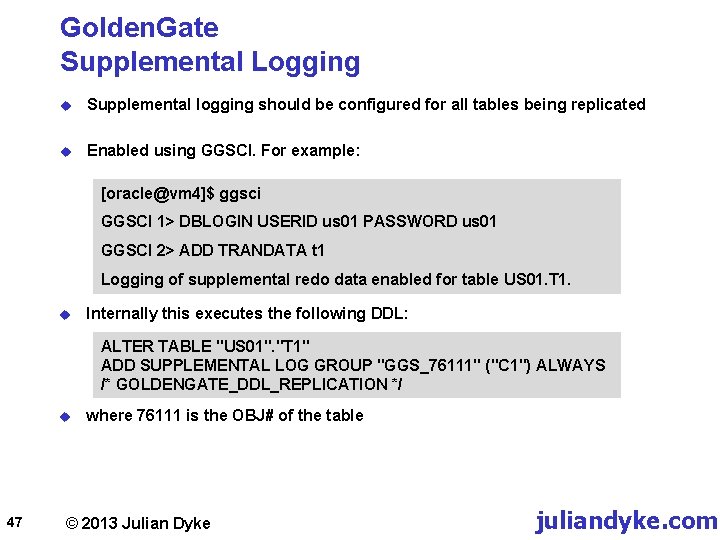
Golden. Gate Supplemental Logging u Supplemental logging should be configured for all tables being replicated u Enabled using GGSCI. For example: [oracle@vm 4]$ ggsci GGSCI 1> DBLOGIN USERID us 01 PASSWORD us 01 GGSCI 2> ADD TRANDATA t 1 Logging of supplemental redo data enabled for table US 01. T 1. u Internally this executes the following DDL: ALTER TABLE "US 01". "T 1" ADD SUPPLEMENTAL LOG GROUP "GGS_76111" ("C 1") ALWAYS /* GOLDENGATE_DDL_REPLICATION */ u 47 where 76111 is the OBJ# of the table © 2013 Julian Dyke juliandyke. com
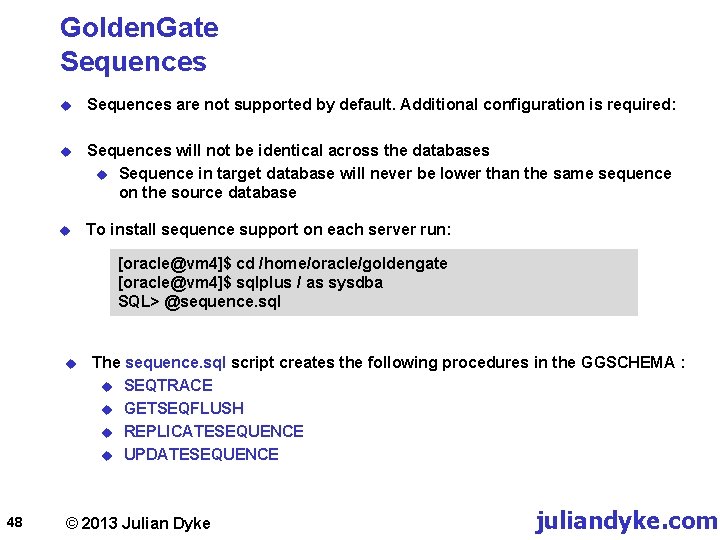
Golden. Gate Sequences u Sequences are not supported by default. Additional configuration is required: u Sequences will not be identical across the databases u Sequence in target database will never be lower than the same sequence on the source database u To install sequence support on each server run: [oracle@vm 4]$ cd /home/oracle/goldengate [oracle@vm 4]$ sqlplus / as sysdba SQL> @sequence. sql u 48 The sequence. sql script creates the following procedures in the GGSCHEMA : u SEQTRACE u GETSEQFLUSH u REPLICATESEQUENCE u UPDATESEQUENCE © 2013 Julian Dyke juliandyke. com
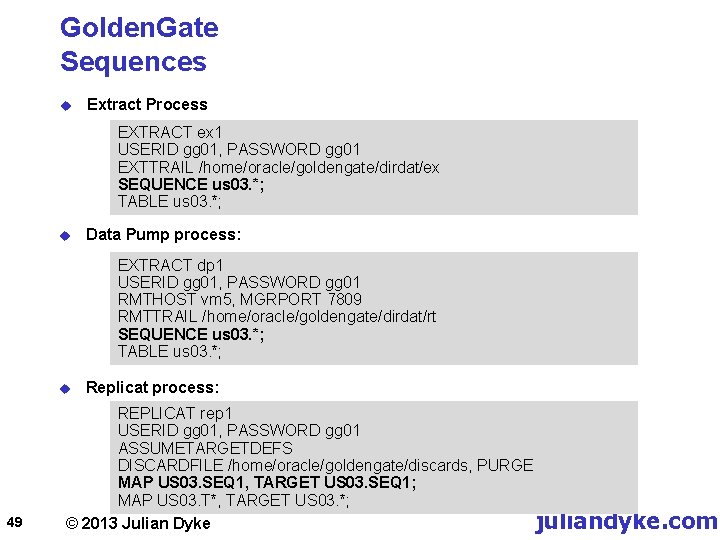
Golden. Gate Sequences u Extract Process EXTRACT ex 1 USERID gg 01, PASSWORD gg 01 EXTTRAIL /home/oracle/goldengate/dirdat/ex SEQUENCE us 03. *; TABLE us 03. *; u Data Pump process: EXTRACT dp 1 USERID gg 01, PASSWORD gg 01 RMTHOST vm 5, MGRPORT 7809 RMTTRAIL /home/oracle/goldengate/dirdat/rt SEQUENCE us 03. *; TABLE us 03. *; u 49 Replicat process: REPLICAT rep 1 USERID gg 01, PASSWORD gg 01 ASSUMETARGETDEFS DISCARDFILE /home/oracle/goldengate/discards, PURGE MAP US 03. SEQ 1, TARGET US 03. SEQ 1; MAP US 03. T*, TARGET US 03. *; juliandyke. com © 2013 Julian Dyke
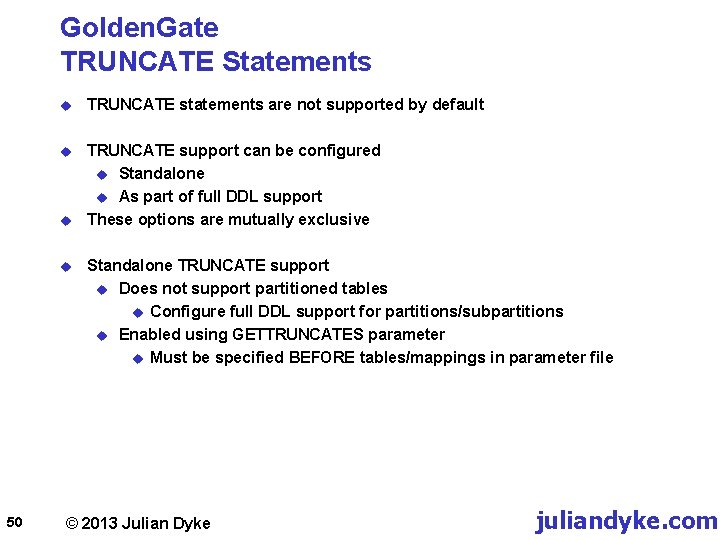
Golden. Gate TRUNCATE Statements u TRUNCATE statements are not supported by default u TRUNCATE support can be configured u Standalone u As part of full DDL support These options are mutually exclusive u u 50 Standalone TRUNCATE support u Does not support partitioned tables u Configure full DDL support for partitions/subpartitions u Enabled using GETTRUNCATES parameter u Must be specified BEFORE tables/mappings in parameter file © 2013 Julian Dyke juliandyke. com
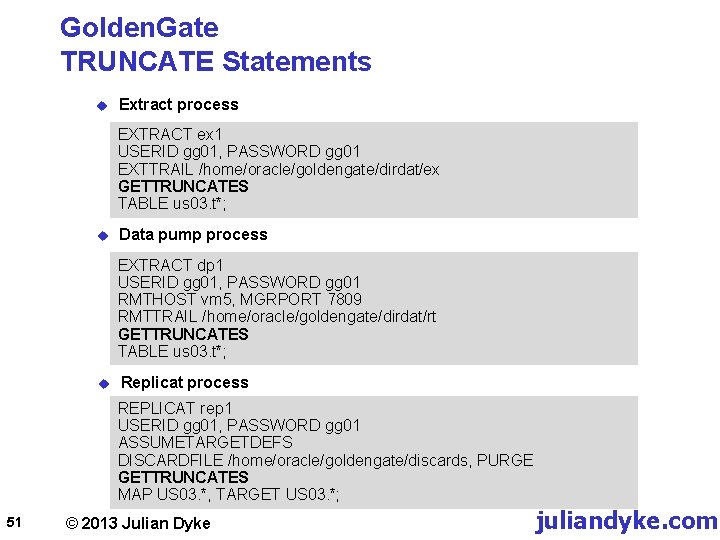
Golden. Gate TRUNCATE Statements u Extract process EXTRACT ex 1 USERID gg 01, PASSWORD gg 01 EXTTRAIL /home/oracle/goldengate/dirdat/ex GETTRUNCATES TABLE us 03. t*; u Data pump process EXTRACT dp 1 USERID gg 01, PASSWORD gg 01 RMTHOST vm 5, MGRPORT 7809 RMTTRAIL /home/oracle/goldengate/dirdat/rt GETTRUNCATES TABLE us 03. t*; u Replicat process REPLICAT rep 1 USERID gg 01, PASSWORD gg 01 ASSUMETARGETDEFS DISCARDFILE /home/oracle/goldengate/discards, PURGE GETTRUNCATES MAP US 03. *, TARGET US 03. *; 51 © 2013 Julian Dyke juliandyke. com
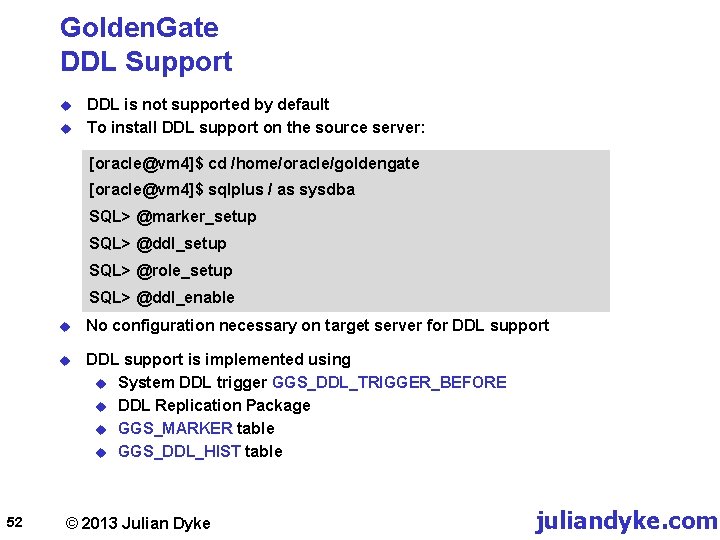
Golden. Gate DDL Support u u DDL is not supported by default To install DDL support on the source server: [oracle@vm 4]$ cd /home/oracle/goldengate [oracle@vm 4]$ sqlplus / as sysdba SQL> @marker_setup SQL> @ddl_setup SQL> @role_setup SQL> @ddl_enable 52 u No configuration necessary on target server for DDL support u DDL support is implemented using u System DDL trigger GGS_DDL_TRIGGER_BEFORE u DDL Replication Package u GGS_MARKER table u GGS_DDL_HIST table © 2013 Julian Dyke juliandyke. com
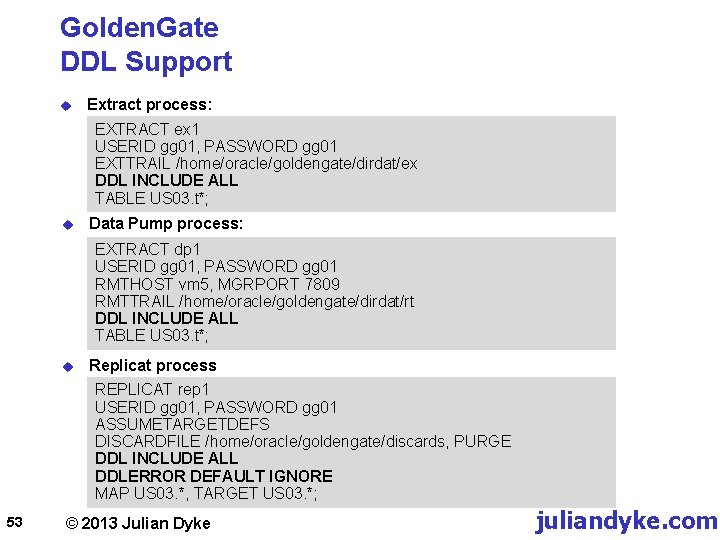
Golden. Gate DDL Support u Extract process: EXTRACT ex 1 USERID gg 01, PASSWORD gg 01 EXTTRAIL /home/oracle/goldengate/dirdat/ex DDL INCLUDE ALL TABLE US 03. t*; u Data Pump process: EXTRACT dp 1 USERID gg 01, PASSWORD gg 01 RMTHOST vm 5, MGRPORT 7809 RMTTRAIL /home/oracle/goldengate/dirdat/rt DDL INCLUDE ALL TABLE US 03. t*; u Replicat process REPLICAT rep 1 USERID gg 01, PASSWORD gg 01 ASSUMETARGETDEFS DISCARDFILE /home/oracle/goldengate/discards, PURGE DDL INCLUDE ALL DDLERROR DEFAULT IGNORE MAP US 03. *, TARGET US 03. *; 53 © 2013 Julian Dyke juliandyke. com
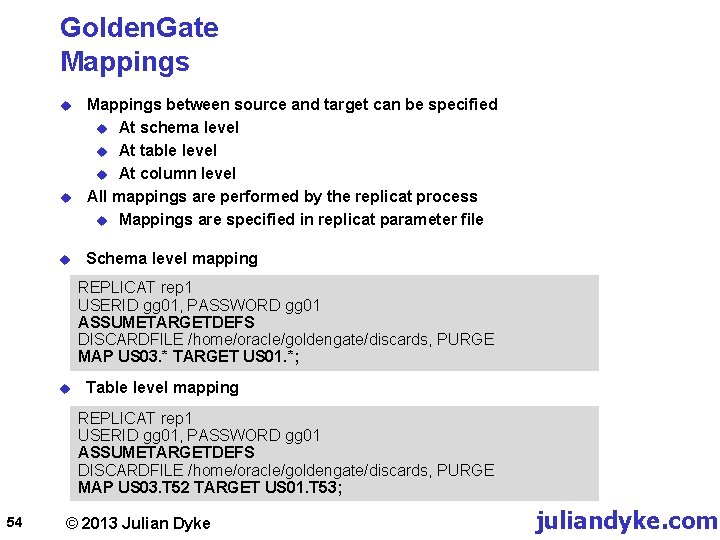
Golden. Gate Mappings u u u Mappings between source and target can be specified u At schema level u At table level u At column level All mappings are performed by the replicat process u Mappings are specified in replicat parameter file Schema level mapping REPLICAT rep 1 USERID gg 01, PASSWORD gg 01 ASSUMETARGETDEFS DISCARDFILE /home/oracle/goldengate/discards, PURGE MAP US 03. * TARGET US 01. *; u Table level mapping REPLICAT rep 1 USERID gg 01, PASSWORD gg 01 ASSUMETARGETDEFS DISCARDFILE /home/oracle/goldengate/discards, PURGE MAP US 03. T 52 TARGET US 01. T 53; 54 © 2013 Julian Dyke juliandyke. com
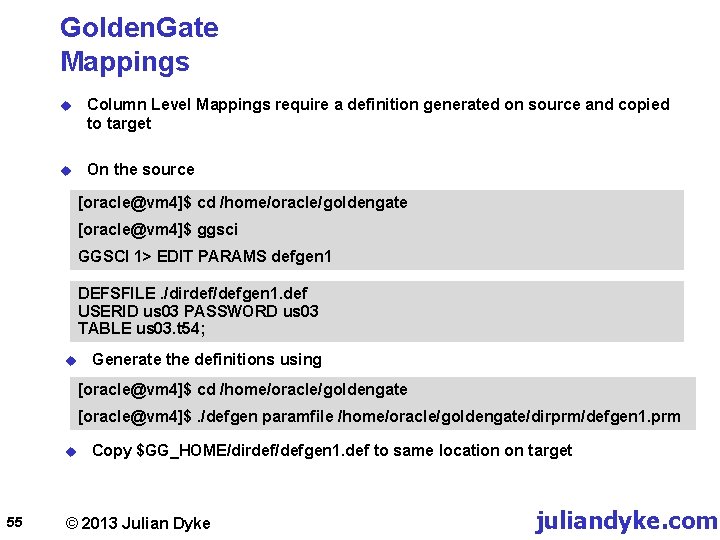
Golden. Gate Mappings u Column Level Mappings require a definition generated on source and copied to target u On the source [oracle@vm 4]$ cd /home/oracle/goldengate [oracle@vm 4]$ ggsci GGSCI 1> EDIT PARAMS defgen 1 DEFSFILE. /dirdef/defgen 1. def USERID us 03 PASSWORD us 03 TABLE us 03. t 54; u Generate the definitions using [oracle@vm 4]$ cd /home/oracle/goldengate [oracle@vm 4]$. /defgen paramfile /home/oracle/goldengate/dirprm/defgen 1. prm u 55 Copy $GG_HOME/dirdef/defgen 1. def to same location on target © 2013 Julian Dyke juliandyke. com
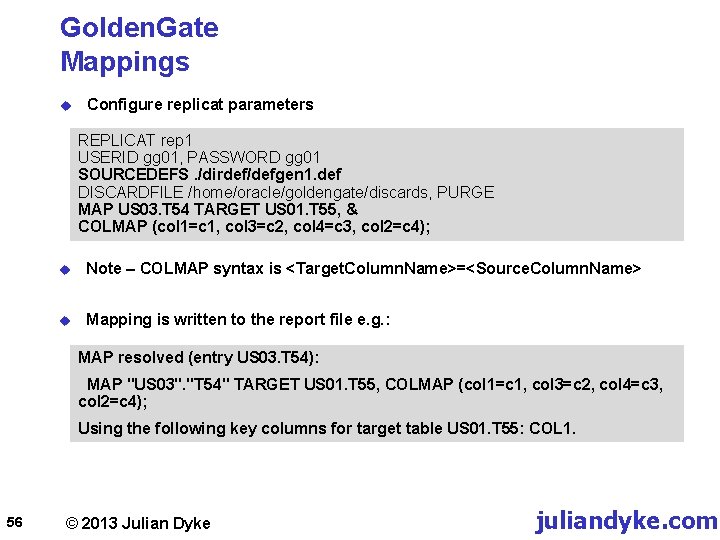
Golden. Gate Mappings u Configure replicat parameters REPLICAT rep 1 USERID gg 01, PASSWORD gg 01 SOURCEDEFS. /dirdef/defgen 1. def DISCARDFILE /home/oracle/goldengate/discards, PURGE MAP US 03. T 54 TARGET US 01. T 55, & COLMAP (col 1=c 1, col 3=c 2, col 4=c 3, col 2=c 4); u Note – COLMAP syntax is <Target. Column. Name>=<Source. Column. Name> u Mapping is written to the report file e. g. : MAP resolved (entry US 03. T 54): MAP "US 03". "T 54" TARGET US 01. T 55, COLMAP (col 1=c 1, col 3=c 2, col 4=c 3, col 2=c 4); Using the following key columns for target table US 01. T 55: COL 1. 56 © 2013 Julian Dyke juliandyke. com
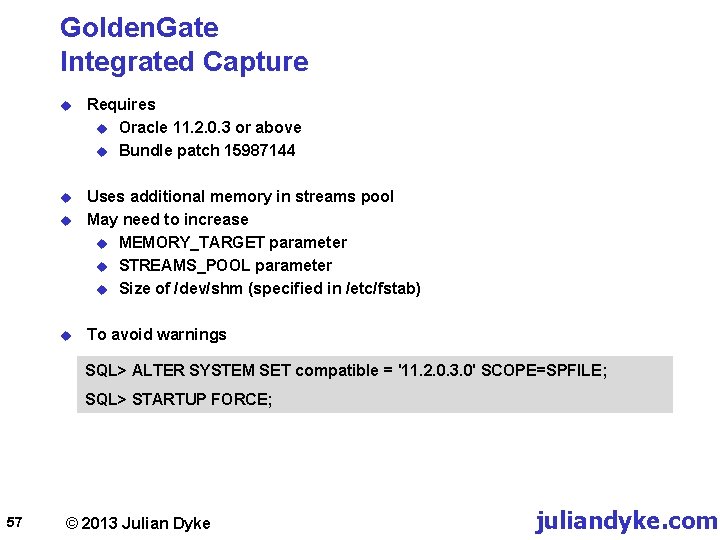
Golden. Gate Integrated Capture u Requires u Oracle 11. 2. 0. 3 or above u Bundle patch 15987144 u Uses additional memory in streams pool May need to increase u MEMORY_TARGET parameter u STREAMS_POOL parameter u Size of /dev/shm (specified in /etc/fstab) u u To avoid warnings SQL> ALTER SYSTEM SET compatible = '11. 2. 0. 3. 0' SCOPE=SPFILE; SQL> STARTUP FORCE; 57 © 2013 Julian Dyke juliandyke. com
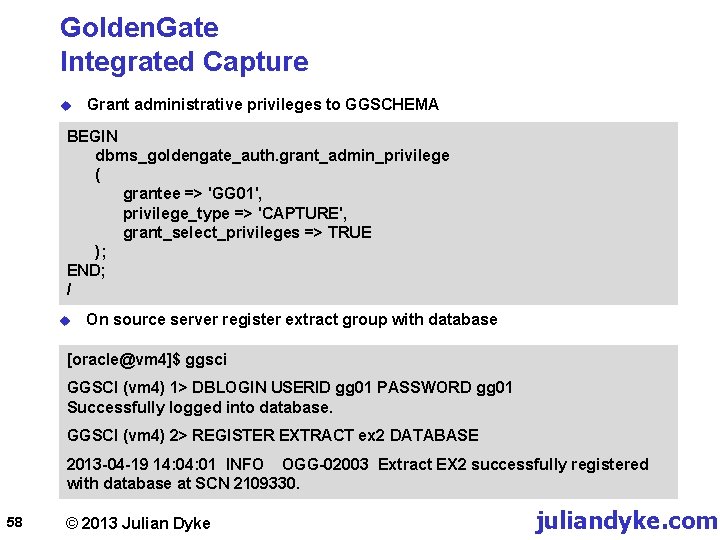
Golden. Gate Integrated Capture u Grant administrative privileges to GGSCHEMA BEGIN dbms_goldengate_auth. grant_admin_privilege ( grantee => 'GG 01', privilege_type => 'CAPTURE', grant_select_privileges => TRUE ); END; / u On source server register extract group with database [oracle@vm 4]$ ggsci GGSCI (vm 4) 1> DBLOGIN USERID gg 01 PASSWORD gg 01 Successfully logged into database. GGSCI (vm 4) 2> REGISTER EXTRACT ex 2 DATABASE 2013 -04 -19 14: 01 INFO OGG-02003 Extract EX 2 successfully registered with database at SCN 2109330. 58 © 2013 Julian Dyke juliandyke. com
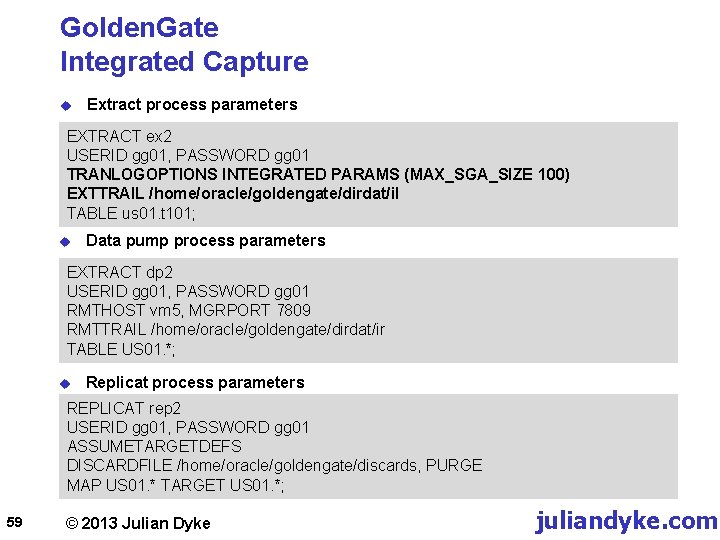
Golden. Gate Integrated Capture u Extract process parameters EXTRACT ex 2 USERID gg 01, PASSWORD gg 01 TRANLOGOPTIONS INTEGRATED PARAMS (MAX_SGA_SIZE 100) EXTTRAIL /home/oracle/goldengate/dirdat/il TABLE us 01. t 101; u Data pump process parameters EXTRACT dp 2 USERID gg 01, PASSWORD gg 01 RMTHOST vm 5, MGRPORT 7809 RMTTRAIL /home/oracle/goldengate/dirdat/ir TABLE US 01. *; u Replicat process parameters REPLICAT rep 2 USERID gg 01, PASSWORD gg 01 ASSUMETARGETDEFS DISCARDFILE /home/oracle/goldengate/discards, PURGE MAP US 01. * TARGET US 01. *; 59 © 2013 Julian Dyke juliandyke. com
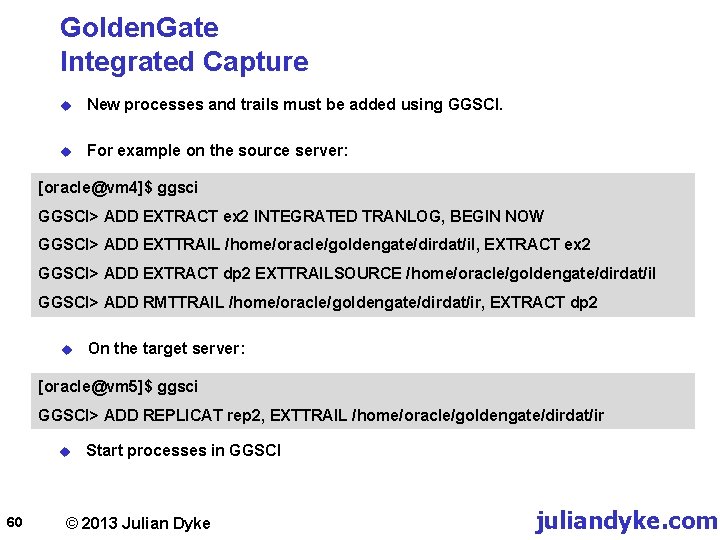
Golden. Gate Integrated Capture u New processes and trails must be added using GGSCI. u For example on the source server: [oracle@vm 4]$ ggsci GGSCI> ADD EXTRACT ex 2 INTEGRATED TRANLOG, BEGIN NOW GGSCI> ADD EXTTRAIL /home/oracle/goldengate/dirdat/il, EXTRACT ex 2 GGSCI> ADD EXTRACT dp 2 EXTTRAILSOURCE /home/oracle/goldengate/dirdat/il GGSCI> ADD RMTTRAIL /home/oracle/goldengate/dirdat/ir, EXTRACT dp 2 u On the target server: [oracle@vm 5]$ ggsci GGSCI> ADD REPLICAT rep 2, EXTTRAIL /home/oracle/goldengate/dirdat/ir u 60 Start processes in GGSCI © 2013 Julian Dyke juliandyke. com
Redo Versus Trail 61 © 2013 Julian Dyke juliandyke. com
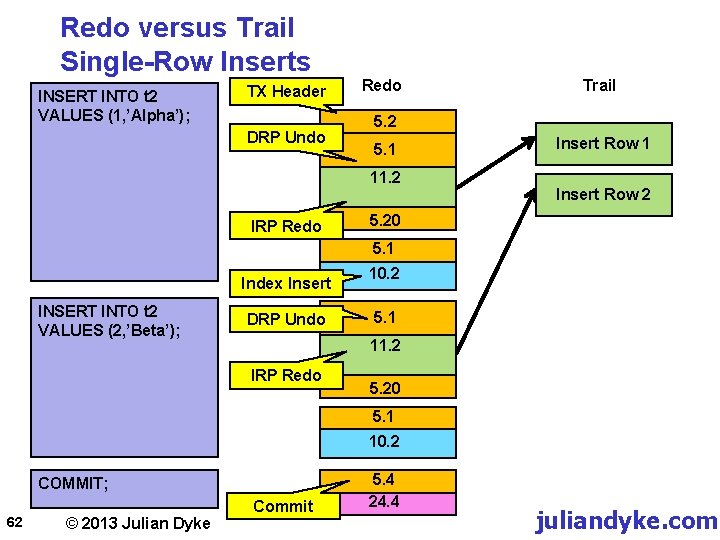
Redo versus Trail Single-Row Inserts INSERT INTO t 2 VALUES (1, ’Alpha’); TX Header DRP Undo Redo 5. 2 5. 1 11. 2 IRP Redo Trail Insert Row 1 Insert Row 2 5. 20 5. 1 Index Insert INSERT INTO t 2 VALUES (2, ’Beta’); DRP Undo 10. 2 5. 1 11. 2 IRP Redo 5. 20 5. 1 10. 2 COMMIT; 62 © 2013 Julian Dyke Commit 5. 4 24. 4 juliandyke. com
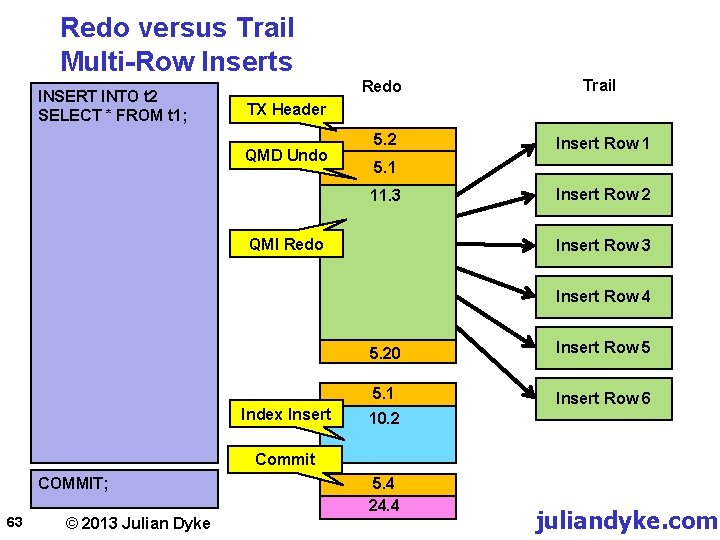
Redo versus Trail Multi-Row Inserts INSERT INTO t 2 SELECT * FROM t 1; Redo Trail 5. 2 Insert Row 1 TX Header QMD Undo 5. 1 11. 3 QMI Redo Insert Row 2 Insert Row 3 Insert Row 4 Index Insert 5. 20 Insert Row 5 5. 1 Insert Row 6 10. 2 Commit COMMIT; 63 © 2013 Julian Dyke 5. 4 24. 4 juliandyke. com
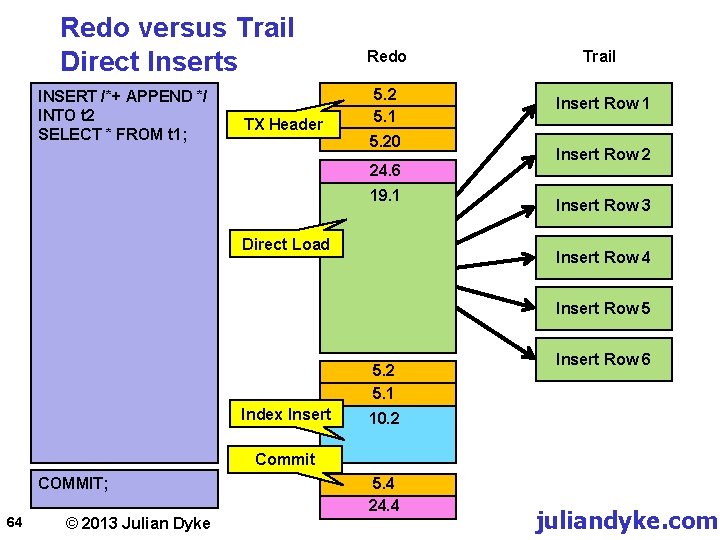
Redo versus Trail Direct Inserts INSERT /*+ APPEND */ INTO t 2 SELECT * FROM t 1; TX Header Redo Trail 5. 2 5. 1 Insert Row 1 5. 20 24. 6 19. 1 Direct Load Insert Row 2 Insert Row 3 Insert Row 4 Insert Row 5 5. 2 5. 1 Index Insert Row 6 10. 2 Commit COMMIT; 64 © 2013 Julian Dyke 5. 4 24. 4 juliandyke. com
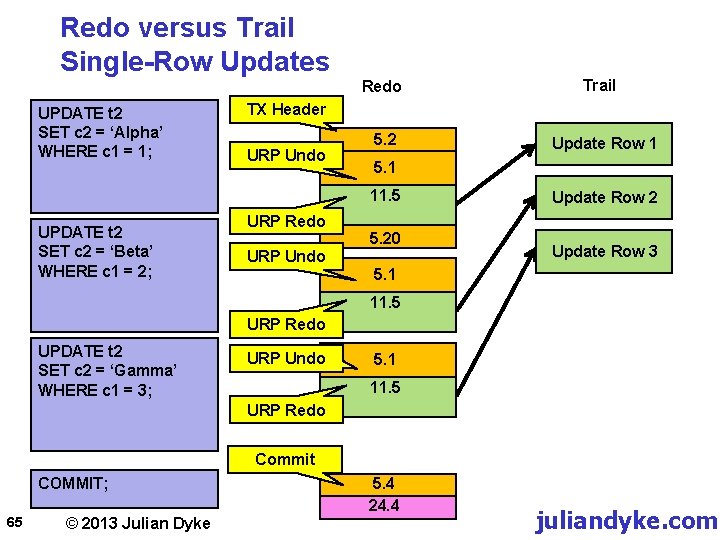
Redo versus Trail Single-Row Updates Redo UPDATE t 2 SET c 2 = ‘Alpha’ WHERE c 1 = 1; TX Header URP Undo 5. 2 URP Redo URP Undo Update Row 1 5. 1 11. 5 UPDATE t 2 SET c 2 = ‘Beta’ WHERE c 1 = 2; Trail 5. 20 Update Row 2 Update Row 3 5. 1 11. 5 URP Redo UPDATE t 2 SET c 2 = ‘Gamma’ WHERE c 1 = 3; URP Undo URP Redo 5. 1 11. 5 5. 1 Commit COMMIT; 65 © 2013 Julian Dyke 5. 4 24. 4 juliandyke. com
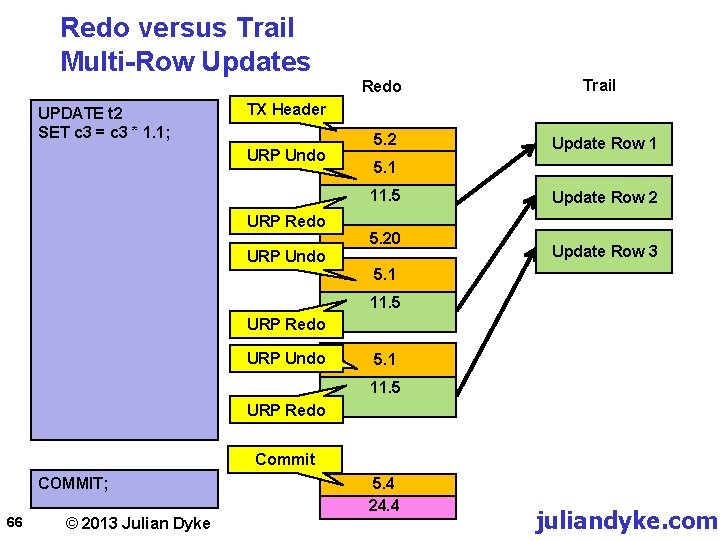
Redo versus Trail Multi-Row Updates Redo UPDATE t 2 SET c 3 = c 3 * 1. 1; Trail TX Header URP Undo 5. 2 5. 1 11. 5 URP Redo URP Undo Update Row 1 5. 20 Update Row 2 Update Row 3 5. 1 11. 5 URP Redo URP Undo URP Redo 5. 1 11. 5 5. 1 Commit COMMIT; 66 © 2013 Julian Dyke 5. 4 24. 4 juliandyke. com
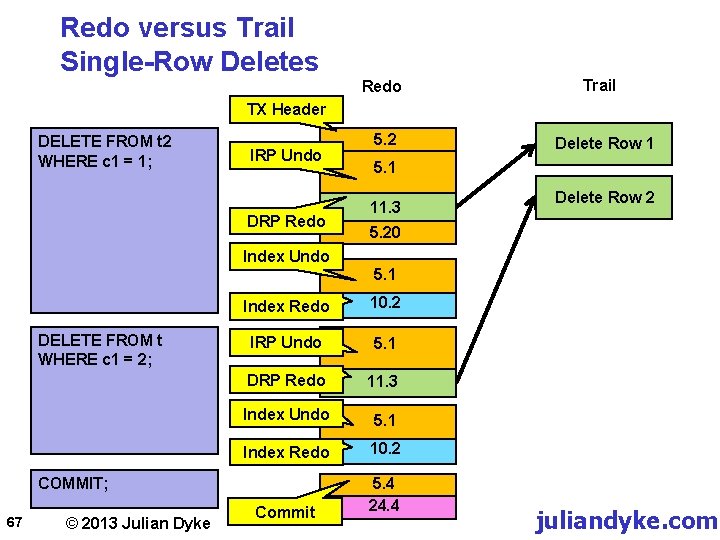
Redo versus Trail Single-Row Deletes Redo Trail TX Header DELETE FROM t 2 WHERE c 1 = 1; IRP Undo DRP Redo Index Undo DELETE FROM t WHERE c 1 = 2; © 2013 Julian Dyke Delete Row 1 5. 1 11. 3 Delete Row 2 5. 20 5. 1 Index Redo 10. 2 IRP Undo 5. 1 DRP Redo 5. 1 11. 3 Index Undo 5. 1 Index Redo 10. 2 Commit 5. 4 24. 4 COMMIT; 67 5. 2 juliandyke. com
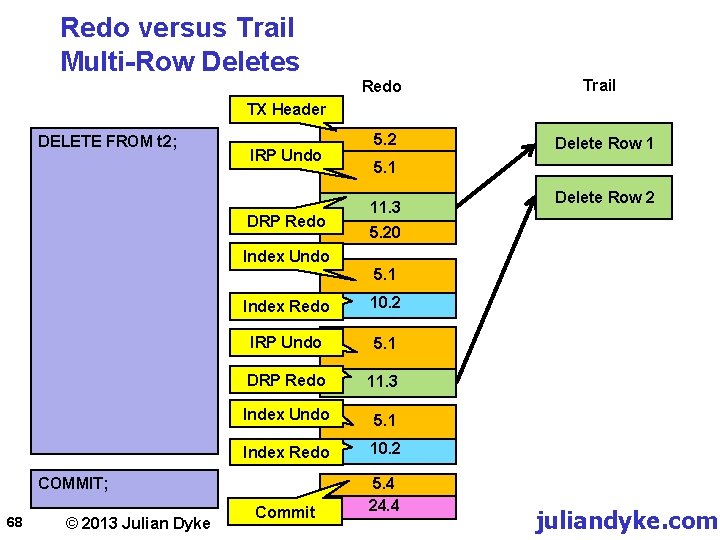
Redo versus Trail Multi-Row Deletes Redo Trail TX Header DELETE FROM t 2; IRP Undo DRP Redo Index Undo © 2013 Julian Dyke Delete Row 1 5. 1 11. 3 Delete Row 2 5. 20 5. 1 Index Redo 10. 2 IRP Undo 5. 1 DRP Redo 5. 1 11. 3 Index Undo 5. 1 Index Redo 10. 2 Commit 5. 4 24. 4 COMMIT; 68 5. 2 juliandyke. com

Thank You For Your Interest info@juliandyke. com 69 © 2013 - Julian Dyke juliandyke. co
- Slides: 69