
Understanding Computer Systems 21 Using automatic and manual



- Slides: 13
Understanding Computer Systems 21. Using automatic and manual updating facilities for operating systems and security software
Today’s Learning Objective • “Learn about automatic and manual updating facilities for operating systems and security software. ” • Write the lesson Learning Objective onto your Self-Assessment Sheet. Understanding Computer 17 January 2022
Learning Outcomes • All students must be able to identify(E) and describe(D) why operating systems and security software needs keeping up-to-date. • Most students will be able to explain(C) various automatic and manual facilities for updating operating systems and security software. • Some students will be able to analyse(B) and link(A) this knowledge in order to relate it to real world situations, giving specific instructions for updating say a certain operating system type e. g. IOS Understanding Computer 17 January 2022
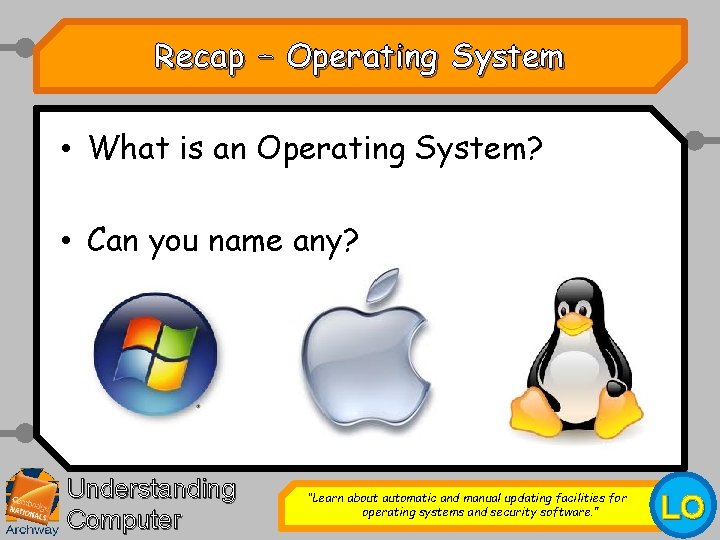
Recap – Operating System • What is an Operating System? • Can you name any? Understanding Computer “Learn about automatic and manual updating facilities for operating systems and security software. ” LO
Recap – Security Software • What is Security Software? • Can you name any? Understanding Computer “Learn about automatic and manual updating facilities for operating systems and security software. ” LO
Security Updates • Why do you think it might be very important to make sure O/S & Security software is kept up-to-date? Understanding Computer “Learn about automatic and manual updating facilities for operating systems and security software. ” LO
Automatic or Manual Security Updates • You can set up your Operating System or Security Software to update either: – Automatically – Or manually Understanding Computer “Learn about automatic and manual updating facilities for operating systems and security software. ” LO
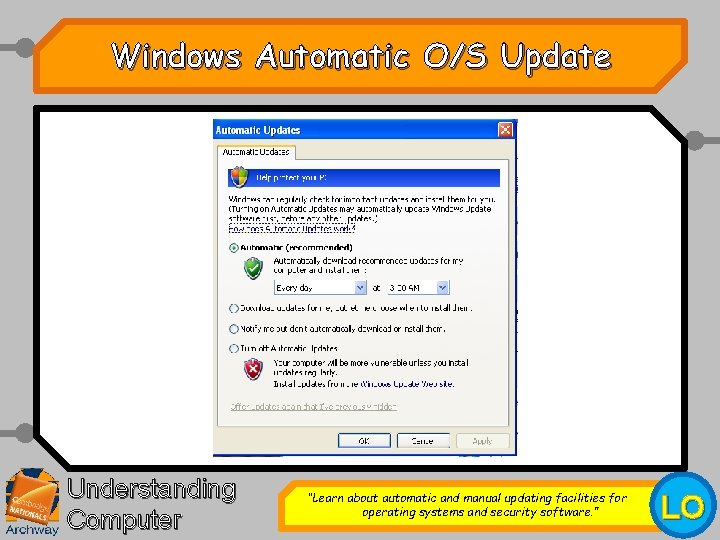
Windows Automatic O/S Update Understanding Computer “Learn about automatic and manual updating facilities for operating systems and security software. ” LO
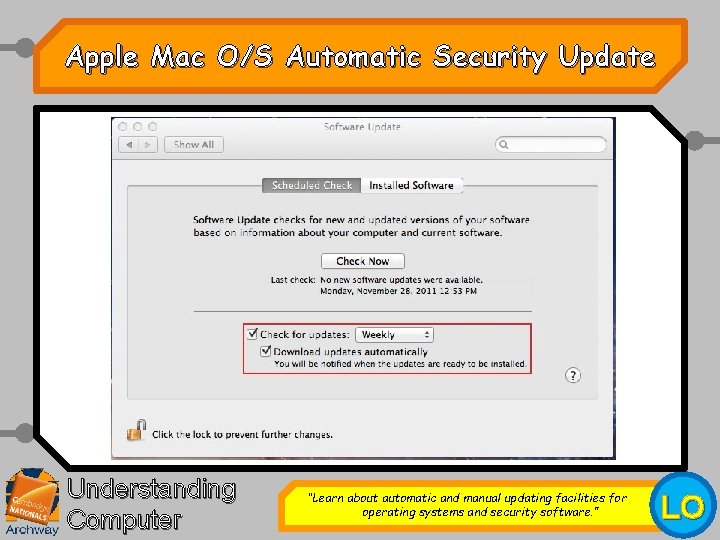
Apple Mac O/S Automatic Security Update Understanding Computer “Learn about automatic and manual updating facilities for operating systems and security software. ” LO
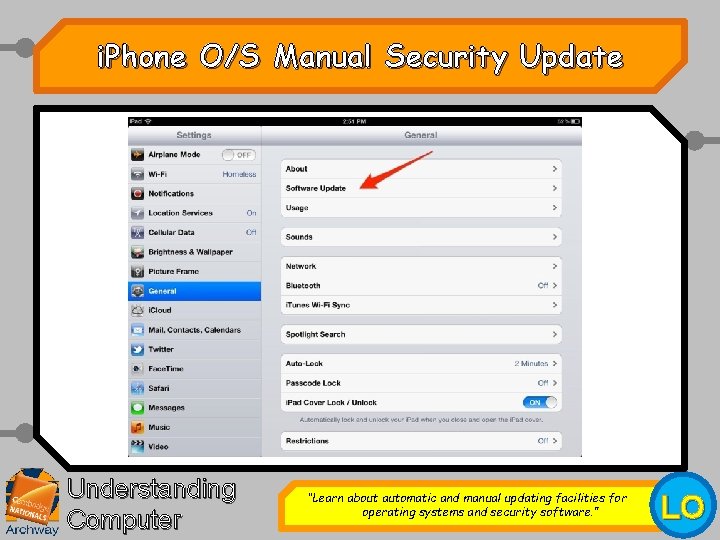
i. Phone O/S Manual Security Update Understanding Computer “Learn about automatic and manual updating facilities for operating systems and security software. ” LO
Your Task • You are to produce a short Power Point guide on “How to update an Operating System & Security Software” • The guide must contain screenshots. • You may pick one particular operating system or piece of security software to focus on e. g. – “How to set Windows 7 to automatically update“ – “How to manually set up Norton Virus to update“ • You may use the internet. Understanding Computer “Learn about automatic and manual updating facilities for operating systems and security software. ” LO
Extension Task • Expand your guide to include other operating systems. • Expand your guide to include other security software. • Add a trouble shooting section to your guide. Understanding Computer “Learn about automatic and manual updating facilities for operating systems and security software. ” LO
Today’s Learning Objective • “Learn about automatic and manual updating facilities for operating systems and security software. ” • Put , or onto your Self Assessment sheet to show whether or not you have achieved today’s learning objective. Understanding Computer 17 January 2022