
Under st anding Organizational Management in SAP Position

- Slides: 59
Under st anding Organizational Management in SAP Position Management
Cour se Obj ecti ves o Understanding and displaying the organizational structure o Identify basic objects used in Organizational Management o To keep Human Resources informed as position data changes o Useful transactions • PPOSE - Display organization and Staffing PPSS • PPSS - Display Structure • PO 13 D - Display Position • ZHRPOSRPT - Position Analysis Report 2
Orga nizational Manage me nt o Provides a real-time view of the organizational structure o Keeps history of the organizational structure as it evolves over time o Provides ability to store the reporting structure on a position level o Provides ability to store security on a position level 3
Orga nizational Ob je cts o Organizational management uses basic objects to describe the organization: • Organizational units • Jobs • Positions • Persons • Cost centers (where HR and FI link together) o By establishing relationships among these objects, a hierarchy that matches the organizational structure is created. 4
Orga nizational Uni t o An organizational unit: • Is the principal object in an organizational plan • Equates to a current department or a major unit within a department o An unlimited number of organizational units can be created within an organizational plan o Relationships between organizational units are identified to determine the hierarchy within the organizational structure 5
Jobs o Describe general classifications of tasks routinely performed together o Are not occupied by persons (employees) o Are used as the basis for creating positions o University Pay Plan 6
Pos it ions o Represent individual employee assignments in an organizational unit o Are either vacant or occupied by persons (employees) o Have relationships to other objects: • Is supervisor of position(s) _____ • Is supervised by position _____ • Belongs to org unit _____ • Manages org unit _____ o Each faculty, staff and student employee must be assigned to a position 7
Job ver sus Po sit io n o Example of Job (University Pay Plan) • Director o Example of Positions o Director of Accounting o Director of Facilities Operations 8
Group P ositio n Tit le s f or Task Workers o Staff Task Worker • One per department • Can have multiple o Student Task Worker • Created only for departments approved by HR to use task payments for student workers (example – Advertising sales for KTSW or The University Star) o Approved group positions will share the same job, supervisor, and costing information. 9
Requ est ing New Po sit io ns o A position must exist within SAP before any of these actions can be initiated • New Hire • Re-Hire • Change in Position • Additional Appointment o Once the position has been added to SAP, the PCR cannot be created until the next day. 10
Licensing and Cre dent ial Initiative o Through this campus-wide Licensing and Credential initiative, Texas State University has transferred all safety training previously administered through TRACS onto SAP. o This includes but is not limited to: • Hazardous Waste Training • Hazard Communication Training • Spill Prevention, Control and Countermeasure (SPCC) Training • Illicit Discharge, Detection and Elimination (IDDE) Training • Student Health Center Mandatory Training • More TBD 11
Licensing and Cre dent ial Initiative o Training will now be identified using the position number assigned in SAP • Positions with relationships to designated training classes will be identified when an employee is placed into the selected position. The employee will be notified to register for the specified training, and will continue to receive the notice until they complete the training. Their supervisor will also receive reminder emails. • When an employee separates from Tx State or transfers between departments, the employee will still be flagged for training if they are out of compliance until they are removed from their position by the losing department. Ex: If Joe Smith works in a lab and handles hazardous waste; the position he is assigned to will be flagged as needing this training. If Joe leaves, he will continue to be notified until his PCR is processed. The employee who replaces him will then be notified and required to take the training. 12
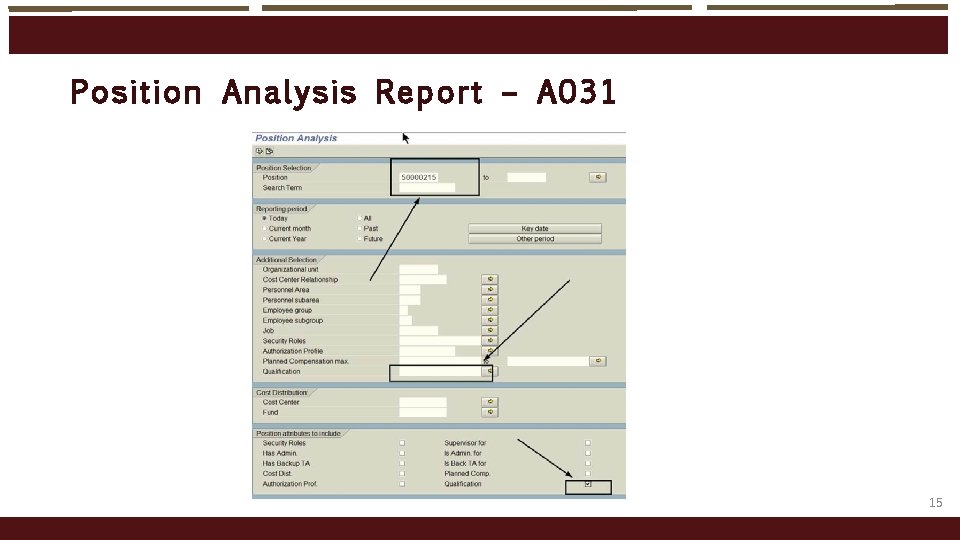
Licensing and Cre dent ial Initiative o Things to remember • Before hiring an employee, check the position number for the training indicator. Only put employees who’s job will require that training in that position number. • If you think an employee needs to be trained, but their position has not been flagged for that training, contact the office of Environmental Health, Safety & Risk Management to add the indicator to their position number. • When an employee leaves, ensure PCRs are submitted as soon as possible to avoid notifying employees who have left the University or transferred departments. • Use SAP transaction PO 13 D to view A 031 training relationships on a single position. • Use SAP transaction ZHRPOSRPT to run a position report on your organization. Ensure the Qualification box is selected prior to executing the report. 13
Licensing and Cre dent ial Initiative o Searching in your org or single positions for training indicators • To find positions with A 031 relationships, use the position analysis report, ZHRPOSRTP • Check the box for “Qualifications” near the bottom and execute o See example on next slide 14
Pos it ion Analys is Repo rt – A 031 15
Mainten ance of Po sit io ns Wit hin SAP o Positions are entered and maintained within SAP by: • Human Resources (HR) q All staff positions q All student worker positions q Graduate student positions other than those in Academic Affairs • Faculty Records (FR) q All faculty positions q Graduate student positions in Academic Affairs q Undergraduate instructional assistants o Your responsibility is to keep HR and Faculty Records informed as position data changes 16
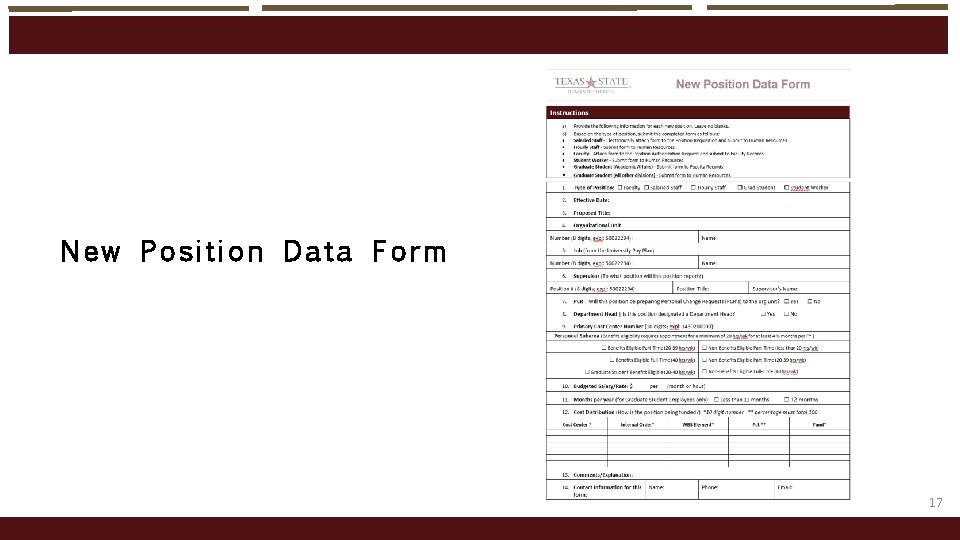
New Position Data Form 17
Data Maintained fo r E ach Po sition o Validity dates * o Organizational unit (i. e. , department) * o Position the position reports to (i. e. , supervisor) * o Position(s) supervised (if any) * o Job o Org unit managed (if any) o Vacancy status * Changes require HR or FR notification by department 18
More Da ta Maint aine d f or Each Position o Enterprise structure: • Personnel area • Personnel subarea • Employee group • Employee subgroup o Planned compensation (vacant positions only) • For new positions – amount you expect to pay • For previously held positions – amount paid to previous employee 19
More Da ta Maint aine d f or Each Position o Cost distribution • Cost center • Internal order • WBS element • Fund o ID# and name of holder (i. e. , employee) o Position that serves as a department’s administrative support position o Position that serves as a backup time administrator for the organization 20
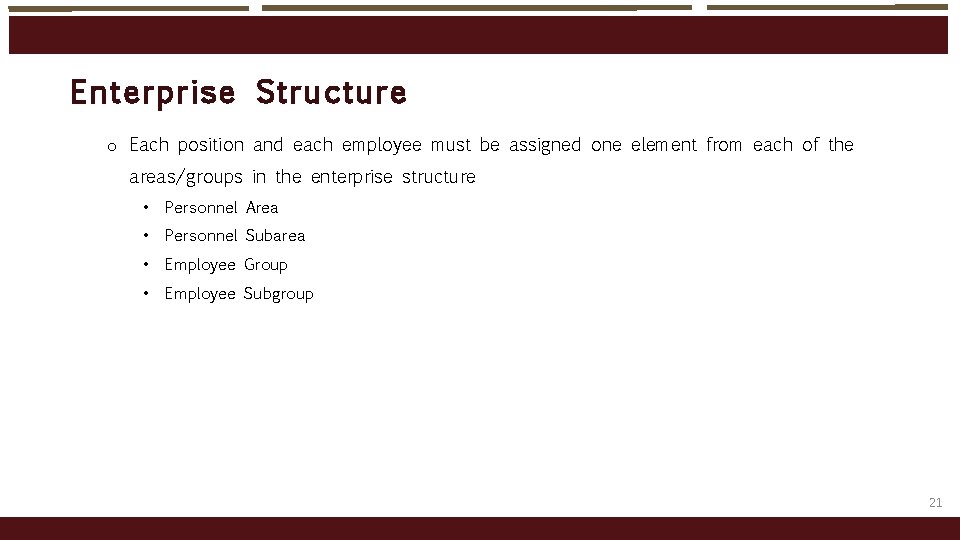
Enter pr ise Struct ure o Each position and each employee must be assigned one element from each of the areas/groups in the enterprise structure • Personnel Area • Personnel Subarea • Employee Group • Employee Subgroup 21
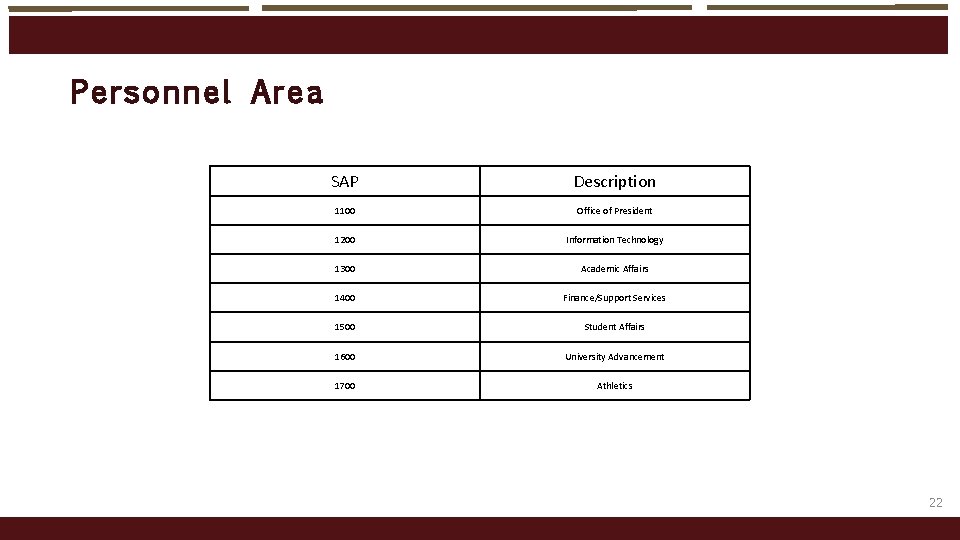
Personnel Are a SAP Description 1100 Office of President 1200 Information Technology 1300 Academic Affairs 1400 Finance/Support Services 1500 Student Affairs 1600 University Advancement 1700 Athletics 22
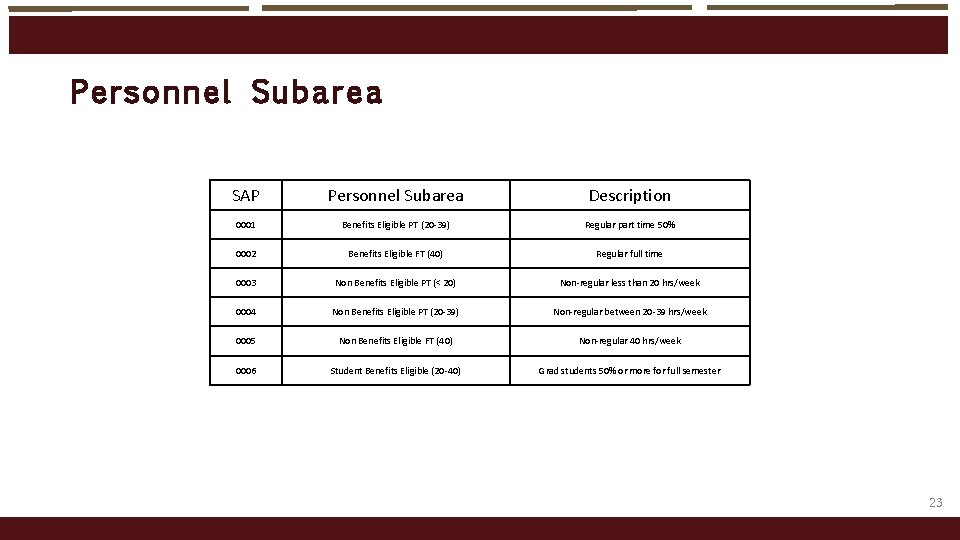
Personnel Suba rea SAP Personnel Subarea Description 0001 Benefits Eligible PT (20 -39) Regular part time 50% 0002 Benefits Eligible FT (40) Regular full time 0003 Non Benefits Eligible PT (< 20) Non-regular less than 20 hrs/week 0004 Non Benefits Eligible PT (20 -39) Non-regular between 20 -39 hrs/week 0005 Non Benefits Eligible FT (40) Non-regular 40 hrs/week 0006 Student Benefits Eligible (20 -40) Grad students 50% or more for full semester 23
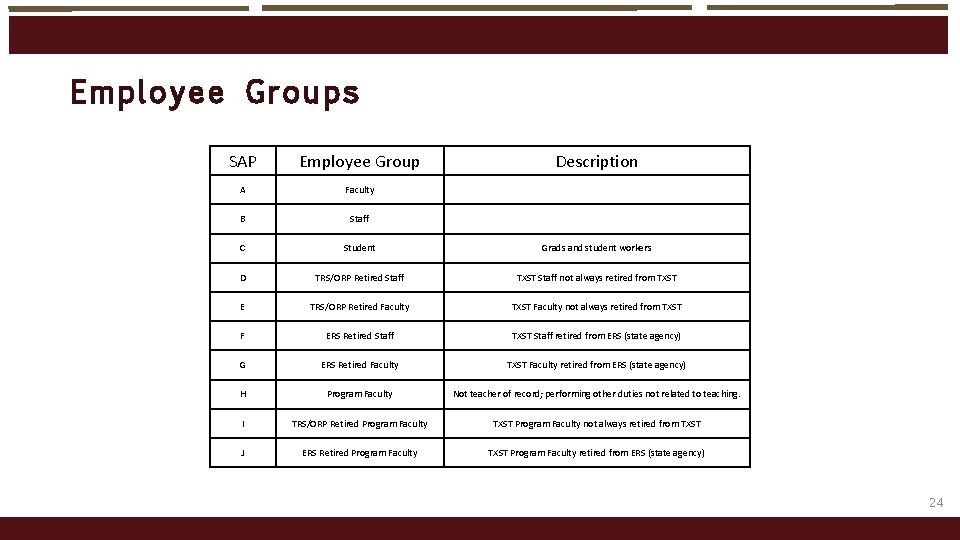
Employee Groups SAP Employee Group Description A Faculty B Staff C Student Grads and student workers D TRS/ORP Retired Staff TXST Staff not always retired from TXST E TRS/ORP Retired Faculty TXST Faculty not always retired from TXST F ERS Retired Staff TXST Staff retired from ERS (state agency) G ERS Retired Faculty TXST Faculty retired from ERS (state agency) H Program Faculty Not teacher of record; performing other duties not related to teaching. I TRS/ORP Retired Program Faculty TXST Program Faculty not always retired from TXST J ERS Retired Program Faculty TXST Program Faculty retired from ERS (state agency) 24
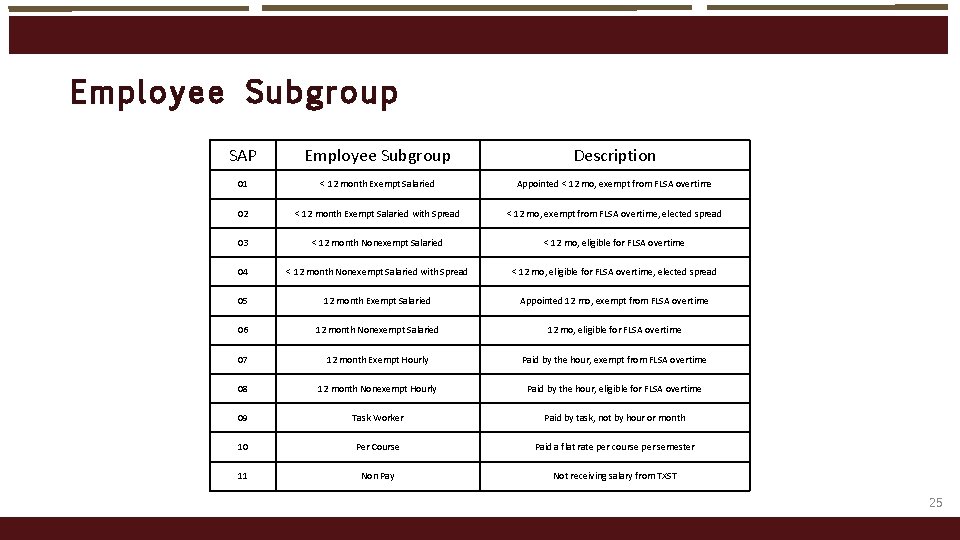
Employee Subgro up SAP Employee Subgroup Description 01 < 12 month Exempt Salaried Appointed < 12 mo, exempt from FLSA overtime 02 < 12 month Exempt Salaried with Spread < 12 mo, exempt from FLSA overtime, elected spread 03 < 12 month Nonexempt Salaried < 12 mo, eligible for FLSA overtime 04 < 12 month Nonexempt Salaried with Spread < 12 mo, eligible for FLSA overtime, elected spread 05 12 month Exempt Salaried Appointed 12 mo, exempt from FLSA overtime 06 12 month Nonexempt Salaried 12 mo, eligible for FLSA overtime 07 12 month Exempt Hourly Paid by the hour, exempt from FLSA overtime 08 12 month Nonexempt Hourly Paid by the hour, eligible for FLSA overtime 09 Task Worker Paid by task, not by hour or month 10 Per Course Paid a flat rate per course per semester 11 Non Pay Not receiving salary from TXST 25
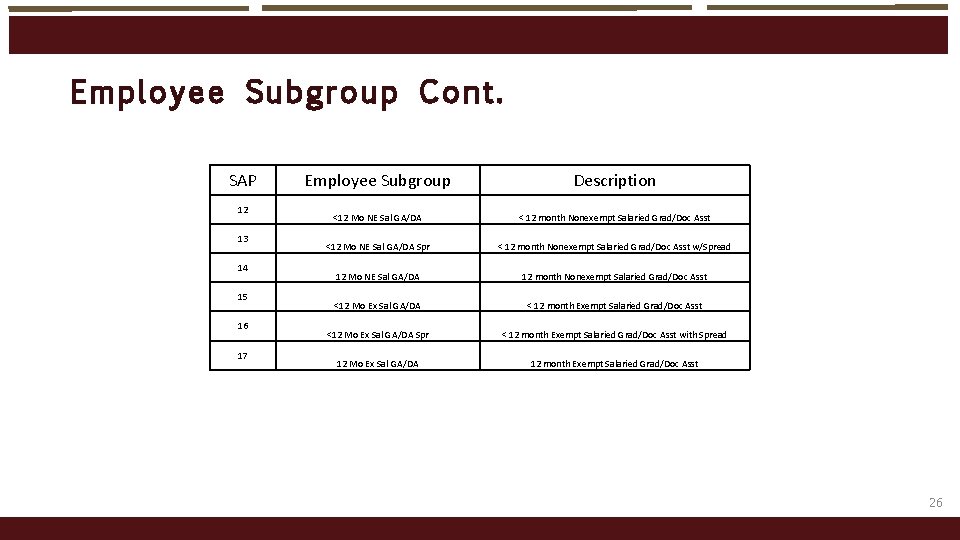
Employee Subgro up Co nt. SAP 12 13 14 15 16 17 Employee Subgroup Description <12 Mo NE Sal GA/DA < 12 month Nonexempt Salaried Grad/Doc Asst <12 Mo NE Sal GA/DA Spr < 12 month Nonexempt Salaried Grad/Doc Asst w/Spread 12 Mo NE Sal GA/DA 12 month Nonexempt Salaried Grad/Doc Asst <12 Mo Ex Sal GA/DA < 12 month Exempt Salaried Grad/Doc Asst <12 Mo Ex Sal GA/DA Spr < 12 month Exempt Salaried Grad/Doc Asst with Spread 12 Mo Ex Sal GA/DA 12 month Exempt Salaried Grad/Doc Asst 26
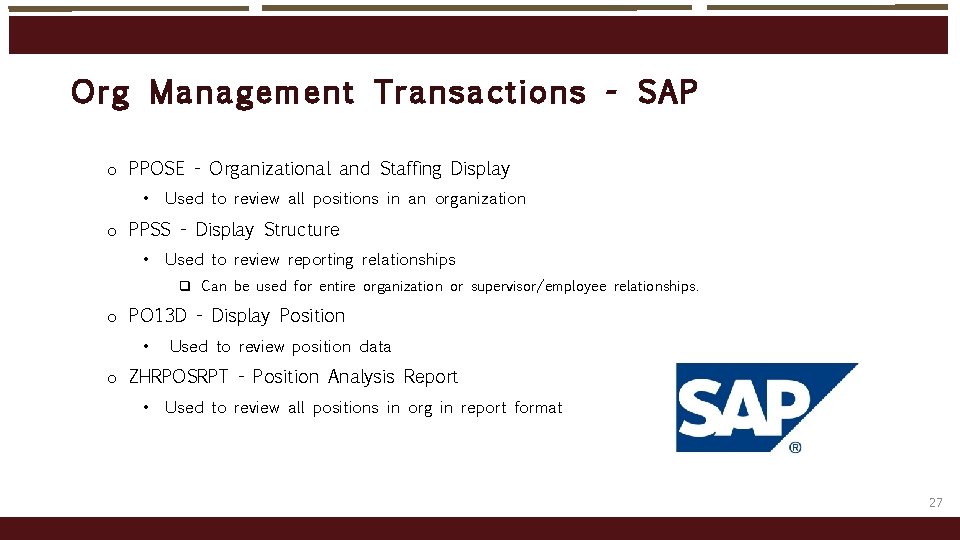
Org Ma nageme nt Transactions - SAP o PPOSE - Organizational and Staffing Display • Used to review all positions in an organization o PPSS - Display Structure • Used to review reporting relationships q Can be used for entire organization or supervisor/employee relationships. o PO 13 D - Display Position • Used to review position data o ZHRPOSRPT - Position Analysis Report • Used to review all positions in org in report format 27
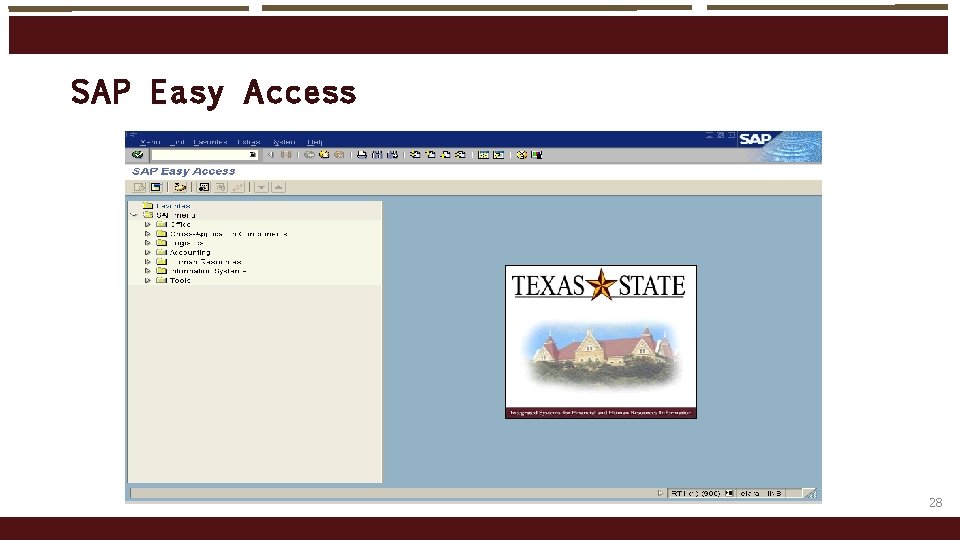
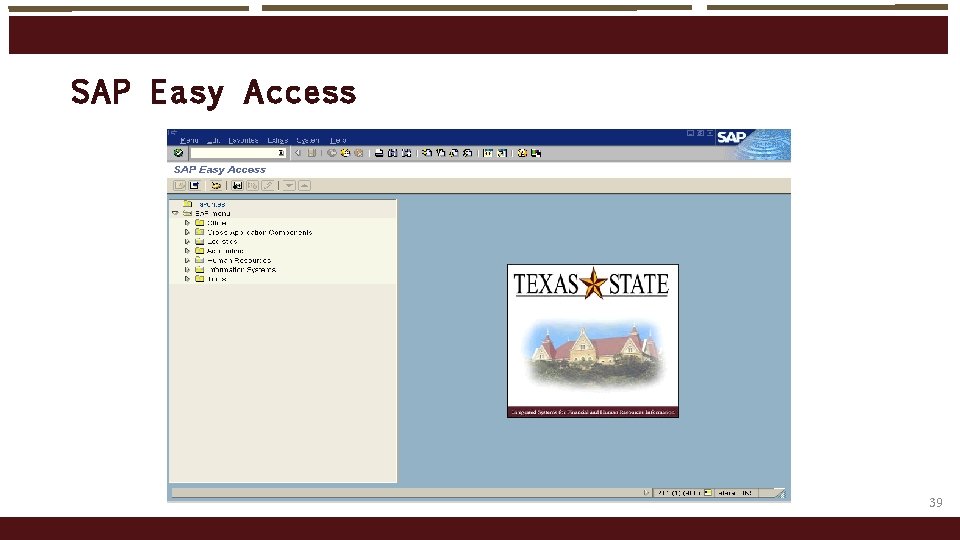
SAP Ea sy Access 28
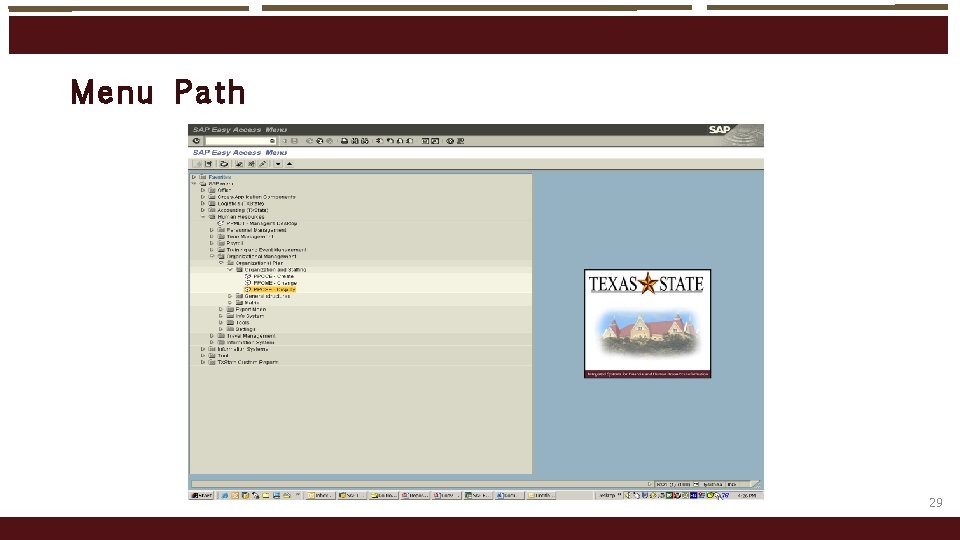
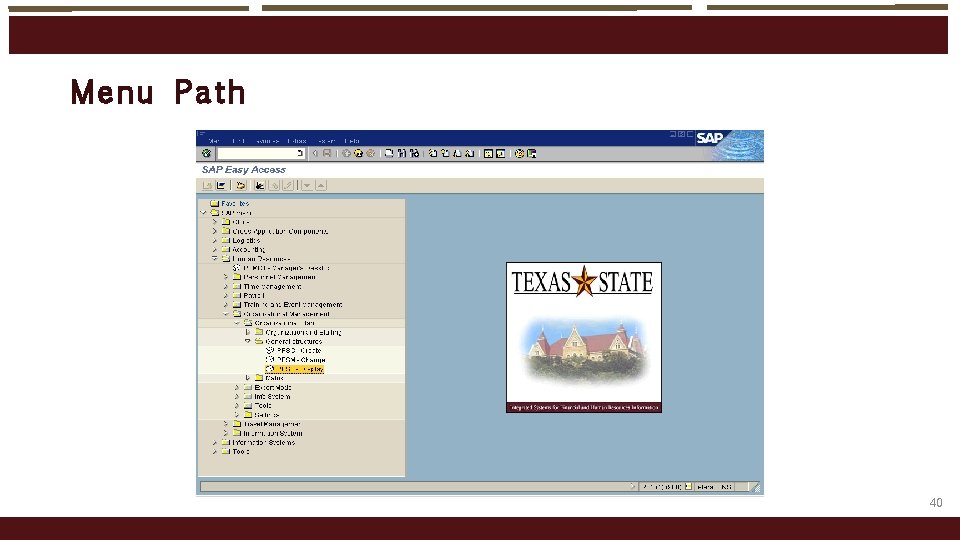
Menu Path 29
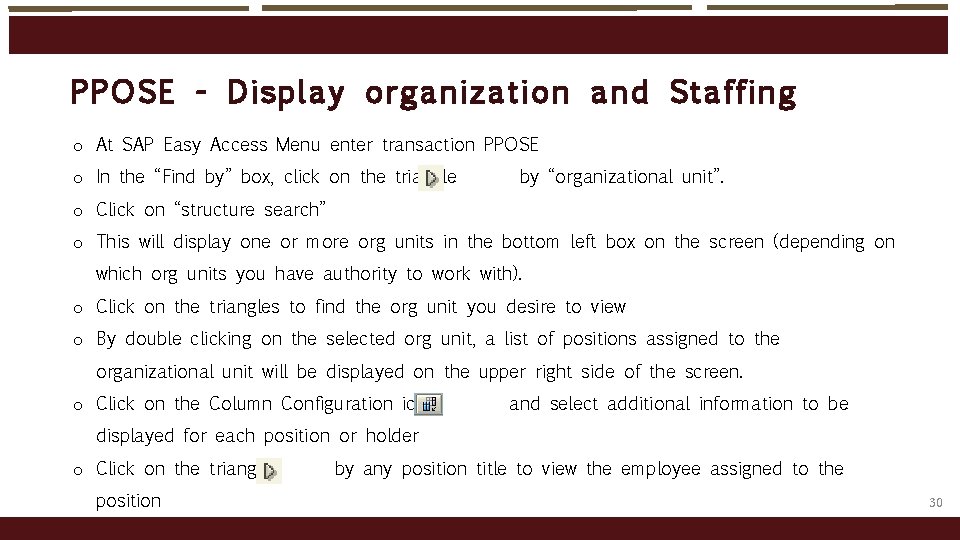
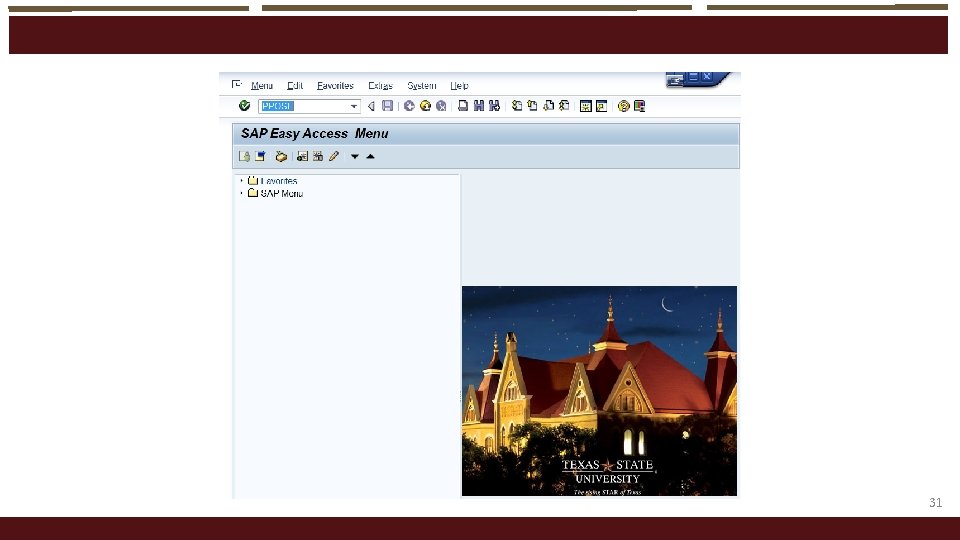
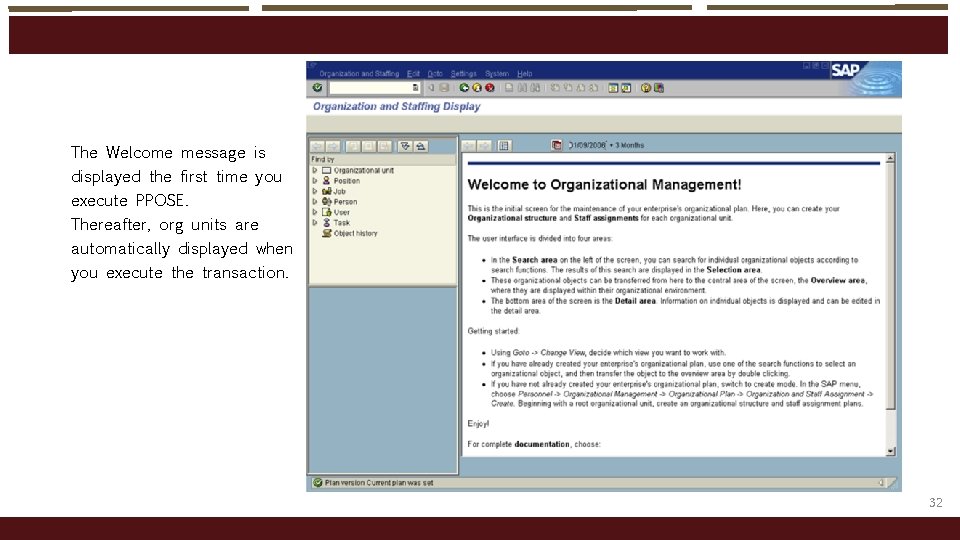
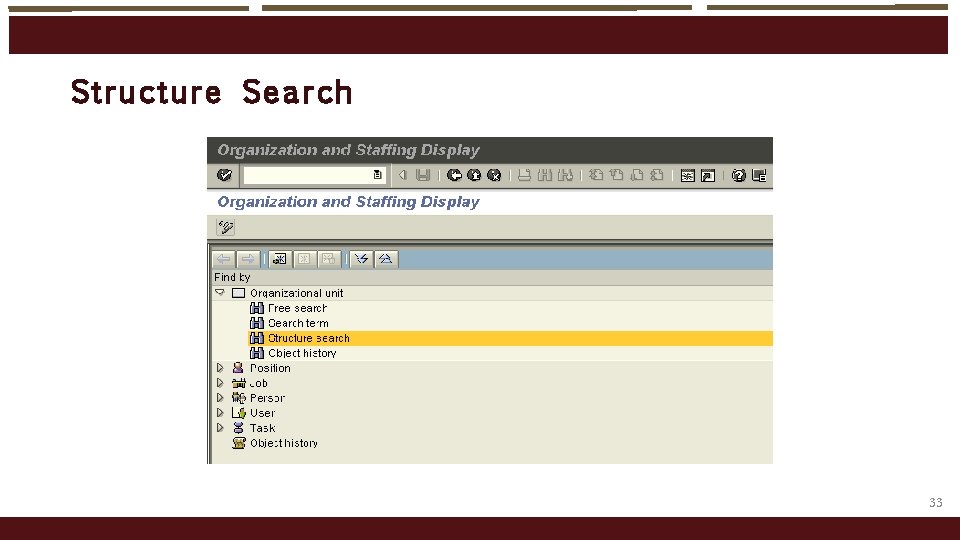
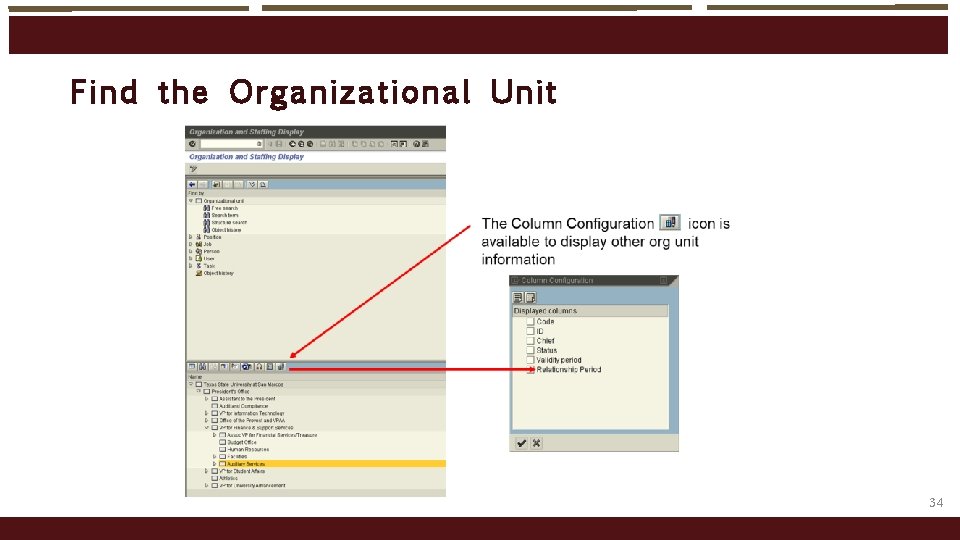
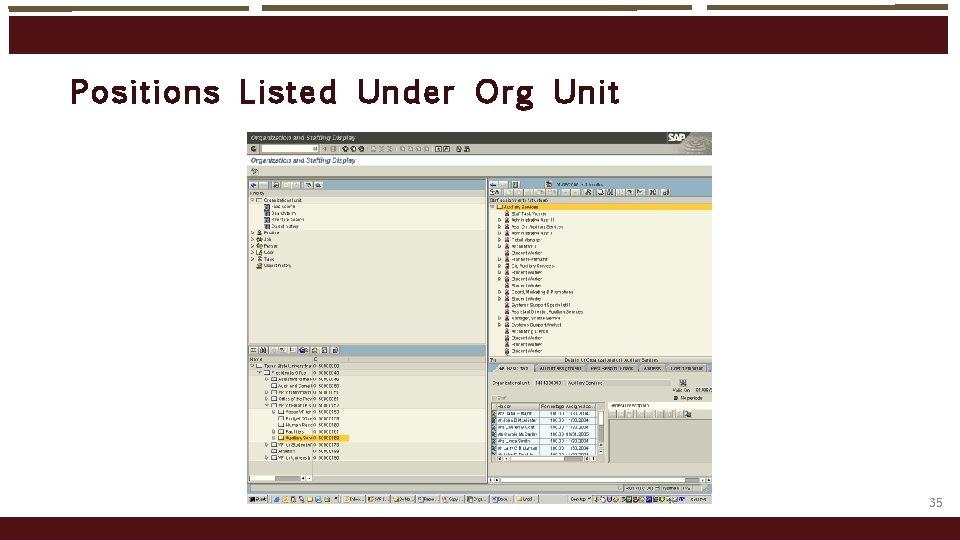
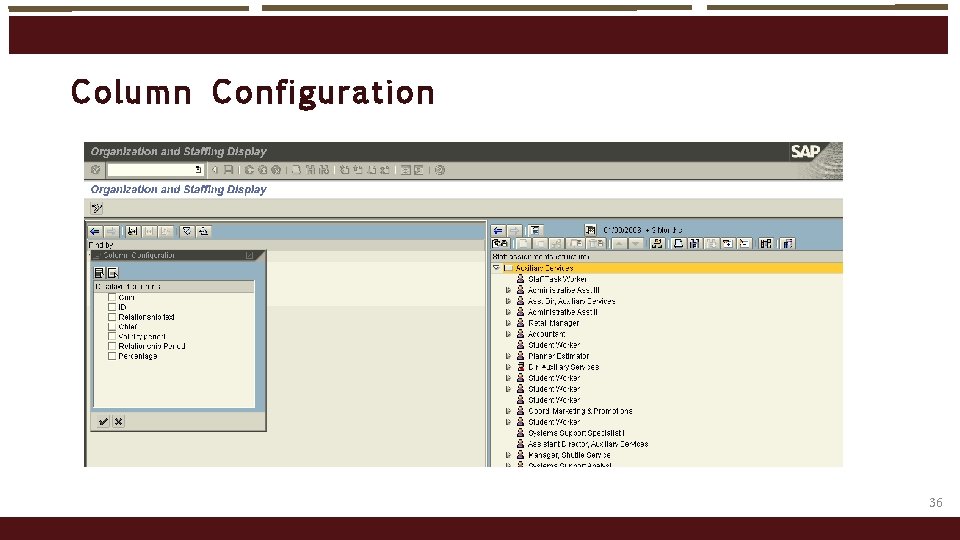
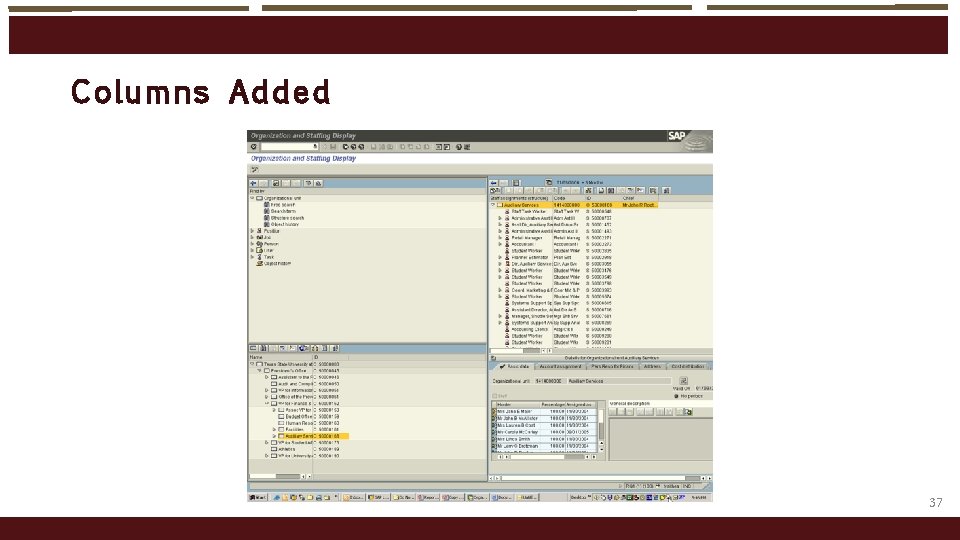
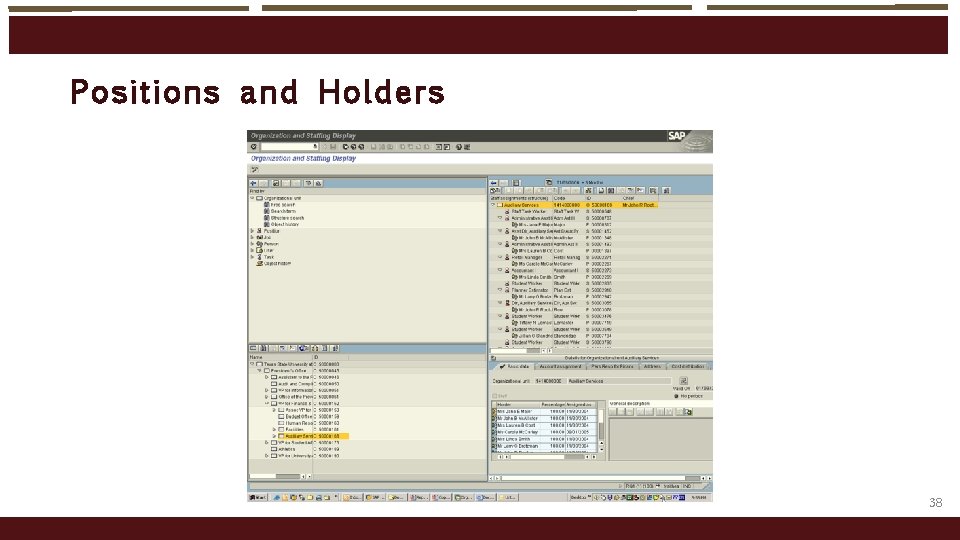
PPOSE - Dis play org anizat io n and Staffing o At SAP Easy Access Menu enter transaction PPOSE o In the “Find by” box, click on the triangle by “organizational unit”. o Click on “structure search” o This will display one or more org units in the bottom left box on the screen (depending on which org units you have authority to work with). o Click on the triangles to find the org unit you desire to view o By double clicking on the selected org unit, a list of positions assigned to the organizational unit will be displayed on the upper right side of the screen. o Click on the Column Configuration icon and select additional information to be displayed for each position or holder o Click on the triangle position by any position title to view the employee assigned to the 30
31
The Welcome message is displayed the first time you execute PPOSE. Thereafter, org units are automatically displayed when you execute the transaction. 32
Structu re Search 33
Find t he Organi zati onal Unit 34
Pos it ions Li ste d U nder Org Unit 35
Col umn C o nfigurati on 36
Col umns Added 37
Pos it ions and Hol ders 38
SAP Ea sy Access 39
Menu Path 40
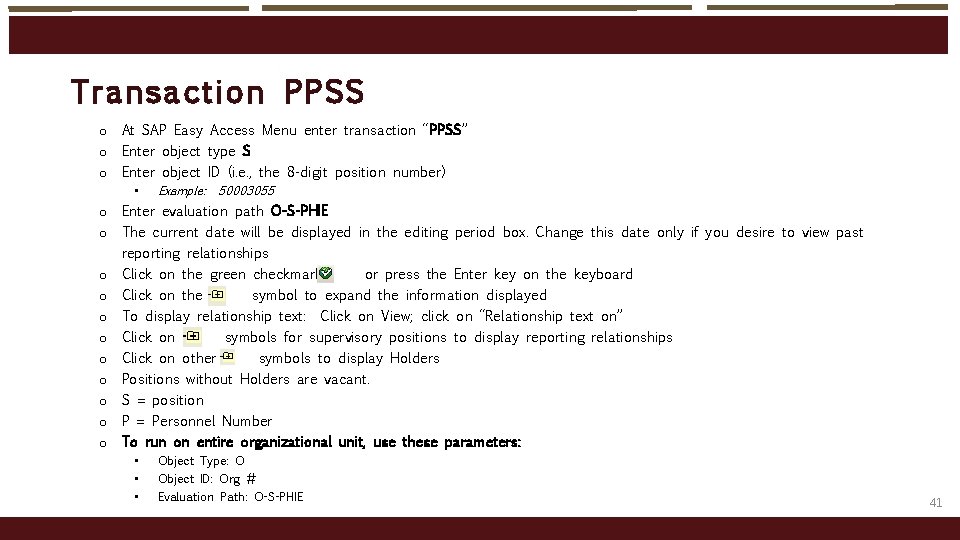
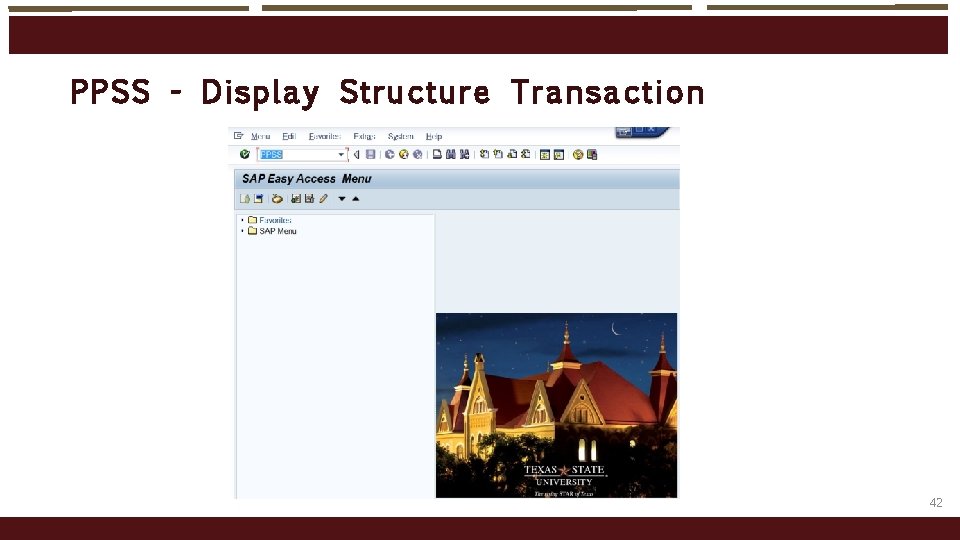
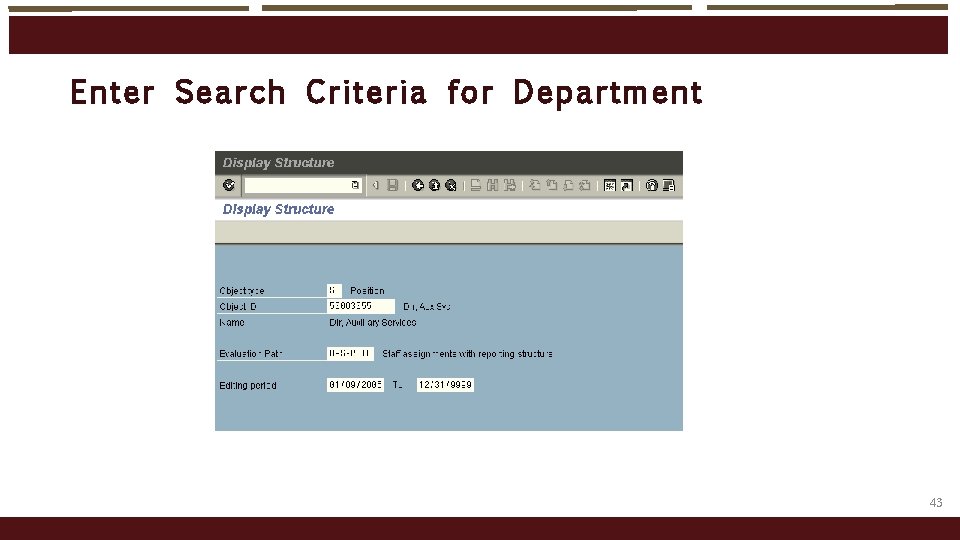
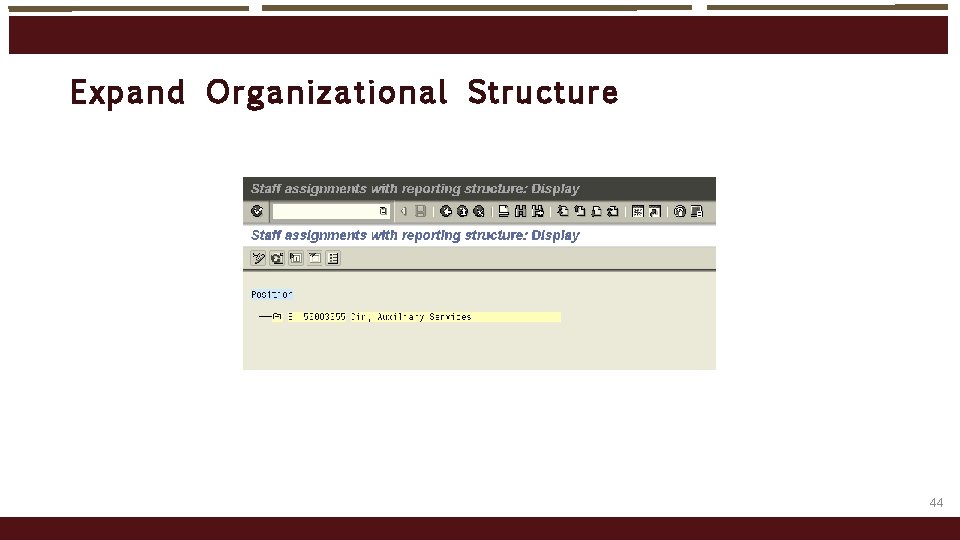
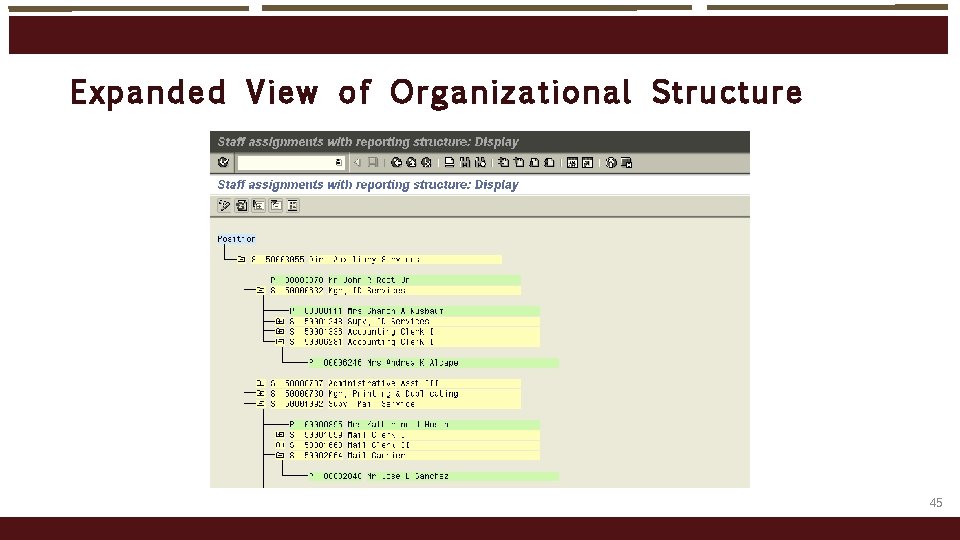
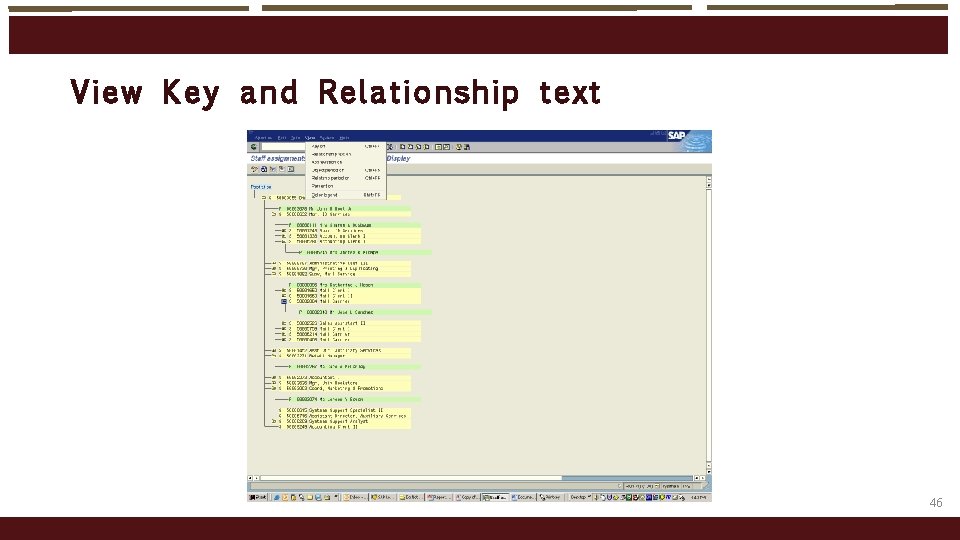
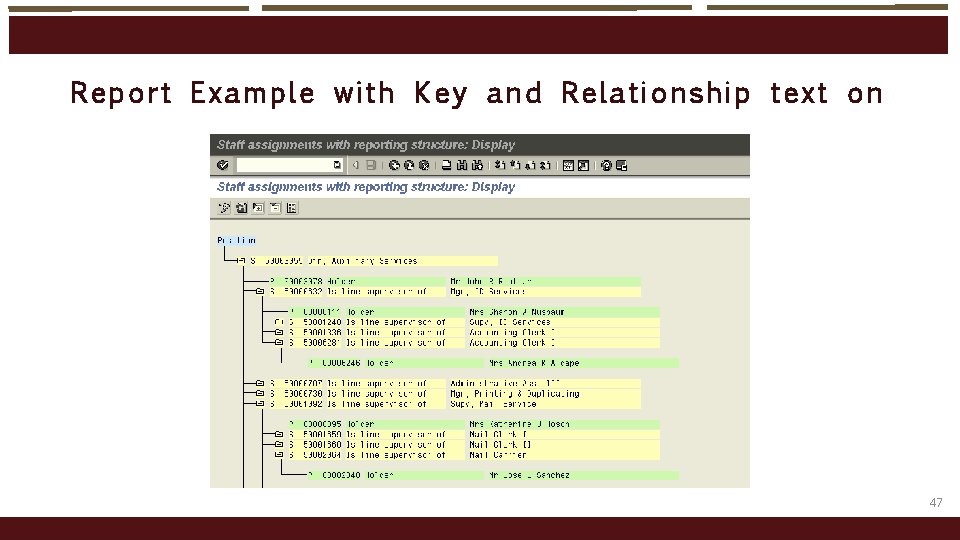
Transaction P PSS o At SAP Easy Access Menu enter transaction “PPSS” o Enter object type S o Enter object ID (i. e. , the 8 -digit position number) • Example: 50003055 o Enter evaluation path O-S-PHIE o The current date will be displayed in the editing period box. Change this date only if you desire to view past reporting relationships o Click on the green checkmark or press the Enter key on the keyboard o Click on the symbol to expand the information displayed o To display relationship text: Click on View; click on “Relationship text on” o Click on symbols for supervisory positions to display reporting relationships o Click on other symbols to display Holders o Positions without Holders are vacant. o S = position o P = Personnel Number o To run on entire organizational unit, use these parameters: • • • Object Type: O Object ID: Org # Evaluation Path: O-S-PHIE 41
PPSS - Display Structure Transaction 42
Enter Search Cri te ria fo r Department 43
Expand Organiz ati onal St ructure 44
Expanded V ie w of O rgani zational Structure 45
View Key and Rel ati onsh ip text 46
Report Example with Key and Relationship text on 47
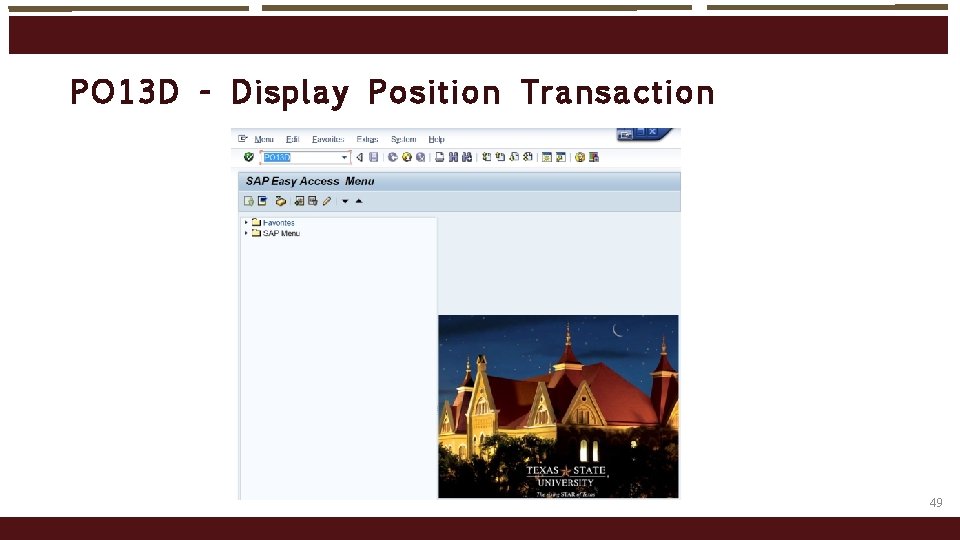
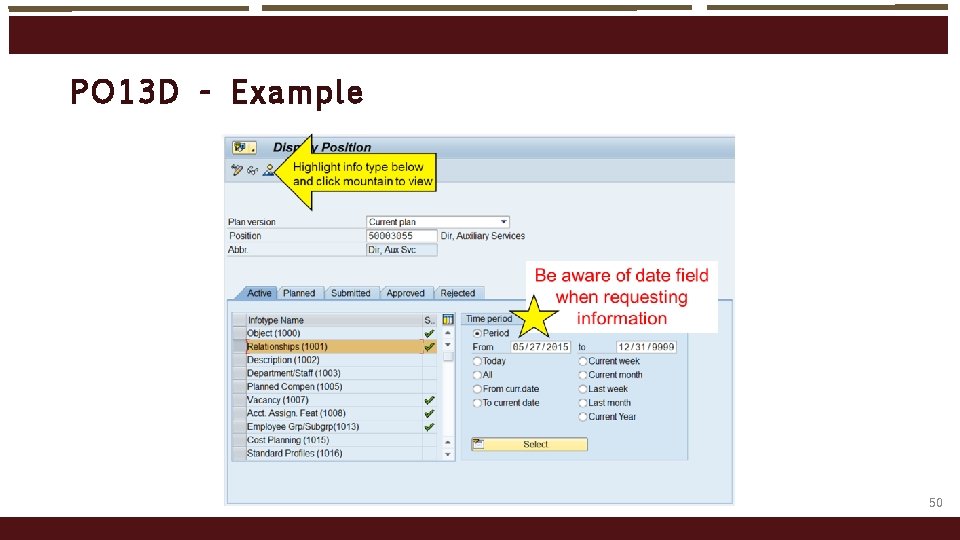
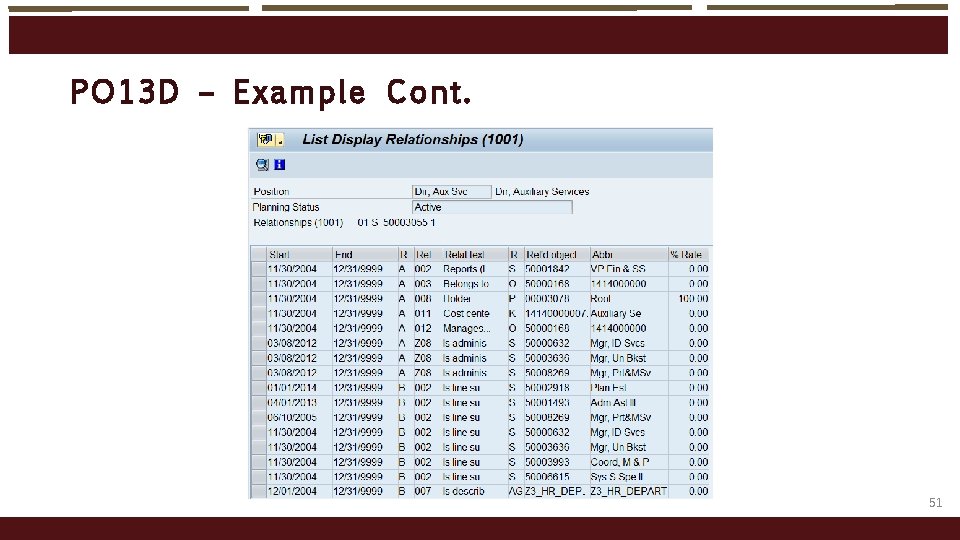
PO 13 D - Dis play Po sit io n Transaction o This transaction is used to look at the specific details of one position number. o Information about the position can be found here, such as • Position title • Reporting relationships • Security roles • Org position belongs to • Holder of position, or if vacant • Position cost center and fund • Planned compensation (if vacant) • Personnel area & subarea (IT 1008) • Employee group & subgroup (IT 1013) • Cost Distribution 48
PO 13 D - Dis play Po sit io n Transaction 49
PO 13 D - Exampl e 50
PO 13 D – E xample Co nt. 51
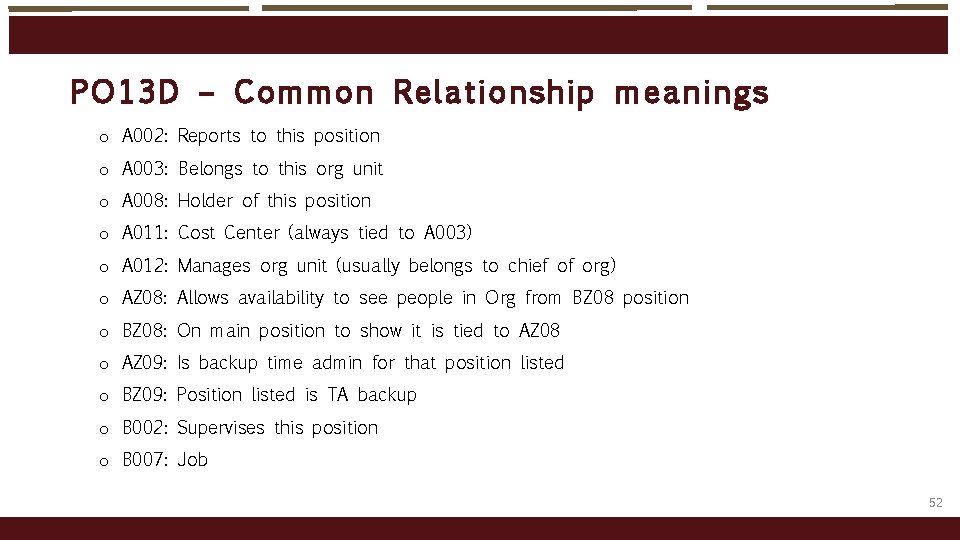
PO 13 D – Co mmo n Re lat io nship meanings o A 002: Reports to this position o A 003: Belongs to this org unit o A 008: Holder of this position o A 011: Cost Center (always tied to A 003) o A 012: Manages org unit (usually belongs to chief of org) o AZ 08: Allows availability to see people in Org from BZ 08 position o BZ 08: On main position to show it is tied to AZ 08 o AZ 09: Is backup time admin for that position listed o BZ 09: Position listed is TA backup o B 002: Supervises this position o B 007: Job 52
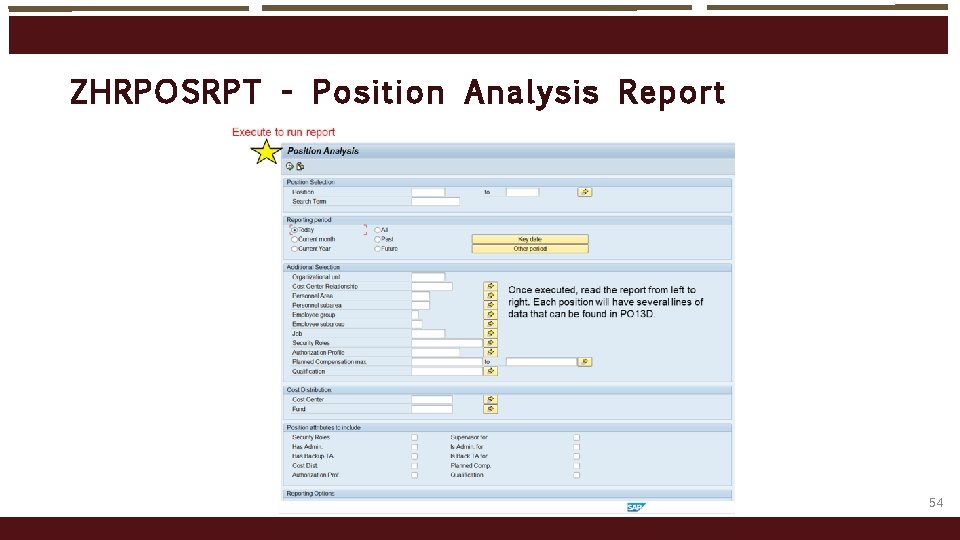
ZHRP OSRP T - Po sit io n A nalysis Report o Reports detailed information about the positions in your organizational unit o Open search or by job number and many other fields o View vacant positions and security roles on positions in org unit 53
ZHRP OSRP T - Po sit io n A nalysis Report 54
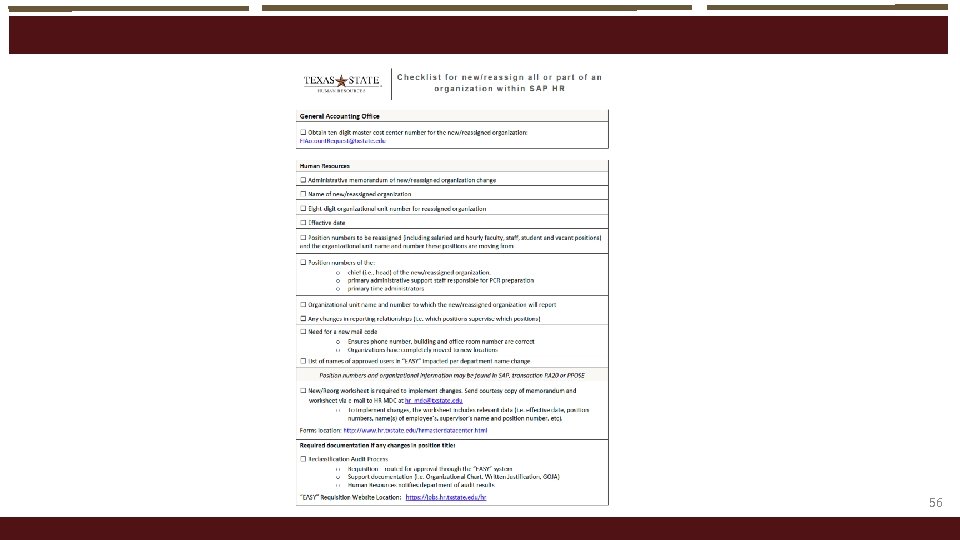
Creati ng New Po sit io ns and ot her changes o New positions are created only when funding has been approved to add a new position to a department and has gone through the audit process except for hourly positions o Submit a New Position Data Form to have a new position created • Allow a two day turn around time as there is a program that has to run overnight o Supervisor Change Request o Checklist for New/Reassign All or Part of an Organization within SAP HR • The links can be found on the HR website under HR Forms under Organizational Management Forms http: //www. hr. txstate. edu/Forms/Organizational. Management. html 55
56
Quest ions o Positions • Teresa Duggins | for NSNR staff hourly and hourly employees | td 01@txstate. edu • Elizabeth Mello | Faculty Records, for faculty and academic graduate students | es 15@txstate. edu • Candice Satchell | Faculty Records, for faculty and academic graduate students | cs 49@txstate. edu o PCRs • Katie Bonner | for salaried staff and non-academic graduate students | kb 1367@txstate. edu • Elizabeth Mello | Faculty Records, for faculty and academic graduate students | es 15@txstate. edu • Candice Satchell | Faculty Records, for faculty and academic graduate students | cs 49@txstate. edu • Teresa Duggins | for NSNR staff hourly and hourly employees | td 01@txstate. edu 57
Supp ort Offices o Human Resources | 5. 2733 | Teresa Duggins | td 01@txstate. edu • • • Supervisory, costing, reorganizational changes on positions Creating new positions Staff, Non-Student Non-Regular (hourly), student workers and non-academic Graduate Research Assistants o Faculty Records | 5. 2786 | Cindy Waggoner | cw 12@txstate. edu • Faculty, academic Graduate Research Assistants and undergraduate instructional assistants o Budget (5. 2376) • Questions regarding budget reports and related matters o Texas State Net. ID • • The link can be found on the Technology Resources website under IT Assistance Center (ITAC), Forms (Requests) button on top of menu. http: //www. tr. txstate. edu/itac/netid. html 58