
UNCLASSIFIED Understanding email and web Security By Richard
UNCLASSIFIED Understanding e-mail and web Security By Richard Hammer LANL LA-UR-08 -2558 UNCLASSIFIED
UNCLASSIFIED In the news! • The initial entry of malware into the ORNL networks reportedly came via a phishing email that took advantage of a temporary vulnerability in the Internet Explorer (a Microsoft fix came April 12, a day after the lab identified the intrusion). knoxnews. com • RSA, the security division of EMC, has revealed the firm's data breach in mid March was the result of a spear phishing attack. The spear phishing attack exploited an Adobe Flash vulnerability that was unpatched at the time. computerweekly. com • Sony is warning customers who use the Playstation Network and/or Sony Online Entertainment to be on the alert for possible spearphishing attacks. The company suffered a data breach and says a hacker may have gained access to over 24 million accounts including email addresses, birthdates, phone numbers, passwords, and more-including credit card numbers, which have been spotted for sale in several cybercrime forums. allspammedup. com • Epsilon--the largest distributor of permission-based email in the world--revealed that millions of individual email addresses were exposed in an attack on its servers. While no other information was apparently compromised, security experts are warning users to brace for a tidal wave of more precise spear phishing attacks. pcworld. com • Among Epsilon’s clients affected are three of the top ten U. S. banks – JP Morgan Chase, Citibank and U. S. Bank — as well as Barclays Bank and Capital One. UNCLASSIFIED
UNCLASSIFIED Old and New Threats UNCLASSIFIED
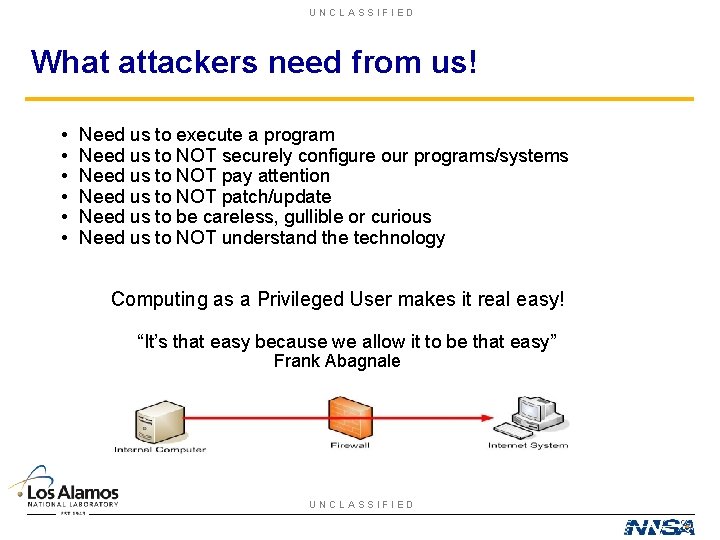
UNCLASSIFIED What attackers need from us! • • • Need us to execute a program Need us to NOT securely configure our programs/systems Need us to NOT pay attention Need us to NOT patch/update Need us to be careless, gullible or curious Need us to NOT understand the technology Computing as a Privileged User makes it real easy! “It’s that easy because we allow it to be that easy” Frank Abagnale UNCLASSIFIED
UNCLASSIFIED Understanding e-mail • Clear text e-mail is completely unreliable. • How do you recognize bogus e-mail? • What is URL redirection? • How do you protect yourself? • Secure settings? • Stop Phishing! • Outlook? UNCLASSIFIED
UNCLASSIFIED Why you should not Trust Clear Text e-mail • Do not know who sent it • Do not know who sees it • Do not know where it went • Do not know who read it • Do not know if content changed • Still on server, backups? • Sys Admins have full access UNCLASSIFIED
UNCLASSIFIED Encrypting e-mail? • Only Intended Recipients can read messages or open files • Data has not been modified • Data is from the expected source • Not readable in transit • Not just SSL/TLS to server • PGP/SMIME/Entrust UNCLASSIFIED
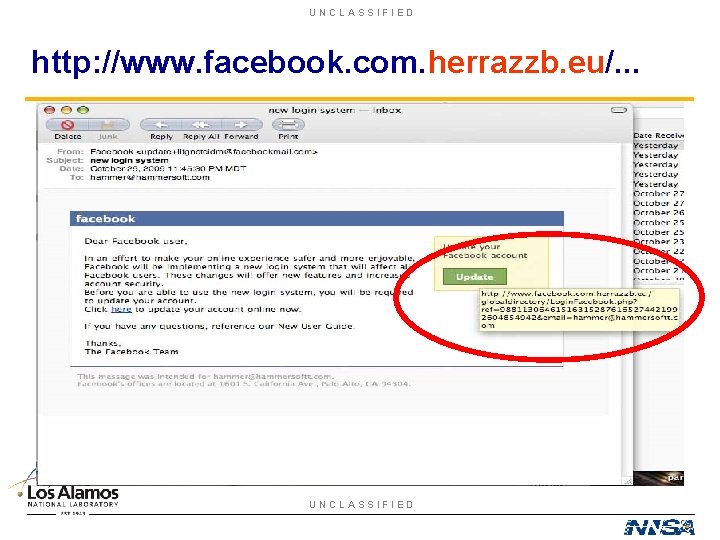
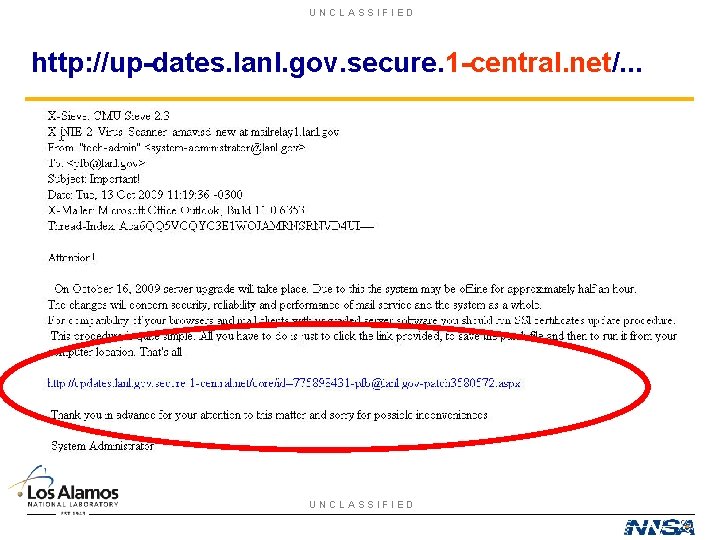
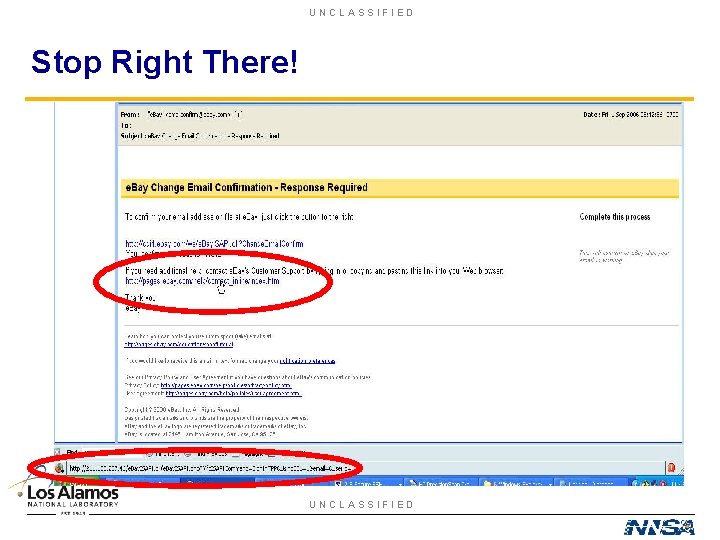
UNCLASSIFIED How do you recognize bogus e-mail? • Don’t know the sender? • Is the offer “too good to be true? ” • Asks for personal information! • Embedded links that point to an address that doesn’t appear right. • Your email address is not listed on the “TO” or “CC”. • The “FROM” & “Return-Path” don’t match. • Unexpected attachments. UNCLASSIFIED
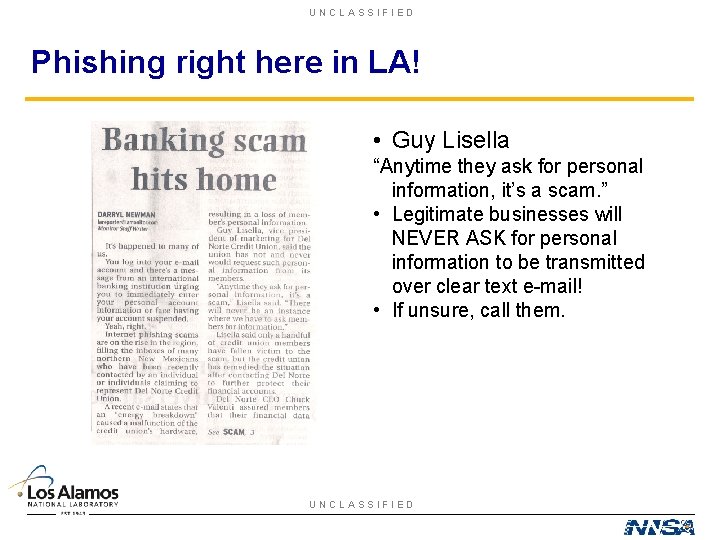
UNCLASSIFIED Phishing right here in LA! • Guy Lisella “Anytime they ask for personal information, it’s a scam. ” • Legitimate businesses will NEVER ASK for personal information to be transmitted over clear text e-mail! • If unsure, call them. UNCLASSIFIED
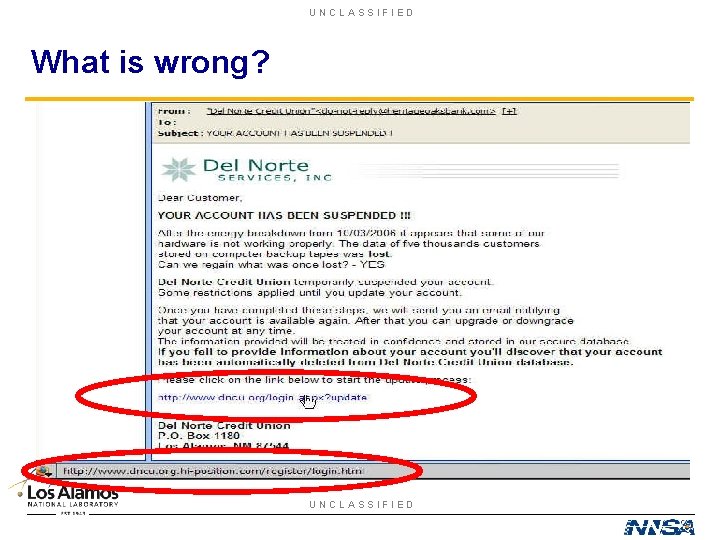
UNCLASSIFIED What is wrong? UNCLASSIFIED
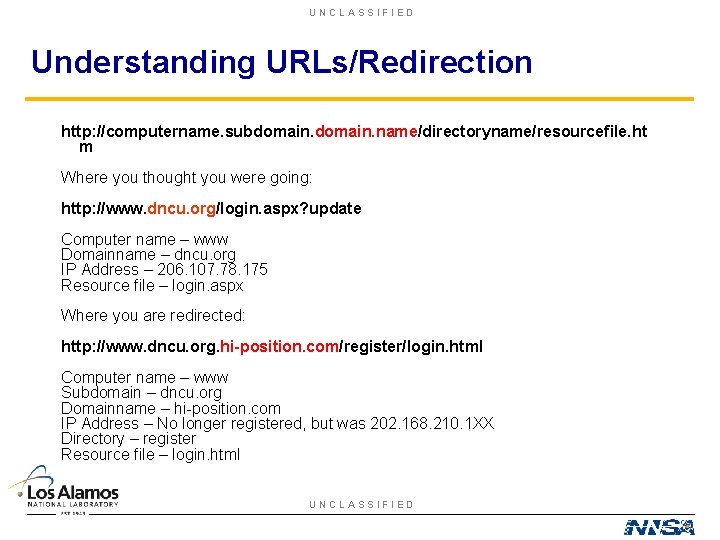
UNCLASSIFIED Understanding URLs/Redirection http: //computername. subdomain. name/directoryname/resourcefile. ht m Where you thought you were going: http: //www. dncu. org/login. aspx? update Computer name – www Domainname – dncu. org IP Address – 206. 107. 78. 175 Resource file – login. aspx Where you are redirected: http: //www. dncu. org. hi-position. com/register/login. html Computer name – www Subdomain – dncu. org Domainname – hi-position. com IP Address – No longer registered, but was 202. 168. 210. 1 XX Directory – register Resource file – login. html UNCLASSIFIED
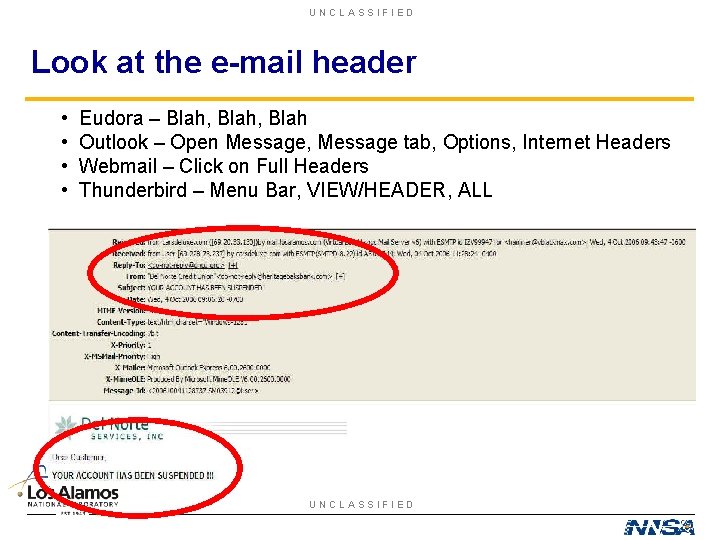
UNCLASSIFIED Look at the e-mail header • • Eudora – Blah, Blah Outlook – Open Message, Message tab, Options, Internet Headers Webmail – Click on Full Headers Thunderbird – Menu Bar, VIEW/HEADER, ALL UNCLASSIFIED
UNCLASSIFIED http: //www. facebook. com. herrazzb. eu/. . . UNCLASSIFIED
UNCLASSIFIED http: //up-dates. lanl. gov. secure. 1 -central. net/. . . UNCLASSIFIED
UNCLASSIFIED Stop Right There! UNCLASSIFIED
UNCLASSIFIED E-mail client configuration • Do NOT auto execute anything • Do NOT automatically download HTML graphics or content • Do NOT display graphics in message • Do NOT allow executable html content • Turn OFF Attachment Preview • If NOT sure configure to “WARN ME BEFORE” UNCLASSIFIED
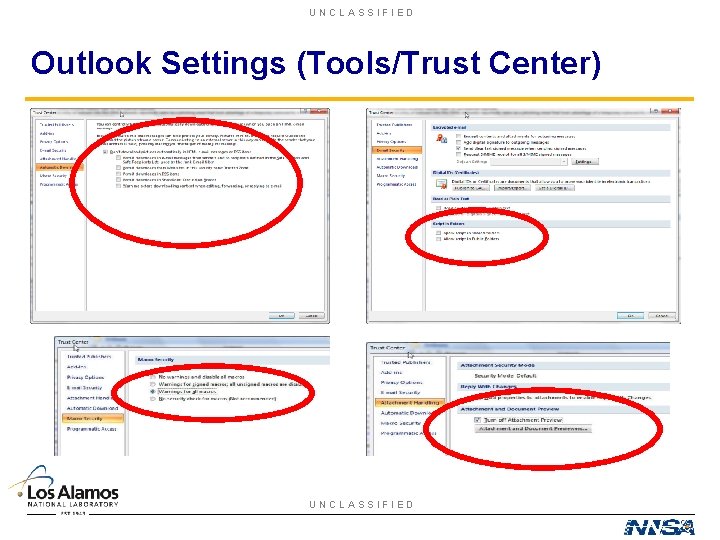
UNCLASSIFIED Outlook Settings (Tools/Trust Center) UNCLASSIFIED
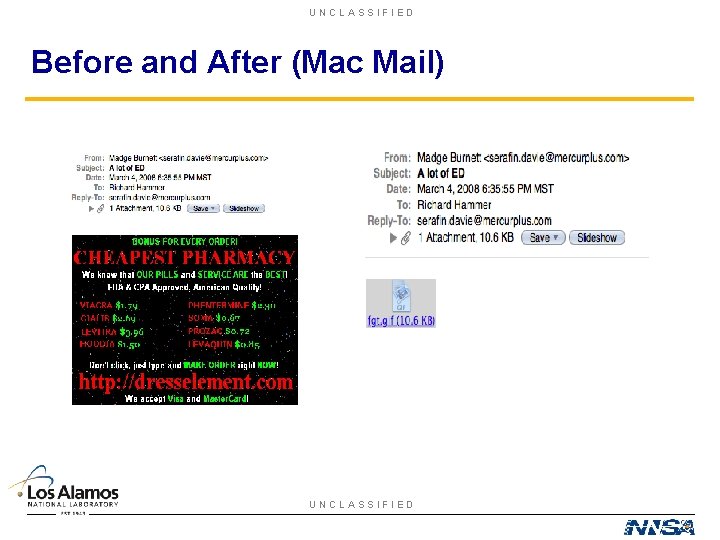
UNCLASSIFIED Before and After (Mac Mail) UNCLASSIFIED
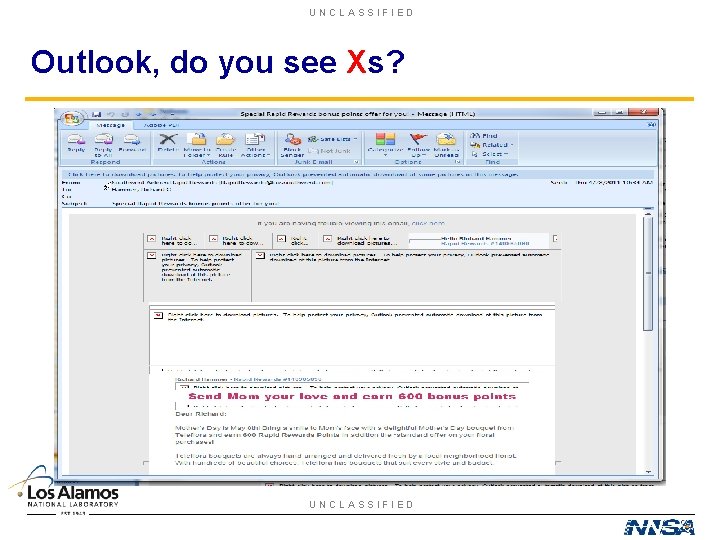
UNCLASSIFIED Outlook, do you see Xs? UNCLASSIFIED
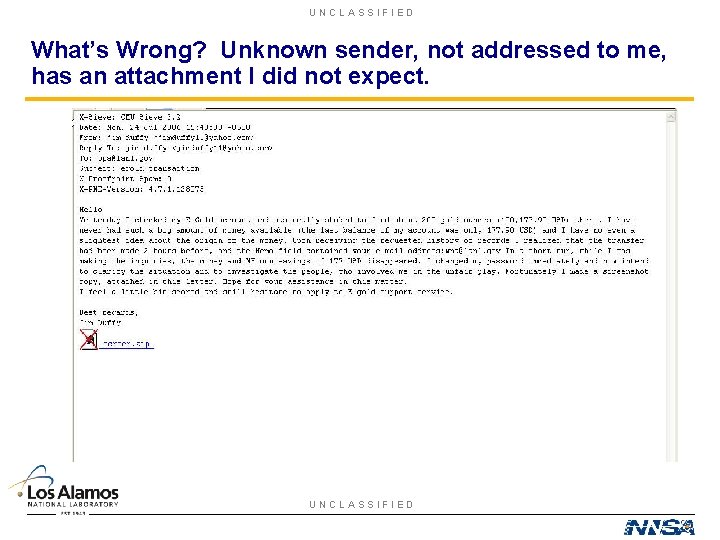
UNCLASSIFIED What’s Wrong? Unknown sender, not addressed to me, has an attachment I did not expect. UNCLASSIFIED
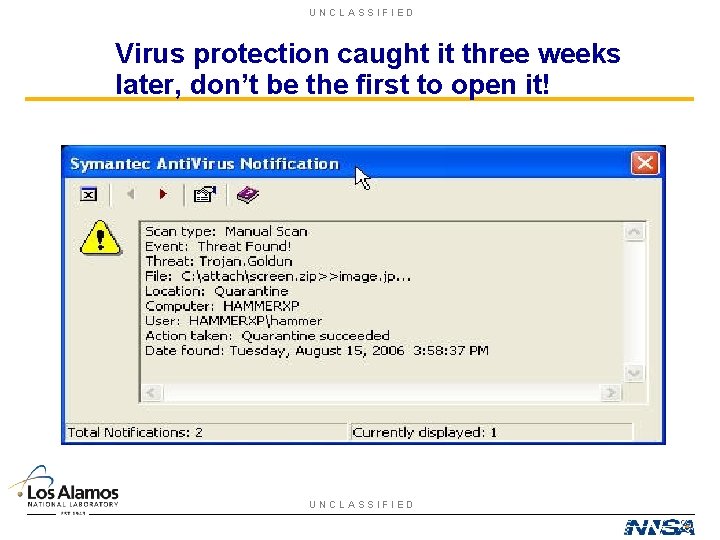
UNCLASSIFIED Virus protection caught it three weeks later, don’t be the first to open it! UNCLASSIFIED
UNCLASSIFIED Web Browser Security • Understand how it works • SSL/TLS • Privacy Settings • Security Settings • “Warn me” is always a good option when not sure • Scripts • Understand Threats • Internet Explorer? UNCLASSIFIED
UNCLASSIFIED Web Access (SSL/TLS) • • SSL Developed by Netscape (1994) Certificate Exchange System to System Certificate Authority • Should only use SSL 3. 0 or TLS 1. 0 • Is it secure? • Redirection • Man-in-Middle Attack UNCLASSIFIED
UNCLASSIFIED Keeping Track of State • Session. ID https: //ucfy. ucop. edu/ucfy/Base. Servlet; jsessio nid=0000 q 9 Zvj. IPe 7 x. WTjxeft. Fj. Tq. By: -1 • Cookie – Persistent – Non- Persistent • Hidden Form Element UNCLASSIFIED
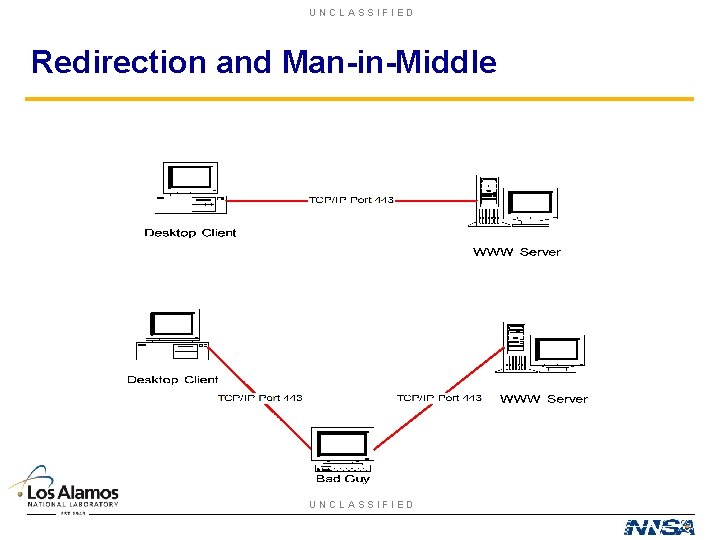
UNCLASSIFIED Redirection and Man-in-Middle UNCLASSIFIED
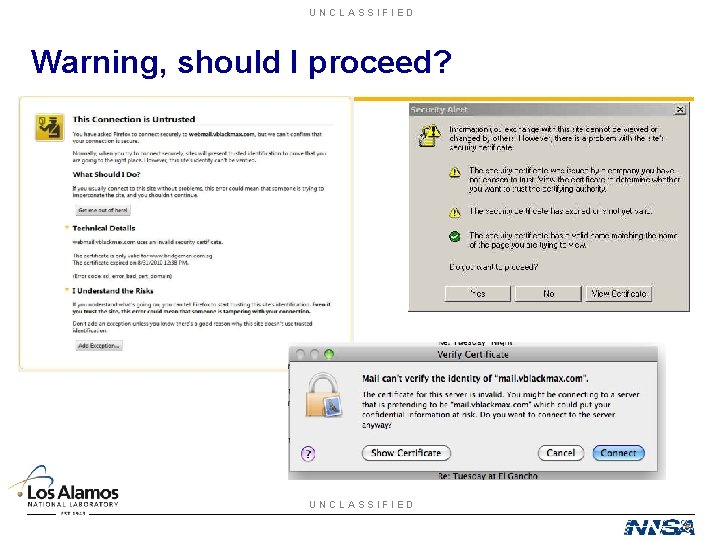
UNCLASSIFIED Warning, should I proceed? UNCLASSIFIED
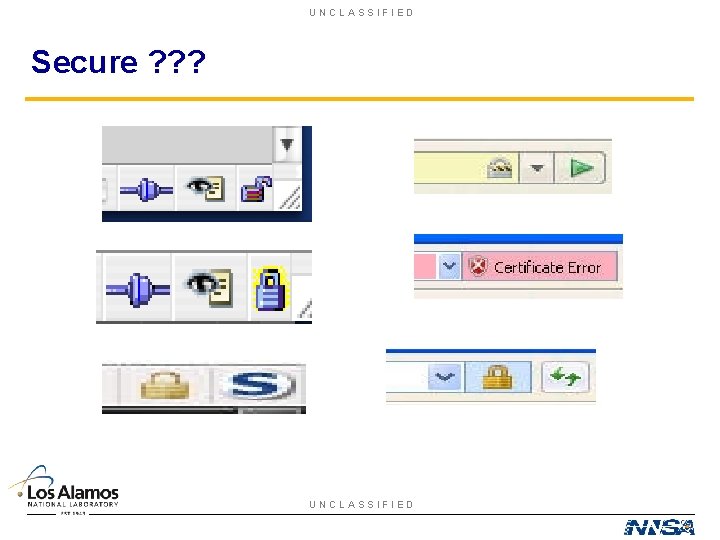
UNCLASSIFIED Secure ? ? ? UNCLASSIFIED
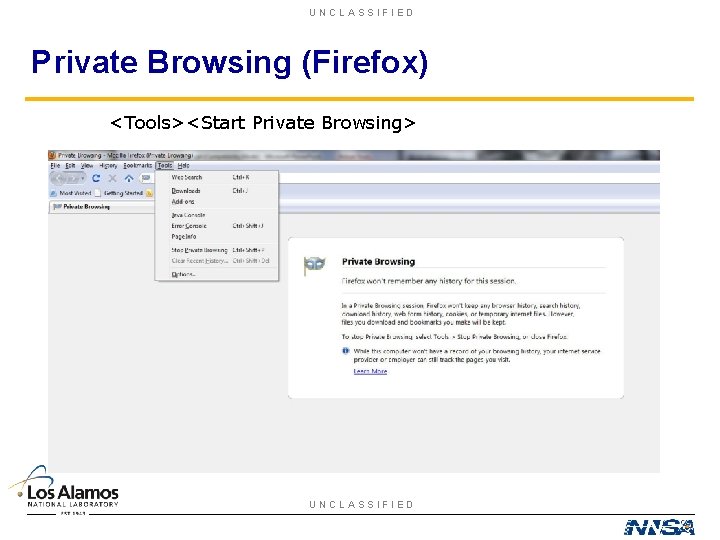
UNCLASSIFIED Private Browsing (Firefox) <Tools><Start Private Browsing> UNCLASSIFIED
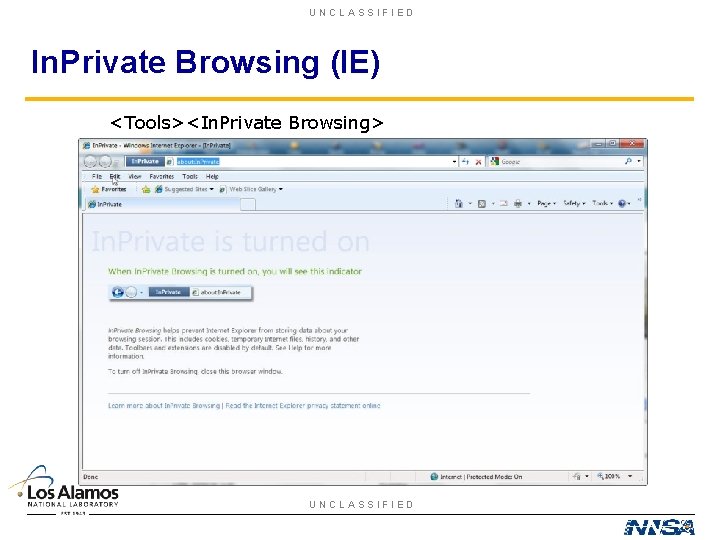
UNCLASSIFIED In. Private Browsing (IE) <Tools><In. Private Browsing> UNCLASSIFIED
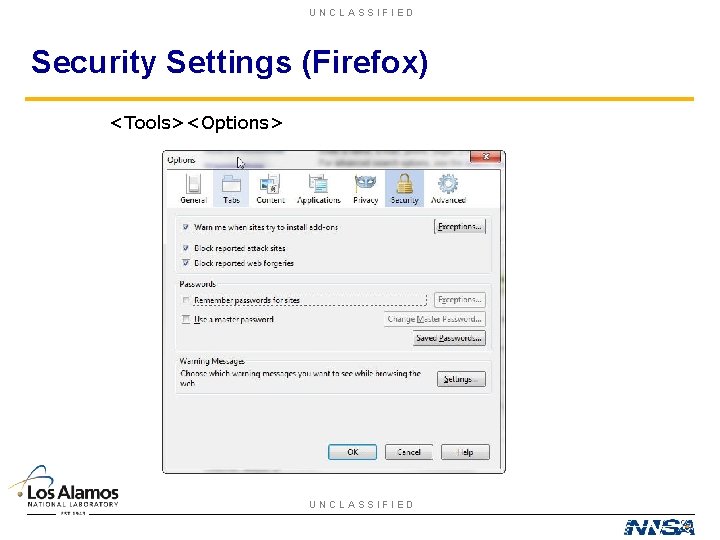
UNCLASSIFIED Security Settings (Firefox) <Tools><Options> UNCLASSIFIED
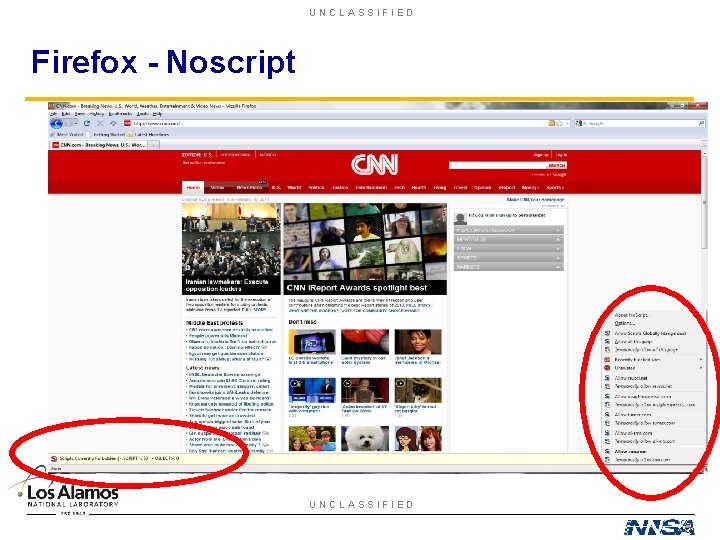
UNCLASSIFIED Firefox - Noscript UNCLASSIFIED
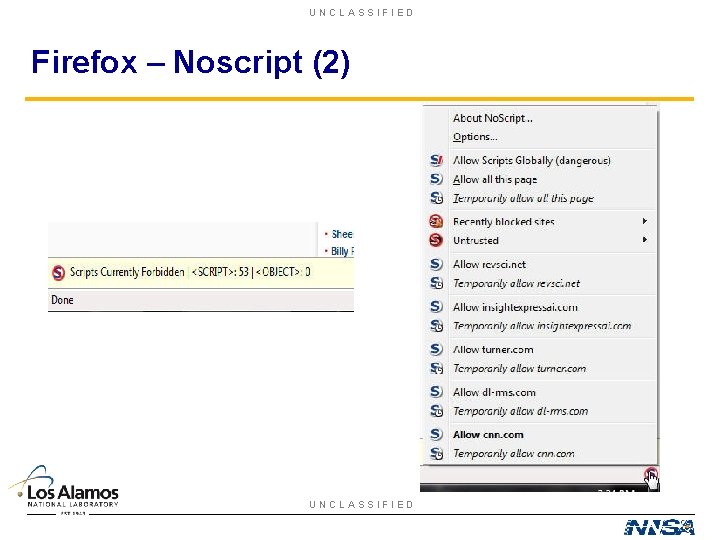
UNCLASSIFIED Firefox – Noscript (2) UNCLASSIFIED
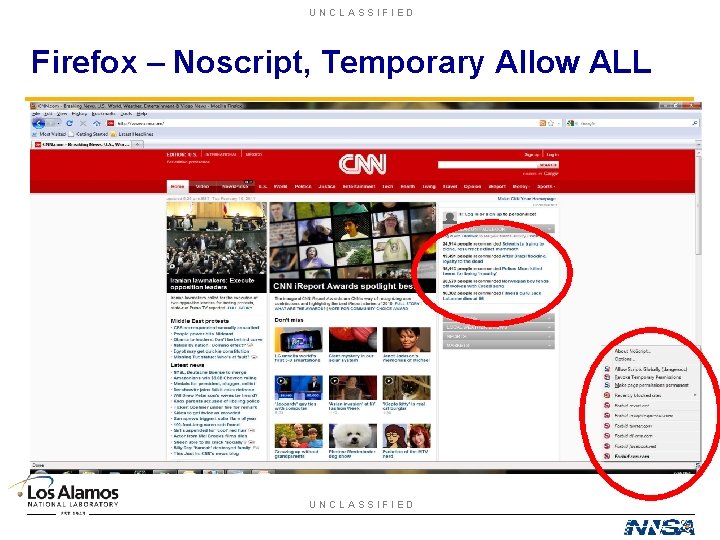
UNCLASSIFIED Firefox – Noscript, Temporary Allow ALL UNCLASSIFIED
UNCLASSIFIED Recipe for a Secure Web Transaction • Ensure SSLv 3/TLS (one time thing) • Open New Firefox Browser • Start Private Browsing • You initiate the connection • Only go to sites associated with transaction • Use Noscript and only allow needed scripts • Pay attention to error messages • Logout when done THESE ARE NOT THE SAME!!! • Close browser UNCLASSIFIED
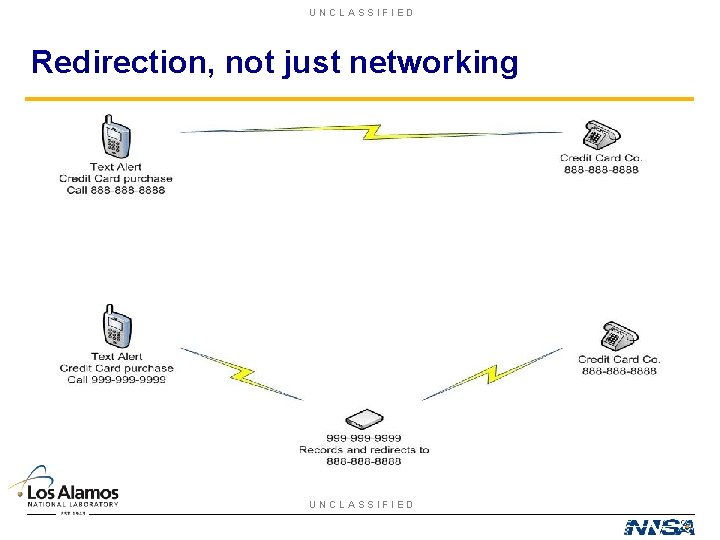
UNCLASSIFIED Redirection, not just networking UNCLASSIFIED
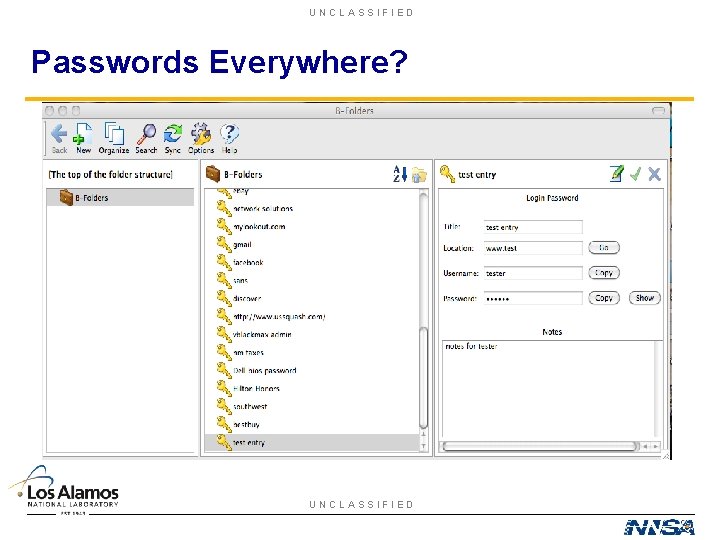
UNCLASSIFIED Passwords Everywhere? UNCLASSIFIED
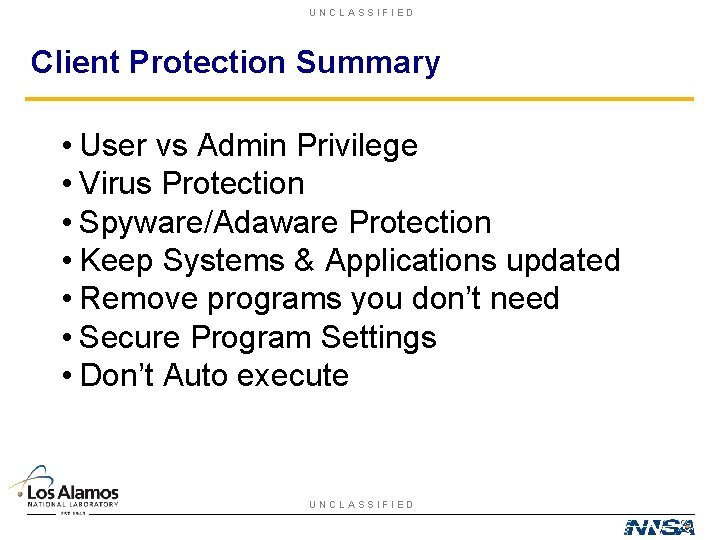
UNCLASSIFIED Client Protection Summary • User vs Admin Privilege • Virus Protection • Spyware/Adaware Protection • Keep Systems & Applications updated • Remove programs you don’t need • Secure Program Settings • Don’t Auto execute UNCLASSIFIED
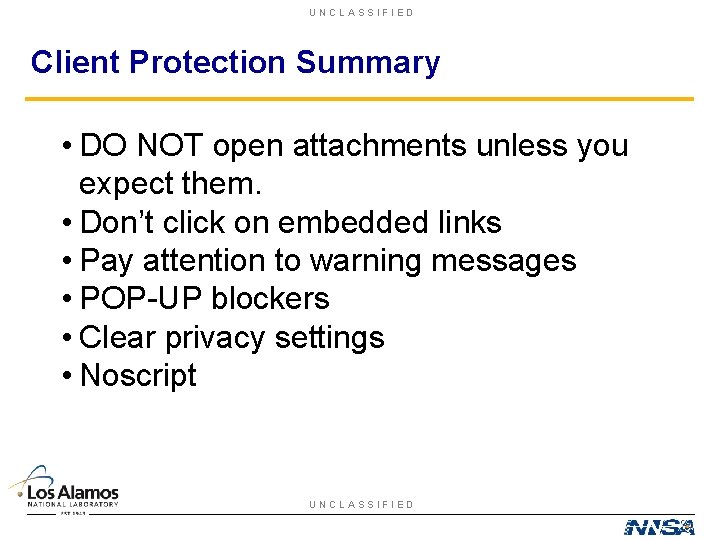
UNCLASSIFIED Client Protection Summary • DO NOT open attachments unless you expect them. • Don’t click on embedded links • Pay attention to warning messages • POP-UP blockers • Clear privacy settings • Noscript UNCLASSIFIED
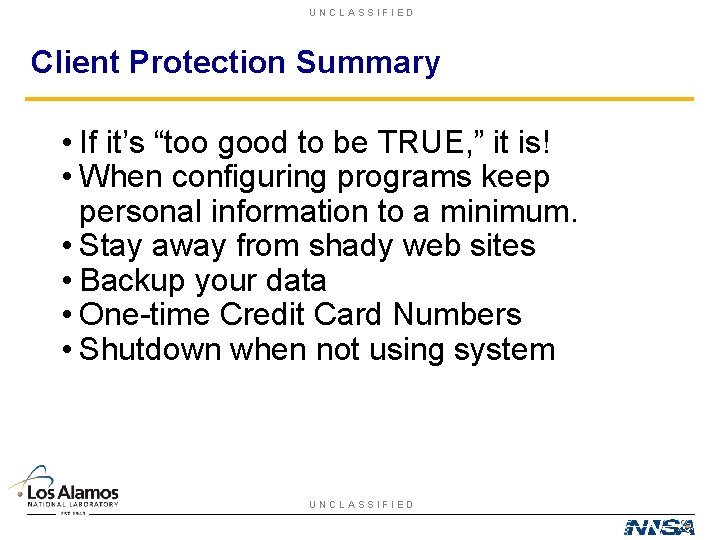
UNCLASSIFIED Client Protection Summary • If it’s “too good to be TRUE, ” it is! • When configuring programs keep personal information to a minimum. • Stay away from shady web sites • Backup your data • One-time Credit Card Numbers • Shutdown when not using system UNCLASSIFIED
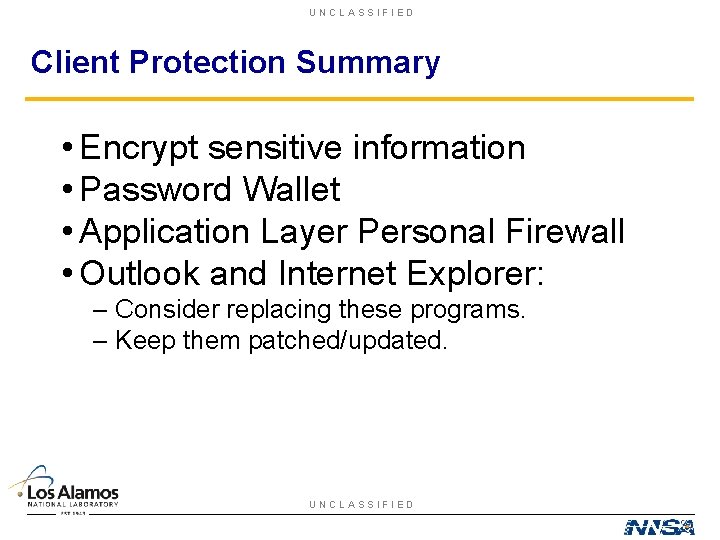
UNCLASSIFIED Client Protection Summary • Encrypt sensitive information • Password Wallet • Application Layer Personal Firewall • Outlook and Internet Explorer: – Consider replacing these programs. – Keep them patched/updated. UNCLASSIFIED
UNCLASSIFIED Educate Yourself! & Always Initiate the Communication UNCLASSIFIED
- Slides: 41