
UML and Exploratory Prototyping for Developing Interactive Applications
- Slides: 29
UML and Exploratory Prototyping for Developing Interactive Applications Marc Bülow, Jochen Bürger, Lars Hagge, Salvatore Pantó Deutsches Elektronen-Synchrotron, Hamburg Informationsmanagement, Prozesse, Projekte (IPP) Presentation for the International Conference on Computing in High Energy Physics CHEP 2003, San Diego Lars Hagge (DESY): UML and Exploratory Prototyping for Developing Interactive Applications CHEP 2003, San Diego, March 24 -28
Agenda g Introduction g Case Study: a new Web-Client for a PDM system g Building the UML Business Model g Building the Exploratory Prototype g Results and Experience Lars Hagge (DESY): UML and Exploratory Prototyping for Developing Interactive Applications CHEP 2003, San Diego, March 24 -28 2
Agenda g Introduction g Case Study: a new Web-Client for a PDM system g Building the UML Business Model g Building the Exploratory Prototype g Results and Experience Lars Hagge (DESY): UML and Exploratory Prototyping for Developing Interactive Applications CHEP 2003, San Diego, March 24 -28 3
Goals g involve users early in specification and evolution of interactive software systems g establish software engineering process which enables incremental development / delivery g develop and share common vision of users and developers g common source for analysis, development, documentation, training Lars Hagge (DESY): UML and Exploratory Prototyping for Developing Interactive Applications CHEP 2003, San Diego, March 24 -28 4
Key Concepts g Interactive u Systems require „humans-in-the-loop“, as in e. g. – information systems, design and simulation tools, virtual environments, . . . u strong focus on intelligent and ergonomic human computer interfaces – generally includes software systems, robotics, machines, . . . – in this presentation: information systems g Prototypes u partial implementation of a system which allows to investigate and decide design alternatives, e. g. – acceptance, technical feasibility, performance, . . . Lars Hagge (DESY): UML and Exploratory Prototyping for Developing Interactive Applications CHEP 2003, San Diego, March 24 -28 5
Prototypes are to be thrown away g follow different goals, e. g. g u u u exploratory prototype helps developing common vision and elicitating user requirements evolutionary prototoype supports building the system architecture experimental prototype enables feasibility studies g are of different types, e. g. u u u g mock-up is a facade of the human computer interface without any functionality functional prototype is an implementation of a partial system without customizing pilot system is a system with limited functionality (use cases) built with different tools u e. g. presentation tools, interface builders, 4 GL environments, . . . Lars Hagge (DESY): UML and Exploratory Prototyping for Developing Interactive Applications CHEP 2003, San Diego, March 24 -28 6
Working with a Prototype create a UML model which captures the system usage from a user‘s perspective 2. create prototype interactive views (forms) with Power. Point (or HTML, . . . ) which can animate the main usage scenarios 3. evaluate and improve the prototype with different user groups 4. evolve the UML model to provide the design specification, documentation, system test cases and tutorial material 1. Lars Hagge (DESY): UML and Exploratory Prototyping for Developing Interactive Applications CHEP 2003, San Diego, March 24 -28 7
Agenda g Introduction g Case Study: a new Web-Client for a PDM system g Building the UML Business Model g Building the Exploratory Prototype g Results and Experience Lars Hagge (DESY): UML and Exploratory Prototyping for Developing Interactive Applications CHEP 2003, San Diego, March 24 -28 8
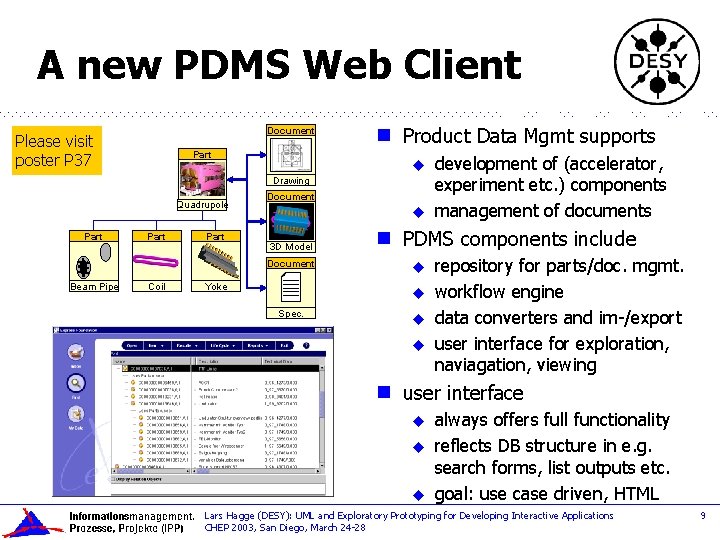
A new PDMS Web Client Document Please visit poster P 37 Part g Product Data Mgmt supports u Drawing Quadrupole Part Document u 3 D Model g Document Beam Pipe Coil PDMS components include u Yoke u Spec. u u g development of (accelerator, experiment etc. ) components management of documents repository for parts/doc. mgmt. workflow engine data converters and im-/export user interface for exploration, naviagation, viewing user interface u u u always offers full functionality reflects DB structure in e. g. search forms, list outputs etc. goal: use case driven, HTML Lars Hagge (DESY): UML and Exploratory Prototyping for Developing Interactive Applications CHEP 2003, San Diego, March 24 -28 9
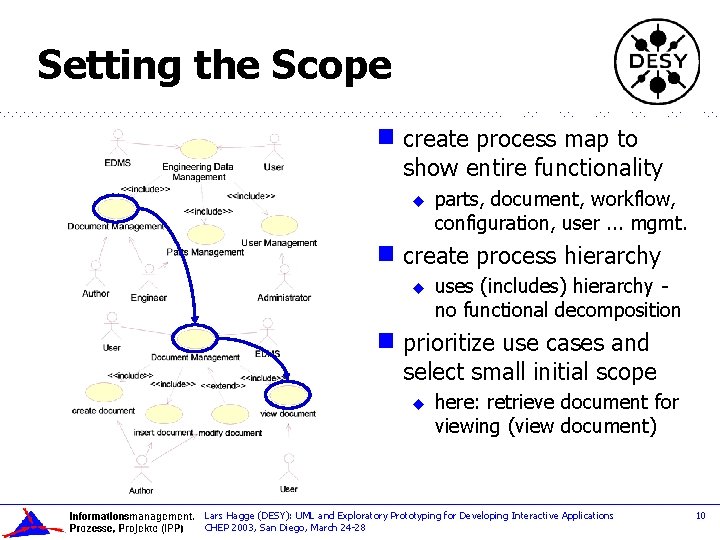
Setting the Scope g create process map to show entire functionality u g create process hierarchy u g parts, document, workflow, configuration, user. . . mgmt. uses (includes) hierarchy no functional decomposition prioritize use cases and select small initial scope u here: retrieve document for viewing (view document) Lars Hagge (DESY): UML and Exploratory Prototyping for Developing Interactive Applications CHEP 2003, San Diego, March 24 -28 10
Agenda g Introduction g Case Study: a new Web-Client for a PDM system g Building the UML Business Model g Building the Exploratory Prototype g Results and Experience Lars Hagge (DESY): UML and Exploratory Prototyping for Developing Interactive Applications CHEP 2003, San Diego, March 24 -28 11
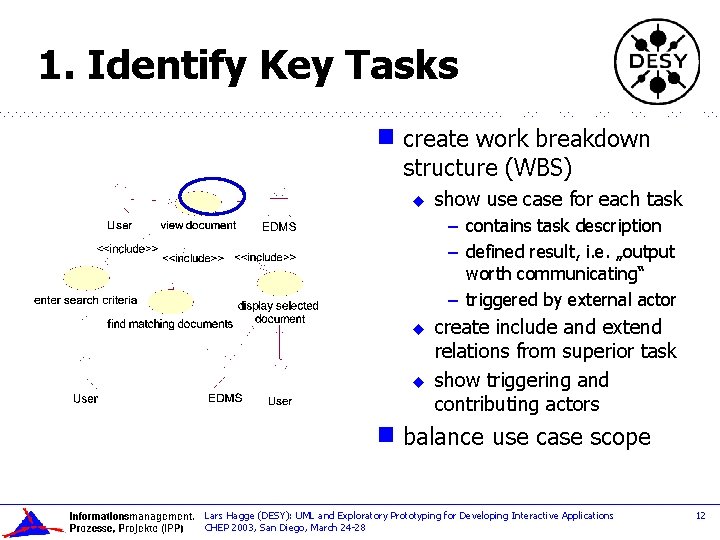
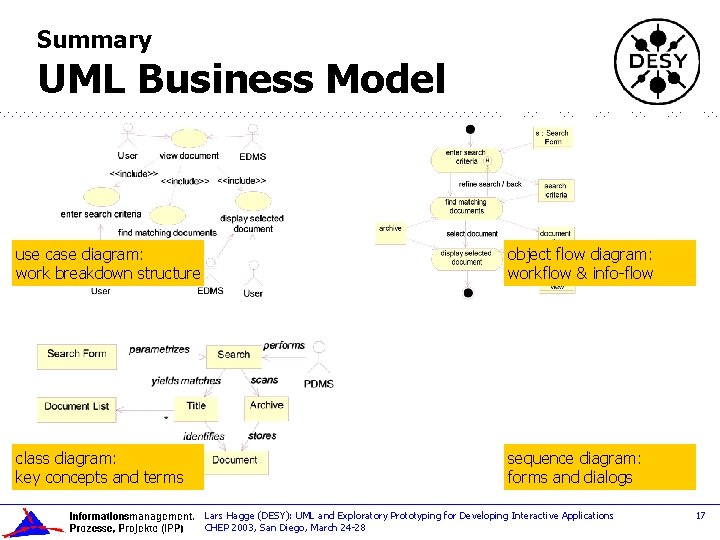
1. Identify Key Tasks g create work breakdown structure (WBS) u show use case for each task – contains task description – defined result, i. e. „output worth communicating“ – triggered by external actor u u g create include and extend relations from superior task show triggering and contributing actors balance use case scope Lars Hagge (DESY): UML and Exploratory Prototyping for Developing Interactive Applications CHEP 2003, San Diego, March 24 -28 12
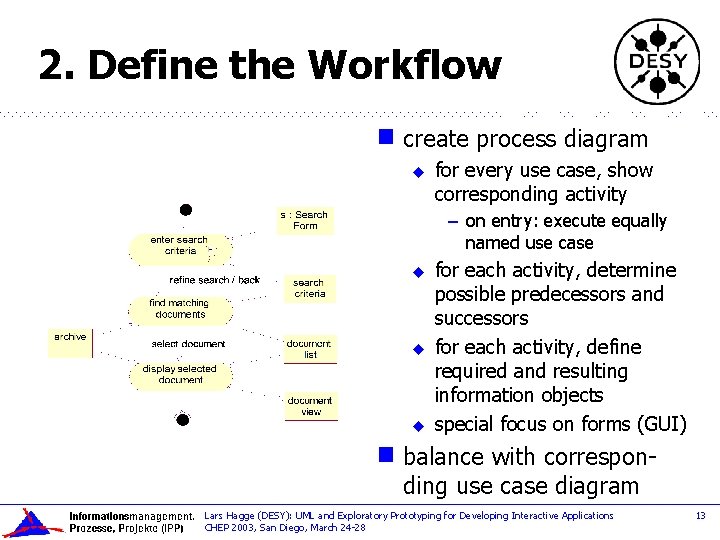
2. Define the Workflow g create process diagram u for every use case, show corresponding activity – on entry: execute equally named use case u u u g for each activity, determine possible predecessors and successors for each activity, define required and resulting information objects special focus on forms (GUI) balance with corresponding use case diagram Lars Hagge (DESY): UML and Exploratory Prototyping for Developing Interactive Applications CHEP 2003, San Diego, March 24 -28 13
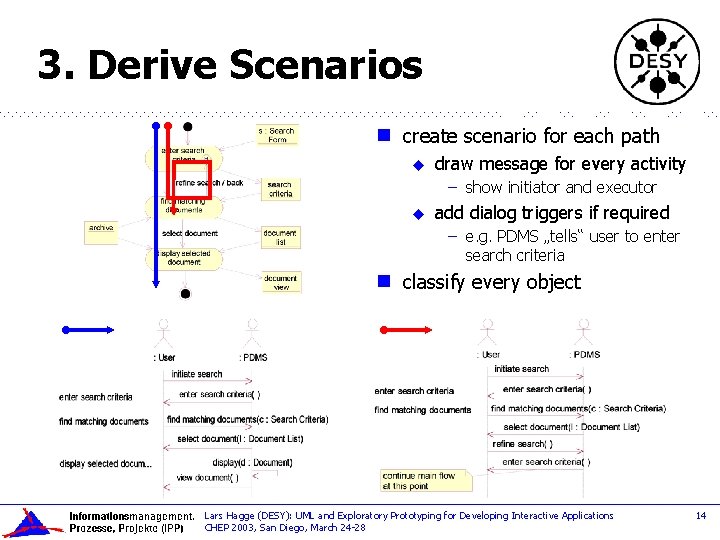
3. Derive Scenarios g create scenario for each path u draw message for every activity – show initiator and executor u add dialog triggers if required – e. g. PDMS „tells“ user to enter search criteria g classify every object Lars Hagge (DESY): UML and Exploratory Prototyping for Developing Interactive Applications CHEP 2003, San Diego, March 24 -28 14
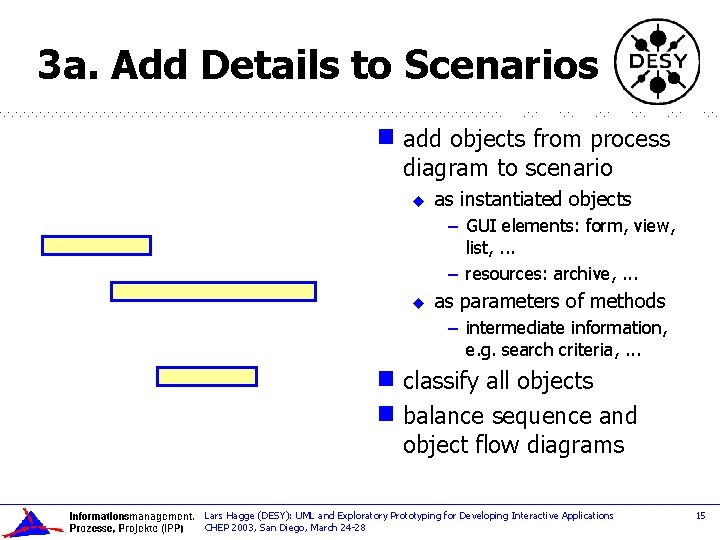
3 a. Add Details to Scenarios g add objects from process diagram to scenario u as instantiated objects – GUI elements: form, view, list, . . . – resources: archive, . . . u as parameters of methods – intermediate information, e. g. search criteria, . . . classify all objects g balance sequence and object flow diagrams g Lars Hagge (DESY): UML and Exploratory Prototyping for Developing Interactive Applications CHEP 2003, San Diego, March 24 -28 15
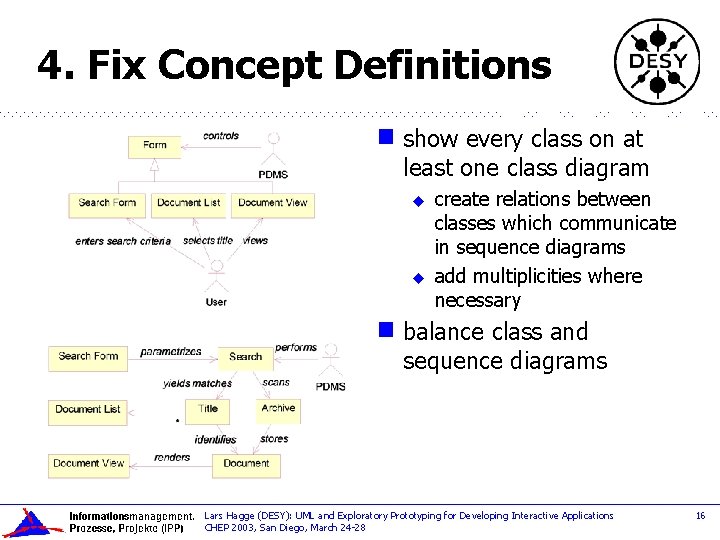
4. Fix Concept Definitions g show every class on at least one class diagram u u g create relations between classes which communicate in sequence diagrams add multiplicities where necessary balance class and sequence diagrams Lars Hagge (DESY): UML and Exploratory Prototyping for Developing Interactive Applications CHEP 2003, San Diego, March 24 -28 16
Summary UML Business Model use case diagram: work breakdown structure object flow diagram: workflow & info-flow class diagram: key concepts and terms sequence diagram: forms and dialogs Lars Hagge (DESY): UML and Exploratory Prototyping for Developing Interactive Applications CHEP 2003, San Diego, March 24 -28 17
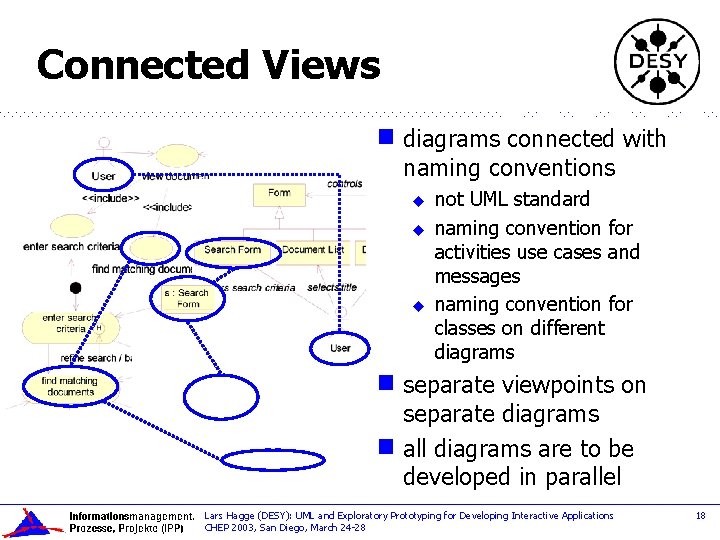
Connected Views g diagrams connected with naming conventions u u u not UML standard naming convention for activities use cases and messages naming convention for classes on different diagrams separate viewpoints on separate diagrams g all diagrams are to be developed in parallel g Lars Hagge (DESY): UML and Exploratory Prototyping for Developing Interactive Applications CHEP 2003, San Diego, March 24 -28 18
Agenda g Introduction g Case Study: a new Web-Client for a PDM system g Building the UML Business Model g Building the Exploratory Prototype g Results and Experience Lars Hagge (DESY): UML and Exploratory Prototyping for Developing Interactive Applications CHEP 2003, San Diego, March 24 -28 19
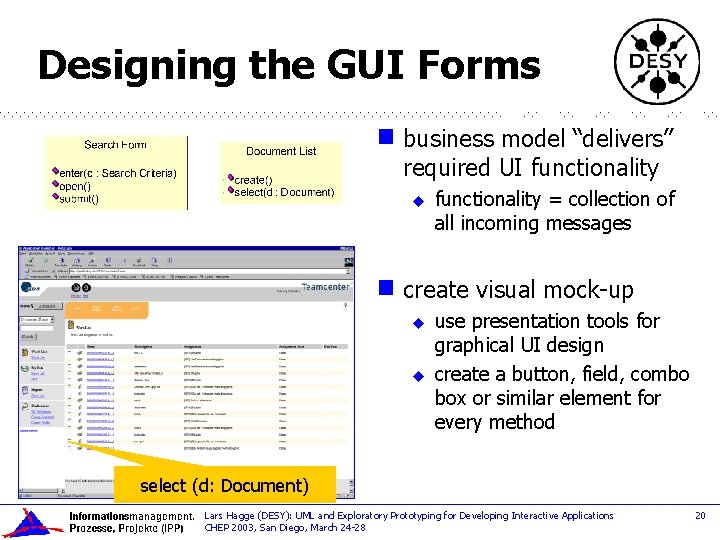
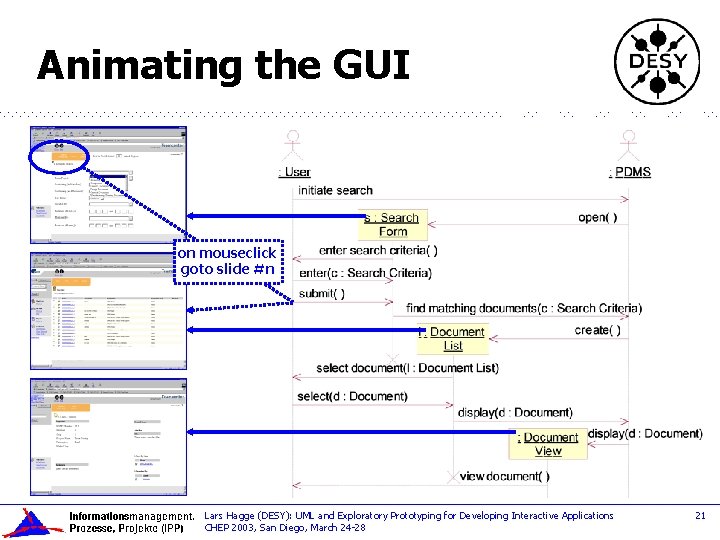
Designing the GUI Forms g business model “delivers” required UI functionality u g functionality = collection of all incoming messages create visual mock-up u u use presentation tools for graphical UI design create a button, field, combo box or similar element for every method select (d: Document) Lars Hagge (DESY): UML and Exploratory Prototyping for Developing Interactive Applications CHEP 2003, San Diego, March 24 -28 20
Animating the GUI on mouseclick goto slide #n Lars Hagge (DESY): UML and Exploratory Prototyping for Developing Interactive Applications CHEP 2003, San Diego, March 24 -28 21
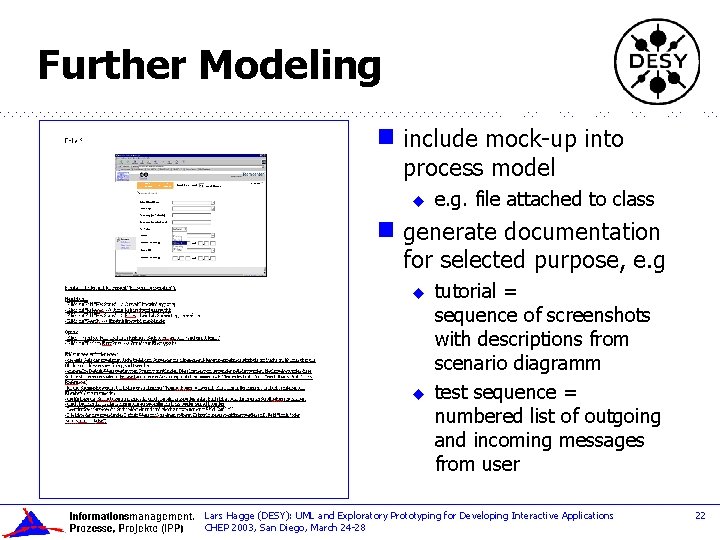
Further Modeling g include mock-up into process model u g e. g. file attached to class generate documentation for selected purpose, e. g u u tutorial = sequence of screenshots with descriptions from scenario diagramm test sequence = numbered list of outgoing and incoming messages from user Lars Hagge (DESY): UML and Exploratory Prototyping for Developing Interactive Applications CHEP 2003, San Diego, March 24 -28 22
Tools for Prototype Building g HTML u or Power. Point for GUI mock-up demonstrate look & feel and dialog sequence to users – no system functionality provided / needed g CASE tool for business model useful catches class methods from sequence diagrams u helps maintaining consistency of diagrams u g afterwards: u documentation generator for creating e. g. process descriptions, tutorials, . . . – generate XML output from model – create XSL stylesheets tuned to the different purposes Lars Hagge (DESY): UML and Exploratory Prototyping for Developing Interactive Applications CHEP 2003, San Diego, March 24 -28 23
Agenda g Introduction g Case Study: a new Web-Client for a PDM system g Building the UML Business Model g Building the Exploratory Prototype g Results and Experience Lars Hagge (DESY): UML and Exploratory Prototyping for Developing Interactive Applications CHEP 2003, San Diego, March 24 -28 24
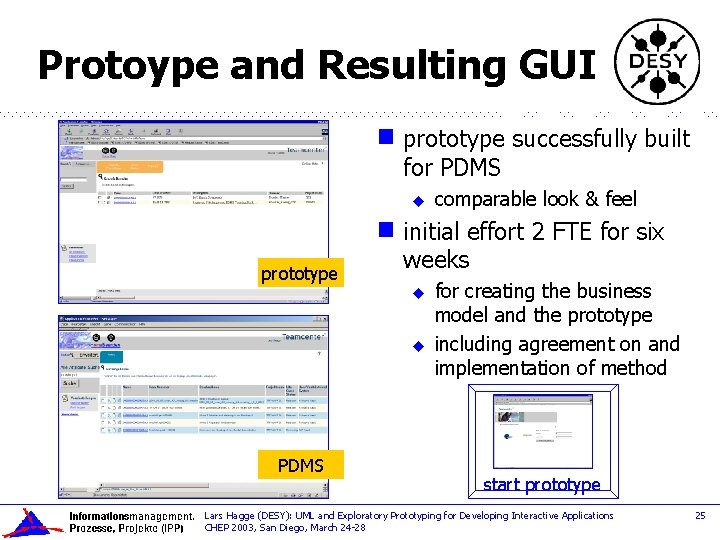
Protoype and Resulting GUI g prototype successfully built for PDMS u g prototype initial effort 2 FTE for six weeks u u PDMS comparable look & feel for creating the business model and the prototype including agreement on and implementation of method start prototype Lars Hagge (DESY): UML and Exploratory Prototyping for Developing Interactive Applications CHEP 2003, San Diego, March 24 -28 25
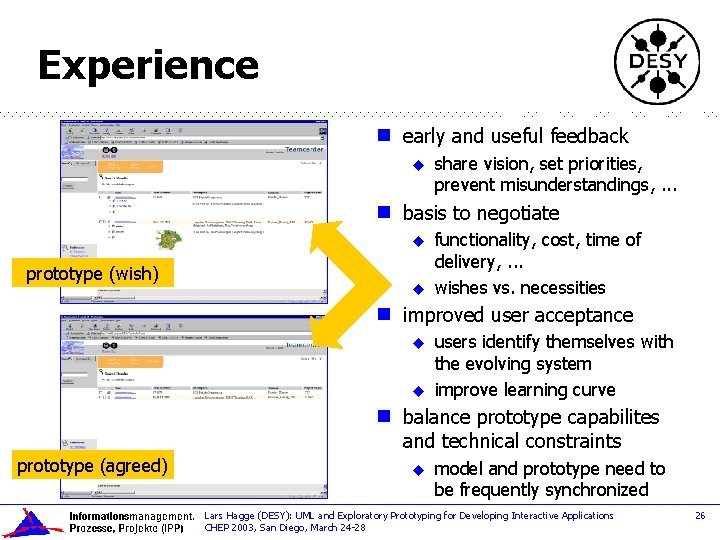
Experience g early and useful feedback u g basis to negotiate u prototype (wish) u g u prototype (agreed) functionality, cost, time of delivery, . . . wishes vs. necessities improved user acceptance u g share vision, set priorities, prevent misunderstandings, . . . users identify themselves with the evolving system improve learning curve balance prototype capabilites and technical constraints u model and prototype need to be frequently synchronized Lars Hagge (DESY): UML and Exploratory Prototyping for Developing Interactive Applications CHEP 2003, San Diego, March 24 -28 26
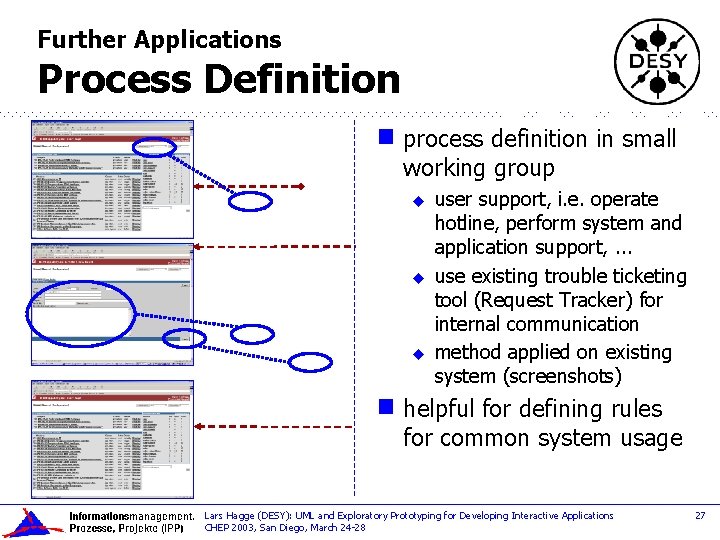
Further Applications Process Definition g process definition in small working group u u u g user support, i. e. operate hotline, perform system and application support, . . . use existing trouble ticketing tool (Request Tracker) for internal communication method applied on existing system (screenshots) helpful for defining rules for common system usage Lars Hagge (DESY): UML and Exploratory Prototyping for Developing Interactive Applications CHEP 2003, San Diego, March 24 -28 27
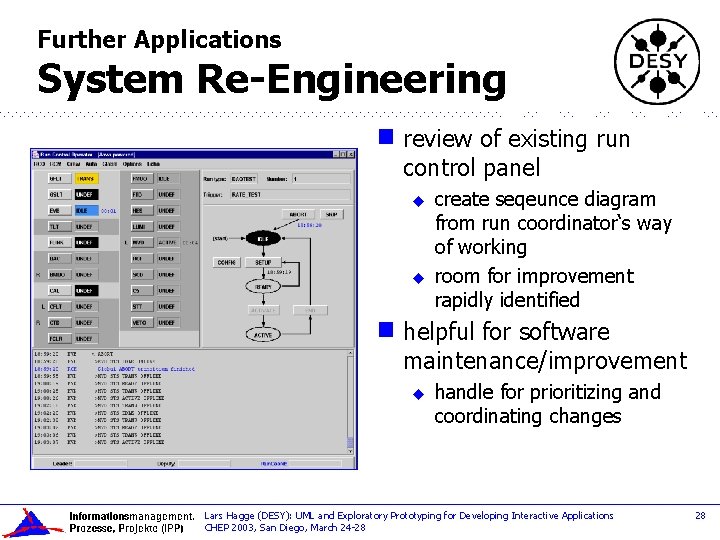
Further Applications System Re-Engineering g review of existing run control panel u u g create seqeunce diagram from run coordinator‘s way of working room for improvement rapidly identified helpful for software maintenance/improvement u handle for prioritizing and coordinating changes Lars Hagge (DESY): UML and Exploratory Prototyping for Developing Interactive Applications CHEP 2003, San Diego, March 24 -28 28
Conclusion g exploratory prototypes are a powerful tool for the design of interactive systems early user involvment with high acceptance u straight-forward, easy-to-teach method u g UML u is an efficient modeling language naming conventions for connecting diagrams g sound model architecture enables modeling for different goals u visualization, software design, test, training, documentation, . . . Lars Hagge (DESY): UML and Exploratory Prototyping for Developing Interactive Applications CHEP 2003, San Diego, March 24 -28 29