
UIDAI REGIONAL OFFICE HYD CORDIALLY GREETS ALL PARTICIPANTS


- Slides: 30
UIDAI REGIONAL OFFICE, HYD CORDIALLY GREETS ALL PARTICIPANTS For A session on Aadhaar 1
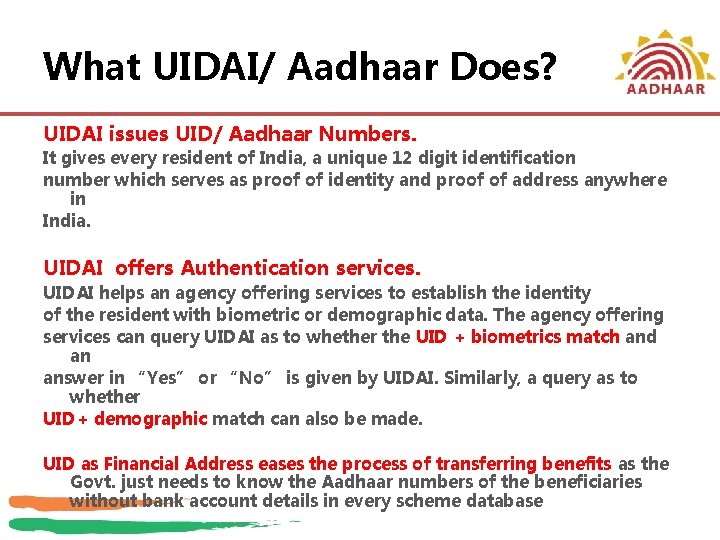
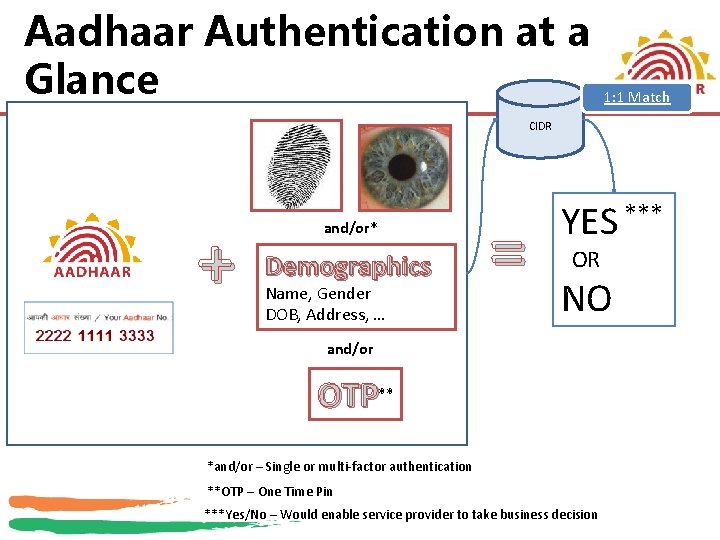
What UIDAI/ Aadhaar Does? UIDAI issues UID/ Aadhaar Numbers. It gives every resident of India, a unique 12 digit identification number which serves as proof of identity and proof of address anywhere in India. UIDAI offers Authentication services. UIDAI helps an agency offering services to establish the identity of the resident with biometric or demographic data. The agency offering services can query UIDAI as to whether the UID + biometrics match and an answer in “Yes” or “No” is given by UIDAI. Similarly, a query as to whether UID+ demographic match can also be made. UID as Financial Address eases the process of transferring benefits as the Govt. just needs to know the Aadhaar numbers of the beneficiaries without bank account details in every scheme database
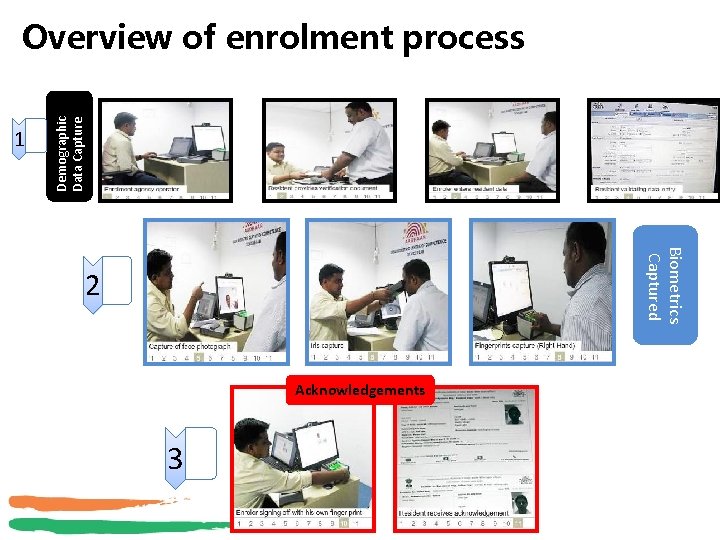
1 Demographic Data Capture Overview of enrolment process Biometrics Captured 2 Acknowledgements 3
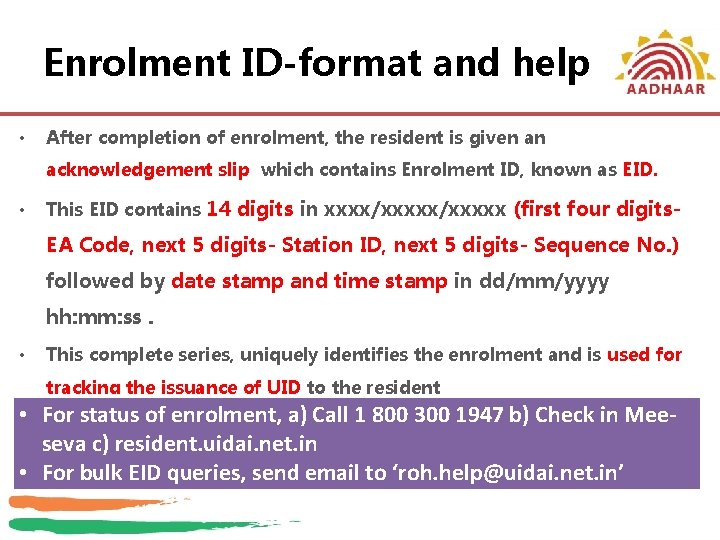
Enrolment ID-format and help • After completion of enrolment, the resident is given an acknowledgement slip which contains Enrolment ID, known as EID. • This EID contains 14 digits in xxxx/xxxxx (first four digits- EA Code, next 5 digits- Station ID, next 5 digits- Sequence No. ) followed by date stamp and time stamp in dd/mm/yyyy hh: mm: ss. • This complete series, uniquely identifies the enrolment and is used for tracking the issuance of UID to the resident • For status of enrolment, a) Call 1 800 300 1947 b) Check in Meeseva c) resident. uidai. net. in • For bulk EID queries, send email to ‘roh. help@uidai. net. in’
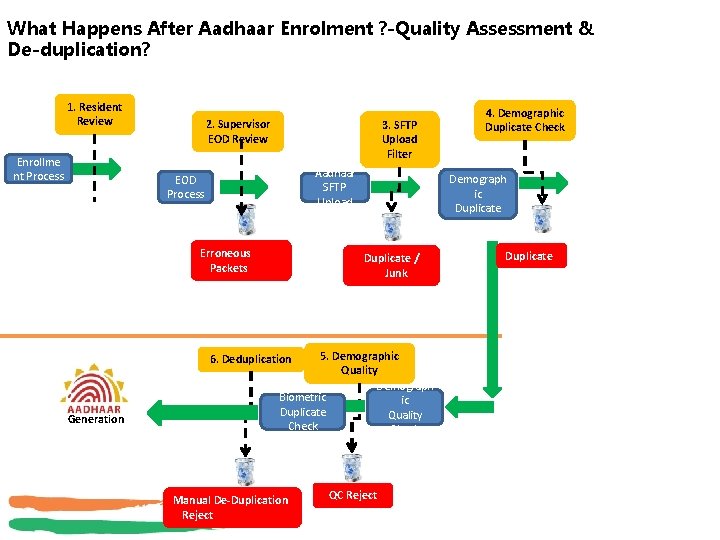
What Happens After Aadhaar Enrolment ? -Quality Assessment & De-duplication? 1. Resident Review Enrollme nt Process 2. Supervisor EOD Review 3. SFTP Upload Filter Aadhaar SFTP Upload EOD Process Erroneous Packets Demograph ic Duplicate / Junk 5. Demographic Quality Demograph Biometric ic Duplicate Quality Check 6. Deduplication Generation Manual De-Duplication Reject 4. Demographic Duplicate Check QC Reject Duplicate
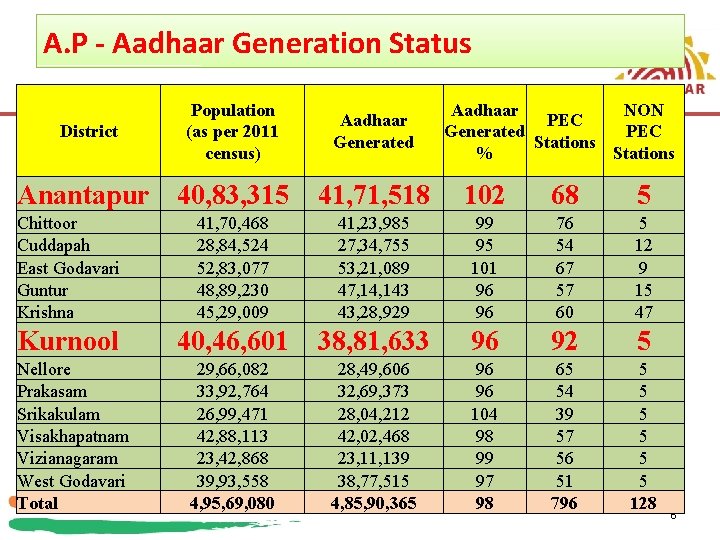
A. P - Aadhaar Generation Status District Population (as per 2011 census) Anantapur 40, 83, 315 Aadhaar Generated Aadhaar NON PEC Generated PEC Stations % Stations 41, 71, 518 102 68 5 Chittoor Cuddapah East Godavari Guntur Krishna 41, 70, 468 28, 84, 524 52, 83, 077 48, 89, 230 45, 29, 009 41, 23, 985 27, 34, 755 53, 21, 089 47, 143 43, 28, 929 99 95 101 96 96 76 54 67 57 60 5 12 9 15 47 Kurnool 40, 46, 601 38, 81, 633 96 92 5 29, 66, 082 33, 92, 764 26, 99, 471 42, 88, 113 23, 42, 868 39, 93, 558 4, 95, 69, 080 28, 49, 606 32, 69, 373 28, 04, 212 42, 02, 468 23, 11, 139 38, 77, 515 4, 85, 90, 365 96 96 104 98 99 97 98 65 54 39 57 56 51 796 5 5 5 128 Nellore Prakasam Srikakulam Visakhapatnam Vizianagaram West Godavari Total 6
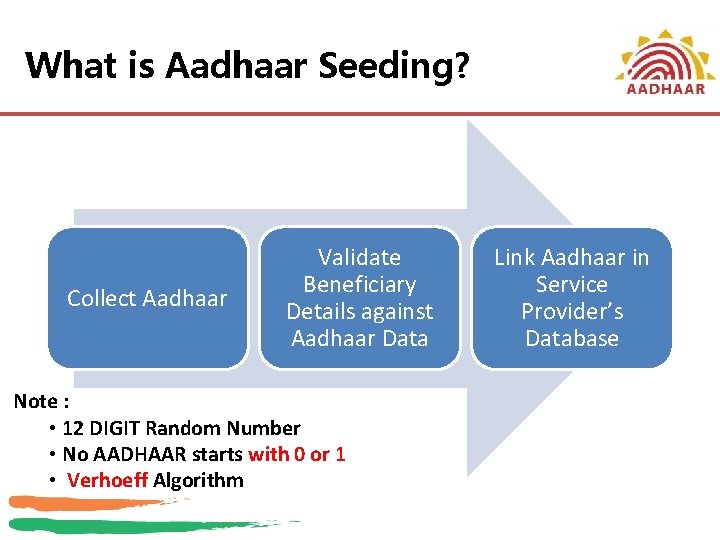
What is Aadhaar Seeding? Collect Aadhaar Validate Beneficiary Details against Aadhaar Data Note : • 12 DIGIT Random Number • No AADHAAR starts with 0 or 1 • Verhoeff Algorithm Link Aadhaar in Service Provider’s Database
Aadhaar Authentication at a Glance 1: 1 Match CIDR + and/or* Demographics Name, Gender DOB, Address, … = YES *** OR NO and/or OTP** *and/or – Single or multi-factor authentication **OTP – One Time Pin ***Yes/No – Would enable service provider to take business decision
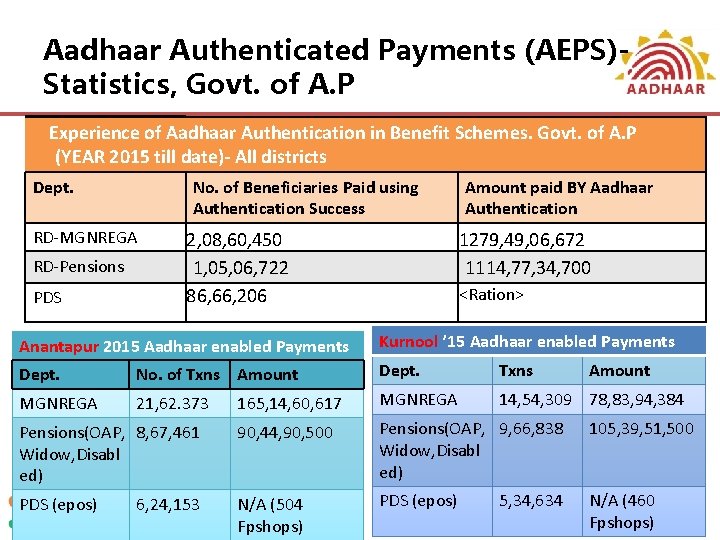
Aadhaar Authenticated Payments (AEPS)Statistics, Govt. of A. P Experience of Aadhaar Authentication in Benefit Schemes. Govt. of A. P (YEAR 2015 till date)- All districts Dept. No. of Beneficiaries Paid using Authentication Success RD-MGNREGA RD-Pensions PDS 2, 08, 60, 450 1, 05, 06, 722 86, 66, 206 Amount paid BY Aadhaar Authentication 1279, 49, 06, 672 1114, 77, 34, 700 <Ration> Anantapur 2015 Aadhaar enabled Payments Kurnool ’ 15 Aadhaar enabled Payments Dept. No. of Txns Amount Dept. Txns MGNREGA 21, 62. 373 165, 14, 60, 617 MGNREGA 14, 54, 309 78, 83, 94, 384 Pensions(OAP, 8, 67, 461 Widow, Disabl ed) 90, 44, 90, 500 Pensions(OAP, 9, 66, 838 Widow, Disabl ed) 105, 39, 51, 500 PDS (epos) N/A (504 Fpshops) PDS (epos) N/A (460 Fpshops) 6, 24, 153 5, 34, 634 Amount 9
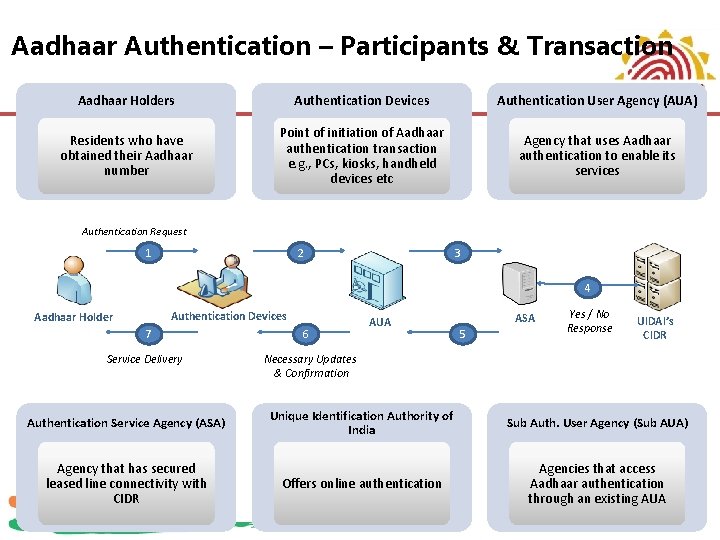
Aadhaar Authentication – Participants & Transaction Aadhaar Holders Authentication Devices Authentication User Agency (AUA) Residents who have obtained their Aadhaar number Point of initiation of Aadhaar authentication transaction e. g. , PCs, kiosks, handheld devices etc Agency that uses Aadhaar authentication to enable its services Authentication Request 1 2 3 4 Authentication Devices Aadhaar Holder 7 Service Delivery 6 AUA ASA 5 Yes / No Response UIDAI’s CIDR Necessary Updates & Confirmation Authentication Service Agency (ASA) Unique Identification Authority of India Sub Auth. User Agency (Sub AUA) Agency that has secured leased line connectivity with CIDR Offers online authentication Agencies that access Aadhaar authentication through an existing AUA
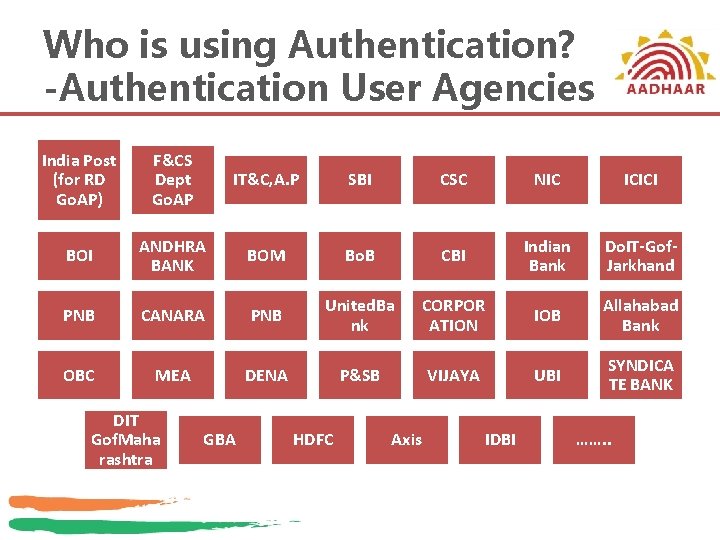
Who is using Authentication? -Authentication User Agencies India Post (for RD Go. AP) F&CS Dept Go. AP IT&C, A. P SBI CSC NIC ICICI BOI ANDHRA BANK BOM Bo. B CBI Indian Bank Do. IT-Gof. Jarkhand PNB CANARA PNB United. Ba nk CORPOR ATION IOB Allahabad Bank OBC MEA DENA P&SB VIJAYA UBI SYNDICA TE BANK DIT Gof. Maha rashtra GBA HDFC Axis IDBI ……. .
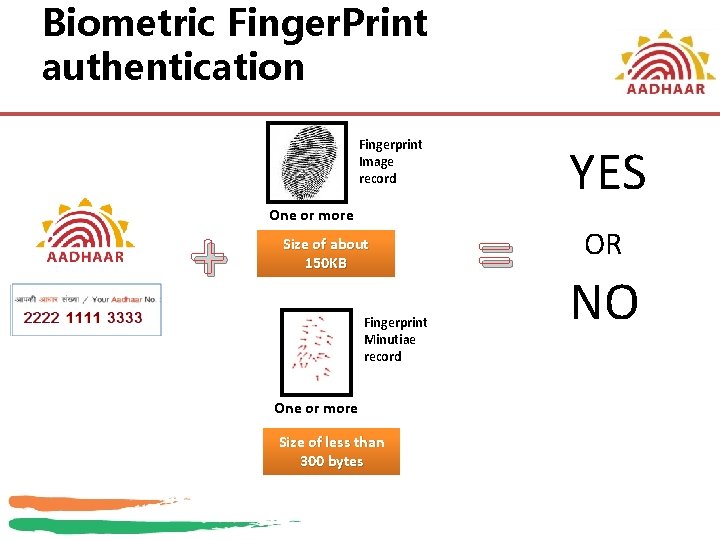
Biometric Finger. Print authentication Fingerprint Image record + One or more Size of about 150 KB Fingerprint Minutiae record One or more Size of less than 300 bytes YES = OR NO
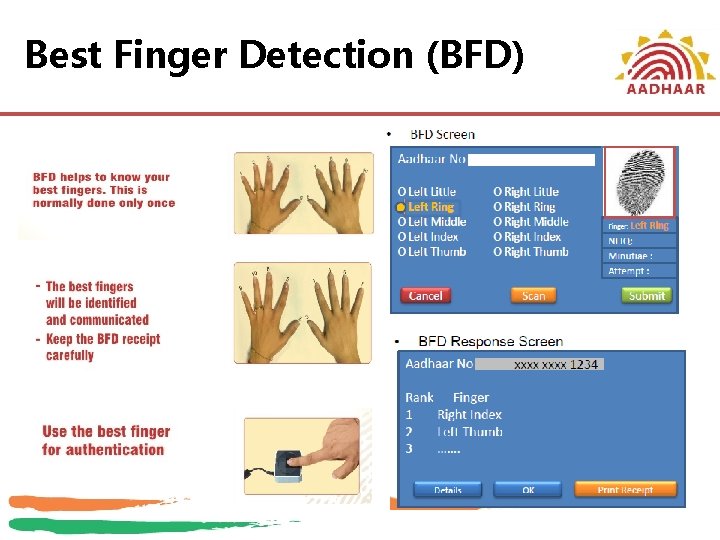
Best Finger Detection (BFD)
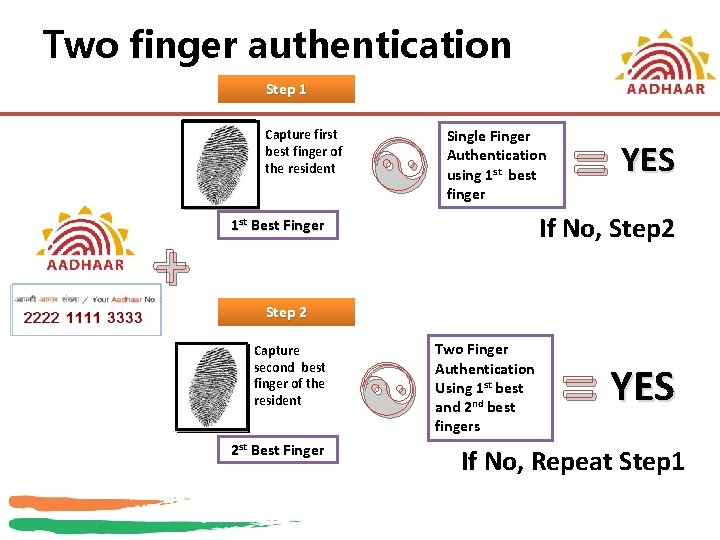
Two finger authentication Step 1 Capture first best finger of the resident + [ Single Finger Authentication using 1 st best finger = YES If No, Step 2 1 st Best Finger Step 2 Capture second best finger of the resident 2 st Best Finger [ Two Finger Authentication Using 1 st best and 2 nd best fingers = YES If No, Repeat Step 1
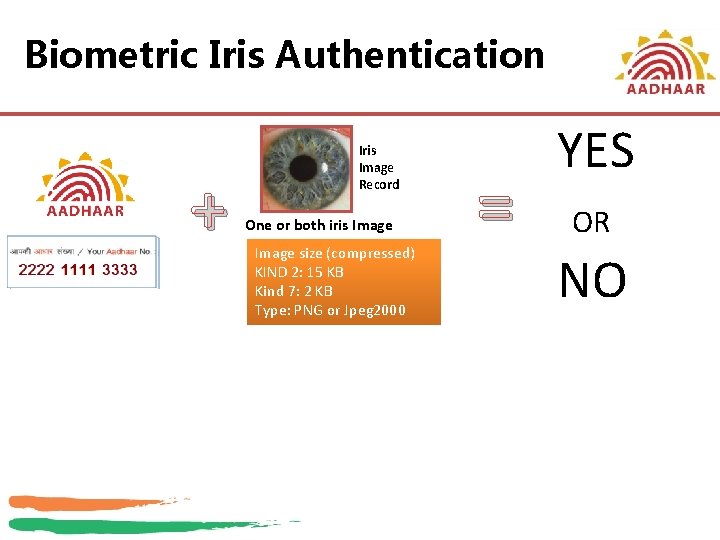
Biometric Iris Authentication + Iris Image Record One or both iris Image size (compressed) KIND 2: 15 KB Kind 7: 2 KB Type: PNG or Jpeg 2000 = YES OR NO
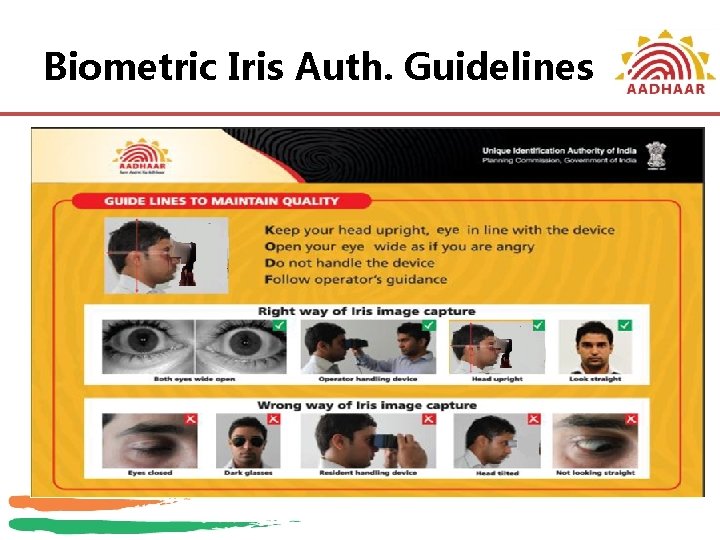
Biometric Iris Auth. Guidelines
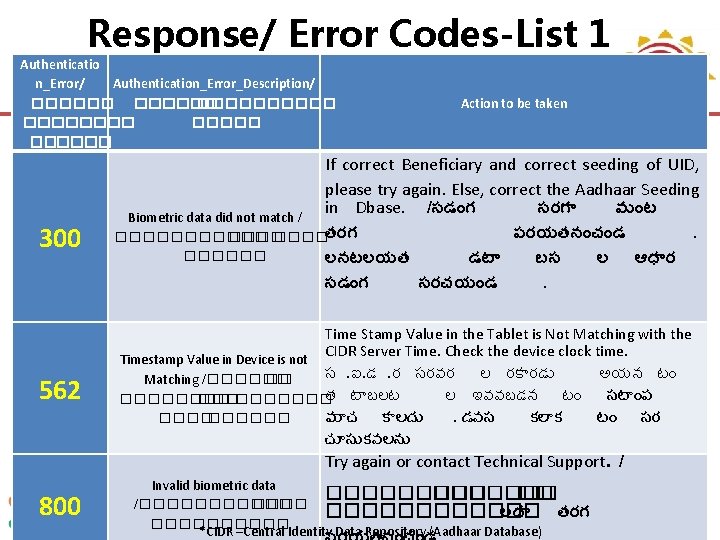
Response/ Error Codes-List 1 Authenticatio n_Error/ Authentication_Error_Description/ ������ �������� 300 562 Action to be taken If correct Beneficiary and correct seeding of UID, please try again. Else, correct the Aadhaar Seeding in Dbase. /సడ గ సరగ వ ట Biometric data did not match / పరయతన చ డ. ������తరగ ������ లనటలయత డట బస ల ఆధ ర సడ గ సరచయ డ. Time Stamp Value in the Tablet is Not Matching with the CIDR Server Time. Check the device clock time. Timestamp Value in Device is not స. ఐ. డ. ర సరవర ల రక రడ అయన ట Matching /������ �� త ట బలట ల ఇవవబడన ట సట ప ���������� మ చ క లద . డవస కల క ట సర ����� చ స కవలన Try again or contact Technical Support. / 800 Invalid biometric data ������� �� /�������� లద తరగ ���� *CIDR –Central Identity Data Repository (Aadhaar Database)
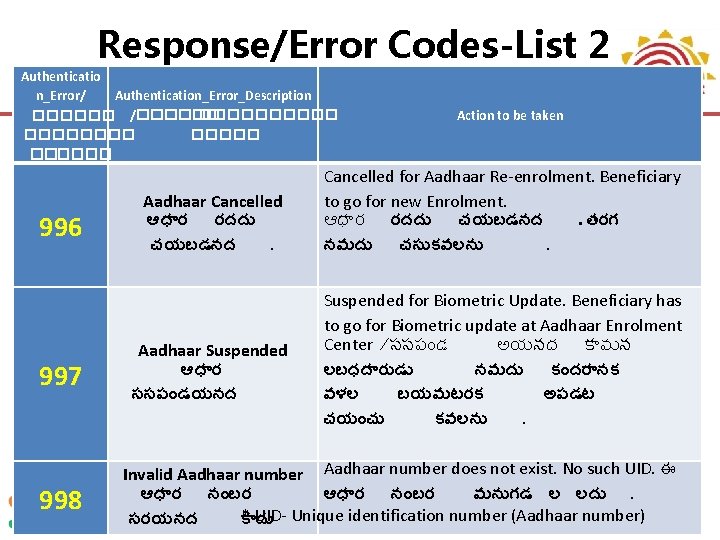
Response/Error Codes-List 2 Authenticatio n_Error/ Authentication_Error_Description ������ /������ ������ 996 997 998 Aadhaar Cancelled ఆధ ర రదద చయబడనద. Aadhaar Suspended ఆధ ర ససప డయనద Action to be taken Cancelled for Aadhaar Re-enrolment. Beneficiary to go for new Enrolment. ఆధ ర రదద చయబడనద. తరగ నమద చస కవలన . Suspended for Biometric Update. Beneficiary has to go for Biometric update at Aadhaar Enrolment Center /ససప డ అయనద క వ న లబధద ర డ నమద క దర నక వళల బయమటరక అపడట చయ చ కవలన . Invalid Aadhaar number does not exist. No such UID. ఈ ఆధ ర న బర మన గడ ల లద . * UID- Unique identification number (Aadhaar number) సరయనద క ద
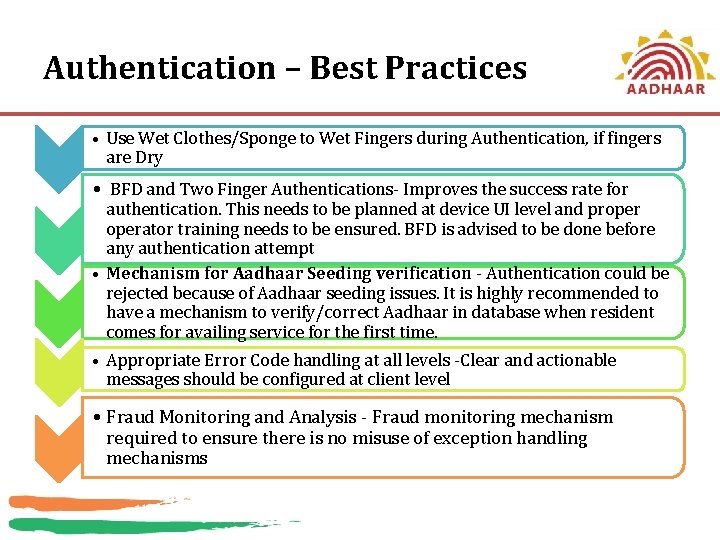
Authentication – Best Practices • Use Wet Clothes/Sponge to Wet Fingers during Authentication, if fingers are Dry • BFD and Two Finger Authentications- Improves the success rate for authentication. This needs to be planned at device UI level and properator training needs to be ensured. BFD is advised to be done before any authentication attempt • Mechanism for Aadhaar Seeding verification - Authentication could be rejected because of Aadhaar seeding issues. It is highly recommended to have a mechanism to verify/correct Aadhaar in database when resident comes for availing service for the first time. • Appropriate Error Code handling at all levels -Clear and actionable messages should be configured at client level • Fraud Monitoring and Analysis - Fraud monitoring mechanism required to ensure there is no misuse of exception handling mechanisms
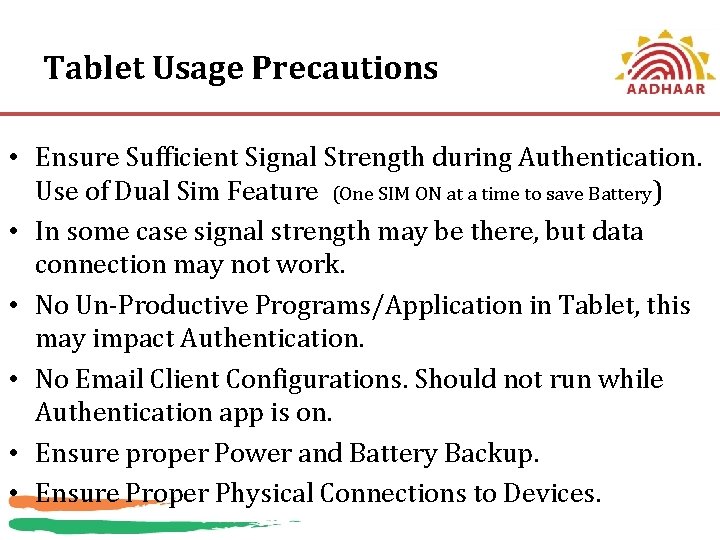
Tablet Usage Precautions • Ensure Sufficient Signal Strength during Authentication. Use of Dual Sim Feature (One SIM ON at a time to save Battery) • In some case signal strength may be there, but data connection may not work. • No Un-Productive Programs/Application in Tablet, this may impact Authentication. • No Email Client Configurations. Should not run while Authentication app is on. • Ensure proper Power and Battery Backup. • Ensure Proper Physical Connections to Devices.
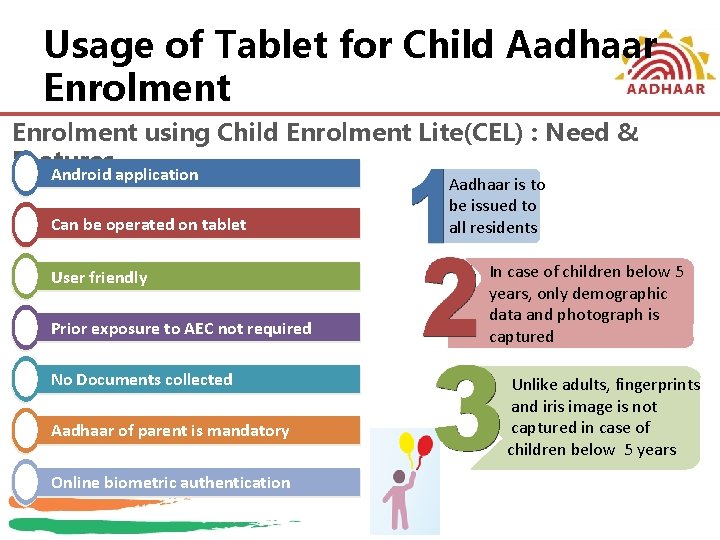
Usage of Tablet for Child Aadhaar Enrolment using Child Enrolment Lite(CEL) : Need & Features Android application Can be operated on tablet User friendly Prior exposure to AEC not required No Documents collected Aadhaar of parent is mandatory Online biometric authentication Aadhaar is to be issued to all residents In case of children below 5 years, only demographic data and photograph is captured Unlike adults, fingerprints and iris image is not captured in case of children below 5 years
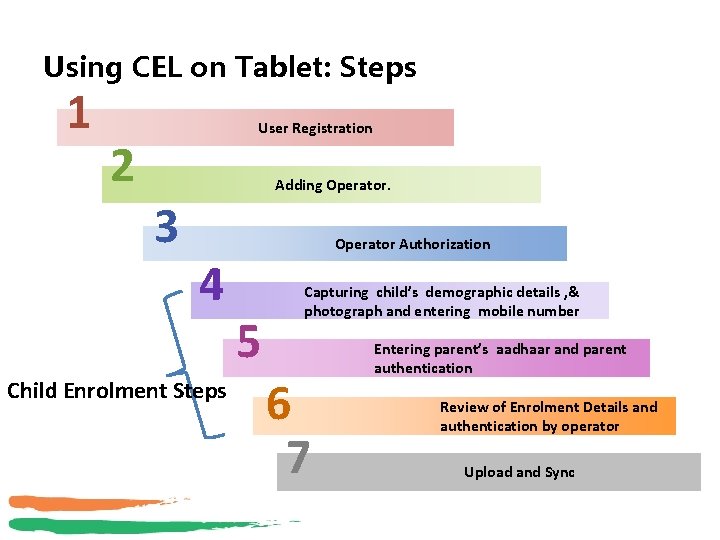
Using CEL on Tablet: Steps 1 2 User Registration Adding Operator. 3 4 Child Enrolment Steps Operator Authorization 5 Capturing child’s demographic details , & photograph and entering mobile number 6 7 Entering parent’s aadhaar and parent authentication Review of Enrolment Details and authentication by operator Upload and Sync
Support from UIDAI RO Hyderabad Roh. help@uidai. net. in ( for EID/UID Related issues) kulwanth. chawla@uidai. net. in, Field Support Engr. naresh. tumma@uidai. net. in , State Resource Person srinivas. rao@uidai. net. in , Asst. Director General Jun-21 23
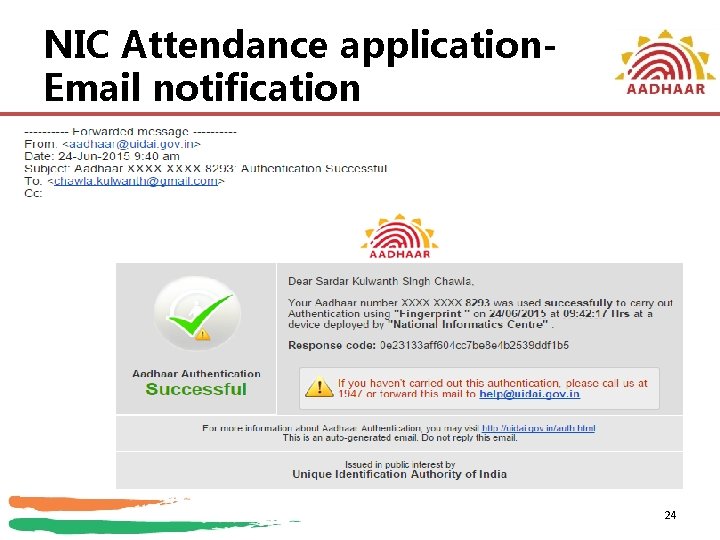
NIC Attendance application. Email notification 24
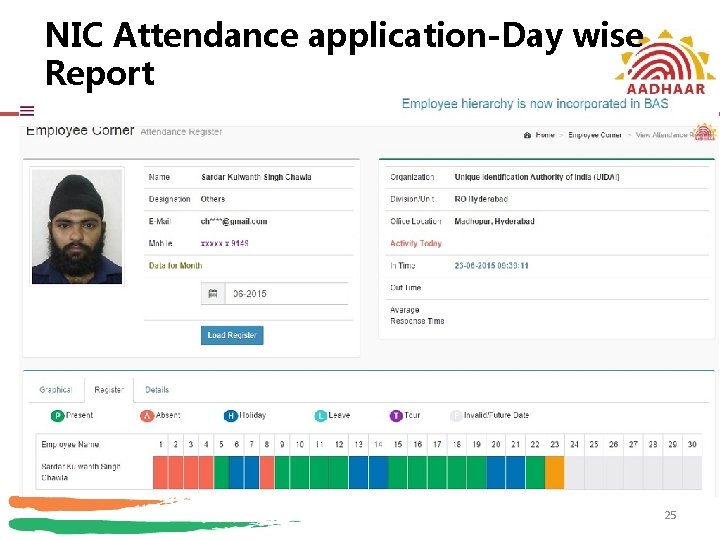
NIC Attendance application-Day wise Report 25
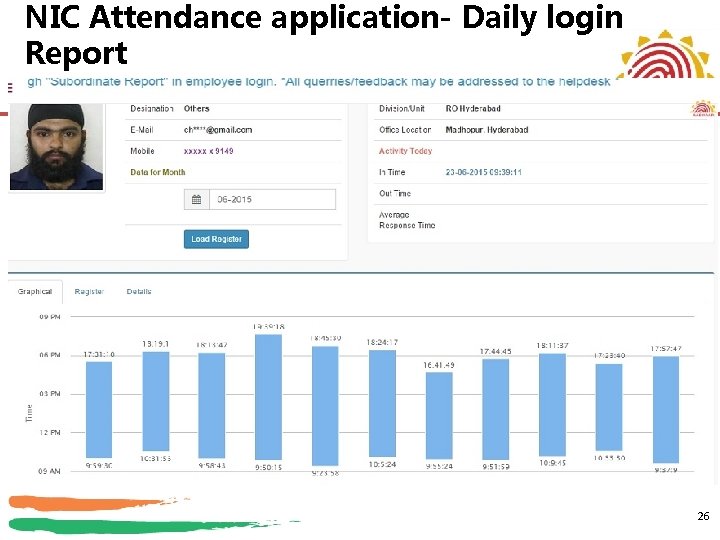
NIC Attendance application- Daily login Report 26
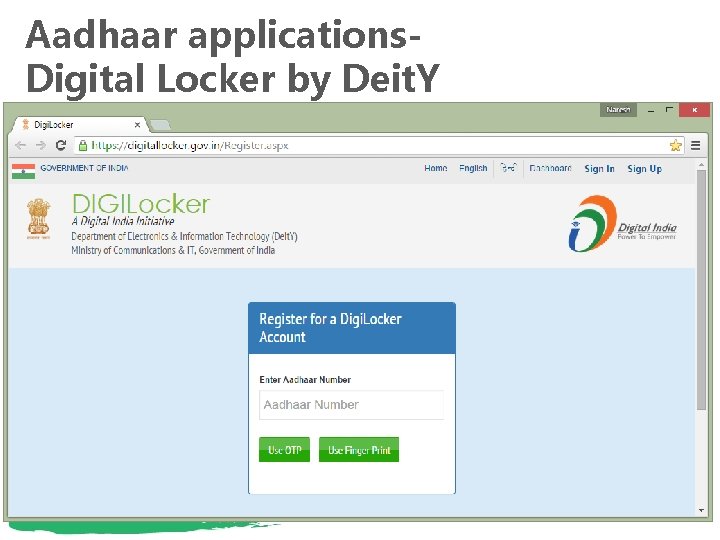
Aadhaar applications. Digital Locker by Deit. Y
THANK YOU 28
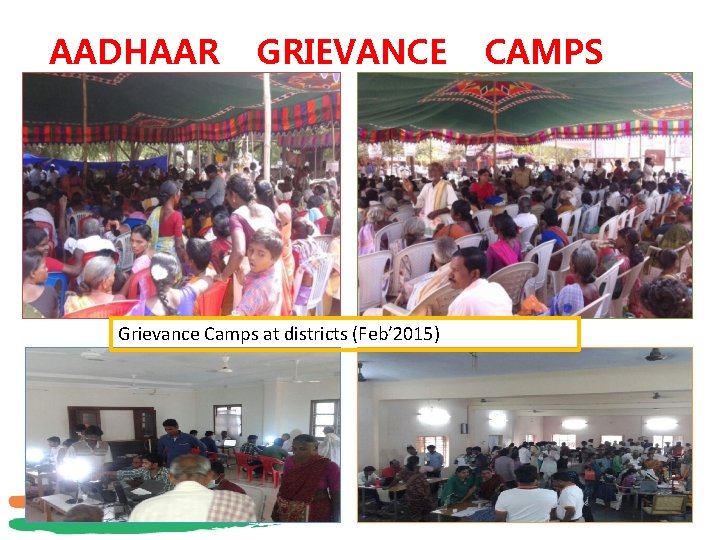
AADHAAR GRIEVANCE CAMPS Grievance Camps at districts (Feb’ 2015) 29
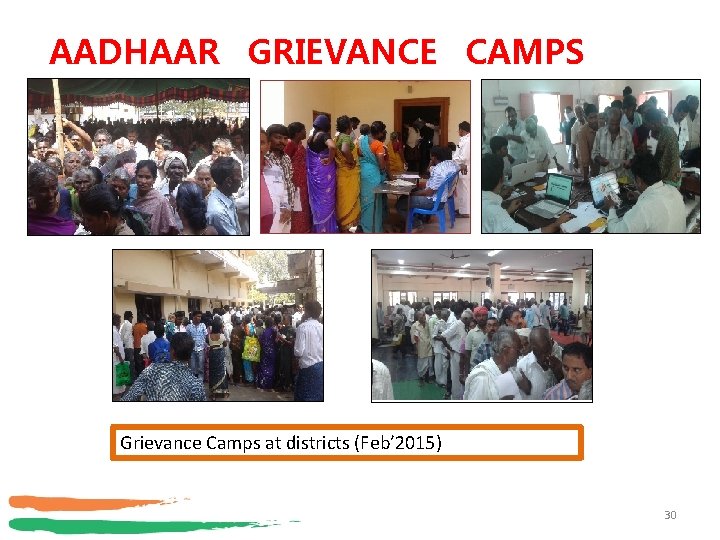
AADHAAR GRIEVANCE CAMPS Grievance Camps at districts (Feb’ 2015) 30