
UC 7 0 Install and Upgrade Changes TOI

- Slides: 22
UC 7. 0 Install and Upgrade Changes TOI Josh Rose UCBU Software Engineer Presentation_ID © 2006 Cisco Systems, Inc. All rights reserved. Cisco Confidential 1
Topics § Install Changes Since UC 2. x Cluster Installation Subscriber U 1 Installs (patch during install) Clusters and Locales § Upgrades General Upgrade Info Cluster upgrades § Install and Upgrade Logs Presentation_ID © 2006 Cisco Systems, Inc. All rights reserved. Cisco Confidential 2
Install Changes Since UC 2. x § Unity Connection 7. 0 2 server cluster installations (“Active/Active pair”) CUC Active/Active pairs help achieve redundancy as well as higher voice port capacities. CUC Active/Active pairs are essentially mirrored servers, so message storage capacity is not increased in an Active/Active pair. Locales and Clusters. § U 1 Installations (“upgrade during install”) Needed for subscriber server replacement when a cluster is running a reduced ES version. Presentation_ID © 2006 Cisco Systems, Inc. All rights reserved. Cisco Confidential 3
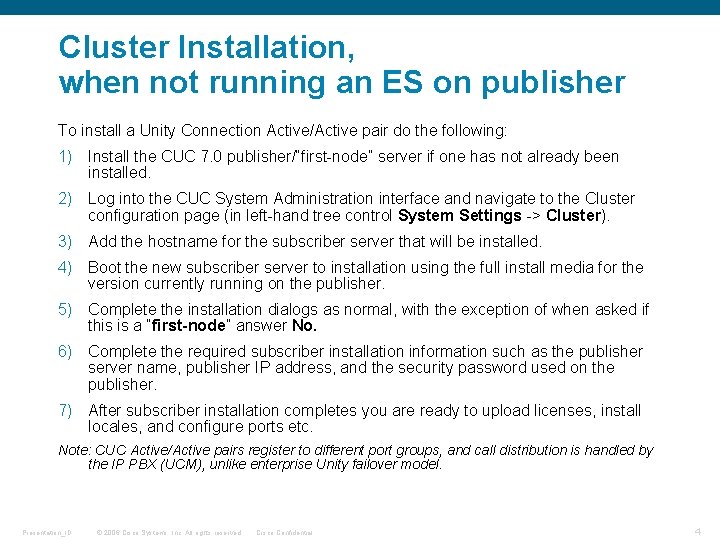
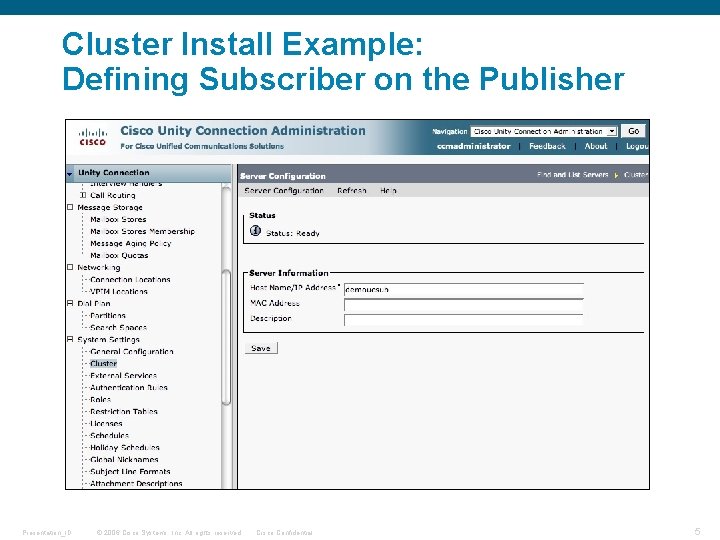
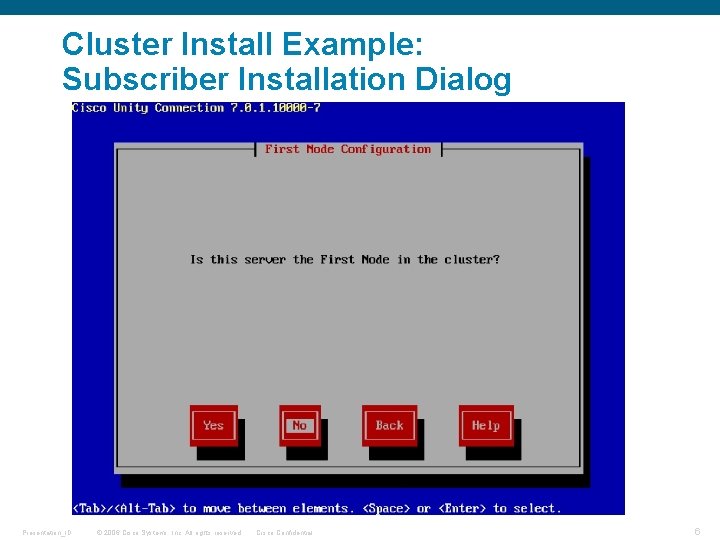
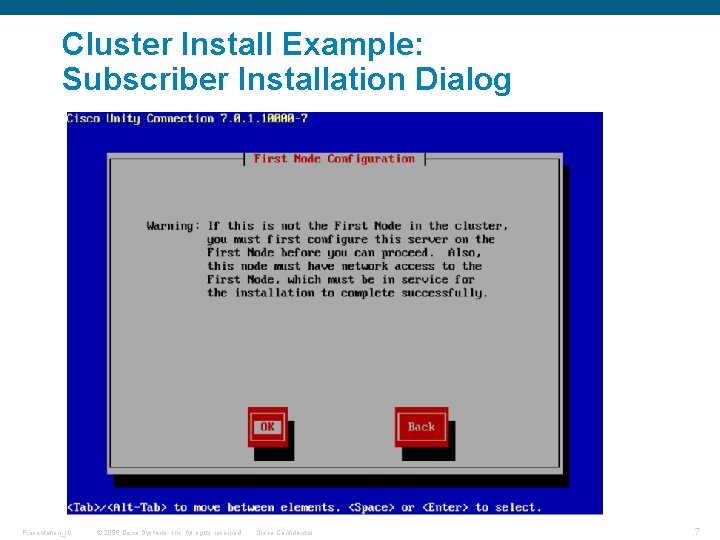
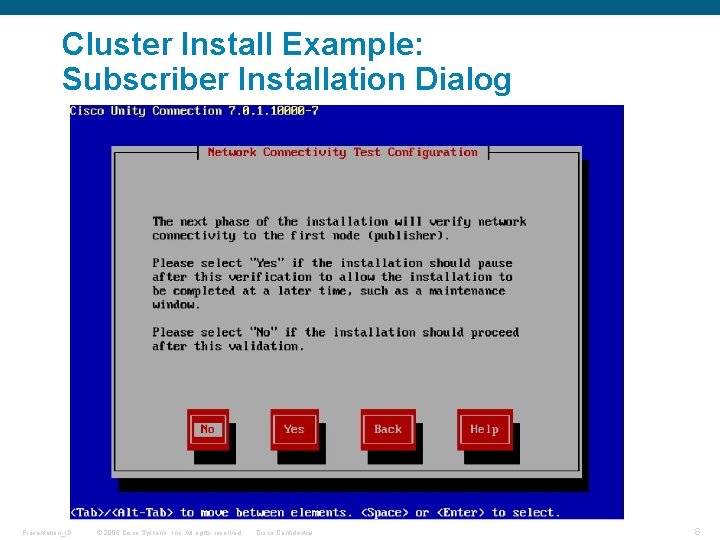
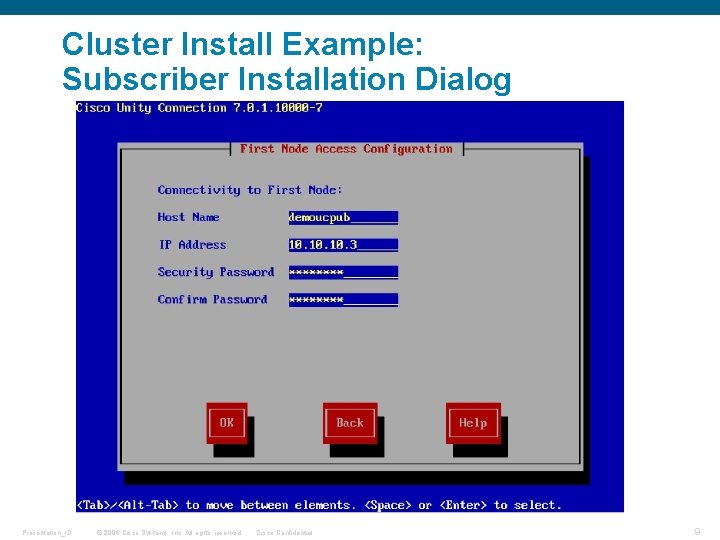
Cluster Installation, when not running an ES on publisher To install a Unity Connection Active/Active pair do the following: 1) Install the CUC 7. 0 publisher/“first-node” server if one has not already been installed. 2) Log into the CUC System Administration interface and navigate to the Cluster configuration page (in left-hand tree control System Settings -> Cluster). 3) Add the hostname for the subscriber server that will be installed. 4) Boot the new subscriber server to installation using the full install media for the version currently running on the publisher. 5) Complete the installation dialogs as normal, with the exception of when asked if this is a “first-node” answer No. 6) Complete the required subscriber installation information such as the publisher server name, publisher IP address, and the security password used on the publisher. 7) After subscriber installation completes you are ready to upload licenses, install locales, and configure ports etc. Note: CUC Active/Active pairs register to different port groups, and call distribution is handled by the IP PBX (UCM), unlike enterprise Unity failover model. Presentation_ID © 2006 Cisco Systems, Inc. All rights reserved. Cisco Confidential 4
Cluster Install Example: Defining Subscriber on the Publisher Presentation_ID © 2006 Cisco Systems, Inc. All rights reserved. Cisco Confidential 5
Cluster Install Example: Subscriber Installation Dialog Presentation_ID © 2006 Cisco Systems, Inc. All rights reserved. Cisco Confidential 6
Cluster Install Example: Subscriber Installation Dialog Presentation_ID © 2006 Cisco Systems, Inc. All rights reserved. Cisco Confidential 7
Cluster Install Example: Subscriber Installation Dialog Presentation_ID © 2006 Cisco Systems, Inc. All rights reserved. Cisco Confidential 8
Cluster Install Example: Subscriber Installation Dialog Presentation_ID © 2006 Cisco Systems, Inc. All rights reserved. Cisco Confidential 9
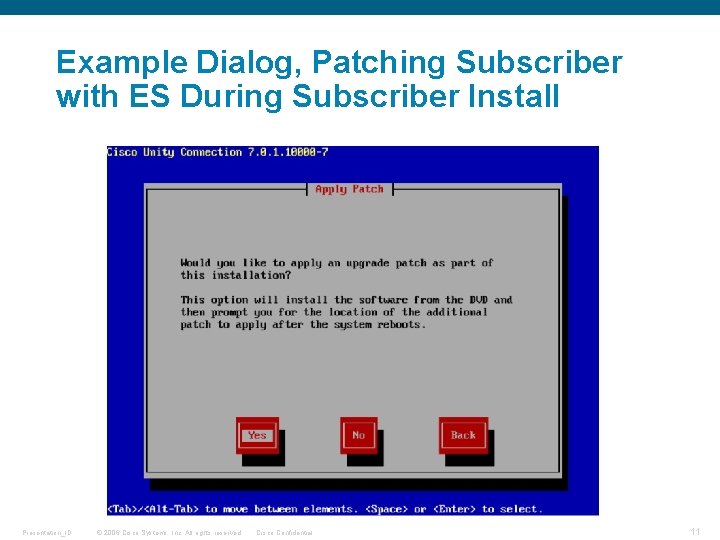
Unity Connection Cluster Installation, When Pub is Running an ES Version, (“The U 1 Subscriber Install”) To install a Unity Connection Active/Active subscriber when the publisher (“first-node”) is running an ES version: 1. Before starting the subscriber installation place the ES. iso file on an FTP or SFTP server that can be reached by the subscriber server during installation. 2. The same instructions as described previously would be followed with the following exceptions: 1. Step 4) ES Difference: Since there would not be full install media available for the ES version you would boot the new subscriber server using a full 7. 0 install media older than the target ES version. 2. Before Step 5) ES Difference: When asked if you would like to apply a patch during installation answer yes, and provide FTP or SFTP server information and ES file location. All other steps are exactly the same as the normal subscriber install. Presentation_ID © 2006 Cisco Systems, Inc. All rights reserved. Cisco Confidential 10
Example Dialog, Patching Subscriber with ES During Subscriber Install Presentation_ID © 2006 Cisco Systems, Inc. All rights reserved. Cisco Confidential 11
Clusters and Locales are still installed from. cop files as they were in Unity Connection 2. x. The locale installation is still performed through either the OS administration web interface (Software Upgrades -> Install/Upgrade), or through the CLI interface (“utils system upgrade initiate”). The only special consideration for running locales in a cluster is that the locale must be manually installed on both servers in the Active/Active pair. Presentation_ID © 2006 Cisco Systems, Inc. All rights reserved. Cisco Confidential 12
Upgrades § Upgrade Methods § Cluster Upgrades (New with UC 7. x) § Upgrade Logs Presentation_ID © 2006 Cisco Systems, Inc. All rights reserved. Cisco Confidential 13
Upgrades Methods § Upgrading through OS Web Page § Upgrading through the CLI Presentation_ID © 2006 Cisco Systems, Inc. All rights reserved. Cisco Confidential 14
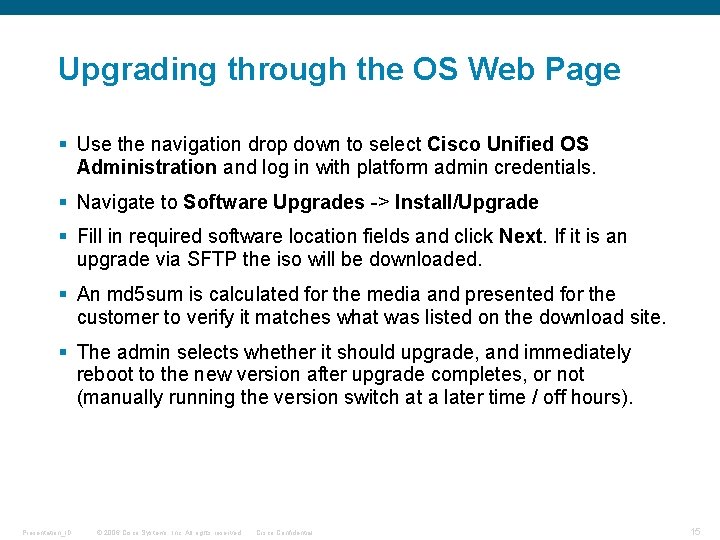
Upgrading through the OS Web Page § Use the navigation drop down to select Cisco Unified OS Administration and log in with platform admin credentials. § Navigate to Software Upgrades -> Install/Upgrade § Fill in required software location fields and click Next. If it is an upgrade via SFTP the iso will be downloaded. § An md 5 sum is calculated for the media and presented for the customer to verify it matches what was listed on the download site. § The admin selects whether it should upgrade, and immediately reboot to the new version after upgrade completes, or not (manually running the version switch at a later time / off hours). Presentation_ID © 2006 Cisco Systems, Inc. All rights reserved. Cisco Confidential 15
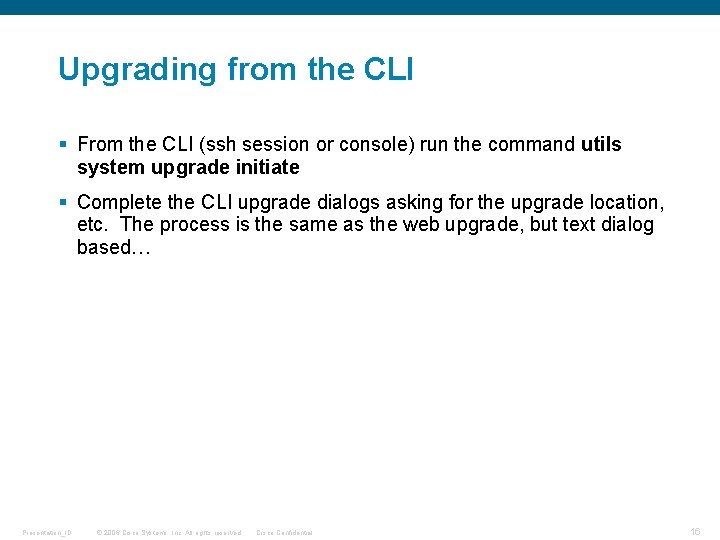
Upgrading from the CLI § From the CLI (ssh session or console) run the command utils system upgrade initiate § Complete the CLI upgrade dialogs asking for the upgrade location, etc. The process is the same as the web upgrade, but text dialog based… Presentation_ID © 2006 Cisco Systems, Inc. All rights reserved. Cisco Confidential 16
Version Switch § Version switch is where data migration between versions happens, on systems with lots of data it can take over an hour. § Once the version switch data migration completes the server will reboot. § Version switch can be ran from the OS administration web page under Settings -> Version, and clicking Switch Version § Version switch can also be ran from the CLI command utils system switch-version § In a UC cluster the publisher version switch can be ran either before, or after, the subscriber node has been upgraded. Presentation_ID © 2006 Cisco Systems, Inc. All rights reserved. Cisco Confidential 17
Reduced ES iso Upgrades § Full isos have a file name like UCSInstall_UCOS_7. 0. 1. 10005. sgn. iso, and these files can be used for fresh installs. § Reduced ES upgrades have a file name like UCSInstall_UCOS_ES_7. 0. 1. 1000 -5. sgn. iso, and can only be used if you are on a recent enough version. § The admin runs an ES upgrade in the same way as a full upgrade. § ESs are much smaller, generally about half the size of the full ~2. 7 gb install media. They are smaller because they only contain RPMs that contain changes since the last “point” version. Presentation_ID © 2006 Cisco Systems, Inc. All rights reserved. Cisco Confidential 18
Cluster Upgrades § You must upgrade the publisher before the subscriber upgrade. Switching version on the publisher can happen either before, or after, a subscriber version switch. § The publisher must be running during a subscriber upgrade. § U 1 upgrades have been introduced to support clustering. Presentation_ID © 2006 Cisco Systems, Inc. All rights reserved. Cisco Confidential 19
Installation and Upgrade Logs § Install and upgrade logs are physically located on the /common partition (/common/log/install/) § Upgrade logs can be gathered via RTMT (“install logs” in the log/trace gathering tool), or via the CLI commands file list install * and file get install <filename>. § The first installs log is named install. log. Upgrade and optional package install logs are named install_log_<year>-<month#><day>-<hour>-<min>-<second>. log § If a critical error occurs that prevents installation or upgrade that error is logged by itself in the file critical. log, as well as the larger install log. Presentation_ID © 2006 Cisco Systems, Inc. All rights reserved. Cisco Confidential 20
Upgrades § Upgrade Methods § Upgrade Types § Cluster Upgrades (New with UC 7. x) § Upgrade Logs Presentation_ID © 2006 Cisco Systems, Inc. All rights reserved. Cisco Confidential 21
Presentation_ID © 2006 Cisco Systems, Inc. All rights reserved. Cisco Confidential 22