
UBU Your Place Your Space Drawdown Sheet Financial
UBU Your Place Your Space Drawdown Sheet Financial Template ETB Familiarisation Session: Thursday, 3 rd December 2020.
ETB Familiarisation Session: Purpose Familiarise ETBs: • UBU Performance & Oversight Engagement Framework Section 6 “Financial Template & Drawdown Sheet” • UBU Drawdown Sheet • UBU Financial Template
ETB Familiarisation Session: Follow Up • Recording of this session • Slide Deck for this session will be made available • 2 examples of UBU Drawdown Sheet & Financial Template covering Strand A, B, C will be made available • Please submit any queries/questions you have during the session into the Q&A window or email to celene. dunne@etbi. ie
UBU Performance Oversight & Engagement Framework (POEF) • POEF has been designed to provide stakeholders with a set of standardised tools, templates and guidance • Collecting information consistently across the sector • All tools, templates and guidance provided will be used by all UBU Funded Organisations and ETBs. • Section 6 – “Financial Template & Drawdown Sheet” (page 40 -48)
POEF: ETB Role • Provide capacity building to FOs for each of the POEF tools, templates and guidance • Provide ongoing support and guidance to FOs in the use of the POEF tools, templates and guidance • Convene and participate in Planning and Progress Review Meetings with each Funded Organisation • Participate in the trialling and testing of new tools • Provide feedback to the Department in relation to the POEF • Collect and maintain all information gathered appropriately
Planning & Progress Review Meeting (PPRM) • PPRM is located at Section 4 of the POEF • The Planning and Progress Review Meetings are key to the overall governance of the UBU Your Place Your Space scheme • PPRM is a face to face meeting between the ETB and the Funded Organisation that takes place at least three times per year. • Agenda Item 5: Review the Financial Template and Drawdown Sheet - review the overall budget as indicated on the financial template discuss and/or agree movement between headings based on actual spend. Note: that Planning and Progress Review Meetings may not fall in line with quarterly financial periods
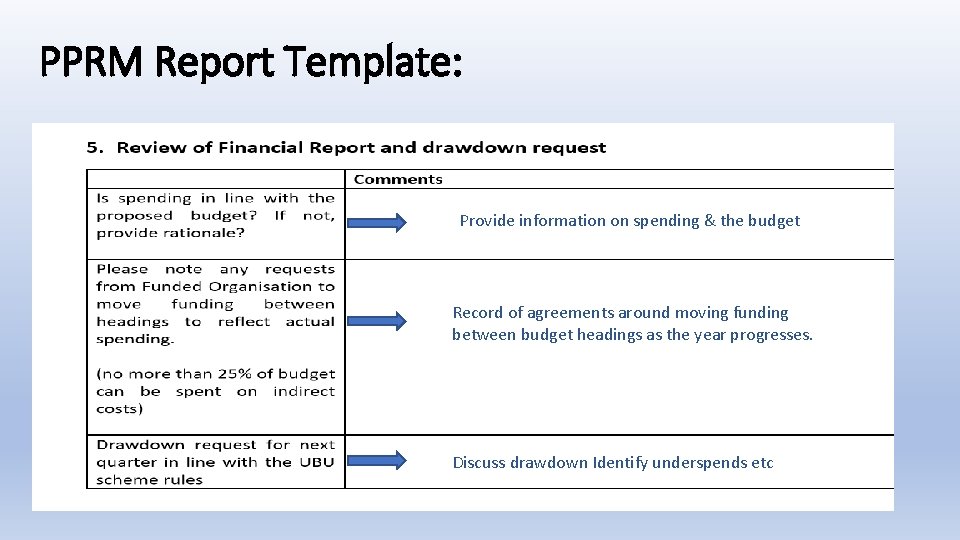
PPRM Report Template: Provide information on spending & the budget Record of agreements around moving funding between budget headings as the year progresses. Discuss drawdown Identify underspends etc
Key Information: UBU Drawdown Sheet & Financial Template • Will be ‘live’ on the UBU website 7 th December 2020 • For use by all ETBs & UBU FO from 1 st January 2021 The Drawdown Sheet and Financial Template are issued using Excel 2016. Each FO should ensure that it has the necessary Microsoft updates to access and save & edit this version of Excel
Purpose: Drawdown Sheet: The drawdown sheet will allow the ETB to make a grant payment to the FO under Strand A, B and C. Financial Template: The Financial Template will allow the FO & ETB to monitor spending under direct and indirect cost headings.
Stakeholder Role: DCEDIY • DCEDIY are the grantor of the scheme • Notification of annual UBU allocation by strand to ETBs • Process UBU drawdown requests received from ETBs
Stakeholder Role: ETB Intermediary Quarterly drawdown requests to DCEDIY Inform each FO of its annual allocation Communicate the ETB’s payment schedule to the FOs and advise when they should submit their Drawdown Sheet to the ETB Review the submitted Drawdown Sheet to ensure completeness and accuracy Submit the Drawdown Sheet to the appropriate finance section of your ETB for payment Review the Financial Template to ensure completeness and accuracy Discuss arising budget and spending issues at the PPRM noting that arising issues may be discussed at any stage Submit the ‘Quarterly Report’ from the Financial Template for each FO to DCEDIY on a quarterly basis
Stakeholder Role: FO Download the Drawdown Sheet and Financial Template from the UBU Your Place Your Space website Fill in the Drawdown Sheet and ensure that the drawdown is signed by the appropriate person Submit the Drawdown Sheet to ETB on a quarterly basis Complete the Financial Template for Strand A, B and C as appropriate, on a monthly basis Ensure that the Financial Template is signed for the appropriate quarter Submit the Financial Template to your ETB on a quarterly basis Raise relevant budget issues with your ETB at the PPRM, noting that arising issues may be discussed at any stage
ETB: Steps in the process • Following receipt of the annual DCEDIY allocation letter, the ETB should make a drawdown request to the Department (use the normal drawdown sheet). For quarter one, the ETB may make a drawdown request to the Department based on 25% of the previous year’s allocation, prior to receipt of the DCEDIY allocation letter. For 2021 a notification on this will issue before the end of the year. • The ETB should inform Funded Organisations under its remit of its allocation under each UBU strand. For quarter one 2021, should the ETB still be awaiting the formal DCEDIY allocation notification, the Department can inform you what the appropriate strand amount should be • The ETB should also inform the Funded Organisation of its payment schedule and advise when the Drawdown Sheet should be submitted to the ETB
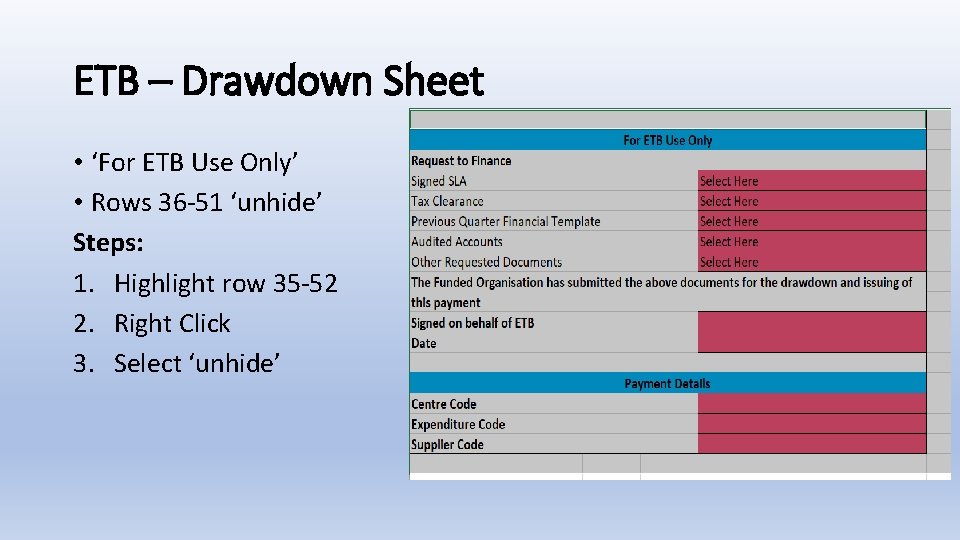
ETB – Drawdown Sheet • ‘For ETB Use Only’ • Rows 36 -51 ‘unhide’ Steps: 1. Highlight row 35 -52 2. Right Click 3. Select ‘unhide’
ETB – Financial Template • ETB should ensure that it has been checked for completion and accuracy, and that each FO is in compliance with the UBU Policy and Operating Rules or meeting any Action Plan obligations • Issues should be recorded and communicated to the Funded Organisation at the PPRM meeting. If urgent or of a serious nature, issues should be addressed immediately • ETBs & FOs can track quarterly spend by clicking on the ‘Quarterly Report’ tab. This will show by quarter, if FO has and overspend or underspend. It will also show by quarter, if FO are meeting the 75/25 rule. You can view the Strand B percentage of overall spend.
ETB – Quarterly Report to DCEDIY Each quarter ETBs send the quarterly report sheet as a PDF to DCEDIY One Quarterly Report per UBU Unique Identifier Steps: 1. On keyboard press Ctrl+P Keys 2. Under ‘printer’ select: ‘Microsoft Print to PDF 3. Under settings change ‘portrait orientation to ‘landscape orientation 4. Under settings change ‘no scaling’ to ‘fit sheet on one page’ 5. Click print to save
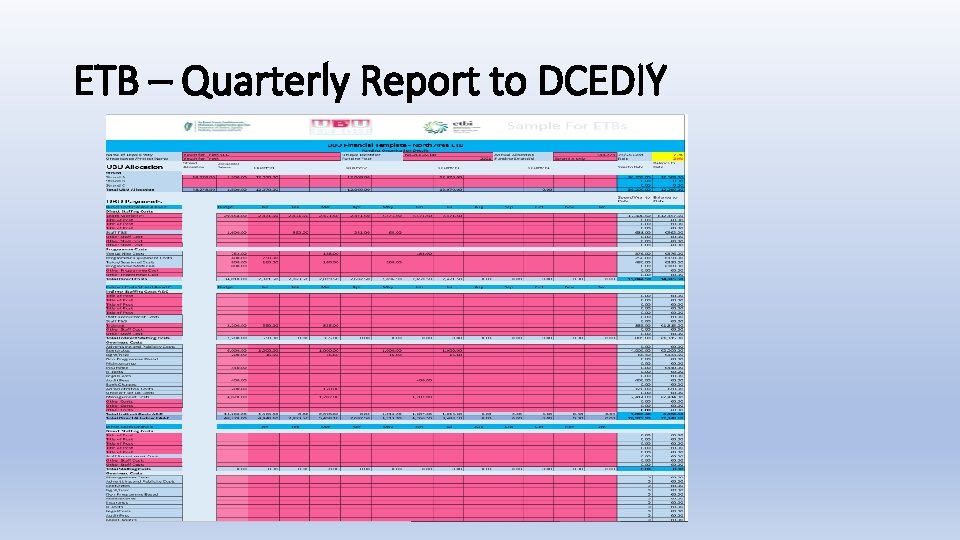
ETB – Quarterly Report to DCEDIY
ETB Quarterly Report Submission: ETBs submit a ‘Quarterly Report’ per Unique Identifier in a PDF format to the Compliance Inbox YAUCompliance@equality. gov. ie Key Dates For ETB Submissions 2021: Submit Q 1 by 31 st May 2021 Submit Q 2 by 31 st August 2021 Submit Q 3 by 30 th November 2021 Submit Q 4 no later than 28 th February 2022
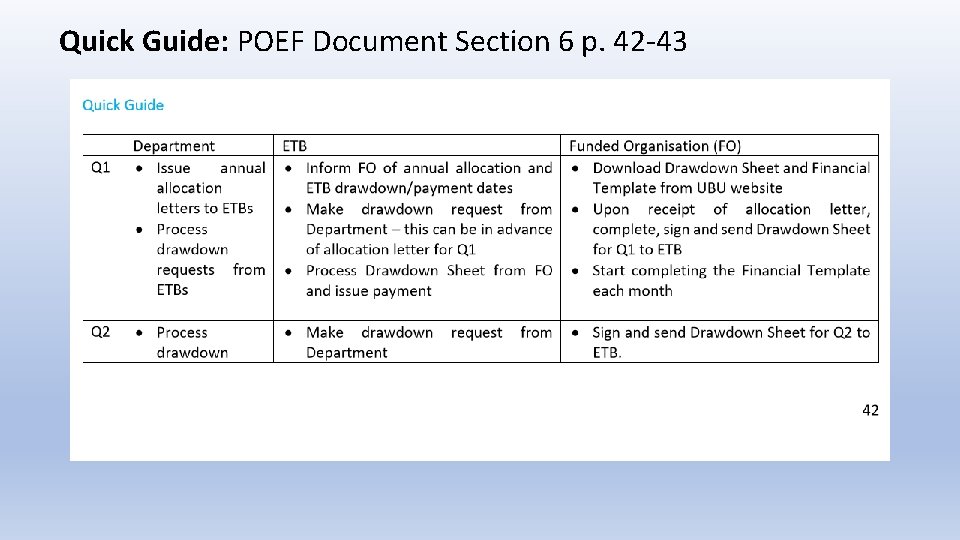
Quick Guide: POEF Document Section 6 p. 42 -43
Quick Guide – ETBs POEF Document Section 6 p. 42 -43 Q 1 2021– ETB • Inform FO of annual allocation and ETB drawdown/payment dates • Make drawdown request to Department • Process Drawdown Sheet from FO and issue payment Q 2 2021 – ETB • Make drawdown request to Department • Process Q 2 Drawdown Sheet from FO and issue payment • Review Q 1 Financial Template • Submit Q 1 quarterly report to DCEDIY by 31 May • Engage on issues at PPRM or directly
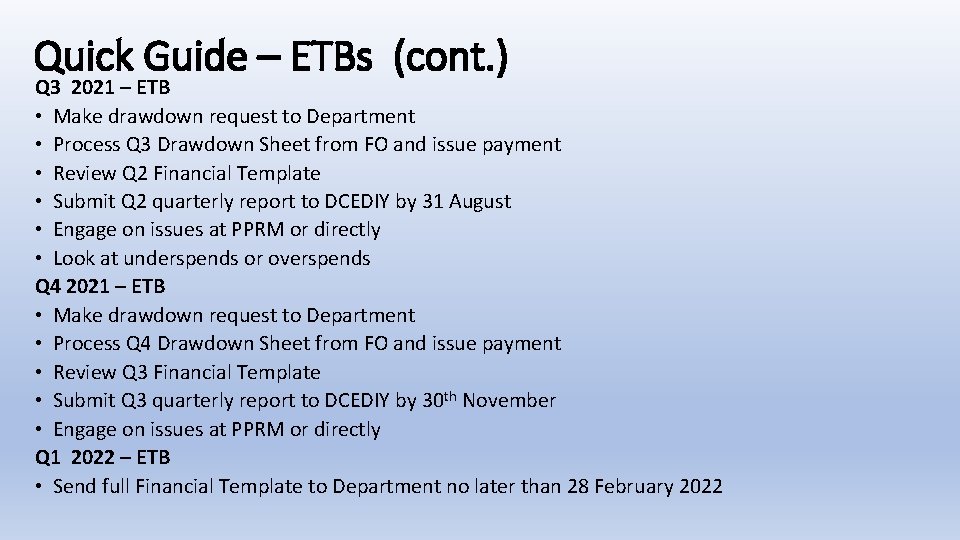
Quick Guide – ETBs (cont. ) Q 3 2021 – ETB • Make drawdown request to Department • Process Q 3 Drawdown Sheet from FO and issue payment • Review Q 2 Financial Template • Submit Q 2 quarterly report to DCEDIY by 31 August • Engage on issues at PPRM or directly • Look at underspends or overspends Q 4 2021 – ETB • Make drawdown request to Department • Process Q 4 Drawdown Sheet from FO and issue payment • Review Q 3 Financial Template • Submit Q 3 quarterly report to DCEDIY by 30 th November • Engage on issues at PPRM or directly Q 1 2022 – ETB • Send full Financial Template to Department no later than 28 February 2022
ETBs Advise FO Role of the ETB to advise FO: • Allocation for the period per Strand – this will be in the allocation letter • Schedule of payments & Drawdown Dates • How to make a submission – email address etc. • Additional documents required by the ETB to make the quarterly payment
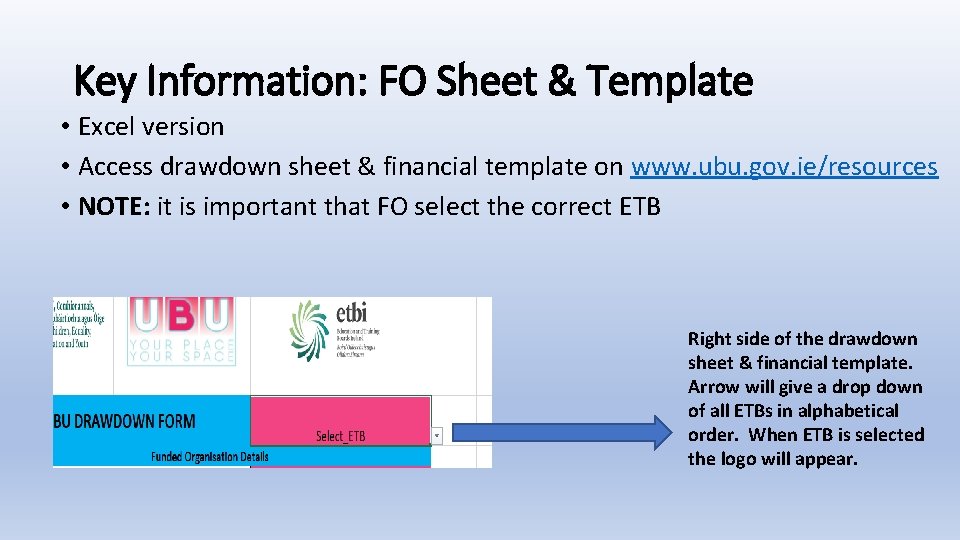
Key Information: FO Sheet & Template • Excel version • Access drawdown sheet & financial template on www. ubu. gov. ie/resources • NOTE: it is important that FO select the correct ETB Right side of the drawdown sheet & financial template. Arrow will give a drop down of all ETBs in alphabetical order. When ETB is selected the logo will appear.
Key Information: FO Sheet & Template • Guidance - FAQ & Pop up boxes & Section 6 POEF • Fill in the red boxes only • Blue boxes will auto calculate • Cells containing formulas have been locked
What guidance is provided? POEF Document – Section 6 page 40 - 48 • Steps in the Process FO section with guidance on filling in the form & template – 41 -42 • Quick Guide: p. 42 -43 last row of the table contains the key information for FO • ‘Things to Consider’ p. 43 • Drawdown Sheet Visual Guide – p. 44 • Financial Template Visual Guide – p. 45 -48
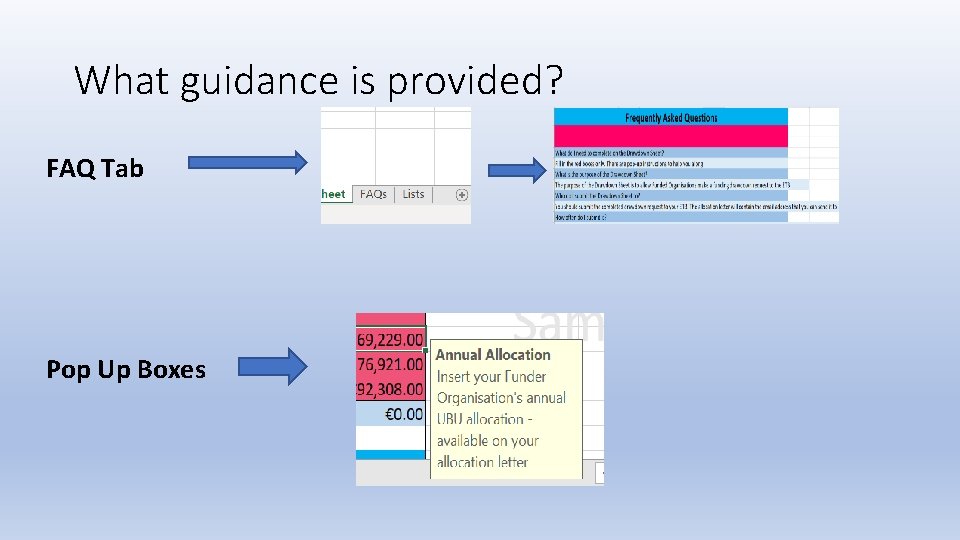
What guidance is provided? FAQ Tab Pop Up Boxes
Key Information for FO – Drawdown Sheet • Review allocation letter from ETB and complete RED boxes in the drawdown sheet • Click on RED cells & pop up instructions will help FO understand what needs to be inserted in the cell • Sign, date statement of assurance & submit drawdown sheet • With the exception of Q 1, the Drawdown Sheet should be accompanied by the Financial Template & any other documents requested by the ETB
Key Information for FO – Financial Template • The Financial Template must be completed on an ongoing basis and submitted the ETB on a quarterly basis • The Financial Template is an item on the PPRM agenda. It provides an opportunity for the ETB and Funded Organisation to discuss the budget, including issues that may arise throughout the year. You do not have to wait for a PPRM to raise issues with your ETB • Review your Allocation Letter along with Sections 4. 2, 4. 4 and 4. 5 (if necessary) of your 2020 UBU Application Form • Make sure you are on the ‘Financial Template’ tab and then complete all of the RED boxes in the Financial Template
Key Information for FO – Financial Template • Under UBU Allocation insert your annual allocation in column B, rows 13 -15. • Once you have received your quarterly payment from your ETB, you should enter the amount received in either column D, G, J or M, rows 13 -15, depending on which quarter payment you have received. • Column Q , rows 13 -16 will tell you how much you have left to drawdown • Monies carried forward from the previous year may be entered under the UBU Allocation section in column C. These unexpended monies must be returned to the relevant ETB
Key Information for FO – Financial Template • Under UBU Payments insert your annual budget breakdown in column C – you should refer to your UBU Application Form and pro-rata this with any increases or reductions in your allocation (if changes to your budget has been agreed with your ETB, then these changes should be reflected here) • In columns D to O, insert payments made under each month against your budgeted amount. You will see your overall spend to date and balance remaining in columns P and Q • Your total spend for Strand A & C direct costs, indirect costs and Strand B costs for each month will appear at the end of sections throughout the spreadsheet • Total monthly and annual balances for all strands will appear at the end of the spreadsheet • You must include each staff member on a separate row. Note: if there are insufficient rows to include all of your staff, you can unhide more rows (steps on p. 42)
Key Information for FO – Financial Template • The Statement of Assurance should be signed and dated for each relevant quarter and then the full Financial Template should submitted to the ETB • FO can track quarterly finance by clicking on the ‘Quarterly Report’ sheet. This will show FO, by quarter, if FO have and overspend or underspend. It will also show FO, by quarter, if you are meeting the 75/25 rule. For Strand B, you can view the Strand B percentage of your overall spend.
Questions & Follow Up Thank You For Your Time & Attention QUESTIONS: Please submit any queries/questions you have to celene. dunne@etbi. ie Answers will be provided over coming days Follow Up: • A recording of this session • Slide deck for this session will be made available • 2 examples of UBU Drawdown Sheet & Financial Template covering strand A, B, C will be made available
- Slides: 32