
U S General Services Administration Veterans Affairs Purchase
- Slides: 45
U. S. General Services Administration Veterans Affairs Purchase Card Program Overview Purchase Card Operations presented by Chelsea Luce
Table of Contents • • Purchase Card Program Roles & Responsibilities Purchase Card Policy Hot Topics Amazon Business Purchase Card Declined Transactions ‒ Manual Authorizations ‒ Merchant Category Code (MCC) Requests • Helpful Links • Purchase Card Audit – Compliance Audit Division
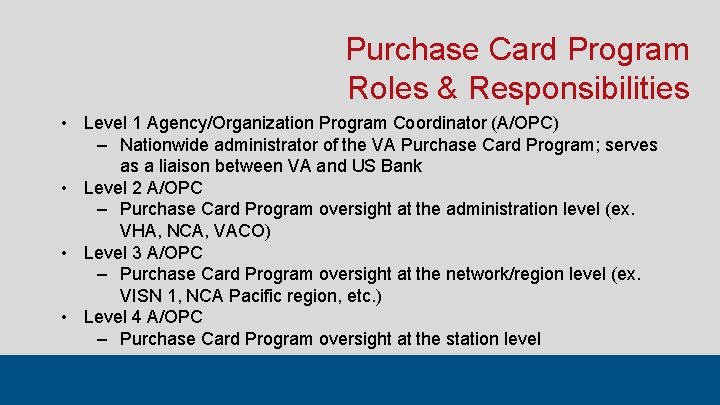
Purchase Card Program Roles & Responsibilities • Level 1 Agency/Organization Program Coordinator (A/OPC) ‒ Nationwide administrator of the VA Purchase Card Program; serves as a liaison between VA and US Bank • Level 2 A/OPC ‒ Purchase Card Program oversight at the administration level (ex. VHA, NCA, VACO) • Level 3 A/OPC ‒ Purchase Card Program oversight at the network/region level (ex. VISN 1, NCA Pacific region, etc. ) • Level 4 A/OPC ‒ Purchase Card Program oversight at the station level
Purchase Card Program Roles & Responsibilities • An alternate A/OPC or AO can be designated, if needed ‒ Alternates are given the same level of access as the Primary A/OPC or AO ‒ Alternates must complete the same training requirements as the Primary ‒ Alternates must adhere to the same rules and regulations as the Primary ‒ Only the Alternate AO is required to sign VA Form 0242 (Governmentwide Purchase Card Certification Form) or VA Form 0242 c (Governmentwide Convenience Check Certification Form)
A/OPC Roles & Responsibilities • Level 4 A/OPCs are responsible for the following: ‒ Entering account applications in US Bank Access Online and submitting the applicable information to Purchase Card Operations for final approval ‒ Investigating potential violations and fraud indicators; monitoring and tracking policy violations; managing and responding to external oversight organizations ‒ Reporting violations and disciplinary actions to the next-level A/OPC; ensuring that supervisors take appropriate actions to address violations ‒ Providing oversight of the Purchase Card Program at the station level ‒ Ensuring mandatory purchase card training is completed and up to date for all cardholders and AOs under their purview ‒ Providing technical guidance for all cardholders and AOs under their purview ‒ Analyzing the effectiveness, efficiency, and productivity of the Purchase Card Program at the station level
Purchase Card Policy Hot Topics • • • Standardized Account Naming Requirements Monthly Transaction Reconciliation Single Purchase Limit Requests in Excess of $3, 500 VA Forms 0242 and 0242 c Training Requirements
Purchase Card Policy Hot Topics Standardized Account Naming Requirements • VA Purchase Card Policy states: Purchase cards will bear the same name as the employee as it appears in the Global Address List (GAL). • A/OPCs must ensure the account name on all new purchase card account applications matches exactly with the GAL in Outlook; Purchase Card Operations checks this during the final approval process • This includes the middle initial, or lack thereof; do not use a nickname • When the name is longer than the US Bank system will allow, fill in as much of the last name as possible, then as much of the first name as possible, then include the middle initial if possible
Purchase Card Policy Hot Topics Monthly Transaction Reconciliation • All purchase card transactions must be fully reconciled by the cardholder and final approved by the AO in Access Online or CAATS by the 15 th calendar day of the month following the billing cycle close date ‒ Example: Transactions for the August 2020 billing cycle (7/24/208/23/20) are due for reconciliation by September 15 th, 2020 • Accounts with transactions not fully reconciled by the 15 th calendar day of the month *following* that are lowered to $1 SPL ‒ Example: Transactions for the August 2020 billing cycle (7/24/208/23/20) are lowered to $1 if not fully reconciled by COB on October 15 th, 2020
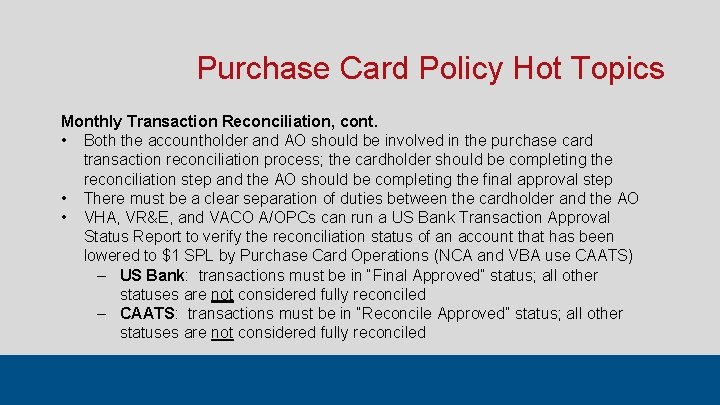
Purchase Card Policy Hot Topics Monthly Transaction Reconciliation, cont. • Both the accountholder and AO should be involved in the purchase card transaction reconciliation process; the cardholder should be completing the reconciliation step and the AO should be completing the final approval step • There must be a clear separation of duties between the cardholder and the AO • VHA, VR&E, and VACO A/OPCs can run a US Bank Transaction Approval Status Report to verify the reconciliation status of an account that has been lowered to $1 SPL by Purchase Card Operations (NCA and VBA use CAATS) ‒ US Bank: transactions must be in “Final Approved” status; all other statuses are not considered fully reconciled ‒ CAATS: transactions must be in “Reconcile Approved” status; all other statuses are not considered fully reconciled
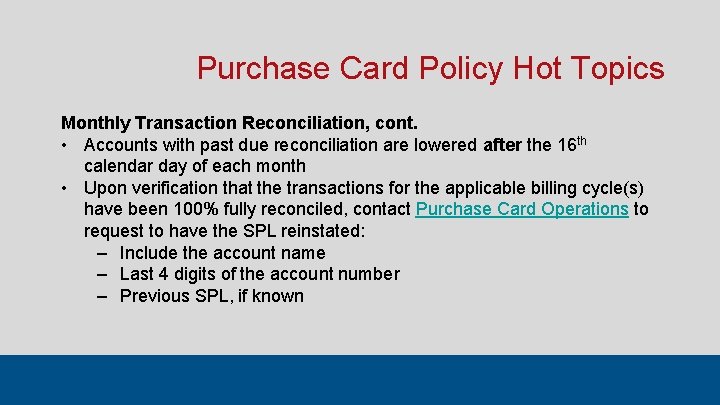
Purchase Card Policy Hot Topics Monthly Transaction Reconciliation, cont. • Accounts with past due reconciliation are lowered after the 16 th calendar day of each month • Upon verification that the transactions for the applicable billing cycle(s) have been 100% fully reconciled, contact Purchase Card Operations to request to have the SPL reinstated: ‒ Include the account name ‒ Last 4 digits of the account number ‒ Previous SPL, if known
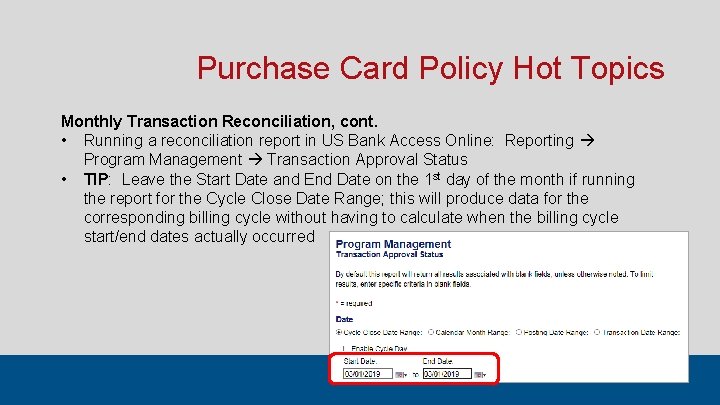
Purchase Card Policy Hot Topics Monthly Transaction Reconciliation, cont. • Running a reconciliation report in US Bank Access Online: Reporting Program Management Transaction Approval Status • TIP: Leave the Start Date and End Date on the 1 st day of the month if running the report for the Cycle Close Date Range; this will produce data for the corresponding billing cycle without having to calculate when the billing cycle start/end dates actually occurred
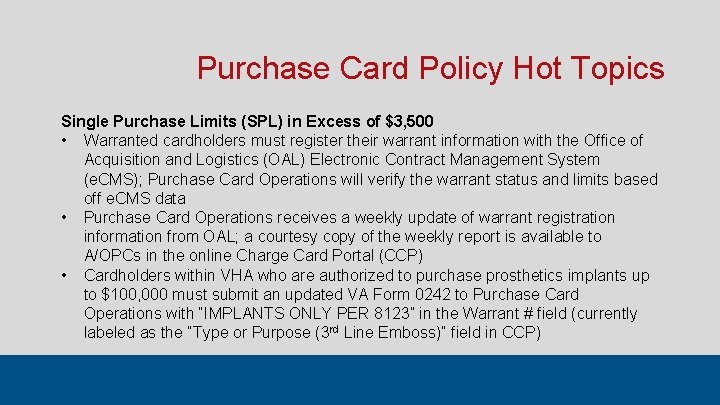
Purchase Card Policy Hot Topics Single Purchase Limits (SPL) in Excess of $3, 500 • Warranted cardholders must register their warrant information with the Office of Acquisition and Logistics (OAL) Electronic Contract Management System (e. CMS); Purchase Card Operations will verify the warrant status and limits based off e. CMS data • Purchase Card Operations receives a weekly update of warrant registration information from OAL; a courtesy copy of the weekly report is available to A/OPCs in the online Charge Card Portal (CCP) • Cardholders within VHA who are authorized to purchase prosthetics implants up to $100, 000 must submit an updated VA Form 0242 to Purchase Card Operations with “IMPLANTS ONLY PER 8123” in the Warrant # field (currently labeled as the “Type or Purpose (3 rd Line Emboss)” field in CCP)
Purchase Card Policy Hot Topics Single Purchase Limits (SPL) in Excess of $3, 500, cont. • Purchase cardholders who do not possess a warrant may have their SPL increased up to the micro-purchase threshold for goods of $10, 000 by submitting new VA Form 0242 to Purchase Card Operations in order to increase the purchase card account to $10, 000. • The $10, 000 limit only applies to the purchase of goods; the threshold for services/repairs not subject to the Service Contract Labor Standards (SCLS) remains at $2, 500 and for construction not subject to the Wage Rate Requirements remains at $2, 000. • Purchase Card Operations no longer requires a department name on the VA Form 0242 or a justification memo for $10 K SPL requests. • Convenience check accounts may not exceed $5, 000 for the single check limit.
Purchase Card Policy Hot Topics VA Forms 0242 and 0242 c • As of June 1 st, 2020, the FSC will no longer accept paper (PDF) 0242 s for new purchase card and convenience check account holders. All new account holders must register in the Charge Card Portal (CCP) and the 0242 or 0242 c must be completed in the portal. Exceptions will be allowed for users who are unable to sign their CCP 0242 s due to unresolved CCP system issues and/or an open CCP help desk ticket. • As of July 1 st, 2020, there is no waiver in place for TMS training requirements for new account holders or for new/existing AOs and A/OPCs. A training waiver has only been issued through September 2020 for refresher training for existing account holders for training that expired during the COVID-19 pandemic (March 2020, onward).
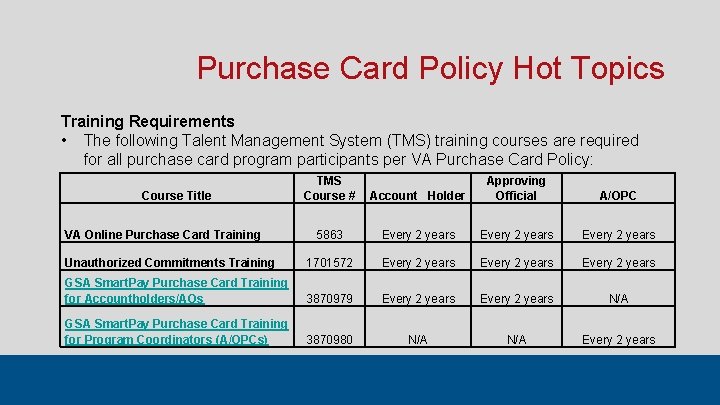
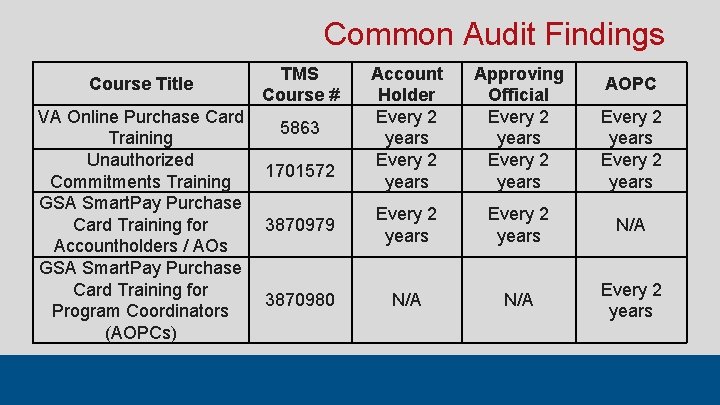
Purchase Card Policy Hot Topics Training Requirements • The following Talent Management System (TMS) training courses are required for all purchase card program participants per VA Purchase Card Policy: Account Holder Approving Official A/OPC 5863 Every 2 years Unauthorized Commitments Training 1701572 Every 2 years GSA Smart. Pay Purchase Card Training for Accountholders/AOs 3870979 Every 2 years N/A GSA Smart. Pay Purchase Card Training for Program Coordinators (A/OPCs) 3870980 N/A Every 2 years Course Title VA Online Purchase Card Training TMS Course #
Purchase Card Policy Hot Topics Training Requirements, cont. • TIP: There are multiple courses in TMS under the name “Unauthorized Commitments. ” Users MUST complete UAC course # 1701572 to receive credit for this training requirement. It is recommended that users search for the UAC course by the course number rather than by the course name. • TIP: Completing the course through the GSA website does not automatically update TMS. Upon completion of the GSA Smart. Pay training course, users MUST self-certify in TMS that they have completed the GSA course in order to receive credit in TMS. • TIP: Individual administrations may have additional training requirements (example: IFCAP training for VHA); Purchase Card Operations does not verify completion status of any courses not listed on the previous slide. A/OPCs do not need to submit TMS training completion certificates to Purchase Card Operations; we have nationwide administrator access to TMS data and will verify the training completion status in TMS.
Amazon Business • Amazon Business is now approved to purchase non-contracted items on the VA purchase card. This new program simplifies the purchasing process and allows cardholders to take advantage of Amazon’s wide product selection and competitive prices. • Cardholders *may* purchase items from 3 rd-party sellers on Amazon if the items cannot be obtained through GSA Global Supply; check GSA Global Supply first. • By now, all current VA purchase cardholders should have received an email from Amazon. com prompting them to setup a password for their Amazon Business account login. For new purchase cardholders who wish to register with Amazon Business, please contact Purchase Card Operations.
Amazon Business, cont. • For Amazon Business Customer Support related to product safety, orders, transactions, and general inquiries, Click Here to connect with the dedicated Amazon Business customer service team or call 1 -888 -281 -3847. We recommend that users try contacting Amazon Business online first before attempting to call. To learn more about Amazon Business, Click Here. • Cardholders can view their order history online at Business Analytics. • For queries regarding tax charges, tax rates, and refunds, please email taxexempt@amazon. com. • Amazon maintains an active registration in the System for Award Management (SAM) NAICS code 454111, electronic shopping. Amazon's DUNS number is 142137640, and its CAGE Code is 871 C 3. The corporate address is 410 Terry Avenue North, Seattle WA, 98109 and the TIN is 82 -0544687.
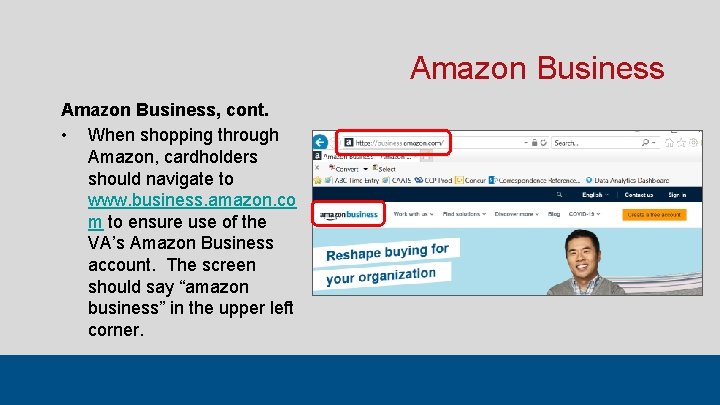
Amazon Business, cont. • When shopping through Amazon, cardholders should navigate to www. business. amazon. co m to ensure use of the VA’s Amazon Business account. The screen should say “amazon business” in the upper left corner.
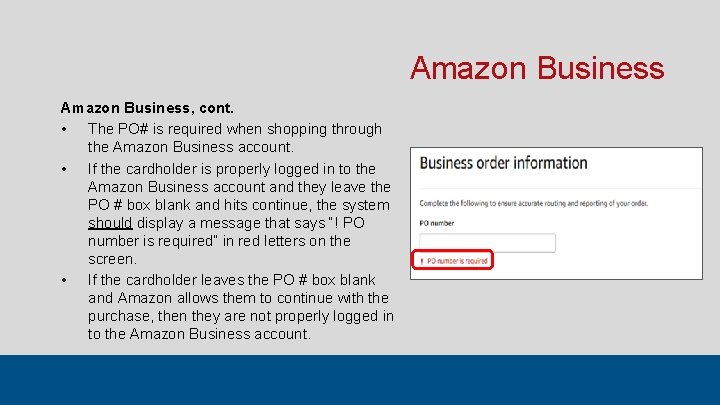
Amazon Business, cont. • The PO# is required when shopping through the Amazon Business account. • If the cardholder is properly logged in to the Amazon Business account and they leave the PO # box blank and hits continue, the system should display a message that says “! PO number is required” in red letters on the screen. • If the cardholder leaves the PO # box blank and Amazon allows them to continue with the purchase, then they are not properly logged in to the Amazon Business account.
Amazon Business, cont. • For administrations that do not use IFCAP, the PO # field must still be completed, but it does not have to be a true PO #. Cardholders who do not have an IFCAP PO # to enter can just enter something that will help them identify the transaction in case of an audit. For example, enter the name of the department requesting the order (example: training office), the last name of the person requesting order, the veteran’s last name only, etc. • DO NOT use any personally identifiable information (PII) in the PO # box. • Cardholders are advised to not store their card information on the Amazon website in order to reduce the risk of fraud, misuse, or accidental personal use.
Purchase Card Declined Transactions • How to View a Declined Transaction in US Bank Access Online ‒ Recent Declines ‒ Declined Transaction Detail Report • Requesting a Manual Authorization • Requesting a Merchant Category Code (MCC)
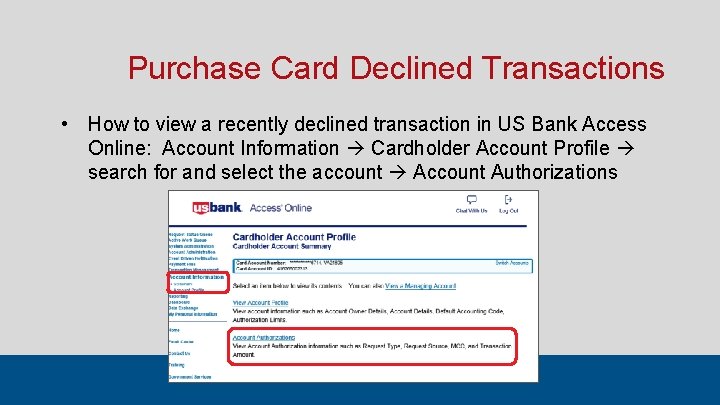
Purchase Card Declined Transactions • How to view a recently declined transaction in US Bank Access Online: Account Information Cardholder Account Profile search for and select the account Account Authorizations
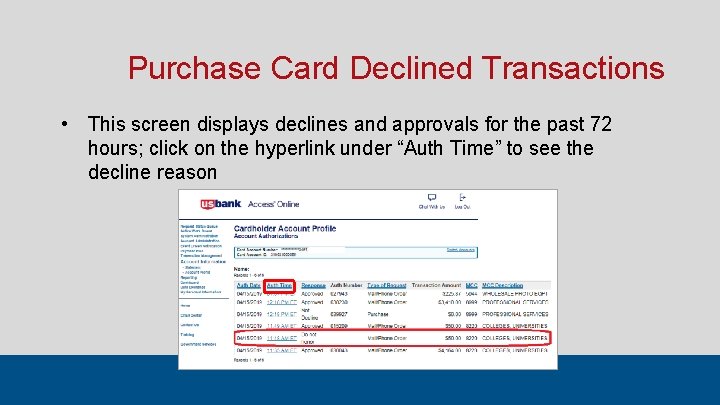
Purchase Card Declined Transactions • This screen displays declines and approvals for the past 72 hours; click on the hyperlink under “Auth Time” to see the decline reason
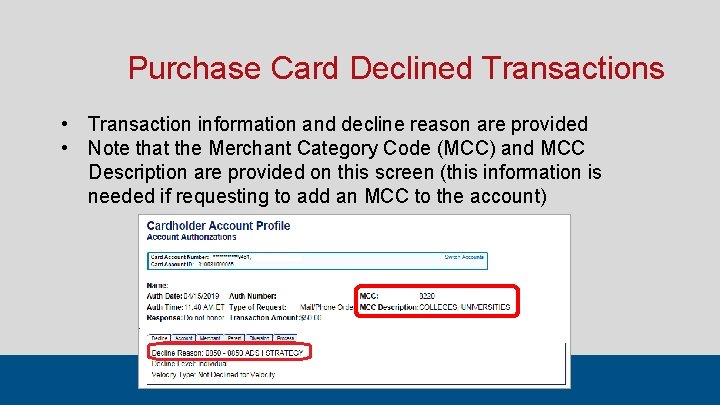
Purchase Card Declined Transactions • Transaction information and decline reason are provided • Note that the Merchant Category Code (MCC) and MCC Description are provided on this screen (this information is needed if requesting to add an MCC to the account)
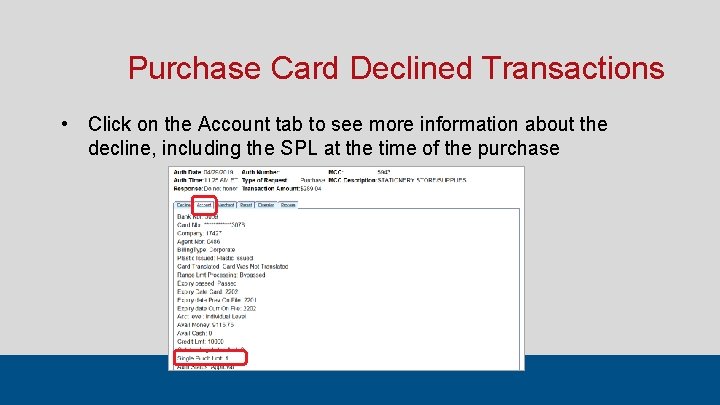
Purchase Card Declined Transactions • Click on the Account tab to see more information about the decline, including the SPL at the time of the purchase
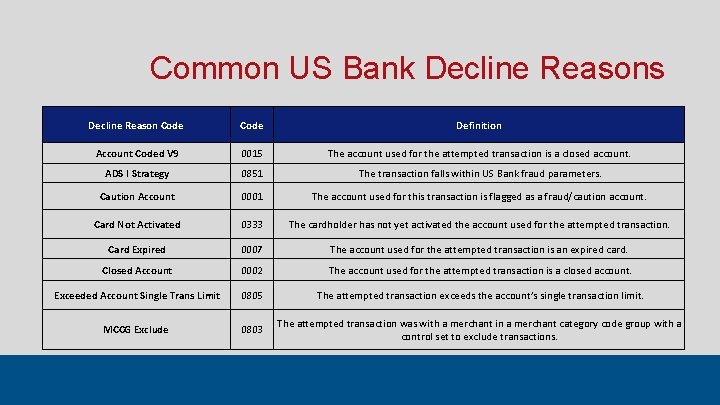
Common US Bank Decline Reasons Decline Reason Code Definition Account Coded V 9 0015 The account used for the attempted transaction is a closed account. ADS I Strategy 0851 The transaction falls within US Bank fraud parameters. Caution Account 0001 The account used for this transaction is flagged as a fraud/caution account. Card Not Activated 0333 The cardholder has not yet activated the account used for the attempted transaction. Card Expired 0007 The account used for the attempted transaction is an expired card. Closed Account 0002 The account used for the attempted transaction is a closed account. Exceeded Account Single Trans Limit 0805 The attempted transaction exceeds the account’s single transaction limit. MCCG Exclude 0803 The attempted transaction was with a merchant in a merchant category code group with a control set to exclude transactions.
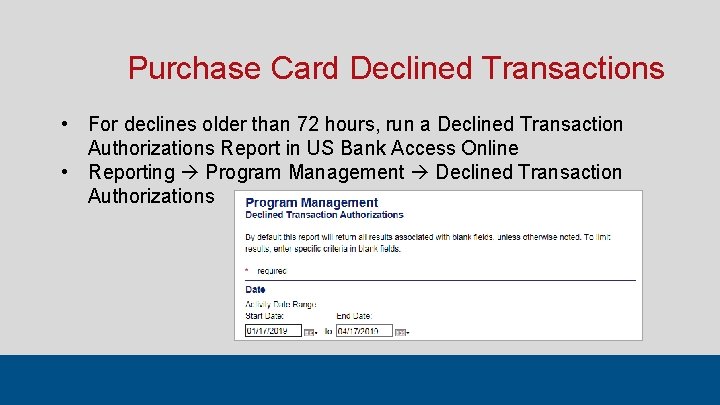
Purchase Card Declined Transactions • For declines older than 72 hours, run a Declined Transaction Authorizations Report in US Bank Access Online • Reporting Program Management Declined Transaction Authorizations
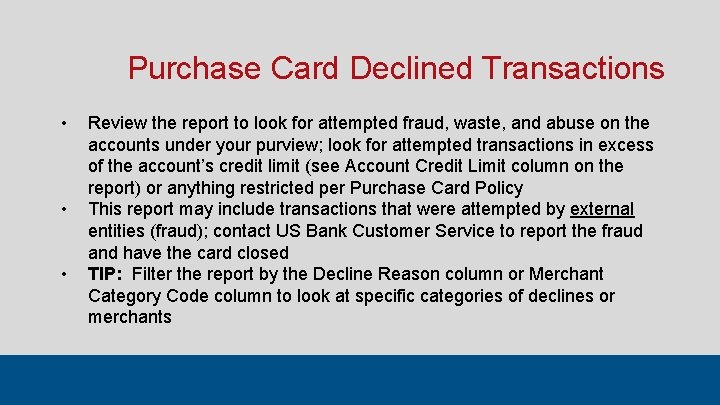
Purchase Card Declined Transactions • • • Review the report to look for attempted fraud, waste, and abuse on the accounts under your purview; look for attempted transactions in excess of the account’s credit limit (see Account Credit Limit column on the report) or anything restricted per Purchase Card Policy This report may include transactions that were attempted by external entities (fraud); contact US Bank Customer Service to report the fraud and have the card closed TIP: Filter the report by the Decline Reason column or Merchant Category Code column to look at specific categories of declines or merchants
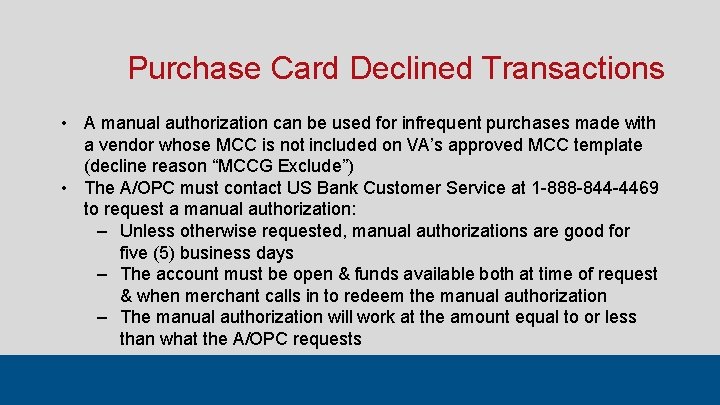
Purchase Card Declined Transactions • A manual authorization can be used for infrequent purchases made with a vendor whose MCC is not included on VA’s approved MCC template (decline reason “MCCG Exclude”) • The A/OPC must contact US Bank Customer Service at 1 -888 -844 -4469 to request a manual authorization: ‒ Unless otherwise requested, manual authorizations are good for five (5) business days ‒ The account must be open & funds available both at time of request & when merchant calls in to redeem the manual authorization ‒ The manual authorization will work at the amount equal to or less than what the A/OPC requests
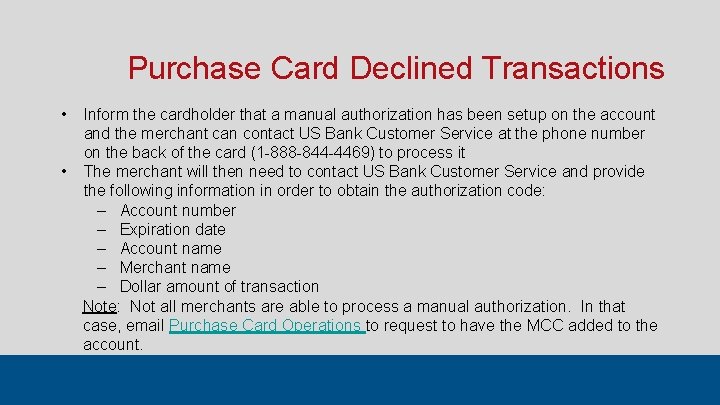
Purchase Card Declined Transactions • Inform the cardholder that a manual authorization has been setup on the account and the merchant can contact US Bank Customer Service at the phone number on the back of the card (1 -888 -844 -4469) to process it • The merchant will then need to contact US Bank Customer Service and provide the following information in order to obtain the authorization code: ‒ Account number ‒ Expiration date ‒ Account name ‒ Merchant name ‒ Dollar amount of transaction Note: Not all merchants are able to process a manual authorization. In that case, email Purchase Card Operations to request to have the MCC added to the account.
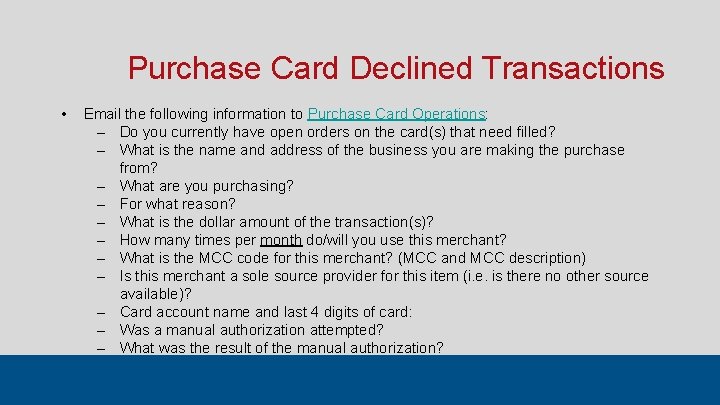
Purchase Card Declined Transactions • Email the following information to Purchase Card Operations: ‒ Do you currently have open orders on the card(s) that need filled? ‒ What is the name and address of the business you are making the purchase from? ‒ What are you purchasing? ‒ For what reason? ‒ What is the dollar amount of the transaction(s)? ‒ How many times per month do/will you use this merchant? ‒ What is the MCC code for this merchant? (MCC and MCC description) ‒ Is this merchant a sole source provider for this item (i. e. is there no other source available)? ‒ Card account name and last 4 digits of card: ‒ Was a manual authorization attempted? ‒ What was the result of the manual authorization?
Helpful Links Purchase Card Policy Volumes https: //www. va. gov/finance/policy/pubs/volume. XVI. asp US Bank Access Online https: //www. access. usbank. com/ VA Forms (0242, 0242 c) https: //vaww. va. gov/vaforms/ GSA Smart. Pay Website https: //smartpay. gsa. gov Charge Card Portal https: //vaww. ccp. fsc. va. gov/
U. S. General Services Administration Purchase Card Audit Compliance Audit Division Prepared by Jennifer Gwin
Purchase Card Checklist FY 2020 • Is the cardholder a VA employee? • Does the purchase card bear the same name of the employee as it appears in the Outlook Global Address List (GAL)? • Has the cardholder completed the following TMS trainings: - VA Online Purchase Card Training (Course # 5863) - GSA Smart. Pay Purchase Card Training for Cardholders (Course # 3870979) - Unauthorized Commitment Training (Course # 1701572)
Purchase Card Checklist FY 2020 • Has the AO that approved the transaction completed the following TMS trainings: - VA Online Purchase Card Training (Course # 5863) - GSA Smart. Pay Purchase Card Training for Cardholders (Course # 3870979) - Unauthorized Commitment Training (Course # 1701572) • Has the A/OPC completed the following TMS trainings: - VA Online Purchase Card Training (Course # 5863) - GSA Smart. Pay Purchase Card Training for A/OPCs (Course # 3870980) - Unauthorized Commitment Training (Course # 1701572)
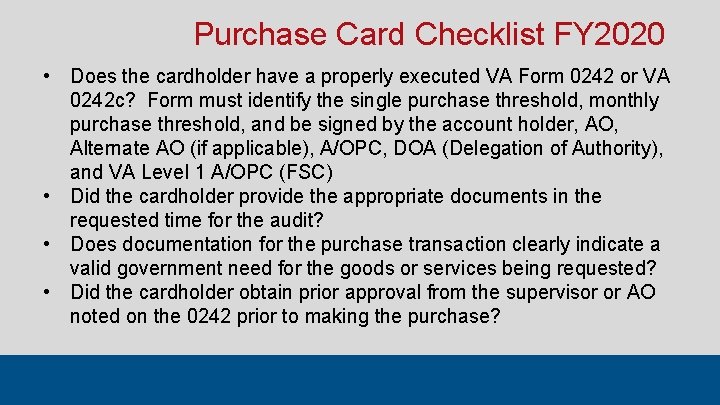
Purchase Card Checklist FY 2020 • Does the cardholder have a properly executed VA Form 0242 or VA 0242 c? Form must identify the single purchase threshold, monthly purchase threshold, and be signed by the account holder, AO, Alternate AO (if applicable), A/OPC, DOA (Delegation of Authority), and VA Level 1 A/OPC (FSC) • Did the cardholder provide the appropriate documents in the requested time for the audit? • Does documentation for the purchase transaction clearly indicate a valid government need for the goods or services being requested? • Did the cardholder obtain prior approval from the supervisor or AO noted on the 0242 prior to making the purchase?
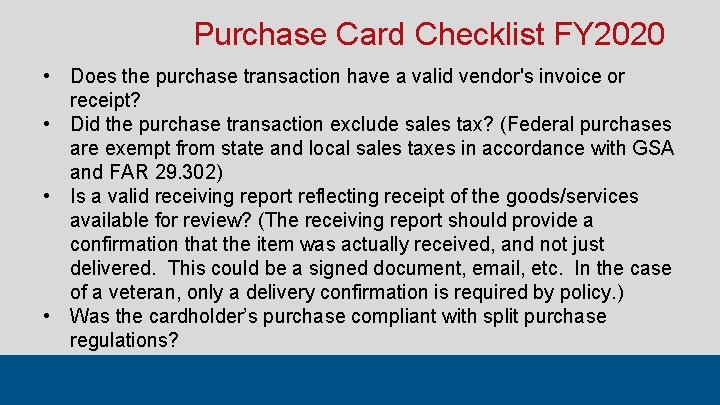
Purchase Card Checklist FY 2020 • Does the purchase transaction have a valid vendor's invoice or receipt? • Did the purchase transaction exclude sales tax? (Federal purchases are exempt from state and local sales taxes in accordance with GSA and FAR 29. 302) • Is a valid receiving report reflecting receipt of the goods/services available for review? (The receiving report should provide a confirmation that the item was actually received, and not just delivered. This could be a signed document, email, etc. In the case of a veteran, only a delivery confirmation is required by policy. ) • Was the cardholder’s purchase compliant with split purchase regulations?
Common Audit Findings Course Title TMS Course # VA Online Purchase Card 5863 Training Unauthorized 1701572 Commitments Training GSA Smart. Pay Purchase Card Training for 3870979 Accountholders / AOs GSA Smart. Pay Purchase Card Training for 3870980 Program Coordinators (AOPCs) Account Holder Every 2 years Approving Official Every 2 years N/A N/A Every 2 years AOPC Every 2 years
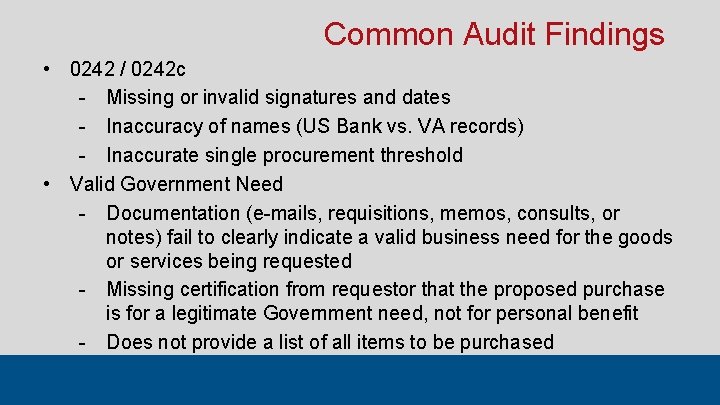
Common Audit Findings • 0242 / 0242 c - Missing or invalid signatures and dates - Inaccuracy of names (US Bank vs. VA records) - Inaccurate single procurement threshold • Valid Government Need - Documentation (e-mails, requisitions, memos, consults, or notes) fail to clearly indicate a valid business need for the goods or services being requested - Missing certification from requestor that the proposed purchase is for a legitimate Government need, not for personal benefit - Does not provide a list of all items to be purchased
Common Audit Findings • Supervisor / AO Prior Approval - Separate from the valid government need - Per Office of Finance Policy (OFP), a doctor’s consult is not sufficient as supervisor/AO approval, but is a valid government need, unless the doctor is the supervisor or AO - Blanket approvals may only be provided for a fiscal year and must identify the types of purchases, e. g. prosthetics, office supplies, etc. • Valid Invoice / Receipt - Receipt needs to reflect the vendor name, address, unit description, unit price, extended price, invoice/receipt total
Common Audit Findings • Receiving Report - Missing signature and/or date or packing slip, receipt/invoice - A tracking number alone is not a confirmation of delivery - Redaction prevents confirmation of delivery; SSNs and DOBs may be redacted - IFCAP does not replace the need for a signed and dated confirmation of receipt - Failure for recipient of services and prepaid services to provide signed and dated statement
Common Audit Findings • Segregation of Duties - VA requires that the duties of the cardholder, AO, requesting official, and receiving official be segregated - Concern that the cardholder is merely ordering necessary supplies to keep them in stock and there is no other person - OFP specifies that someone other than the cardholder must set inventory levels and must direct that in writing - An A/OPC cannot be a cardholder or an AO - No one person may order, receive, certify funds, and approve his/her own purchase card purchase
Additional Information • Record Retention - Must be in accordance with National Archives and Records Administration (NARA) requirements – 6 years • If you submit documents that are in a format that cannot be opened, we are not able to audit the transaction