
Two methods to observe tutorial 1 Standard Method
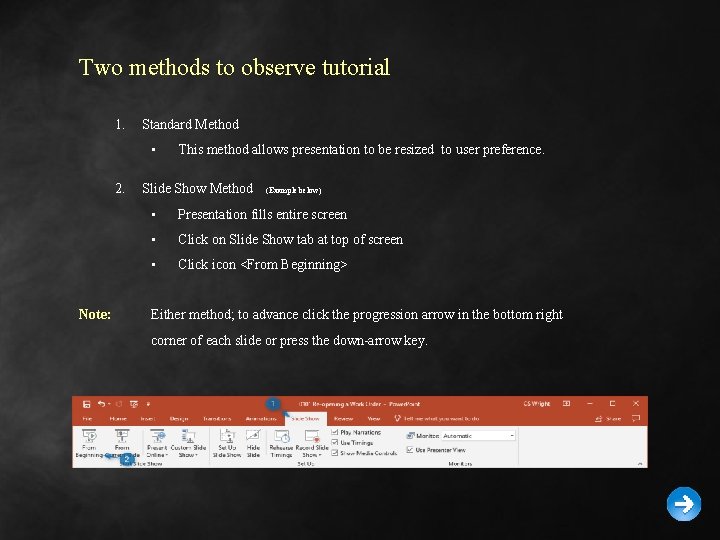
Two methods to observe tutorial 1. Standard Method • 2. Note: This method allows presentation to be resized to user preference. Slide Show Method (Example below) • Presentation fills entire screen • Click on Slide Show tab at top of screen • Click icon <From Beginning> Either method; to advance click the progression arrow in the bottom right corner of each slide or press the down-arrow key.

Welcome to BSIP 101 Transaction Procedures Credit Non-Stock Materials & Sublet Repairs Instructor: Stephen Wright DPI Technical Consultant
Purpose: Credit a non-inventory part or a sublet to a work order
One transaction is required to complete this procedure: • ZFB 65 Let’s get started -
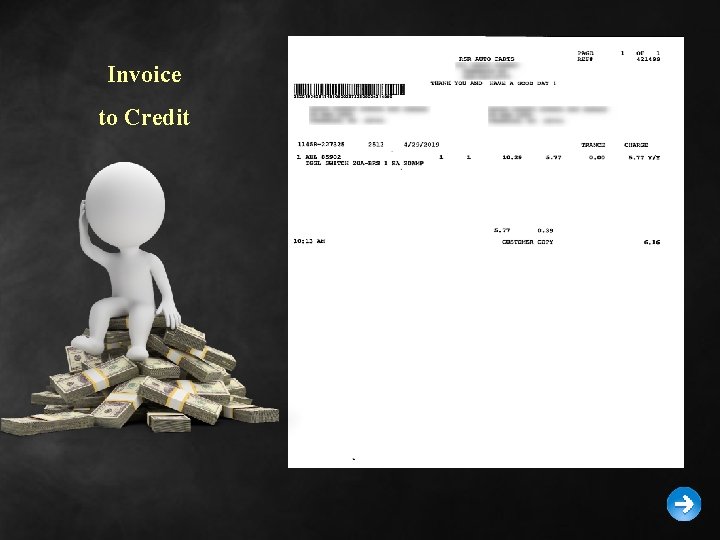
Invoice to Credit
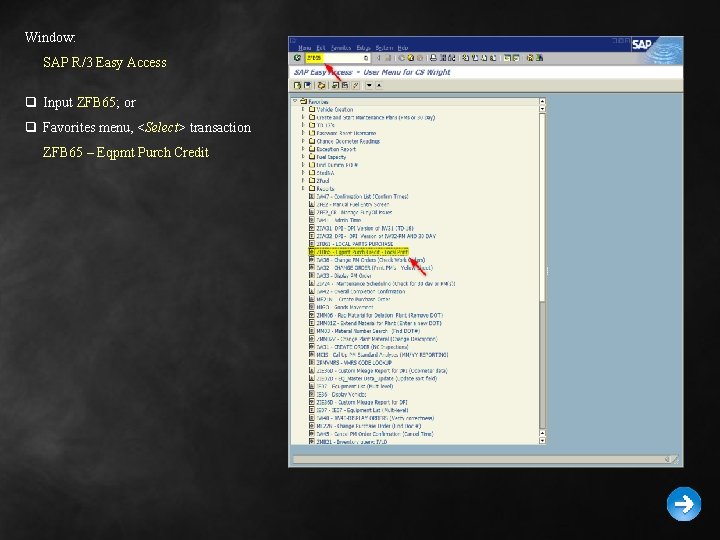
Window: SAP R/3 Easy Access q Input ZFB 65; or q Favorites menu, <Select> transaction ZFB 65 – Eqpmt Purch Credit
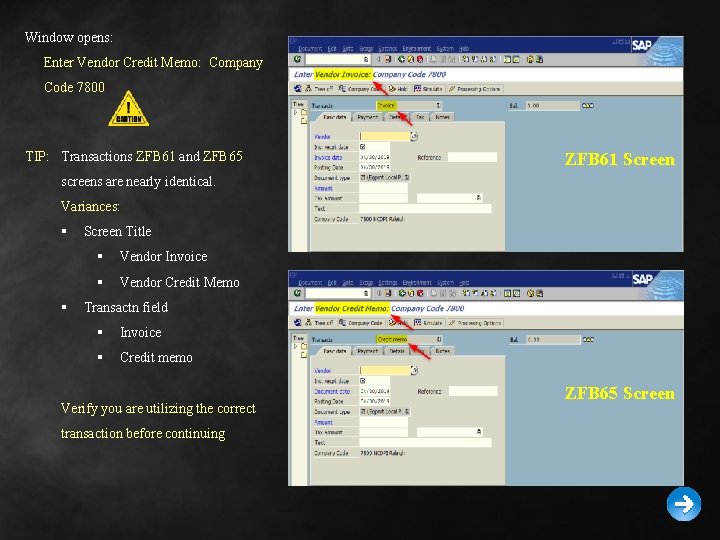
Window opens: Enter Vendor Credit Memo: Company Code 7800 TIP: Transactions ZFB 61 and ZFB 65 ZFB 61 Screen screens are nearly identical. Variances: § § Screen Title § Vendor Invoice § Vendor Credit Memo Transactn field § Invoice § Credit memo Verify you are utilizing the correct transaction before continuing ZFB 65 Screen
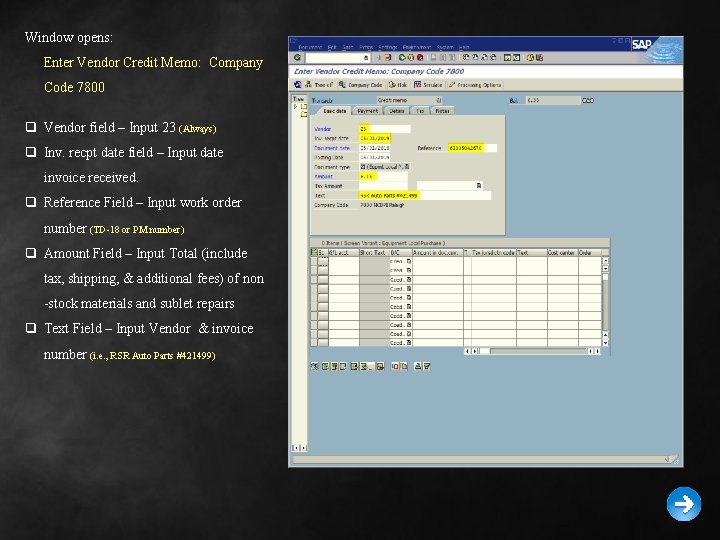
Window opens: Enter Vendor Credit Memo: Company Code 7800 q Vendor field – Input 23 (Always) q Inv. recpt date field – Input date invoice received. q Reference Field – Input work order number (TD-18 or PM number) q Amount Field – Input Total (include tax, shipping, & additional fees) of non -stock materials and sublet repairs q Text Field – Input Vendor & invoice number (i. e. , RSR Auto Parts #421499)
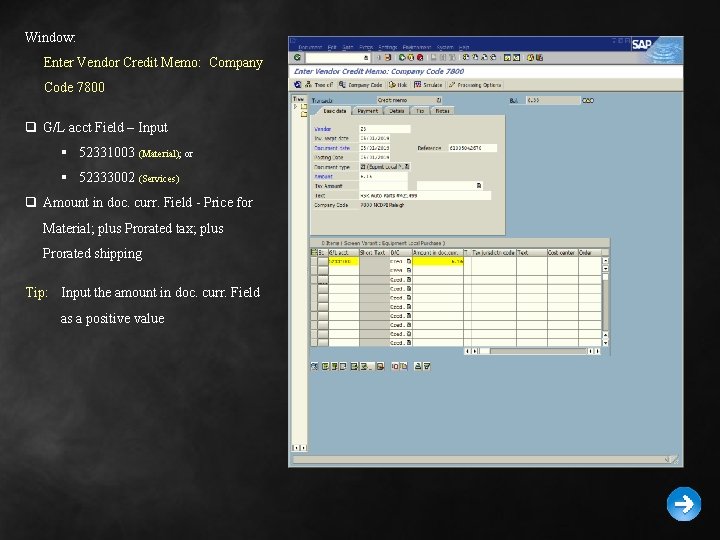
Window: Enter Vendor Credit Memo: Company Code 7800 q G/L acct Field – Input § 52331003 (Material); or § 52333002 (Services) q Amount in doc. curr. Field - Price for Material; plus Prorated tax; plus Prorated shipping Tip: Input the amount in doc. curr. Field as a positive value
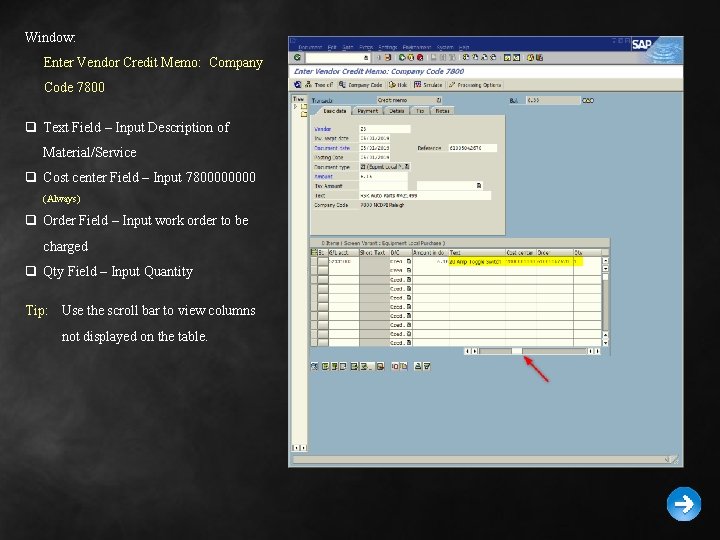
Window: Enter Vendor Credit Memo: Company Code 7800 q Text Field – Input Description of Material/Service q Cost center Field – Input 780000 (Always) q Order Field – Input work order to be charged q Qty Field – Input Quantity Tip: Use the scroll bar to view columns not displayed on the table.
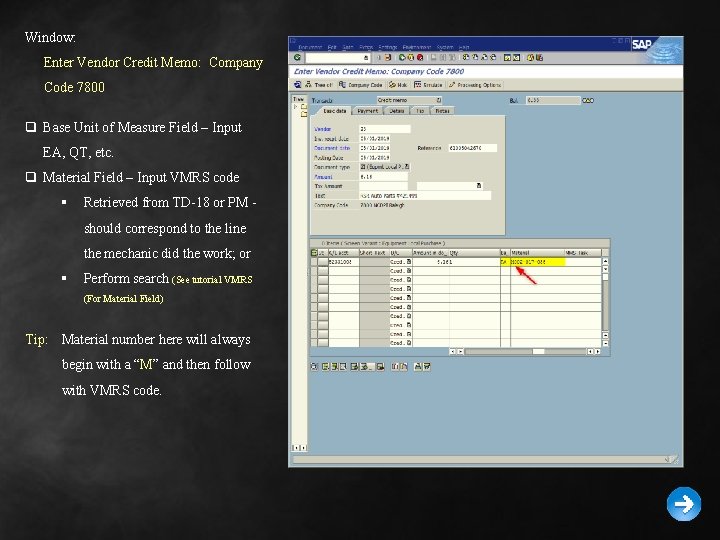
Window: Enter Vendor Credit Memo: Company Code 7800 q Base Unit of Measure Field – Input EA, QT, etc. q Material Field – Input VMRS code § Retrieved from TD-18 or PM should correspond to the line the mechanic did the work; or § Perform search (See tutorial VMRS (For Material Field) Tip: Material number here will always begin with a “M” and then follow with VMRS code.
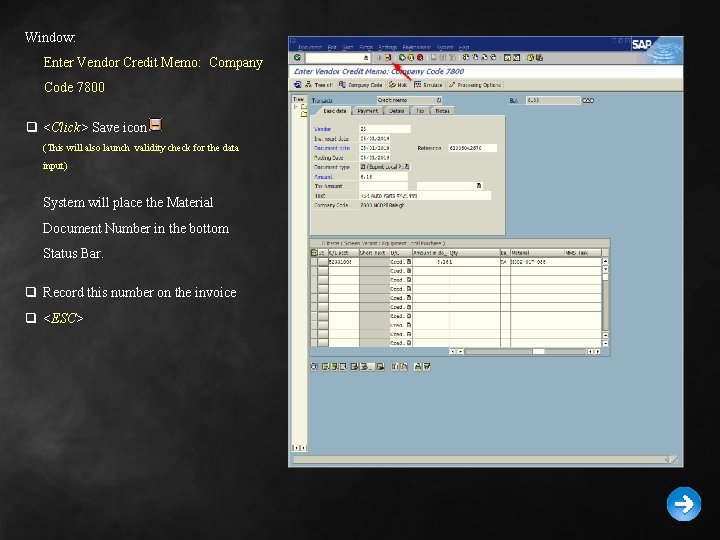
Window: Enter Vendor Credit Memo: Company Code 7800 q <Click> Save icon (This will also launch validity check for the data input) System will place the Material Document Number in the bottom Status Bar. q Record this number on the invoice q <ESC>
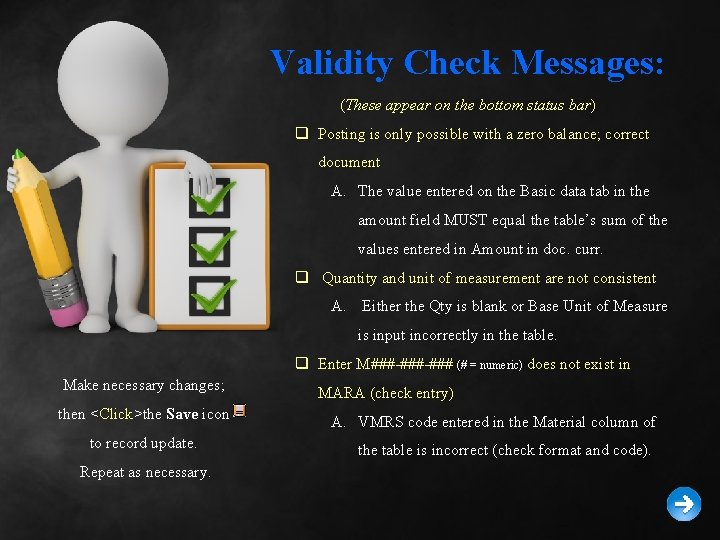
Validity Check Messages: (These appear on the bottom status bar) q Posting is only possible with a zero balance; correct document A. The value entered on the Basic data tab in the amount field MUST equal the table’s sum of the values entered in Amount in doc. curr. q Quantity and unit of measurement are not consistent A. Either the Qty is blank or Base Unit of Measure is input incorrectly in the table. q Enter M###-### (# = numeric) does not exist in Make necessary changes; then <Click>the Save icon to record update. Repeat as necessary. MARA (check entry) A. VMRS code entered in the Material column of the table is incorrect (check format and code).

Questions Email: Stephen. Wright@dpi. nc. gov

Thank You! Stephen Wright DPI Technical Consultant
- Slides: 15