
TWAMP Two Way Active Measurement Protocol InternetDraft Overview
![Timestamp • The format of the timestamp is the same as in [RFC 1305]](https://slidetodoc.com/presentation_image_h/7ba204b6e143f4f176aba6fe33bd6806/image-18.jpg "Timestamp • The format of the timestamp is the same as in [RFC 1305]")
- Slides: 20
TWAMP (Two Way Active Measurement Protocol) Internet-Draft Overview & Drill Down for PE 784 707307 b AGN+CORE-Predictive, Proactive, Preventive Mnt -- WIPM Juniper Probe --------- Session II ------- 5/21/2008 prepared by TJ Wang May 21, 2008 1
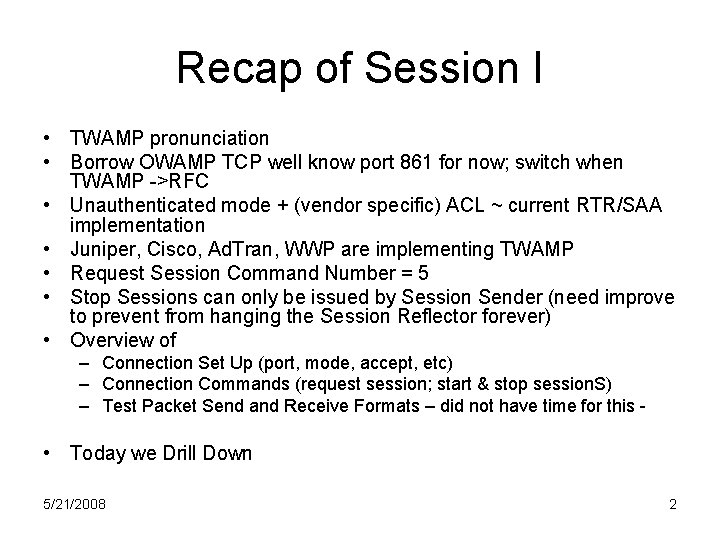
Recap of Session I • TWAMP pronunciation • Borrow OWAMP TCP well know port 861 for now; switch when TWAMP ->RFC • Unauthenticated mode + (vendor specific) ACL ~ current RTR/SAA implementation • Juniper, Cisco, Ad. Tran, WWP are implementing TWAMP • Request Session Command Number = 5 • Stop Sessions can only be issued by Session Sender (need improve to prevent from hanging the Session Reflector forever) • Overview of – Connection Set Up (port, mode, accept, etc) – Connection Commands (request session; start & stop session. S) – Test Packet Send and Receive Formats – did not have time for this - • Today we Drill Down 5/21/2008 2
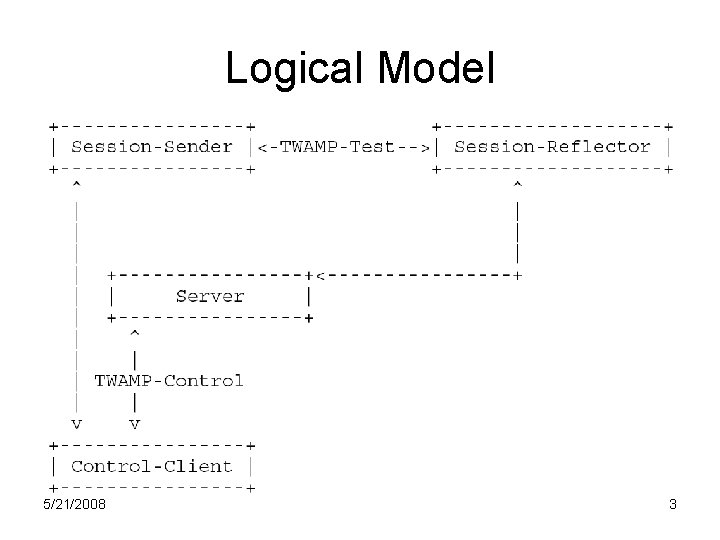
Logical Model 5/21/2008 3
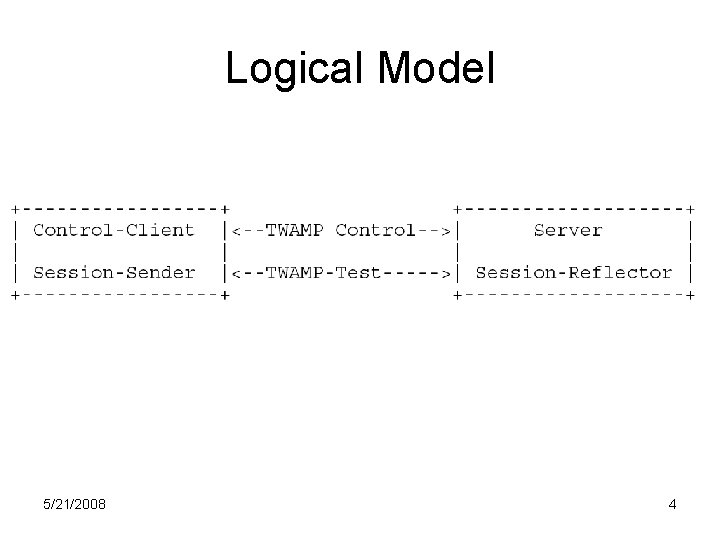
Logical Model 5/21/2008 4
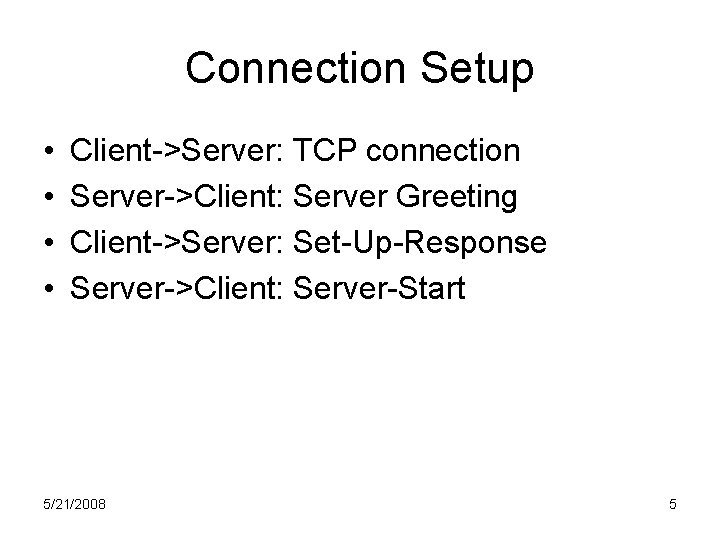
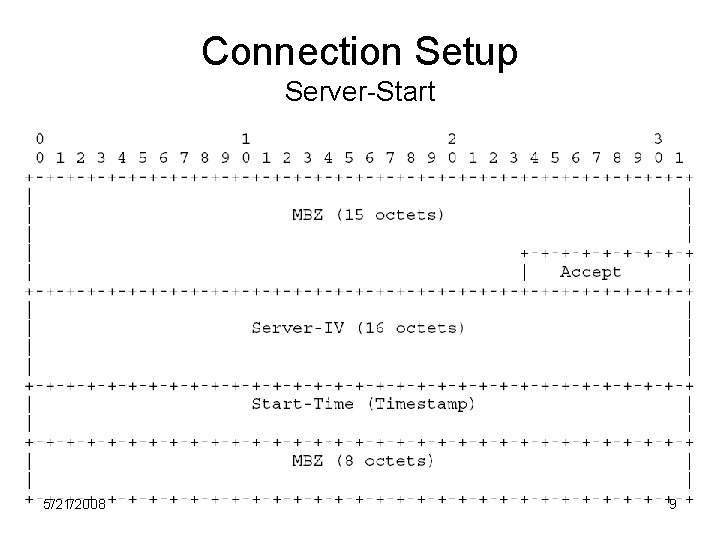
Connection Setup • • Client->Server: TCP connection Server->Client: Server Greeting Client->Server: Set-Up-Response Server->Client: Server-Start 5/21/2008 5
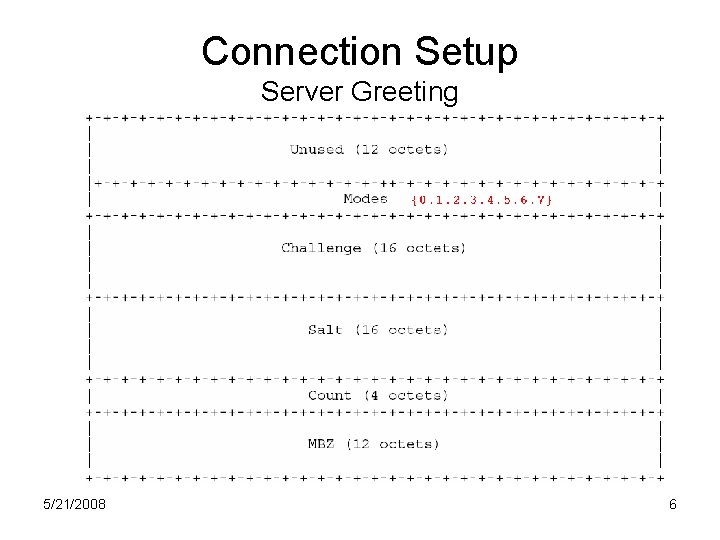
Connection Setup Server Greeting 5/21/2008 6
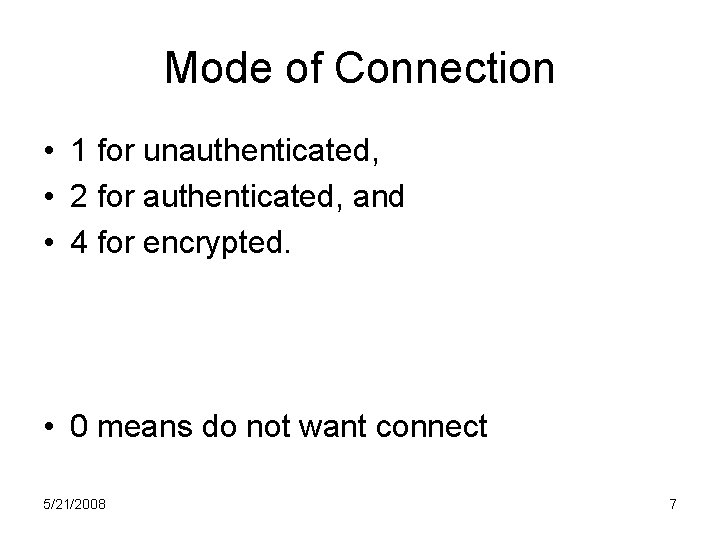
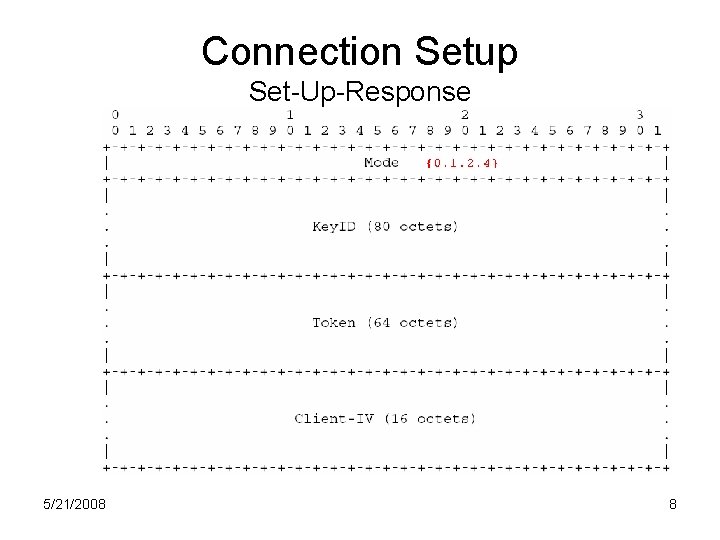
Mode of Connection • 1 for unauthenticated, • 2 for authenticated, and • 4 for encrypted. • 0 means do not want connect 5/21/2008 7
Connection Setup Set-Up-Response 5/21/2008 8
Connection Setup Server-Start 5/21/2008 9
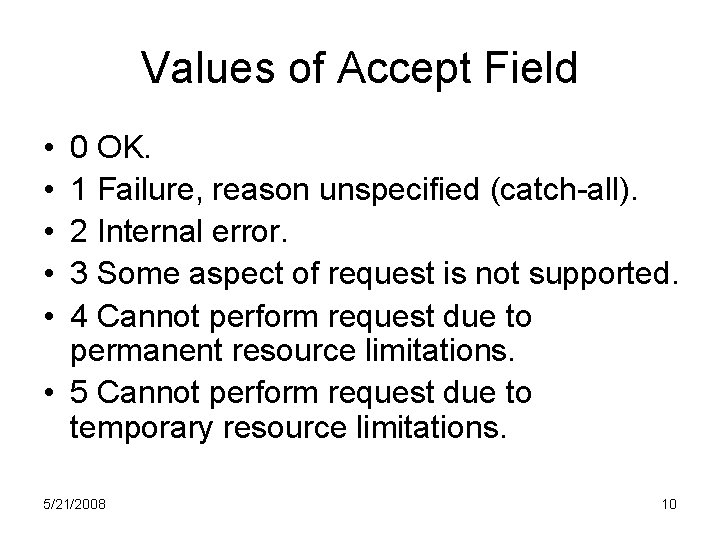
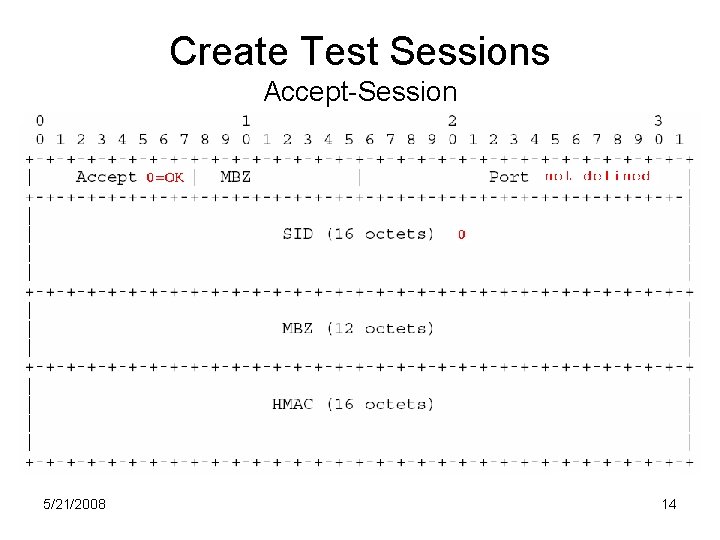
Values of Accept Field • • • 0 OK. 1 Failure, reason unspecified (catch-all). 2 Internal error. 3 Some aspect of request is not supported. 4 Cannot perform request due to permanent resource limitations. • 5 Cannot perform request due to temporary resource limitations. 5/21/2008 10
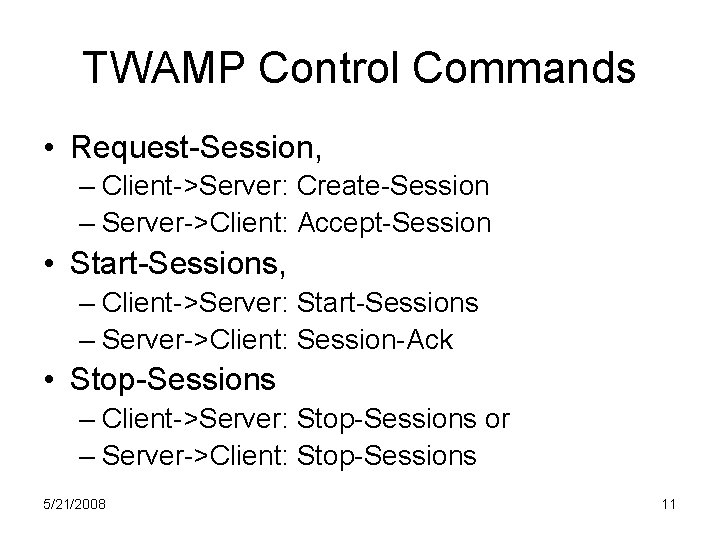
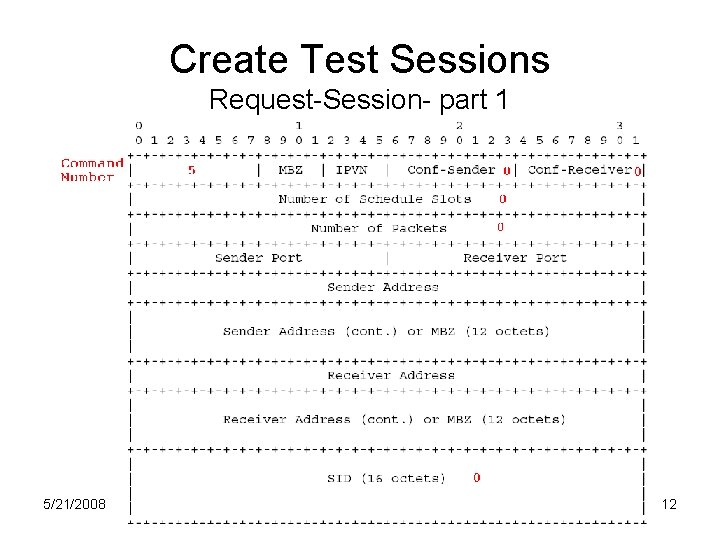
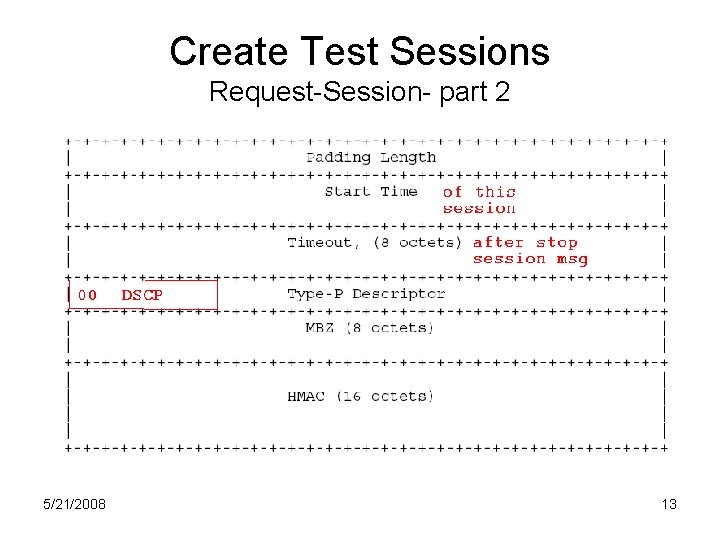
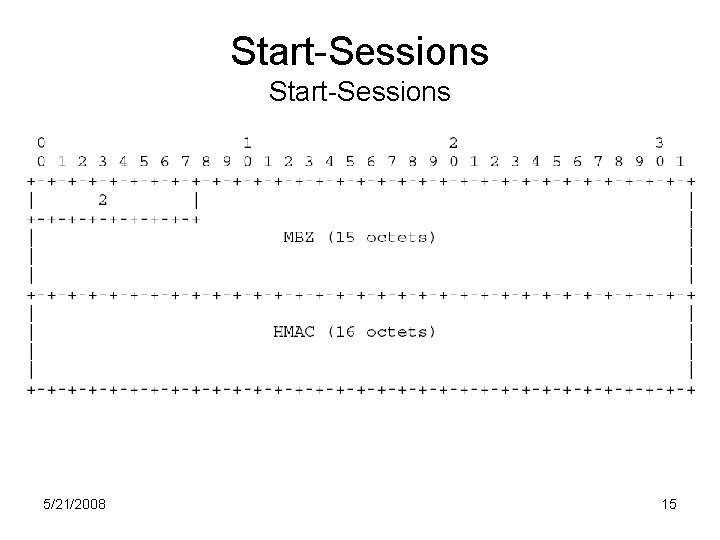
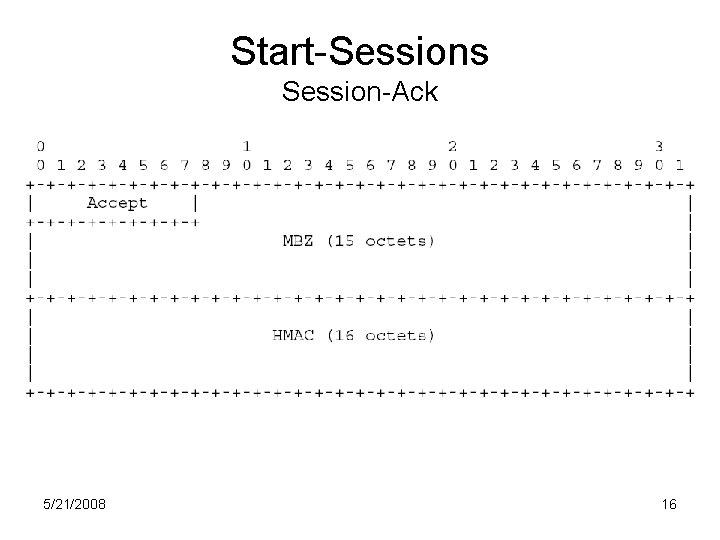
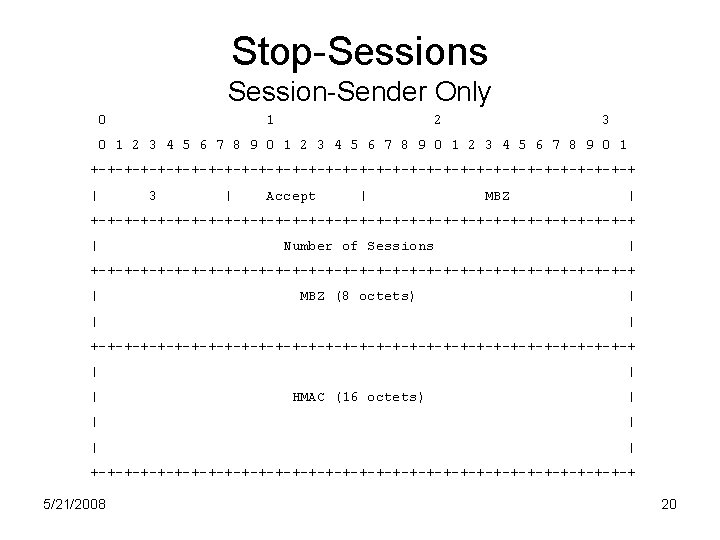
TWAMP Control Commands • Request-Session, – Client->Server: Create-Session – Server->Client: Accept-Session • Start-Sessions, – Client->Server: Start-Sessions – Server->Client: Session-Ack • Stop-Sessions – Client->Server: Stop-Sessions or – Server->Client: Stop-Sessions 5/21/2008 11
Create Test Sessions Request-Session- part 1 5/21/2008 12
Create Test Sessions Request-Session- part 2 5/21/2008 13
Create Test Sessions Accept-Session 5/21/2008 14
Start-Sessions 5/21/2008 15
Start-Sessions Session-Ack 5/21/2008 16
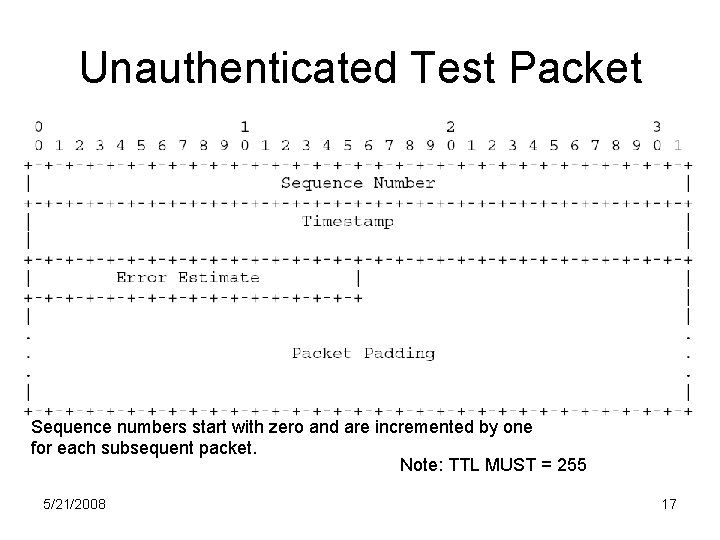
Unauthenticated Test Packet Sequence numbers start with zero and are incremented by one for each subsequent packet. Note: TTL MUST = 255 5/21/2008 17
Timestamp • The format of the timestamp is the same as in [RFC 1305] and is as follows: the first 32 bits represent the unsigned integer number of seconds elapsed since 0 h on 1 January 1900; the next 32 bits represent the fractional part of a second that has elapsed since then. • So, Timestamp is represented as follows: 5/21/2008 18
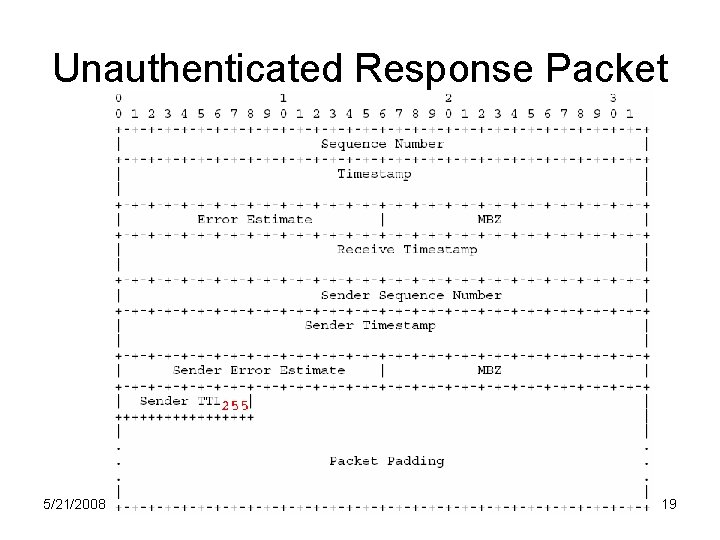
Unauthenticated Response Packet 5/21/2008 19