
Tutorial UHCP Portal Access UHCP account Visit the
- Slides: 11
Tutorial UHCP Portal
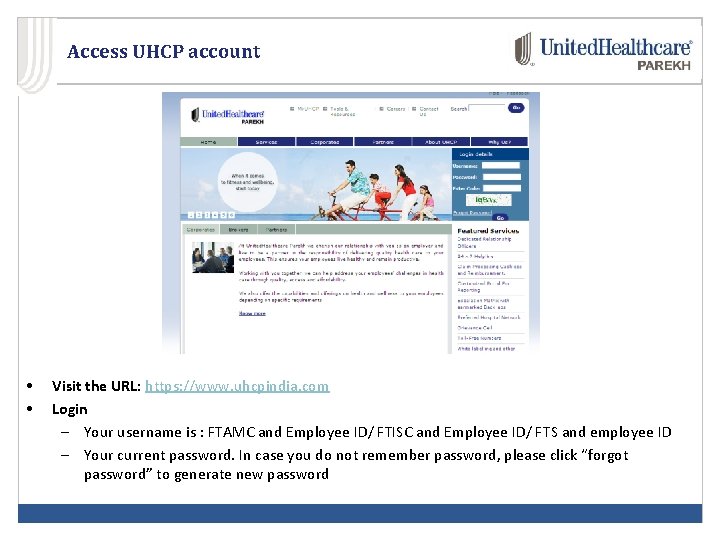
Access UHCP account • • Visit the URL: https: //www. uhcpindia. com Login – Your username is : FTAMC and Employee ID/ FTISC and Employee ID/ FTS and employee ID – Your current password. In case you do not remember password, please click “forgot password” to generate new password
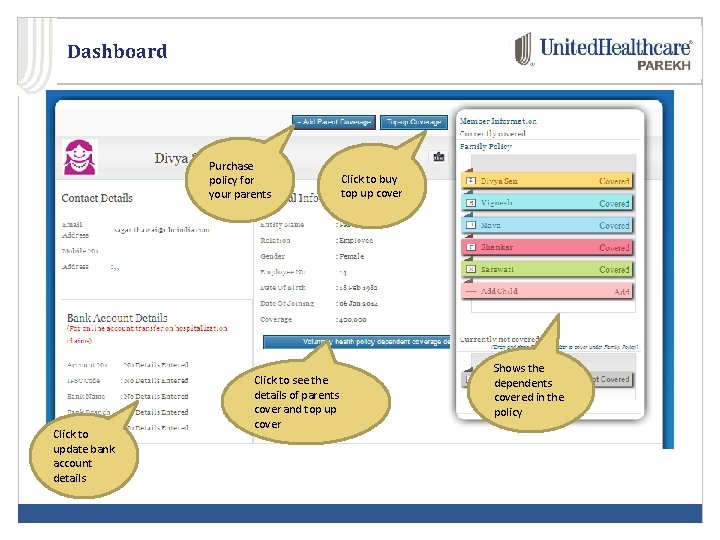
Dashboard Purchase policy for your parents Click to update bank account details Click to see the details of parents cover and top up cover Click to buy top up cover Shows the dependents covered in the policy
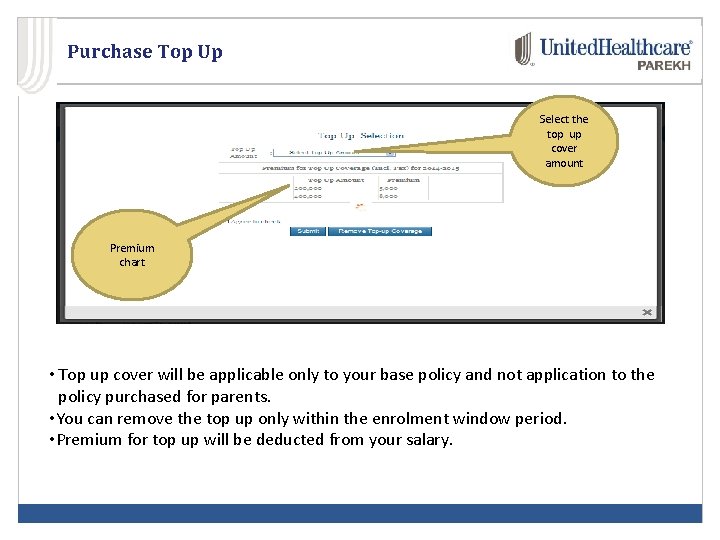
Purchase Top Up Select the top up cover amount Premium chart • Top up cover will be applicable only to your base policy and not application to the policy purchased for parents. • You can remove the top up only within the enrolment window period. • Premium for top up will be deducted from your salary.
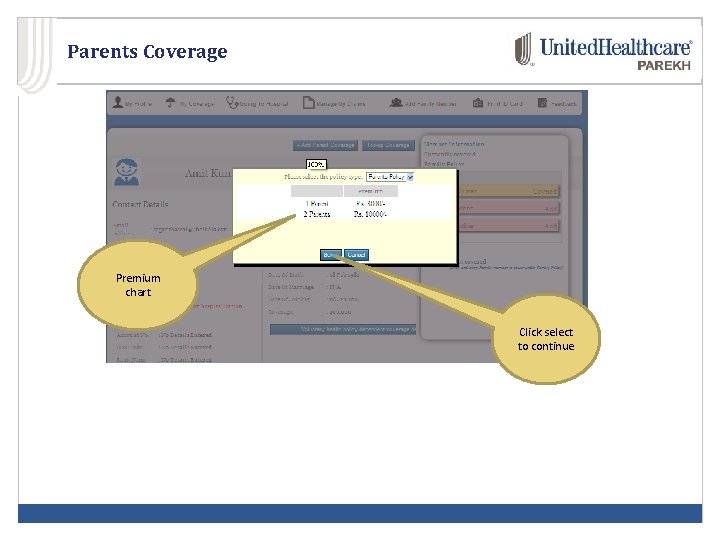
Parents Coverage Premium chart Click select to continue
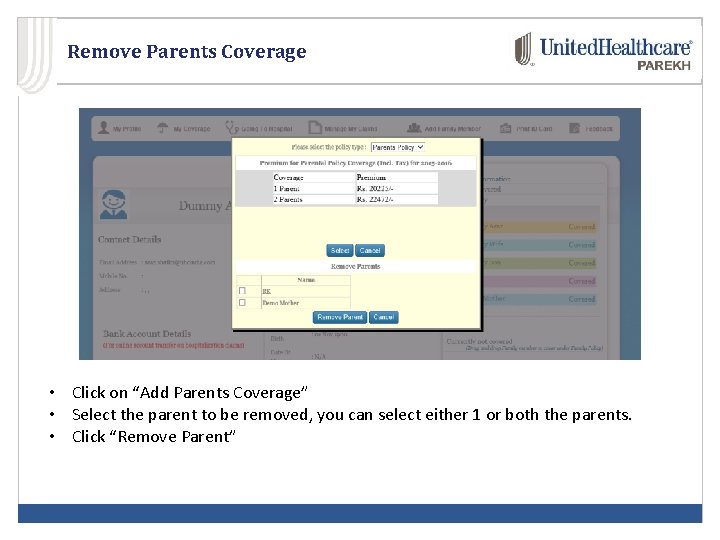
Remove Parents Coverage • Click on “Add Parents Coverage” • Select the parent to be removed, you can select either 1 or both the parents. • Click “Remove Parent”
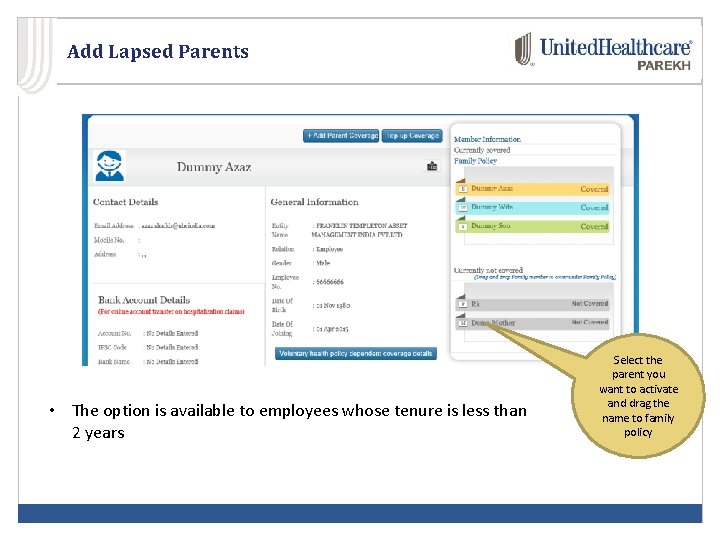
Add Lapsed Parents • The option is available to employees whose tenure is less than 2 years Select the parent you want to activate and drag the name to family policy
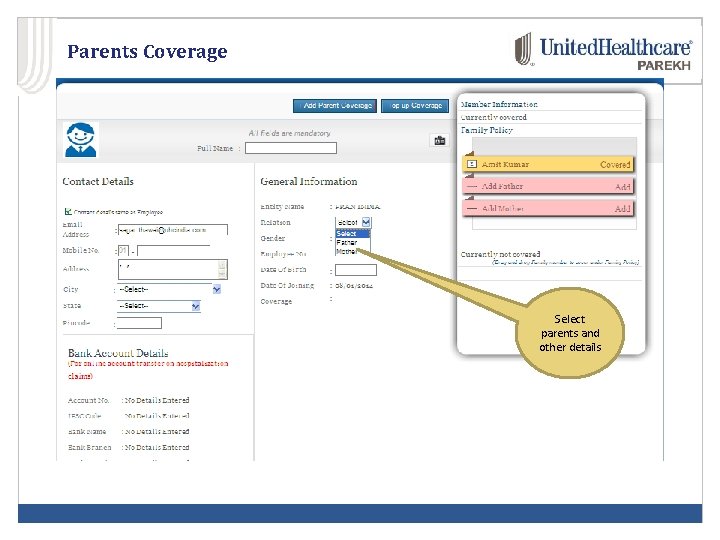
Parents Coverage Select parents and other details
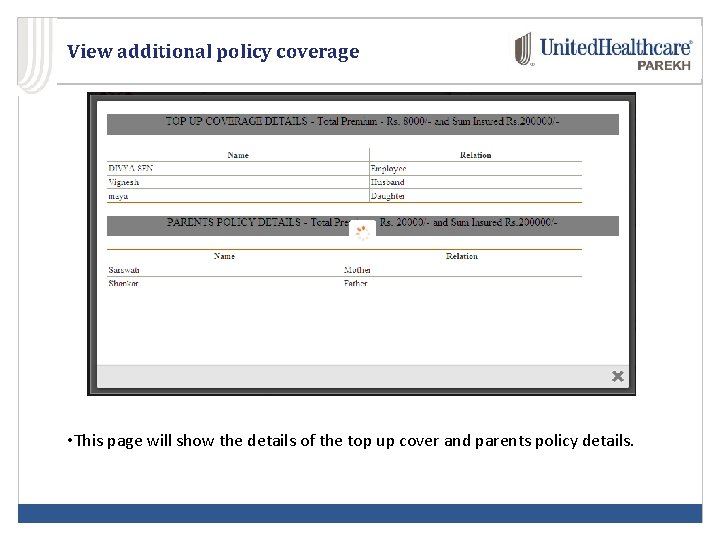
View additional policy coverage • This page will show the details of the top up cover and parents policy details.
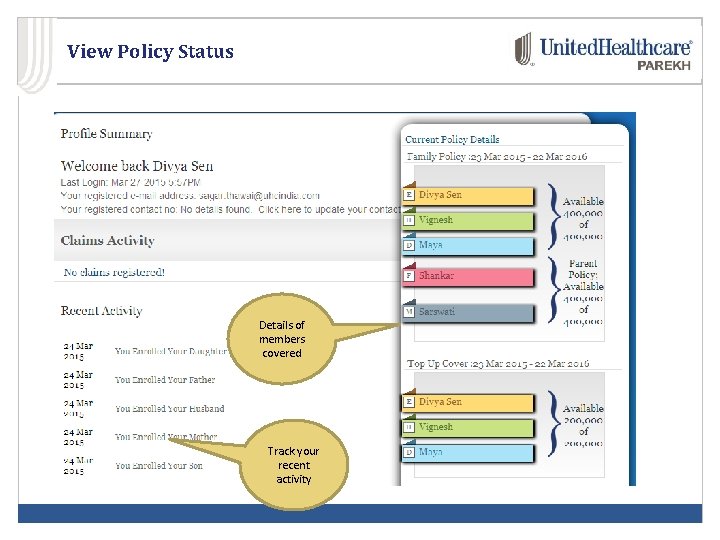
View Policy Status Details of members covered Track your recent activity
Helpline For assistance you can reach us at • Toll Free Number : 1800 -209 -9995 • Email ID: customerservice@uhcpindia. com