
Tutorial T 4 Programming by Example Techniques Brad
Tutorial T 4 - Programming by Example Techniques Brad A. Myers Human Computer Interaction Institute School of Computer Science Carnegie Mellon University Pittsburgh, PA 15213 -3891 (412) 268 -5150 bam+@cs. cmu. edu http: //www. cs. cmu. edu/~bam 1
Contents: n n Abstract & Bio Slides from Talk Sources for Further Information Articles n n Early VP & PBE Taxonomy Demonstrational Interfaces paper Gamut Paper Intelligence in Demonstrational Interfaces VL’ 2000 Tutorial: PBE © - Brad Myers CMU - HCI Institute 2
Abstract This tutorial covers the broad range of techniques used in programming systems that use "Programming By Example (PBE). " Sometimes called "Programming By Demonstration" or "Demonstrational Interfaces", this refers to systems that allow the user to give examples of the desired behaviors and contents, and the system generalizes from those examples so the result will work in different contexts. Some PBE systems use sophisticated artificial intelligence techniques to generalize, others use simple rule-based heuristics, and still others require the user to perform the generalization. Applications of PBE techniques have been to generalpurpose programming, programming of user interfaces, defining animations, creating macros or scripts for text editing, designing business charts, desktop file manipulation, hypertext browsing, programming for kids, etc. The tutorial will include many demonstrations and videos of research and commercial uses of programming-by-example techniques. VL’ 2000 Tutorial: PBE © - Brad Myers CMU - HCI Institute 3

About the Presenter Brad Myers is a Senior Research Scientist in the Human-Computer Interaction Institute in the School of Computer Science at Carnegie Mellon University, where he is the principal investigator for various projects, including Demonstrational Interfaces, User Interface Software, Natural Programming, and the Pebbles Palm Pilot Project. He and his students have created about a dozen systems that use programming-by-example techniques. He is the author or editor of over 190 publications, including "Creating User Interfaces by Demonstration" and "Languages for Developing User Interfaces, " and he is on the editorial board of five journals, including the Journal of Visual Languages and Computing. His research interests include User Interface Development Systems, user interfaces, Programming by Example, programming languages for kids, Visual Programming, interaction techniques, window management, and programming environments. He belongs to SIGCHI, ACM, IEEE Computer Society, IEEE, and Computer Professionals for Social Responsibility. He will also be a keynote speaker for VL'2000. VL’ 2000 Tutorial: PBE © - Brad Myers CMU - HCI Institute 4
Topics n n What is Programming by Example? Applications of Programming by Example Overview of PBE Systems Issues in PBE Systems n n n User Interfaces for giving examples User Interface for feedback to show the program Implementation architectures VL’ 2000 Tutorial: PBE © - Brad Myers CMU - HCI Institute 5
What is Programming by Example? n Direct Manipulation allows properties to be set by directly moving objects with the mouse and setting properties n n Example: interface builders, Visual Basic Limited to static parts of the interface No way to point at objects that will be drawn by the user How set the color of an object in Visual Basic at run time? VL’ 2000 Tutorial: PBE © - Brad Myers CMU - HCI Institute 6
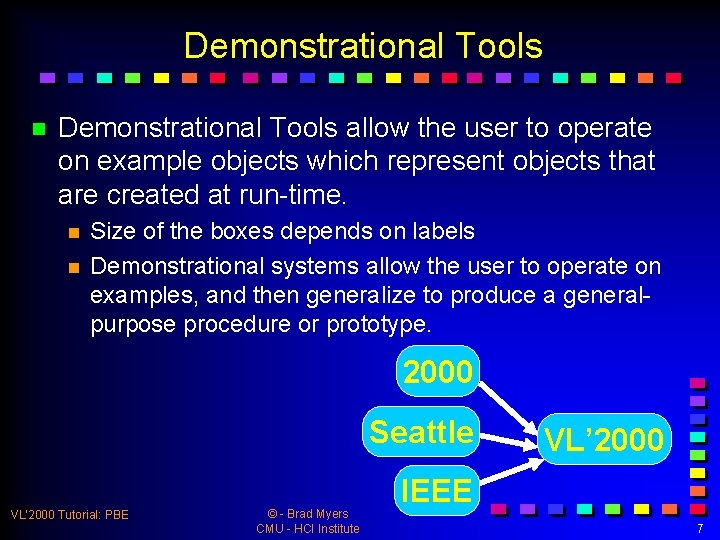
Demonstrational Tools n Demonstrational Tools allow the user to operate on example objects which represent objects that are created at run-time. n n Size of the boxes depends on labels Demonstrational systems allow the user to operate on examples, and then generalize to produce a generalpurpose procedure or prototype. 2000 Seattle VL’ 2000 Tutorial: PBE © - Brad Myers CMU - HCI Institute VL’ 2000 IEEE 7
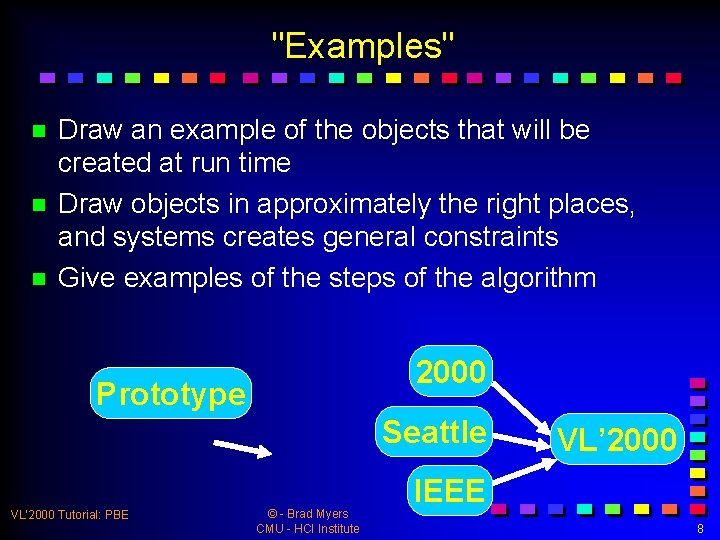
"Examples" n n n Draw an example of the objects that will be created at run time Draw objects in approximately the right places, and systems creates general constraints Give examples of the steps of the algorithm 2000 Prototype Seattle VL’ 2000 Tutorial: PBE © - Brad Myers CMU - HCI Institute VL’ 2000 IEEE 8
Generalization n n Is a hard problem, which is why you don't see many commercial products that do this. Research on: n n Algorithms for generalization n “Artificial Intelligence” User Interfaces to help generalization VL’ 2000 Tutorial: PBE © - Brad Myers CMU - HCI Institute 9
Motivations n n n Bring programming to more people Automate repetitive tasks Expand how much of the interface can be specified interactively. n Interactive editors are much faster to use than programming with toolkits n Frameworks improve productivity by factors of 3 to 5, interactive tools by factors of 10 to 50! n It might take an hour to draw an interface interactively, compared to days to program it. n It is much more natural to specify the graphical parts of applications using a graphical editor. VL’ 2000 Tutorial: PBE © - Brad Myers CMU - HCI Institute 10
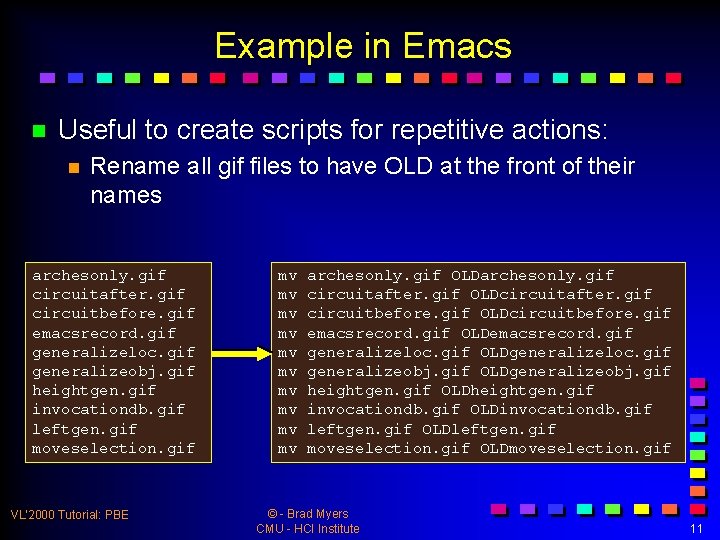
Example in Emacs n Useful to create scripts for repetitive actions: n Rename all gif files to have OLD at the front of their names archesonly. gif circuitafter. gif circuitbefore. gif emacsrecord. gif generalizeloc. gif generalizeobj. gif heightgen. gif invocationdb. gif leftgen. gif moveselection. gif VL’ 2000 Tutorial: PBE mv mv mv archesonly. gif OLDarchesonly. gif circuitafter. gif OLDcircuitafter. gif circuitbefore. gif OLDcircuitbefore. gif emacsrecord. gif OLDemacsrecord. gif generalizeloc. gif OLDgeneralizeloc. gif generalizeobj. gif OLDgeneralizeobj. gif heightgen. gif OLDheightgen. gif invocationdb. gif OLDinvocationdb. gif leftgen. gif OLDleftgen. gif moveselection. gif OLDmoveselection. gif © - Brad Myers CMU - HCI Institute 11
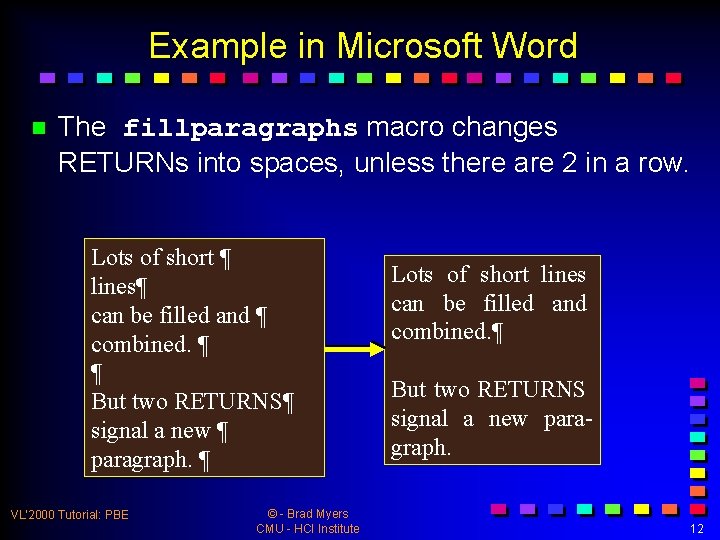
Example in Microsoft Word n The fillparagraphs macro changes RETURNs into spaces, unless there are 2 in a row. Lots of short ¶ lines¶ can be filled and ¶ combined. ¶ ¶ But two RETURNS¶ signal a new ¶ paragraph. ¶ VL’ 2000 Tutorial: PBE © - Brad Myers CMU - HCI Institute Lots of short lines can be filled and combined. ¶ But two RETURNS signal a new paragraph. 12
Applications of Programming by Example n n n n General-purpose programming Programming for kids Programming of user interfaces Creating macros or scripts for text editing Designing business charts Desktop file manipulation Hypertext browsing VL’ 2000 Tutorial: PBE © - Brad Myers CMU - HCI Institute 13
General Issues for All PBE Systems n Amount of Inferencing n n n If Inferencing: n n n n None -> Lots Predictability vs. amount of help Number of examples Negative Examples Hints or other help from user Feedback on the Inferencing Control structures: loops, conditionals Variables How show user the resulting program? VL’ 2000 Tutorial: PBE © - Brad Myers CMU - HCI Institute 14
Overview of Some PBE Systems n n Chronological Bias towards my systems n n Easier to get pictures / video! There are many other systems not covered here n See references VL’ 2000 Tutorial: PBE © - Brad Myers CMU - HCI Institute 15
Pygmalion n David C. Smith’s Ph. D thesis n n n Watch What I Do, chapter 1. 1975 in Smalltalk No inferencing Work out program using icons and example values Primary contributions: n n n Programming with icons Working out program using examples General motivation VL’ 2000 Tutorial: PBE © - Brad Myers CMU - HCI Institute 16
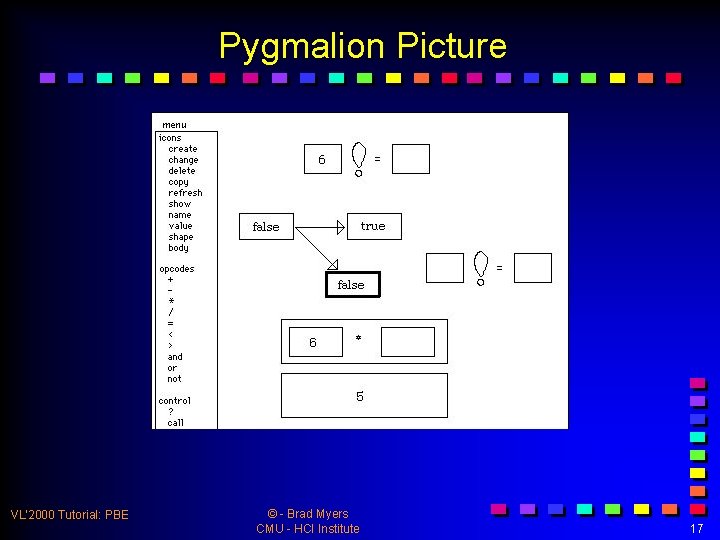
Pygmalion Picture VL’ 2000 Tutorial: PBE © - Brad Myers CMU - HCI Institute 17
Emacs n n R. Stallman, 1987 in Teco, Lisp, C, etc. Easily record a sequence of keystrokes No inferencing Very light-weight and extremely useful VL’ 2000 Tutorial: PBE © - Brad Myers CMU - HCI Institute 18
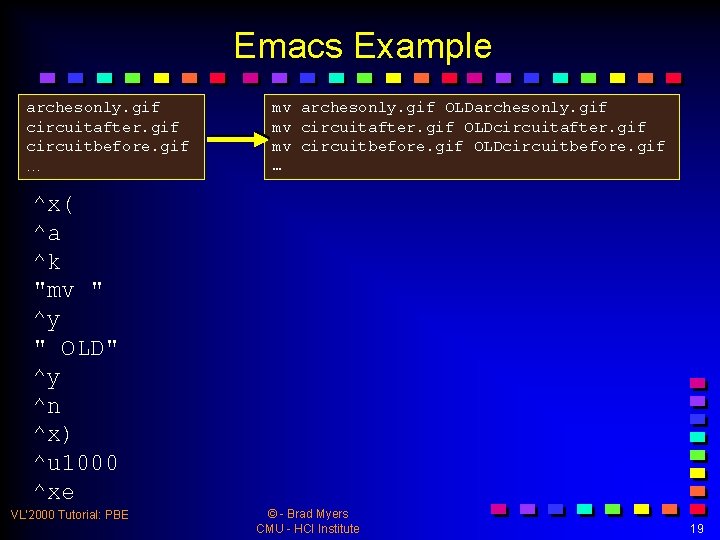
Emacs Example archesonly. gif circuitafter. gif circuitbefore. gif … mv archesonly. gif OLDarchesonly. gif mv circuitafter. gif OLDcircuitafter. gif mv circuitbefore. gif OLDcircuitbefore. gif … ^x( ^a ^k "mv " ^y " OLD" ^y ^n ^x) ^u 1000 ^xe VL’ 2000 Tutorial: PBE © - Brad Myers CMU - HCI Institute 19
Emacs Contributions n Primary contributions: n n n Clearly demonstrate benefits of macros by example Quick and easy macro creation for “keyboard macros” Fully programmable using Lisp for further End-User. Programming (EUP) VL’ 2000 Tutorial: PBE © - Brad Myers CMU - HCI Institute 20
Rehearsal World n William Finzer and Laura Gould, 1984 in Smalltalk n n n No inferencing Metaphor of “actors” on a “stage” n n n Watch What I Do, chapter 4. Wings for off-screen computation PBE by opening an “eye” icon Primary Contributions: n n Stage metaphor: on-stage, wings, etc. Eye metaphor: for easy controlling of when recording VL’ 2000 Tutorial: PBE © - Brad Myers CMU - HCI Institute 21
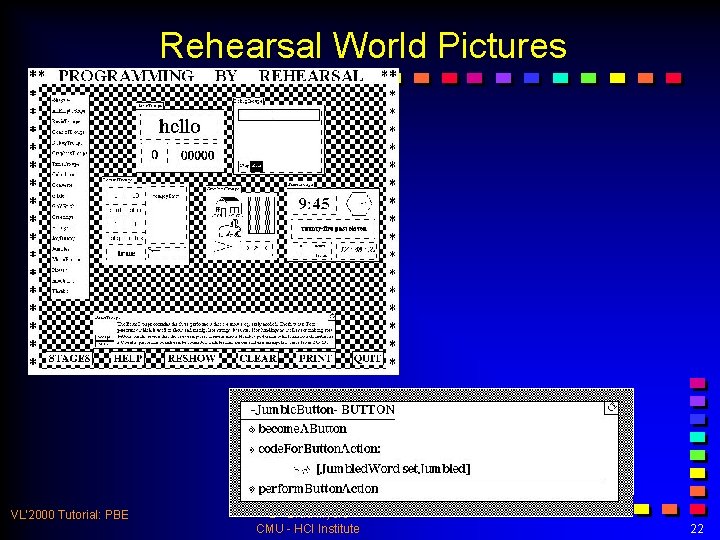
Rehearsal World Pictures VL’ 2000 Tutorial: PBE © - Brad Myers CMU - HCI Institute 22
Small. Star n Daniel Halbert, 1980 -1984, in Smalltalk n n Create programs in the Star office system n n Desktop (file) manipulations No inferencing Introduced notion of “data descriptions” n n Watch What I Do, chapter 5. Specify what data using dialog boxes Edit straight-line program to add conditionals and loops video (6 min) VL’ 2000 Tutorial: PBE © - Brad Myers CMU - HCI Institute 23
Small. Star Contributions n Primary contributions n n n Data descriptions concept and UI UI Techniques for control structures Demonstration in a complex environment VL’ 2000 Tutorial: PBE © - Brad Myers CMU - HCI Institute 24
Peridot n Brad Myers, 1987, in Lisp n n n Create user interface widgets (buttons, scroll bars) Inferred: n n n Watch What I Do, chapter 6. Graphical constraints among the objects. Control structures such as iteration over all the items in a menu How the mouse affects the graphics, such as that the check mark should follow the mouse. Feedback using question and answer No representation of the program video (8 min) VL’ 2000 Tutorial: PBE © - Brad Myers CMU - HCI Institute 25
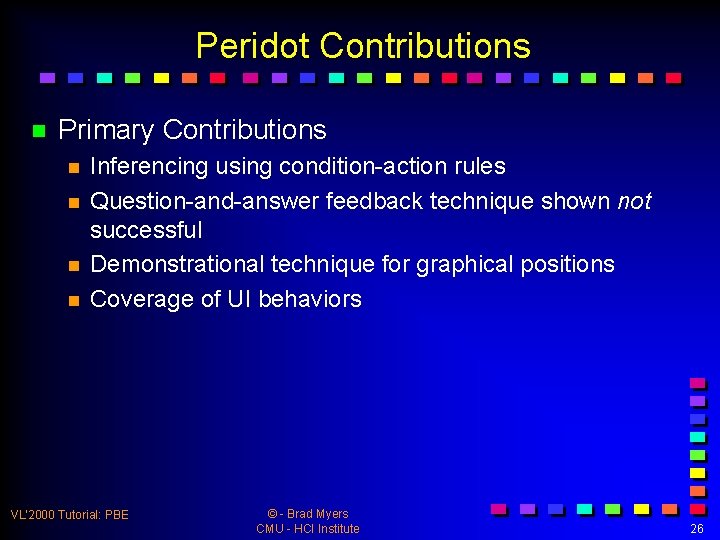
Peridot Contributions n Primary Contributions n n Inferencing using condition-action rules Question-and-answer feedback technique shown not successful Demonstrational technique for graphical positions Coverage of UI behaviors VL’ 2000 Tutorial: PBE © - Brad Myers CMU - HCI Institute 26
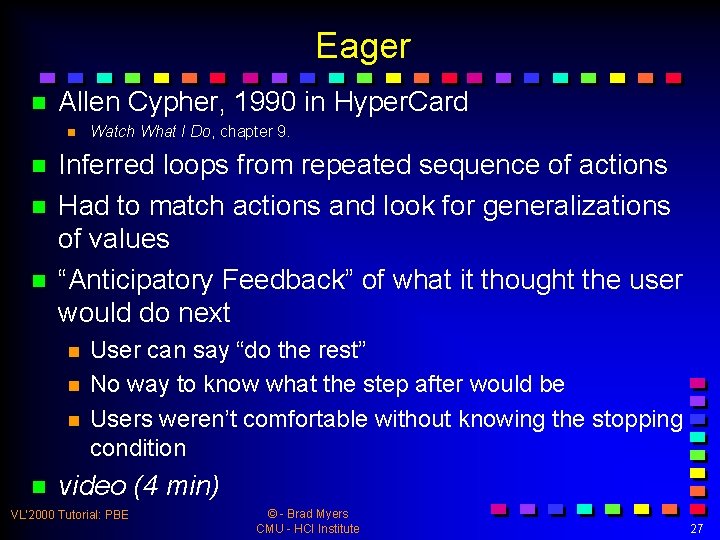
Eager n Allen Cypher, 1990 in Hyper. Card n n Inferred loops from repeated sequence of actions Had to match actions and look for generalizations of values “Anticipatory Feedback” of what it thought the user would do next n n Watch What I Do, chapter 9. User can say “do the rest” No way to know what the step after would be Users weren’t comfortable without knowing the stopping condition video (4 min) VL’ 2000 Tutorial: PBE © - Brad Myers CMU - HCI Institute 27
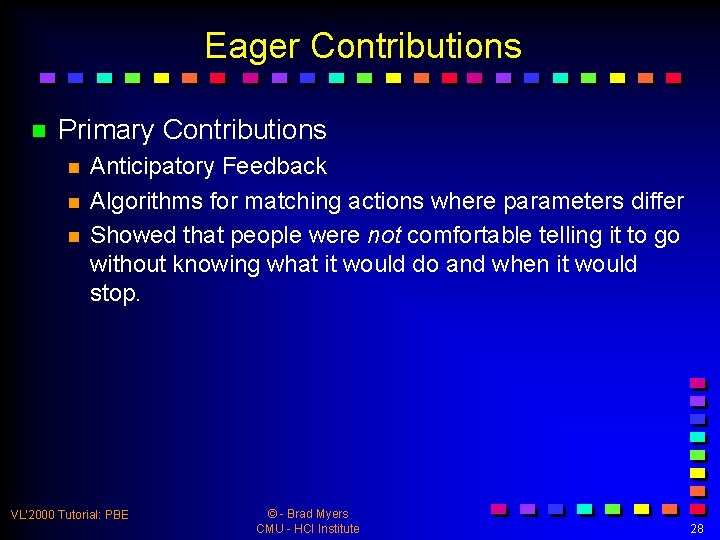
Eager Contributions n Primary Contributions n n n Anticipatory Feedback Algorithms for matching actions where parameters differ Showed that people were not comfortable telling it to go without knowing what it would do and when it would stop. VL’ 2000 Tutorial: PBE © - Brad Myers CMU - HCI Institute 28
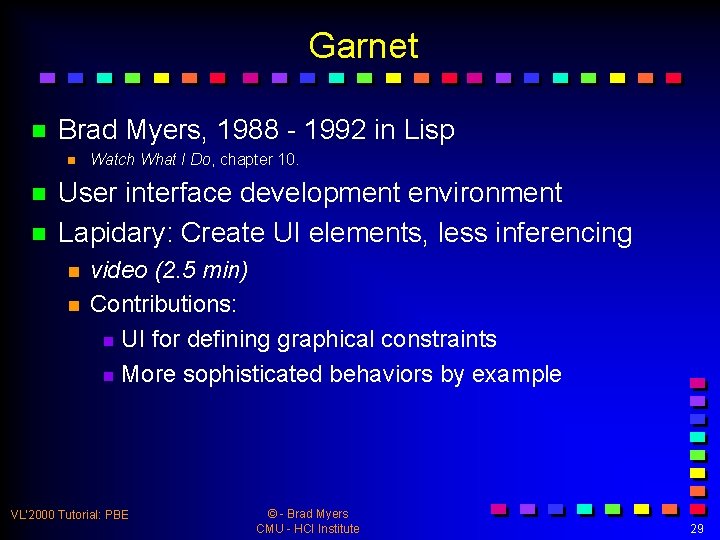
Garnet n Brad Myers, 1988 - 1992 in Lisp n n n Watch What I Do, chapter 10. User interface development environment Lapidary: Create UI elements, less inferencing n n video (2. 5 min) Contributions: n UI for defining graphical constraints n More sophisticated behaviors by example VL’ 2000 Tutorial: PBE © - Brad Myers CMU - HCI Institute 29
Garnet, cont. n C 32 n n n Gilt: Graphical styles for widgets n n n video (2 min) Contributions: n Simple generalizations on copy-paste video (1. 5 min) Contributions: n Extend text metaphor for tabs and Gilt: transformations of widget values n n video (5: 15 min) Contributions: n Inferring parameters of procedures from examples VL’ 2000 Tutorial: PBE © - Brad Myers CMU - HCI Institute 30
Chimera n David Kurlander, 1990, Lisp+C+Postscript n n Graphical search and replace Graphical “comic strip” representation for all actions Generalization of macros selected from the transcript n n Watch What I Do, chapter 12. Explicit specification of control structures video (15 min) VL’ 2000 Tutorial: PBE © - Brad Myers CMU - HCI Institute 31
Chimera Contributions n Primary Contributions: n n Graphical Search and Replace Inferring more sophisticated constraints from examples Comic-book metaphor for command history & programs Editing command history as undo/redo VL’ 2000 Tutorial: PBE © - Brad Myers CMU - HCI Institute 32
DEMO n David A. Wolber and Gene L. Fisher, 1991, 1992 n n n n David A. Wolber and Gene L. Fisher, "Demonstrational Technique for Developing Interfaces with Dynamically Created Objects, " Proceedings UIST'91, Nov, 1992, Monterey, CA, pp. 89 -97. Gene L. Fisher, Dale E. Busse, and David A. Wolber, "Adding Rule-Based Reasoning to a Demonstrational Interface Builder, " Proceedings UIST'92, Nov, 1991, pp. 221 -230. Create (pieces of) user interfaces First system to support dynamic creation of objects. Infers graphical relationships by examples of edits Only simple relationships provided No feedback of code VL’ 2000 Tutorial: PBE © - Brad Myers CMU - HCI Institute 33
DEMO Contributions n Primary Contributions n n Concept of “Stimulus-Response” programming Dynamic creation of objects VL’ 2000 Tutorial: PBE © - Brad Myers CMU - HCI Institute 34
Tourmaline n Brad Myers and Andrew Werth, 1990 -1992. Lisp, Ness, Word. Basic n n Infer composite styles for text formatting n n n Watch What I Do, chapter 14. E. g. , more than one format in the header Infer roles for each piece of text, and formatting for that role Infer tables from a drawing video (7: 22 min) Contributions n Roles VL’ 2000 Tutorial: PBE © - Brad Myers CMU - HCI Institute 35
Marquise n Brad Myers, Rich Mc. Daniel, Dave Kosbie, 1993 in Lisp (part of Garnet) n n Do more by demonstration n n just show the way that the interface should operate. Demonstrate when the behaviors start & feedback n n Myers B. , Mc. Daniel, R. and Kosbie, D. . "Marquise: Creating Complete User Interfaces by Demonstration, " CHI'94. Amsterdam, Netherlands, April 24 -29, 1993. pp. 293 -300. Mouse button does one of 10 things Demonstrate both behavior and conditions Built-in support for palettes and modes. Feedback using sentences with clickable words video (3 min) © - Brad Myers VL’ 2000 Tutorial: PBE CMU - HCI Institute 36
Marquise Contributions n Primary Contributions n n Four modes Ability to demonstrate mouse actions by changing modes in the middle using the keyboard Introduction of icons for “mouse droppings” Demonstration that text with pop-up embedded menus was not a great idea VL’ 2000 Tutorial: PBE © - Brad Myers CMU - HCI Institute 37
Pursuit n Francemary Modugno, 1993 -1995 in Lisp n n Watch What I Do, chapter 20. Generalize desktop programs n Inferred generalizations of data descriptions Comic book representation for programs video (6: 43 min) VL’ 2000 Tutorial: PBE © - Brad Myers CMU - HCI Institute 38
Pursuit Contributions n Primary Contributions n n n Generalizing the comic-strip metaphor Handling of errors, pop-ups in the macro n Meta-dialog boxes Showing the importance of the representation for the program VL’ 2000 Tutorial: PBE © - Brad Myers CMU - HCI Institute 39
Gold n Brad Myers, 1994 in Lisp n n Generalize business charts n n n CHI’ 94, pp. 106 -111 Give one or two examples of desired elements video (7: 00 min) Primary Contributions: n n n Generalizing graphics with no “program” Feedback and editing by labeling Handling of special items VL’ 2000 Tutorial: PBE © - Brad Myers CMU - HCI Institute 40
Inference. Bear & Grizzly Bear n Martin Frank, 1994 -1996 n Martin Frank and Jim Foley, "Model-Based User Interface Design by Example and By Interview, ” UIST'93. Atlanta, GA, Nov. 3 -5, 1993, pp. 129137. n Create UIs by demonstration and direct edit n n User control through dialog boxes, edit using textual language: EET First UI builder with multiple examples n n Snapshots of before and after Multiple examples Add more positive examples to cause generalization Negative examples to specify exceptions VL’ 2000 Tutorial: PBE © - Brad Myers CMU - HCI Institute 41
Inference. Bear & Grizzly Bear VL’ 2000 Tutorial: PBE © - Brad Myers CMU - HCI Institute 42
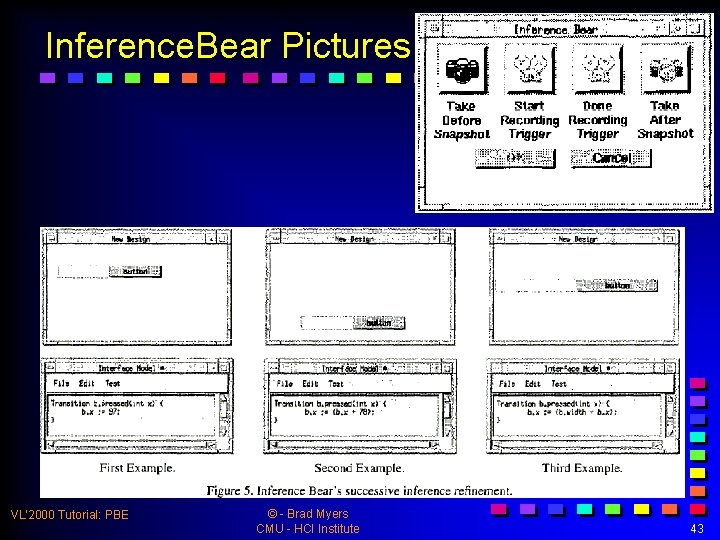
Inference. Bear Pictures VL’ 2000 Tutorial: PBE © - Brad Myers CMU - HCI Institute 43
Inference. Bear Contributions n Primary Contributions n n n Inferencing algorithm which can handle linear equations Use of negative examples Studies showing negative examples are difficult VL’ 2000 Tutorial: PBE © - Brad Myers CMU - HCI Institute 44
Pavlov n David Wolber, 1995 -present n David Wolber, "Pavlov: Programming by Stimulus-Response Demonstration, " CHI'96. April 1996. pp. 252 -259 n Single positive example n Little generalization Score editor feedback and editing Stimulus from mouse or time-based video n n n VL’ 2000 Tutorial: PBE © - Brad Myers CMU - HCI Institute 45
Pavlov Contributions n Primary Contributions n n Score editor as representation Mouse-based stimulus VL’ 2000 Tutorial: PBE © - Brad Myers CMU - HCI Institute 46
Stage. Cast Creator n n (formerly called Kid. Sim, Cocoa) Allen Cypher & David C. Smith; 1994 -present n n n http: //www. stagecast. com Formerly research at Apple, now commercial company: n Create animations and rough simulations Program using before and after pictures Can additional control to rules No automatic generalization Video – on computer (3 min) VL’ 2000 Tutorial: PBE © - Brad Myers CMU - HCI Institute 47
Stage. Cast Contributions n Primary Contributions n n n Before-After rules by example Grouping of rules into sets: n Random ordered, first to succeed Bringing PBD to wider audience VL’ 2000 Tutorial: PBE © - Brad Myers CMU - HCI Institute 48
Gamut n Rich Mc. Daniel, 1996 - 1999 n n n Domain: "board games" and educational software Goal: new interaction techniques so can infer more complex behaviors n n E. g. , how a piece can move in Monopoly / Chess Reduce number of modes in UI n n R. G. Mc. Daniel and B. A. Myers, "Getting More Out Of Programming-By. Demonstration. ” CHI'99. Pittsburgh, PA, May 15 -20, 1999. pp. 442 -449. “Do Something”, “Stop That” New interaction techniques to provide hints Better inferencing algorithms video (4: 19 min) VL’ 2000 Tutorial: PBE © - Brad Myers CMU - HCI Institute 49
Gamut Contributions n Primary Contributions n n UI techniques for positive and negative examples that reduce modes Hints by asking to highlight Most powerful inferencing algorithm Most ambitious coverage by inference VL’ 2000 Tutorial: PBE © - Brad Myers CMU - HCI Institute 50
Topaz n Brad Myers, 1998, part of Amulet in C++ n n n B. A. Myers. "Scripting Graphical Applications by Demonstration, " CHI'98. Los Angeles, CA, April 18 -23, 1998. pp. 534 -541. Move Emacs techniques to graphical editing Move selection like a cursor Generalizations using dialog boxes video (3: 00 min) VL’ 2000 Tutorial: PBE © - Brad Myers CMU - HCI Institute 51
Topaz Contributions n Primary Contributions n n n Scripted macros for graphics like have for text Moving graphics selection like text cursor Dialog boxes for generations of position VL’ 2000 Tutorial: PBE © - Brad Myers CMU - HCI Institute 52
General Themes n n n User Interface for Giving Examples UI for feedback of Programs Implementation 53
User Interface for Giving Examples n n Issue of Modes Hints to help with inferencing One versus multiple examples How specify negative examples VL’ 2000 Tutorial: PBE © - Brad Myers CMU - HCI Institute 54
User Interface for Feedback of Program n n n None (Peridot, Gamut, etc. ) “Real” Code (Visual Basic for Word) Special languages n n n EET language for Inference. Bear Comic strip languages (Chimera, Pursuit) “Score” (time-line) view (Pavlov) Before-after rules (Stagecast) How edit the resulting program? n Many only support: give up and start over VL’ 2000 Tutorial: PBE © - Brad Myers CMU - HCI Institute 55
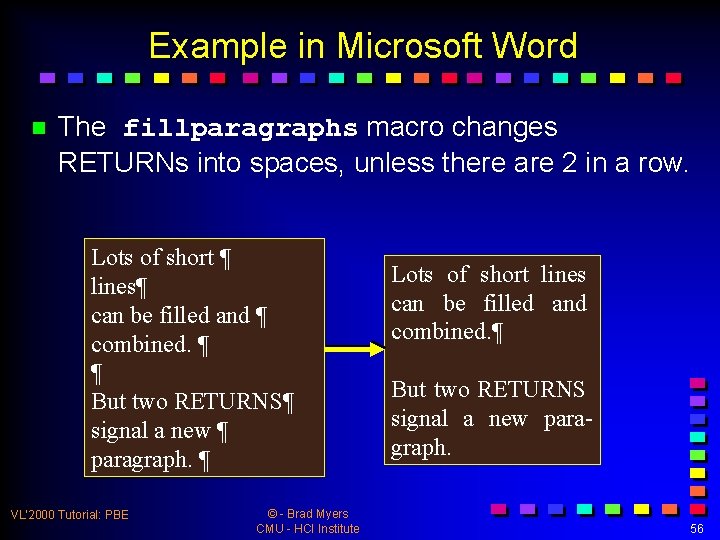
Example in Microsoft Word n The fillparagraphs macro changes RETURNs into spaces, unless there are 2 in a row. Lots of short ¶ lines¶ can be filled and ¶ combined. ¶ ¶ But two RETURNS¶ signal a new ¶ paragraph. ¶ VL’ 2000 Tutorial: PBE © - Brad Myers CMU - HCI Institute Lots of short lines can be filled and combined. ¶ But two RETURNS signal a new paragraph. 56
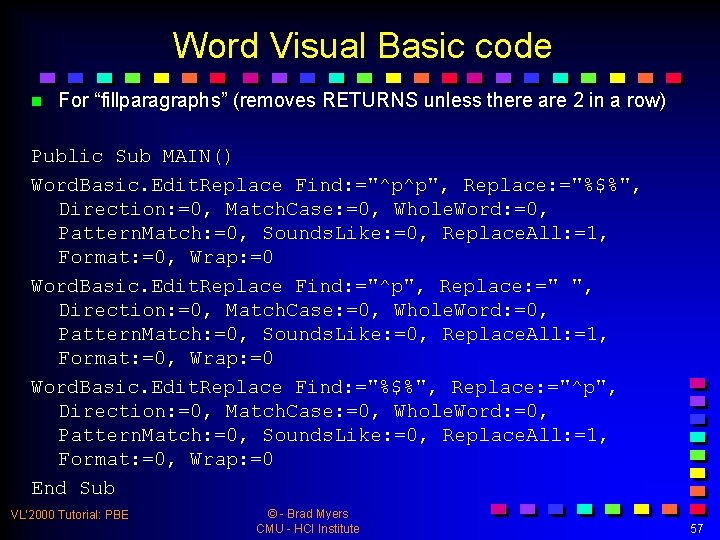
Word Visual Basic code n For “fillparagraphs” (removes RETURNS unless there are 2 in a row) Public Sub MAIN() Word. Basic. Edit. Replace Find: ="^p^p", Replace: ="%$%", Direction: =0, Match. Case: =0, Whole. Word: =0, Pattern. Match: =0, Sounds. Like: =0, Replace. All: =1, Format: =0, Wrap: =0 Word. Basic. Edit. Replace Find: ="^p", Replace: =" ", Direction: =0, Match. Case: =0, Whole. Word: =0, Pattern. Match: =0, Sounds. Like: =0, Replace. All: =1, Format: =0, Wrap: =0 Word. Basic. Edit. Replace Find: ="%$%", Replace: ="^p", Direction: =0, Match. Case: =0, Whole. Word: =0, Pattern. Match: =0, Sounds. Like: =0, Replace. All: =1, Format: =0, Wrap: =0 End Sub VL’ 2000 Tutorial: PBE © - Brad Myers CMU - HCI Institute 57
Implementation n n Techniques for implementing PBE Especially for inferencing Rule-based heuristics More sophisticated AI algorithms n n Pattern matching Decision trees VL’ 2000 Tutorial: PBE © - Brad Myers CMU - HCI Institute 58
Conclusions n n PBE techniques are powerful but still “researchy” Many exciting research questions n n n A community of researchers addressing them Some commercial applications now Increasing as computers get “smarter” VL’ 2000 Tutorial: PBE © - Brad Myers CMU - HCI Institute 59
Sources for Further Information n Special issue of Communications of the ACM on Programming by Example: March, 2000. vol. 43, no. 3. n WWW home page for programming by example: http: //lieber. www. media. mit. edu/people/lieber/PBE/index. html n Watch What I Do, edited by Allen Cypher, co-edited by Daniel C. Halbert, David Kurlander, Henry Lieberman, David Maulsby, Brad A. Myers, and Alan Turransky, The MIT Press, Cambridge, Massachusetts. n New book, next year: Henry Lieberman, ed. Your Wish is My Command. 2001: Morgan Kaufmann VL’ 2000 Tutorial: PBE © - Brad Myers CMU - HCI Institute 60
- Slides: 60