
Tutorial on Web Publishing Basic Elements of HTML
Tutorial on Web Publishing Basic Elements of HTML (Part 2) Kazuo Sugihara, Ph. D. kazuo. myeik@gmail. com
Basic Elements of HTML (2) Outline 1. Tables 2. Blocks
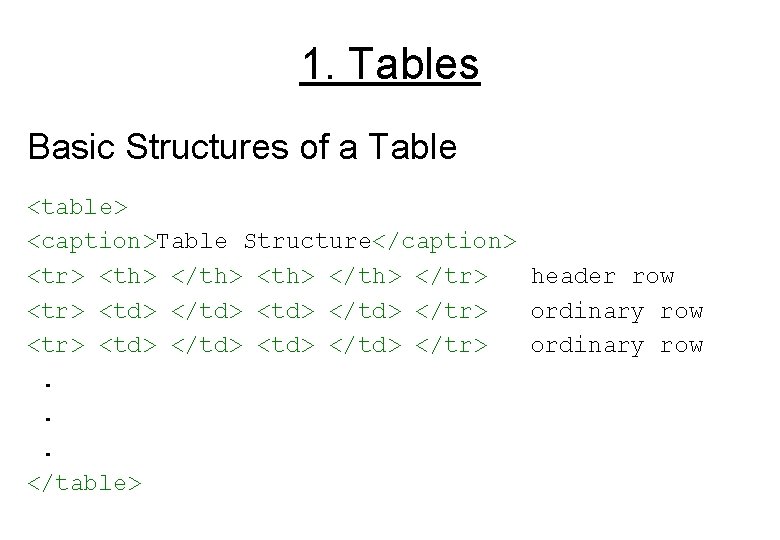
1. Tables Basic Structures of a Table <table> <caption>Table Structure</caption> <tr> <th> </th> </tr> header row <tr> <td> </td> </tr> ordinary row. . . </table>
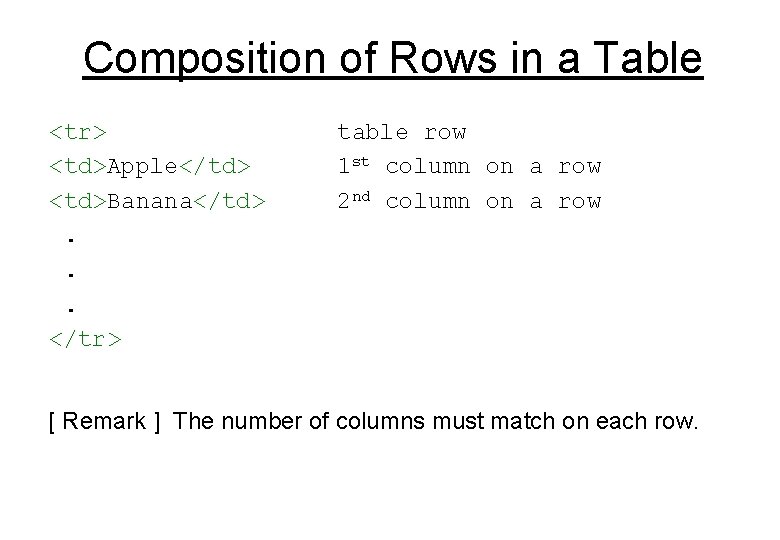
Composition of Rows in a Table <tr> <td>Apple</td> <td>Banana</td>. . . </tr> table row 1 st column on a row 2 nd column on a row [ Remark ] The number of columns must match on each row.
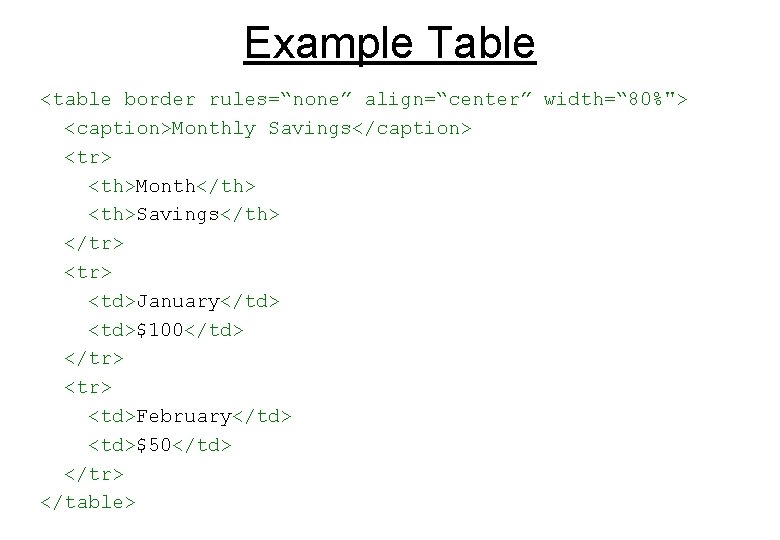
Example Table <table border rules=“none” align=“center” width=“ 80%"> <caption>Monthly Savings</caption> <tr> <th>Month</th> <th>Savings</th> </tr> <td>January</td> <td>$100</td> </tr> <td>February</td> <td>$50</td> </tr> </table>
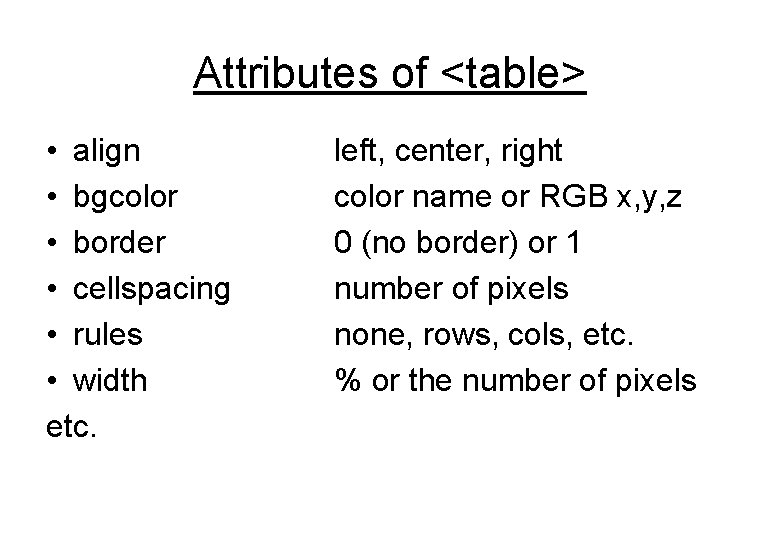
Attributes of <table> • align • bgcolor • border • cellspacing • rules • width etc. left, center, right color name or RGB x, y, z 0 (no border) or 1 number of pixels none, rows, cols, etc. % or the number of pixels
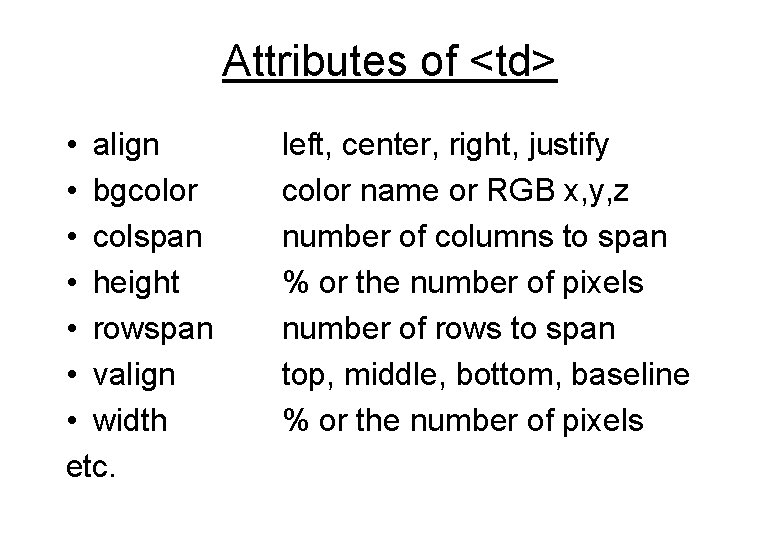
Attributes of <td> • align • bgcolor • colspan • height • rowspan • valign • width etc. left, center, right, justify color name or RGB x, y, z number of columns to span % or the number of pixels number of rows to span top, middle, bottom, baseline % or the number of pixels
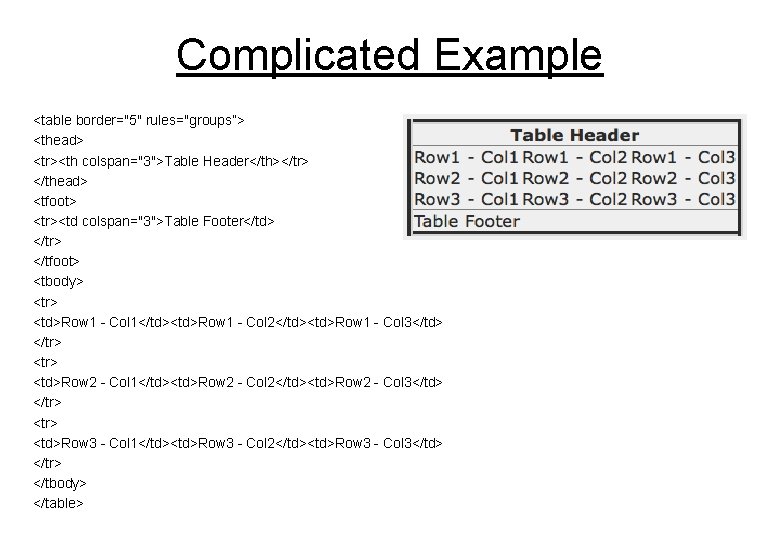
Complicated Example <table border="5" rules="groups”> <thead> <tr><th colspan="3">Table Header</th></tr> </thead> <tfoot> <tr><td colspan="3">Table Footer</td> </tr> </tfoot> <tbody> <tr> <td>Row 1 - Col 1</td><td>Row 1 - Col 2</td><td>Row 1 - Col 3</td> </tr> <td>Row 2 - Col 1</td><td>Row 2 - Col 2</td><td>Row 2 - Col 3</td> </tr> <td>Row 3 - Col 1</td><td>Row 3 - Col 2</td><td>Row 3 - Col 3</td> </tr> </tbody> </table>
2. Blocks Tags for specifying a block of text • <pre> • <blockquote> • <address> • <div>
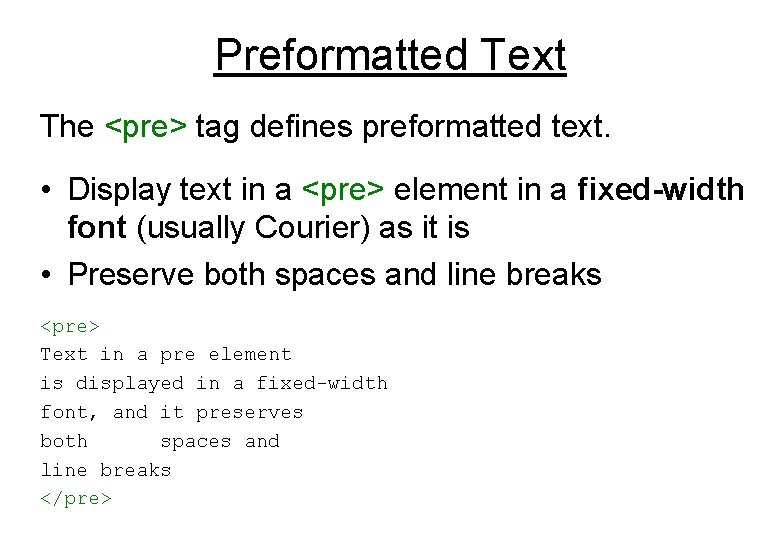
Preformatted Text The <pre> tag defines preformatted text. • Display text in a <pre> element in a fixed-width font (usually Courier) as it is • Preserve both spaces and line breaks <pre> Text in a pre element is displayed in a fixed-width font, and it preserves both spaces and line breaks </pre>
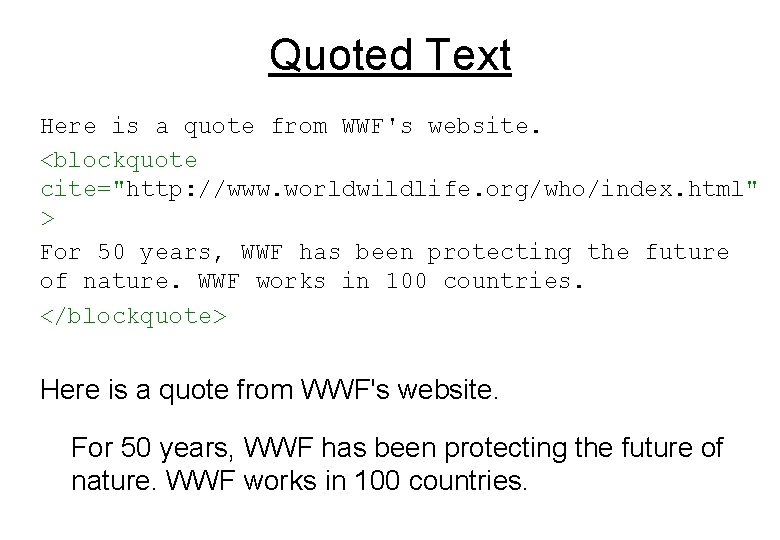
Quoted Text Here is a quote from WWF's website. <blockquote cite="http: //www. worldwildlife. org/who/index. html" > For 50 years, WWF has been protecting the future of nature. WWF works in 100 countries. </blockquote> Here is a quote from WWF's website. For 50 years, WWF has been protecting the future of nature. WWF works in 100 countries.
Division of Text The <div> tag is commonly used with CSS to group elements to format them.
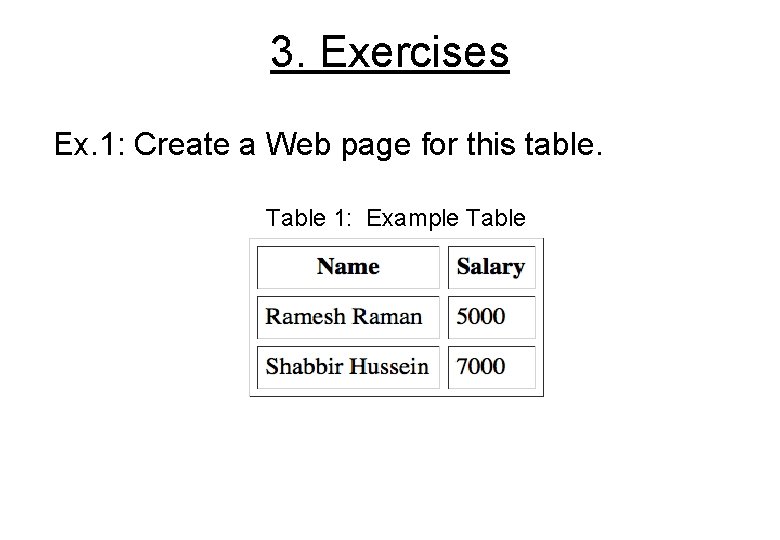
3. Exercises Ex. 1: Create a Web page for this table. Table 1: Example Table
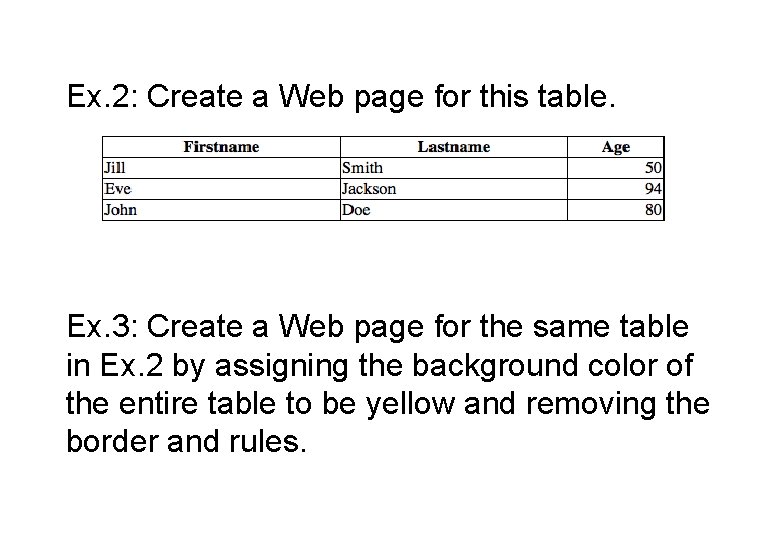
Ex. 2: Create a Web page for this table. Ex. 3: Create a Web page for the same table in Ex. 2 by assigning the background color of the entire table to be yellow and removing the border and rules.
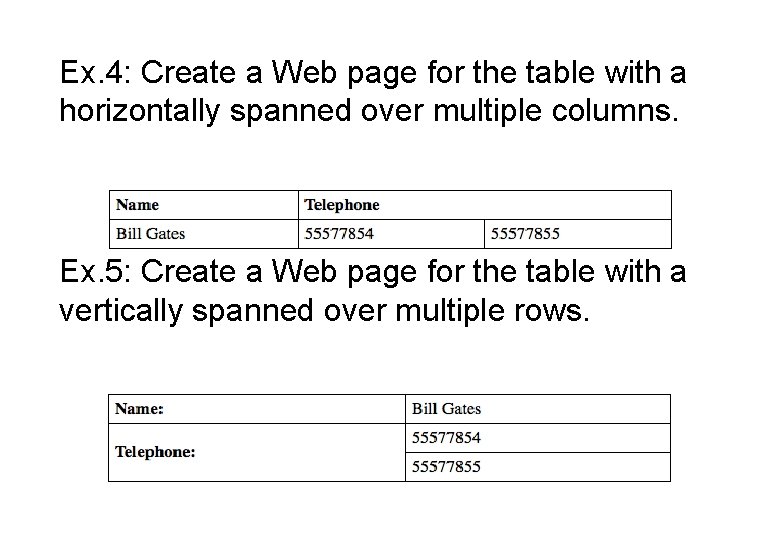
Ex. 4: Create a Web page for the table with a horizontally spanned over multiple columns. Ex. 5: Create a Web page for the table with a vertically spanned over multiple rows.
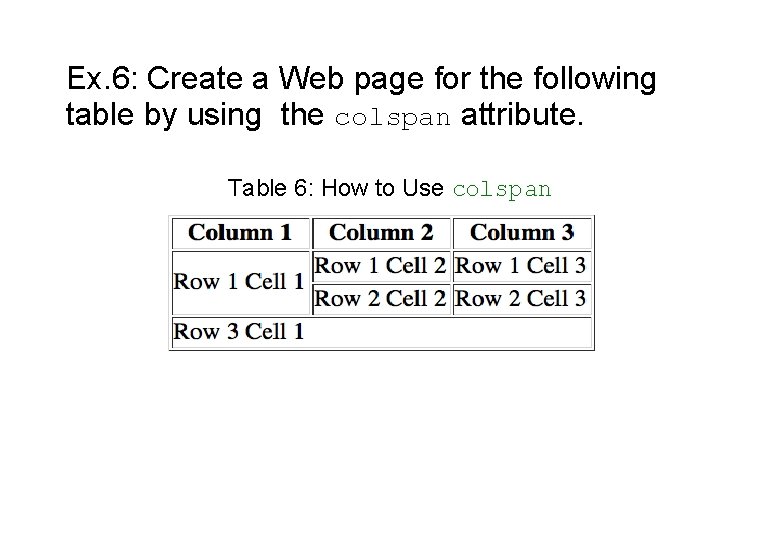
Ex. 6: Create a Web page for the following table by using the colspan attribute. Table 6: How to Use colspan
Wrap-Up Questions? Requests? Comments? Thank You!
- Slides: 17