
Tutorial on Argo UML prepared by Mei Zhang

Tutorial on Argo. UML prepared by Mei Zhang 11/27/2020 1
Overview • Basics – Unified Modeling Language(UML) – CASE-tools supporting UML – Argo. UML • Features • Samples • References 11/27/2020 2
Unified Modeling Language (UML) • The UML is widely used in objectoriented software development. • One keystone for its success in industry is the wealth of CASE tools supporting UML. http: //www. omg. org/technology/documents/formal/uml. htm 11/27/2020 3

CASE-tools supporting UML Price Ess. Model Fujaba More… Argo. UML More… Visual Paradigm Community Edition More Rational Rose $0 $0 $4290 X X Windows Only Java VM Windows Only X X X X Class diagram only. All types. X X X X X N/A N/A X X N/A X Open Source UML tool. Supported Platform(s) Reverse Engineering. Forward Engineering/Code generation Supported UML diagrams Print and export class diagrams. Modify or create UML diagrams. run-time model critique N/A XMI import OCL support N/A X UML Modeling Tools: http: //www. objectsbydesign. com/tools/umltools_by. Company. html Free UML Tools: http: //www. bcs-oops. org. uk/cgi-bin/view/Technical/Free. UMLTools 11/27/2020 4
What is Argo. UML? • Argo. UML is a Java based UML tool that helps you do your design using UML. It is able to create and save most of the nine standard UML diagrams. • Argo. UML is not only a free UML modeling tool, it is also an Open Source Development project where you are invited to contribute. 11/27/2020 5
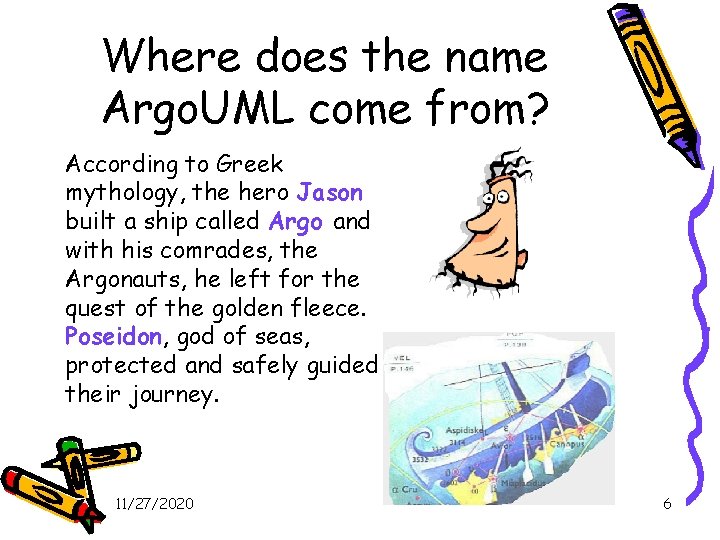
Where does the name Argo. UML come from? According to Greek mythology, the hero Jason built a ship called Argo and with his comrades, the Argonauts, he left for the quest of the golden fleece. Poseidon, god of seas, protected and safely guided their journey. 11/27/2020 6
Who to use? • The users of Argo. UML are – – software designers & architects software developers business analysts systems analysts and other professionals involved in the analysis, design and development of software applications. 11/27/2020 7
Features • Support open standards extensively: UML, XMI, SVG, OCL and others. • 100% Platform independent thanks to the exclusive use of Java • Open Source, which allows extending or customizing. • Cognitive features like: – reflection-in-action – opportunistic design – comprehension and problem solving 11/27/2020 8
Features(con’t) • Cognitive features like – reflection-in-action • • Design critics are simple agents that continuously execute in a background thread of control. They analyze the design as the designer is working and suggest possible improvements. Design Critics Corrective Automations (partially implemented) "To Do" List User model (partially implemented) – opportunistic design • "To Do" List • Checklists – Comprehension and Problem Solving • • • Explorer Perspectives Multiple, Overlapping Views Alternative Design Representations: Graphs, Text, or Table 11/27/2020 9
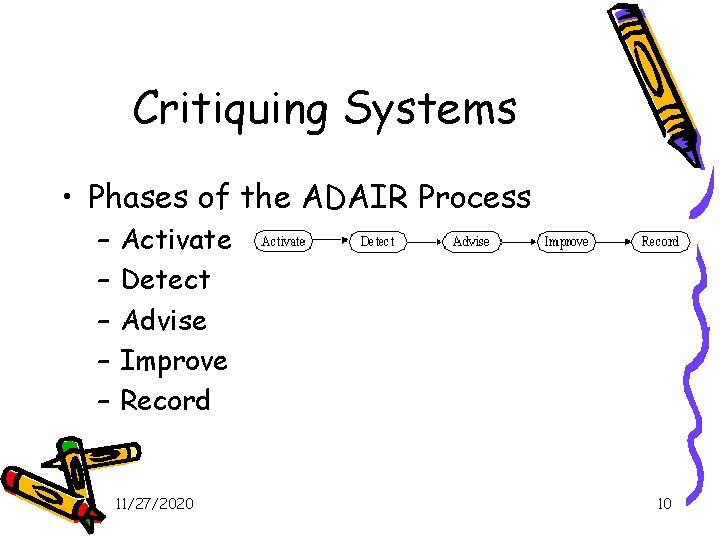
Critiquing Systems • Phases of the ADAIR Process – – – Activate Detect Advise Improve Record 11/27/2020 10
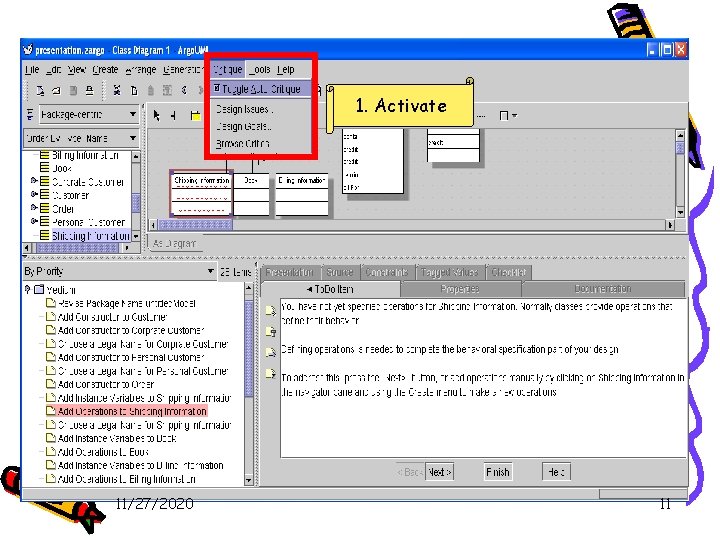
1. Activate Critique 11/27/2020 11
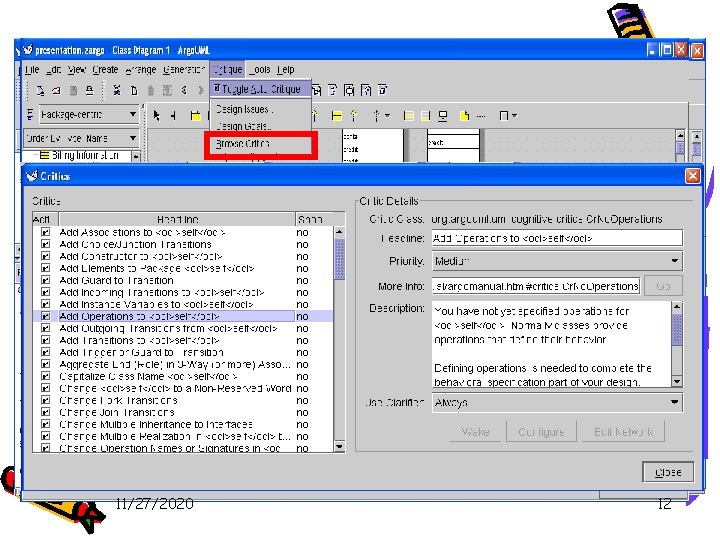
The To-Do Pane 3. Advise 4. Improve 2. Detect 11/27/2020 12
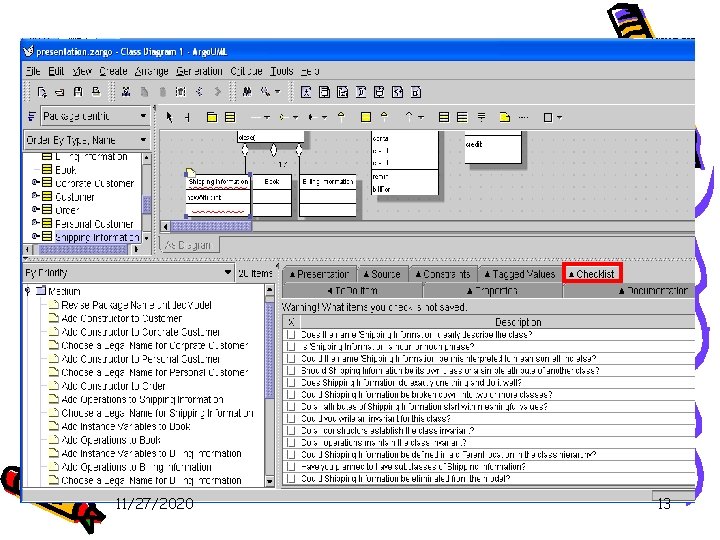
Checklist 11/27/2020 13
How to use • User Interface http: //argouml. tigris. org/documentation/defaulthtml/manual/pt 02. html • Class Diagram Specific Tools http: //argouml. tigris. org/documentation/defaulthtml/manual/ch 11 s 03. html#d 0 e 9002 • How to install Argo. UML? http: //argouml. tigris. org/documentation/defaulthtml/quickguide/ch 02. html 11/27/2020 14
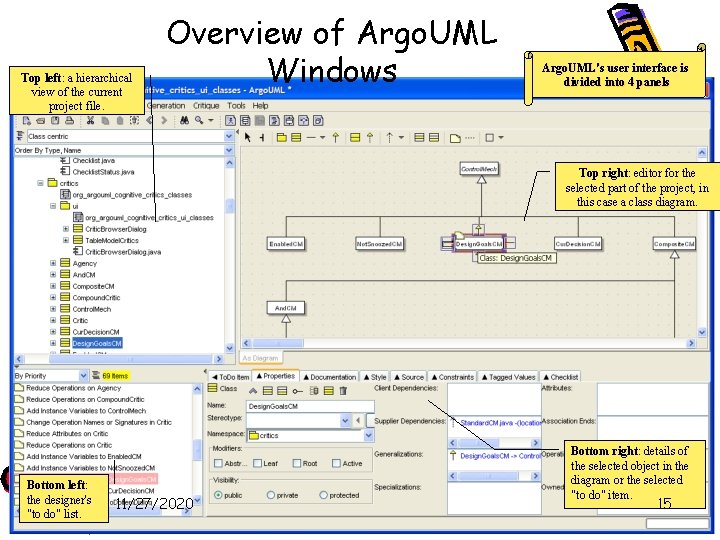
Top left: a hierarchical view of the current project file. Overview of Argo. UML Windows Argo. UML's user interface is divided into 4 panels Top right: editor for the selected part of the project, in this case a class diagram. Bottom left: the designer's "to do" list. 11/27/2020 Bottom right: details of the selected object in the diagram or the selected "to do" item. 15
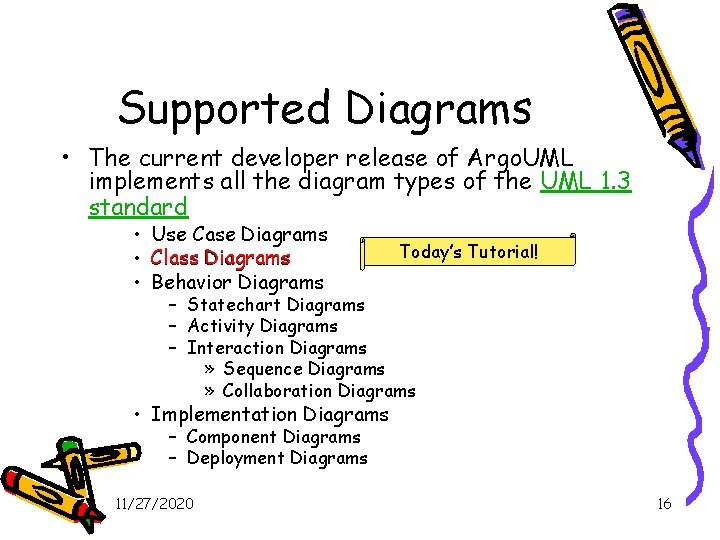
Supported Diagrams • The current developer release of Argo. UML implements all the diagram types of the UML 1. 3 standard • • • Use Case Diagrams Class Diagrams Behavior Diagrams Today’s Tutorial! – Statechart Diagrams – Activity Diagrams – Interaction Diagrams » Sequence Diagrams » Collaboration Diagrams • Implementation Diagrams – Component Diagrams – Deployment Diagrams 11/27/2020 16
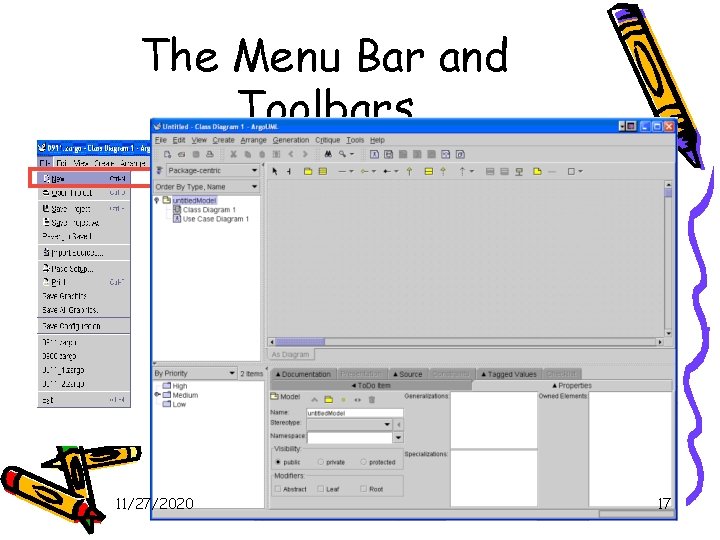
The Menu Bar and Toolbars 1. New a Model. 11/27/2020 17
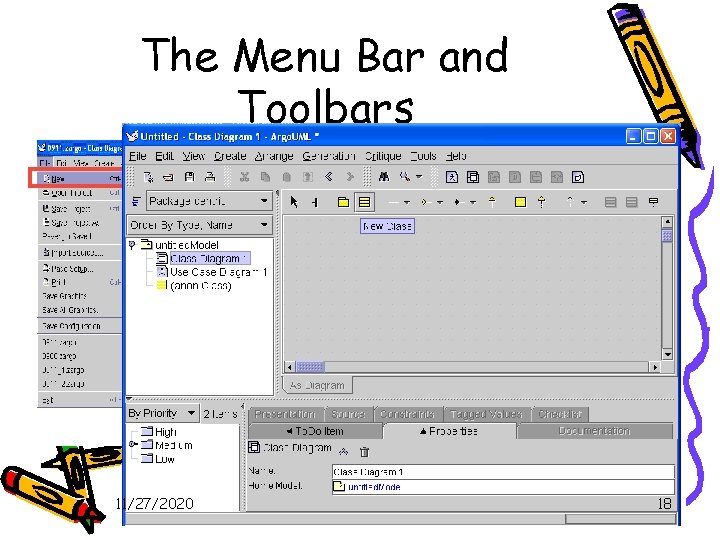
The Menu Bar and Toolbars 1. New a Model. 2. Add a class in the class diagram in the Model. 11/27/2020 18
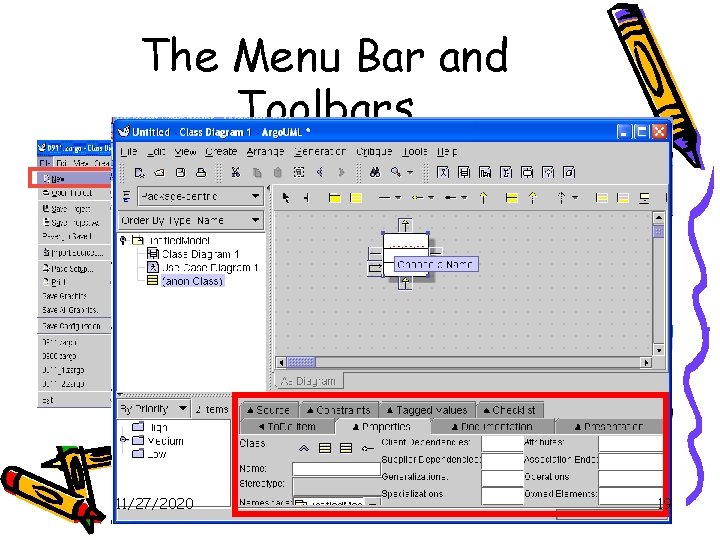
The Menu Bar and Toolbars 1. New a Model. 2. Add a class in the class diagram in the Model. 11/27/2020 19
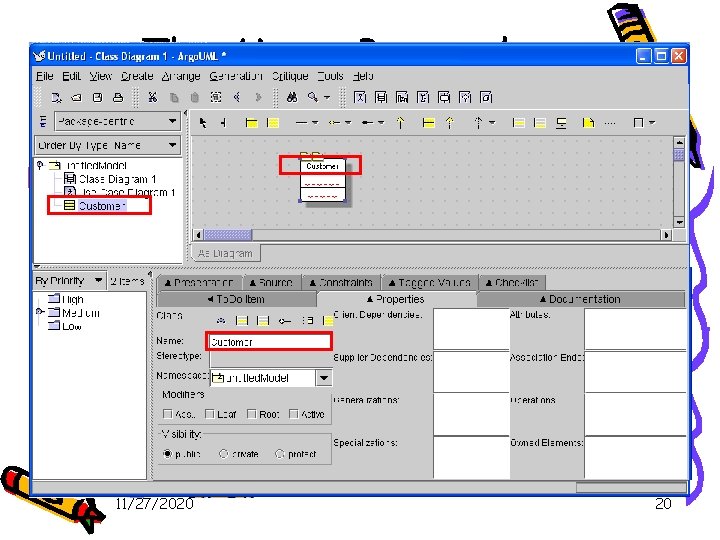
The Menu Bar and Toolbars 1. New a Model. 2. Add a class in the class diagram in the Model. 11/27/2020 20
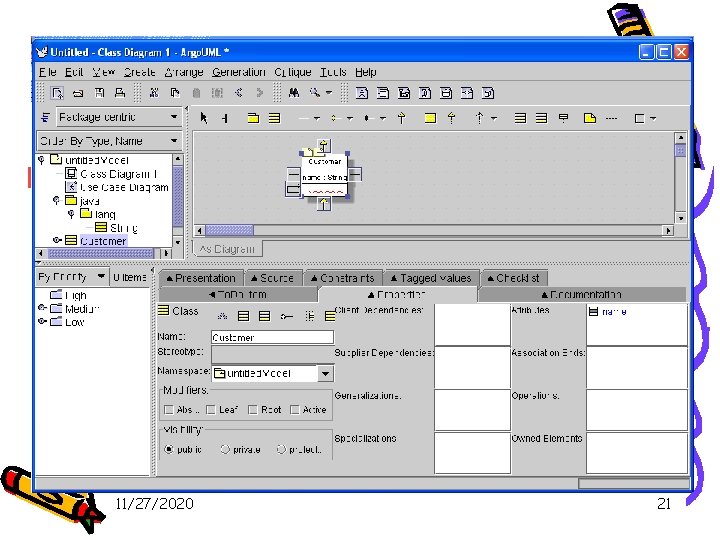
The Menu Bar and Toolbars 1. New a Model. 2. Add a class in the class diagram in the Model. - Add an attribute in the class “Customer”. 11/27/2020 21
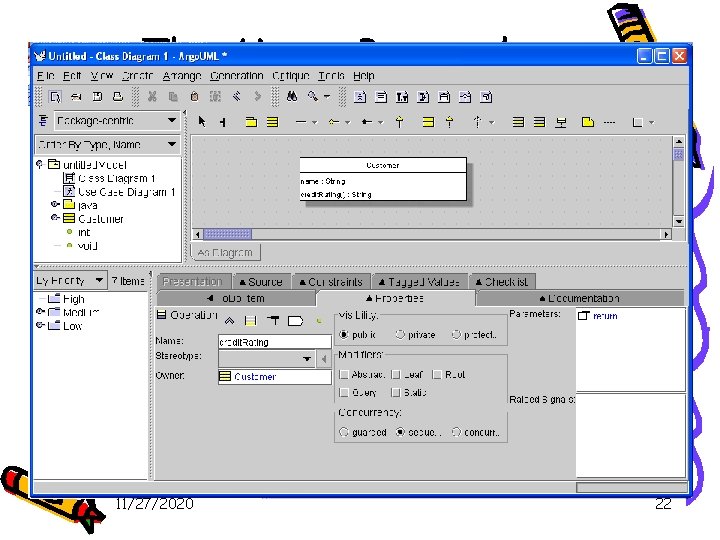
The Menu Bar and Toolbars 1. New a Model. Double click theinreturn 2. Add a class in the class diagram the Model. - Add an attribute in the class “Customer”. - Add an method in the class “Customer”. 11/27/2020 22
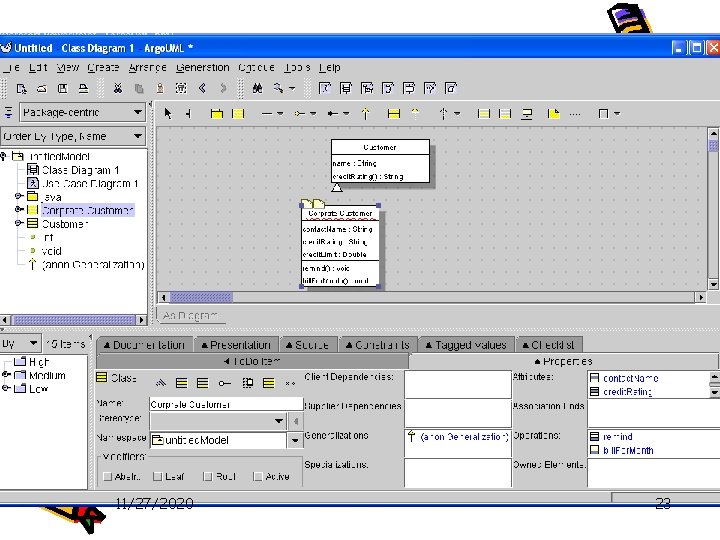
The Menu Bar and Toolbars 1. New a Model. Double click it. 2. Add a class in the class diagram in the Model. 3. Add a generalization to the class Customer. - Alternative I: double click the generalization icon under the class. 11/27/2020 23
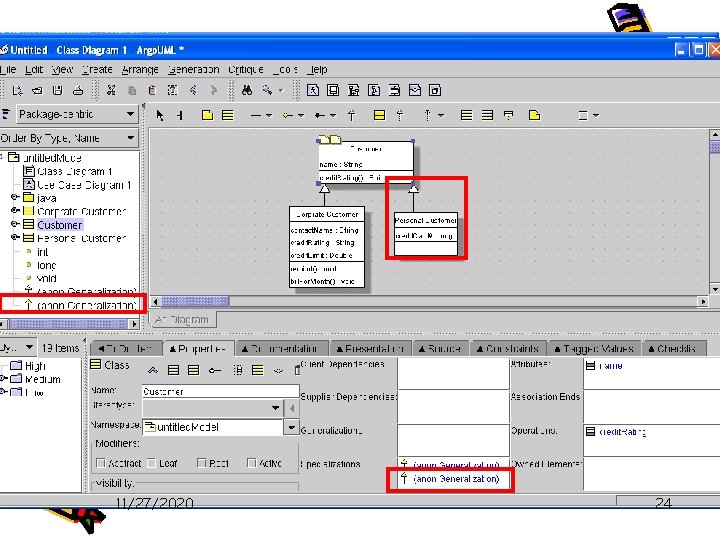
The Menu Bar and Toolbars 1. New a Model. 2. Add a class in the class diagram in the Model. 3. Add a generalization to the class Customer. - Alternative I: double click the generalization icon under the class. - Alternative II: add a new class and use the generalization line in the tool bar. 11/27/2020 24
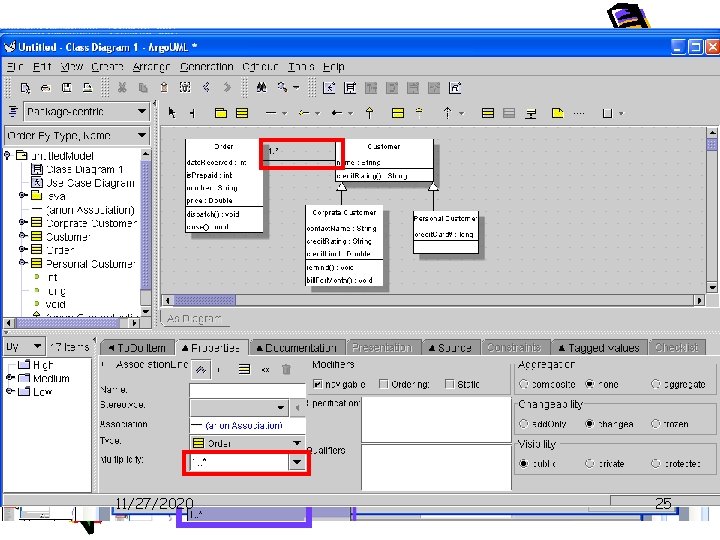
The Menu Bar and Toolbars 1. New a Model. Left click when mouse is oninthe then drag it 2. Add a class in thethe class diagram theicon, Model. to the class to be associated, release the left button Double click it. 3. Add a generalization the class Customer. in the mouse. to The associate is done now. 4. Add a association to the class Customer. 11/27/2020 25
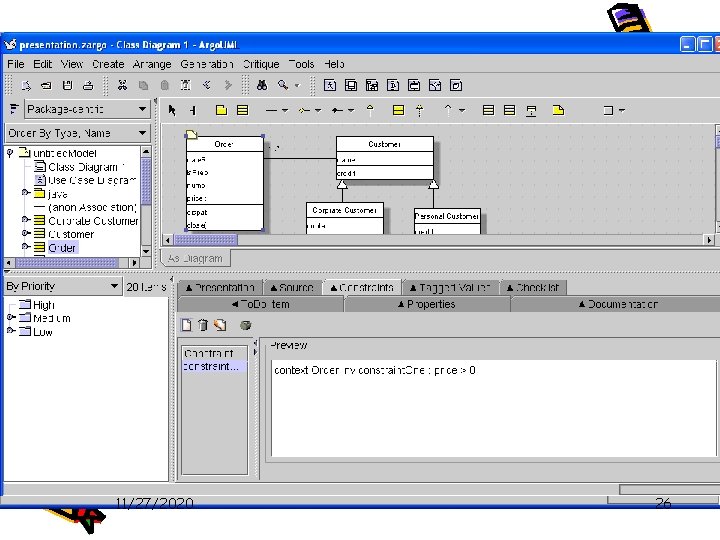
The Menu Bar and Toolbars 1. New a Model. 2. Add a class in the class diagram in the Model. 3. Add a generalization to the class Customer. 4. Add a association to the class Customer. 5. Add a constraints to the class Order. 11/27/2020 26
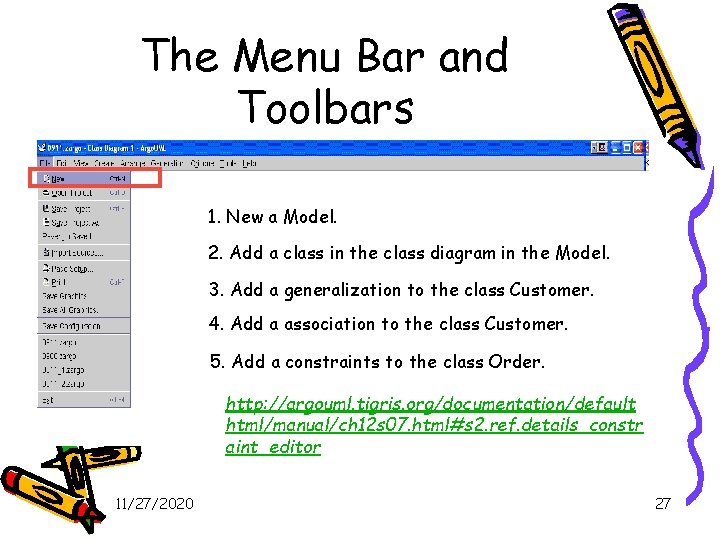
The Menu Bar and Toolbars 1. New a Model. 2. Add a class in the class diagram in the Model. 3. Add a generalization to the class Customer. 4. Add a association to the class Customer. 5. Add a constraints to the class Order. http: //argouml. tigris. org/documentation/default html/manual/ch 12 s 07. html#s 2. ref. details_constr aint_editor 11/27/2020 27
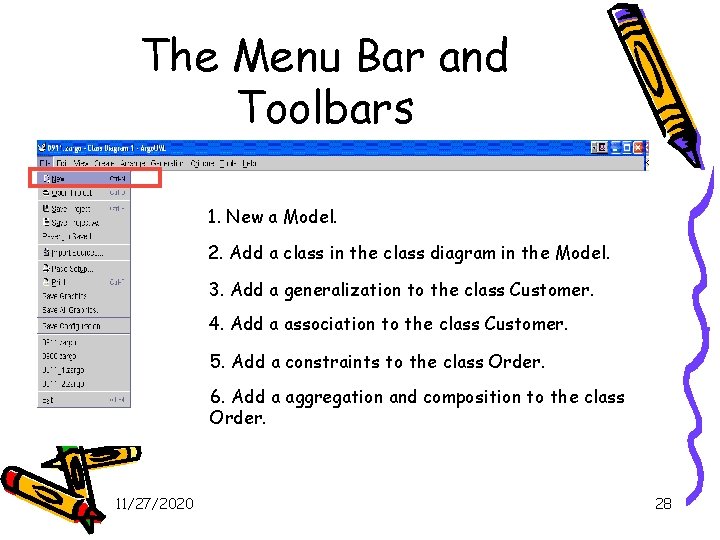
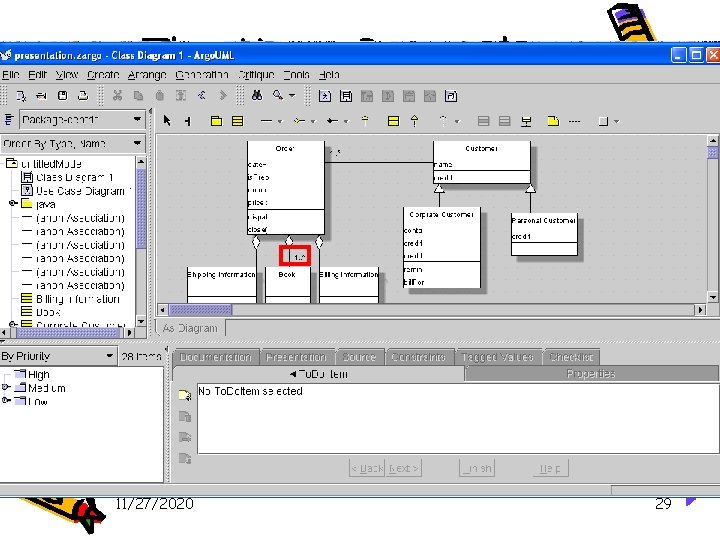
The Menu Bar and Toolbars 1. New a Model. 2. Add a class in the class diagram in the Model. 3. Add a generalization to the class Customer. 4. Add a association to the class Customer. 5. Add a constraints to the class Order. 6. Add a aggregation and composition to the class Order. 11/27/2020 28
The Menu Bar and Toolbars 11/27/2020 29
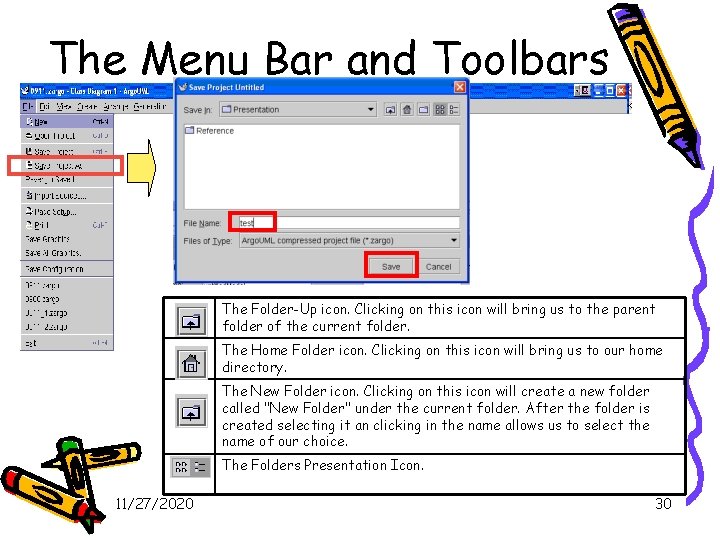
The Menu Bar and Toolbars The Folder-Up icon. Clicking on this icon will bring us to the parent folder of the current folder. The Home Folder icon. Clicking on this icon will bring us to our home directory. The New Folder icon. Clicking on this icon will create a new folder called "New Folder" under the current folder. After the folder is created selecting it an clicking in the name allows us to select the name of our choice. The Folders Presentation Icon. 11/27/2020 30
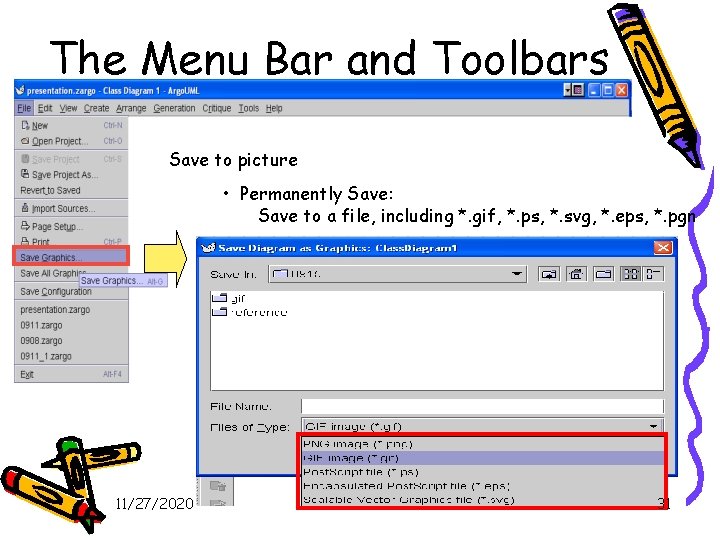
The Menu Bar and Toolbars Save to picture • Permanently Save: Save to a file, including *. gif, *. ps, *. svg, *. eps, *. pgn 11/27/2020 31
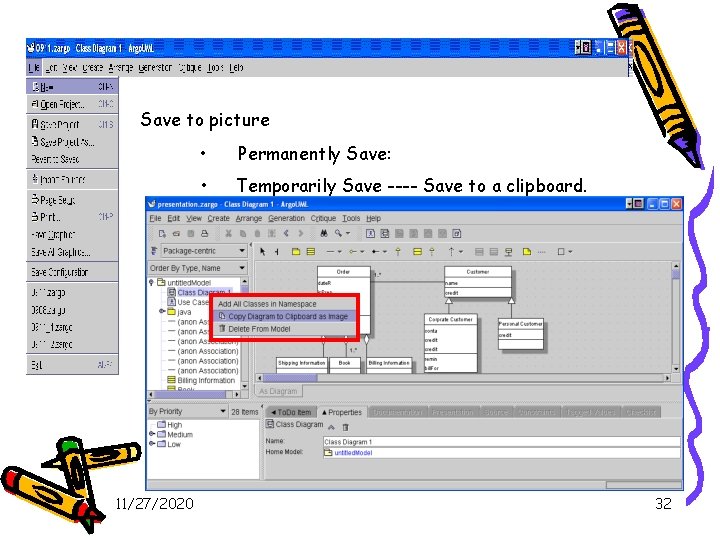
Save to picture 11/27/2020 • Permanently Save: • Temporarily Save ---- Save to a clipboard. 32
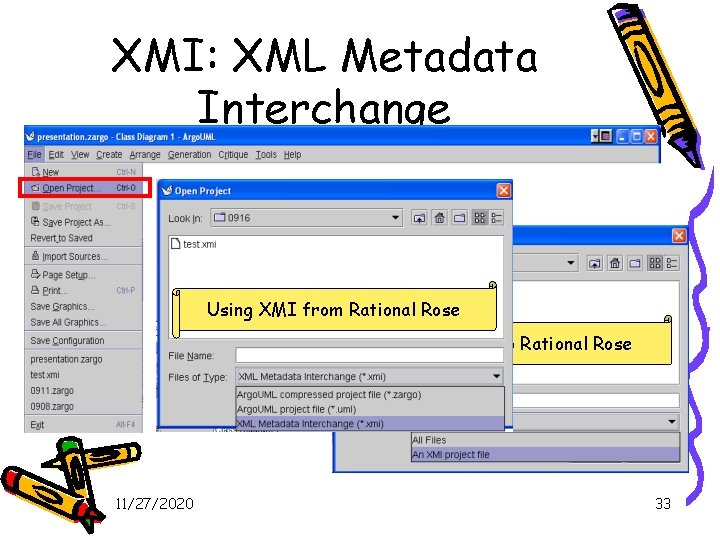
XMI: XML Metadata Interchange Using XMI from Rational Rose Provide XMI to Rational Rose 11/27/2020 33
References • Object Management Group(OMG) UML 2. 0 http: //www. omg. org/technology/documents/formal/uml. htm • UML Modeling Tools: http: //www. objectsbydesign. com/tools/umltools_by. Company. html • Free UML Tools: http: //www. bcs-oops. org. uk/cgi-bin/view/Technical/Free. UMLTools • Information on Argo UML, an. open source UML modeling tool built in Java http: //argouml. tigris. org/ • Jason Robbins http: //www 1. ics. uci. edu/~jrobbins/ • Poseidon for UML http: //www. gentleware. com/products/ • Argo. UML Manual http: //argouml. tigris. org/documentation/defaulthtml/manual/ • Section 3, Software Design: From Programming to Architecture, Eric Braude, John Wiley and Sons, Publishers, 2004 11/27/2020 34
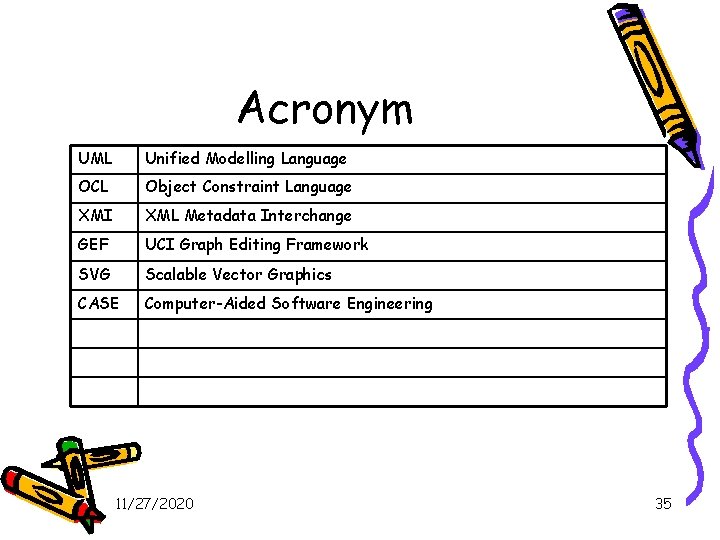
Acronym UML Unified Modelling Language OCL Object Constraint Language XMI XML Metadata Interchange GEF UCI Graph Editing Framework SVG Scalable Vector Graphics CASE Computer-Aided Software Engineering 11/27/2020 35
- Slides: 35