
Tutorial Getting Started With se L 4 on

- Slides: 61
Tutorial: Getting Started With se. L 4 on RISC-V With Renode’s Help Jesse Millwood Embedded Engineer Dorner. Works jesse. millwood@dornerworks. com
Jesse Millwood • Embedded Engineer • Dorner. Works • Advanced Embedded Platform Group • Objectives • se. L 4 Introduction • Using se. L 4 Test • Developing with CAmk. ES • Emulating with Renode Secure Your System with se. L 4 #RISCVSUMMIT | tmt. knect 365. com/risc-v-summit/
Why Use se. L 4? • It is a microkernel • It is backed by formal methods • It is Open Source • It focuses on security #RISCVSUMMIT | tmt. knect 365. com/risc-v-summit/
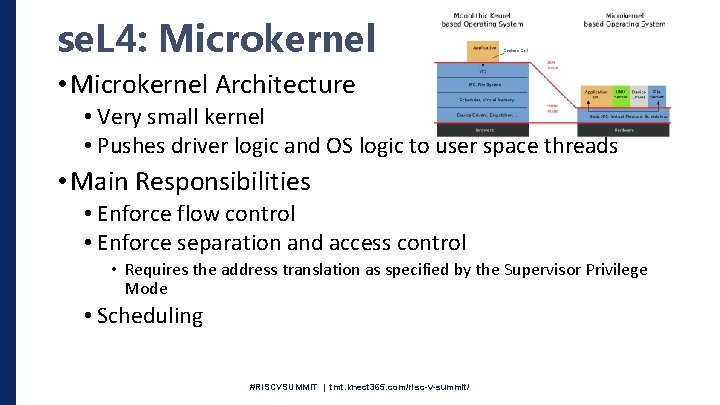
se. L 4: Microkernel • Microkernel Architecture • Very small kernel • Pushes driver logic and OS logic to user space threads • Main Responsibilities • Enforce flow control • Enforce separation and access control • Requires the address translation as specified by the Supervisor Privilege Mode • Scheduling #RISCVSUMMIT | tmt. knect 365. com/risc-v-summit/
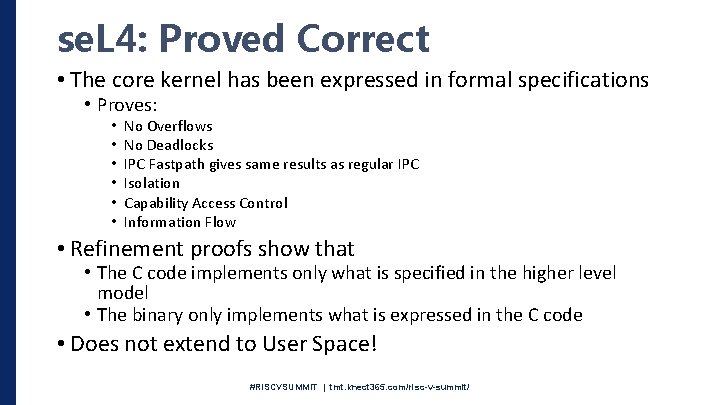
se. L 4: Proved Correct • The core kernel has been expressed in formal specifications • Proves: • • • No Overflows No Deadlocks IPC Fastpath gives same results as regular IPC Isolation Capability Access Control Information Flow • Refinement proofs show that • The C code implements only what is specified in the higher level model • The binary only implements what is expressed in the C code • Does not extend to User Space! #RISCVSUMMIT | tmt. knect 365. com/risc-v-summit/
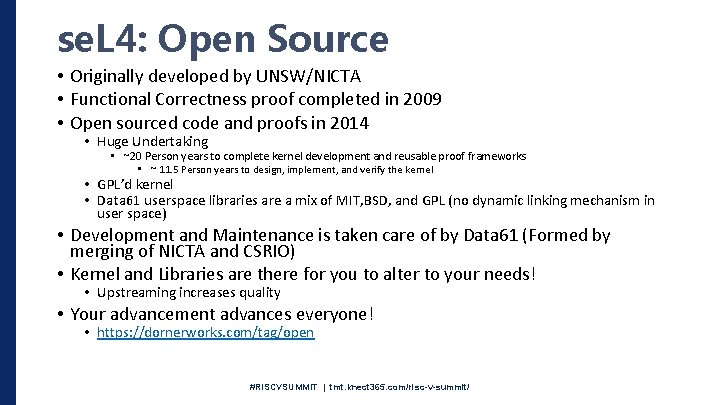
se. L 4: Open Source • Originally developed by UNSW/NICTA • Functional Correctness proof completed in 2009 • Open sourced code and proofs in 2014 • Huge Undertaking • ~20 Person years to complete kernel development and reusable proof frameworks • ~ 11. 5 Person years to design, implement, and verify the kernel • GPL’d kernel • Data 61 userspace libraries are a mix of MIT, BSD, and GPL (no dynamic linking mechanism in user space) • Development and Maintenance is taken care of by Data 61 (Formed by merging of NICTA and CSRIO) • Kernel and Libraries are there for you to alter to your needs! • Upstreaming increases quality • Your advancement advances everyone! • https: //dornerworks. com/tag/open #RISCVSUMMIT | tmt. knect 365. com/risc-v-summit/
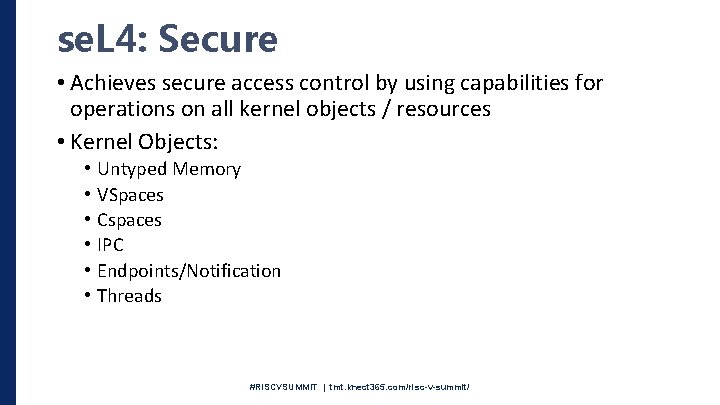
se. L 4: Secure • Achieves secure access control by using capabilities for operations on all kernel objects / resources • Kernel Objects: • • • Untyped Memory VSpaces Cspaces IPC Endpoints/Notification Threads #RISCVSUMMIT | tmt. knect 365. com/risc-v-summit/
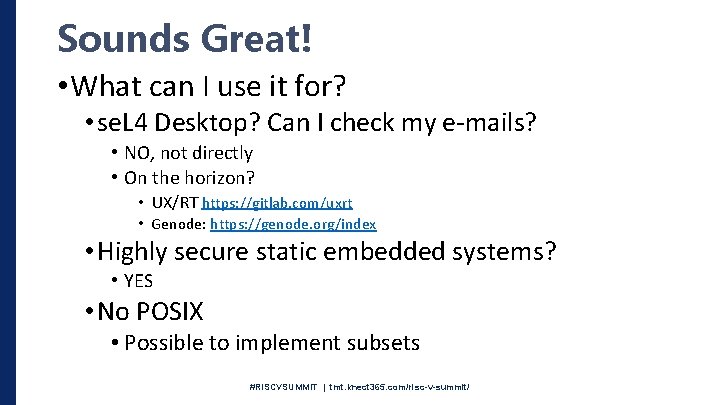
Sounds Great! • What can I use it for? • se. L 4 Desktop? Can I check my e-mails? • NO, not directly • On the horizon? • UX/RT https: //gitlab. com/uxrt • Genode: https: //genode. org/index • Highly secure static embedded systems? • YES • No POSIX • Possible to implement subsets #RISCVSUMMIT | tmt. knect 365. com/risc-v-summit/
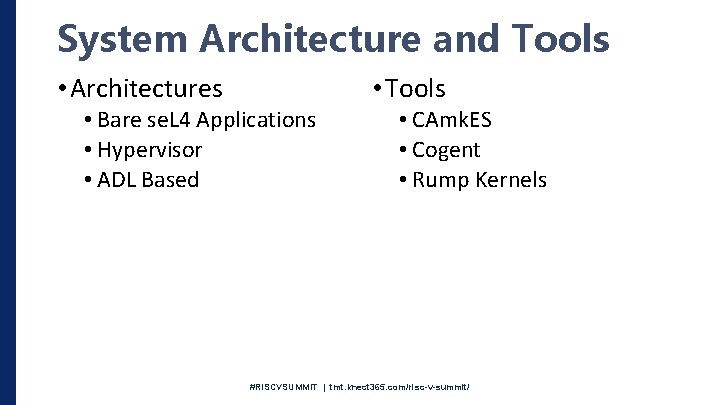
System Architecture and Tools • Architectures • Tools • Bare se. L 4 Applications • Hypervisor • ADL Based • CAmk. ES • Cogent • Rump Kernels #RISCVSUMMIT | tmt. knect 365. com/risc-v-summit/
Let’s Build A System • Data 61’s se. L 4 Test • Great for testing se. L 4 on new platforms • Great for getting familiar with the surrounding tools and project layouts #RISCVSUMMIT | tmt. knect 365. com/risc-v-summit/
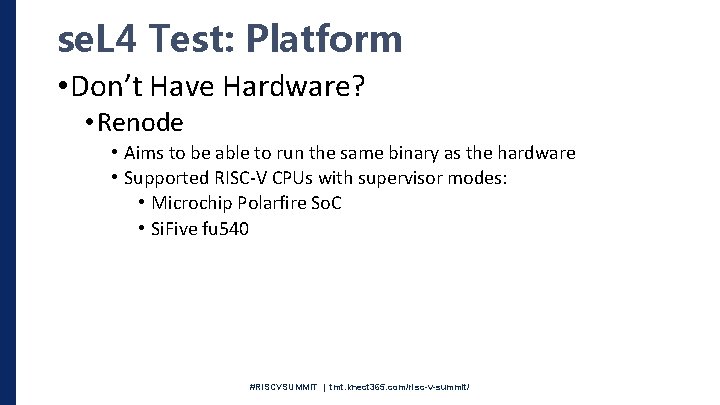
se. L 4 Test: Platform • Don’t Have Hardware? • Renode • Aims to be able to run the same binary as the hardware • Supported RISC-V CPUs with supervisor modes: • Microchip Polarfire So. C • Si. Five fu 540 #RISCVSUMMIT | tmt. knect 365. com/risc-v-summit/
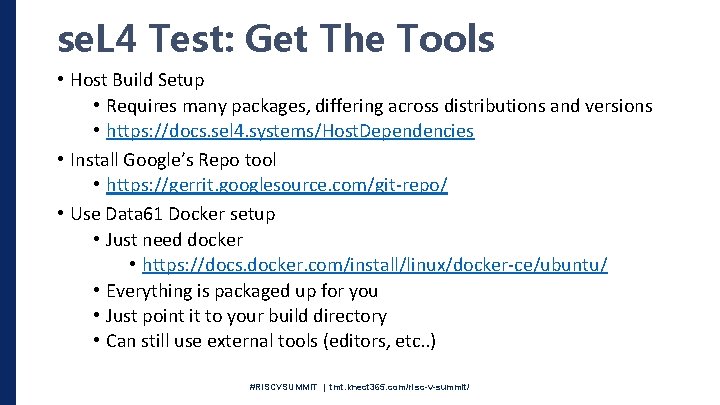
se. L 4 Test: Get The Tools • Host Build Setup • Requires many packages, differing across distributions and versions • https: //docs. sel 4. systems/Host. Dependencies • Install Google’s Repo tool • https: //gerrit. googlesource. com/git-repo/ • Use Data 61 Docker setup • Just need docker • https: //docs. docker. com/install/linux/docker-ce/ubuntu/ • Everything is packaged up for you • Just point it to your build directory • Can still use external tools (editors, etc. . ) #RISCVSUMMIT | tmt. knect 365. com/risc-v-summit/
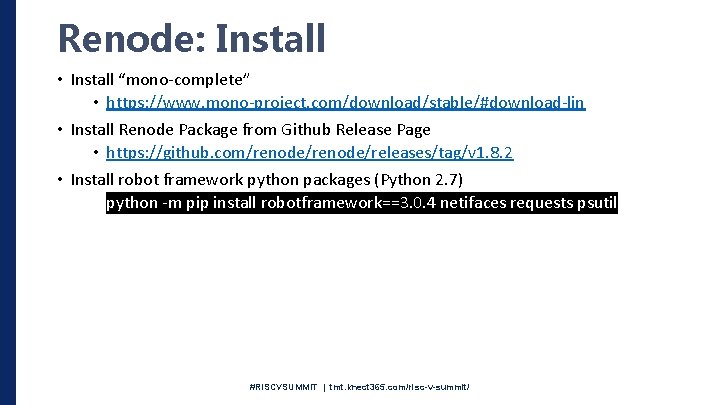
Renode: Install • Install “mono-complete” • https: //www. mono-project. com/download/stable/#download-lin • Install Renode Package from Github Release Page • https: //github. com/renode/releases/tag/v 1. 8. 2 • Install robot framework python packages (Python 2. 7) • python -m pip install robotframework==3. 0. 4 netifaces requests psutil #RISCVSUMMIT | tmt. knect 365. com/risc-v-summit/
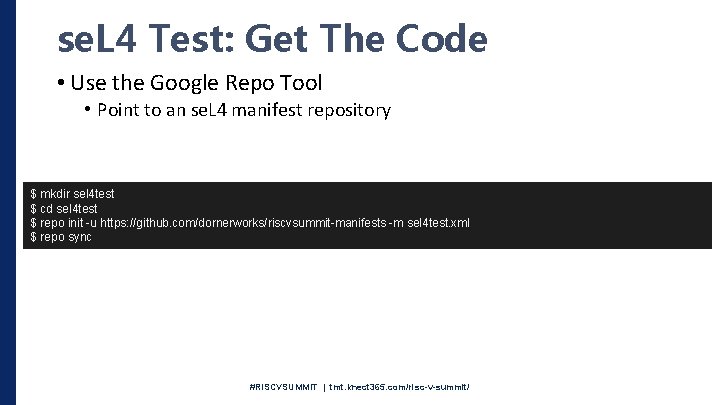
se. L 4 Test: Get The Code • Use the Google Repo Tool • Point to an se. L 4 manifest repository $ mkdir sel 4 test $ cd sel 4 test $ repo init -u https: //github. com/dornerworks/riscvsummit-manifests -m sel 4 test. xml $ repo sync #RISCVSUMMIT | tmt. knect 365. com/risc-v-summit/
#RISCVSUMMIT | tmt. knect 365. com/risc-v-summit/
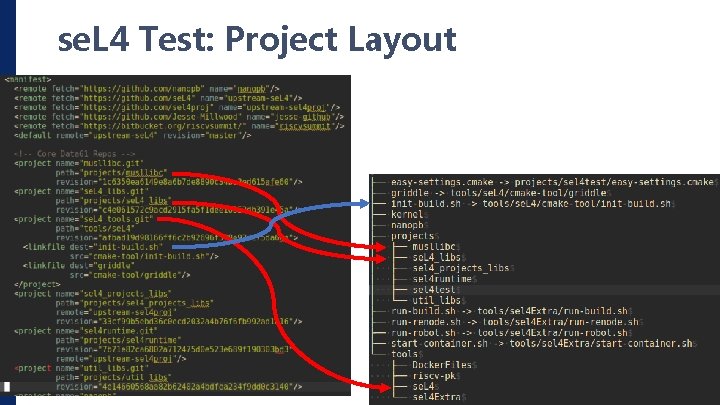
se. L 4 Test: Project Layout #RISCVSUMMIT | tmt. knect 365. com/risc-v-summit/
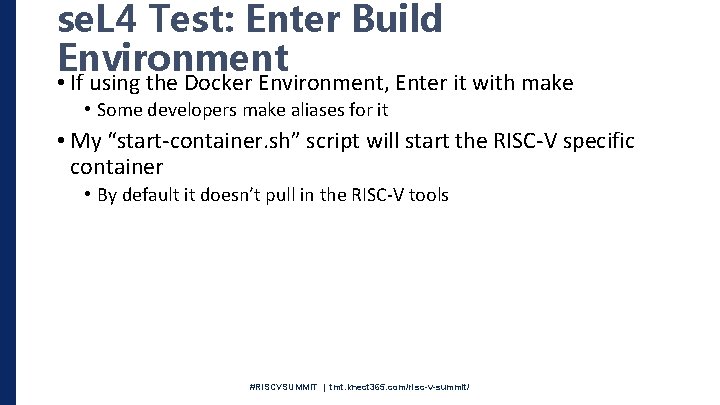
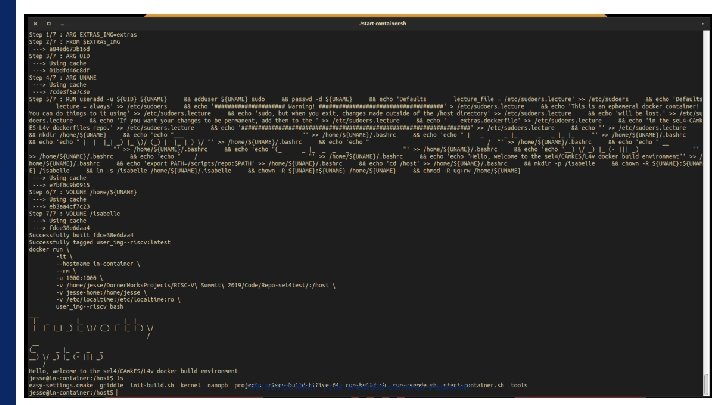
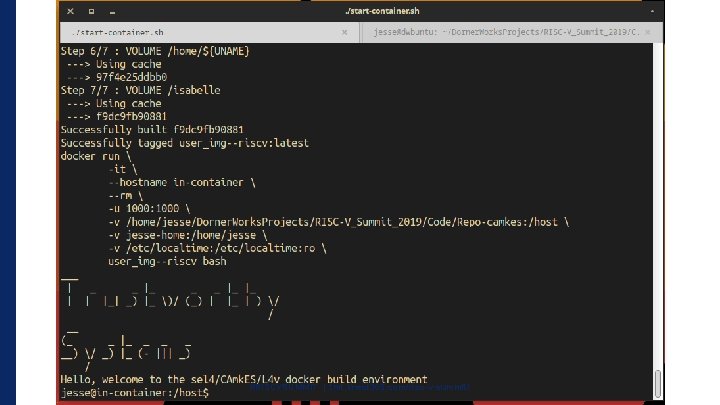
se. L 4 Test: Enter Build Environment • If using the Docker Environment, Enter it with make • Some developers make aliases for it • My “start-container. sh” script will start the RISC-V specific container • By default it doesn’t pull in the RISC-V tools #RISCVSUMMIT | tmt. knect 365. com/risc-v-summit/
#RISCVSUMMIT | tmt. knect 365. com/risc-v-summit/
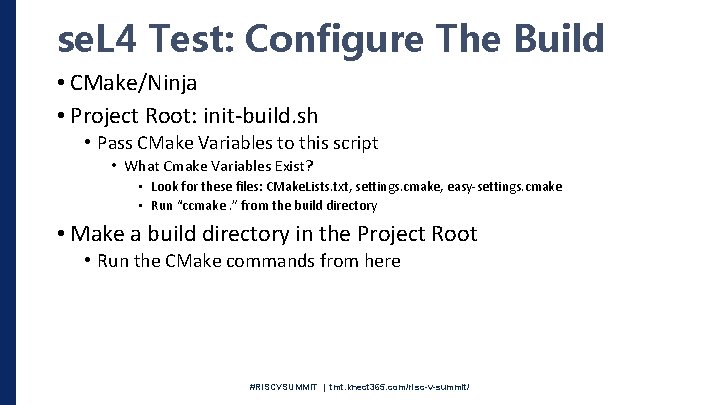
se. L 4 Test: Configure The Build • CMake/Ninja • Project Root: init-build. sh • Pass CMake Variables to this script • What Cmake Variables Exist? • Look for these files: CMake. Lists. txt, settings. cmake, easy-settings. cmake • Run “ccmake. ” from the build directory • Make a build directory in the Project Root • Run the CMake commands from here #RISCVSUMMIT | tmt. knect 365. com/risc-v-summit/
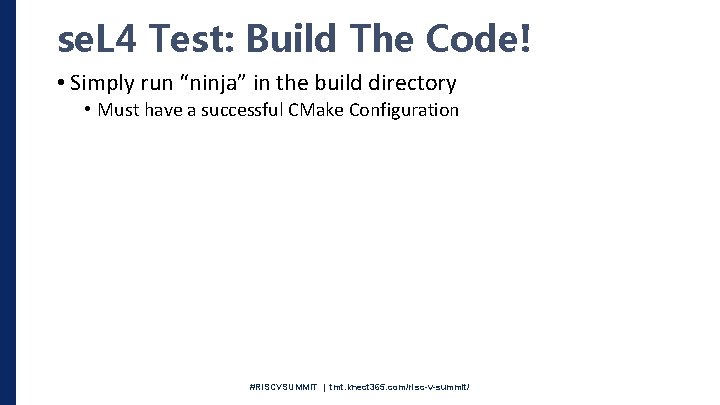
se. L 4 Test: Build The Code! • Simply run “ninja” in the build directory • Must have a successful CMake Configuration #RISCVSUMMIT | tmt. knect 365. com/risc-v-summit/
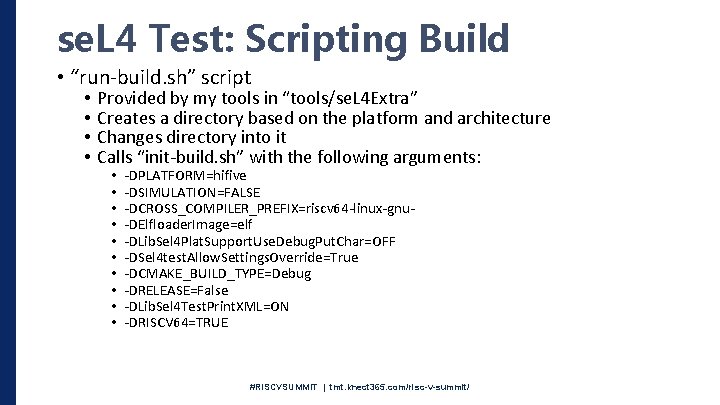
se. L 4 Test: Scripting Build • “run-build. sh” script • • Provided by my tools in “tools/se. L 4 Extra” Creates a directory based on the platform and architecture Changes directory into it Calls “init-build. sh” with the following arguments: • • • -DPLATFORM=hifive -DSIMULATION=FALSE -DCROSS_COMPILER_PREFIX=riscv 64 -linux-gnu-DElfloader. Image=elf -DLib. Sel 4 Plat. Support. Use. Debug. Put. Char=OFF -DSel 4 test. Allow. Settings. Override=True -DCMAKE_BUILD_TYPE=Debug -DRELEASE=False -DLib. Sel 4 Test. Print. XML=ON -DRISCV 64=TRUE #RISCVSUMMIT | tmt. knect 365. com/risc-v-summit/
#RISCVSUMMIT | tmt. knect 365. com/risc-v-summit/
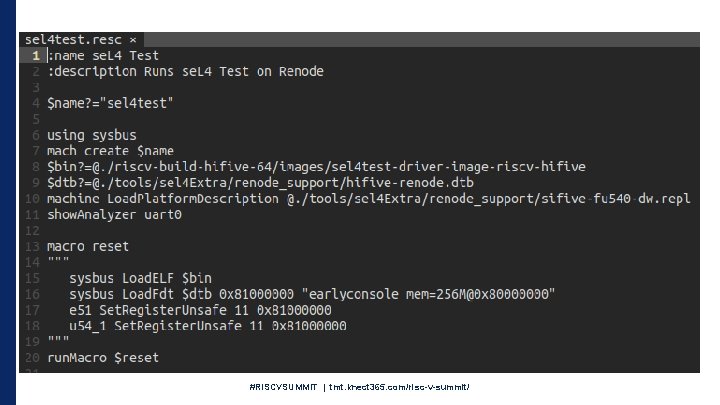
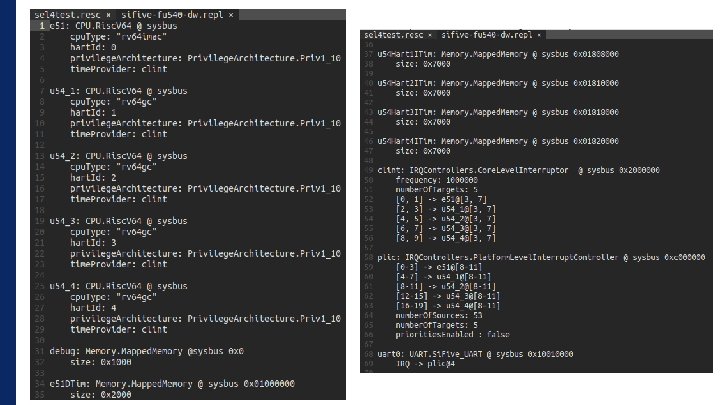
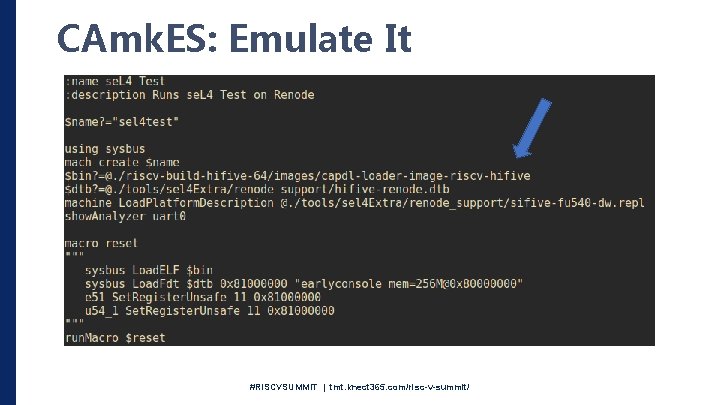
Renode: Configure Emulation • Use a Renode Monitor script (*. resc) • Provide • The se. L 4 binary • The platforms DTB (Gets passed to the bootloader, BBL) #RISCVSUMMIT | tmt. knect 365. com/risc-v-summit/
#RISCVSUMMIT | tmt. knect 365. com/risc-v-summit/
se. L 4 Test: Run The Code • Pass your Renode Monitor script to the Renode application • Caveat: Kernel Modification Needed • Renode doesn’t handle “sfence” with arguments • The kernel provided in this manifest removes the arguments in order to run #RISCVSUMMIT | tmt. knect 365. com/risc-v-summit/
#RISCVSUMMIT | tmt. knect 365. com/risc-v-summit/
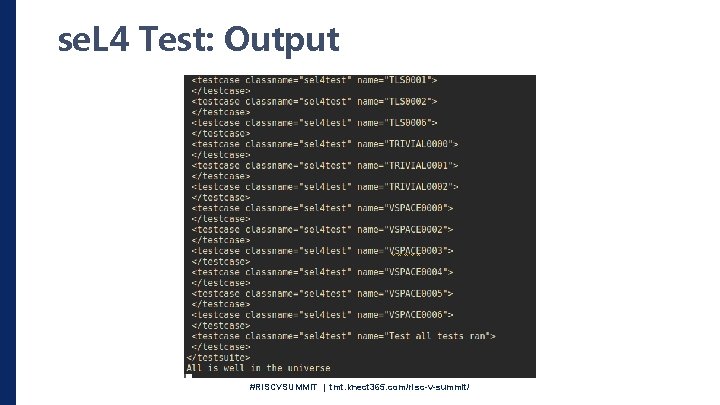
se. L 4 Test: Output #RISCVSUMMIT | tmt. knect 365. com/risc-v-summit/
Renode Features • Declaratively Specify Boards, So. C, Connected Environments (RF, Ethernet, etc. . ) • Means no recompilation needed for adding devices or changing cores • Heterogeneous system support • Scripting Interfaces (Python, Renode Monitor, Robot) • Instruction Level Emulation Granularity • Virtual Time • Networking (Ethernet, Wireless, Wireshark) • Peripherals and Cores in C# • Can include custom peripherals at run time #RISCVSUMMIT | tmt. knect 365. com/risc-v-summit/
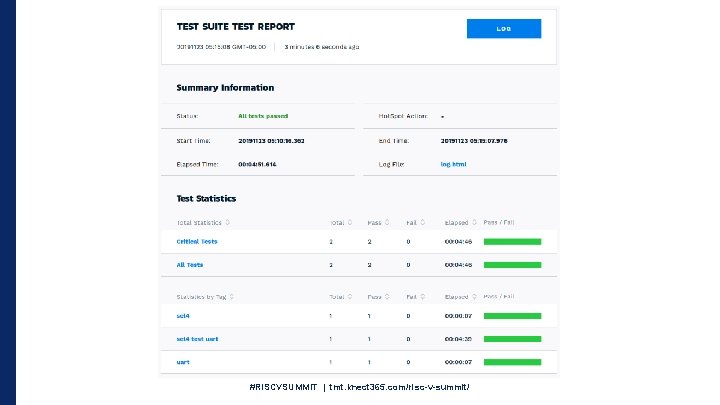
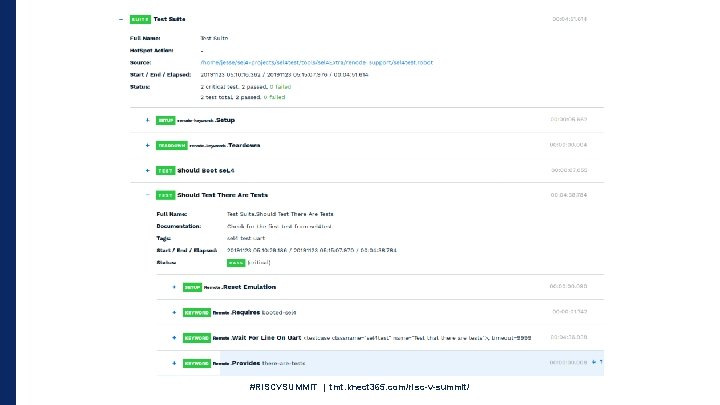
Renode: Robot Framework • Acceptance Based Testing • Test inputs and outputs to your emulated system • Renode integration provides direct interaction with the emulated platform #RISCVSUMMIT | tmt. knect 365. com/risc-v-summit/
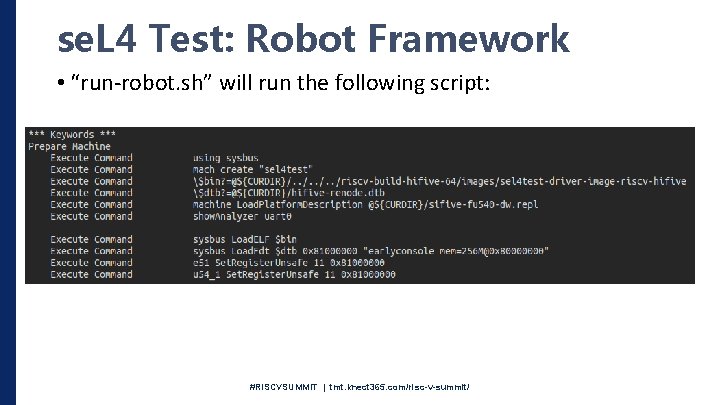
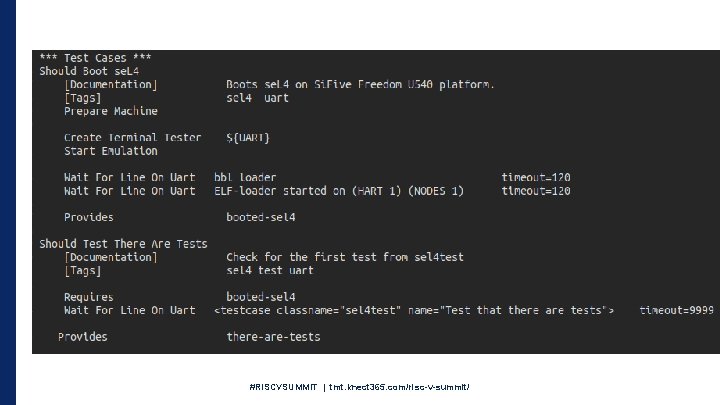
se. L 4 Test: Robot Framework • “run-robot. sh” will run the following script: #RISCVSUMMIT | tmt. knect 365. com/risc-v-summit/
#RISCVSUMMIT | tmt. knect 365. com/risc-v-summit/
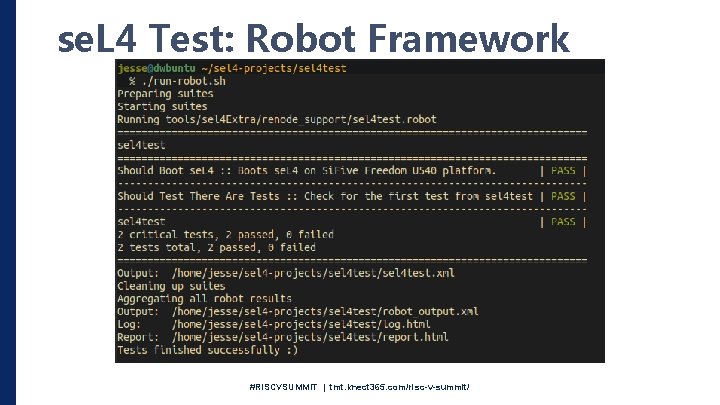
se. L 4 Test: Robot Framework #RISCVSUMMIT | tmt. knect 365. com/risc-v-summit/
#RISCVSUMMIT | tmt. knect 365. com/risc-v-summit/
#RISCVSUMMIT | tmt. knect 365. com/risc-v-summit/
Building More Complex Systems • As systems get more complicated, there are way more resources to keep track of • This makes it difficult to make sure the system is configured in the correct, secure way • CAmk. ES to the rescue • Manual: https: //github. com/se. L 4/camkes-tool/blob/master/docs/index. md #RISCVSUMMIT | tmt. knect 365. com/risc-v-summit/
CAmk. ES: Get The Code • Similar command as before $ mkdir camkes $ cd camkes $ repo init -u https: //github. com/dornerworks/riscvsummit-manifests -m camkes. xml $ repo sync • Start from a known working system • Note about docker environment (need camkes target) #RISCVSUMMIT | tmt. knect 365. com/risc-v-summit/
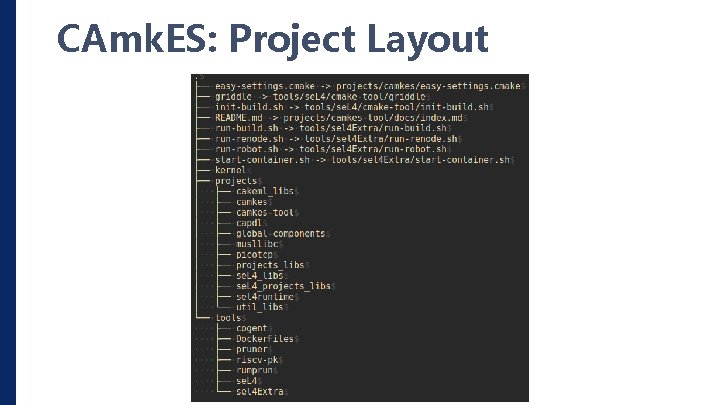
CAmk. ES: Project Layout #RISCVSUMMIT | tmt. knect 365. com/risc-v-summit/
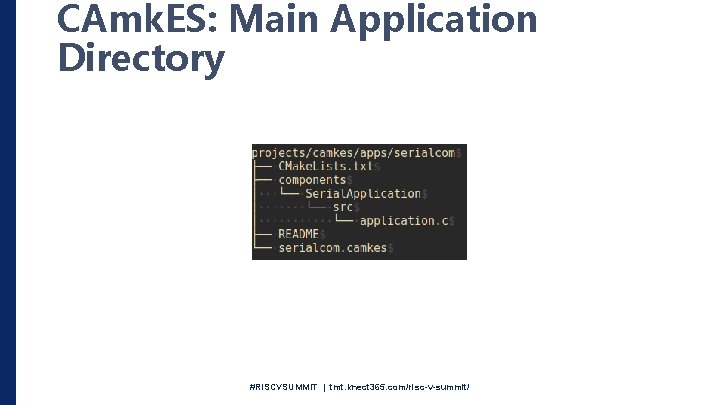
CAmk. ES: Main Application Directory #RISCVSUMMIT | tmt. knect 365. com/risc-v-summit/
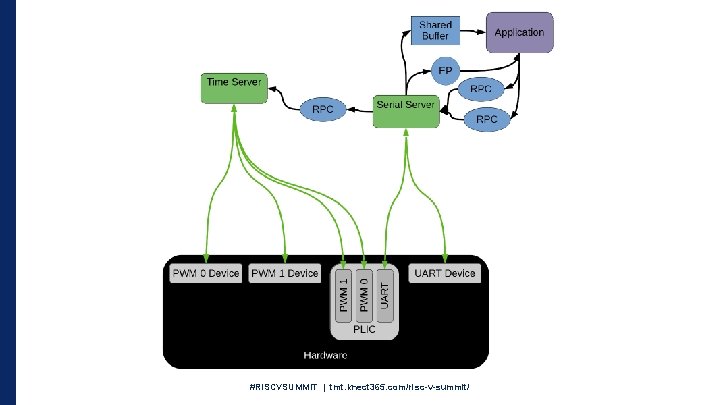
CAmk. ES: Serial Application • Goal of this application: • Print and read from the serial device • Split up functionality among separated components • Sounds Trivial • Consider taking advantage of the separation enforced by se. L 4 and the connections available by CAmk. ES • This won’t be in one address space #RISCVSUMMIT | tmt. knect 365. com/risc-v-summit/
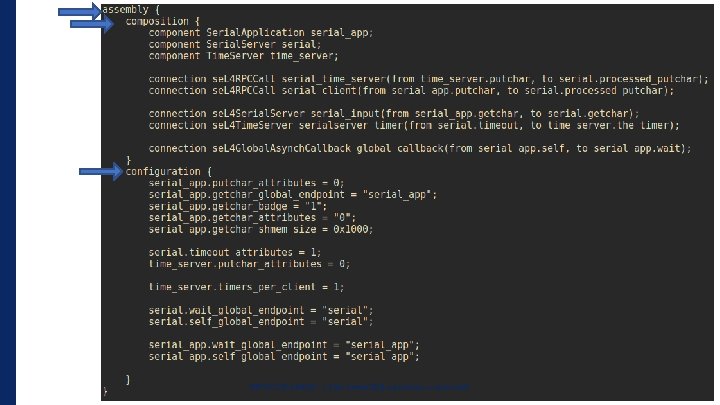
CAmk. ES: Serial Application • Every CAmk. ES Application has a Root CAmk. ES file • This defines the architecture of the whole system • Instantiates Components and Connections • Defines connections • RPC interfaces • Shared Memory • Configures Components #RISCVSUMMIT | tmt. knect 365. com/risc-v-summit/
#RISCVSUMMIT | tmt. knect 365. com/risc-v-summit/
#RISCVSUMMIT | tmt. knect 365. com/risc-v-summit/
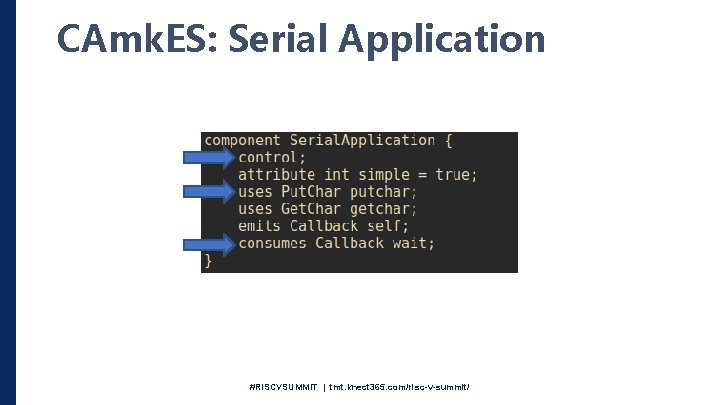
CAmk. ES: Serial Application #RISCVSUMMIT | tmt. knect 365. com/risc-v-summit/
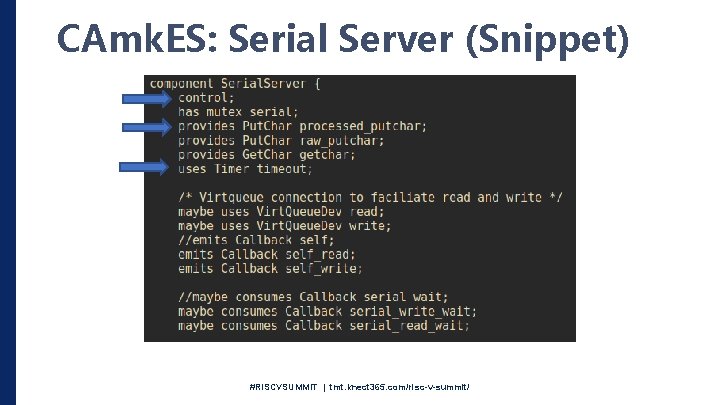
CAmk. ES: Serial Server (Snippet) #RISCVSUMMIT | tmt. knect 365. com/risc-v-summit/
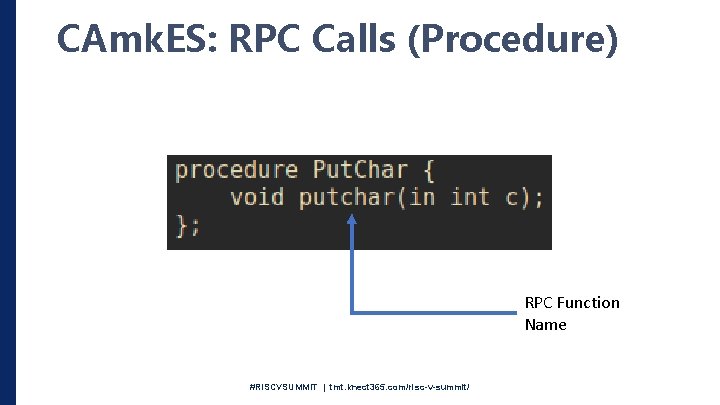
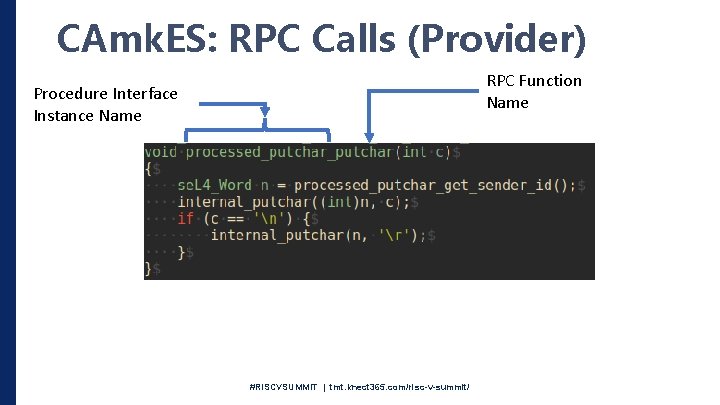
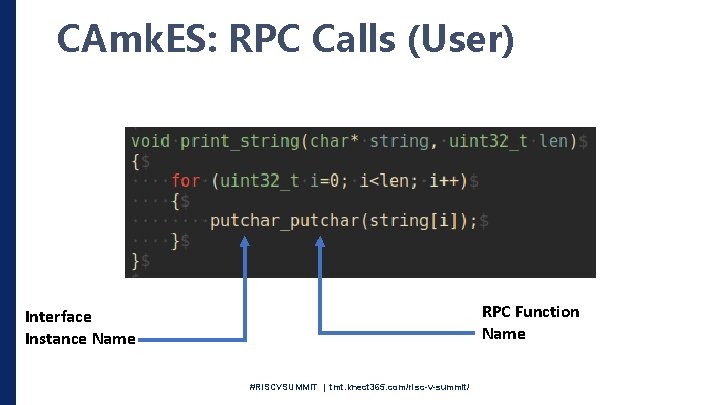
CAmk. ES: RPC Call • Must have an interface defined (procedure keyword) • At least one component “uses” the interface • One component “provides” the interface #RISCVSUMMIT | tmt. knect 365. com/risc-v-summit/
CAmk. ES: RPC Calls (Procedure) RPC Function Name #RISCVSUMMIT | tmt. knect 365. com/risc-v-summit/
CAmk. ES: RPC Calls (Provider) RPC Function Name Procedure Interface Instance Name #RISCVSUMMIT | tmt. knect 365. com/risc-v-summit/
CAmk. ES: RPC Calls (User) RPC Function Name Interface Instance Name #RISCVSUMMIT | tmt. knect 365. com/risc-v-summit/
CAm. KES: Why? • But I don’t trust generated code! • There is too much indirection! • Capability Calculation • Serial application generated roughly 1000 capabilities • Look for the *. cdl file in your build directory #RISCVSUMMIT | tmt. knect 365. com/risc-v-summit/
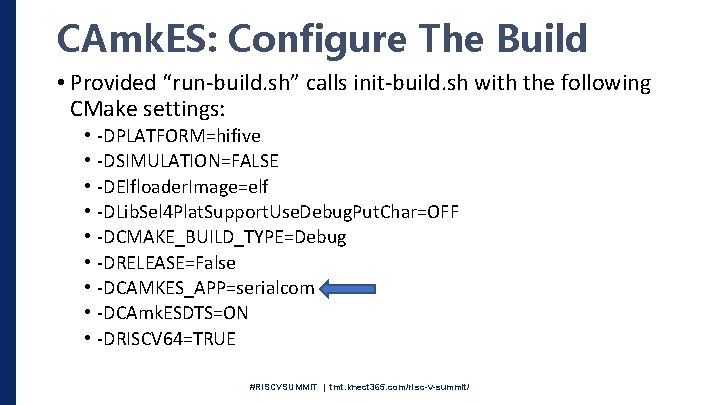
CAmk. ES: Configure The Build • Provided “run-build. sh” calls init-build. sh with the following CMake settings: • • • -DPLATFORM=hifive -DSIMULATION=FALSE -DElfloader. Image=elf -DLib. Sel 4 Plat. Support. Use. Debug. Put. Char=OFF -DCMAKE_BUILD_TYPE=Debug -DRELEASE=False -DCAMKES_APP=serialcom -DCAmk. ESDTS=ON -DRISCV 64=TRUE #RISCVSUMMIT | tmt. knect 365. com/risc-v-summit/
CAmk. ES: Run The Build • Same process as before • Run “run-build. sh” script or “init-build. sh” with your flags #RISCVSUMMIT | tmt. knect 365. com/risc-v-summit/
#RISCVSUMMIT | tmt. knect 365. com/risc-v-summit/
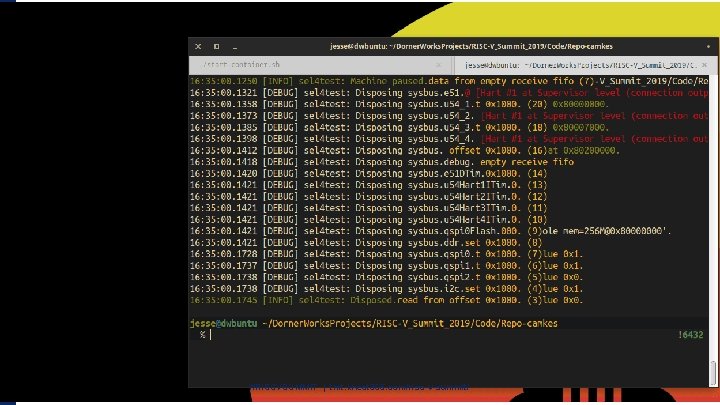
CAmk. ES: Emulate It #RISCVSUMMIT | tmt. knect 365. com/risc-v-summit/
#RISCVSUMMIT | tmt. knect 365. com/risc-v-summit/
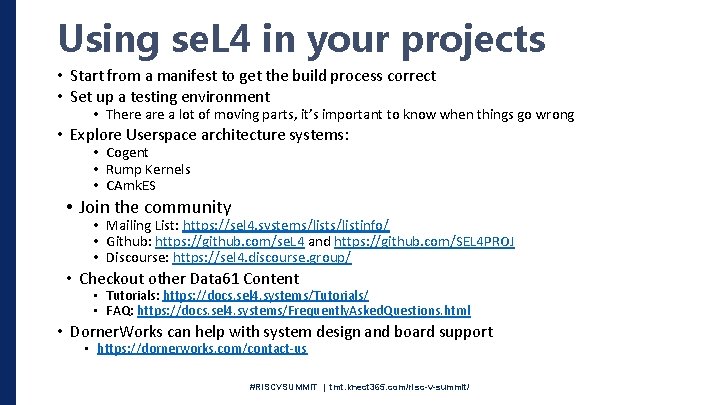
Using se. L 4 in your projects • Start from a manifest to get the build process correct • Set up a testing environment • There a lot of moving parts, it’s important to know when things go wrong • Explore Userspace architecture systems: • Cogent • Rump Kernels • CAmk. ES • Join the community • Mailing List: https: //sel 4. systems/listinfo/ • Github: https: //github. com/se. L 4 and https: //github. com/SEL 4 PROJ • Discourse: https: //sel 4. discourse. group/ • Checkout other Data 61 Content • Tutorials: https: //docs. sel 4. systems/Tutorials/ • FAQ: https: //docs. sel 4. systems/Frequently. Asked. Questions. html • Dorner. Works can help with system design and board support • https: //dornerworks. com/contact-us #RISCVSUMMIT | tmt. knect 365. com/risc-v-summit/
Questions? #RISCVSUMMIT | tmt. knect 365. com/risc-v-summit/
Extra Slides #RISCVSUMMIT | tmt. knect 365. com/risc-v-summit/
se. L 4 Test: Root Thread • Once se. L 4 has booted, it hands off the following to the “Root Thread” • All of the remaining “Un-typed” memory • Boot Info Structure • Remember, the proofs don’t apply to code here • It is up to the programmer to make sure you don’t have overflows or any of the other runtime bugs not present in the kernel • There are tools to help here, such as Data 61’s Cogent • This thread has the ability to “Re-Type” this memory into different kernel objects • It can create and delegate capabilities to the rest of the system • In the se. L 4 test project, the root thread is responsible for: • Creating Virtual memory spaces • Creating Memory allocators • Creating Capability Spaces • Initialized needed hardware such as timers and interrupts • Creates a larger stack • Creates threads and hands out capabilities to tests #RISCVSUMMIT | tmt. knect 365. com/risc-v-summit/
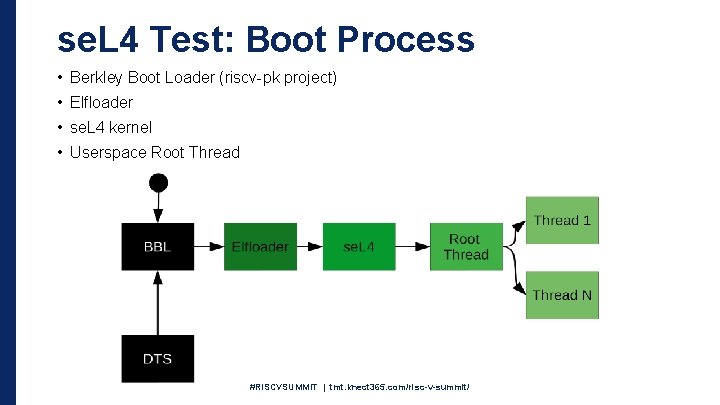
se. L 4 Test: Boot Process • Berkley Boot Loader (riscv-pk project) • Elfloader • se. L 4 kernel • Userspace Root Thread #RISCVSUMMIT | tmt. knect 365. com/risc-v-summit/
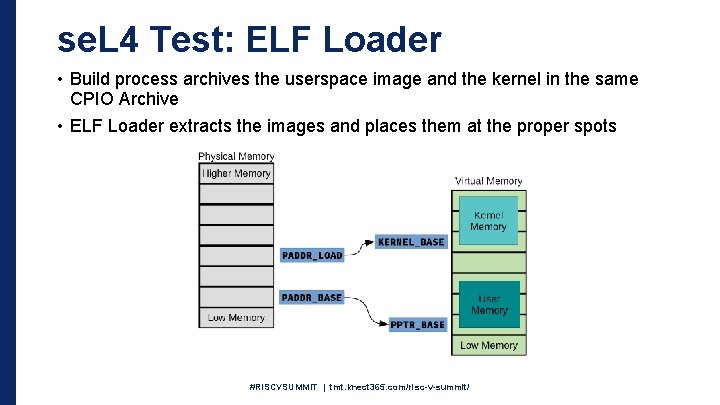
se. L 4 Test: ELF Loader • Build process archives the userspace image and the kernel in the same CPIO Archive • ELF Loader extracts the images and places them at the proper spots #RISCVSUMMIT | tmt. knect 365. com/risc-v-summit/