
Tutorial Banner Access and Use for Faculty and
Tutorial: Banner Access and Use for Faculty and Staff BANNER 1
WELCOME PRESENTERS – Joann Arlington: 7 -2428 arlingto@fau. edu – Barbara Bebergal: 7 -0056 bbeberga@fau. edu – Etina Qirjo: 7 -0228 eqirjo@fau. edu BANNER 2
TARGET AUDIENCE • This session is designed for all staff who works with graduate admissions processes. • This includes: – Advising and Counseling Advisors and Staff – Advising Faculty – Department Chairs and Coordinators Banner 3

DECISION PROCESSES AND PROCEDURES • Admission Decision Form can be found at http: //gradappdev. fau. edu/Forms/Decision. Award. pdf • Submit by e-mail to decisionaward@fau. edu BANNER 4

BANNER TRAINING Banner Training http: //www. fau. edu/banner/training-schedule. php BANNER 5
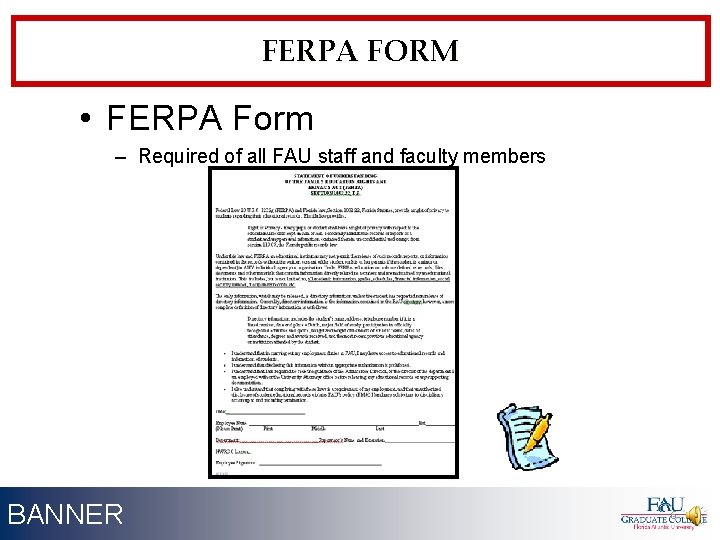
FERPA FORM • FERPA Form – Required of all FAU staff and faculty members BANNER 6
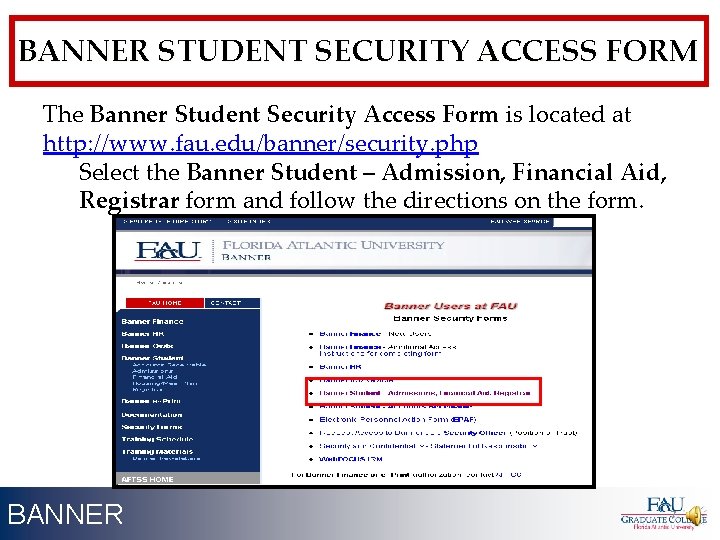
BANNER STUDENT SECURITY ACCESS FORM The Banner Student Security Access Form is located at http: //www. fau. edu/banner/security. php Select the Banner Student – Admission, Financial Aid, Registrar form and follow the directions on the form. BANNER 7
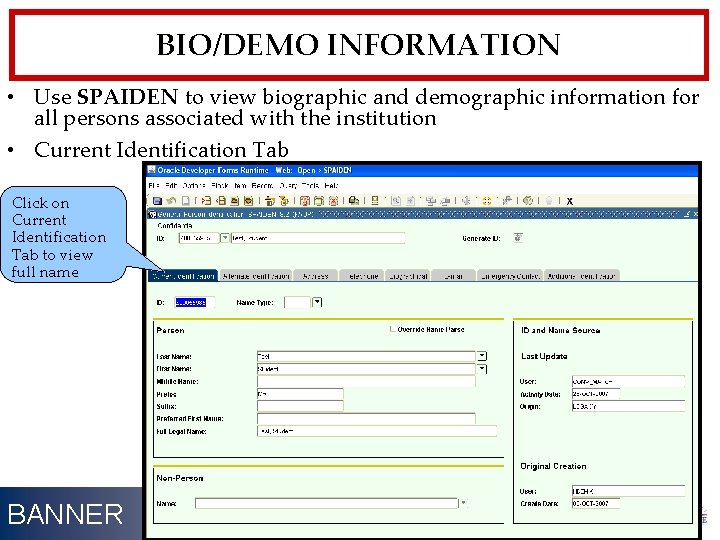
BIO/DEMO INFORMATION • Use SPAIDEN to view biographic and demographic information for all persons associated with the institution • Current Identification Tab Click on Current Identification Tab to view full name BANNER 8
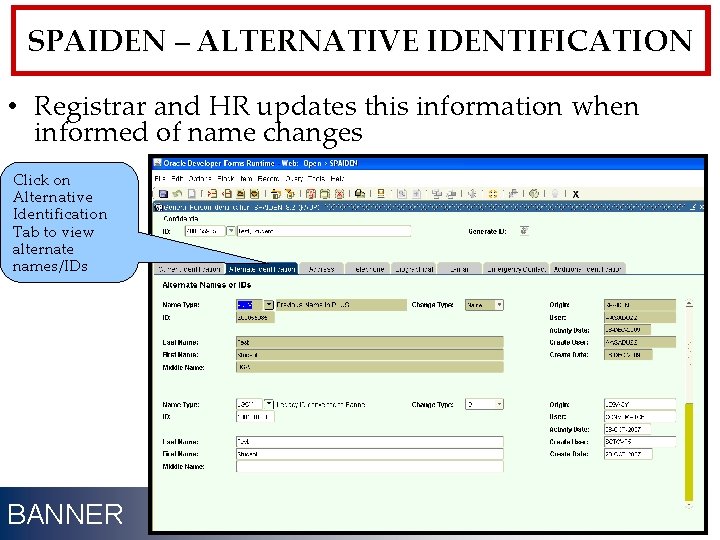
SPAIDEN – ALTERNATIVE IDENTIFICATION • Registrar and HR updates this information when informed of name changes Click on Alternative Identification Tab to view alternate names/IDs BANNER 9
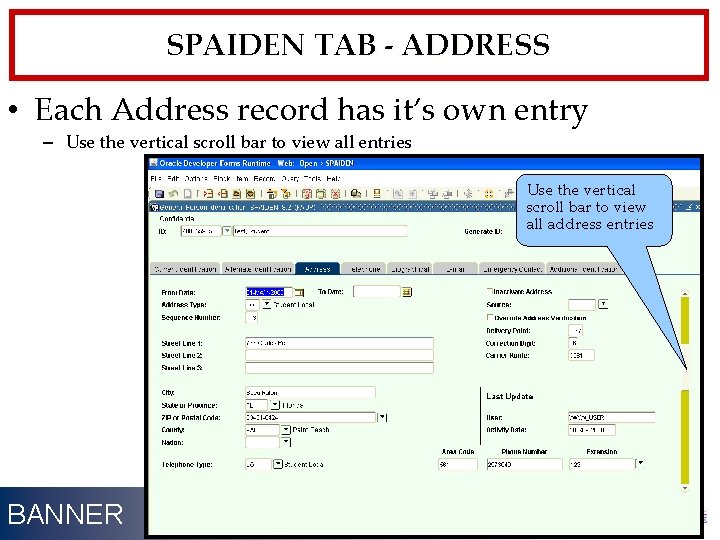
SPAIDEN TAB - ADDRESS • Each Address record has it’s own entry – Use the vertical scroll bar to view all entries Use the vertical scroll bar to view all address entries BANNER 10
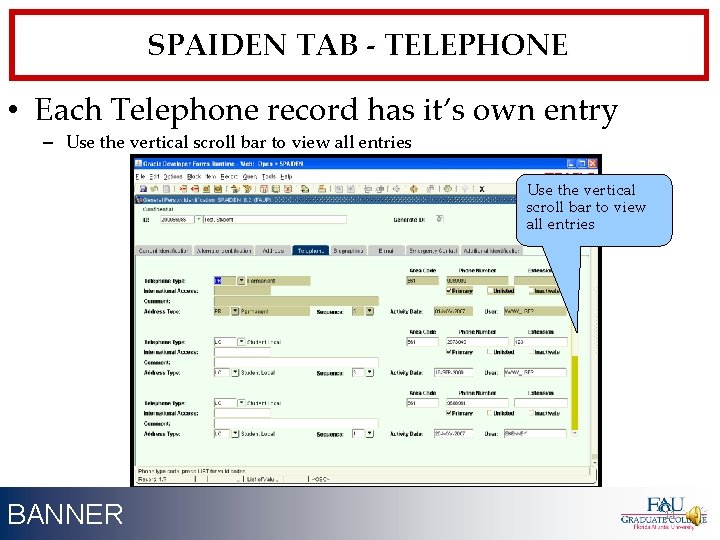
SPAIDEN TAB - TELEPHONE • Each Telephone record has it’s own entry – Use the vertical scroll bar to view all entries BANNER 11
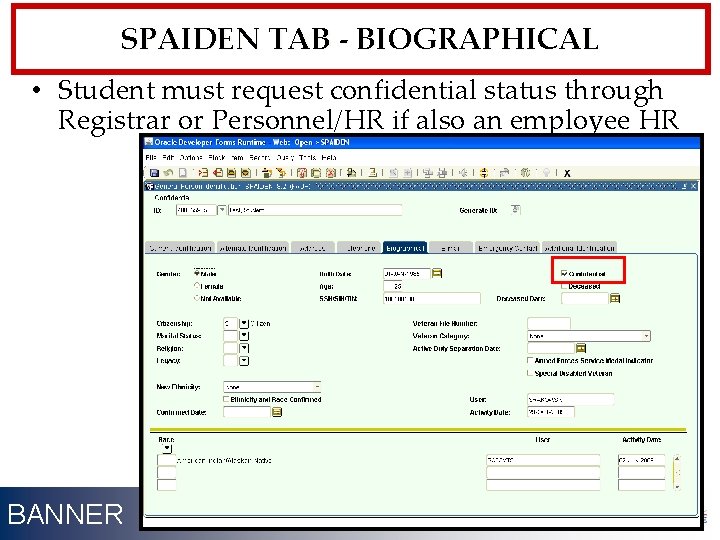
SPAIDEN TAB - BIOGRAPHICAL • Student must request confidential status through Registrar or Personnel/HR if also an employee HR BANNER 12
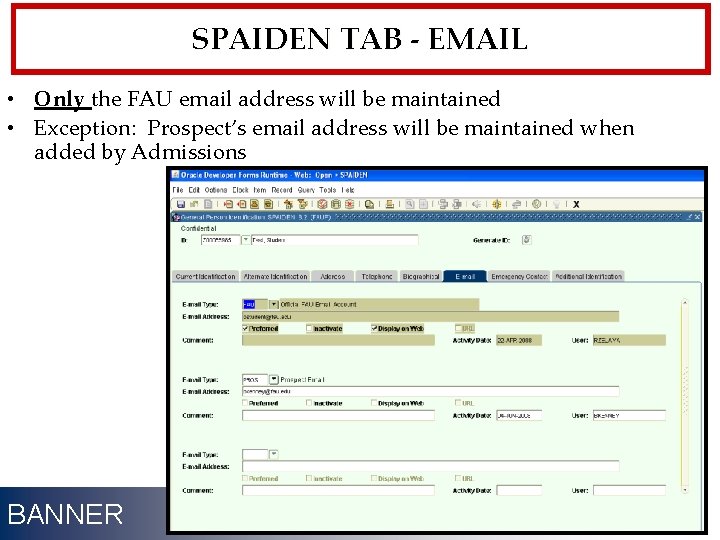
SPAIDEN TAB - EMAIL • Only the FAU email address will be maintained • Exception: Prospect’s email address will be maintained when added by Admissions BANNER 13
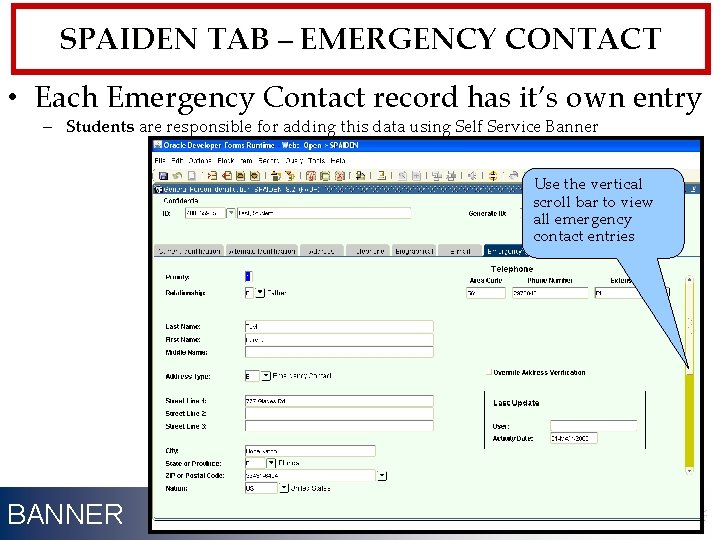
SPAIDEN TAB – EMERGENCY CONTACT • Each Emergency Contact record has it’s own entry – Students are responsible for adding this data using Self Service Banner Use the vertical scroll bar to view all emergency contact entries BANNER 14
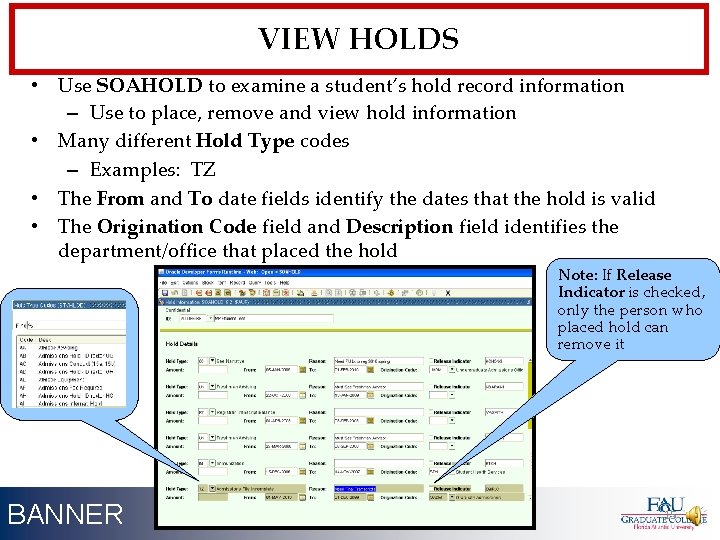
VIEW HOLDS • Use SOAHOLD to examine a student’s hold record information – Use to place, remove and view hold information • Many different Hold Type codes – Examples: TZ • The From and To date fields identify the dates that the hold is valid • The Origination Code field and Description field identifies the department/office that placed the hold Note: If Release Indicator is checked, only the person who placed hold can remove it BANNER 15
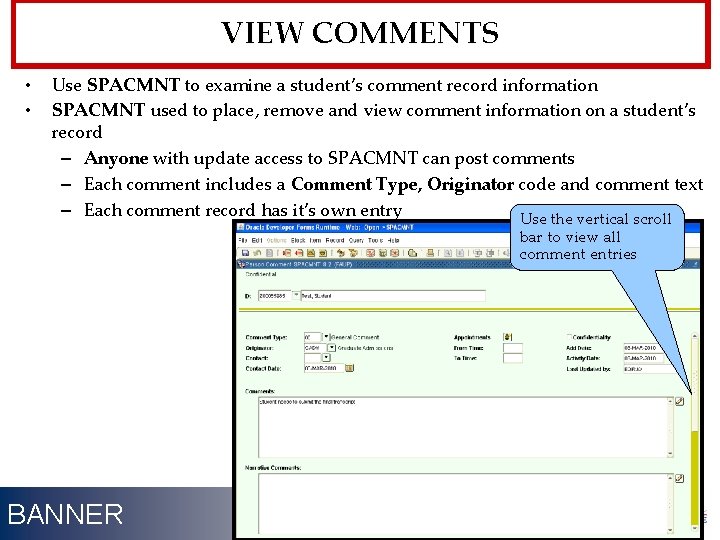
VIEW COMMENTS • • Use SPACMNT to examine a student’s comment record information SPACMNT used to place, remove and view comment information on a student’s record – Anyone with update access to SPACMNT can post comments – Each comment includes a Comment Type, Originator code and comment text – Each comment record has it’s own entry Use the vertical scroll bar to view all comment entries BANNER 16
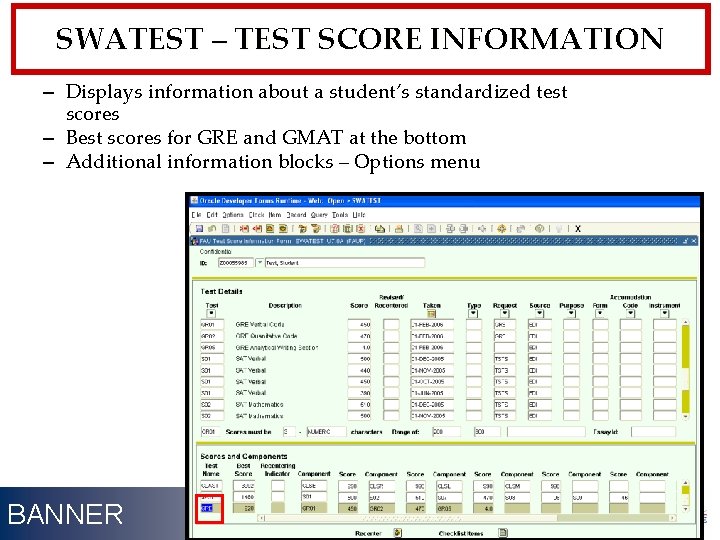
SWATEST – TEST SCORE INFORMATION – Displays information about a student’s standardized test scores – Best scores for GRE and GMAT at the bottom – Additional information blocks – Options menu BANNER 17
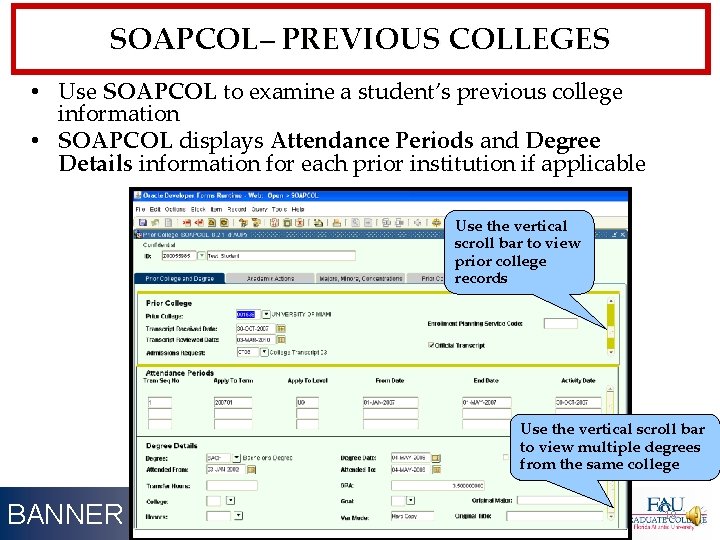
SOAPCOL– PREVIOUS COLLEGES • Use SOAPCOL to examine a student’s previous college information • SOAPCOL displays Attendance Periods and Degree Details information for each prior institution if applicable Use the vertical scroll bar to view prior college records Use the vertical scroll bar to view multiple degrees from the same college BANNER 18
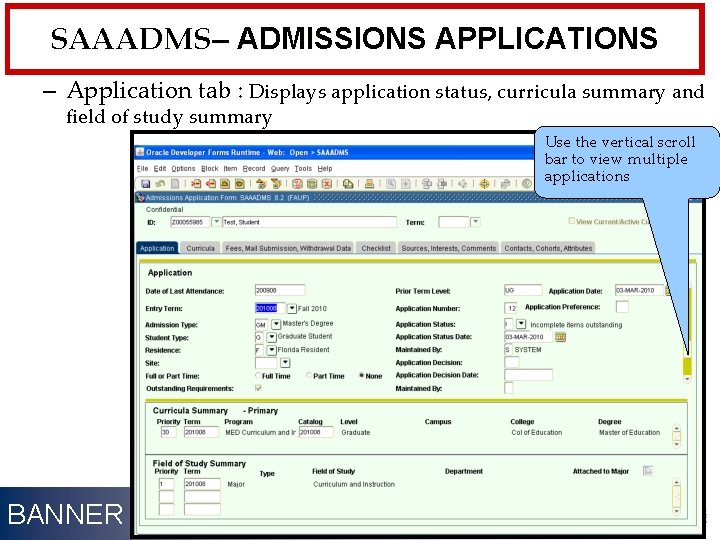
SAAADMS– ADMISSIONS APPLICATIONS – Application tab : Displays application status, curricula summary and field of study summary Use the vertical scroll bar to view multiple applications BANNER 19
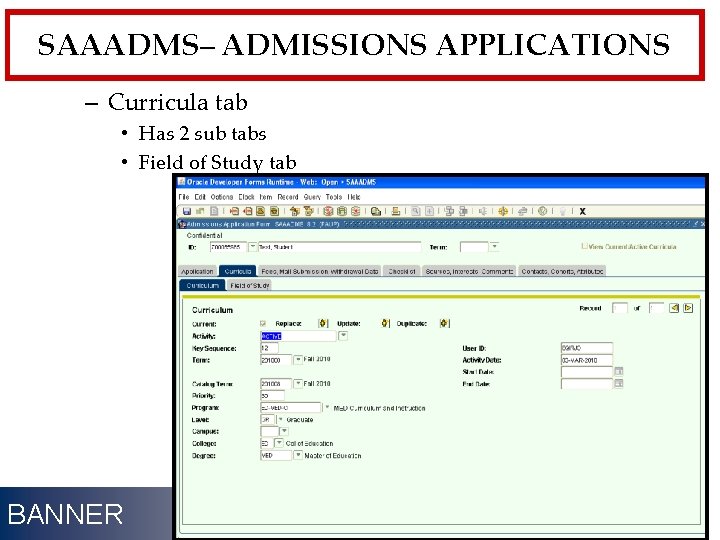
SAAADMS– ADMISSIONS APPLICATIONS – Curricula tab • Has 2 sub tabs • Field of Study tab BANNER 20
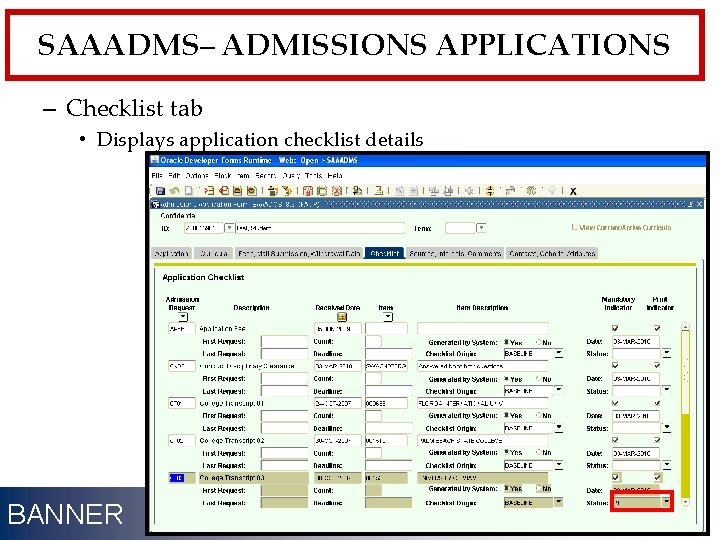
SAAADMS– ADMISSIONS APPLICATIONS – Checklist tab • Displays application checklist details BANNER 21
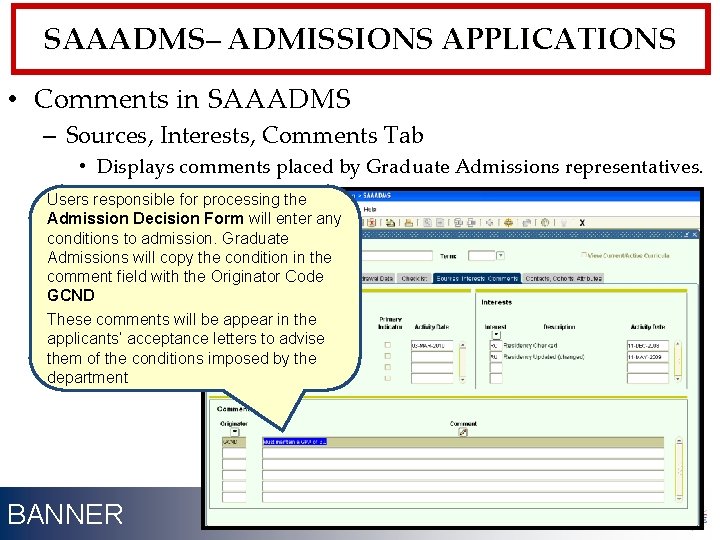
SAAADMS– ADMISSIONS APPLICATIONS • Comments in SAAADMS – Sources, Interests, Comments Tab • Displays comments placed by Graduate Admissions representatives. Users responsible for processing the Admission Decision Form will enter any conditions to admission. Graduate Admissions will copy the condition in the comment field with the Originator Code GCND These comments will be appear in the applicants’ acceptance letters to advise them of the conditions imposed by the department BANNER 22
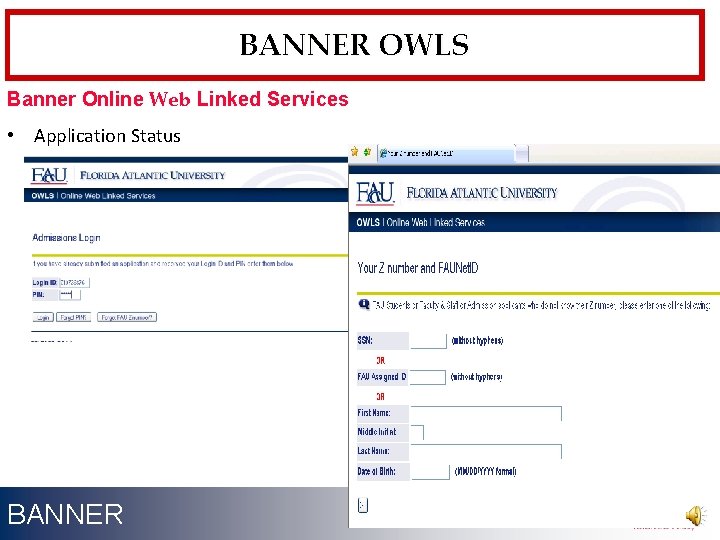
BANNER OWLS Banner Online Web Linked Services • Application Status BANNER 23
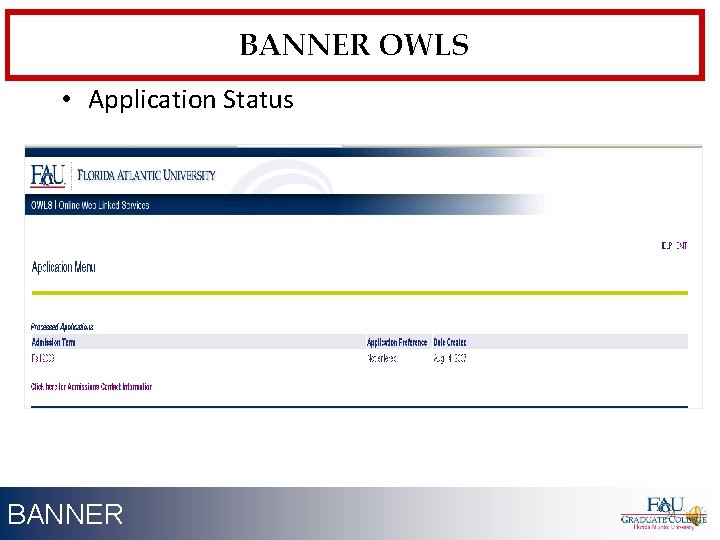
BANNER OWLS • Application Status BANNER 24
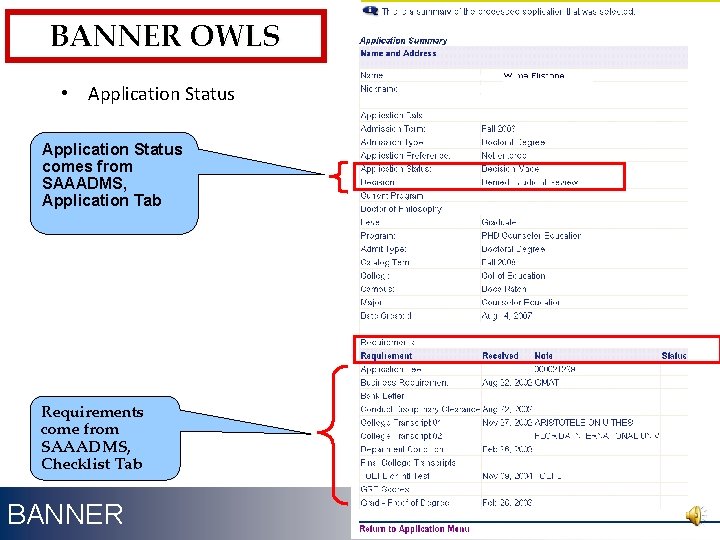
BANNER OWLS • Application Status comes from SAAADMS, Application Tab Requirements come from SAAADMS, Checklist Tab BANNER 25
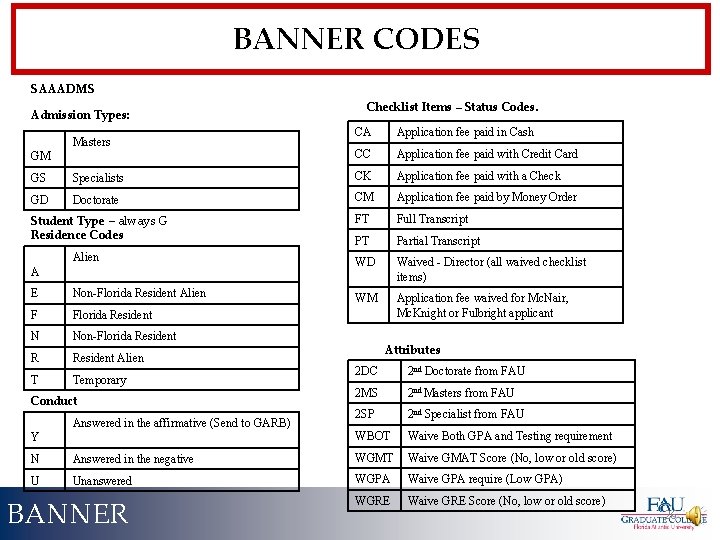
BANNER CODES SAAADMS Admission Types: Masters GM Checklist Items – Status Codes. CA Application fee paid in Cash CC Application fee paid with Credit Card GS Specialists CK Application fee paid with a Check GD Doctorate CM Application fee paid by Money Order Student Type – always G Residence Codes FT Full Transcript PT Partial Transcript Alien WD Waived - Director (all waived checklist items) E Non-Florida Resident Alien WM F Florida Resident Application fee waived for Mc. Nair, Mc. Knight or Fulbright applicant N Non-Florida Resident R Resident Alien T Temporary A Conduct Answered in the affirmative (Send to GARB) Y Attributes 2 DC 2 nd Doctorate from FAU 2 MS 2 nd Masters from FAU 2 SP 2 nd Specialist from FAU WBOT Waive Both GPA and Testing requirement N Answered in the negative WGMT Waive GMAT Score (No, low or old score) U Unanswered WGPA Waive GPA require (Low GPA) WGRE Waive GRE Score (No, low or old score) BANNER 26
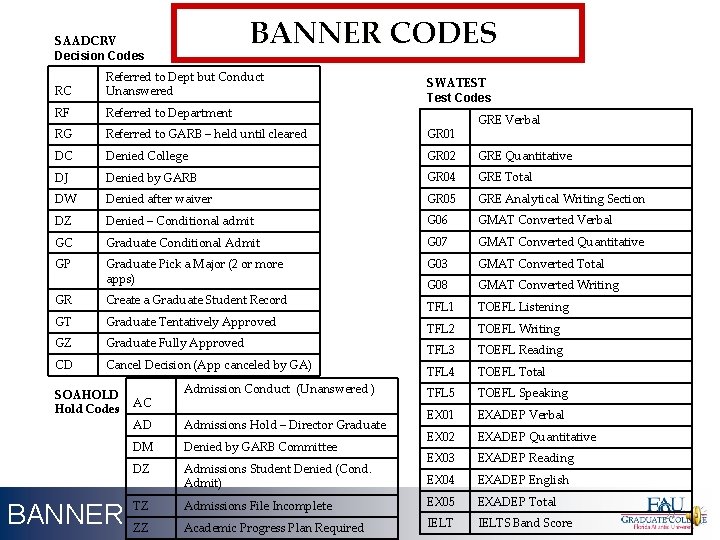
BANNER CODES SAADCRV Decision Codes RC Referred to Dept but Conduct Unanswered RF Referred to Department RG Referred to GARB – held until cleared GR 01 DC Denied College GR 02 GRE Quantitative DJ Denied by GARB GR 04 GRE Total DW Denied after waiver GR 05 GRE Analytical Writing Section DZ Denied – Conditional admit G 06 GMAT Converted Verbal GC Graduate Conditional Admit G 07 GMAT Converted Quantitative GP Graduate Pick a Major (2 or more apps) G 03 GMAT Converted Total G 08 GMAT Converted Writing TFL 1 TOEFL Listening TFL 2 TOEFL Writing TFL 3 TOEFL Reading TFL 4 TOEFL Total TFL 5 TOEFL Speaking EX 01 EXADEP Verbal EX 02 EXADEP Quantitative EX 03 EXADEP Reading EX 04 EXADEP English GR Create a Graduate Student Record GT Graduate Tentatively Approved GZ Graduate Fully Approved CD Cancel Decision (App canceled by GA) SOAHOLD Hold Codes BANNER AC Admission Conduct (Unanswered ) SWATEST Test Codes GRE Verbal AD Admissions Hold – Director Graduate DM Denied by GARB Committee DZ Admissions Student Denied (Cond. Admit) TZ Admissions File Incomplete EX 05 EXADEP Total ZZ Academic Progress Plan Required IELTS Band Score 27
THANK YOU Graduate College Student Support Services Bldg SU-80, Room 101 Boca Raton Campus (561) 297 3624 graduatecollege@fau. edu www. fau. edu/graduate Banner 28
- Slides: 28