
Tutorial 9 Creating Pages with Consistent Content Objectives
Tutorial 9 Creating Pages with Consistent Content
Objectives • Session 9. 1 – Use a page template to create style and content – Edit a layout – Change Web site styles – Create a Web page from a template New Perspectives on Microsoft Expression Web 3. 0 2
Objectives • Session 9. 2 – Create a dynamic Web template – Manage the editable regions of a Dynamic Web template – Attach a template to an existing page – Publish a Web page New Perspectives on Microsoft Expression Web 3. 0 3

Session 9. 1 Overview Creating a Dynamic Web Template New Perspectives on Microsoft Expression Web 3. 0 4
Working with Dynamic Web Templates • What is a Dynamic Web Template – XHTML–based master copy of a web page • Used to create settings, formatting, and page elements • Benefits – Provides a consistent format for recurring content areas – Prevents content for those areas from being changed – Global changes can be made to all pages New Perspectives on Microsoft Expression Web 3. 0 5

Working with Dynamic Web Templates • Editable Regions – Areas where content can be changed • Master Dynamic Web Template File – Referred to as DWT – Created when a template is chosen to build the Web site – Controls the layout and appearance of each page New Perspectives on Microsoft Expression Web 3. 0 6
Working with Dynamic Web Templates • Metadata – Information about the location of files and folders in a Web site • If used to maintain the site, the default. htm page opens automatically when the site is opened – Files are hidden – Off by default New Perspectives on Microsoft Expression Web 3. 0 7
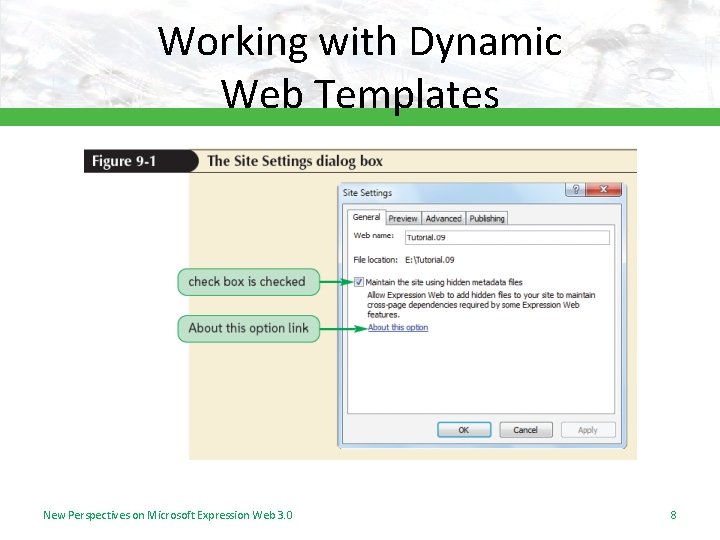
Working with Dynamic Web Templates New Perspectives on Microsoft Expression Web 3. 0 8
Working with Dynamic Web Templates • Creating a New Web Site Using the Dynamic Web Template – Select a template – Save the new Web site • Subsite – A Web site within another Web site New Perspectives on Microsoft Expression Web 3. 0 9

Working with Dynamic Web Templates New Perspectives on Microsoft Expression Web 3. 0 10
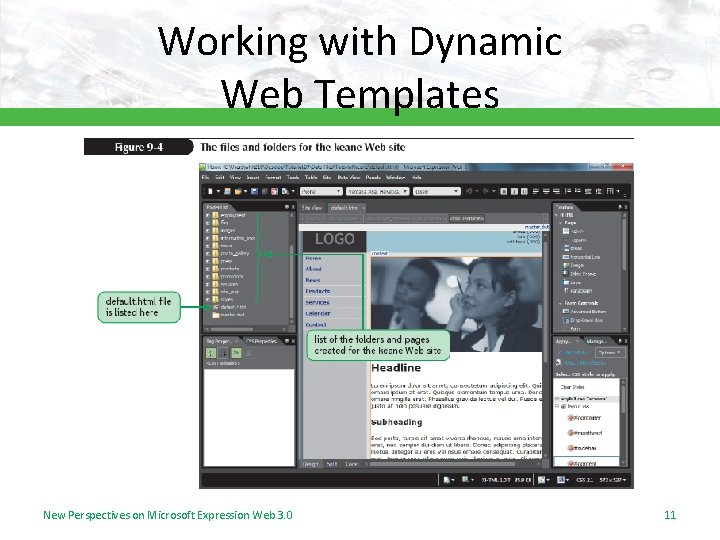
Working with Dynamic Web Templates New Perspectives on Microsoft Expression Web 3. 0 11

Working with Dynamic Web Templates • Editing a Dynamic Web Template – Only master. dwt file should be open – Content can be changed in the editable regions New Perspectives on Microsoft Expression Web 3. 0 12
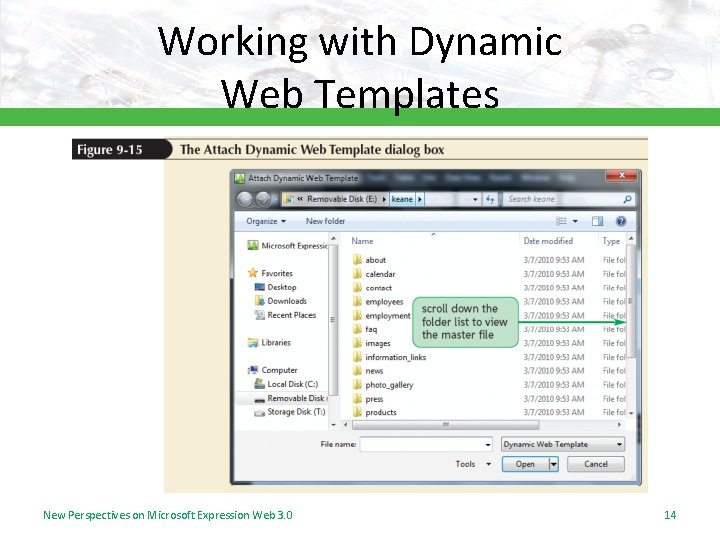
Working with Dynamic Web Templates • Changing the Web Site Styles – Appearance of the master. dwt page is controlled by up to four CSS styles sheets • Editing an Existing Page – Content in the placeholder can be deleted and replaced with customized content • Adding a New Page to the Web Site – Create a new page – Format it by attaching the master. dwt file New Perspectives on Microsoft Expression Web 3. 0 13
Working with Dynamic Web Templates New Perspectives on Microsoft Expression Web 3. 0 14

Working with Dynamic Web Templates New Perspectives on Microsoft Expression Web 3. 0 15
Session 9. 2 Overview Publishing a Web Site New Perspectives on Microsoft Expression Web 3. 0 16
Creating a Dynamic Web Template • Create a New Page – Can use any Web page as the basis for a template – Use an Expression Web template CSS layout to create a new page New Perspectives on Microsoft Expression Web 3. 0 17
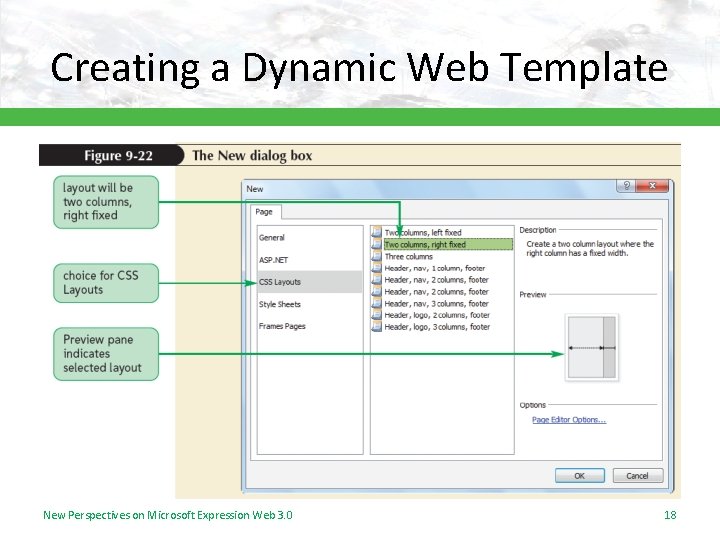
Creating a Dynamic Web Template New Perspectives on Microsoft Expression Web 3. 0 18
Creating a Dynamic Web Template • Creating an Editable Region – Area where new content can be entered – Multiple editable regions can be created – Each region should be given a unique name New Perspectives on Microsoft Expression Web 3. 0 19
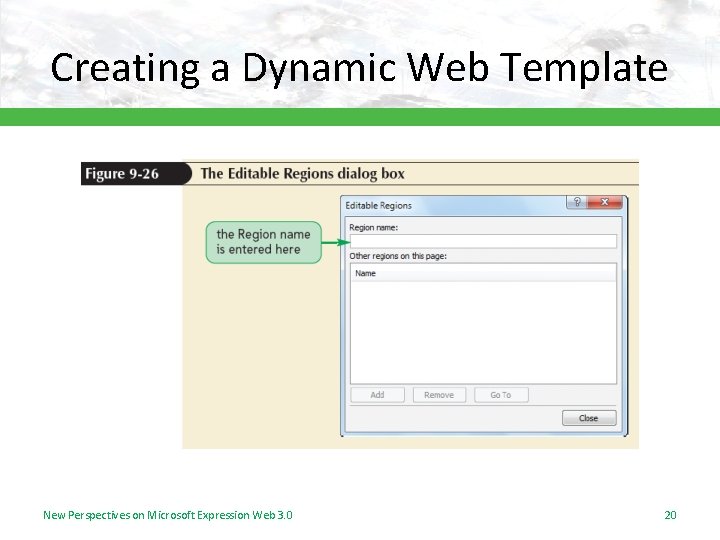
Creating a Dynamic Web Template New Perspectives on Microsoft Expression Web 3. 0 20
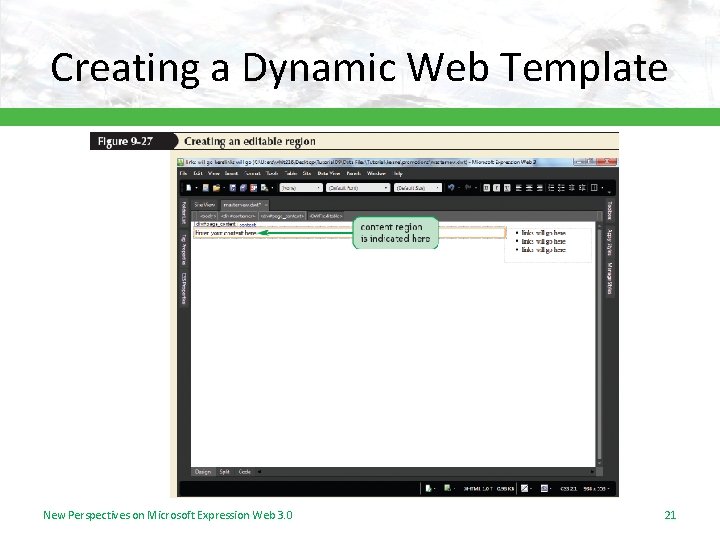
Creating a Dynamic Web Template New Perspectives on Microsoft Expression Web 3. 0 21
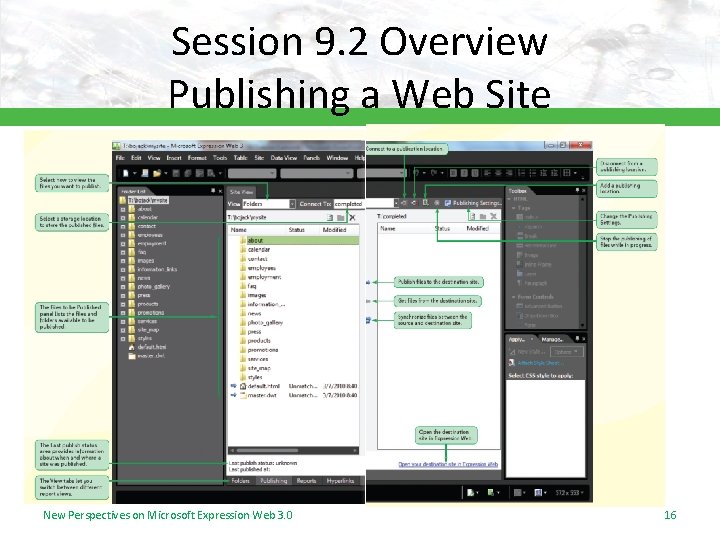
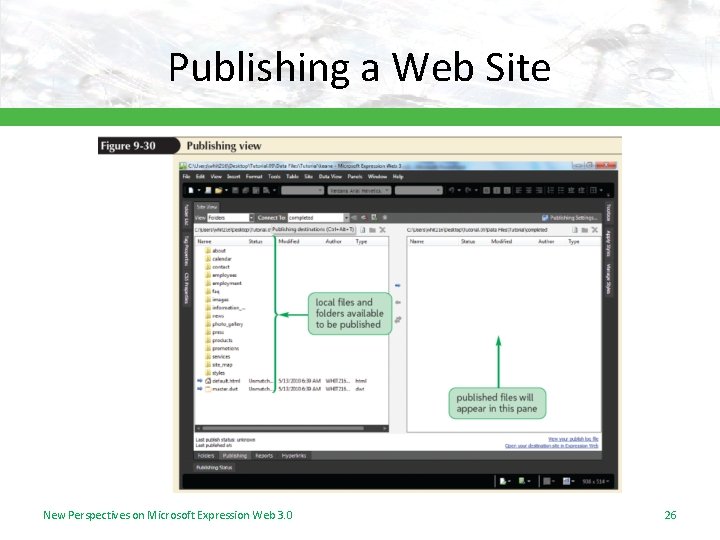
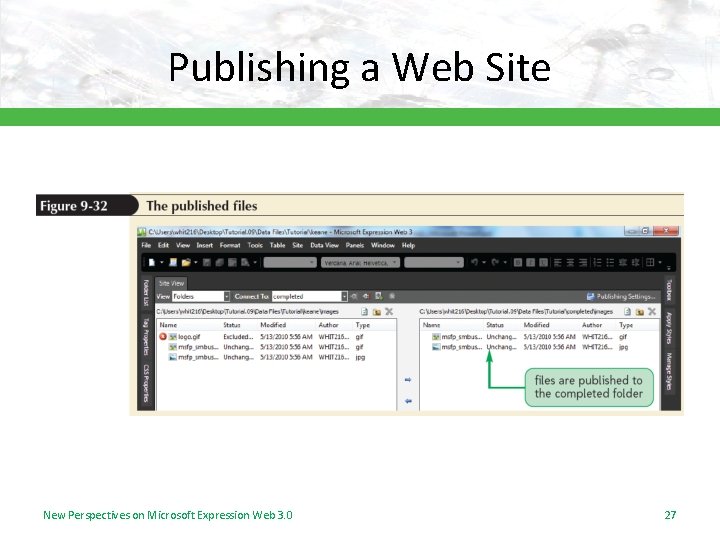
Publishing a Web Site • Publishing a Web site transfers pages on a local computer to a Web server – Expression Web transfers the files – Keeps track of which files have been published • Three most commonly used publishing options – Web. DAV publishing – FTP publishing – File System publishing New Perspectives on Microsoft Expression Web 3. 0 22
Publishing a Web Site • Expression Web Publishing View Options – Local to Remote • Files on a local computer are published to a remote computer – Remote to Local • Files are copied from the remote (host) computer to a desktop or laptop computer New Perspectives on Microsoft Expression Web 3. 0 23
Publishing a Web Site – Synchronize • Transfers only the most recent version of the Web site files on the local computer to the remote computer • Results in a matching set of files, locally and remotely New Perspectives on Microsoft Expression Web 3. 0 24
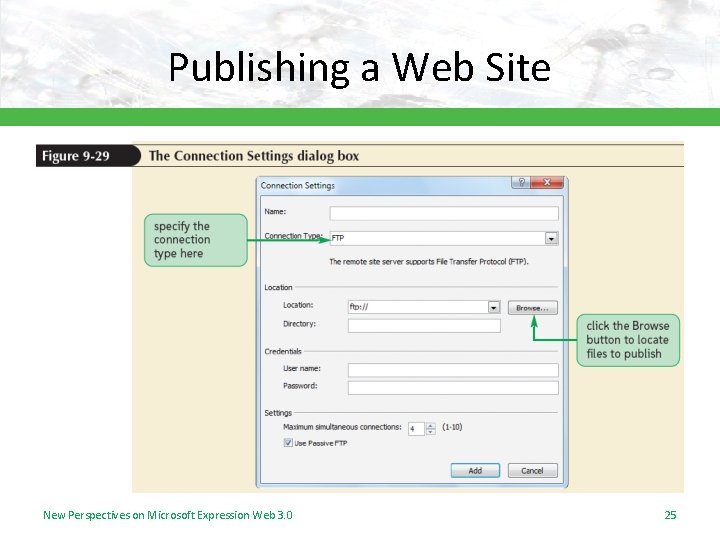
Publishing a Web Site New Perspectives on Microsoft Expression Web 3. 0 25
Publishing a Web Site New Perspectives on Microsoft Expression Web 3. 0 26
Publishing a Web Site New Perspectives on Microsoft Expression Web 3. 0 27
- Slides: 27