
Tutorial 3 Designing the Inventory Application Introducing JText

- Slides: 24
Tutorial 3 – Designing the Inventory Application Introducing JText. Fields and JButtons Outline 3. 1 Test-Driving the Inventory Application 3. 2 Customizing JLabels on the Inventory Application 3. 3 Customizing JText. Fields and a JButton in the Inventory Application 3. 4 Wrap-Up © Copyright 1992 -2004 by Deitel & Associates, Inc. and Pearson Education Inc. All Rights Reserved. 1
2 Objectives • In this tutorial, you will learn to: – Use graphical user interface design guidelines to create a useful GUI. – Customize JLabels, JText. Fields and a JButton in an application window. – Align text horizontally in a JText. Field. – Specify that a JText. Field is uneditable. © Copyright 1992 -2004 by Deitel & Associates, Inc. and Pearson Education Inc. All Rights Reserved.
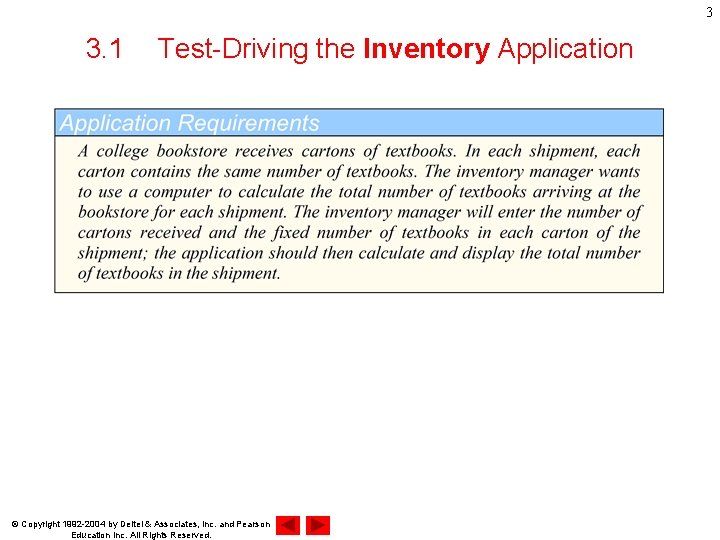
3 3. 1 Test-Driving the Inventory Application © Copyright 1992 -2004 by Deitel & Associates, Inc. and Pearson Education Inc. All Rights Reserved.
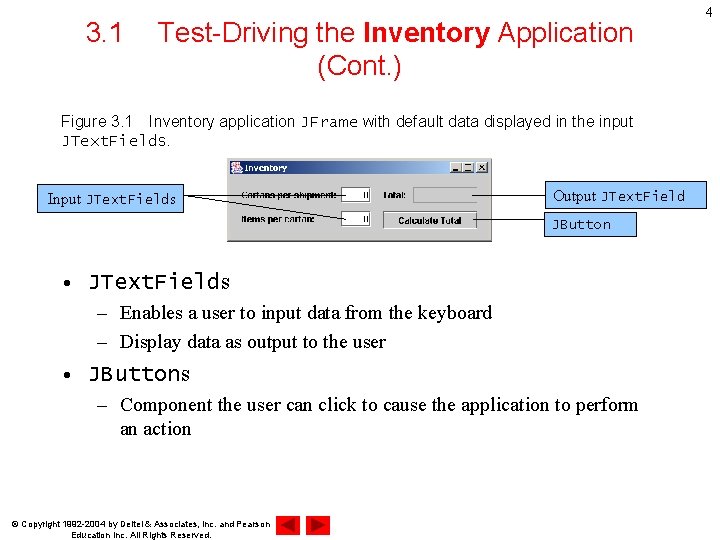
3. 1 Test-Driving the Inventory Application (Cont. ) Figure 3. 1 Inventory application JFrame with default data displayed in the input JText. Fields. Input JText. Fields Output JText. Field JButton • JText. Fields – Enables a user to input data from the keyboard – Display data as output to the user • JButtons – Component the user can click to cause the application to perform an action © Copyright 1992 -2004 by Deitel & Associates, Inc. and Pearson Education Inc. All Rights Reserved. 4
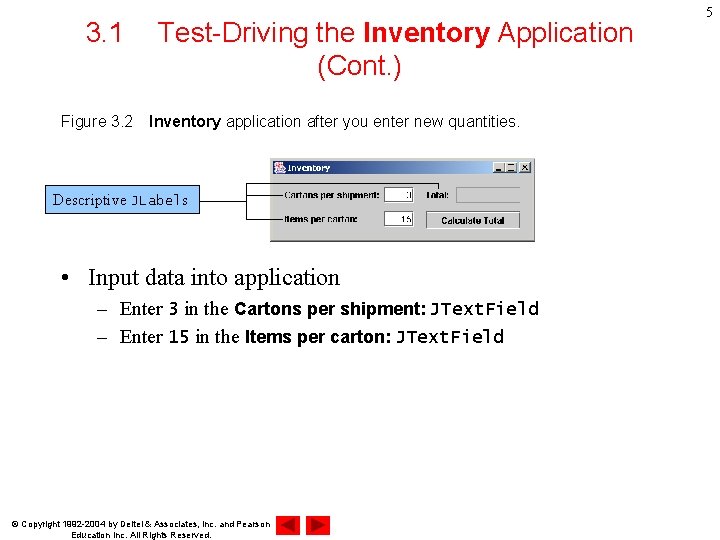
3. 1 Test-Driving the Inventory Application (Cont. ) Figure 3. 2 Inventory application after you enter new quantities. Descriptive JLabels • Input data into application – Enter 3 in the Cartons per shipment: JText. Field – Enter 15 in the Items per carton: JText. Field © Copyright 1992 -2004 by Deitel & Associates, Inc. and Pearson Education Inc. All Rights Reserved. 5
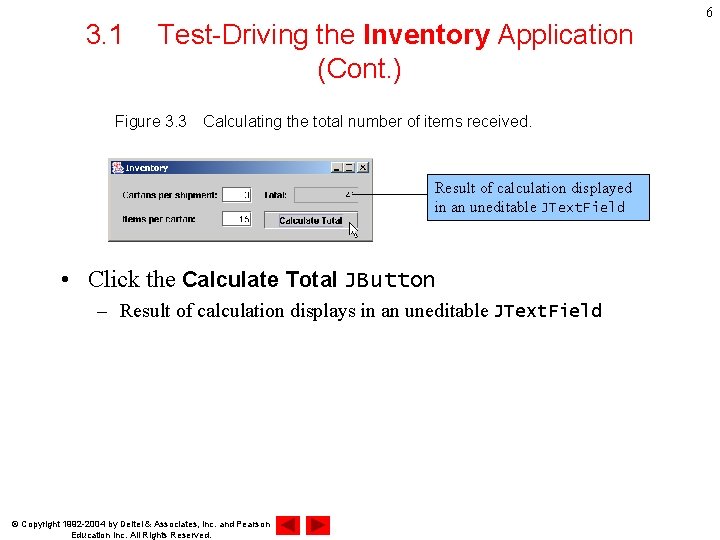
3. 1 Test-Driving the Inventory Application (Cont. ) Figure 3. 3 Calculating the total number of items received. Result of calculation displayed in an uneditable JText. Field • Click the Calculate Total JButton – Result of calculation displays in an uneditable JText. Field © Copyright 1992 -2004 by Deitel & Associates, Inc. and Pearson Education Inc. All Rights Reserved. 6
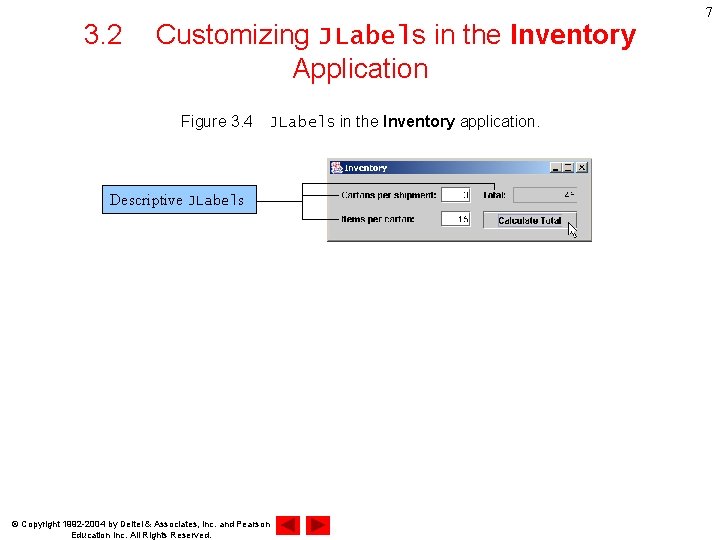
3. 2 Customizing JLabels in the Inventory Application Figure 3. 4 JLabels in the Inventory application. Descriptive JLabels © Copyright 1992 -2004 by Deitel & Associates, Inc. and Pearson Education Inc. All Rights Reserved. 7
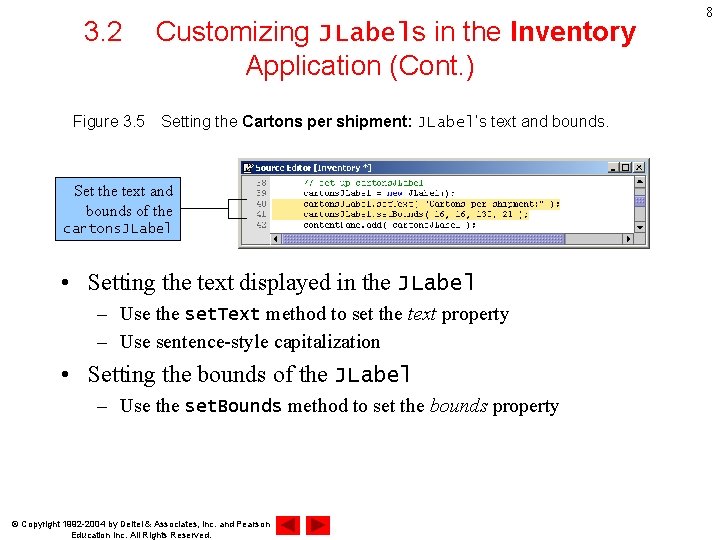
3. 2 Customizing JLabels in the Inventory Application (Cont. ) Figure 3. 5 Setting the Cartons per shipment: JLabel’s text and bounds. Set the text and bounds of the cartons. JLabel • Setting the text displayed in the JLabel – Use the set. Text method to set the text property – Use sentence-style capitalization • Setting the bounds of the JLabel – Use the set. Bounds method to set the bounds property © Copyright 1992 -2004 by Deitel & Associates, Inc. and Pearson Education Inc. All Rights Reserved. 8
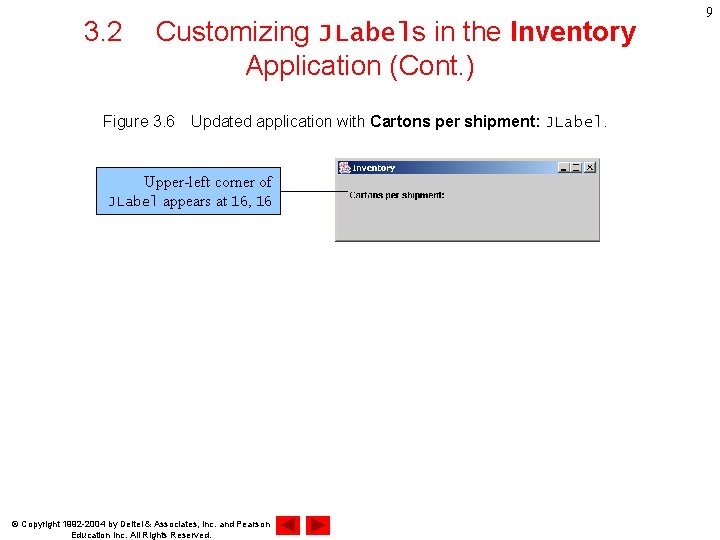
3. 2 Customizing JLabels in the Inventory Application (Cont. ) Figure 3. 6 Updated application with Cartons per shipment: JLabel. Upper-left corner of JLabel appears at 16, 16 © Copyright 1992 -2004 by Deitel & Associates, Inc. and Pearson Education Inc. All Rights Reserved. 9
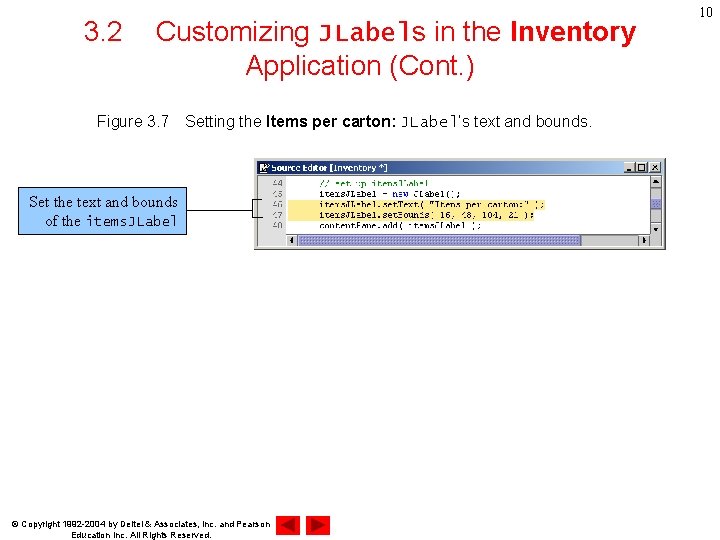
3. 2 Customizing JLabels in the Inventory Application (Cont. ) Figure 3. 7 Setting the Items per carton: JLabel’s text and bounds. Set the text and bounds of the items. JLabel © Copyright 1992 -2004 by Deitel & Associates, Inc. and Pearson Education Inc. All Rights Reserved. 10
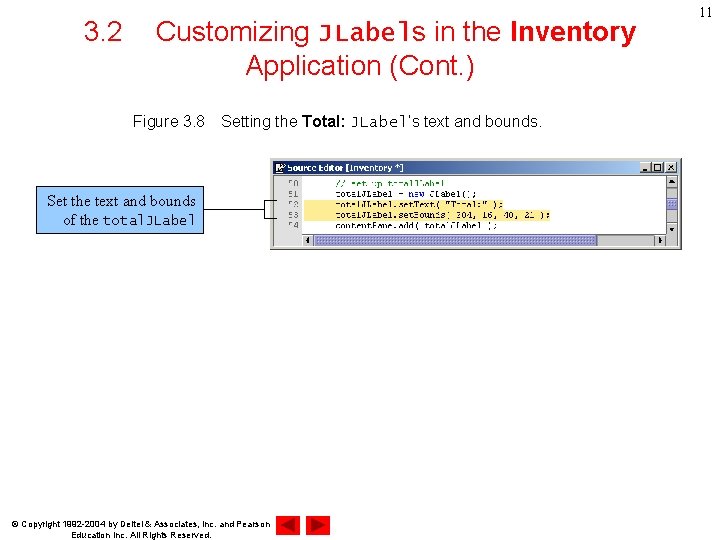
3. 2 Customizing JLabels in the Inventory Application (Cont. ) Figure 3. 8 Setting the Total: JLabel’s text and bounds. Set the text and bounds of the total. JLabel © Copyright 1992 -2004 by Deitel & Associates, Inc. and Pearson Education Inc. All Rights Reserved. 11
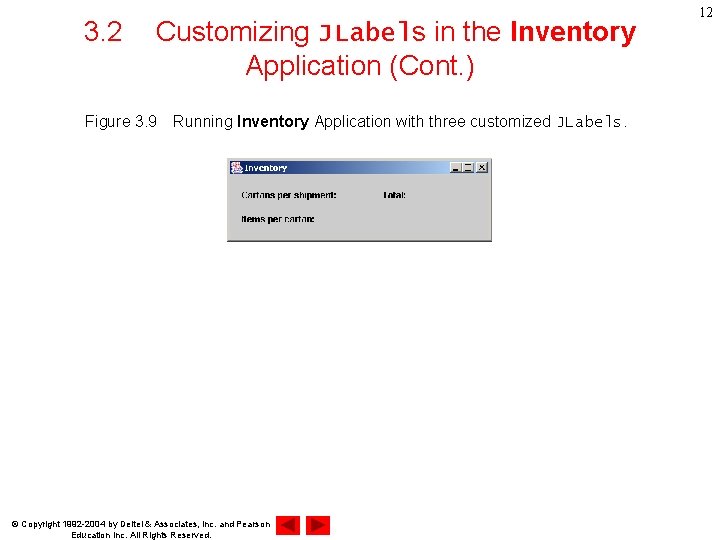
3. 2 Customizing JLabels in the Inventory Application (Cont. ) Figure 3. 9 Running Inventory Application with three customized JLabels. © Copyright 1992 -2004 by Deitel & Associates, Inc. and Pearson Education Inc. All Rights Reserved. 12
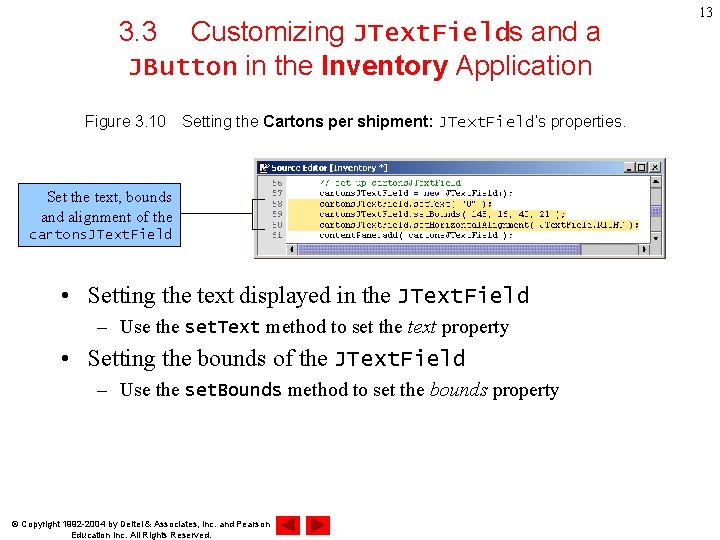
3. 3 Customizing JText. Fields and a JButton in the Inventory Application Figure 3. 10 Setting the Cartons per shipment: JText. Field’s properties. Set the text, bounds and alignment of the cartons. JText. Field • Setting the text displayed in the JText. Field – Use the set. Text method to set the text property • Setting the bounds of the JText. Field – Use the set. Bounds method to set the bounds property © Copyright 1992 -2004 by Deitel & Associates, Inc. and Pearson Education Inc. All Rights Reserved. 13
3. 3 Customizing JText. Fields and a JButton in the Inventory Application (Cont. ) Figure 3. 11 Setting the Items per carton: JText. Field’s properties. Set the text, bounds and alignment of the items. JText. Field • Setting the horizontal alignment of the JLabel – Use the set. Horizontal. Alignment method to set the horizontal alignment property • JText. Field. RIGHT • JText. Field. LEFT • JText. Field. CENTER © Copyright 1992 -2004 by Deitel & Associates, Inc. and Pearson Education Inc. All Rights Reserved. 14
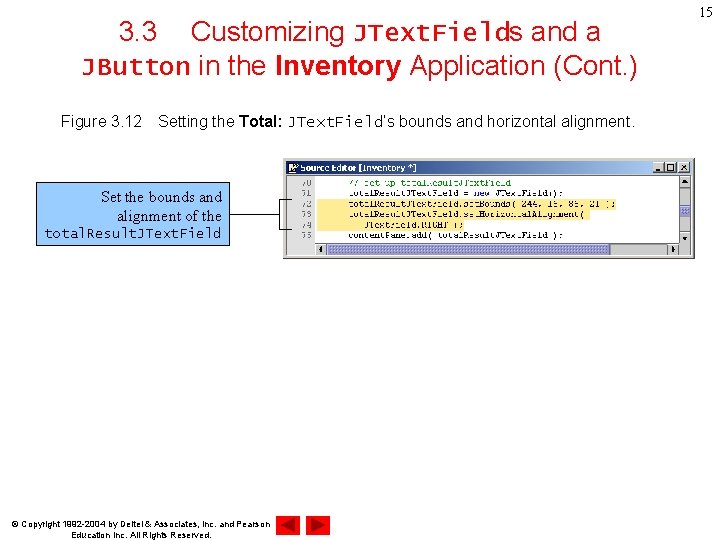
3. 3 Customizing JText. Fields and a JButton in the Inventory Application (Cont. ) Figure 3. 12 Setting the Total: JText. Field’s bounds and horizontal alignment. Set the bounds and alignment of the total. Result. JText. Field © Copyright 1992 -2004 by Deitel & Associates, Inc. and Pearson Education Inc. All Rights Reserved. 15
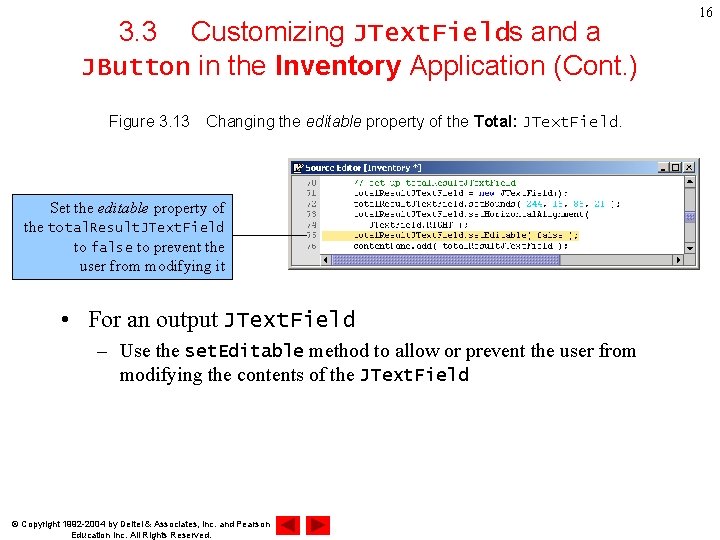
3. 3 Customizing JText. Fields and a JButton in the Inventory Application (Cont. ) Figure 3. 13 Changing the editable property of the Total: JText. Field. Set the editable property of the total. Result. JText. Field to false to prevent the user from modifying it • For an output JText. Field – Use the set. Editable method to allow or prevent the user from modifying the contents of the JText. Field © Copyright 1992 -2004 by Deitel & Associates, Inc. and Pearson Education Inc. All Rights Reserved. 16
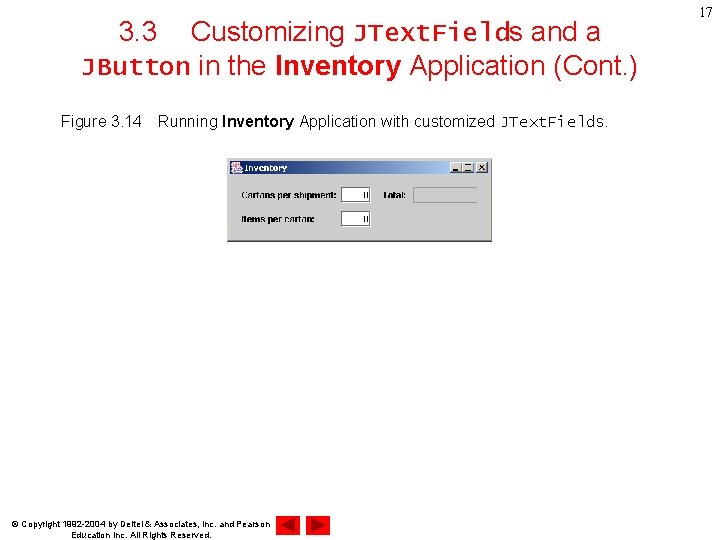
3. 3 Customizing JText. Fields and a JButton in the Inventory Application (Cont. ) Figure 3. 14 Running Inventory Application with customized JText. Fields. © Copyright 1992 -2004 by Deitel & Associates, Inc. and Pearson Education Inc. All Rights Reserved. 17
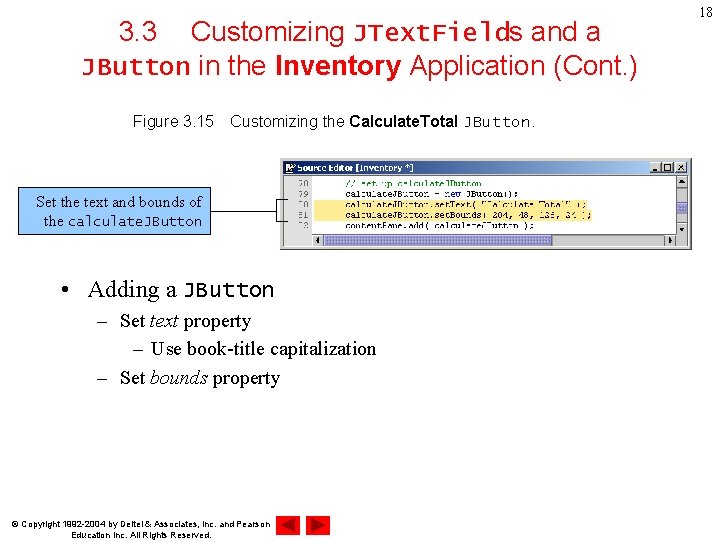
3. 3 Customizing JText. Fields and a JButton in the Inventory Application (Cont. ) Figure 3. 15 Customizing the Calculate. Total JButton. Set the text and bounds of the calculate. JButton • Adding a JButton – Set text property – Use book-title capitalization – Set bounds property © Copyright 1992 -2004 by Deitel & Associates, Inc. and Pearson Education Inc. All Rights Reserved. 18
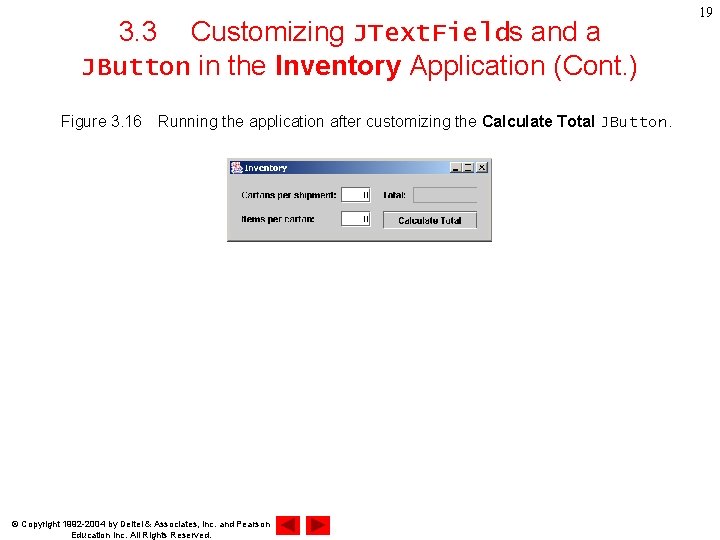
3. 3 Customizing JText. Fields and a JButton in the Inventory Application (Cont. ) Figure 3. 16 Running the application after customizing the Calculate Total JButton. © Copyright 1992 -2004 by Deitel & Associates, Inc. and Pearson Education Inc. All Rights Reserved. 19
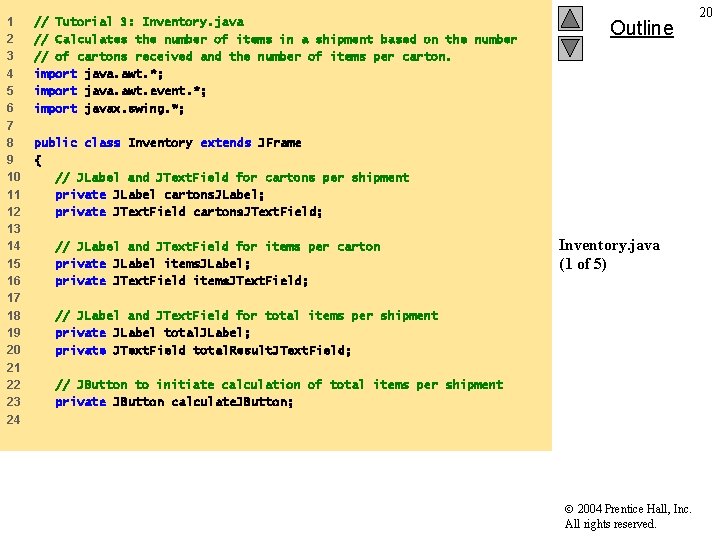
1 2 3 4 5 6 7 8 9 10 11 12 13 14 15 16 17 18 19 20 21 22 23 24 // Tutorial 3: Inventory. java // Calculates the number of items in a shipment based on the number // of cartons received and the number of items per carton. import java. awt. *; import java. awt. event. *; import javax. swing. *; Outline public class Inventory extends JFrame { // JLabel and JText. Field for cartons per shipment private JLabel cartons. JLabel; private JText. Field cartons. JText. Field; // JLabel and JText. Field for items per carton private JLabel items. JLabel; private JText. Field items. JText. Field; Inventory. java (1 of 5) // JLabel and JText. Field for total items per shipment private JLabel total. JLabel; private JText. Field total. Result. JText. Field; // JButton to initiate calculation of total items per shipment private JButton calculate. JButton; 2004 Prentice Hall, Inc. All rights reserved. 20
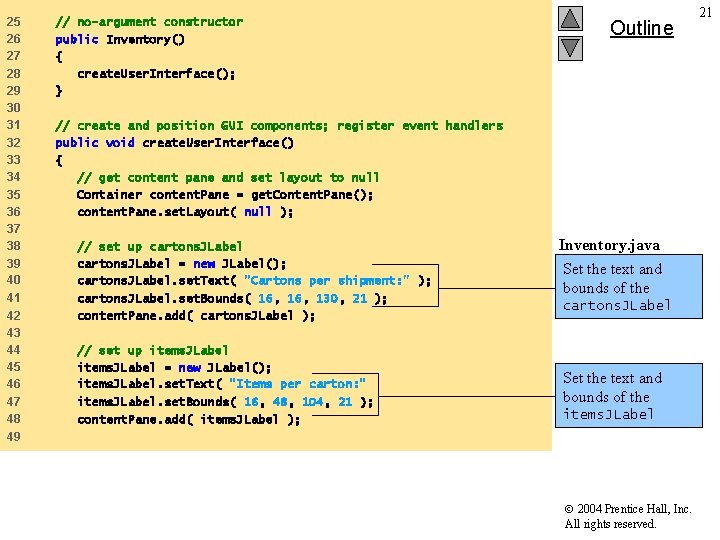
25 26 27 28 29 30 31 32 33 34 35 36 37 38 39 40 41 42 43 44 45 46 47 48 49 // no-argument constructor public Inventory() { create. User. Interface(); } Outline // create and position GUI components; register event handlers public void create. User. Interface() { // get content pane and set layout to null Container content. Pane = get. Content. Pane(); content. Pane. set. Layout( null ); // set up cartons. JLabel = new JLabel(); cartons. JLabel. set. Text( "Cartons per shipment: " ); cartons. JLabel. set. Bounds( 16, 130, 21 ); content. Pane. add( cartons. JLabel ); // set up items. JLabel = new JLabel(); items. JLabel. set. Text( "Items per carton: " items. JLabel. set. Bounds( 16, 48, 104, 21 ); content. Pane. add( items. JLabel ); Inventory. java (2 5) text and Setofthe bounds of the cartons. JLabel Set the text and bounds of the items. JLabel 2004 Prentice Hall, Inc. All rights reserved. 21
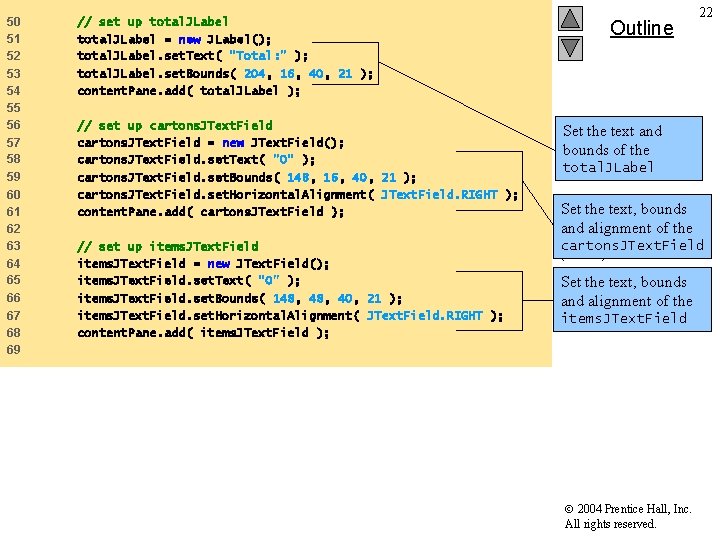
50 51 52 // set up total. JLabel = new JLabel(); total. JLabel. set. Text( "Total: " ); 53 54 55 56 57 58 total. JLabel. set. Bounds( 204, 16, 40, 21 ); content. Pane. add( total. JLabel ); 59 60 61 62 63 64 65 66 67 68 69 // set up cartons. JText. Field = new JText. Field(); cartons. JText. Field. set. Text( "0" ); cartons. JText. Field. set. Bounds( 148, 16, 40, 21 ); cartons. JText. Field. set. Horizontal. Alignment( JText. Field. RIGHT ); content. Pane. add( cartons. JText. Field ); // set up items. JText. Field = new JText. Field(); items. JText. Field. set. Text( "0" ); items. JText. Field. set. Bounds( 148, 40, 21 ); items. JText. Field. set. Horizontal. Alignment( JText. Field. RIGHT ); content. Pane. add( items. JText. Field ); Outline 22 Set the text and bounds of the total. JLabel Set the text, bounds and alignment of the Inventory. java cartons. JText. Field (3 of 5) Set the text, bounds and alignment of the items. JText. Field 2004 Prentice Hall, Inc. All rights reserved.
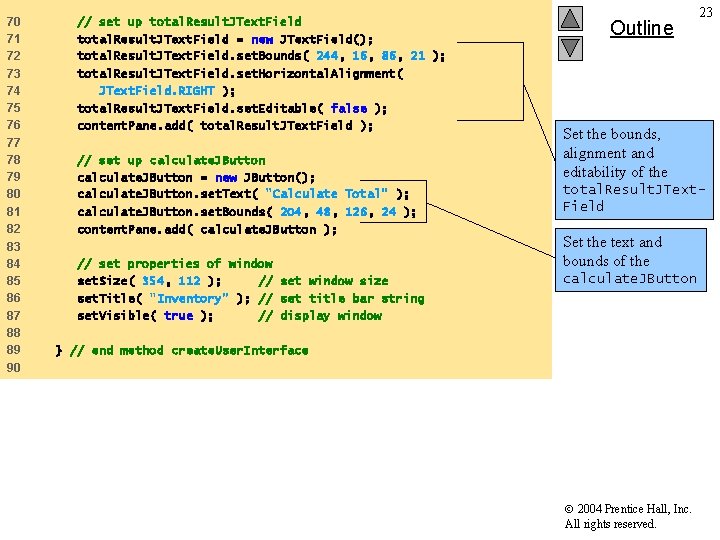
70 71 72 // set up total. Result. JText. Field = new JText. Field(); total. Result. JText. Field. set. Bounds( 244, 16, 86, 21 ); 73 74 75 76 77 78 79 80 total. Result. JText. Field. set. Horizontal. Alignment( JText. Field. RIGHT ); total. Result. JText. Field. set. Editable( false ); content. Pane. add( total. Result. JText. Field ); 81 82 83 84 85 86 87 88 89 90 // set up calculate. JButton = new JButton(); calculate. JButton. set. Text( "Calculate Total" ); calculate. JButton. set. Bounds( 204, 48, 126, 24 ); content. Pane. add( calculate. JButton ); // set properties of window set. Size( 354, 112 ); // set window size set. Title( "Inventory" ); // set title bar string set. Visible( true ); // display window Outline 23 Set the bounds, alignment and editability of the total. Result. JText. Field Inventory. java Set the text and (4 of 5) bounds of the calculate. JButton } // end method create. User. Interface 2004 Prentice Hall, Inc. All rights reserved.
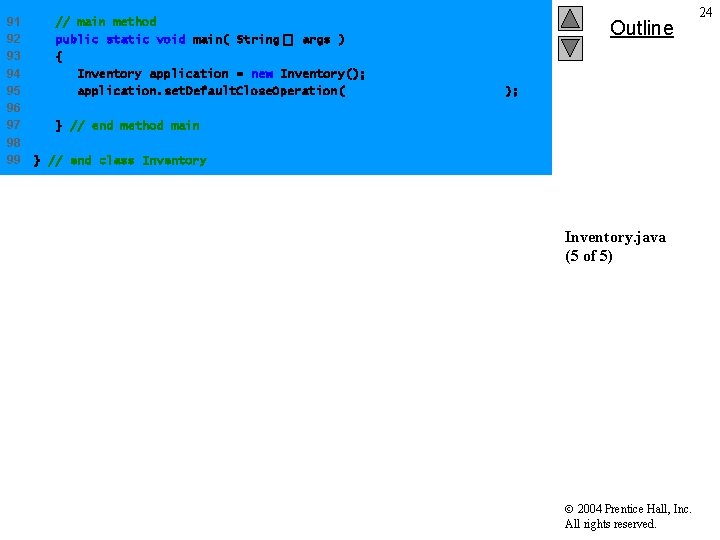
91 92 93 94 95 96 97 98 99 // main method public static void main( String[] args ) { Inventory application = new Inventory(); application. set. Default. Close. Operation( JFrame. EXIT_ON_CLOSE ); Outline } // end method main } // end class Inventory. java (5 of 5) 2004 Prentice Hall, Inc. All rights reserved. 24