
Tutorial 04 cont Using XPath Patterns in an





- Slides: 19
Tutorial 04 (cont’) Using XPath Patterns in an XSLT Style Sheet
Contents I. The Angel. Falls Bookstore Problem II. Solution 2
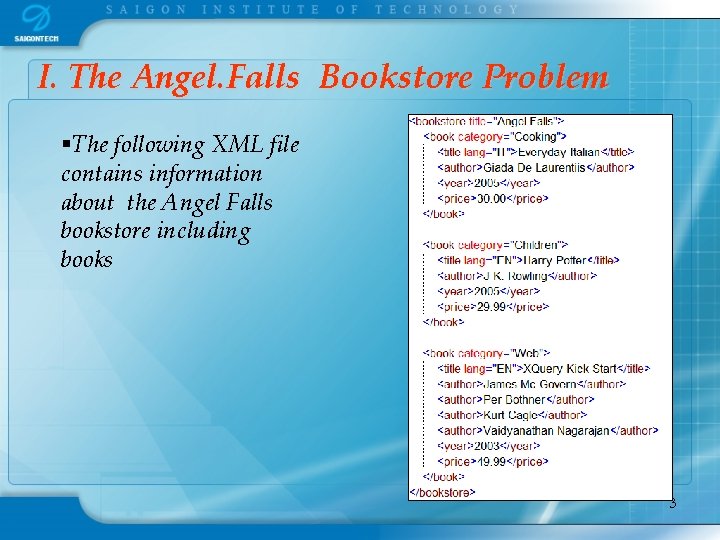
I. The Angel. Falls Bookstore Problem §The following XML file contains information about the Angel Falls bookstore including books 3
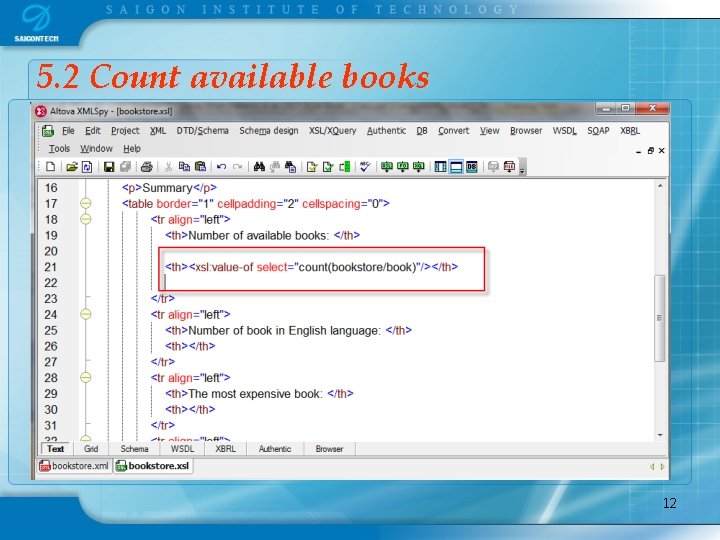
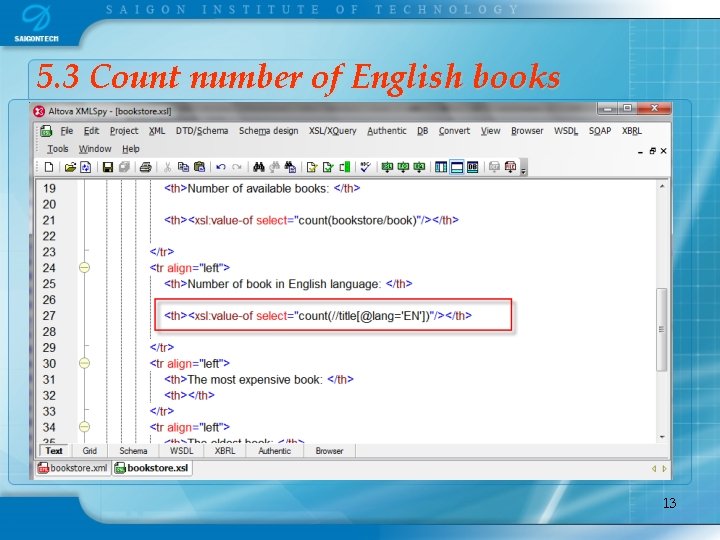
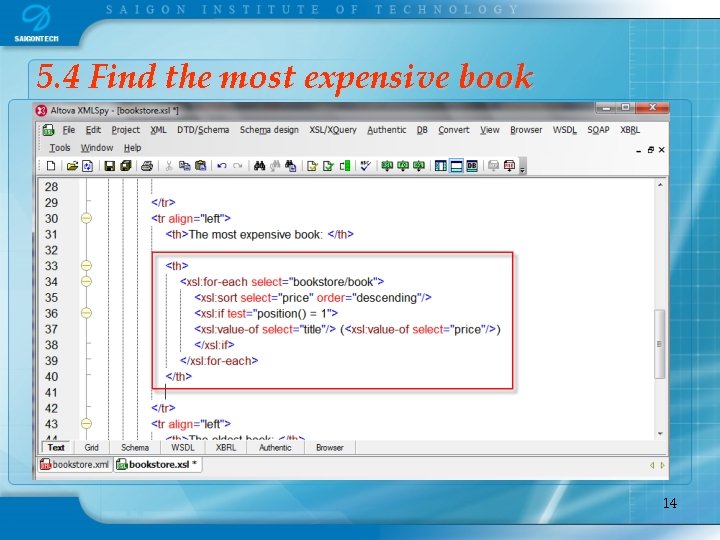
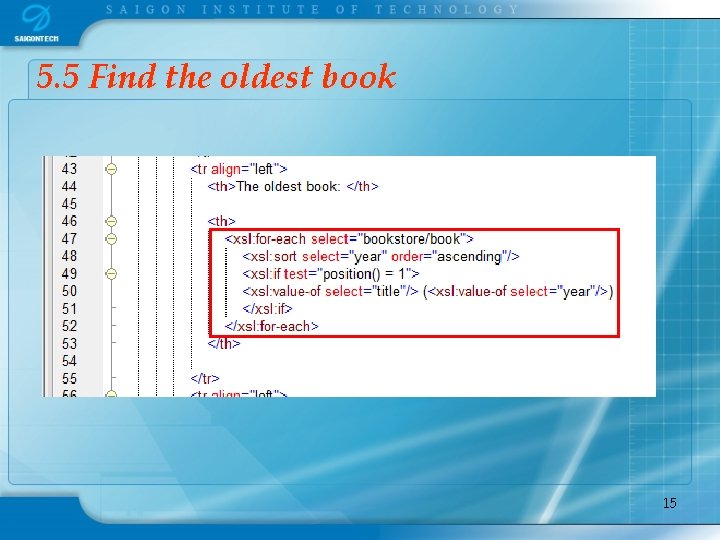
§ Create a new XSLT document so that the XML file can be shown in a web browser display the all of books in the bookstore. § It also displays a summary table that shows: § § § Number of available books, Number of book in English language The most expensive book The oldest book And the total price for all books. 4
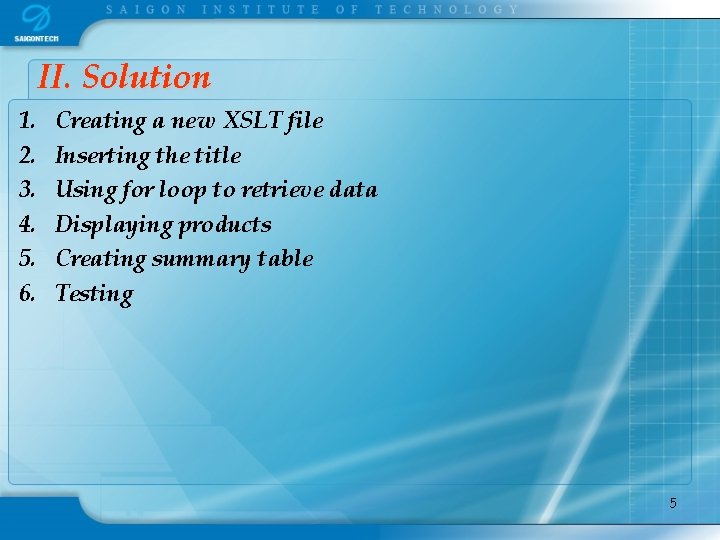
II. Solution 1. 2. 3. 4. 5. 6. Creating a new XSLT file Inserting the title Using for loop to retrieve data Displaying products Creating summary table Testing 5
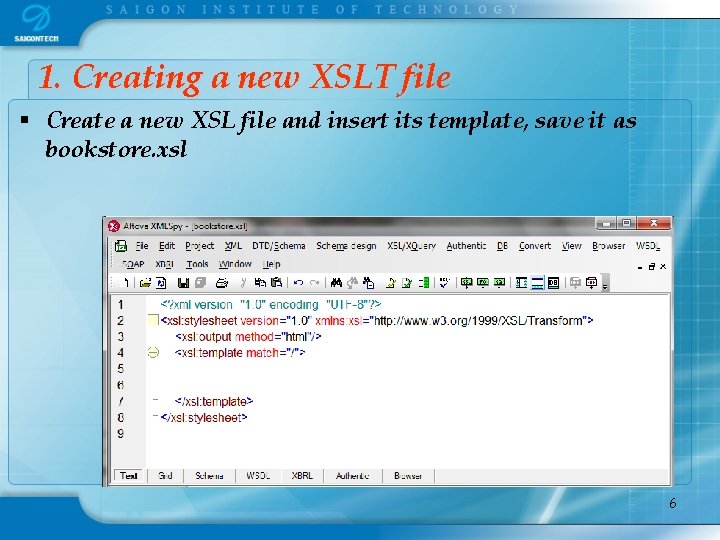
1. Creating a new XSLT file § Create a new XSL file and insert its template, save it as bookstore. xsl 6
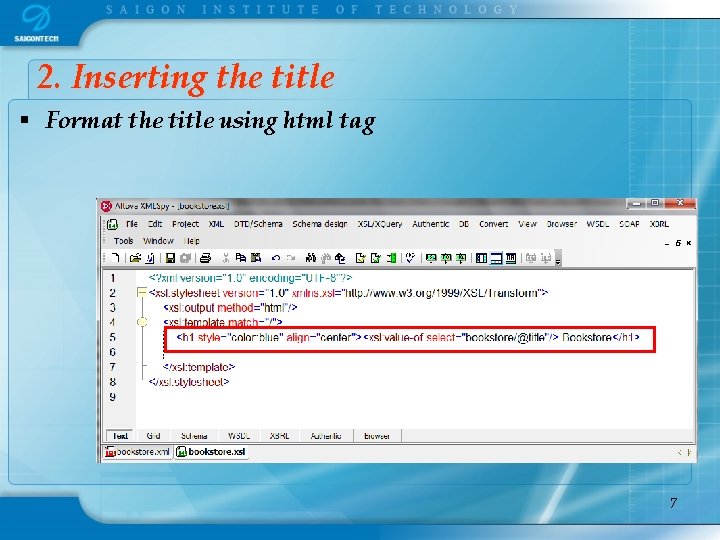
2. Inserting the title § Format the title using html tag 7
3. Using for loop to retrieve data 8
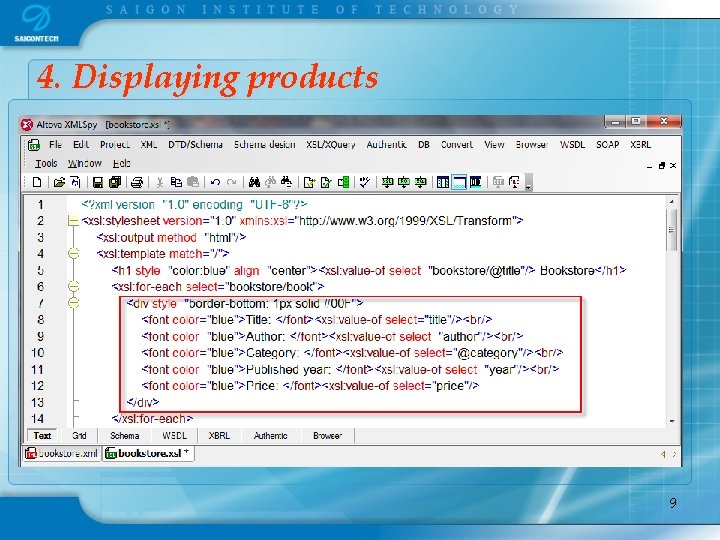
4. Displaying products 9
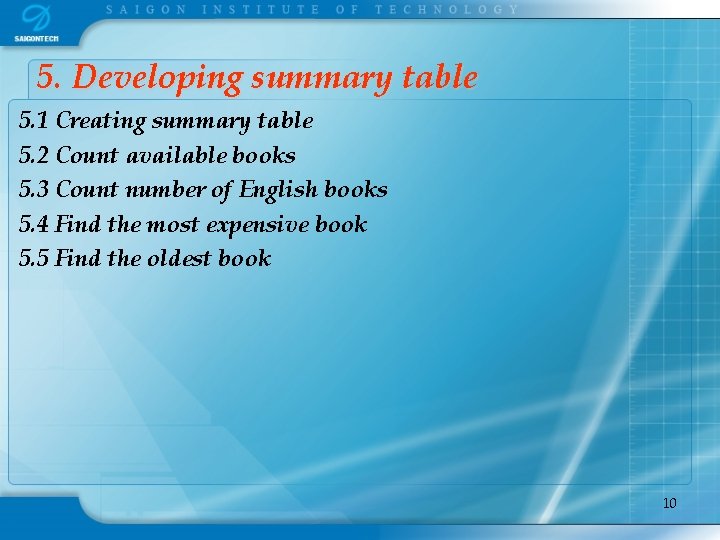
5. Developing summary table 5. 1 Creating summary table 5. 2 Count available books 5. 3 Count number of English books 5. 4 Find the most expensive book 5. 5 Find the oldest book 10
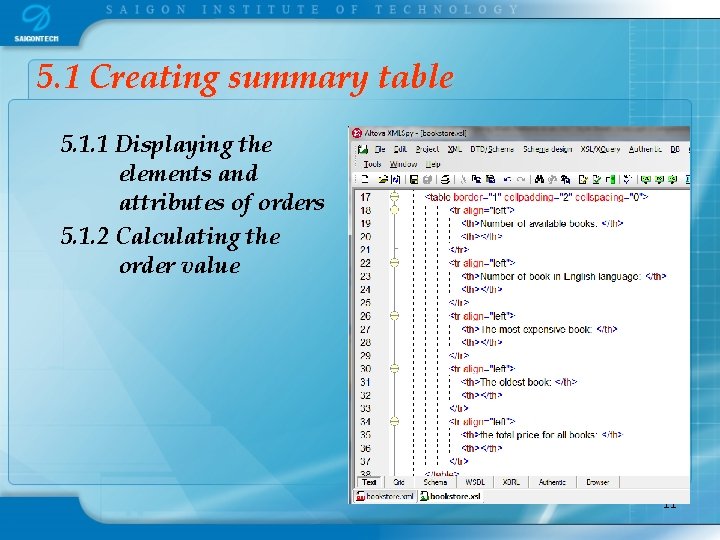
5. 1 Creating summary table 5. 1. 1 Displaying the elements and attributes of orders 5. 1. 2 Calculating the order value 11
5. 2 Count available books 12
5. 3 Count number of English books 13
5. 4 Find the most expensive book 14
5. 5 Find the oldest book 15
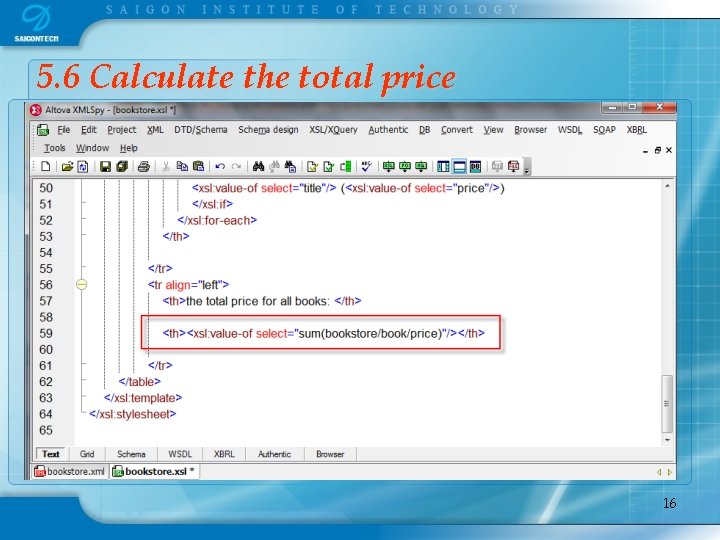
5. 6 Calculate the total price 16
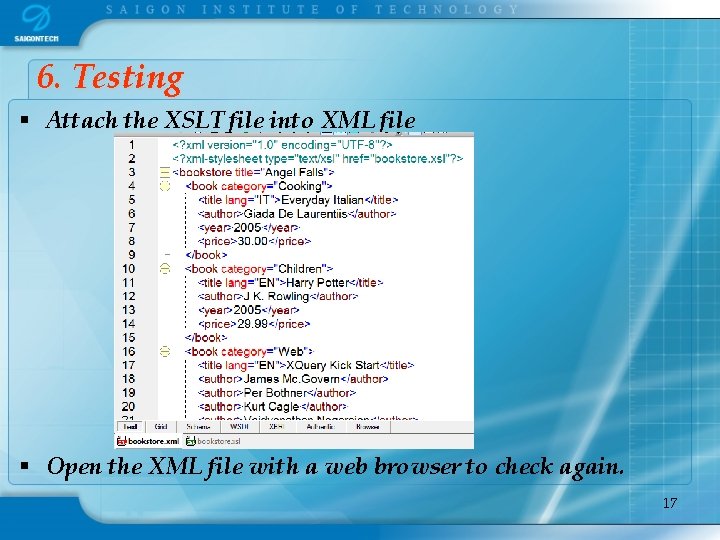
6. Testing § Attach the XSLT file into XML file § Open the XML file with a web browser to check again. 17
References § New Perspectives on Creating Web Pages with HTML and XML (Patrick Carey & Mary Kemper) - Course Technology Publisher § Creating Cool Web Sites with HTML, XHTML and CSS Taylor, Dave, Wiley § http: //w 3 schools. com/xpath/default. asp 18