
Trees Nature Lovers View Of A Tree leaves
- Slides: 41
Trees
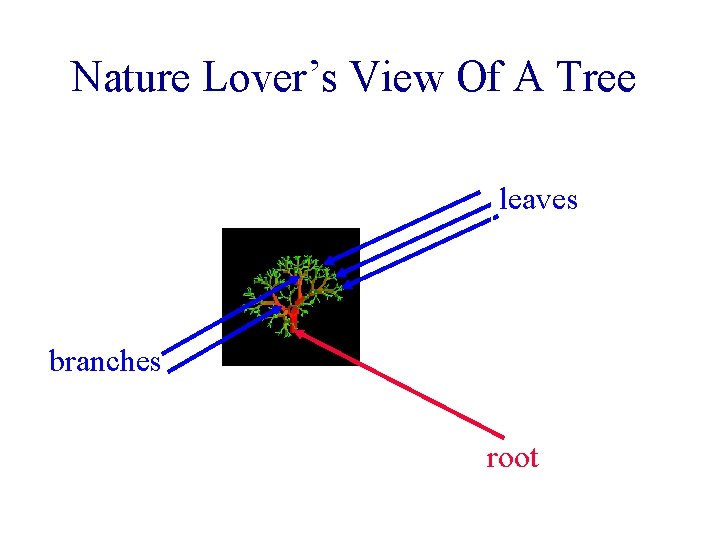
Nature Lover’s View Of A Tree leaves branches root
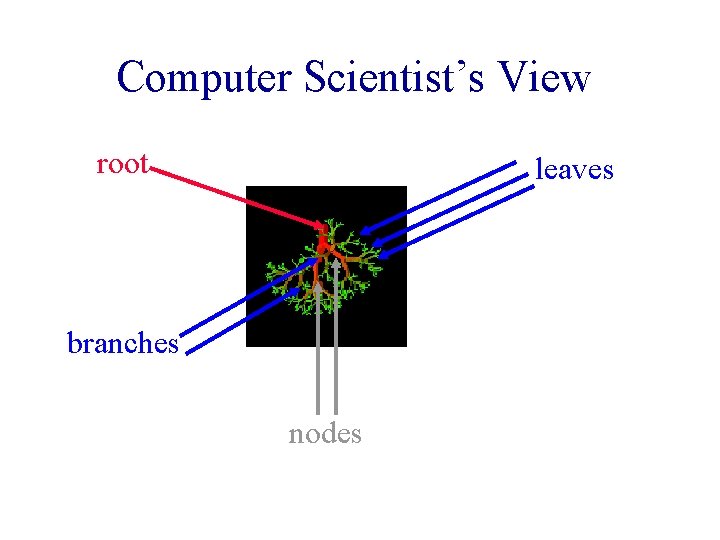
Computer Scientist’s View root leaves branches nodes
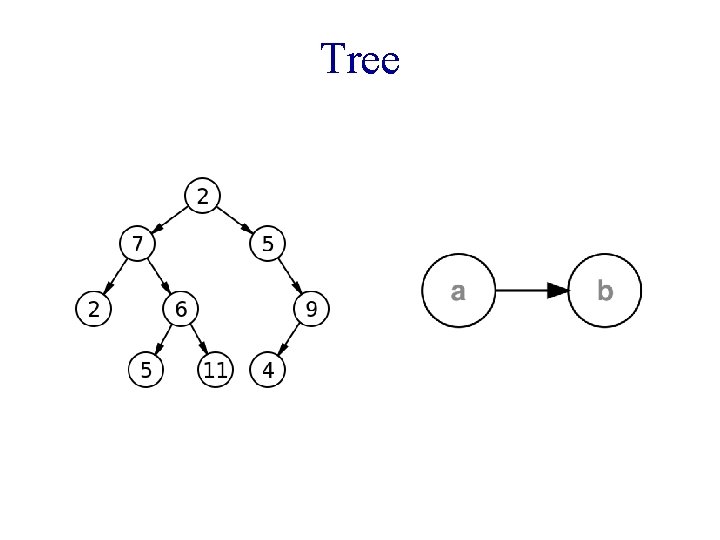
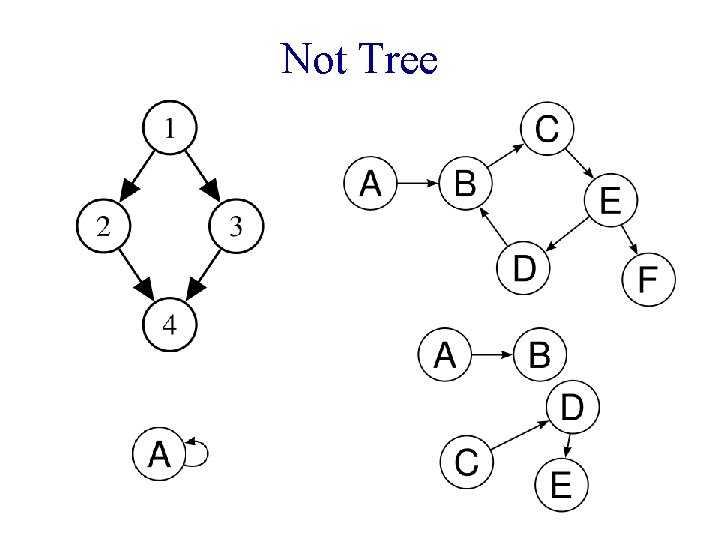
Trees • • • Another Abstract Data Type (ADT) Simulates a hierarchical tree structure Has no cycles Two vertices are connected by exactly one path Recursively defined as a collection of nodes, each node has a value and a list of references to the children § No reference is duplicated § None points to root
Tree
Not Tree
Linear Lists And Trees • Linear lists are useful for serially ordered data. § § (e 0, e 1, e 2, …, en-1) Days of week. Months in a year. Students in this class. • Trees are useful for hierarchically ordered data. § Employees of a corporation. • President, vice presidents, managers, and so on. § Continent, country, state, city • North America, USA, FL, Gainesville
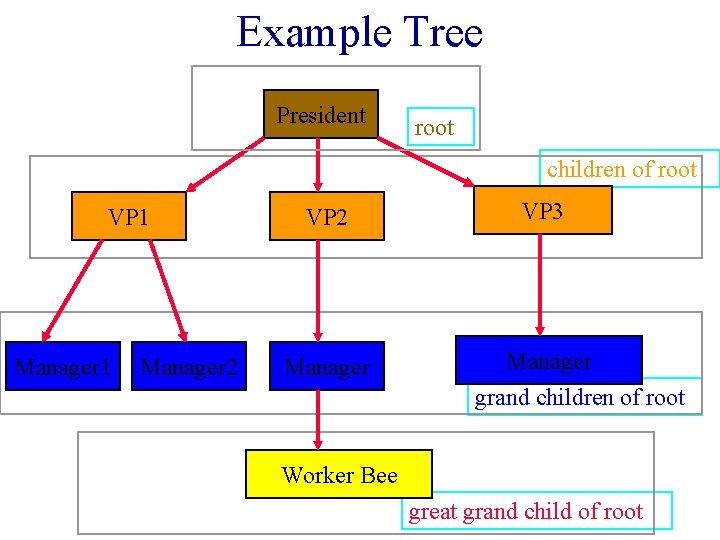
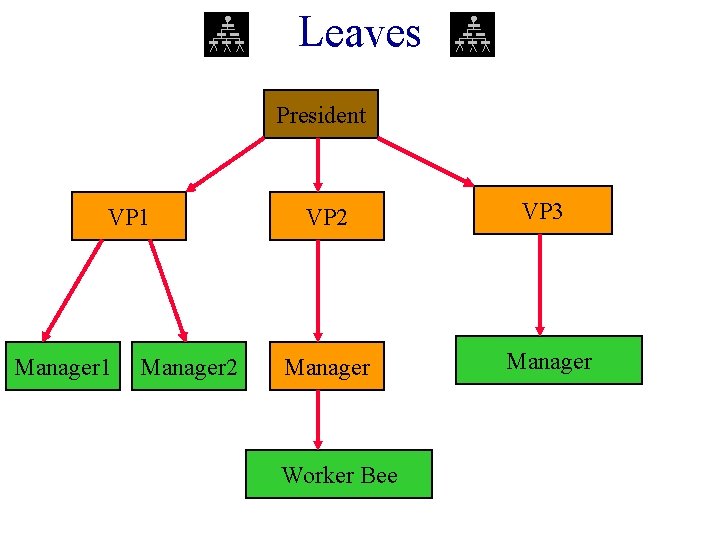
Hierarchical Data And Trees • The element at the top of the hierarchy is the root. • Elements next in the hierarchy are the children of the root. • Elements next in the hierarchy are the grandchildren of the root, and so on. (descendants) • Elements that have no children are leaves. (external nodes)
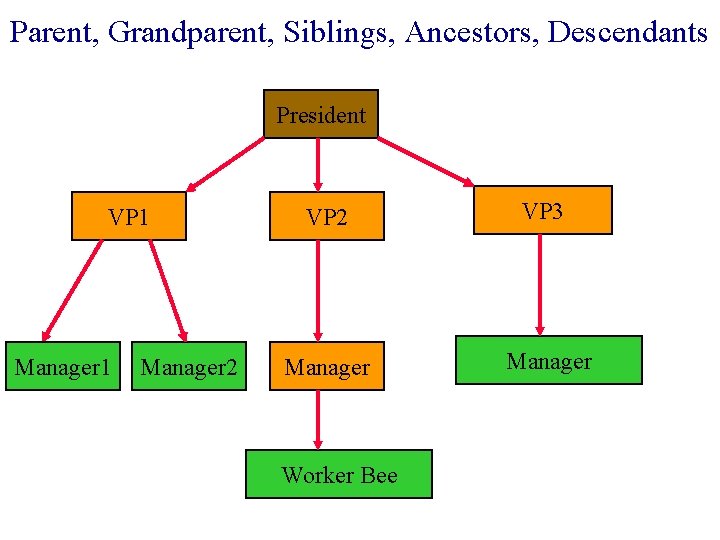
Example Tree President root children of root VP 1 Manager 2 VP 3 Manager grand children of root Worker Bee great grand child of root
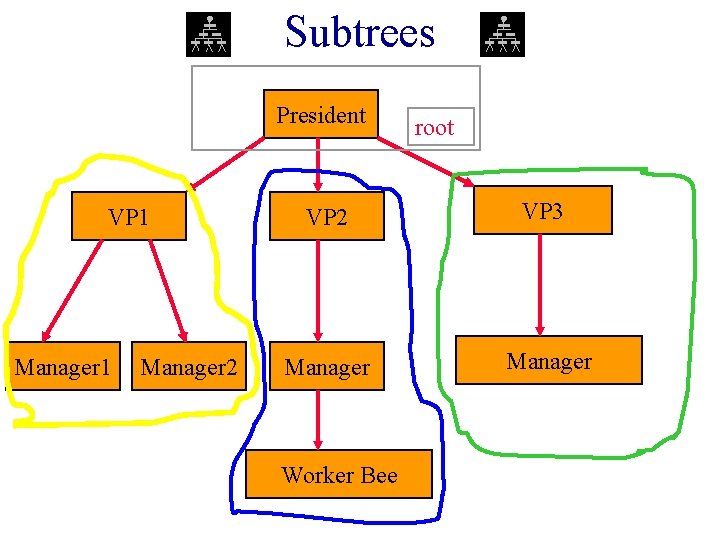
Definition • A tree t is a finite nonempty set of elements. • One of these elements is called the root. • The remaining elements, if any, are partitioned into trees, which are called the subtrees of t.
Subtrees President VP 1 Manager 2 root VP 2 VP 3 Manager Worker Bee
Leaves President VP 1 Manager 2 VP 3 Manager Worker Bee
Parent, Grandparent, Siblings, Ancestors, Descendants President VP 1 Manager 2 VP 3 Manager Worker Bee
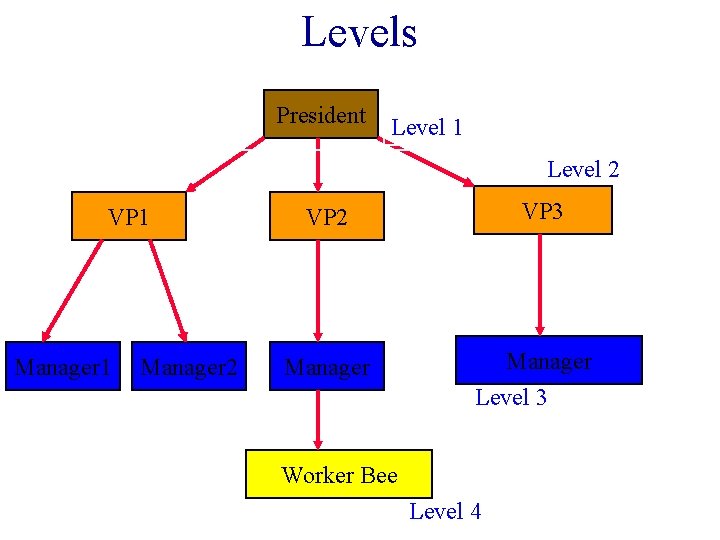
Levels President Level 1 Level 2 VP 1 Manager 2 VP 3 Manager Level 3 Worker Bee Level 4
Caution • Some texts start level numbers at 0 rather than at 1. • Root is at level 0. • Its children are at level 1. • The grand children of the root are at level 2. • And so on. • We shall number levels with the root at level 1.
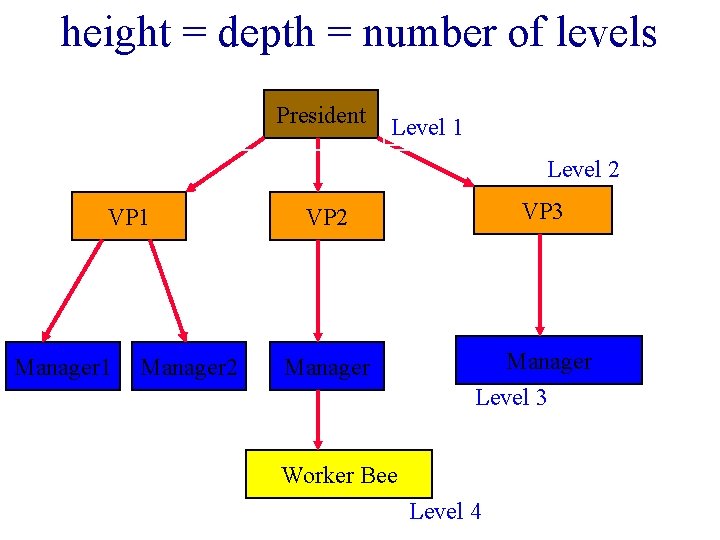
height = depth = number of levels President Level 1 Level 2 VP 1 Manager 2 VP 3 Manager Level 3 Worker Bee Level 4
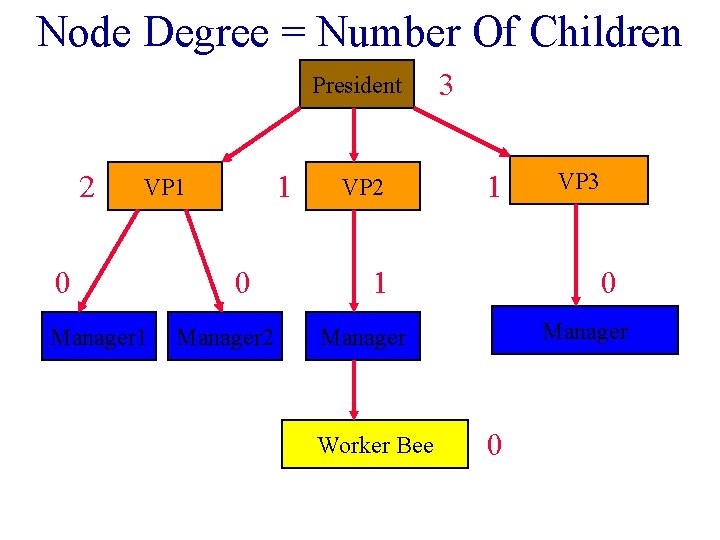
Node Degree = Number Of Children President 2 1 VP 1 0 Manager 2 VP 2 3 1 1 0 Manager Worker Bee VP 3 0
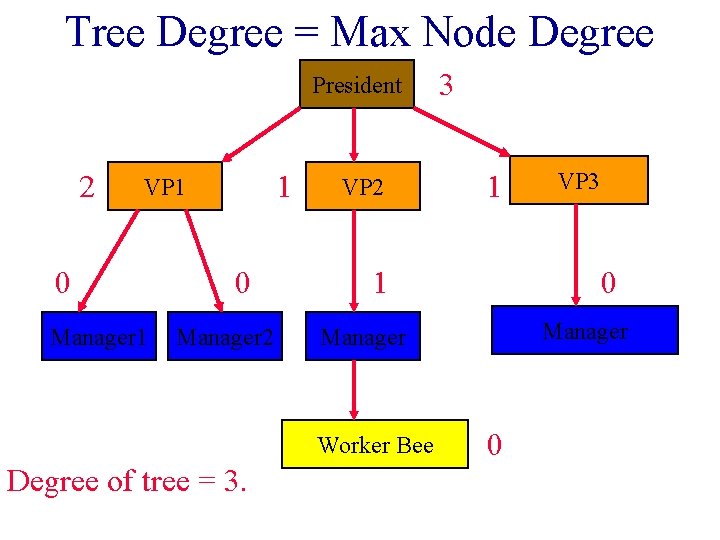
Tree Degree = Max Node Degree President 2 1 VP 1 0 Manager 2 VP 2 1 1 VP 3 0 Manager Worker Bee Degree of tree = 3. 3 0
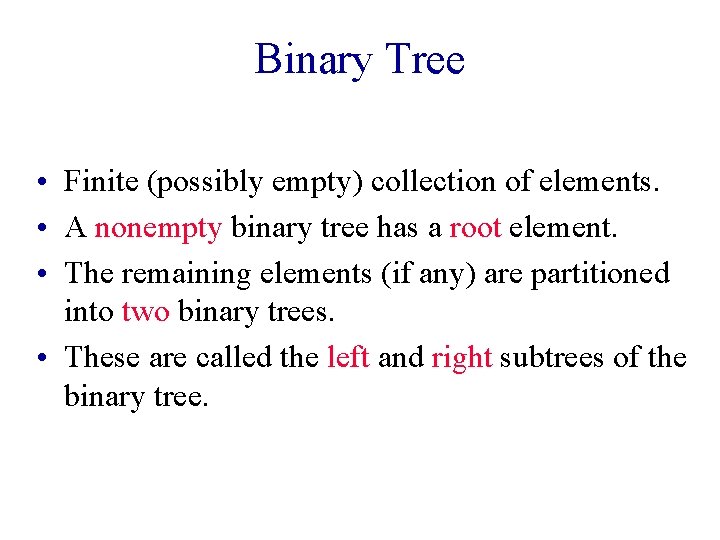
Binary Tree • Finite (possibly empty) collection of elements. • A nonempty binary tree has a root element. • The remaining elements (if any) are partitioned into two binary trees. • These are called the left and right subtrees of the binary tree.
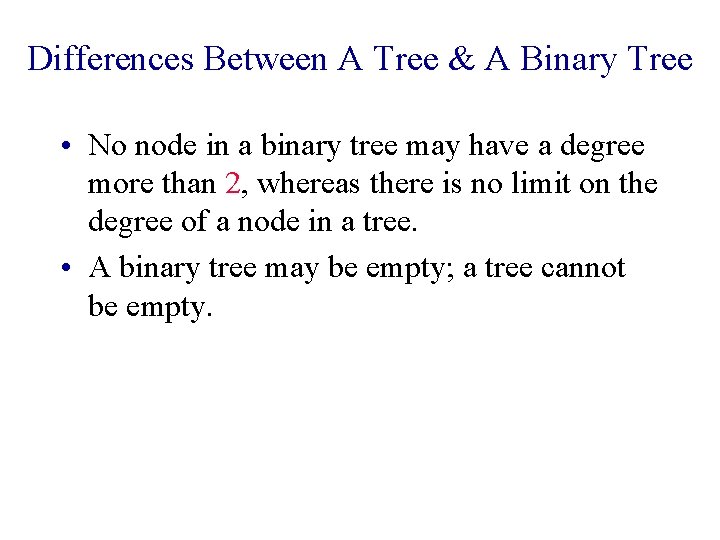
Differences Between A Tree & A Binary Tree • No node in a binary tree may have a degree more than 2, whereas there is no limit on the degree of a node in a tree. • A binary tree may be empty; a tree cannot be empty.
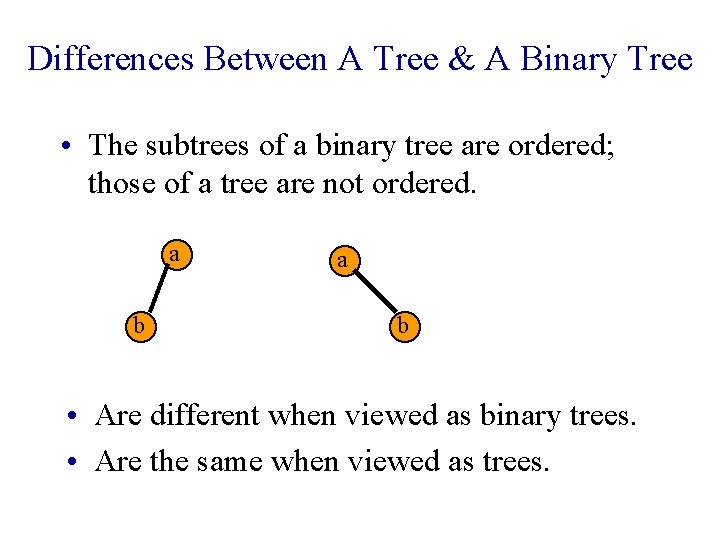
Differences Between A Tree & A Binary Tree • The subtrees of a binary tree are ordered; those of a tree are not ordered. a b • Are different when viewed as binary trees. • Are the same when viewed as trees.
Arithmetic Expressions • (a + b) * (c + d) + e – f/g*h + 3. 25 • Expressions comprise three kinds of entities. § Operators (+, -, /, *). § Operands (a, b, c, d, e, f, g, h, 3. 25, (a + b), (c + d), etc. ). § Delimiters ((, )).
Operator Degree • Number of operands that the operator requires. • Binary operator requires two operands. § a+b § c/d § e-f • Unary operator requires one operand. § +g § -h
Infix Form • Normal way to write an expression. • Binary operators come in between their left and right operands. § § a*b a+b*c a*b/c (a + b) * (c + d) + e – f/g*h + 3. 25
Operator Priorities • How do you figure out the operands of an operator? § a+b*c § a*b+c/d • This is done by assigning operator priorities. § priority(*) = priority(/) > priority(+) = priority(-) • When an operand lies between two operators, the operand associates with the operator that has higher priority.
Tie Breaker • When an operand lies between two operators that have the same priority, the operand associates with the operator on the left. § a+b-c § a*b/c/d
Delimiters • Subexpression within delimiters is treated as a single operand, independent from the remainder of the expression. § (a + b) * (c – d) / (e – f)
Infix Expression Is Hard To Parse • Need operator priorities, tie breaker, and delimiters. • This makes computer evaluation more difficult than is necessary. • Postfix and prefix expression forms do not rely on operator priorities, a tie breaker, or delimiters. • So it is easier for a computer to evaluate expressions that are in these forms.
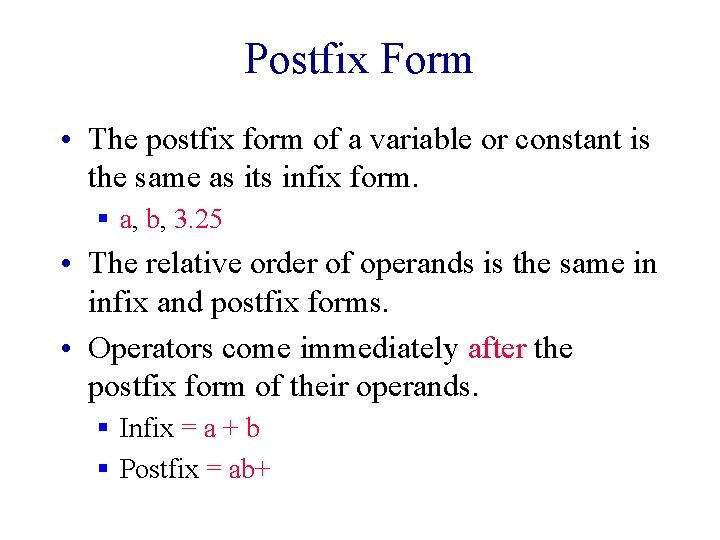
Postfix Form • The postfix form of a variable or constant is the same as its infix form. § a, b, 3. 25 • The relative order of operands is the same in infix and postfix forms. • Operators come immediately after the postfix form of their operands. § Infix = a + b § Postfix = ab+
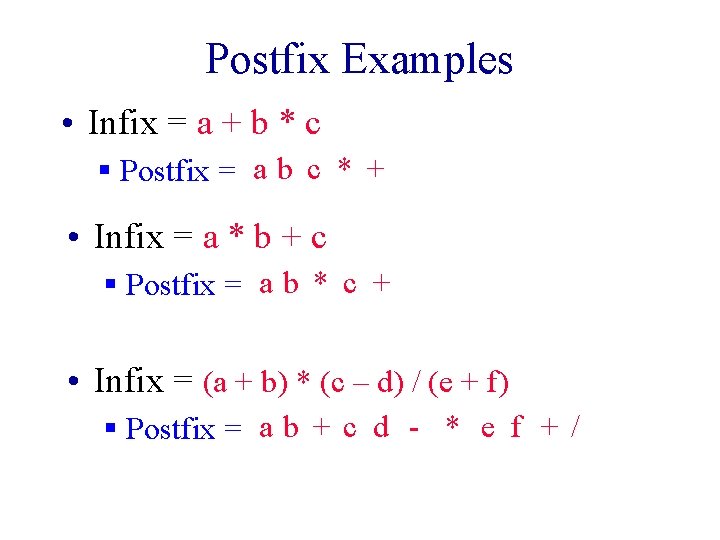
Postfix Examples • Infix = a + b * c § Postfix = a b c * + • Infix = a * b + c § Postfix = a b * c + • Infix = (a + b) * (c – d) / (e + f) § Postfix = a b + c d - * e f + /
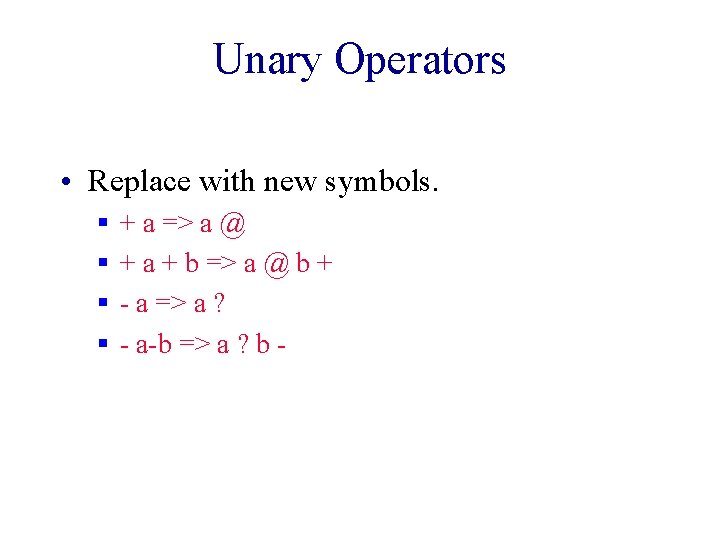
Unary Operators • Replace with new symbols. § § + a => a @ + a + b => a @ b + - a => a ? - a-b => a ? b -
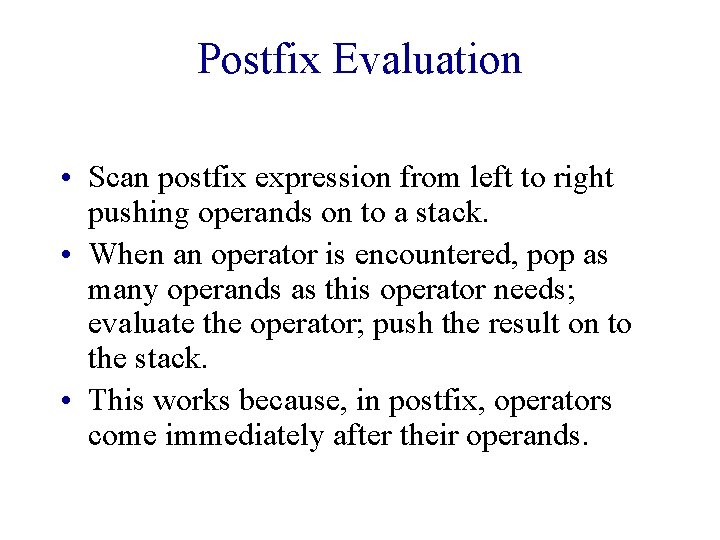
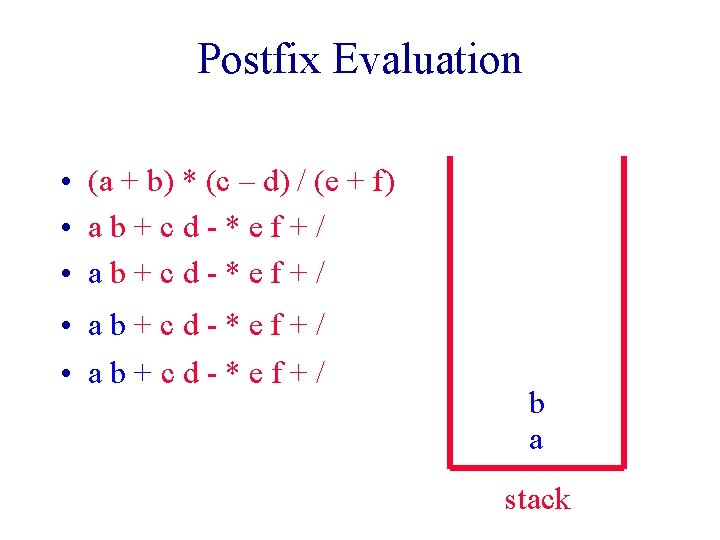
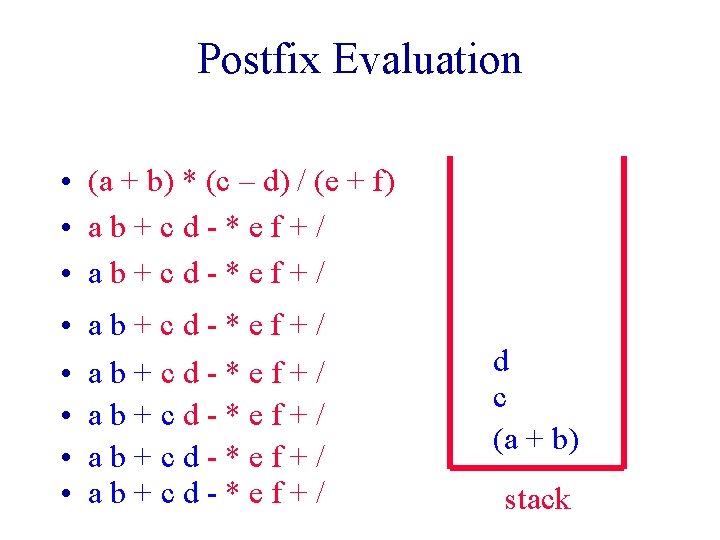
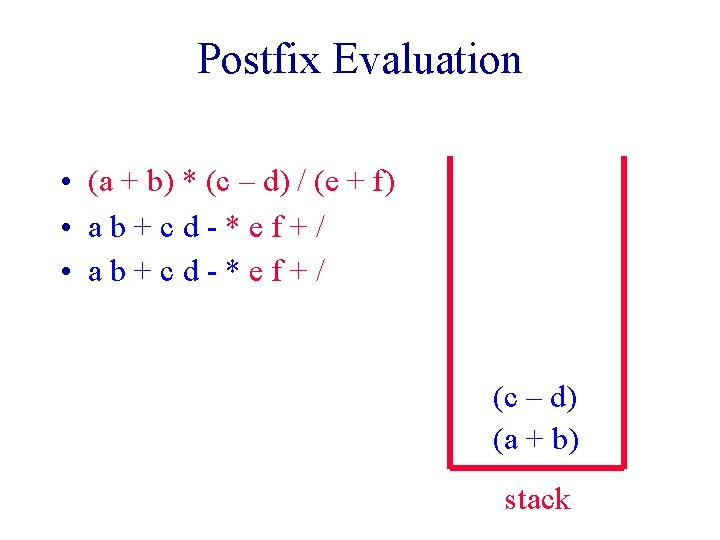
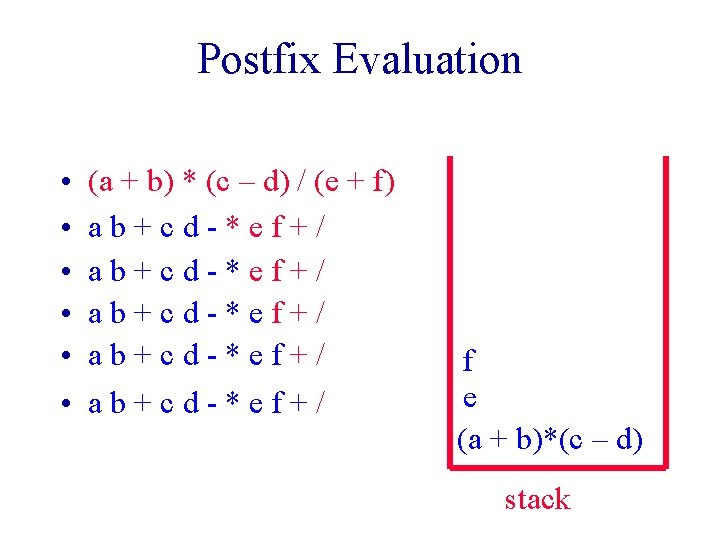
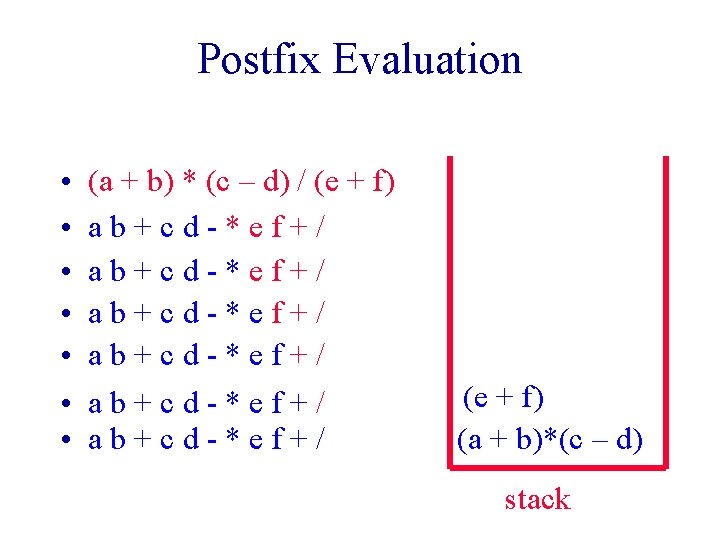
Postfix Evaluation • Scan postfix expression from left to right pushing operands on to a stack. • When an operator is encountered, pop as many operands as this operator needs; evaluate the operator; push the result on to the stack. • This works because, in postfix, operators come immediately after their operands.
Postfix Evaluation • (a + b) * (c – d) / (e + f) • ab+cd-*ef+/ b a stack
Postfix Evaluation • (a + b) * (c – d) / (e + f) • ab+cd-*ef+/ • • • ab+cd-*ef+/ ab+cd-*ef+/ d c (a + b) stack
Postfix Evaluation • (a + b) * (c – d) / (e + f) • ab+cd-*ef+/ (c – d) (a + b) stack
Postfix Evaluation • • • (a + b) * (c – d) / (e + f) ab+cd-*ef+/ ab+cd-*ef+/ f e (a + b)*(c – d) stack
Postfix Evaluation • • (a + b) * (c – d) / (e + f) ab+cd-*ef+/ ab+cd-*ef+/ (e + f) (a + b)*(c – d) stack
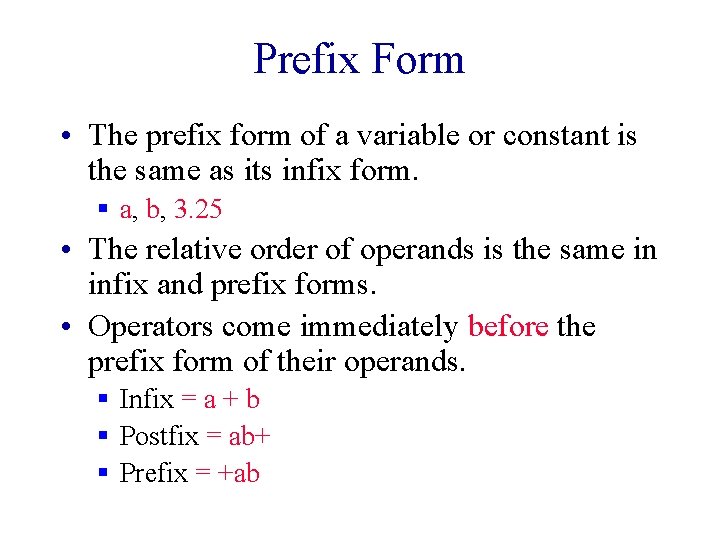
Prefix Form • The prefix form of a variable or constant is the same as its infix form. § a, b, 3. 25 • The relative order of operands is the same in infix and prefix forms. • Operators come immediately before the prefix form of their operands. § Infix = a + b § Postfix = ab+ § Prefix = +ab
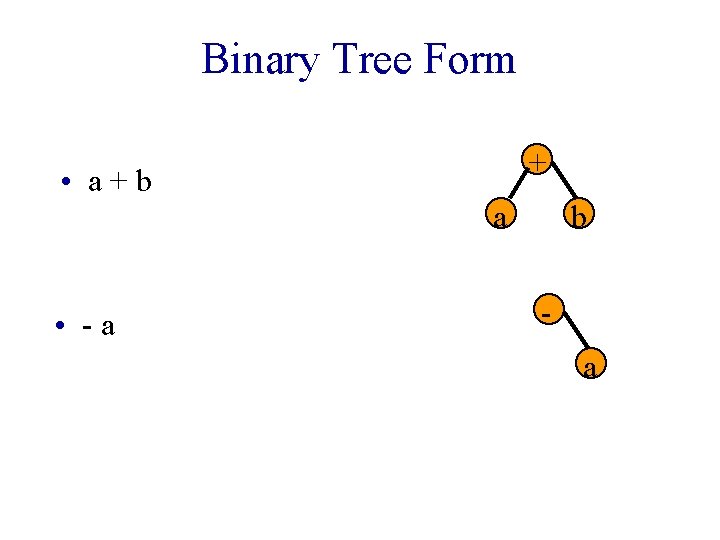
Binary Tree Form + • a+b a • -a b a
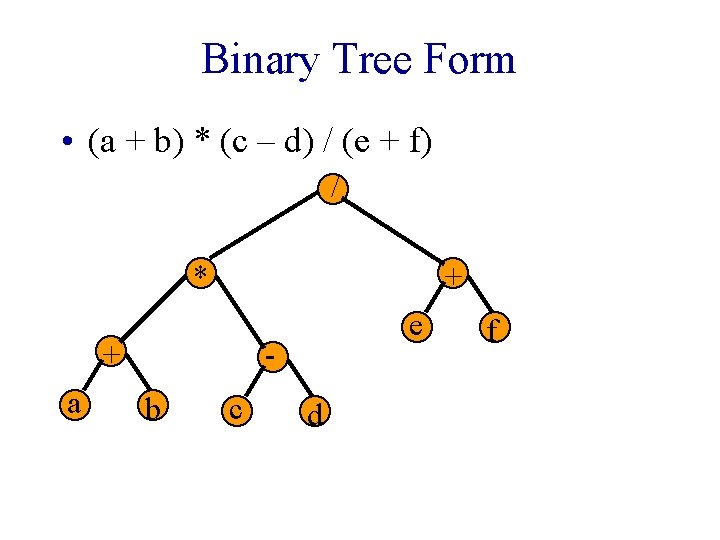
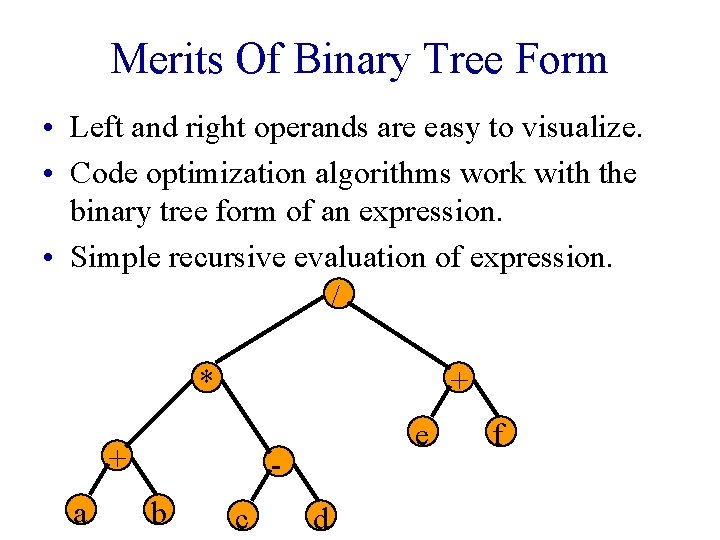
Binary Tree Form • (a + b) * (c – d) / (e + f) // * + + a e b c d f
Merits Of Binary Tree Form • Left and right operands are easy to visualize. • Code optimization algorithms work with the binary tree form of an expression. • Simple recursive evaluation of expression. / * + + a e b c d f