
TRANSFORMINGEXAMS COM A Scalable Examination Platform for BYOD
TRANSFORMINGEXAMS. COM A Scalable Examination Platform for BYOD Invigilated Assessment Look Ma, No Network! Robust e-Exams with Moodle Mathew Hillier (project lead) Monash University Martin Coleman (lead developer) Monash University Scott Grant (academic trial) Monash University
Acknowledgements Project Partners Academics hosting trials • Monash University: Dr Mathew Hillier (PI), Prof. Marilyn Baird, Dr Scott Grant • University of Tasmania: Dr Andrew Fluck. • Central Queensland University: Dr Michael Cowling, Kenneth Howah, Mary Tom. • Australian National University: Brandon Colquhoun, Beth Harris • Edith Cowan University: Assoc. Prof. Paul Newhouse (deceased) • Macquarie University: Assoc. Prof. Matthew Bower, Prof Dominic Verity • RMIT University: Assoc. Prof. Shona Leitch • University of South Australia: Dr Ruth Geer, Bruce White • University of Queensland: Dominic Mc. Grath • University of New South Wales (Canberra)/ ADFA: Dr David Meacheam, Emma Betts • Monash college: Nathaniel Lyons (Globalisation + Geography) • Monash Uni: Dr Shani Tobias (Translation), Dr Charanjit Kaur (Bus Stats). • UQ: Dr Amy Hubbell (French language). • CQU: Dr Rahat Hossain (KM in IT). • UTAS: Dr Wendy Balassa (Education) • ECU: Dr Jeremy Pagram (Programming/Python) • UNSW/ADFA: Andrew Gilbert (Air Power). Project staff Martin Coleman (lead software developer) Vilma Simbag (project manager/admin) Former staff: Lubos Rendek (software dev). Students (summer/winter projects and casual RAs): Chao Wang, Kim Martinow, Sayumi Umeda, Annie (Yunyi Yang), Yi Zheng, Owen Sheppard.
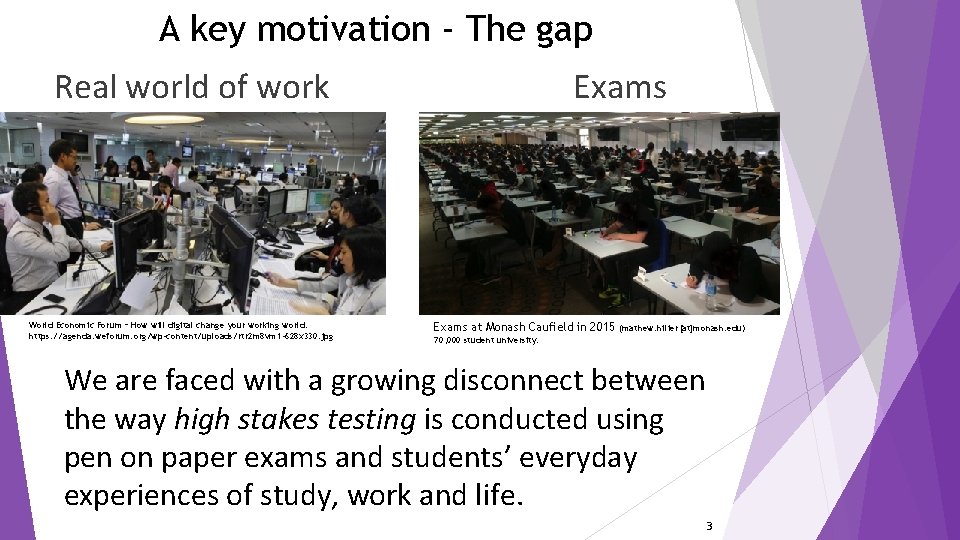
A key motivation - The gap Real world of work World Economic Forum – How will digital change your working world. https: //agenda. weforum. org/wp-content/uploads/rtr 2 m 8 vm 1 -628 x 330. jpg Exams at Monash Caufield in 2015 (mathew. hilier[at]monash. edu) 70, 000 student university. We are faced with a growing disconnect between the way high stakes testing is conducted using pen on paper exams and students’ everyday experiences of study, work and life. 3
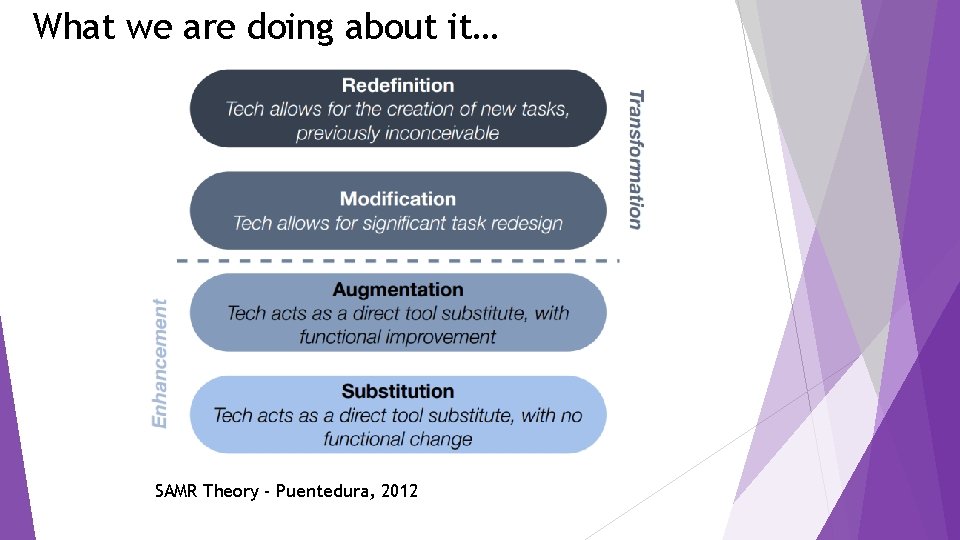
What we are doing about it… SAMR Theory - Puentedura, 2012
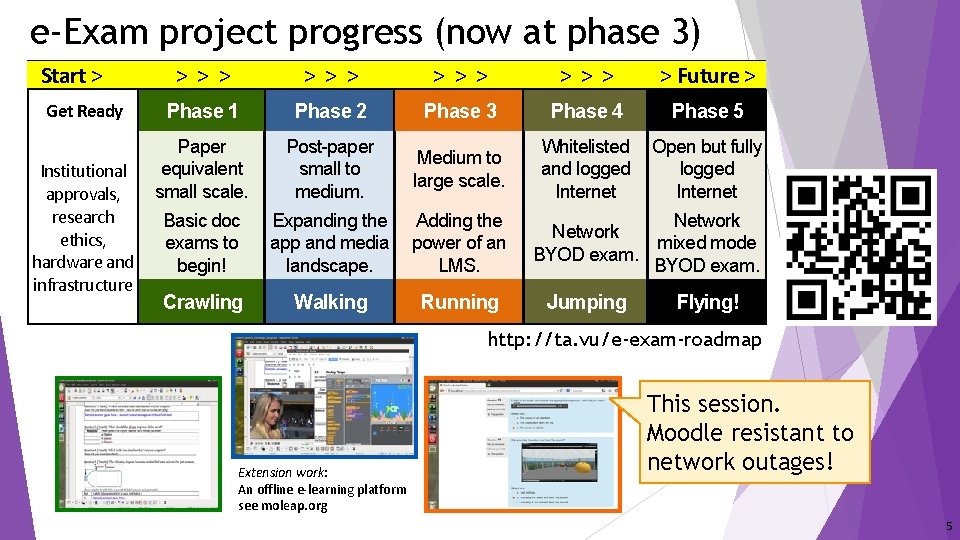
e-Exam project progress (now at phase 3) Start > Get Ready Institutional approvals, research ethics, hardware and infrastructure >>> >>> > Future > Phase 1 Phase 2 Phase 3 Phase 4 Phase 5 Paper equivalent small scale. Basic doc exams to begin! Post-paper small to medium. Expanding the app and media landscape. Medium to large scale. Whitelisted and logged Internet Adding the power of an LMS. Crawling Walking Running Open but fully logged Internet Network mixed mode BYOD exam. Jumping Flying! http: //ta. vu/e-exam-roadmap Extension work: An offline e-learning platform see moleap. org This session. Moodle resistant to network outages! 5
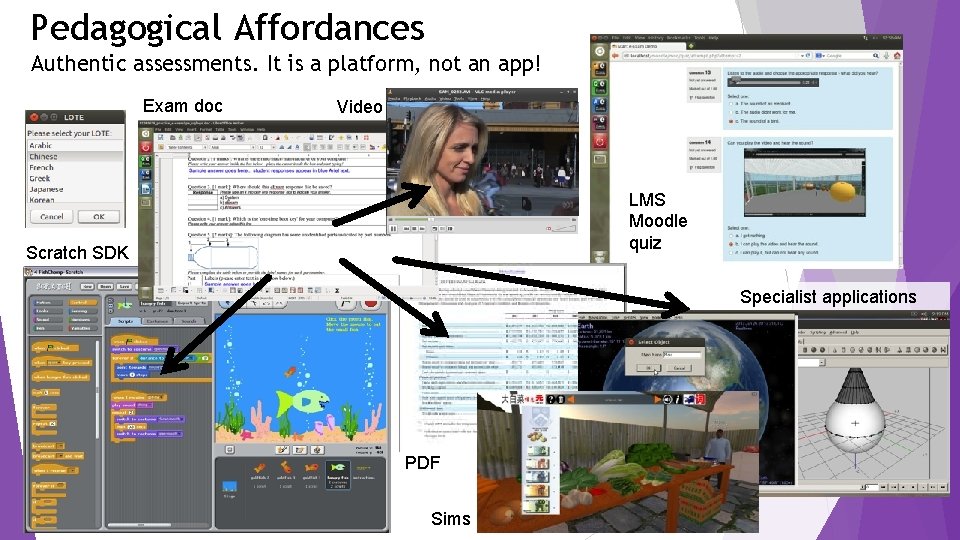
Pedagogical Affordances Authentic assessments. It is a platform, not an app! Exam doc Video LMS Moodle quiz Scratch SDK Specialist applications PDF Sims
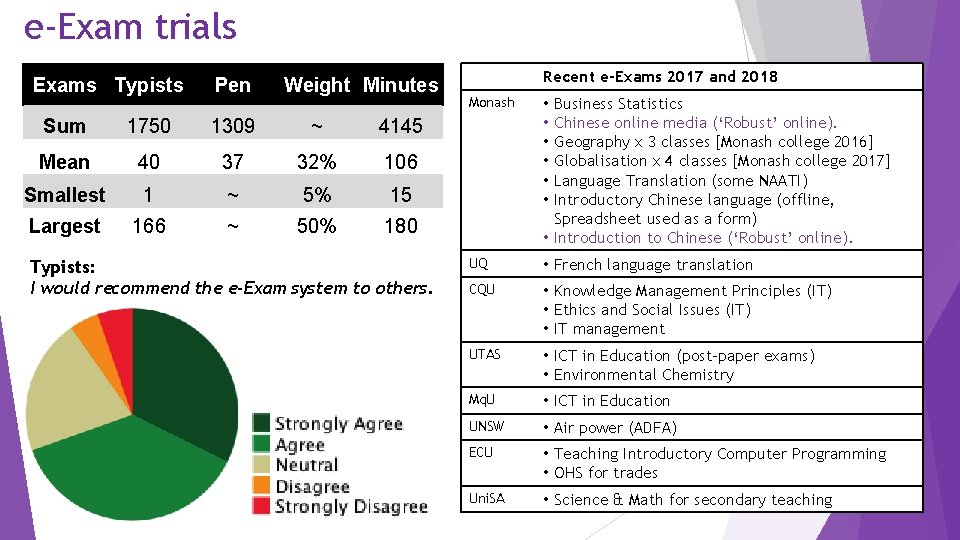
e-Exam trials Exams Typists Pen Weight Minutes Sum 1750 1309 ~ 4145 Mean 40 37 32% 106 Smallest 1 ~ 5% 15 Largest 166 ~ 50% 180 Typists: I would recommend the e-Exam system to others. Recent e-Exams 2017 and 2018 Monash • • • UQ • French language translation CQU • Knowledge Management Principles (IT) • Ethics and Social Issues (IT) • IT management UTAS • ICT in Education (post-paper exams) • Environmental Chemistry Mq. U • ICT in Education UNSW • Air power (ADFA) ECU • Teaching Introductory Computer Programming • OHS for trades Uni. SA • Science & Math for secondary teaching Business Statistics Chinese online media (‘Robust’ online). Geography x 3 classes [Monash college 2016] Globalisation x 4 classes [Monash college 2017] Language Translation (some NAATI) Introductory Chinese language (offline, Spreadsheet used as a form) • Introduction to Chinese (‘Robust’ online).
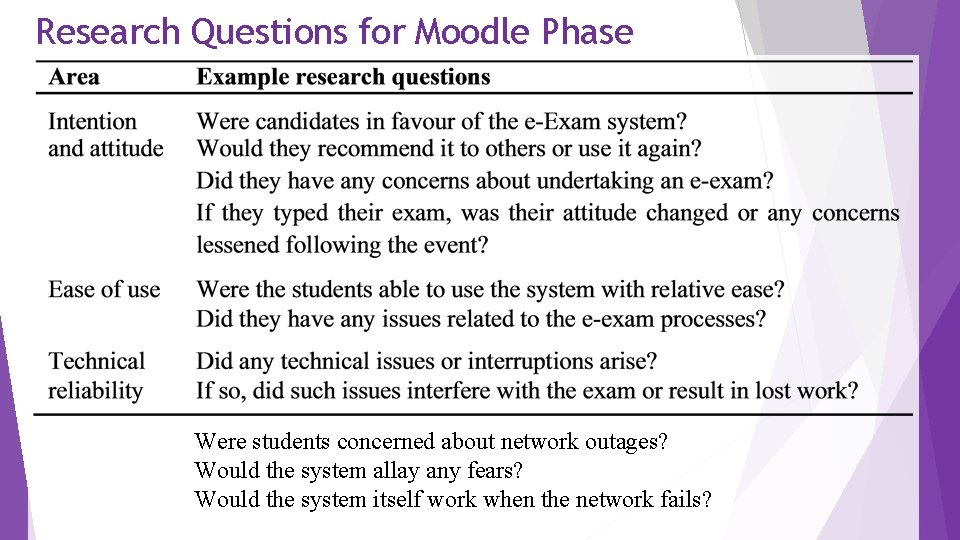
Research Questions for Moodle Phase Were students concerned about network outages? Would the system allay any fears? Would the system itself work when the network fails?
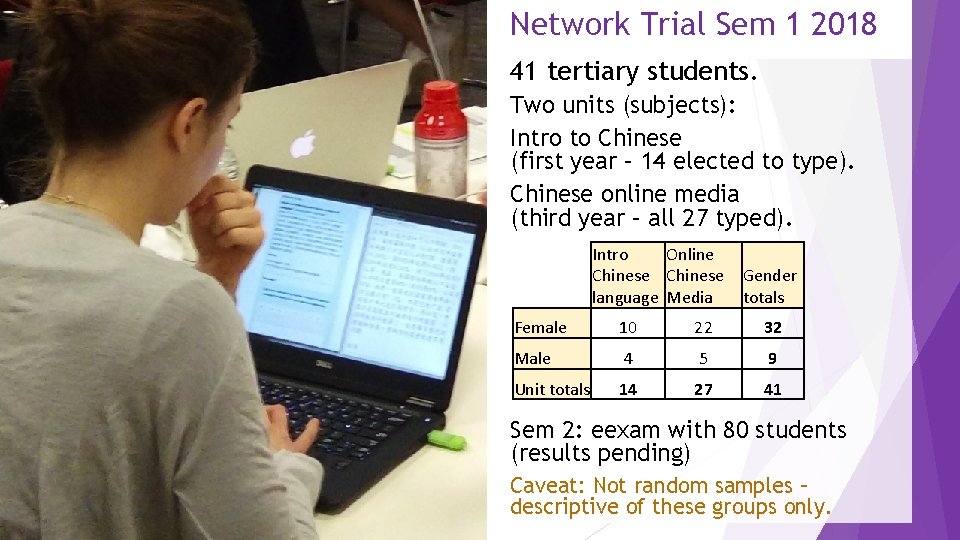
Network Trial Sem 1 2018 41 tertiary students. Two units (subjects): Intro to Chinese (first year – 14 elected to type). Chinese online media (third year – all 27 typed). Intro Online Chinese language Media Gender totals Female 10 22 32 Male 4 5 9 Unit totals 14 27 41 Sem 2: eexam with 80 students (results pending) Caveat: Not random samples – descriptive of these groups only.
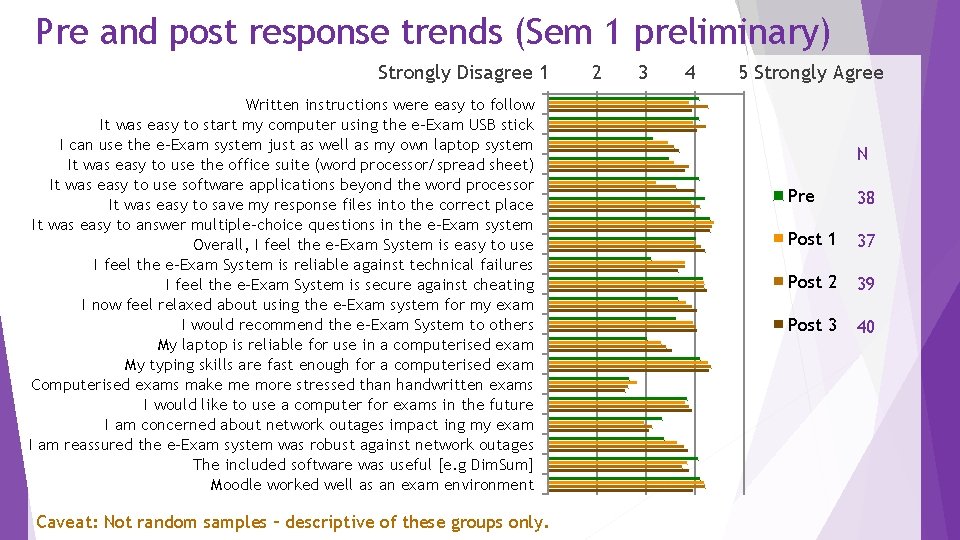
Pre and post response trends (Sem 1 preliminary) Strongly Disagree 11 Written instructions were easy to follow It was easy to start my computer using the e-Exam USB stick I can use the e-Exam system just as well as my own laptop system It was easy to use the office suite (word processor/spread sheet) It was easy to use software applications beyond the word processor It was easy to save my response files into the correct place It was easy to answer multiple-choice questions in the e-Exam system Overall, I feel the e-Exam System is easy to use I feel the e-Exam System is reliable against technical failures I feel the e-Exam System is secure against cheating I now feel relaxed about using the e-Exam system for my exam I would recommend the e-Exam System to others My laptop is reliable for use in a computerised exam My typing skills are fast enough for a computerised exam Computerised exams make me more stressed than handwritten exams I would like to use a computer for exams in the future I am concerned about network outages impact ing my exam I am reassured the e-Exam system was robust against network outages The included software was useful [e. g Dim. Sum] Moodle worked well as an exam environment Caveat: Not random samples – descriptive of these groups only. 22 33 44 55 Strongly Agree N Pre 38 Post 1 37 Post 2 39 Post 3 40
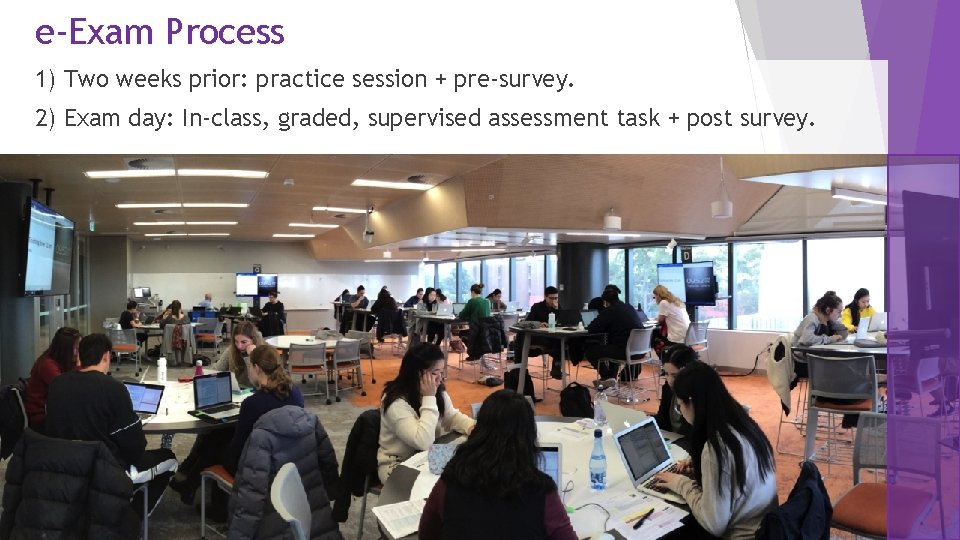
e-Exam Process 1) Two weeks prior: practice session + pre-survey. 2) Exam day: In-class, graded, supervised assessment task + post survey.
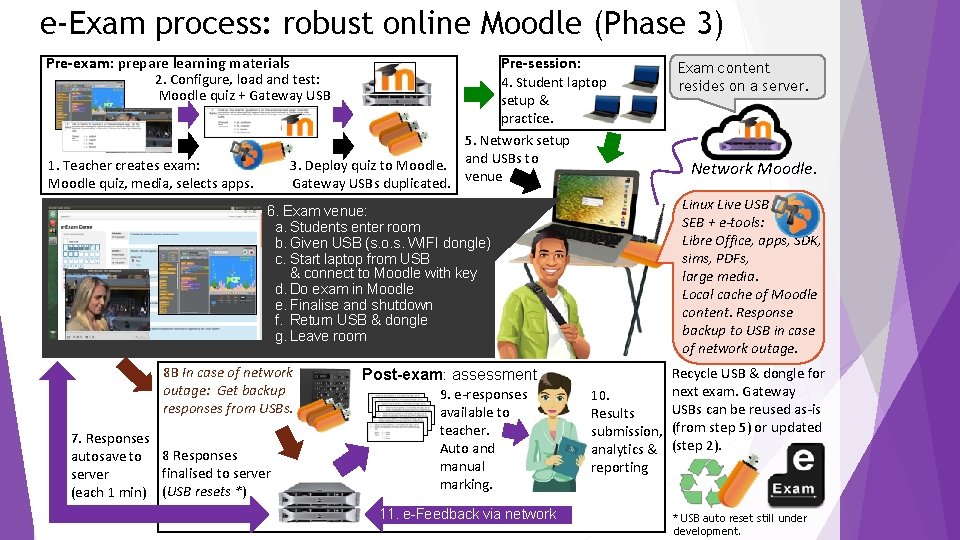
e-Exam process: robust online Moodle (Phase 3) Pre-exam: prepare learning materials Pre-session: 2. Configure, load and test: Moodle quiz + Gateway USB 4. Student laptop setup & practice. 5. Network setup 3. Deploy quiz to Moodle. and USBs to Gateway USBs duplicated. venue 1. Teacher creates exam: Moodle quiz, media, selects apps. 6. Exam venue: a. Students enter room b. Given USB (s. o. s. WIFI dongle) c. Start laptop from USB & connect to Moodle with key d. Do exam in Moodle e. Finalise and shutdown f. Return USB & dongle g. Leave room 8 B In case of network outage: Get backup responses from USBs. 7. Responses autosave to 8 Responses finalised to server (each 1 min) (USB resets *) Post-exam: assessment 9. e-responses available to teacher. Auto and manual marking. 11. e-Feedback via network Exam content resides on a server. Network Moodle. Linux Live USB SEB + e-tools: Libre Office, apps, SDK, sims, PDFs, large media. Local cache of Moodle content. Response backup to USB in case of network outage. Recycle USB & dongle for next exam. Gateway 10. USBs can be reused as-is Results submission, (from step 5) or updated analytics & (step 2). reporting * USB auto reset still under development.
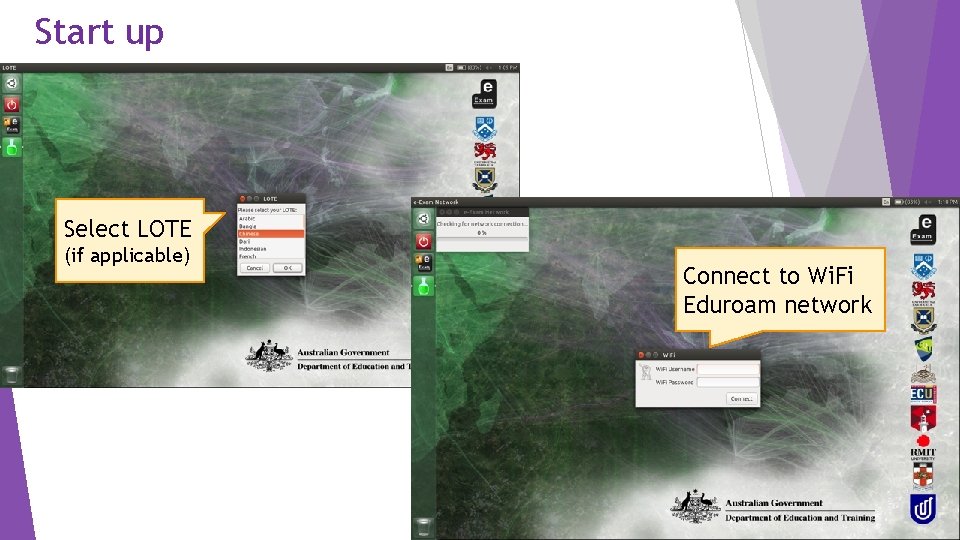
Start up Select LOTE (if applicable) Connect to Wi. Fi Eduroam network
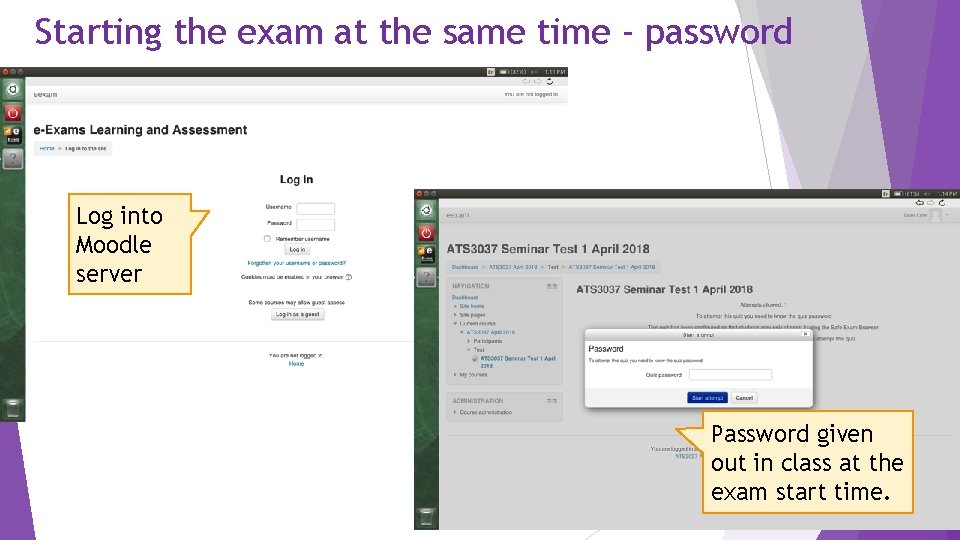
Starting the exam at the same time - password Log into Moodle server Password given out in class at the exam start time.
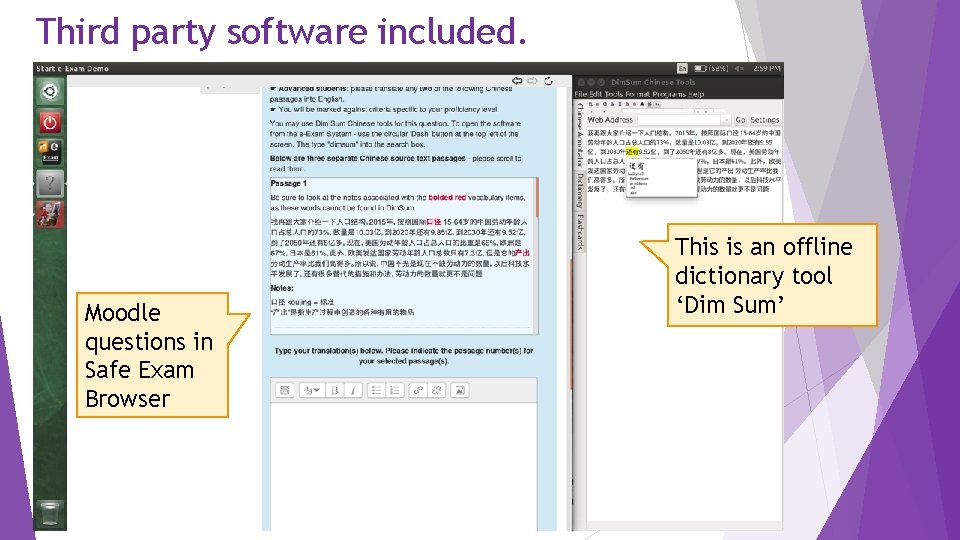
Third party software included. Moodle questions in Safe Exam Browser This is an offline dictionary tool ‘Dim Sum’
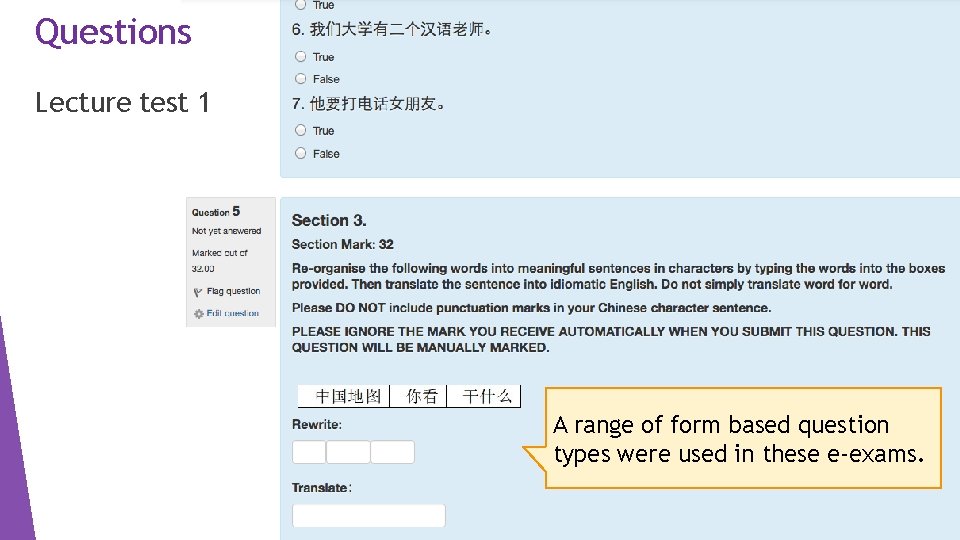
Questions Lecture test 1 A range of form based question types were used in these e-exams.
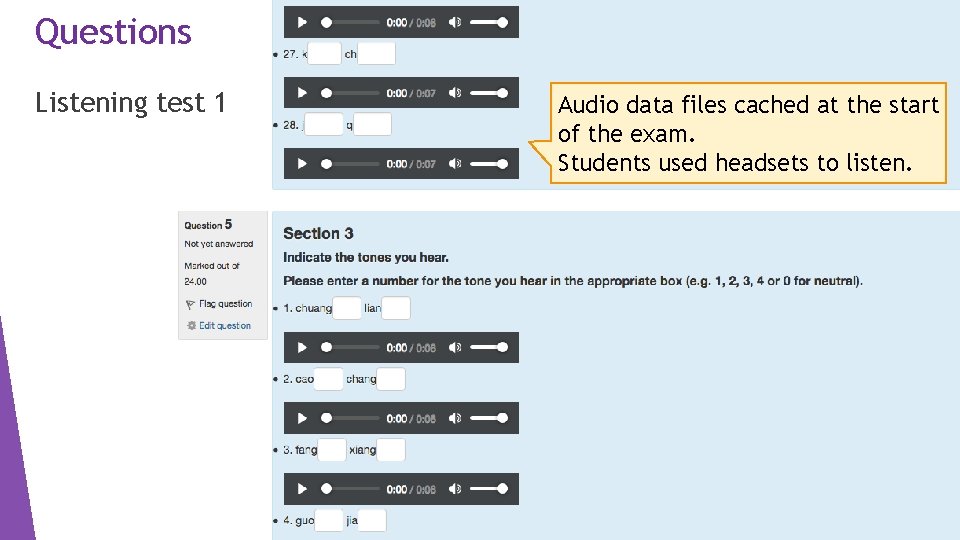
Questions Listening test 1 Audio data files cached at the start of the exam. Students used headsets to listen.
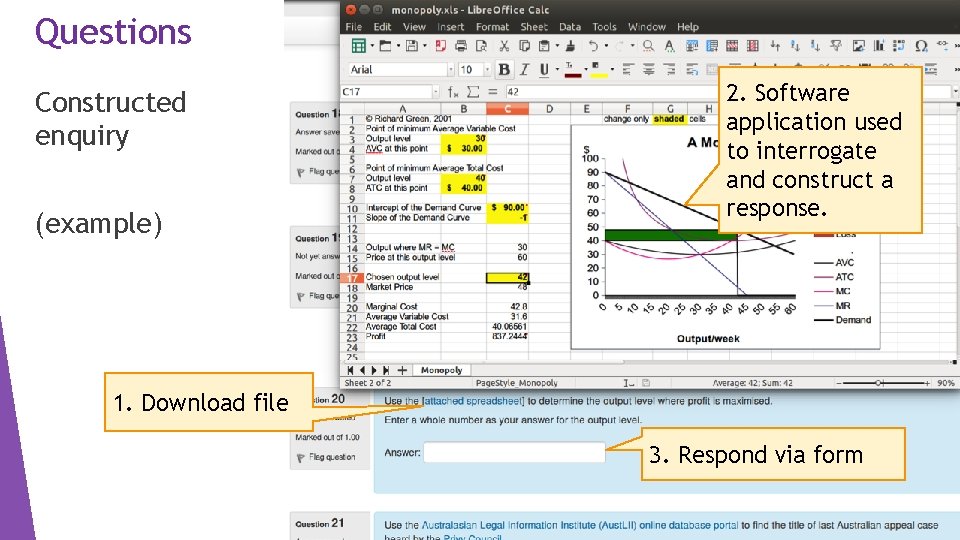
Questions Constructed enquiry (example) 2. Software application used to interrogate and construct a response. 1. Download file 3. Respond via form
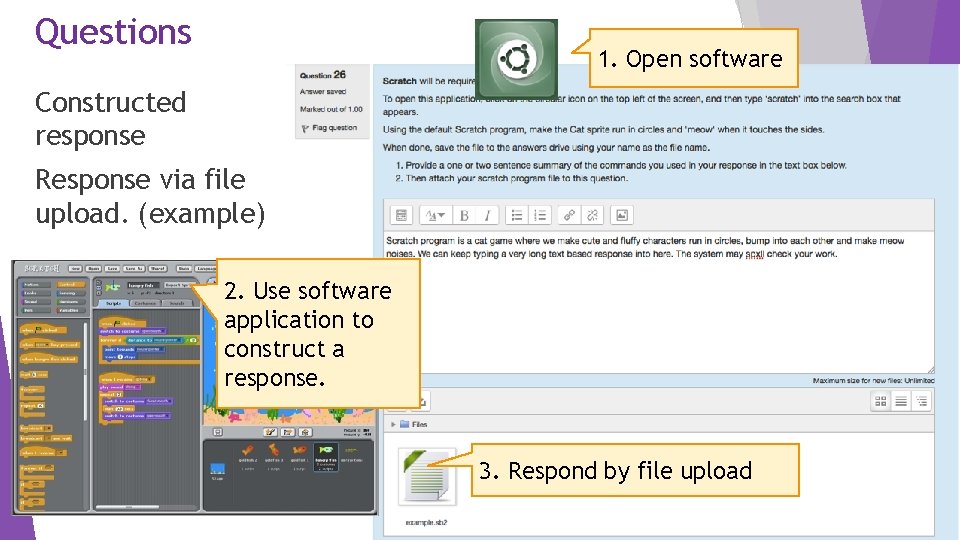
Questions 1. Open software Constructed response Response via file upload. (example) 2. Use software application to construct a response. 3. Respond by file upload
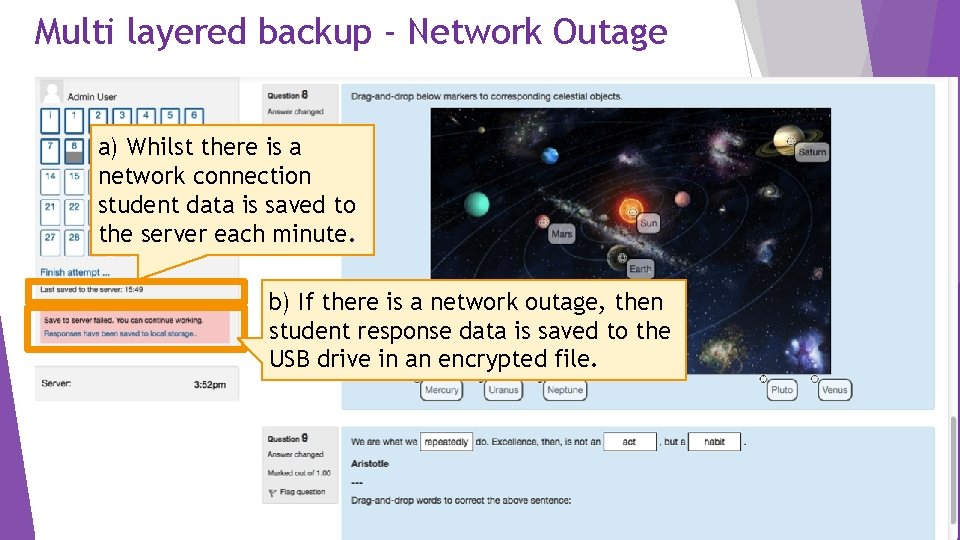
Multi layered backup - Network Outage I a) Whilst there is a network connection student data is saved to the server each minute. b) If there is a network outage, then student response data is saved to the USB drive in an encrypted file.
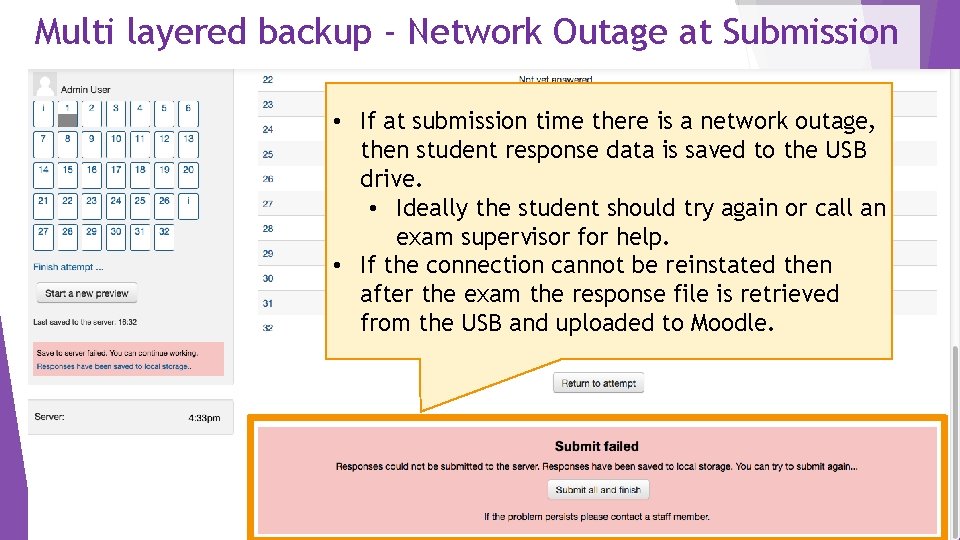
Multi layered backup - Network Outage at Submission I • If at submission time there is a network outage, then student response data is saved to the USB drive. • Ideally the student should try again or call an exam supervisor for help. • If the connection cannot be reinstated then after the exam the response file is retrieved from the USB and uploaded to Moodle.
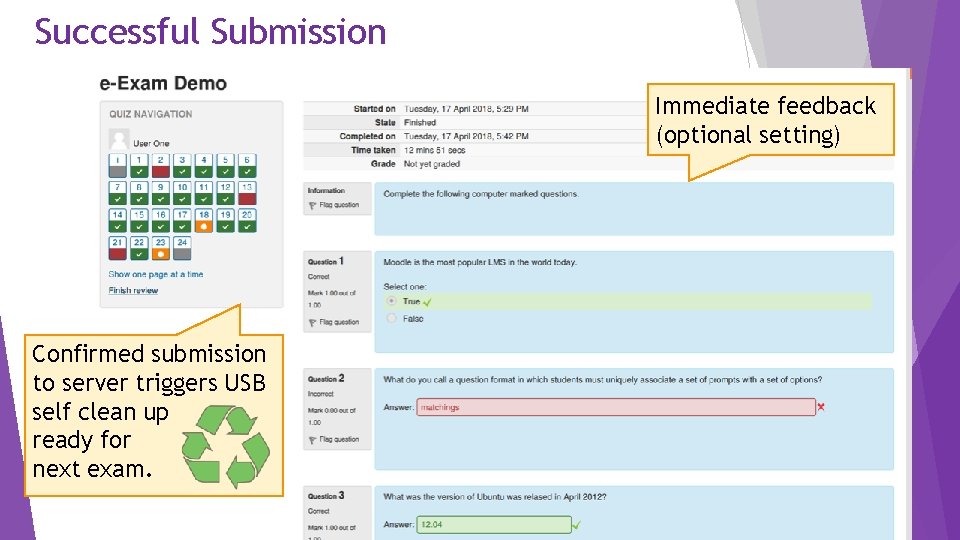
Successful Submission Immediate feedback (optional setting) Confirmed submission to server triggers USB self clean up ready for next exam.
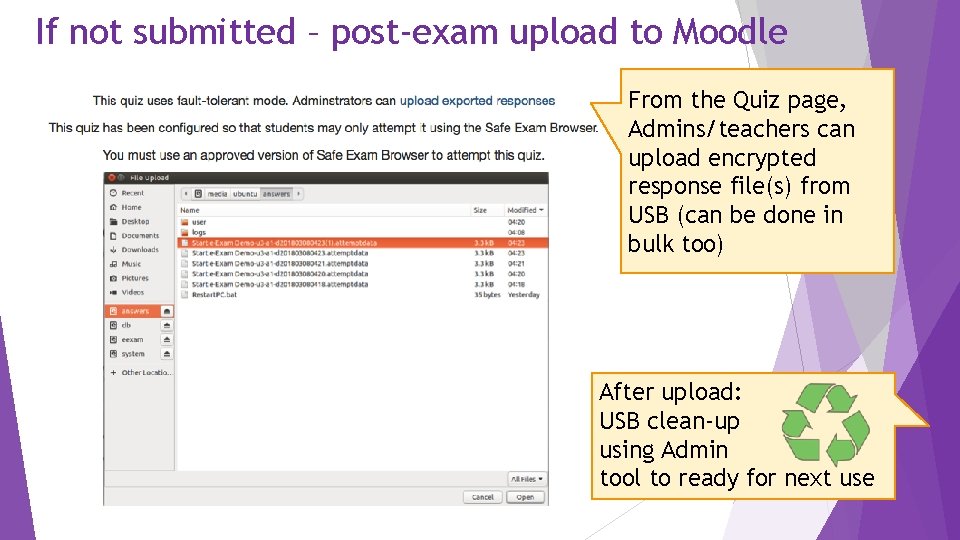
If not submitted – post-exam upload to Moodle From the Quiz page, Admins/teachers can upload encrypted response file(s) from USB (can be done in bulk too) After upload: USB clean-up using Admin tool to ready for next use
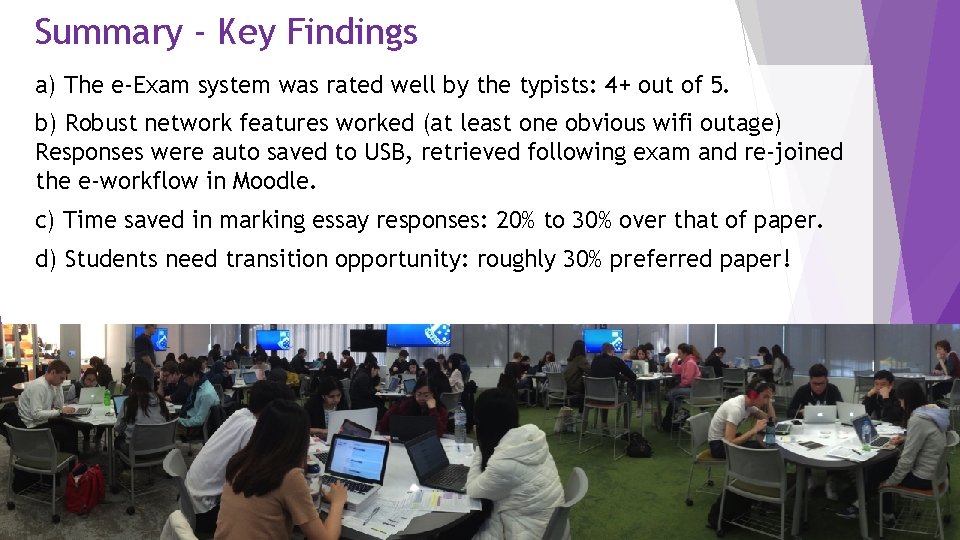
Summary - Key Findings a) The e-Exam system was rated well by the typists: 4+ out of 5. b) Robust network features worked (at least one obvious wifi outage) Responses were auto saved to USB, retrieved following exam and re-joined the e-workflow in Moodle. c) Time saved in marking essay responses: 20% to 30% over that of paper. d) Students need transition opportunity: roughly 30% preferred paper!
Summary – Next steps i) Trials of using third party software tools via Moodle: For example: use a spread sheet in conjunction with Moodle question. For example: use constructed responses in third party software with file upload response via Moodle quiz. ii) Add/refine features. Better USB clean up triggering, add digital highlighter pen for Moodle, include linked files in initial cache. iii) Bring forward cache/download point to before the exam start. iv) Find more friends – join us to take this further : -)
Technical References With thanks to these contributors! Safe Exam Browser (Daniel Schneider and SEB team at ETH Zurich). SEB Moodle plugin for keys (by Tim Hunt at Open University, UK Moodle Quiz fault-tolerant plugin (by Tim Hunt at Open University, UK). Moodle Auto enroll plugin (by Mark Ward). Note: These components cannot be used ‘as-is’. We have extended them to enable SEB to operate within the Live Linux USB implementation, modified the key exchange mechanism, added transparent auto save to local storage in the event of network outage and extended the caching of quiz components. Our work is not done – more to do! : -)
Thank you For further information contact: Mathew. Hillier@monash. edu Transforming. Exams. com e-Exam Roadshow: ADL, PER, SYD, BNE, CBR, HBA Brisbane: Thursday 27 Sep 2018 @ University of Queensland, St Lucia. Briefing session + Workshop with hands-on time! Other cities also available! Register here: http: //Transforming. Exams. eventbrite. com. au e-Exam Symposium: Sat 24 Nov 2018, Melbourne. Full day mini conf. Two International keynotes. http: //e. Exam. Symposium. eventbrite. com. au
- Slides: 27