
Transformations Transformation reexpression of a Variable Transformation of

Transformations
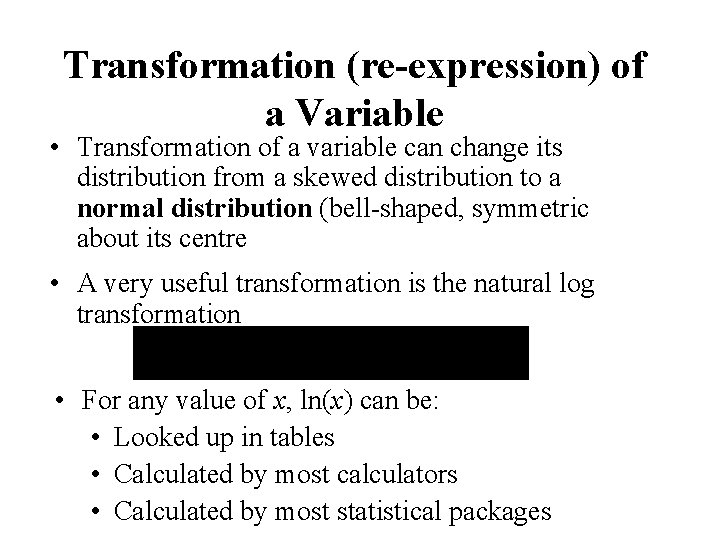
Transformation (re-expression) of a Variable • Transformation of a variable can change its distribution from a skewed distribution to a normal distribution (bell-shaped, symmetric about its centre • A very useful transformation is the natural log transformation • For any value of x, ln(x) can be: • Looked up in tables • Calculated by most calculators • Calculated by most statistical packages
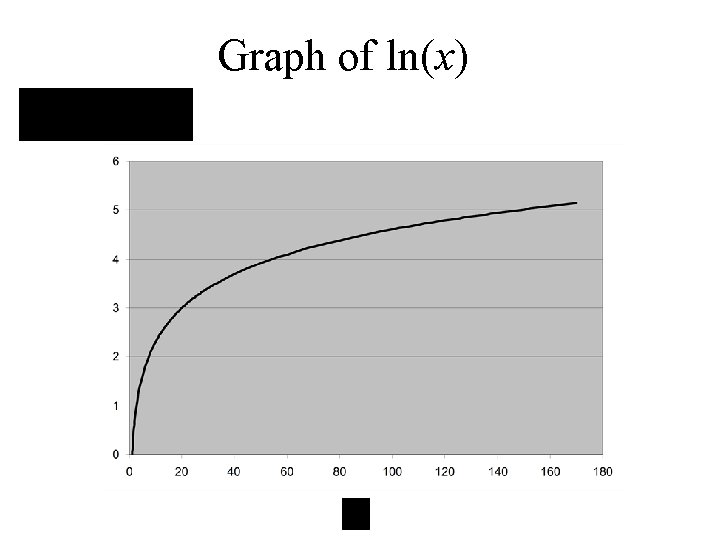
Graph of ln(x)
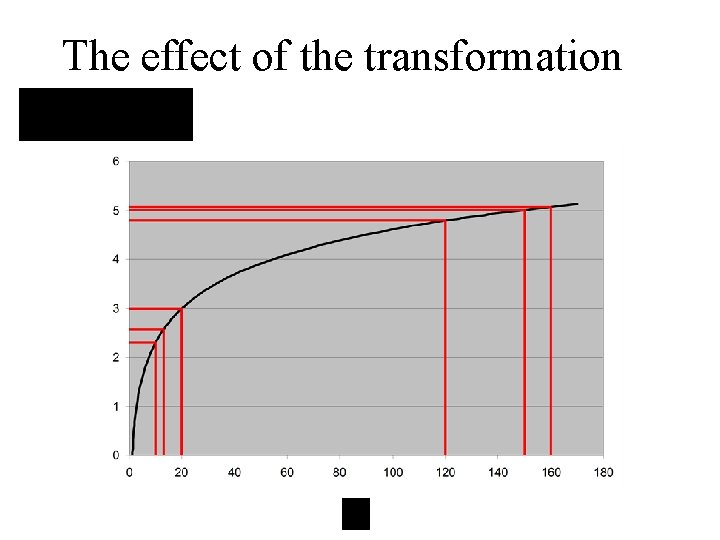
The effect of the transformation
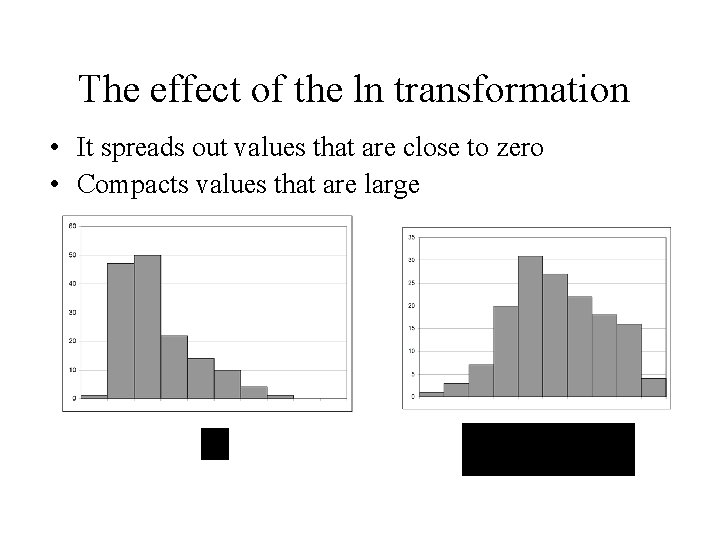
The effect of the ln transformation • It spreads out values that are close to zero • Compacts values that are large
Transforming data to a normal distribution allows one to use powerful statistical procedures (discussed later on) that assumes the data is normally distributed.
Transformations to Linearity • Many non-linear curves can be put into a linear form by appropriate transformations of the either – the dependent variable Y or – the independent variable X – or both. • This leads to the wide utility of the Linear model. • Another use of trans
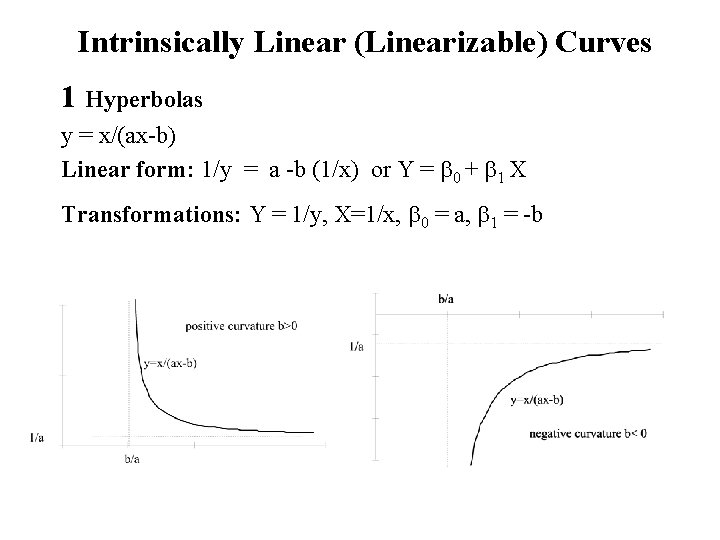
Intrinsically Linear (Linearizable) Curves 1 Hyperbolas y = x/(ax-b) Linear form: 1/y = a -b (1/x) or Y = b 0 + b 1 X Transformations: Y = 1/y, X=1/x, b 0 = a, b 1 = -b

2. Exponential y = a ebx = a. Bx Linear form: ln y = lna + b x = lna + ln. B x or Y = b 0 + b 1 X Transformations: Y = ln y, X = x, b 0 = lna, b 1 = b = ln. B
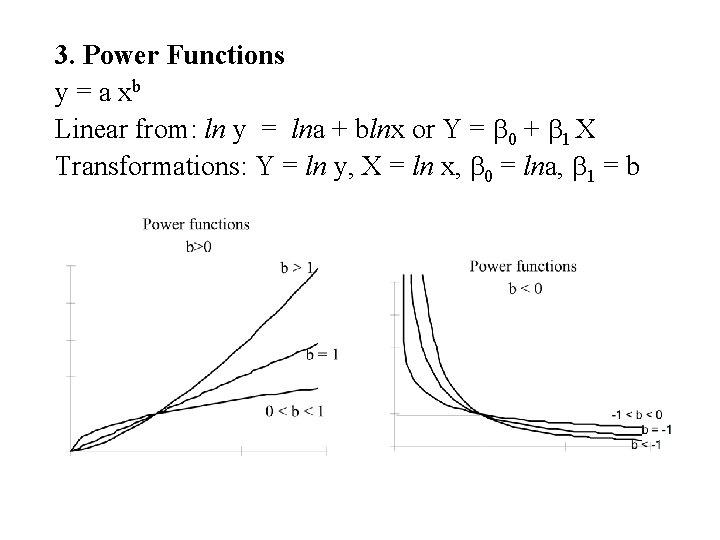
3. Power Functions y = a xb Linear from: ln y = lna + blnx or Y = b 0 + b 1 X Transformations: Y = ln y, X = ln x, b 0 = lna, b 1 = b
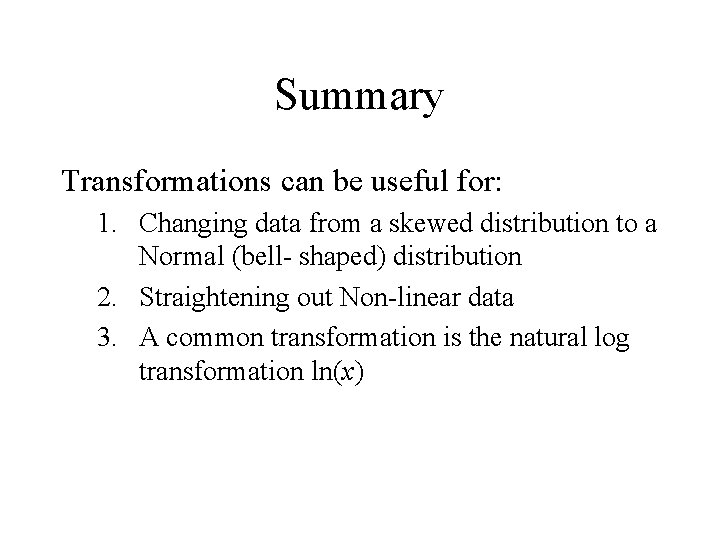
Summary Transformations can be useful for: 1. Changing data from a skewed distribution to a Normal (bell- shaped) distribution 2. Straightening out Non-linear data 3. A common transformation is the natural log transformation ln(x)
Example – Motor Vehicle Data The data is in an Excel file – Mtr. Veh. xls Dependent = mpg Independent = Engine size, horsepower and weight
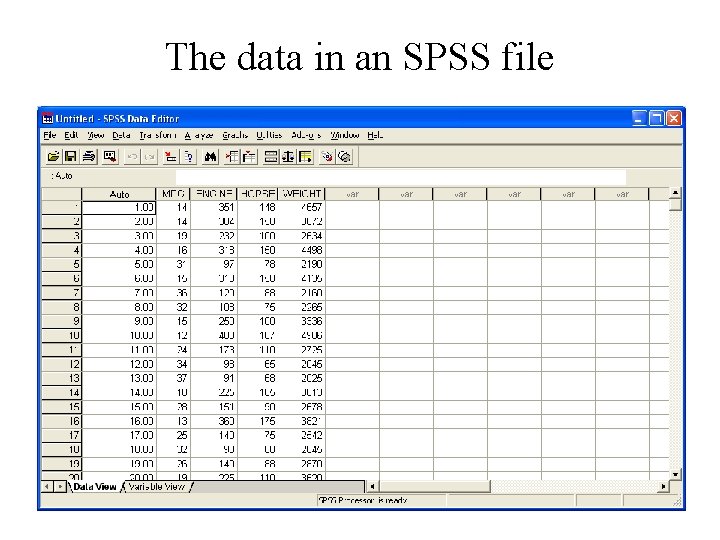
The data in an SPSS file
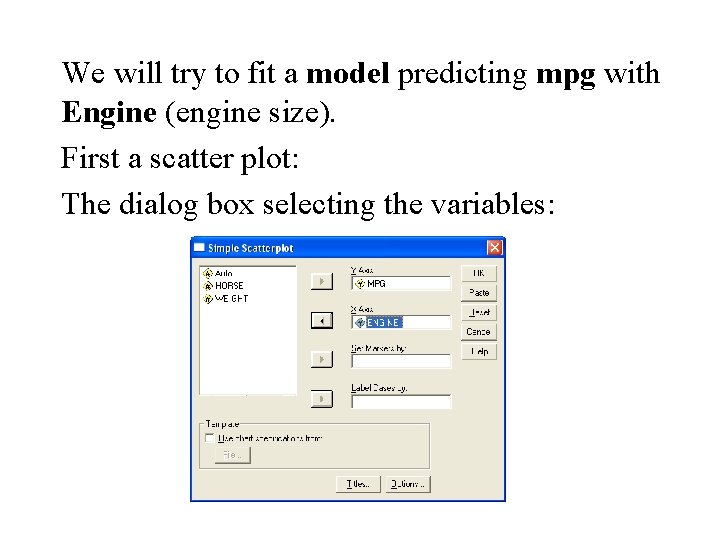
We will try to fit a model predicting mpg with Engine (engine size). First a scatter plot: The dialog box selecting the variables:
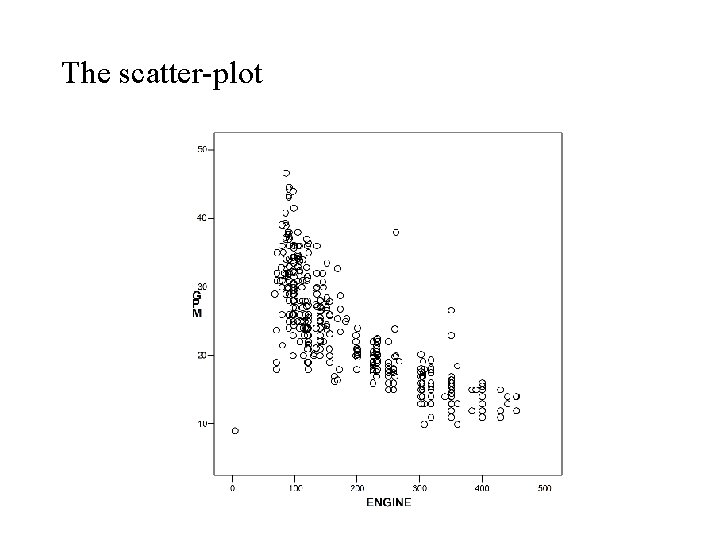
The scatter-plot
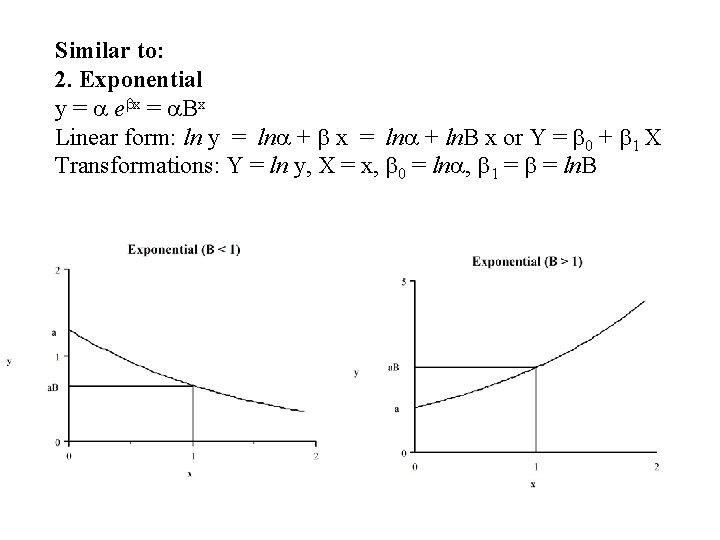
Similar to: 2. Exponential y = a ebx = a. Bx Linear form: ln y = lna + b x = lna + ln. B x or Y = b 0 + b 1 X Transformations: Y = ln y, X = x, b 0 = lna, b 1 = b = ln. B
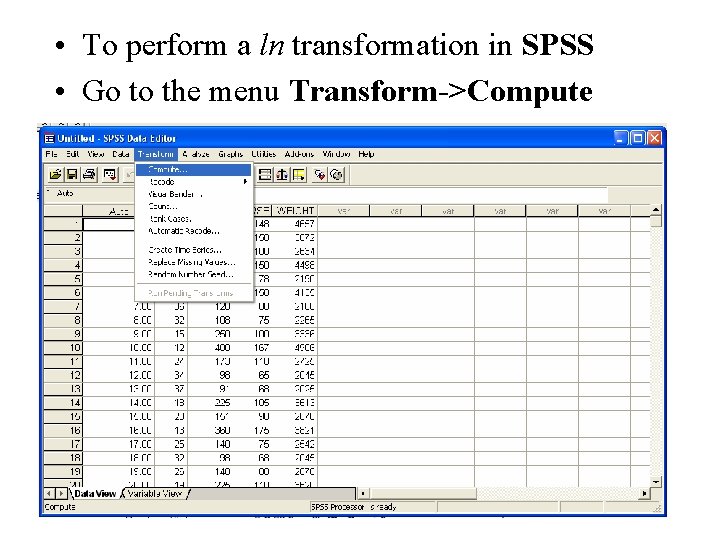
• To perform a ln transformation in SPSS • Go to the menu Transform->Compute
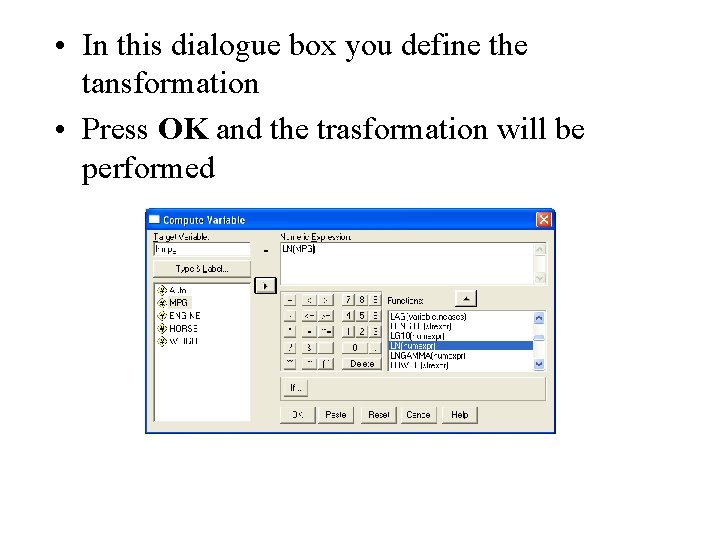
• In this dialogue box you define the tansformation • Press OK and the trasformation will be performed
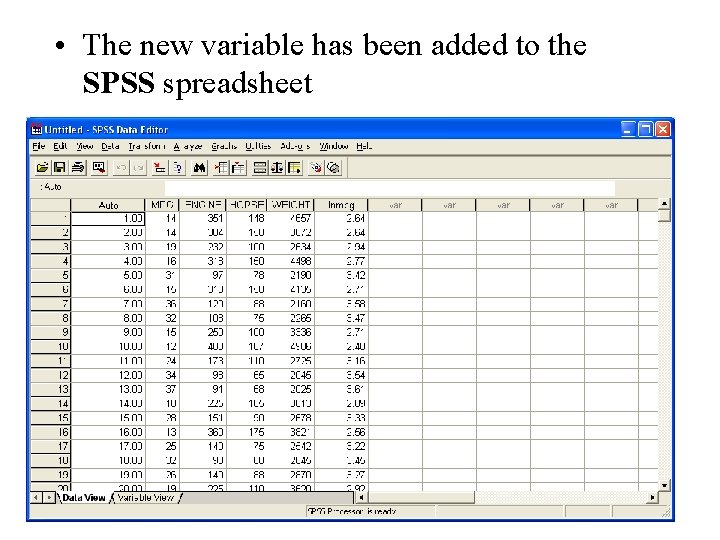
• The new variable has been added to the SPSS spreadsheet
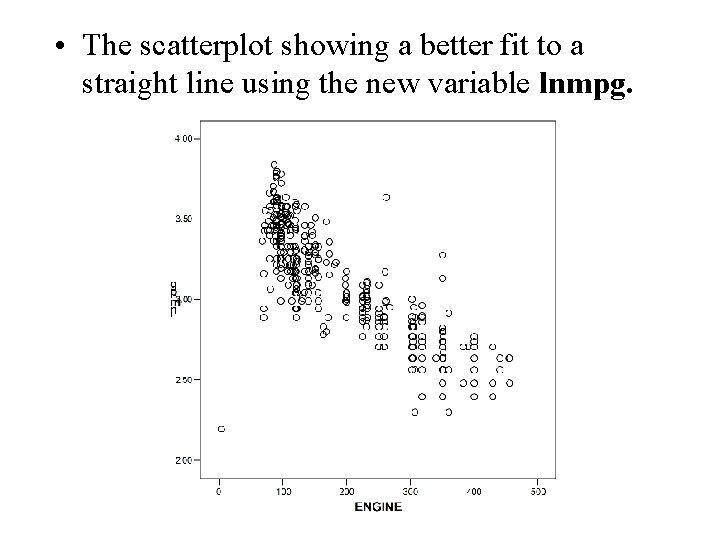
• The scatterplot showing a better fit to a straight line using the new variable lnmpg.
Transformations summary • Transformations can be used to convert nonnormal data to normally (bell-shaped) distributed data (allowing for the use of the more powerful techniques assuming normality) • Transformations can be used to convert nonlinear data linear (straight line) data.

Next topic Probability
- Slides: 22