
Transcripts How to Request Transcripts in Naviance Log


- Slides: 8
Transcripts How to Request Transcripts in Naviance
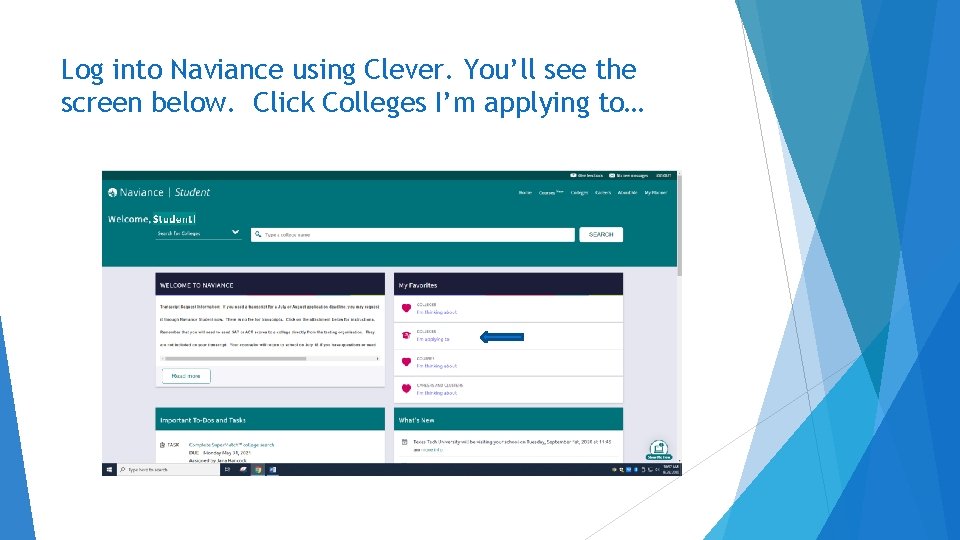
Log into Naviance using Clever. You’ll see the screen below. Click Colleges I’m applying to…
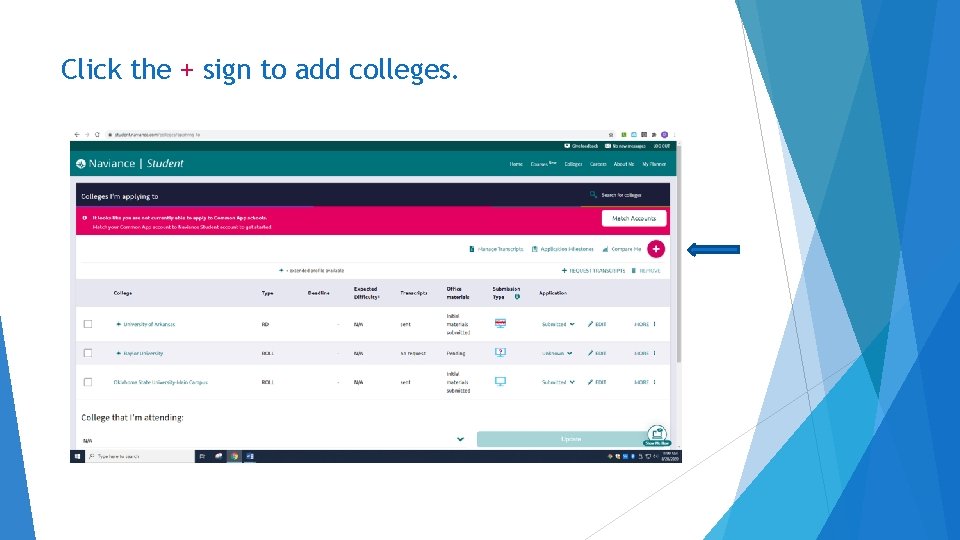
Click the + sign to add colleges.
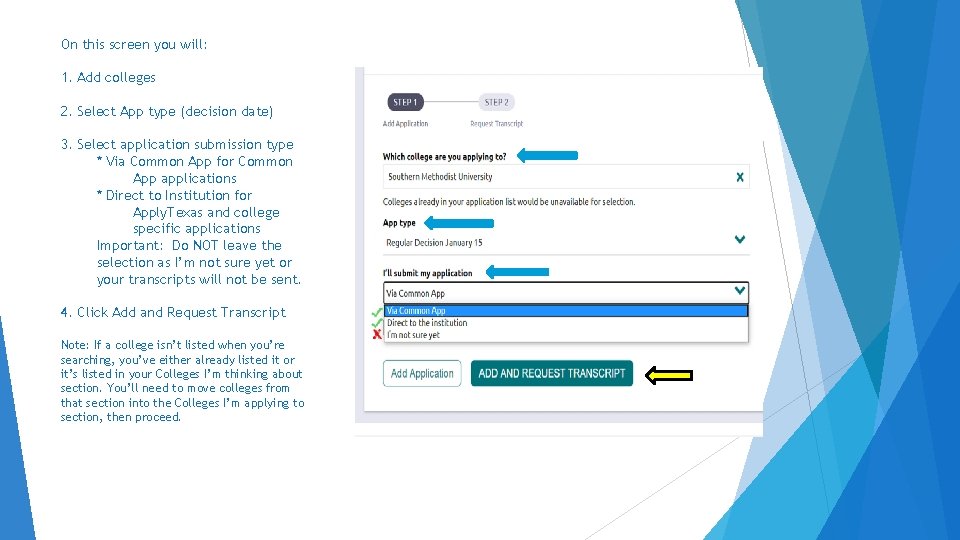
On this screen you will: 1. Add colleges 2. Select App type (decision date) 3. Select application submission type * Via Common App for Common App applications * Direct to Institution for Apply. Texas and college specific applications Important: Do NOT leave the selection as I’m not sure yet or your transcripts will not be sent. 4. Click Add and Request Transcript Note: If a college isn’t listed when you’re searching, you’ve either already listed it or it’s listed in your Colleges I’m thinking about section. You’ll need to move colleges from that section into the Colleges I’m applying to section, then proceed.
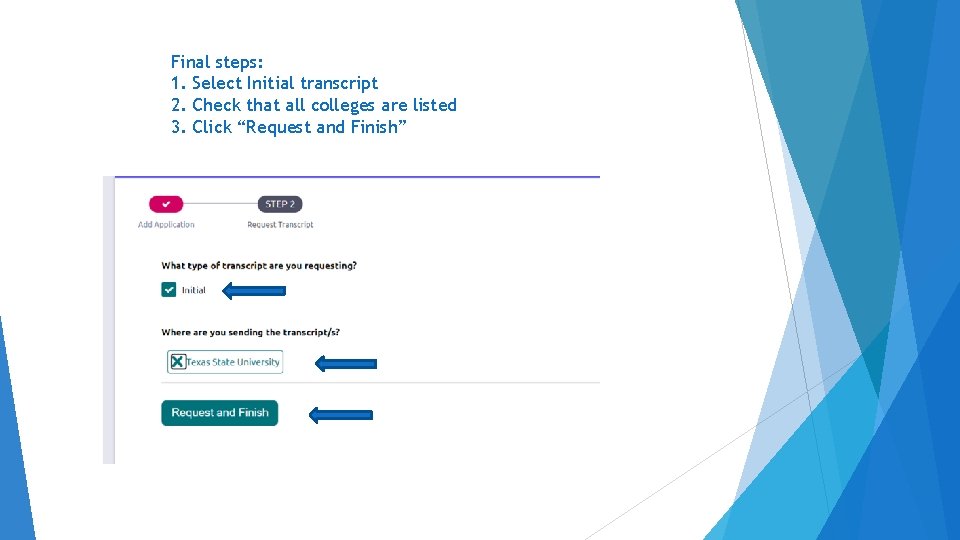
Final steps: 1. Select Initial transcript 2. Check that all colleges are listed 3. Click “Request and Finish”
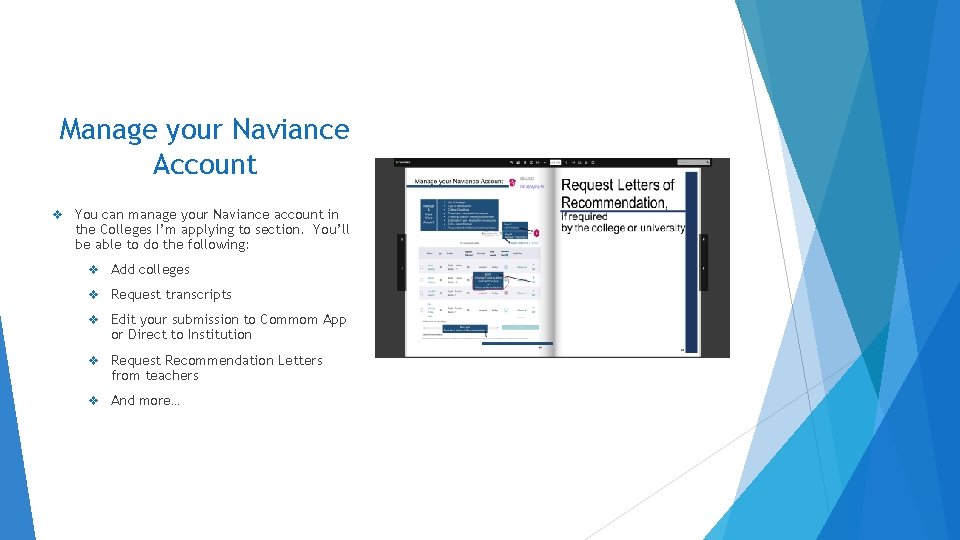
Manage your Naviance Account v You can manage your Naviance account in the Colleges I’m applying to section. You’ll be able to do the following: v Add colleges v Request transcripts v Edit your submission to Commom App or Direct to Institution v Request Recommendation Letters from teachers v And more…
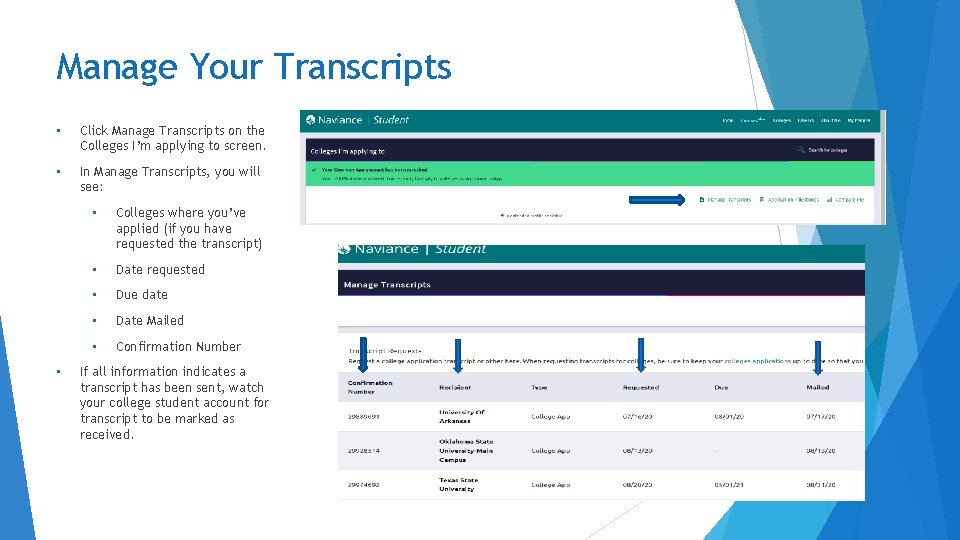
Manage Your Transcripts • Click Manage Transcripts on the Colleges I’m applying to screen. • In Manage Transcripts, you will see: • • Colleges where you’ve applied (if you have requested the transcript) • Date requested • Due date • Date Mailed • Confirmation Number If all information indicates a transcript has been sent, watch your college student account for transcript to be marked as received.
Final Notes… The information in the previous slides instructed you on how to request official transcripts that will be sent direct from Plano West to colleges. If your application requires that you self-report, you can request a personal copy of your transcript at this link: https: //myforms. pisd. edu/Forms/TRequest