
Transactions and Reliability File system components l Disk
Transactions and Reliability
File system components l Disk management l Naming l Reliability ¡What are the reliability issues in file systems? l Security
File system reliability issues l Heavy caching to achieve higher performance. ¡ Machines crash all the time. How to maintain a consistent file system after the machine crashes? l Disk can crash. How to keep the data even when the disk breaks?
Caching issue l File systems have lots of metadata: ¡Free blocks, directories, file headers, indirect blocks l Metadata is heavily cached for performance ¡Modification to the metadata may not be on disk right away.
Problem l System crashes: all cached data are lost!! ¡OS needs to ensure that the file system does not reach an inconsistent state l Example: move a file between directories ¡Remove a file from the old directory ¡Add a file to the new directory ¡What happens when a crash occurs in the middle?
UNIX File System (Ad Hoc Failure. Recovery) l Metadata handling: ¡Uses a synchronous write-through caching policy l. A call to update metadata does not return until the changes are propagated to disk ¡Updates are ordered ¡When crashes occur, run fsck to repair inprogress operations
Some Examples of Metadata Handling l Undo effects not yet visible to users ¡If a new file is created, but not yet added to the directory-l. Delete the file l Continue effects that are visible to users ¡If file blocks are already allocated, but not recorded in the bitmap-l. Update the bitmap
UFS User Data Handling l Uses a write-back policy ¡Modified blocks are written to disk at 30 -second intervals-l. Unless a user issues the sync system call ¡Data updates are not ordered ¡In many cases, consistent metadata is good enough
Current solution: the Transaction Approach (Journaling) l A transaction groups operations as a unit, with the following characteristics: ¡Atomic: all operations in a transaction either happen or they do not (no partial operations) ¡Serializable: transactions appear to happen one after the other ¡Durable: once a transaction happens, it is recoverable and can survive crashes
More on Transactions l A transaction is not done until it is committed l Once committed, a transaction is durable l If a transaction fails to complete, it must rollback as if it did not happen at all

Transaction Implementation (One Thread) l Example: money transfer Begin transaction x = x – $100; y = y + $100; Commit
Transaction Implementation (One Thread) l Common implementations involve the use of a log, a journal that is never erased l A file system uses a write-ahead log to track all transactions ¡ information is written to the log before written into the disk.
Transaction Implementation (One Thread) l Once accounts of x and y are on a log, the log is committed to disk in a single write l Actual changes to those accounts are done later
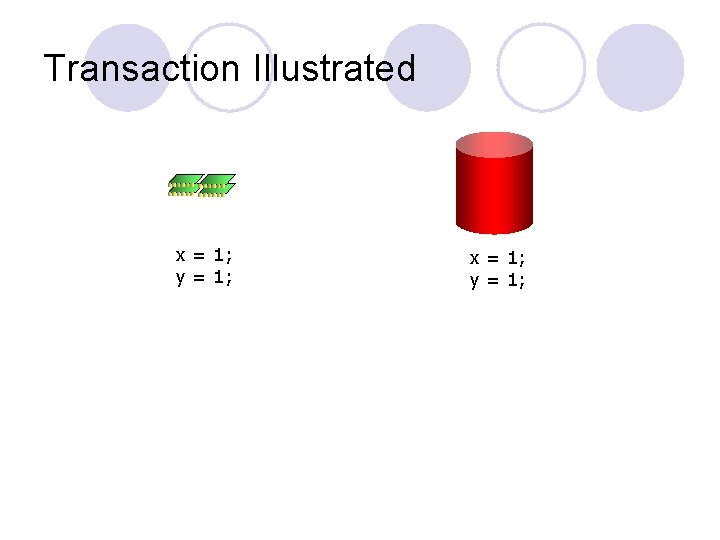
Transaction Illustrated x = 1; y = 1;
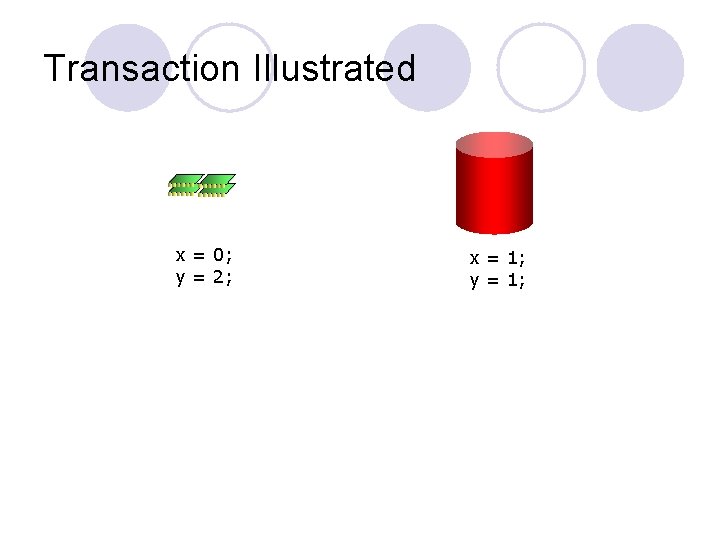
Transaction Illustrated x = 0; y = 2; x = 1; y = 1;
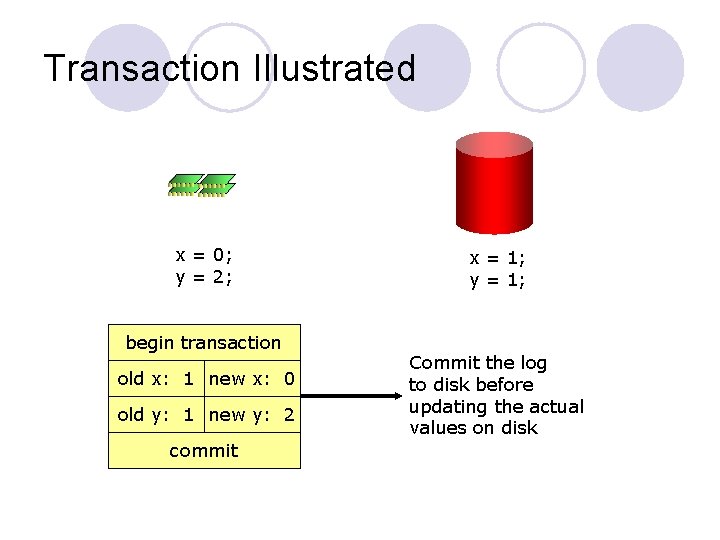
Transaction Illustrated x = 0; y = 2; begin transaction old x: 1 new x: 0 old y: 1 new y: 2 commit x = 1; y = 1; Commit the log to disk before updating the actual values on disk
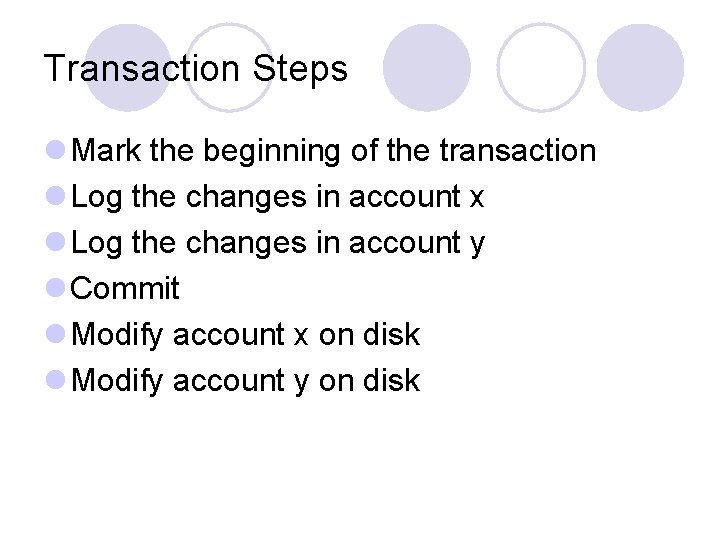
Transaction Steps l Mark the beginning of the transaction l Log the changes in account x l Log the changes in account y l Commit l Modify account x on disk l Modify account y on disk
Scenarios of Crashes l If a crash occurs after the commit ¡Replays the log to update accounts l If a crash occurs before the commit ¡Rolls back and discard the transaction l A crash cannot occur during the commit ¡Commit is built as an atomic operation ¡e. g. writing a single sector on disk
Two-Phase Locking (Multiple Threads) l Logging alone not enough to prevent multiple transactions from trashing one another (not serializable) l Solution: two-phase locking 1. Acquire all locks 2. Perform updates and release all locks l Thread A cannot see thread B’s changes until thread B commits and releases locks
Transactions in File Systems l Many recent file systems built use writeahead logging ¡Windows NT, Solaris, ext 3 (Linux), etc + Eliminates running fsck after a crash + Write-ahead logging provides reliability - All modifications need to be written twice
Log-Structured File System (LFS) l If logging is so great, why don’t we treat everything as log entries? l Log-structured file system ¡Everything is a log entry (file headers, directories, data blocks) ¡Write the log only once l. Use version stamps to distinguish between old and new entries
More on LFS l New log entries are always appended to the end of the existing log ¡All writes are sequential ¡Seeks only occurs during reads l. Not so bad due to temporal locality and caching l Problem: ¡Need to create more contiguous space all the time
RAID: dealing with disk crash l RAID: redundant array of independent disks ¡ Standard way of organizing disks and classifying the reliability of multi-disk systems ¡ General methods: data duplication, parity, and errorcorrecting codes (ECC)
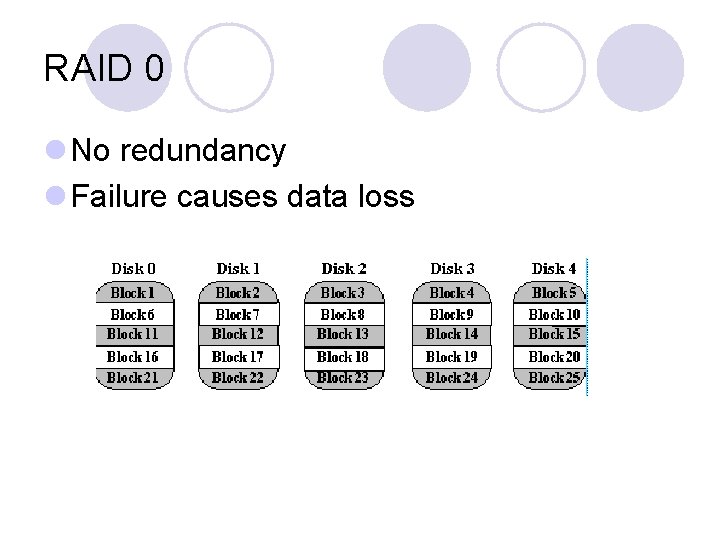
RAID 0 l No redundancy l Failure causes data loss
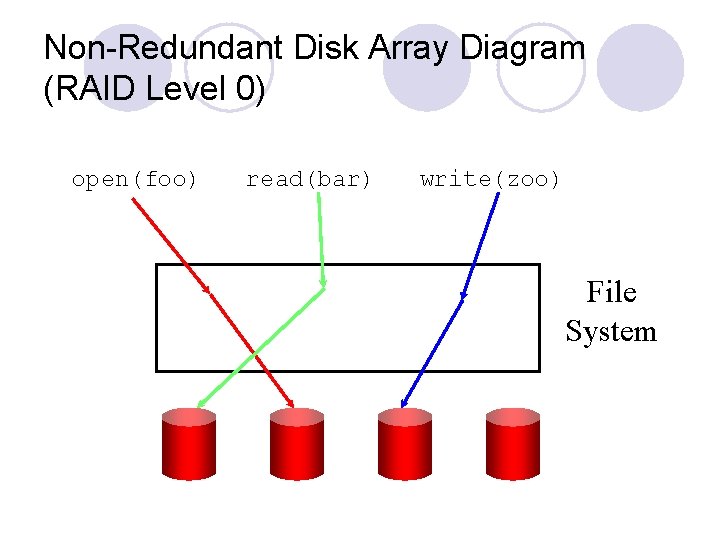
Non-Redundant Disk Array Diagram (RAID Level 0) open(foo) read(bar) write(zoo) File System
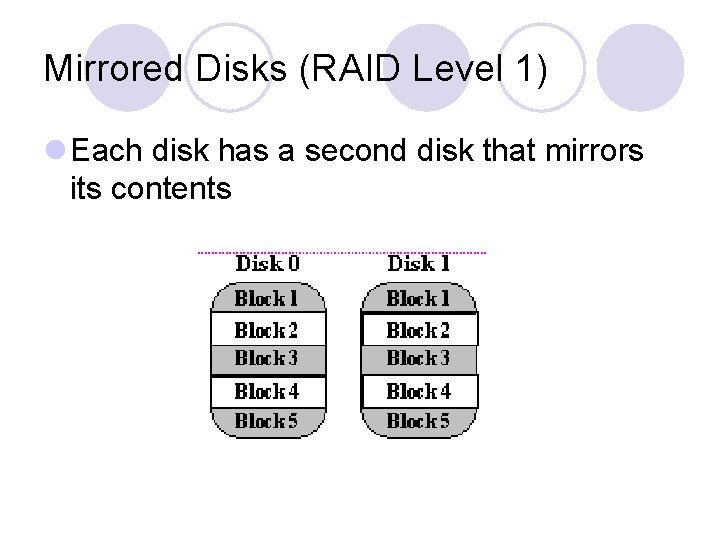
Mirrored Disks (RAID Level 1) l Each disk has a second disk that mirrors its contents
Mirrored Disks (RAID Level 1) l Writes go to both disks + Reliability is doubled + Read access faster - Write access slower - Expensive and inefficient
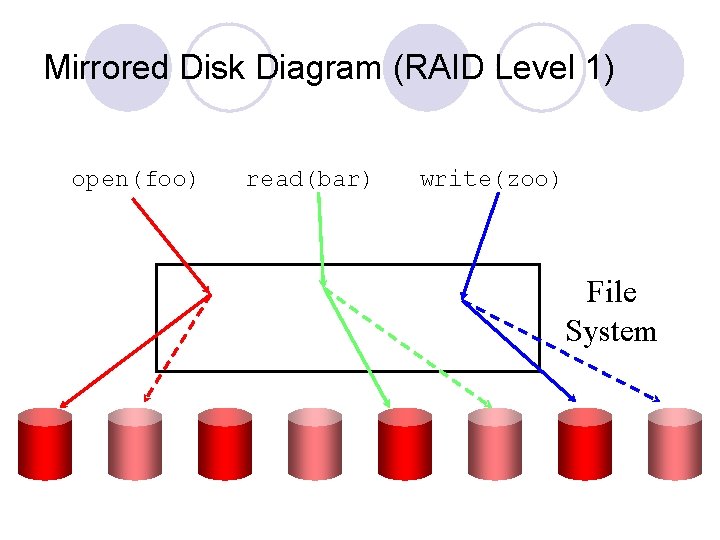
Mirrored Disk Diagram (RAID Level 1) open(foo) read(bar) write(zoo) File System
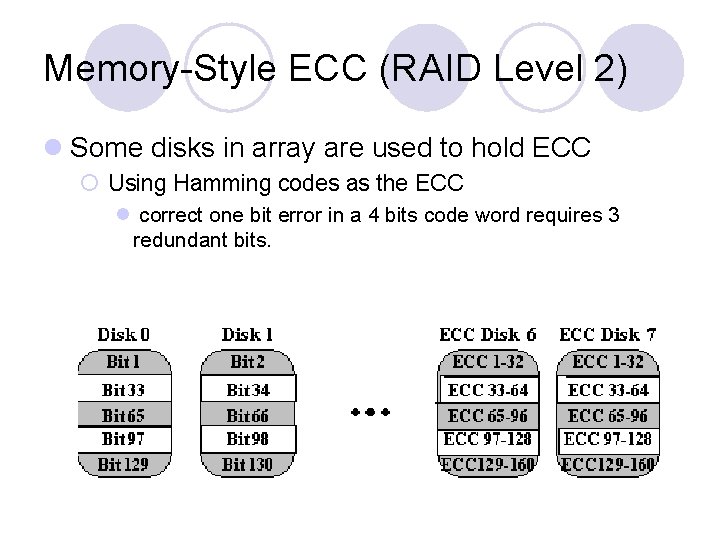
Memory-Style ECC (RAID Level 2) l Some disks in array are used to hold ECC ¡ Using Hamming codes as the ECC l correct one bit error in a 4 bits code word requires 3 redundant bits.
Memory-Style ECC (RAID Level 2) + More efficient than mirroring + Can correct, not just detect, errors - Still fairly inefficient ¡e. g. , 4 data disks require 3 ECC disks
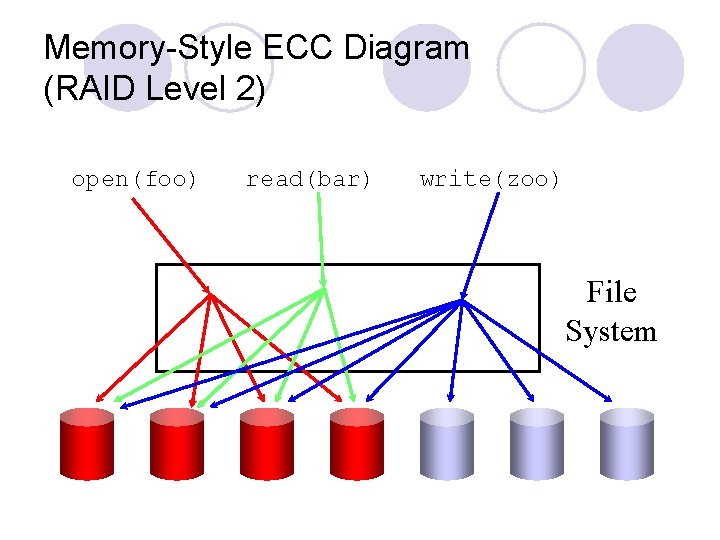
Memory-Style ECC Diagram (RAID Level 2) open(foo) read(bar) write(zoo) File System
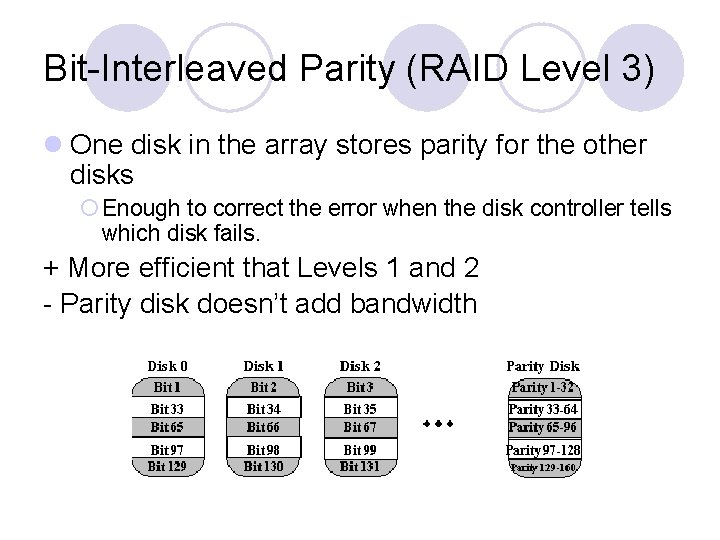
Bit-Interleaved Parity (RAID Level 3) l One disk in the array stores parity for the other disks ¡ Enough to correct the error when the disk controller tells which disk fails. + More efficient that Levels 1 and 2 - Parity disk doesn’t add bandwidth
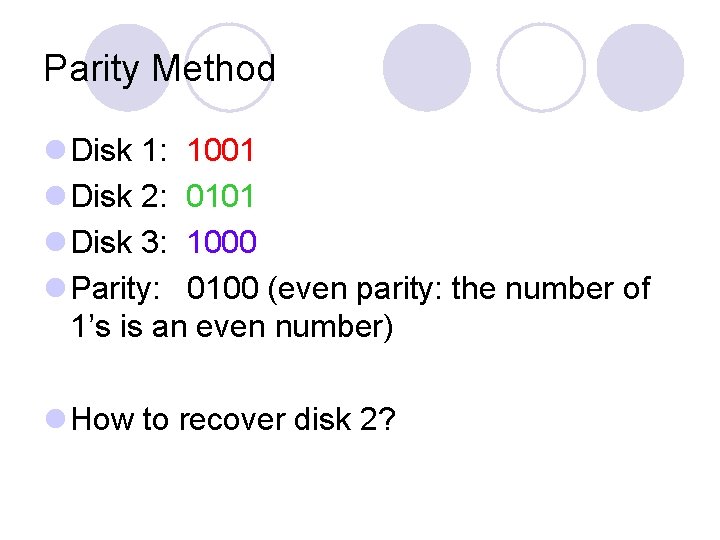
Parity Method l Disk 1: 1001 l Disk 2: 0101 l Disk 3: 1000 l Parity: 0100 (even parity: the number of 1’s is an even number) l How to recover disk 2?
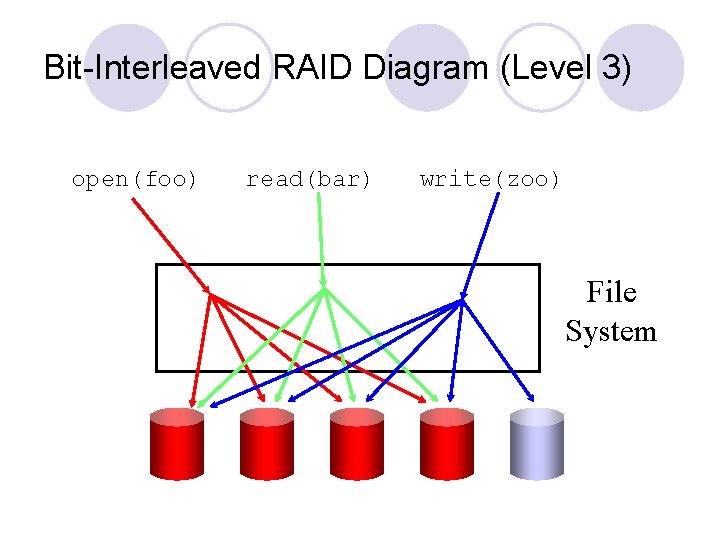
Bit-Interleaved RAID Diagram (Level 3) open(foo) read(bar) write(zoo) File System
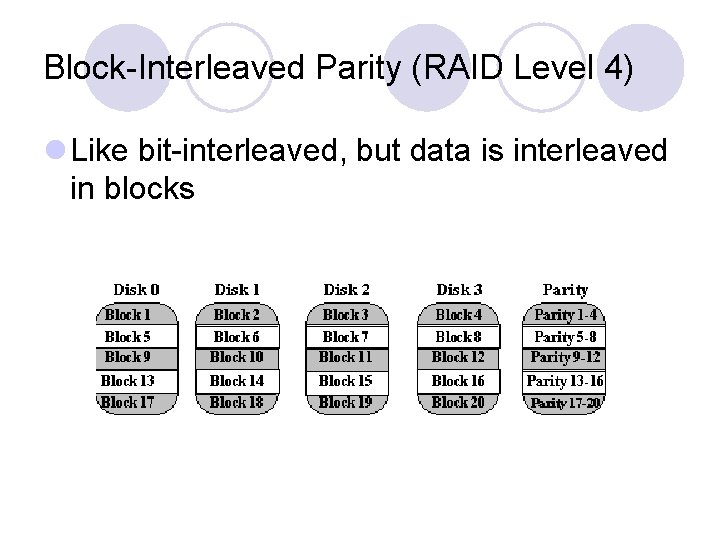
Block-Interleaved Parity (RAID Level 4) l Like bit-interleaved, but data is interleaved in blocks
Block-Interleaved Parity (RAID Level 4) + More efficient data access than level 3 - Parity disk can be a bottleneck - Every write needs to write the parity disk. - Small writes require 4 I/Os ¡Read the old block ¡Read the old parity ¡Write the new block ¡Write the new parity
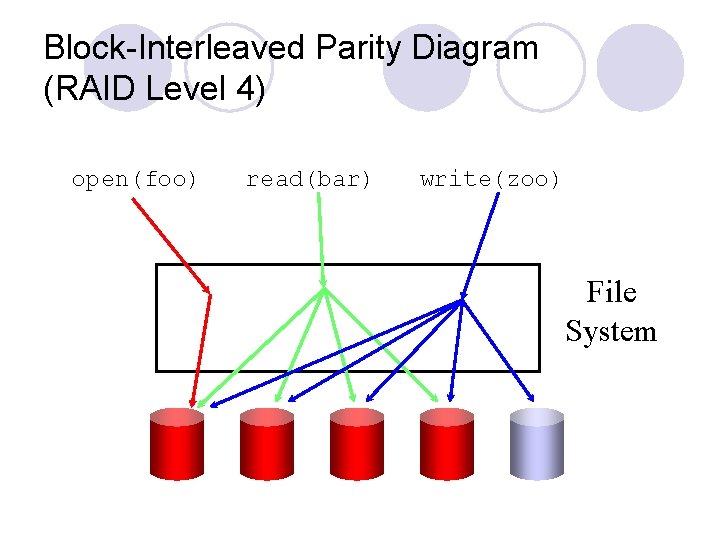
Block-Interleaved Parity Diagram (RAID Level 4) open(foo) read(bar) write(zoo) File System
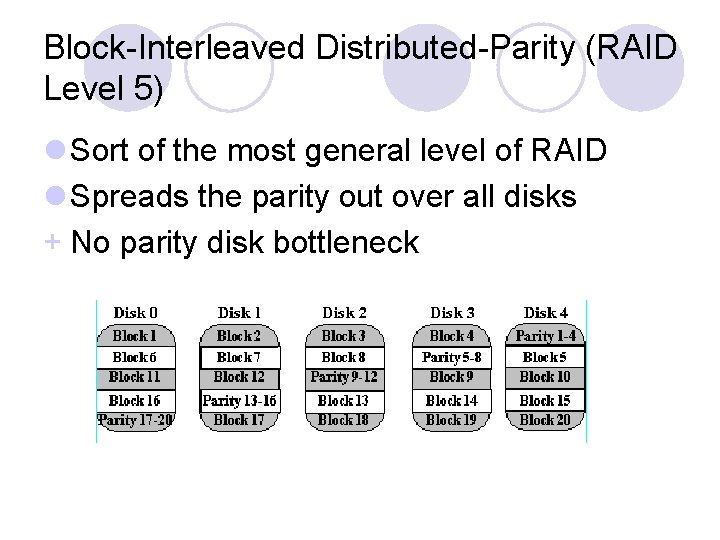
Block-Interleaved Distributed-Parity (RAID Level 5) l Sort of the most general level of RAID l Spreads the parity out over all disks + No parity disk bottleneck
Block-Interleaved Distributed-Parity (RAID Level 5) + All disks contribute read bandwidth – Requires 4 I/Os for small writes
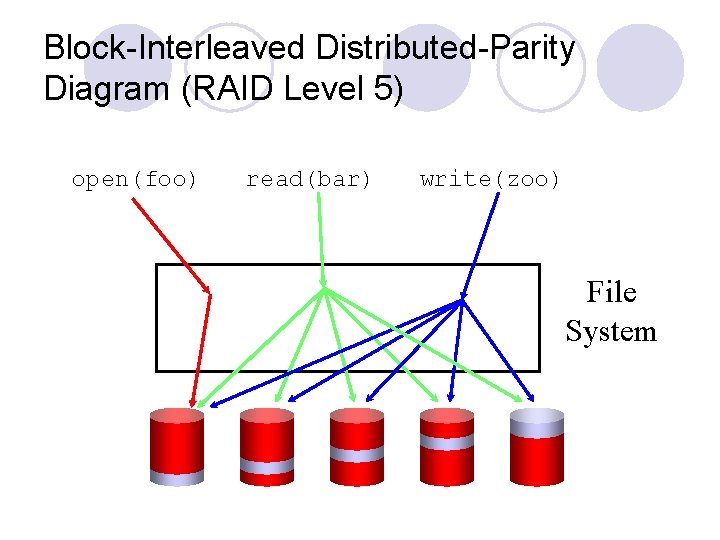
Block-Interleaved Distributed-Parity Diagram (RAID Level 5) open(foo) read(bar) write(zoo) File System
- Slides: 40